Normal view
-
TechCrunch
- Board, the new game startup from Mirror founder Brynn Putnam, raises $20M, has already sold thousands
Board, the new game startup from Mirror founder Brynn Putnam, raises $20M, has already sold thousands
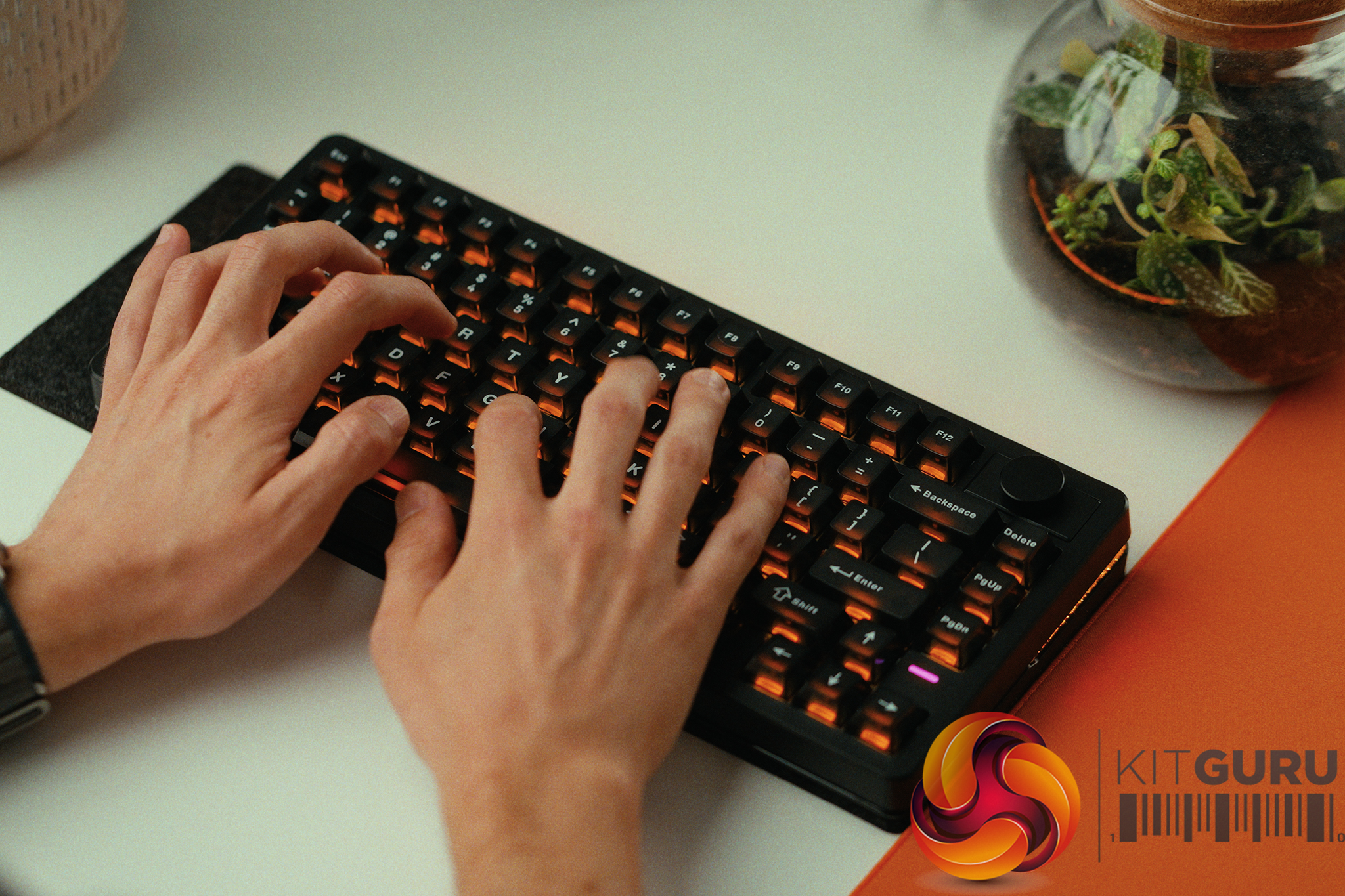
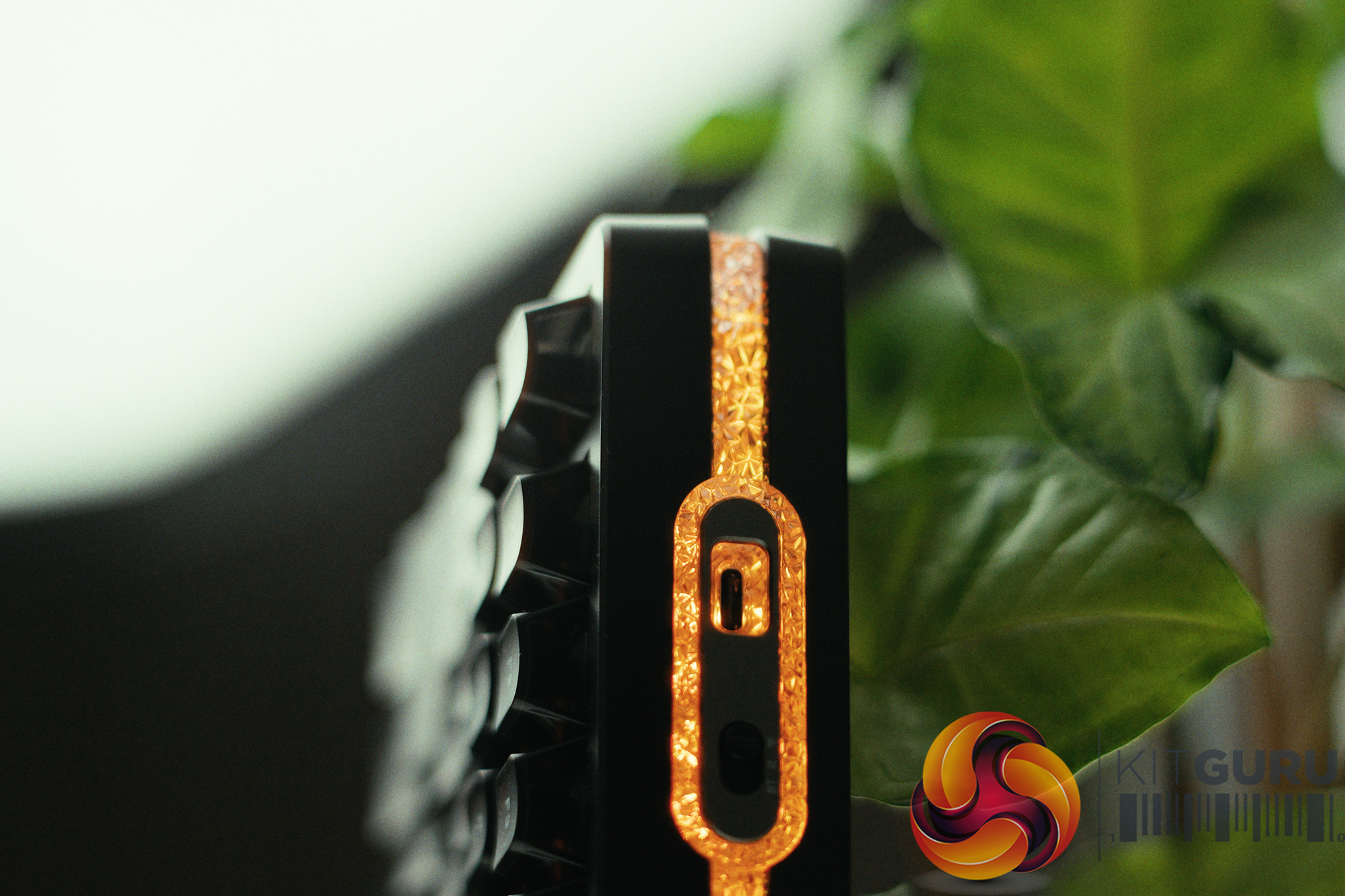
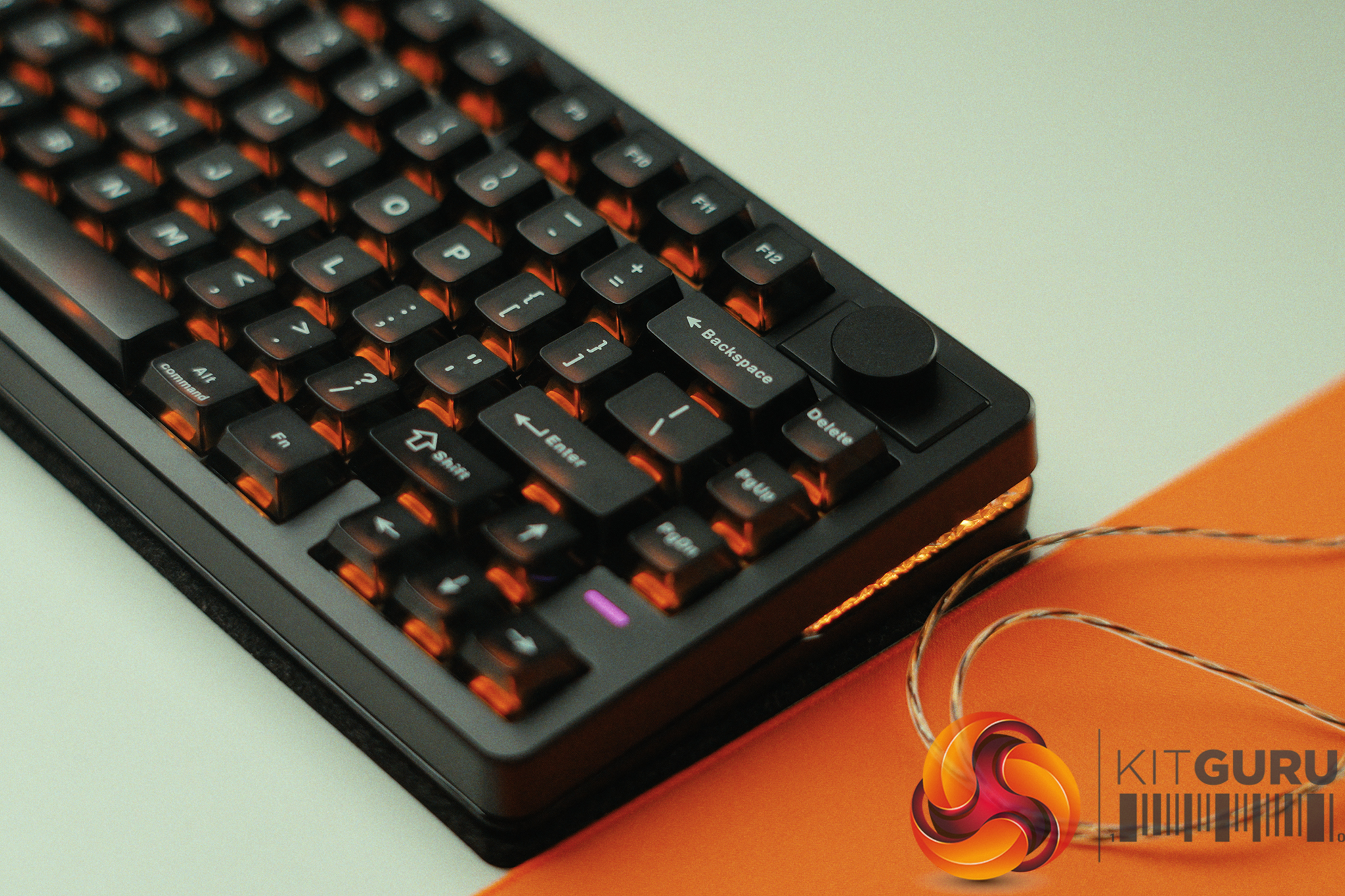
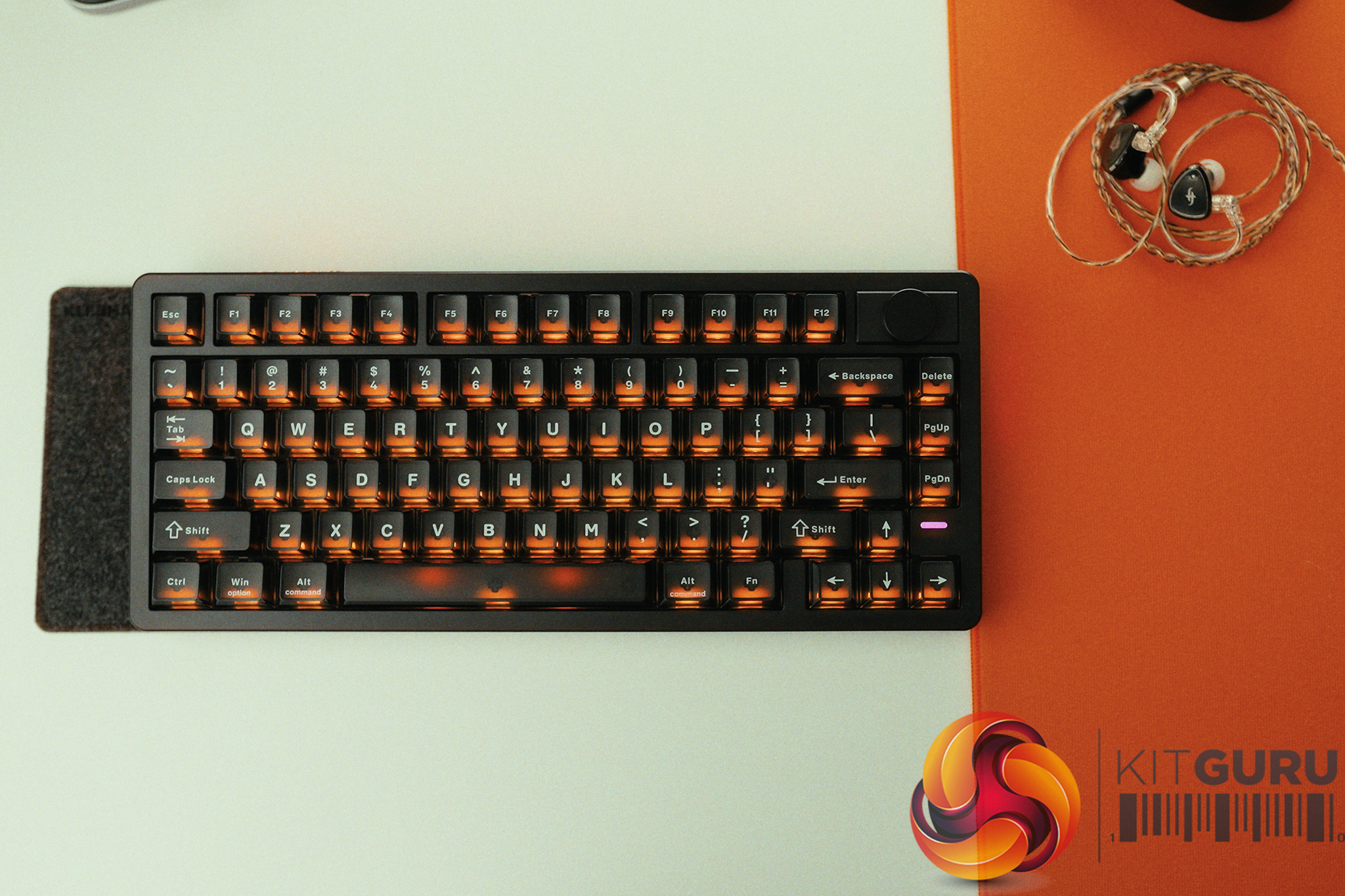
Krux Drox combines retro design and modern features at Computex 2026
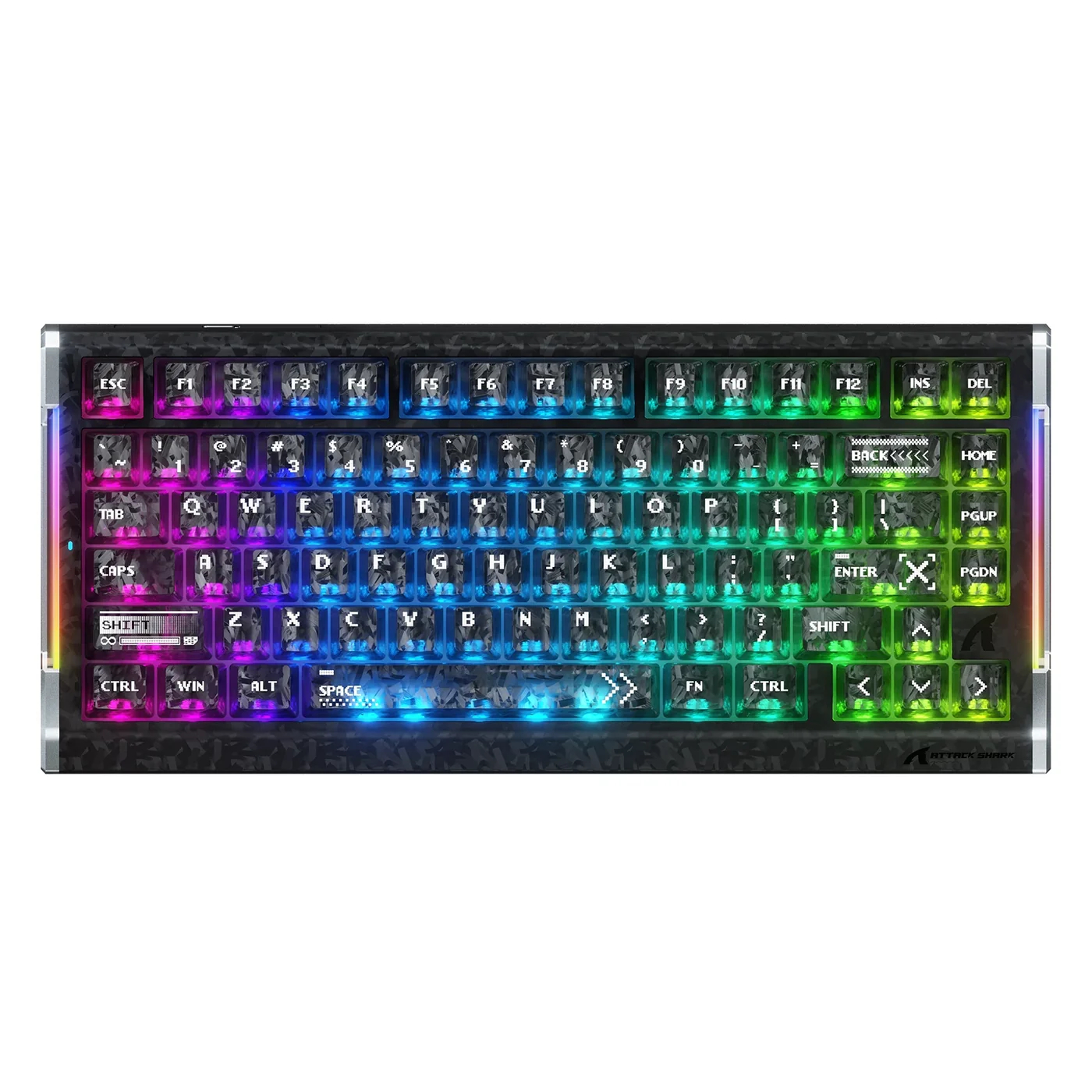
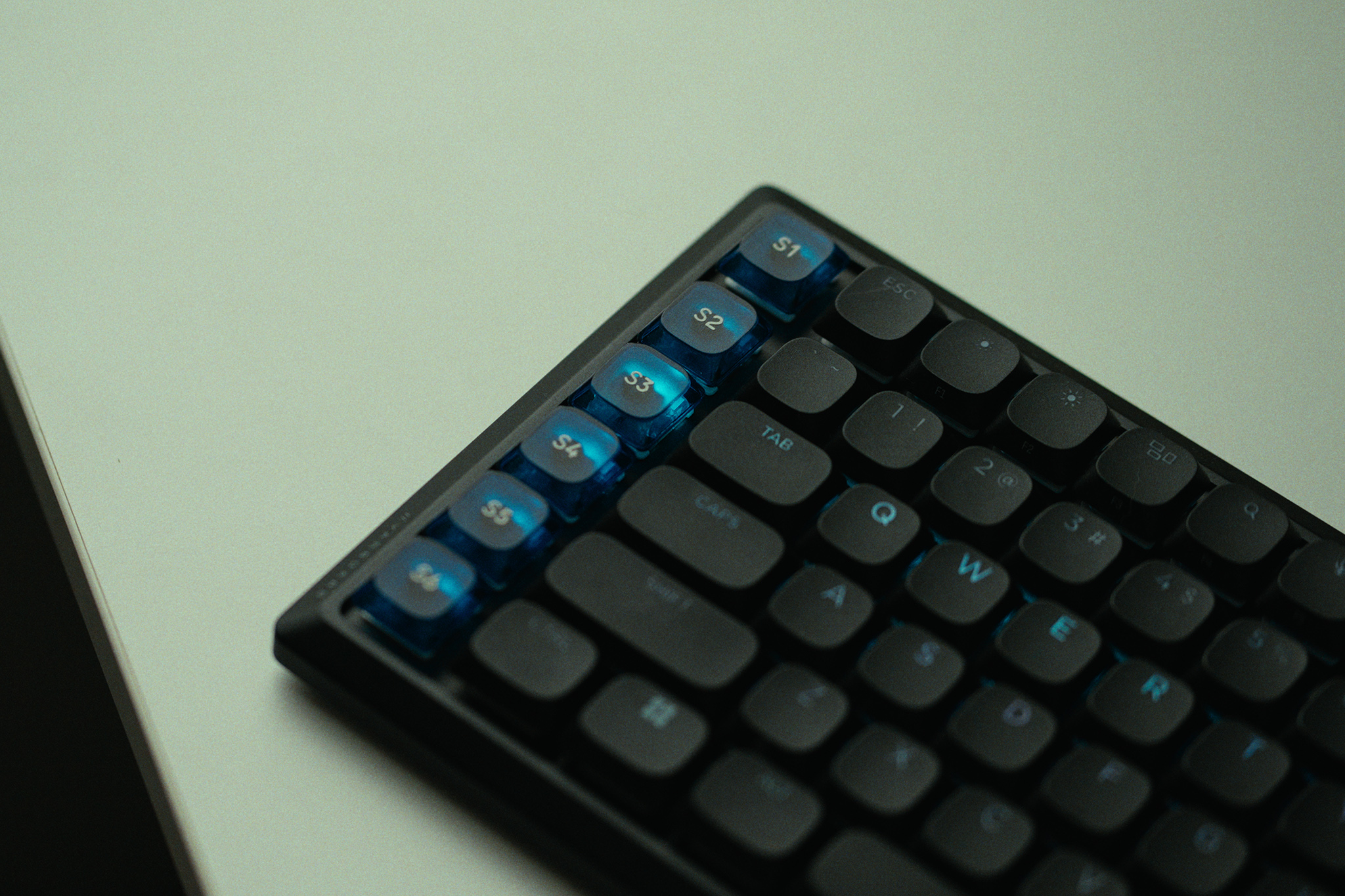
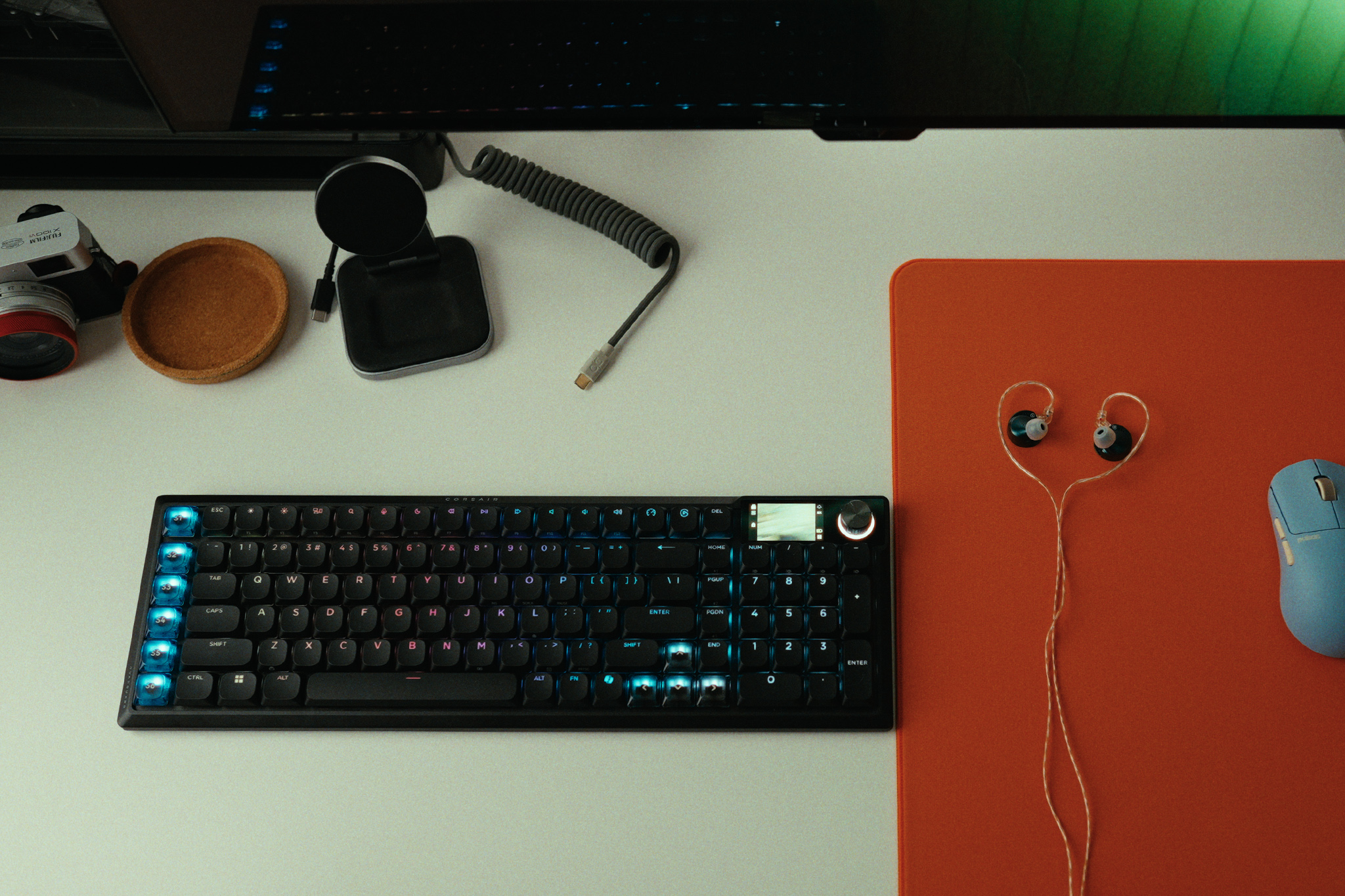
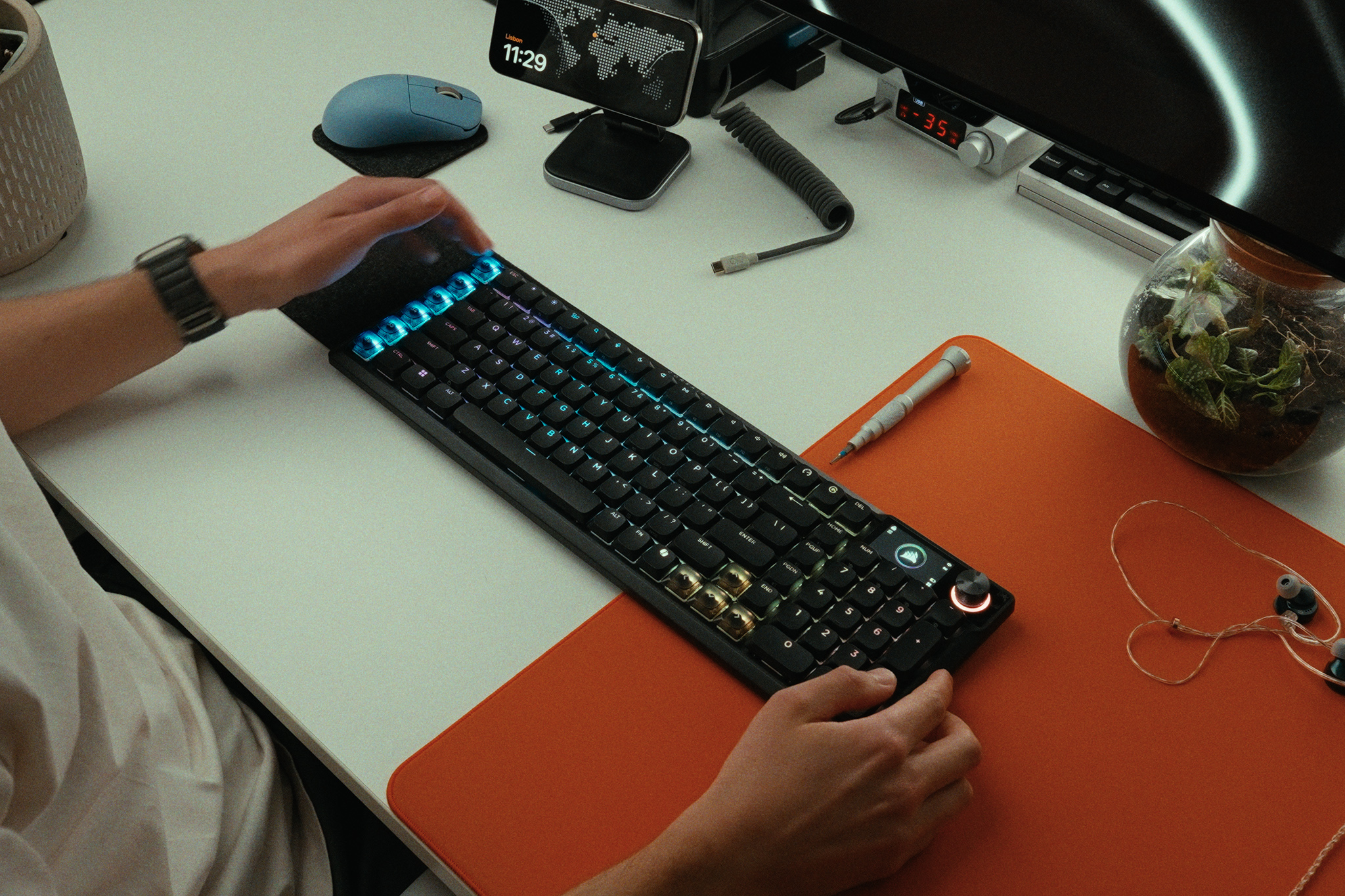
Krux has introduced the new Krux Drox mechanical keyboard at Computex 2026, bringing together a compact design, wireless connectivity, and several modern features aimed at both gamers and everyday users. The keyboard stands out with its built in display, multifunction control knob, and retro inspired appearance that blends classic styling with current technology.

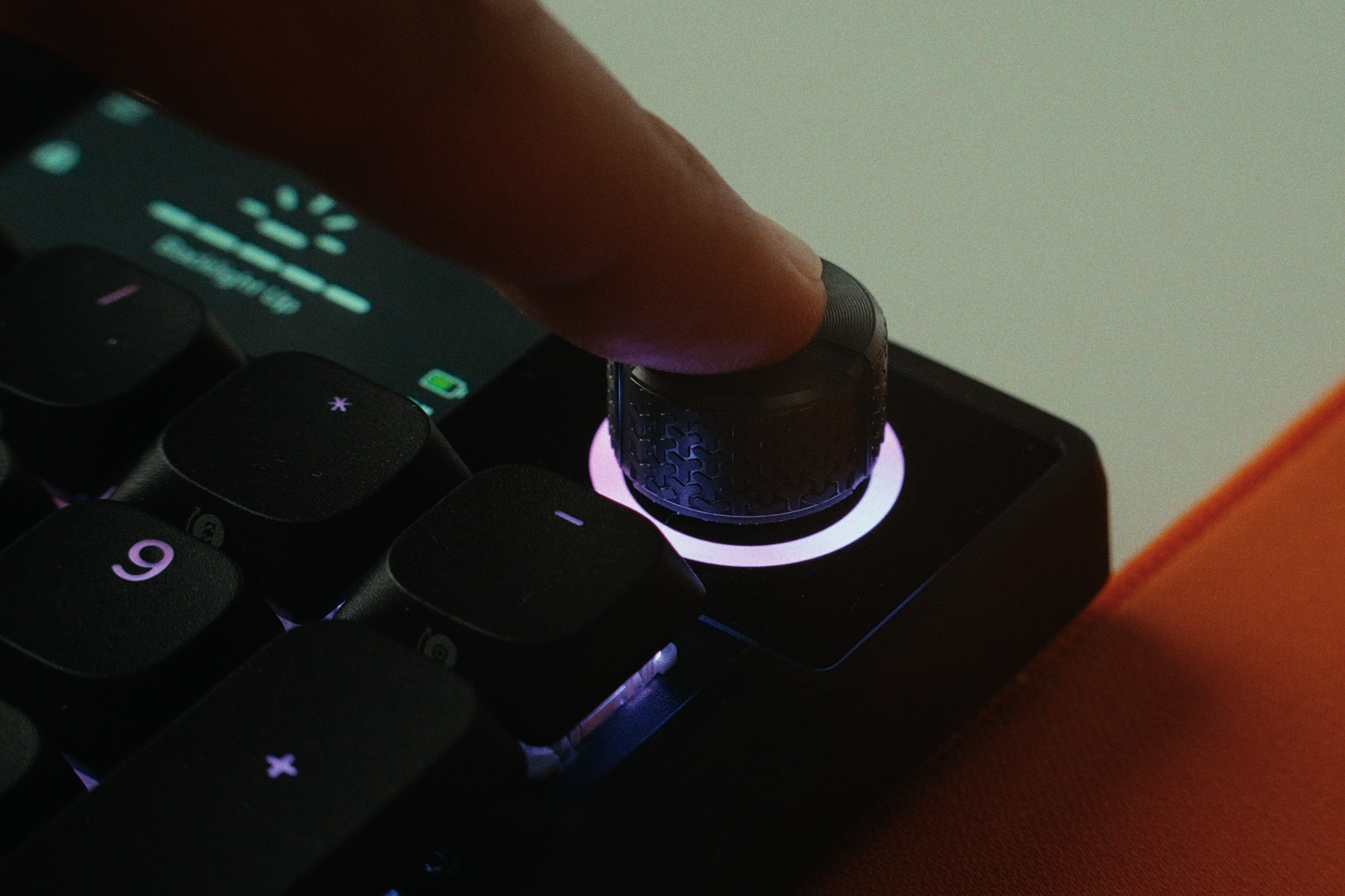
The Krux Drox uses a compact 65% layout, making it a good choice for users who want to save desk space without giving up important functions. Despite its smaller size, the keyboard includes a vertical 2.3 inch display that shows useful information such as battery level, connection status, Caps Lock, and Win Lock indicators. Users can also manage RGB lighting effects and switch between Windows and Mac modes directly through the display and control knob.


One of the most interesting features is support for GIF animations. The display can store up to two animation files at the same time, allowing users to switch between them whenever they want.

The Krux Drox keyboard offers three different connection methods. Users can connect through a low latency 2.4GHz wireless connection using the included USB dongle, Bluetooth for pairing with up to three devices, or a wired USB Type C connection. This flexibility makes it easy to use the keyboard with desktops, laptops, tablets, and smartphones.

Krux has equipped the Drox with its own Violet mechanical switches. These linear switches are designed to provide a smooth and quiet typing experience with a light actuation force. The switches are paired with durable PBT keycaps that are built to resist wear and maintain their appearance over time.
To improve typing comfort and sound quality, the keyboard uses a gasket mount design along with a five layer dampening system. The internal structure combines PORON, IXPE, silicone, PET, and foam materials to reduce unwanted noise and create a softer typing feel. According to Krux, this setup helps deliver a cleaner and more refined sound profile.
The Drox also supports browser based software, allowing users to customize key functions, create macros, adjust RGB lighting, and enable gaming focused features such as N key rollover and Snap Tap. When connected through USB, users can upload their own GIF files to the display.
For keyboard enthusiasts, hot swap support allows switches to be replaced without soldering. Krux includes spare switches, a keycap puller, and a switch removal tool in the box, making customization simple from the start.
The Krux Drox features 63 keys, ARGB lighting, anti ghosting support, and weighs 753 grams. With its combination of a smart display, wireless flexibility, hot swap support, and compact design, the keyboard is one of the more interesting peripherals showcased at Computex 2026.
Ace Combat 8: Wings of Theve has been officially rated in Europe
The Ace Combat series is easily the most well known in the combat flight sim genre, with the franchise stretching all the way back to 1995. That said, the last entry ‘Skies Unknown’ released more than 7 years ago – selling over 7 million copies during its time. Finally however, Ace Combat 8: Wings of Theve (officially unveiled late last year alongside a 2026 release window) has now popped up on PEGI’s game rating board, suggesting an impending release date announcement.
In going to the official PEGI (Pan European Game Information) board, users will find a new listing for Ace Combat 8: Wings of Theve alongside a pre-release date set for the 30th of May.
As with most rating board listings, these dates can safely be ignored (not least because the aforementioned date has already come and gone).
Even so, we have gotten some ancillary details, including the fact that the game has been given a 16 rating for PS5, Xbox Series X/S and PC citing ‘violence’ and ‘in-game purchases’ as the reasons.
This week is set to be huge for the video games industry, with PlayStation hosting a massive State of Play, Microsoft doing their own Xbox Showcase and of course Geoff Keighley set to go live with this year’s Summer Game Fest.
Given this, expect Ace Combat 8: Wings of Theve to show up in one of these three impending showcases – likely alongside a concrete release date.
Discuss on our Facebook page HERE.
KitGuru says: Are you excited for Wings of Theve? Which of the showcases do you think it’ll appear in? Will the game come out before or after GTA VI? Let us know your thoughts down below.
The post Ace Combat 8: Wings of Theve has been officially rated in Europe first appeared on KitGuru.YUNZII Unveils Stylish X98 Solid Milky White Mechanical Keyboard With QMK and VIA Support
YUNZII has announced the new X98 Solid Milky White mechanical keyboard, expanding its popular X98 lineup with a fresh and clean design. The new model combines wireless connectivity, customisation features, and a premium typing experience for gamers, creators, and everyday users.
The X98 Solid Milky White comes with triple-mode connectivity, allowing users to switch between USB Type-C wired, 2.4GHz wireless, and Bluetooth modes. It can connect to up to five devices, making it a practical choice for people who regularly work across multiple systems. The glossy white finish gives the keyboard a modern and stylish appearance that can easily fit into different desk setups.

One of the key highlights of the keyboard is its support for QMK and VIA software. Users can remap keys, create macros, adjust RGB lighting effects, and customise the rotary knob to suit their workflow. The programmable knob is set to volume control by default but can be changed to perform other functions.

YUNZII has also focused on the typing experience. The keyboard features pre-lubed mechanical switches and a hot-swappable design that supports both 3-pin and 5-pin switches. This allows users to change switches without soldering and personalise the keyboard to their preference.
To improve sound and comfort, the X98 uses a gasket-mounted structure combined with five layers of sound-dampening materials. This setup helps produce a deeper and softer typing sound while providing a more comfortable feel during long typing sessions.
The keyboard includes OEM-profile jelly keycaps made from an ABS and PC material blend. These transparent-style keycaps help RGB lighting shine through more clearly, while side-printed legends create a unique lighting effect. The design also aims to provide comfortable typing for extended use.

Battery life is another strong point of the X98. The keyboard is equipped with a large 8000mAh battery, allowing users to work or play for long periods without frequent charging.

The X98 Solid Milky White also features south-facing RGB LEDs with support for 16.8 million colours. Combined with the glossy white frame and jelly keycaps, the keyboard delivers an eye-catching look while maintaining clear and durable key legends.
With its combination of wireless connectivity, customisation options, hot-swappable switches, and premium design, the new YUNZII X98 Solid Milky White aims to be an attractive choice for users looking for both style and performance in a mechanical keyboard.
Jonsbo details D34 case with semi-transparent system status display
Jonsbo has introduced the D34, a new compact desktop case designed for Mini-ITX and Micro-ATX systems. Like many modern PC cases, this one does natively support back-connector motherboards, allowing users to keep cables hidden at the back of the case.
The Jonsbo D34 prioritises ventilation via metal-mesh sections on the top and side panels. The case also features an integrated monitoring display built into the front panel, using a nickel-plated, semi-transparent reflective coating that shows real-time system status information and component temperatures.
Despite the small footprint, you can fit plenty of hardware into the case, including graphics cards up to 333mm long, ATX power supplies up to 180mm long, and CPU air coolers up to 165mm in height. A height-adjustable graphics card support bracket is included to support heavier GPUs. Internal storage support consists of two 3.5-inch drive bays and a single 2.5-inch mount, although you can convert one of the 3.5″ bays to hold two 2.5″ drives.
Cooling support allows for up to five fans. The top and bottom sections each support dual 120mm or 140mm fans, while the rear panel accommodates a single 120mm exhaust fan. Liquid cooling compatibility includes top-mounted radiators in 120mm, 140mm, 240mm, and 280mm sizes. Front I/O connectivity includes one USB 3.2 Gen2 Type-C port, two USB 3.2 Gen1 Type-A ports, and split audio and microphone jacks.
KitGuru says: Integrated displays appear to be the next frontier for PC cases. Do you like this new trend?
The post Jonsbo details D34 case with semi-transparent system status display first appeared on KitGuru.Playground Games’ Fable has been officially rated in multiple countries
With Forza Horizon 6 officially out and already a massive success, many Xbox fans are looking towards the future and what’s next in store for Playground Games. Ahead of the expected launch of the much-anticipated Fable reboot later this year, multiple game rating boards have now officially listed the title on their databases – all-but-confirming that Fable should make its expected Autumn 2026 release window.
Following the official release window announcement for Fable, rumours popped up claiming that the upcoming RPG could be delayed out of its announced ‘Autumn 2026’ release window. These claims were quickly quashed, with Playground Games themselves reaffirming the Autumn timeframe.
While the title could still of course wind up receiving a last-minute delay, this seems to be increasingly unlikely, with two different game ratings boards (Korea and Australia) having now officially listed Fable on their sites.
As per its Australian classification, Fable has received an M rating, noting ‘mature themes’ and moments of ‘violence’. Of course, each region has its own metrics for analysis, and so we will have to wait and see what other boards have to say on the matter.
Either way, it is becoming increasingly clear that following years of waiting, hype and anticipation, Playground Games’ Fable reboot is truly almost here. Hopefully we will learn of its full release date during Microsoft’s upcoming Summer showcase.
KitGuru says: Are you excited for Fable? Where does it rank on your list of most-anticipated 2026 releases? Will it make its Autumn target? Let us know your thoughts down below.
The post Playground Games’ Fable has been officially rated in multiple countries first appeared on KitGuru.Gamdias unveils new flagship Atlas P6 CG PC case
Gamdias has launched its new flagship PC case – the Atlas P6 CG. This one is for PC gamers who want their build to be the centrepiece of their set-up, with panoramic views of the internals, and even a dedicated platforms for displaying figurines.
The Atlas P6 CG has a curved glass panel that wraps from the front to the right hand side, giving a multi-angle view of your internal components. A dedicated figure display platform with an omni‑directional spotlight allows users to present collectibles alongside hardware, while a tool‑free side‑panel clasp provides quick access for swapping components or display items.
As you may expect, this case also supports back-connect, connector-hidden (BTF) motherboards, so you can keep all of your motherboard power connectors in the rear-side of the case and reduce clutter in the front. There are plenty of Velcro tie points and 90mm of depth to keep everything tidy at the back as well.
Cooling is handled via a chimney-style ventilation design that draws cold air from the lower section and expels heat through the upper and rear panels. The case comes equipped with four pre-installed 120mm Notus M1 PWM ARGB fans arranged as three slanted bottom intakes directed toward the graphics card and one rear exhaust. An included 8-port PWM ARGB fan hub manages lighting and speed synchronisation, while dual integrated ARGB light strips provide additional illumination.
Motherboard compatibility includes ATX, microATX, and Mini-ITX motherboards. There's also space for graphics cards up to 425mm in length, CPU coolers up to 165mm in height, power supplies up to 200mm deep, and liquid cooling radiators up to 360mm on the top panel. The front I/O configuration includes a USB-C 3.2 Gen 2×2 port (20Gbps), two USB-A 3.0 ports, dedicated LED control, a spotlight toggle switch, and HD audio. Removable magnetic dust filters are fitted to the top, side, and bottom panels.
The Gamdias Atlas P6 CG has launched with an MSRP of $139.99.
Discuss on our Facebook page, HERE.
KitGuru says: Would you like to build a system inside one of these?
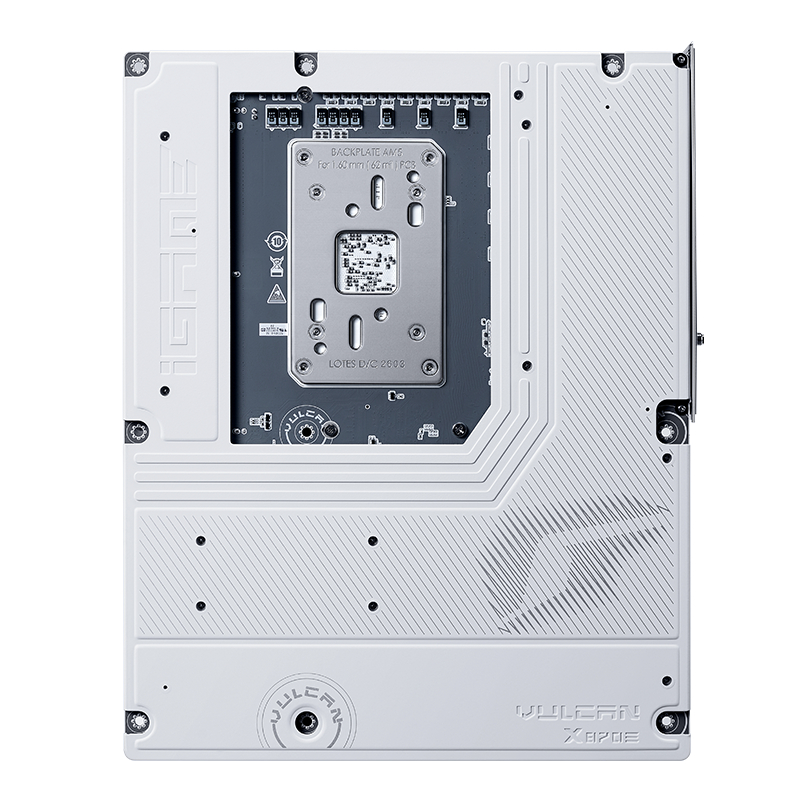
The post Gamdias unveils new flagship Atlas P6 CG PC case first appeared on KitGuru.COLORFUL reveals new iGame B850M ULTRA motherboards for Ryzen PCs
COLORFUL has officially introduced the new iGame B850M ULTRA Series motherboards for AMD Ryzen desktop platforms. The new lineup includes the iGame B850M ULTRA-S and iGame B850M ULTRA-OC, both designed for gamers, creators, and PC enthusiasts looking for strong performance in a compact microATX form factor.
The new motherboards feature a clean all-black design with matte cooling covers that match the latest iGame GeForce RTX 50 Series ULTRA graphics cards. The design focuses on modern looks while also offering the hardware needed for gaming, content creation, and overclocking.
Both models support the latest AMD Ryzen desktop processors, including Ryzen 9000 Series X3D chips. The boards also come with WiFi 7, Bluetooth 5.4, PCIe 5.0 support, and high-speed DDR5 memory with AMD EXPO compatibility.
The iGame B850M ULTRA-S is aimed at mainstream gamers and heavy workloads. It uses a 14+2+1 phase 80A DrMOS power design with dual 8-pin CPU power connectors for stable performance under full load. The motherboard supports up to 256GB DDR5 memory with speeds reaching DDR5-8400 through overclocking.


For storage, the ULTRA-S includes three M.2 slots, including two PCIe 5.0 x4 slots and one PCIe 4.0 x4 slot. The board also includes quick-release heatsinks for easier installation. Rear connectivity includes USB 3.2 Gen 2×2 Type-C, multiple USB Type-A ports, HDMI, DisplayPort, 2.5Gb Ethernet, and WiFi 7.
The iGame B850M ULTRA-OC is built for enthusiasts who want stronger overclocking support. It comes with a 10+2+1 phase 60A DrMOS power design and supports flagship processors such as the Ryzen 9 9950X3D and Ryzen 7 9850X3D.


Unlike the ULTRA-S, this model uses a dual-DIMM memory layout to improve memory overclocking performance. It supports DDR5-8400 AMD EXPO memory and manual overclocking speeds up to DDR5-8800.
The ULTRA-OC also increases storage support with four M.2 slots featuring both PCIe 5.0 and PCIe 4.0 interfaces. Networking is upgraded as well with 5Gb Ethernet alongside WiFi 7 and Bluetooth 5.4.
With PCIe 5.0 graphics support, fast storage options, and strong connectivity features, the new COLORFUL iGame B850M ULTRA Series looks like a solid option for users building next-generation AMD gaming PCs.
Colorful launches iGame B850M Ultra micro-ATX motherboards
Colorful has introduced the iGame B850M Ultra series of motherboards for AMD Ryzen platforms, including two models – the iGame B850M Ultra-S and iGame B850M Ultra-OC. The new microATX motherboards feature an all-black design with matte-finish cooling plates, matching the company's iGame GeForce RTX 50 Series Ultra graphics cards.
Both models support AMD Ryzen 9000 Series X3D processors and include Wi-Fi 7, Bluetooth 5.4, PCIe 5.0 expansion, and support for AMD EXPO DDR5 memory. The expansion layout provides a PCIe 5.0 x16 slot equipped with a VGA snap-fit quick release, alongside PCIe 5.0 M.2 storage slots utilising an M.2 Quick Latch mechanism. Rear connectivity across the series features high-speed USB Type-C interfaces.
The iGame B850M Ultra-S targets overclocking applications, featuring a 14+2+1-phase 80A DrMOS power delivery system with dual 8-pin CPU connectors. It houses four reinforced DDR5 DIMM slots supporting a total memory capacity of up to 256GB and overclocked speeds up to DDR5-8400. Storage configurations include three M.2 slots (two PCIe 5.0 x4 and one PCIe 4.0 x4) paired with quick-release heatsinks, while a 2.5Gb Ethernet controller and Wi-Fi 7 handle networking.
The iGame B850M Ultra-OC is configured for mainstream setups, with a 10+2+1-phase 60A DrMOS power design. It features a dual-DIMM memory layout to optimise signal integrity, supporting AMD EXPO profiles at DDR5-8400 and manual memory tuning up to DDR5-8800. Storage is expanded to four high-speed M.2 slots across PCIe 5.0 and PCIe 4.0 interfaces, while the wired network controller is upgraded to 5Gb Ethernet.
Discuss on our Facebook page, HERE.
KitGuru says: Of these two new Colorful iGame B850M Ultra series boards, which one would you choose for yourself?
The post Colorful launches iGame B850M Ultra micro-ATX motherboards first appeared on KitGuru.KiiBOOM Phantom 98 Lite review – Quiet switches and beautiful froggy design
The mechanical keyboard market is full of compact keyboards now. But not every keyboard gives a good typing feel, useful features, and a nice design together. The KiiBOOM Phantom 98 Lite tries to do all of that in one package. It comes with a 96% layout, which saves desk space but still keeps the numpad. This makes it good for gaming, office work, and daily use.
This is not my first time using a keyboard from the Phantom Lite series. Last time, I reviewed the Phantom81 Lite. That keyboard also used MOA profile keycaps, but it had a chocolate factory theme. This time, KiiBOOM changed the style completely. The Rainy Frogy Day theme on the Phantom 98 Lite gives the keyboard a soft and calm look. The frog artwork and light colours make it look fun and relaxing on the desk.
The Phantom 98 Lite also comes with many useful features. It supports Bluetooth 5.0, 2.4GHz wireless, and USB-C wired connection. It also has a large 8000mAh battery for long usage time. KiiBOOM used a gasket mount design with five layers of damping material to improve typing feel and sound. You also get hot-swappable pre-lubed linear switches, south-facing RGB lighting, and VIA support for customization.
On paper, the keyboard looks very promising. But real use matters more than specs. After using it for gaming, typing, and daily work, here is my full experience with the KiiBOOM Phantom 98 Lite.
Unboxing
KiiBOOM once again did a great job with the packaging of the Phantom 98 Lite. I have always liked the design and quality of KiiBOOM keyboard boxes. They never feel boring. Every unboxing feels fun and different.
The outer box comes in a soft pink colour with clean white branding. The front side has cute anime-style artwork with candy designs around it. It gives the keyboard a playful and relaxing look before even opening the box.
The sides of the box have simple branding and the line “Keys Under Fingers, Dreams Take Wings.” The back side shows product details and certifications in a clean layout.


Inside, the keyboard is packed safely with foam protection and a plastic cover over the keyboard.

Inside the box, you get:
- KiiBOOM Phantom 98 Lite keyboard
- USB Type-C cable
- Keycap and switches puller
- User manual
- Stickers
- Fibre cleaning cloth
- 6 extra frog-themed keycaps
- 2 extra Mossy Silent switches
I really liked the extra frog-themed keycaps. They make the keyboard look even more fun and unique. The stickers and fibre cloth also make the package feel more complete.

KiiBoom Phantom 98 Lite pricing
| KiiBoom Official Store | $108.99 |
KiiBoom Phantom 98 Lite specifications
| Specification | Details |
|---|---|
| Brand | KiiBOOM |
| Model | Phantom 98 Lite |
| Layout | 96% ANSI |
| Number of Keys | 97 |
| Connectivity | Bluetooth 5.0, 2.4GHz Wireless, USB Type-C Wired |
| Battery Capacity | 8000mAh |
| Mounting Structure | Gasket Mount |
| Plate Material | PC |
| Stabilizers | Pre-lubed Plate-Mounted |
| RGB Lighting | South-facing RGB |
| Hot-swappable | Yes |
| Anti-Ghosting | NKRO |
| Polling Rate | 1000Hz (Wired & 2.4GHz), 125Hz (Bluetooth) |
| Latency | 3ms (Wired), 5ms (2.4GHz), 15ms (Bluetooth) |
| Sound Dampening | Latex Sandwich Foam, IXPE Switch Pad, PET Film, Bottom Foam, Bottom Silicone |
| Switches | Mossy Silent Switch |
| Operating Force | 37gf |
| Bottom-out Force | 43gf |
| Pre-travel | 2.0mm |
| Total Travel | 3.6mm |
| Keycaps | Dye-sub PBT MOA Profile |
| Dimensions | 408.9 × 150 × 42.2mm |
| Weight | Around 1.2kg |
A closer look
The KiiBOOM Phantom 98 Lite is a part of KiiBOOM’s Phantom series keyboard lineup. KiiBOOM already has the Phantom 21, Phantom 68, Phantom 81, and Phantom 98 in this lineup. Now, the company has added the Lite version of the 98 model with a compact 96% layout. It keeps the numpad while taking less desk space than a full-size keyboard.
This keyboard is available in three colour options: Pink, Green, and Clear. The green version that I tested easily looks the most eye-catching in my opinion. The soft green colours mixed with frog-themed artwork give the keyboard a very calm and playful look. It feels different from normal gaming keyboards that mostly use dark colours.

The keyboard measures 408.9 × 150 × 42.2mm and weighs around 1.2kg. It feels solid and stable on the desk. Even during gaming and fast typing, the keyboard did not move around. The glossy translucent case also gives the keyboard a softer and cleaner appearance under light.
The 96% layout is arranged very well. KiiBOOM managed to keep the keyboard compact without making it feel crowded. You still get the function row, arrow keys, and numpad, which makes it useful for both work and gaming.


One of the biggest highlights is clearly the keycap design. The dye-sub PBT MOA keycaps look excellent in person. Many keys include small frog, flower, cloud, mushroom, and nature-themed artwork. Even keys like Enter, Shift, Backspace, and Tab have custom designs on them. The legends are clean and easy to read, while the themed artwork gives the keyboard a lot of personality.

The side accent piece near the numpad also adds extra detail to the design. Small frog and rain graphics are printed there, helping the keyboard feel more unique. KiiBOOM clearly spent time designing every small part instead of using a simple colour swap.
The storage area for the 2.4GHz dongle is placed between the numpad and Enter key area. KiiBOOM covered it with a themed metal plate that matches the overall keyboard design very nicely. The idea looks good visually, but I did face one issue here. The magnetic plate feels pressed very tightly. Normally, pressing the top side should lift the plate easily, but the magnet is quite hard, which made accessing the dongle more difficult than expected.


The bottom side of the keyboard keeps a very clean and smooth design, similar to the rest of the keyboard body. KiiBOOM added dual-stage adjustable kickstands for different typing angles. In the centre, there is also a small nameplate with basic keyboard information printed on it.
Switches and keycaps
The KiiBOOM Phantom 98 Lite that I tested came with the Mossy Silent switches. These switches feel light and smooth while typing. The operating force is 37gf, and the bottom-out force is 43gf, so the keys do not feel heavy during long typing sessions. The switches also stay very quiet, which makes the keyboard comfortable to use in shared rooms or at night.
The typing experience felt soft and consistent. Key presses were smooth from start to finish, and the silent design helped reduce unwanted noise. The total travel distance is 3.6mm with a 2.0mm pre-travel distance, which gives the keyboard a balanced feel for both gaming and daily work.


The keyboard uses a 97-key layout and comes with dye-sub PBT keycaps. The keycaps feel solid and better than cheap ABS keycaps often found on many keyboards. During use, the surface felt smooth but not slippery. The legends also looked clean and easy to read.
KiiBOOM has also used MOA profile keycaps here, which give the keyboard a unique and rounded look. Combined with the Rainy Frogy Day theme, the keyboard feels playful and different from standard gaming keyboards. The colours and artwork make the setup look more relaxing and fun without feeling too flashy.


Connectivity and battery
The KiiBOOM Phantom 98 Lite comes with three connection modes, including Bluetooth 5.0, 2.4GHz wireless, and USB Type-C wired mode. During testing, switching between modes felt simple and quick. The keyboard can also connect with multiple devices, which is useful for users who work between a PC, laptop, tablet, or other devices daily.
For gaming, I mostly used the 2.4GHz wireless mode and wired mode. Both felt responsive during gameplay and typing. The keyboard supports a 1000Hz polling rate in wired and 2.4GHz mode, which helps inputs feel fast and smooth. Bluetooth mode is slower with a 125Hz polling rate, but it still works fine for casual work and normal daily use.

Latency was also good in my experience. Wired mode offers the fastest response at 3ms, while the 2.4GHz mode stays very close at 5ms. Bluetooth mode has higher latency at 15ms, so it is better suited for office work, media use, or casual typing instead of competitive gaming.
Battery life is another strong point of this keyboard. The large 8000mAh battery easily lasted for days during my use without needing frequent charging. Even with RGB lighting enabled, battery performance felt reliable. For users who prefer wireless setups, the Phantom 98 Lite gives a very comfortable experience without constant charging worries.
User Experience
Using the KiiBOOM Phantom 98 Lite daily felt comfortable from the start. The 96% layout gives almost everything from a full-size keyboard but takes less desk space. I did not feel like I was missing any important keys during work or gaming. The compact design also made my setup look cleaner.
The tri-mode connectivity worked well during testing. Switching between devices was simple, especially when moving from PC to tablet. The large 8000mAh battery also helped a lot because I did not need to charge the keyboard again and again after a few days of use.
One thing that stood out quickly was the typing sound and feel. The gasket mount design with multiple foam layers gives the keyboard a soft and slightly muted sound. It does not sound hollow or overly loud. The typing feel is smooth and consistent, especially for long writing sessions.
The Mossy Silent switches were also interesting to use. They feel light and smooth, but the biggest difference is the low noise level. Even during fast typing, the keyboard stayed very quiet. This makes it a good choice for shared rooms, office work, or late-night gaming sessions where loud switches can become annoying.
I also liked that the keyboard supports hot-swapping. Many users buy one keyboard and later want a different typing feel. Here, switches can be changed easily without soldering, which makes future customization much simpler.
The south-facing RGB lighting looked clean and bright in darker rooms. The lighting is not too aggressive, and the effects spread evenly across the keyboard. VIA software support is another useful feature because it allows key remapping and custom shortcuts without much trouble.


The Phantom 98 Lite feels more focused on giving a balanced daily experience instead of just chasing flashy features. It is quiet, comfortable, easy to use, and works well for both gaming and productivity.

Final Verdict
The KiiBOOM Phantom 98 Lite left a very good impression during my time with it. It looks unique, feels comfortable to type on, and comes with useful features for both gaming and daily work. The gasket mount design, silent switches, and foam layers help give the keyboard a soft and quiet typing experience. The battery life was also reliable, and the tri-mode connectivity worked without issues.
The Rainy Frogy Day theme is easily one of the biggest highlights of this keyboard. The MOA keycaps, soft colours, and small design details make it stand out from many other keyboards in the market. It feels fun without looking too childish, and it gives the setup a calm and clean look.
There was only one thing I did not fully like. The storage area for the 2.4GHz dongle uses a very strong magnetic plate. Removing the plate sometimes felt difficult and less convenient than it should be. It is a small issue, but something worth mentioning.
Other than that, I honestly enjoyed using this keyboard. The typing feel was smooth, the sound was pleasant, and the silent switches worked very well for long sessions. For users who want a compact keyboard with good looks, quiet typing, and strong customization options, the Phantom 98 Lite is a very solid choice.
Because of its unique theme and overall presentation, I would also like to give the KiiBOOM Phantom 98 Lite Design Award.

ASUS ROG celebrates 20 years with stylish new Crosshair 2006 motherboard
ASUS Republic of Gamers has officially introduced the new ROG Crosshair 2006 motherboard to celebrate 20 years of the ROG brand. The new board mixes modern gaming technology with a retro-inspired design that takes fans back to the early days of PC gaming.
The ROG Crosshair 2006 is based on the Crosshair X870E Dark Hero, but it comes with a special look inspired by the very first ROG motherboard launched two decades ago. ASUS says the board is made for gamers who want powerful hardware while also enjoying a classic gaming style.

One of the biggest highlights is the built-in 2-inch OLED screen placed on the main M.2 slot. The screen can show live system details such as CPU speed, temperatures, and fan speeds. Users can also upload custom images and animations to give their setup a more personal touch.
The motherboard is built for Series processors and comes with a strong power setup that includes 20+2+2 power stages rated at 110A. ASUS has also added large heatsinks to help keep temperatures under control during heavy gaming and demanding workloads.


For memory support, ASUS added several upgrades aimed at improving DDR5 performance. Features like NitroPath DRAM Technology, PCB back drilling, and a server-grade ultra low-etch process are designed to help users get better stability and higher memory speeds.
Gamers looking for next-generation expansion options will find two PCIe 5.0 x16 slots for graphics cards and five M.2 slots for storage drives. Two of the M.2 slots support PCIe 5.0 SSDs for faster loading speeds. ASUS also included its latest tool-free installation features such as M.2 Q-Latch, M.2 Q-Release, and M.2 Q-Slide to make PC building easier.
Networking is another strong area for the new board. The ROG Crosshair 2006 supports WiFi 7 and includes both 10G and 5G Ethernet ports for fast wired internet connections.

On the connectivity side, users get dual USB4 ports and support for a front USB Type-C port with Quick Charge 4+ up to 60W. There are also three internal USB 2.0 headers for devices such as AIO liquid coolers.
ASUS has also added its AIO Q-Connector technology, which removes extra cable clutter when using supported liquid coolers. Compatible coolers can connect directly without visible wires between the radiator and motherboard.
With its mix of retro looks and modern high-end features, the ROG Crosshair 2006 stands out as a special anniversary motherboard for PC gamers and hardware fans.
Epomaker F108 Pro V2 brings bigger battery and smart upgrades
Epomaker has revealed the new F108 Pro V2 full-size wireless mechanical keyboard ahead of its official launch. The company recently showed the keyboard during a livestream, giving users an early look at its updated design, bigger battery, and new features.

The F108 Pro V2 keeps the same full-size 108-key layout as the older version, making it a good choice for users who want both a numpad and function keys for work and gaming. The keyboard supports wired, Bluetooth, and 2.4 GHz wireless connectivity. Unlike many budget keyboards, it also includes a physical switch for changing connection modes, which makes switching devices much easier.
One of the biggest upgrades is the larger 10,000 mAh battery. This should give users much longer battery life compared to the previous model. The keyboard also includes a smaller dot matrix display that has now been moved between the arrow keys and navigation cluster. This change frees up more space above the numpad area.

The keyboard uses a plastic gasket-mounted case. While the clip-based design may not be ideal for keyboard modders, it likely helps keep the price lower. During the livestream, Epomaker showed several colour options, including pastel pink, retro beige, and a black version with translucent smoky keycaps.
The F108 Pro V2 also includes side RGB light bars and per-key RGB lighting for users who enjoy colourful setups. It appears to use south-facing sockets, which may make it harder to find compatible shine-through keycaps for users who prefer brighter lighting effects during typing.

For switches, the keyboard comes with hot-swap support and uses Leobog Reaper switches by default. Users looking for quieter typing can also choose optional Leobog Cotton Candy silent switches. The keyboard is also expected to include Cherry profile dye-sub PBT keycaps.
Epomaker F108 Pro V2 launch
Epomaker has not yet confirmed the launch date or final pricing for the F108 Pro V2. However, if pricing stays close to the older F108 Pro, the new model may launch at around $100.
New Cherry Xtrfy K33 Compact features ‘mem-chanical’ switches
Cherry Xtrfy announced the K33 Compact Wireless, a 75% layout gaming keyboard designed as an accessible entry point for gamers. The keyboard features tri-mode connectivity and “Mem-chanical” switch technology, aiming to balance mechanical-like feedback with a membrane design.
The K33 Compact Wireless supports 2.4GHz wireless, Bluetooth, and USB wired connections, allowing for quick switching between multiple devices. It maintains a 1000Hz polling rate for low-latency input transmission across all connection modes. The 75% form factor is designed to save desk space while retaining essential keys, including dedicated media control shortcuts and an integrated Win/Mac toggle.
The keyboard has an IP54 rating, providing protection against dust and splashes of liquid. The 630g chassis houses “Mem-chanical” switches, which Cherry Xtrfy describes as offering quiet and precise tactile feedback. Visual customisation is provided via multimodal RGB lighting with seven dynamic effects, utilising a light guide panel to ensure even illumination across the keycaps.
The keyboard is built for stable, everyday use and integrates a light-guiding system to eliminate lighting hotspots. It is available now at a suggested retail price of €59.99.
KitGuru says: The K33 Compact Wireless is positioned as a flexible solution for users requiring a compact setup that can transition between gaming and mobile productivity. However, for its price, some users will likely prefer something of the same size with mechanical switches.
The post New Cherry Xtrfy K33 Compact features ‘mem-chanical’ switches first appeared on KitGuru.Keychron Q3 Ultra 8K Keyboard Review
The Keychron Q3 Ultra 8K is a premium tenkeyless mechanical keyboard that blends enthusiast-level build quality with modern connectivity and performance features. Built inside a full aluminium chassis and offering hot-swappable switches, wireless support and an 8K polling rate, it aims to deliver the flexibility of a custom keyboard with the responsiveness expected from gaming-focused hardware. But with a price tag of $229.99, does it offer enough to justify the cost, or is it a case of style and spec over substance?
Timestamps:
00:00 Intro
00:50 Pricing info
01:38 Design first impressions
03:40 Backplate design
04:14 Toggle switches + accessories
04:53 Keycaps, switches, stabilisers
06:36 The soundtest!
07:17 Build quality discussion
08:05 Gaming performance
09:48 The general usage experience
11:18 Software
12:12 Closing thoughts
Specifications
- Size – 137 x 365mm
- Front Height – 20.6mm (without keycaps)
- Back Height – 31.09mm (without keycaps)
- Bottom Case Material – CNC Aluminum
- Feet Height – 1.24mm
- Angle – 5.3°
- Weight – 1787g ± 10g
- Body Material – CNC Aluminum
- Keycap – KSA double-shot PBT keycaps
- Plate Material – PC
- Switch – Keychron Silk POM Switch
- Stabilizer – Screw-in PCB stabilizer
- Backlight – South-facing RGB LED
- Battery – 4000 mAh rechargeable li-polymer battery
- Compatible System – macOS/Windows/Linux
- Connectivity – 2.4 GHz / Bluetooth 5.3 / Type-C Wired
- Polling Rate – 8000 Hz / 2000 Hz / 1000 Hz
- N-Key Rollover (NKRO) – Yes (wireless & wired)
- Wireless Working Time – Up to 660 hours (Backlit off) – Up to 200 hours (RGB, lowest brightness)
- Hot-swappable – Yes
You can buy the Q3 Ultra 8K directly from Keychron for $229.99 HERE.
Pros:
- Excellent full aluminium build quality.
- Solid, heavy chassis feels premium and planted.
- Comfortable typing experience with KSA keycaps.
- Reliable wireless performance and strong battery life.
- Web-based customisation.
Cons:
- On the more expensive side at $229.99.
- 8K polling offers little real-world benefit.
- Lacks gaming features like rapid trigger or adjustable actuation.
- Slight stabiliser inconsistency between review units.
- Plastic knob feels less premium than the rest of the board.
KitGuru says: The Q3 Ultra 8K is a great ‘workhorse' of a keyboard that is satisfying and comfortable to use.
The post Keychron Q3 Ultra 8K Keyboard Review first appeared on KitGuru.Razer launches new Huntsman Tenkeyless keyboard with 8KHz polling rate
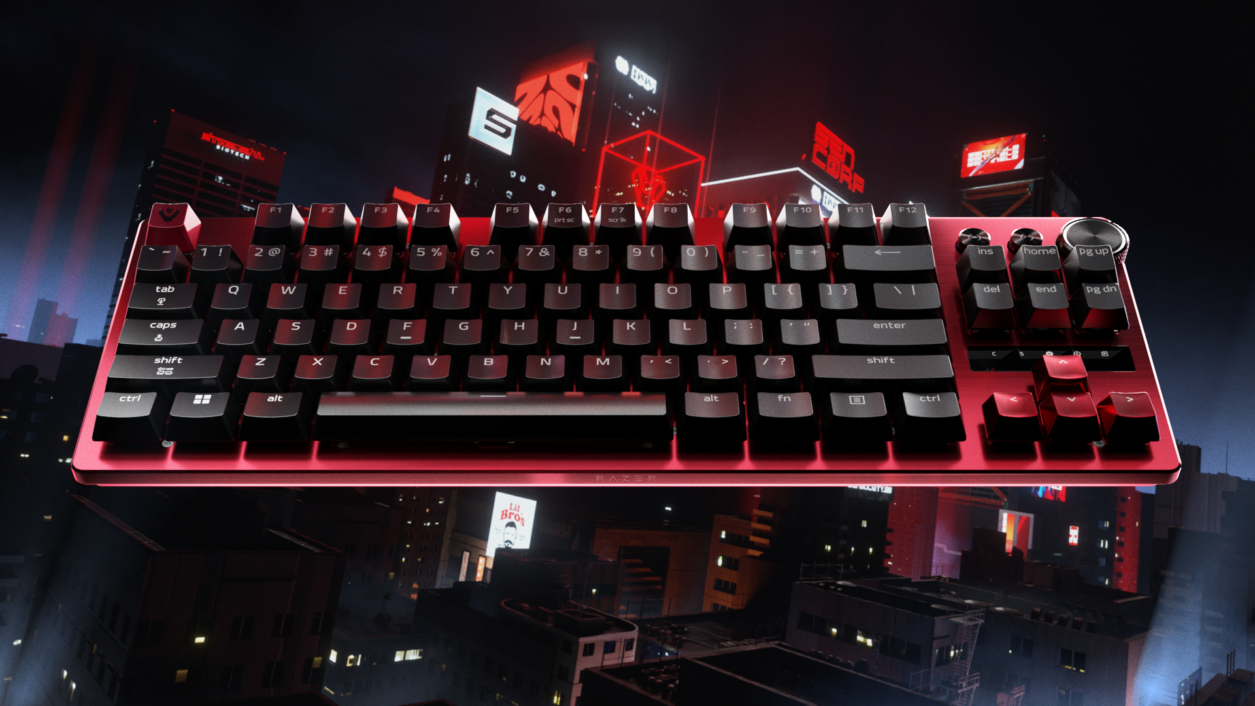
Razer has introduced the Huntsman V3 Tenkeyless 8KHz, a compact esports keyboard built around true 8000Hz HyperPolling, allowing it to report inputs up to eight times faster than standard gaming keyboards. The tenkeyless design brings the company’s high‑end performance features into a smaller, tournament‑ready layout.
The keyboard uses Razer’s second‑generation Analog Optical Switches, which measure light through the switch stem to register input without physical contact or debounce delay. The switches support adjustable actuation and Rapid Trigger, enabling faster resets and fine‑tuned responsiveness for competitive play. Because the switches are optical rather than magnetic, they are unaffected by interference and maintain consistent behaviour across long sessions.
On‑device controls allow players to adjust actuation point, Rapid Trigger sensitivity and Snap Tap directly from the keyboard, with the number row providing visual confirmation. Settings save to onboard memory, and Razer Synapse Web offers browser‑based configuration without installation, aimed at events and shared systems.
The Huntsman V3 Tenkeyless 8KHz also includes individually lubricated switches and internal foam dampening for those who like to keep noise to a minimum. The keyboard will be available starting this week, priced at £169.99.
Discuss on our Facebook page, HERE.
KitGuru Says: Are you in the market for a new keyboard?
The post Razer launches new Huntsman Tenkeyless keyboard with 8KHz polling rate first appeared on KitGuru.-
Wccftech
- ASUS Resurrects Its Legendary 2006 ROG Crosshair Copper Heatsink For a 20th Anniversary Motherboard
ASUS Resurrects Its Legendary 2006 ROG Crosshair Copper Heatsink For a 20th Anniversary Motherboard
ASUS teased a new 20th anniversary edition on its social media handles, taking us back to the 2000 era with the iconic copper heatsink. ASUS Brings Back 2006 ROG Crosshair Motherboard Memories by Dropping a Teaser for its Upcoming 20th Anniversary Edition The launch of the 2006 ROG Crosshair motherboard was the beginning of ASUS's enthusiast-grade ROG sub-brand, which has expanded to various hardware and peripheral categories. Interestingly, ASUS isn't just expanding its ROG lineup by introducing newer components, but also releasing hardware that bring resemblance to the iconic ROG hardware launched in the 2000s. ASUS recently dropped a teaser […]
Read full article at https://wccftech.com/asus-teases-rog-20th-anniversary-edition-motherboard/

Keychron launches Q11 Ultra with 8kHz polling
Keychron has announced the Q11 Ultra, an updated version of its 75% split mechanical keyboard. Unlike the original Q11, the Ultra model introduces wireless connectivity, eliminating both the cable to the PC and the interconnect cable between the two halves.
The Q11 Ultra (via TechPowerUp) supports Bluetooth, 2.4 GHz wireless, and USB-C wired connections. When used in wired or 2.4GHz modes, the keyboard supports a polling rate of up to 8000Hz. Keychron claims the integrated dual batteries can deliver up to 300 hours of use on a single charge. The device maintains a row-staggered layout and includes a five-key macro column on the left, along with two programmable rotary knobs.
The chassis is constructed from CNC aluminium with an integrated top plate. It comes equipped with double-shot PBT keycaps in the KSA profile and is offered in a black colourway with blue accent keys. For the switches, the keyboard uses Keychron's Silk POM ones, available in Red (linear), Brown (tactile), or Banana (sharp tactile) variants. The PCB is hot-swappable and supports both 3-pin and 5-pin MX mechanical switches.
Customisation is handled via the Keychron Launcher web-based software, allowing for per-key south-facing RGB programming and macro remapping. While the Q11 Ultra features the brand's latest high-efficiency firmware, it does not include the decorative bottom panel found on other Ultra-series models. The keyboard is currently available for $239.99 on the Keychron online store.
Discuss on our Facebook page, HERE.
KitGuru says: Are you a fan of split-keyboard designs? If you were to try one, would you consider the new Keychron Q11 Ultra?
The post Keychron launches Q11 Ultra with 8kHz polling first appeared on KitGuru.Keychron brings wireless freedom to its new Keychron Q11 Ultra split keyboard
Keychron has officially launched the new Keychron Q11 Ultra mechanical keyboard, and it brings a big upgrade over the older Q11 model. The new version now supports full wireless connectivity, including wireless communication between both halves of the keyboard. This removes the extra cable that was previously needed to connect the two sides together.

The Keychron Q11 Ultra is a 75% split mechanical keyboard made for users who want a more comfortable typing position without changing to a completely different layout. Since it still uses a normal row-staggered design, most people moving from a regular keyboard should feel comfortable using it right away.

One of the biggest highlights is the wireless support. Users can connect the keyboard through Bluetooth, 2.4 GHz wireless, or a USB-C cable. Keychron says the built-in batteries can deliver up to 300 hours of use on a single charge. The keyboard also supports an 8K polling rate in wired and 2.4 GHz modes for very fast input response.

The keyboard includes five extra macro keys on the left side along with two programmable knobs, one on each half of the keyboard. These knobs can be customised for different controls like volume, zoom, or scrolling.
Keychron has used CNC aluminium for the body, giving the keyboard a premium and solid build. It also comes with double-shot PBT keycaps in the company’s KSA profile. The keyboard is currently available in black with blue accent keycaps.
Buyers can choose between Keychron Silk POM Red linear switches, Brown tactile switches, or Banana tactile switches. The PCB also supports hot-swapping, allowing users to easily replace switches without soldering.
The keyboard features south-facing RGB lighting and full customisation support through Keychron Launcher software.
The Keychron Q11 Ultra is now available from Keychron’s online store for $239.99.