Normal view

There are new articles available, click to refresh the page.
Before yesterdayMain stream

Wooting 60HE V2 Keyboard Review

22 July 2026 at 12:47

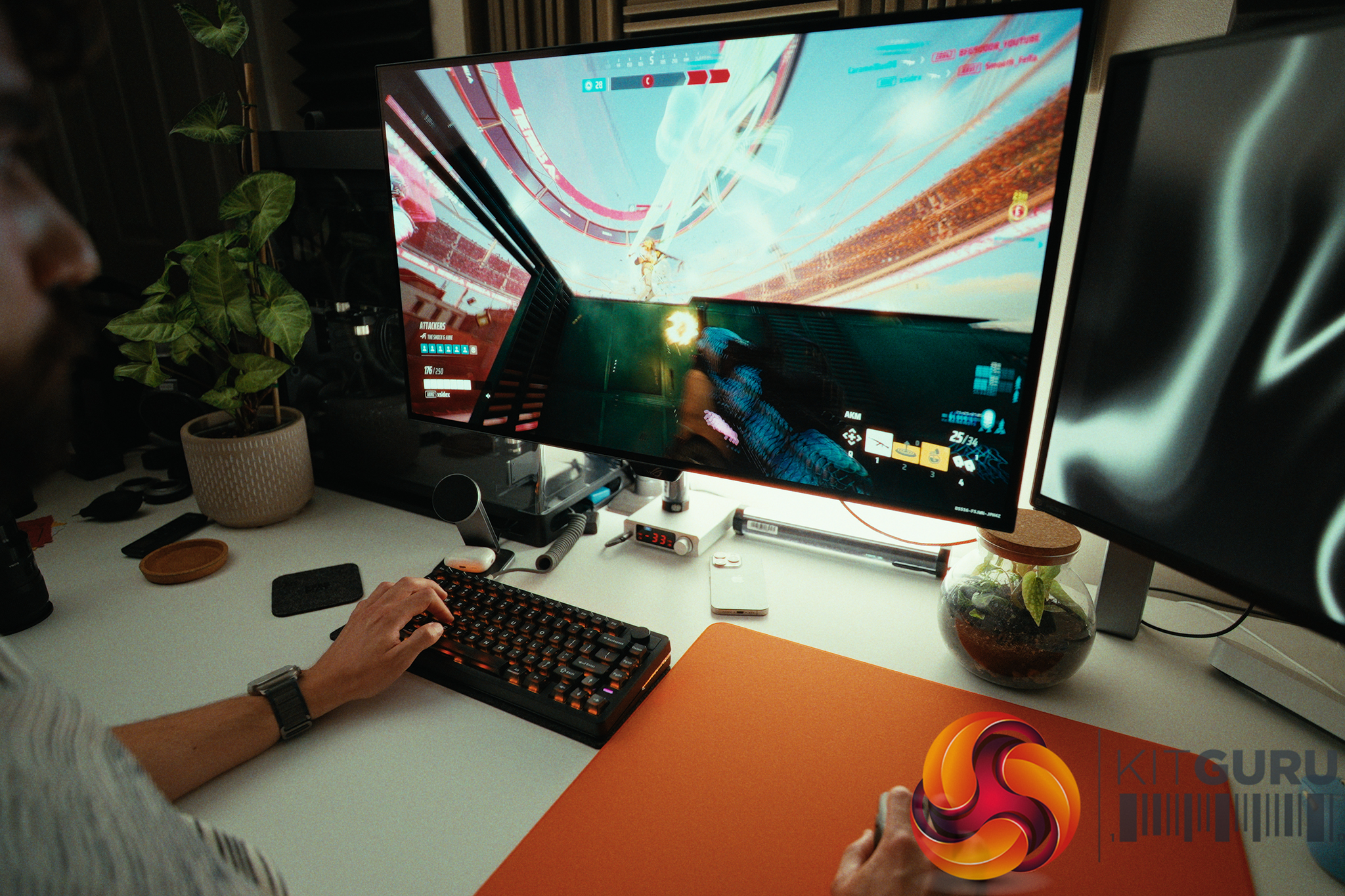
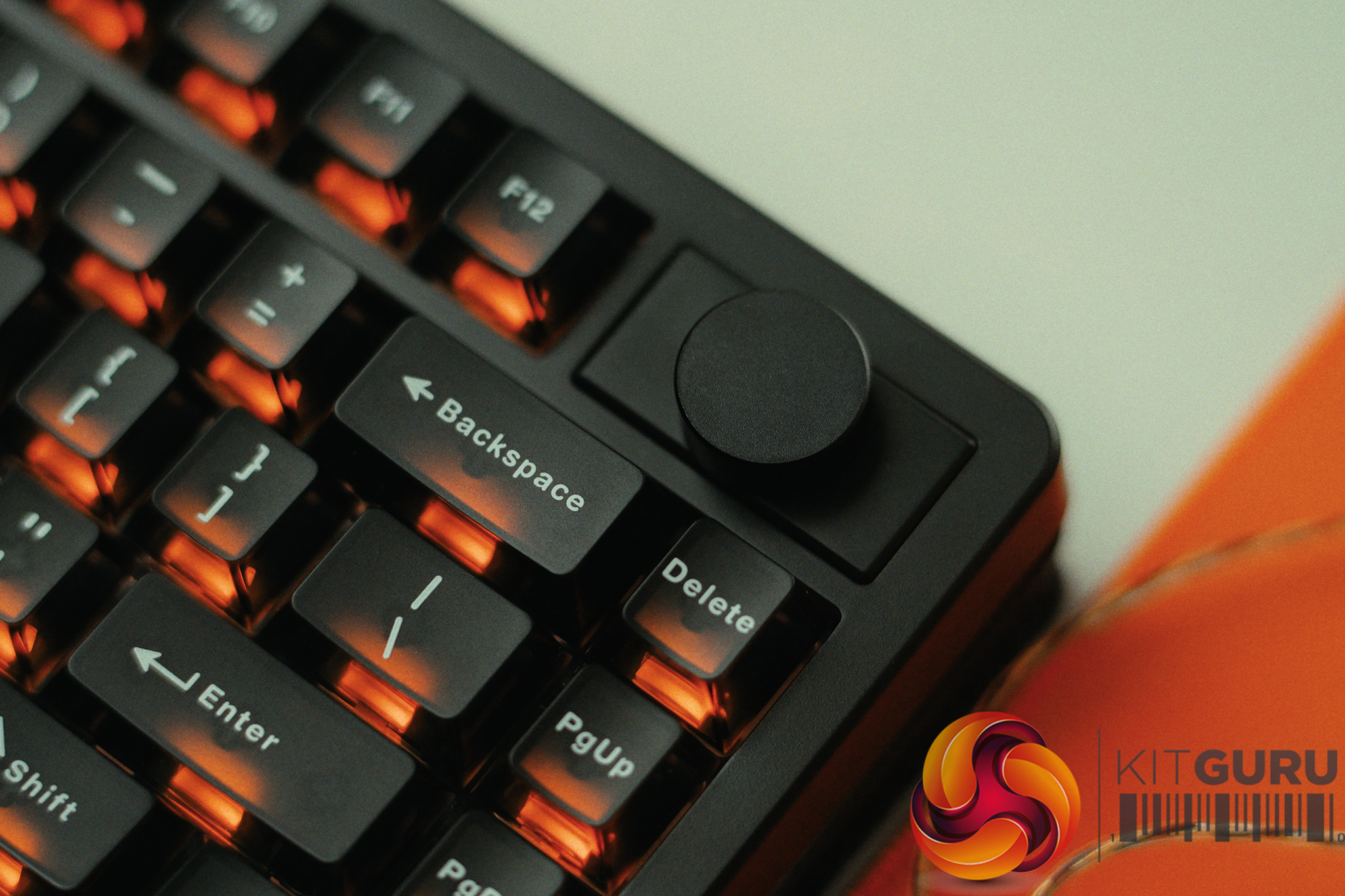
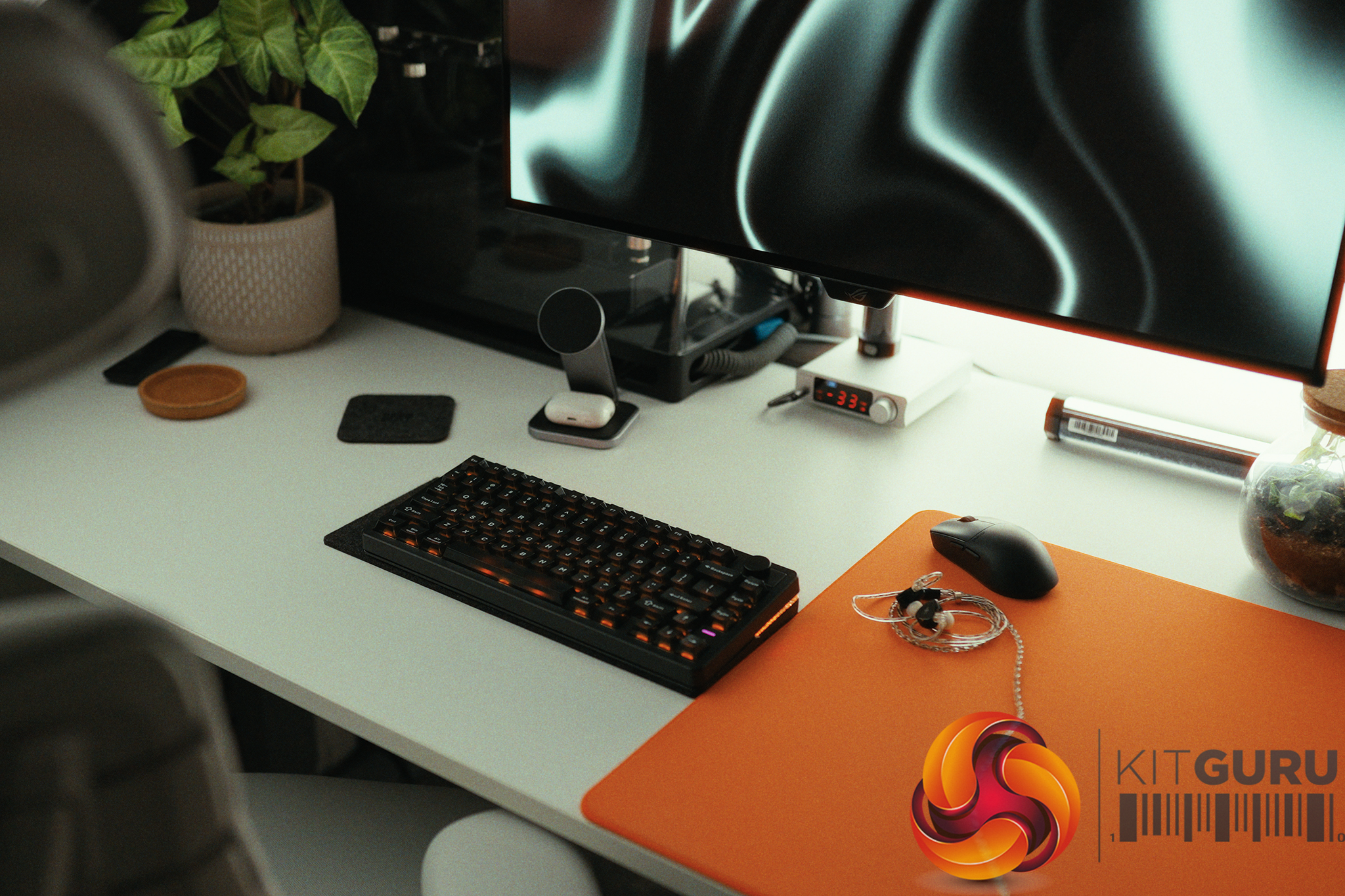
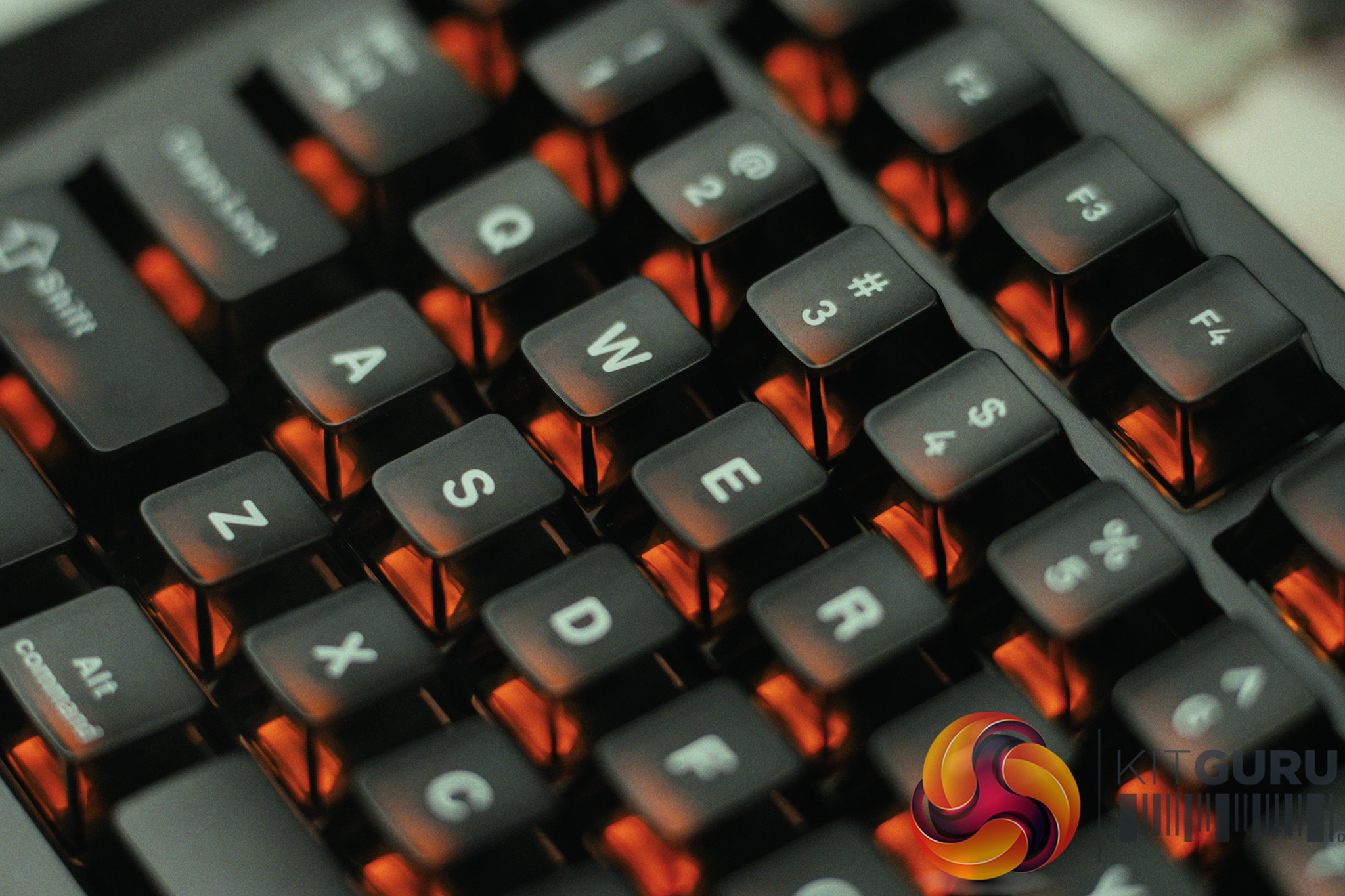
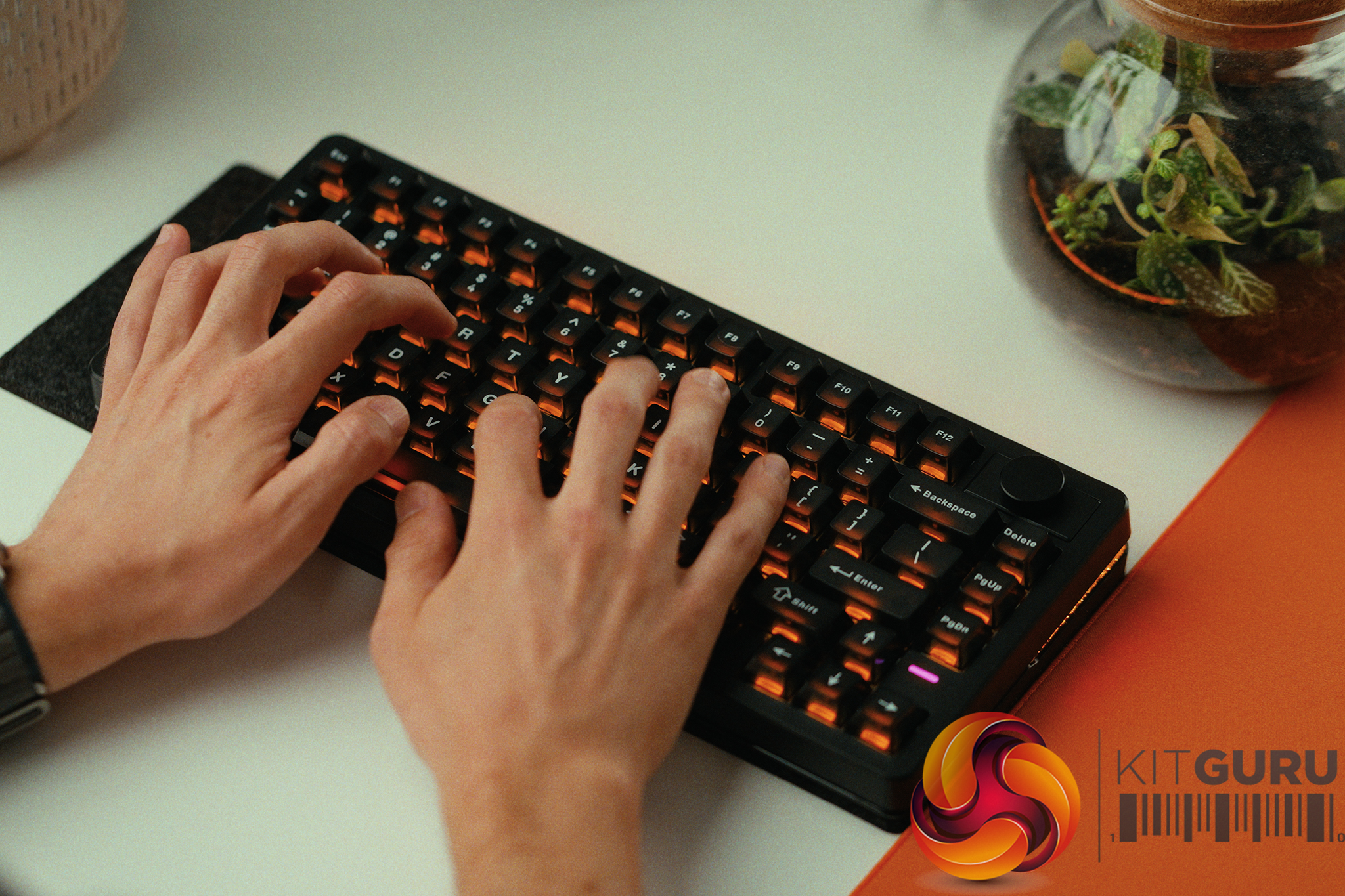
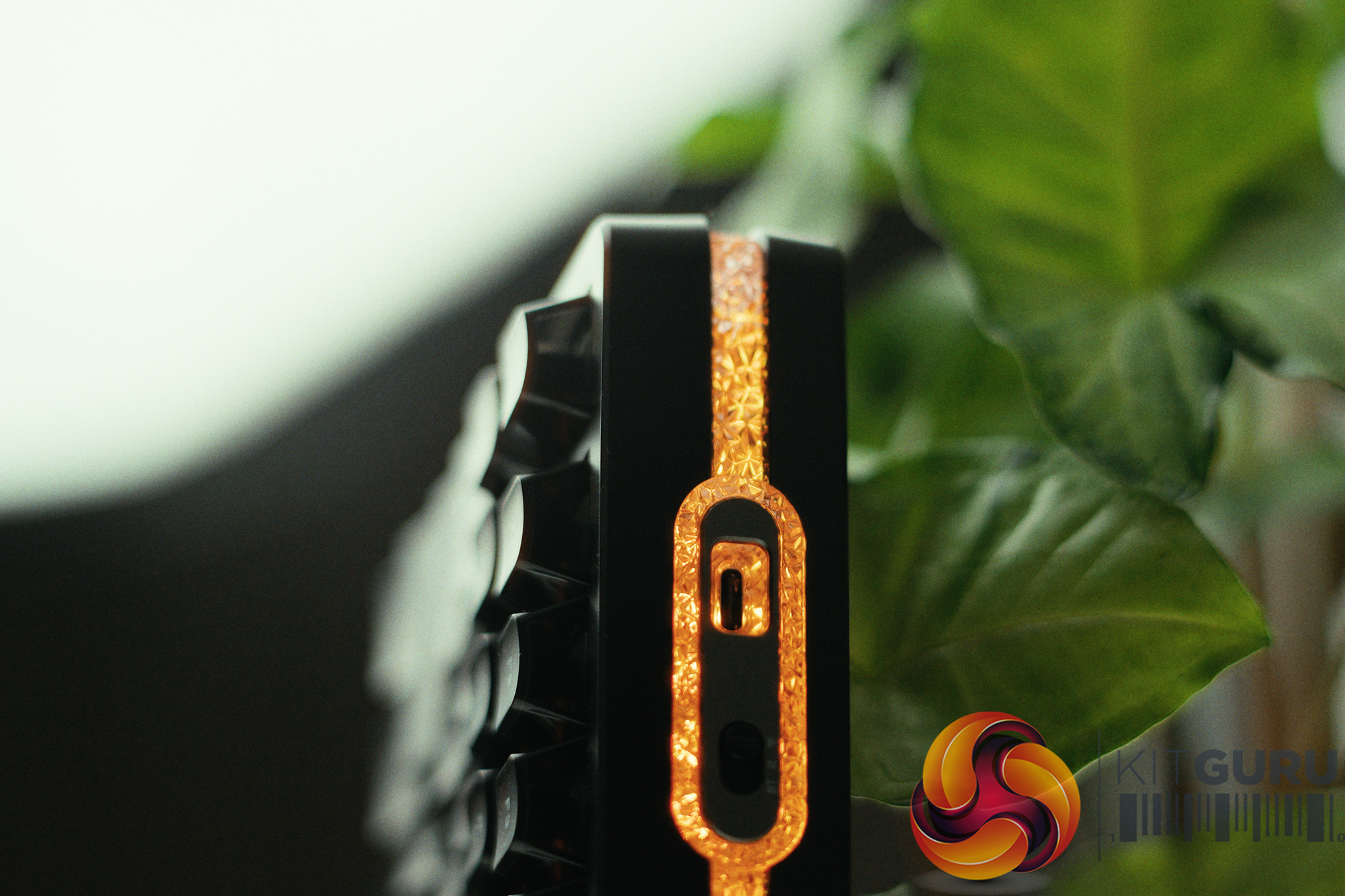
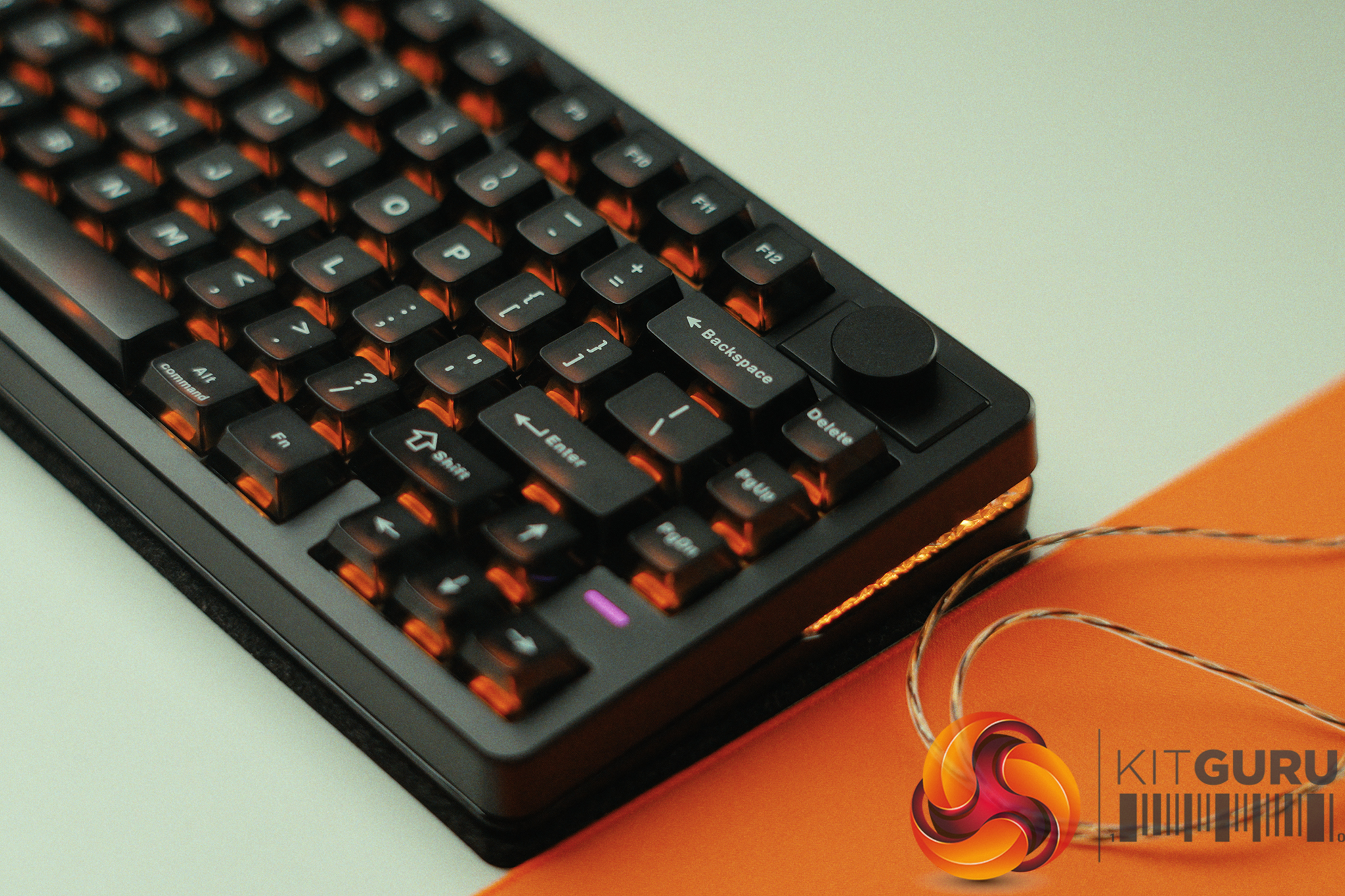
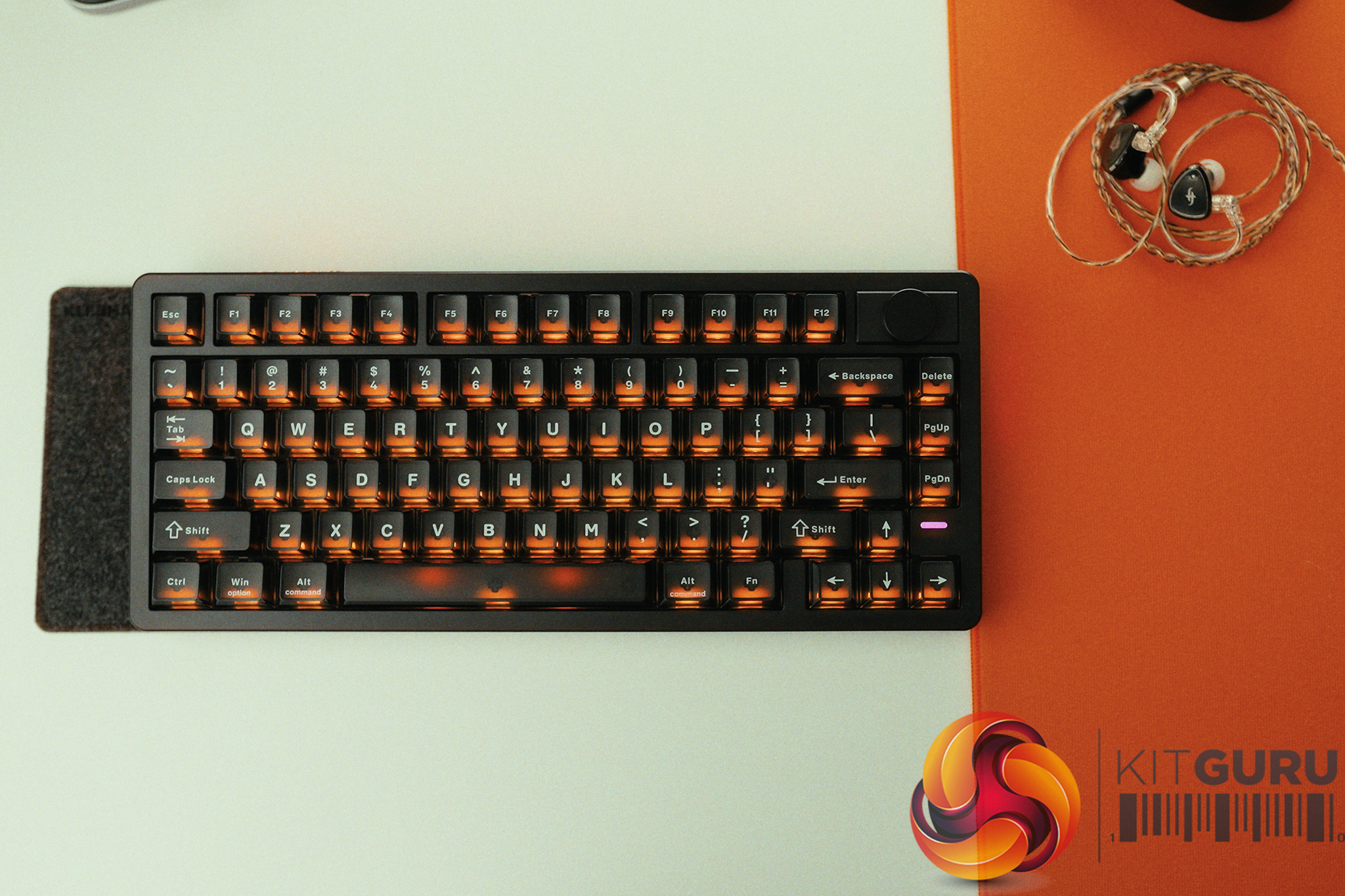
The Wooting 60HE V2 is one of the most talked-about hall effect keyboards on the market, and for good reason. Built around magnetic switches and packed with features like rapid trigger, adjustable actuation and SOCD, it’s aimed squarely at competitive gamers. But with a price tag to match its reputation, does it actually deliver where it matters?

Timestamps:

00:00 Intro
01:20 Key info + pricing
02:24 Design
04:33 Let’s talk gaming features
07:10 Internals + DIY elements
08:25 Soundtest
09:39 Wootility web software
11:48 Closing thoughts

Specifications

  • Switches – Lekker Tikken Medium
  • Keycaps – PBT, ABS and Dye-sub options available
  • Case – ABS or Aluminium
  • Stabilisers – Screw-in stabiliser
  • Switch Plate – FR4
  • Sandwich Pad – HD Poron Sandwich & Silicone Friction Fit Pad
  • PCBA – GH60 (60%)
  • Cable – 2 meter USB-C to C nylon braided cable
  • Dimensions – 305 x 115 mm | 12.0 x 4.5 inch – 28.6mm (H) front height with OEM keycap
  • Weight
    • Aluminium version: 945 grams
    • ABS version: 606 grams

You can buy the 60HE V2 directly from Wooting starting at £155 HERE.

Pros:

  • Exceptional gaming performance.
  • Deep customisation options.
  • Premium build quality.
  • Excellent software (Wootility).
  • Strong community support.

Cons:

  • Expensive.
  • Does take some time to dial it in fully.
  • SOCD banned in some games.

KitGuru says: The 60HE V2 is the best gaming keyboard we've tested. It delivers excellent performance and stellar build quality.

The post Wooting 60HE V2 Keyboard Review first appeared on KitGuru.

Akko introduces U1 series mechanical keyboard switches for 10th anniversary

19 July 2026 at 08:00

Akko has announced the U1 series, a new lineup of mechanical keyboard switches developed to celebrate the brand's 10th anniversary. These next-generation switches focus on providing enhanced smoothness and refined typing acoustics out of the box.

According to Akko, the entire U1 series uses a newly formulated POM blend that retains POM's self-lubricating properties while enhancing overall consistency. The switches incorporate a redesigned cylindrical stem and an optimized rail structure to deliver a lower-pitched, thocky sound profile. To further reduce spring ping and unwanted resonance, Akko pairs this assembly with an upgraded POM top housing.

The brand's highlighted switch in this ecosystem is the Creamy Yellow U1. This linear variant bridges the tactile feedback gap between the company's older V3 and V5 iterations, delivering stable performance across different keyboard form factors. For aesthetic appeal, it features an integrated light-guiding column that evenly diffuses PCB lighting. To simplify bulk keyboard assembly, Akko now packages the Creamy Yellow U1 in larger 100-switch boxes.

Other entries in the new lineup include the tactile Creamy Purple U1, which enhances stem stability and noise suppression. Linear users can also choose the Piano U1, an upgraded take on the V3 Pro Piano switch, or the speed-focused Crystal Silver U1. According to the product team, Akko intends to expand the U1 ecosystem with silent-oriented variations and pre-install them in upcoming keyboards, such as the 5075 V5.

The U1 series is now available, starting at £9.00/€11.89 for a 45-pack of Cream Purple U1 switches. The Piano U1 and Crystal Silver U1, both also in a 45-switch pack, are available for £13.00/€16.65. As for the 100-switch pack of Cream Yellow U1, these cost £18.00/€19.99.

KitGuru says: Have you used Akko's mechanical keyboard switches before? Do you prefer them to Kailh or CherryMX? 

The post Akko introduces U1 series mechanical keyboard switches for 10th anniversary first appeared on KitGuru.

OpenAI's first hardware device is an RGB macropod — 'Codex Micro' features 13 low-profile keys and a joystick for controlling AI coding agents

OpenAI has just entered the hardware market with its very first product — a glorified macropad called the "Codex Micro." As the name suggests, it's meant to be used with the company's agentic coding platform, Codex, offering tactile response for an otherwise software-only experience. It's made by luxury keyboard company Work Louder, built on its existing Creator Micro 2 platform, and will cost a cool $230.

The Codex Micro, also dubbed kbd-1.0-codex-micro for some reason, comes in a frosted white color with a mix of translucent, legend-less keycaps and some opaque ones that serve as "command keys." There are thirteen mechanical keys, one rotary encoder, one joystick and a capacitive touch sensor running across the top of the device, The body is constructed out of CNC'd aluminum with some polycarbonate parts.

The see-through look of the Codex Micro is intentional because it relies on RGB (yes, you're reading this correctly) to convey responses. The six translucent keys up top have an integrated LED, and the entire perimeter of the device also lights up. According to Work Louder, the keys are supposed to provide a live view of your Codex threads, illuminating to signal different agents working.

OpenAI x WorkLouder Codex Micro

(Image credit: Future)

The LEDs can show different colors based on where the agent is in a loop at any given time — whether it's thinking, stuck with an error, or perhaps requires feedback. White is used to denote idle behavior; green for an unread chat; blue for thinking; peach for a question; and red for an error. The sides of the Codex Micro also glow in the same color to make sure it catches your attention without you having to check manually.

Then there's the joystick in the top-right corner that you can click to launch common Codex workflows like reviewing a PR, debugging the aforementioned error, or refactoring code. The joystick opens up a radial menu that can be customized to do a bunch of other things, sort of like a Fortnite emote wheel (sorry).

OpenAI x WorkLouder Codex Micro

(Image credit: Future)

Finally, there's a rotary encoder — a knob, if you will — that can be twisted to adjust the reasoning level in real-time or, you know, just adjust the volume or something. We've already mentioned the command keys, which are the white keycaps you see with Codex icons. You'll get a full set of those, including 32 unique keys, so you can swap each one out to suit your workflow.

As we mentioned earlier, the Codex Micro is based on the Creator Micro 2 platform, which Work Louder already built. In fact, this is just a reskin of that product as far as we can tell, and the price reflects that. You can buy a Creator Micro 2 for $174 and pay around $50 more for some icon keycaps, so the $230 pricing for the OpenAI-branded Codex Micro 2 lines up almost perfectly.

It's safe to say that unless you're a diehard vibecoder, the Codex Micro is probably overpriced for what's essentially just a really nice macropad. The deep integration with Codex is impressive and certainly useful for some people, but much of it is just a few minutes of (third-party) customization away on other keypads, too. Anyhow, the Codex Micro is available on Work Louder's website right now, and you can choose to buy it with either clicky or silent switches.

OpenAI x WorkLouder Codex Micro

(Image credit: Future)

IQUNIX EV63 Dark Knight Hall Effect Keyboard Review

INTRODUCTION


iqunix ev63 review a

    For gamers, the keyboard has become as important as the mouse, a core part of the setup that can influence reaction time, movement precision, and overall comfort during long sessions. Mechanical switches remain the backbone of the gaming world thanks to their reliable feel and predictable travel, but the rise of magnetic hall switches has introduced a new level of customization, adjustable actuation, analog input for smoother control, and near‑instant reset for rapid key cycling. These features matter when you’re juggling movement keys, tapping abilities, or trying to maintain rhythm in competitive play. IQUNIX’s EV63 Dark Knight Magnetic Switch Keyboard leans into that modern expectation, offering a compact footprint and Magnetic X Ultra switches designed to deliver both speed and consistency.


    Founded in 2014, IQUNIX merges aesthetics with technology to create timeless desktop tech products. The brand aims to create desktop tech products that provide aesthetic pleasure and embody timeless design for users. Known for the award-winning ZX-1 ITX PC case, IQUNIX gained further acclaim in 2022 with a limited-edition keyboard collaboration with The Little Prince. Currently, IQUNIX offers high-quality, visually stunning keyboards and peripherals, continuously pushing the boundaries of design to meet users' functional and aesthetic needs.


    IQUNIX’s EV63 is currently available in 5 color combinations (violet, dark knight, silver knight, ghost in the shell cyber blue and shell core) and is a compact, wired‑only 63‑key Hall effect gaming keyboard built around their proprietary Magnetic X Pro and Ultra switches and a very premium chassis. The board uses a CNC‑machined aluminum case paired with a forged carbon fiber front housing, giving it a dense 1206g weight, a contoured front edge for wrist comfort, and a visually unique, shimmering texture on each unit. Under the hood, you get 3rd gen rail‑to‑rail Hall sensors with a 400% wider voltage range for cleaner signal resolution, plus IQUNIX’s M.A.T. 2.0 (Magnetic Auto‑Tune) algorithm, which dynamically stabilizes performance during long, high‑pressure sessions. Actuation is fully adjustable per key, with a 0.01mm precision and a range up to 3.5mm on the Dark Knight variant, backed by a 480MHz MCU, native 8kHz polling, 16kHz scanning, and quoted input latency as low as 0.125ms with full‑link response under 0.5ms. The EV63 supports hot‑swap, N‑key rollover, south‑facing LEDs, full remapping via web‑based EV Software V3, and advanced functions like Rapid Trigger, Dynamic Keystroke (DKS), Rappy Snappy (RS), Mod Tap, Toggle Keys, and enhanced SOCD handling tuned for FPS titles such as Valorant and CS:GO. On the Dark Knight specifically, you get frosted translucent PC keycaps over an aluminum plate, with a tray‑mount internal structure, Poron foams and PET sheets for noise filtering and a more focused, “esport” sound profile, all set at a fixed 6° typing angle and covered by a 1‑year warranty.


SPECIFICATIONS AND FEATURES


PACKAGING AND CONTENTS


As always, the front features a product picture and the company logo.


Several drawings showcasing the contents of the bundle (keyboard parts even though the keyboard is pre-assembled) along with details about the manufacturer are all printed at the rear.


The keyboard is wrapped inside a synthetic cover and has a clear plastic cover over it (wish all manufacturers had that, great for keeping your keyboard clean).


Inside the box you'll find the EV63 Dark Knight, detachable USB-C to USB-A cable, keycap and switch remover, 4 rubber feet, cleaning brush, quick start guide and the user manual.


THE EV63 DARK KNIGHT


The 1.2Kg heavy EV63 measures 30.1cm in length, 12.6 in width and 3.9cm in thickness (highest point).


IQUNIX has also followed the floating keys design for the EV63.


This keyboard is among the most robust models I've used to date.


Here you can see the Magnetic X Ultra switches this particular model comes with.


The USB-C port is located at the far-left side of the front.


Taking a look at the base of the EV63 we see that it sits on 4 rubber feet (no adjustable feet/height adjusters).


The frosted translucent PC keycaps look great and also allow the end user to easily see what's written on them (although that also depends on angle).


As usual there's a short clip available showcasing the RGB lighting of the keyboard both on YouTube and TikTok.


EV SOFTWARE V3


Once you access the web interface it will check for available updates as seen above.


The Keymap section gives you a full visual representation of the EV63’s main and Fn layers. You can remap any key to basic functions, mouse actions, multimedia controls, lighting toggles, additional layers, or even macro triggers.


The lighting panel offers a wide range of presets (46 in total although not all are applicable to the EV63), from simple static colors to gradients, breathing modes, and directional effects. The color picker on the right is responsive and intuitive, letting you dial in exact hues and saturation levels, while the brightness slider gives you full control over intensity.


From the performance panel you can switch between Smart Switch Adaptation and Manual Magnetic X modes giving you direct control over actuation distance and Rapid Trigger behavior. You get a full per‑key actuation map, all set to 1.50mm by default. The actuation slider lets you adjust responsiveness from 0.1mm to 3.1mm, and the Bottom Safety Zone toggle helps prevent accidental re‑triggers at bottom‑out. The dropdown for Fury Mode includes multiple presets, Tournament, EDG, Esports, Fury, Infinite, each adjusting how quickly keys reset after being pressed.


The Pro Keys section is where IQUNIX packs its most advanced input behaviors. You can assign RS (depth priority), SOCD cleaning, Mod Tap dual‑function keys, DKS four‑function depth keys, and toggle‑based continuous inputs.


The macro recording interface is simple but effective. You can assign macros to slots like M0, choose between recorded intervals or fixed timing, and set the trigger mode (play once, loop, etc.). The recording panel shows each keypress as you capture it, and you can clear or restart the macro at any time.


Inside the professional presets IQUNIX has placed profiles inspired by well‑known Valorant players. Each card includes a short description of the player’s background, and selecting one loads a preset tuned for their preferred playstyle.


The Crosshair Center is a visual library of crosshairs used by popular Valorant pros. You can browse designs from players like TenZ, yay, ScreaM, Derke, and others, comparing shapes, colors, and styles (you still need to input these manually into the game).


From the profiles tab you can store up to three onboard profiles and up to ten temporary ones. Switching between Custom, Office, and eSports profiles is instant, and each profile can contain its own keymap, lighting, performance settings, and macros.


The Key Test panel shows live keypress logs, key states, and an APM graph that tracks your activity. It’s useful for diagnosing chatter, stuck keys, or inconsistent actuation. You can also use the quick calibration feature where each key displays a hex value representing its calibration state.


The settings tab includes everything else such us check for available updates, polling rate selection up to 8000Hz (1000/2000/4000/8000Hz), lighting sleep timer, switch wobble compensation, 6‑key no‑ghost mode for console compatibility, Win‑key lock, and a full factory reset option.


AUDIBLE FEEDBACK


Many people ask my opinion on what keyboard they should get for their needs. Some want a “silent” model for use in their living room or even in their bedroom while others ask for a model with good audible feedback for use in the office or for gaming. Because of this I decided to test keyboards by placing our ExTech HD600 vertically over each keyboard (5cm distance) and typing NikKTech a total of 6 times with each (after that the max recorded number - max hold - is placed in the graph). I have to admit that this methodology may not be 100% accurate but it does give a good idea on what you can expect from each model since aside the type of switches used keycaps and keyboard material also matter.


CONCLUSION


    The EV63 Dark Knight feels like a keyboard built for people who care about both performance and craftsmanship. The solid aluminum body, the forged‑carbon detailing, and the overall weight give it a presence that’s hard to ignore. Pair that with adjustable Hall‑effect switches that let you fine‑tune actuation to the millimeter, and you get a board that feels genuinely dialed‑in. The fact that IQUNIX offers multiple styles and colorways (especially the newly added Ghost In The Shell variants) only adds to its appeal. Of course, it’s not perfect. The fixed angle means you’re stuck with one height, it uses a web-based software, the premium pricing makes it a considered purchase, and the switch acoustics can be livelier than expected. But if you value build quality, responsiveness, and a distinct design identity, the EV63 Dark Knight delivers on all three.


    Right now, you can get your very own EV63 Dark Knight hall-effect keyboard for USD209 (IQUNIX.COM) and even though it’s a price tag more than balanced for everything IQUNIX has created, it will still feel far from affordable to some. Cost aside however the EV63 Dark Knight is one of the best mechanical keyboards I’ve ever used, again it’s not perfect but it truly delivers and for that the Golden Award is in order.

PROS


- Build Quality (CNC Machined Aluminum Case / Forged Carbon Fiber Housing)
- Mechanical Hall Effect Switches (3rd Gen Hall Sensors With Magnetic Auto Tune)
- 8000MHz Polling / 16kHz Scanning / 0.125ms Input Latency
- Nkey Rollover / Rapid Trigger / Dynamic Keystroke / Rappy Snappy / Mod Tap / Toggle Keys / Enhanced SOCD Handling)
- Per Key RGB Lighting
- Available In 5 Colors (Violet, Dark Knight, Silver Knight, Ghost In The Shell Cyber Blue / Shell Core)
- EV Software V3 (Easy To Use)
- Detachable USB Cable


CONS


- EV Software V3 (Internet Connection Required)
- Not Height Adjustable
- Noise Levels

- Price (For Some)


IQUNIX EV63 Dark Knight Hall Effect Keyboard Review

INTRODUCTION


iqunix ev63 review a

    For gamers, the keyboard has become as important as the mouse, a core part of the setup that can influence reaction time, movement precision, and overall comfort during long sessions. Mechanical switches remain the backbone of the gaming world thanks to their reliable feel and predictable travel, but the rise of magnetic hall switches has introduced a new level of customization, adjustable actuation, analog input for smoother control, and near‑instant reset for rapid key cycling. These features matter when you’re juggling movement keys, tapping abilities, or trying to maintain rhythm in competitive play. IQUNIX’s EV63 Dark Knight Magnetic Switch Keyboard leans into that modern expectation, offering a compact footprint and Magnetic X Ultra switches designed to deliver both speed and consistency.


    Founded in 2014, IQUNIX merges aesthetics with technology to create timeless desktop tech products. The brand aims to create desktop tech products that provide aesthetic pleasure and embody timeless design for users. Known for the award-winning ZX-1 ITX PC case, IQUNIX gained further acclaim in 2022 with a limited-edition keyboard collaboration with The Little Prince. Currently, IQUNIX offers high-quality, visually stunning keyboards and peripherals, continuously pushing the boundaries of design to meet users' functional and aesthetic needs.


    IQUNIX’s EV63 is currently available in 5 color combinations (violet, dark knight, silver knight, ghost in the shell cyber blue and shell core) and is a compact, wired‑only 63‑key Hall effect gaming keyboard built around their proprietary Magnetic X Pro and Ultra switches and a very premium chassis. The board uses a CNC‑machined aluminum case paired with a forged carbon fiber front housing, giving it a dense 1206g weight, a contoured front edge for wrist comfort, and a visually unique, shimmering texture on each unit. Under the hood, you get 3rd gen rail‑to‑rail Hall sensors with a 400% wider voltage range for cleaner signal resolution, plus IQUNIX’s M.A.T. 2.0 (Magnetic Auto‑Tune) algorithm, which dynamically stabilizes performance during long, high‑pressure sessions. Actuation is fully adjustable per key, with a 0.01mm precision and a range up to 3.5mm on the Dark Knight variant, backed by a 480MHz MCU, native 8kHz polling, 16kHz scanning, and quoted input latency as low as 0.125ms with full‑link response under 0.5ms. The EV63 supports hot‑swap, N‑key rollover, south‑facing LEDs, full remapping via web‑based EV Software V3, and advanced functions like Rapid Trigger, Dynamic Keystroke (DKS), Rappy Snappy (RS), Mod Tap, Toggle Keys, and enhanced SOCD handling tuned for FPS titles such as Valorant and CS:GO. On the Dark Knight specifically, you get frosted translucent PC keycaps over an aluminum plate, with a tray‑mount internal structure, Poron foams and PET sheets for noise filtering and a more focused, “esport” sound profile, all set at a fixed 6° typing angle and covered by a 1‑year warranty.


SPECIFICATIONS AND FEATURES


PACKAGING AND CONTENTS


As always, the front features a product picture and the company logo.


Several drawings showcasing the contents of the bundle (keyboard parts even though the keyboard is pre-assembled) along with details about the manufacturer are all printed at the rear.


The keyboard is wrapped inside a synthetic cover and has a clear plastic cover over it (wish all manufacturers had that, great for keeping your keyboard clean).


Inside the box you'll find the EV63 Dark Knight, detachable USB-C to USB-A cable, keycap and switch remover, 4 rubber feet, cleaning brush, quick start guide and the user manual.


THE EV63 DARK KNIGHT


The 1.2Kg heavy EV63 measures 30.1cm in length, 12.6 in width and 3.9cm in thickness (highest point).


IQUNIX has also followed the floating keys design for the EV63.


This keyboard is among the most robust models I've used to date.


Here you can see the Magnetic X Ultra switches this particular model comes with.


The USB-C port is located at the far-left side of the front.


Taking a look at the base of the EV63 we see that it sits on 4 rubber feet (no adjustable feet/height adjusters).


The frosted translucent PC keycaps look great and also allow the end user to easily see what's written on them (although that also depends on angle).


As usual there's a short clip available showcasing the RGB lighting of the keyboard both on YouTube and TikTok.


EV SOFTWARE V3


Once you access the web interface it will check for available updates as seen above.


The Keymap section gives you a full visual representation of the EV63’s main and Fn layers. You can remap any key to basic functions, mouse actions, multimedia controls, lighting toggles, additional layers, or even macro triggers.


The lighting panel offers a wide range of presets (46 in total although not all are applicable to the EV63), from simple static colors to gradients, breathing modes, and directional effects. The color picker on the right is responsive and intuitive, letting you dial in exact hues and saturation levels, while the brightness slider gives you full control over intensity.


From the performance panel you can switch between Smart Switch Adaptation and Manual Magnetic X modes giving you direct control over actuation distance and Rapid Trigger behavior. You get a full per‑key actuation map, all set to 1.50mm by default. The actuation slider lets you adjust responsiveness from 0.1mm to 3.1mm, and the Bottom Safety Zone toggle helps prevent accidental re‑triggers at bottom‑out. The dropdown for Fury Mode includes multiple presets, Tournament, EDG, Esports, Fury, Infinite, each adjusting how quickly keys reset after being pressed.


The Pro Keys section is where IQUNIX packs its most advanced input behaviors. You can assign RS (depth priority), SOCD cleaning, Mod Tap dual‑function keys, DKS four‑function depth keys, and toggle‑based continuous inputs.


The macro recording interface is simple but effective. You can assign macros to slots like M0, choose between recorded intervals or fixed timing, and set the trigger mode (play once, loop, etc.). The recording panel shows each keypress as you capture it, and you can clear or restart the macro at any time.


Inside the professional presets IQUNIX has placed profiles inspired by well‑known Valorant players. Each card includes a short description of the player’s background, and selecting one loads a preset tuned for their preferred playstyle.


The Crosshair Center is a visual library of crosshairs used by popular Valorant pros. You can browse designs from players like TenZ, yay, ScreaM, Derke, and others, comparing shapes, colors, and styles (you still need to input these manually into the game).


From the profiles tab you can store up to three onboard profiles and up to ten temporary ones. Switching between Custom, Office, and eSports profiles is instant, and each profile can contain its own keymap, lighting, performance settings, and macros.


The Key Test panel shows live keypress logs, key states, and an APM graph that tracks your activity. It’s useful for diagnosing chatter, stuck keys, or inconsistent actuation. You can also use the quick calibration feature where each key displays a hex value representing its calibration state.


The settings tab includes everything else such us check for available updates, polling rate selection up to 8000Hz (1000/2000/4000/8000Hz), lighting sleep timer, switch wobble compensation, 6‑key no‑ghost mode for console compatibility, Win‑key lock, and a full factory reset option.


AUDIBLE FEEDBACK


Many people ask my opinion on what keyboard they should get for their needs. Some want a “silent” model for use in their living room or even in their bedroom while others ask for a model with good audible feedback for use in the office or for gaming. Because of this I decided to test keyboards by placing our ExTech HD600 vertically over each keyboard (5cm distance) and typing NikKTech a total of 6 times with each (after that the max recorded number - max hold - is placed in the graph). I have to admit that this methodology may not be 100% accurate but it does give a good idea on what you can expect from each model since aside the type of switches used keycaps and keyboard material also matter.


CONCLUSION


    The EV63 Dark Knight feels like a keyboard built for people who care about both performance and craftsmanship. The solid aluminum body, the forged‑carbon detailing, and the overall weight give it a presence that’s hard to ignore. Pair that with adjustable Hall‑effect switches that let you fine‑tune actuation to the millimeter, and you get a board that feels genuinely dialed‑in. The fact that IQUNIX offers multiple styles and colorways (especially the newly added Ghost In The Shell variants) only adds to its appeal. Of course, it’s not perfect. The fixed angle means you’re stuck with one height, it uses a web-based software, the premium pricing makes it a considered purchase, and the switch acoustics can be livelier than expected. But if you value build quality, responsiveness, and a distinct design identity, the EV63 Dark Knight delivers on all three.


    Right now, you can get your very own EV63 Dark Knight hall-effect keyboard for USD209 (IQUNIX.COM) and even though it’s a price tag more than balanced for everything IQUNIX has created, it will still feel far from affordable to some. Cost aside however the EV63 Dark Knight is one of the best mechanical keyboards I’ve ever used, again it’s not perfect but it truly delivers and for that the Golden Award is in order.

PROS


- Build Quality (CNC Machined Aluminum Case / Forged Carbon Fiber Housing)
- Mechanical Hall Effect Switches (3rd Gen Hall Sensors With Magnetic Auto Tune)
- 8000MHz Polling / 16kHz Scanning / 0.125ms Input Latency
- Nkey Rollover / Rapid Trigger / Dynamic Keystroke / Rappy Snappy / Mod Tap / Toggle Keys / Enhanced SOCD Handling)
- Per Key RGB Lighting
- Available In 5 Colors (Violet, Dark Knight, Silver Knight, Ghost In The Shell Cyber Blue / Shell Core)
- EV Software V3 (Easy To Use)
- Detachable USB Cable


CONS


- EV Software V3 (Internet Connection Required)
- Not Height Adjustable
- Noise Levels

- Price (For Some)


IQUNIX EV63 Dark Knight Hall Effect Keyboard Review

INTRODUCTION


iqunix ev63 review a

    For gamers, the keyboard has become as important as the mouse, a core part of the setup that can influence reaction time, movement precision, and overall comfort during long sessions. Mechanical switches remain the backbone of the gaming world thanks to their reliable feel and predictable travel, but the rise of magnetic hall switches has introduced a new level of customization, adjustable actuation, analog input for smoother control, and near‑instant reset for rapid key cycling. These features matter when you’re juggling movement keys, tapping abilities, or trying to maintain rhythm in competitive play. IQUNIX’s EV63 Dark Knight Magnetic Switch Keyboard leans into that modern expectation, offering a compact footprint and Magnetic X Ultra switches designed to deliver both speed and consistency.


    Founded in 2014, IQUNIX merges aesthetics with technology to create timeless desktop tech products. The brand aims to create desktop tech products that provide aesthetic pleasure and embody timeless design for users. Known for the award-winning ZX-1 ITX PC case, IQUNIX gained further acclaim in 2022 with a limited-edition keyboard collaboration with The Little Prince. Currently, IQUNIX offers high-quality, visually stunning keyboards and peripherals, continuously pushing the boundaries of design to meet users' functional and aesthetic needs.


    IQUNIX’s EV63 is currently available in 5 color combinations (violet, dark knight, silver knight, ghost in the shell cyber blue and shell core) and is a compact, wired‑only 63‑key Hall effect gaming keyboard built around their proprietary Magnetic X Pro and Ultra switches and a very premium chassis. The board uses a CNC‑machined aluminum case paired with a forged carbon fiber front housing, giving it a dense 1206g weight, a contoured front edge for wrist comfort, and a visually unique, shimmering texture on each unit. Under the hood, you get 3rd gen rail‑to‑rail Hall sensors with a 400% wider voltage range for cleaner signal resolution, plus IQUNIX’s M.A.T. 2.0 (Magnetic Auto‑Tune) algorithm, which dynamically stabilizes performance during long, high‑pressure sessions. Actuation is fully adjustable per key, with a 0.01mm precision and a range up to 3.5mm on the Dark Knight variant, backed by a 480MHz MCU, native 8kHz polling, 16kHz scanning, and quoted input latency as low as 0.125ms with full‑link response under 0.5ms. The EV63 supports hot‑swap, N‑key rollover, south‑facing LEDs, full remapping via web‑based EV Software V3, and advanced functions like Rapid Trigger, Dynamic Keystroke (DKS), Rappy Snappy (RS), Mod Tap, Toggle Keys, and enhanced SOCD handling tuned for FPS titles such as Valorant and CS:GO. On the Dark Knight specifically, you get frosted translucent PC keycaps over an aluminum plate, with a tray‑mount internal structure, Poron foams and PET sheets for noise filtering and a more focused, “esport” sound profile, all set at a fixed 6° typing angle and covered by a 1‑year warranty.


SPECIFICATIONS AND FEATURES


PACKAGING AND CONTENTS


As always, the front features a product picture and the company logo.


Several drawings showcasing the contents of the bundle (keyboard parts even though the keyboard is pre-assembled) along with details about the manufacturer are all printed at the rear.


The keyboard is wrapped inside a synthetic cover and has a clear plastic cover over it (wish all manufacturers had that, great for keeping your keyboard clean).


Inside the box you'll find the EV63 Dark Knight, detachable USB-C to USB-A cable, keycap and switch remover, 4 rubber feet, cleaning brush, quick start guide and the user manual.


THE EV63 DARK KNIGHT


The 1.2Kg heavy EV63 measures 30.1cm in length, 12.6 in width and 3.9cm in thickness (highest point).


IQUNIX has also followed the floating keys design for the EV63.


This keyboard is among the most robust models I've used to date.


Here you can see the Magnetic X Ultra switches this particular model comes with.


The USB-C port is located at the far-left side of the front.


Taking a look at the base of the EV63 we see that it sits on 4 rubber feet (no adjustable feet/height adjusters).


The frosted translucent PC keycaps look great and also allow the end user to easily see what's written on them (although that also depends on angle).


As usual there's a short clip available showcasing the RGB lighting of the keyboard both on YouTube and TikTok.


EV SOFTWARE V3


Once you access the web interface it will check for available updates as seen above.


The Keymap section gives you a full visual representation of the EV63’s main and Fn layers. You can remap any key to basic functions, mouse actions, multimedia controls, lighting toggles, additional layers, or even macro triggers.


The lighting panel offers a wide range of presets (46 in total although not all are applicable to the EV63), from simple static colors to gradients, breathing modes, and directional effects. The color picker on the right is responsive and intuitive, letting you dial in exact hues and saturation levels, while the brightness slider gives you full control over intensity.


From the performance panel you can switch between Smart Switch Adaptation and Manual Magnetic X modes giving you direct control over actuation distance and Rapid Trigger behavior. You get a full per‑key actuation map, all set to 1.50mm by default. The actuation slider lets you adjust responsiveness from 0.1mm to 3.1mm, and the Bottom Safety Zone toggle helps prevent accidental re‑triggers at bottom‑out. The dropdown for Fury Mode includes multiple presets, Tournament, EDG, Esports, Fury, Infinite, each adjusting how quickly keys reset after being pressed.


The Pro Keys section is where IQUNIX packs its most advanced input behaviors. You can assign RS (depth priority), SOCD cleaning, Mod Tap dual‑function keys, DKS four‑function depth keys, and toggle‑based continuous inputs.


The macro recording interface is simple but effective. You can assign macros to slots like M0, choose between recorded intervals or fixed timing, and set the trigger mode (play once, loop, etc.). The recording panel shows each keypress as you capture it, and you can clear or restart the macro at any time.


Inside the professional presets IQUNIX has placed profiles inspired by well‑known Valorant players. Each card includes a short description of the player’s background, and selecting one loads a preset tuned for their preferred playstyle.


The Crosshair Center is a visual library of crosshairs used by popular Valorant pros. You can browse designs from players like TenZ, yay, ScreaM, Derke, and others, comparing shapes, colors, and styles (you still need to input these manually into the game).


From the profiles tab you can store up to three onboard profiles and up to ten temporary ones. Switching between Custom, Office, and eSports profiles is instant, and each profile can contain its own keymap, lighting, performance settings, and macros.


The Key Test panel shows live keypress logs, key states, and an APM graph that tracks your activity. It’s useful for diagnosing chatter, stuck keys, or inconsistent actuation. You can also use the quick calibration feature where each key displays a hex value representing its calibration state.


The settings tab includes everything else such us check for available updates, polling rate selection up to 8000Hz (1000/2000/4000/8000Hz), lighting sleep timer, switch wobble compensation, 6‑key no‑ghost mode for console compatibility, Win‑key lock, and a full factory reset option.


AUDIBLE FEEDBACK


Many people ask my opinion on what keyboard they should get for their needs. Some want a “silent” model for use in their living room or even in their bedroom while others ask for a model with good audible feedback for use in the office or for gaming. Because of this I decided to test keyboards by placing our ExTech HD600 vertically over each keyboard (5cm distance) and typing NikKTech a total of 6 times with each (after that the max recorded number - max hold - is placed in the graph). I have to admit that this methodology may not be 100% accurate but it does give a good idea on what you can expect from each model since aside the type of switches used keycaps and keyboard material also matter.


CONCLUSION


    The EV63 Dark Knight feels like a keyboard built for people who care about both performance and craftsmanship. The solid aluminum body, the forged‑carbon detailing, and the overall weight give it a presence that’s hard to ignore. Pair that with adjustable Hall‑effect switches that let you fine‑tune actuation to the millimeter, and you get a board that feels genuinely dialed‑in. The fact that IQUNIX offers multiple styles and colorways (especially the newly added Ghost In The Shell variants) only adds to its appeal. Of course, it’s not perfect. The fixed angle means you’re stuck with one height, it uses a web-based software, the premium pricing makes it a considered purchase, and the switch acoustics can be livelier than expected. But if you value build quality, responsiveness, and a distinct design identity, the EV63 Dark Knight delivers on all three.


    Right now, you can get your very own EV63 Dark Knight hall-effect keyboard for USD209 (IQUNIX.COM) and even though it’s a price tag more than balanced for everything IQUNIX has created, it will still feel far from affordable to some. Cost aside however the EV63 Dark Knight is one of the best mechanical keyboards I’ve ever used, again it’s not perfect but it truly delivers and for that the Golden Award is in order.

PROS


- Build Quality (CNC Machined Aluminum Case / Forged Carbon Fiber Housing)
- Mechanical Hall Effect Switches (3rd Gen Hall Sensors With Magnetic Auto Tune)
- 8000MHz Polling / 16kHz Scanning / 0.125ms Input Latency
- Nkey Rollover / Rapid Trigger / Dynamic Keystroke / Rappy Snappy / Mod Tap / Toggle Keys / Enhanced SOCD Handling)
- Per Key RGB Lighting
- Available In 5 Colors (Violet, Dark Knight, Silver Knight, Ghost In The Shell Cyber Blue / Shell Core)
- EV Software V3 (Easy To Use)
- Detachable USB Cable


CONS


- EV Software V3 (Internet Connection Required)
- Not Height Adjustable
- Noise Levels

- Price (For Some)


Turtle Beach Command Series KB7 Review: A keyboard with a touchscreen and a lot of potential

5 July 2026 at 12:10

I don't think I need a keyboard with a built-in touchscreen, but I also didn't think I needed a keyboard with a built-in Stream Deck (and I was, apparently, wrong). Turtle Beach's take on the customizable-macro-pad-on-your-keyboard is its recently-launched Command Series, which includes a handful of ultra-customizable peripherals with fancy touchscreen inputs — two keyboards, a modular numberpad, and three mice.

The flagship product is the Turtle Beach Command Series KB7 TKL: a low-profile, wired keyboard with magnetic Hall Effect switches and a built-in "Command Center" touchscreen. It features a modified TKL layout (the touchscreen is where the navigation cluster would normally be), dedicated media and macro keys, a light-diffusing silicon wrist rest, and connection points on either side for the KP7 — a modular, standalone 10-key numberpad with a bunch of extra keys, buttons, and a programmable knob (it's actually so fancy we're going to give it its own review). The KB7 is basically the Corsair Galleon 100 SD, but modular and touch...ier. And it's about as pricey — it's available now, in black, for $199.99 (not including the KP7 — that's a separate $99.99 purchase).

Design and Construction of the KB7

The KB7 has a TKL layout — sort of. It has a full function row and arrow keys, but it has a 4.3-inch touchscreen where the navigation cluster would normally be. It's a slim, well-built keyboard with a brushed aluminum top plate and a plastic chassis. Size-wise, it's pretty standard for a TKL, measuring 15.71 inches (399mm) wide by 6.85 inches (174mm) deep, and it's 1.22 inches (31mm) thick at its thickest point (including keycaps/knobs). It's not particularly heavy — it weighs 1.89 pounds (858g) without the wrist rest, which weighs an additional 9.24 ounces (262g). That's nowhere near as hefty as my current favorite TKL — the 5.25-pound (2,380g) Wobkey Crush 80 Reboot Pro — and it's even a little lighter than Logitech's budget-friendly low-profile wireless G515 TKL, which weighs 1.94 pounds (880g). So, yeah, if you're looking for a keyboard with weight... this isn't it.

Turtle Beach Command Series KB7

(Image credit: Tom's Hardware)

The KB7 has a nice spacious setup for a TKL — there's plenty of room above the function row for extra controls, including a dedicated volume knob, two media keys, and four triangular shortcut keys. The keys come with presets programmed in — from left to right, there's a game mode button, a profile switch button, a mic mute button, and a lighting toggle button — but all of these keys, including the clickable volume wheel and the two dedicated media keys, can be remapped in Turtle Beach's Swarm II software. The volume knob is notched and features metal textured edges for a premium feel, but the rest of these extra media/shortcut keys are mediocre at best. Pressing them gives cheap, plasticky feedback — but at least they're easy enough to press thanks to all the extra space around them.

Turtle Beach Command Series KB7
Tom's Hardware
Turtle Beach Command Series KB7
Tom's Hardware
Turtle Beach Command Series KB7
Tom's Hardware
Turtle Beach Command Series KB7
Tom's Hardware

The KB7's standout feature is its 4.3-inch full-color "Command Center" touchscreen, which is located on the left side of the board where you'd normally find the navigation cluster. The touchscreen comes with the navigation cluster programmed in, of course — a full 3 x 3 grid, as well as a link at the top that directs you to download the Swarm II software for full functionality. Once you download Swarm II, you can replace this link with three additional touch-buttons, for a full 12-button grid — similar to the physical LCD key setup of the Corsair Galleon 100 SD.

Turtle Beach Command Series KB7

(Image credit: Tom's Hardware)

Of course, the KB7's touchscreen doesn't have the extra knobs that the Galleon 100 SD has, but it is a touchscreen, so you can swipe left and right to switch "pages" of button layouts (most of my dial usage on the Galleon 100 SD is, admittedly, moving between layouts). The touchscreen also features a few non-remappable "buttons," including a home button at the bottom, a profile switch button in the top left, and a settings menu at the top, which drops down to let you change settings such as keyboard and touchscreen brightness, set the actuation point, toggle ReacTap and Rapid Trigger, record macros, and remap keys. (There's also yet another button for lighting adjustment, as well as one for profile switching — functions that are extra-redundant, given that the shortcut keys are also pre-mapped with them.)

Turtle Beach Command Series KB7

(Image credit: Tom's Hardware)

The KB7 comes with an accompanying silicon wrist rest that's virtually identical to that of the Roccat Vulcan II Max, which is still one of the prettiest keyboards we've tested to date. The wrist rest is made of soft, smooth translucent silicon with a grooved design that showcases the keyboard's bright, customizable RGB lighting when it's hooked into the bottom of the board. It isn't powered, like the wrist rest that comes with Razer's BlackWidow V4 Pro, it just diffuses the lighting from the board onto the silicon. It's a cool feature that still makes for one of the prettiest keyboard lightshows around. The wrist rest itself isn't particularly plush, but it gives you a nice, gradual slope to the keyboard (which is low-profile, anyway, so you probably don't strictly need it), and it's durable and easy to clean.

Turtle Beach Command Series KB7
Tom's Hardware
Turtle Beach Command Series KB7
Tom's Hardware

Along the top of the keyboard, in the upper left corner, you'll find a USB-C port and a USB-A passthrough port. The passthrough port is nice — and it's also practically necessary, because this keyboard needs a lot of juice. It can connect to your PC through one USB-C port, or it can connect to your PC through two USB-A ports — again, similar to the Roccat Vulcan II Max, which also required two USB-A ports' worth of power to run. I guess that's the price of pretty lighting (and 4.3-inch touchscreens). But at least you get one USB-A port back as a passthrough port, I guess.

Turtle Beach Command Series KB7
Tom's Hardware
Turtle Beach Command Series KB7
Tom's Hardware
Turtle Beach Command Series KB7
Tom's Hardware

The back of the keyboard has two sets of flip-out feet, which raise the typing angle from basically flat to 5 and 7 degrees, respectively. It also features rails on both sides for connecting the KP7 modular keypad — just slide the keypad onto the rails, and you basically have a full-size keyboard (now with a touchscreen in the middle). It's nice that the rails are on both sides, even though I suspect that left-handed numberpad users make up a minuscule percentage of the population.

Turtle Beach Command Series KB7

(Image credit: Tom's Hardware)

In the box, the KB7 comes with a few accessories: the silicon wristrest, a 6-foot (1.8m) braided USB-C to USB-C cable, a USB-C to dual-USB-A adapter, a keycap puller, and four shiny, textured keycaps (designed for the W/A/S/D keys, but they can be used on any standard-sized key).

Specs

Size

TKL (sort of)

Number of keys

78

Switches

Titan Low-Profile HE switches

Backlighting

Yes

Onboard Storage

Yes (5 profiles / 32MB)

Dedicated Media Keys

Yes (volume knob, fast-forward, rewind)

Game Mode

Yes

Additional Ports

0

Connectivity

Wired (USB-C)

Cable

6ft. / 1.8m USB-C to USB-C (comes with USB-C to USB-A x 2 adapter)

Keycaps

Double-shot PBT

Construction

Plastic chassis
Anodized aluminum top plate

Software

Swarm II

Dimensions (LxWxH)

15.71 x 6.85 x 1.22 inches / 399 x 174 x 31 mm

Weight

1.89lbs / 858g

MSRP / Price at Time of Review

$199.99

Release Date

May 2026

Typing and Gaming Experience on the KB7

The KB7 is a TKL (-ish) keyboard with Turtle Beach's in-house Titan low-profile linear magnetic Hall Effect switches. They have an adjustable actuation point (0.1 - 3.2mm) and a lifecycle rating of 100 million keystrokes. They're not hot-swappable. Like other magnetic Hall Effect switches, they support all the trendy gaming features that will probably get you banned, including Rapid Trigger, multi-input,controller mode, and ReacTap (SOCD).

I'll admit that I didn't love the way typing felt on the KB7 initially — the linear magnetic low-profile switches combined with the relatively flat, lightweight double-shot PBT keycaps makes for a much flightier typing experience than I'm used to. It took less than an hour for me to get used to it, however, and all in all it's a pretty solid typing experience considering I don't love linear, low-profile, or magnetic switches. The flat, shine-through keycaps make it easy to move your fingers across the board quickly, and the relatively spacious layout means you won't make too many mistakes once you've gotten used to the feel. The board sounds decent — it's not incredible, or anything, but it gives pretty solid thunky feedback for a mainstream gaming keyboard.

Turtle Beach Command Series KB7

(Image credit: Tom's Hardware)

I did have some issues that definitely weren't related to my "just getting used to the feel of the board," however — issues that could probably be remedied with a firmware update and software that worked, but, well... I'm not going to hold my breath. I had several issues while I was typing this review, including ghost inputs, missed inputs, and repeat glitches. All of these issues were quickly resolved, but having to stop the review six times because the keyboard was acting up does not give me great confidence in the board's ability to perform under pressure. I didn't have any serious issues while I was gaming, but I also don't generally play a lot of fast-paced first-person shooters where latency and input accuracy is wildly important (I play a handful for testing, but that's it). The KB7 does boast a speedy 8,000 Hz polling rate, but that means nothing if you can't get the right keys to actuate.

Turtle Beach Command Series KB7

(Image credit: Tom's Hardware)

The touchscreen performance was decent, though I don't know if I'd trust it in a high-pressure situation. While it registered my inputs quickly and accurately, it's still a touchscreen — hardly the kind of input you want to rely on when you're in the middle of a high-stakes battle for your (digital) life. So, while it's useful for general macro-pad type things, it's not something I'd recommend as part of your ultra-competitive gamer arsenal.

Features and Software of the KB7

The KB7 is customizable via Turtle Beach's Swarm II software, which you can download by pressing the link on the touchscreen. You can use Swarm II to program the keyboard (remapping keys, adjusting actuation, recording macros, etc), the touchscreen, and the keyboard's bright, per-key RGB backlighting.

The keyboard settings are pretty standard for a magnetic switch gaming keyboard — you can turn on and adjust Rapid Trigger, multi-input, and ReacTap, and you can fine-tune the actuation point of every single key individually (a thing that nobody does). You can also remap every single key, except the Windows key and the Fn key, to do what you want — on the primary layer you can only swap around the existing alphanumeric punctuation keys (e.g. if you want to set up an unusual keyboard layout), but on the secondary (Fn) and tertiary (Easy Shift) layers you can set keys to do everything from outputting macros to changing system settings and, of course... launching AI? (Apparently this is such a core functionality that it comes standard in the Swarm II software, now — and it's not just CoPilot. There are options for ChatGPT, Gemini, Deep Seek, and Grok, too.)

Turtle Beach Command Series KB7
Tom's Hardware
Turtle Beach Command Series KB7
Tom's Hardware
Turtle Beach Command Series KB7
Tom's Hardware
Turtle Beach Command Series KB7
Tom's Hardware
Turtle Beach Command Series KB7
Tom's Hardware
Turtle Beach Command Series KB7
Tom's Hardware
Turtle Beach Command Series KB7
Tom's Hardware
Turtle Beach Command Series KB7
Tom's Hardware

But the real customization is, or should be, in the touchscreen. It is, however, unfortunately — but not unexpectedly — limited. There are several native widgets you can swap in, but they're not particularly life-changing: PC performance monitoring (CPU / GPU / RAM), multimedia controls (which there already exist dedicated keys for), opening apps / websites / files / folders, controlling your Turtle Beach devices (by which I mean mouse DPI), executing macros, and a count down timer. There's also a tab for third-party apps, which currently consist of Discord (though you'll need to set it up via the Discord developer portal as an integration), Counter Strike, Steam (which just opens Steam), OBS, and Streamlabs. You can also assign the standard keyboard functions, Windows functions, and shortcuts such as copy / paste, forward / back, launch calculator, etc.

Turtle Beach Command Series KB7

Because of course it does. (Image credit: Tom's Hardware)

It's a start, but it's definitely nowhere near as robust as the functionality you'll find on Elgato's Stream Decks. Still, this limited functionality is probably workable for most people (after all, you can set up a lot of the functionality you get through third-party apps and plugins by just spending some time creating macros) — if it worked. But the software is, well, let's just say finicky... at best. Setting up the touchscreen seemed to be pretty straightforward, but getting it to stay set up was more of a chore. The software frequently failed in my testing — it would reset, restart, shut down, prompt another six-cycle firmware update (this, at least, I was prepared for — it's pretty standard for Turtle Beach devices to require 14 firmware updates out of the box), etc. When the software was working, the touchscreen worked as expected and could probably replace my Stream Deck. But this was only about 85% of the time, which would probably be decent if my Stream Deck didn't work 100% of the time. And so the touchscreen has ultimately been relegated to a fun gimmick, at least for now.

The Bottom Line

After my surprising love affair with the Corsair Galleon 100 SD, I really wanted to love the KB7 — after all, it's basically the Corsair Galleon 100 SD, but with the option of an actual 10-key numberpad, which was my only real gripe with the latter. But Corsair owns Elgato, which has been making Stream Decks for almost a decade — and has the software and the third-party plugins to back them up. And at the end of the day, a highly customizable macro pad is actually only as customizable as its software allows for. While Turtle Beach currently lacks the integrations to fully compete with Elgato, I do think it has a fighting chance... if it can get the Swarm II software to work, like, at all. I can certainly work without built-in Creative Suite integration, but only if there's something to work with.

I still love the idea of the KB7 and I'm fully ready to hop on the Command Center bandwagon, as soon as Swarm II lets me. But given that this is hardly the first time Swarm II has shot itself in the foot, I'll probably keep this Galleon 100 SD around for a little while longer.

Turtle Beach KP7 Review: The accessory that does everything

3 July 2026 at 16:26

I realize I'm probably in the minority, but I love full-size keyboards because I love 10-key numberpads. For data entry and for everything else (let's face it, I don't do much data entry). Since I often have to test keyboards that aren't full-size, I'm always on the look out for a great standalone numberpad — but the options usually consist of $15 (and under) bargain bin finds or difficult-to-justify $100+ premium picks.

Turtle Beach KP7
Tom's Hardware
Turtle Beach KP7
Tom's Hardware

Turtle Beach's Command Series KP7 isn't exactly in the middle — it retails for $99.99, after all — but it's an interesting option nonetheless. This 28-key modular gaming keypad is part of the brand's recently-launched Command Series, which consists of several modular, multi-input peripherals (two keyboards, three mice, and this keypad). It's designed to work with the series' flagship Turtle Beach Command Series KB7 keyboard, which is a premium TKL keyboard with a built-in touchscreen. The KP7 hooks onto either side of the KB7, turning it into a full-size keyboard with a numberpad and a bunch of extra macro keys. The KB7 retails for $199.99, so the full set is just shy of $300. But the KP7 is interesting because it works very well on its own — in fact, it might even perform better as a standalone keypad than it does with the KB7 it's designed to complement.

The KP7 is a modular gaming keypad with 28 keys, one clickable, programmable dial, and one (non-programmable) button for switching between numberpad mode and game mode. It can hook onto the right side of the KB7 to function as a typical numberpad, or it can hook onto the left side to function as a gaming keypad — complete with an extendable thumb bar. It features magnetic Hall Effect linear switch, bright per-key RGB backlighting, and its own mini wrist rest. It's available now, as a separate purchase from the KB7, for $99.99.

Design of the KP7

The KP7 is a standalone macropad that consists of a 10-key numberpad surrounded by a bunch of other keys. At the top, there are three additional Fn keys, as well as a profile switch key — it seems Turtle Beach is really trying to push multiple profiles, because if you use this with the KB7 keyboard, this marks the fourth dedicated way to switch profiles. On the right of the numberpad are two columns of keys: The first column consists of the math function keys that usually surround a numberpad, and the second column has four dedicated macro keys.

Turtle Beach KP7
Tom's Hardware
Turtle Beach KP7
Tom's Hardware
Turtle Beach KP7
Tom's Hardware
Turtle Beach KP7
Tom's Hardware

In the bottom right corner there's a programmable knob and an additional thumb button, which is set up by default as a space key. In the upper right corner there's a small button that switches between numberpad mode and game mode — game mode turns the center keys into W / A / S / D (and changes the surrounding keys to the corresponding keys on the left half of the keyboard. It essentially becomes a gaming half-keyboard, sort of like Nordic Game Supply's The Shrimp.

For the times you're using it in gaming mode, the KP7's lower right cluster of keys, including the dial, extend down and right so you can use them with your thumb while you've got your left hand on the center keys. The wrist rest is even cut out to accommodate the keys when extended, which is a nice touch.

Turtle Beach KP7
Tom's Hardware
Turtle Beach KP7
Tom's Hardware
Turtle Beach KP7
Tom's Hardware

The KP7 is well-built for a standalone numberpad — it follows the same design philosophy as Turtle Beach's KB7, with a brushed aluminum top plate and a plastic chassis. It has low-profile linear switches, flat, double-shot PBT keycaps with shine-through legends, and bright, customizable RGB backlighting that extends to its silicon wrist rest, which is like a mini version of the wrist rest that comes with the KB7 (and, previously, the Roccat Vulcan II Max). The wrist rest slots into the bottom of the numberpad and is made of misty, translucent silicon with a grooved pattern that acts as a conduit for the lighting in the keypad. The wrist rest only attaches on one side of the keypad, so the lighting effect isn't quite as bright or mesmerizing as is the lighting effect on the keyboard, but it's still pretty and comfortable.

Turtle Beach KP7
Tom's Hardware
Turtle Beach KP7
Tom's Hardware
Turtle Beach KP7
Tom's Hardware
Turtle Beach KP7
Tom's Hardware

The KP7 has connectors on both sides that are designed to slot into the rails on either side of the Turtle Beach KB7 keyboard. The keypad gets its power from the keyboard when it's connected, so you shouldn't have to plug it in separately via USB-C, which is for when you want to use the keypad alone. However, I found that the keypad's lighting seemed to be inconsistent when it was powered through the keyboard — it flickered and reset itself several times throughout my testing, but this did resolve itself when I plugged it in via its own USB port. Of course, plugging it in via USB port means the KB7 and KP7 keyboard combo takes up either one USB-C and one USB-A port or three USB-A ports, which is a lot for what is essentially a single full-size keyboard.

Turtle Beach KP7
Tom's Hardware
Turtle Beach KP7
Tom's Hardware
Turtle Beach KP7
Tom's Hardware

In the box, the KP7 comes with a 5.9-foot (1.8m) detachable braided USB-C to USB-A cable, a silicon wrist rest, and four glossy, textured keys keys (to replace the center W / A / S / D keys, for quicker tactile recognition), and a keycap puller. The back of the keypad has two sets of flip-out feet that raise the typing angle from flat to 5 - 7 degrees. These match the KB7, so you can raise and lower the entire setup as a single unit.

Specs

Buttons (Keys)

28 keys, 1 button, 1 clickable knob

Software

Swarm II

Interface

USB-C

Cable

5.9ft. / 1.8m USB-C to USB-A

Dimensions (W x H x D)

1008 x 4.45 x 1.14 inches / 256 x 113 x 29 mm

Weight

0.56lbs / 254g

System Requirements

Windows 10 / 11

MSRP / Price at Time of Review

$99.99

Release Date

May 2026

Performance of the KP7

It's hard to judge a keypad's performance on its own, but the KP7 has enough keys that it can function as a single-handed "controller." It features the same linear magnetic Hall Effect switches as we saw in the KB7, with the same functionality — individually adjustable actuation point (between 0.1 and 3.2mm), Rapid Trigger, multi-input, and ReacTap (SOCD). It also sports an 8,000 Hz polling rate, so I guess if you're playing a game that only requires the left half of your keyboard, this might be one way to get the ultra-low latency and speed of an 8,000 Hz magnetic switch keyboard without having to buy the whole keyboard (though it does cost exactly half of what the KB7 costs, and I don't think it's quite half the size).

Turtle Beach KP7
Tom's Hardware
Turtle Beach KP7
Tom's Hardware

The low-profile switches and flat keycaps make for pretty speedy input, and while the layout is slightly different from standard numberpad layouts, it's not too bad — in numberpad mode, the first column to the right of the numbers has five keys, but the bottom two keys are both Enter and the two keys above that are both + (normally, the Enter and + keys are vertical 2U keys). It's not quite the same, but it worked well enough for me for data input and other numberpad tasks.

The switches themselves are pre-lubed linear switches with a smooth, consistent keypress and no tactile or audible bump. Typing on the KP7 (well, for as much typing as you can do) is a surprisingly pleasant experience — it's not going to wow any hardcore keyboard enthusiasts, but the linear switches, slim, flat keycaps, and speedy, lightweight Hall Effect actuation is a great combo for extra gaming keys. And, as the KP7 is entirely tactile, it's much easier to integrate into your work (or game) flow. The extendable thumb bar (which just pulls away from the keyboard in a diagonal / downward direction) is also comfortable when you're using the KP7 as a gamepad. The keys on the thumb bar are well-placed, but I did find the knob difficult to turn without hitting other keys, as it's flush with the keys around it.

Software

The KP7 is programmable via Turtle Beach's Swarm II software, which originally belonged to Roccat. It's designed to work in tandem with the KB7 keyboard, but you can still program it fully without having to depend on the keyboard at all. You can use Swarm II to change the keypad's actuation, toggle on and adjust Rapid Trigger and ReacTap, and set up multi-input. You can also use it to remap keys up to four layers deep (Fn, Game Mode, and Easy Shift).

Turtle Beach KP7
Tom's Hardware
Turtle Beach KP7
Tom's Hardware
Turtle Beach KP7
Tom's Hardware
Turtle Beach KP7
Tom's Hardware

You can customize the KP7's bright, per-key RGB lighting in the software. This works pretty well when you're just customizing the KP7 alone, but I had issues getting the keypad to light up seamlessly alongside the KB7 (they were often out of sync, and/or the KP7 seemed to go into hibernation immediately and often when it was connected to the KB7 — even if it was being powered separately via its own USB-C port.

The Bottom Line

The KP7 is an interesting product — it's designed to work with the KB7, but I actually like it better as a standalone keypad. Partly because it works better as a standalone keypad — it was very finicky in my tests when it was connected to the KB7, regardless of whether it was powered separately or through the keyboard. This is probably because of the software, which, while fairly straightforward for the KP7, still wasn't great. For example, I was prompted to update the KP7's firmware everytime I connected it to the KB7 — but not when I used it as a standalone keypad.

The KP7 isn't the only standalone numberpad-slash-gaming-keypad out there, but it's the only one I've seen that manages to switch between the two modes pretty seamlessly. We tested Nordic Game Supply's The Shrimp mini-keyboard a few years ago, but that was definitely designed as a gaming keypad first and a numberpad... not at all. At $99.99, the KP7 isn't cheap, but it's versatile enough that you can definitely make it worth it.

Epomaker RT100 Pro Review

26 June 2026 at 09:24

The Epomaker RT100 Pro enters the market at £129, heavily targeting your nostalgic trend genes. Appart from the retro aesthetic it comes with a  detachable screen, tri-mode connectivity, and a promise of premium acoustics right out of the box, it looks like a compelling package on paper. But beneath the Instagram-friendly exterior and the heavy layers of sound dampening, does the RT100 Pro actually deliver a cohesive daily typing experience, or is it just masking deeper hardware and software flaws?

Timestamps:

00:00 Intro
01:09 Why it isn’t for Carlos…
02:19 Soundtest + acoustic profile
04:31 The small details need improvement
08:06 Other ‘retro’ elements
09:19 The software…
11:59 We have UPDATES!
16:48 Closing thoughts

Specifications:

  • Form Factor: Full-sized layout with Numpad.
  • Connectivity: 2.4GHz Wireless, Bluetooth, and Wired USB-C.
  • Keycaps: PBT (Retro styling).
  • Switches & Stabs: Pre-lubed switches and pre-lubed plate-mounted stabilizers.
  • Acoustics: Heavy on the internal silicone dampening and PE foam sheets.
  • Features: Detachable mini smart and per-key RGB.

Closing Thoughts

The Epomaker RT100 Pro is a masterclass in masking plastic hardware with clever acoustic tricks, but it frustrated me the more I looked past the surface. To its credit, the keyboard sounds genuinely plesant out of the box. By stuffing the plastic shell with PE foam and thick silicone, and pairing that with smooth, pre-lubed switches and stabilizers, Epomaker has achieved a deep, marbly “thock” that many people can spend hours trying to replicate.

However, the heavily advertised detachable screen is poorly executed; it is incredibly dim, features muted colors, and completely loses its internal clock settings the moment it is detached or the keyboard battery dies. Furthermore, the plastic chassis feels cheap and prone to creaking, making the keyboard difficult to modify because removing any internal foam leaves the components feeling entirely too loose.

The worst offender proved to be the Epomaker software. Initially, in order to use features like the CPU monitor on the screen, you are forced to give the app full Windows Administrator rights. Once launched, it also silently starts multiple strange background services (with names like “screen_capture_service.exe”, “keyboard_monitor_service.exe” and “rhythm_service.exe”.

Thankfully, we reached out to Epomaker with our concerns and the company issued an update for the software, so such background services are now only started when needed for certain keyboard RGB settings, which is absolutely the right approach as things like the screen_capture_service.exe caused my GPU to spike by 20W at idle with random CPU spikes to boot and around 200mb of RAM permanently. In game the impact is even worse at around 20% performance drop.

Ultimately, for £129, the RT100 Pro nails keyboard basics but ends up being a frustrating experience as there is still lots of room for improvement when it comes to the software.

You can buy the Epomaker RT100 Pro for £129 HERE.

Pros:

  • Well tuned, deep, and marbly acoustic profile right out of the box.
  • Versatile tri-mode connectivity (2.4GHz, Bluetooth, Wired).
  • Simple PBT keycaps that fit the retro aesthetic well.

Cons:

  • Mediocre and sometimes resource-heavy software that focuses on quantity of features instead of quality implementation.
  • The detachable screen is dim, loses its time settings when without power, and struggles to sync basic GIFs.
  • Glossy plastic shell feels cheap and relies entirely on foam to hide its flaws.
  • Per-key RGB is incredibly dim and arguably unnecessary for a retro board.

KitGuru says: The Epomaker RT100 Pro looks great on a desk and sounds fantastic out of the box, but it is ultimately let down by a gimmicky screen and mediocre software.

KitGuru Worth Considering Award

The post Epomaker RT100 Pro Review first appeared on KitGuru.

8BitDo celebrates N64’s 30th anniversary with Clear Blue Retro 87 keyboard and Ultimate 2 controller

24 June 2026 at 09:00

8BitDo has announced two new peripherals to commemorate the Nintendo 64's 30th anniversary: the Retro 87 Mechanical Keyboard N64 Edition in a clear blue colourway and a matching Ultimate 2 Wireless Controller.

The Retro 87 Mechanical Keyboard from the 30th-anniversary N64 collection (via Cowcotland) features a clear blue aesthetic with colour-coded keycaps that match the original console's controller, including yellow arrow keys for the C-buttons and a red left Ctrl key representing the Start button. This model ships with two wired Super Buttons and features an aluminium plate, a hot-swappable PCB, and Cloud Gray Linear switches co-developed with Huano. Connectivity includes Bluetooth, 2.4G wireless, and wired USB. Additionally, it supports N-key rollover, full configuration via 8BitDo Ultimate Software V2, and a dedicated Xbox Game Bar button for Windows and Android.

Launching alongside the keyboard, the Ultimate 2 Wireless Controller N64 Edition has a translucent blue top shell, coloured ABXY buttons, a translucent white D-pad, grey thumbsticks, and blue back buttons. A grey charging dock comes bundled with the device. Internal specifications match the standard Ultimate 2 controller, offering TMR thumbsticks, RGB lighting, a six-axis motion sensor, and a 1000Hz polling rate in both wired and 2.4G modes. Platform compatibility covers Windows, Android, SteamOS, and Apple devices.

Pricing for the Retro 87 keyboard sits at $99.99, with shipping scheduled to begin on August 14th. Meanwhile, the Ultimate 2 wireless controller is available now for $59.99.
KitGuru says: Nostalgic clear blue shells remain a popular aesthetic choice, and these N64-themed additions provide a clean look for retro enthusiasts looking to update their desktop peripherals.
The post 8BitDo celebrates N64’s 30th anniversary with Clear Blue Retro 87 keyboard and Ultimate 2 controller first appeared on KitGuru.

Colorful announces limited-edition Chitu MAG-60 magnetic keyboard

21 June 2026 at 15:00

Colorful has announced the Chitu MAG-60 magnetic switch keyboard, a 60% layout model limited to 300 units worldwide. Scheduled for launch on June 30, the keyboard features exclusive magnetic switches and TMR sensing technology, along with an 8000Hz polling rate.

This keyboard draws design inspiration from the 2026 Chinese zodiac Year of the Horse, featuring an Alcantara suede top cover, leather side accents, and a CNC-machined T6 aluminum chassis. Each unit includes laser-engraved serial numbering and two custom artisan-made metal keycaps.

The core functionality relies on TTC Year of the Horse “White Horse” magnetic switches rated for a 100-million-keystroke lifespan. These switches integrate a triple-layer acoustic module, which works alongside a top-mount suspended structure and four layers of sound-dampening material to reduce resonance. Five-sided dye-sublimated PBT keycaps sit atop the transparent housings, allowing the integrated RGB illumination to shine through.

Performance features include TMR sensing technology, which Colorful states lowers power consumption by up to 90% and triples thermal stability compared to standard Hall-effect solutions. The system delivers a 0.005mm RT trigger precision, 0.125ms latency, and an 8,000Hz polling rate. Configuration is handled through a browser-based driver platform that allows modification of actuation distances, Rapid Trigger settings, and macros without the need for dedicated software.

The keyboard will be available for the equivalent of £270/€310 (2399 yuan). However, its launch price will be reduced to £245/€285. Orders placed during the launch period will also receive a limited-quantity 0.1g 999 pure gold horse as a gift.

KitGuru says: Would you be willing to pay this much for this highly limited magnetic keyboard?

The post Colorful announces limited-edition Chitu MAG-60 magnetic keyboard first appeared on KitGuru.

One of our favorite budget gaming keyboards drops back down to its lowest-ever price of $45 at Amazon — RK R65 packs lubed switches, metallic knob, and gasket mount for excellent sound and feel

21 June 2026 at 13:41

The Royal Kludge RK R65 is one of our picks for best budget mechanical keyboards thanks to its stand-out feature set and excellent sound and feel for the price, which normally ranges from $50-$60. But today at Amazon, you can pick up this compact 60% clacker for just $44.99 if you clip the $10 digital coupon.

The RK R65's feature set reads like something that costs at least twice as much. The wired keyboard boasts RGB backlighting, factory-lubed switches (RK Cream in this variant), a gasket mount, two silicone pads to absorb stound, and (somewhat) metal volume knob. The result is the best-sounding budget keyboard I've ever used — so much so that I've been using it as my daily driver in the office for over a year, despite the lack of a Function row and other handy keys.

The RK R65 is an excellent budget 60% wired keybaord, with RGB, swappable factory-lubed linear switches, a gasket mount and silicone pads, QMK/VIA support for customizing keys, and a metal volume knob. This is by far one of the nicest-sounding and nicest-looking keyboards I've used in this price range.View Deal

Of course, the 60% layout is best-suited to gaming, and it works quite well for that. But with its dedicated arrow keys, I can also get by using it for productivity. And if you don't like the bronze-and-brown color scheme of this model, there are four other color and switch options that are currently priced between $48 and $50.

Keep in mind, as much as this keyboard delivers excellent features for the price, Royal Kludge had to cut corners somewhere. The chassis is basically all plastic save for the knob, which is also partially plastic. So don't expect a weighty, premium-feeling shell. Still, if you consider the price — especially when it's on sale, as it is today — this is a whole lot of keyboard for something that falls decidedly into the budget range.

It is also probably the best-sounding keyboard I've ever used that didn't cost well more than $100. So much so that, while I have several other keyboard options, I plan to keep using the RK R65 at work for the foreseeable future.

If you're looking for more savings, check out our Best PC Hardware deals for a range of products, or dive deeper into our specialized SSD and Storage Deals, Hard Drive Deals, Gaming Monitor Deals, Graphics Card Deals, gaming chair, or CPU Deals pages.

Logitech launches G305 X Superlight mouse and G316 X keyboard

18 June 2026 at 15:30

Logitech G has expanded its G3 Series ecosystem with the announcement of the G305 X Superlight wireless gaming mouse and the G316 X 98 wired mechanical gaming keyboard. Both products are scheduled for release on June 30th, aiming to deliver high-end features at more accessible price points.

Logitech G states the G305 X Superlight brings the classic G305 shape with a lighter 59g design. It features an updated Hero sensor with 44,000 DPI. While it supports standard Lightspeed wireless, Bluetooth, and wired modes, users can upgrade it with a Pro Lightspeed Receiver to unlock up to an 8kHz polling rate. Logitech G claims the mouse delivers over 130 hours of battery life via USB-C, with a quick two-minute charge providing 3.5 hours of playtime. Also, the mouse features exposed screws to support right-to-repair efforts.

The G316 X 98 wired mechanical keyboard brings an 8kHz report rate and a 0.125ms response time to a gasket-mounted layout. This screwless design uses a multi-layer snap-fit structure optimised for a specific sound and feel. An onboard dot-matrix LED display and a control dial enable quick adjustments to report rates, brightness, and volume. For personalisation, the keyboard offers hot-swappable switches, cross-hatch stem keycap compatibility, per-key Lightsync RGB lighting, and a 30-zone light bar.

Both peripherals integrate with Logitech G HUB for preset and profile customisation. Launching in black and white variants, the G305 X Superlight will have an MSRP of £69.99/$79.99/€79.99, while the G316 X 98 will have an MSRP of £109.99/$119.99/€119.99.

KitGuru says: Refreshing the incredibly popular G305 shape with a 59g weight and 8kHz polling options will definitely make some people quite happy.

The post Logitech launches G305 X Superlight mouse and G316 X keyboard first appeared on KitGuru.

These are the four keyboards I'm still using after reviewing keyboards for years — How a 500 Hz TKL and a Stream Deck layout dominated my desk

16 June 2026 at 11:10
It's hard to find a keyboard that's satisfying for both writing and gaming and I'm not sure the perfect board even exists. But while I wait to find it, these are the keyboards I keep coming back to, for one reason or another.

Hands-on with Asus’ ROG Azoth Extreme Edition 20 mechanical keyboard – when carbon fiber isn’t enough, Asus goes for the gold

2 June 2026 at 01:30
Asus’ latest gaming keyboard celebrates two decades of ROG with gold-plated accents, 8K polling, transparent switches and keycaps, an OLED touchscreen, and a hefty $599 asking price to match its 4.6-pound weight with its wrist rest.

New Cherry Xtrfy K33 Compact features ‘mem-chanical’ switches

13 May 2026 at 17:00

Cherry Xtrfy announced the K33 Compact Wireless, a 75% layout gaming keyboard designed as an accessible entry point for gamers. The keyboard features tri-mode connectivity and “Mem-chanical” switch technology, aiming to balance mechanical-like feedback with a membrane design.

The K33 Compact Wireless supports 2.4GHz wireless, Bluetooth, and USB wired connections, allowing for quick switching between multiple devices. It maintains a 1000Hz polling rate for low-latency input transmission across all connection modes. The 75% form factor is designed to save desk space while retaining essential keys, including dedicated media control shortcuts and an integrated Win/Mac toggle.

The keyboard has an IP54 rating, providing protection against dust and splashes of liquid. The 630g chassis houses “Mem-chanical” switches, which Cherry Xtrfy describes as offering quiet and precise tactile feedback. Visual customisation is provided via multimodal RGB lighting with seven dynamic effects, utilising a light guide panel to ensure even illumination across the keycaps.

The keyboard is built for stable, everyday use and integrates a light-guiding system to eliminate lighting hotspots. It is available now at a suggested retail price of €59.99.

KitGuru says: The K33 Compact Wireless is positioned as a flexible solution for users requiring a compact setup that can transition between gaming and mobile productivity. However, for its price, some users will likely prefer something of the same size with mechanical switches.

The post New Cherry Xtrfy K33 Compact features ‘mem-chanical’ switches first appeared on KitGuru.

Keychron Q3 Ultra 8K Keyboard Review

13 May 2026 at 09:30

The Keychron Q3 Ultra 8K is a premium tenkeyless mechanical keyboard that blends enthusiast-level build quality with modern connectivity and performance features. Built inside a full aluminium chassis and offering hot-swappable switches, wireless support and an 8K polling rate, it aims to deliver the flexibility of a custom keyboard with the responsiveness expected from gaming-focused hardware. But with a price tag of $229.99, does it offer enough to justify the cost, or is it a case of style and spec over substance?

Timestamps:

00:00 Intro
00:50 Pricing info
01:38 Design first impressions
03:40 Backplate design
04:14 Toggle switches + accessories
04:53 Keycaps, switches, stabilisers
06:36 The soundtest!
07:17 Build quality discussion
08:05 Gaming performance
09:48 The general usage experience
11:18 Software
12:12 Closing thoughts

Specifications

  • Size – 137 x 365mm
  • Front Height – 20.6mm (without keycaps)
  • Back Height – 31.09mm (without keycaps)
  • Bottom Case Material – CNC Aluminum
  • Feet Height – 1.24mm
  • Angle – 5.3°
  • Weight – 1787g ± 10g
  • Body Material – CNC Aluminum
  • Keycap – KSA double-shot PBT keycaps
  • Plate Material – PC
  • Switch – Keychron Silk POM Switch
  • Stabilizer – Screw-in PCB stabilizer
  • Backlight – South-facing RGB LED
  • Battery – 4000 mAh rechargeable li-polymer battery
  • Compatible System – macOS/Windows/Linux
  • Connectivity – 2.4 GHz / Bluetooth 5.3 / Type-C Wired
  • Polling Rate – 8000 Hz / 2000 Hz / 1000 Hz
  • N-Key Rollover (NKRO) – Yes (wireless & wired)
  • Wireless Working Time – Up to 660 hours (Backlit off) – Up to 200 hours (RGB, lowest brightness)
  • Hot-swappable – Yes

You can buy the Q3 Ultra 8K directly from Keychron for $229.99 HERE.

Pros:

  • Excellent full aluminium build quality.
  • Solid, heavy chassis feels premium and planted.
  • Comfortable typing experience with KSA keycaps.
  • Reliable wireless performance and strong battery life.
  • Web-based customisation.

Cons:

  • On the more expensive side at $229.99.
  • 8K polling offers little real-world benefit.
  • Lacks gaming features like rapid trigger or adjustable actuation.
  • Slight stabiliser inconsistency between review units.
  • Plastic knob feels less premium than the rest of the board.

KitGuru says: The Q3 Ultra 8K is a great ‘workhorse' of a keyboard that is satisfying and comfortable to use.

The post Keychron Q3 Ultra 8K Keyboard Review first appeared on KitGuru.
❌
❌