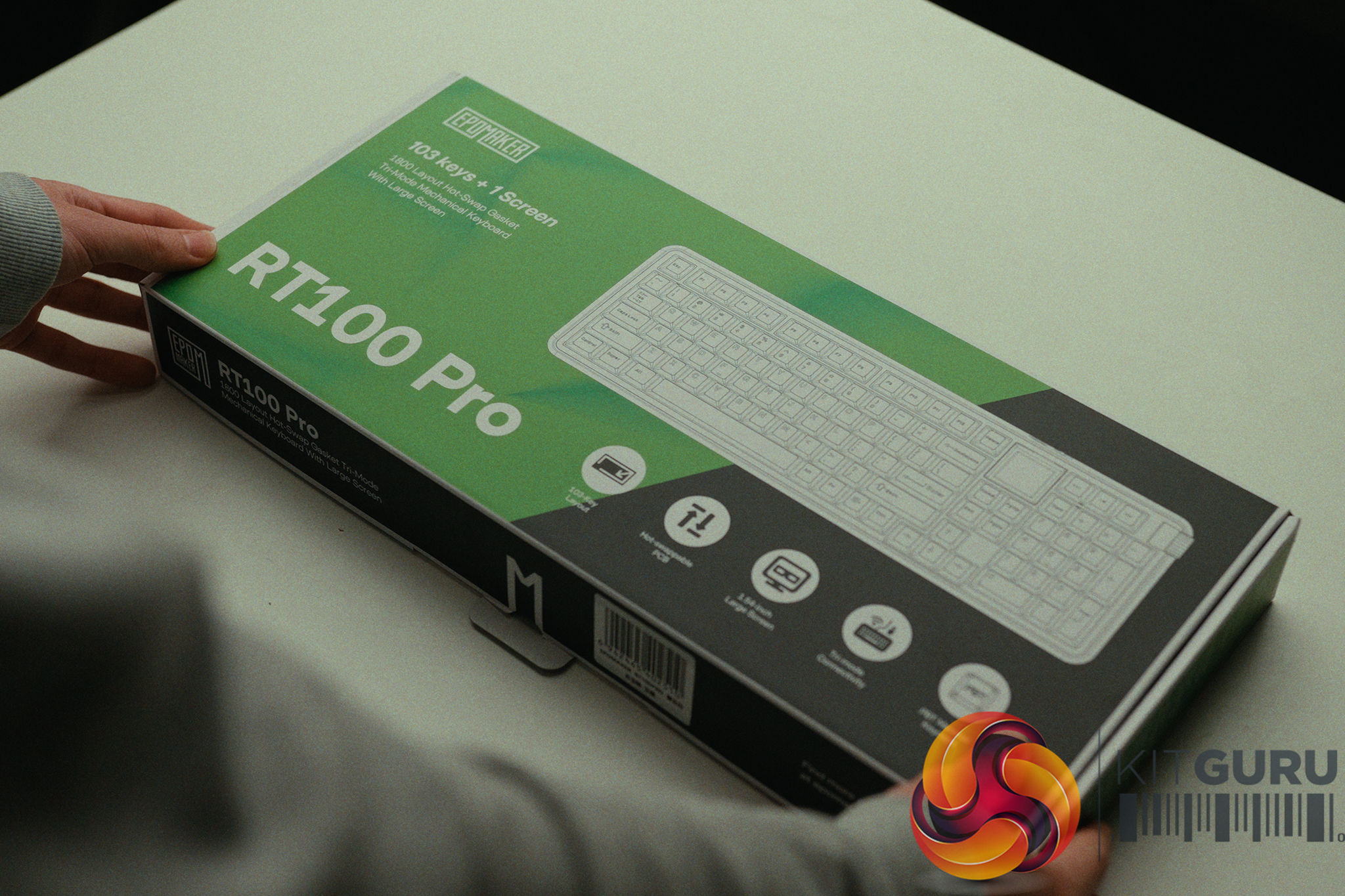
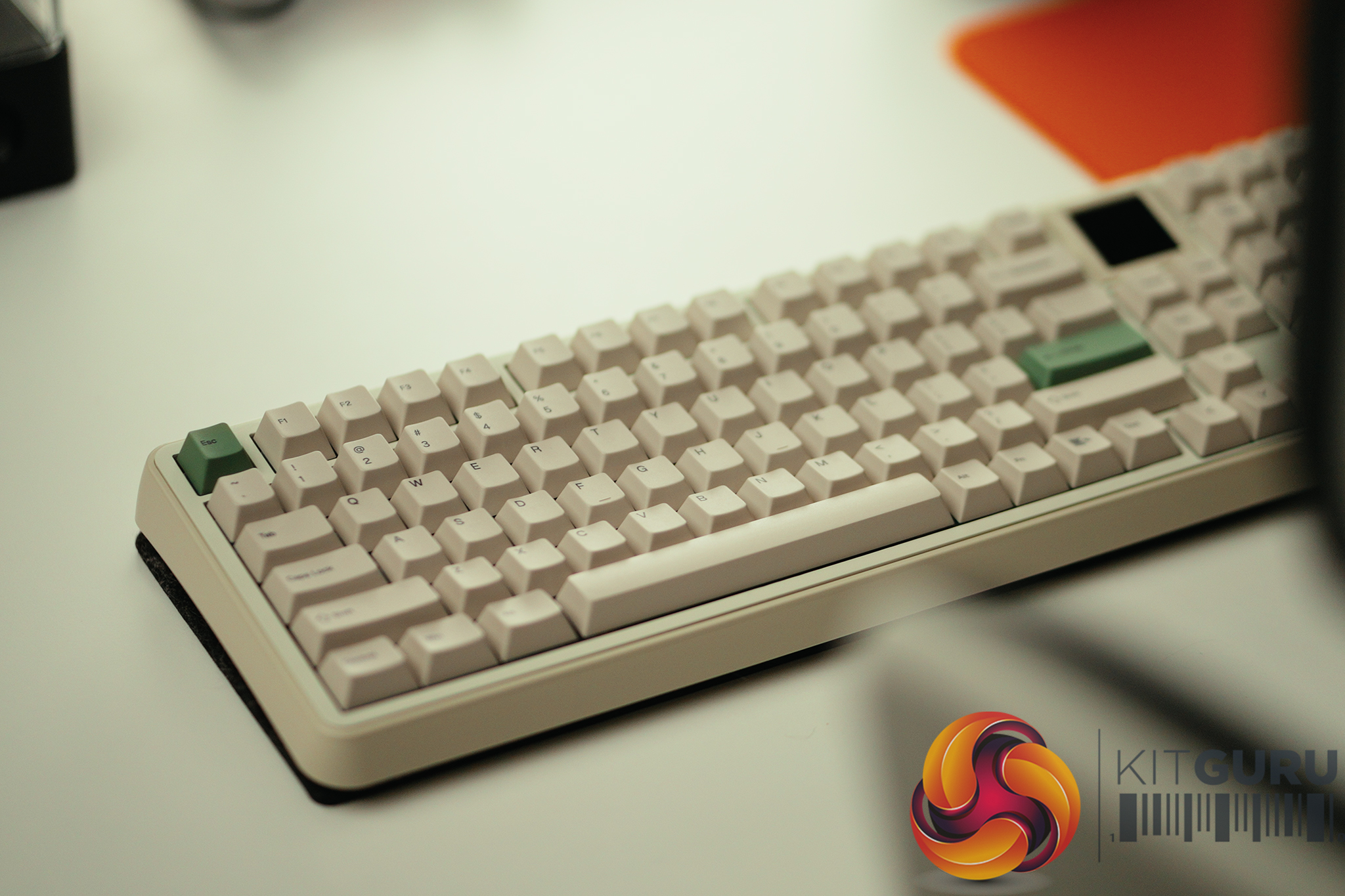
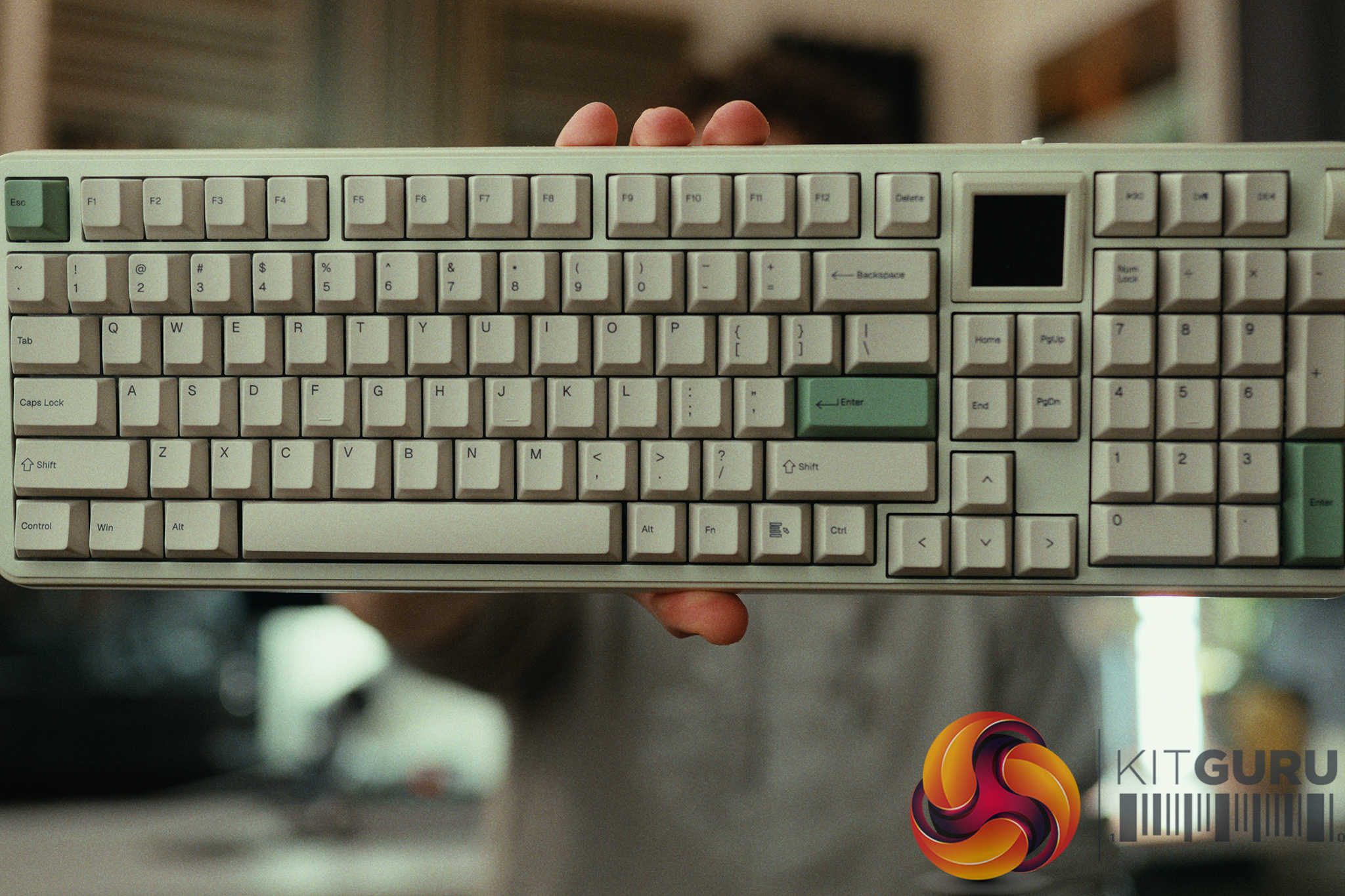
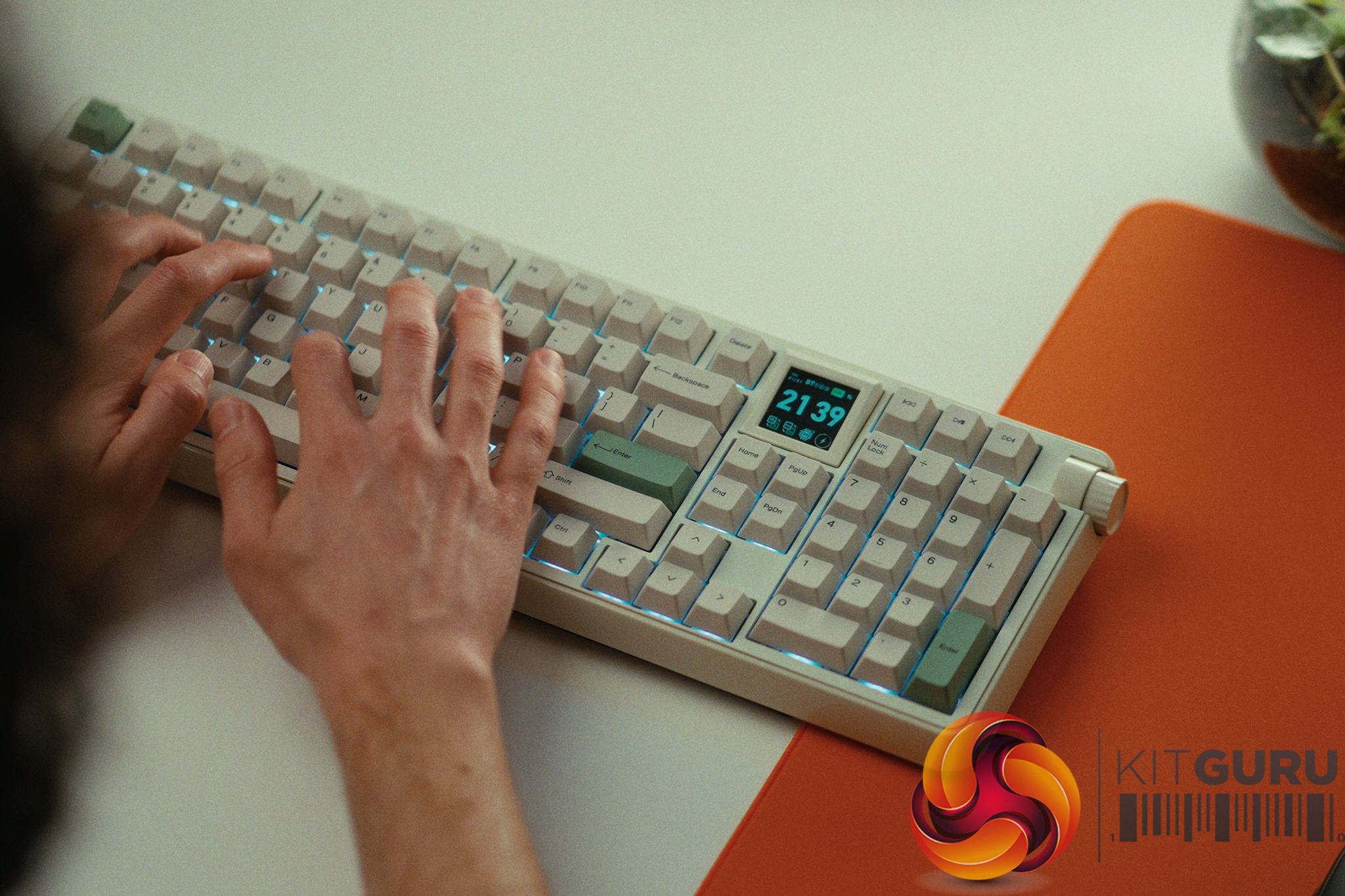
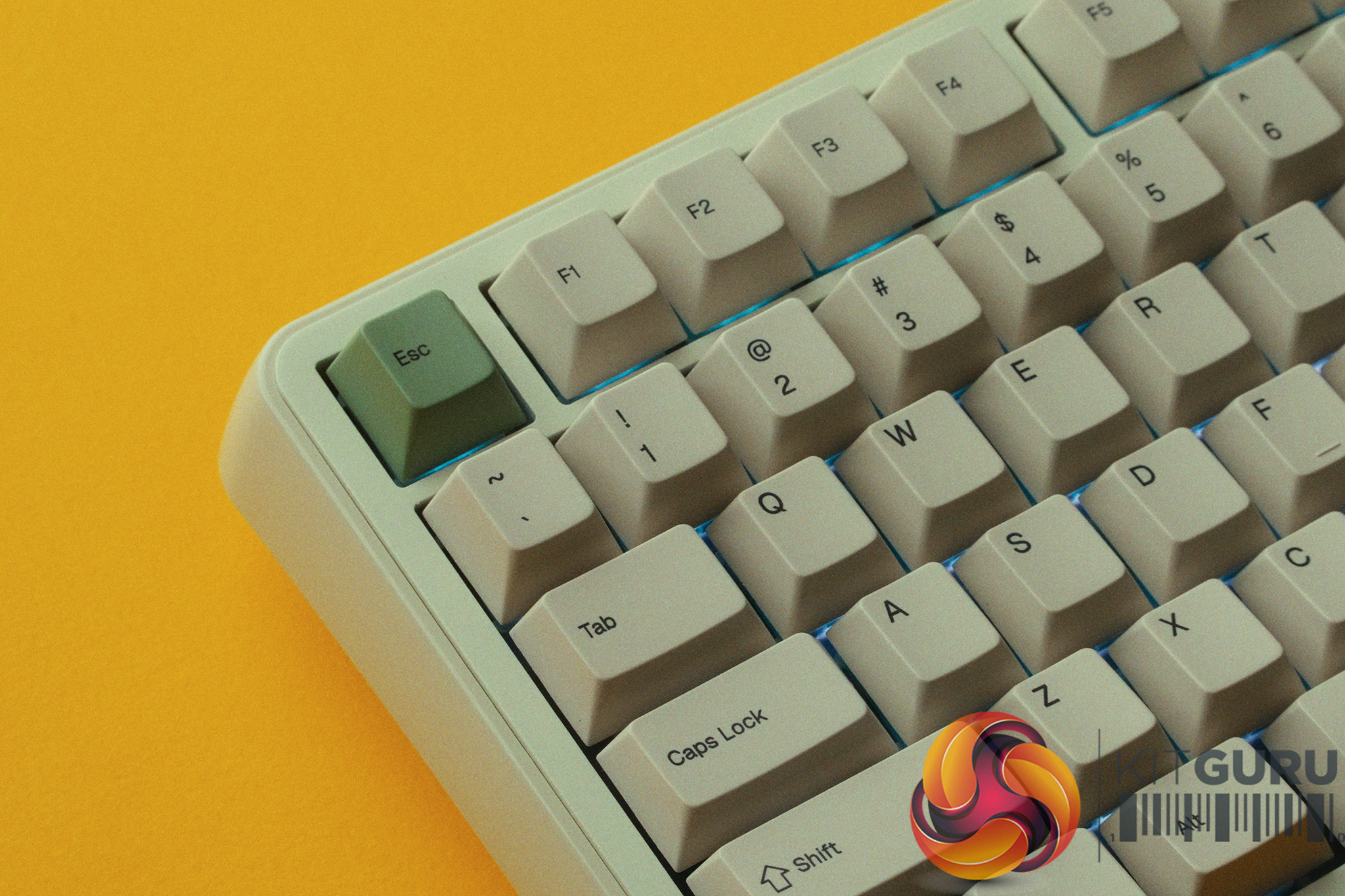
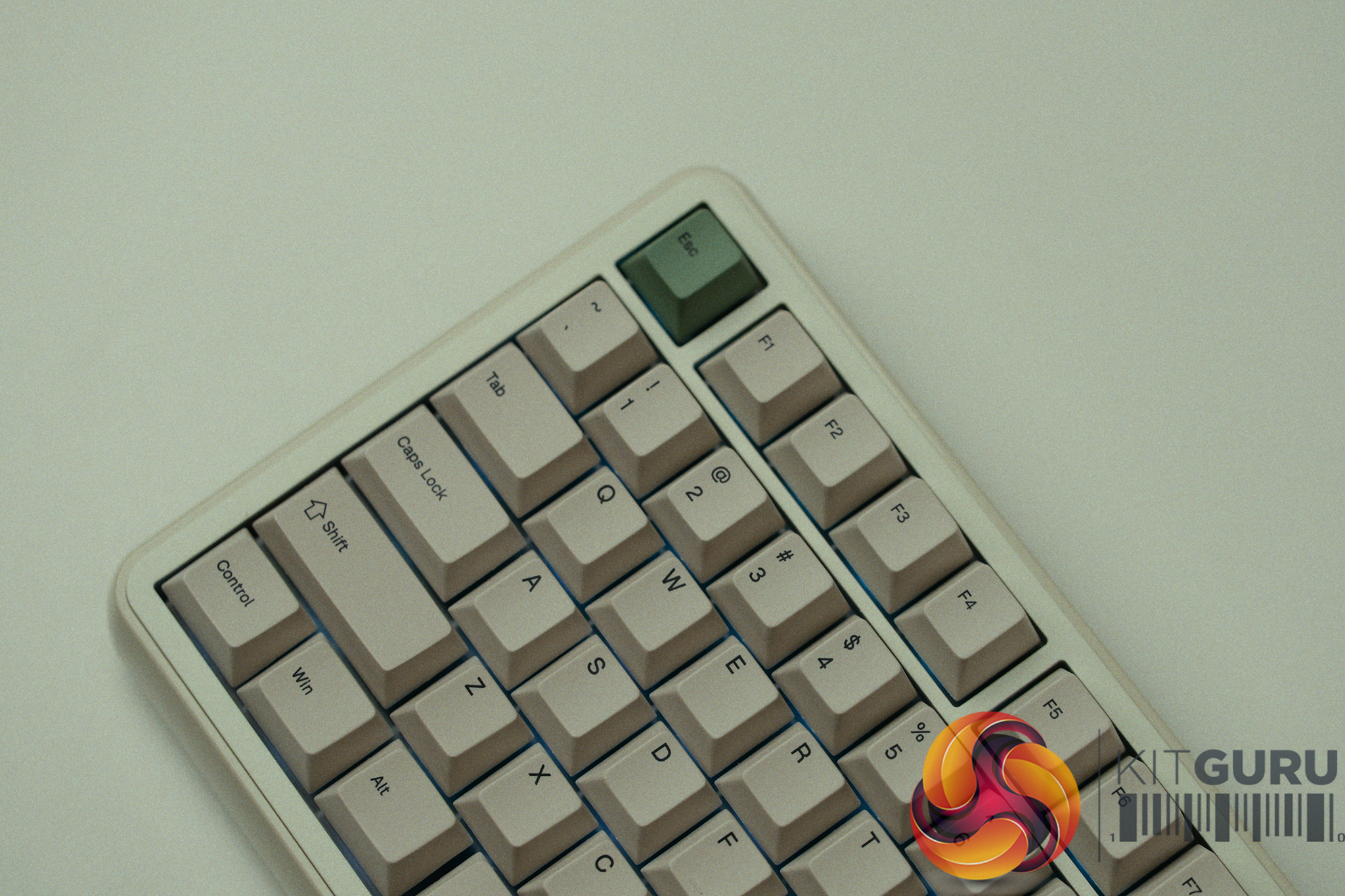
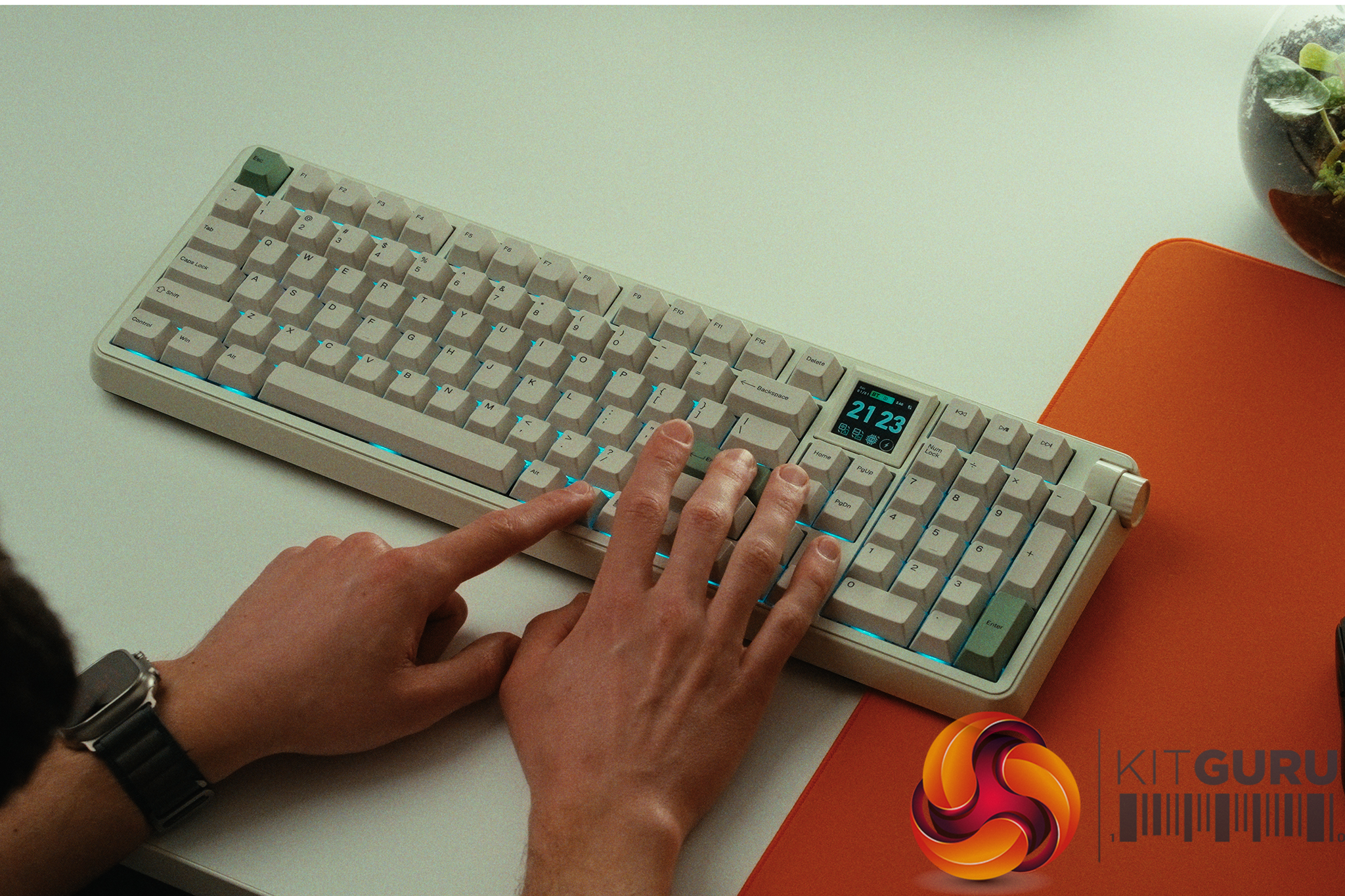
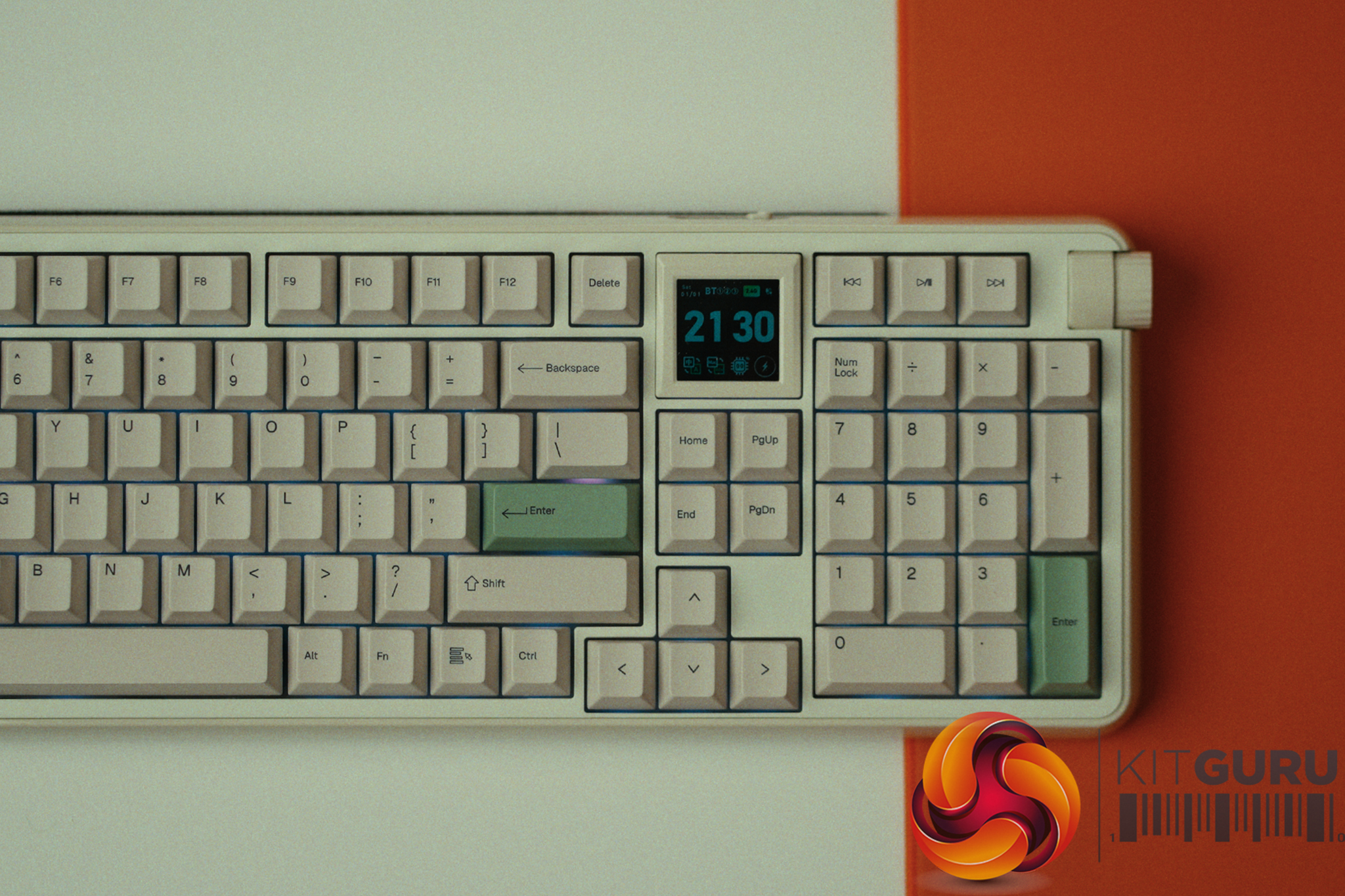
The Epomaker RT100 Pro enters the market at £129, heavily targeting your nostalgic trend genes. Appart from the retro aesthetic it comes with a detachable screen, tri-mode connectivity, and a promise of premium acoustics right out of the box, it looks like a compelling package on paper. But beneath the Instagram-friendly exterior and the heavy layers of sound dampening, does the RT100 Pro actually deliver a cohesive daily typing experience, or is it just masking deeper hardware and software flaws?
Timestamps:
00:00 Intro
01:09 Why it isn’t for Carlos…
02:19 Soundtest + acoustic profile
04:31 The small details need improvement
08:06 Other ‘retro’ elements
09:19 The software…
11:59 We have UPDATES!
16:48 Closing thoughts
Specifications:
Form Factor: Full-sized layout with Numpad.
Connectivity: 2.4GHz Wireless, Bluetooth, and Wired USB-C.
Keycaps: PBT (Retro styling).
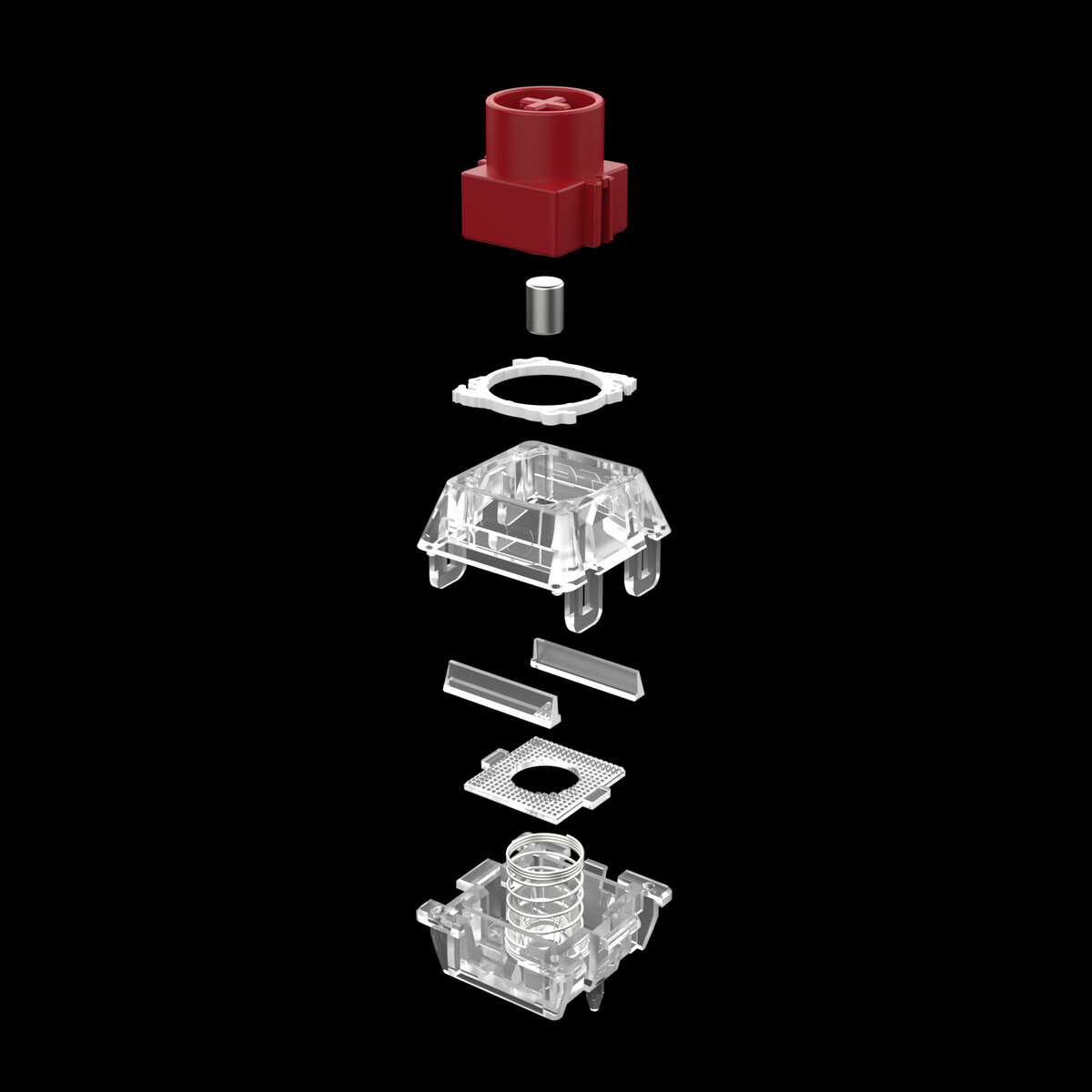
Switches & Stabs: Pre-lubed switches and pre-lubed plate-mounted stabilizers.
Acoustics: Heavy on the internal silicone dampening and PE foam sheets.
Features: Detachable mini smart and per-key RGB.
Closing Thoughts
The Epomaker RT100 Pro is a masterclass in masking plastic hardware with clever acoustic tricks, but it frustrated me the more I looked past the surface. To its credit, the keyboard sounds genuinely plesant out of the box. By stuffing the plastic shell with PE foam and thick silicone, and pairing that with smooth, pre-lubed switches and stabilizers, Epomaker has achieved a deep, marbly “thock” that many people can spend hours trying to replicate.
However, the heavily advertised detachable screen is poorly executed; it is incredibly dim, features muted colors, and completely loses its internal clock settings the moment it is detached or the keyboard battery dies. Furthermore, the plastic chassis feels cheap and prone to creaking, making the keyboard difficult to modify because removing any internal foam leaves the components feeling entirely too loose.
The worst offender proved to be the Epomaker software. Initially, in order to use features like the CPU monitor on the screen, you are forced to give the app full Windows Administrator rights. Once launched, it also silently starts multiple strange background services (with names like “screen_capture_service.exe”, “keyboard_monitor_service.exe” and “rhythm_service.exe”.
Thankfully, we reached out to Epomaker with our concerns and the company issued an update for the software, so such background services are now only started when needed for certain keyboard RGB settings, which is absolutely the right approach as things like the screen_capture_service.exe caused my GPU to spike by 20W at idle with random CPU spikes to boot and around 200mb of RAM permanently. In game the impact is even worse at around 20% performance drop.
Ultimately, for £129, the RT100 Pro nails keyboard basics but ends up being a frustrating experience as there is still lots of room for improvement when it comes to the software.
Simple PBT keycaps that fit the retro aesthetic well.
Cons:
Mediocre and sometimes resource-heavy software that focuses on quantity of features instead of quality implementation.
The detachable screen is dim, loses its time settings when without power, and struggles to sync basic GIFs.
Glossy plastic shell feels cheap and relies entirely on foam to hide its flaws.
Per-key RGB is incredibly dim and arguably unnecessary for a retro board.
KitGuru says: The Epomaker RT100 Pro looks great on a desk and sounds fantastic out of the box, but it is ultimately let down by a gimmicky screen and mediocre software.
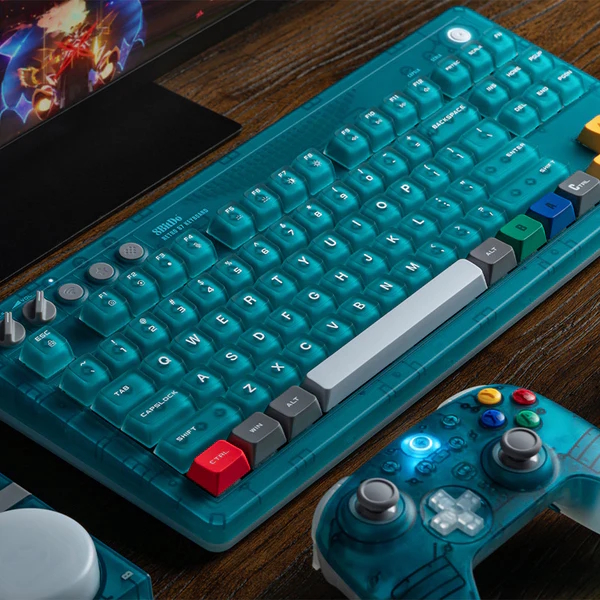
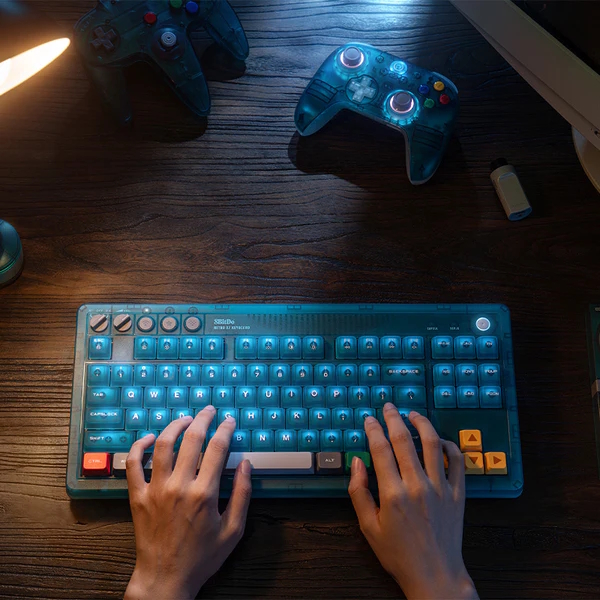
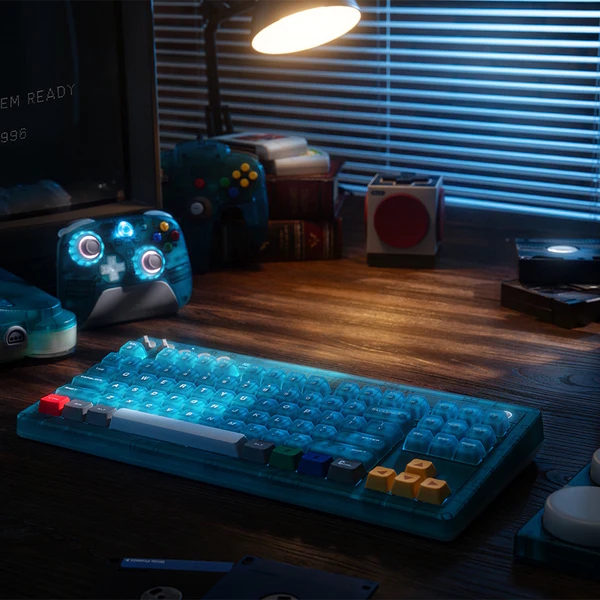
8BitDo has announced two new peripherals to commemorate the Nintendo 64's 30th anniversary: the Retro 87 Mechanical Keyboard N64 Edition in a clear blue colourway and a matching Ultimate 2 Wireless Controller.
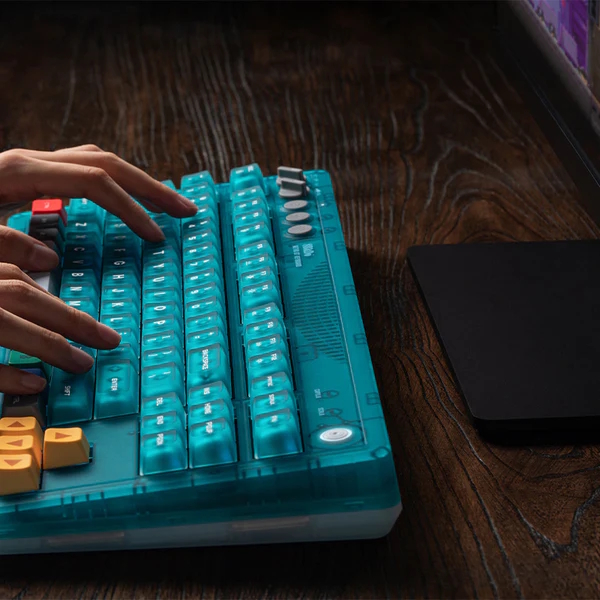
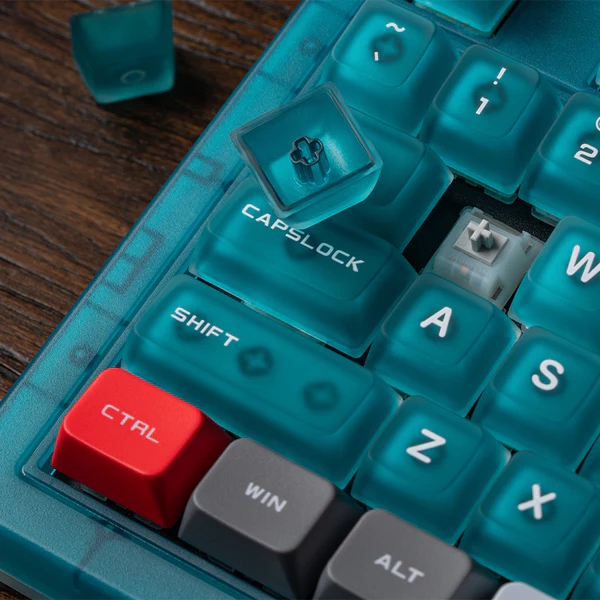
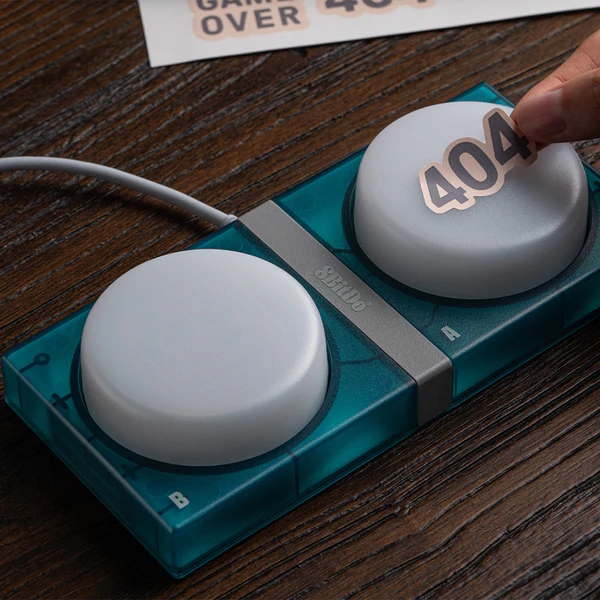
The Retro 87 Mechanical Keyboard from the 30th-anniversary N64 collection (via Cowcotland) features a clear blue aesthetic with colour-coded keycaps that match the original console's controller, including yellow arrow keys for the C-buttons and a red left Ctrl key representing the Start button. This model ships with two wired Super Buttons and features an aluminium plate, a hot-swappable PCB, and Cloud Gray Linear switches co-developed with Huano. Connectivity includes Bluetooth, 2.4G wireless, and wired USB. Additionally, it supports N-key rollover, full configuration via 8BitDo Ultimate Software V2, and a dedicated Xbox Game Bar button for Windows and Android.
Launching alongside the keyboard, the Ultimate 2 Wireless Controller N64 Edition has a translucent blue top shell, coloured ABXY buttons, a translucent white D-pad, grey thumbsticks, and blue back buttons. A grey charging dock comes bundled with the device. Internal specifications match the standard Ultimate 2 controller, offering TMR thumbsticks, RGB lighting, a six-axis motion sensor, and a 1000Hz polling rate in both wired and 2.4G modes. Platform compatibility covers Windows, Android, SteamOS, and Apple devices.
Pricing for the Retro 87 keyboard sits at $99.99, with shipping scheduled to begin on August 14th. Meanwhile, the Ultimate 2 wireless controller is available now for $59.99.
KitGuru says: Nostalgic clear blue shells remain a popular aesthetic choice, and these N64-themed additions provide a clean look for retro enthusiasts looking to update their desktop peripherals.
GravaStar has officially introduced the Mercury K98 Pro, a new wireless mechanical keyboard designed for gamers, creators, and everyday users who want strong performance and a unique look. The keyboard combines a full-featured 98% layout with premium materials, advanced connectivity options, and long battery life.
The Mercury K98 Pro stands out with its cyberpunk-inspired design. It features a CNC-machined aluminum chassis with an open-frame structure that gives the keyboard a futuristic appearance. The keyboard uses a gasket-mounted design to provide a softer and more comfortable typing experience while maintaining stability during gaming sessions.
Inside, the Mercury K98 Pro is equipped with GravaStar’s own UFO Mechanical Linear switches. These switches are rated for up to 70 million keystrokes and are designed to deliver smooth key presses with a clean sound profile. To further improve acoustics, GravaStar has added a five-layer sound dampening system that helps create a deeper and more refined typing sound.
One of the biggest highlights of the keyboard is its large 8000mAh battery. According to GravaStar, users can get up to 228 hours of use with lighting turned off. With RGB lighting enabled, the keyboard can still deliver around 19 to 21 hours of operation, reducing the need for frequent charging.
The Mercury K98 Pro also focuses heavily on speed and responsiveness. It supports an 8000Hz polling rate through both wired USB-C and 2.4GHz wireless connections. GravaStar claims response times of just 0.1ms in wired mode and 0.4ms in wireless mode, making it suitable for competitive gaming.
For connectivity, the keyboard offers three modes, including USB-C wired, 2.4GHz wireless, and Bluetooth 5.4. This allows users to easily switch between different devices depending on their needs.
Another interesting feature is the built-in 1.65-inch TFT display. The screen can show useful information and personalized content, giving users more control over the keyboard experience. Customization is handled through GravaStar’s web-based software, which works directly in a browser without requiring installation.
RGB lighting is also a major part of the package. The keyboard includes per-key RGB lighting with multiple preset effects, music synchronization, three-sided underglow lighting, and ambient lighting around the keyboard’s feet. Users can customize lighting settings and save them to onboard memory profiles.
Yong Huang, Founder and CEO of GravaStar, said the company wanted to bring its signature design style into a full-size keyboard while offering the performance, battery life, and lighting features users expect from a premium product.
GravaStar Mercury K98 Pro keyboard price
The GravaStar Mercury K98 Pro is available now with a retail price of $259 and ships to customers in more than 50 countries worldwide.
Colorful has announced the Chitu MAG-60 magnetic switch keyboard, a 60% layout model limited to 300 units worldwide. Scheduled for launch on June 30, the keyboard features exclusive magnetic switches and TMR sensing technology, along with an 8000Hz polling rate.
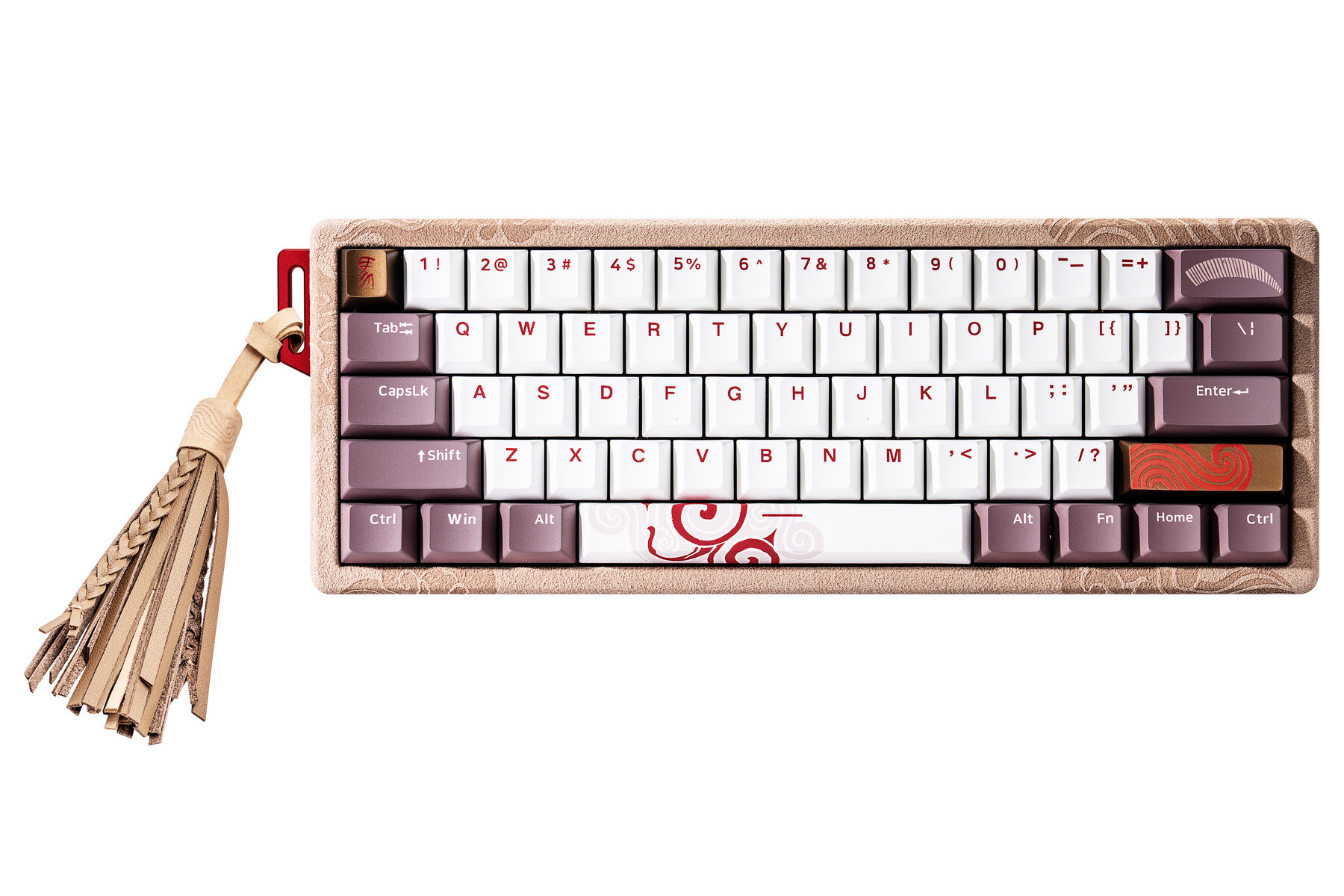
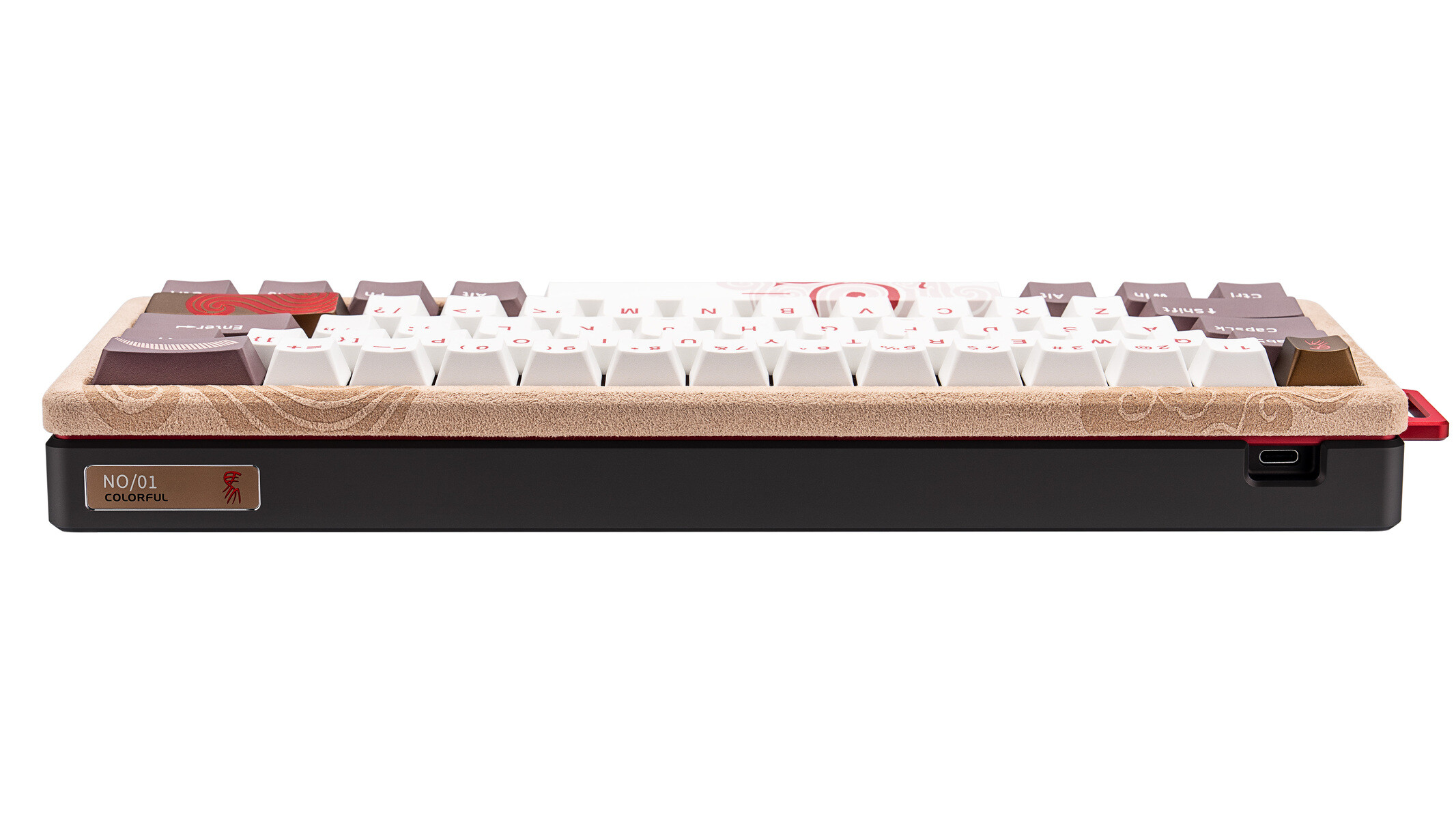
This keyboard draws design inspiration from the 2026 Chinese zodiac Year of the Horse, featuring an Alcantara suede top cover, leather side accents, and a CNC-machined T6 aluminum chassis. Each unit includes laser-engraved serial numbering and two custom artisan-made metal keycaps.
The core functionality relies on TTC Year of the Horse “White Horse” magnetic switches rated for a 100-million-keystroke lifespan. These switches integrate a triple-layer acoustic module, which works alongside a top-mount suspended structure and four layers of sound-dampening material to reduce resonance. Five-sided dye-sublimated PBT keycaps sit atop the transparent housings, allowing the integrated RGB illumination to shine through.
Performance features include TMR sensing technology, which Colorful states lowers power consumption by up to 90% and triples thermal stability compared to standard Hall-effect solutions. The system delivers a 0.005mm RT trigger precision, 0.125ms latency, and an 8,000Hz polling rate. Configuration is handled through a browser-based driver platform that allows modification of actuation distances, Rapid Trigger settings, and macros without the need for dedicated software.
The keyboard will be available for the equivalent of £270/€310 (2399 yuan). However, its launch price will be reduced to £245/€285. Orders placed during the launch period will also receive a limited-quantity 0.1g 999 pure gold horse as a gift.
KitGuru says: Would you be willing to pay this much for this highly limited magnetic keyboard?
Logitech G has expanded its G3 Series ecosystem with the announcement of the G305 X Superlight wireless gaming mouse and the G316 X 98 wired mechanical gaming keyboard. Both products are scheduled for release on June 30th, aiming to deliver high-end features at more accessible price points.
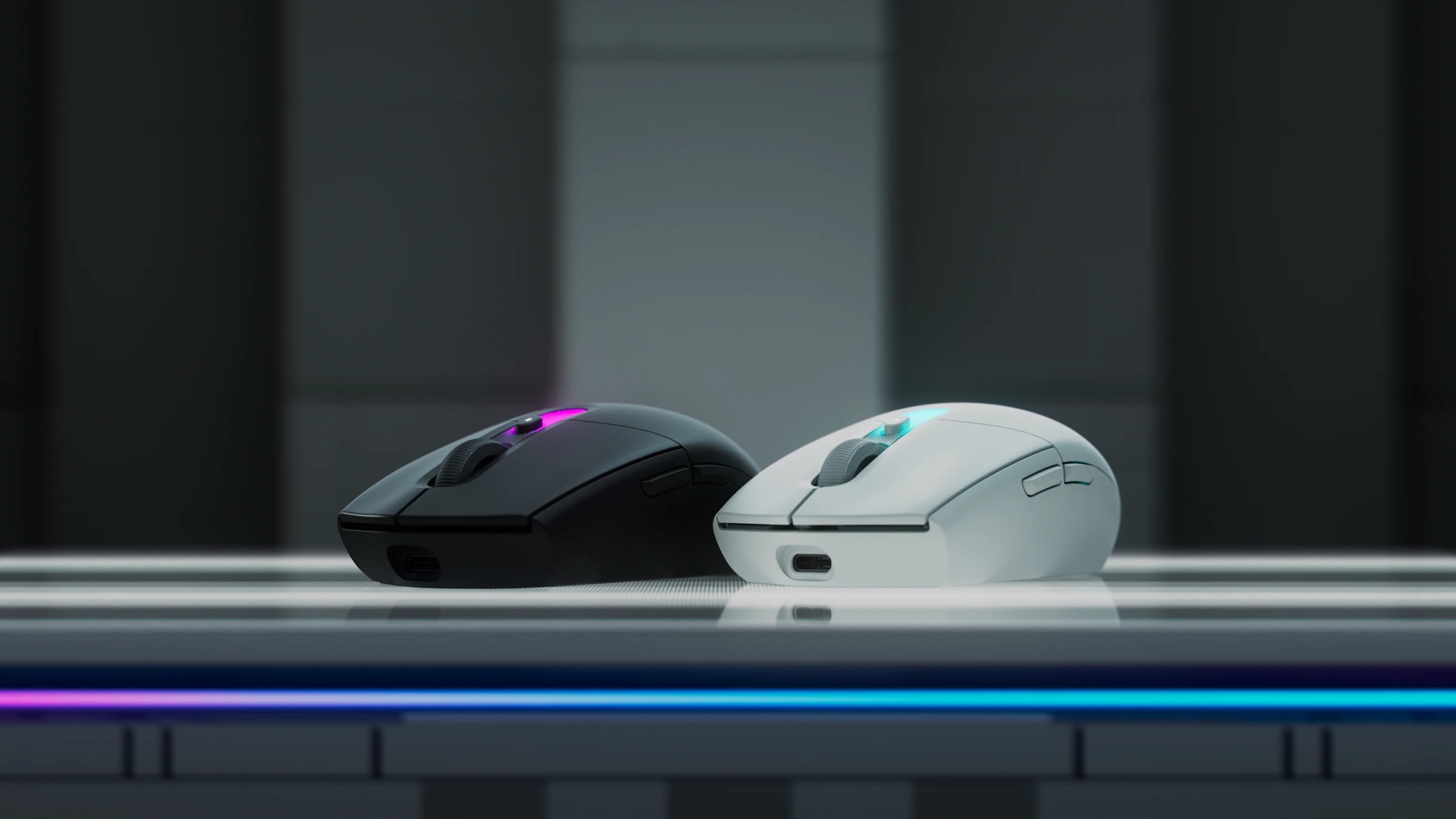
Logitech G states the G305 X Superlight brings the classic G305 shape with a lighter 59g design. It features an updated Hero sensor with 44,000 DPI. While it supports standard Lightspeed wireless, Bluetooth, and wired modes, users can upgrade it with a Pro Lightspeed Receiver to unlock up to an 8kHz polling rate. Logitech G claims the mouse delivers over 130 hours of battery life via USB-C, with a quick two-minute charge providing 3.5 hours of playtime. Also, the mouse features exposed screws to support right-to-repair efforts.
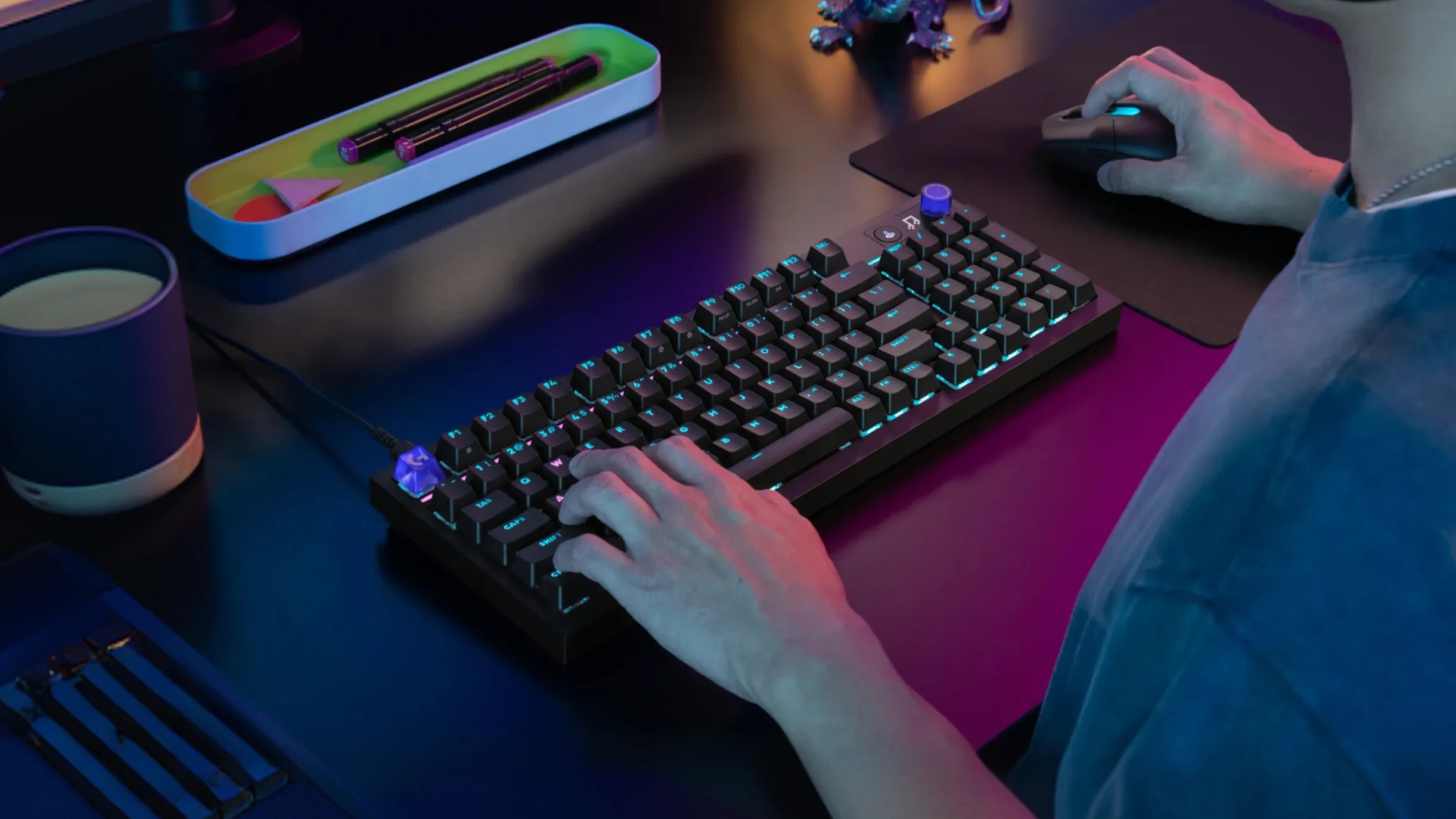
The G316 X 98 wired mechanical keyboard brings an 8kHz report rate and a 0.125ms response time to a gasket-mounted layout. This screwless design uses a multi-layer snap-fit structure optimised for a specific sound and feel. An onboard dot-matrix LED display and a control dial enable quick adjustments to report rates, brightness, and volume. For personalisation, the keyboard offers hot-swappable switches, cross-hatch stem keycap compatibility, per-key Lightsync RGB lighting, and a 30-zone light bar.
Both peripherals integrate with Logitech G HUB for preset and profile customisation. Launching in black and white variants, the G305 X Superlight will have an MSRP of £69.99/$79.99/€79.99, while the G316 X 98 will have an MSRP of £109.99/$119.99/€119.99.
KitGuru says: Refreshing the incredibly popular G305 shape with a 59g weight and 8kHz polling options will definitely make some people quite happy.
IQUNIX, maker of high-end gaming keyboards, has a new collaboration with Kodansha that brings Ghost in the Shell branding to a pair of (subjectively) really awesome-looking keyboards, even if you aren't specifically…
In our latest Computex video, we check out a huge range of new hardware coming from Cougar, from new gaming sit/stand desk options, to new AIOs, cases and peripherals.
Watch via YouTube below:
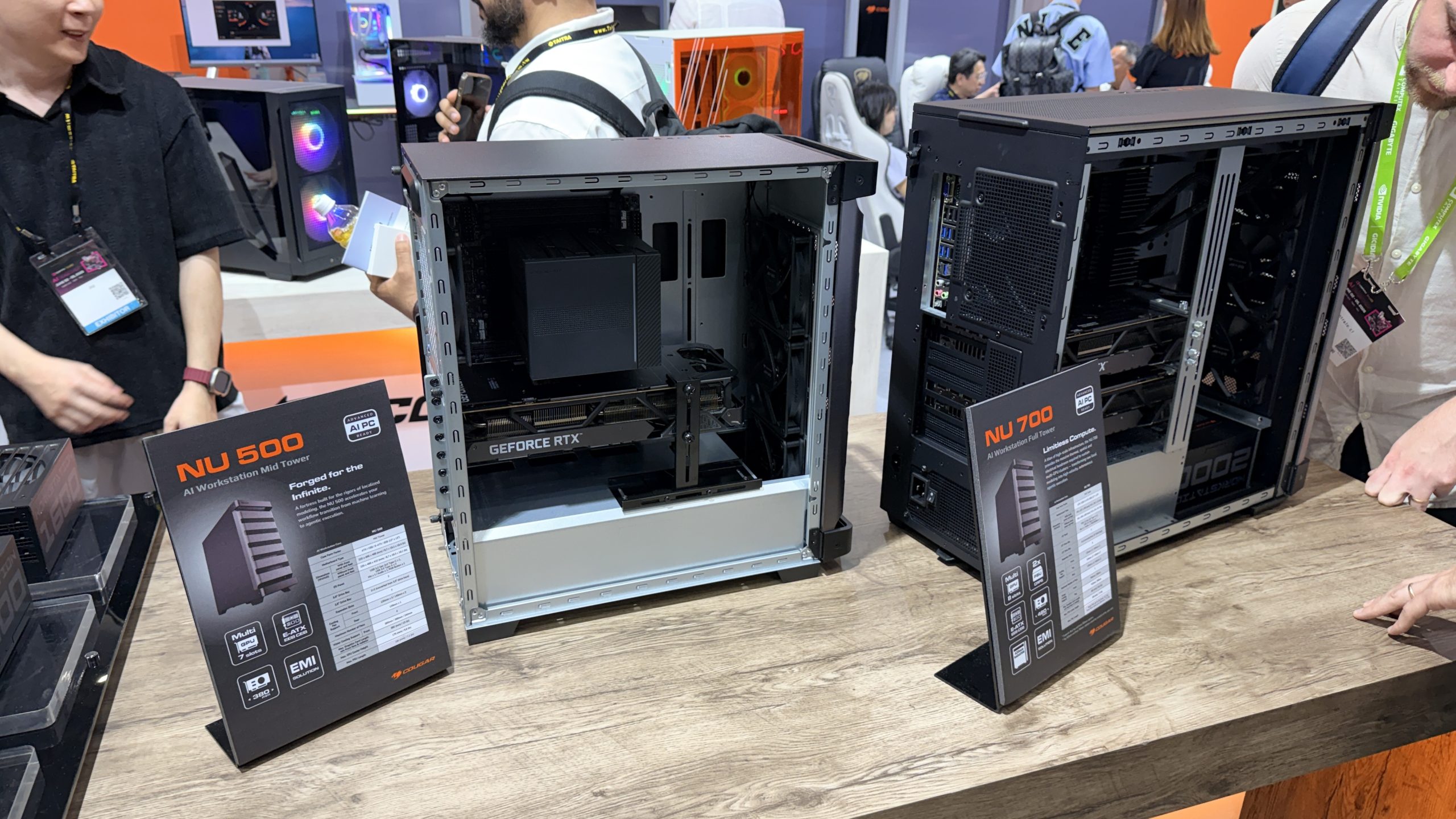
Cougar's chassis range expands with the NU 700 full‑tower and NU 500 mid‑tower, both supporting E‑ATX, SSI‑EEB and CEB motherboards alongside dual‑GPU layouts. The NU 700 accommodates two PSUs and up to dual 360mm or a single 420mm radiator, while the NU 500 supports a front‑mounted 360mm unit. As you may expect, both of these are positioned towards the workstation market, rather than for gamers.
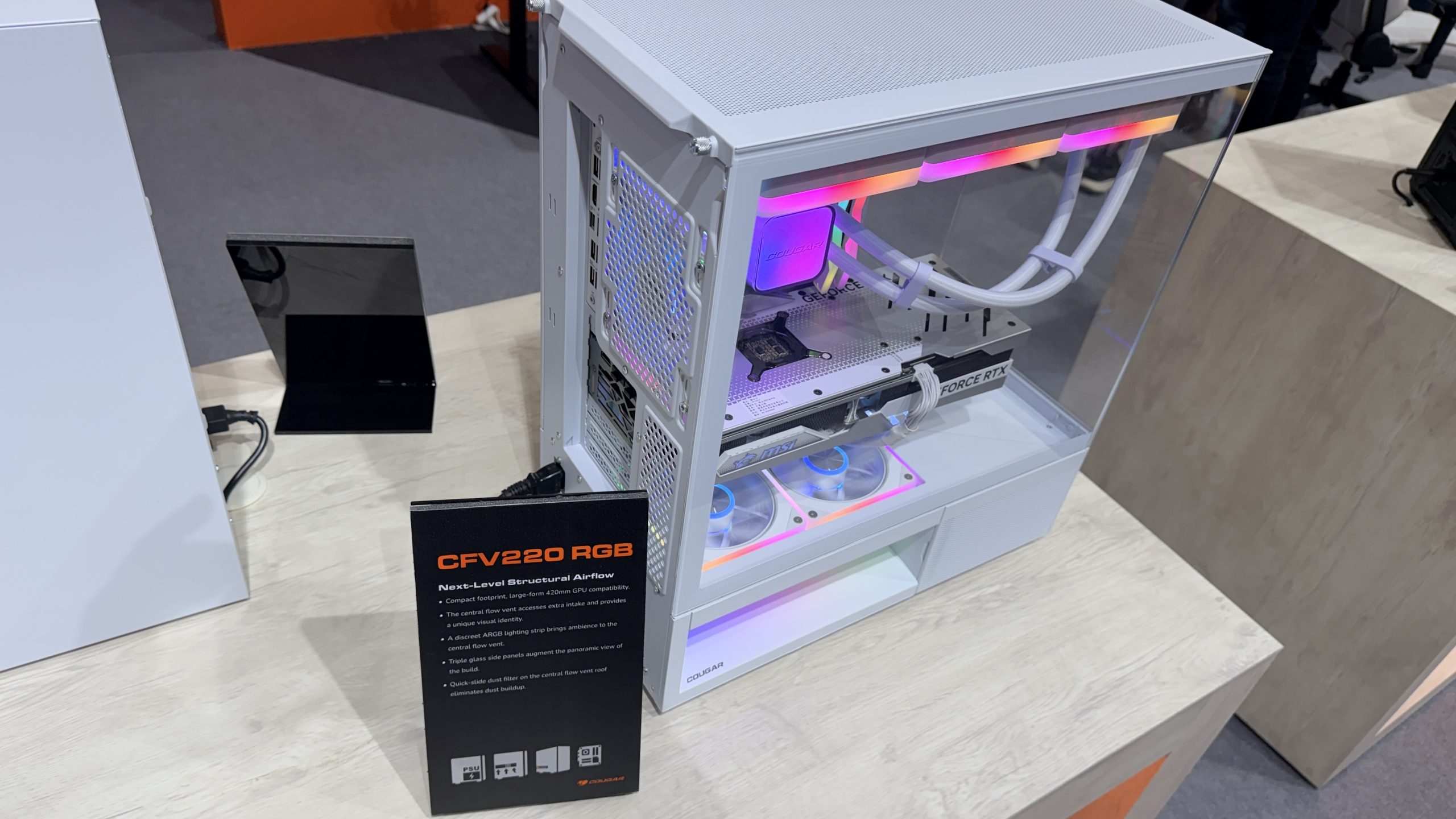
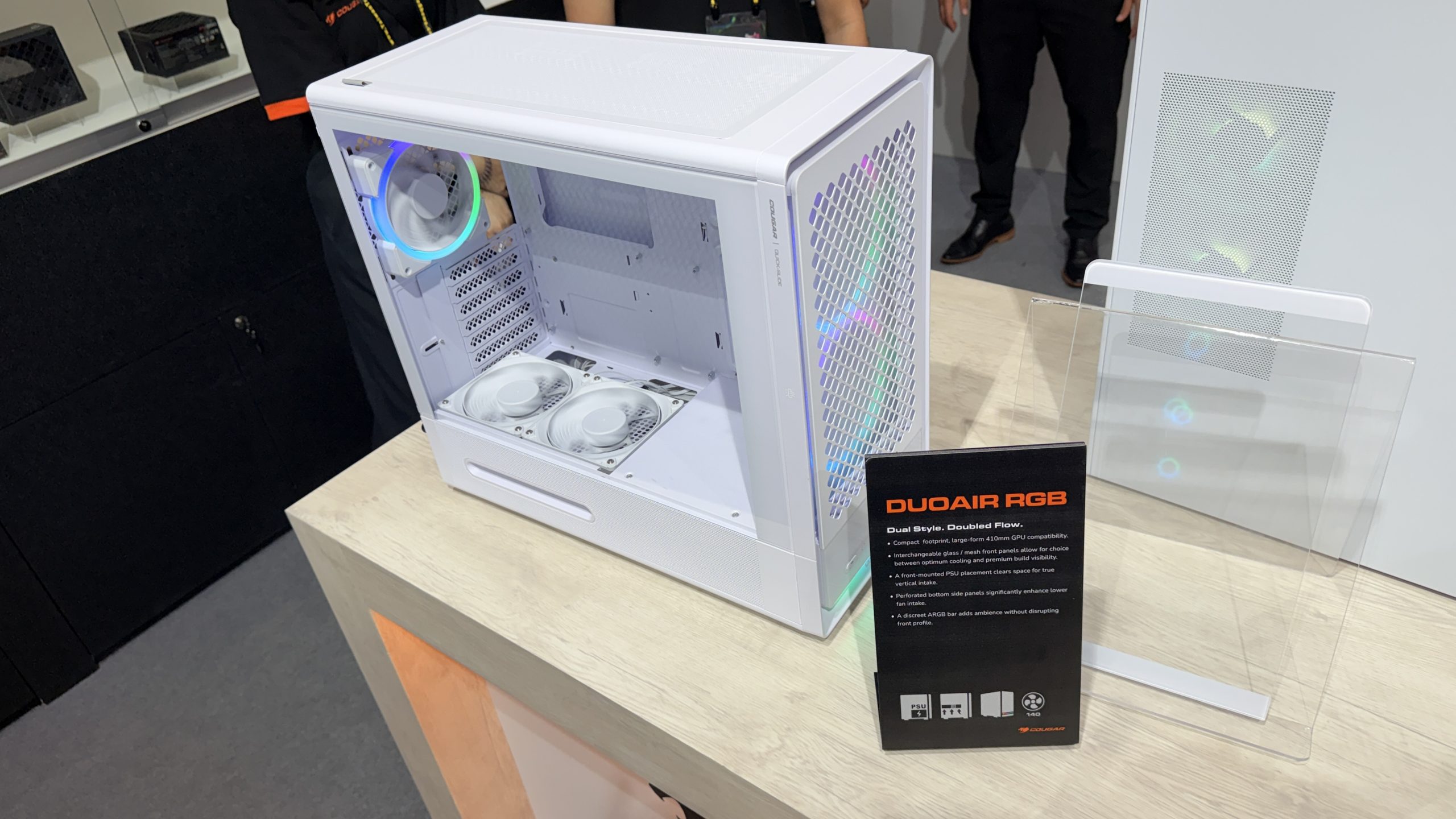
Cougar is also introducing the Duoair series, which shifts the PSU to the front to create a vertical intake path for airflow. The CFV220 goes in a different direction, adding a Central Flow Vent chamber, triple‑glass side panels and compatibility with reverse‑connector motherboards, making it ideal for a showcase gaming build.
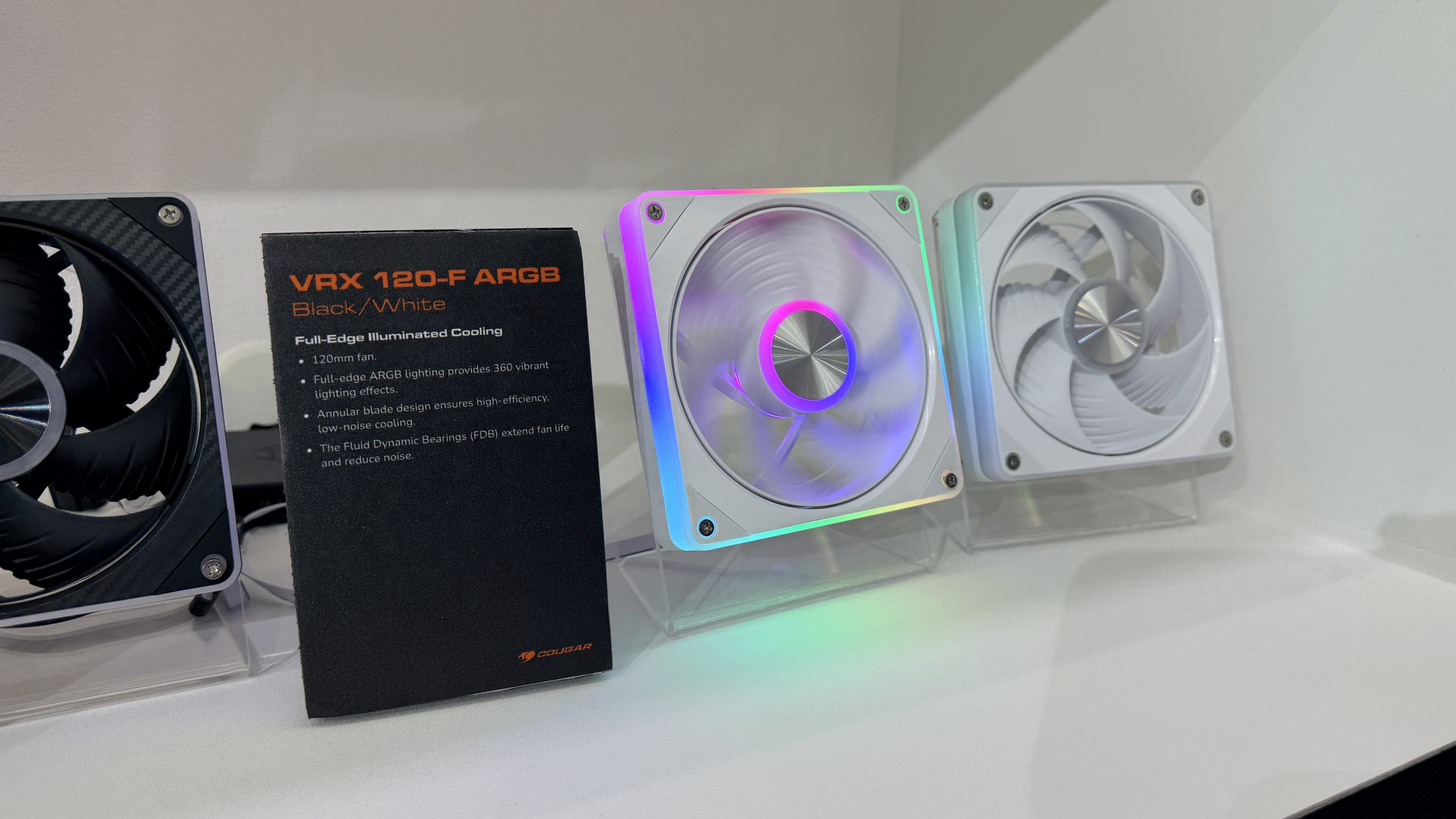
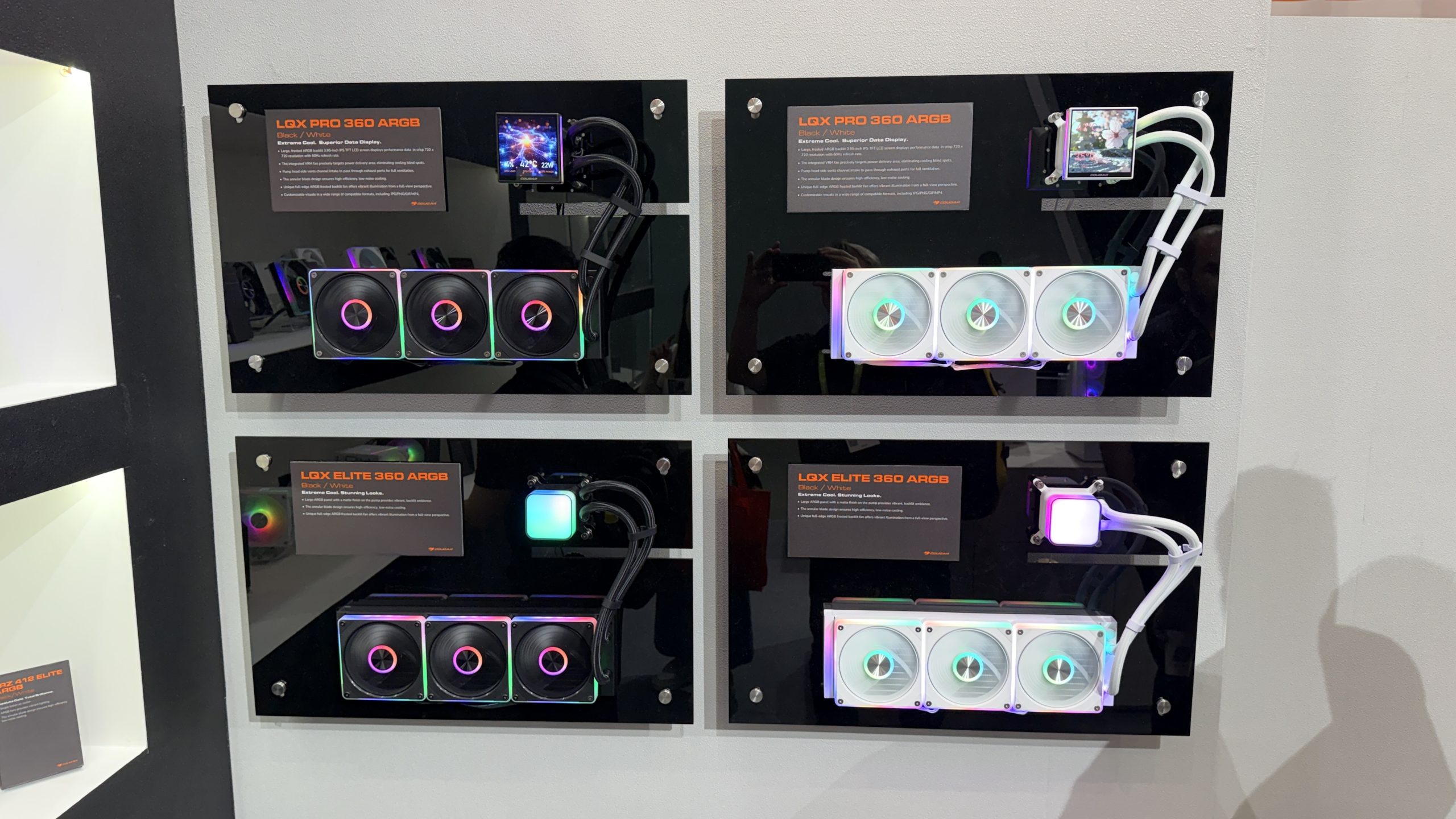
In cooling, Cougar unveiled the LQX Pro 360 and LQX Elite 360 AIOs, both using VRX PWM fans. The Pro model integrates a 3.95‑inch 720×720 IPS display and a VRM fan, while the Elite version replaces the screen with a frosted ARGB panel. Air‑cooling options include the FRZ 612 dual‑tower and FRZ 412 ARGB single‑tower coolers, each with a digital temperature display, plus the display‑free FRZ 412 Elite ARGB.
Cougar’s PSU lineup now scales up to 3200W with the WS 3200, 2400, 2000 and 1600 models, all ATX 3.1 and PCIe 5.1 compliant with up to four 12V‑2×6 connectors. The Polar V2 series introduces a compact 150mm frame, while the PV series offers 80 Plus Platinum efficiency.
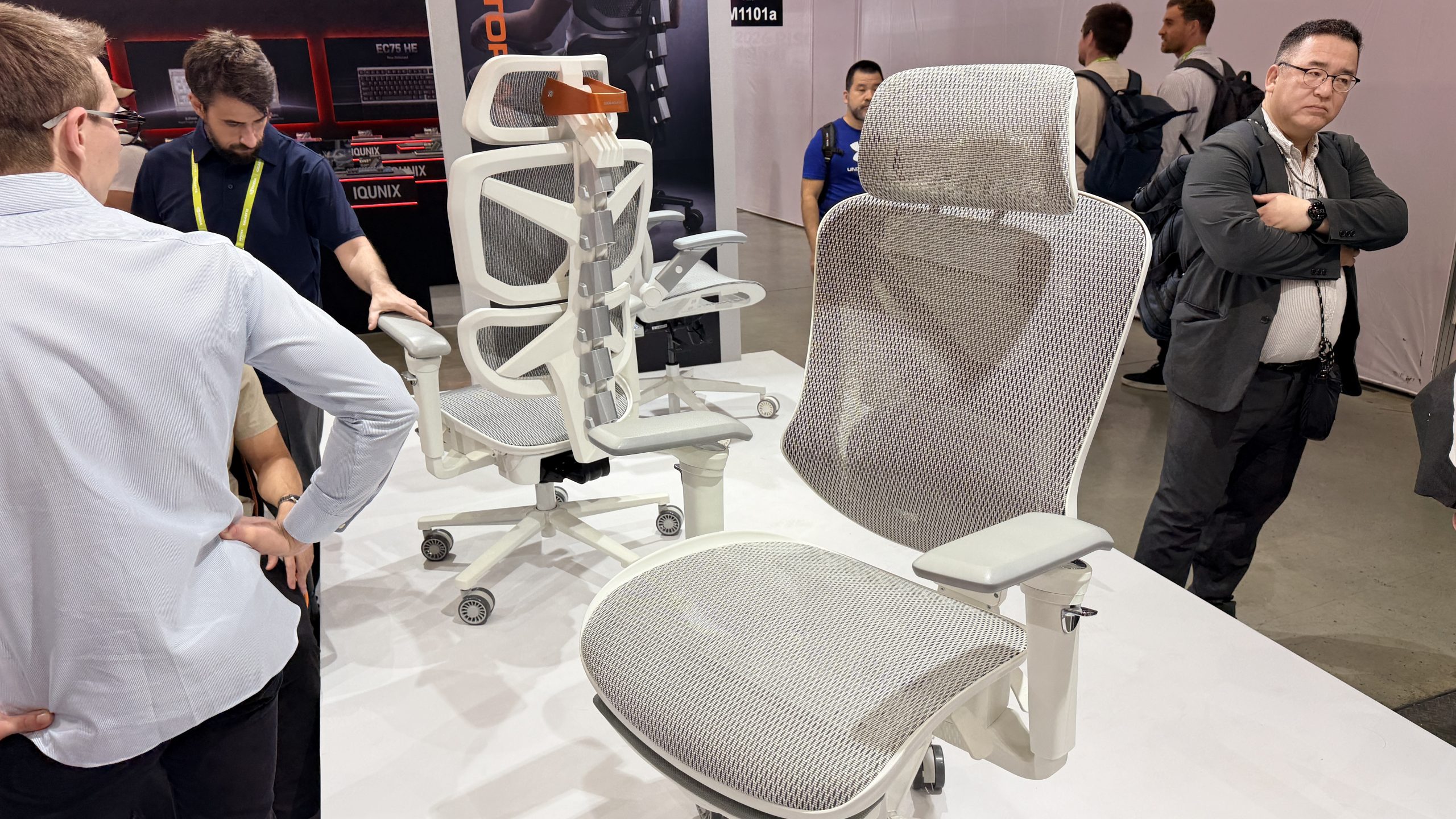
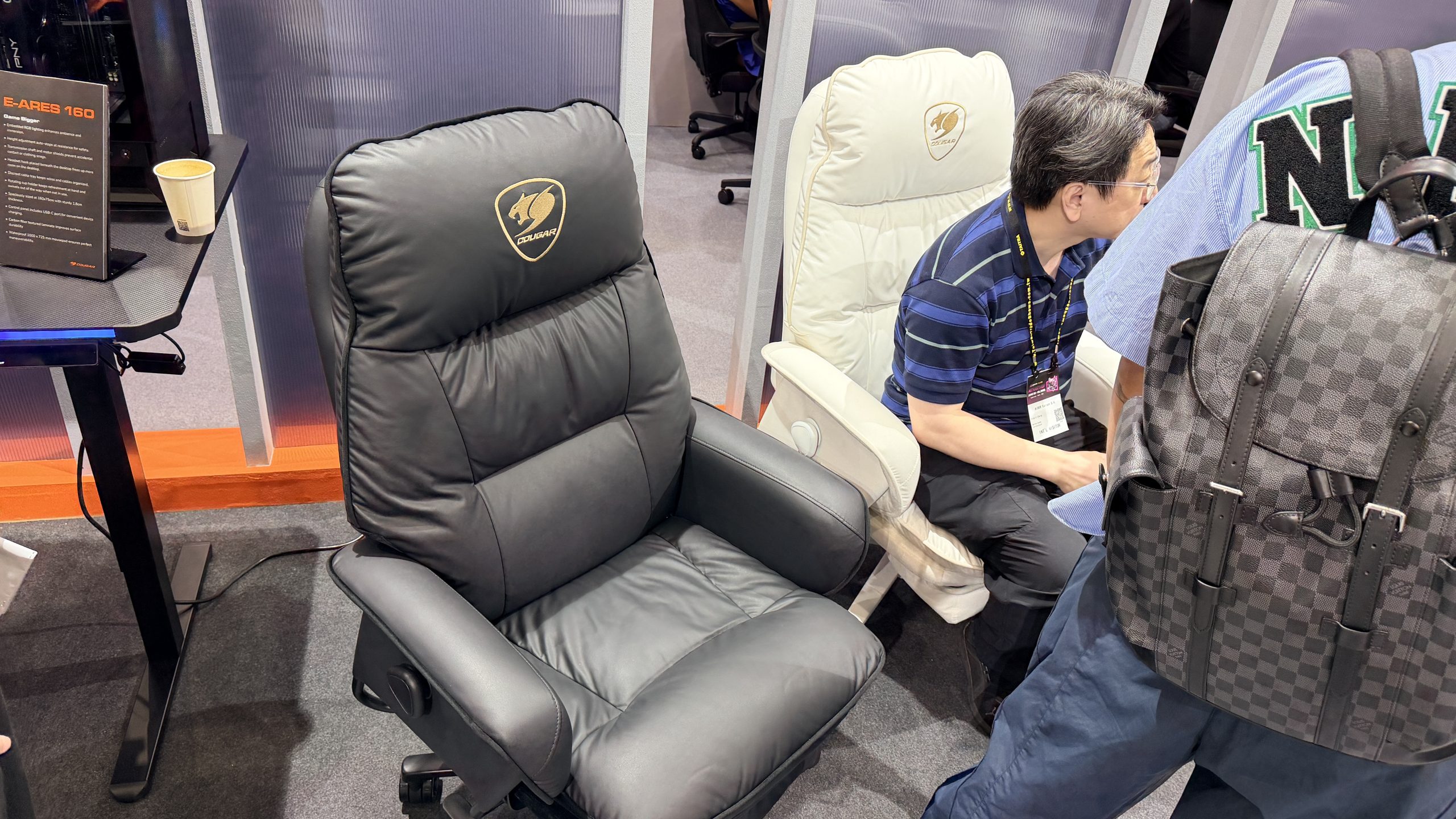
The furniture range includes the Arker chair with a steel frame and extendable footrest, the Speeder Elite mesh chair with full ergonomic adjustments, and the suede‑style Fusion EX. Cougar is also showing the E‑Ares 160 sit‑stand desk and the fixed‑height Ares 160, both using a carbon‑fibre laminate surface.
Finally for peripherals, Cougar has the new 58g Revenger Pro 8K mouse with a 30,000 DPI Pixart sensor and the Phaze 8K wired 98% keyboard, which features an 8K polling rate, 4K scan rate and magnetic switches.
KitGuru says: Did anything at Cougar's booth catch your eye?
Krux has introduced the new Krux Drox mechanical keyboard at Computex 2026, bringing together a compact design, wireless connectivity, and several modern features aimed at both gamers and everyday users. The keyboard stands out with its built in display, multifunction control knob, and retro inspired appearance that blends classic styling with current technology.
The Krux Drox uses a compact 65% layout, making it a good choice for users who want to save desk space without giving up important functions. Despite its smaller size, the keyboard includes a vertical 2.3 inch display that shows useful information such as battery level, connection status, Caps Lock, and Win Lock indicators. Users can also manage RGB lighting effects and switch between Windows and Mac modes directly through the display and control knob.
One of the most interesting features is support for GIF animations. The display can store up to two animation files at the same time, allowing users to switch between them whenever they want.
The Krux Drox keyboard offers three different connection methods. Users can connect through a low latency 2.4GHz wireless connection using the included USB dongle, Bluetooth for pairing with up to three devices, or a wired USB Type C connection. This flexibility makes it easy to use the keyboard with desktops, laptops, tablets, and smartphones.
Krux has equipped the Drox with its own Violet mechanical switches. These linear switches are designed to provide a smooth and quiet typing experience with a light actuation force. The switches are paired with durable PBT keycaps that are built to resist wear and maintain their appearance over time.
To improve typing comfort and sound quality, the keyboard uses a gasket mount design along with a five layer dampening system. The internal structure combines PORON, IXPE, silicone, PET, and foam materials to reduce unwanted noise and create a softer typing feel. According to Krux, this setup helps deliver a cleaner and more refined sound profile.
The Drox also supports browser based software, allowing users to customize key functions, create macros, adjust RGB lighting, and enable gaming focused features such as N key rollover and Snap Tap. When connected through USB, users can upload their own GIF files to the display.
For keyboard enthusiasts, hot swap support allows switches to be replaced without soldering. Krux includes spare switches, a keycap puller, and a switch removal tool in the box, making customization simple from the start.
The Krux Drox features 63 keys, ARGB lighting, anti ghosting support, and weighs 753 grams. With its combination of a smart display, wireless flexibility, hot swap support, and compact design, the keyboard is one of the more interesting peripherals showcased at Computex 2026.
YUNZII has announced the new X98 Solid Milky White mechanical keyboard, expanding its popular X98 lineup with a fresh and clean design. The new model combines wireless connectivity, customisation features, and a premium typing experience for gamers, creators, and everyday users.
The X98 Solid Milky White comes with triple-mode connectivity, allowing users to switch between USB Type-C wired, 2.4GHz wireless, and Bluetooth modes. It can connect to up to five devices, making it a practical choice for people who regularly work across multiple systems. The glossy white finish gives the keyboard a modern and stylish appearance that can easily fit into different desk setups.
One of the key highlights of the keyboard is its support for QMK and VIA software. Users can remap keys, create macros, adjust RGB lighting effects, and customise the rotary knob to suit their workflow. The programmable knob is set to volume control by default but can be changed to perform other functions.
YUNZII has also focused on the typing experience. The keyboard features pre-lubed mechanical switches and a hot-swappable design that supports both 3-pin and 5-pin switches. This allows users to change switches without soldering and personalise the keyboard to their preference.
To improve sound and comfort, the X98 uses a gasket-mounted structure combined with five layers of sound-dampening materials. This setup helps produce a deeper and softer typing sound while providing a more comfortable feel during long typing sessions.
The keyboard includes OEM-profile jelly keycaps made from an ABS and PC material blend. These transparent-style keycaps help RGB lighting shine through more clearly, while side-printed legends create a unique lighting effect. The design also aims to provide comfortable typing for extended use.
Battery life is another strong point of the X98. The keyboard is equipped with a large 8000mAh battery, allowing users to work or play for long periods without frequent charging.
The X98 Solid Milky White also features south-facing RGB LEDs with support for 16.8 million colours. Combined with the glossy white frame and jelly keycaps, the keyboard delivers an eye-catching look while maintaining clear and durable key legends.
With its combination of wireless connectivity, customisation options, hot-swappable switches, and premium design, the new YUNZII X98 Solid Milky White aims to be an attractive choice for users looking for both style and performance in a mechanical keyboard.
The mechanical keyboard market is full of compact keyboards now. But not every keyboard gives a good typing feel, useful features, and a nice design together. The KiiBOOM Phantom 98 Lite tries to do all of that in one package. It comes with a 96% layout, which saves desk space but still keeps the numpad. This makes it good for gaming, office work, and daily use.
This is not my first time using a keyboard from the Phantom Lite series. Last time, I reviewed the Phantom81 Lite. That keyboard also used MOA profile keycaps, but it had a chocolate factory theme. This time, KiiBOOM changed the style completely. The Rainy Frogy Day theme on the Phantom 98 Lite gives the keyboard a soft and calm look. The frog artwork and light colours make it look fun and relaxing on the desk.
The Phantom 98 Lite also comes with many useful features. It supports Bluetooth 5.0, 2.4GHz wireless, and USB-C wired connection. It also has a large 8000mAh battery for long usage time. KiiBOOM used a gasket mount design with five layers of damping material to improve typing feel and sound. You also get hot-swappable pre-lubed linear switches, south-facing RGB lighting, and VIA support for customization.
On paper, the keyboard looks very promising. But real use matters more than specs. After using it for gaming, typing, and daily work, here is my full experience with the KiiBOOM Phantom 98 Lite.
Unboxing
KiiBOOM once again did a great job with the packaging of the Phantom 98 Lite. I have always liked the design and quality of KiiBOOM keyboard boxes. They never feel boring. Every unboxing feels fun and different.
The outer box comes in a soft pink colour with clean white branding. The front side has cute anime-style artwork with candy designs around it. It gives the keyboard a playful and relaxing look before even opening the box.
The sides of the box have simple branding and the line “Keys Under Fingers, Dreams Take Wings.” The back side shows product details and certifications in a clean layout.
Inside, the keyboard is packed safely with foam protection and a plastic cover over the keyboard.
Inside the box, you get:
KiiBOOM Phantom 98 Lite keyboard
USB Type-C cable
Keycap and switches puller
User manual
Stickers
Fibre cleaning cloth
6 extra frog-themed keycaps
2 extra Mossy Silent switches
I really liked the extra frog-themed keycaps. They make the keyboard look even more fun and unique. The stickers and fibre cloth also make the package feel more complete.
The KiiBOOM Phantom 98 Lite is a part of KiiBOOM’s Phantom series keyboard lineup. KiiBOOM already has the Phantom 21, Phantom 68, Phantom 81, and Phantom 98 in this lineup. Now, the company has added the Lite version of the 98 model with a compact 96% layout. It keeps the numpad while taking less desk space than a full-size keyboard.
This keyboard is available in three colour options: Pink, Green, and Clear. The green version that I tested easily looks the most eye-catching in my opinion. The soft green colours mixed with frog-themed artwork give the keyboard a very calm and playful look. It feels different from normal gaming keyboards that mostly use dark colours.
The keyboard measures 408.9 × 150 × 42.2mm and weighs around 1.2kg. It feels solid and stable on the desk. Even during gaming and fast typing, the keyboard did not move around. The glossy translucent case also gives the keyboard a softer and cleaner appearance under light.
The 96% layout is arranged very well. KiiBOOM managed to keep the keyboard compact without making it feel crowded. You still get the function row, arrow keys, and numpad, which makes it useful for both work and gaming.
One of the biggest highlights is clearly the keycap design. The dye-sub PBT MOA keycaps look excellent in person. Many keys include small frog, flower, cloud, mushroom, and nature-themed artwork. Even keys like Enter, Shift, Backspace, and Tab have custom designs on them. The legends are clean and easy to read, while the themed artwork gives the keyboard a lot of personality.
The side accent piece near the numpad also adds extra detail to the design. Small frog and rain graphics are printed there, helping the keyboard feel more unique. KiiBOOM clearly spent time designing every small part instead of using a simple colour swap.
The storage area for the 2.4GHz dongle is placed between the numpad and Enter key area. KiiBOOM covered it with a themed metal plate that matches the overall keyboard design very nicely. The idea looks good visually, but I did face one issue here. The magnetic plate feels pressed very tightly. Normally, pressing the top side should lift the plate easily, but the magnet is quite hard, which made accessing the dongle more difficult than expected.
The bottom side of the keyboard keeps a very clean and smooth design, similar to the rest of the keyboard body. KiiBOOM added dual-stage adjustable kickstands for different typing angles. In the centre, there is also a small nameplate with basic keyboard information printed on it.
Switches and keycaps
The KiiBOOM Phantom 98 Lite that I tested came with the Mossy Silent switches. These switches feel light and smooth while typing. The operating force is 37gf, and the bottom-out force is 43gf, so the keys do not feel heavy during long typing sessions. The switches also stay very quiet, which makes the keyboard comfortable to use in shared rooms or at night.
The typing experience felt soft and consistent. Key presses were smooth from start to finish, and the silent design helped reduce unwanted noise. The total travel distance is 3.6mm with a 2.0mm pre-travel distance, which gives the keyboard a balanced feel for both gaming and daily work.
The keyboard uses a 97-key layout and comes with dye-sub PBT keycaps. The keycaps feel solid and better than cheap ABS keycaps often found on many keyboards. During use, the surface felt smooth but not slippery. The legends also looked clean and easy to read.
KiiBOOM has also used MOA profile keycaps here, which give the keyboard a unique and rounded look. Combined with the Rainy Frogy Day theme, the keyboard feels playful and different from standard gaming keyboards. The colours and artwork make the setup look more relaxing and fun without feeling too flashy.
Connectivity and battery
The KiiBOOM Phantom 98 Lite comes with three connection modes, including Bluetooth 5.0, 2.4GHz wireless, and USB Type-C wired mode. During testing, switching between modes felt simple and quick. The keyboard can also connect with multiple devices, which is useful for users who work between a PC, laptop, tablet, or other devices daily.
For gaming, I mostly used the 2.4GHz wireless mode and wired mode. Both felt responsive during gameplay and typing. The keyboard supports a 1000Hz polling rate in wired and 2.4GHz mode, which helps inputs feel fast and smooth. Bluetooth mode is slower with a 125Hz polling rate, but it still works fine for casual work and normal daily use.
Latency was also good in my experience. Wired mode offers the fastest response at 3ms, while the 2.4GHz mode stays very close at 5ms. Bluetooth mode has higher latency at 15ms, so it is better suited for office work, media use, or casual typing instead of competitive gaming.
Battery life is another strong point of this keyboard. The large 8000mAh battery easily lasted for days during my use without needing frequent charging. Even with RGB lighting enabled, battery performance felt reliable. For users who prefer wireless setups, the Phantom 98 Lite gives a very comfortable experience without constant charging worries.
User Experience
Using the KiiBOOM Phantom 98 Lite daily felt comfortable from the start. The 96% layout gives almost everything from a full-size keyboard but takes less desk space. I did not feel like I was missing any important keys during work or gaming. The compact design also made my setup look cleaner.
The tri-mode connectivity worked well during testing. Switching between devices was simple, especially when moving from PC to tablet. The large 8000mAh battery also helped a lot because I did not need to charge the keyboard again and again after a few days of use.
One thing that stood out quickly was the typing sound and feel. The gasket mount design with multiple foam layers gives the keyboard a soft and slightly muted sound. It does not sound hollow or overly loud. The typing feel is smooth and consistent, especially for long writing sessions.
The Mossy Silent switches were also interesting to use. They feel light and smooth, but the biggest difference is the low noise level. Even during fast typing, the keyboard stayed very quiet. This makes it a good choice for shared rooms, office work, or late-night gaming sessions where loud switches can become annoying.
I also liked that the keyboard supports hot-swapping. Many users buy one keyboard and later want a different typing feel. Here, switches can be changed easily without soldering, which makes future customization much simpler.
The south-facing RGB lighting looked clean and bright in darker rooms. The lighting is not too aggressive, and the effects spread evenly across the keyboard. VIA software support is another useful feature because it allows key remapping and custom shortcuts without much trouble.
The Phantom 98 Lite feels more focused on giving a balanced daily experience instead of just chasing flashy features. It is quiet, comfortable, easy to use, and works well for both gaming and productivity.
Final Verdict
The KiiBOOM Phantom 98 Lite left a very good impression during my time with it. It looks unique, feels comfortable to type on, and comes with useful features for both gaming and daily work. The gasket mount design, silent switches, and foam layers help give the keyboard a soft and quiet typing experience. The battery life was also reliable, and the tri-mode connectivity worked without issues.
The Rainy Frogy Day theme is easily one of the biggest highlights of this keyboard. The MOA keycaps, soft colours, and small design details make it stand out from many other keyboards in the market. It feels fun without looking too childish, and it gives the setup a calm and clean look.
There was only one thing I did not fully like. The storage area for the 2.4GHz dongle uses a very strong magnetic plate. Removing the plate sometimes felt difficult and less convenient than it should be. It is a small issue, but something worth mentioning.
Other than that, I honestly enjoyed using this keyboard. The typing feel was smooth, the sound was pleasant, and the silent switches worked very well for long sessions. For users who want a compact keyboard with good looks, quiet typing, and strong customization options, the Phantom 98 Lite is a very solid choice.
Because of its unique theme and overall presentation, I would also like to give the KiiBOOM Phantom 98 Lite Design Award.
Epomaker has revealed the new F108 Pro V2 full-size wireless mechanical keyboard ahead of its official launch. The company recently showed the keyboard during a livestream, giving users an early look at its updated design, bigger battery, and new features.
The F108 Pro V2 keeps the same full-size 108-key layout as the older version, making it a good choice for users who want both a numpad and function keys for work and gaming. The keyboard supports wired, Bluetooth, and 2.4 GHz wireless connectivity. Unlike many budget keyboards, it also includes a physical switch for changing connection modes, which makes switching devices much easier.
One of the biggest upgrades is the larger 10,000 mAh battery. This should give users much longer battery life compared to the previous model. The keyboard also includes a smaller dot matrix display that has now been moved between the arrow keys and navigation cluster. This change frees up more space above the numpad area.
The keyboard uses a plastic gasket-mounted case. While the clip-based design may not be ideal for keyboard modders, it likely helps keep the price lower. During the livestream, Epomaker showed several colour options, including pastel pink, retro beige, and a black version with translucent smoky keycaps.
The F108 Pro V2 also includes side RGB light bars and per-key RGB lighting for users who enjoy colourful setups. It appears to use south-facing sockets, which may make it harder to find compatible shine-through keycaps for users who prefer brighter lighting effects during typing.
For switches, the keyboard comes with hot-swap support and uses Leobog Reaper switches by default. Users looking for quieter typing can also choose optional Leobog Cotton Candy silent switches. The keyboard is also expected to include Cherry profile dye-sub PBT keycaps.
Epomaker F108 Pro V2 launch
Epomaker has not yet confirmed the launch date or final pricing for the F108 Pro V2. However, if pricing stays close to the older F108 Pro, the new model may launch at around $100.
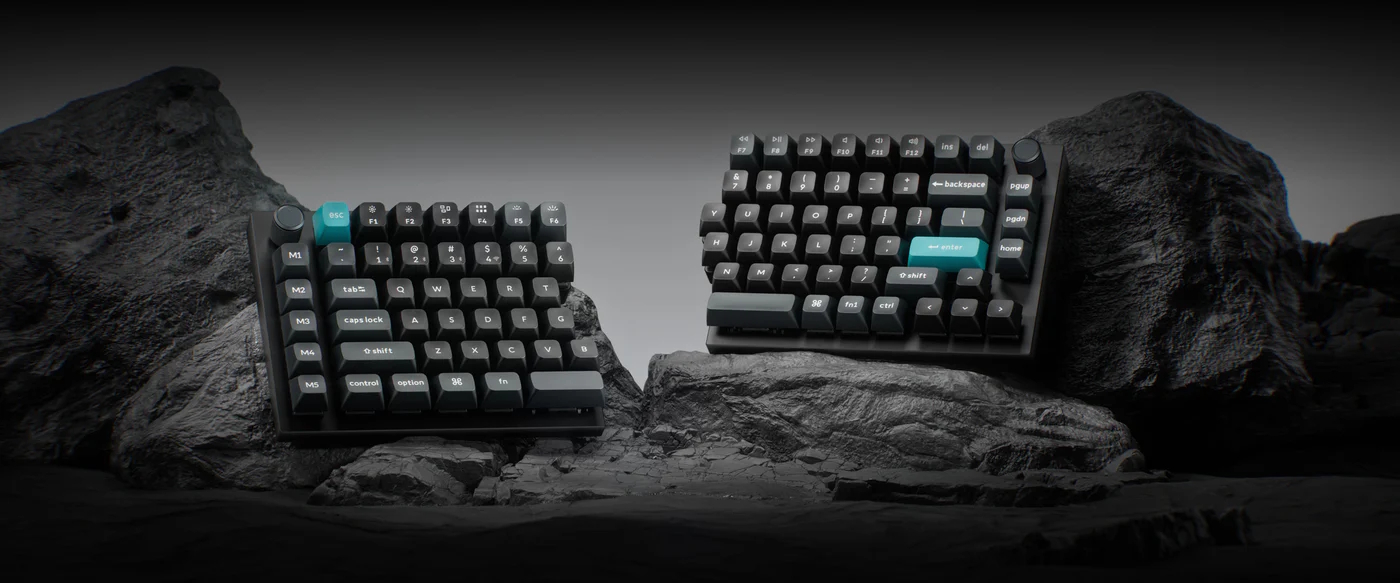
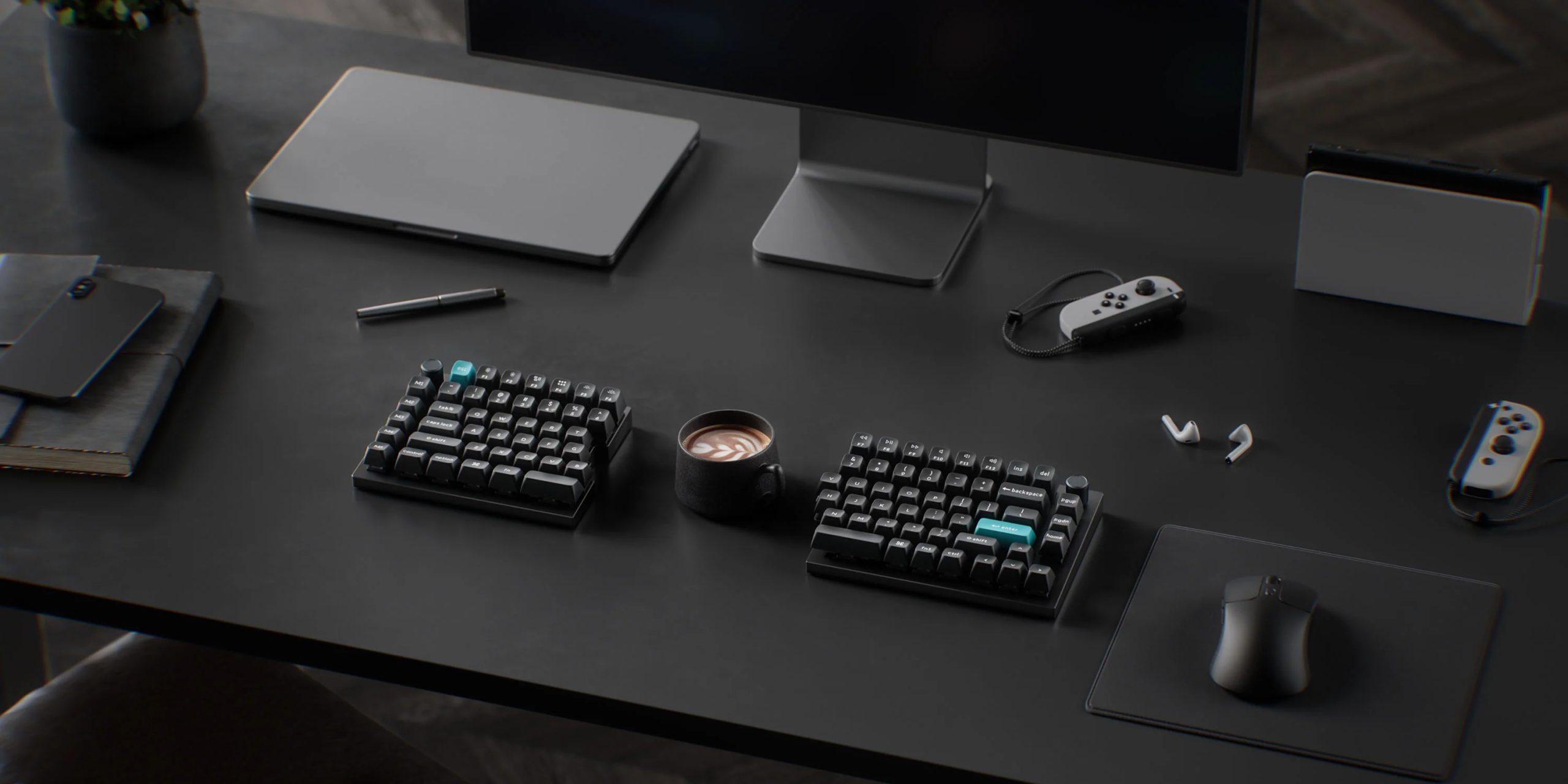
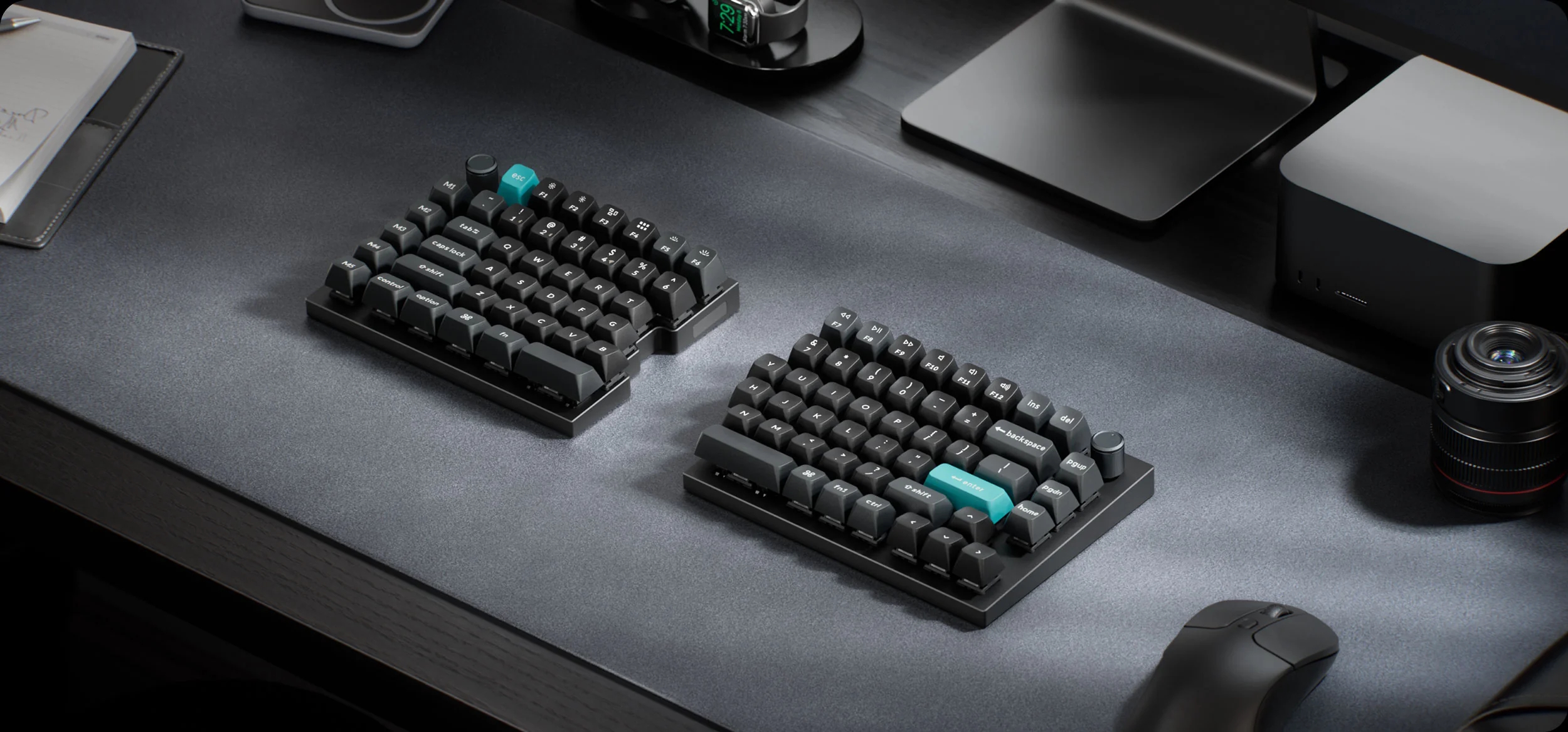
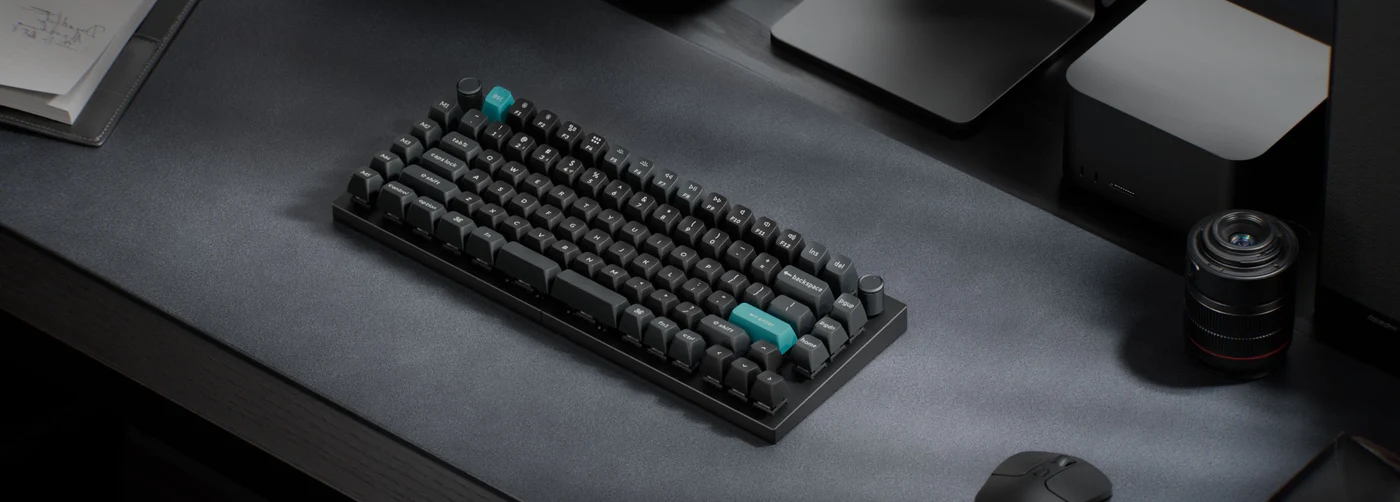
Keychron has announced the Q11 Ultra, an updated version of its 75% split mechanical keyboard. Unlike the original Q11, the Ultra model introduces wireless connectivity, eliminating both the cable to the PC and the interconnect cable between the two halves.
The Q11 Ultra (via TechPowerUp) supports Bluetooth, 2.4 GHz wireless, and USB-C wired connections. When used in wired or 2.4GHz modes, the keyboard supports a polling rate of up to 8000Hz. Keychron claims the integrated dual batteries can deliver up to 300 hours of use on a single charge. The device maintains a row-staggered layout and includes a five-key macro column on the left, along with two programmable rotary knobs.
The chassis is constructed from CNC aluminium with an integrated top plate. It comes equipped with double-shot PBT keycaps in the KSA profile and is offered in a black colourway with blue accent keys. For the switches, the keyboard uses Keychron's Silk POM ones, available in Red (linear), Brown (tactile), or Banana (sharp tactile) variants. The PCB is hot-swappable and supports both 3-pin and 5-pin MX mechanical switches.
Customisation is handled via the Keychron Launcher web-based software, allowing for per-key south-facing RGB programming and macro remapping. While the Q11 Ultra features the brand's latest high-efficiency firmware, it does not include the decorative bottom panel found on other Ultra-series models. The keyboard is currently available for $239.99 on the Keychron online store.
Keychron has officially launched the new Keychron Q11 Ultra mechanical keyboard, and it brings a big upgrade over the older Q11 model. The new version now supports full wireless connectivity, including wireless communication between both halves of the keyboard. This removes the extra cable that was previously needed to connect the two sides together.
The Keychron Q11 Ultra is a 75% split mechanical keyboard made for users who want a more comfortable typing position without changing to a completely different layout. Since it still uses a normal row-staggered design, most people moving from a regular keyboard should feel comfortable using it right away.
One of the biggest highlights is the wireless support. Users can connect the keyboard through Bluetooth, 2.4 GHz wireless, or a USB-C cable. Keychron says the built-in batteries can deliver up to 300 hours of use on a single charge. The keyboard also supports an 8K polling rate in wired and 2.4 GHz modes for very fast input response.
The keyboard includes five extra macro keys on the left side along with two programmable knobs, one on each half of the keyboard. These knobs can be customised for different controls like volume, zoom, or scrolling.
Keychron has used CNC aluminium for the body, giving the keyboard a premium and solid build. It also comes with double-shot PBT keycaps in the company’s KSA profile. The keyboard is currently available in black with blue accent keycaps.
Buyers can choose between Keychron Silk POM Red linear switches, Brown tactile switches, or Banana tactile switches. The PCB also supports hot-swapping, allowing users to easily replace switches without soldering.
The keyboard features south-facing RGB lighting and full customisation support through Keychron Launcher software.
The Keychron Q11 Ultra is now available from Keychron’s online store for $239.99.
Turtle Beach is about to launch the Command Series, a new line of peripherals focused on deep integration for streamers and power users, characterised by built-in touchscreens, Hall-effect switches, and modular hardware. The lineup is divided into two waves: keyboards and keypads arrive in May 2026, followed by the mouse collection in July 2026.
The flagship of the range is the KB7 TKL Hall-Effect wired keyboard, featuring a massive 4.3-inch Command Touch Display that offers native OBS and Streamlabs integration, allowing creators to manage scenes and monitor system stats without tabbing out of a game. It utilises Titan low-profile Hall-effect switches with adjustable actuation and true 8K polling for a 0.125ms response time. For those needing a full-size layout, the KB5 offers a slightly smaller 2.4-inch display and traditional mechanical switches.
Rounding out the keyboard lineup is the KP7 keypad. This device is particularly versatile, featuring dual modular rails that allow it to dock seamlessly to either side of the KB7 keyboard or function as a standalone macro pad. It shares the same hall-effect technology and 8K polling as the flagship keyboard, complete with an extendable thumb bar and a programmable scroll wheel.
Leading the charge for the mice is the MC7 Wireless mouse, which mirrors the keyboard's philosophy by placing a Command Touch Display directly on the mouse's surface. This allows for hardware-level adjustments to DPI and profiles without opening software. Also, the MC7 features Owl-Eye 30K DPI optical sensor, Titan optical switches, and dual 1000 mAh hot-swappable batteries, providing up to 10 hours of 8K use per charge.
For those preferring a more traditional form factor, the MC5 Wireless mouse and MC3 Wired mouse offer the same Owl-Eye 30K DPI optical sensor and Titan optical switches. The MC5 maintains the 8K polling rate for competitive wireless play, while the MC3 provides a reliable 1K polling rate wired experience. Both mice feature Turtle Beach's Easy-Shift technology, which expands the number of programmable functions to nearly 30.
The keyboard, which is already available to pre-order, will launch on May 21st. The KB7 will retail for £189.99/$199.99/€209.99, the KB5 for £139.99/$149.99/€159.99, and the KP7 for £89.99/$99.99/€109.99. As for the mice, these are also available to pre-order but will be released on July 19th. The MC7 will be priced at £139.99/$159.99/€159.99, the MC5 at £109.99/$119.99/€119.99, and the MC3 at £69.99/$79.99/€79.99.
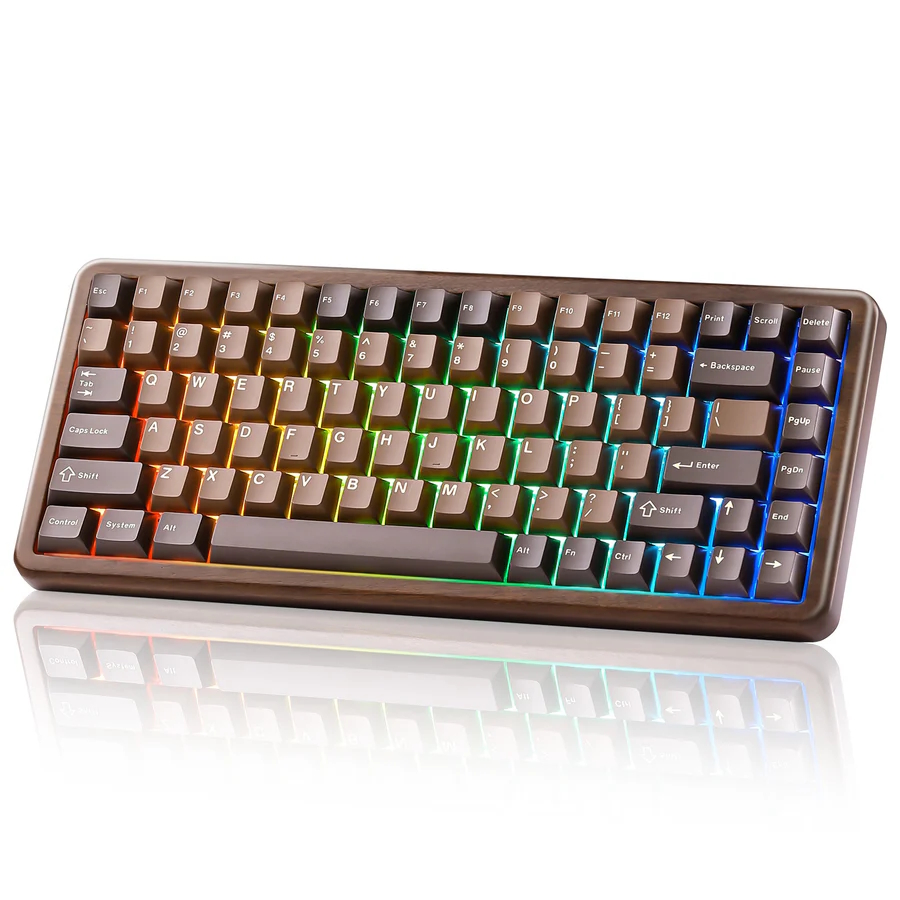
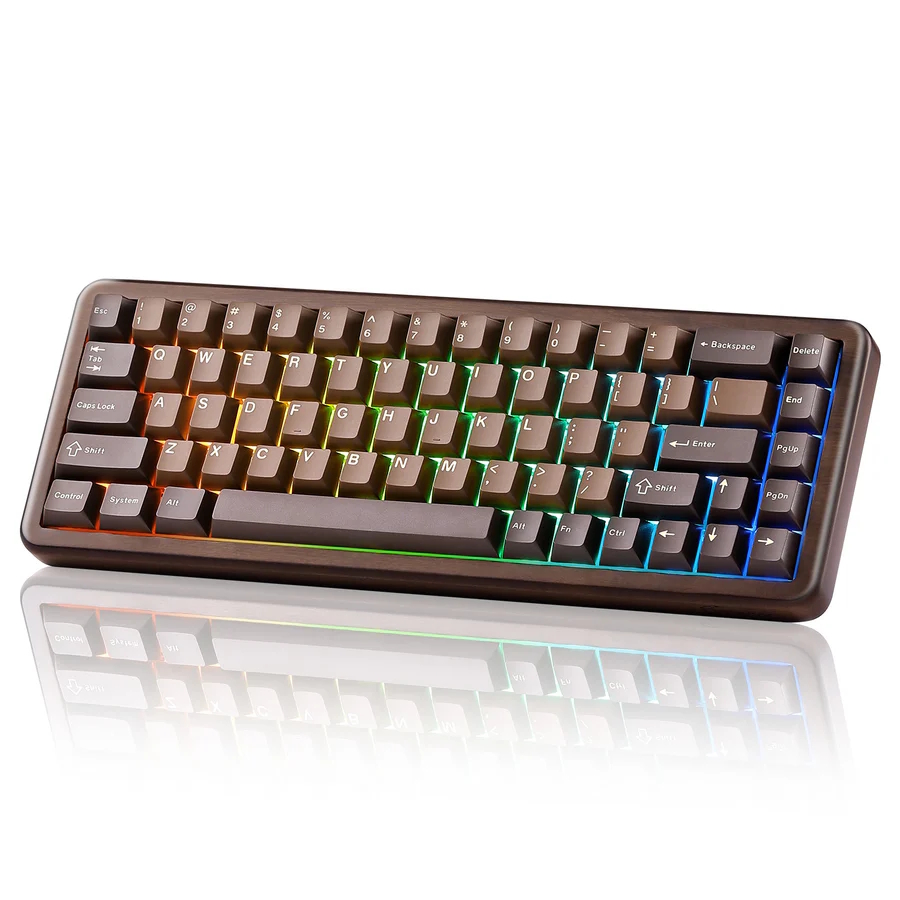
Yunzii has expanded its portfolio with the launch of the Wood 68 and Wood 84, two mechanical keyboards that swap traditional plastic or aluminium housings for polished walnut wood. These boards are designed for enthusiasts seeking an organic aesthetic without sacrificing modern gaming features. Both models feature an engraved walnut frame and a stable tray-mount internal structure designed to look as much like desk furniture as a high-end peripheral.
The series (via TechPowerUP) is split into two popular form factors to accommodate desks of different sizes and user needs. The Yunzii Wood 68 is a compact 65% layout with 68 keys, measuring 325.4 x 116.4 x 41.77 mm and weighing 767g. Meanwhile, the Yunzii Wood 84 offers a 75% layout with 84 keys, stepping up to a slightly taller frame and a heavier weight of 979g, with a dedicated function row. Both keyboards utilise high-quality double-shot PBT keycaps in a Cherry profile, which are highly resistant to oil and shine over long-term use.
Both boards feature Yunzii Candy linear switches, pre-lubed for a smooth typing experience. To ensure a refined acoustic profile, Yunzii has implemented internal sound dampening to eliminate the hollow sound often associated with wooden enclosures. The keyboards are fully hot-swappable, supporting both 3-pin and 5-pin switches, allowing users to customise their typing feel without soldering. A 4000 mAh battery powers both models, supporting Bluetooth, 2.4 GHz wireless, and wired USB-C connections with N-key rollover for reliable input during intense sessions.
Customisation is handled through Yunzii's dedicated software for Windows and macOS, or via a convenient online configurator for those who prefer not to install local drivers. The Wood 68 is currently priced at $89.99, while the Wood 84 retails for $92.99.
Keychron has launched a new low profile mechanical keyboard called the Keychron K3 Max SE. This model is made for users who want a clean design and strong features at a lower price.
The K3 Max comes after the release of the K3 Ultra and K3 HE. While those models offer more advanced features, this new version keeps things simple and more affordable. It is already available for $104.99, making it cheaper than both the Ultra and HE models.
One of the main differences is the firmware. The K3 Max SE uses QMK, which is widely used and easy to customise. On the other hand, the K3 Ultra uses ZMK, which helps improve battery life. Because of this, even though both keyboards have the same 1,550 mAh battery, the K3 Max SE offers up to 120 hours of use, while the Ultra can go much longer.
Another difference is polling rate. The K3 Max SE supports 1,000 Hz, while the Ultra goes up to 8,000 Hz. However, for most users, this will not make a big difference in daily use.
In terms of design, the K3 Max SE looks almost the same as the Ultra. It features an aluminium frame, plastic base, and a stylish rosewood accent. The keyboard uses LSA profile double shot PBT keycaps, which are durable and comfortable to type on. It is available only in a black colour option.
Keychron K3 Max SE switches
Users can choose from different switches, including red for smooth typing, brown for a balanced feel, and banana for a stronger tactile response. The keyboard also supports multiple connection options, including Bluetooth 5.2, 2.4 GHz wireless, and USB-C wired mode.
Overall, the K3 Max SE is a strong option for users who want a simple and reliable low profile keyboard without paying extra for advanced features. It offers a good mix of design, performance, and value.
YUNZII has introduced a new Choco Blue version of its popular C75 Cake mechanical keyboard. This new colour mixes deep chocolate tones with soft blue accents, giving it a fun and fresh look for any desk setup.
The C75 cake keeps its compact 75 percent layout, which saves space but still includes all important keys. It is designed for users who want both style and function in one keyboard. The cute cake theme makes it a good choice for both work and gaming setups.
One of the key highlights is its smooth and soft typing feel. The keyboard uses a gasket mount design with sound dampening layers. This helps reduce noise and gives a creamy typing sound. The switches come pre-lubed, and the stabilisers are tuned well, so typing feels clean and steady.
The keyboard also supports three connection modes. Users can switch between Bluetooth, 2.4 GHz wireless, and wired USB-C. It can connect to multiple devices and works with Windows, macOS, Android, and iOS. This makes it easy to use across different setups.
Customisation is another strong point. The hot-swappable PCB allows users to change switches without soldering. It supports both 3-pin and 5-pin switches, so users can choose their preferred typing feel easily.
Yunzii C75 cake battery
The C75 cake also comes with a large 5500mAh battery, offering long usage time. With software support, users can remap keys, set macros, and adjust RGB lighting based on their style.
There are also different switch options available. The Candy Linear switch offers a smooth press with medium force, while the Milk V2 Linear switch is lighter and includes an LED diffuser for better lighting effects.
With its mix of design, features, and ease of use, the new Choco Blue C75 adds more choice to the growing Cake keyboard series.
Cherry Xtrfy has launched its new K5 Pro TMR Compact keyboard, and it brings a strong upgrade to its popular K5 series. This new gaming keyboard focuses on speed, accuracy, and a clean compact design that fits well on any desk.
The main highlight of this keyboard is its new magnetic switch system with TMR technology. This system can detect very small movements with high accuracy, going as low as 0.01 mm. In simple words, every key press feels more precise and faster compared to normal keyboards. This helps players react quickly, especially in fast games.
The keyboard also supports deep customisation. With its software, users can adjust how sensitive each key is. You can even assign more than one function to a single key depending on how you press it. This gives players more control and flexibility during gameplay.
Another strong feature is its 8000 Hz polling rate. This means the keyboard sends signals to the PC very quickly, reducing delay. The result is smoother and more responsive performance, which can make a real difference in competitive gaming.
The design is also well made. It comes with a 65 percent layout, which saves space and gives more room for mouse movement. The keyboard includes RGB lighting for a colourful setup. It also has a metal plate, layered damping, and pre-lubricated stabilisers. These features improve typing feel and reduce noise, making it comfortable for long use.
Hot-swap support is also included, allowing users to change switches easily without much effort. This makes it a flexible option for those who like to customise their setup.
Cherry Xtrfy K5 Pro TMR Compact keyboard availability
The Cherry Xtrfy K5 Pro TMR Compact keyboard is now available with a price of 149.99 Euros. It is clearly built for gamers who want fast performance, better control, and a compact design in one package.

 Login
Login