Normal view

There are new articles available, click to refresh the page.
Before yesterdayMain stream

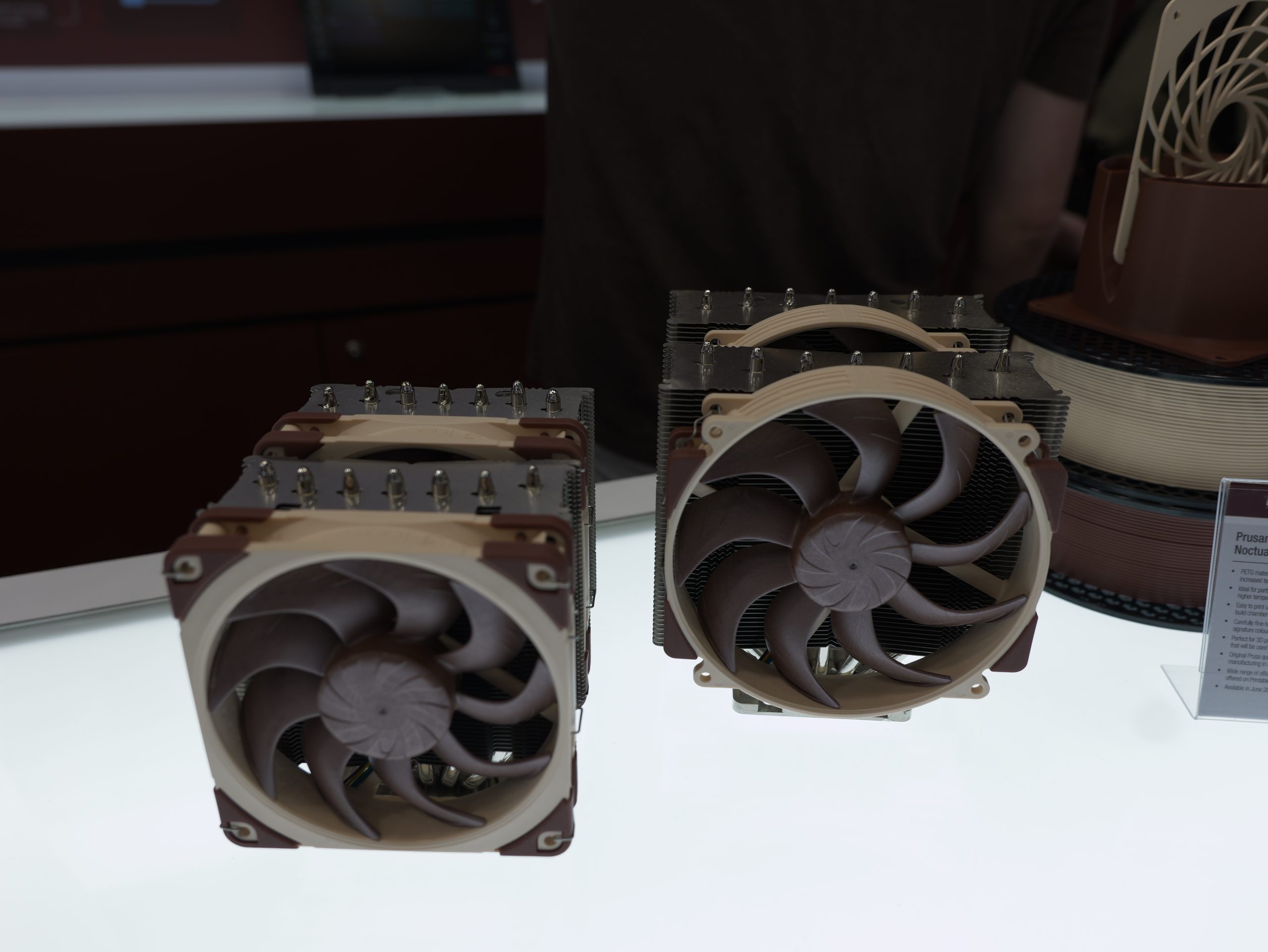
Noctua explains why its chromax.black fans take so long to release

4 May 2026 at 16:00

Noctua has published a technical blog detailing why chromax.black versions of its fans often launch months or years after the standard brown and beige models. The company attributes these delays to the complex engineering required when introducing new pigments into the injection moulding process, which can alter material properties and disrupt the tolerances of its designs.

According to Noctua, its fans are designed with extremely tight tip clearances between the impeller and the frame, measuring approximately 0.5mm for 120mm fans and 0.7mm for 140mm fans. The company states that introducing third-party pigments can disrupt the structure of its Sterrox liquid-crystal polymer (LCP). Noctua claims that pigment particles possess unique characteristics that affect the behavior of the molten plastic during injection moulding, potentially leading to microscopic structural changes.

The manufacturer compares the process to the precision required in Formula 1 engineering rather than a simple aesthetic change. These material variations reportedly impact the results of Noctua's lab performance testing, necessitating extensive re-evaluation to ensure the black versions match the performance of the original designs.

Noctua confirmed it is currently preparing the chromax.black version of the NF-A12x25 G2, scheduled for release approximately 10 months after the launch of the original model. By comparison, the first-generation NF-A12x25 chromax.black took three years to reach the market, a delay the company attributed to a combination of engineering hurdles and pandemic-related logistical issues.

KitGuru says: Have you ever wondered why the Noctua chromax.black fans take so much longer to release? 

The post Noctua explains why its chromax.black fans take so long to release first appeared on KitGuru.

Noctua Drops Public CAD Files For Its Fans, But Quietly Tweaked The Blade Geometry To Block 3D-Printed Clones

27 April 2026 at 15:39

A Noctua NF-A12x25 PWM cooling fan displayed against a dark background.

After Noctua announced its fan 3D CAD models for public usage, it clarified that these aren't meant for 3d printing. Noctua Allows Printing CAD Fan Models, but Clarified That These Have Altered Fan Blade Geometry Popular fan and cooler manufacturer, Noctua, has recently announced on its X handle and the official website that it's now offering 3D CAD fan models for all of its fans for the public. These 3D CAD models reportedly represent "accurate" mounting and external dimensions fo the fans. However, if you think that you can simply 3D print an existing Noctua fan, then you are mistaken. […]

Read full article at https://wccftech.com/noctua-drops-public-cad-files-for-its-fans/

EmuDeck Built Its Own Steam Machine in an Xbox Series S Shell — Ryzen 5, RX 9060 XT, & $1,000 of Valve-Beating Hardware

19 April 2026 at 08:45

A mini PC labeled AYANEO is positioned on a wooden TV stand next to a flat-screen television in a modern living room setting.

EmuDeck developer has made their own Steam Machine, resembling an Xbox Series S console & packs an AMD Ryzen CPU with an RX 9060 XT GPU. Steam Machine Capabilities In An Xbox Series S Design: EmuDeck's Playnix Console is Powered By Linux & Packs AMD Ryzen CPU, RX 9060 XT & 16 GB RAM EmuDeck, who are responsible for making emulation possible on SteamOS platforms such as the Steam Deck, couldn't wait for the Steam Machines to land and decided to make their own console called the Playnix. The Playnix console is very much a PC in a console shape. It […]

Read full article at https://wccftech.com/emudeck-built-steam-machine-in-xbox-series-s-shell-ryzen-5-rx-9060-xt-16-gb-ram-linux/

User Builds Custom Noctua Fan “SuperDome”, Drops CPU Temperatures By 20°C

13 April 2026 at 18:00

A large, spherical custom PC case featuring multiple brown cooling fans is displayed on a wooden table next to a smaller similar case and a can of Sneak energy drink.

While it's not as easy as changing a CPU cooler, it definitely works more effectively than you can imagine. Major Hardware Demonstrates "Superdome" Capabilities in CPU Cooling by Deploying 15 Fan Arrangement on His Chassis Enthusiasts do weird experiments, but they sometimes do work. Achieving high thermal performance is something most PC builders are after and from traditional air cooling to custom liquid cooling loops, enthusiasts have tried many, but not all. The YouTuber Major Hardware thought out of the box, and made something that few would have imagined. The YouTuber wanted to make a dome of over a dozen […]

Read full article at https://wccftech.com/user-builds-custom-noctua-fan-superdome-drops-cpu-temperatures-by-20c/

Antec Flux Pro Noctua Edition: A Must Have

By: John S
10 April 2026 at 09:07

It has been a while since I tested or used a full tower PC Case from any brand. Noctua seems to be changing this, as I have got a legendary Antec Flux Pro with Noctua customization and branding. This is truly a case that supports up to 2x-thick 420mm radiators despite not being a super tower. This is one case that fits perfectly into the analogy of “it has more to it than meets the eye”.

Antec x Noctua gives you something special. The Flux Pro carries all its bells and whistles, while Noctua has perfected the game by improving the performance-to-noise ratio efficiency and lowered the overall decibels by 8dB (coming from their internal testing). In my testing, this case with 6x case fans and 2x cooler fans was found to be giving 44.2 dB(A), including the 3x fans on the graphics card under load. Mind you, this is with all case and air cooler fans running at 100% PWM speed. I am blown away by this level of noise to performance efficiency.

This case comes in Noctua’s tan and brown colors, and Noctua has included its high-performance flagship fans, NF-A12x25 PWM G2 and NF-A14x25 PWM G2 fans, taking the game to the next level. The overall layout of the case and symmetry provide the best possible airflow in this case, making it a perfect candidate for the reviewers/testers in case they want to use a case for cooler testing. I usually test coolers in an open test bench where there is little to no airflow.

This case is versatile not only in the cooling department and storage department but also in the PSU placement, which I recently saw in the Lian Li LANCOOL 217 INF. PSU can either be mounted in a standard position or rotated so that cables face the right side of the case, which Antec and Noctua termed as iShift. Similarly, the DeepCool CL6600 WH that we tested earlier also supported the 90° rotated PSU mount, which makes cable handling convenient and also makes it possible to change cables easily even after the build is done.

Antec Flux Pro Noctua Edition Brand Identity 1
Antec Flux Pro Noctua Edition Brand Identity 2

Noctua is taking pride in this design as Noctua branding is visible on three prominent places. This case supports a motherboard up to the E-ATX form factor with a maximum width of 285mm. Too bad, this case does not support the backplug motherboards, which are increasingly becoming a new standard. The storage provision is up to 4x 2.5”/3.5” and up to 2x 2.5” drives or a combination thereof. The brackets are removable.

This case has an MSRP of USD 399.90 /which is quite a premium price tag but can be justified since we know that the included 6x flagship fans, NA-EC1, NA-EC3, and NA-FH1 fan hub all contribute towards the price tag. Noctua offers a 6-year warranty on PC cases, Fans, and fan hubs. You can also purchase it on Amazon UK for £348 at the time of writing this review.

Specifications

Antec Flux Pro Noctua Edition Specs

Packaging and Unboxing

Antec Flux Pro Noctua Edition Packing Box 1
Antec Flux Pro Noctua Edition Packing Box 2

The case is shipped inside a standard cardboard box finished in brown. The features and specifications are also listed on the box. Two thick white styrofoam pads sandwiched the case for safe shipping. I like the idea of reinforced pads for added strength.

Accessories

Antec Flux Pro Noctua Edition Accessories 1
Antec Flux Pro Noctua Edition Packing Box 3 1
Antec Flux Pro Noctua Edition Packing Box 4 1

Noctua has provided two boxes in the main shipping box. One case has:

  • 2x NF-A14x25 G2 PWM PPA
  • 2x NF-A14x25 G2 PWM PPB
  • 1x NF-A12x25 G2 PWM PPA
  • 1x NF-A12x25 G2 PWM PPB
  • 36x NA-AV4 anti-vibration mounts
  • 36x NM-SFS1 fan screws
Antec Flux Pro Noctua Edition Fans PPA PPB

In case you are wondering about the PPA and PPB. These fans run at slightly different speeds, creating an offset for acoustic optimization. The slight speed offset between adjacent fans helps to avoid periodic humming or vibrations due to beat frequencies.

Antec Flux Pro Noctua Edition Accessories 2
Antec Flux Pro Noctua Edition Accessories 4
Antec Flux Pro Noctua Edition Accessories 5
Antec Flux Pro Noctua Edition Accessories 6
Antec Flux Pro Noctua Edition Accessories 7
Antec Flux Pro Noctua Edition Packing Box 5
Antec Flux Pro Noctua Edition Packing Box 6

The other box has the following:

  • 1x Standard PSU Bracket
  • 2x PSU Shroud Covers
  • 1x Authentication on the Walnut wood used on the front frame
  • Various Screws
  • Standoffs
  • Standoff Socket
  • Zip Ties
  • Detailed User Manual
  • Power Supply Installation Brochure
  • 1x NP-KC1 key chain

Closer Look

Antec Flux Pro Noctua Edition Main View

The Antec Flux Pro Noctua edition is a full tower with dimensions of 245x545x530mm (WxHxL). Its height without feet is 523mm. The 22mm lift from the feet is good enough to provide breathing space for the floor-mounted fans (optional) and to easily lift the case. Its weight with fans is 13.75Kg and 12.46Kg without fans. It is made of:

  • 1mm Steel
  • 4mm Tempered Glass
  • 1mm Mesh
  • FSC Certified Walnut Wood on Front Panel
  • Steel Mesh
  • Plastic
  • Silicone for Grommets

I cover the case from an external aspect, followed by the internals. Let’s start.

Exterior ViewFront of the case

Let’s start with an exterior view of the chassis, starting from the front.

Antec Flux Pro Noctua Edition Front View 1
Antec Flux Pro Noctua Edition Front View 2
Antec Flux Pro Noctua Edition Front View 3

The front of the case has a stylish mesh on the front which depicts a wave pattern. The stylish Walnut wood paneling on the side frame is exquisite. The Antec x Noctua branding is visible on the right lower side of the wooden frame. The brown-colored wood blends well with the Noctua’s tan and brown color scheme.

Antec Flux Pro Noctua Edition Front View Inside

The mesh panel has a magnetic attachment, making its handling convenient. Removing it shows the pre-installed fan bracket. This bracket is secured using 6x Philips screws. In terms of cooling gear, the following is supported:

  • Up to 3x 120mm Fans
  • Up to 3x 140mm Fans
  • Up to 1x 360mm or 420mm Radiator

The total space available for fan and radiator assembly on the front is 90mm, which is amazingly ginormous.

Antec Flux Pro Noctua Edition Front View 4
Antec Flux Pro Noctua Edition Front View 5

The right side of the main frame has cutouts to route the fans’ cables. It is a strategic design, making it a perfect fit to route the cables and, at the same time, hiding them. Noctua has specified that the fans are so that cables are on the right side.

Removing the bracket shows the completely exposed front. This now becomes interesting.

Antec Flux Pro Noctua Edition Front View 6

A careful observer would notice a set of 5 mounting holes. These are provided so that you can adjust the height of the bracket to make room for a top-mounted fan/radiator assembly, depending on the size and thickness. Here is a detail:

  • Use position number 3 from top for standard size (27mm) 360mm radiator and 25mm fans on top.
  • Use position number 4 from top for standard size (27mm) 420mm radiator and 25mm fans on top.
  • Use position number 5 from top for 45mm thick 420mm radiator and 25mm fans on top.
  • Use position number 5 from top for 45mm thick 420mm radiator and 30mm thick fans on top.

Let me iterate that the above clearance on the front is for the top-mounted fans/radiator size/thickness.

Antec Flux Pro Noctua Edition Front View Bottom Most

I have placed the bracket in position number 5, thus making the bracket almost sit on the floor, leaving a good enough room on top for the top-mounted 45mm thick radiator and 30mm fans.

Antec Flux Pro Noctua Edition Front View Mid
Antec Flux Pro Noctua Edition Front View Top Most

You can adjust the height of the bracket as per the requirement to make room for the cooling gear on the top.

Antec Flux Pro Noctua Edition Front View 7
Antec Flux Pro Noctua Edition Front View 8

Since the bracket is removable, it makes the fans and radiator installation convenient.

Rear View of the Case

Antec Flux Pro Noctua Edition Rear View 1

A total vented area is provided on the rear of the case. Looking closely, you can identify a pattern of opposing triangle design on the vents. The top area is vented. This area faces the top of the motherboard (from inside the case).

The main cutout provides room for the IO plate of the motherboard. Rail mounts are provided for the 120mm and 140mm fans. You can also install a 140mm radiator on the rear as per the requirement. I like the flexibility to adjust the height of the fans on the rear.

8x PCIe slots are placed inside the case, and these have vented/reusable covers. Both side panels use latching to close on the main frame; no thumb screws are needed. You can see two insets on the top of opposite ends behind the panels. This is where you place your hand to open the panels.

The bottom has a standard ATX PSU area. The bracket seems different as it has a 3-pin socket on the base.

Antec Flux Pro Noctua Edition Rear View 3

There you see the bracket and the pre-installed internal power cable or cord. This case supports the PSU in a 90° rotation for which this bracket and cable would be required. You can check the provided paper for the orientation of the bracket, subject to the placement of the PSU. Noctua has also provided a standard bracket in the accessories, which allows you to install the PSU in a standard layout.

Antec Flux Pro Noctua Edition Rear View 2

I am showing the PSU bay from the rear after removing the bracket. Look closely, one rubber foot is missing in the PSU area.

Bottom View of the Case

Antec Flux Pro Noctua Edition Bottom View 1
Antec Flux Pro Noctua Edition Bottom View 2
Antec Flux Pro Noctua Edition Bottom View 3

You can see a full-length dust filter on the bottom, which is handled from the front side of the case. The complete area is vented, which is a wise move. The area next to the PSU bay has dial mounts indicating that you can install fans and a radiator here. The details are:

  • Up to 2x 120mm or 140mm fans
  • Up to 1x 240mm radiator

Also, you can see 4x screws securing a bracket on the floor. This bracket holds the drive cage. Both are removable, but do take the bracket out initially if you plan to install cooling gear on the floor. Did you notice the brown/tan-colored rubber feet? Noctua has been paying attention to the minute details.

Top View of the Case

Antec Flux Pro Noctua Edition Top View 1
Antec Flux Pro Noctua Edition Top View 2
Antec Flux Pro Noctua Edition Top View 3

The top panel has a Noctua color on it, and man, I must say, this color combination looks dope in person. I wish Noctua had done this color on the right side panel as well! The top panel has a mesh design, and it covers the top-mounted IO panel. You can see protective covers on the IO ports.

It is surprising to see no dust filter under the mesh on the top panel. The same is the case on the front. Anyhow, the panel is tool-less so you can remove it with just one hand by pulling it from the rear. Under this panel, you will find a fan bracket, which is also removable. It has rail mounts. The detail is:

  • Up to 3x 120mm or 140mm fans
  • Up to 1x 360mm or 420mm radiator

A maximum thickness of 75mm is allowed on top for a combination of fans and a radiator.

Antec Flux Pro Noctua Edition Top View 4
Antec Flux Pro Noctua Edition Top View 5
Antec Flux Pro Noctua Edition Top View 6

To remove the top fan bracket, you need to remove the side glass panel and undo the two screws on the opposite sides. It reminds me of the Fractal Design Meshify 2 case that has a similar design.

Antec Flux Pro Noctua Edition Top View 7

You have got a spacious layout and area to work on.

Antec Flux Pro Noctua Edition Top View 8

The top and front fan brackets are not the same, hence can’t be swapped.

Antec Flux Pro Noctua Edition IO Panel

The IO panel has the following ports:

  • 1x USB-C 3.1 (10 Gbps)
  • 2x USB-A 3.0 (5 Gbps)
  • 1x 3.5 mm headphone/mic combo jack
  • 1x Power button
  • 1x Reset button
  • 1x Temperature & display switch

Noctua branding is visible on the top frame along the line of IO ports. I would have preferred a USB 3.2 Gen2 minimum!

Interior View

Let’s take a look at the sides and internals of the case.

Antec Flux Pro Noctua Edition Side View 1
Antec Flux Pro Noctua Edition Side View 2

This case comes equipped with a tinted tempered glass panel having a 4mm thickness. It uses a snap-on design using latches and bolts, making it convenient to handle. The brown color mesh panel on the bottom serves as a full air intake for proper ventilation. It will come in handy for the radiator/fans mounted inside this area.

Removing the glass panels shows a spacious layout. The grommets are brown, and so is the PSU shroud bracket, which I will cover shortly. The area on the right of the motherboard tray does not have any function on the front side, except on the backside, where they provide a cutout on which the drive brackets are rested. In my opinion, there should be a provision to mount a radiator/pump combo on the side.

Antec Flux Pro Noctua Edition Side View 3

The motherboard tray does not have flex in it. This case supports motherboards up to the E-ATX form factor with a maximum allowed width of 280mm. The rubber grommets feel flimsy during handling. I hope they will last. They have Antec branding. The standoffs are pre-installed, which is a nice touch. The CPU cutout is not as large as I have seen, even in mid-towers. I have tested the case with the AM5 motherboard, so I am not sure if there is any obstruction to installing the cooler’s back plate/bracket on the Intel platform.

I appreciate the side and bottom cutouts with proper grommets. The top cutouts have a distinctive style with a flat inset on top, hence I am giving it a pass.

Antec Flux Pro Noctua Edition Side View 4

You easily get 70mm of space above the motherboard tray, which is too good. You would get a good clearance for the high-profile RAM in this case. You can see a 4-pin PWM connector coming out from the back side. This cable comes from the fan hub NA-FH1 and allows you to regulate the speed of connected fans using the motherboard; otherwise, fans will run at full speed since the NA-FH1 is SATA powered. I have also observed that in the absence of a SATA connection, NA-FH1 will still run the fans if this connector is attached to the motherboard. This is an oversight in my opinion, and should not have been allowed in the first place due to the power consumption/drawn ratings of the fans and the power rating of the fan header. Anyhow, NA-FH1 has good safety features. I would urge the users to connect the SATA connector before connecting the hub to the motherboard.

Antec Flux Pro Noctua Edition Side View 5

The front of the case shows a fan bracket that is inset into the case. The gap on the front between the PSU shroud and the fan bracket is approximately 60 mm, giving you a total of 90mm space from the front to the shroud for the cooling gear.

Antec Flux Pro Noctua Edition Side View 6

You can mount a 120mm or 140mm fan on the rear. 8x PCIe slots are implemented inside the case, for which the side has a groove or recessed frame providing direct approach towards the screws. I have observed that removing the PCIe cover screw will not release that cover; instead, you have to loosen the next screw to remove the cover.

Antec Flux Pro Noctua Edition Side View 7
Antec Flux Pro Noctua Edition Side View 8
Antec Flux Pro Noctua Edition Side View 18

Now, I am showing another beauty of this case. A 360mm PSU shroud with three covers. One cover comes pre-installed as it sits right over the PSU bay. The other two are provided in the accessory box. The complete shroud is secured using two Philips screws and can easily be removed.

The cooling gear possibility is:

  • Up to 3x 120mm fans
  • Up to a 360mm radiator in a 120mm size
Antec Flux Pro Noctua Edition Side View 17

I have removed the PSU shroud. You can see the base area completely. I really wish that Noctua had provided a removable cover for the front gap between the fan bracket and PSU shroud for better aesthetics.

Antec Flux Pro Noctua Edition Side View 10
Antec Flux Pro Noctua Edition Side View 11
Antec Flux Pro Noctua Edition Side View 12

The bundled two NF-A12x25 PWM G2 fans can either be installed over the PSU shroud or under it, which is subject to the PSU’s orientation. I have installed both fans under the cover for a clean look. It is up to you. It would hardly make any difference in overall thermals.

Antec Flux Pro Noctua Edition Side View 13

Now, I have removed the bottom mesh cover. You just need to pull upward, and it will come off. Again, I am not seeing a dust filter on this mesh. The cutout on the top right faces the display screen that is integrated into the main frame of the case.

Antec Flux Pro Noctua Edition Side View 14
Antec Flux Pro Noctua Edition Side View 15
Antec Flux Pro Noctua Edition Side View 16
Antec Flux Pro Noctua Edition Software

You can see a side view of the bottom chamber. The leftmost side hosts the PSU in either of two directions. The middle portion provides an unobstructed area for air intake. The storage drive bracket can be seen.

The front has a solid cover on which the display screen is installed. It is controlled via a 9-pin USB 2.0 header for which the cable is pre-routed. The screen displays the CPU and GPU temperature using the iUnity software from Antec.

You can install the PSU in either a 90° orientation by default or in a standard layout for which a bracket is provided in the accessory box. iShift here refers to the 90° degree orientation, which provides the flexibility for convenient cable connection on the PSU since the PSU’s connectors side faces the right side.

Clearance

Since we are at it, let’s see the clearance restrictions of components in this chassis:

  • 190mm CPU Air Cooler
  • PSU maximum length is 300mm in standard layout with HDD cage
  • PSU maximum length is 470mm in standard layout without HDD cage
  • PSU maximum length is 180mm in 90° layout
  • Graphics Card’s maximum length is 455mm
  • Cable Management space is 32mm.

It is now time to look at the backside of the case.

Antec Flux Pro Noctua Edition Backside View 1
Antec Flux Pro Noctua Edition Backside View 2

The side steel panel is made of steel, and it has the same fitment as the glass panel on the left side. You can also see a similar mesh cover on the base that is on the left side, except that this complete side is in black.

Antec Flux Pro Noctua Edition Backside View 3

One look and you may become overwhelmed by the complexity of what is on the back, but fear not. You don’t need to do much here anyway, since Noctua has covered it for good already. I will be covering this side in detail ahead.

Antec Flux Pro Noctua Edition Backside View 4
Antec Flux Pro Noctua Edition Backside View 5
Antec Flux Pro Noctua Edition Backside View 6

This case comes pre-equipped with a drive cage on the floor. It can house 2.5” and 3.5” drives at the same time. Two 2.5” drive brackets come pre-installed on the back of the motherboard tray. Two 3.5” drive brackets or bays come pre-installed on the side frame.

Antec Flux Pro Noctua Edition Backside View 8
Antec Flux Pro Noctua Edition Backside View 9
Antec Flux Pro Noctua Edition Backside View 11
Antec Flux Pro Noctua Edition Backside View 12
Antec Flux Pro Noctua Edition Backside View 13

You can see the drive brackets and cage above.

Antec Flux Pro Noctua Edition Backside View 10

I have removed the drive cage and am showing the platform or bracket on which it was installed. You can adjust the position of this cage on the left or right, or even remove it altogether. If moving it left or right, don’t forget the front cooling and PSU clearance.

Antec Flux Pro Noctua Edition Backside View 7

I have removed two 3.5” drive brackets from the side, showing you the available space. Take note of two NA-EC1 30cm extension cables tucked on the left side of these brackets, effectively hiding them. These cables are placed in such a way that the cables of the bottom two fans on the front fan bracket will come out towards the connectors of NA-EC1. Job well done, Noctua or Antec or both!

Antec Flux Pro Noctua Edition Backside View 14

Noctua has provided a premium NA-FH1 fan hub pre-installed and configured in this case. It is an 8-port 4-pin PWM fan hub, which is SATA powered. The headers marked as 1 and 3 have two NA-EC1 cables connected to them. You can connect the bottom two fans on the front fan bracket to these two cables. You need to connect the top-most front-mounted fan directly to the fan header labeled 5. The headers on 2,4,6, and 8 have two NA-EC1 and two NA-EC3 cables connected. The EC3 cables are provided for the PSU shroud or bottom-mounted fans. This hub has a magnetic attachment, which is super cool. However, Noctua did not provide a SATA extension cable. A pre-connected and routed cable would have been a welcome addition. You need to route a SATA cable from the PSU to the fan hub. This will check your cable management skills!

Antec Flux Pro Noctua Edition Backside View 15

The center area has a two-way cable management tray with Velcro hook and loop strips. I love this approach from Antec and Noctua, making our job easy. The straps have Antec branding. You will find similar catchers in other areas on the backside as well. There are plenty of cable tie positions for cable management needs.

Antec Flux Pro Noctua Edition Backside View 16

We have a spacious layout on the base for PSU and cables management, or a combination of cooling gear and PSU as per your need.

Antec Flux Pro Noctua Edition Cables 1
Antec Flux Pro Noctua Edition Cables 2
Antec Flux Pro Noctua Edition Cables 3
Antec Flux Pro Noctua Edition Cables 4

The following cables/connectors are provided for the top IO panel and display screen:

  • USB 3.0 Connector
  • USB Type-C Connector
  • HD-Audio Connector
  • Front Panel Single Connector
  • USB 2.0 Connector for Display Screen
  • 4-pin PWM connector coming from NA-FH1
  • NA-EC1 and NA-EC3 cables pre-routed with 4-pin sockets

Installation

Antec Flux Pro Noctua Edition Installation 17

I have used air cooling and liquid cooling using AIO to test both configurations. These are:

  • AMD Ryzen 9 9900X [Stock, Auto]
  • ASRock X870E NOVA WiFi
  • Zotac GeForce RTX 3080 Trinity OC
  • Noctua NH-D15 G2 LBC
  • ID-Cooling DX360 GDL
  • Noctua NT-H2 Thermal Paste
  • G.Skill Trident Z5 NEO RGB 2x16GB @ 6400MHz CL30 DDR5
  • Sabrent Rocket 4 Plus 1TB NVMe SSD
  • Sabrent Rocket 4 Plus 2TB NVMe SSD
  • CPS YN1000 PSU
  • 3x Noctua NF-A14x25 PWM G2 on Front as intake
  • 1x Noctua NF-A14x25 PWM G2 on Rear as exhaust
  • 2x Noctua NF-A12x25 PWM G2 on PSU shroud as intake
Antec Flux Pro Noctua Edition Installation 1
Antec Flux Pro Noctua Edition Installation 2
Antec Flux Pro Noctua Edition Installation 3
Antec Flux Pro Noctua Edition Installation 4
Antec Flux Pro Noctua Edition Installation 5
Antec Flux Pro Noctua Edition Installation 6
Antec Flux Pro Noctua Edition Installation 7
Antec Flux Pro Noctua Edition Installation 8
Antec Flux Pro Noctua Edition Installation 9
Antec Flux Pro Noctua Edition Installation 10
Antec Flux Pro Noctua Edition Installation 11
Antec Flux Pro Noctua Edition Installation 12
Antec Flux Pro Noctua Edition Installation 13
Antec Flux Pro Noctua Edition Installation 14
Antec Flux Pro Noctua Edition Installation 15
Antec Flux Pro Noctua Edition Installation 16

I always start my builds with the motherboard, and I did the same this time as well. I encountered an issue where one screw got stuck on the standoff, and I had to remove the motherboard and use pliers with a screwdriver to take the screw out. I ended up changing that standoff with extra from the accessory box. CPU, air cooler, and RAM were installed outside the case. Then the PSU was installed in a standard layout, which enabled me to install the second 120mm fan under the PSU shroud.

Next, the cables were routed and connected. A SATA connection was made to the NA-FH1 hub. Then I installed a graphics card in a horizontal layout with an air cooler and connected its cables. Then I did the backside cables with minimum cable management, and it still came out clean.

The liquid cooler was installed after completing testing the build with an air cooler. It was also a comfortable fit with no issues. For liquid cooling, I installed the graphics card in a vertical layout. The overall installation is buttery smooth, and I faced no glaring issues to report here.

Thermal Testing

The following testing methodology is used for the thermal behavior of this case:

  • First Test is done without any fan installed in the case using an air cooler.
  • The second test is done with 3x 140mm fans on the front, 1x 140mm fan on the rear, and 2x 120mm fans on the PU Shroud. All fans at 50% PWM.
  • The third test is done with all fans at 100% PWM.
  • The fourth test is done with a liquid cooler with all three fans at 100% PWM.
  • During all the first three tests, fans on NH-D15 G2 were at 100% PWM.
  • The graphics card was at stock settings with auto fan curve.
  • 5 dots of NT-H2 were applied on CPU IHS, which is my standard way of testing coolers.
  • PC was left idling for 10 minutes before recording the idle temperature.
  • After completion of a test, the PC ran on idle for 15 minutes.
  • A 45-minute interval was given between each test during which the PC was off.
  • A sound meter was used to record the overall sound level during each test.

Throughout the testing session, the ambient temperature varied from 24.2°C to 25.5°C; hence, I will show a graph with the delta temperature for accurate comparison. The first graph shows absolute temperature.

Thermal Performance Absolute Temperature
Thermal Performance Delta Temperature

In all honesty, this graph is self-explanatory. Noctua has given us the best possible performance in terms of noise and thermal performance using an air cooler. The case with a liquid cooler is different. We are paying high sound for a 2.4°C overall drop between the air cooler and the liquid cooler.

44.2 dB(A) with 6x case fans, 2x cooler fans, 3x graphics card fans, and 1x PSU fan is too good. It is a brilliant performance, giving you the best efficiency possible out there. The Antec Flux Pro is just made awesome with Noctua cooling.

Conclusion

Ok, so I am done testing, evaluating, and writing about the Antec Flux Pro Noctua Edition PC Case. First things first, this is a full tower PC case, not a mid-tower, so this might not be your cup of tea if you are into lower volume cases in compact form. Having said that, this case has amazed me, and I am forced to praise this cross of Antec and Noctua, which has brought the best possible solution for a case and cooling. Obviously, caveats are also there, but the total positives are way more than the negatives. The brown and tan color scheme is speaking out loud and needs no advocacy.

This case has a dimension of 245x545x530mm (WxHxL). The 22mm lift is provided using the large feet. By the way, the rubber on the feet is also brown! The main material used for this case is steel, tempered glass, steel mesh, plastic, and Walnut wood. I love the original wood texture on the front panel, augmenting the case’s look and feel. The Noctua branding all over the case shows you its pride and brand association/identity. I can tell why, Noctua! Well done!

The case comes equipped with 4x NF-A14x25 PWM G2 and 2x NF-A12x25 PWM G2 and NA-FH1 fan hub with 4x NA-EC1 and 2x NA-EC3 extension cables. Now, you can guess where the high price tag comes from!

The fan support is as follows:

  • 3x 120mm or 3x 140mm fans on the front
  • 3x 120mm or 3x 140mm fans on top
  • 1x 120mm or 1x 140mm fan on rear
  • 2x 120mm or 2x 140mm fans on the bottom
  • 3x 120mm fans on the PSU shroud

The radiator support is as follows:

  • Up to 420mm on the front
  • Up to 420mm on top
  • Up to 360mm on the PSU Shroud
  • Up to 240mm on the bottom
  • 1x 140mm on Rear

Clearance is:

  • 190mm CPU Air Cooler
  • PSU maximum length is 300mm in the standard layout with the HDD cage
  • PSU maximum length is 470mm in the standard layout without the HDD cage
  • PSU maximum length is 180mm in a 90° layout
  • The graphics card’s maximum length is 455mm
  • Cable Management space is 32mm.

Storage provision is:

  • 4x Combined 2.5”/ 3.5” Drive Bays
  • Dedicated 2x 2.5” Drive Bays

Dust Filtration:

  • Non-Magnetic bottom filters

The dust filtration department surprises me. The front, top, and side mesh panels are simply mesh with no additional filters. This case supports a motherboard up to the E-ATX form factor with a maximum width of 280mm. The cooling department, as can be seen, is lavish. Not only that, but the front panel has 5 positions on which the removable fan bracket can be adjusted to make room for a thicker radiator and fan assembly on the top.

Noctua has installed a magnetic NA-FH1 fan hub and pre-configured and routed the extension and other cables. The IO panel cables also come pre-routed. You don’t need to worry about it. Just install the fans and connect the cables to the extension cables, and call it a day. I wish Noctua had provided an extension SATA cable routed as well!

The PSU shroud is also brown and can house additional fans for fresh air intake towards the graphics card, or it can be removed for the addition of a radiator and fan on the bottom. Noctua has provided two covers for the shroud in the accessories. Hint: you can also mount 120mm fans under the shroud 😉.

The gap between the front bracket and PSU shroud is 60mm, and it is not covered, which it should have been for proper aesthetics. The top displacement is near 70mm, which is excellent clearance. This case has 8x PCIe slot covers. The case out of the box does not provide any support for the graphics card’s vertical mount. You would need to buy a bracket and riser cable for that.

Another salient feature is the iShift PSU mount, in which you can install a PSU in a 90° layout by default. In this layout, the connector side of the PSU faces the right side of the case, providing easy access to the connector side for cable addition/removal. You can also install PSU in the standard layout for which a bracket is provided in the accessory box.

The cable management provision is top-notch with hook and lock Velcro styles and dedicated channels for cable routing. The drive brackets are removable as well. The top of the case has a removable fan bracket as well, for which the 4mm glass panel needs to be removed.

This case also packs a display screen that shows the CPU and GPU temperature using iUnity software from Antec. A 9-pin USB 2.0 connector cable is provided for this purpose. I wish Noctua had installed the IO panel on the side bottom for convenient access!

Antec Flux Pro is not a new platform, but Noctua has perfected this aged platform, providing a breath of fresh air with Noctua style and powerful cooling. This case has an MSRP of 399.90, which is quite a steep price for the case but makes sense when you account for the fans and other provisions. Noctua offers a 6-year warranty for this case, including fans, fan hub, etc.

Speaking of installation, it is a walk in the park, thanks to the spacious layout provided by the design of this case and its form factor. I tried to do a complete Noctua-themed build in this case, but could not manage the PSU and graphics card. For once, Noctua ought to do the blade color of NF-A12/14×25 PWM G2 fans on the frame as well! This will bode well with this case’s tan color scheme! My two cents!

What about the thermals? Using Noctua air cooling with powerful NH-D15 G2 and Noctua fans, the 9900X did 74.1°C for a 165W load, and Zotac GeForce RTX 3080 Trinity OC did 73.2°C. The 6x case fans and NH-D15 G2 fans were set to run at 100% PWM, and the combined sound output was roughly 44 dB(A). This is too good for the best possible noise to thermal performance efficiency, winning our three awards.

Pros:

  • Premium Full Tower
  • Noctua Edition in Tan and Brown Scheme
  • Walnut wood on the front
  • Up to 420mm radiator support on the front and top
  • Up to 360mm radiator support on PSU shroud
  • Up to 240mm radiator support on the bottom
  • Adequate Storage Provision
  • NA-FH1 Fan Hub
  • 4mm Tinted TG Panel
  • Tool-less side panels
  • Excellent Cable Management Provision
  • Removable Fan Brackets on top and front
  • USB Type-C Port
  • 4x NF-A14x25 PWM G2 Fans
  • 2x NF-A12x25 PWM G2 Fans
  • Thermal Performance
  • Noise Performance
  • Excellent Warranty
  • iShift PSU Mount
  • Integrated Temperature Display Screen

Cons:

  • Price
  • I was expecting a minimum USB 3.2 Gen2 on the IO Panel
  • No Backplug motherboard support
  • Bracket to cover the gap on the front
  • A SATA Extension Cable would be nice
  • Side Frame could provide mounting for a pump/reservoir combo
Enos Tech Must Have Award
Enos Tech Design Award
Enos Tech Performance Award

Noctua and Asetek AIO liquid coolers set for Q2 2026 launch

1 April 2026 at 14:45

A year after their Computex 2025 announcement, Noctua and Asetek have confirmed that their joint flagship AIO liquid coolers have completed the Production Validation Test (PVT) phase. This milestone marks the final hurdle before mass production, with both companies officially targeting a global retail launch in Q2 2026.

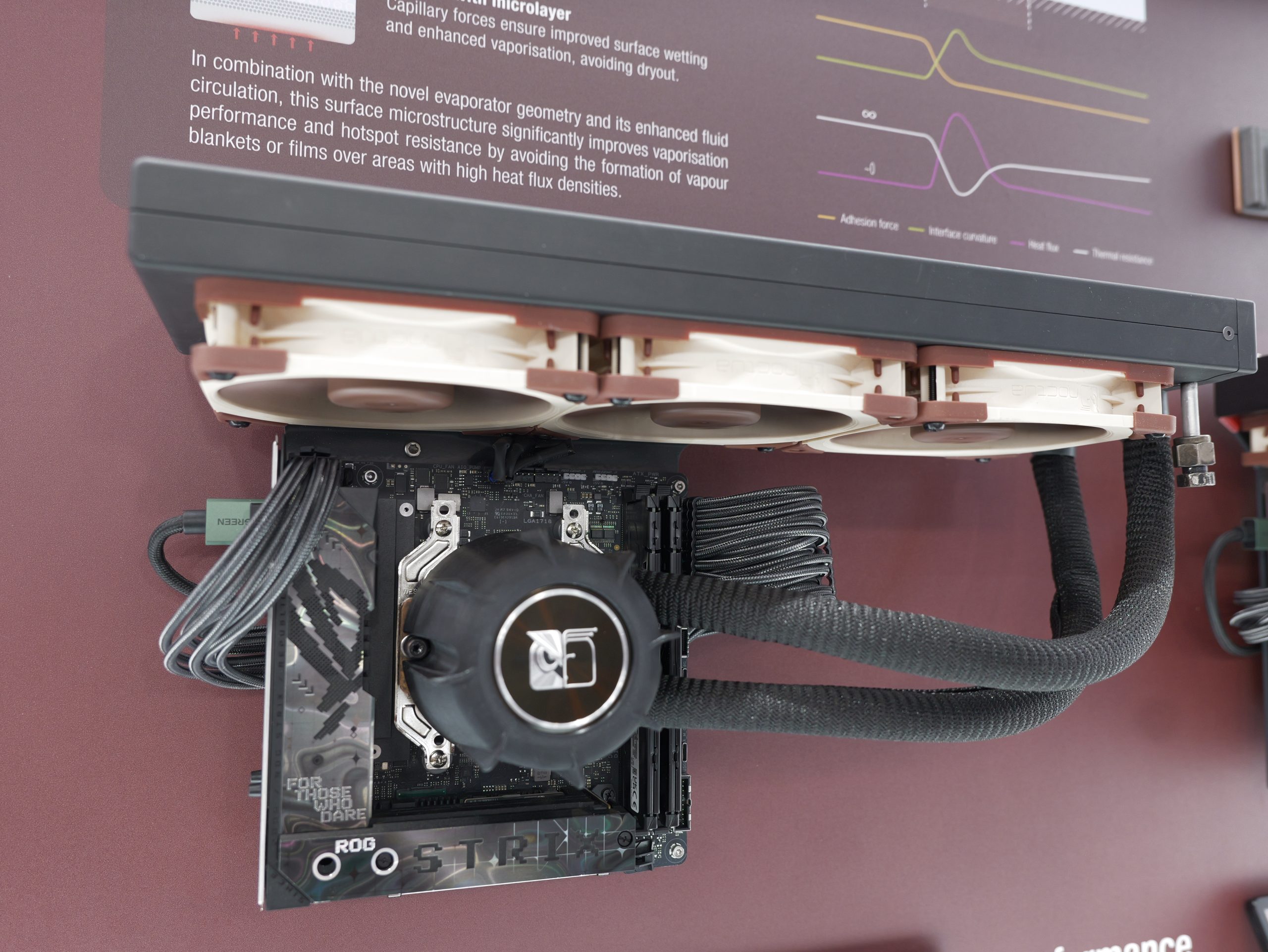
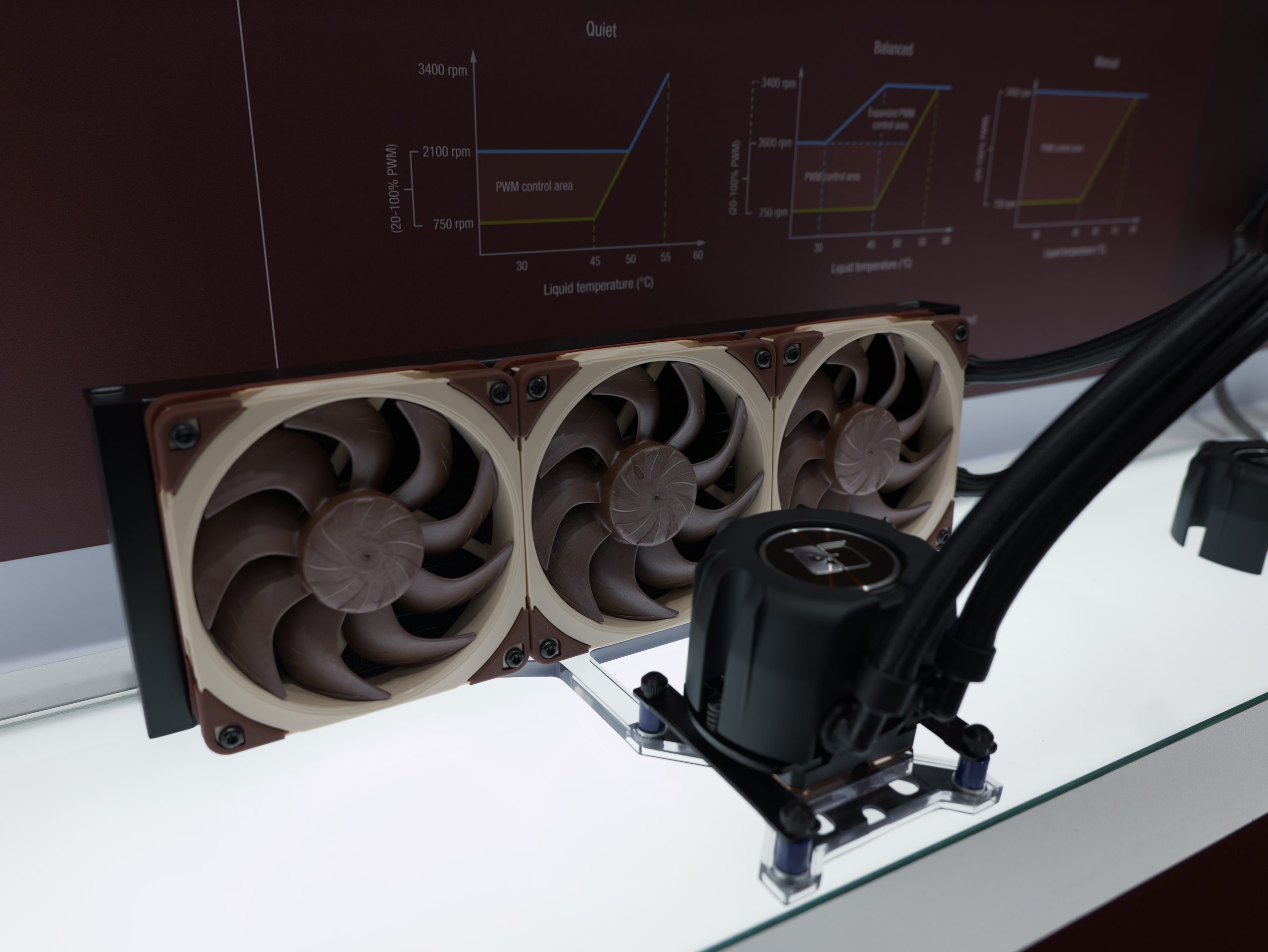
The heart of this high-end cooling solution is the Asetek Emma (G8) V2 pump, which operates at speeds up to 3,600 RPM. To align with Noctua's philosophy, the pump has been outfitted with a custom triple-layer noise-reduction cover that dampens both acoustics and structural vibrations. A physical switch on the AIO will let you toggle between different default speed settings.

For this collaboration, the brands are pairing Asetek's latest radiator technology with Noctua's G2 cooling fans. The Emma (G8) V2 radiators utilise a unique fin design that offers lower airflow resistance and is significantly less prone to dust accumulation over time. For the 120mm models, the award-winning NF-A12x25 G2 fans will be used. As for the 140mm models, the NF-A14x25 G2 fans will be paired with the cooler.

To ensure long-term stability, the coolers bypass typical software-only control in favour of an Asetek-customised analogue PWM controller tuned by Noctua. This hardware-level control ensures consistent fan and pump behaviour across different motherboard platforms without the bloat of proprietary software suites.

Installation is made easier thanks to Noctua's new SecuFirm2+ mounting system, which transitions to Torx T20 hardware for improved durability and ease of use. Crucially, the kit includes offset mounting options for both Intel (LGA 1700/1851) and AMD (AM4/AM5) sockets. By placing the cold plate directly over the CPU's primary hotspots, testing has confirmed a 1–3°C reduction in temperature compared to standard mounts.

KitGuru says: It is about time Noctua got into the AIO liquid cooler market. Are you thinking about picking one of these up when they become available? 

The post Noctua and Asetek AIO liquid coolers set for Q2 2026 launch first appeared on KitGuru.

Antec and Noctua introduce Antec Flux Pro Noctua Edition PC case

By: John S
17 March 2026 at 15:17

When you get to have two of the best brands collaborate, you would get the best possible experience out of the box. Say hello to Antec Flux Pro Noctua Edition, boasting feature rich experience with best of best air cooling integrated into the PC Case. Taiwanese PC case specialist Antec and Austrian quiet cooling expert Noctua have teamed up to create a custom, further refined Noctua Edition of Antec’s award-winning Flux Pro chassis. Upgrading the Flux Pro with Noctua’s latest NF-A14x25 G2 and NF-A12x25 G2 flagship fans for even better low-noise cooling performance, the new Noctua Edition forms an ideal basis for ultra-quiet, high-end builds.

noctua antec case build launch web

“Antec has been at the forefront of PC case design for more than two decades, and we’re excited to collaborate with such a renowned, iconic manufacturer to introduce the very first Noctua Edition chassis,” says Roland Mossig (Noctua CEO). “The Flux Pro has been rightfully praised for its exceptional quiet cooling potential, so it was an obvious candidate for the project. Once we integrated our latest flagship fans and saw how much further we could reduce noise levels while maintaining similar component temperatures, it quickly became clear that this is a worthy Noctua Edition.”

“Being chosen for Noctua’s first edition chassis is a genuine privilege for all of us at Antec. The Flux Pro was built to be a best-in-class foundation for quiet, high performance systems, and working with Noctua lets us take that experience even further”, says Frank Lee (Antec CEO). “This collaboration reflects the engineering standards both brands stand for, and we are proud to bring the Flux Pro Noctua Edition to builders who want top tier cooling with remarkably low noise.”

antec flux pro noctua edition build 01
antec flux pro noctua edition lifestyle 01

Antec’s Flux Pro chassis is renowned for its excellent ventilation capabilities, yet the Noctua Edition further improves its outstanding performance-to-noise efficiency by reducing noise levels up to 8dB(A), all while keeping internal components at similar temperatures. This is made possible by Noctua’s state-of-the-art NF-A14x25 G2 and NF-A12x25 G2 fans, which run significantly quieter when operating at the same flow rates.

Adjacent fans are offset in speed to avoid undesirable harmonics phenomena such as vibrations or periodic humming, and for further acoustic optimisation, customers can install the fans using the included NA-AV4 anti-vibration mounts. Alternatively, the fans can also be installed using screws for maximum safety during shipping or transport.

antec flux pro noctua edition close up 02
antec flux pro noctua edition close up 03

In addition to Noctua’s latest G2 series fans, the Antec Flux Pro Noctua Edition also integrates the premium-grade NA-FH1 fan hub, which allows all fans to be speed-controlled through a single motherboard fan header. The NA-FH1 comes pre-installed, and all the required fan extension cables are pre-routed for maximum convenience.

antec flux pro noctua edition open
antec flux pro noctua edition close up 06 square

On top of its best-in-class cooling performance, the Flux Pro has received critical acclaim for its build quality, well-thought-out layout, comprehensive feature-set and adaptability, making it a fantastic basis for both air- and water-cooled builds. Whether it’s a hardcore gaming rig or a high-end workstation – building within the Flux Pro will be a pleasure.

antec flux pro noctua edition left back three quarter
antec flux pro noctua edition quarter

Reflecting its inner virtues on the outside, the Flux Pro Noctua Edition comes with dark brown accents on the side and top panel as well as brown silicone grommets and subtly placed Noctua logos on the top, side and front. Wearing its colours with pride, the Antec Flux Pro Noctua Edition is the perfect choice for everyone who wants to build a high-performance system that runs as quiet as possible.

Pricing and availability
The Antec Flux Pro Noctua Edition is available through Noctua’s official Amazon stores at a recommended selling price of EUR 399.90 / USD 399.90. EU customers can also purchase the case directly from Noctua through this order form. Other sales partners will receive stock shortly.

About Antec
Antec, Inc. is a global leader in high-performance computer components and accessories for the gaming, PC upgrade and Do-It-Yourself markets. Founded in 1986, Antec is recognised as a pioneer in the industry and has maintained its position as a worldwide market leader and international provider of quiet, efficient and innovative products. Antec has also achieved great success in the distribution channel, meeting the demands of quality-conscious system builders, VARs and integrators.

About Noctua
Noctua’s award-winning, premium quality quiet cooling components are internationally renowned for their superb acoustics, industry-leading performance-to-noise efficiency and remarkable longevity. Since its foundation in 2005, the Austrian manufacturer’s engineering-first mindset, history of innovations and relentless pursuit of continuous optimisation have become just as iconic as its long-term product support and excellence in customer service. Today, PC enthusiasts and industry clients alike swear by the signature blend of cutting-edge performance, outstanding quietness and ultimate reliability that makes Noctua’s products unique.

Antec and Noctua collaborate on Flux Pro Noctua Edition PC case

17 March 2026 at 10:00

Antec and Noctua have partnered on a new Noctua Edition of the Flux Pro chassis, combining Antec’s high‑airflow design with Noctua’s latest flagship fans.

The Flux Pro is known for its ventilation and layout, but the Noctua Edition pushes its noise‑to‑performance efficiency further. Antec says the upgraded model can reduce noise levels by up to 8dB(A) while keeping component temperatures broadly unchanged. That improvement comes from the new G2‑series fans, which run significantly quieter at equivalent airflow and are tuned to avoid harmonic vibrations by offsetting adjacent fan speeds.

For additional acoustic control, the case includes Noctua’s NA‑AV4 anti‑vibration mounts. The Noctua Edition also integrates the NA‑FH1 fan hub, allowing all pre‑installed fans to be controlled through a single motherboard header. The hub arrives pre‑installed with extension cables already routed, reducing setup time for builders.

Beyond cooling, the Flux Pro’s reputation for build quality and flexibility remains intact. Its internal layout supports both air and water-cooled configurations, with ample space for high‑end GPUs, radiators and cable management. The Noctua Edition adds subtle exterior changes too, including dark‑brown accents, brown silicone grommets and discreet Noctua logos across the panels.

The Antec Flux Pro Noctua Edition is available now priced at €399.90.

Discuss on our Facebook page, HERE.

KitGuru Says: We've seen Noctua Edition graphics cards in recent years and now we are moving on to Noctua Edition cases. Would you like to build a system inside one of these?

The post Antec and Noctua collaborate on Flux Pro Noctua Edition PC case first appeared on KitGuru.

Noctua HOME NV-FS1 and NV-FS2 Review

By: John S
16 March 2026 at 12:57

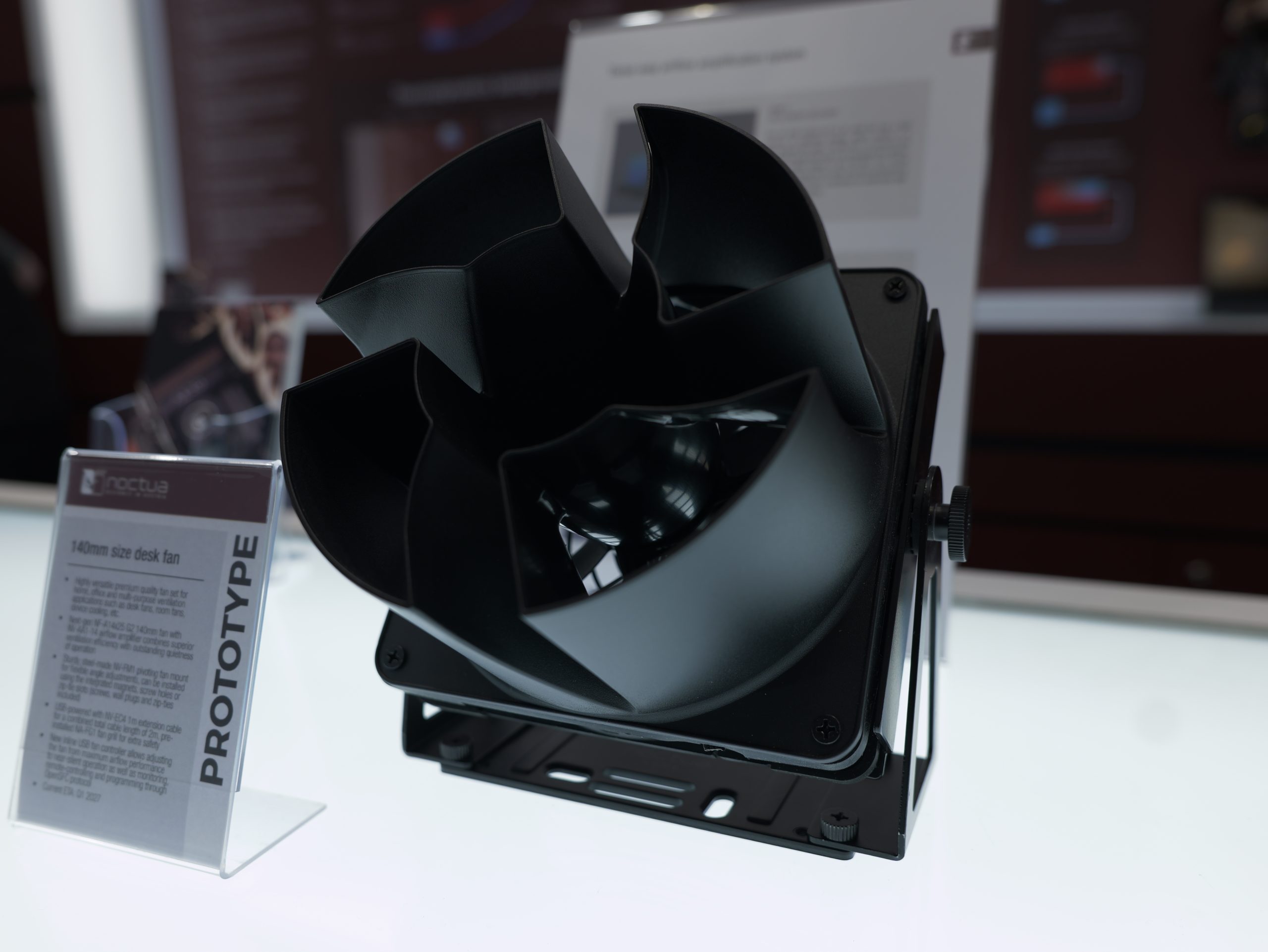
We have been testing coolers and fans from Noctua. This time, we are taking a look at something different from the manufacturer. This category is called HOME. Noctua has leveraged its best fan to provide a ventilation product for your home, office, and multi-purpose ventilation purposes. This got my attention as one of these series products, NV-FS1 is suited for focused air flow towards my open test bench setup, providing some sort of airflow which otherwise is not there.

I am testing NV-FS1 and NV-FS2. What Noctua has done here is take their off-the-shelf products like NF-A12x25 PWM, NA-FC1, and NA-FG1 and incorporated these into NV series accessories to provide HOME series products.

Noctua NV FS2 Utilization

These products have a variety of applications that include:

  • Cool Down Electronic Devices
  • Quiet Ventilation for DIY Home Projects
  • Adding a quiet breeze to your Desk
  • Radiator Boosting Fans for better energy efficiency

The NV-FS1 has an MSRP of $109.95, whereas the NV-FS2 has an MSRP of $89.95. Noctua offers a 6-year warranty for both products. NV-FS1 provides a focused airflow and comes with an airflow amplifier and a metallic stand. The NV-FS2 comes with a thick gasket, allowing you to place it directly over the devices for direct ventilation.

Specifications

Noctua NV FS1 Specs

Above is a specification table for the NV-FS1.

Noctua NV FS2 Specs

Above is a specification table for the NV-FS2.

Packing Box and Unboxing

Noctua NV FS2 Packing Box 1
Noctua NV FS2 Packinb Box 2

The NV-FS2 comes inside a Noctua chromax-themed packing box. Opening the box, you can see that Noctua is again on the spot when it comes to the presentation. The fan assembly is tucked on one side, the power adapter is placed on its side, and the fan controller is placed along with hidden accessories.

Noctua NV FS1 Accessory Box
Noctua NV FS1 Packing Box 1
Noctua NV FS1 Packing Box 2
Noctua NV FS1 Packing Box 3
Noctua NV FS1 Packing Box 4

The NV-FS1 also features a chromax-themed box. It has a large-sized shipping box due to the funnel, which is placed on top of the accessory container. The accessories are placed over a compartmental container. I would have preferred a box instead of an open layout container.

What’s in the box?

Noctua NV FS1 Contents

The following are provided in the NV-FS1 box:

  • NF-A12x25 PWM chromax.black premium fan
  • NA-AA1-12 airflow amplifier
  • NV-FM1 multi-purpose fan mount
  • NA-FG1-12 120mm fan grill
  • NA-FC1 fan controller
  • Cables & Adaptors
  • NA-AC10 barrel to 4-pin adaptor cable
  • NV-EC4-1m extension cable
  • NV-PS1 power supply
  • US socket adaptor (Type A)
  • EU socket adaptor (Type C)
  • UK socket adaptor (Type G)
  • Mounting Parts
  • 4x fan screws
  • 4x zip ties
  • 4x wall plugs
  • 4x mounting screws
Noctua NV FS2 Accessories

The following are provided in the NV-FS2 box:

  • NF-A12x25 PWM chromax.black premium fan
  • NV-MPG1-12.black multi-purpose gasket
  • 4x NV-MPP1.black multi-purpose pads
  • NA-FG1-12 120mm fan grill
  • NA-FC1 fan controller
  • Cables & Adaptors
  • NA-AC10 barrel to 4-pin adaptor cable
  • NV-EC4-1m extension cable
  • NV-PS1 power supply
  • US socket adaptor (Type A)
  • EU socket adaptor (Type C)
  • UK socket adaptor (Type G)

Closer Look

Let’s start with the NV-FS2.

The idea is simple; use a single 120mm premium fan and provide a tight seal with the level surface using NV-MPG1 multi-purpose gasket. You can use this fan for the ventilation of:

  • A/V Receivers
  • DVRs
  • Consoles
  • Stereo Equipment

As long as the device has ventilation holes, you can mount the NV-FS2 below or on top of the device for effective ventilation. This is not all, if you have a level surface, you can use this product in vertical layout for a side-wall blow fan, which otherwise comes in the scope of NV-FS1.

Noctua NV FS2 Front View

Looking at the front, you can see the fan that has an NA-FG1 grill over the blades. This is for protection in case your hand accidentally touches the fan. Noctua has been paying attention to the details. The multi-purpose pads and gasket are at the core of this product, providing vibration dampening while providing a tight seal and enough lift so that the fan can breathe.

Noctua NV FS2 Back View

Looking at the backside of the fan, you can see the NA-MPG1-12 multi-purpose gasket providing a sufficient gap between the actual fan above the level surface.

Noctua NV FS2 Fan Bracket

I am showing the NA-MPG1 multi-purpose gasket after disassembling the product. I would caution the user who is disassembling the product for any reason to record the steps in which the disassembling is done so that they can reverse track the steps when assembling the product; otherwise, it could be challenging. This gasket sits on one side of the fan using tabs on the mounting corners, and it wraps around the fan frame. This gasket provides a 10mm offset to the fan from the level surface, hence effectively reducing the influx of turbulence. The gasket is made from thick, soft silicone rubber and features thin ribs on the device side, which create a smaller contact area and therefore further reduce the transmission of vibrations. This gasket has a dimension of 135 x 135 x 16 mm and weighs 80 g.

Noctua NV FS2 Pads

The NV-MPP1 multiple-purpose pads are also used in this product. They sit on top of the fan. Their thickness provides a sufficient gap to the top side of the fan. The gap on both sides of the fan is necessary to provide sufficient breathing space and ventilation area at the same time. These pads also provide a 10mm offset to the fan from the level surface. The pads are made from thick, soft silicone rubber and feature thin ribs on the device side, which create a smaller contact area and therefore further reduce the transmission of vibrations.

Noctua NV FS2 Fan

I have removed the fan from the assembly and shown the prime and might of Noctua fans. This is NF-A12x25 PWM chromax.black fan. I am not going into the details of this fan, as we have given extensive coverage of these fans and are still using them as standard fans to be used for custom loop setup testing, including their performance in individual fan testing.

Noctua NV FS2 PWM Connector

The fan is PWM regulated. This now raises a question on how to power this fan if it is to be used outside of the PC? Let’s address this.

Noctua NV FS2 Cables

Noctua has provided an NA-AC10 barrel to a 4-pin adapter cable. This cable is a must-have so that you can power the fan using the NV-PS1 power supply adapter that is also provided with the product. In case you want to use this fan with a PC, an NV-EC4 extension cable having a length of 1m is also provided.

Noctua NV FS2 Fan Controller

Noctua has provided its NA-FC1 fan controller. We have done a dedicated review of this controller in the past. You can regulate the speed of the fan in steps using this controller. This controller can control up to 3 fans at a time.

Noctua NV FS2 Power Adapter 1

Noctua has provided an NV-PS1 power supply, which enables you to power the fan from the wall socket.  The NV-PS1 is a compact, premium-grade 24W AC/DC power supply that supports both 230V and 115V input. Its idle power consumption is listed at 0.075W, providing maximum efficiency. You can see a modular design whereby you can swap the socket connectors.

Noctua NV FS2 Plugs

Ncotua has provided modular connectors for EU, US, and UK type socketss meaning you can use this product anywhere in the world with peace of mind.

Noctua NV FS2 Power Adapter 2

I am showing the prepared NV-PS1 using the NA-AC10 barrel to 4-pin adapter cable. Connect the fan to this assembly and install the plug to the wall socket using the required socket connector, and you are good to go.

The beauty of this design is its modularity and expandability. The NV-FS2 set can be easily expanded. You can use additional fans and fan mounts that can be powered from the same power supply and controlled using the same NA-FC1 controller using splitter cables (NA-SYC1) or fan hubs (NA-FH1/NV-FH2). It’s also possible to add additional NA-SEC3 extension cables.

 A look at the NV-FS1

Now, let’s shift our focus to the NV-FS1. NV-FS1 is a real deal. It is a multi-purpose fan set that you can use for various ventilation tasks, including but not limited to desk fan, device cooling, in our case, for airflow towards the open test bench setup, room fan applications, etc.

Noctua NV FS1 Side View 2

This set comprises three main components: NF-A12x25 PWM chromax. black fan, NA-FM1 multi-purpose fan mount, and NV-AA1, which is an airflow amplifier or funnel through which the focused airflow is provided. The fan assembly is installed on the NA-FM1, and NV-AA1 is installed on the rest of the assembly, providing a flexible solution providing flexibility to adjust the angle of the amplifier as per the need. The only thing lacking is the height adjustment of the stand, in my opinion.

Noctua NV FS1 Side View 1

You can see that the NV-AA1 amplifier is attached to the fan using fan mounting holes and standard Philips screws.

Screenshot 2026 02 22 115556

The above picture illustrates the three-way airflow amplification concept of NV-FS1.

Noctua NV FS1 Rear View

Looking at the rear of the fan set, you can see that fan intake air from this end, hencethe blades (non-reversed) front side is on this end. Noctua has again focused on protection and installed the NA-FG1 grill using push pins. If you look carefully, these push pins are attached to the fan’s mounting holes.

Noctua NV FS1 Front View

I am showing a close-up of the NF-AA1 amplifier. As you can see, it has a hollow in the center, and the ducts on the sides are the only passage through which air comes out, hence you will get a directed or focused airflow. Noctua Home can be seen printed in the center.

Noctua NV FS1 Housing

The amplifier is made of ABS material. I am showing the side that attaches to the fan. It has standard 105mm mounting hole spacing.

Noctua NV FS1 Base View 1

NV-FM1 is at the core of this fan set. This part is made of steel. It supports 120mm and 140mm fans. You can not only place it over a surface, but can also install it on the wall, for which the necessary hardware is provided in the box.

Two anti-slip pads can be seen on the base. This base also has 4x magnets for magnetic attachment, making it quite a versatile bracket frame, catering to almost all possible installation requirements. Zip tie mounts are also provided. It has quite some weight to it, which makes sense since it has to hold the fan and the amplifier, and also supports the angle adjustment.

Noctua NV FS1 Base View 2

The complete bracket is secured to the rest of the assembly using side thumb screws. The side arms can also be removed by undoing the 4x screws shown in the above picture.

Noctua NV FS1 Fan

I have removed the NF-AA1 and NV-FM1 and am showing the NF-A12x25 PWM chromax.black, which provides excellent airflow at an adequate noise level. The fan is PWM regulated.

Power option

NV-FS1 comes equipped with the same NV-FS1 power supply adapter and NA-FC1, along with other cables that is mentioned above in the NV-FS2, making NV-FS1 a comprehensive solution for your ventilation needs.

Test Setup

I am using NV-FS1 to provide airflow towards the motherboard area on my open test bench setup. This is better than having no airflow.

Conclusion

Noctua Home is a new category of products from Noctua catering to your customized ventilation requirements, including desk-based cooling, room cooling, and device cooling. The two main products in this category are NV-FS1 and NV-FS2. Both products use Noctua’s high-performance NF-A12x25 PWM chromax.black fan. By setting a fan set, you get a powerful product for various ventilation needs.

The NV-FS2 uses multi-purpose gaskets and pads surrounding the 120mm fan, providing a 10mm offset on both sides, providing a breathing space for the fan and ventilation space at a time. Any device that has ventilation holes in the housing can be cooled using NV-FS2. The gasket provides a tight seal and effectively reduces the influx of turbulence, providing a consistent, noise-free operation. This fan set can be placed under or over an electronic device, and it can even be placed vertically on a level surface, in which it will act as a side-blowing fan.

The NV-FS1 is a killer deal. It uses the NV-FM1 multi-purpose metallic bracket and the NF-AA1 amplifier cover over the NF-A12x25 PWM chromax.black fan. The bracket with a stand provides a resting platform on which the fan and amplifier are installed. This mechanism also provides an angle of amplifier adjustment. The funnel effect provides a focused airflow towards the target area. You can place NV-FS1 over a surface, install it on a wall, or use a magnetic attachment as well. Zip tie mounts are also provided.

The NV-FS1 and NV-FS2 come with extensive power hardware. Noctua has used an NV-FS1 power supply, which is a compact, premium-grade 24W AC/DC power supply that supports both 230V and 115V input. Its salient feature is 0.075W idling power. Noctua has provided EU, US, and UK socket type connectors, providing you with peace of mind, allowing you to use these products anywhere in the world, conforming to these formats.

NV-PS1 power supply is protected against overvoltage, overcurrent, and short-circuit,s and both the power supply and the fan carry safety certification from UL and TÜV. Unlike many cheap fans and power supplies, they are fully CE/UKCA compliant and meet all applicable standards for EMC and safety.

Noctua has no chill as they have also bundled their premium fan controller, NA-FC1, in each of these products. Noctua NA-FC1 is a handy PWM fan controller designed to control up to 3x 4-pin PWM fans. The controller has a slim outlook, standing at 21x25x48mm in a black color housing. A speed dial knob is used to change the PWM duty cycle. The maximum rated current is 3A and can handle Noctua 12V and 5V fans as well as third-party fans.

Many motherboards provide insufficient options to customize automatic fan control, or simply don’t go below certain duty cycles and speed levels. Using the NA-FC1, the user can lower the motherboard’s PWM control curve in order to achieve silent operation.

In addition to the 135cm cable of the NV-PS1 power supply, the 30cm long NA-AC10 adaptor for fan connection, and the fan’s 20cm primary cable, the NV-FS1 set includes an NV-EC4 1m extension cable that increases the total reach to 2.85m. The NA-FC1 controller can be placed before or after the extension cable for maximum flexibility.

The NV-FS1 in particular suits my requirement of providing some sort of airflow to my open test bench setup. NV-FS2 can also be used as a side-blown fan, but its height can’t be adjusted. NV-FS1 is flexible in terms of angle adjustment, but its height is also not adjustable.

The NV-FS1 has an MSRP of $109.95, whereas the NV-FS2 has an MSRP of $89.95. Noctua offers a 6-year warranty for both products. Yes, this is a steep price, but you are getting a rich experience from these products, and Noctua has gone all out providing everything that one would need for the operations of these products. Noctua has provided an expandable and modular design on these features, enabling you to add more products like fans and control them using a single controller. Both products are recommended by us.

EnosTech Recommended Award
Enos Tech Design Award
❌
❌