Normal view

There are new articles available, click to refresh the page.
Before yesterdayMain stream

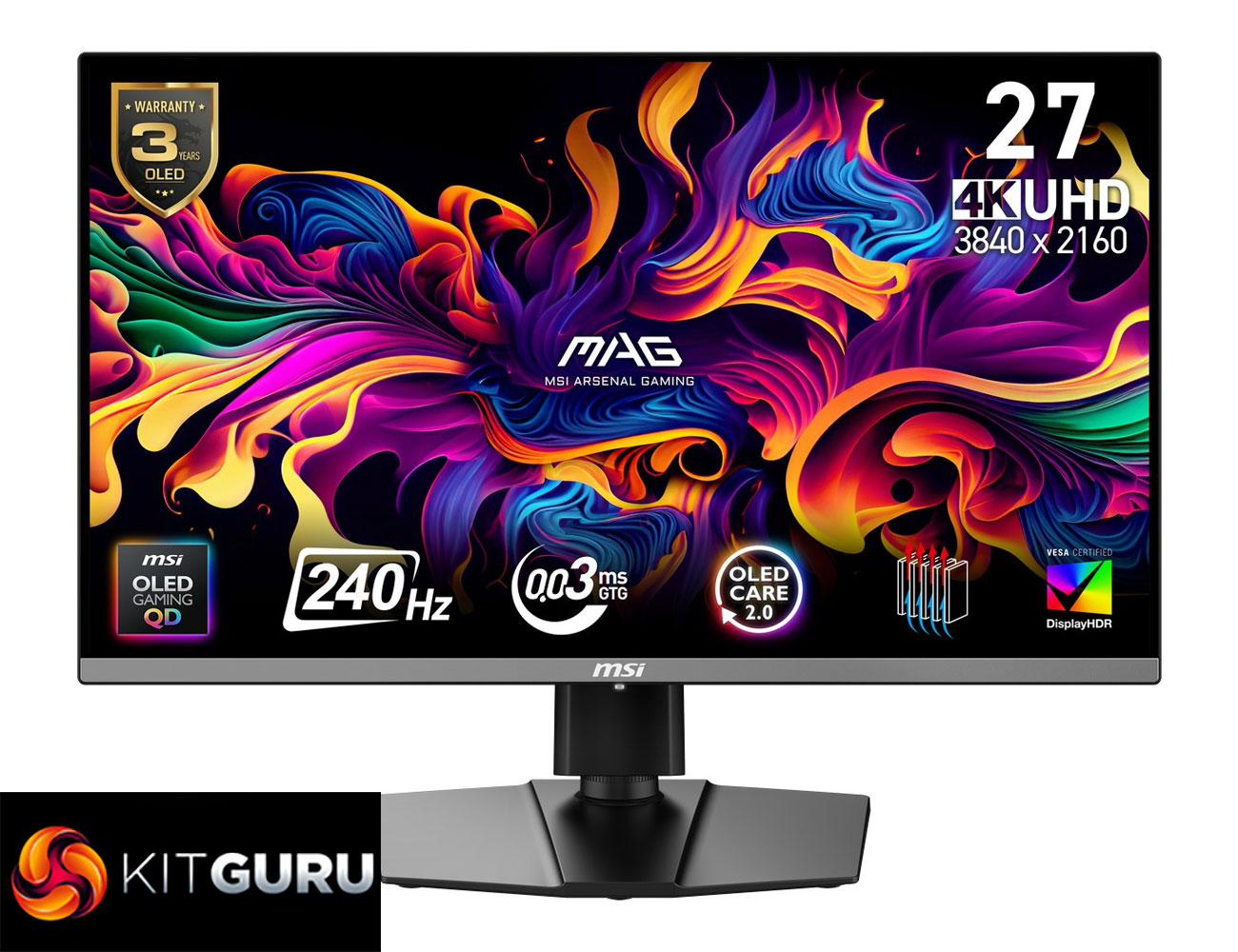
MSI MAG 272UP X24 Review (4K/240Hz QD-OLED)

10 April 2026 at 13:15

Today we're back with another QD-OLED monitor review, as we check out the MSI MAG 272UP X24. This is the cheapest 4K OLED we have seen to-date, as it's currently retailing for under £500 here in the UK. That money gets you a 4th Gen QD-OLED panel, with a 27in screen size, UHD resolution and 240Hz refresh rate. It certainly sounds good on paper, but let's see exactly what this monitor can do in the real world…

Timestamps:

00:00 Intro
00:46 Key specs and pricing
01:53 Design overview
02:41 Connectivity + OSD
03:37 QD-OLED coating/fringing
05:12 Panel analysis, factory calibration
07:31 sRGB mode + calibrated results
08:06 Response times and motion clarity
09:13 Real-world gaming experience
10:25 HDR analysis
11:52 Closing thoughts

If the spec for the MSI MAG 272UP X24 sounds familiar, that's because it's essentially the same thing as the MSI MPG 272URX that we reviewed last year. Both monitors use the same QD-OLED panel, so all the key panel specs are the same. The difference is the 272UP is from MSI's MAG series, which is generally more affordable, and as such it misses out on a handful of features compared to the 272URX – things like KVM functionality, a USB hub, and lower-power USB-C power delivery.

However, that does mean MSI can lower the price, and right now the 272UP is retailing for £499 here in the UK, though we're told that's an Easter deal that will run until April 22nd. Even then, PCPartPicker pricing history shows it was only £550 back in February and frequently goes on special offer. So if you want a pixel-dense QD-OLED without spending as much for a more premium model, is the 272UP worth buying?

Specification:

  • Screen size: 26.5” (67.31 cm)
  • Active display area: 589.97 (H) x 332.93 (V) mm
  • Curvature: Flat
  • Panel type: QD-OLED
  • Resolution: 3840 x 2160 (UHD)
  • Pixel pitch: 0.153 (H) x 0.153 (V) mm
  • Aspect ratio: 16:9
  • Adaptive sync: NVIDIA G-SYNC Compatible / AMD FreeSync™ Premium Pro
  • VRR range: 48–240 Hz
  • HDR: True Black 400
  • Brightness: SDR 250 nits; HDR peak 1000 nits
  • Contrast ratio: 1,500,000:1
  • Signal frequency: 31.2–565.42 kHz (H) / 48–240 Hz (V)
  • Refresh rate: 240 Hz
  • Response time: 0.03 ms (GtG)
  • Viewing angles: 178° (H) / 178° (V)
  • Color gamut: NTSC 120.5% (CIE1976), sRGB 138.2% (CIE1976), Adobe RGB 118.4% (CIE1976), DCI-P3 110.1% (CIE1976), Rec.709 138.2% (CIE1976), Rec.2020 80.2% (CIE1976)
  • Surface treatment: Anti-Reflection
  • Display colors: 1.07B (10-bit)
  • USB Type-C (DP Alt): 1x
  • Headphone out: 1x
  • Lock type: Kensington Lock
  • HDMI: 2x HDMI 2.1 (HDCP 2.3)
  • DisplayPort: 1x DisplayPort 1.4a (HDCP 2.3)
  • Warranty: 36 months
  • Power type: Internal power board
  • Power input: 100–240V, 50/60Hz
  • Power consumption: 25 kWh / 1000h
  • Annual energy consumption: 25 kWh
  • Standby power: 0.5 W
  • Off power: 0.3 W
  • Energy rating: F
  • Power cord type: C13
  • Included cables: DisplayPort cable x1, HDMI cable x1, Power cord x1
  • Accessories: Quick guide x1
  • Tilt: -5° ~ 20°
  • Swivel: -30° ~ 30°
  • Height adjustment: 0–110 mm
  • Pivot: -90° ~ 90°
  • VESA mounting: 100 x 100 mm

Firmware tested: FW.012

The post MSI MAG 272UP X24 Review (4K/240Hz QD-OLED) first appeared on KitGuru.

PCSpecialist Falcon Pro Prebuilt Review (9900X3D + 5070 Ti)

27 March 2026 at 15:27

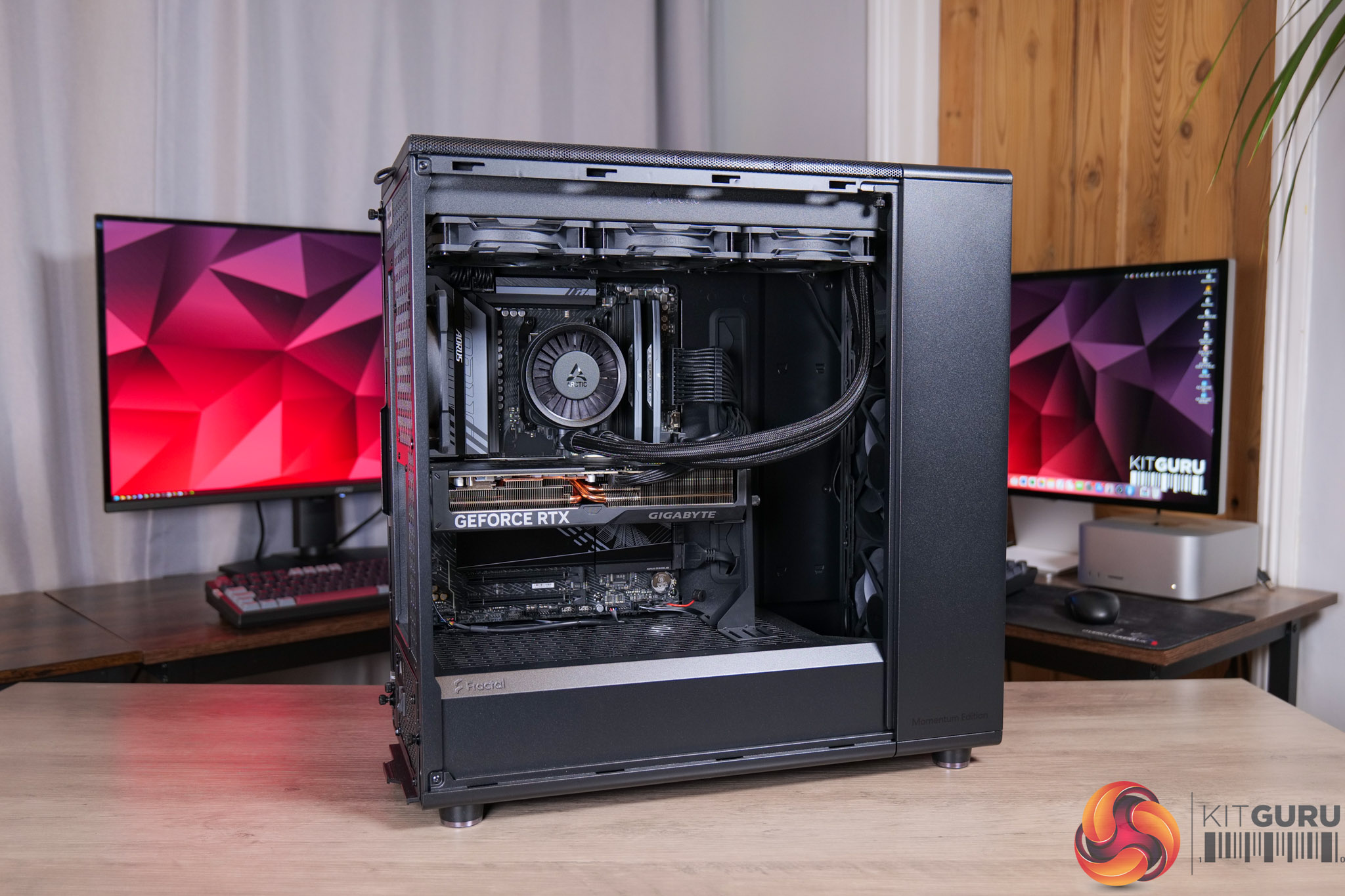
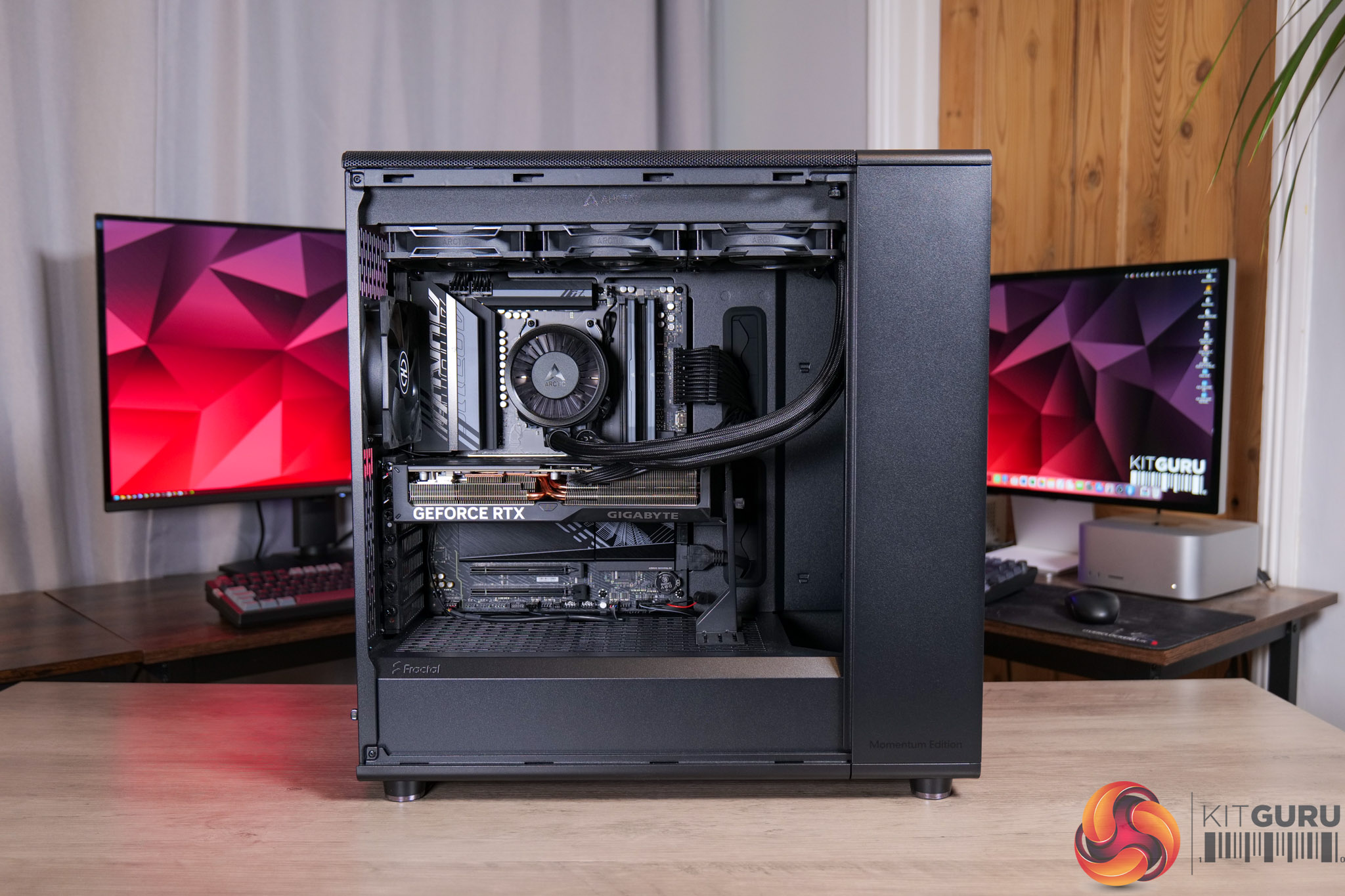
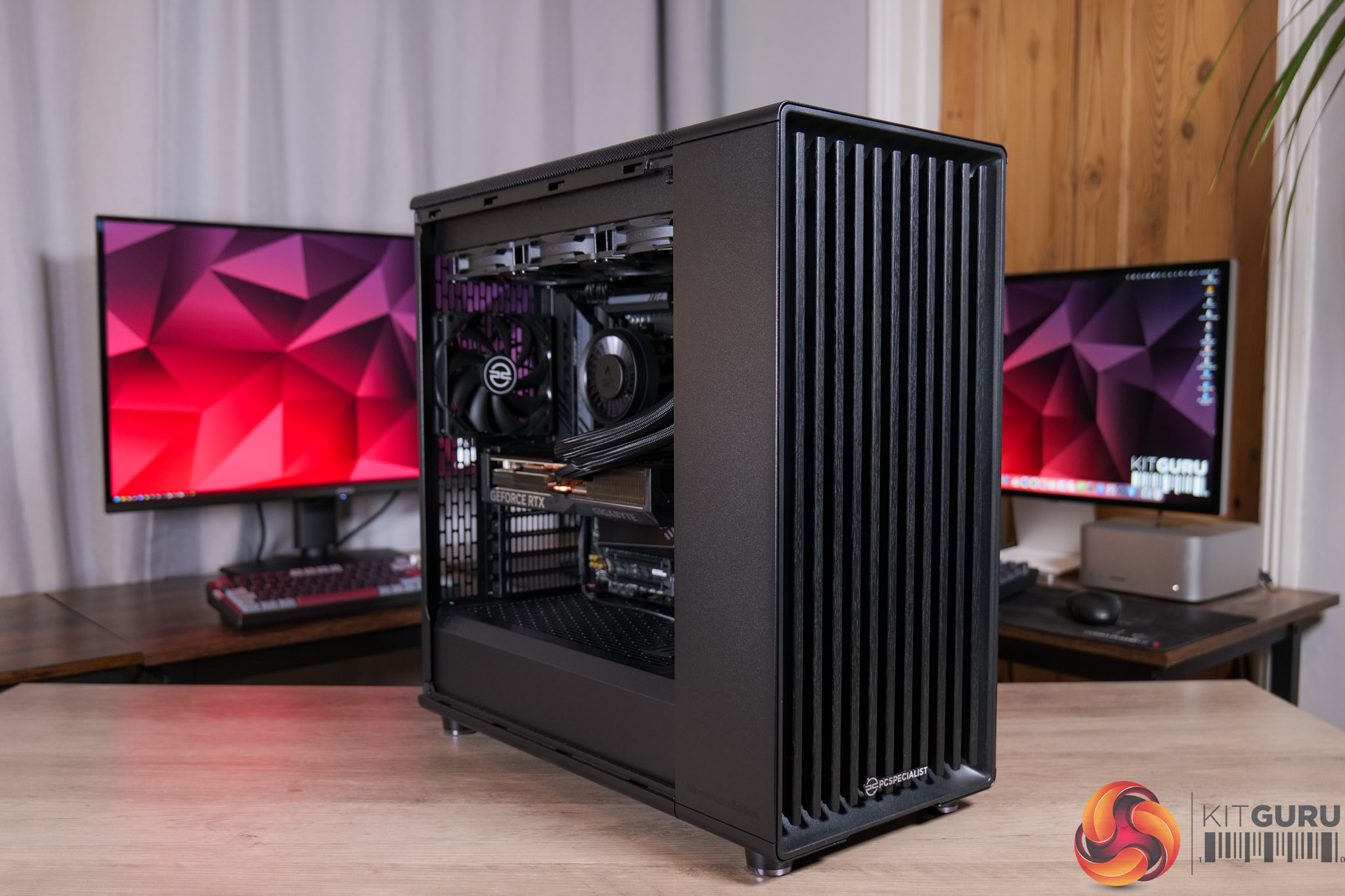
We've all seen just how prevalent RGB lighting has come over the last decade, but today's prebuilt system is bucking that trend by eschewing any and all LED frills. This is the PCSpecialist Falcon Pro, a minimalist but powerful machine, packing in AMD's Ryzen 9 9900X3D, an RTX 5070 Ti, and 32GB of DDR5, all for £2599. We put this prebuilt through its paces today and find out if it's worth buying.

Timestamps

00:00 Intro
00:42 Pricing and key spec
01:14 The stealthy aesthetic
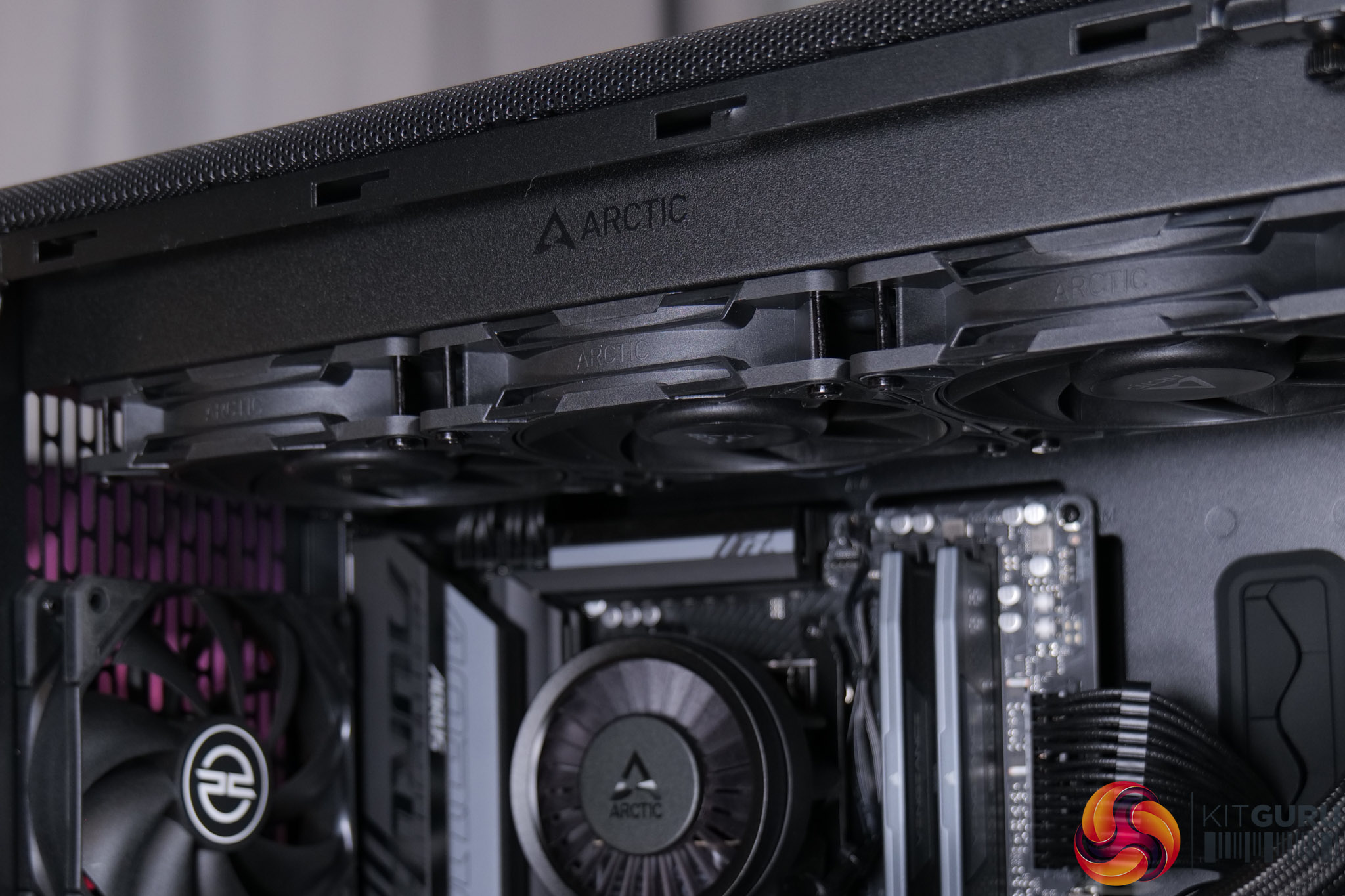
01:39 CPU + cooling setup
02:22 Memory, GPU and SSD
03:55 PSU clicking discussion
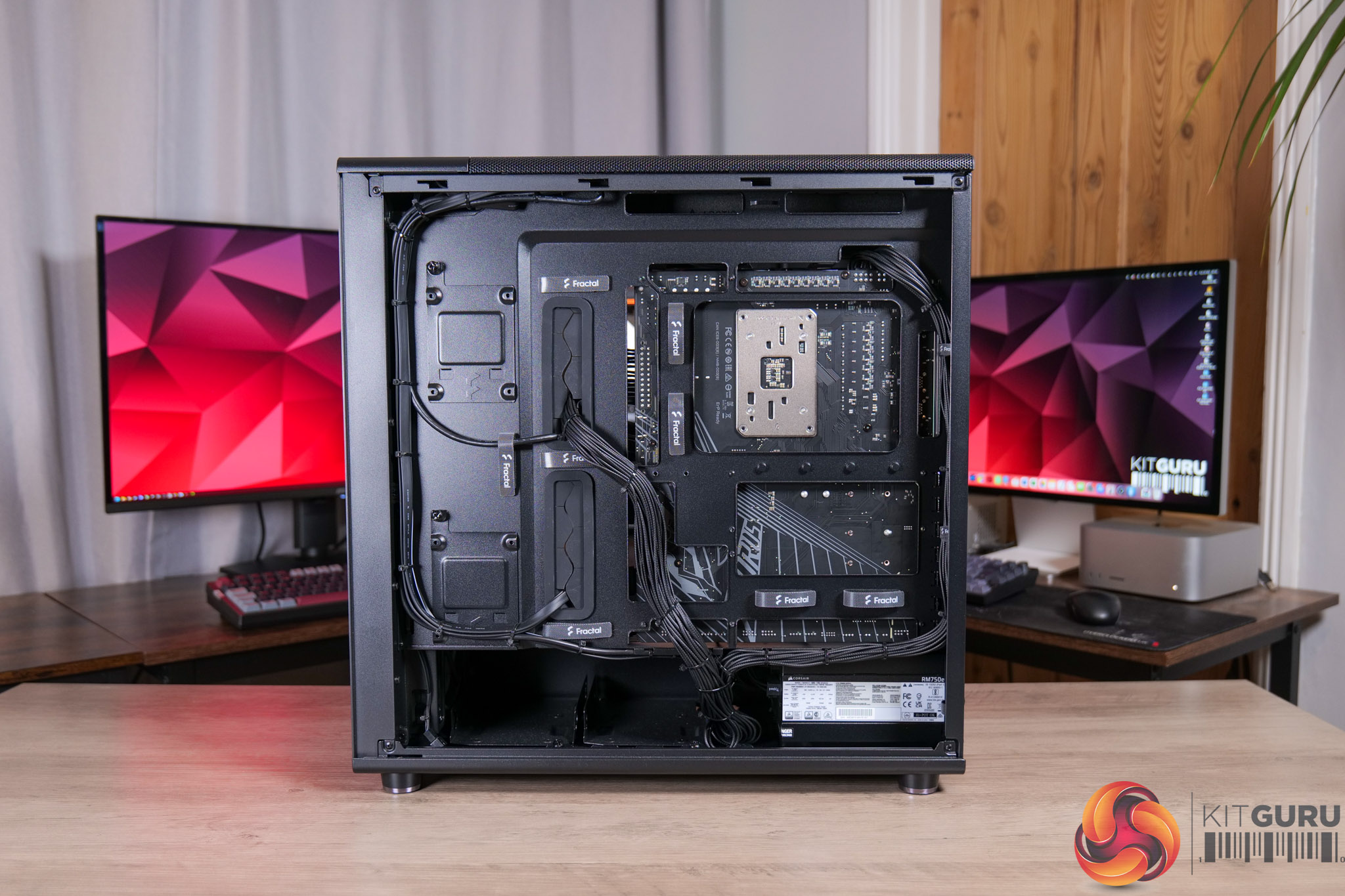
04:57 Cable management
06:03 CPU + GPU behaviour
06:56 Noise levels w/ soundtest
07:45 Real-world gaming performance
08:13 Cyberpunk 2077
08:58 COD BO7
09:35 Doom: The Dark Ages
10:19 Forza Horizon 5
10:52 Kingdom Come: Deliverance II
11:22 System/professional benchmarks
12:19 Closing thoughts + value

Specification

  • Case: Fractal North XL Momentum Edition
  • Processor (CPU): AMD Ryzen 9 9900X3D (12 cores, 4.4GHz–5.5GHz, 128MB cache with 3D V-Cache, AM5)
    • Promotion: Includes Crimson Desert with select AMD Ryzen processors
  • Motherboard: Gigabyte B850 AORUS ELITE WiFi 7 (AM5, DDR5, M.2 PCIe 5.0, Wi-Fi 7)
  • Memory (RAM): 32GB Corsair Vengeance DDR5 6000MHz CL30 (2 x 16GB)
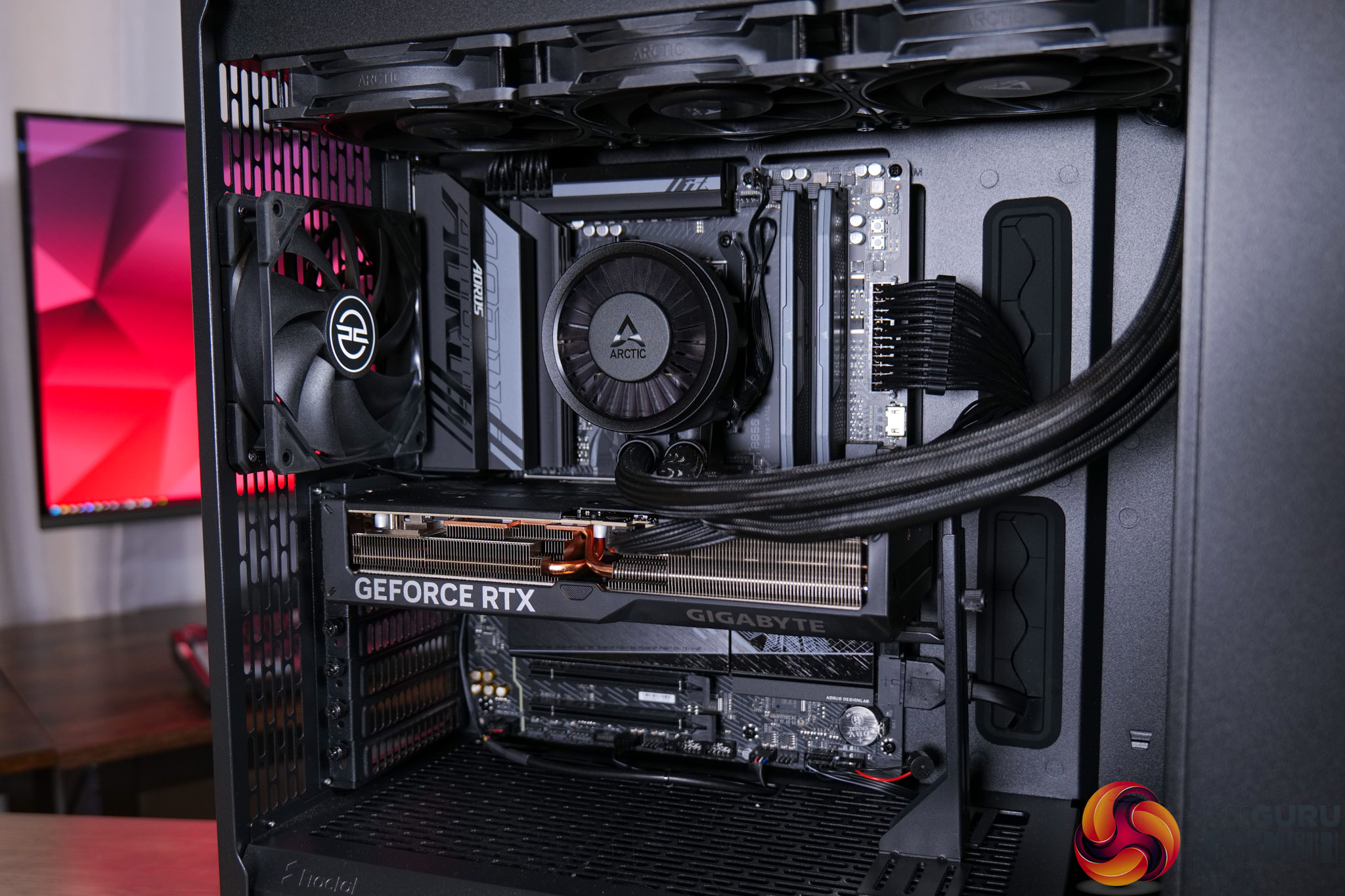
  • Graphics card: 16GB Gigabyte GeForce RTX 5070 Ti Windforce OC V2 (HDMI, 3x DisplayPort)
    • Promotion: Includes Resident Evil Requiem with select GeForce RTX 50 Series
  • 1st M.2 SSD drive: 2TB Crucial P310 PCIe 4.0 NVMe (up to 7100MB/s read, 6000MB/s write)
  • Power supply: Corsair 750W RMe Series ATX 3.1 (modular, Cybenetics Gold)
  • Power cable: 1 x 1.5m UK kettle lead
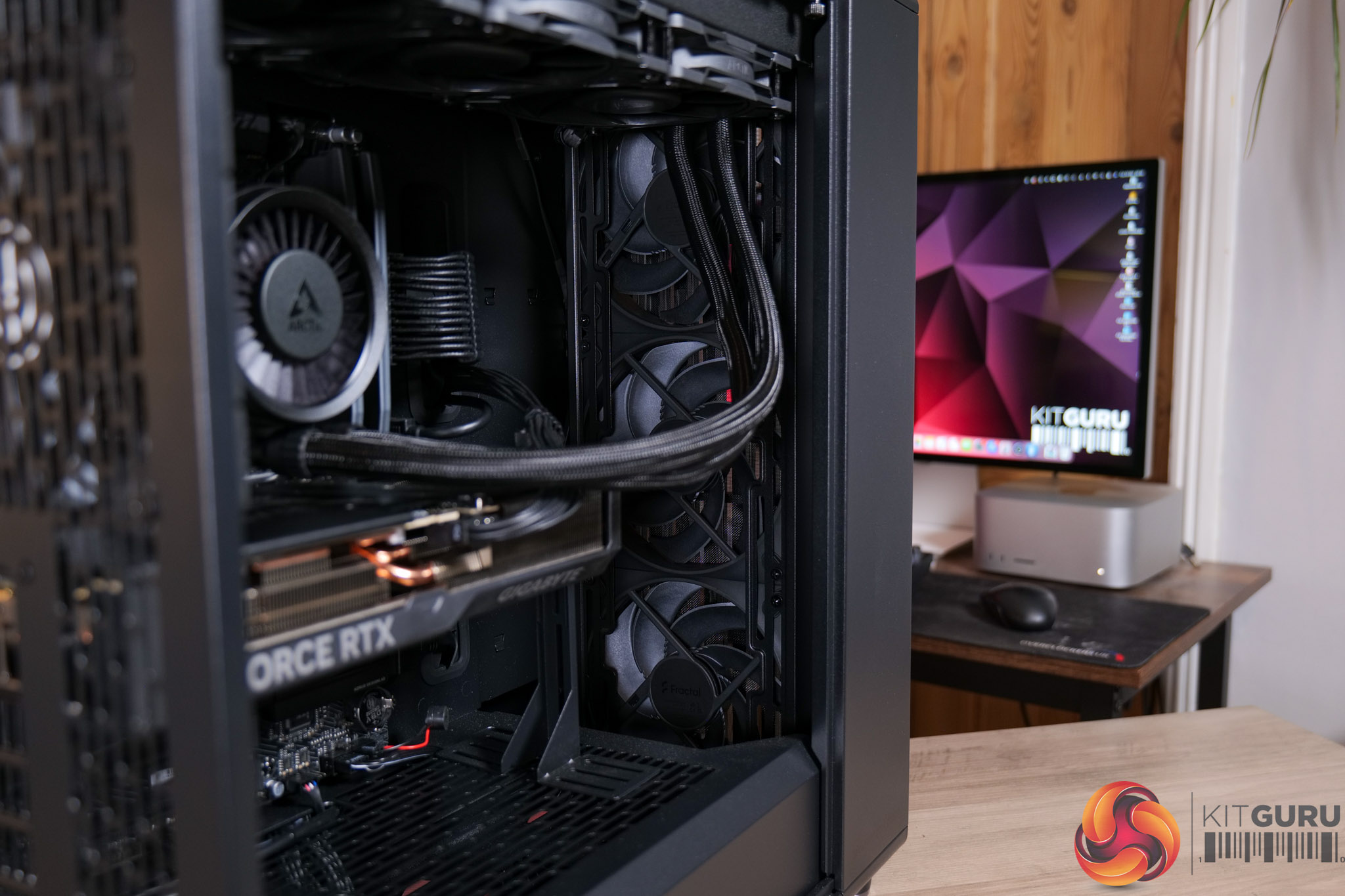
  • Processor cooling: Arctic Liquid Freezer III Pro 360 (black)
  • Thermal paste: Standard thermal paste
  • Extra case fans: 1 x 120mm PCS black fan
  • Sound: Onboard 6-channel (5.1) HD audio
  • Network: Onboard 2.5GbE LAN
  • Wireless: None or onboard Wi-Fi (motherboard dependent)
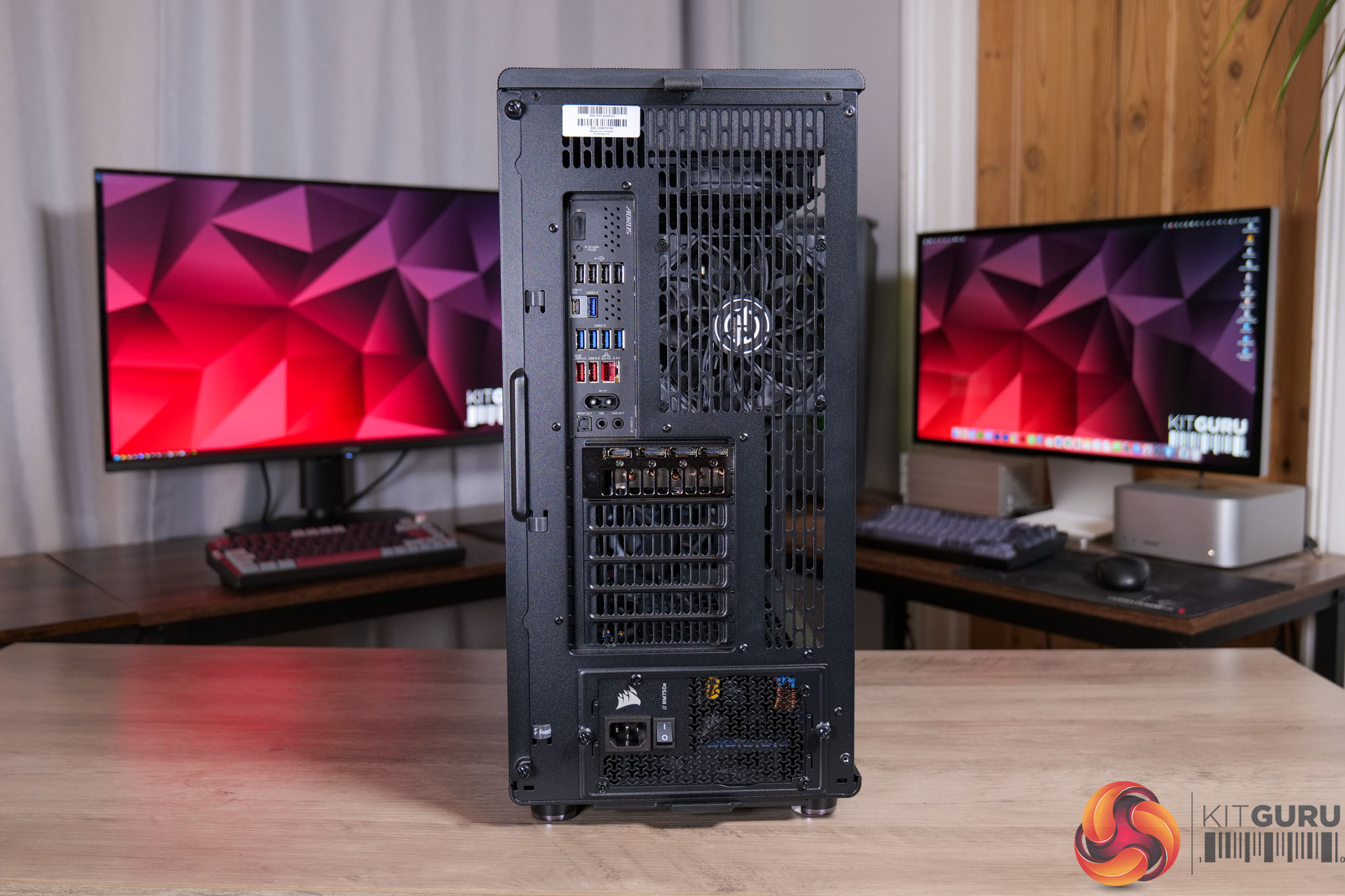
  • USB / Thunderbolt: Minimum 2x USB 3.0 and 2x USB 2.0 (rear), plus minimum 2 front ports
  • Operating system: Windows 11 Home 64-bit (single licence)
  • Operating system language: English (UK)
  • Recovery media: Windows 10/11 multi-language recovery image (downloadable)
  • Office software: Microsoft 365 30-day trial
  • Anti-virus: Norton 360 with Game Optimizer (90-day licence)
  • Browser: Microsoft Edge
  • Warranty: 3-year standard (6-month collect & return, 1-year parts, 3-year labour)
  • Delivery: Standard insured UK mainland delivery (Mon–Fri)

You can buy the Falcon Pro from PCSpecialist for £2599 HERE.

Pros

  • Clean, understated aesthetic.
  • Strong gaming performance, be it 1440p or 4K.
  • 12-core CPU is capable of handling more demanding workloads, too.
  • Impressive thermal results.
  • Beautiful rear cable management.
  • Decent value overall.
  • Already assembled and ready to ship next day.

Cons

  • SSD speeds drop off as it fills up due to DRAM-less and QLC NAND design.
  • Louder than it needs to be, especially for CPU workloads.
  • A couple of minor cable management areas could be improved.
  • Our PSU had the RMe clicking issue, though this would be covered under PCSpecialist's warranty.

KitGuru says: The Falcon Pro is a solid PC for both work and play, and with a couple of minor adjustments, it would be even more impressive.

The post PCSpecialist Falcon Pro Prebuilt Review (9900X3D + 5070 Ti) first appeared on KitGuru.

Apple MacBook Neo Review

20 March 2026 at 12:05

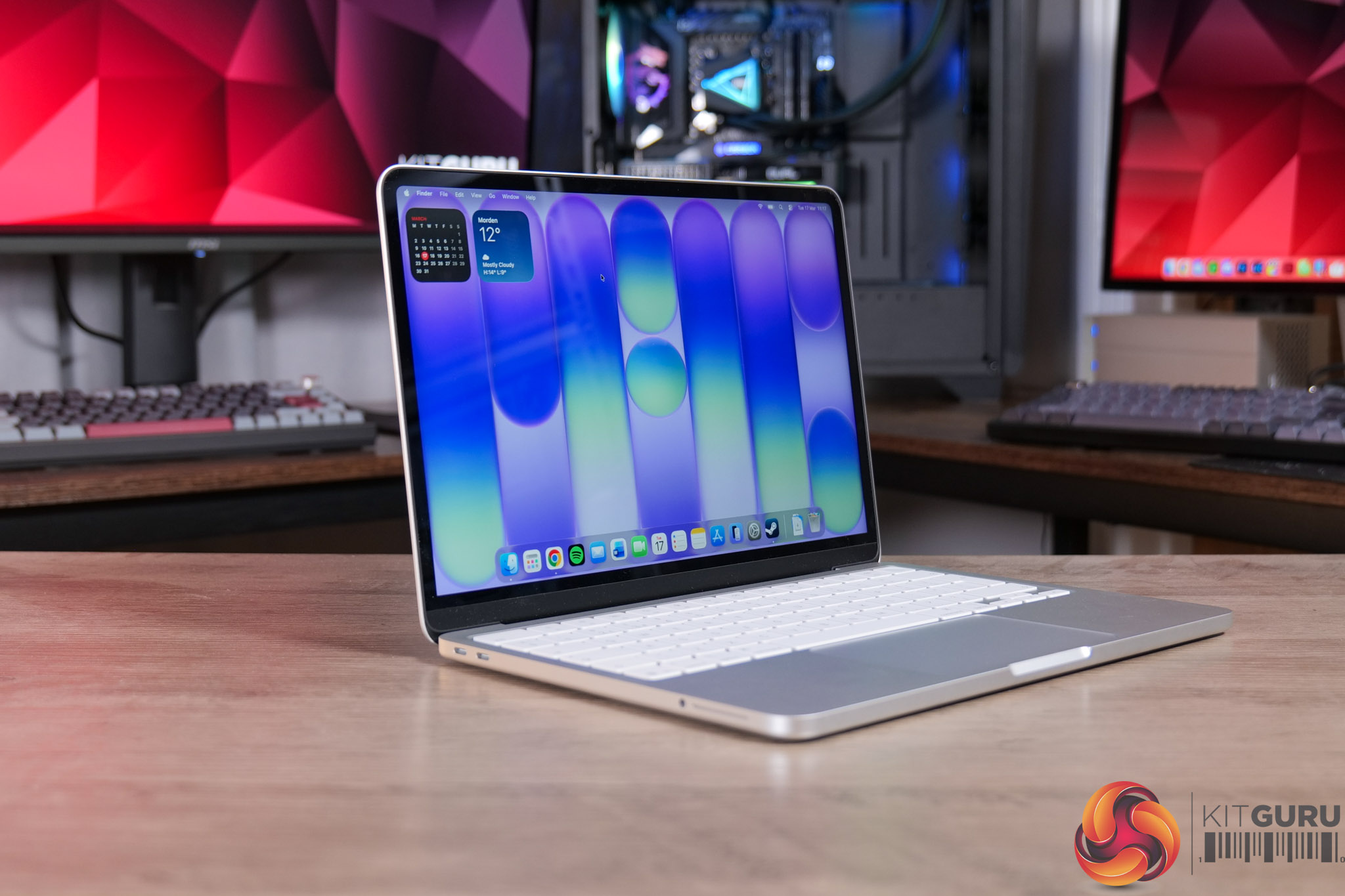
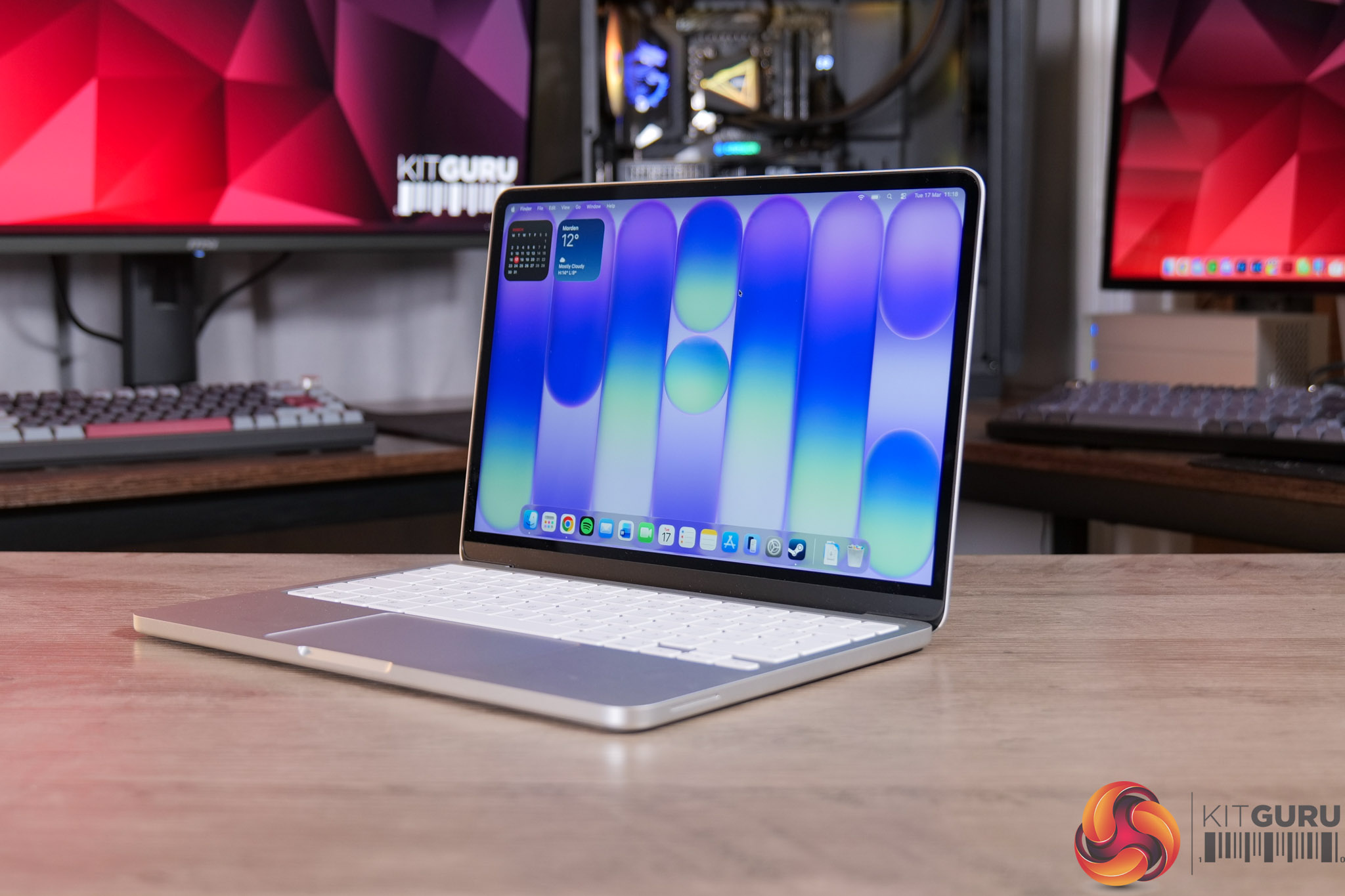
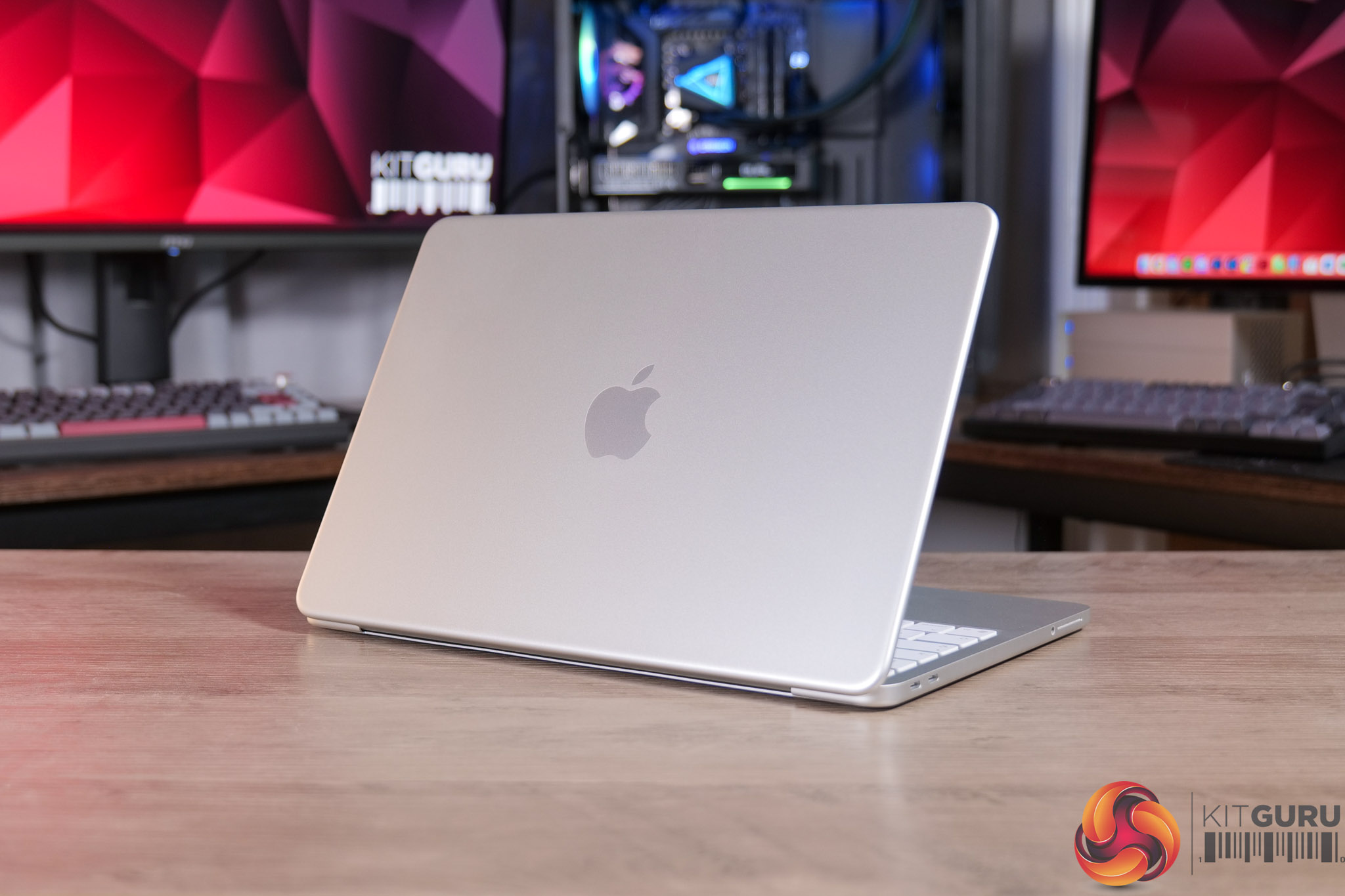
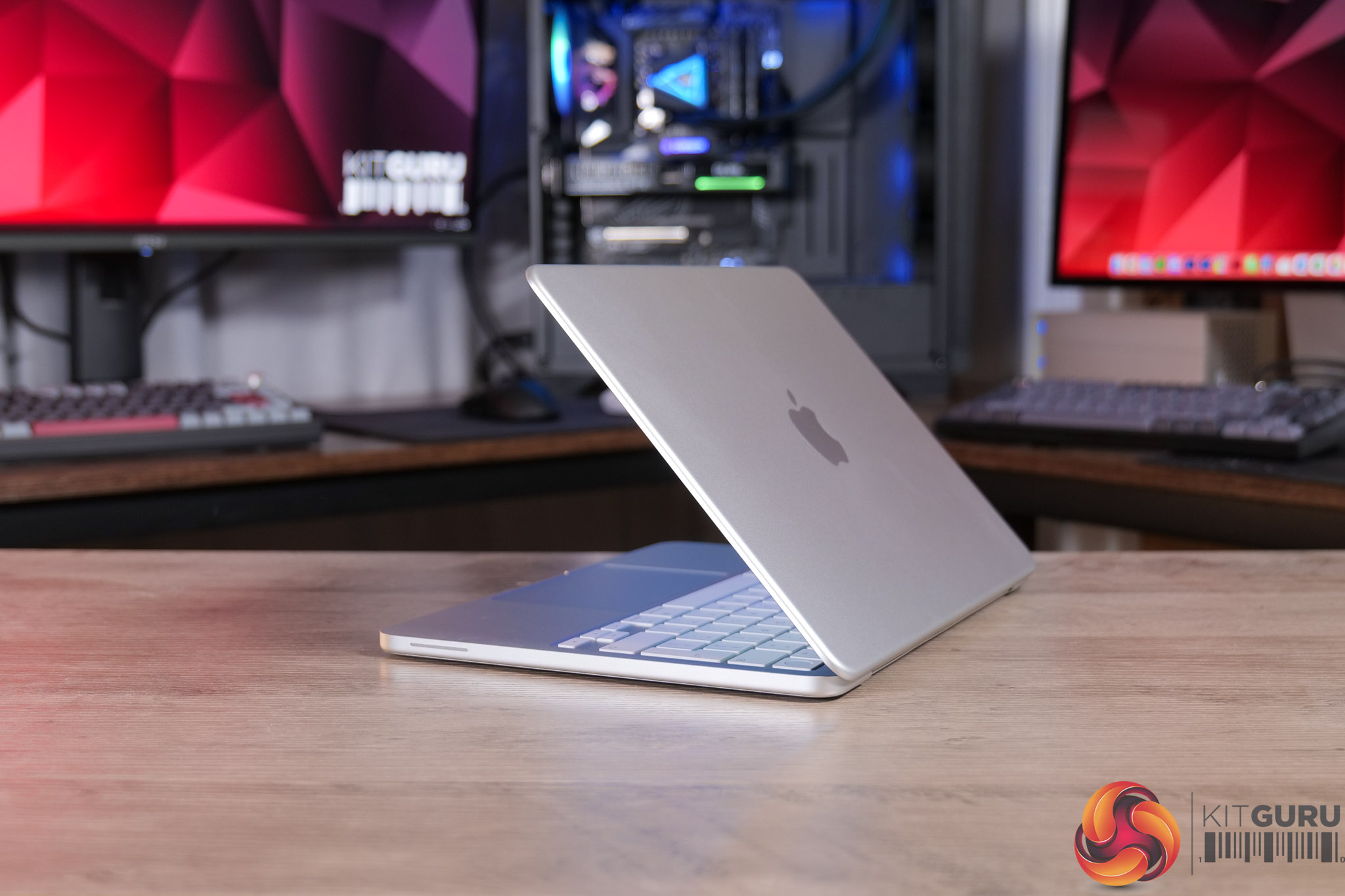
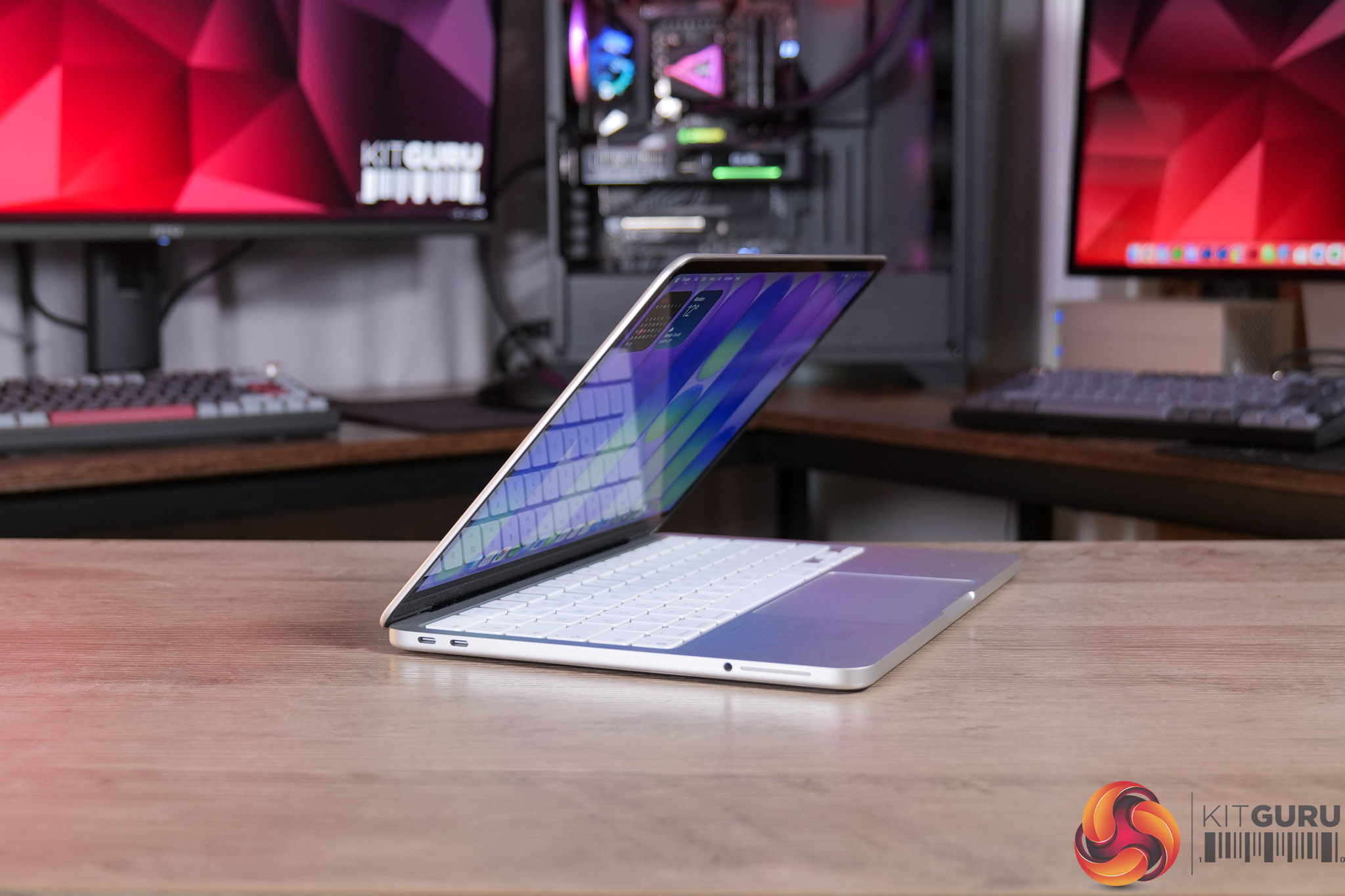
Apple products aren’t something we usually cover here at KitGuru, but when the MacBook Neo was announced as the cheapest MacBook ever, it certainly caught my eye. As a lifelong PC user and enthusiast, I was particularly curious to know exactly how a budget laptop running a mobile processor with just 8GB of RAM would perform – but if, like me, you’re expecting it to be underwhelming – I think you might be in for a bit of a surprise…

Timestamps

00:00 Intro
00:50 Pricing and key info
01:41 Design first impressions
02:30 Keyboard + trackpad
03:12 Webcam and speaker test
04:42 Screen analysis
06:03 Performance testing
07:23 8GB RAM discussion
08:15 Can it game?
08:58 WiFi + thermal camera
09:26 Battery life
10:10 Closing thoughts

Specification

  • Processor: Apple A18 Pro (6-core CPU: 2 performance + 4 efficiency cores)
  • Graphics: 5-core GPU with hardware-accelerated ray tracing
  • Neural engine: 16-core Neural Engine
  • Memory: 8GB unified memory
  • Storage: 256GB or 512GB SSD
  • Display: 13-inch Liquid Retina display (2408 x 1506), 500 nits brightness, 1 billion colours
  • Pixel density: 219 PPI
  • Media engine: Hardware-accelerated H.264, HEVC, ProRes and ProRes RAW; AV1 decode
  • Camera: 1080p FaceTime HD
  • Audio: Dual speakers with Spatial Audio support; dual microphone array
  • Wireless: Wi-Fi 6E, Bluetooth
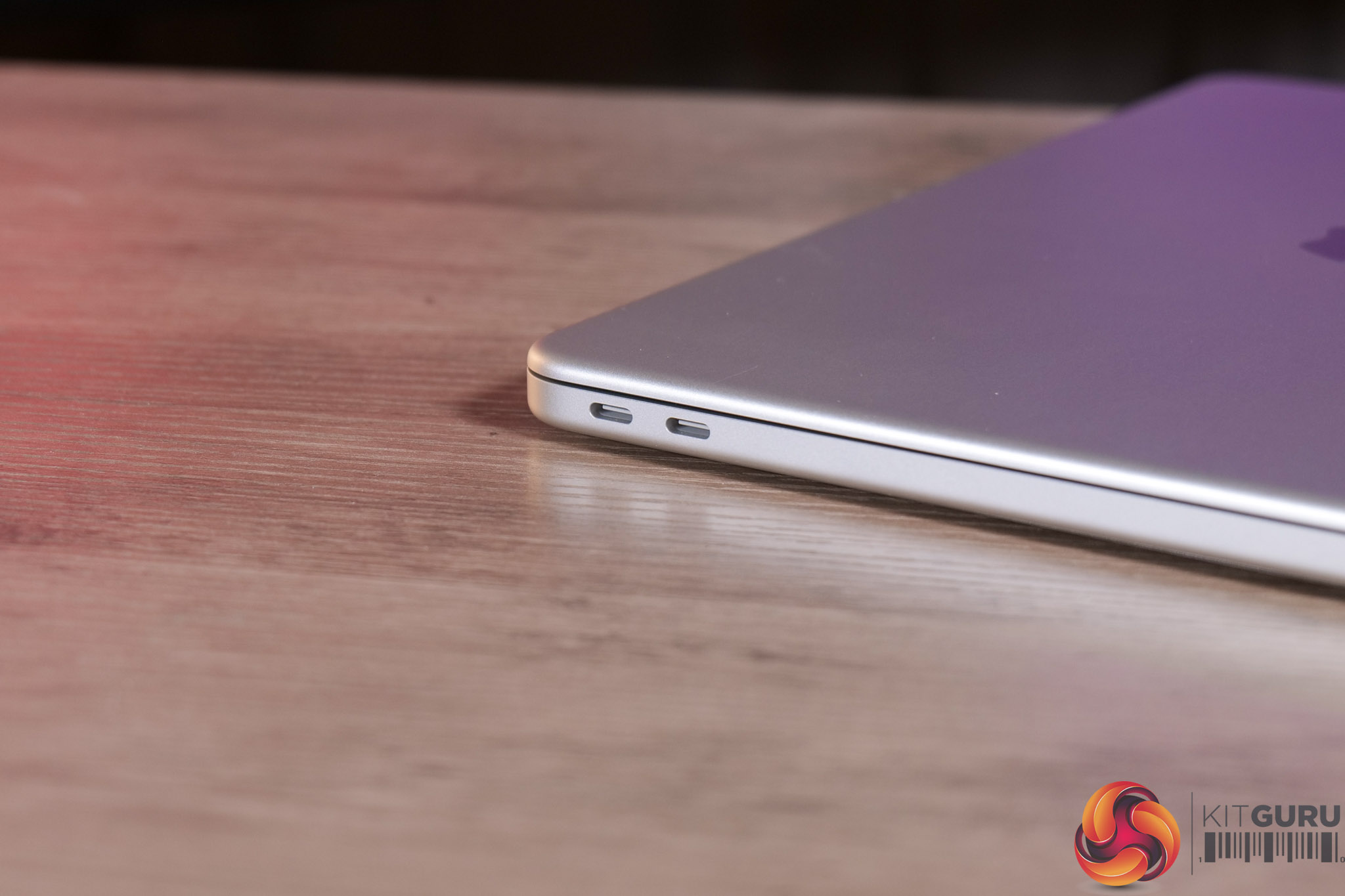
  • Ports: 2x USB-C (USB 3 / USB 2 mix), 3.5mm headphone jack
  • Battery life: Up to 16 hours
  • Keyboard: Magic Keyboard with multi-touch trackpad
  • Security: Touch ID (on select configurations)
  • Operating system: macOS
  • Colours: Silver, Indigo, Blush, Citrus
  • Dimensions: approx. 297.5 x 206.4 x 12.7 mm
  • Weight: approx. 1.23 kg

You can buy the MacBook Neo directly from Apple HERE. The 256GB model is £599, while the 512GB model (with Touch ID) is £699. Education discount is also available for £100 off HERE.

Pros

  • Beautiful aluminium body.
  • Bright and accurate screen.
  • A18 Pro gets the job done with ease for light tasks.
  • Solid battery life.
  • MacOS is as good as ever.
  • Keyboard and trackpad perform well.
  • Speakers offer good clarity considering it's just a pair of side-firing drivers.
  • Very good value, especially if you get the education discount.

Cons

  • More memory would be welcome.
  • Just two USB-C ports, one of which is USB 2.0, and neither have MagSafe.
  • Webcam is passable but not super high quality.
  • Keyboard isn't backlit.

KitGuru says: Apple's MacBook Neo is an impressively well-rounded laptop considering the asking price. It's not designed for the power user, but if you want something that just works for general use, this is a great option.

The post Apple MacBook Neo Review first appeared on KitGuru.

iiyama ProGraphic HB2701UHSNP Review (4K/60Hz Professional Monitor)

11 March 2026 at 10:08

Today we're checking out a monitor from iiyama's new ProGraphic lineup. As the name suggests, it's a family of displays geared towards professionals and creatives, rather than the gaming audience that we'd associate with the company's G-Master range. Specifically, we are analysing the HB2701UHSNP, sporting a 27in diagonal and 4K resolution. It's also packing in one of LG's new IPS Black 2.0 panels, designed to increase contrast, while iiyama also claims 99% DCI-P3 coverage.

Right now, iiyama's ProGraphic lineup consists of two models – the HB2701UHSNP we are reviewing today, along with the HB3201UHSNP. Both are very similar overall, built on IPS Black 2.0 technology with a wide colour gamut, but the latter is slightly larger at 32in.

On top of the new IPS panel technology, iiyama highlights wide colour gamut, Pantone Validated colours, sharp visuals thanks to the UHD resolution, alongside an anti-glare screen coating and useful features like a KVM switch.

Here in the UK, the HB2701UHSNP is retailing for just under £500, so let's see what it can bring to the table.

Specification:

  • Design: 4-side edge-to-edge
  • Diagonal: 27″, 68.5 cm
  • Panel: IPS Black 2.0, matte finish
  • Native resolution: 3840 x 2160 @60Hz (8.3 megapixel 4K UHD)
  • Aspect ratio: 16:9
  • Panel brightness: 450 cd/m²
  • Static contrast: 3000:1
  • Advanced contrast: 80M:1
  • Response time (GTG): 4 ms
  • Viewing zone: horizontal/vertical 178°/178°, right/left 89°/89°, up/down 89°/89°
  • Colour support: 1.07B 8-bit (DCI-P3 99%, sRGB 100%, NTSC 72%)
  • Horizontal sync: 30 – 140 kHz
  • Viewable area (W x H): 596.7 x 335.7 mm (23.5 x 13.2″)
  • Pixel pitch: 0.155 mm
  • Colour: matte black
  • Signal input: HDMI x1 (v2.0), DisplayPort x1 (v1.2), USB-C x1 (Power Delivery 96W)
  • Signal output: DisplayPort x1 (Daisy Chain MST up to 3840 x 2160)
  • USB hub: 4x (3x USB 3.2 Gen1 Type-A 5Gbps 4.5W, 1x USB Type-C 5Gbps 15W)
  • USB-C dock: 1x (Power Delivery 96W, LAN, DP out, USB 3.2 Gen1 5Gbps; not supported on Mac)
  • HDCP: Yes
  • Headphone connector: Yes
  • RJ45 (LAN): 1x
  • KVM switch: Yes
  • Blue light reducer: Yes
  • Flicker free: Yes
  • Extra features: Delta E <2.0, EyeComfort, Low Blue Light panel, Eyesafe® Certified, Pantone Validated™, AGLR polarizer (anti-glare low reflective)
  • HDR: HDR400
  • Speakers: 2 x 2W
  • Convenience: Kensington-lock™ prepared, DDC/CI, DDC2B
  • Display position adjustments: height, swivel, tilt, pivot
  • Height adjustment: 150 mm
  • Rotation (pivot): 90°
  • Swivel stand: 360° (180° left / 180° right)
  • Tilt angle: 23° up / 5° down
  • VESA mounting: 100 x 100 mm
  • Cable management system: Yes

Firmware tested: V101

The post iiyama ProGraphic HB2701UHSNP Review (4K/60Hz Professional Monitor) first appeared on KitGuru.

ASUS ROG GR70 Mini PC Review (9955HX3D + 5060)

27 February 2026 at 14:59

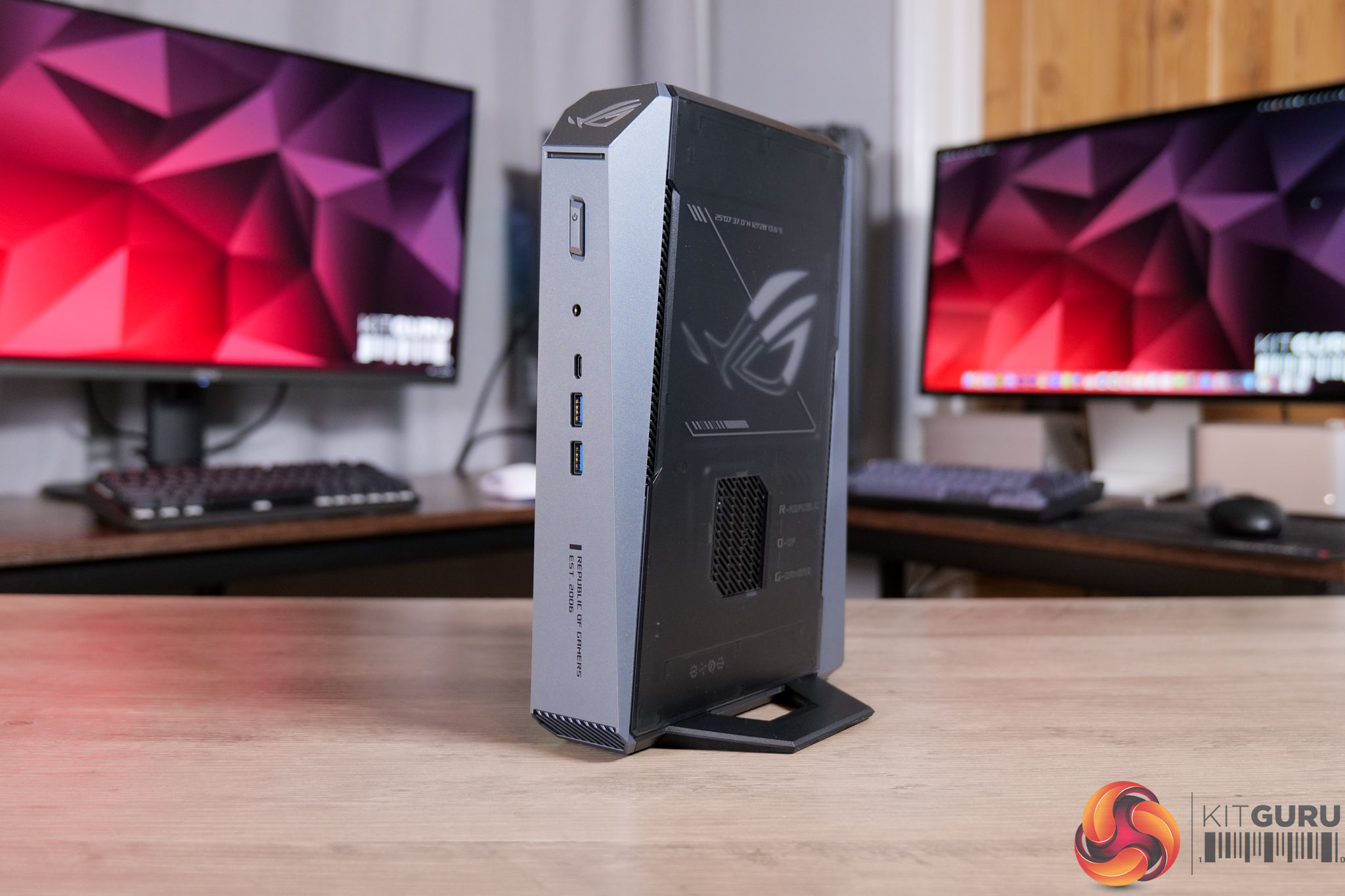
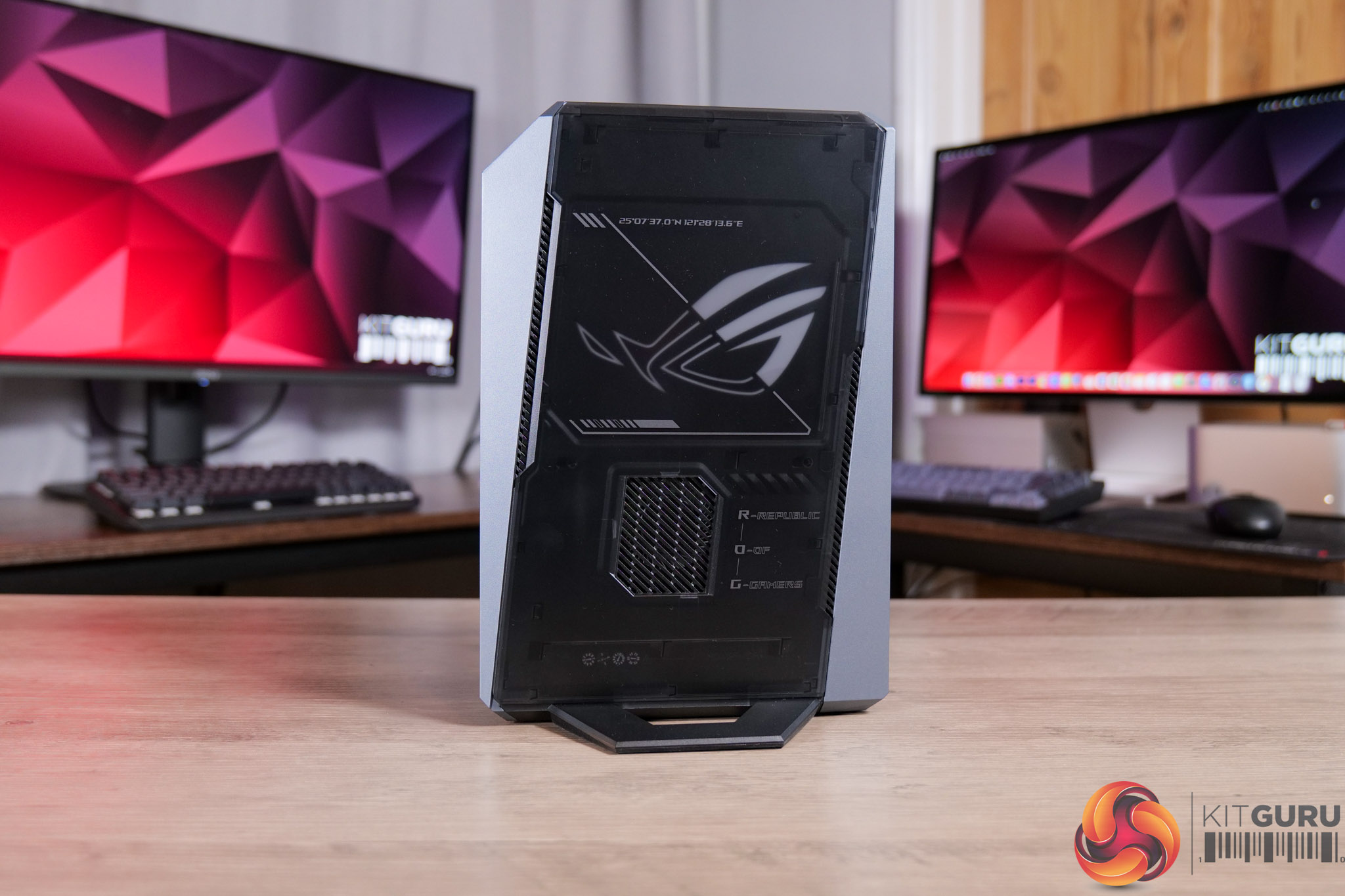
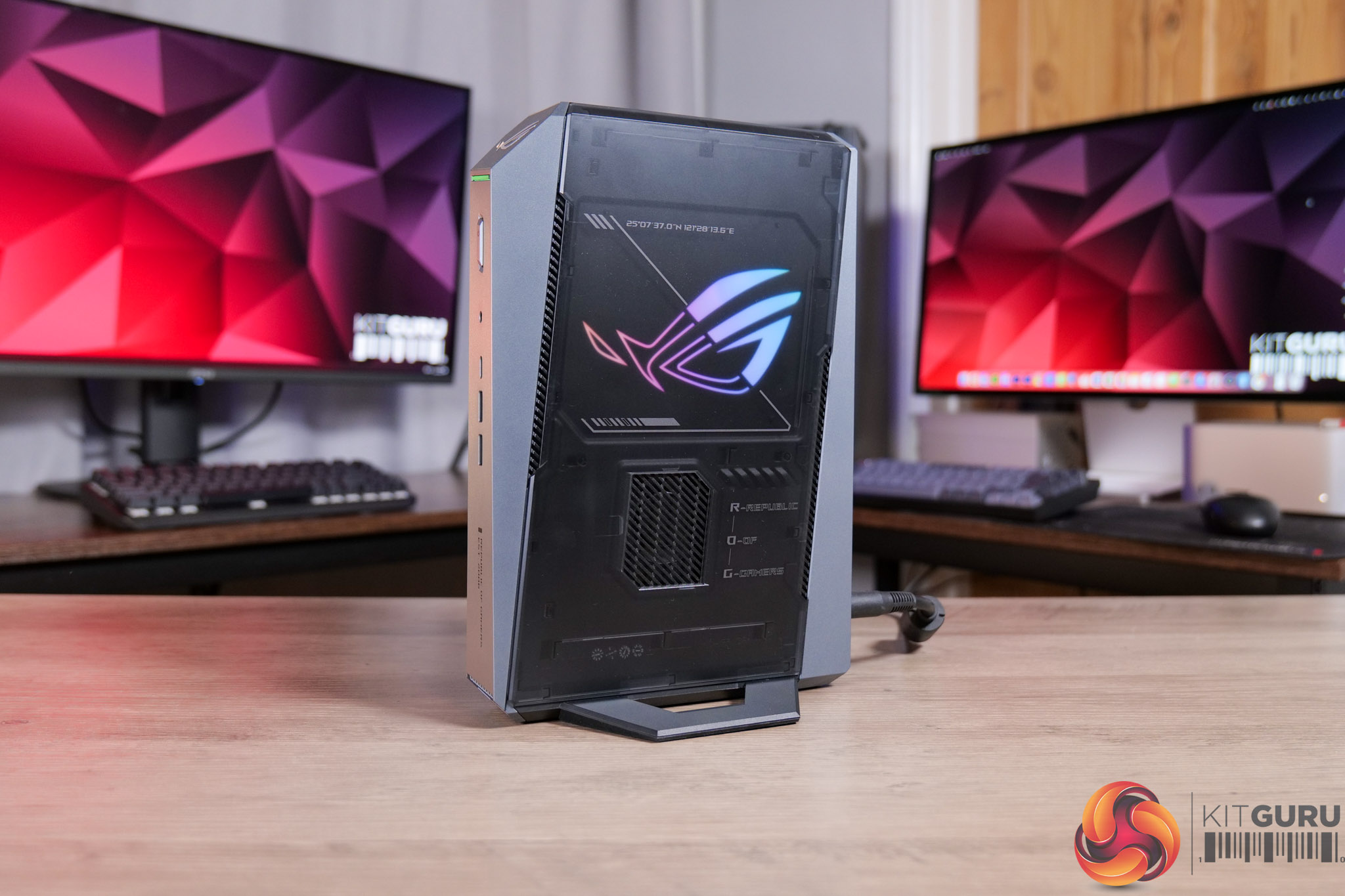
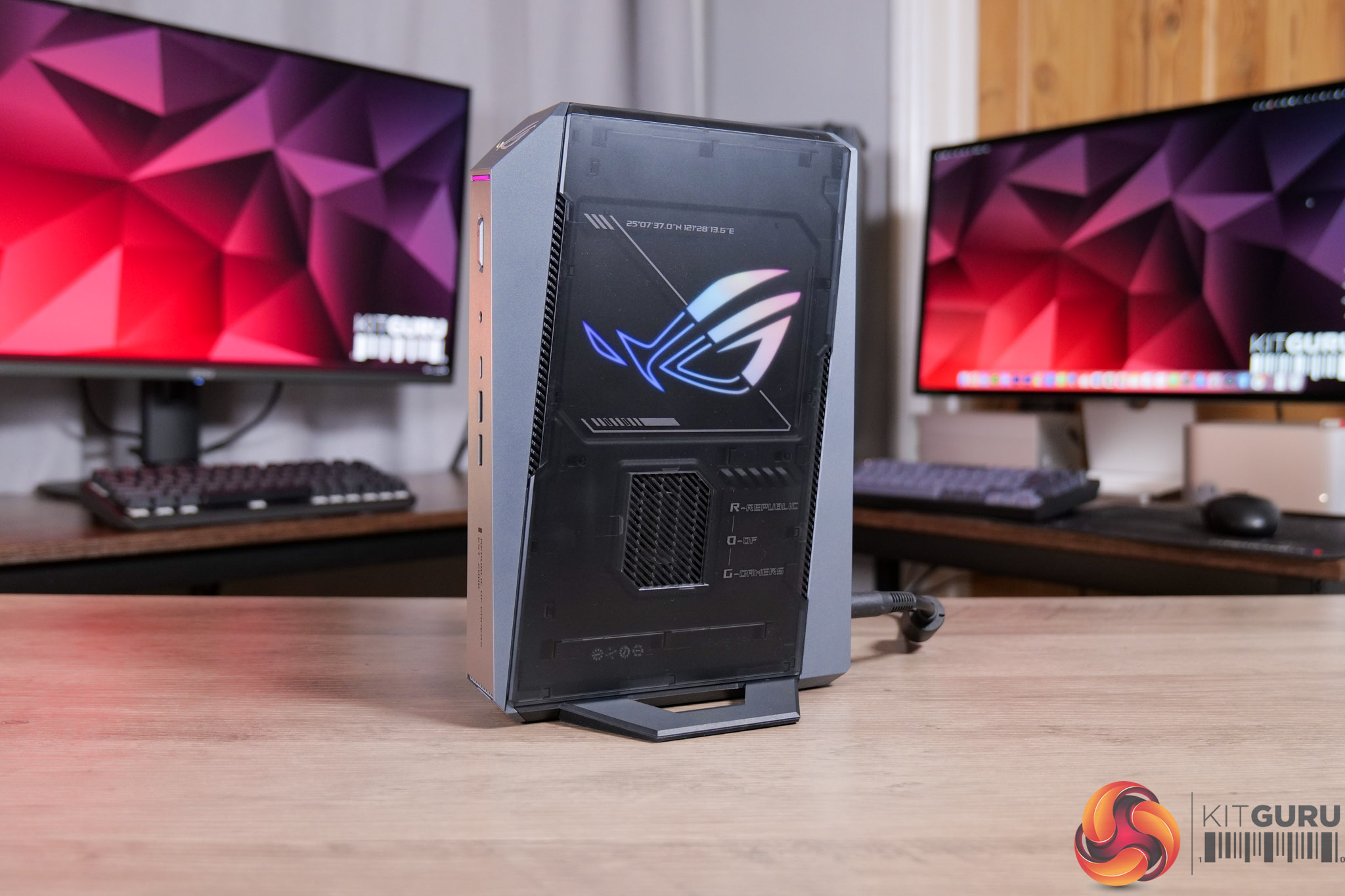
Today we’re checking out the ASUS ROG GR70 gaming mini PC. Not to be confused with the ROG NUC – although they look basically identical – the GR70 packs in a Ryzen 9 9955HX3D CPU instead of an Intel Core Ultra processor. Given NUC used to be an Intel product line, which ASUS then took on, I wonder if that’s why it’s not part of the NUC family. Either way, it’s a tiny machine that's focused solely on gaming, including discrete Nvidia graphics and that high-end Ryzen X3D CPU. Let’s find out just how good the GR70 is…

Timestamps:

00:00 Intro
00:59 Spec and pricing
02:01 Design first impressions
02:45 Connectivity options
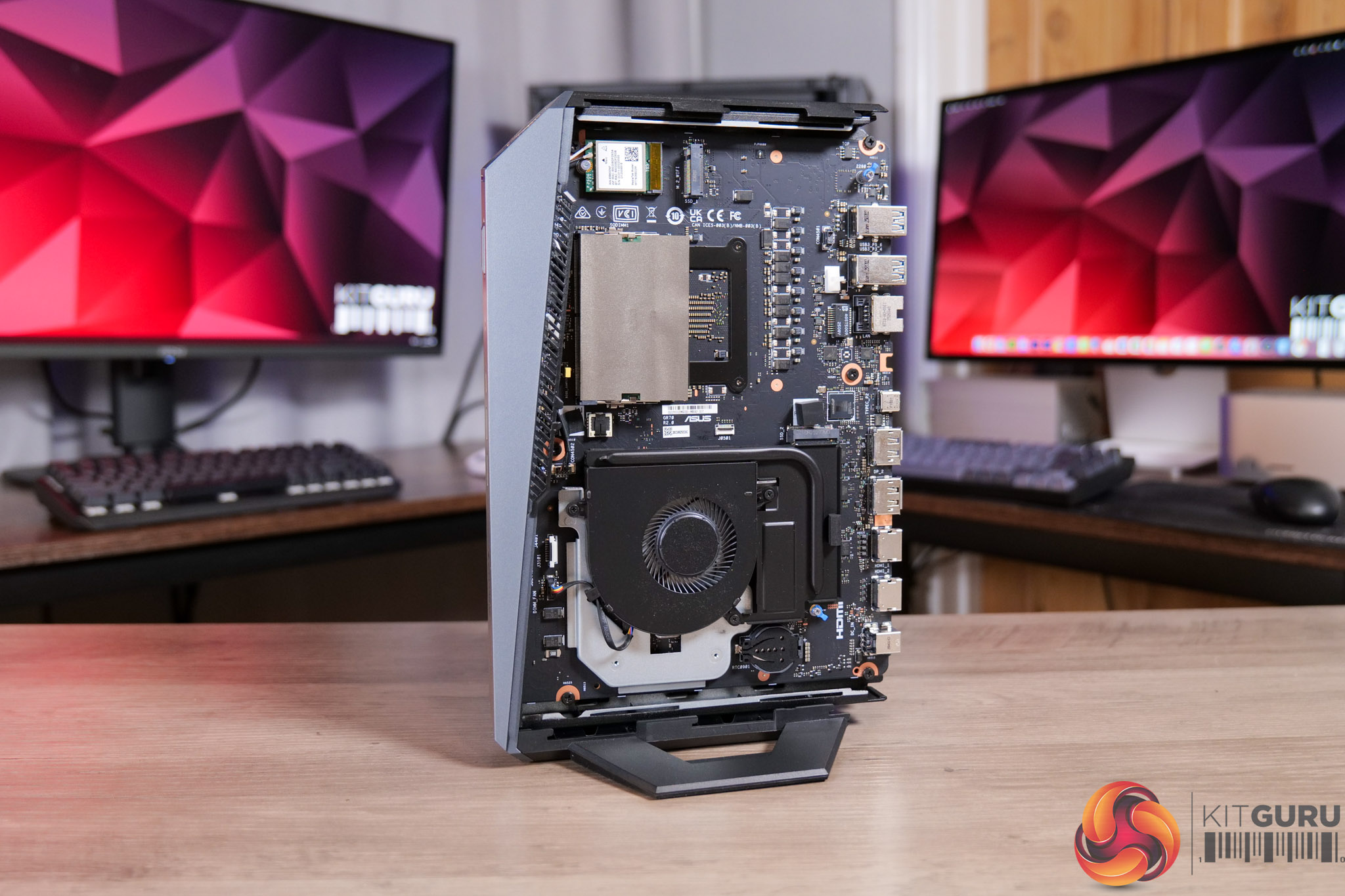
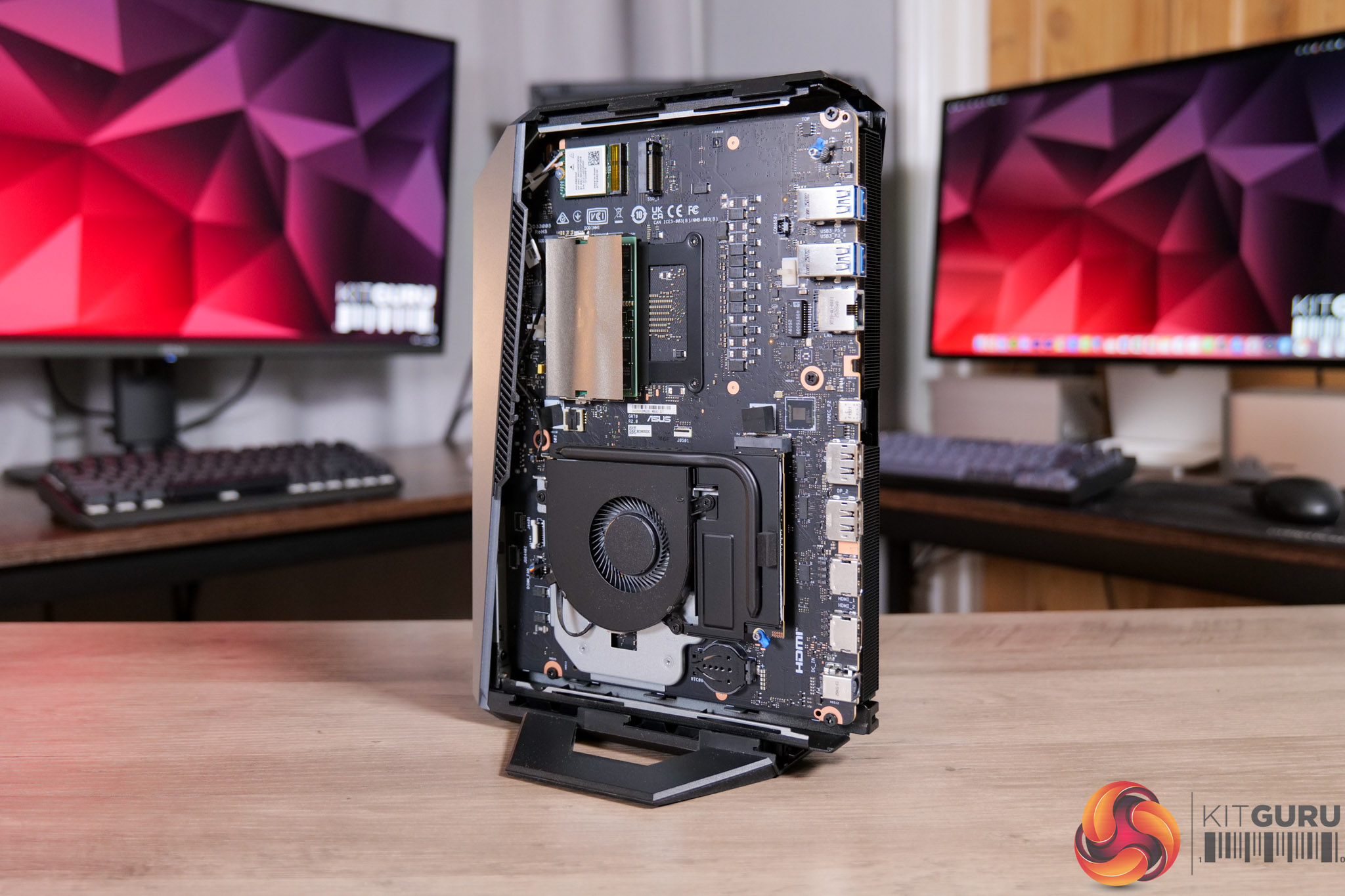
03:29 Accessing the internals
05:07 Testing modes and behaviour
06:57 Noise tests
08:18 Game benchmarks
12:02 Gaming perf vs a full-size desktop
14:02 Closing thoughts

Specification:

  • Operating system: Windows 11 Home
  • CPU: AMD Ryzen™ 9 9955HX3D Processor (cTDP 70W)
  • Chipset: Integrated
  • Graphics (integrated): AMD Radeon™ Graphics 610M
  • Graphics (discrete): NVIDIA® GeForce RTX™ 5070 Laptop GPU (100W + 15W Dynamic Boost, 8GB GDDR6)
  • Memory: 32GB DDR5-5600 SO-DIMM included; maximum 96GB (48GB DDR5-5600 x2). *Dual-channel configuration required for optimal performance
  • Storage: 1TB M.2 NVMe™ PCIe® 4.0 SSD included; supports 512GB–2TB M.2 2280 NVMe™ PCIe® 4.0 x4 or 1TB–2TB M.2 2280 NVMe™ PCIe® 5.0 x4 SSD
  • Wireless: Wi-Fi 7 (Gig+), Bluetooth® 5.4
  • LAN: 10/100/1000/2500 Mbps (2.5G LAN)
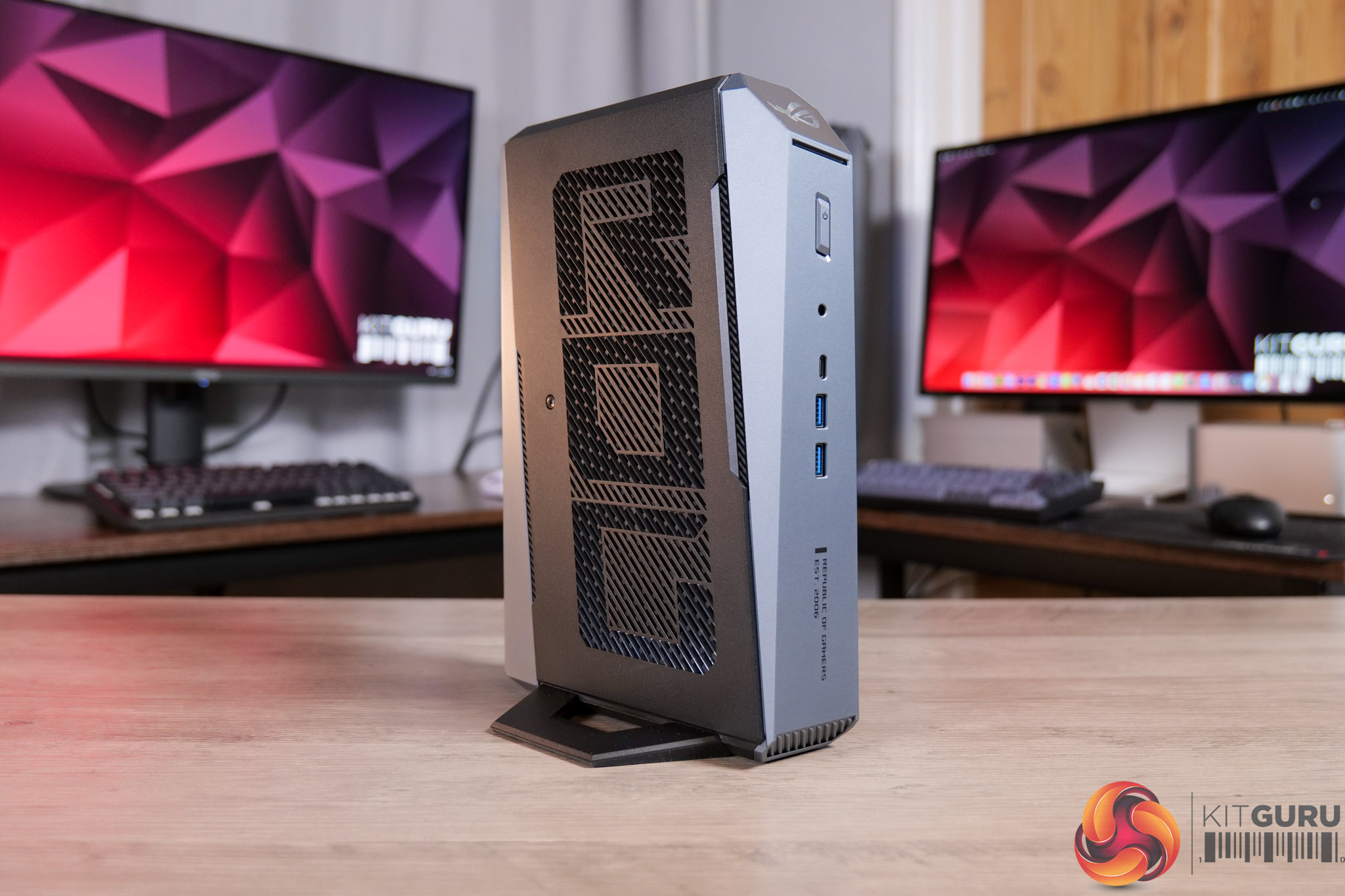
  • Front (side) I/O ports:
    • 1x USB 3.2 Gen2 Type-C (5V/3A, 10Gbps)
    • 1x USB 3.2 Gen2 Type-A (5V/0.9A, 10Gbps)
    • 1x Audio jack (Line out / Mic in / Headphone out)
    • 1x Power button
    • 1x LED light bar
    • 1x ROG ARGB LED panel (side)
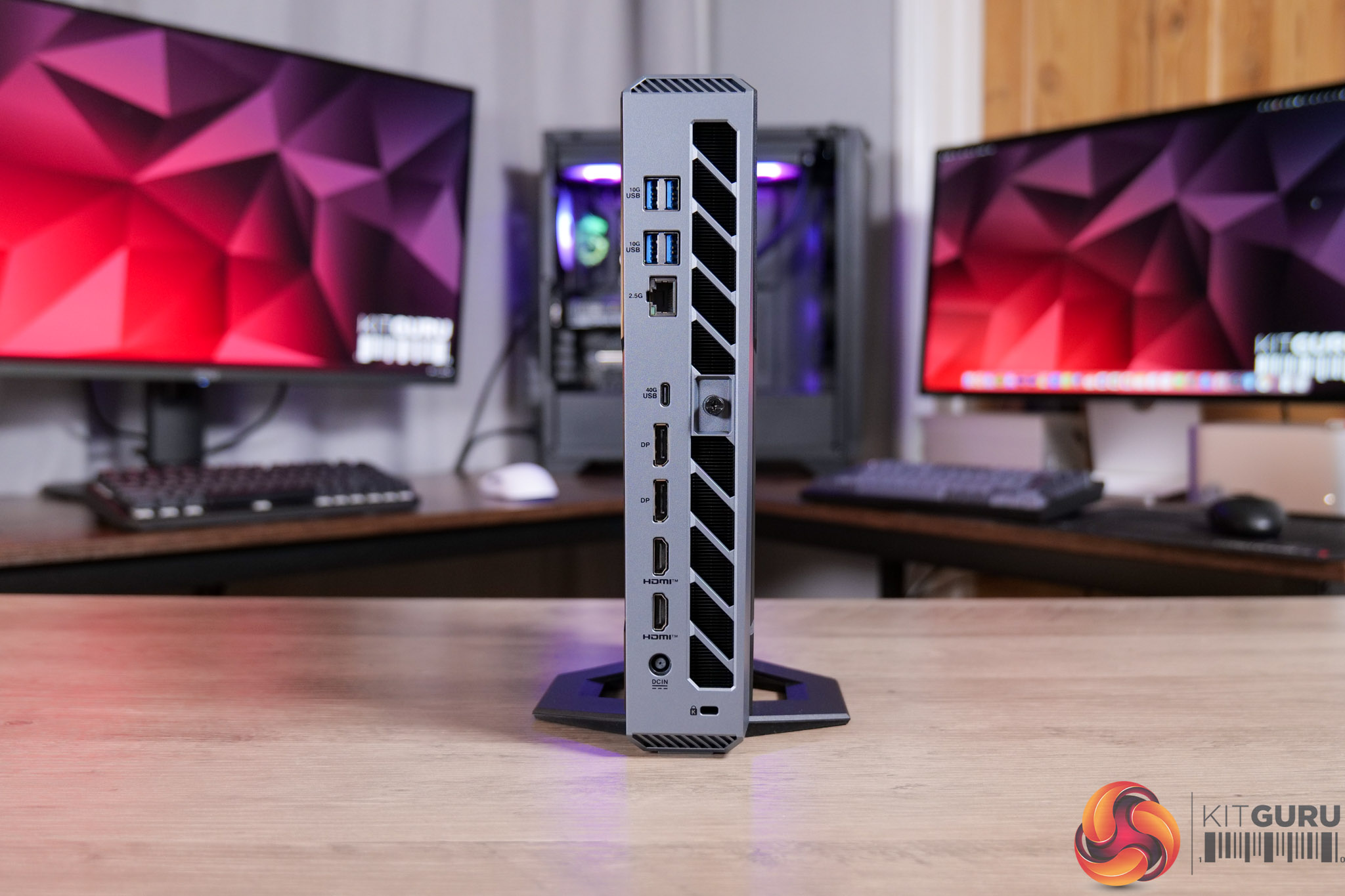
  • Back I/O ports:
    • 1x USB 4.0 Type-C (DP 1.4, 5V/3A, 40Gbps)
    • 1x USB 3.2 Gen2 Type-A (5V/0.9A, 10Gbps)
    • 2x HDMI 2.1 (up to 4K @60Hz)
    • 2x DisplayPort 2.1
    • 1x 2.5G RJ45 LAN
    • 1x Kensington lock slot
    • 1x DC-in
  • Multi-display support: Up to 5 displays simultaneously
  • Power supply: 330W adapter with power cord
  • Dimensions (W x D x H): 282.4 x 187.7 x 56.6 mm
  • Weight: 2.75 kg
  • Color: Star Grey
  • Accessories: AC adapter, power cord, user manual, warranty card

It's worth noting that we were sent a ‘reviewer's special' of the GR70, given our sample packs in the 9955HX3D CPU, but that sits alongside RTX 5060 Laptop graphics – which doesn't appear to be a configuration that ASUS is actually selling. The gaming performance shown in our video is therefore likely to be slightly below what an actual retail unit will deliver, though both 5060 and 5070 Laptop chips have 8GB VRAM.

Pricing and availability is also unconfirmed at the time of writing, but we have reached out to ASUS and will update this review when we have more information. No doubt the ROG GR70 will be expensive and it will certainly have a price premium over an equivalent desktop machine, you will just have to decide how much of a premium you are happy to pay considering the ultra small form-factor.

Pros

  • Tiny and sleek machine.
  • Impressive CPU and GPU grunt considering its size.
  • 4K gaming is possible in certain titles, when using DLSS Performance.
  • Very easy to access the internals.
  • Strong I/O.

Cons

  • CPU hit 100C in intensive all-core workloads.
  • Gets very loud at the same time (though is much quieter for gaming).
  • Pricing and availability is not yet confirmed, though it's likely to be very expensive.

KitGuru says: The ROG GR70 is a properly gaming-focused mini PC. It's not perfect, and using it for more than just gaming – like some intensive CPU workloads – may not be the best idea due to the thermal situation. However, if you just want a tiny PC that is capable of properly playing the latest AAA games, this is well worth a look.

The post ASUS ROG GR70 Mini PC Review (9955HX3D + 5060) first appeared on KitGuru.

PCSpecialist responds to our Element Elite R article

20 February 2026 at 13:30

Yesterday we published an article and accompanying video, detailing the Element Elite R prebuilt PC that we were sent by PCSpecialist. We demonstrated how the system had been built improperly, resulting in the PCIe riser cable completely blocking one of the two AIO cooler fans. We reached out to PCSpecialist with our findings and questions and have today received a full response.

If you haven't already, be sure to check out on the original article and video which explored everything in detail, and the issues raised by our findings. We had already reached out to PCSpecialist before publishing to let them know what we had found, inviting a response to our article. Dialogue opened yesterday and today we were sent a full statement from the company.

First and foremost, it was good to see the company took responsibility for the issue, with a statement from John Medley, PCSpecialist Head of Sales & Marketing, agreeing that the issue shown ‘should not have happened' and was clearly ‘short of the high standards we hold ourselves to and that our customers rightly expect from us.'

The statement also gave additional context to the build error. According to Medley, TR100 builds are a recent addition to PCSpecialist configurators and the number of systems using the case ‘to date is very small, they represent just 0.08% of orders since it was introduced'. Furthermore, most of those builds were configured with a low-profile air cooler – specifically the be quiet! Pure Rock LP – so even fewer use an AIO with this case. On top of that, the statement says PCSpecialist reviewed the database of customer orders and found ‘that there are no customer orders built into the TR100 at risk of potentially overheating'.

Images above provided by PCSpecialist.

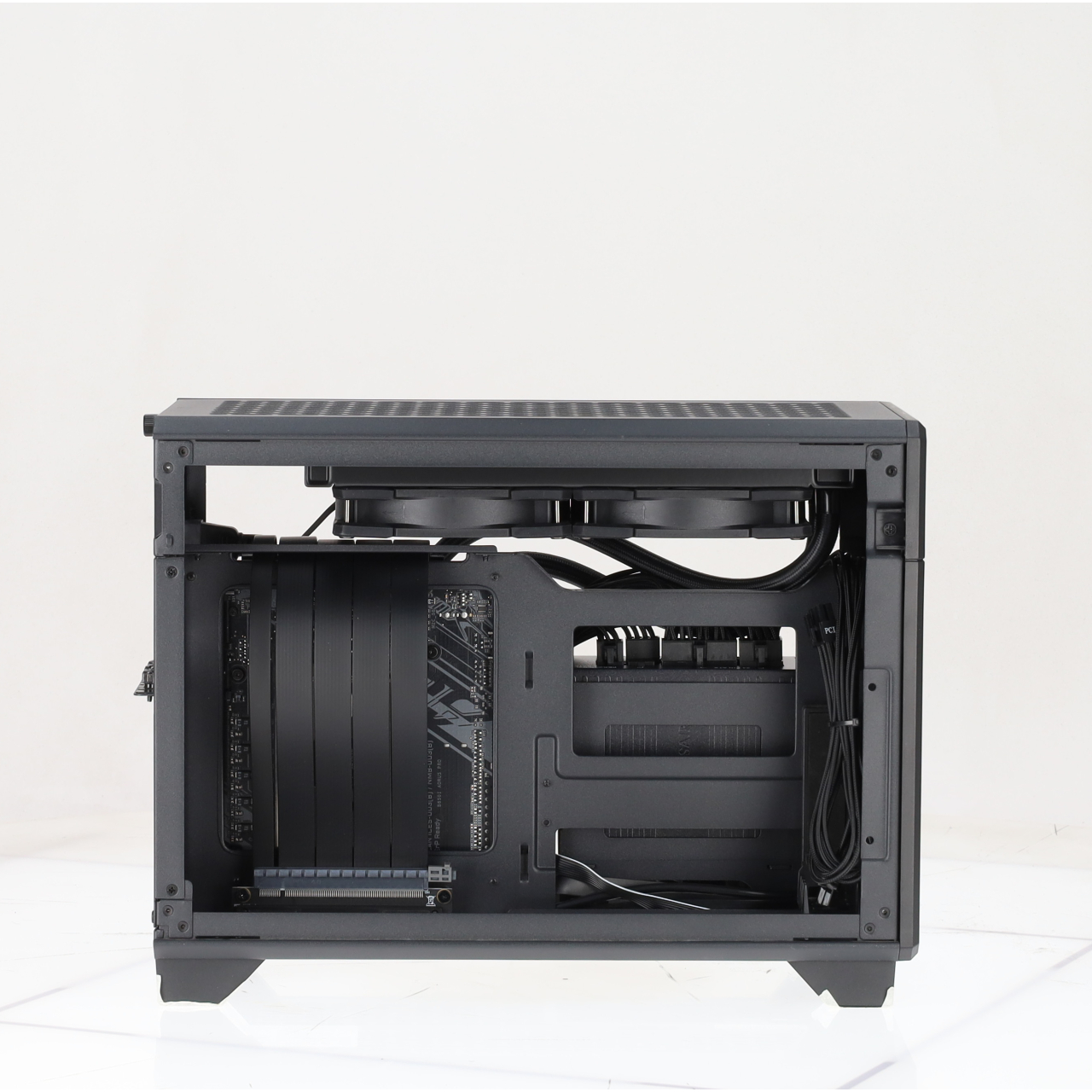
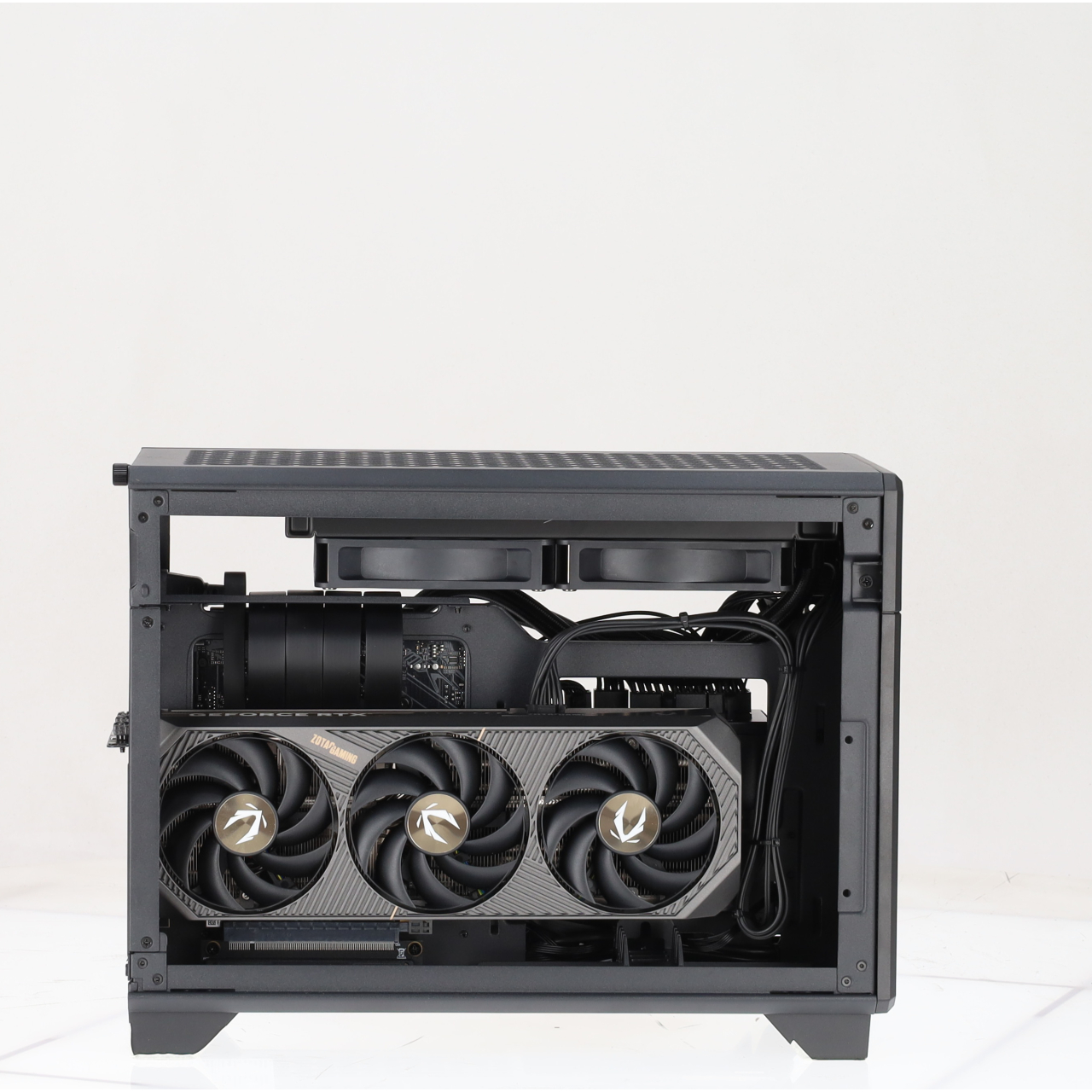
To illustrate the point, we were also provided with the above images from PCSpecialist's build preview tool, showing proper routing of the PCIe riser cable for these systems built into the TR100 chassis.

As to how this managed to happen in the first place, Medley told us that PCSpecialist's standard process ‘includes both a visual inspection and functional stress tests. In this instance, the bracket/stuck fan was not caught at either stage. We are reviewing why that was the case and updating our processes to ensure case-specific requirements are explicitly signed off before any system is dispatched. This will apply to all new chassis going forward.'

On top of that, PCSpecialist emphasised that ‘retrospective training has already begun to further improve the quality of our builds', and while the company acknowledged that mistakes can happen as each system is hand-built, Medley said that PCSpecialist is using this as ‘an opportunity to strengthen our processes, improve our training, and to continue developing our skilled team.'

Lastly, PCSpecialist emphasised the importance of ‘independent scrutiny' and rightly pointed out that the vast majority of prebuilt PCs that we have reviewed from them in the past, have been positively received. In closing, Medley told us the following: ‘We have listened, we have taken the feedback onboard, and we can assure your readers that action has been taken to improve even more moving forwards.'

KitGuru says: Thanks to PCSpecialist for providing with us with such a detailed response. While we would have liked to avoid this situation in the first place, the company certainly seems to be taking the matter seriously and improving its processes as a result.

For transparency, the full statement provided to us by John Medley is copied below:

First and foremost, the build error identified in your review should not have happened. The bracket was not correctly utilised, and this clearly falls short of the high standards we hold ourselves to and that our customers rightly expect from us.

We also want to acknowledge the value of independent scrutiny of this kind. Honest reviews give your audience confidence that coverage is not influenced by the brands being reviewed.

Addressing your questions:

We cannot publicly share exact sales data, but we want to provide context. The TR100 has only recently been added to our configurators and units built to date is very small, they represent just 0.08% of orders since it was introduced. The majority of those have been configured with a low-profile air CPU cooler (be quiet! Pure Rock LP), meaning the pool of TR100 builds with a 240mm AIO is smaller still. Whilst not utilising the bracket correctly is the primary issue; our immediate focus has been on TR100 + 240mm AIO builds, specifically where the potential impact could be more severe.

The automated photography of each customer build has been referenced in the article, video, and comments. To clarify, this process is fully automated so the images are not taken or edited by a staff member, and they are captured without power, meaning fans don’t spin and lighting will not be illuminated.

In reviewing the database of customer order images potentially impacted by this issue, we are pleased to confirm that there are no customer orders built into the TR100 at risk of potentially overheating. Things to keep in mind:

  • The TR100 is a niche product with low sales volume, so the pool of potentially impacted sales was very small.
  • The majority of TR100 system orders have been ordered with a be quiet! Pure Rock LP cooler, which does not have a radiator or top mounted fans.
  • We have dozens of system builders within our team, thankfully most have followed the correct process and are utilising the bracket correctly.

Our standard build and QC process includes both a visual inspection and functional stress tests. In this instance, the bracket/stuck fan was not caught at either stage. We are reviewing why that was the case and updating our processes to ensure case-specific requirements are explicitly signed off before any system is dispatched. This will apply to all new chassis going forward.

Each order is tracked throughout production, and every stage is logged by a staff member. This has allowed us to trace each order back through the production process and retrospective training has already begun to further improve the quality of our builds. All systems are assembled by hand, and unfortunately by nature humans can make mistakes. We are taking this as an opportunity to strengthen our processes, improve our training, and to continue developing our skilled team.

Between Jan 2020 – Jan 2026, PCSpecialist has submitted 28 systems to Kitguru’s editorial team for an unbiased and honest review, the average score of these systems is 8.19/10 and we’re confident if we went back to further the average score would remain high.

Over the past 10 to 15 years, our systems have received high acclaim from Kitguru, many have been accredited awards, and even EHA (European Hardware Association) recognition. PCSpecialist are incredibly proud of the quality standards we have achieved on a consistent basis over two decades of trading. We do not send golden samples to the press like many companies within our industry do. All sample units come directly from our production line with no additional intervention or checks, because like you, we want reviews to be a true reflection of what our customers receive.

The Element Elite R is the first system KitGuru have received to fall short of the high standards we expect of ourselves and we acknowledge this. We have listened, we have taken the feedback onboard, and we can assure your readers that action has been taken to improve even more moving forwards.

The post PCSpecialist responds to our Element Elite R article first appeared on KitGuru.

PCSpecialist Element Elite R Prebuilt Review

19 February 2026 at 13:37

UPDATE: PCSpecialist has now issued a full response to our findings. You can read what they had to say – including a full statement from John Medley, Head of Sales & Marketing, in our follow up article HERE.

Today's article was originally meant to be an in-depth analysis of PCSpecialist's Element Elite R – a prebuilt PC packing a Ryzen 7 9700X and RTX 5070 into the mini-ITX TR100 chassis from Thermaltake. However, it quickly became obvious that something was not right with this system, so instead of a traditional review, we'll be highlighting what happened, how we fixed it, and the questions raised by this incident…

Timestamps

00:00 Intro
01:00 We found a fundamental issue
02:20 How we fixed it
02:51 Before/after thermals
04:37 Noise levels + fan RPMs
05:07 Two issues raised by the error
06:24 Closing thoughts

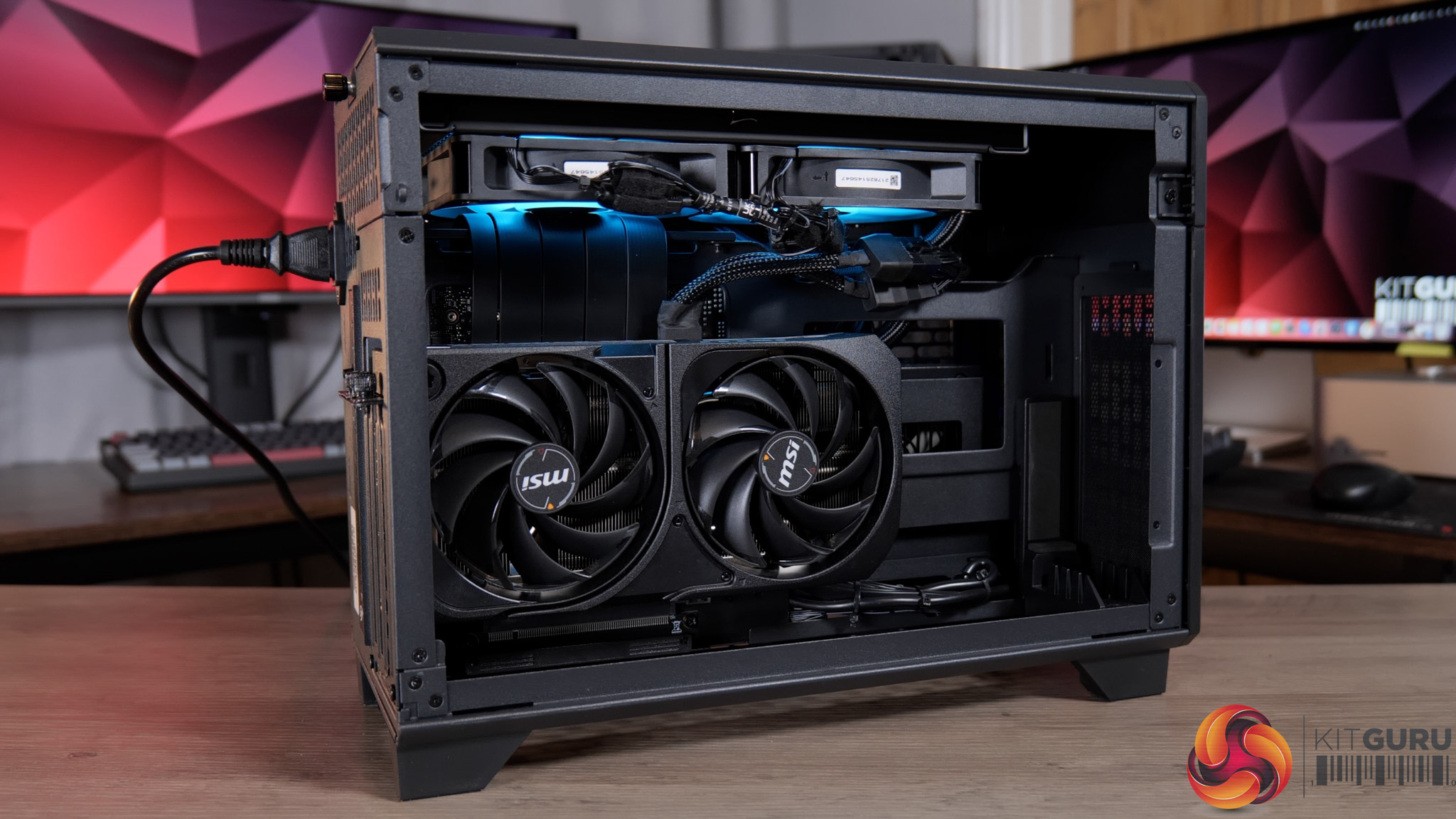
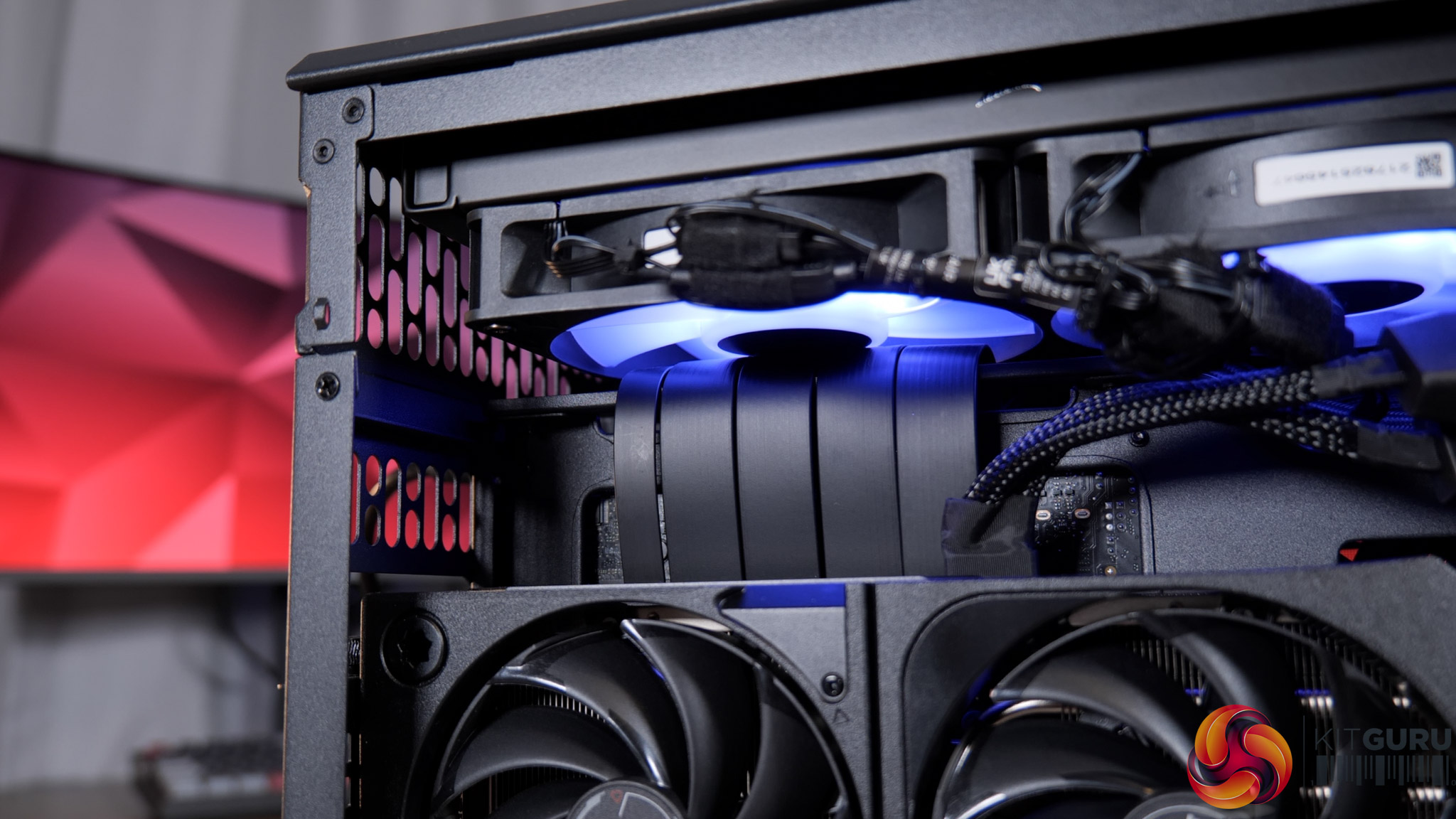
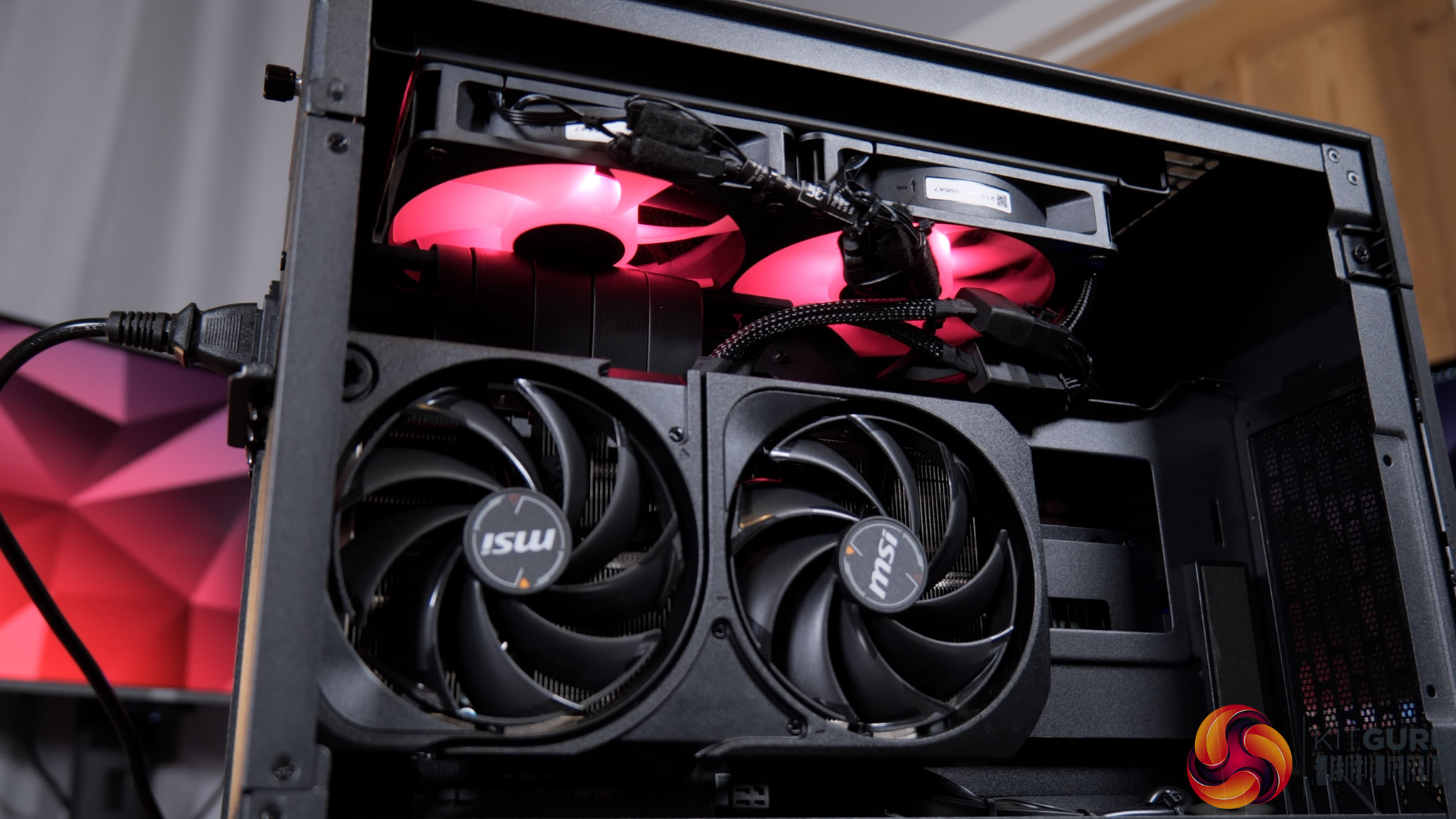
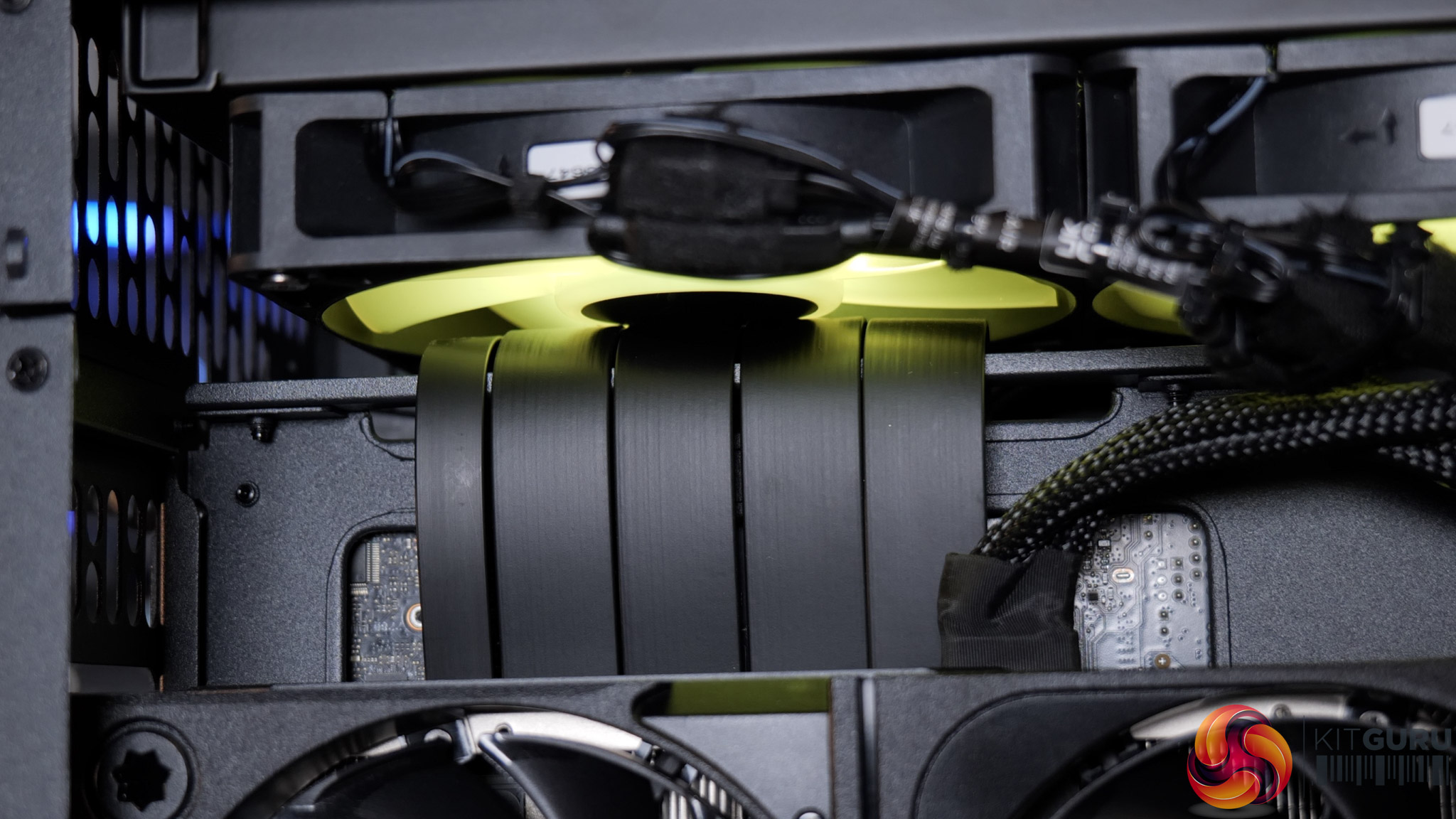
If you're not familiar with the Thermaltake TR100, it uses a split-chamber layout with the GPU in a separate compartment, connected to the motherboard via a PCIe riser. Unfortunately, that PCIe riser is the cause of the system's problems, as it has not been routed properly – or even routed at all – and has instead simply been jammed into one of the radiator fans, stopping it from spinning entirely.

I'd not used this case before but it was immediately obvious upon removing the side panel that something wasn't right. Re-visiting James' build in the TR100 from last year showed me that there's actually a dedicated crossbar, or bracket, for the PCIe riser, designed to prevent this exact thing – but here the riser has simply been looped over the top.

Fixing it took me about five minutes – I removed the radiator mount, reseated the riser properly, then secure the bracket on top, and that was job done. But clearly this is a huge oversight from PCSpecialist that raises significant questions.

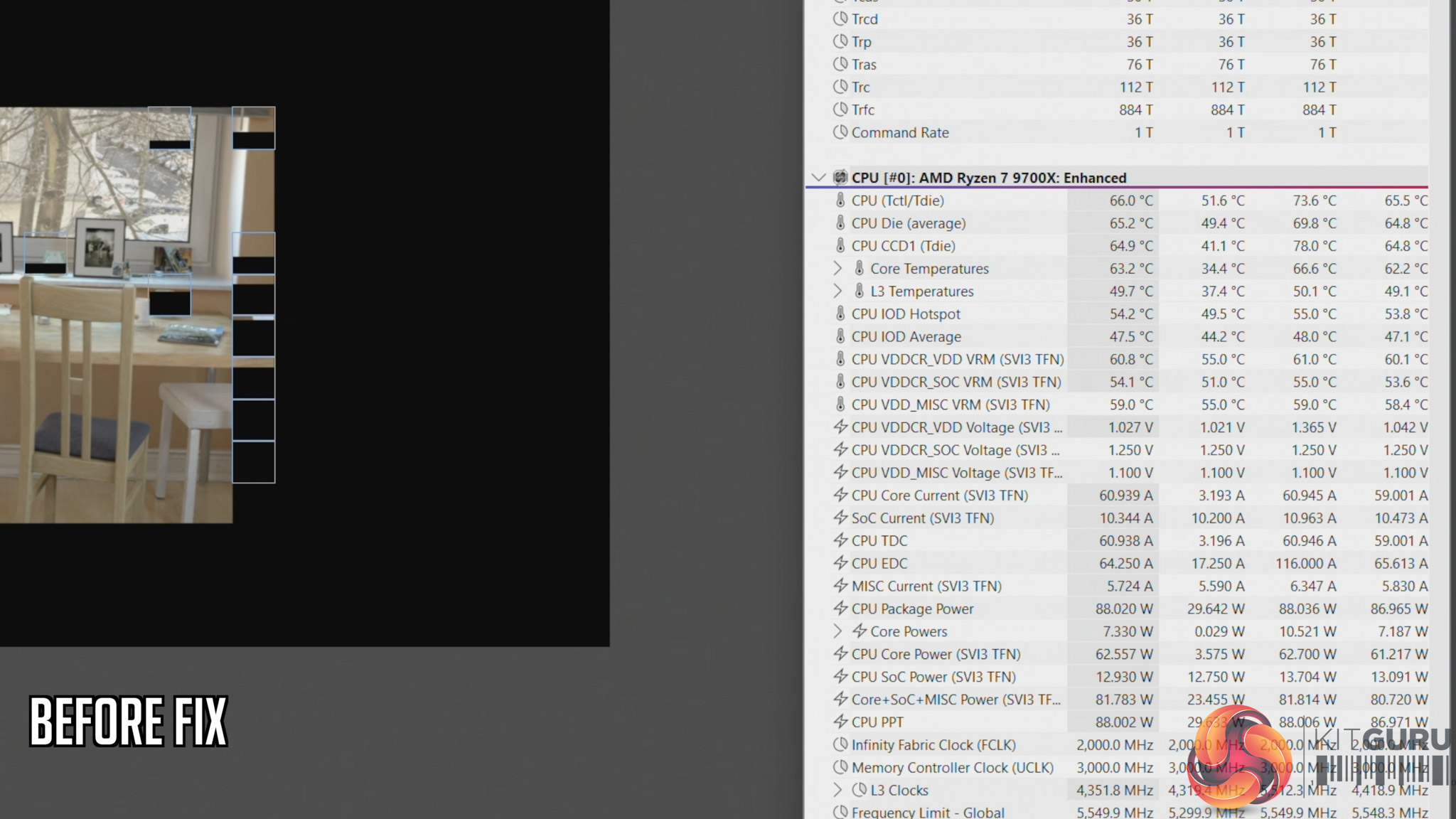
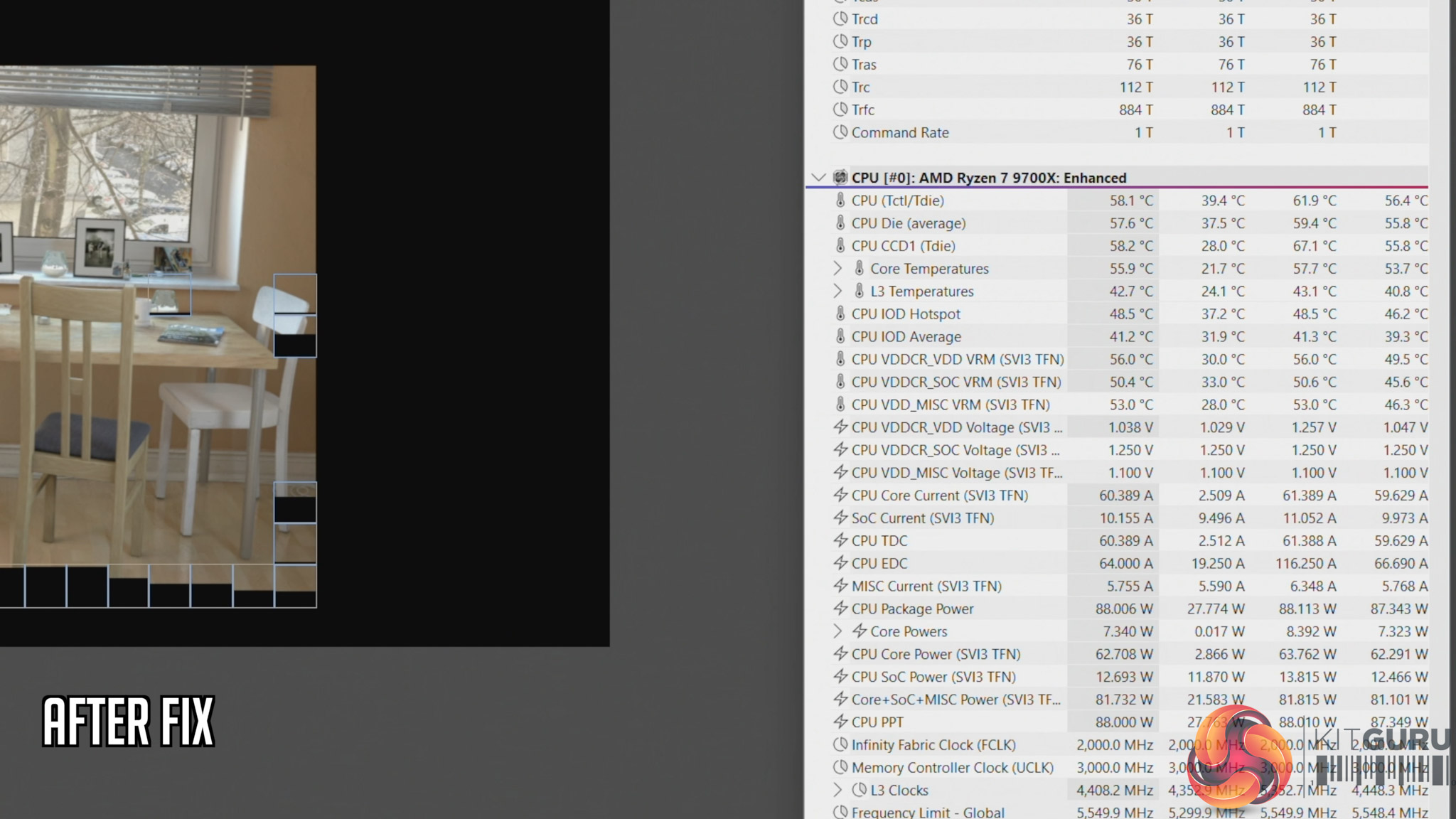
We also ran thermal tests on the CPU to see the impact of this error. Here's a quick breakdown of what we found, but be sure to watch the embedded video for the full analysis:

  • Cinebench, before fix: 66C steady-state, 73.6C peak
  • Cinebench, after fix: 58C steady-state, 61.6C peak
  • Cyberpunk 2077, before fix: 70C steady-state, 71.C peak
  • Cyberpunk 2077, after fix: 65C steady-state, 69.6C peak

This raises two key issues that I expand on in the video – the first being how much training are PCSpecialist builders given, considering something like this occured. And secondly, how extensive are the company's testing and quality control procedures? PCSpecialist's website talks about ‘extensive' stress tests and says all systems go through ‘a quality control checklist to ensure all components are correct and follows our stringent guidelines'. But clearly, the guidelines can't be that stringent if something like this slipped through from start to finish completely unnoticed.

Indeed, you could consider PCSpecialist ‘fortunate' that the system we received has a relatively low-power 9700X pulling approx 88W. However, you can manually configure builds in the TR100 with up to a 9950X, a CPU that draws well over 200W, and losing half your radiator airflow with that CPU would have a far more detrimental effect.

KitGuru says: PCSpecialist needs to do significantly better.

The post PCSpecialist Element Elite R Prebuilt Review first appeared on KitGuru.
❌
❌