Normal view

There are new articles available, click to refresh the page.
Before yesterdayKitGuru

Microsoft is finally removing ads from the Windows search box

14 July 2026 at 07:30

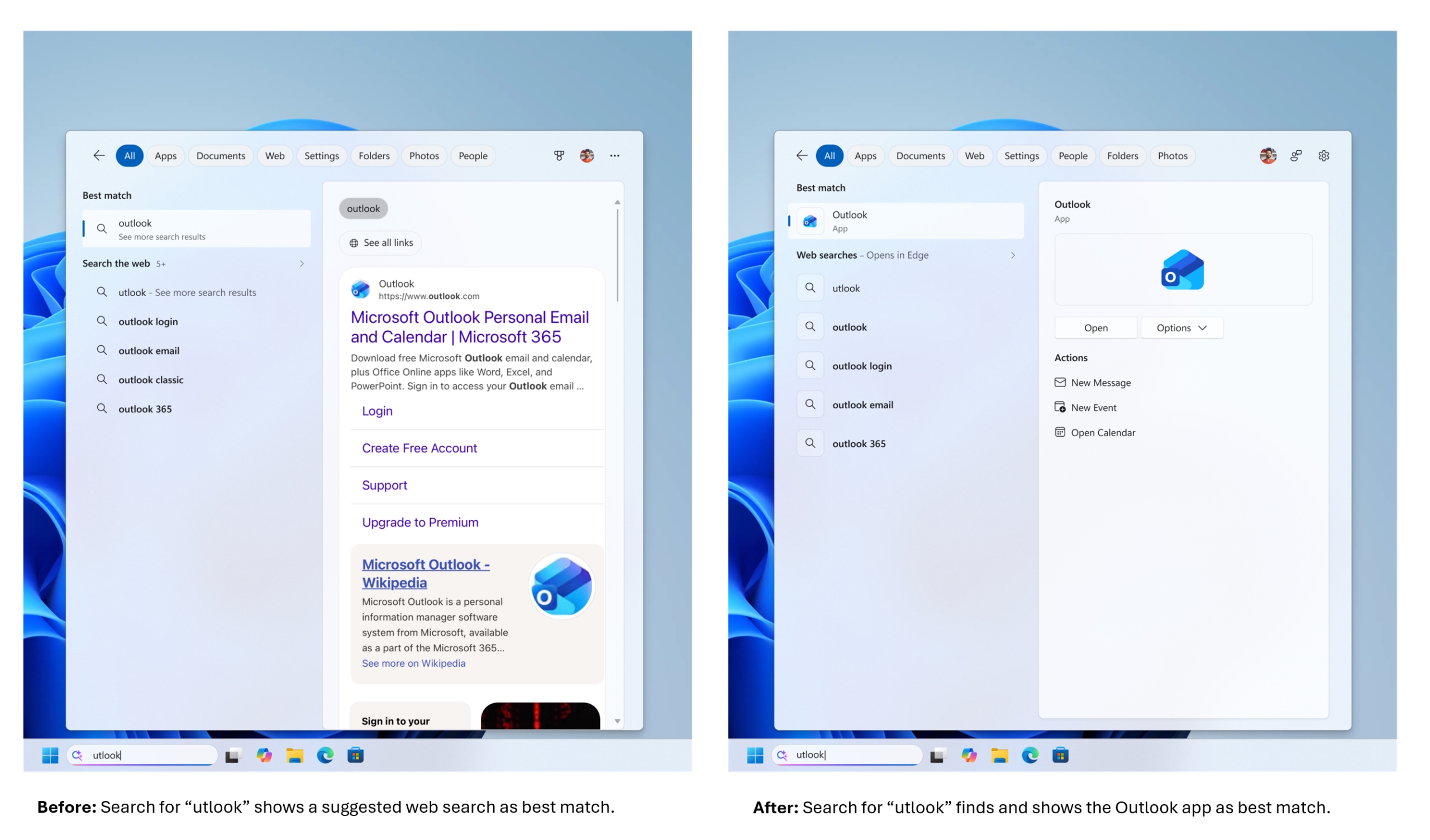
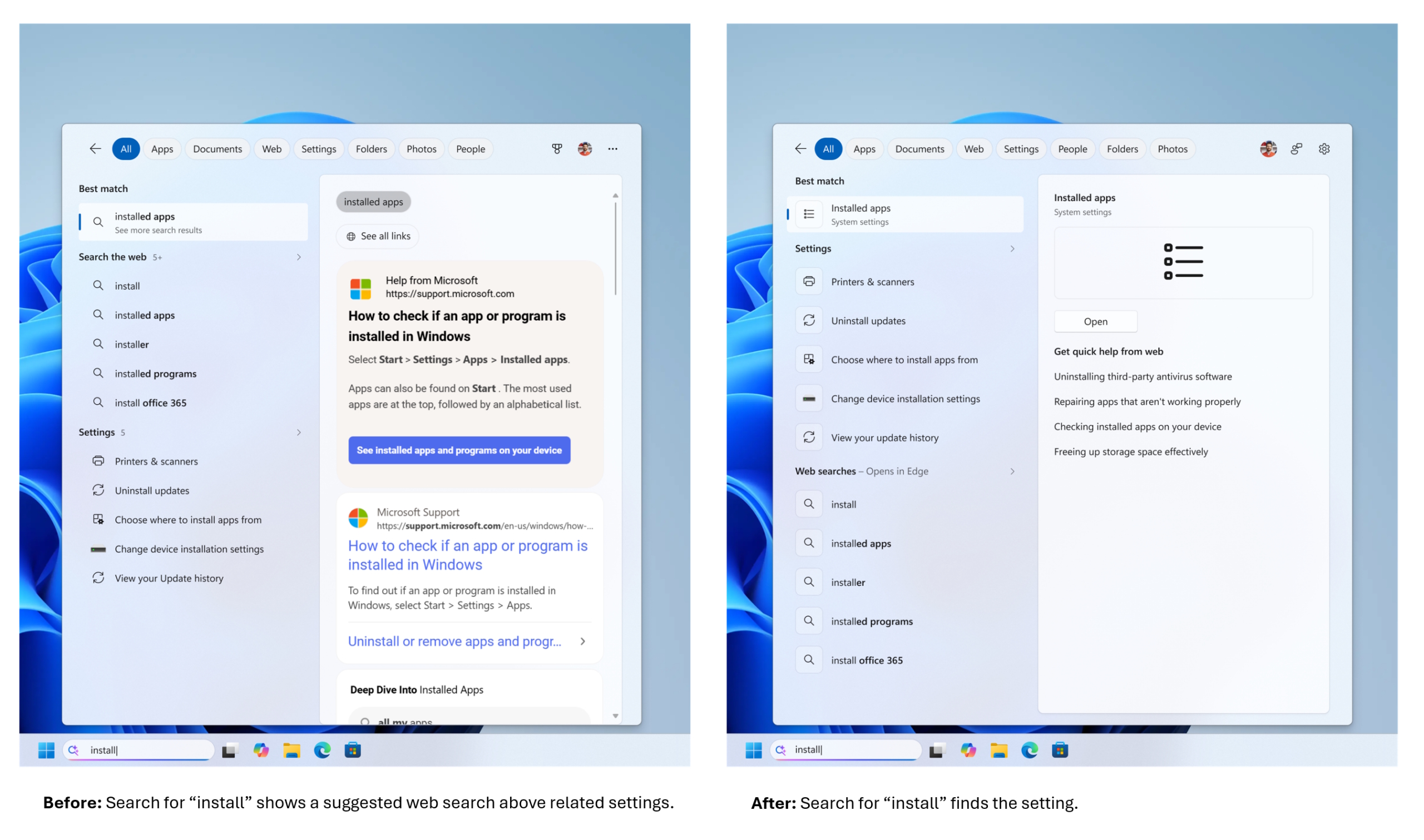
Microsoft has updated the Windows 11 search box for Windows Insiders on the experimental channel, reducing visual clutter and removing unwanted adverts. 

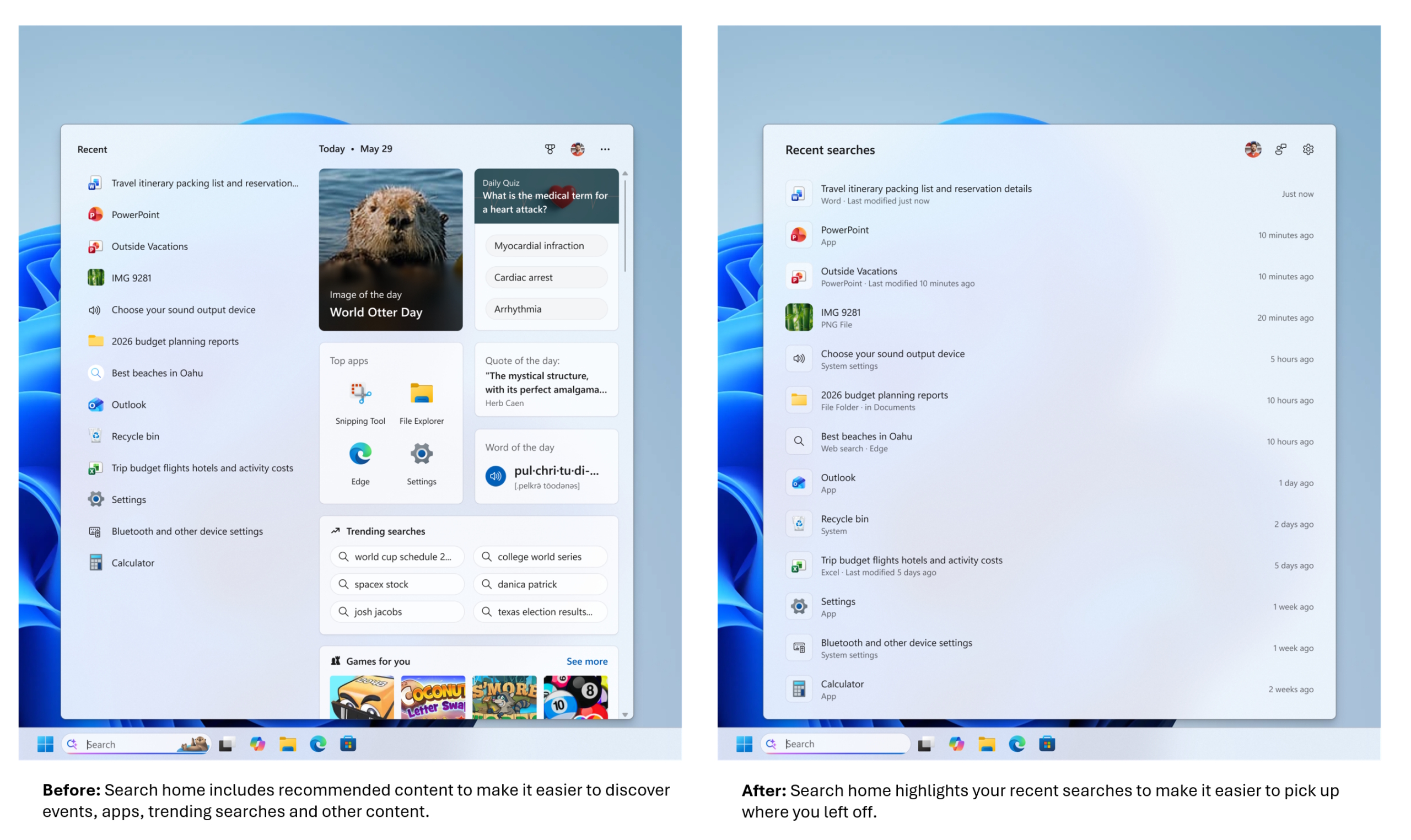
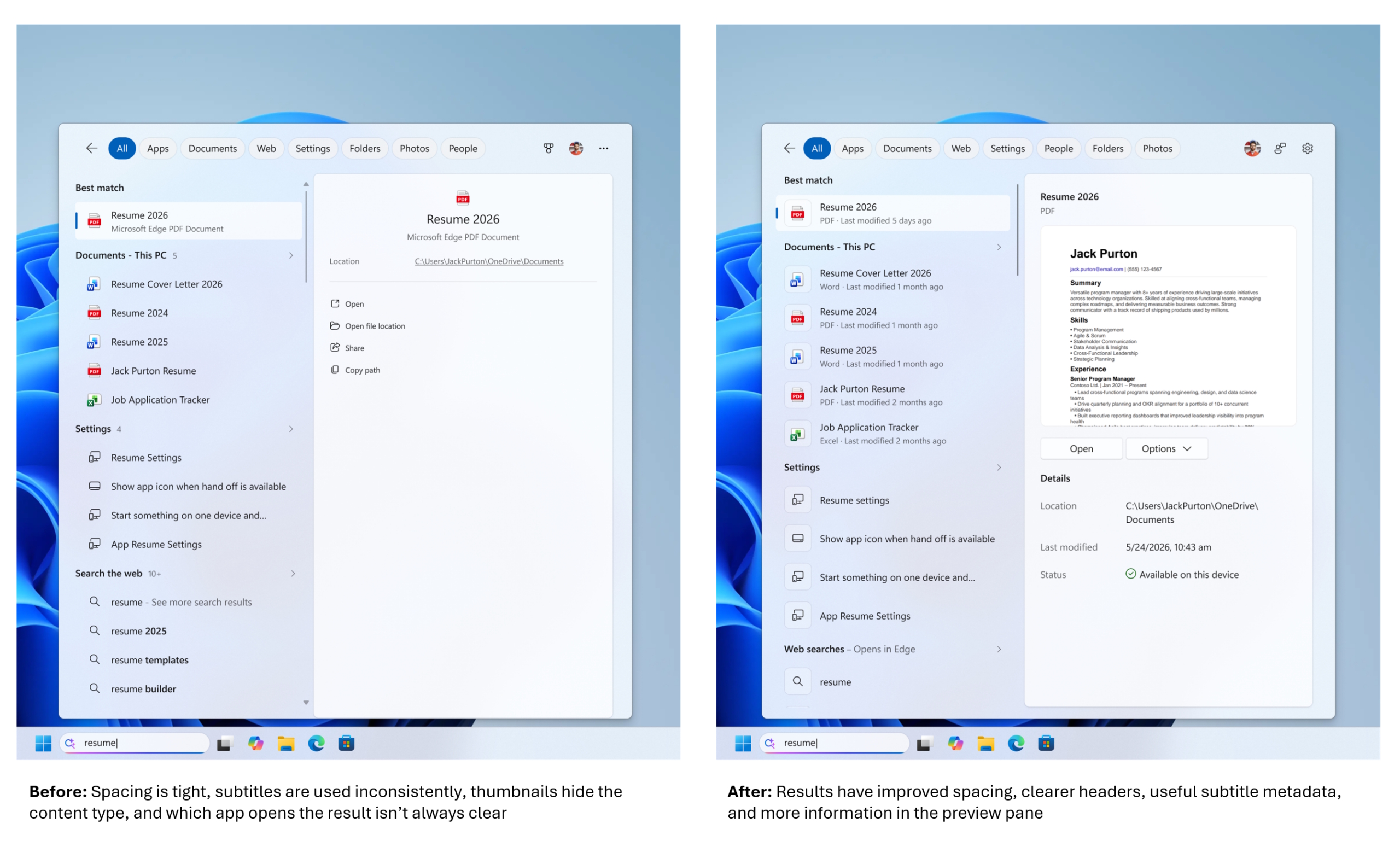
According to the blog post, the search box now shows the exact source of a result, clarifying whether it originates from an application, setting, file, web result, or a Microsoft Store suggestion. Recent searches are also easier to find within the revised layout.

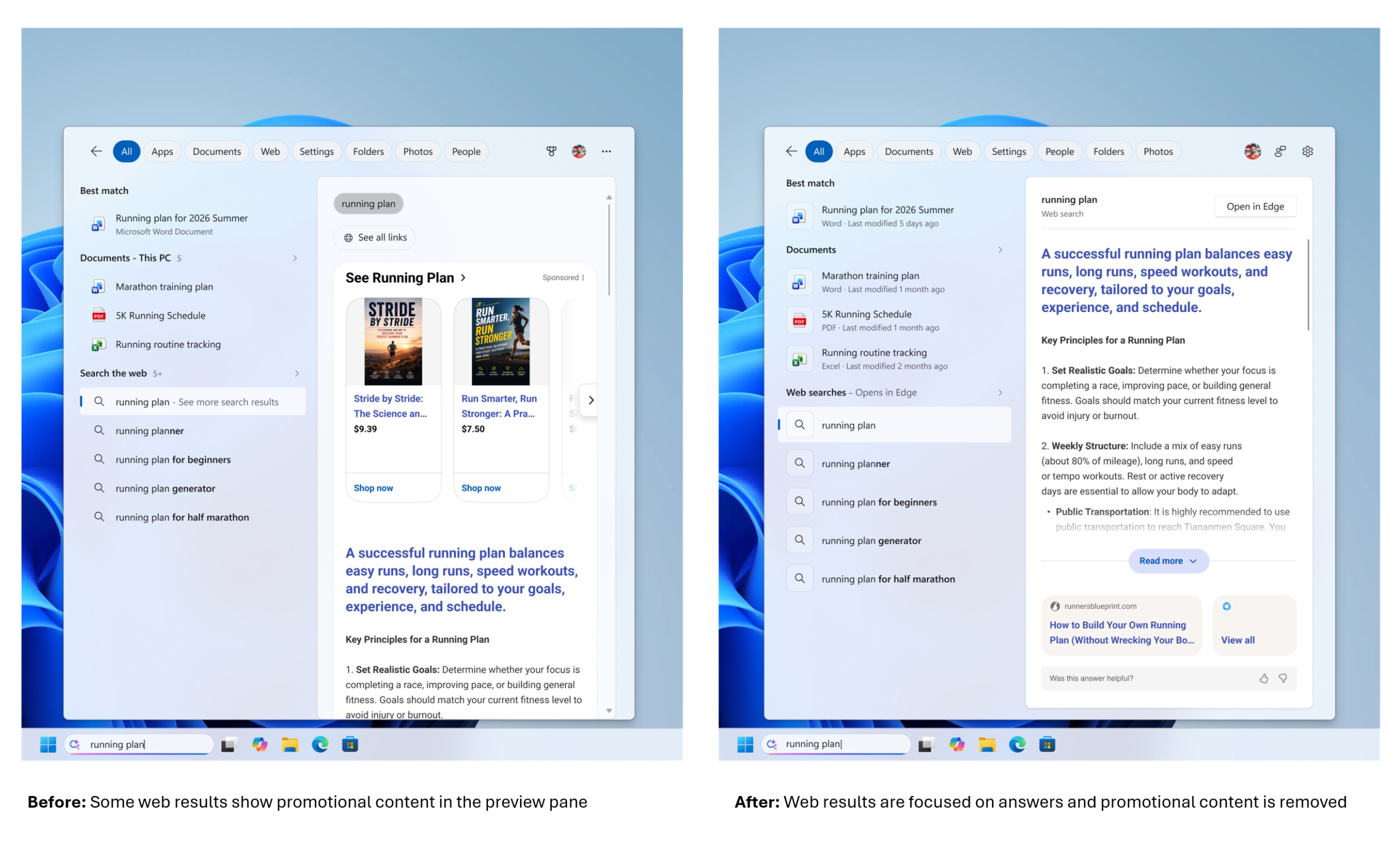
Promotional content has been entirely removed from the menu. Previously, Microsoft pushed related product promotions to the top of the results, but the update prioritises local matches like applications, settings, and files ahead of web results. If you don't want web or Microsoft Store results at all, you can completely disable them under Settings > Privacy & Security > Search.

File searching is also getting an overhaul to make finding data much faster and more reliable. The system will even find your applications if you make a spelling mistake.

KitGuru says: Cleaning up the Windows 11 Search Box by removing ads and focusing on local files is a long-overdue update. People have been complaining about the ads in Windows since Windows 8, maybe Microsoft is finally listening. 

The post Microsoft is finally removing ads from the Windows search box first appeared on KitGuru.

Microsoft introduces free Windows 10 extended security update options

30 June 2026 at 08:00

Microsoft has confirmed that it will support Extended Security Updates (ESUs) for Windows 10 until October 12th, 2027. This extension follows the conclusion of general support on October 14th, providing users and organisations with additional time to transition their devices over to Windows 11.

The company originally designed the ESU program as a temporary solution for managing complex migrations to Windows 11, but it has become a reason for users to postpone their Windows 11 upgrade. The company stated that relying on this programme long-term isn't recommended, as it leaves systems exposed to unsupported components and software incompatibilities, but many users seem to have been ignoring the company's recommendations.

With this new ESU policy update, many users will likely stay on Windows 10 for another year. According to Microsoft, European Economic Area (EEA) users will receive the ESU package for free for one year, though they'll need to sign in with a Microsoft Account. Those using a local account in EEA must pay a $30 fee to maintain ESU support.

In addition to the $30 fee, users can also enrol in ESU at no cost by syncing their PC settings via Windows Backup or by redeeming 1,000 Microsoft Rewards points. Microsoft is rolling out the new enrolment wizard to Windows Insiders today, with a wider release planned for July and broad availability expected by mid-August. Additionally, Windows 10 devices that access Windows 11 Cloud PCs via Windows 365 or virtual machines will receive ESUs at no extra cost.

KitGuru says: Are you still on Windows 10? Will you keep using it while Microsoft maintains ESU?

The post Microsoft introduces free Windows 10 extended security update options first appeared on KitGuru.

Windows 11 demonstrated running on DDR1 motherboard with AGP graphics

29 June 2026 at 12:30

Windows 11 has been demonstrated running on a legacy DDR1 motherboard equipped with AGP graphics, bypassing modern hardware requirements. The system uses an early-2000s ASRock ConRoe865PE motherboard paired with an Intel Core 2 Quad Q6600 processor, demonstrating that Microsoft's latest operating system can still run on hardware from a vastly different era.

This unique setup, shared by Reddit user O_MORES (via Tom's Hardware), relies on the Intel i865PE chipset, which launched over two decades ago. While the board natively supports older memory and expansion standards, its LGA775 socket allows it to host a 65nm quad-core Q6600, offering significantly more processing power than a standard Pentium 4.

Windows 11 on a DDR1 motherboard, with AGP support enabled
byu/O_MORES inwindows

Graphics is handled by an ATI Radeon HD 4650 AGP card running with full AGP 8X support. The user achieved this by modifying older drivers, using either 64-bit Windows 7 drivers from 2012 or Windows 10 AGP drivers alongside a custom INF file. This configuration restores both 3D acceleration and H.264 hardware decoding, enabling the legacy system to run games like Half-Life 2 and Crysis.

The modded platform operates entirely without UEFI, relying solely on ACPI 1.1. Windows 11 IoT officially supports legacy BIOS systems, explaining why the OS functions here despite being far outside typical consumer support boundaries.

KitGuru says: Seeing Windows 11 function on a platform this old is an impressive feat of driver modification, even if it's completely impractical for daily use.

The post Windows 11 demonstrated running on DDR1 motherboard with AGP graphics first appeared on KitGuru.

Microsoft rolls out Windows 11 update with CPU-boosting low-latency profile

12 June 2026 at 14:00

Microsoft has started rolling out its June 2026 update for Windows 11, introducing the new low-latency profile, Shared Audio, and improved search functionality. Security update KB5094126 updates the OS to build 26200.8655 or 26100.8655, bringing performance enhancements designed to make the core user interface feel more responsive.

According to Windows Latest, the new low-latency profile accelerates app launches and core shell experiences like the Start menu, Search, and Action Center. Microsoft achieves this by forcing CPUs to enter a brief boost state lasting between 1 and 3 seconds. This temporary spike improves UI responsiveness quickly without significantly impacting battery life for most users.

By default, this profile is disabled, but those who wish to test right away can use a CPU monitoring tool such as HWiNFO (the task manager is too slow to capture the usage spikes consistently). To enable the mode, download ViveTool, and use it to enable the profile via the feature ID (58989092). After that, restart your system and test whether the profile is enabled by opening the Start menu and checking the CPU frequency in the CPU monitoring tool to look for a spike.

The update also packages the new Shared Audio feature and general search improvements. Since Microsoft is rolling these features out gradually, they may not appear immediately after installing the package.

KitGuru says: In recent years, every major update has also had its share of issues, so let us know if you encounter anything. 

The post Microsoft rolls out Windows 11 update with CPU-boosting low-latency profile first appeared on KitGuru.

Our Guide to Installing Linux for Gaming w/ CachyOS

18 May 2026 at 09:50

We have all been there. You boot up a fresh Windows 11 installation only to be greeted by forced online accounts, AI assistants you didn't ask for, and background bloatware eating into your precious framerates. For years, the alternative has been Linux, but the perceived hassle of terminals and compatibility issues has kept most gamers away. What if I told you that you could ditch Windows, install a heavily optimized gaming OS, and be ready to launch your first Steam game in under 10 minutes?

Timestamps:

00:00 Intro
00:56 Getting started…
03:04 Getting the system prepped
07:19 CachyOS installation
12:10 We’re in the OS!
15:53 Running games on Steam – the basics
20:02 How to troubleshoot
22:02 Running our game!
24:57 Closing thoughts

Let's not sugar coat it: the state of modern Windows is increasingly frustrating for PC enthusiasts. In our recent hardware reviews, we've seen first-hand how pre-installed software and OS-level bloat can literally rob you of your system's performance, leaving real framerates on the table for no good reason.

The classic counter-argument is always, “Just switch to Linux.” But for the average gamer, the idea of jumping into an entirely new operating system sounds like a daunting, weekend-long project filled with troubleshooting, mental gymnastics, and endless forum diving.

I wanted to prove that this simply isn't true anymore.

Enter CachyOS. It's a Linux distribution purpose-built for squeezing every last drop of performance out of your hardware right out of the box, with gaming at the forefront of its design. But rather than just throwing benchmarks at you, I decided to show you exactly how frictionless the transition can actually be.

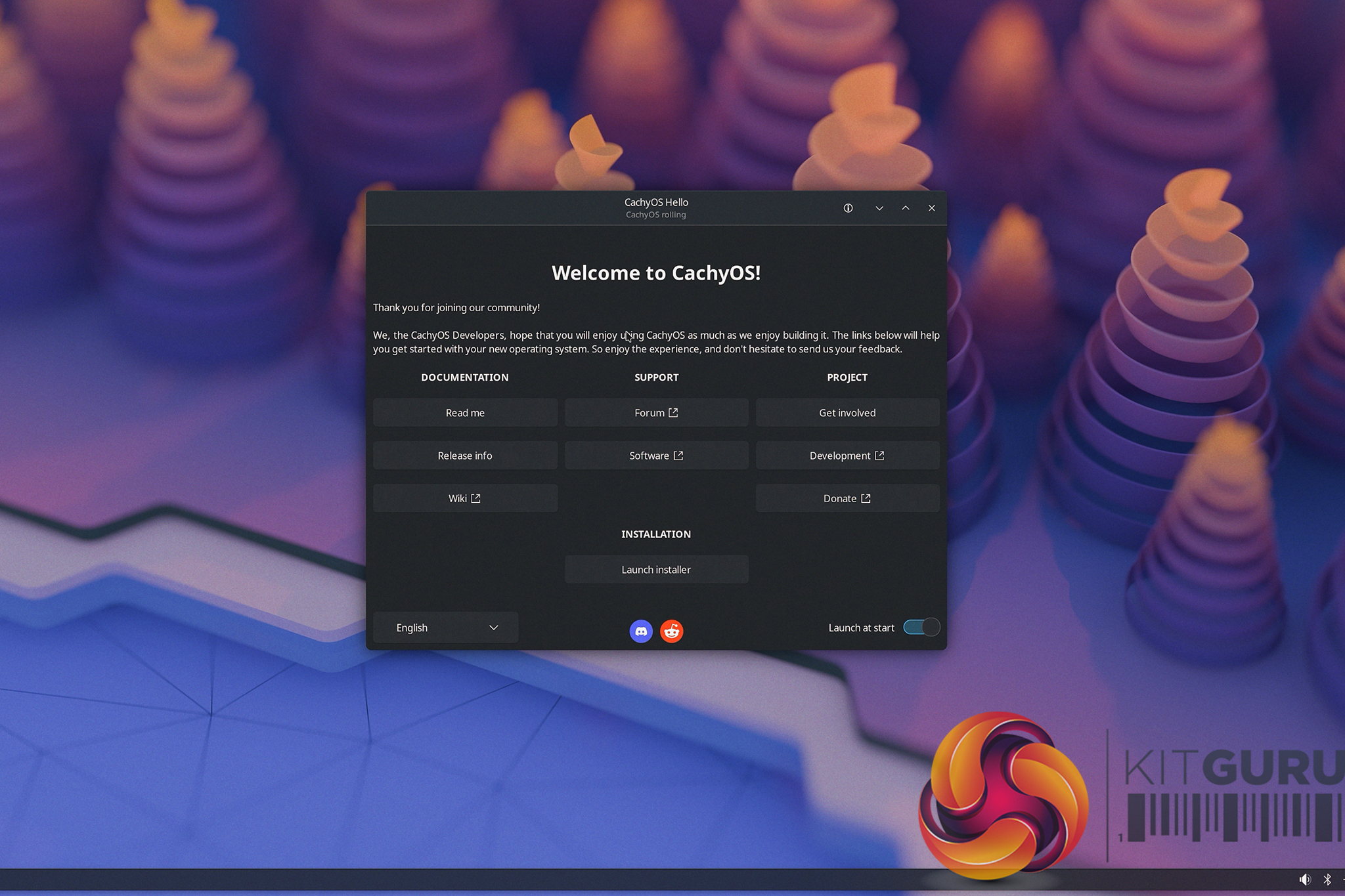
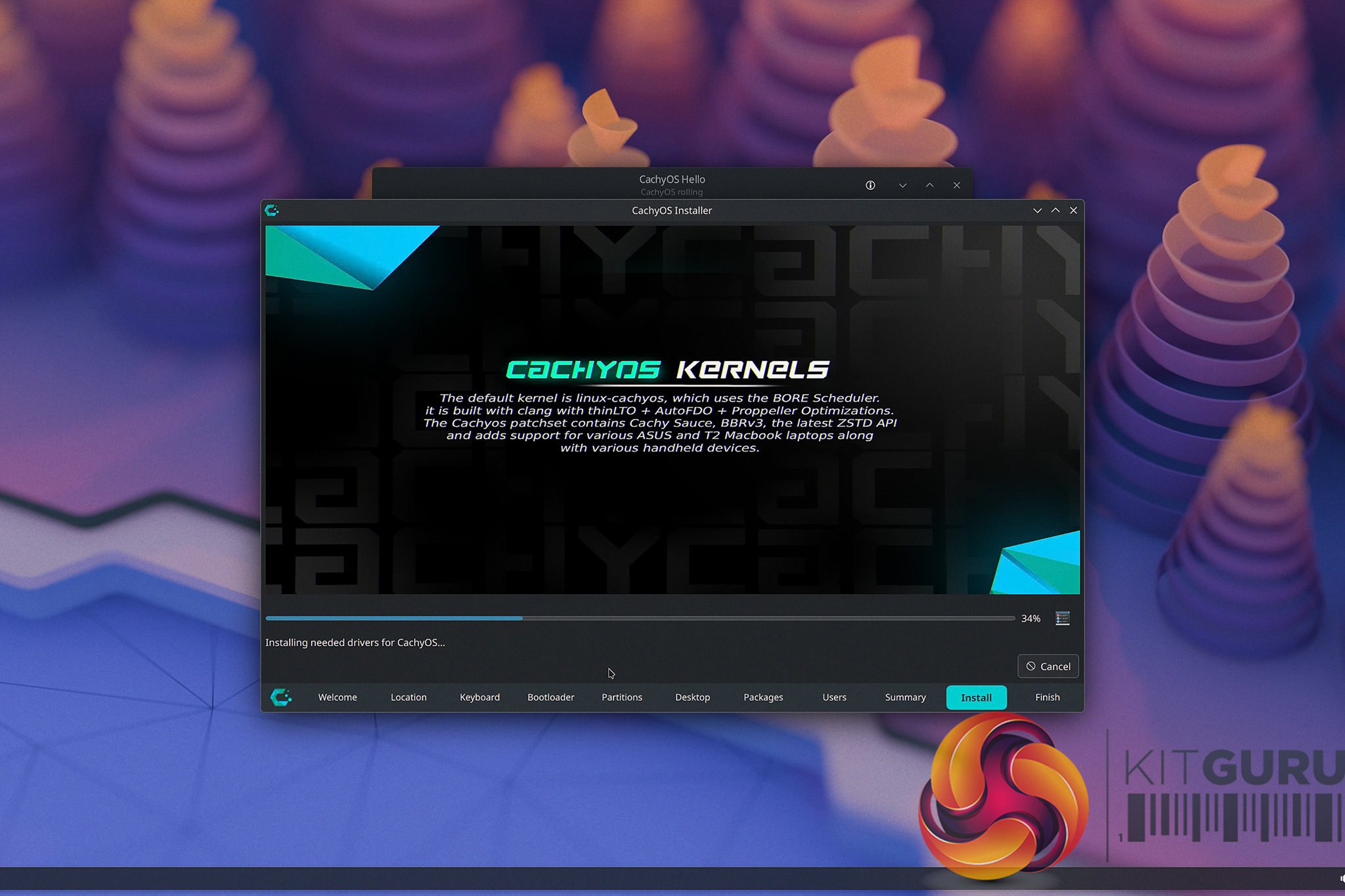
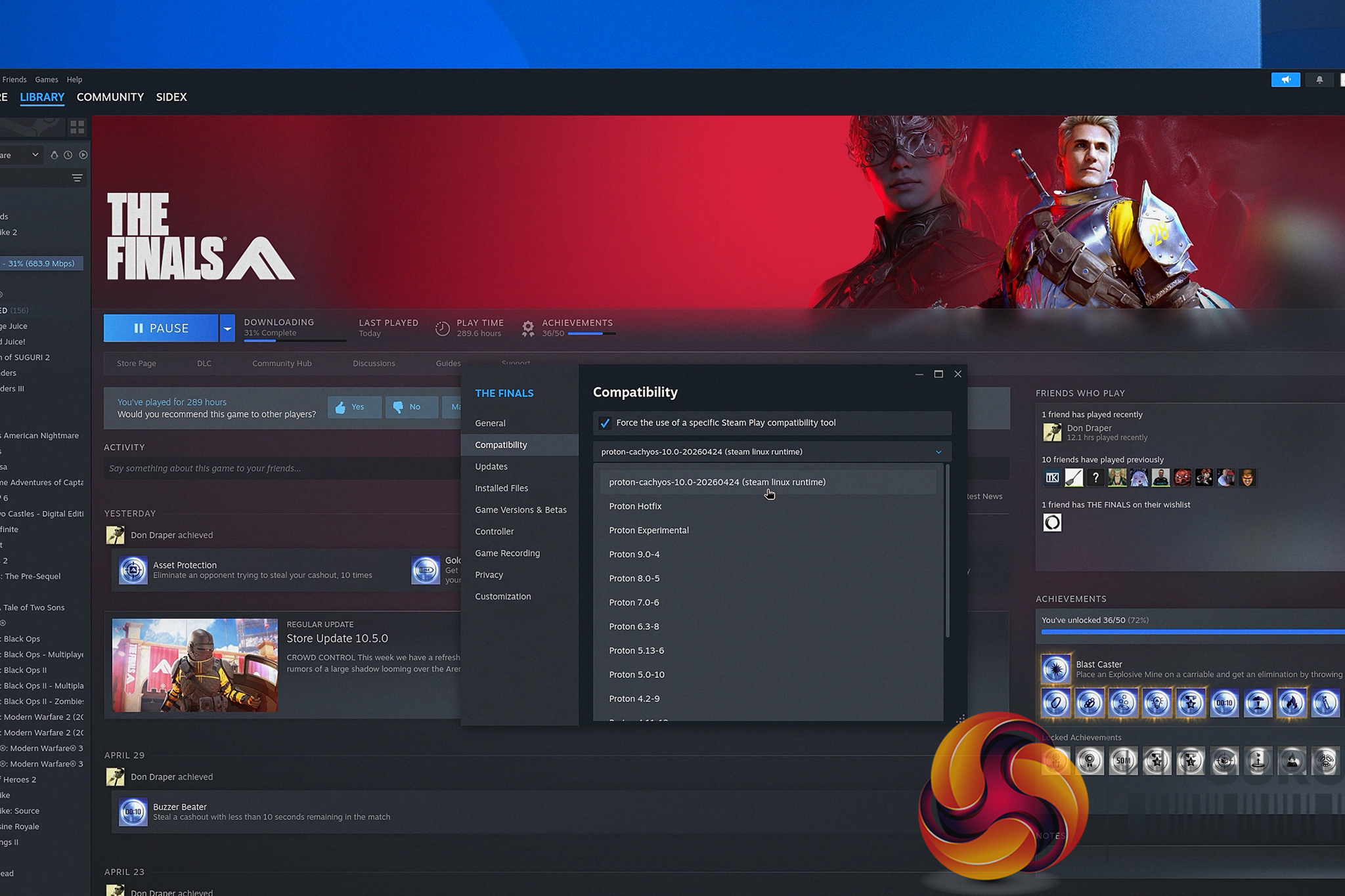
In this video, we are doing a real-time, follow-along tutorial. No skipped steps and extra fluff. We start from absolute scratch by creating a bootable USB drive using Ventoy, walk through the surprisingly simple CachyOS graphical installer, and handle the post-install essentials together. We run through grabbing the necessary gaming packages (literally pressing a single button to install everything), ensuring the system is fully up to date, and logging straight into Steam.

The best part? From downloading the CachyOS .iso to getting on your new fresh CachyOS desktop in just a little over 10 minutes. If you have a spare NVMe drive sitting around, and you are simply fed up with the current direction of Microsoft's operating system and want a snappier, cleaner desktop experience, grab a coffee and hit play.

You might just find that the grass actually is greener on the other side.

KitGuru says: Let us know if you're a Linux user, or if this guide might just tempt you to try it out!

The post Our Guide to Installing Linux for Gaming w/ CachyOS first appeared on KitGuru.

You can now install Linux on your PS5

30 April 2026 at 12:30

Andy Nguyen (TheFloW) has launched a guide to installing Linux on a PS5. By publishing the technical steps to turn a PlayStation 5 into a fully functional PC, Nguyen has effectively handed players a “Plan B” for hardware ownership. This jailbreak targets disc-version consoles running older firmwares, but not all equally.

The developer published the guide and all things necessary for this procedure on GitHub (via VideoCardz). Once the OS is installed, users are greeted by a Ubuntu 26.04 Resolute Raccoon environment running on Linux kernel 7. Surprisingly, the installation is quite sophisticated, offering custom VRAM allocation, granular fan control, and a boost mode that can be toggled through system files. It essentially turns the console into a pseudo-Steam Machine, though it is currently limited to 60 Hz across all resolutions. Future updates may unlock 120 Hz support, but for now, the driver development team is focusing on the stability of 2K and 4K output at 60 FPS.

PlayStation 5 UK

The guide only works with PS5 consoles running firmware versions 3.00 through 4.51. M.2 storage support is limited to firmwares in the 4.XX range. While firmware downgrading might be possible, the reliability of such a process remains a gamble for most users.

There are, of course, the usual growing pains associated with such a port. Wireless networking has its issues, often requiring a manual restart of the WLAN adapter, and the DualSense controller's built-in Bluetooth functionality is also not working. Perhaps the most important caveat is that this remains a soft mod. If the console is restarted, the Linux environment vanishes, requiring the jailbreak to be reapplied. While this might sound troublesome, it serves as a safety net, as the base PlayStation OS remains entirely untouched.

Discuss on our Facebook page, HERE.

KitGuru says: Will you try this soft mod on your PS5?

The post You can now install Linux on your PS5 first appeared on KitGuru.

Microsoft starts removing Copilot branding from Windows 11 apps

13 April 2026 at 14:00

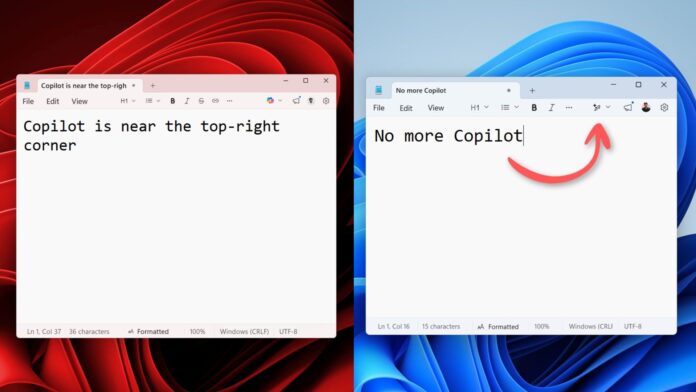
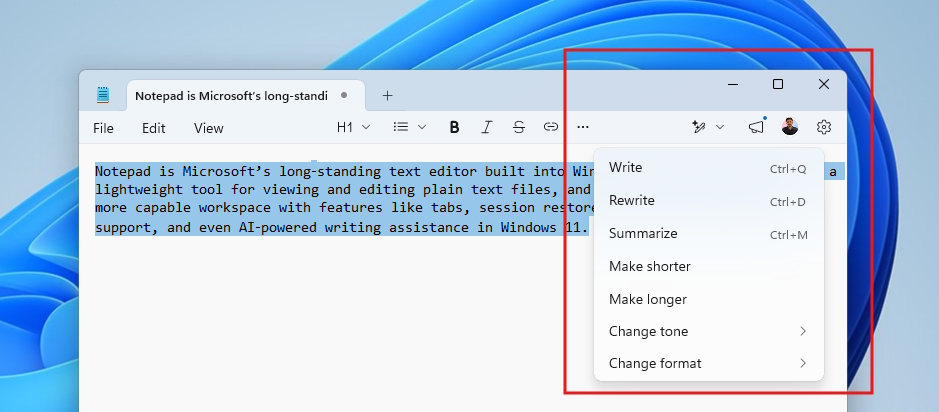
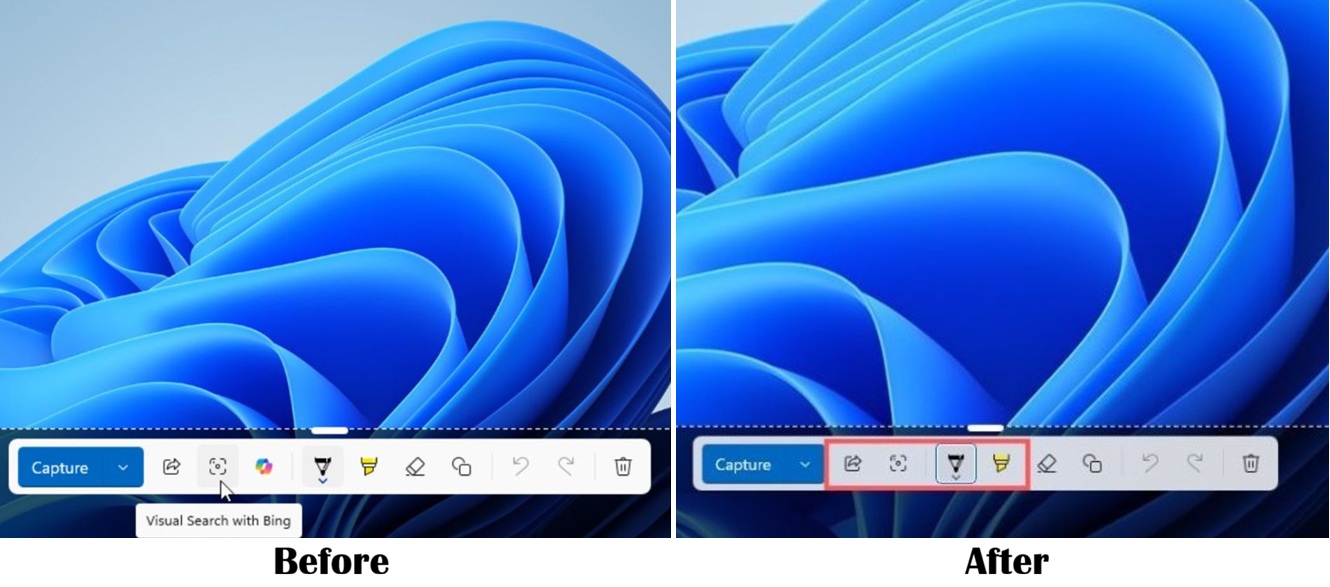
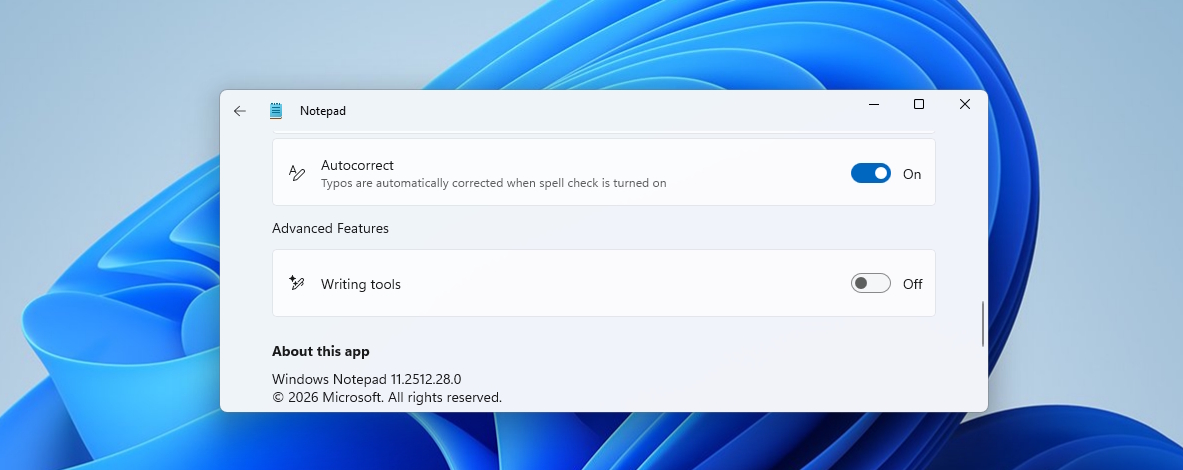
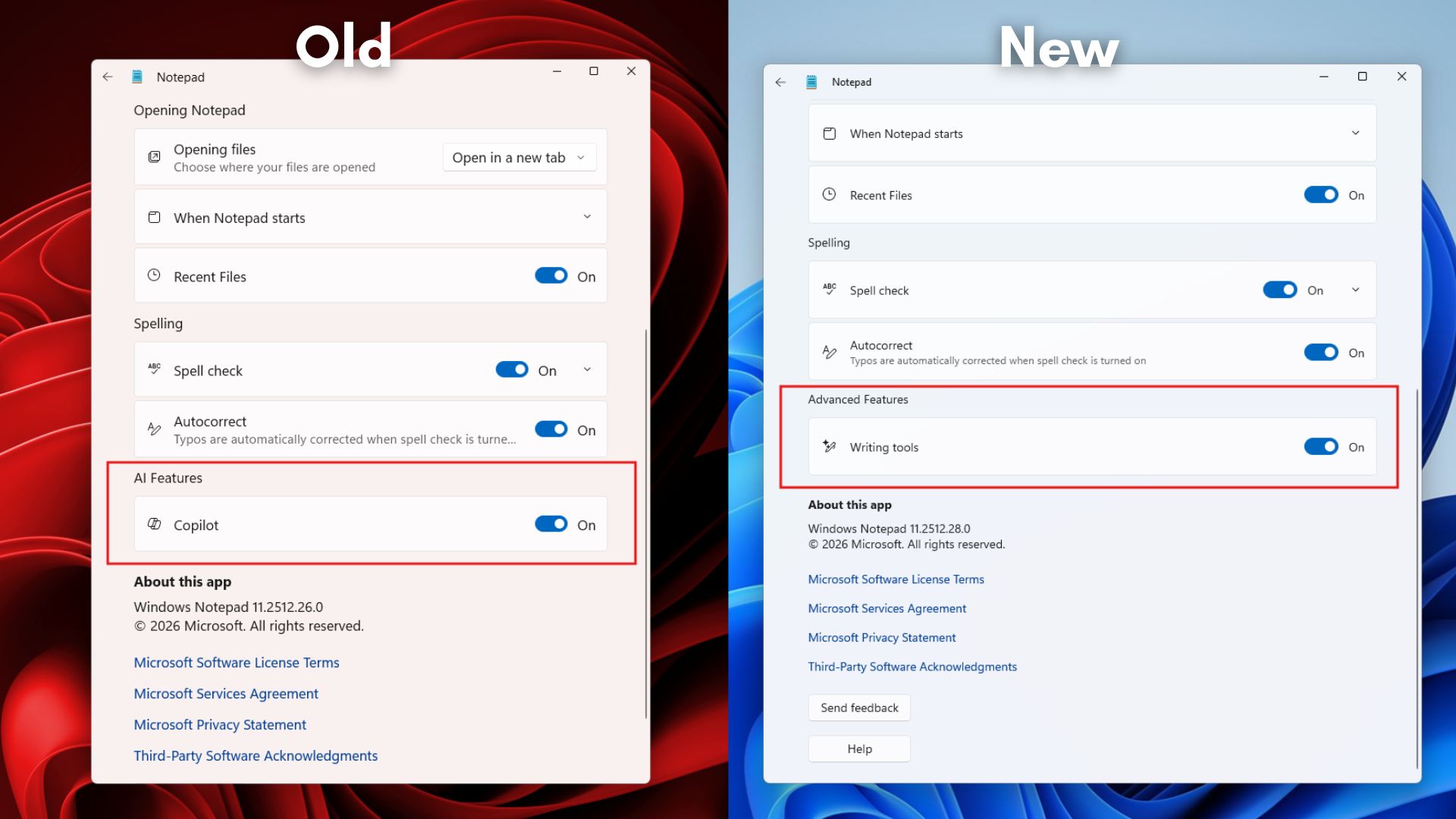
Microsoft has begun removing Copilot AI branding and icons from the latest versions of Notepad and Snipping Tool in Windows 11. Following reports of negative user sentiment, the company has rebranded AI-driven features such as rewrite and summarise as “Writing tools” and paused the forced inclusion of AI buttons across its core application suite.

According to Windows Latest, the transition follows an update in March 2025 that initially integrated Copilot directly into Notepad for text summaries and rewrites. These integrations were generally not well received by users, leading to significant negative feedback about Microsoft pushing AI to users who didn't want it. The latest software revisions restore the standard appearance of these applications by removing the persistent Copilot icon.

Image credit: Windows Latest

Microsoft has confirmed that while the AI-assisted functionality remains accessible, features such as summarisation are now listed under a generic “Writing tools” menu. The company has also paused the mandatory deployment of Copilot buttons across all applications, citing minimal user interest in the forced integration. This adjustment occurs as Microsoft continues to manage approximately 80 different Copilot-related apps and services.

In addition to the UI changes, Microsoft is reportedly working on performance and security enhancements for Windows 11 that we expect to see being deployed on Insider builds in the near future.

Discuss on our Facebook page, HERE.

KitGuru says: Are you glad that Microsoft is changing its AI approach? 

The post Microsoft starts removing Copilot branding from Windows 11 apps first appeared on KitGuru.

Microsoft pledges Windows 11 overhaul to fix performance and bloat

23 March 2026 at 11:00

With user sentiment toward Windows 11 reaching a new low, evidenced by the increasingly popular “Microslop” slang, Microsoft appears to have finally hit the brakes. The software giant is now acknowledging that its aggressive push for AI integration and a “simplified” UI has come at the expense of core OS functionality and system stability. In an update on the Windows Insider Blog, Pavan Davuluri, President of Windows + Devices, outlined a comprehensive strategy to “un-break” the OS by walking back some of its most controversial design choices.

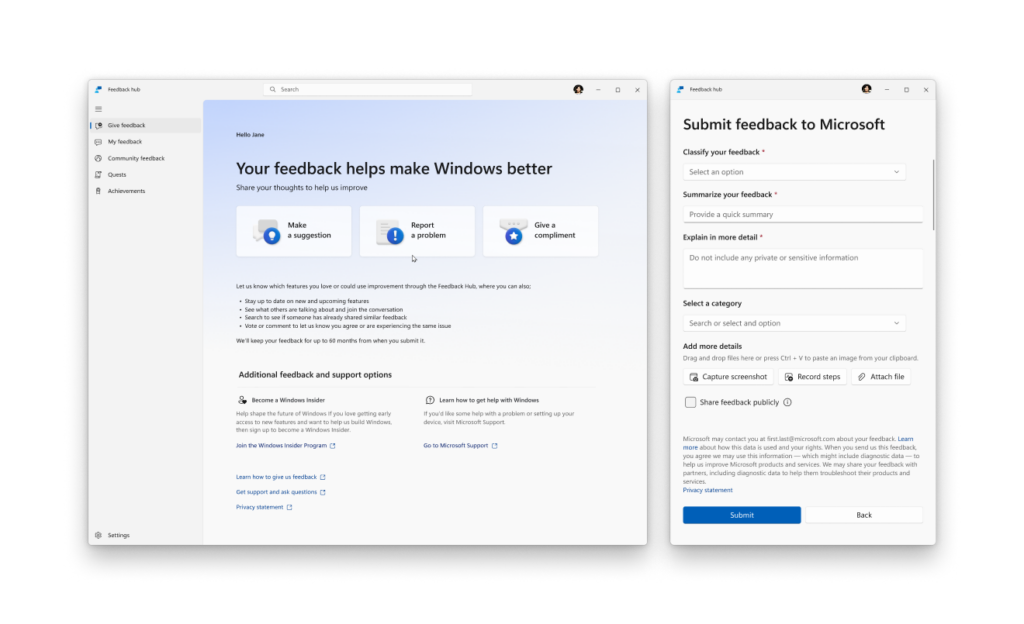
One of the highlights of this revamp, according to the blog post penned by Davuluri, is the long-awaited return of taskbar flexibility. After five years of locking the taskbar to the bottom of the screen, Microsoft is finally re-enabling the ability to move it to the top or sides of the screen. This was one of the most upvoted requests in the Feedback Hub, and its restoration signals a move away from the “we know best” philosophy that has plagued Windows 11 since its inception.

Equally important is Copilot's tactical withdrawal from core system tools. Microsoft is moving toward a “more intentional” implementation of AI, which translates to stripping the assistant out of the Snipping Tool, Photos, Widgets, and Notepad. This shift follows widespread criticism that the company was bloating the OS with half-baked AI “entry points” rather than focusing on performance and reliability.

On the maintenance front, users are finally getting the granular control over updates they have been demanding since the Windows 10 era. The upcoming roadmap includes the ability to pause updates indefinitely, skip them during initial device setup, and the option to shut down or restart a machine without being forced into an update cycle.

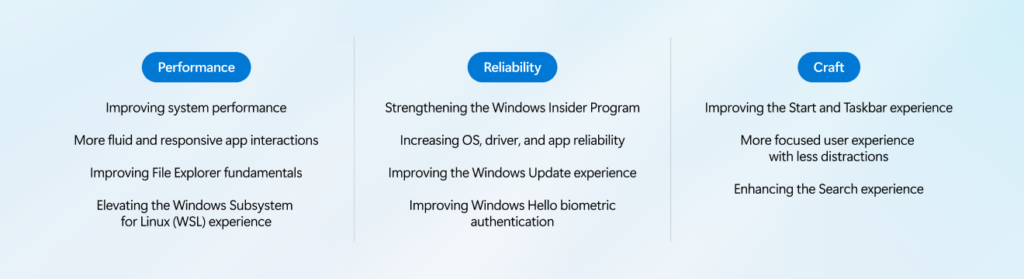
Beyond these UI and policy changes, Microsoft is promising a significant performance overhaul. This includes a major optimisation of File Explorer to reduce navigation latency and speed up launch times, as well as a reduction in the OS's baseline memory footprint. Other improvements include an improved Feedback Hub, Windows Hello biometric authentication, and WSL (Windows Subsystem for Linux), a simpler and more transparent Windows Insider Program, increased OS and app reliability, enhanced search, and a more streamlined UX.

These changes are set to roll out to the Windows Insider Program throughout March and April 2026, but more improvements are expected throughout the remainder of the year.

Discuss on our Facebook page, HERE.

KitGuru says: Do you agree with the criticisms thrown at Windows 11? What areas do you think Microsoft should focus on to improve its mainstream OS?

The post Microsoft pledges Windows 11 overhaul to fix performance and bloat first appeared on KitGuru.

Valve preps the Steam Machine and finally tackles Deck battery drain with SteamOS 3.8 preview

23 March 2026 at 09:30

Valve has officially released the SteamOS 3.8.0 update to the Preview branch, and while the patch notes are extensive, one line has stood out: “Initial support for upcoming Steam Machine hardware”. This confirmation comes at a critical time, following a wave of release date uncertainty due to memory shortages.

By baking support for the OS directly into the OS, Valve is signalling that, despite the global RAM crisis and supply chain hurdles, the Steam Machine is very much alive. The update even includes improved video memory management for discrete GPUs, a feature unnecessary for the Steam Deck but vital for the high-performance RDNA 3/3.5 silicon powering the Steam Machine.

For existing Steam Deck owners, the update also provides “preliminary support for hibernation” for the original LCD model. For years, Deck users have struggled with a sleep mode that drains the battery at times. This new hibernation state aims to mimic the deep-sleep functionality of a Windows laptop, effectively preserving battery life for weeks rather than days. The feature is currently tucked away in BIOS v133 and may not yet appear as a dedicated UI toggle for all testers. The LCD model is also receiving a “Memory Power Down” option and the return of “Bluetooth Wake”, allowing docked users to wake their device using a wireless remote or controller.

Beyond the Deck, SteamOS 3.8.0 also reduces input latency for handheld controllers from a standard 5 to 8ms to a staggering 100 to 500 microseconds. The update also adds native TDP control and speaker audio support to the Asus ROG Xbox Ally series, as well as full controller support for the Lenovo Legion Go 2 and OneXPlayer F1. By updating the desktop mode to KDE Plasma 6.4.3 and switching to Wayland by default, Valve has also enabled HDR and Variable Refresh Rate (VRR) support for external displays, ensuring that when the Steam Machine does eventually land in the living room, it will be fully compatible with the latest 8K and high-refresh-rate OLED TVs.

KitGuru says: Seeing the Steam Machine mentioned in the patch notes suggests a launch might be around the corner, but if the current memory situation doesn't improve, then Valve may have a hard time meeting demand, or getting the price as low as consumers expected.

The post Valve preps the Steam Machine and finally tackles Deck battery drain with SteamOS 3.8 preview first appeared on KitGuru.

New Windows 11 insider build brings native supports for 1000Hz monitors

15 March 2026 at 11:00

Microsoft is preparing its OS for the upcoming wave of 1000Hz monitors with the release of Insider builds 26100.8106 and 26200.8106. This update, documented under the cumulative package KB5079387, quietly removes a long-standing artificial ceiling within the Windows display stack that previously hindered the OS's ability to communicate with ultra-high refresh rate monitors.

While the patch notes mention native support for 1000Hz displays, Blur Busters reports that the internal limit has actually been raised to a staggering 5000Hz. This ensures that Windows remains the primary platform for competitive gaming for years to come, even as panel manufacturers begin to experiment with five-digit refresh rates in laboratory settings.

The timing of this update is particularly relevant, as the industry has begun showing its first few dual-mode monitors with a 1000Hz mode. These panels often trade resolution for raw speed, such as the latest prototypes that can toggle between 4K at 240Hz and 720p at 1000Hz. By updating the stack now, Microsoft is ensuring that when these monitors hit the retail market this year, the OS will correctly report those four-digit refresh rates in the Advanced Display Settings without requiring third-party hacks or specialised drivers.

Besides increasing native refresh rate support, the latest preview builds introduce several refinements that improve the overall user experience. For laptop users, the update enhances power efficiency by allowing USB controllers to enter their lowest power state while the system is in sleep mode, provided a native USB4 monitor connection is in use. There is also an improvement to HDR reliability, specifically targeting monitors that utilise non-standard DisplayID 2.0 blocks, which previously caused inconsistent luminance tracking. Additionally, Microsoft has improved the accuracy of the WMI monitor APIs, allowing displays to report their exact physical screen size more precisely, which helps Windows automate complex multi-monitor scaling configurations.

Discuss on our Facebook page, HERE.

KitGuru says: Contrary to the “the human eye can't see more than 60 fps” myth, the reality is that higher refresh rates drastically reduce persistence blur and input latency. By raising the bar to 5000Hz, Microsoft has effectively future-proofed the Windows for the next several generations of gaming monitors. 

The post New Windows 11 insider build brings native supports for 1000Hz monitors first appeared on KitGuru.
❌
❌