❌

Normal view

There are new articles available, click to refresh the page.
Before yesterdayMain stream

Montech TG3 Case Review: Budget Winner

8 July 2026 at 09:22

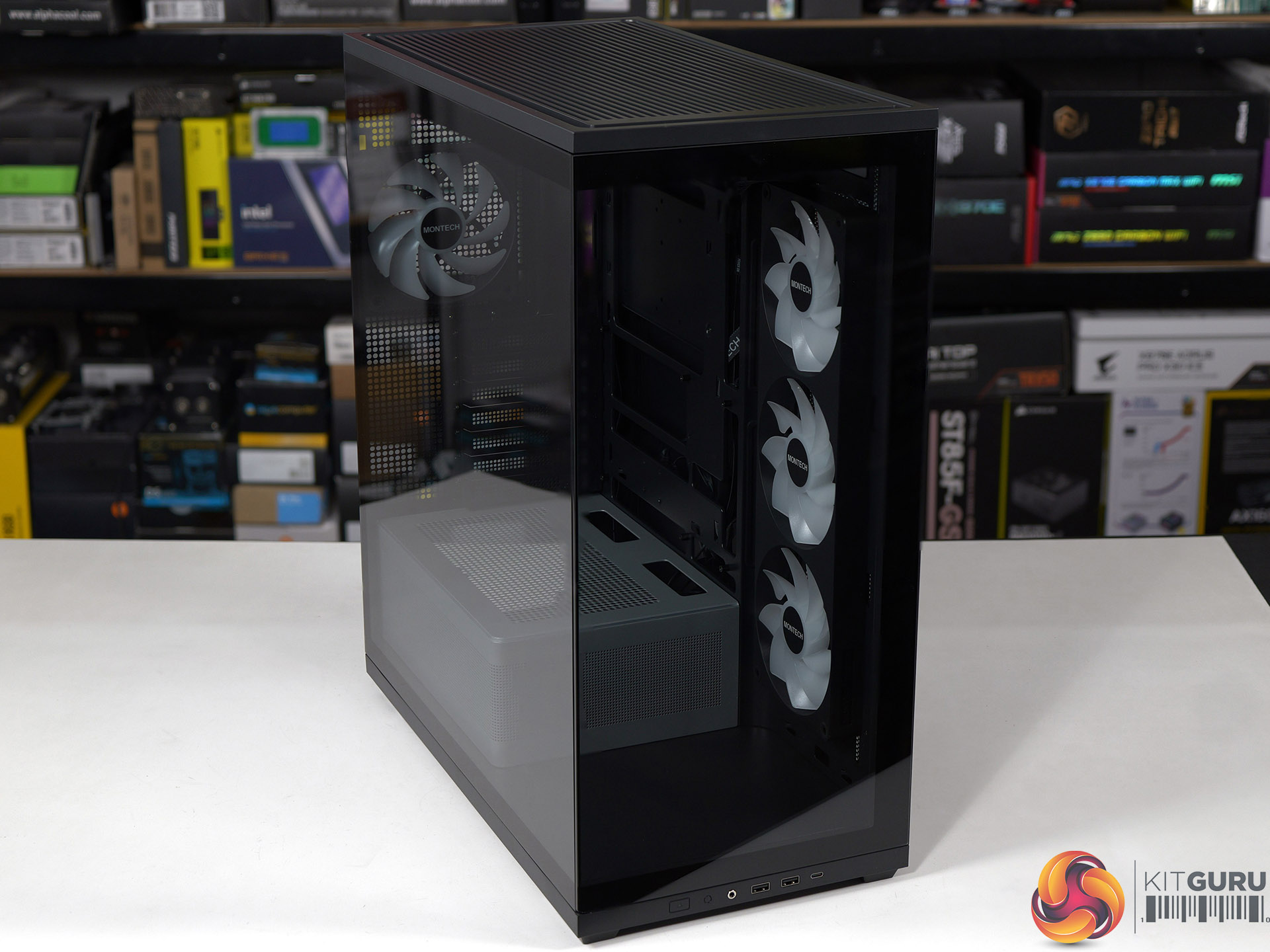
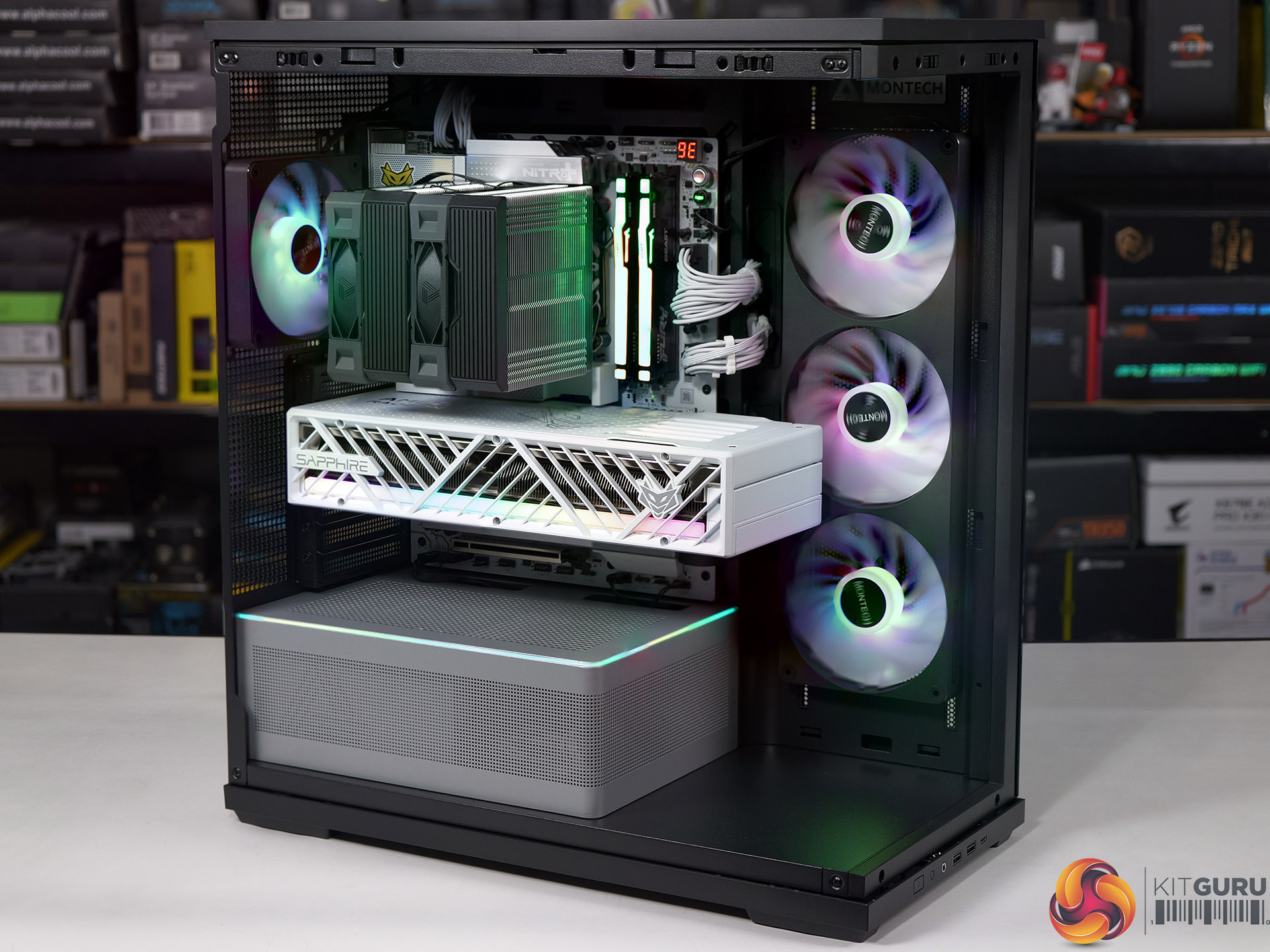
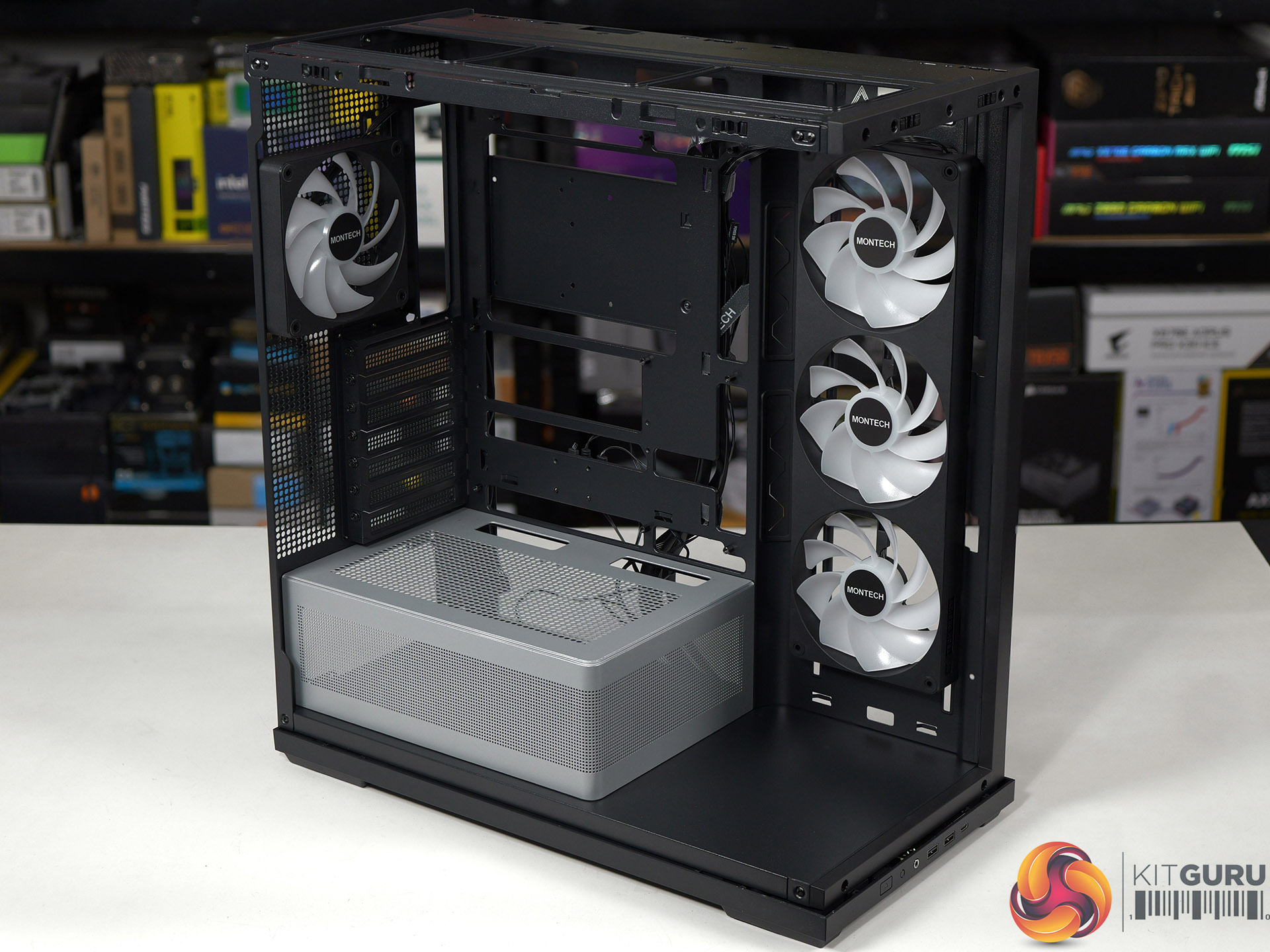
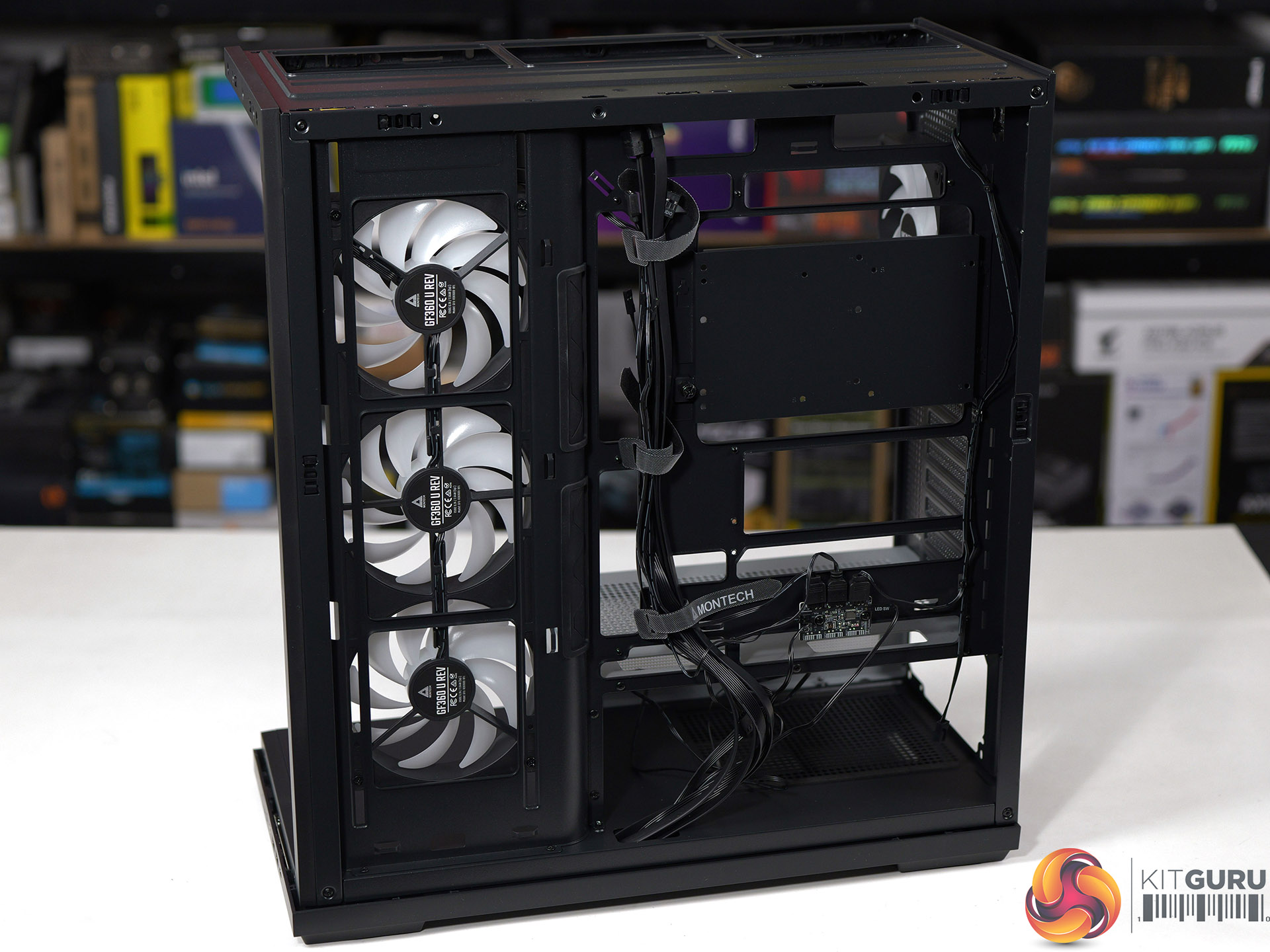
It has been a year since we first saw the budget TG3 on show at Computex 2025 and we have finally got our hands on a sample for review. The main components are a unibody 360mm fan in the side of the case with two glass panels and RGB lighting galore. The shock is that this case is remarkably cheap, but despite that it is solidly built and offers decent quality.

Time stamps
00:00 Start
00:49 Strip down / A look inside / Front I/O
02:44 Motherboard Support
03:20 Installing a system
05:44 Smoke test for airflow
06:15 Thermal and Noise Testing
08:35 PSU change
09:14 Closing Thoughts
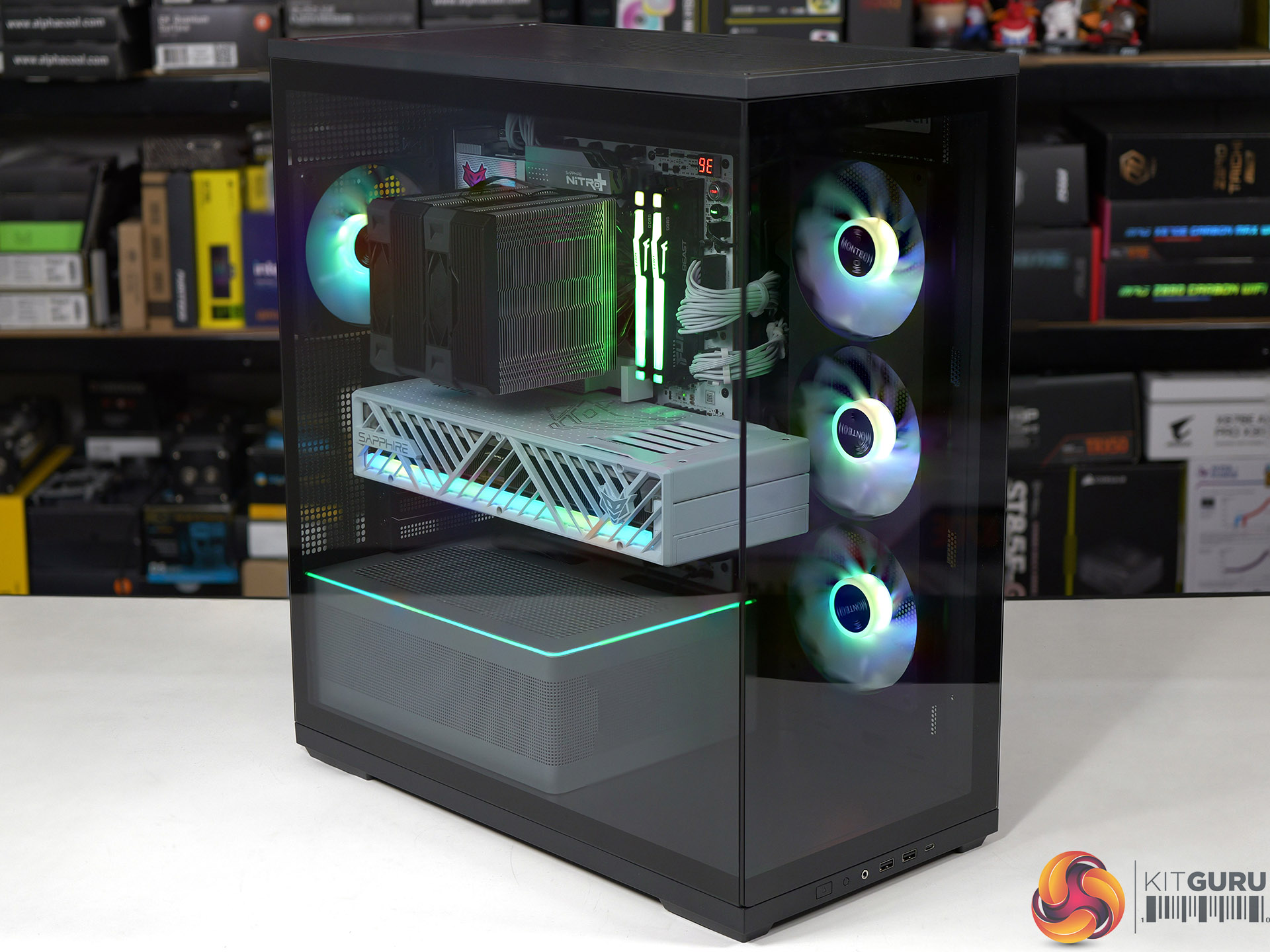
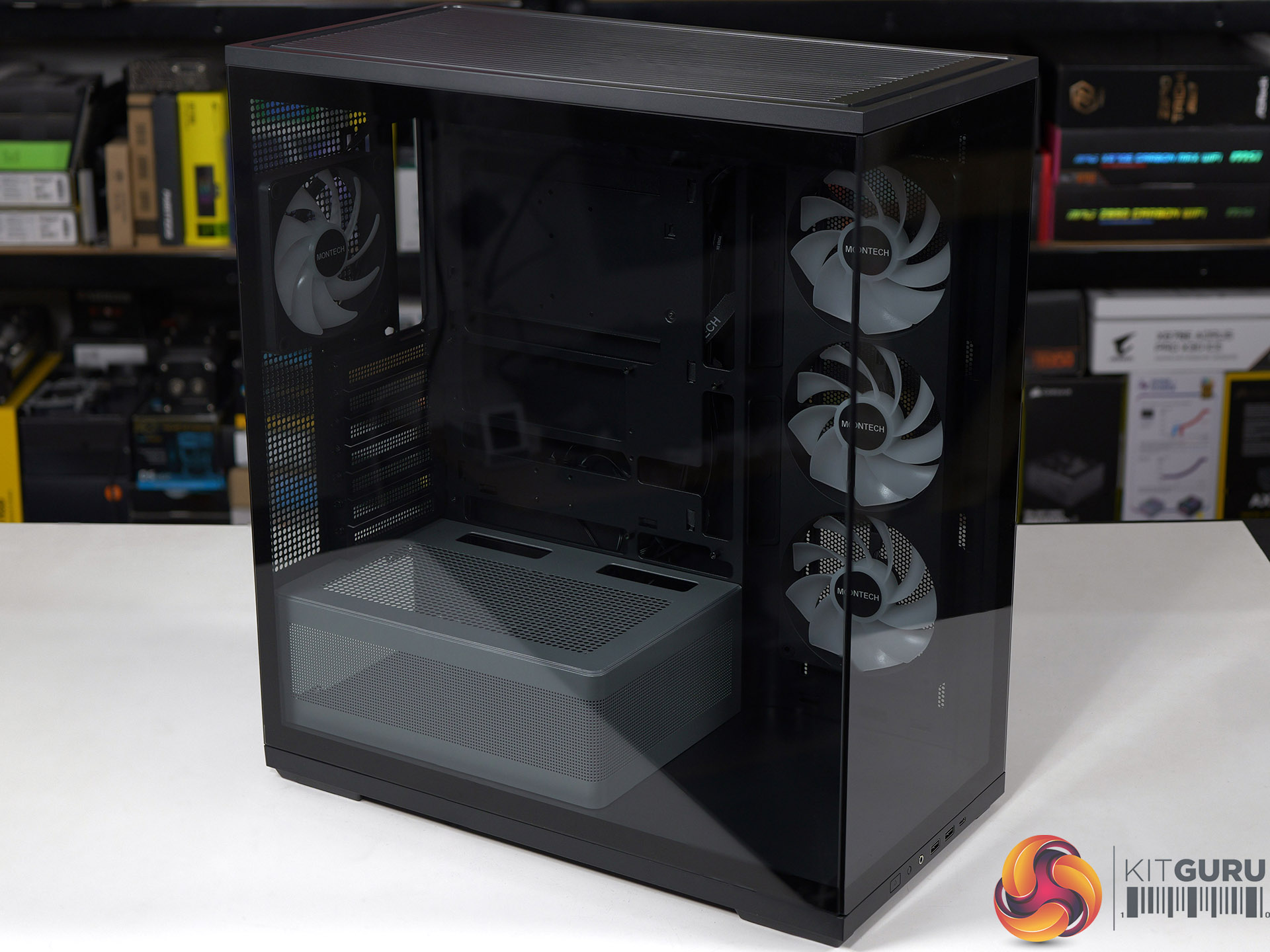
Main features

  • Tiered Bottom Layout with ARGB Lighting
  • Showcase Surface for Personalised Builds
  • Pre-installed GF U Unibody Fans for Cleaner Layout
  • Future-Proof GPU Compatibility
  • Back-Connect Ready
  • Spacious interior with a clean, minimalist exterior

Specification:

  • Motherboard support: ATX, Micro-ATX, Mini-ITX with support for rear connections.
  • Power supply support: ATX, SFX-L, SFX.
  • Expansion slots: 7.
  • Included fans: 1x 360mm side intake GF360 U REV, 1x 120mm rear exhaust GF120 U.
  • Fan mounts: 3x 120mm side, 3x 120mm/140mm roof, 1x 120mm/140mm rear, 2x 120mm PSU shroud.
  • Radiator mounts: 240mm side, 360mm/280mm roof, 120mm rear.
  • 5.25-inch optical drive bays: None.
  • Internal drive bays: 1x 3.5-inch, 2x 2.5-inch.
  • Front I/O ports: 2x USB 3.0 Type-A, 1x USB 3.1 Type-C, audio.
  • Dimensions: 523mm H x 465mm D x 239mm W.

Testing

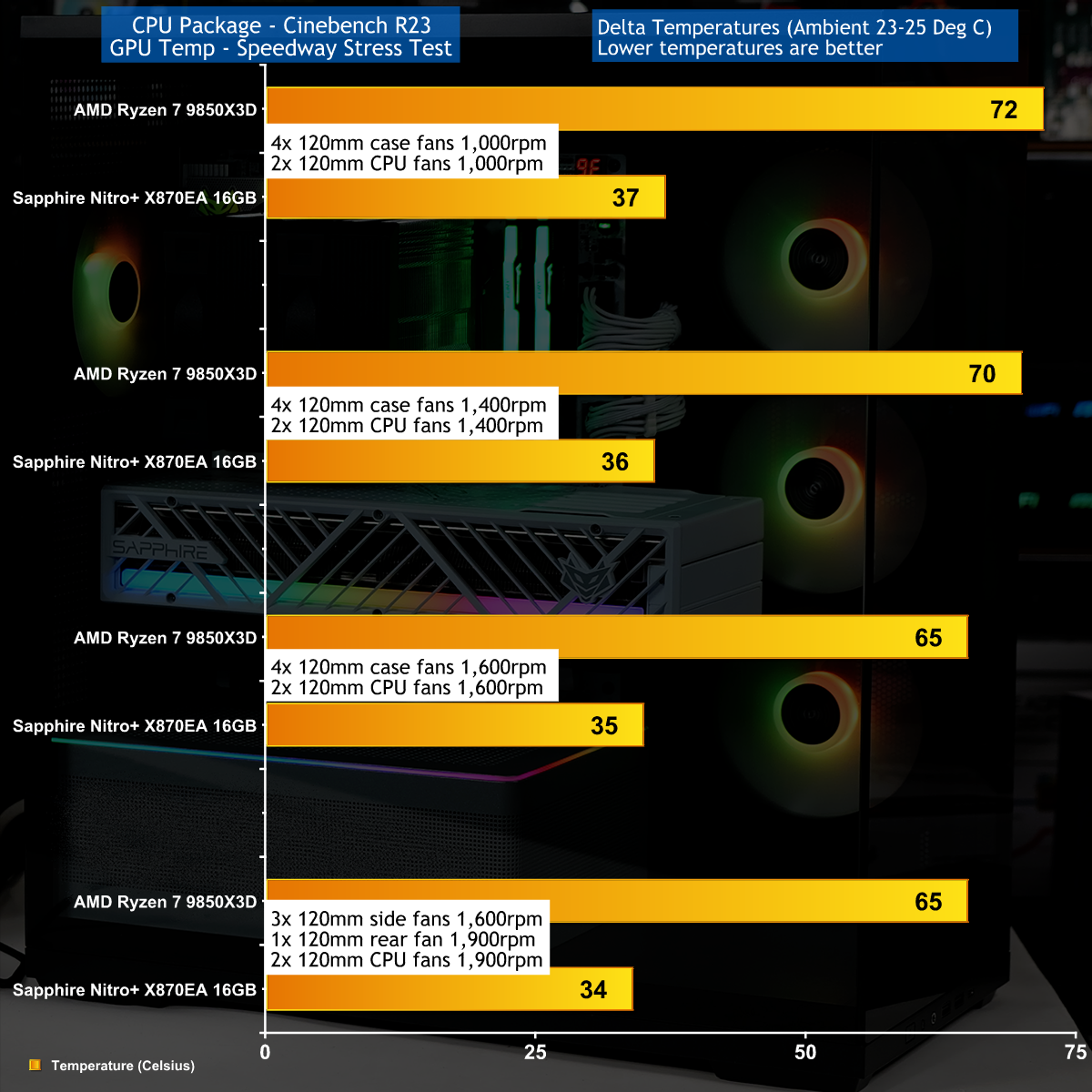
To put this case through its cooling paces we will be using a test system consisting of an AMD Ryzen 7 9850X3D, Sapphire Nitro+ X870EA PhantomLink motherboard and an SSD. This system allows us to produce a substantial amount of heat and effectively test the Montech TG3β€˜s cooling capabilities.

Test System:
Processor: AMD Ryzen 7 9850X3D
CPU Cooler: Montech NX600
Motherboard: Sapphire Nitro+ X870EA PhantomLink Polar Edition
Memory: 32GB Kingston Fury Beast DDR5-6000
Graphics card: Sapphire Nitro+ Radeon RX 9070 XT 16GB
Power supply: Montech Century II Gold 1050
SSD: Crucial T705 Gen 5 M.2 NVMe
OS: Windows 11

Cooling Performance
Cooling Performance Overview

We stressed the Montech TG3 with a combination of Speedway Stress test and Cinebench R23 that drew 560W-580W at the wall socket. Our Sapphire RX 9070 XT graphics card was nice and cool under full load while the AMD Ryzen 7 9850X3D was slightly warmer than we wanted.

Closing Thoughts

The Montech TG3 uses a layout that follows the same conventions as a great many other ATX tower cases. You have glass on the front and main panels, with cooling air drawn in from the right hand side through 3x 120mm fans. Inside the main compartment the power supply shroud stops short of those side fans to give you the full benefit of the ARGB light show.
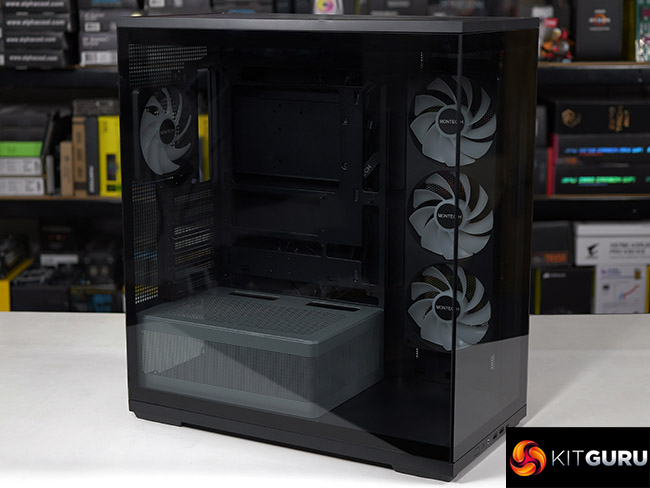
In other words there is nothing about the TG3 that is unusual, and the only curiosity are those side fans that use a unibody design to tidy up the cabling and reduce the number of installation screws.

This makes it quite amazing to us that Montech has managed to launch the TG3 at a mere Β£49.99 in the UK and we understand that will be $59.99 in the USA.

You can buy the Montech TG3 for Β£49.99 HERE.

Pros:

  • Very low price.
  • Good amount of room in the main chamber to assemble your PC.
  • Decent build quality.

Cons:

  • The cooling is nothing special.
  • When you crank up the fans the TG3 gets noisy.
  • The main components are riveted together.

KitGuru Says: The Montech TG3 is a decent case at a crazy low price.Β 

The post Montech TG3 Case Review: Budget Winner first appeared on KitGuru.

Corsair 2800X RS-R ARGB Budget Micro-ATX Case

30 June 2026 at 13:16

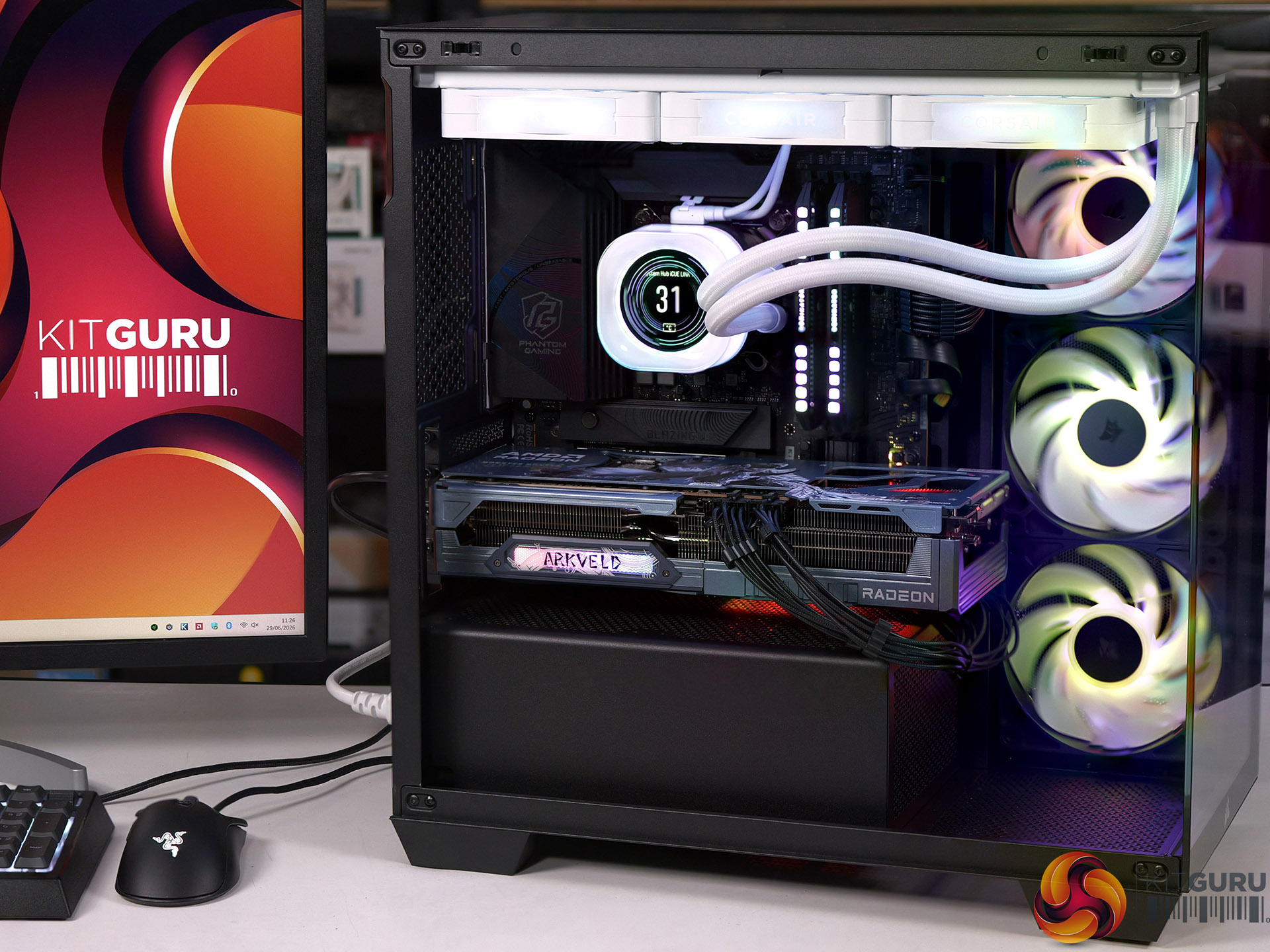
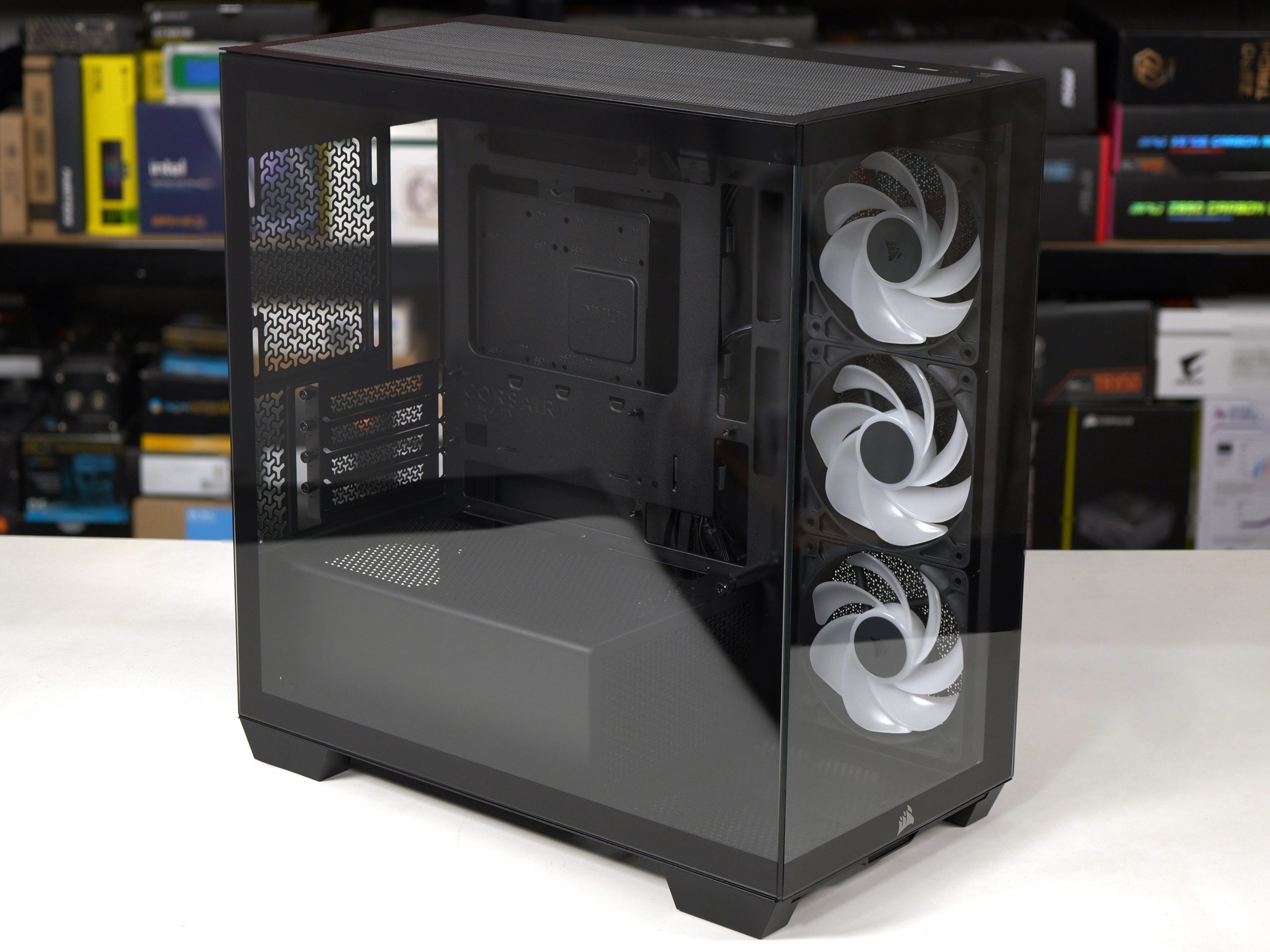
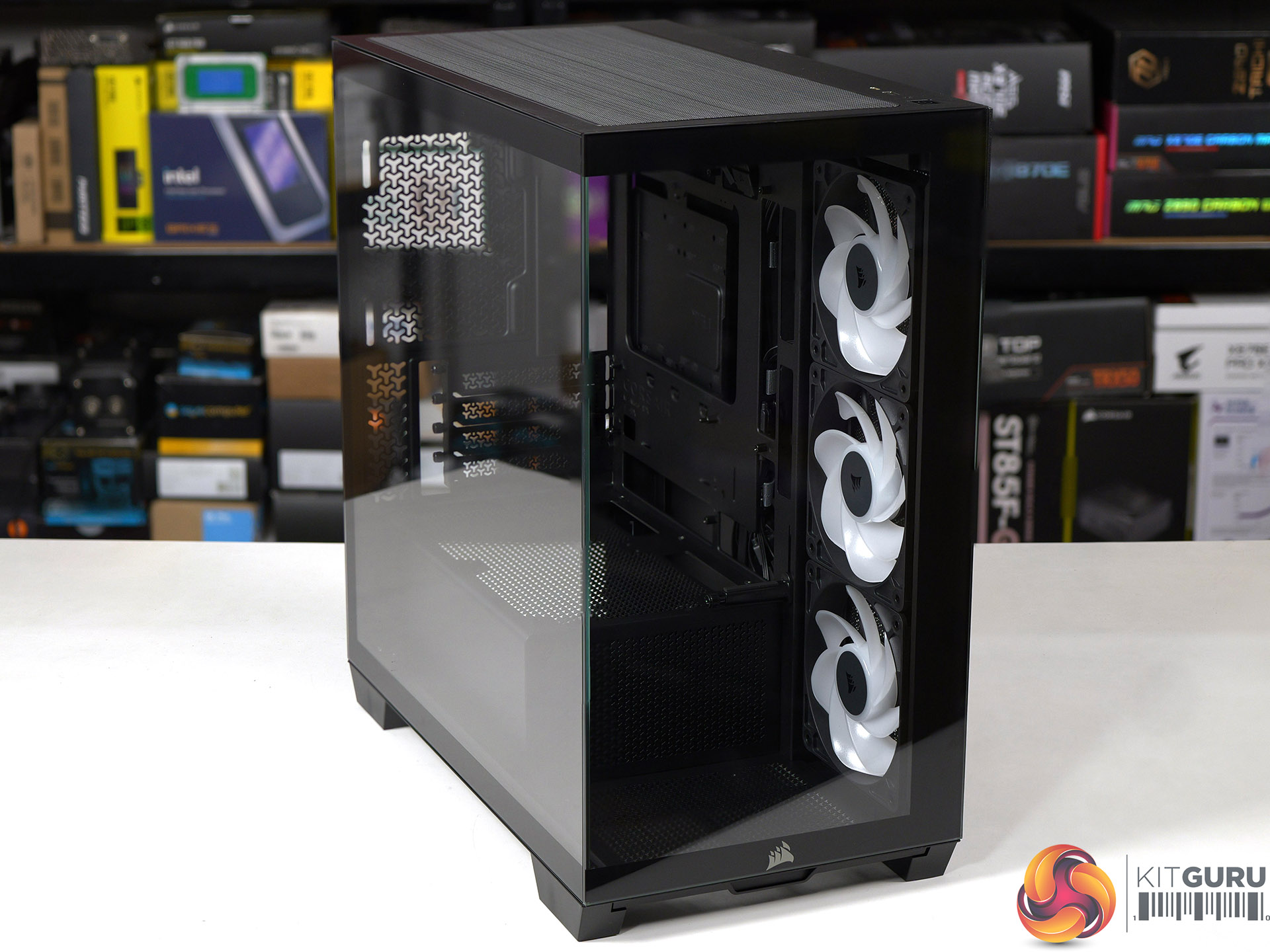
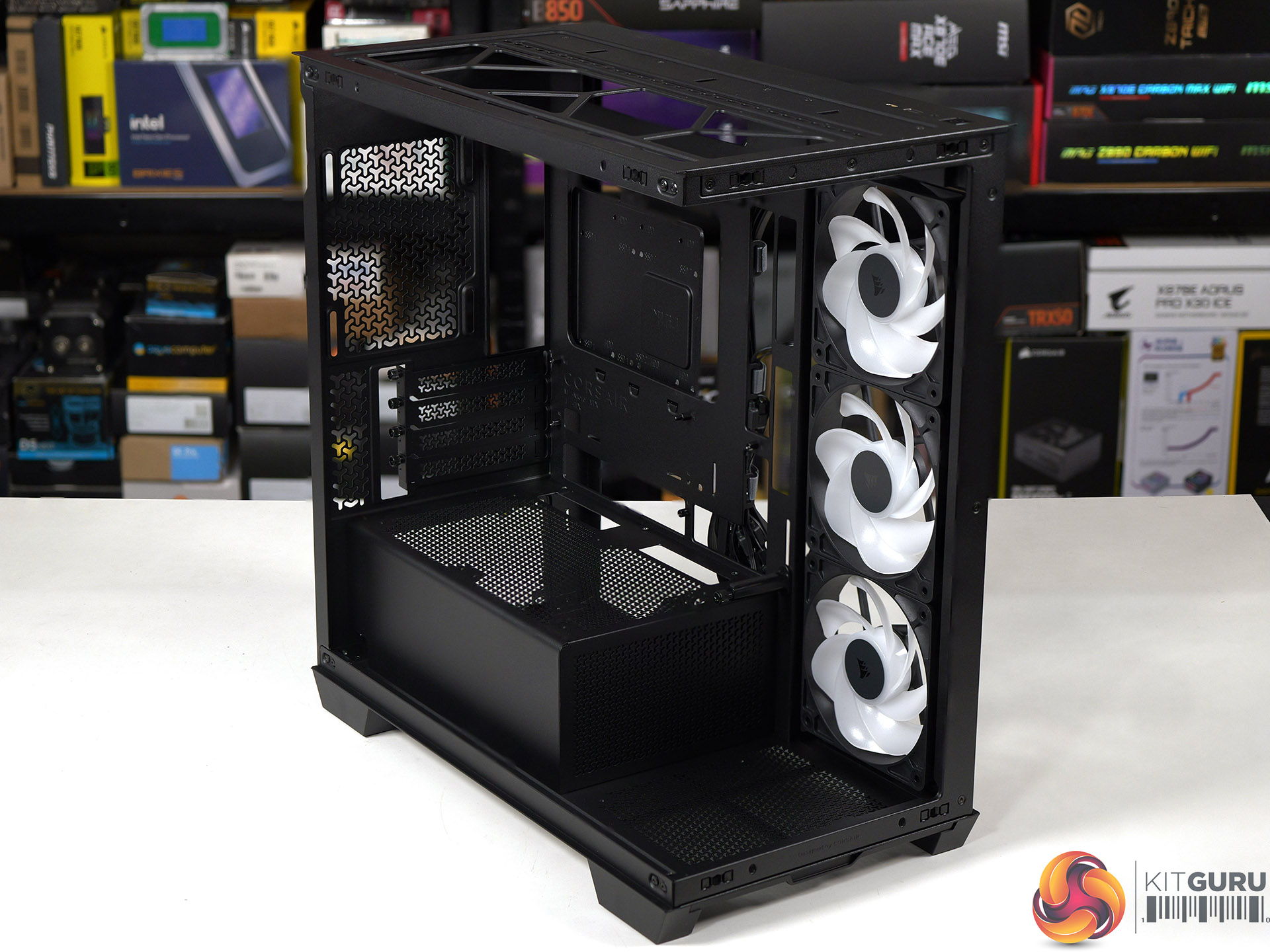
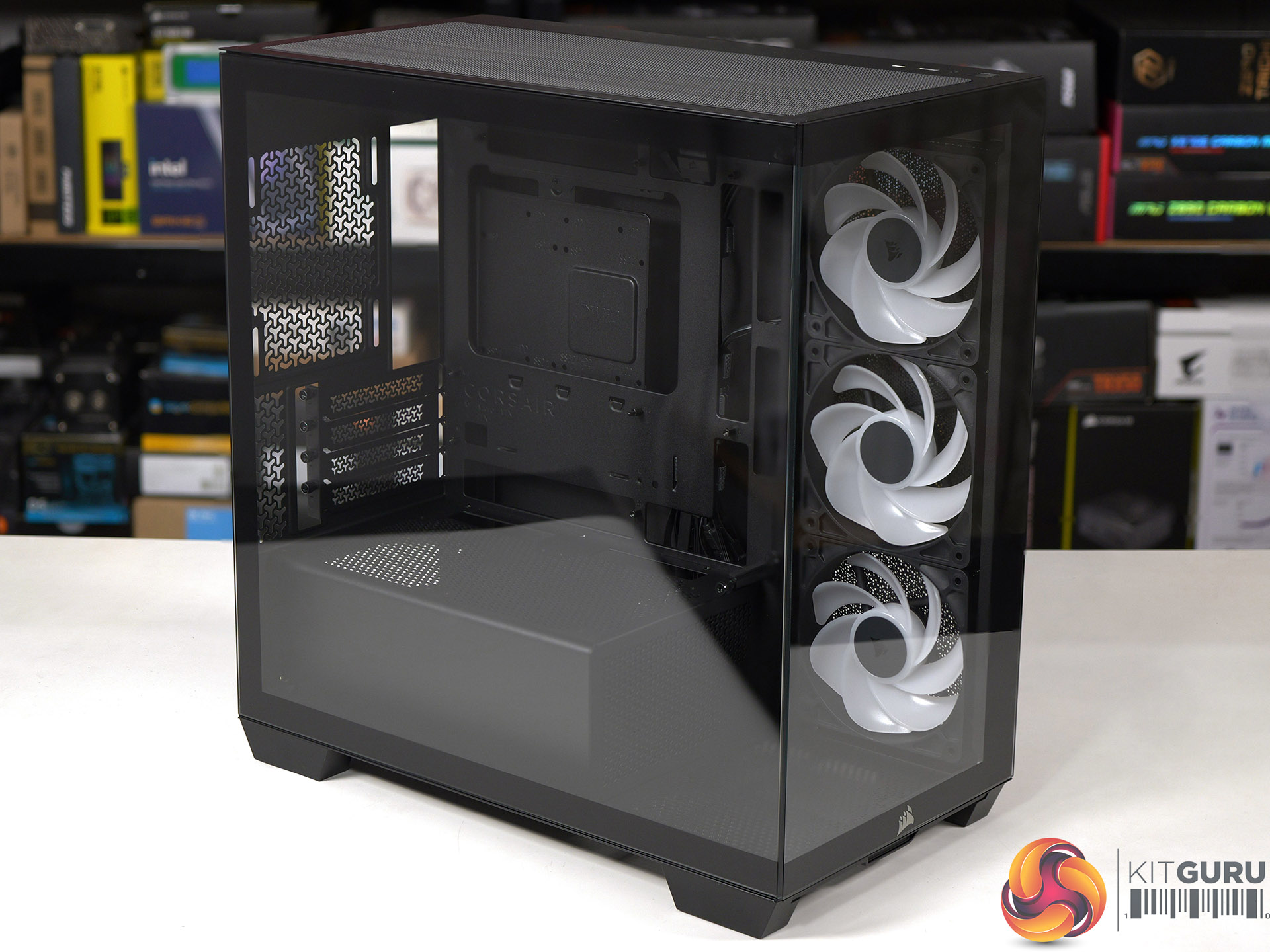
At Computex we were shown the Micro-ATX Corsair 2800X, however we were vague about the price and said β€˜it will be priced towards the budget end of the scale'. The reason we were vague is that Corsair wasn't 100% sure they would be able to deliver the 2800X at the price they were discussing, and they wanted some wiggle room in case their plans changed. Today we can announce the news that Corsair has indeed delivered the 2800X exactly as they hoped and also, it's rather good.

Time stamps
00:00 Start
00:39 Overview / disassembly / cooler support
02:37 Building a system inside
04:30 Airflow smoke test
05:10 Thermal and noise testing
06:45 Leo discusses thermals
09:04 Micro ATX Thoughts
11:28 Space and routing
12:42 Closing Thoughts

Main features

  • Micro-ATX Chassis – Today’s Micro-ATX motherboards are packed with features and are all that’s needed for a powerful PC, and the smaller size makes the 2800X easier to fit on any size desk.
  • 360mm Radiator Support – Despite its compact footprint, the 2800X has enough room in the top for a 360mm radiator, so you can cool even the most powerful CPUs with an AIO or custom cooling setup.
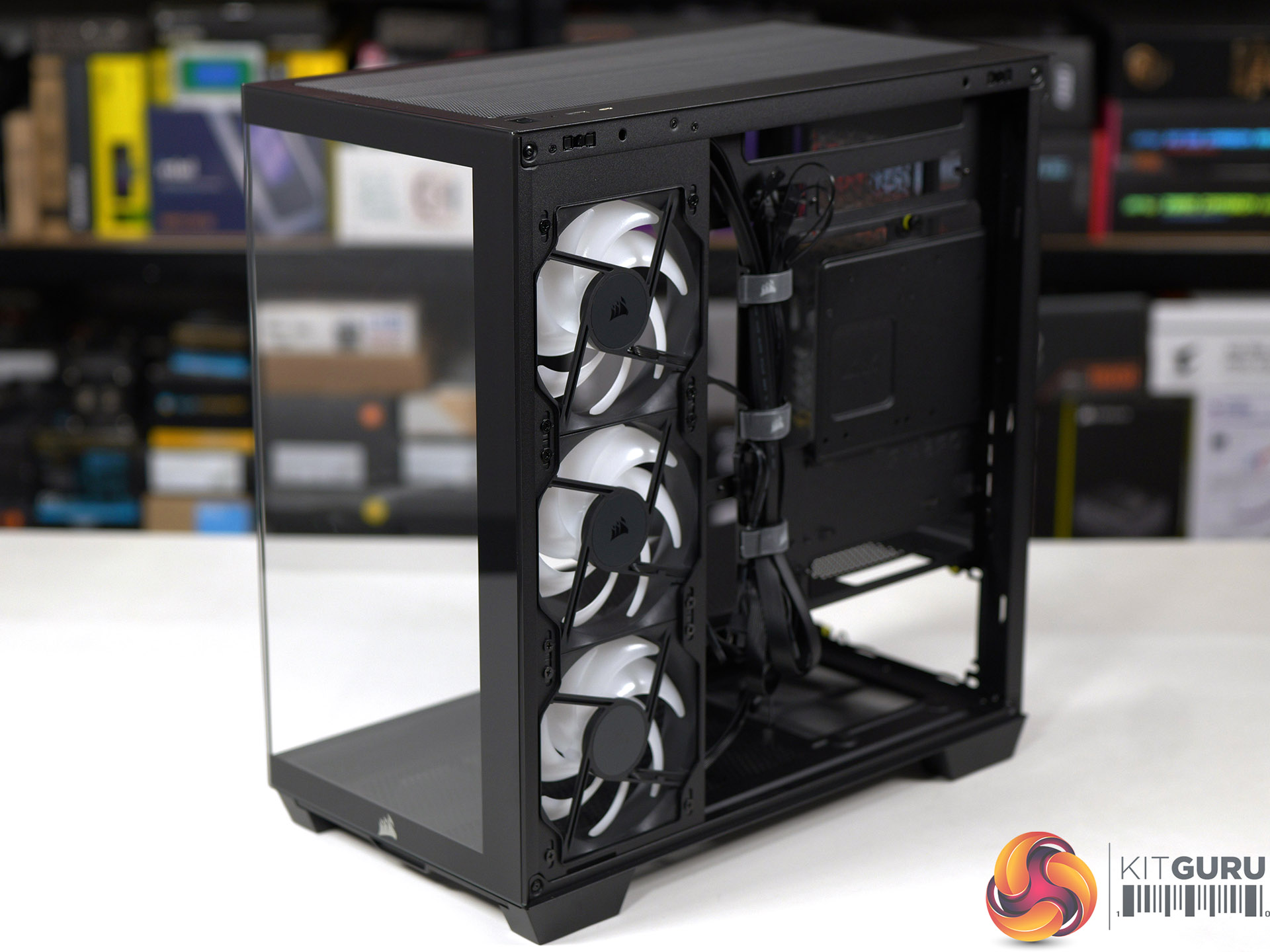
  • 3x RS120-R ARGB PWM Fans Included – Three reverse-rotor RS120-R fans are pre-installed in the side for unobstructed ARGB lighting with simple motherboard connectivity for syncing fan speeds and lighting without the need for a separate fan controller.
  • Room for up to 10x 120mm Fans – Ample room for full-system cooling with 3x fan mounts in the side and top, 1x in the rear for exhaust, 2x on the PSU shroud for boosted GPU cooling and 1x in the bottom to ensure great internal airflow.
  • Wraparound Tempered Glass Panels – The front and side panels are tempered glass for a classic β€œfishbowl” look that prioritises viewing one’s hardware, tidy cabling, and RGB lighting in all their glory.
  • Reverse-Connector Motherboard Support – Hide all of your cables and simplify your build with a reverse-connector mATX build.
  • Room for Oversized GPUs – The spacious interior has 410mm of GPU clearance so even the biggest GPUs have plenty of room to breathe.
  • Built-In GPU Support – The 2800X RS-R includes a built-in GPU Anti-sag Stabilisation Arm in the side panel that is adjustable up or down to protect both the GPU and your PCIe slot.
  • Add More Storage – A combination drive plate lets you easily add more storage and supports 1x 3.5” HDD or 2x 2.5” SSDs.
  • Fast Top-Mounted I/O – The top-mounted I/O offers 1x USB 3.2 Gen 1 Type-A for wide compatibility and a USB 3.2 Gen 2Γ—2 Type-C port cable of up to 20Gb/s of bandwidth, which is 4x the speed of USB 3.0.

Specification:
Motherboard support: Micro-ATX, Mini-ITX.
Power supply support: ATX.
Expansion slots: 4.
Included fans: 3x 120mm RS120-R side intake.
Fan mounts: 3x 120mm side, 2x 140mm/3x 120mm roof, 1x 120mm rear, 1x 120mm floor, 2x 120mm PSU shroud.
Radiator mounts: 360mm/280mm roof, 240mm side, 120mm rear.
5.25-inch optical drive bays: None.
Internal drive bays: 1x 3.5-inch or 2x 2.5-inch.
Front I/O ports: 1x USB 3.2 Gen 1 Type-A, 1x USB 3.2 Gen 2Γ—2 Type-C, audio.
Dimensions: 436mm H x 447mm D x 232mm W.

Testing
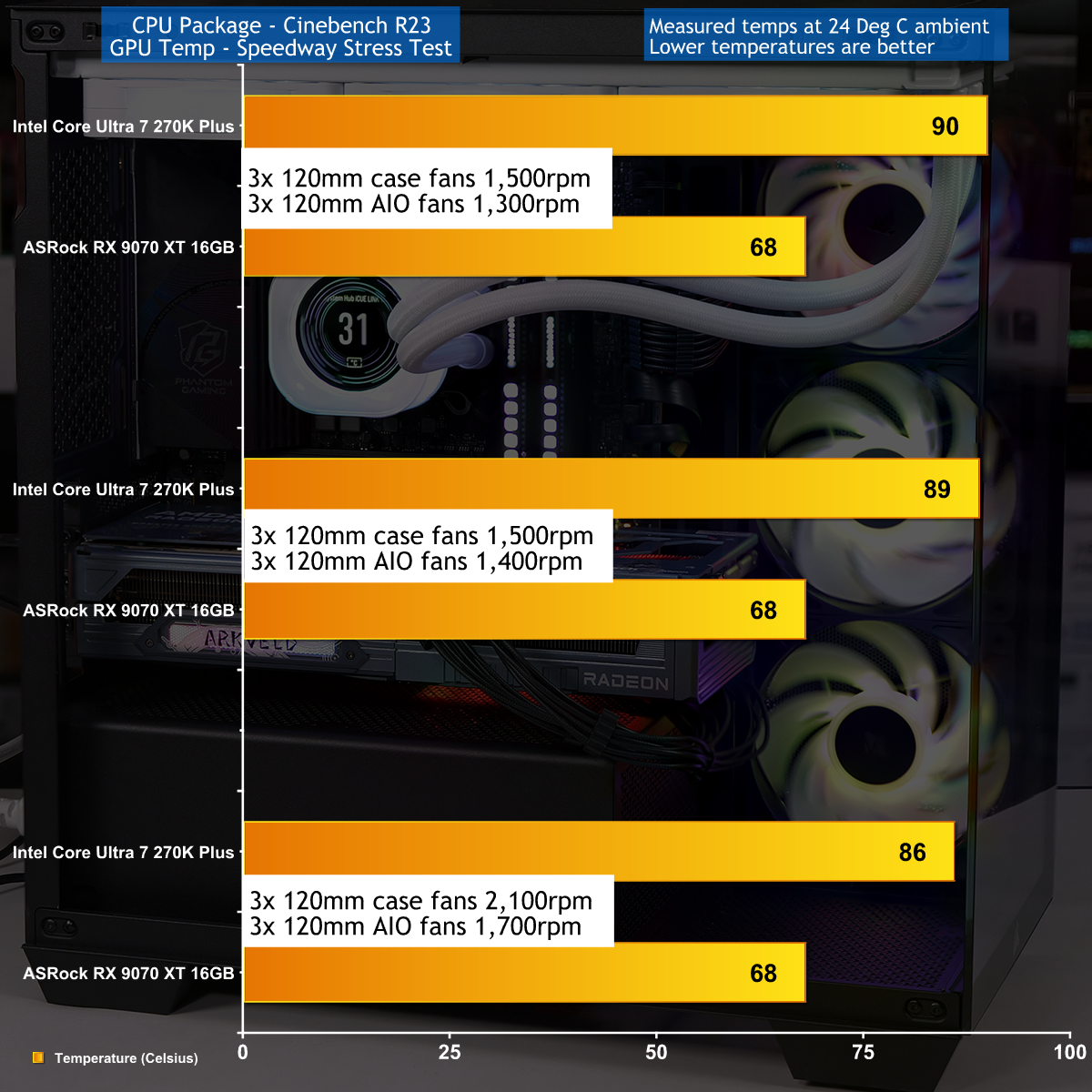
To put this case through its cooling paces we will be using a test system consisting of an Intel Core Ultra 7 270K Plus processor, ASRock RX 9070 XT graphics card and an SSD. This system allows us to produce a substantial amount of heat and effectively test the Corsair 2800X RS-R ARGB's cooling capabilities.

Test System:
Processor: Intel Core Ultra 7 270K Plus
CPU Cooler: Corsair iCUE Link Titan 360 RX LCD
Motherboard: ASRock Phantom Gaming Z890M Riptide WiFi
Memory: 32GB Corsair Dominator Platinum RGB DDR5-7000
Graphics card: ASRock AMD Radeon RX 9070 XT 16GB Monster Hunter Wilds
Power supply: Corsair HX1000i Shift
SSD: Corsair MP600 Elite M.2 NVMe
OS: Windows 11

Cooling Performance

Cooling Performance Overview

During our testing we stressed the Corsair 2800X RS-R ARGB with a gaming PC that drew 670W at the wall socket. This feels like the extreme end of the scale for a mid-range gaming PC, and we imagine many people using this 2800X case will stress the cooling far more lightly. As you will see in our video the cooling system performed perfectly well, and while it was nothing special it did the job that we required.

Closing Thoughts

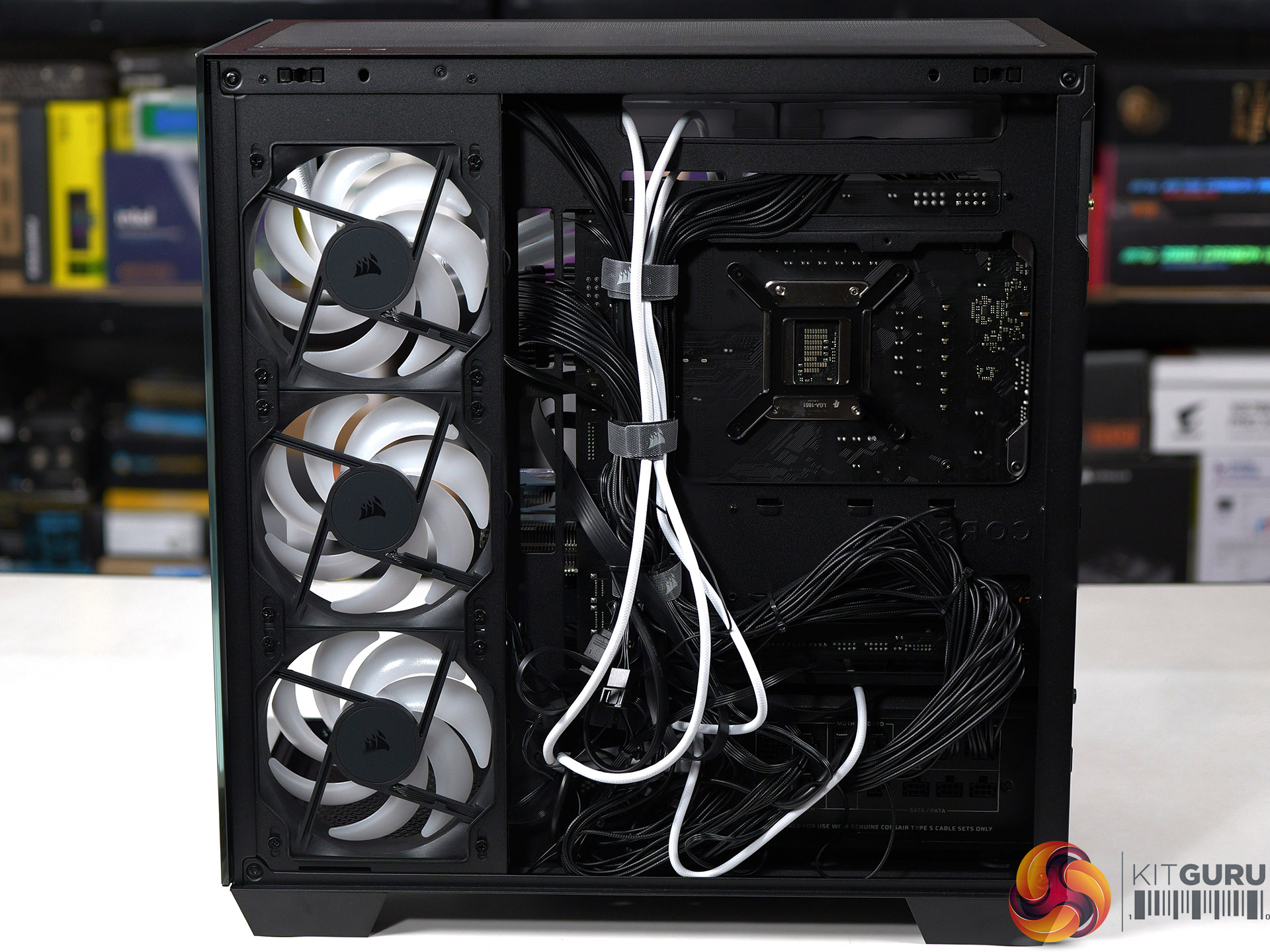
Corsair has done a decent job with the 2800X RS-R ARGB by delivering a single chamber case with two glass panels and three ARGB fans at a competitive budget price. The build quality is good and the case feels solid, even with the panels removed, and have good access while you are building your PC.

We found no specific problems while we were testing the Corsair 2800X RS-R ARGB and are confident your buying decision will come down to detail choices. For example, do you want a PWM fan hub or do you consider it essential to grommets in the cable management holes. Overall we were happy with this case and consider it a solid contender.

You can buy the Corsair 2800X RS-R ARGB for Β£69.99

Pros:

  • Low price and decent value for money
  • Solid build quality and the panels are easy to remove and replace.
  • Micro-ATX form factor leads to a more compact PC

Cons:

  • Micro-ATX restricts your choice of motherboards
  • Space for cables is tight, especially with a rear connection motherboard.
  • Cooling is rather average

KitGuru says: The Corsair 2800X RS-R ARGB is a good choice for a compact Micro-ATX PC build.Β 

The post Corsair 2800X RS-R ARGB Budget Micro-ATX Case first appeared on KitGuru.
❌
❌