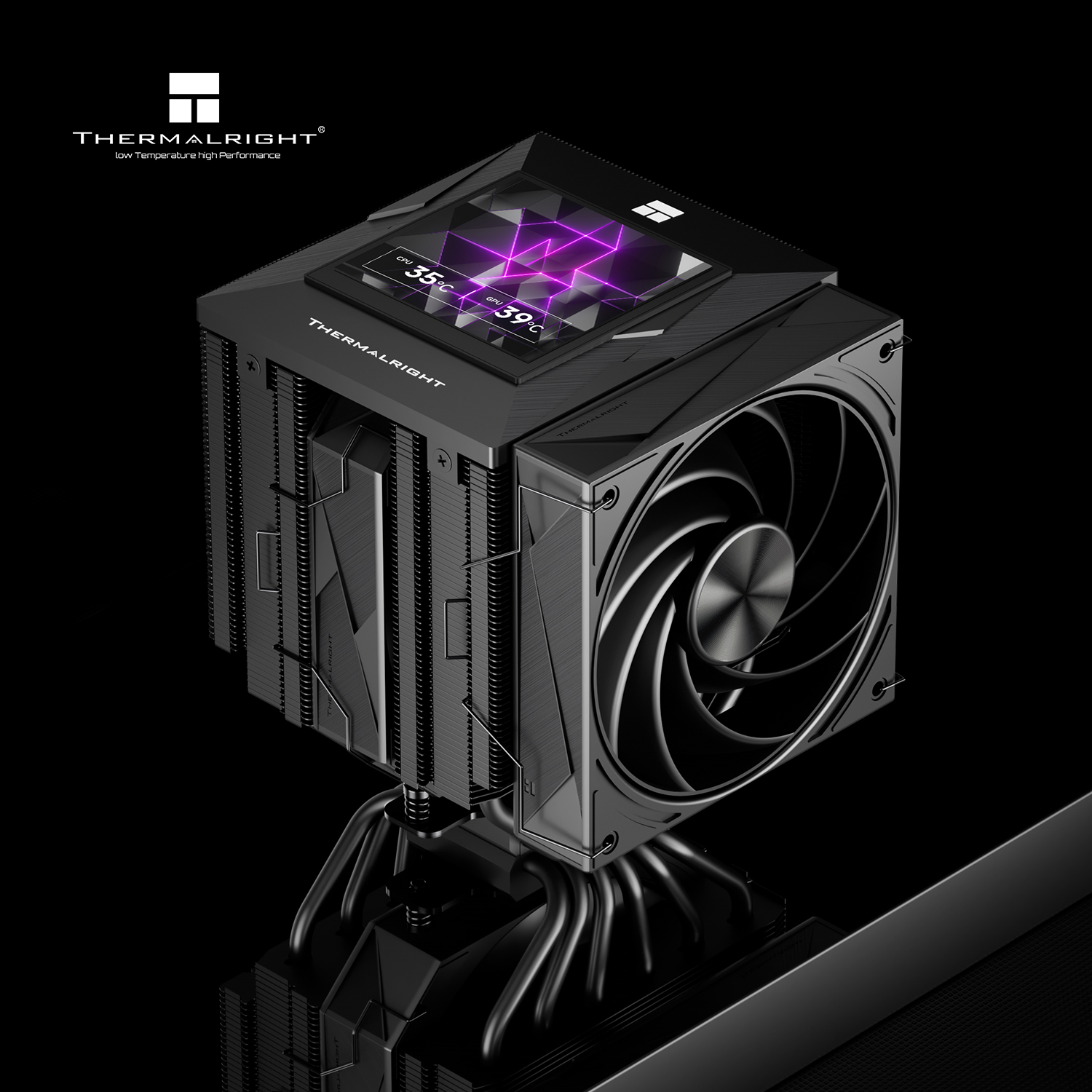
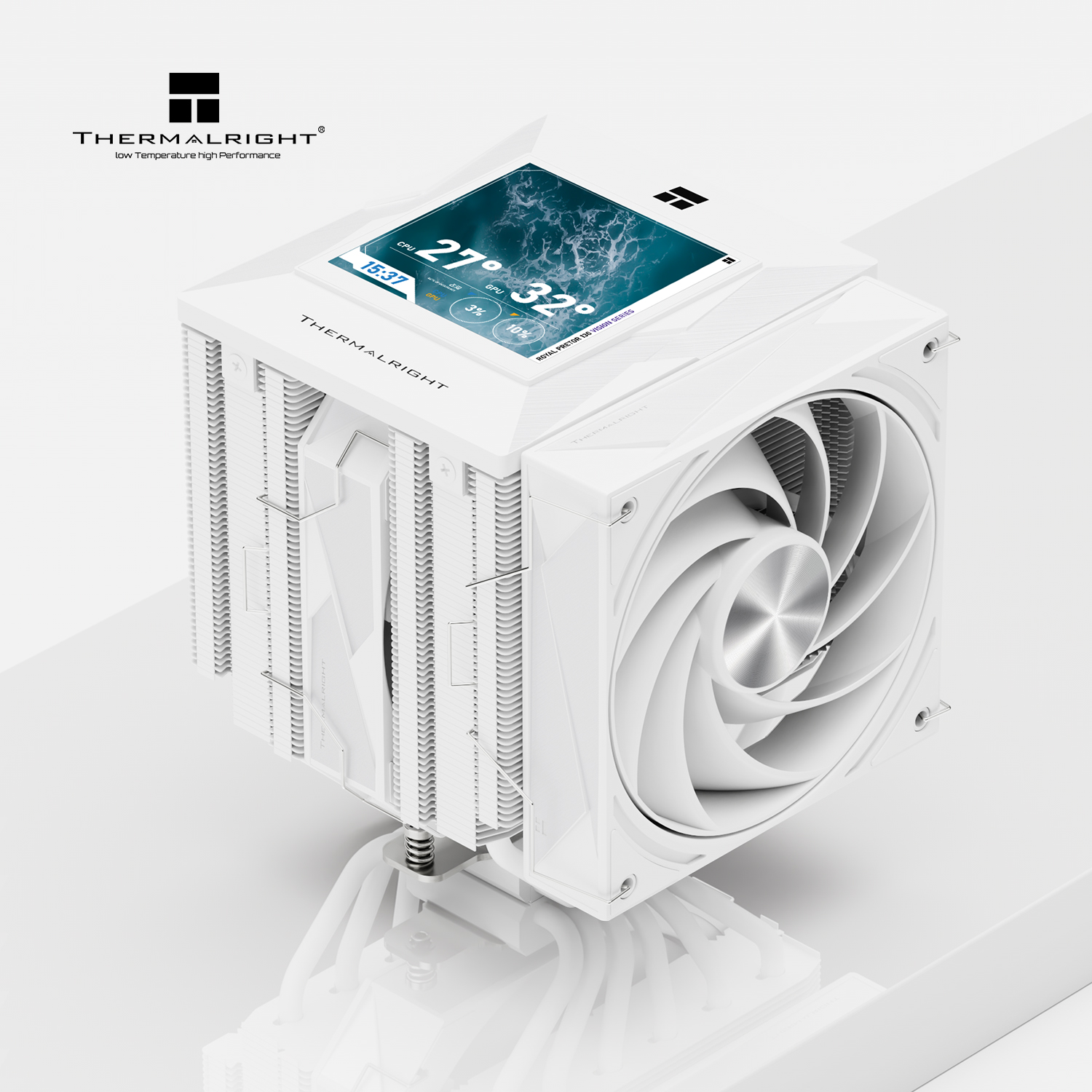
Thermalright has expanded its CPU cooling lineup with the introduction of the Royal Pretor 130 Vision and Royal Pretor 130 Digital dual-tower air coolers. Both models build upon the existing Royal Pretor 130 design by adding integrated top-mounted displays for real-time hardware monitoring and customisation.
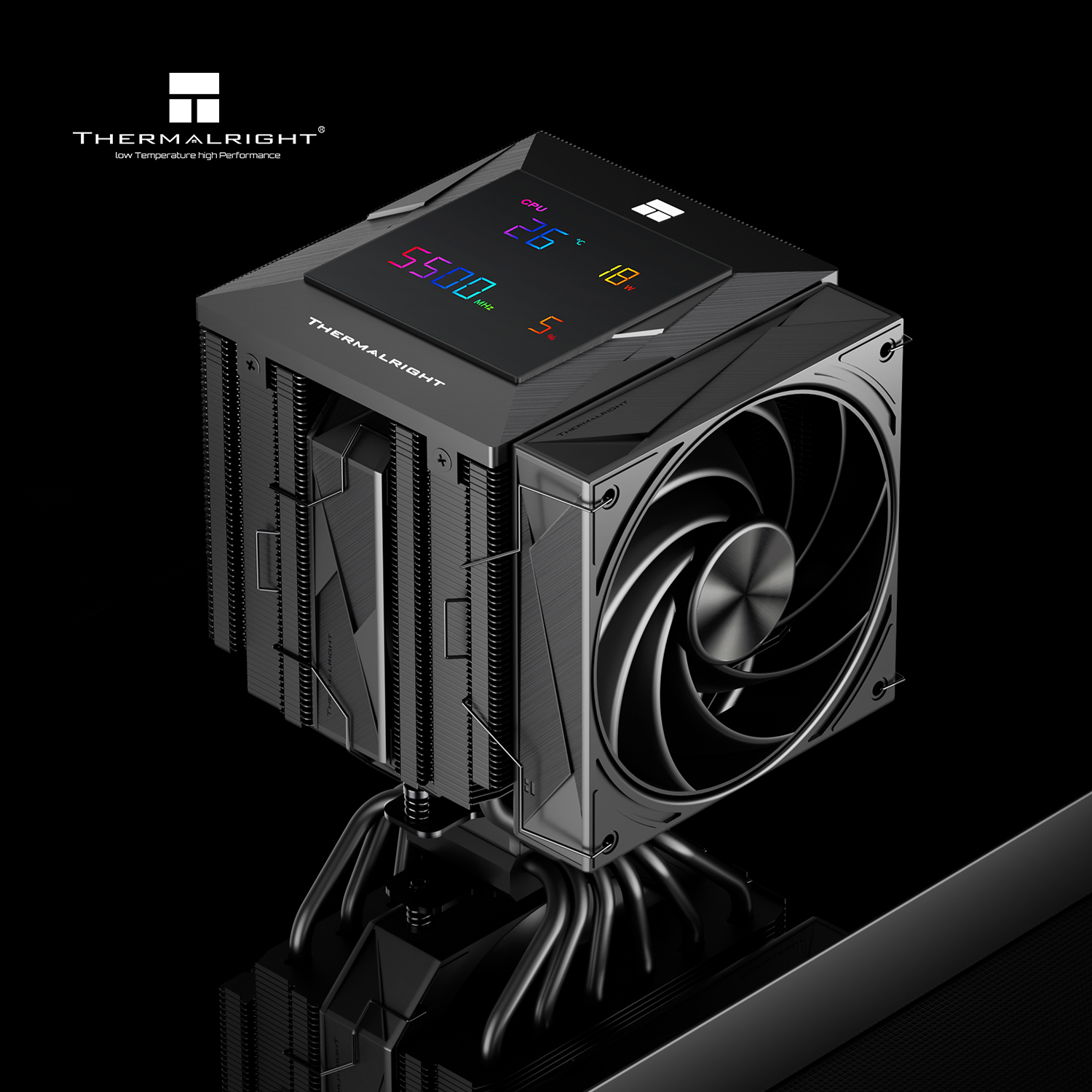
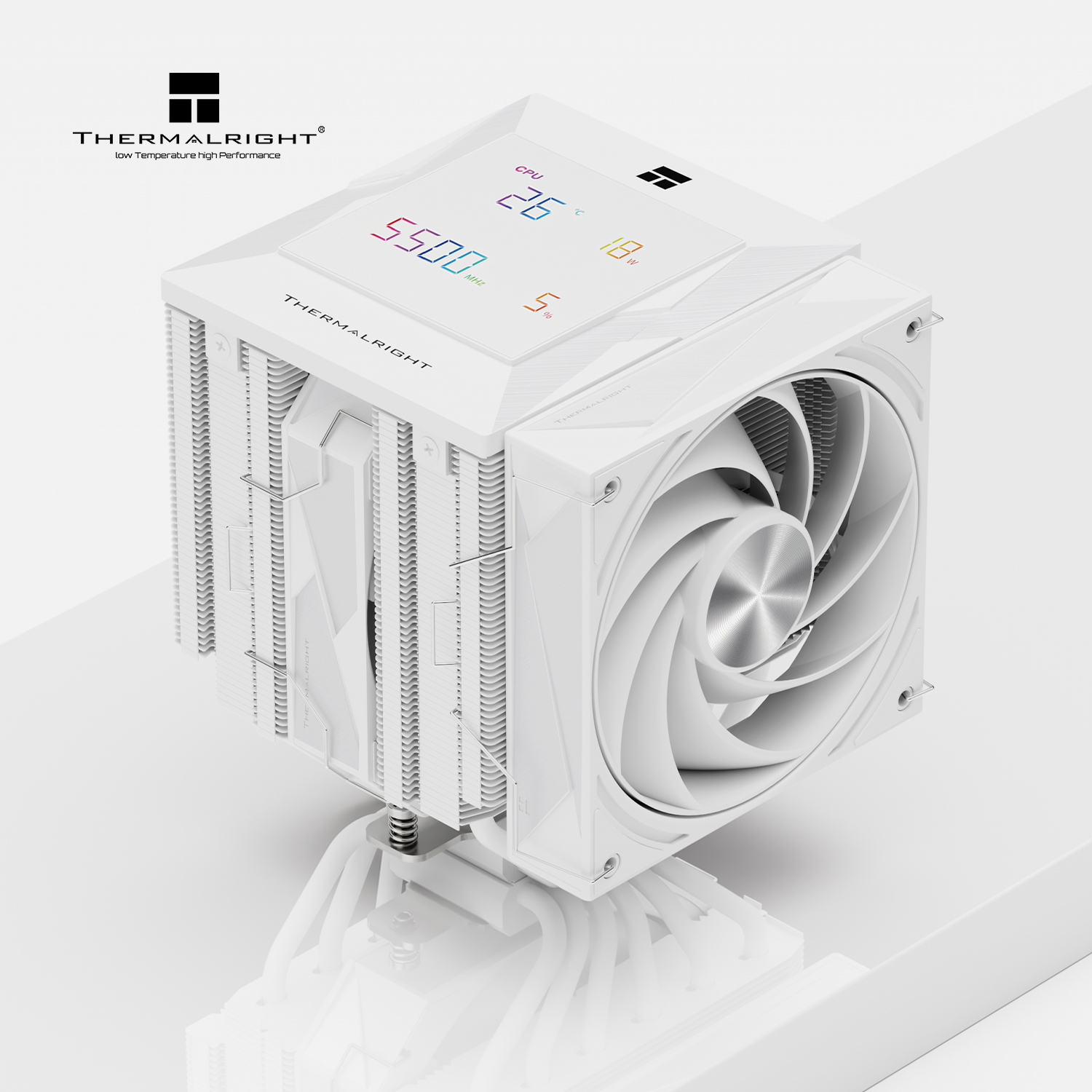
The flagship Royal Pretor 130 Vision features a 3.95-inch, 480×480 LCD screen mounted on top of the heatsink. Connected through an internal USB 2.0 header, the display works with Thermalright's software to show system metrics, custom images, wallpapers, GIFs, and animations. In contrast, the Royal Pretor 130 Digital uses a dedicated monitoring display that shows only real-time data, including CPU temperature, package power consumption (W), clock frequency (MHz), and memory usage percentage.
Both coolers share the same physical hardware, featuring a 130x140x165mm dual-tower heatsink with six 6mm nickel-plated copper heatpipes and a nickel-plated C1100 copper base. Airflow is handled by a 120mm TL-H12W-X28-R9 PWM fan rated up to 2400RPM and 98.2CFM, paired with a central 130mm TL-HD13W-X28 PWM fan rated up to 1750RPM and 81.88CFM. S-FDB V2 bearings are used on both fans.
Compatibility spans Intel LGA115X, 1200, 1700, 1851, 2011, and 2066 sockets, as well as AMD AM4 and AM5 platforms. Thermalright will offer both variants in black and white finishes, though official pricing and release dates remain unconfirmed.
KitGuru says: At this point, most AIO coolers have a display attached to them. The same trend is now taking over the air cooler market too.
Cooler Master, a global leader in PC components and thermal management solutions, has announced the V8 ACE 3DHP, a flagship single-tower CPU air cooler featuring the company’s patented 3D Heat Pipe (3DHP) technology. Designed for high-performance processors, gaming PCs, workstations, AI development, 3D rendering, and video production workloads, the new cooler aims to deliver dual-tower-class cooling performance in a more compact design.
The V8 ACE 3DHP introduces a hybrid cooling architecture that combines two 3D heat pipes with four traditional heat pipes. This design improves heat transfer from CPU hotspots into the fin stack while maximizing fin utilization. Rather than increasing the size of the heatsink or adding more conventional heat pipes, Cooler Master uses its 3DHP technology to improve heat distribution and cooling efficiency within a single-tower form factor.
Independent testing has also highlighted the cooler’s performance. According to Cybenetics, a third-party hardware testing and certification laboratory, the V8 ACE 3DHP AMD version currently leads all single-tower air coolers in its database and ranks second overall, including larger dual-tower cooling solutions.
As modern processors continue to consume more power during demanding workloads, cooling solutions must balance thermal performance with compatibility and ease of installation. Cooler Master says the V8 ACE 3DHP was developed to meet these requirements while avoiding the size, weight, and clearance limitations often associated with larger air coolers.
“The V8 ACE 3DHP represents the direction Cooler Master is taking with thermal design,” said Gustavo Chiu, Co-CEO of Cooler Master. “Compared with conventional heat pipes, 3DHP lets a similar-sized heatsink deliver superior cooling performance. With 3DHP, we are bringing our thermal authority from our broader cooling R&D into a product for consumers. It is powerful, precise, and more useful than the oversized approach that usually defines high-end air cooling.”
The cooler is available in separate Intel and AMD variants, each optimized for the physical and thermal characteristics of its respective platform. Intel models support LGA 1851, LGA 1700, LGA 1200, LGA 1151, LGA 1150, LGA 1155, and LGA 1156 sockets, while AMD models support AM5 and AM4 platforms. Cooler Master says the platform-specific design helps improve mounting pressure, contact quality, and heat transfer.
Visually, the V8 ACE 3DHP takes inspiration from the appearance of a V8 engine. The cooler features a bold industrial design without RGB lighting, focusing instead on thermal performance, durability, and the company’s V-series heritage.
Key Features
Patented 3DHP technology for improved heat transfer from CPU hotspots
Platform-specific Intel and AMD versions
Dual 120 x 30 mm PWM LCP fans
Loop Dynamic Bearing fan design
Tool-free sliding fan mechanism for easier installation and memory access
Six-year warranty
The Cooler Master V8 ACE 3DHP is available now through Amazon, Newegg, and selected Cooler Master retail partners. The launch continues the company’s long history of cooling innovation, spanning traditional heat pipe coolers, vapor chambers, superconductive composite heat pipes, and thermal solutions for consumer, industrial, server, telecom, automotive, and AI applications.
ARCTIC has introduced the new Freezer 4U Altra CPU cooler, a cooling solution built for Ampere Altra LGA4926 processors used in servers and professional workstations. The cooler is designed to deliver reliable thermal performance while fitting inside standard 4U server racks and compact workstation cases.
The Freezer 4U Altra features a compact design with a height of only 145 mm, making it suitable for systems where space is limited. Despite its smaller size, the cooler is built to handle the cooling needs of powerful processors running demanding workloads.
To improve airflow, ARCTIC has equipped the cooler with two 120 mm PWM fans in a push-pull setup. These fans are optimized for high static pressure, helping move air efficiently through the heatsink. The design aims to provide strong cooling performance while keeping noise levels under control.
The fans also use dual ball bearings, which are known for their durability and long lifespan. This makes the Freezer 4U Altra a good option for servers that operate around the clock in professional environments.
ARCTIC says the cooler offers a wide fan speed range, allowing users to balance cooling performance, noise levels, and power consumption based on their system requirements.
The ARCTIC Freezer 4U Altra is available now through Amazon, eBay, and selected retail partners. It is currently priced at $55.49, while its suggested retail price is listed at $80.49.
The darkFlash Computex 2026 showcase gave visitors a closer look at the company’s growing hardware portfolio. From stylish PC cases to advanced cooling products and powerful power supplies, darkFlash used the event to demonstrate how it is expanding beyond its traditional product categories.
A major highlight of the darkFlash Computex 2026 showcase was the FLOATRON F1 case series. Unlike standard chassis designs, the FLOATRON F1 creates a dedicated airflow path underneath the graphics card by raising the main body of the case. This approach is designed to improve cooling for modern high-performance GPUs.
The chassis also features a pillarless panoramic glass design that provides a wide view of internal components. Tool-free panels make access easier, while support for back-connect motherboards helps create a cleaner and more organised build. This year, darkFlash expanded the lineup with a larger ATX version and an Advanced Lighting Edition that offers enhanced ARGB effects.
The company also displayed the DS950V Sanrio Edition case. This unique model includes a built-in 6-inch IPS screen on the front panel, allowing users to add animations, images, or system information directly to their PC.
Cooling solutions were another important part of the darkFlash Computex 2026 showcase. The E400 PLUS air cooler comes equipped with a digital display that shows real-time CPU temperatures, helping users monitor system performance at a glance. The cooler is paired with high-pressure fans designed to improve heat dissipation.
For enthusiasts seeking something more advanced, darkFlash introduced the UV360 liquid cooler. The product stands out thanks to its large 6.67-inch curved OLED display with a 2K resolution and 60Hz refresh rate. The screen can be rotated freely through a magnetic mounting system, giving users more flexibility when building their PCs. The cooler also uses magnetic daisy-chain fans, reducing cable clutter inside the case.
Power delivery was another key focus at the event. darkFlash announced the AMT1200Ti and UMT1000 Pro Platinum power supplies, both built to support modern systems that can experience sudden spikes in power demand.
The company also catered to compact PC enthusiasts with the FX1000M-P, a 1000W SFX power supply carrying an 80 Plus Platinum rating. For professional workloads and AI server systems, darkFlash showcased the T3K Pro, a powerful 3200W unit equipped with four 12V-2×6 connectors.
Across the entire range, the new power supplies feature fully modular designs and flexible cables to simplify installation and improve cable management.
Overall, the darkFlash Computex 2026 showcase highlighted the company’s efforts to deliver complete hardware solutions for gamers, content creators, and PC enthusiasts. With new innovations across multiple product categories, darkFlash continues to strengthen its position in the DIY PC market.
Cryorig has expanded its cooling and PC hardware lineup at Computex 2026 with several new products designed for gamers, creators, and workstation users. Alongside its unique semi-passively cooled PC case, the company introduced the new H6 air cooler, updated Cryo360 liquid cooler, and the AI-100 high-performance PC case.
The new Cryorig H6 is an affordable CPU air cooler aimed at users looking for solid cooling without spending too much. It features a pure copper base and six 6 mm heat pipes to move heat away from the processor efficiently. The cooler measures 122 x 69 x 148 mm, making it compact enough to fit inside many PC cases.
Cryorig says the H6 can operate at noise levels as low as 31.5 dBA, helping keep systems quiet during daily use. It supports a wide range of Intel platforms, including LGA 115X, 1200, 1366, 1700, and 1851 sockets. AMD support includes the popular AM4 platform.
The company also displayed its Gladius Astral dual-tower air cooler. One of its standout features is a small screen mounted on top that can show system information and performance data.
For liquid cooling fans, Cryorig presented the updated Cryo360 all-in-one cooler. This 360 mm AIO solution comes with a ceramic shaft core water block and a round display on the pump housing. The cooler uses a 27 mm radiator and includes three PWM fans capable of delivering up to 61.24 CFM airflow while running between 900 and 2,000 RPM. Cryorig claims noise levels can stay as low as 32.2 dBA.
The company also revealed the AI-100, a large PC case built for demanding workstation and AI workloads. The chassis supports E-ATX motherboards and offers room for graphics cards up to 445 mm long. It can also accommodate CPU coolers up to 185 mm tall and power supplies up to 175 mm in length.
Storage is a major focus of the AI-100. The case includes support for up to 16 drives and provides mounting locations for up to 13 cooling fans. Users also get 10 PCIe expansion slots, making the chassis suitable for systems with multiple expansion cards.
Cooling flexibility is another highlight. The AI-100 supports a 480 mm radiator at the top or a 360 mm radiator at the front. Large mesh sections and open airflow paths are designed to improve cooling performance and help maintain strong airflow throughout the system.
To support heavy graphics cards, Cryorig has added three GPU support brackets inside the case. Front I/O connectivity includes two USB 3.0 Type-C ports, one USB 3.2 Gen 2 Type-C port, and a 3.5 mm audio jack.
With the H6, Cryo360, and AI-100, Cryorig is showing a strong focus on cooling performance and workstation-ready designs as AI and high-performance computing continue to grow.
Sudokoo has announced that it will showcase its latest PC hardware lineup at Computex 2026, which will take place from June 2 to June 5 at the Taipei Nangang Exhibition Center. The company plans to introduce several new products designed to improve cooling performance, system airflow, and overall PC building experience.
One of the main highlights is the new SK700V VC MACH CPU cooler. It is the latest model in the SK700 series, which recently received both the 2026 iF Design Award and Red Dot Design Award. The cooler uses a Vapor Chamber base together with a thicker 30 mm MACH120 performance fan. According to Sudokoo, this combination can support up to 300 W TDP cooling performance, making it suitable for powerful gaming and workstation systems that generate high amounts of heat.
Sudokoo will also present the MACH820 air cooler. This compact single-tower cooler features a Vapor Chamber base and a large 140 x 38 mm fan built with LCP material. Despite its compact design, the cooler is rated for up to 320 W TDP cooling performance. It also offers full RAM clearance, making installation easier for users with taller memory modules. The cooler includes a unique hollow aluminium top cover that gives it a distinctive look.
Alongside its cooling products, Sudokoo is entering the PC case market with four new models. The new lineup includes LUMEN, SOLAR, STARLIGHT, and AURORA, available in both ATX and microATX formats. These cases are designed to offer improved airflow, flexible hardware support, and different visual styles to suit a variety of PC builds.
The company will also introduce MACH120 WH and MACH140 WH, its first white performance fans. These fans use LCP-reinforced blades and frames while keeping the performance-focused design of the MACH series. Sudokoo says the new white versions are aimed at users who want strong cooling performance while maintaining a clean and matching system appearance. The fans also feature customizable side panels for additional visual customization.
Visitors attending Computex 2026 will have the opportunity to see the full lineup in person and learn more about Sudokoo’s latest developments in cooling technology and PC hardware design.
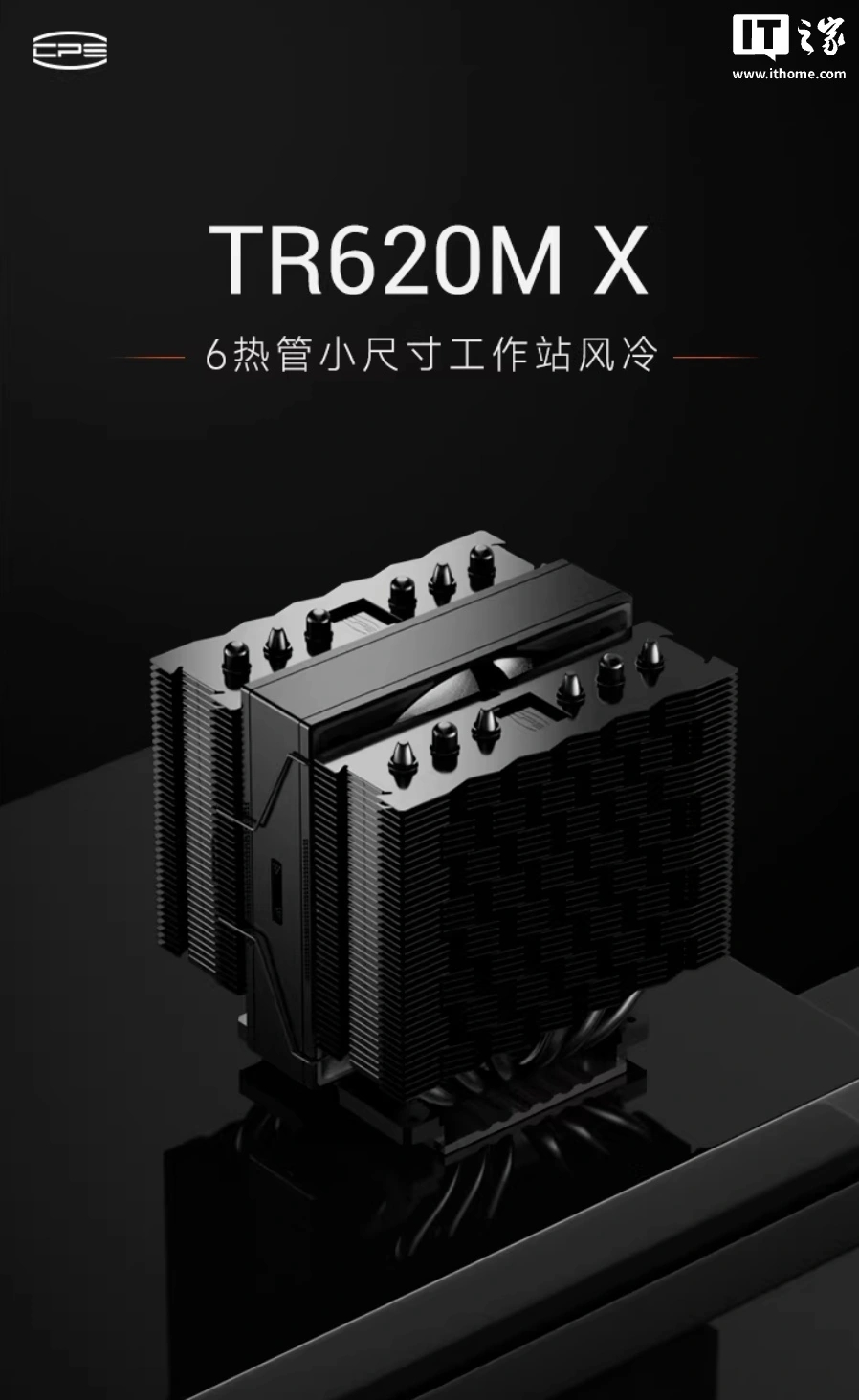
CPS PCCooler has launched the TR620M X, a relatively compact dual-tower air cooler with a single fan. However, that single fan can spin up to 5000RPM, faster than most other PC cooling fans on the market.
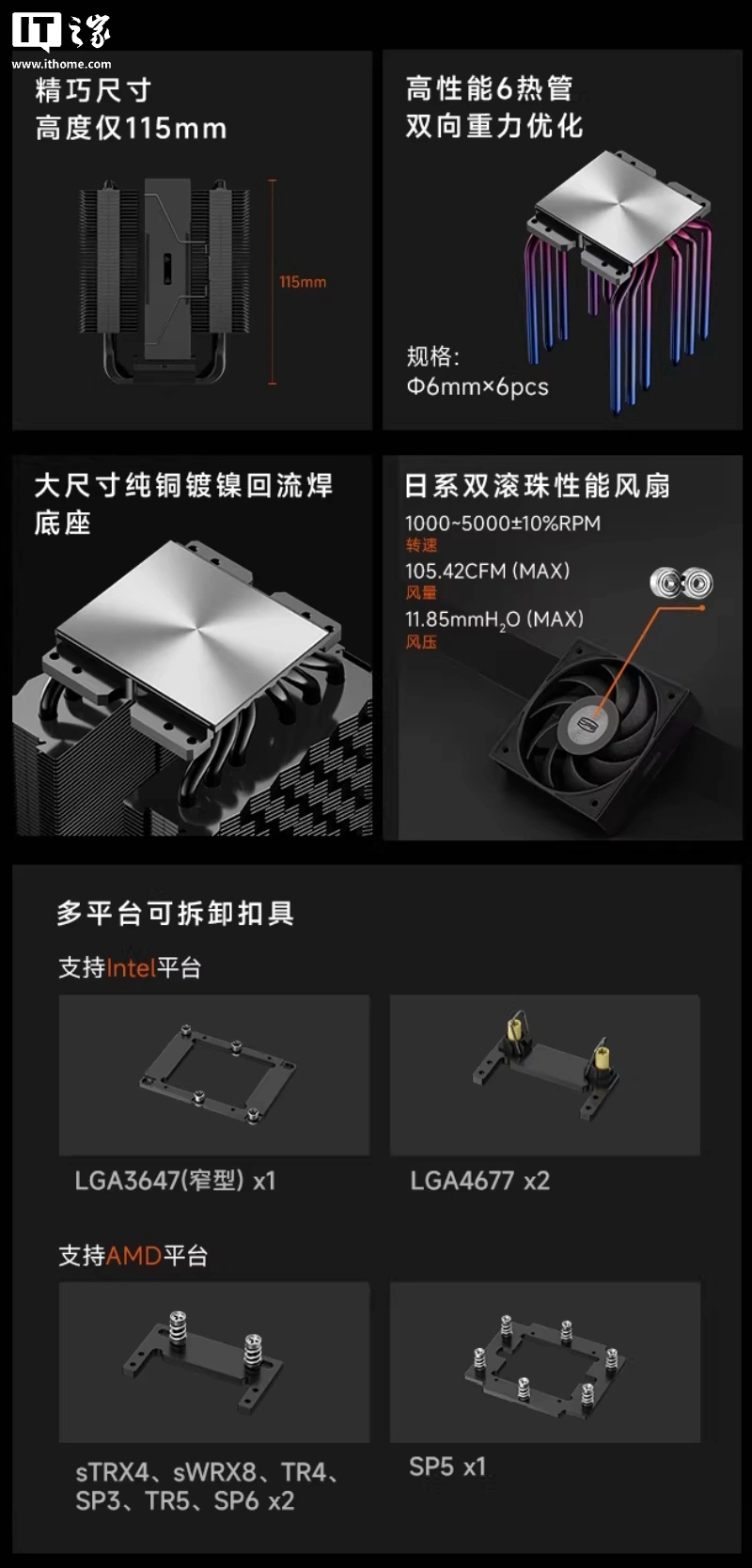
According to ITHome, the heatsink measures 115x106x94mm and uses a pure-copper, nickel-plated, reflow-soldered base. The same source states that the heatsink towers are treated with an anti-oxidation spray coating and utilise six 6mm heat pipes to transfer the thermal energy generated by the CPU.
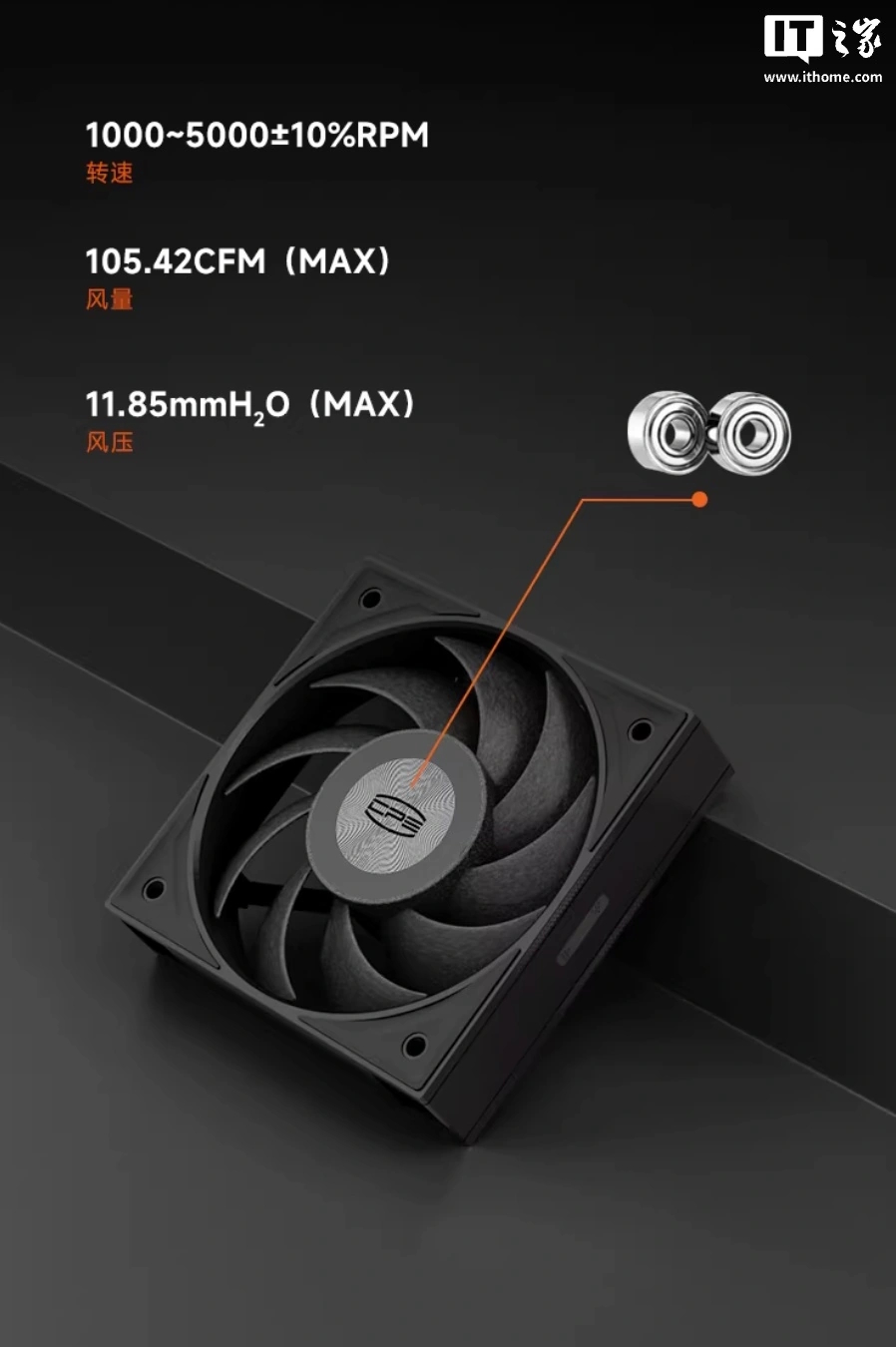
Airflow is provided by a single fan (100x100x25) equipped with a Japanese NMB dual ball bearing. The fan operates at a maximum speed of 5000±10%RPM, delivering a maximum airflow of 105.42CFM and a static pressure of 11.85mmH2O. These figures, as you'd expect, come with a pretty high noise level, up to 45.66dB(A).
According to the official product description, the TR620M X supports a wide range of mainstream workstation platforms. Compatibility includes Intel LGA3647 (narrow type) and 4677, as well as AMD sTRX4, sWRX8, TR4, SP3, TR5, SP5, and SP6. The TR620M X is currently available in China for 439 yuan (£48), with an initial launch price of 339 yuan (£37). Availability outside the Chinese market has not yet been provided.
KitGuru says: For the general consumer, something like the PCCooler TR620M X cooler may be a bit too loud. However, if you don't mind the noise, it should offer a good amount of performance.
GAMEMAX SIGMA 620 WH is designed for users who want both strong cooling and a unique visual touch in their PC build. For a long time, I have personally preferred air cooling because it is simple, reliable, and requires very little maintenance. But in recent years, many liquid coolers have become more attractive because they include small displays that show system information or custom images. Now, GAMEMAX has brought this idea to air cooling with the SIGMA 620 WH, which makes it stand out from many traditional tower coolers.
What makes this cooler interesting is the 2.8-inch customizable LCD screen placed on the top. It can show real-time system information or even display custom images and videos, which adds personality to the setup. At the same time, it still focuses on strong cooling performance with six 6 mm heatpipes, dual 120 mm fans, and support for CPUs up to 245W TDP. This combination allows it to handle powerful processors while also improving the overall look of the PC build.
Unboxing
The SIGMA 620 comes in a clean white box with a simple design. On the front, there is a large image of the cooler. It shows the single tower heatsink, white fans, and the LCD screen on top. The GAMEMAX logo is on the left, while the product name SIGMA 620 is printed on the right. A few icons at the bottom highlight features like PWM support, LCD display, ARGB lighting, and 245W TDP support.
The back of the box shows the main features of the cooler. It explains the 2.8-inch customizable LCD screen, dual-fan single-tower design, and six heatpipes. Small images also show the cooler and its parts.
One side of the box lists the full specifications, including dimensions, fan speed, airflow, noise level, and CPU compatibility. The other side is simple and shows product information in multiple languages along with the official website.
After opening the box, the first thing you see is the user guide placed on top. Under it, the cooler and accessories are packed safely inside a thick foam container. The mounting accessories are stored in a separate small box.
Inside the installation kit, GAMEMAX provides all the required mounting parts for both Intel and AMD platforms.
Inside the box, the following parts are included:
Radiator (tower heatsink)
Forward fan 120mm (A12-B)
Reverse fan 120mm (A12-A)
Universal mounting bracket
Intel backplate (LGA1851 / LGA1700)
Intel spacers (LGA1851 / LGA1700) ×4
AMD spacers (AM4 / AM5) ×4
Intel screws ×4
AMD screws ×4
Buckle strips / fan clips ×4
Thermal paste ×1
Small scraper ×1
Overall, the accessories are well organised and provide everything needed for installation.
GAMEMAX Sigma 620 specifications
Specification
Details
Model
SIGMA 620 WH
Cooler Type
Single Tower Air Cooler
Dimensions
120 × 114.2 × 158.8 mm
TDP Support
Up to 245W
Heatsink Material
Aluminium Fins
Number of Fins
48
Heatpipes
6 × 6mm Heatpipes
Heat Base
Soldered Copper Base
Display
2.8-inch LCD Screen
Fan Size
120 × 120 × 25 mm
Fan Quantity
2 Fans
Fan Type
Positive Blade + Reverse Blade
Bearing Type
Rifle Bearing
Fan Speed
800 – 1800 RPM ±10%
Lighting
ARGB (Motherboard Sync Supported)
Connector
4-pin PWM, 3-pin ARGB
CPU Compatibility
Intel LGA1851 / 1700 / 1200 / 115X
AMD AM5 / AM4
A closer look
Heatsink
The Sigma 620 uses a single tower heatsink design. The cooler measures 120 × 114.2 × 158.8 mm and has a net weight of 154 g. It is available in black and white, and our review unit comes in white. The whole heatsink, including the heatpipes, is finished in full white, which gives it a very clean look.
The heatsink includes 48 aluminium fins. At the center, it uses 6 superconducting composite heatpipes, each with a 6 mm diameter. These heatpipes run through the tower and connect to the base. The sides of the heatsink fins use a raised design, which allows the fan clips to fit securely into the fins for mounting the fans.
The cooler also includes an anti-insect intrusion design. The bottom panel uses an extended design that helps seal the hardware rack holes.
On the top cover, there is a 2.8-inch LCD monitor. This screen sits neatly on the top of the heatsink and adds a modern touch to the cooler.
Fans
The cooler includes two 120 mm fans, each measuring 120 × 120 × 25 mm. The main fan uses a regular blade design, while the secondary fan uses a reverse blade design.
Both fans use rifle bearings. The fan frame colour is white, and each fan has 9 blades. Each fan also includes 28 ARGB LEDs.
Both fans run at 12 V rated voltage with a 5 V start-up voltage. The rated current is 0.22 A for the main fan and 0.2 A for the secondary fan. The rated power is 2.64 W and 2.4 W.
The fan speed ranges from 800 to 1800 RPM ±10%. Maximum airflow is 71.66 CFM for the main fan and 70.71 CFM for the secondary fan. Maximum static pressure is 2.54 mmH₂O and 2.1 mmH₂O. The maximum noise level is 35.5 dBA and 42 dBA.
Both fans have a rated life of 30,000 hours. The connector includes 3-pin AURA ARGB and 4-pin PWM. Each fan also has soft rubber pads on the corners to reduce vibration. A thin ARGB light strip runs along the side of the fan frame, which remains visible and glows in a style similar to infinity fans.
Installation
The installation process of the Sigma 620 is simple and easy to follow. The steps are clearly explained in the user guide, so even new users can install it without confusion. One good thing is that the heatsink can be installed without attaching the fans first, which makes handling and mounting much easier.
The mounting system feels secure once installed, and the cooler sits firmly on the CPU. The included brackets and accessories make the process smooth for both Intel and AMD platforms.
Clearance
When it comes to RAM clearance, the space is quite tight. As seen in the images, the cooler sits very close to the RAM slots, leaving limited room on that side. If you are using RAM with tall heatsinks, you may face compatibility issues. Low-profile RAM would be a better fit in this case.
On the other hand, the clearance on the opposite side is much better. There is enough space around the motherboard area, so it does not cause any issues with other components. You can raise the fan position slightly to get more RAM clearance. However, this comes with a small trade-off, as the fan may cover the RGB lighting, which affects the overall look. Overall, the installation is easy, but the RAM height should be considered before installing this cooler.
Software
The software for the Sigma 620 is very basic, but it gets the job done. The interface is simple and easy to understand, so you don’t need much time to get used to it.
Most of the software is focused on CPU temperature monitoring and screen themes. You can view real-time system data like CPU usage, temperature, and other basic stats directly on the LCD screen.
There are a few pre-built themes available, which you can apply easily. These include system info layouts and simple visual designs. You can also adjust settings like brightness and screen rotation.
One useful feature is that you can create your own custom theme. You can add your own images or simple layouts to personalise the display according to your setup.
Here are a few examples of themes displayed on the Sigma 620 cooler screen.
Testing and thermal performance
We tested the GAMEMAX SIGMA 620 in the GAMEMAX Leader 2 case using an Intel Core i7-12700K with the MSI MPG Z790 CARBON MAX WIFI II motherboard. The room temperature during testing was 28°C. At idle, the CPU stayed around 39°C with low fan speed. The fans remained quiet, and noise was barely noticeable.
Under load, we ran a CPU-Z stress test. The CPU reached around 185W, and temperatures went up to 72°C. The cooler handled this load well. Fan speed increased smoothly, and noise stayed at a comfortable level. There was no thermal throttling, and the system remained stable. For a heavier test, we used the AIDA64 single FPU stress test. In this test, the CPU again stayed in the 180–190W range, and temperatures reached 85°C. This is on the higher side but still within safe limits. The cooler maintained stable performance without any issues.
Overall, the Sigma 620 performs well for a high-performance air cooler. It handles heavy loads without stability problems. The claimed 245W TDP support also seems reasonable based on these results, as it can manage around 190W+ comfortably.
Final thoughts
The GAMEMAX SIGMA 620 WH offers a good balance between performance and design. It stands out by adding a customizable LCD screen, which is not common in air coolers. This gives it a unique touch while still keeping the reliability of traditional air cooling.
The build quality is clean and consistent. The full white finish, including the heatsink and heatpipes, looks neat inside the case. The ARGB lighting and top display add extra visual appeal without feeling too much. In terms of performance, the cooler handled the i7-12700K well. It managed around 190–200W loads while keeping temperatures in a safe range. Fan noise is also controlled, staying quiet at idle and reasonable under load.
The software is simple and basic, but it works fine. It mainly focuses on CPU temperature monitoring and screen themes. You can choose from a few built-in themes or even create your own custom theme, which adds a bit of personalisation.
There are a few things to consider. RAM clearance is tight, especially with taller memory modules. You can adjust the fan position for more space, but it may cover the RGB lighting. The GAMEMAX Sigma 620 WH delivers stable performance and adds a unique feature with its LCD screen. Based on its overall performance and usability, I would give it the EnosTech Performance Award.
ID-Cooling is continuing its aggressive expansion of the Frozn lineup with the launch of the Frozn A620 SLK. This new CPU air cooler introduces a “hybrid” architecture , integrating two “half-tower” fin stacks into a single 160mm-tall unit.
The primary innovation of the Frozen A620 SLK (via ITHome) is its heatsink design. Unlike most dual-tower coolers with two separate heatsink blocks, the Frozn A620 SLK has only one large heatsink with enough space to fit a 120x25mm fan in the middle. This embedded central fan and an external front fan are positioned in opposition to create high-velocity airflow through the fins. The central fan is the AM-120-K, a 120×25 unit capable of reaching 2500 RPM with a static pressure of 3.65 mmAq. This fan utilises a tool-less mounting system for easy maintenance. To ensure maximum RAM compatibility, ID-Cooling has paired this with the AF-120 SLIM (120×15) in the front, which provides 65.2 CFM of airflow despite its 15 mm low-profile frame.
Thermal transfer is handled by six 6mm heat pipes and a precision-machined copper base, enabling a nominal TDP of 260W. This puts the SLK in direct competition with many larger, bulkier dual-tower coolers that often interfere with high-profile memory modules or VRM heatsinks. The 160mm height ensures broad compatibility with standard mid-tower cases.
Compatibility is also a major highlight, as ID-Cooling is already looking ahead. In addition to current staples like Intel's LGA 1700/1851 and AMD's AM4/AM5, the Frozn A620 SLK officially supports the upcoming Intel FCLGA1954 socket. This inclusion suggests that the cooler is prepared for the next generation of Intel desktop processors.
KitGuru says: ID-Cooling was very creative with its fin stack geometry. By sandwiching a full-sized fan between two halves of a tower and slapping a slim fan on the front, they've essentially built a smaller dual-tower cooler that won't bully your RAM.

 Login
Login