Login
Login
DeepCool Spartacus 420: A mighty 420mm Cooling Solution that delivers a solid punch
Earlier, I tested Spartacus 360 from DeepCool, and the cooler got my praise for excellent cooling performance and brilliant looks. Now, DeepCool has released its 420mm version using the same pump and 30mm thick 140mm size fans.
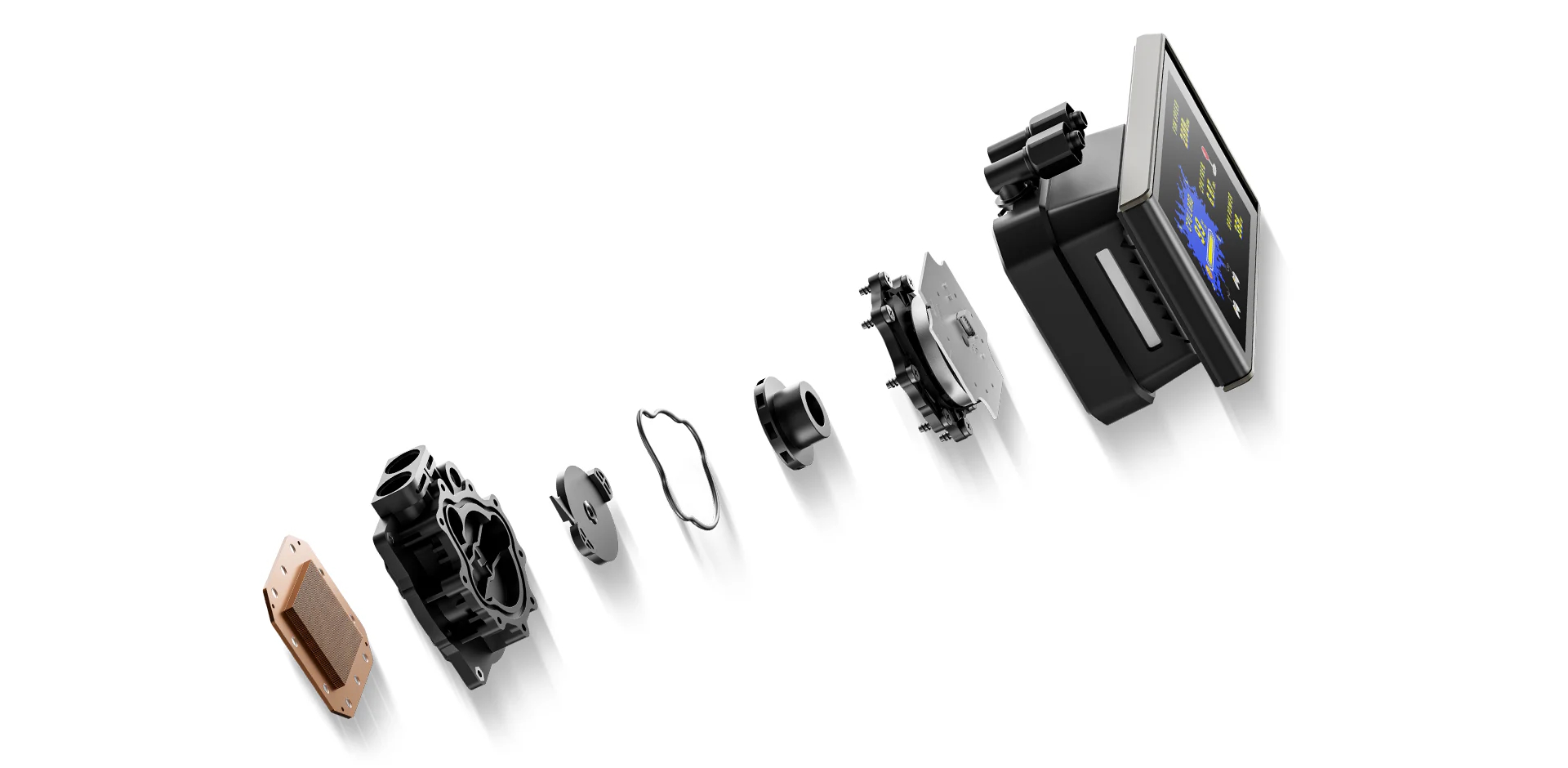
This cooler features DeepCool’s sixth-generation pump, which uses a 3-phase, 6-slot, 4-pole motor with FOC control, delivering smoother and more efficient operation across a PWM-adjustable range of 2,500 to 3,400 RPM. DeepCool has also addressed the cold plate design with fine-tuned micro-fin geometry to maximize the heat transfer.
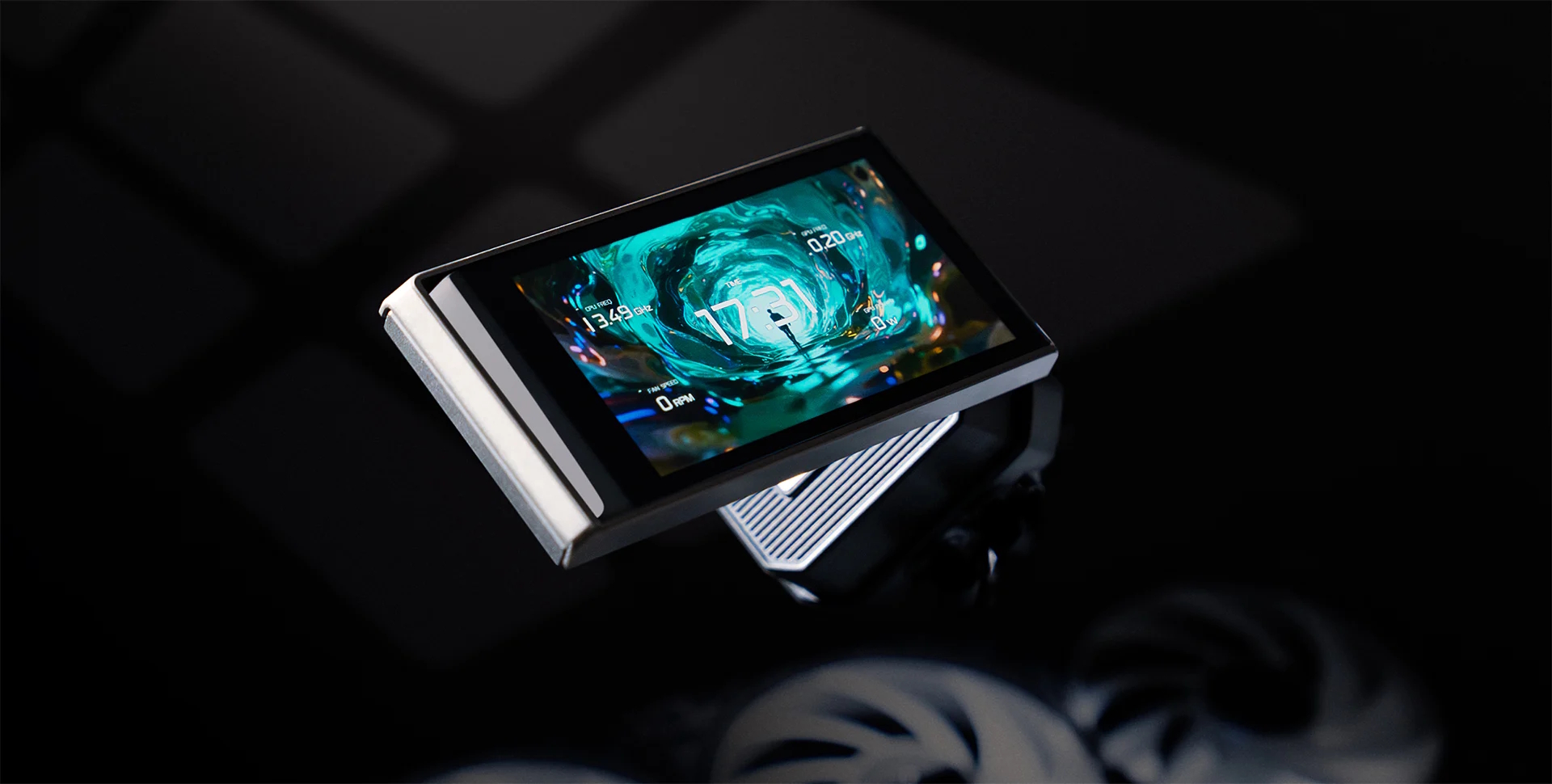
This cooler also features the same 3.4” IPS LCD screen with 480×480 resolution to display your media, along with key statistics of the PC. Not only that, but DeepCool has been creative as they have used tubes and tube clips to route a single cable from the pump top towards the radiator and out, hence providing a neat and clean outlook. They have also included a Linker controller device, which sits between the AIO and the motherboard.
DeepCool seems to be focused more on Intel, as they have included a regular as well as offset mounting bracket for Intel LGA1851, with back mounting for which a specialized backplate is provided. AMD mounting is similar to what I have seen on its recent coolers.
DeepCreative software provided a simplified and user-friendly interface with customization and control options, including the ARGB lighting. This cooler is compatible with Intel LGA1700/1851 and AMD AM4/AM5 sockets. It has an MSRP of USD 214.99. It comes with a 5-year warranty.
Specifications

Packaging and Unboxing
The cooler is shipped inside a cardboard box with a leaflet or cover around the box. This is the standard DeepCool design or theme. The cooler and accessories are placed inside the main container.
The following are provided:
- 1x Cooler
- 1x Intel Backplate
- 2x Intel Mounting Brackets
- 2xAMD Mounting Brackets
- 4x AMD Standoff Screws
- 4x Nuts
- 1x Nut Locker
- 4x Intel Washers/Spacers
- 4x Screws for Mounting Brackets
- 12x Radiator Screws
- 1x Tube Clip
- 1x PWM Extension Cable
- 1x Linker to Motherboard Connecting Cable
- 1x User Guide
- 1x Information and Support Guide
Closer Look
It is time to take a closer look at each component of the main unit, starting with the radiator.
3x high-performance 140mm fans come pre-installed over the radiator. These are not RGB fans. Each fan has a short length power cable that runs on one side of the housing to set up a daisy-chain connection using a proprietary connector.
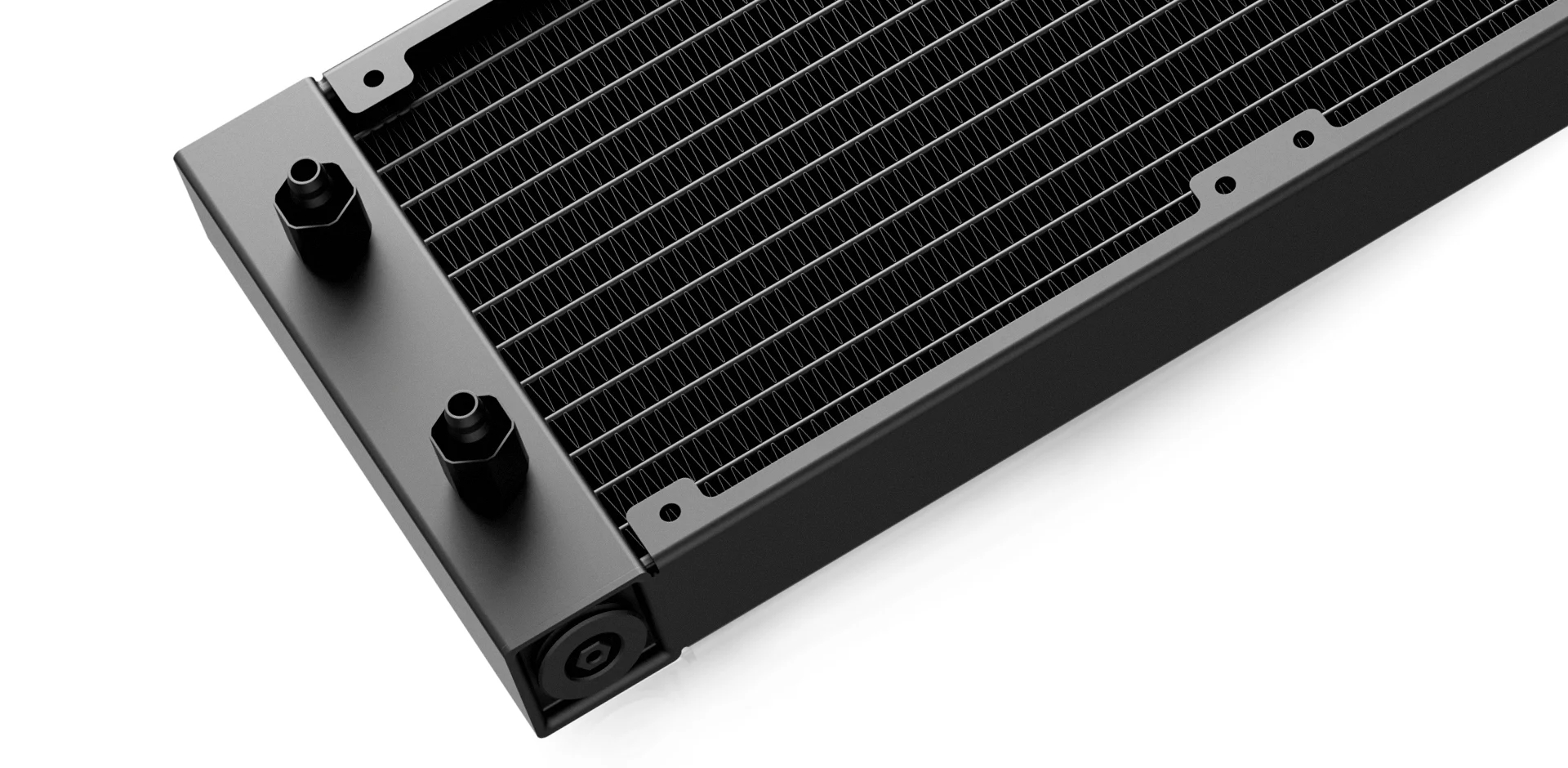
The cooler has an aluminum radiator measuring 462x140x27mm (LxWxH). The cooler has a total height of 57mm with the fans. The fin stack has a 20 FPI count and comprises 12 channels for the coolant flow. I did not see any bent or broken fin.
The tube connection on the radiator housing is well concealed using gunmetal gray rounded clamps. There is a considerable gap between the two tube connections. The opposite end of the radiator has a serial number and part number stickers.
The cooler also features Anti-Leak technology. I have been covering the Anti-Leak technology since its inception. The idea is to provide a mechanism that could effectively release the increased vacuum pressure inside the loop if the case be. Otherwise, this increased pressure is likely to result in breakage and leakage.
The radiator housing has no branding on the side frame. The rubber tubes are covered under the nylon braided sleeves. These tubes run to approximate to 465mm in length. The tubes come equipped with clips for a clean look.
DeepCool has been creative. They have provided 3x tube clips. Each clip has a center fold where the cable from the block is routed through. This way, these clips or catchers not only hold the tubes in place but also route the cable along the tube. This design cleverly hides the cable and provides a neat and clean outlook.
However, the length of the cable coming from the pump top is not sufficient to be routed along the tube length and reach the linker hub. An extension cable should have been provided, or the length of the cable should have been made as such.
Display Screen
The display screen is provided separately and uses a magnetic attachment. It makes contact with the pump top using a 6-pin connection. A pad is provided on the pump top.
The screen size is 3.4”. Its brightness is 750 nits with a resolution of 480 × 480x and has a color depth of 16.7M colors. Its refresh rate is 30Hz. I would have preferred more resolution, but still, this screen is adequate for a crisp display.
The housing is made of aluminum material and an overall dotted design bodes quite well with the aluminum shell, providing a stylish display screen. What is hidden is the ARGB LED strip and diffuser under the two sides of the top cover.
Editor’s Note: I am still not sure what these hidden ARGB LED strips would do on the pump housing!
Block/Pump Head
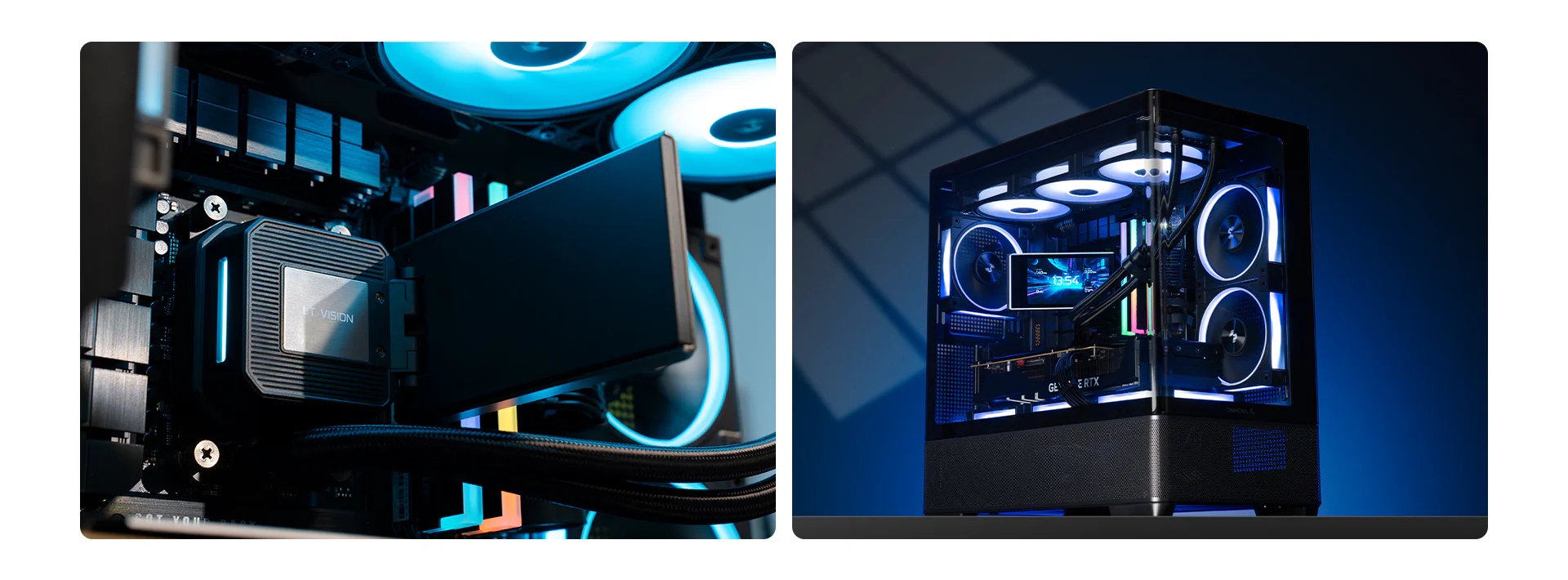
I must say that the pump top of this cooler, even without a display screen, looks quite vibrant despite the fact that it is a simple design. It has a dimension of 99x91x65mm (LxWxH). You can see a textured pattern on the top of the pump. 6-pin contact pad/pins are on the lower side of the frame.
The main housing seems to be made of aluminum, but it is ABS, and it has a fantastic, rounded finish. It has no stenciling or design pattern anywhere on the surface.
Looking at the rear of the unit, you can see 90° adapters on which the tubes are installed. They can be rotated for necessary adjustment during installation. A single flat cable can be seen coming out from the upper section of the base.
The pump and ARGB LEDs are controlled via a proprietary 10-pin connector for which a long-sleeved cable is provided. This connector goes to the Linker controller. This is the only caveat in the pump top side. This cooler does not have a dedicated connector for the pump.
Speaking of the pump, this cooler features a 6th-generation pump from DeepCool that uses ceramic bearings and is powered by a 3-phase, 6-slot, 4-pole motor with FPC control that rotates up to 3400 RPM.
The unit base comes with pre-applied thermal paste. DeepCool has enlarged the cold plate with 22% more surface area and contact area compared to the last generation for improved thermal efficiency.
This is how the block will look with the display screen installed.
Linker Controller
DeepCool has provided a controller with the cooler. It comes with a self-adhesive tape that has a magnet on the other side so that a magnetic attachment can be provided for the controller. 4x screws are also there in case you want to install this controller in the PC Case using screws.
This controller has 4x ports on one side labeled EXFAN and EXARGB 1 and 2. These ports are there in case you want to add PC Case fans to the controller for a single control.
The other side of the controller has a P/D labeled port to which the cable from the pump top is connected. The Sync labeled port uses a cable that connects the controller to the motherboard using a 4-pin fan connector and a 3-pin ARGB connector. The AIO Fan labeled header is for the AIO fans’ connector.
The pre-installed cables on the controller have a SATA connector and a 9-pin USB 2.0 header.
This picture illustrates the cable connection.
DeepCool has provided a Sync cable for the controller and motherboard, as well as the PWM extension cable for the AIO fans.
Fans
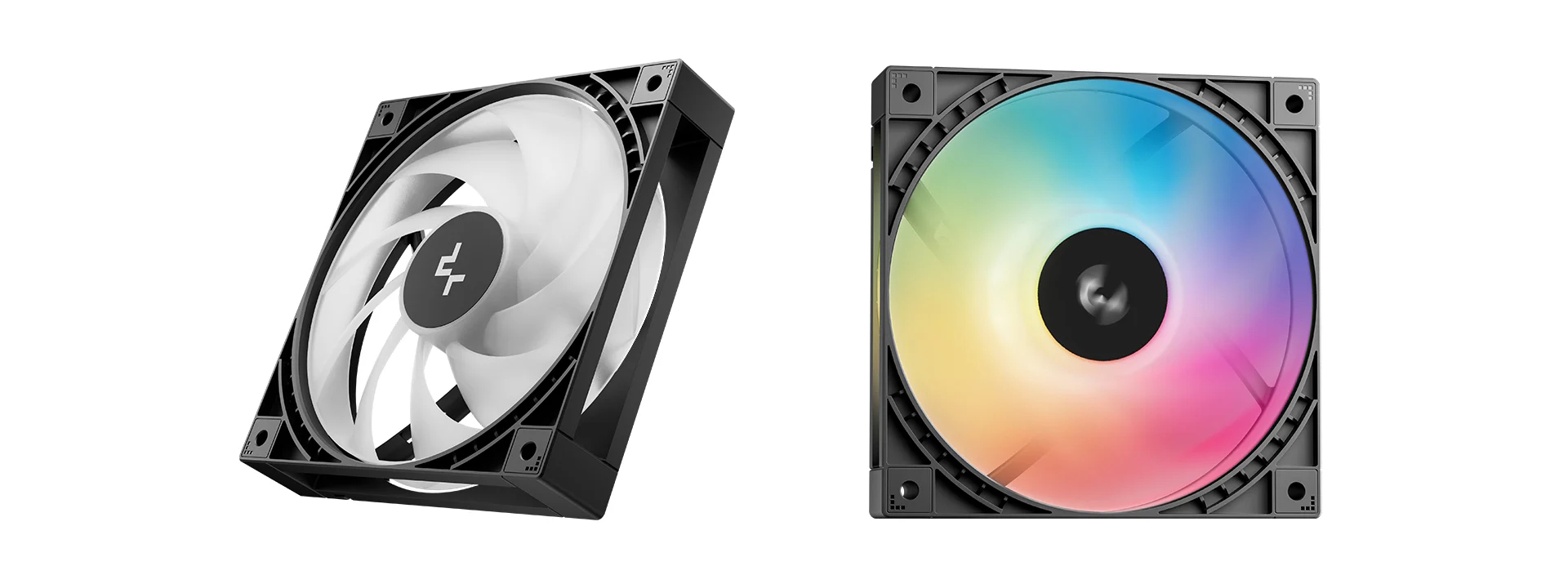
DeepCool has provided 3x high-performance non-RGB fans with this cooler. Each fan has 9x blades. The center has DeepCool branding. The mounting corners have DeepCool’s standard design. Each fan measures 140x140x30mm. These are rated for airflow of up to 112.5 CFM and 4.15 mmAq air pressure. The extra 5mm thickness is contributing to the high performance.
The backside of the frame shows a slope design on the border and 4-arms in an X shape providing focused flow. These fans are made in China. They use Hydro Bearings. The fan is rated for 0.35A, taking 4.2W of power.
Editor’s Note: Don’t daisy-chain connect all three fans to a motherboard fan header that is rated for 12W power in total.
The side frame shows a stripe design. The fans use a proprietary connector and socket.
Installation
We don’t cover the installation steps. Please use the installation guide for that. We only mention observations recorded during installation.
DeepCool has provided two mounting brackets for Intel. One bracket has an offset label. It provides a better coverage of hot spots on the die, hence providing better heat transfer. Installation of these brackets is convenient, and overall installation is even more convenient. I appreciate DeepCool for coming up with a unique but excellent mounting for Intel.
I did not observe any issues in the installation of this cooler on the AM5 platform. It has the same mounting mechanism for AM5, which I have seen on DeepCool’s latest coolers.
Clearance
Make sure your PC Case has clearance for a 420mm AIO measuring 462x140x57mm. The majority of the PC Chassis don’t have support for a 420mm radiator or liquid cooler.
Software
DeepCreative is a software that you need to download from the DeepCool website. You need to restart the PC in order for the software to pick the connected components correctly. On my first run without a restart, the software did not pick the Linker Controller.
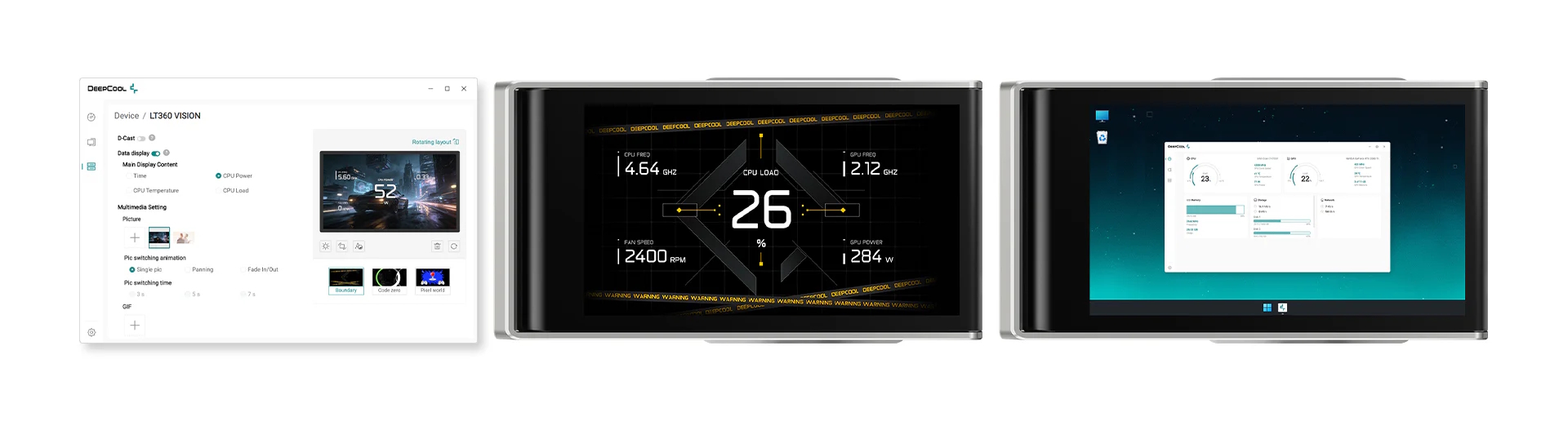
The first page shows the sensor data from PC components. The second page lists the components. You can change the temperature unit under the settings. Firmware update is also provided in this section. Under the Devices, all the compatible or enabled devices will be shown. Click on the device you want to customize.
The display-related options are provided under SPARTACUS LCD Liquid Cooler Listing. You can customize the display screen there. You can display pictures or run videos, animations, GIFs, and can customize the sensor display.
You can tinker with the speed of fans, pump, and ARGB lighting from the SPARTACUS Linker listing. DeepCool has provided Digital Mode and Multimedia Mode to categorize the types of displays on the screen. In addition, there is a Zen control that will control and adjust various elements like brightness automatically. AI-based regulation is provided using DeepCreative’s proprietary AI-driven algorithm that tracks CPU load in real time and coordinates both fan and pump speeds to match the optimal fan speed curve. Please note that the fans will instantly shift to full speed when the CPU hits above 80 °C, and they automatically revert to preset mode once the CPU temp drops below 80 °C.
I recorded a simple video showing the animation on the screen.
The above pictures show the display in action.
RGB Lighting
I mentioned this in the review of Spartacus 360 that hidden ARGB lighting would not serve any purpose, and I am still putting it here.
Testing
The following configuration is used for thermal testing:
- AMD Ryzen 9 9900X
- ASRock X870E NOVA WiFi
- GSkill TridentZ NEO RGB 32GB 6400MHz CL30 DDR5 kit
- ASRock Phantom Gaming RX 7600 Graphics Card for Display
- Biwin Black Opal X570 Pro 4TB NVMe SSD
- Fractal Design ION+ 2P 860W Platinum PSU
- Thermaltake Core P6 TG Snow Edition in an open frame layout
Here is the settings table for testing:
| Settings | PBO Enabled [243W] |
| Clock (MHz) | Auto |
| Voltage (V) | Auto |
| Thermal Paste | Noctua NT-H2 |
| Thermal Paste Application | Dots Method |
| Test Run Time | 30 minutes |
| Idling Time | 10 minutes |
| All Fans Speed | 100% PWM Duty Cycle |
| Pump Speed | |
| Stress Software | CINEBENCH R23.2 |
| Monitoring Software | HWINFO64 |
I am reporting absolute temperature in the graph because the room temperature was at 22°C throughout the day. The testing is done on an open-air bench system. Once inside the chassis, the temperatures are expected to rise and would largely depend upon the optimal airflow inside the chassis.
Result
I must say this is the first 420mm liquid cooler in my testing experience that actually delivered an excellent performance. The fans’ noise is a bit loud, but using AI Silence or Performance mode, you can easily make these fans ramp up only under load, or you can use a custom fan curve in BIOS for that and enable sync to the motherboard in the software.
Conclusion
After testing Spartacus 360, I have taken a spin on Spartacus 420mm. It is compatible with Intel LGA1700/1851 and AMD AM4/AM5 sockets. The basic footprint of 420mm is identical to that of 360mm, but the major difference comes from the fans and, obviously, the radiator size.
The overall outlook is stealth, neutral, with a beautiful accented LCD screen. It comes with pre-installed non-RGB 30mm thick 140mm high-performance fans. The radiator has an overall dimension of 462x150x57mm with fans. It has 12 channels for coolant flow with a fin density of 20 FPI.
DeepCool uses rubber-tubing, which runs to 465mm in length and has a black nylon braided sleeve mesh. DeepCool has also provided three clips or catchers that not only bind the tubes but also provide a channel through which the single cable from the pump top is routed. Needless to say, this cooler also features Anti-Leak technology.
The pump top or pump head is a quite stylish and elegant design with a minimalistic approach. It has a 6-pin contact point on top to establish a connection with the magnetically mounted display screen. The pump itself is a sixth-generation design that has a 3-phase, 6-slot, and 4-pole motor with FOC control. It is rated for up to 3400 RPM and uses a ceramic shaft and bearing for durability. The other change comes in the cold plate and the contact surface, which are increased by 16% and 22%, respectively.
The screen module is an elegant design that bodes well with the overall theme of the cooler. It has a 3.4” screen with a resolution of 480×480 px using a 30Hz refresh rate. In my opinion, the refresh rate should be 60Hz for better polling.
DeepCool has provided a linker controller to which the cable connection from the pump top is required. Controller is SATA powered, and it is connected to the motherboard using a standard 4-pin PWM connector and a 3-pin, 5V, ARGB connector. DeepCreative software is provided for customization.
Fans are not RGB. Each fan is rated for 500 to 2000 RPM ± 10%, and they feature an auto stop function under 5% load. Airflow rating is 112.5 CFM, which is quite high compared to 79.89 CFM on Spartacus 360, and air pressure rating is 4.15 mmAq, which is higher than 3.30 mmAq on Spartacus 360. The noise level is rated at ≤ 32.89 dB(A). These fans use Hydro Bearings. The fan’s power draw is 4.2W. Pump’s power draw is 3.48W.
DeepCool has provided an offset mounting bracket in addition to the regular one for the Intel LGA1851 socket that provides better coverage of hot spots on the die, and it worked like a charm. Also, the installation is made super easy from the backside of the motherboard, for which a customized backplate is provided. I like this design.
The installation of this cooler on the AMD AM5 socket is the same as on DeepCool’s recent coolers. It is a straightforward task but requires 14 items. The installation on Intel requires only 10 items.
This cooler has an MSRP of USD 214.99, and it comes with a 5-year warranty. Dare me to say that this is the first 420mm cooler in my testing experience that has actually delivered an excellent thermal performance with almost 2.5°C compared to the Spartacus 360mm and taking a solid lead in our graphs.
Combine this thermal performance with the stealth design and brilliant LCD display, and you have got yourself a super good liquid cooling solution, provided your case supports this size liquid cooler, and don’t forget a 5-year warranty. No wonder if this cooler has won our top award, Must Have, which is equal to Editor’s Choice.
Pros:
- Thermal Performance
- 3.4” Display Screen
- Very Subtle A-RGB lighting
- New 6th Gen Pump
- Magnetic Display Mount
- High-Performance 140mm non-RGB Fans
- Simplified Cable Management
- Compatible with Intel LGA1700/1851 sockets
- Compatible with AMD AM4/AM5 sockets
- Noise
- Warranty
- Excellent Mount for Intel
- Convenient Installation
Cons:
- Pricey
- Almost Hidden ARGB Lighting
- The length of the cable from the pump should be longer