Reading view

There are new articles available, click to refresh the page.

G.Skill Trident Z5 NeoX w/ EXPO ULL!

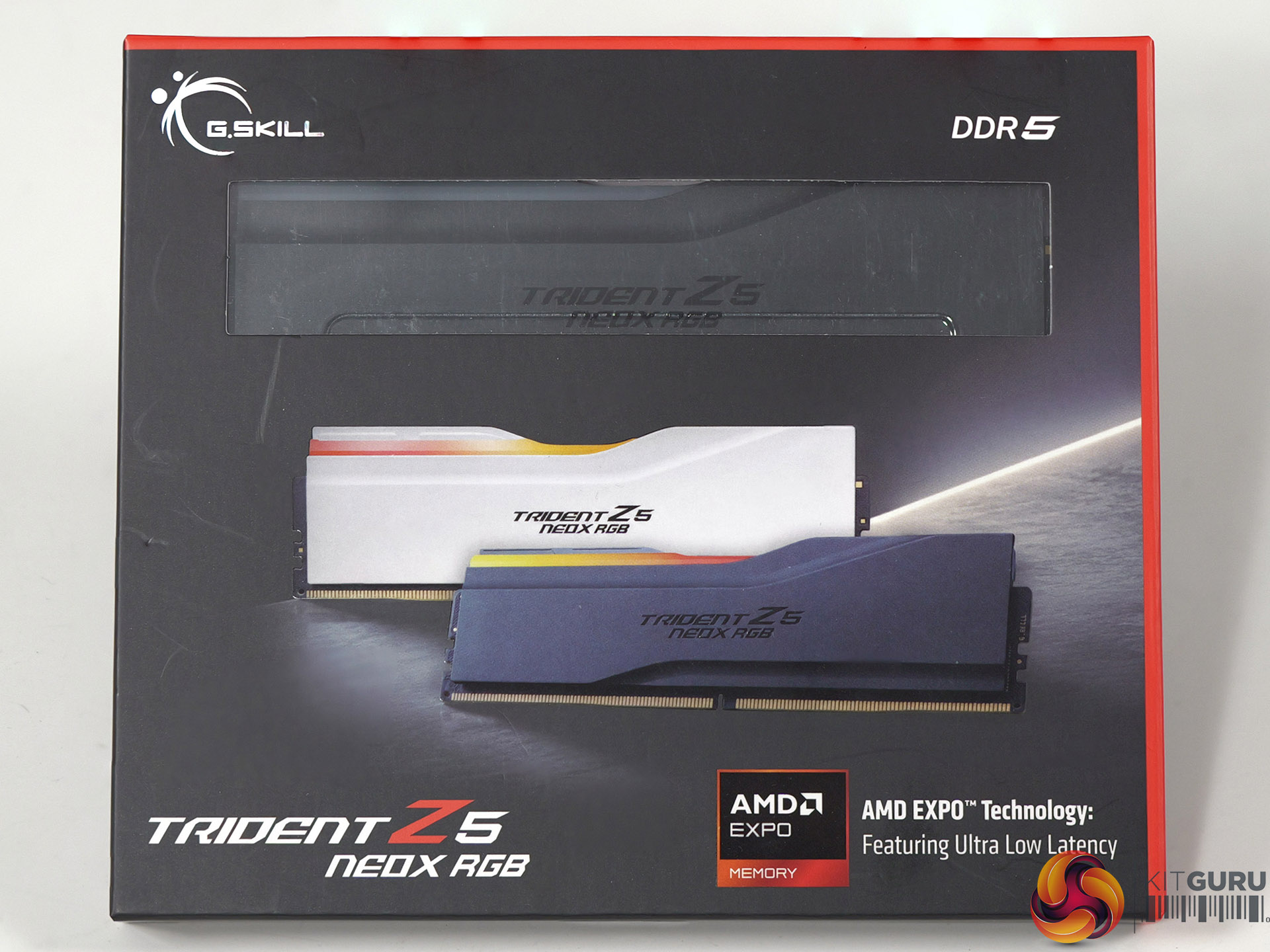
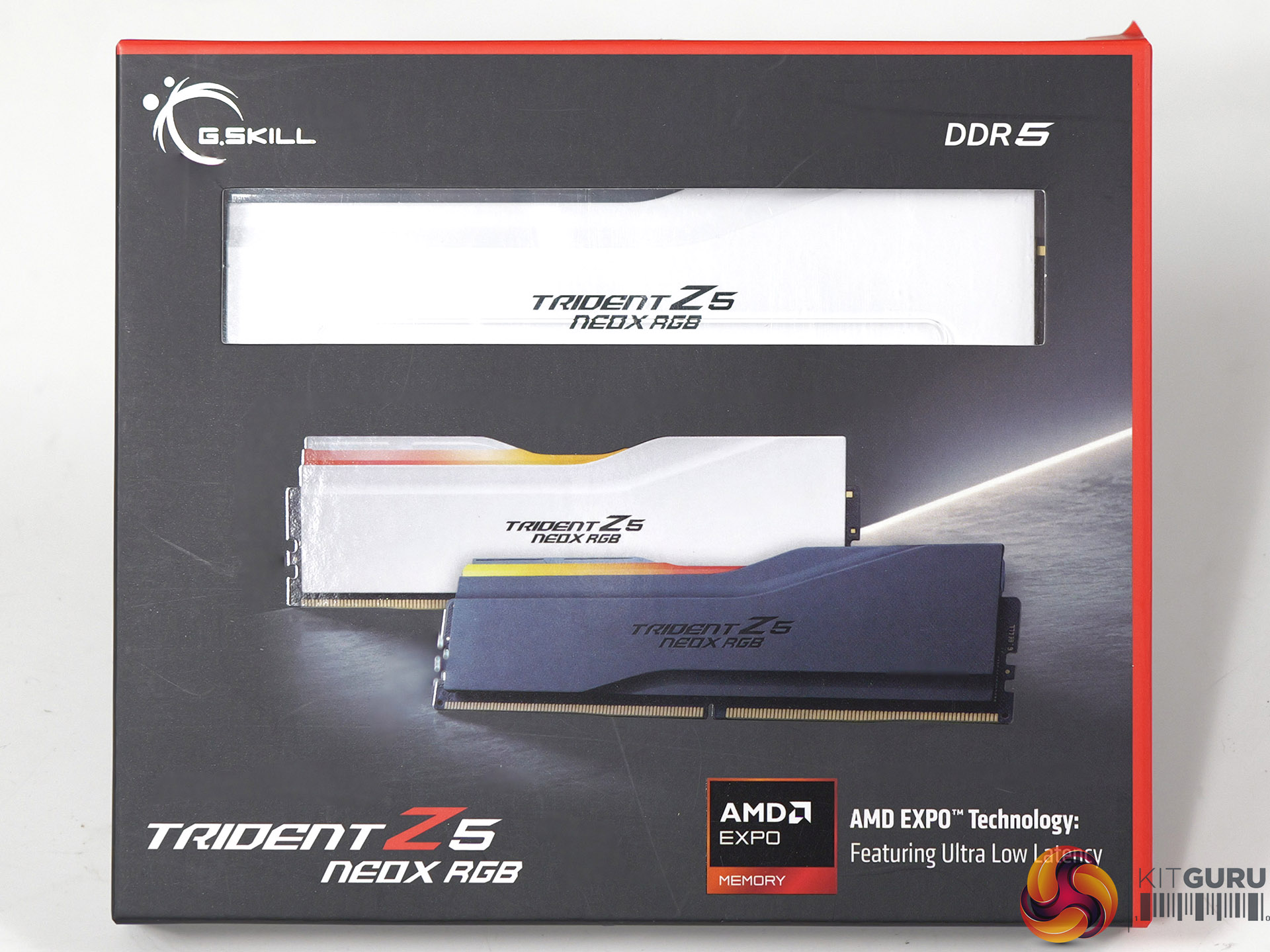
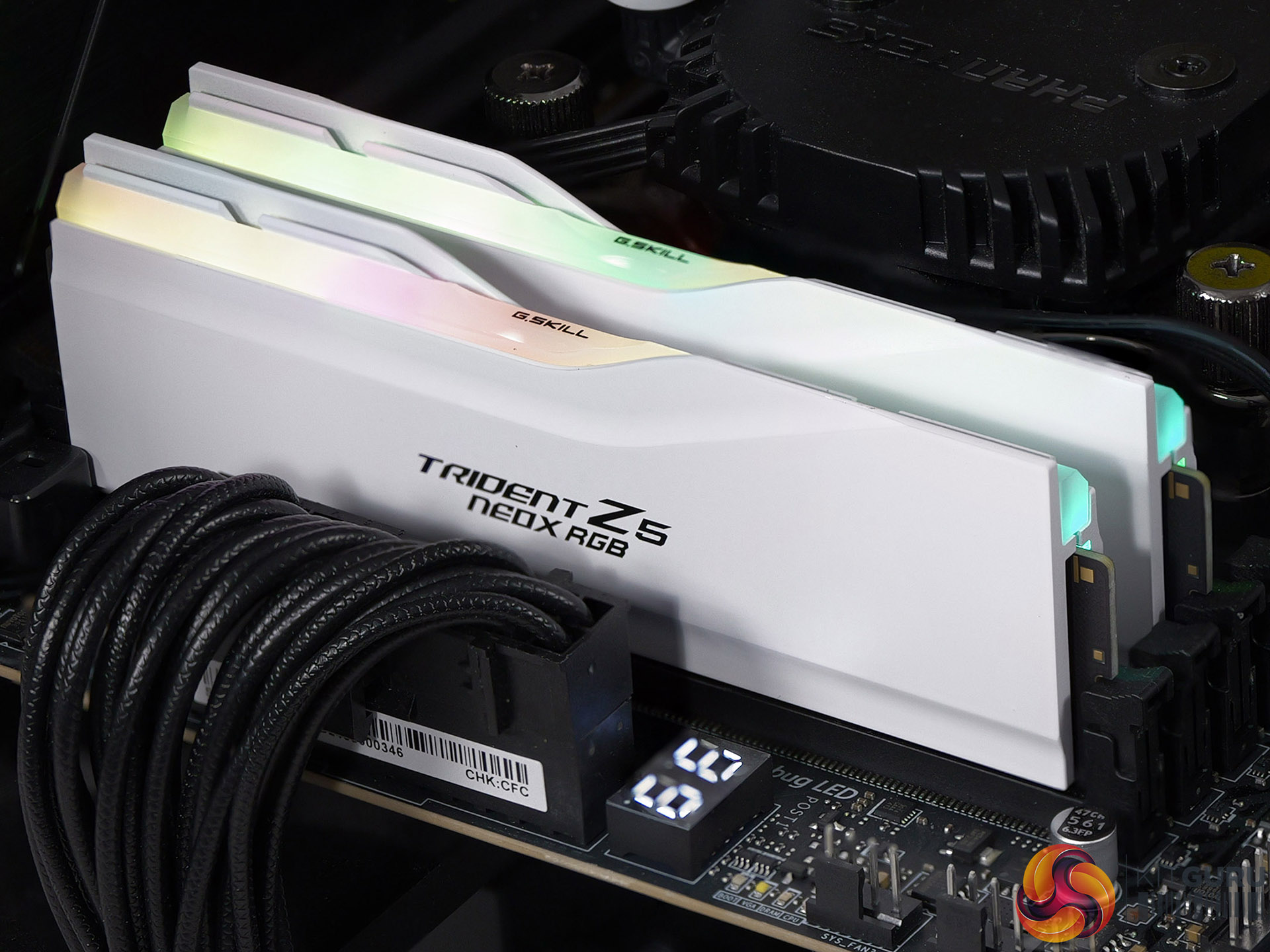
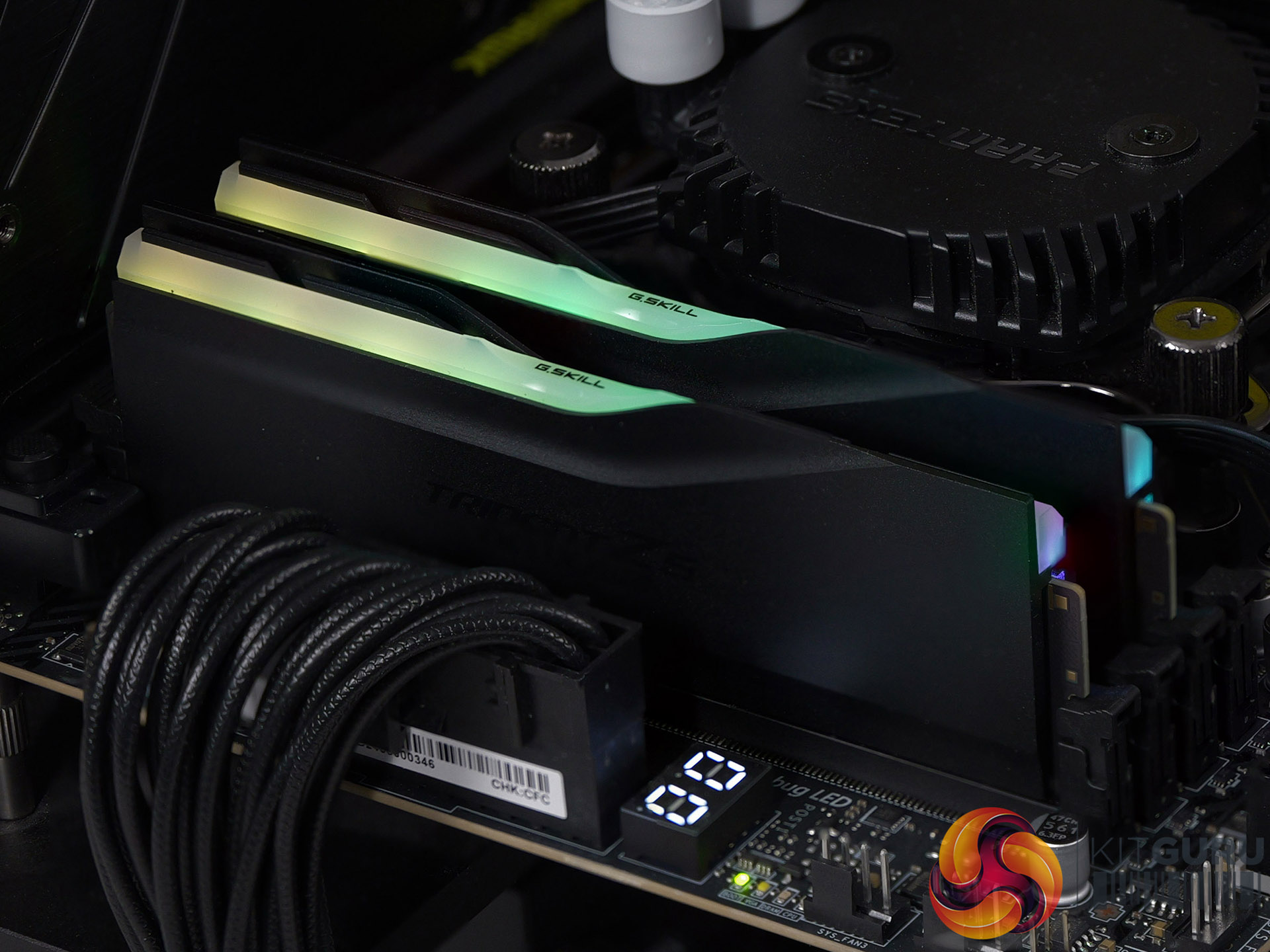
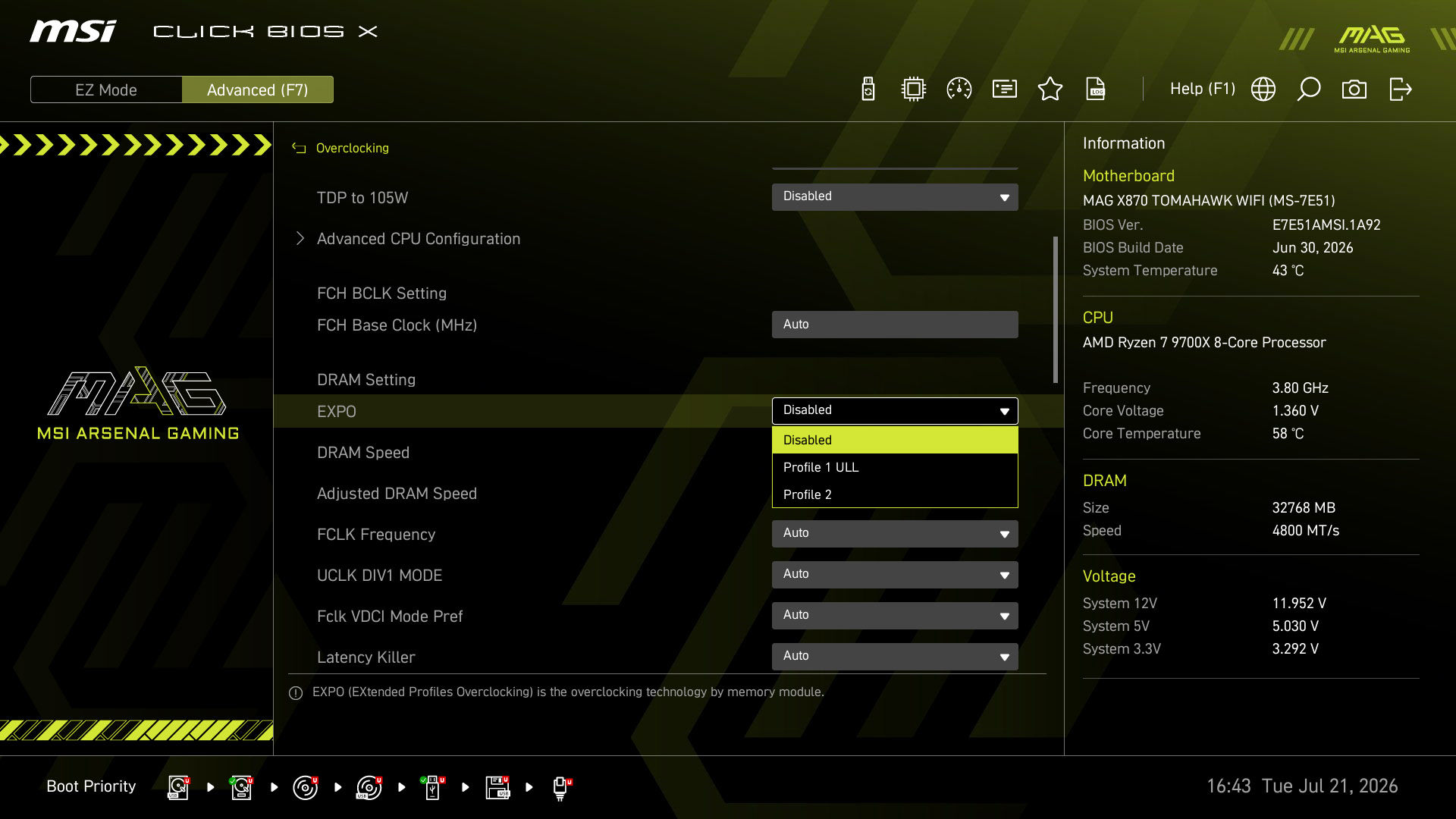
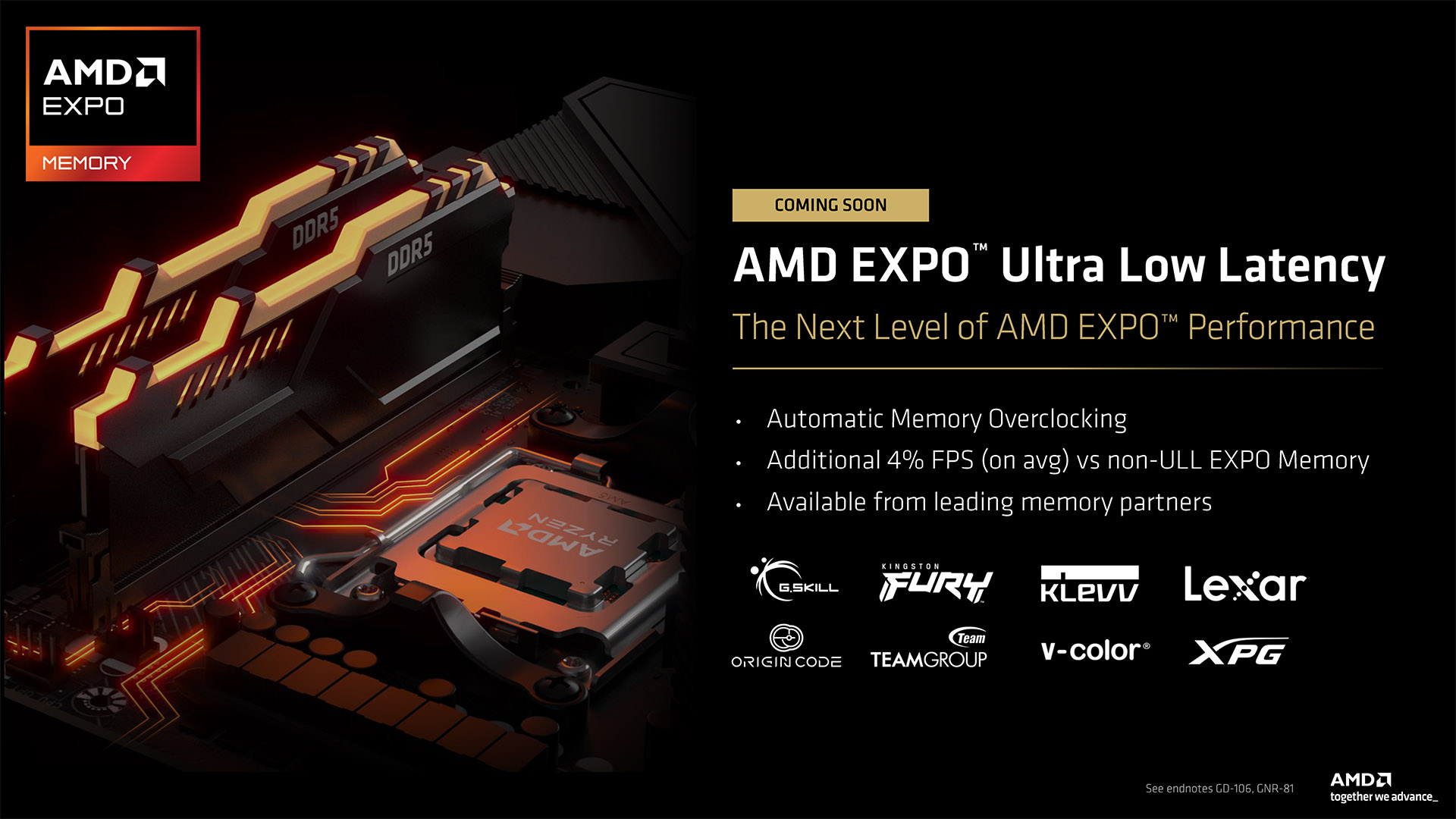
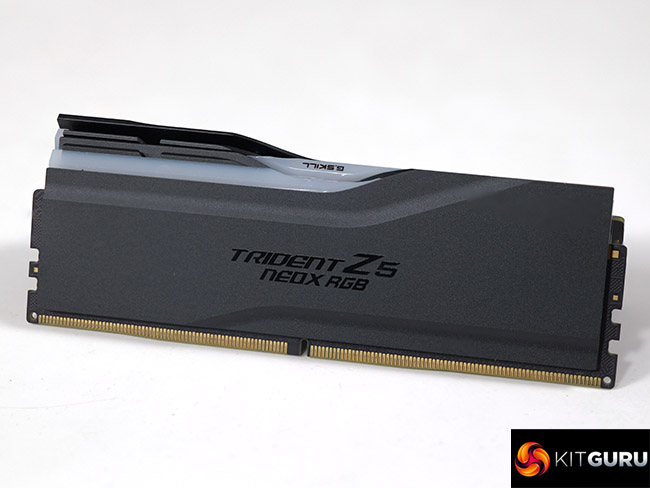
G.Skill has sent us two kits of their new Trident Z5 NeoX RGB DDR5 memory that features AMD EXPO Ultra Low Latency technology. The claim is that we will see 4% improvement in performance with absolutely no work required. Naturally those were claims we simply had to check.

Timestamps

00:00 Intro
00:50 Setting the scene for EXPO
04:47 So what’s EXPO ULL?
06:58 Testing ULL…
09:04 Benchmark data
13:08 Gaming results
15:32 Pricing discussion
16:27 Closing thoughts

Key features

  • Designed for AMD Ryzen desktop processors and the AMD AM5 platform, the Trident Z5 NeoX RGB series memory kits are engineered to achieve up to their rated speeds when the “AMD EXPO Technology: Featuring Ultra Low Latency” memory overclock profile is enabled in BIOS. The AMD EXPO ULL memory overclock profile includes G.Skill tuned sub-timings that deliver greater performance on supported hardware and BIOS. It is the ideal memory solution for PC enthusiasts to build a high performance AM5 platform for PC gaming or content creation.
  • Extra Tuned Sub-Timings for Extra Performance Potential
    Going beyond memory frequency and primary latency timings, the Trident Z5 NeoX RGB series is engineered with optimised memory sub-timings to further improve latency and memory performance when AMD EXPO ULL profile is enabled. Enabled by “AMD EXPO Technology: Featuring Ultra Low Latency”, G.SKILL is able to fine-tune a broader range of memory parameters than before, unlocking additional performance potential for gaming, content creation, and memory performance demanding computing workloads.
  • Engineered for Performance and Quality
    Built with carefully screened DDR5 memory ICs, the Trident Z5 NeoX RGB memory kit is rigorously validated to ensure exceptional performance, quality, and stability on supported hardware configurations for PC gamers, enthusiasts, and performance-focused PC users.
  • Experience Extreme Performance of AM5 Systems
    The Trident Z5 NeoX RGB is optimised to complement modern AMD Ryzen desktop processors. Combined with optimised overclock timings in the AMD EXPO ULL memory overclock profile, this memory kit is designed to extract extreme performance from AMD AM5 platforms.

Watch our video on YouTube at 2160p HERE
Specification:

  • Heat Sink Colour: Black, White
  • SPD Speed: 4800MT/s
  • SPD CAS Latencies: 40-40-40-77
  • SPD Voltage: 1.1V
  • Test Speed: 6000MT/s
  • Test CAS Latencies: 30-38-38-32
  • Module size: 16GB
  • Packaging: 16GBx2
  • Operating voltage: 1.35V
  • Warranty: Limited Lifetime Warranty

Performance and Overclocking

Test system

  • CPU: AMD Ryzen 7 9700X and 9850X3D
  • Motherboard: MSI MAG X870 Tomahawk WiFi
  • Memory:
    • 32GB G.Skill Trident Z5 Neo RGB DDR5-6000 CL28
    • 32GB G.Skill Trident Z5 NeoX RGB DDR5-6000 CL30
    • 32GB G.Skill Trident Z5 NeoX RGB DDR5-6000 CL36
    • 32GB G.Skill Trident Z5 Royal Neo RGB DDR5-8000 CL38
  • Graphics card: PowerColor RX 9070 XT Red Devil 16GB
  • CPU cooler: Phanteks Glacier One 360D30
  • SSD: 1TB Crucial T700 Gen 5 M.2 NVMe
  • Power Supply: Antec Signature 2200
  • OS: Windows 11 25 H2

Geekbench 6.7 Multi Core
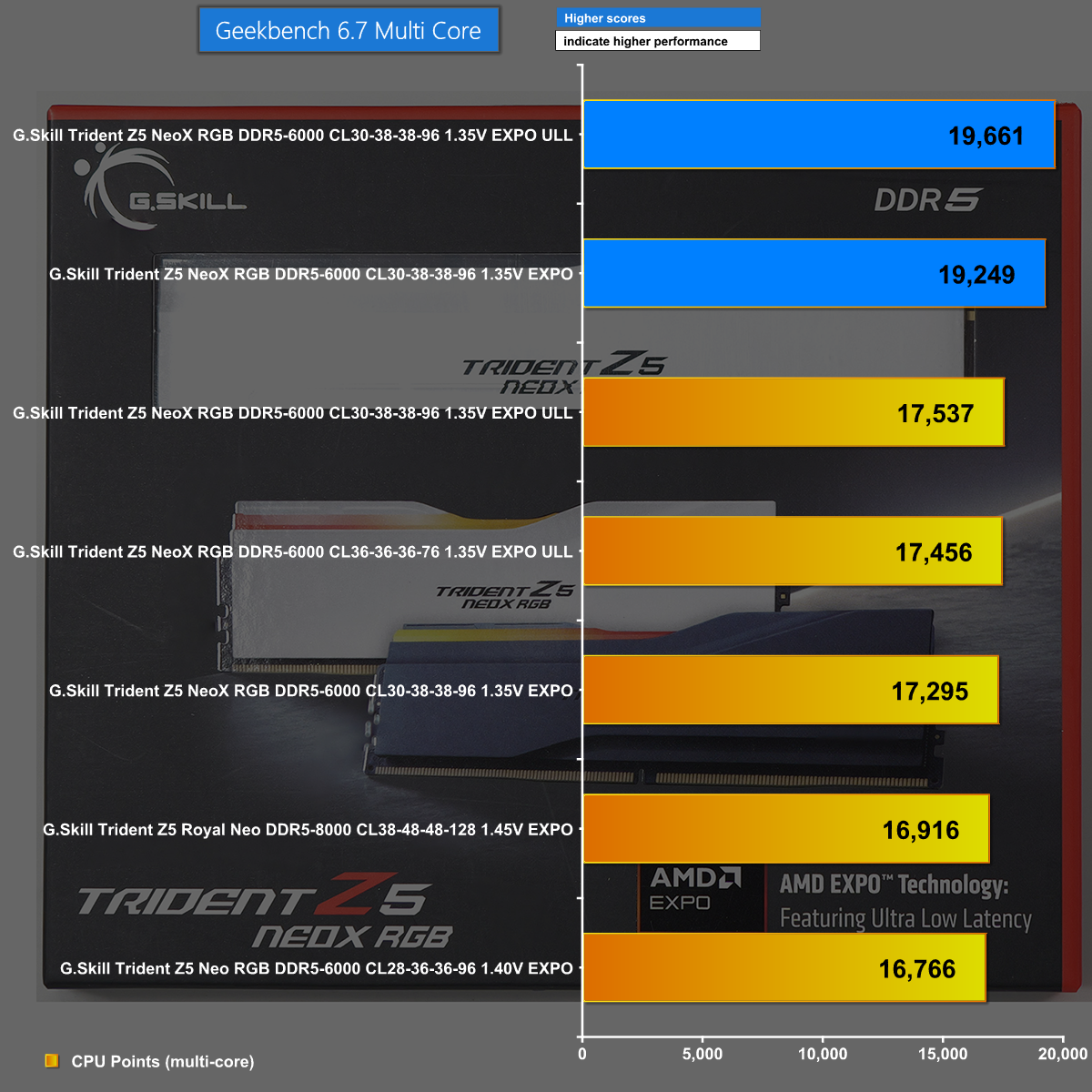
In Geekbench 6.7 Multi Core the two blue bars are for Ryzen 7 9850X3D and the five yellow bars are Ryzen 7 9700X. We can clearly see that EXPO ULL gives a small advantage over regular EXPO settings.

AIDA64 Memory Copy 
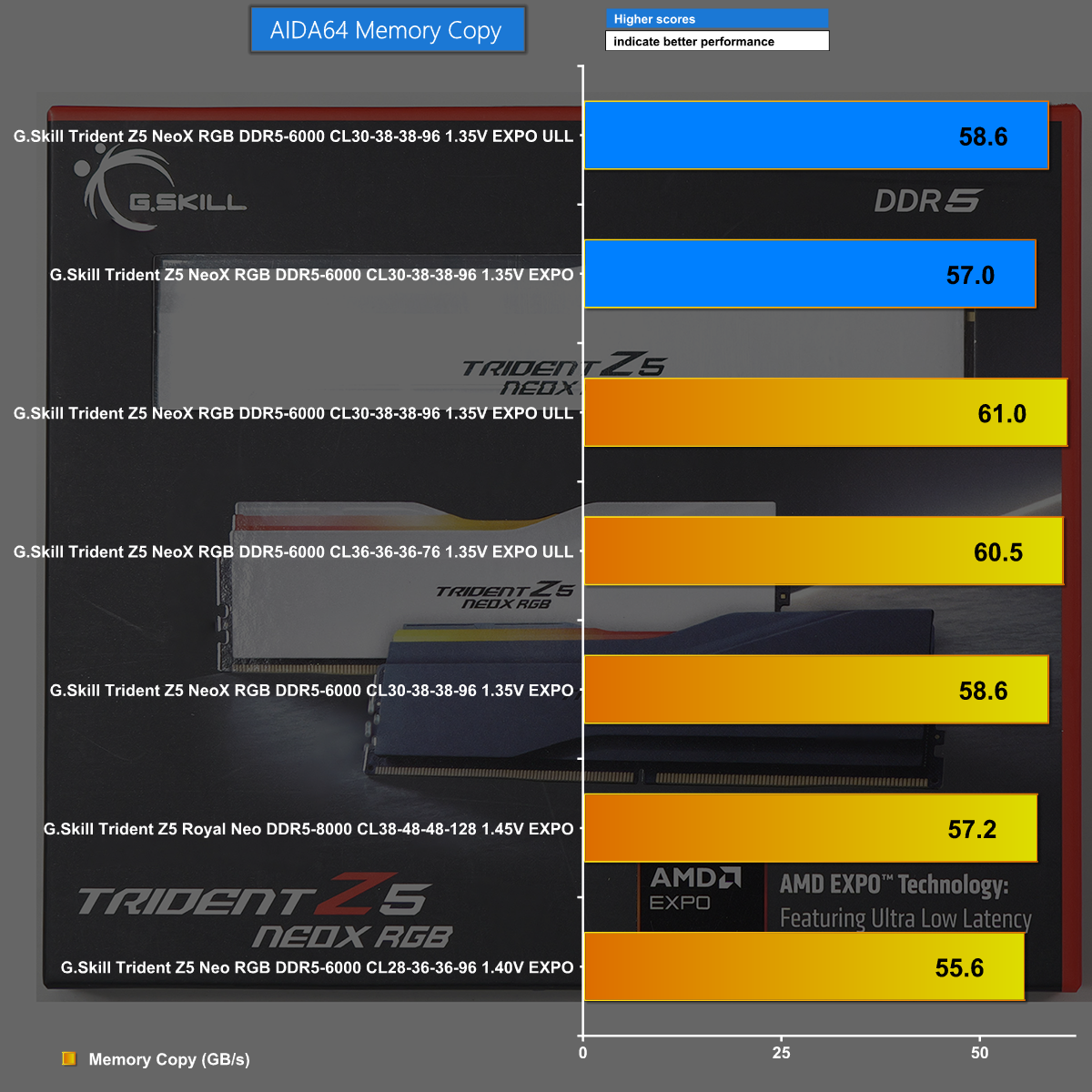
The AIDA64 Memory Copy shows EXPO ULL running well on the G.Skill Trident Z5 NeoX RGB kits.

Assassin's Creed Mirage at 1440p
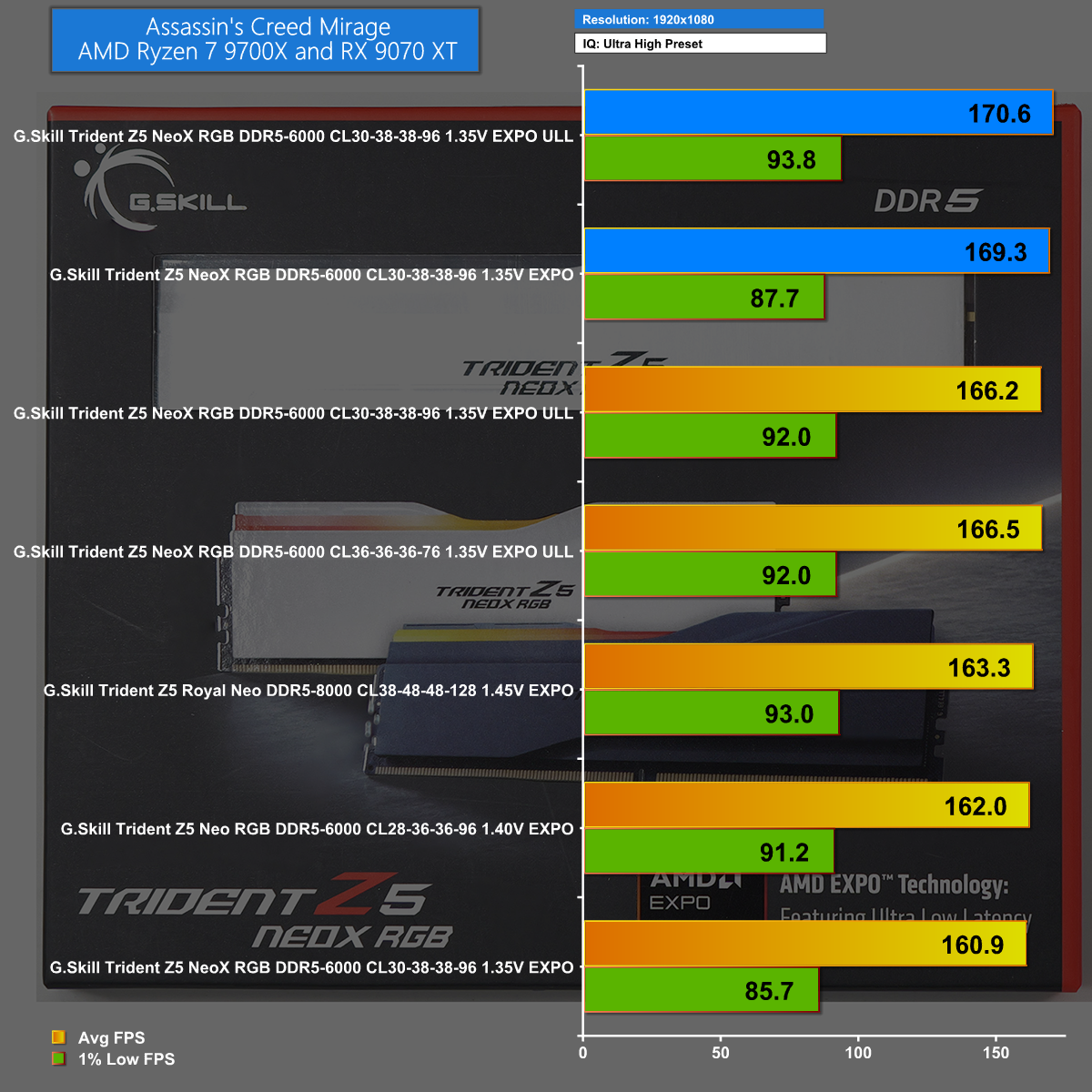
In Assassin's Creed Mirage at 1440p we can plainly see that EXPO ULL has minimal benefit for a Ryzen 3D CPU and delivers around 3% boost for a regular Ryzen 7 CPU.

Closing Thoughts

AMD claims that EXPO Ultra Low Latency will deliver small benefits over regular EXPO, and that lines up perfectly with our own findings. The inner workings of EXPO ULL are completely invisible to the end user and place the burden on the motherboard companies who have to carry out more research while they are developing their BIOS files, which we consider to be excellent news for the customer.
The snag, obviously, is the current outrageous cost of DDR5 memory. There is very little chance you are considering a memory upgrade for your PC on your existing set-up. This means you are only likely to encounter EXPO ULL when you either build a new PC or carry out an extensive upgrade, perhaps when AMD launches Zen 6 early in 2027.

Pros:

  • EXPO ULL gives a useful boost over regular EXPO
  • One click to enable – the BIOS does all the work
  • Rock solid stability

Cons:

  • Buying any DDR5 memory at present is a grim experience
  • 3D Ryzen CPUs have less to gain than regular CPUs

KitGuru says: G.Skill Trident Z5 NeoX RGB gives us a clear and welcome view of AMD EXPO ULL technology.

The post G.Skill Trident Z5 NeoX w/ EXPO ULL! first appeared on KitGuru.

AMD Ryzen 7 7700X3D Review: Zen 4 in 2026?!

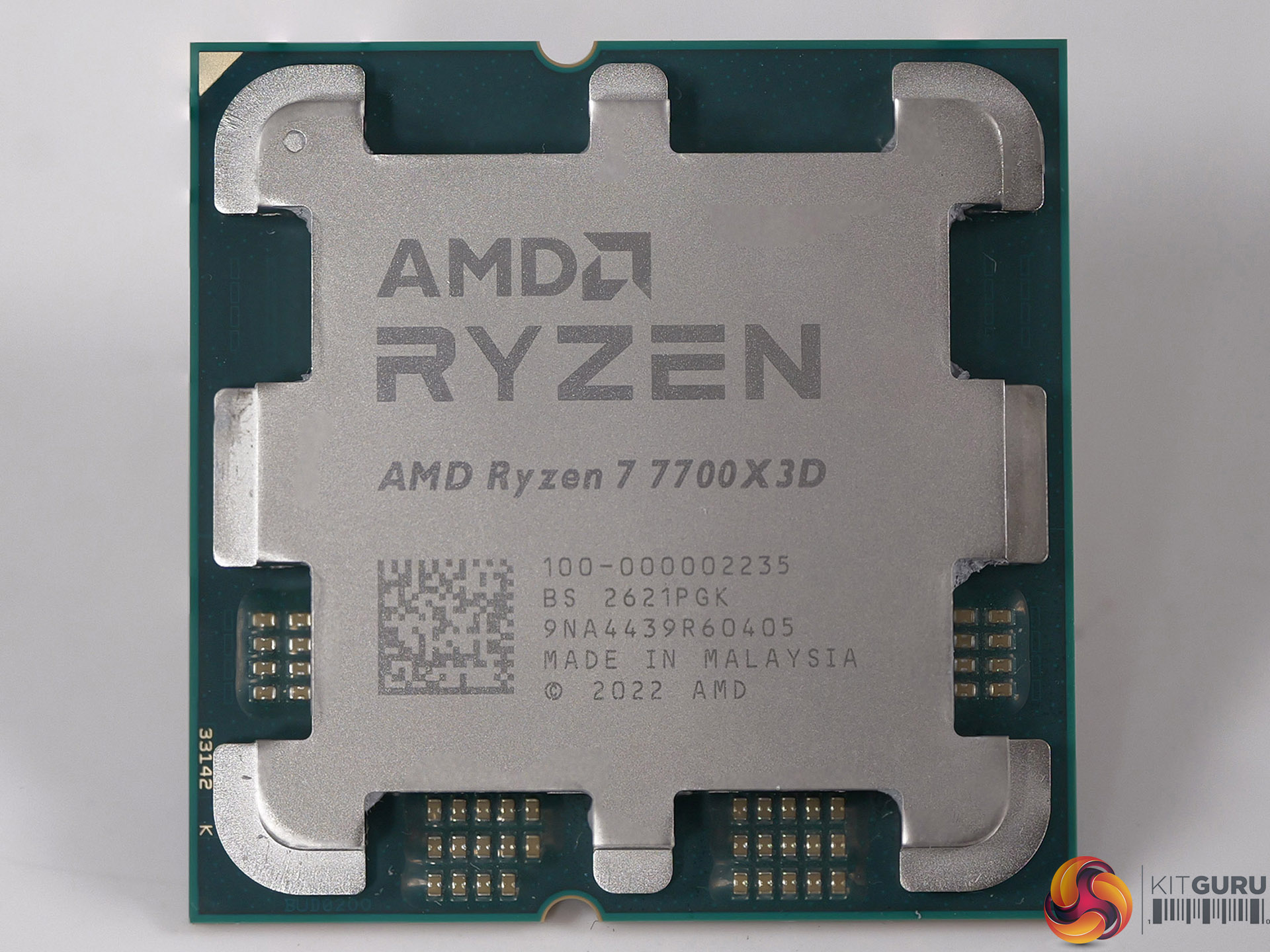
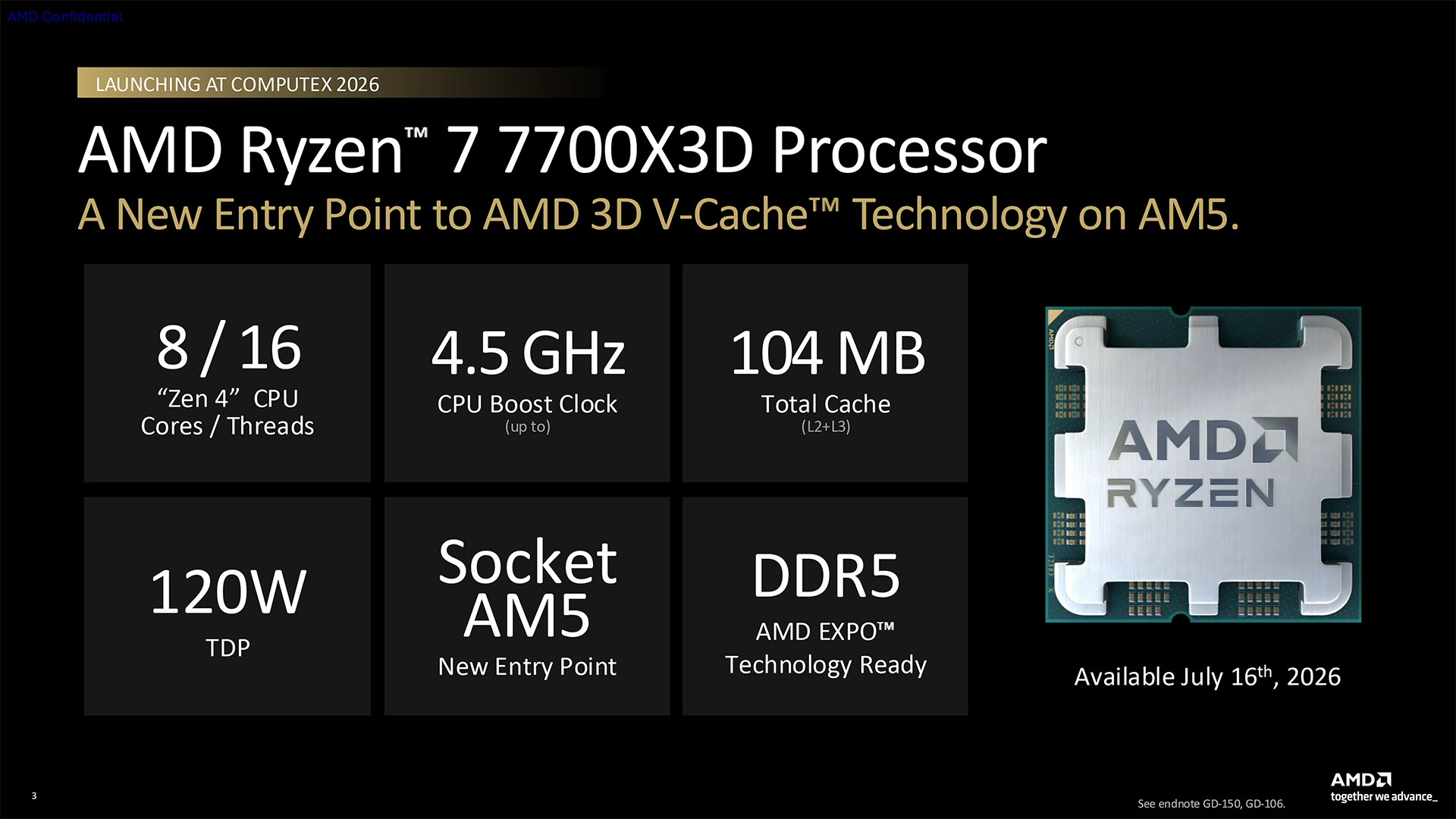
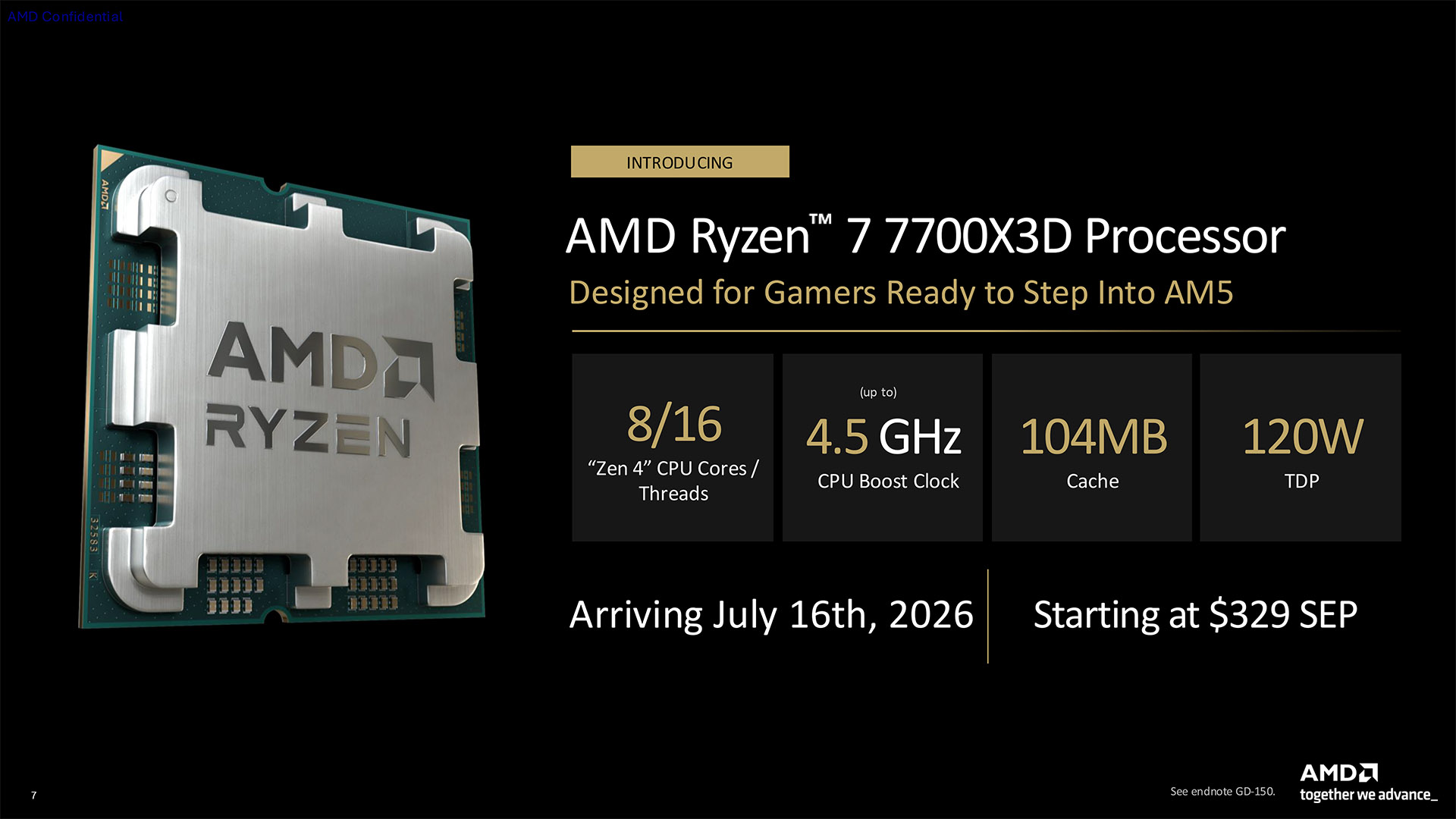
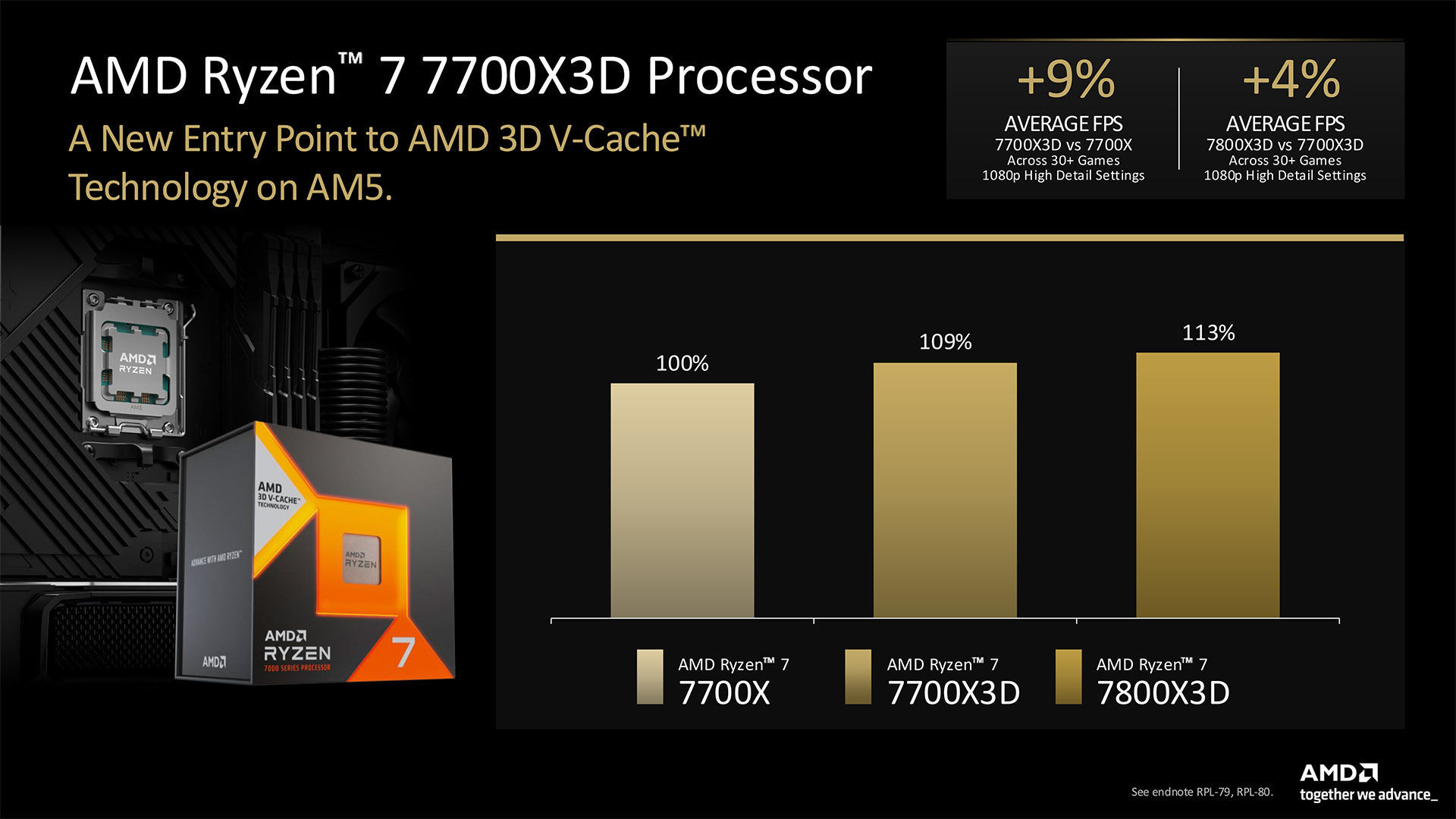
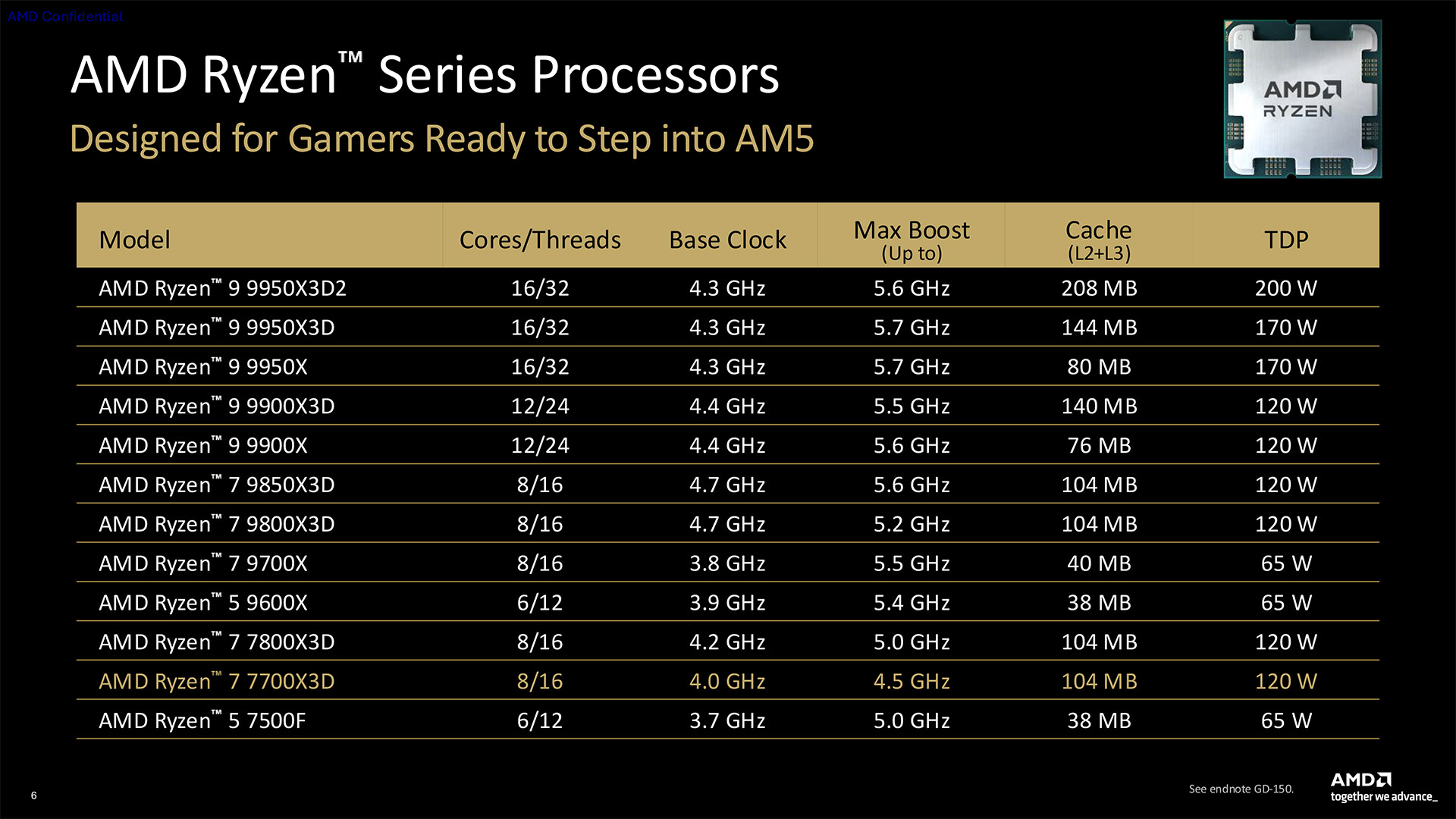
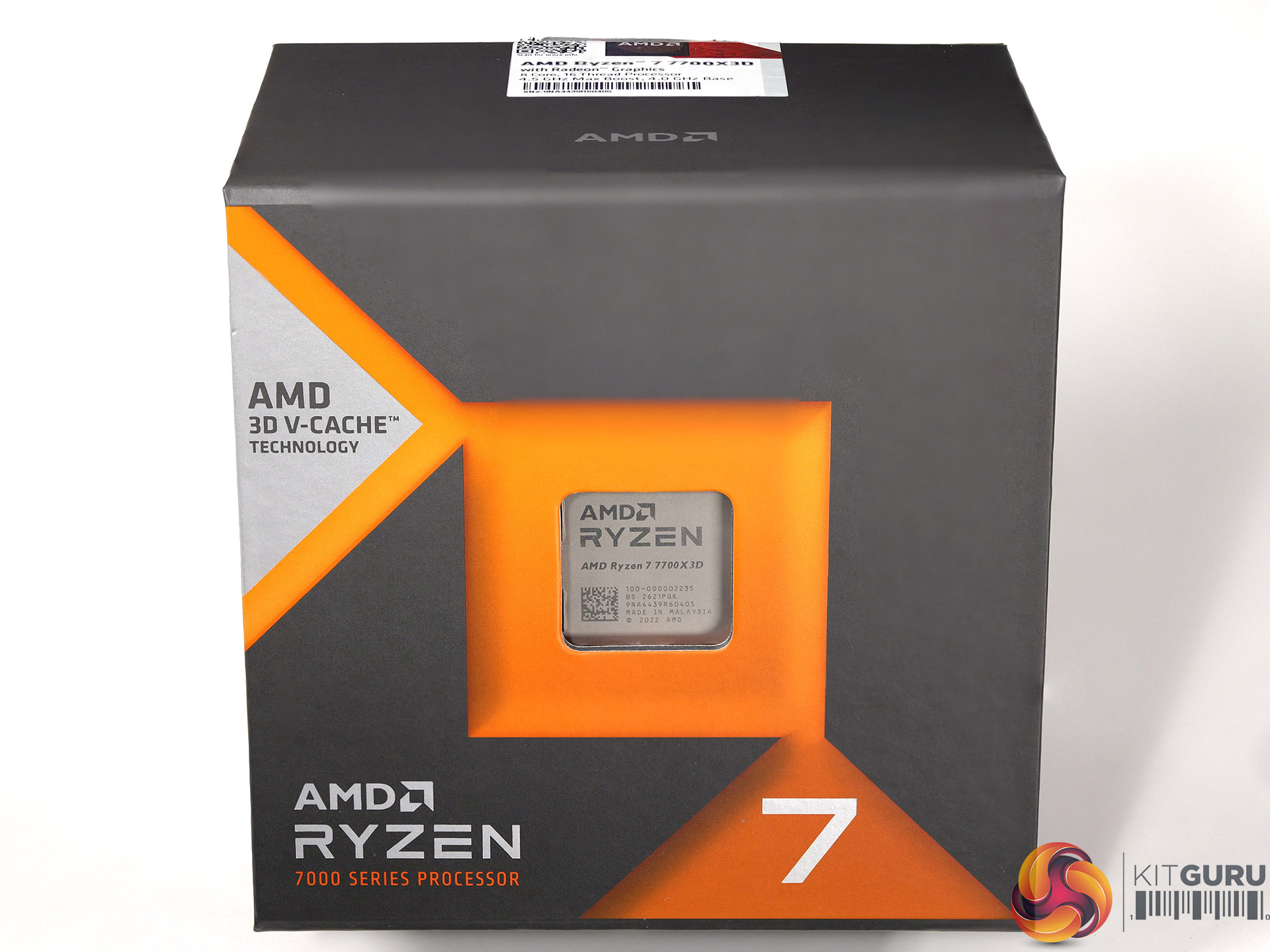
When AMD announced the Ryzen 7 7700X3D at Computex 2026 we were baffled. This CPU uses Zen 4 technology that launched early in 2022 and is slightly slower than the Ryzen 7 7800X3D that we reviewed in 2023. Furthermore it requires the use of DDR5 memory which currently sells for crazy high prices and that makes the idea of saving a small amount of money on your CPU fairly pointless. Wait until the end of the video and you will find there is a real kick in the pants.

Timestamps
00:00 Introduction
00:56 Leo's Analysis on this launch
03:29 Moving from to Ryzen 7 2700X to 5800X3D?
08:20 7700X3D Analysis
10:22 Adding the 7800X3D
11:37 Adding the 9850X3D
13:05 Speed Run
13:48 Launch Pricing Mess and Verdict

Performance and Testing

Test systems:
CPU: Ryzen 7 2700X, Ryzen 7 5800X3D
Motherboard: Asus TUF Gaming X570-Plus
Memory: 16GB G.Skill FlareX DDR4-3200
Graphics: Gigabyte RTX 2060 Super 8GB

CPU: Ryzen 7 7700X3D, Ryzen 7 7800X3D, Ryzen 7 9850X3D
Motherboard: Asus ProArt B850-Creator WiFi Neo
Memory: 32GB G.Skill Trident Z5 Neo DDR5-6000

Common parts:
CPU cooler: Phanteks Glacier One 360
Graphics card: PowerColor Red Devil Radeon RX 9070 XT 16GB
Power supply: Antec Signature 2200W

Cinebench 2026 Multi Core

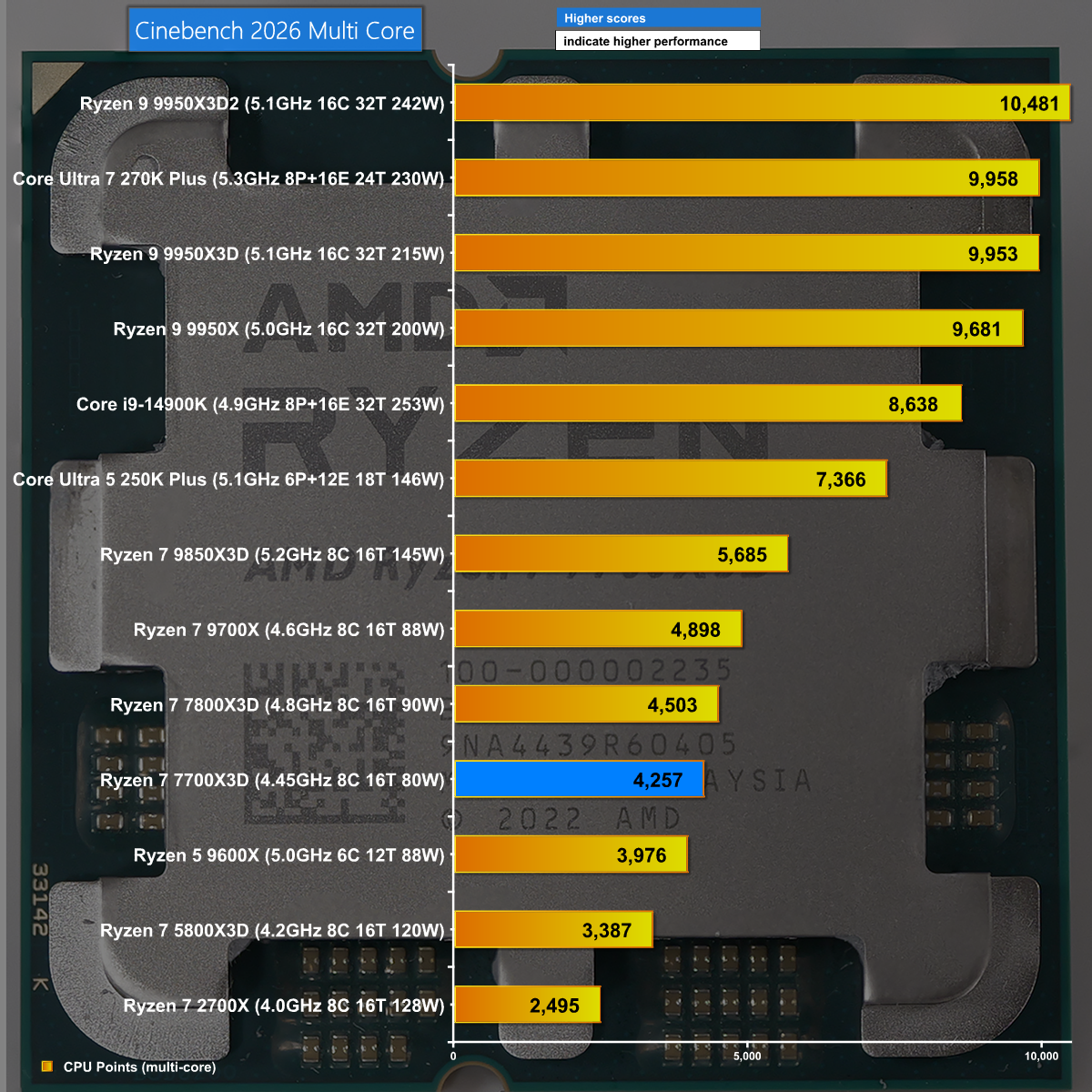
In Cinebench 2026 Multi Core we see the Ryzen 7 7700X3D performs fairly poorly, exactly as we would expect. This is a relatively weak 8-core CPU that relies on 3D V-Cache to give decent gaming performance, however that technology provides no help in Cinebench.

Far Cry 6 at 1080p

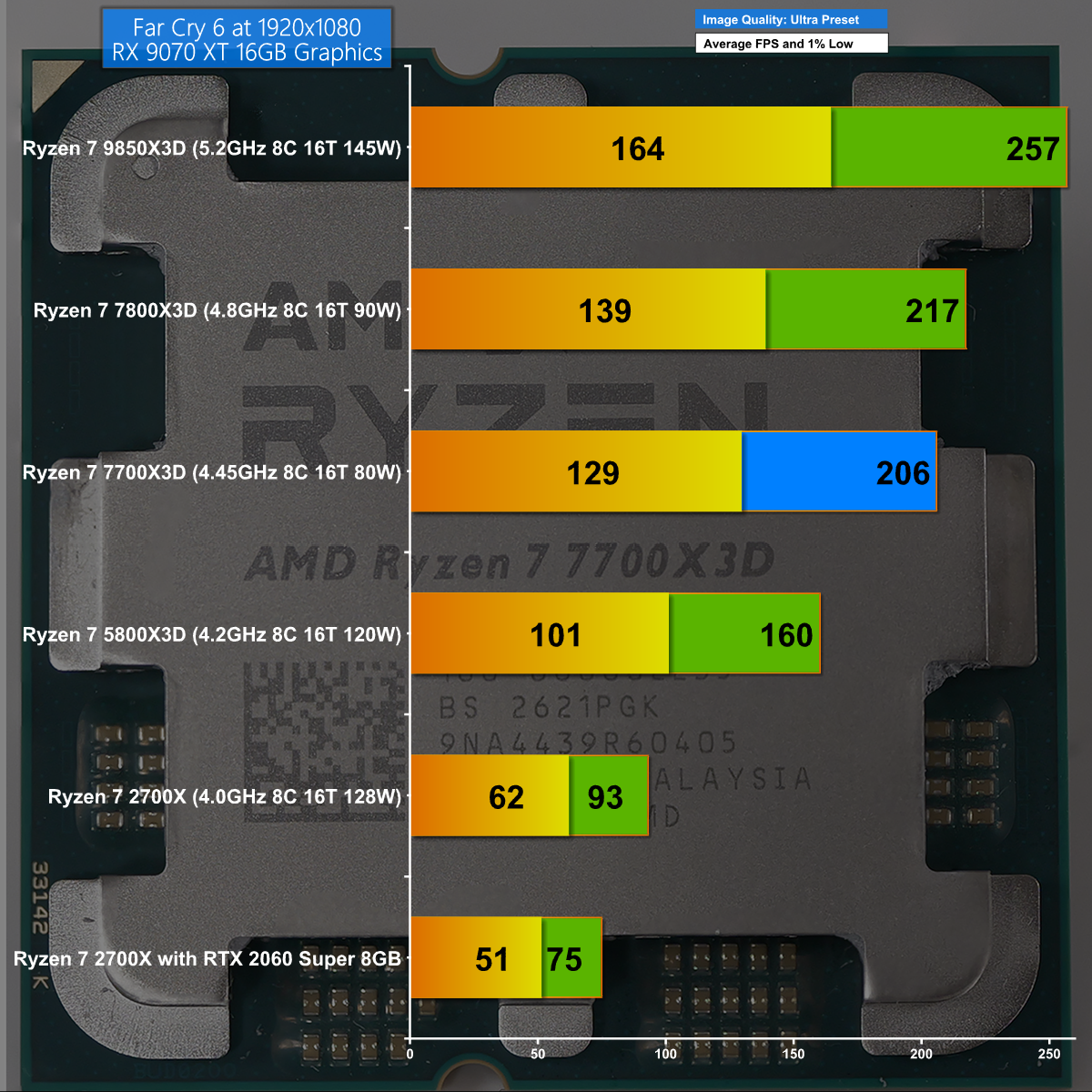
Far Cry 6 at 1080p is an interesting test for the Ryzen 7 7700X3D as it shows the AM5 platform has a distinct advantage over AM4 in gaming. The result is that this weak Zen 4 CPU performs well, despite its obvious limitations.

Cyberpunk 2077 at 1080p

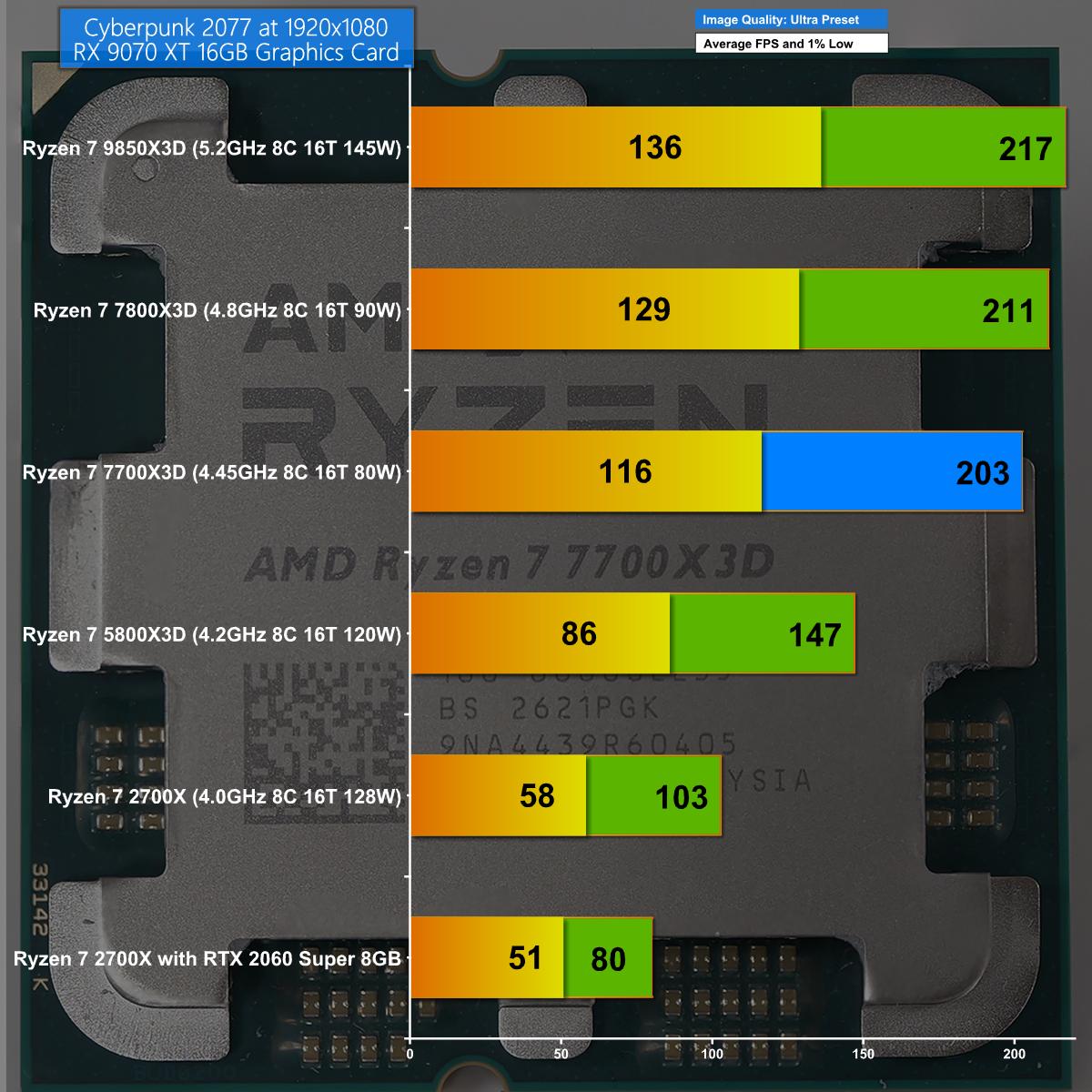
Cyberpunk 2077 at 1080p shows a significant gap between each of the CPUs and an impressive 203fps on average for the Ryzen 7 7700X3D.

Closing Thoughts

AMD's launch in 2026 of the Ryzen 7 7700X3D with Zen 4 technology and 1st Gen 3D V-Cache makes sense, provided you come at things from a specific direction.

Imagine you are building a new gaming PC and want to keep costs to a minimum while also keeping an eye of the upgrade path to Zen 6 and possibly to Zen 7. In that context a slow Zen 4 CPU with 3D technology could fill a particular niche.

The problem is money. If you are saving £30 or £40 on the CPU while spending an extra £250 on a kit of DDR5 memory things looks a bit bleak.

The wheels completely fell off this particular vehicle when AMD announced that Ryzen 7 7700X3D will go on sale at exactly the same price (£294.99 SEP) you currently pay for Ryzen 7 7800X3D. This is madness as it immediately renders the Ryzen 7 7700X3D as a pointless product.

You will be able to buy the Ryzen 7 7700X3D for £294.99.

Pros

  • Decent gaming performance thanks to 3D V-Cache technology.
  • There are heaps of Socket AM5 motherboards that are compatible with this CPU.
  • This CPU offers an easy upgrade path to Zen 6 next year.

Cons

  • The price makes no sense.
  • DDR5 memory is horribly expensive.

KitGuru says: AMD Ryzen 7 7700X3D could be an interesting entry point to AM5 gaming, however their pricing strategy has mucked things up entirely.

The post AMD Ryzen 7 7700X3D Review: Zen 4 in 2026?! first appeared on KitGuru.
Montech TG3 Case Review: Budget Winner

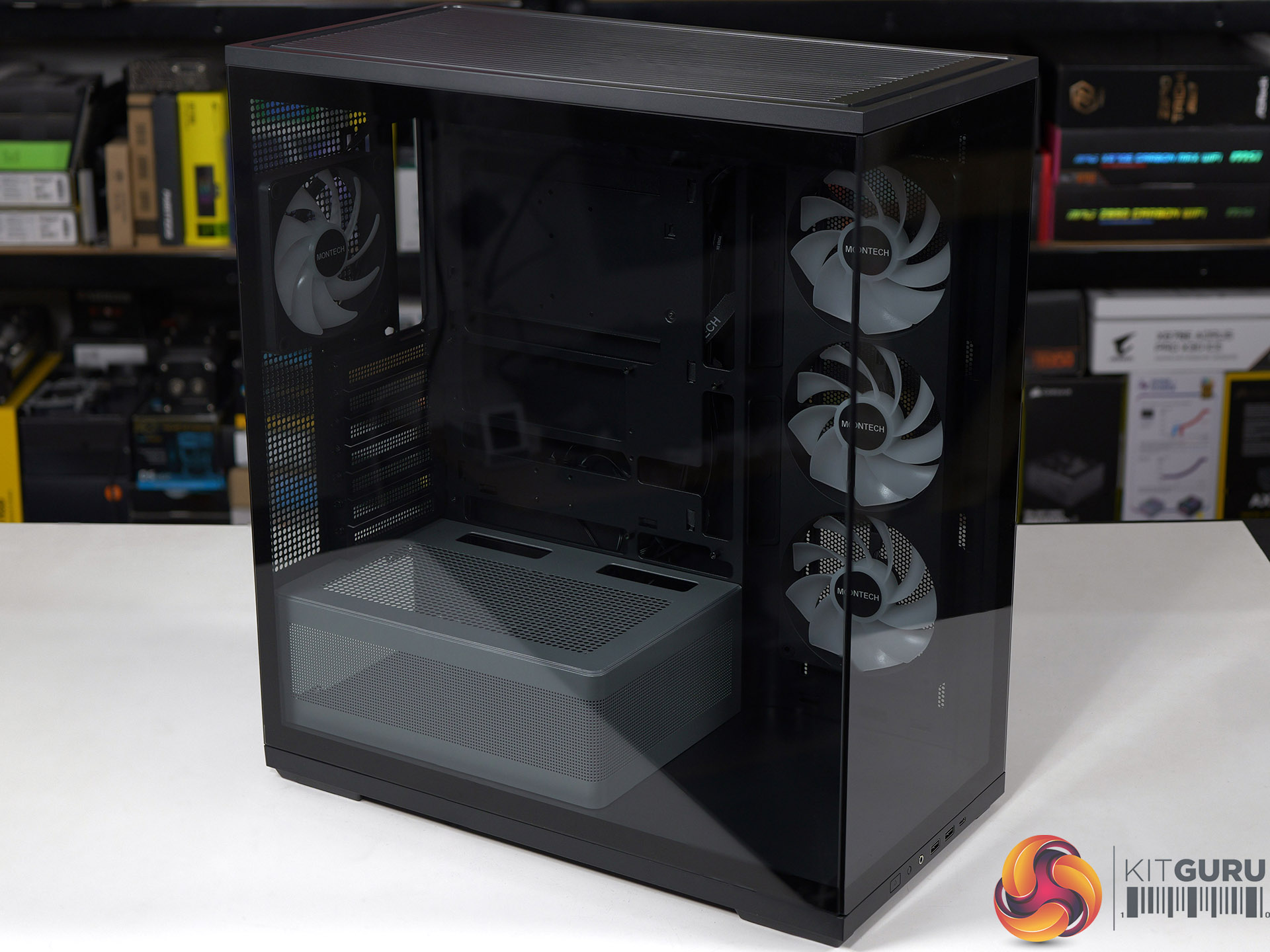
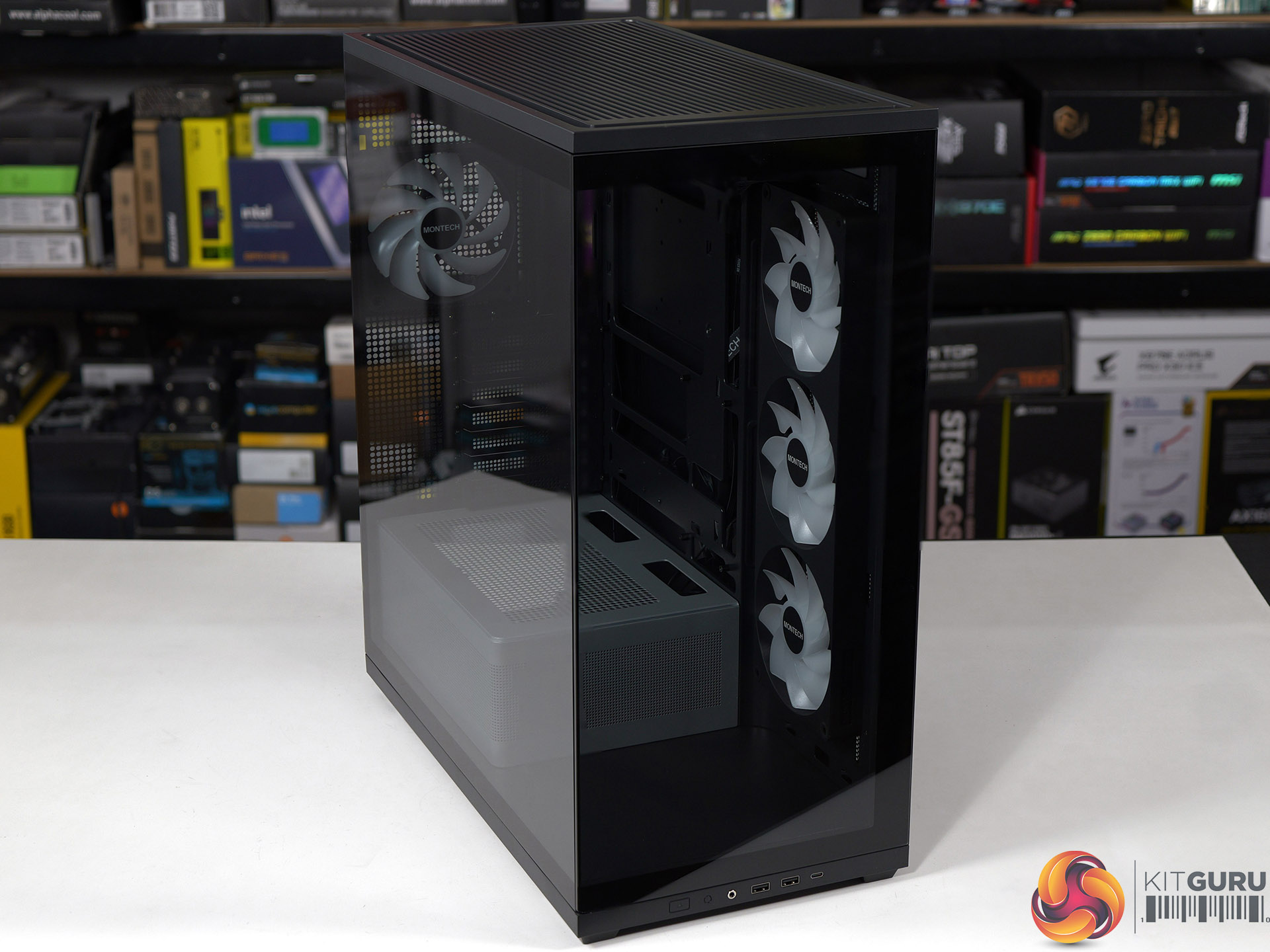
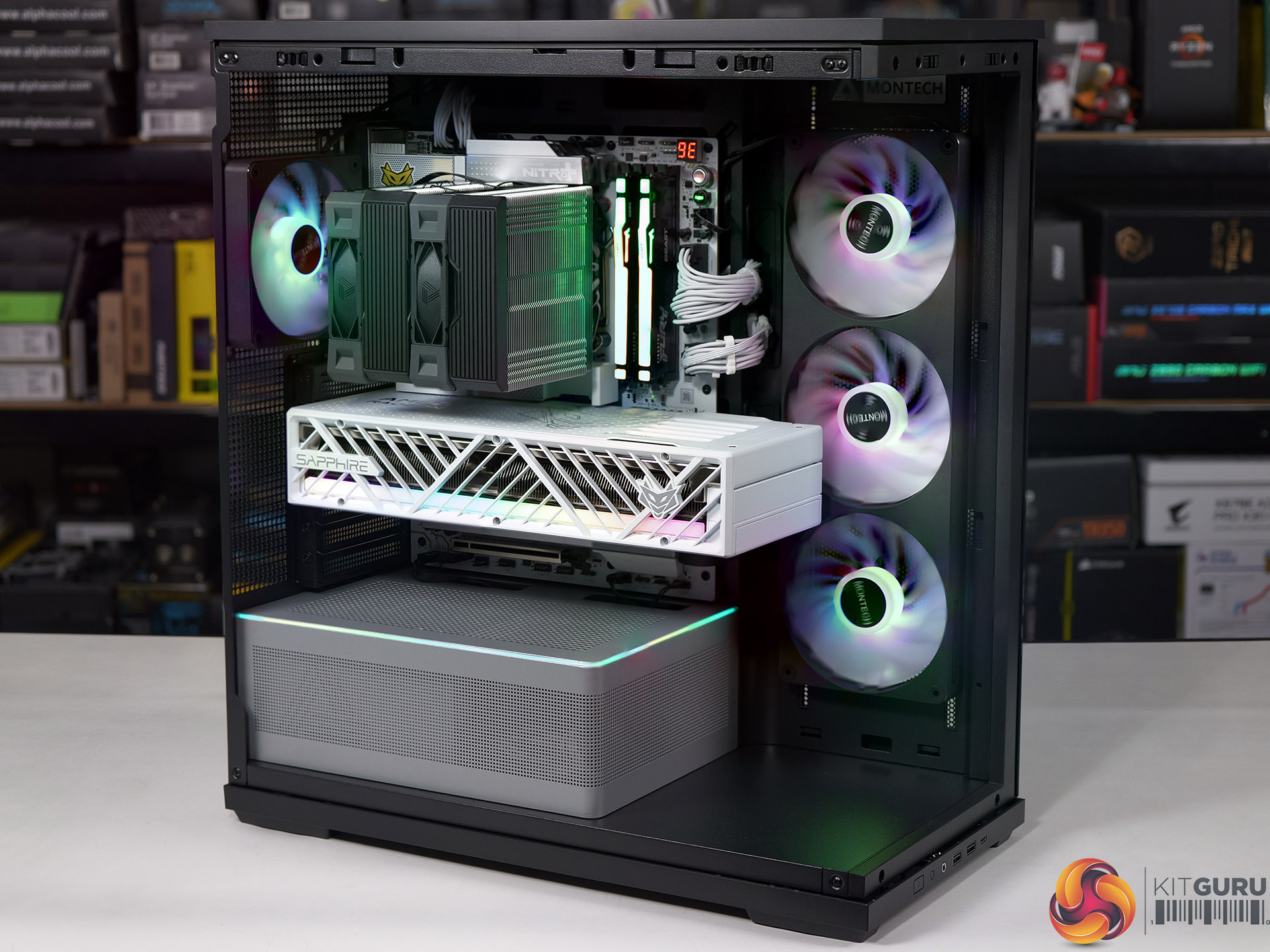
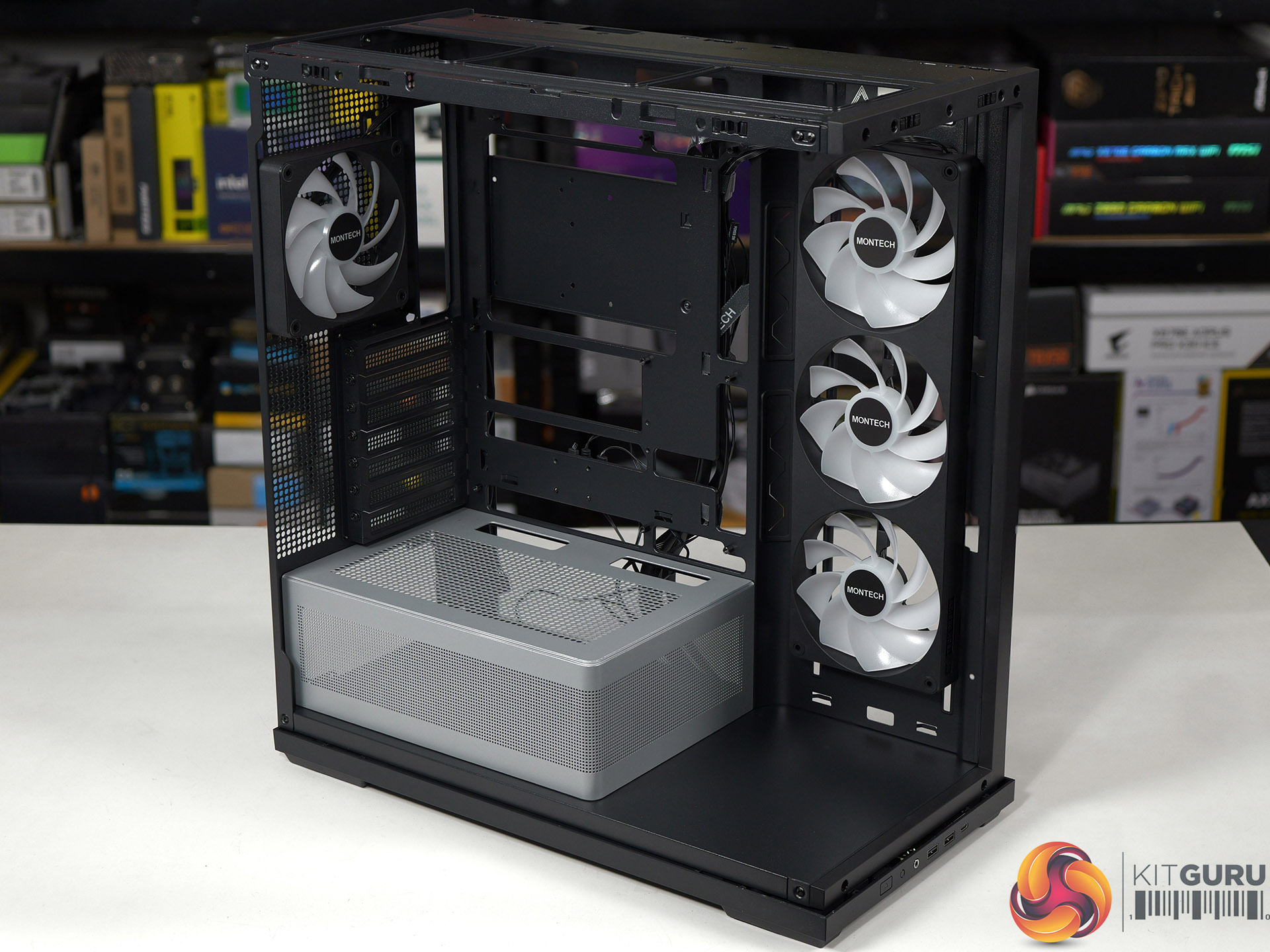
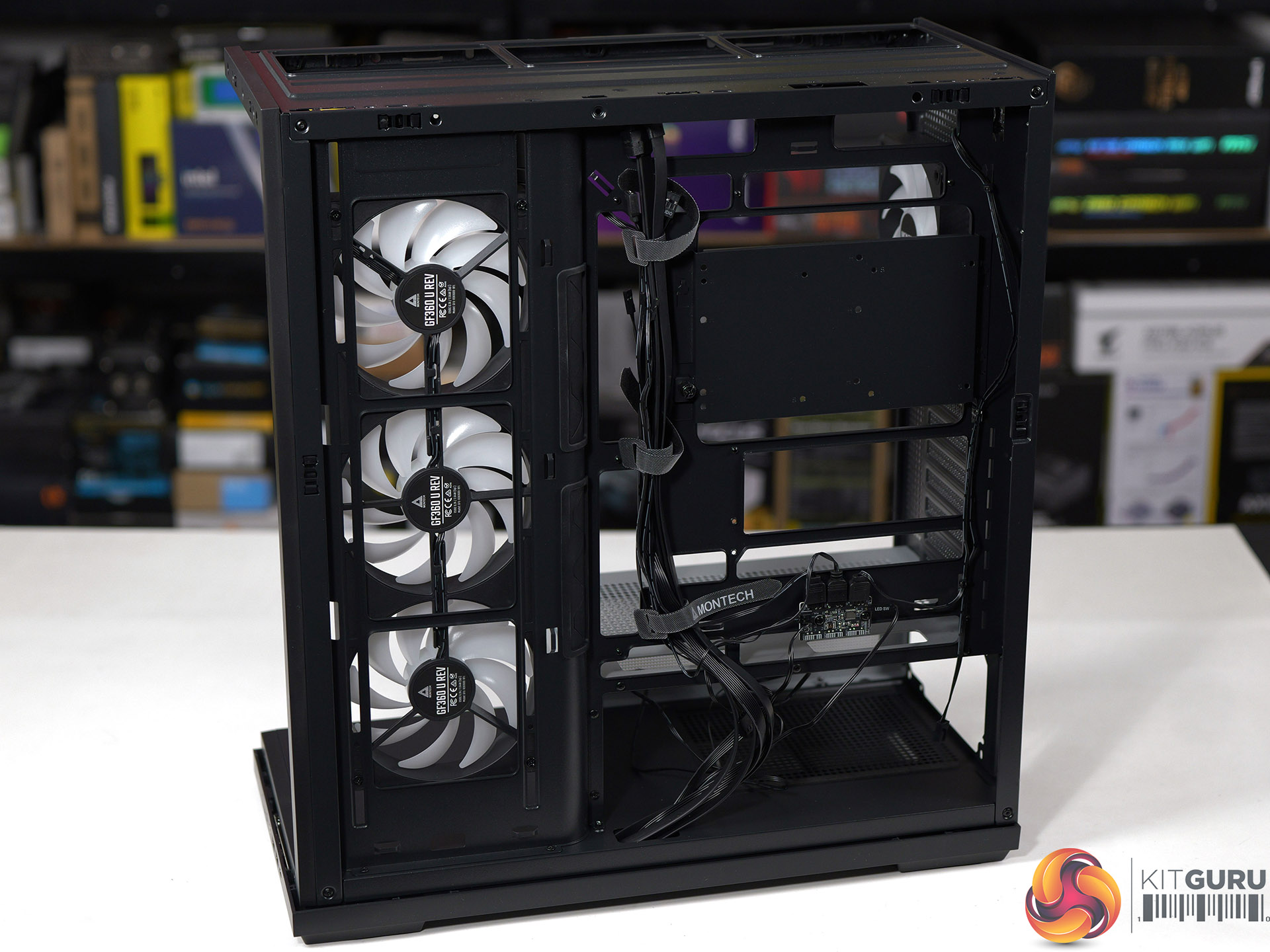
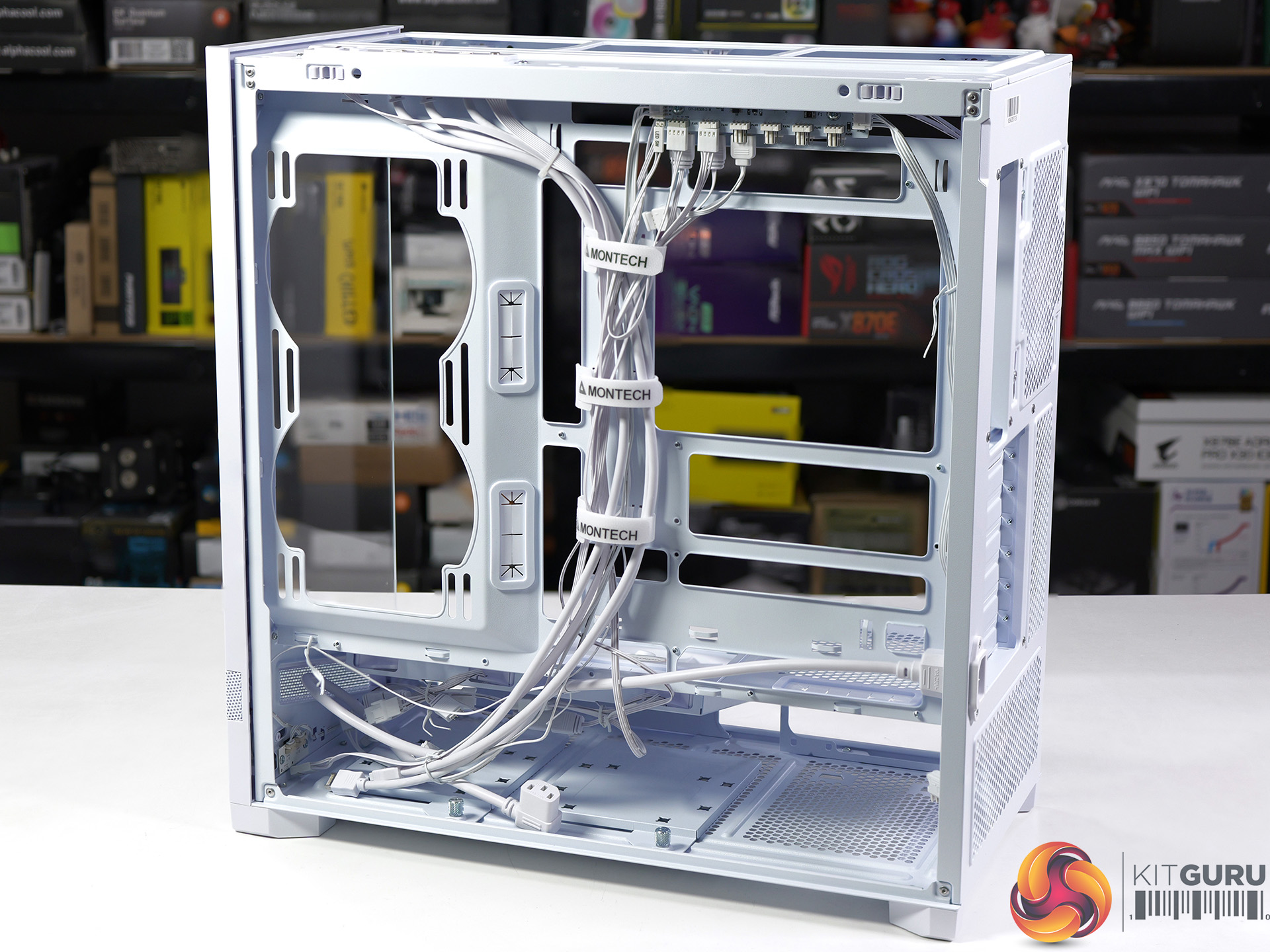
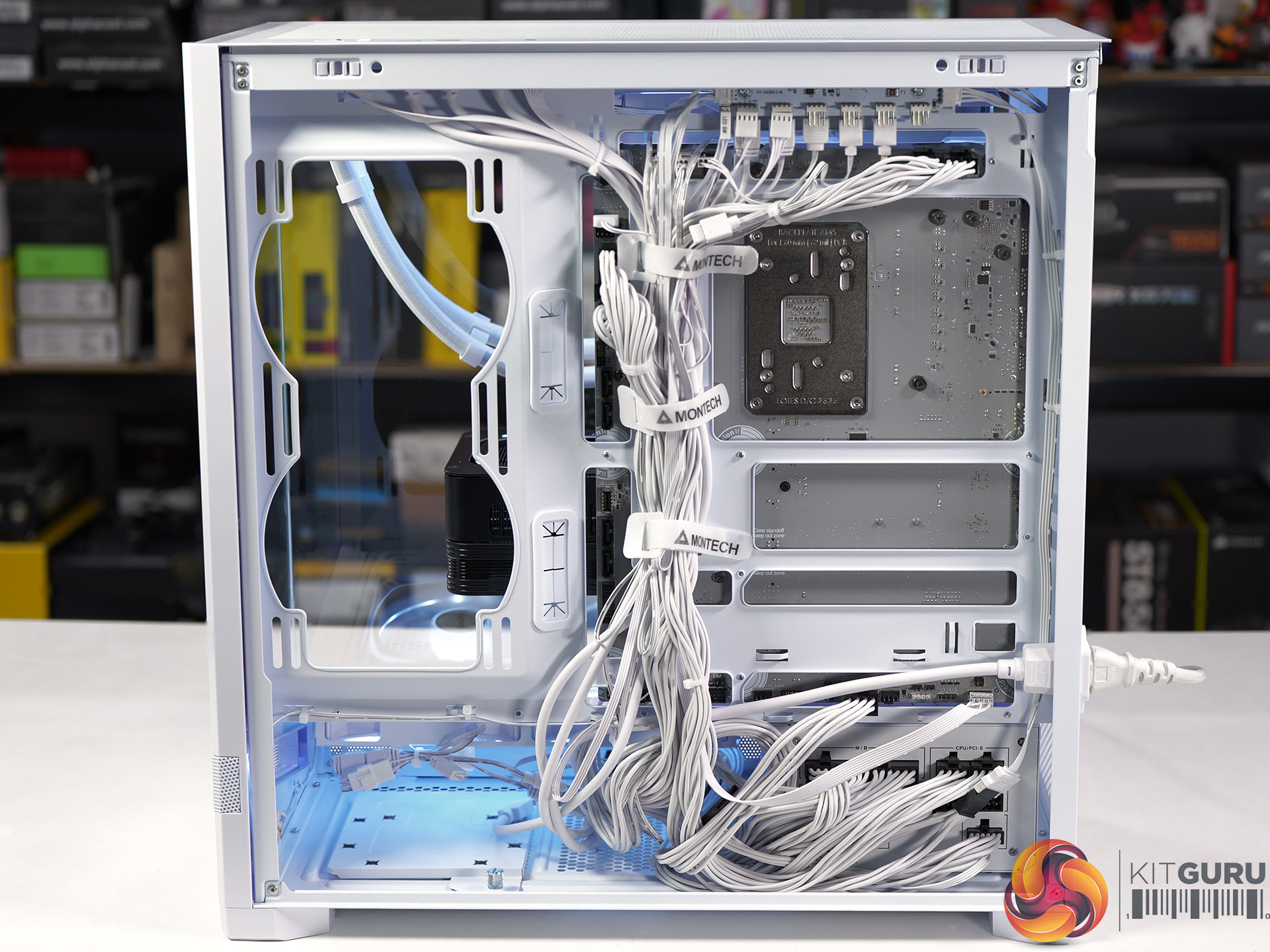
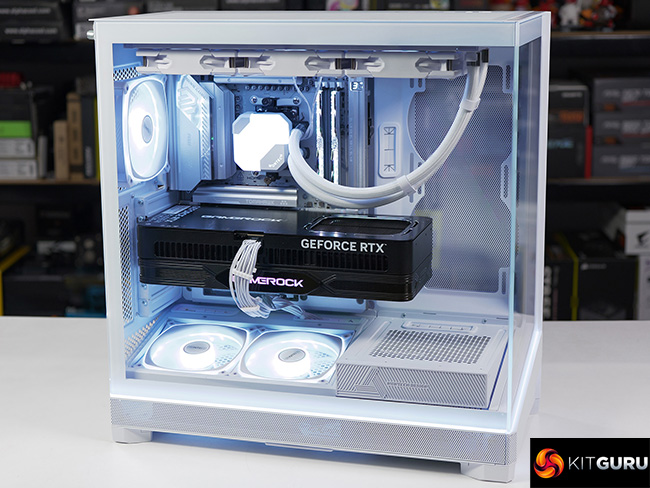
It has been a year since we first saw the budget TG3 on show at Computex 2025 and we have finally got our hands on a sample for review. The main components are a unibody 360mm fan in the side of the case with two glass panels and RGB lighting galore. The shock is that this case is remarkably cheap, but despite that it is solidly built and offers decent quality.
Time stamps
00:00 Start
00:49 Strip down / A look inside / Front I/O
02:44 Motherboard Support
03:20 Installing a system
05:44 Smoke test for airflow
06:15 Thermal and Noise Testing
08:35 PSU change
09:14 Closing Thoughts

Main features

  • Tiered Bottom Layout with ARGB Lighting
  • Showcase Surface for Personalised Builds
  • Pre-installed GF U Unibody Fans for Cleaner Layout
  • Future-Proof GPU Compatibility
  • Back-Connect Ready
  • Spacious interior with a clean, minimalist exterior

Specification:

  • Motherboard support: ATX, Micro-ATX, Mini-ITX with support for rear connections.
  • Power supply support: ATX, SFX-L, SFX.
  • Expansion slots: 7.
  • Included fans: 1x 360mm side intake GF360 U REV, 1x 120mm rear exhaust GF120 U.
  • Fan mounts: 3x 120mm side, 3x 120mm/140mm roof, 1x 120mm/140mm rear, 2x 120mm PSU shroud.
  • Radiator mounts: 240mm side, 360mm/280mm roof, 120mm rear.
  • 5.25-inch optical drive bays: None.
  • Internal drive bays: 1x 3.5-inch, 2x 2.5-inch.
  • Front I/O ports: 2x USB 3.0 Type-A, 1x USB 3.1 Type-C, audio.
  • Dimensions: 523mm H x 465mm D x 239mm W.

Testing

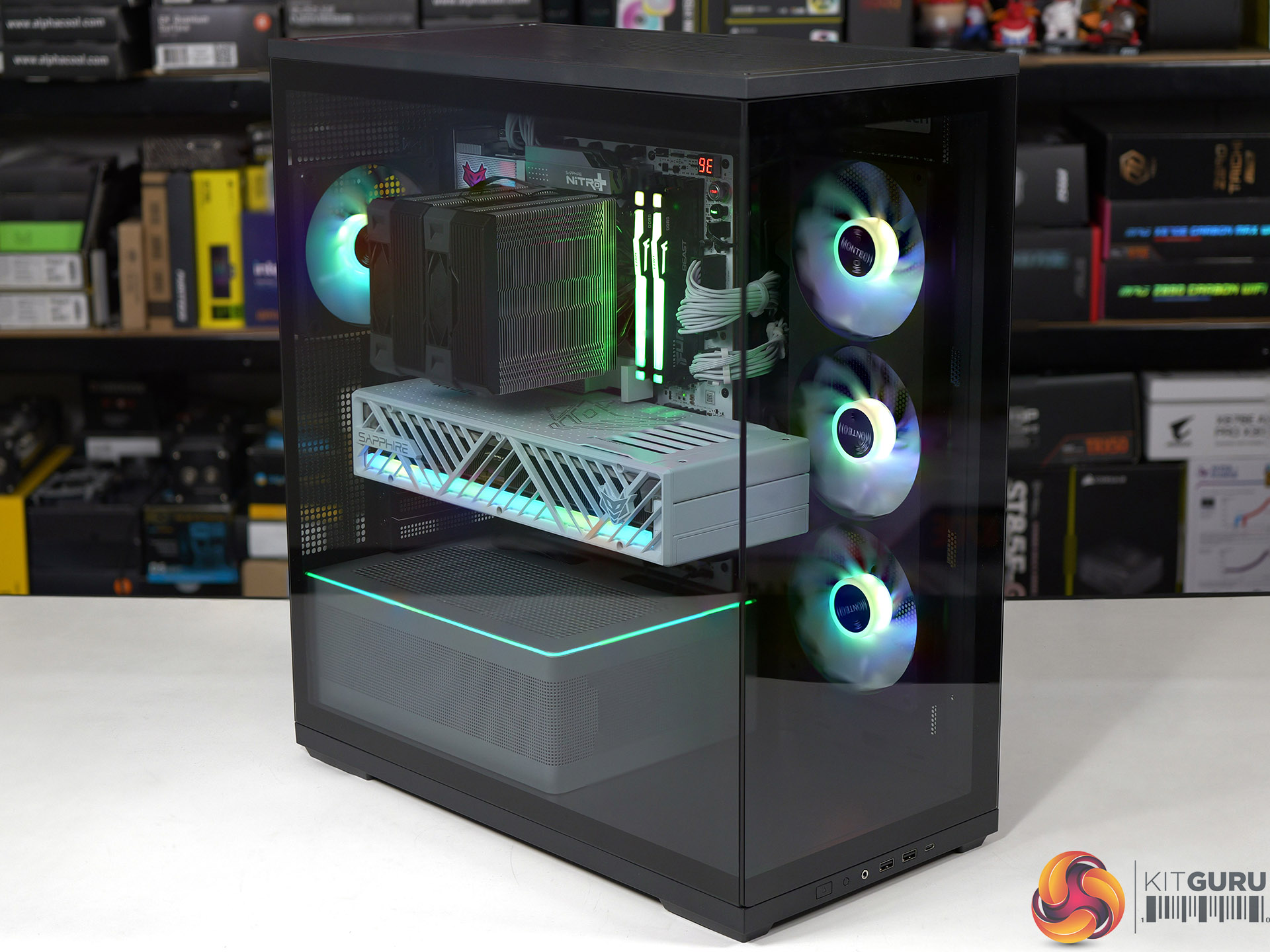
To put this case through its cooling paces we will be using a test system consisting of an AMD Ryzen 7 9850X3D, Sapphire Nitro+ X870EA PhantomLink motherboard and an SSD. This system allows us to produce a substantial amount of heat and effectively test the Montech TG3‘s cooling capabilities.

Test System:
Processor: AMD Ryzen 7 9850X3D
CPU Cooler: Montech NX600
Motherboard: Sapphire Nitro+ X870EA PhantomLink Polar Edition
Memory: 32GB Kingston Fury Beast DDR5-6000
Graphics card: Sapphire Nitro+ Radeon RX 9070 XT 16GB
Power supply: Montech Century II Gold 1050
SSD: Crucial T705 Gen 5 M.2 NVMe
OS: Windows 11

Cooling Performance

Cooling Performance Overview

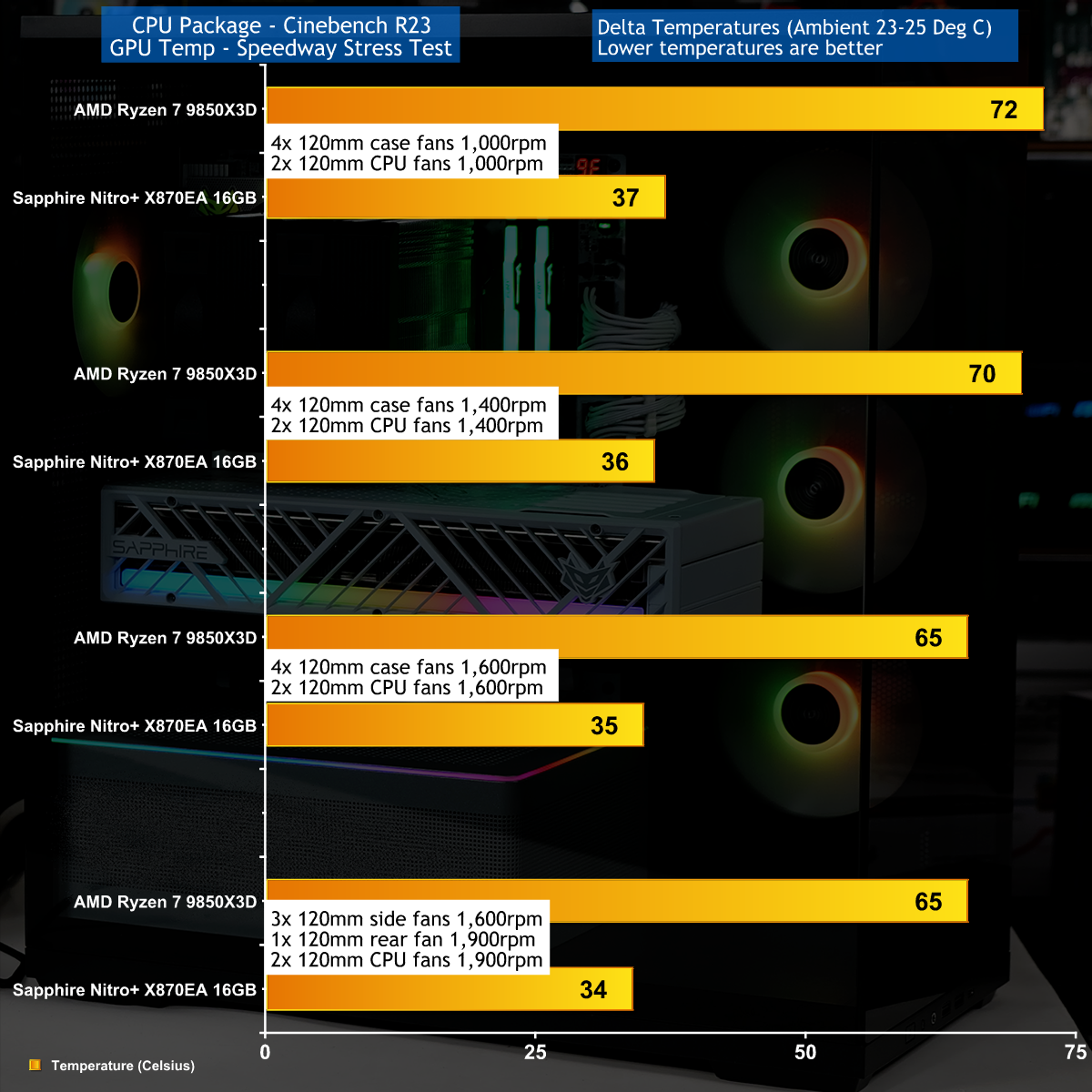
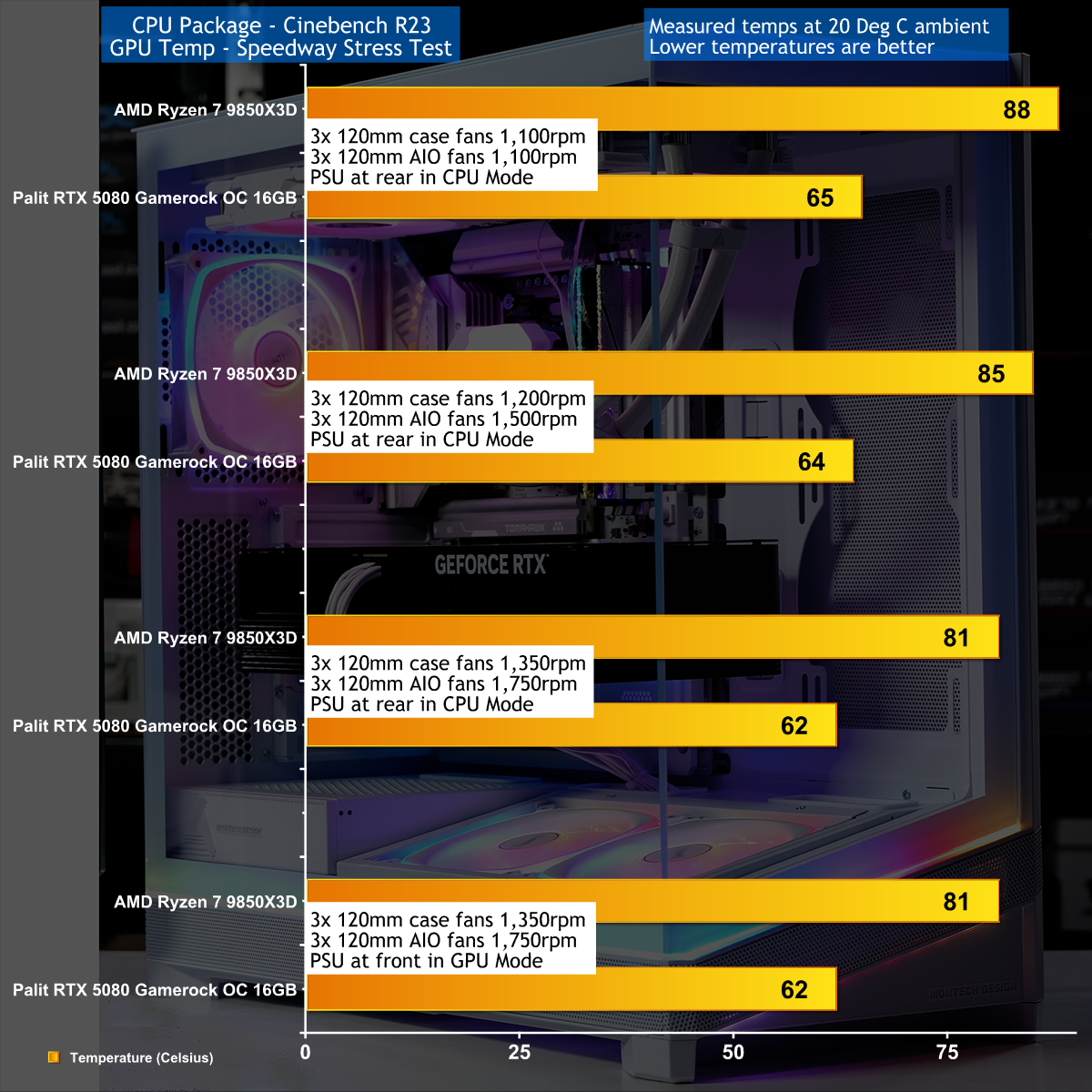
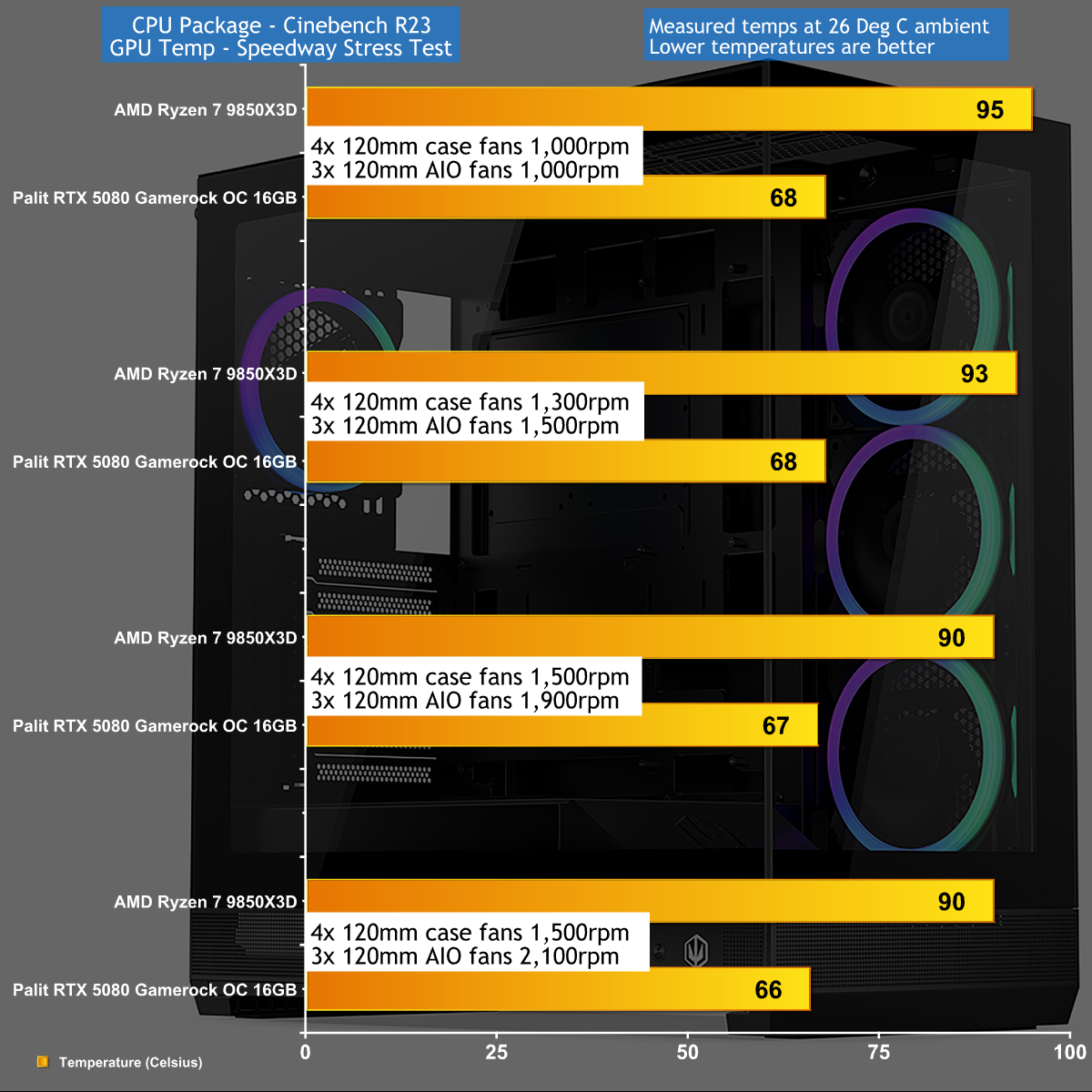
We stressed the Montech TG3 with a combination of Speedway Stress test and Cinebench R23 that drew 560W-580W at the wall socket. Our Sapphire RX 9070 XT graphics card was nice and cool under full load while the AMD Ryzen 7 9850X3D was slightly warmer than we wanted.

Closing Thoughts

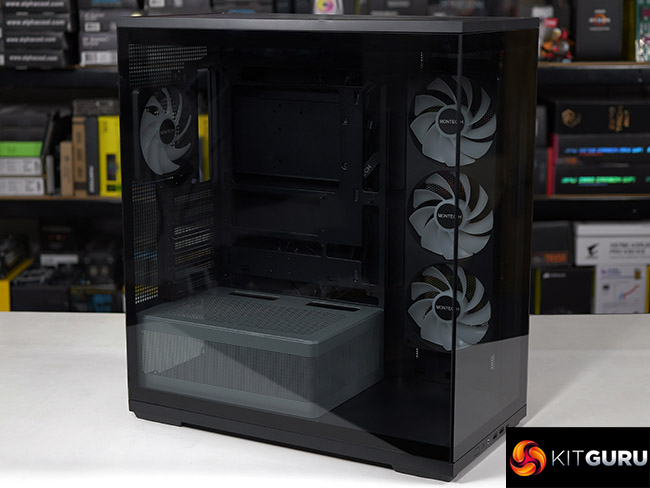
The Montech TG3 uses a layout that follows the same conventions as a great many other ATX tower cases. You have glass on the front and main panels, with cooling air drawn in from the right hand side through 3x 120mm fans. Inside the main compartment the power supply shroud stops short of those side fans to give you the full benefit of the ARGB light show.

In other words there is nothing about the TG3 that is unusual, and the only curiosity are those side fans that use a unibody design to tidy up the cabling and reduce the number of installation screws.

This makes it quite amazing to us that Montech has managed to launch the TG3 at a mere £49.99 in the UK and we understand that will be $59.99 in the USA.

You can buy the Montech TG3 for £49.99 HERE.

Pros:

  • Very low price.
  • Good amount of room in the main chamber to assemble your PC.
  • Decent build quality.

Cons:

  • The cooling is nothing special.
  • When you crank up the fans the TG3 gets noisy.
  • The main components are riveted together.

KitGuru Says: The Montech TG3 is a decent case at a crazy low price. 

The post Montech TG3 Case Review: Budget Winner first appeared on KitGuru.

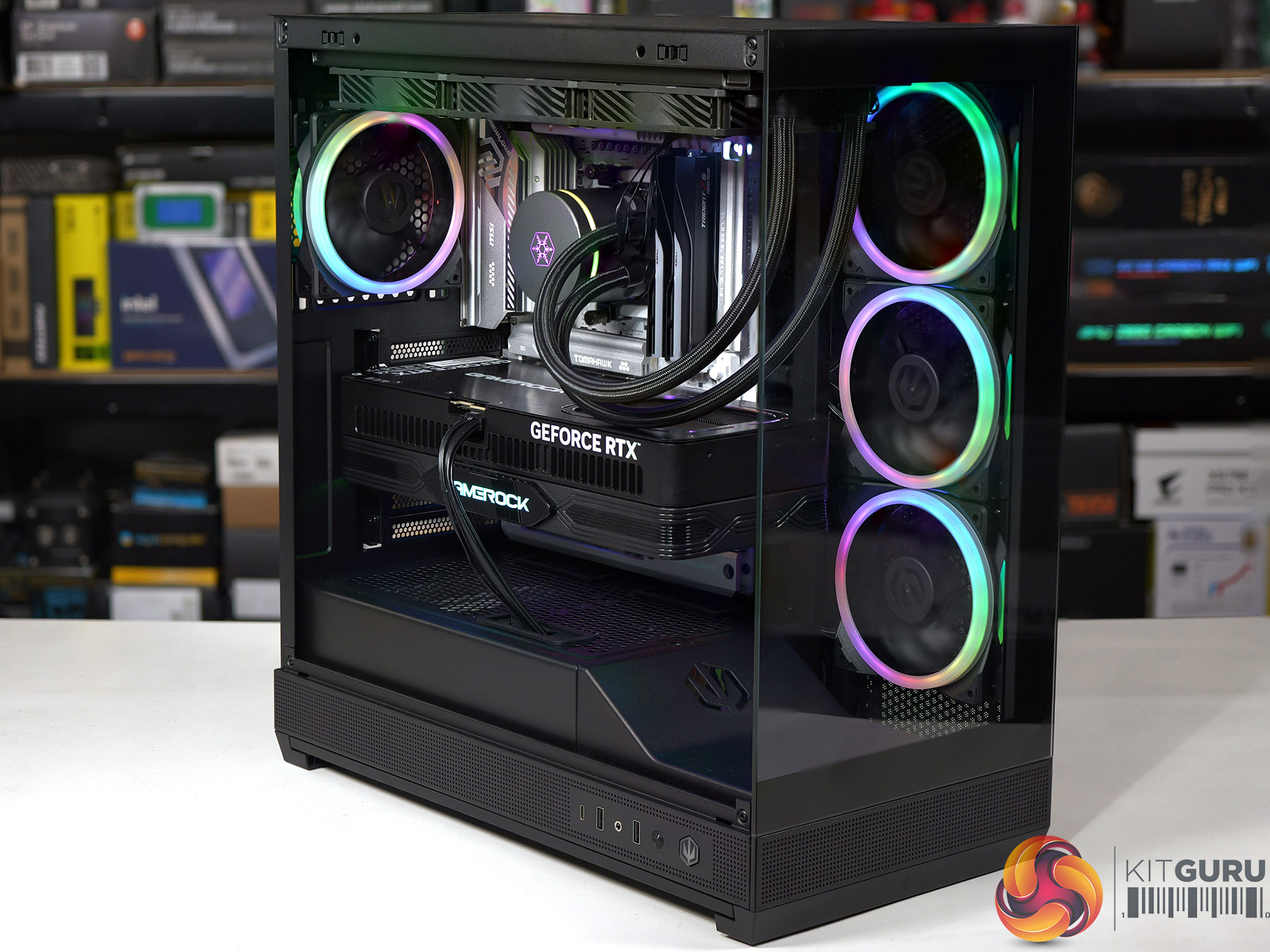
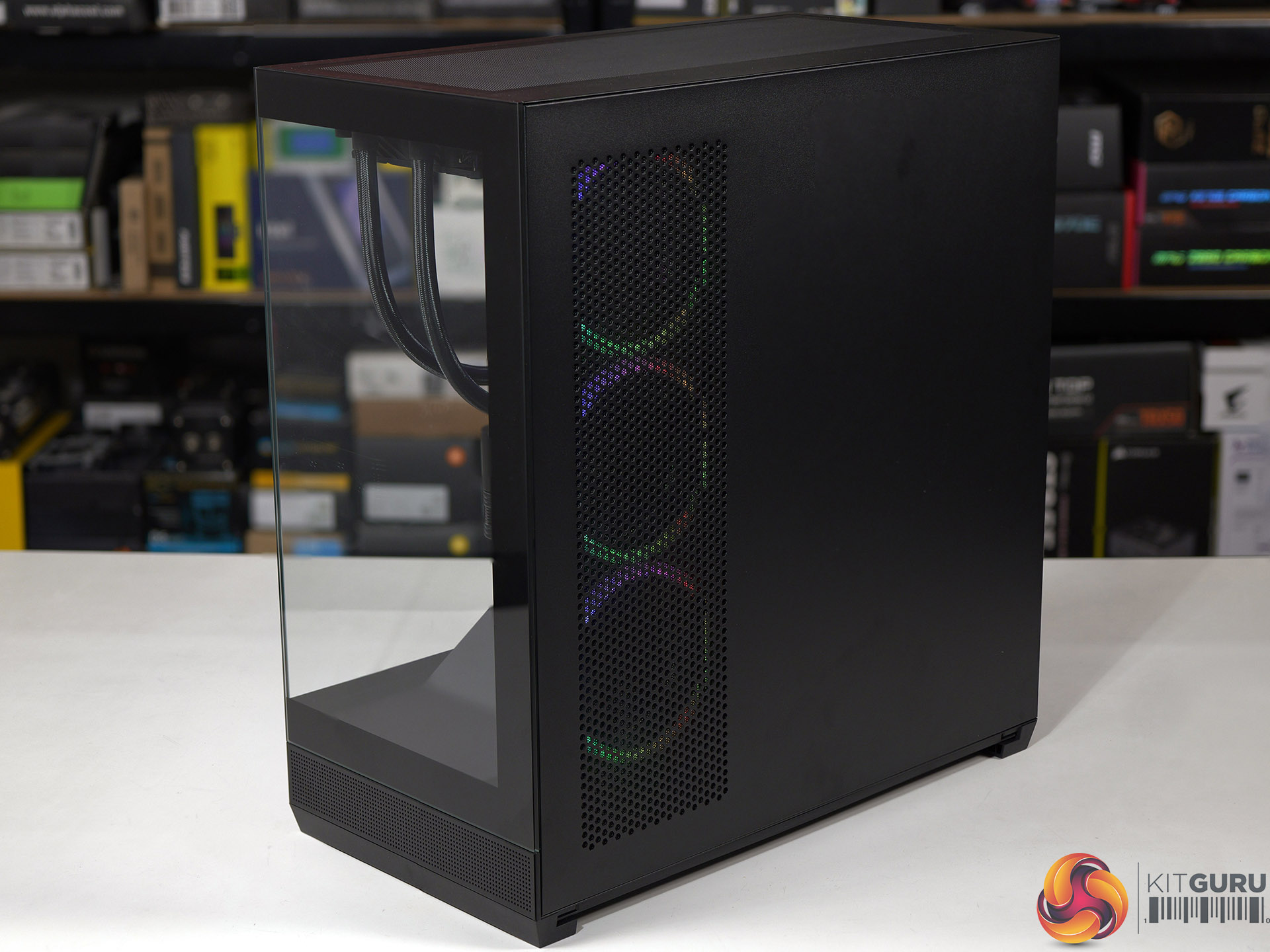
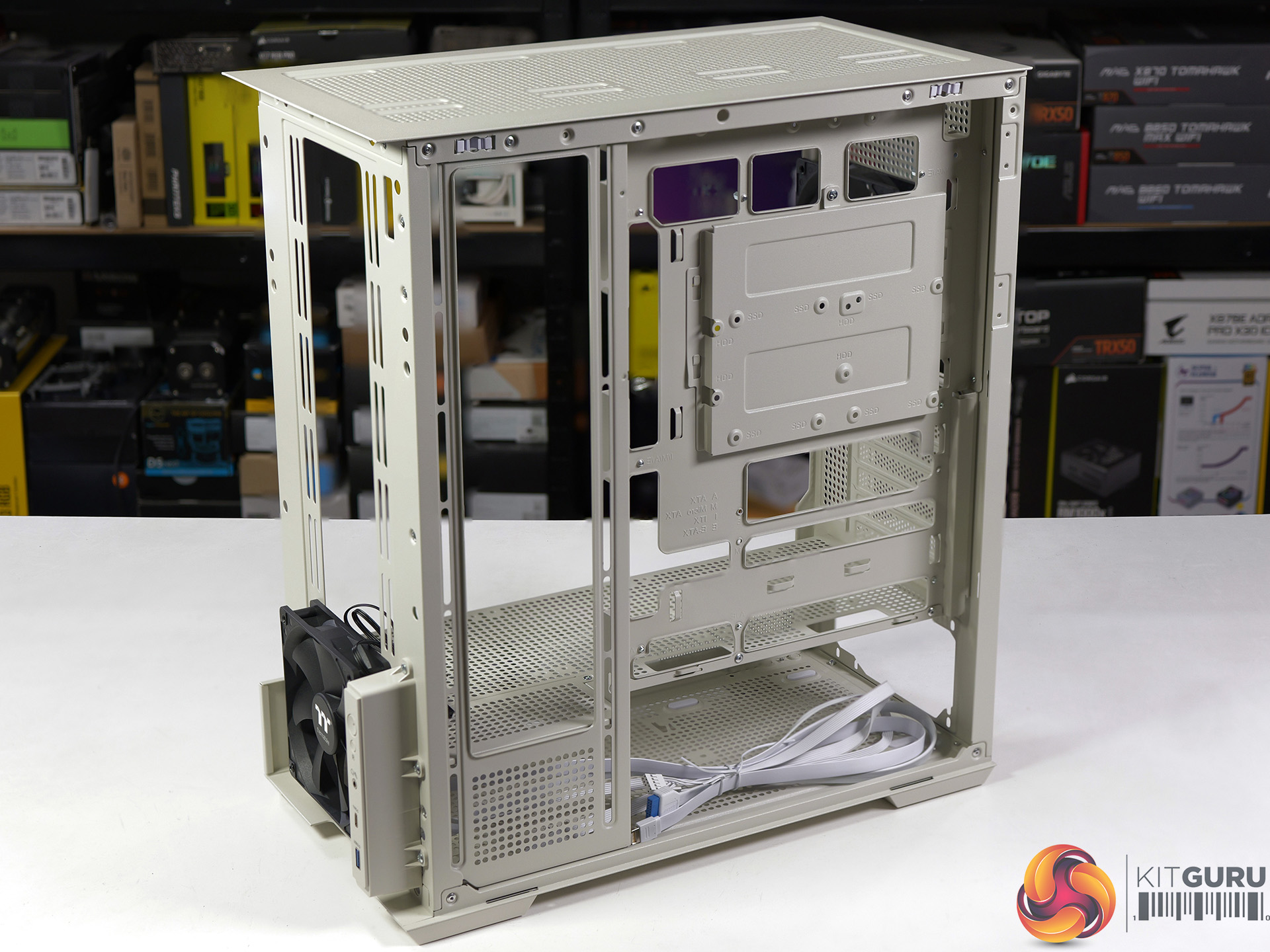
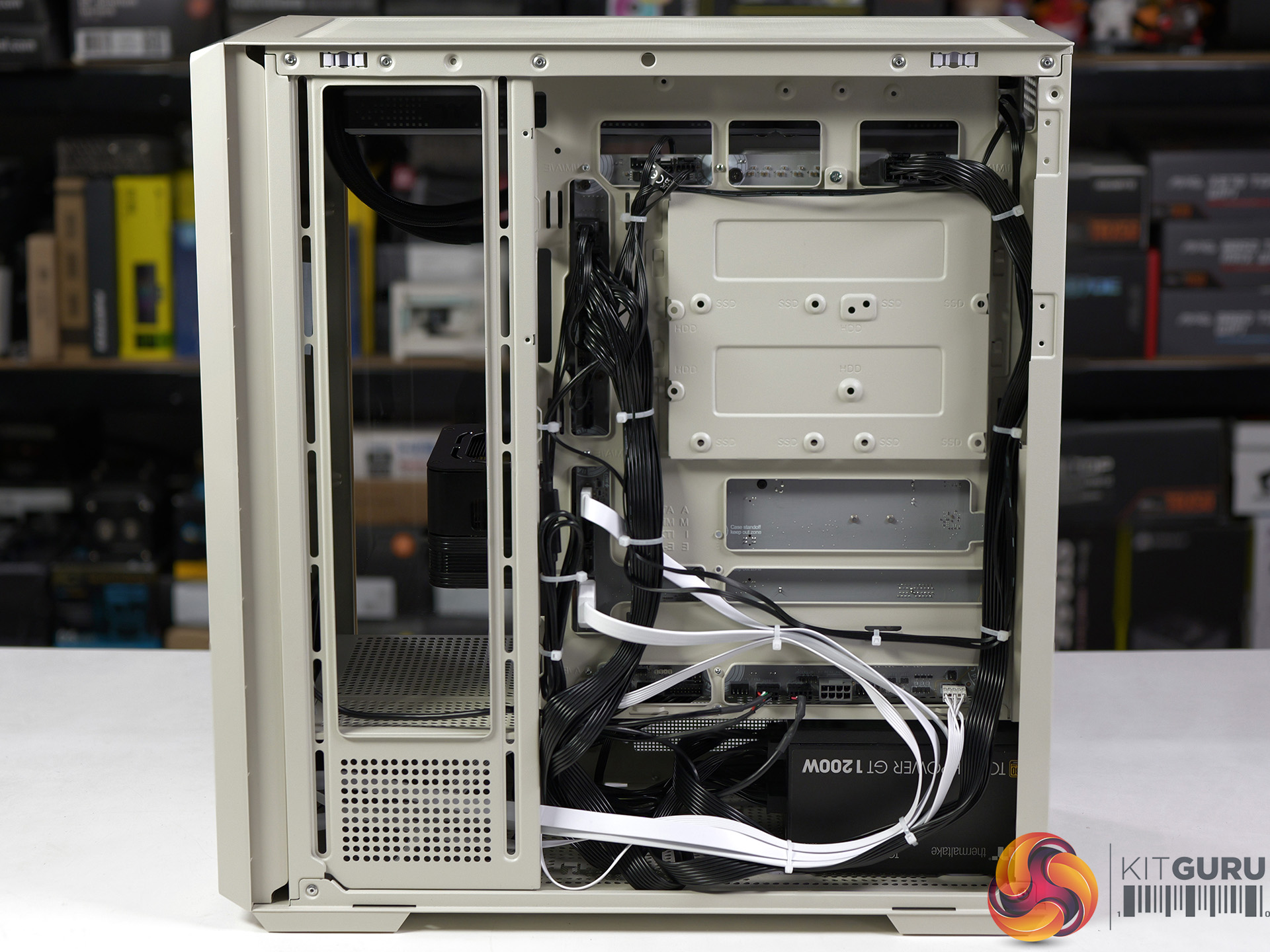
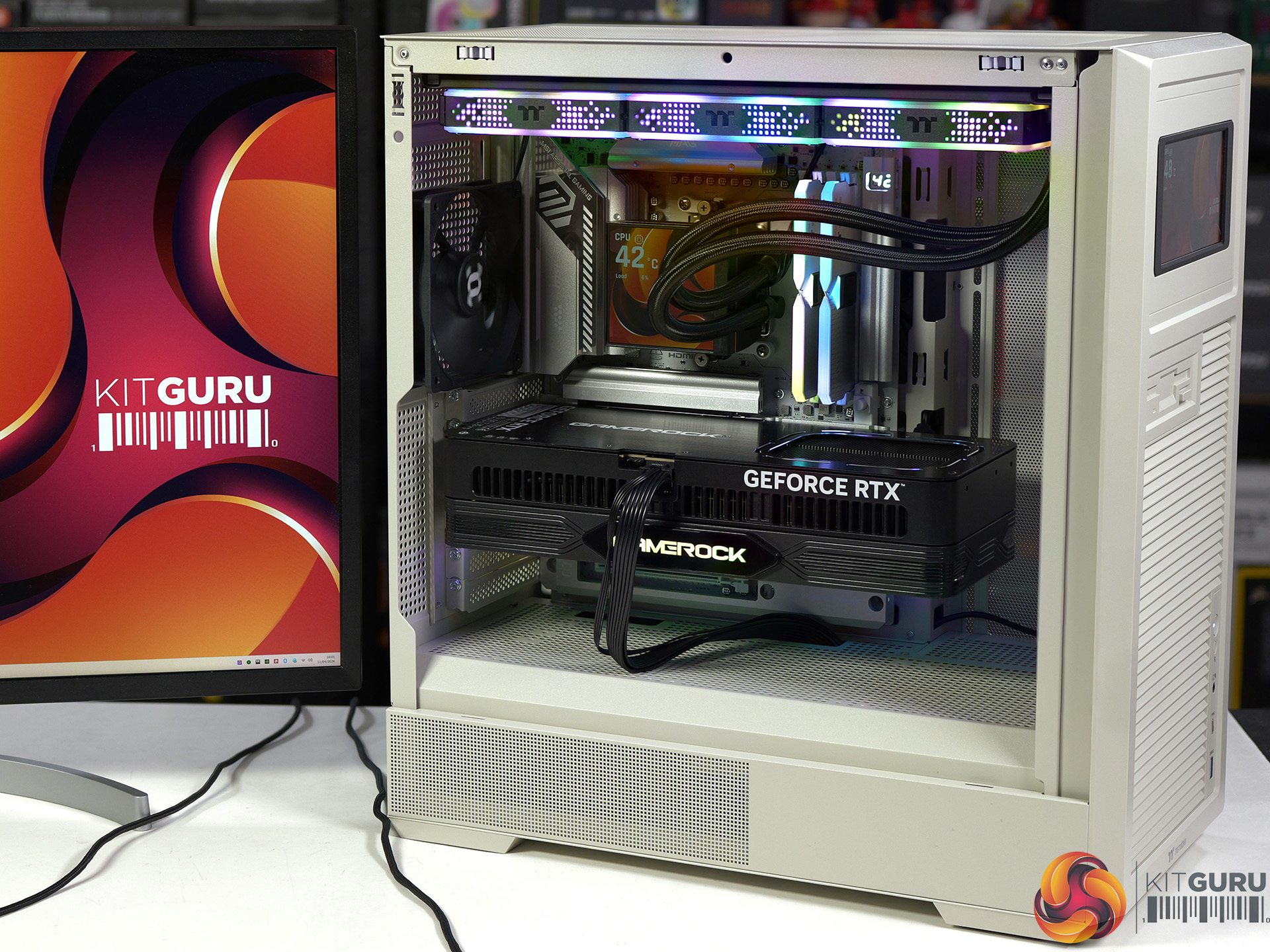
Endorfy Fishtank 6000 Corona Case Review

Endorfy showed us their prototype Fishtank 6000 case at Computex 2025 and asked whether we had any suggestions for a name for their new case. We had a good look, studied the glass at the front and side, admired the ARGB lighting and suggested they stuck with the development name of ‘Fishtank’. That’s the story, love it or hate it, KitGuru is responsible for the name…

Timestamps
00:00 Intro
00:51 Pricing and key info
01:21 Pulling off the panels…
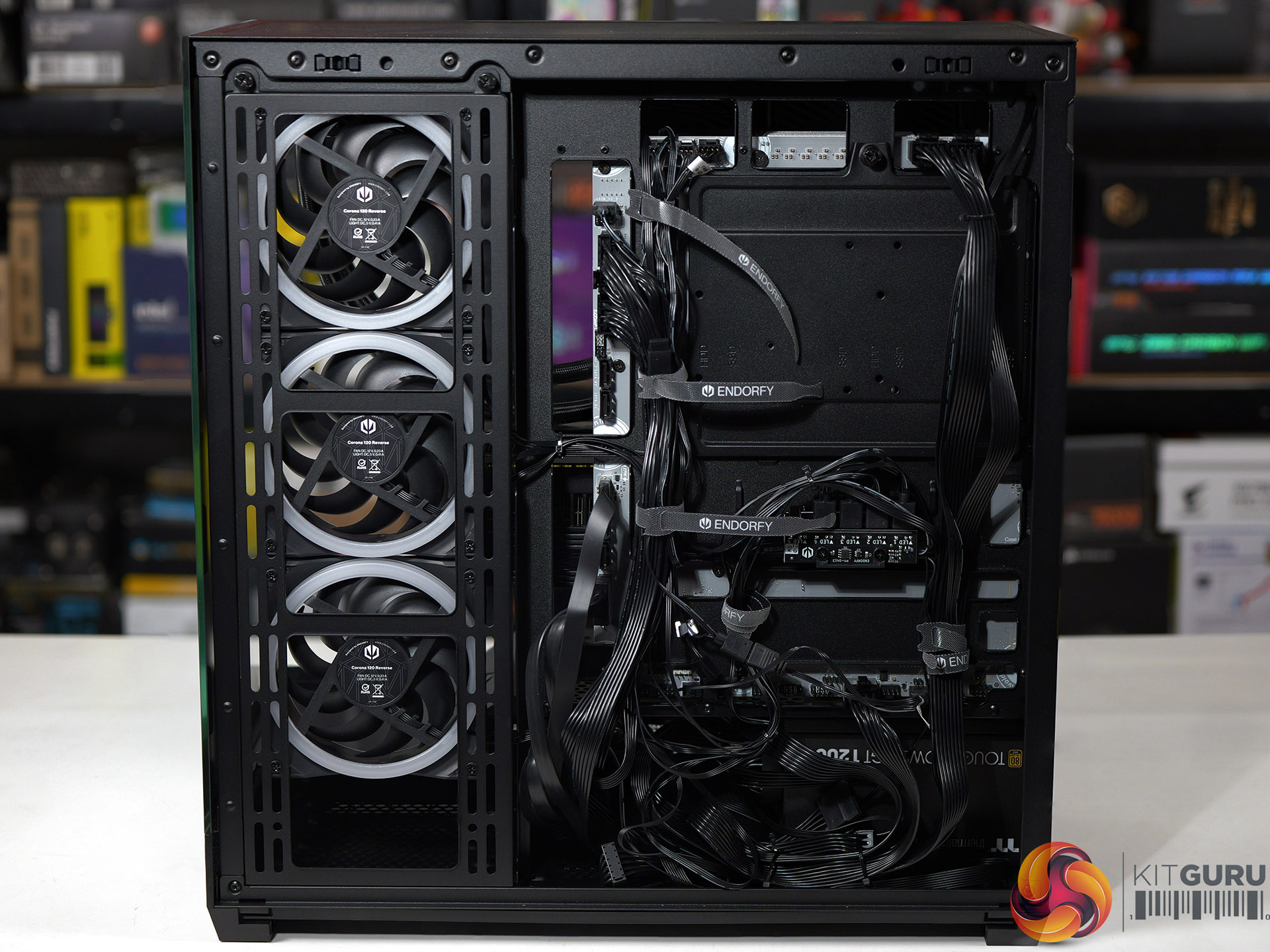
02:26 Mobo tray area
03:29 Test system hardware
04:04 PSU installation and an issue…
04:52 Time for the AIO + GPU
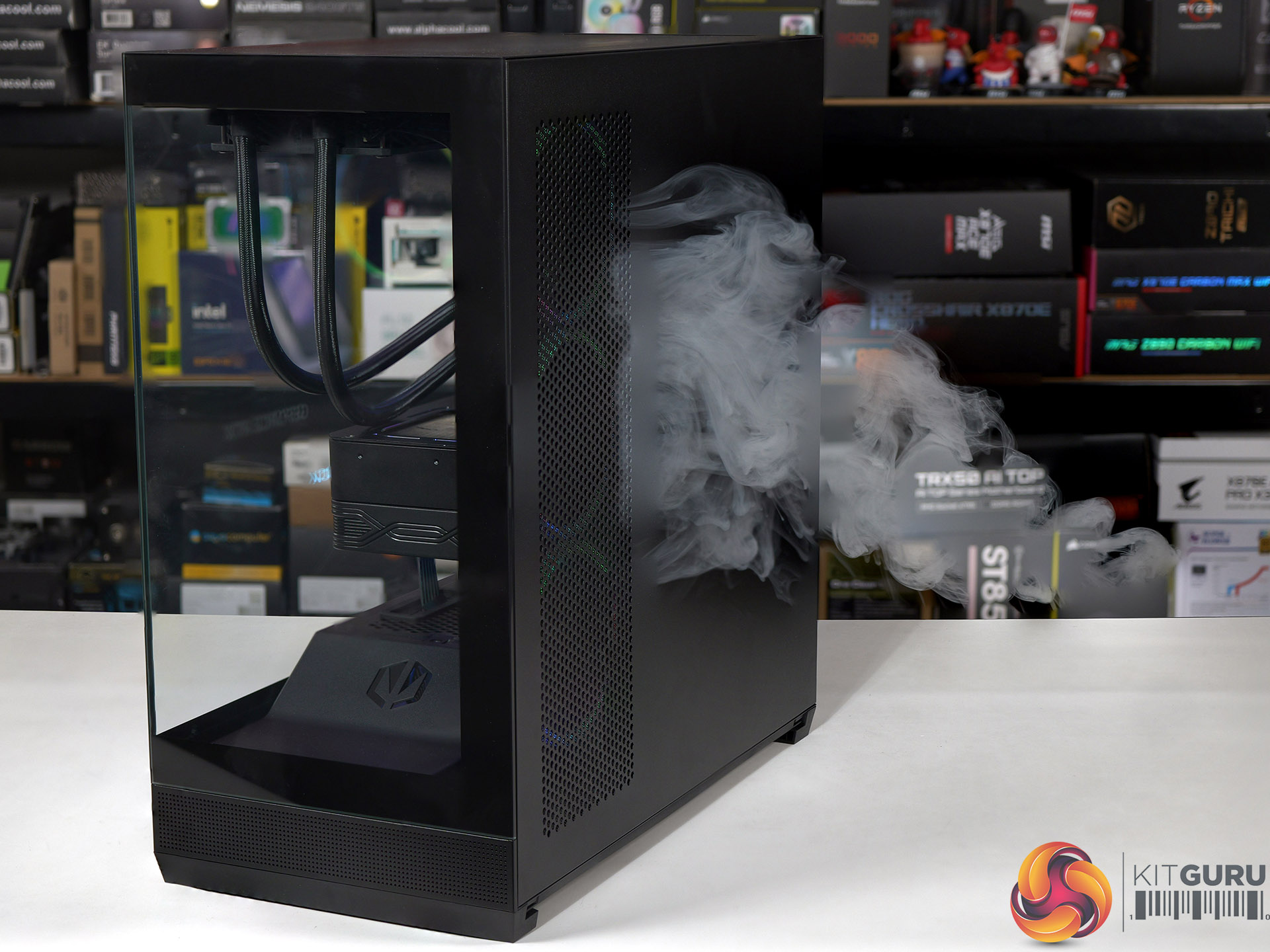
05:52 Smoke tests
06:35 Testing: thermals and noise
08:21 Leo’s closing thoughts
10:02 Pros and cons

Main features

  • Tower form factor with dual glass panel design
  • Tempered glass
  • Up to 4 PWM ARGB fans included
  • Good air and water cooling compatibility
  • Built-in PWM splitter and ARGB controller
  • USB Type-C connector
  • Support for vertical GPU mounts
  • Removable side AIO/fan mounting bracket

Specification:

  • Motherboard support: E-ATX (up to 280mm), ATX, Micro-ATX, Mini-ITX.
  • Power supply support: ATX.
  • Expansion slots: 7.
  • Included fans: 3x 120mm Endorfy Corona Reverse side intake, 1x 120mm Endorfy Corona rear exhaust.
  • Fan mounts: 3x 120mm/140mm side, 3x 120mm/140mm roof, 2x 120mm PSU shroud, 1x 120mm/140mm rear.
  • Radiator mounts: 280mm/360mm side, 360mm roof, 120mm rear.
  • 5.25-inch optical drive bays: None.
  • Internal drive bays: 1x 3.5-inch/2.5-inch, 1x 2.5-inch, 1x 3.5-inch.
  • Front I/O ports: 2x USB 3.0 type-A, 1x USB 3.1 type-C, audio.
  • Dimensions: 487mm H x 473mm D x 240mm W.

Testing

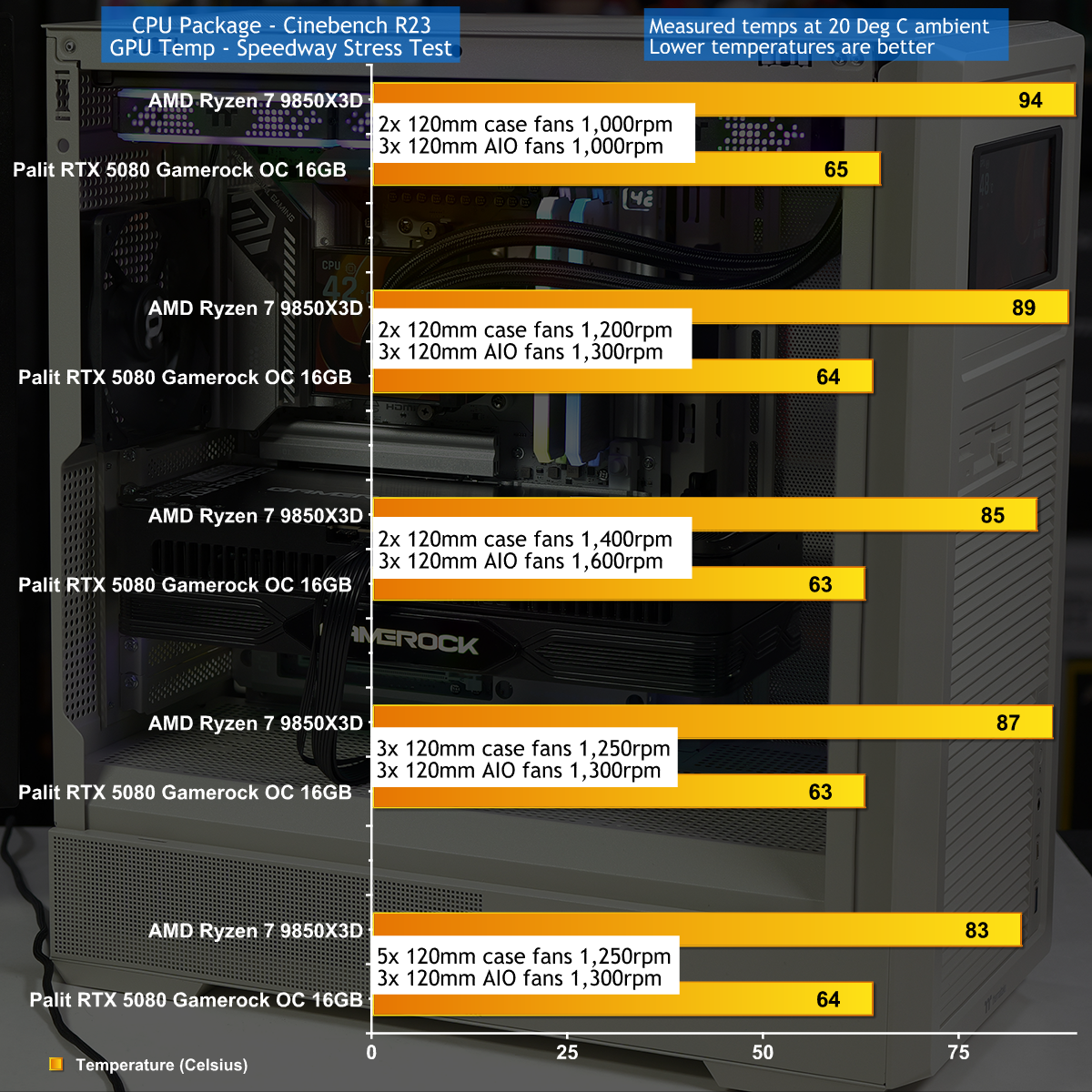
To put this case through its cooling paces we will be using a test system consisting of an AMD Ryzen 7 9850X3D, Palit RTX 5080 and an SSD. This system allows us to produce a substantial amount of heat and effectively test the Endorfy Fishtank 6000 Corona‘s cooling capabilities.

Test System:

  • Processor: AMD Ryzen 7 9850X3D
  • CPU Cooler: SilverStone IceMyst 360
  • Motherboard: MSI MAG X870E Tomahawk Max WiFi PZ
  • Memory: 32GB G.Skill Trident Z5 Neo RGB DDR5-6000
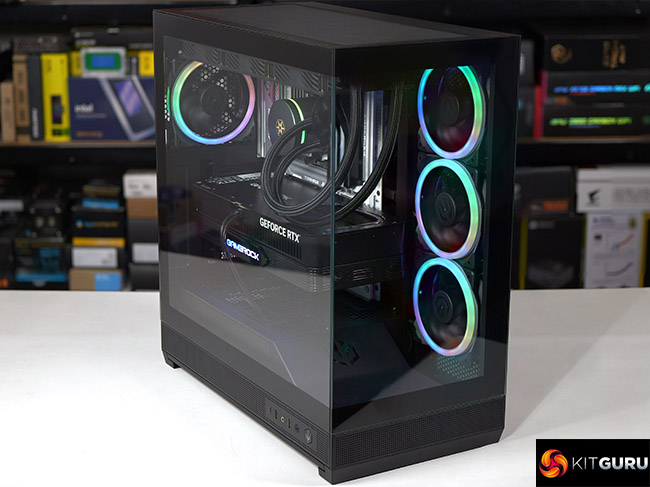
  • Graphics card: Palit GeForce RTX 5080 GameRock 16GB
  • Power supply: Thermaltake ToughPower GT 1200W Gold
  • SSD: Crucial T700 Pro M.2 NVMe
  • OS: Windows 11

Cooling Performance

Cooling Performance Overview

We tested in high ambient temperatures which stressed the Endorfy Fishtank 6000 Corona rather harshly. Even so we were disappointed how high we had to crank the fans to keep our Ryzen 7 CPU cool as we were dealing with a PC that was both hot and noisy. As we show in our video the airflow doesn't work very well and we are confident Endorfy could have achieved better results if they had tweaked the design.

Closing Thoughts

The main components of the Endorfy Fishtank 6000 Corona are absolutely fine. You can easily build a full-sized gaming PC in this case without any need for fiddling around or fighting cables around nasty corners.

It is also worth noting that Endorfy includes four 120mm Corona case fans that look very pleasant and which minimise your need to buy extra hardware.

The downside of the Fishtank 6000 is that the market is awash with similar PC cases with glass on two sides and ARGB fans in the side position. This means you need a very good reason to choose this particular case over the competition, and Endorfy hasn't delivered on that crucial point.

You can buy the Endorfy Fishtank 6000 Corona for £140 HERE.

Pros:

  • Plenty of room inside the case to build your PC.
  • Included ARGB fans give a decent light show.
  • Tidy styling and a smart appearance.

Cons:

  • Air flow and cooling seem to be hurt by the power supply housing.
  • Top fan rack is not removable.
  • We were unable to connect the front panel audio to our MSI Project Zero motherboard.
  • UK price is rather high.

KitGuru says: The Endorfy Fishtank 6000 Corona does a reasonable job but is nothing special.

The post Endorfy Fishtank 6000 Corona Case Review first appeared on KitGuru.

Corsair 2800X RS-R ARGB Budget Micro-ATX Case

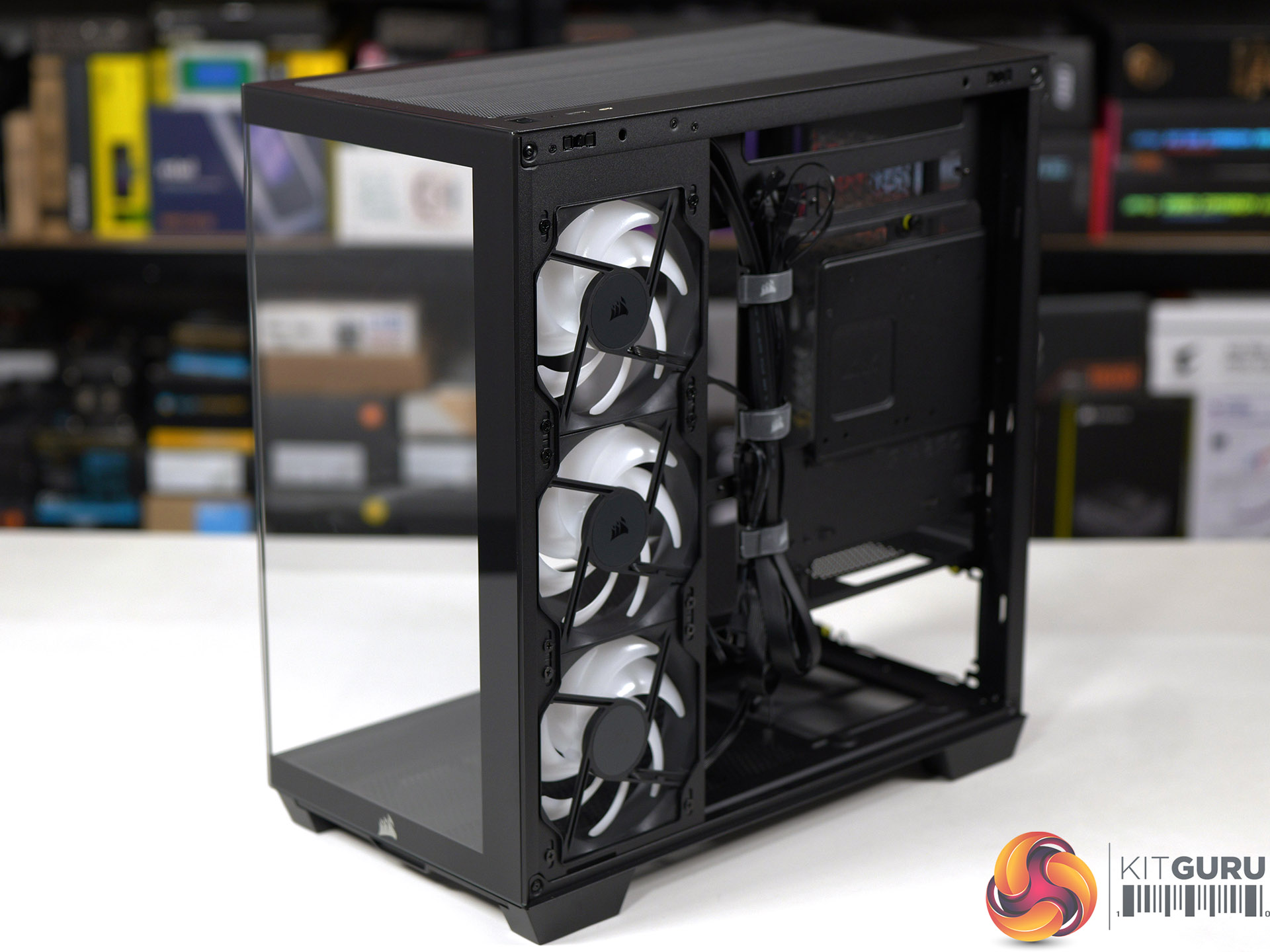
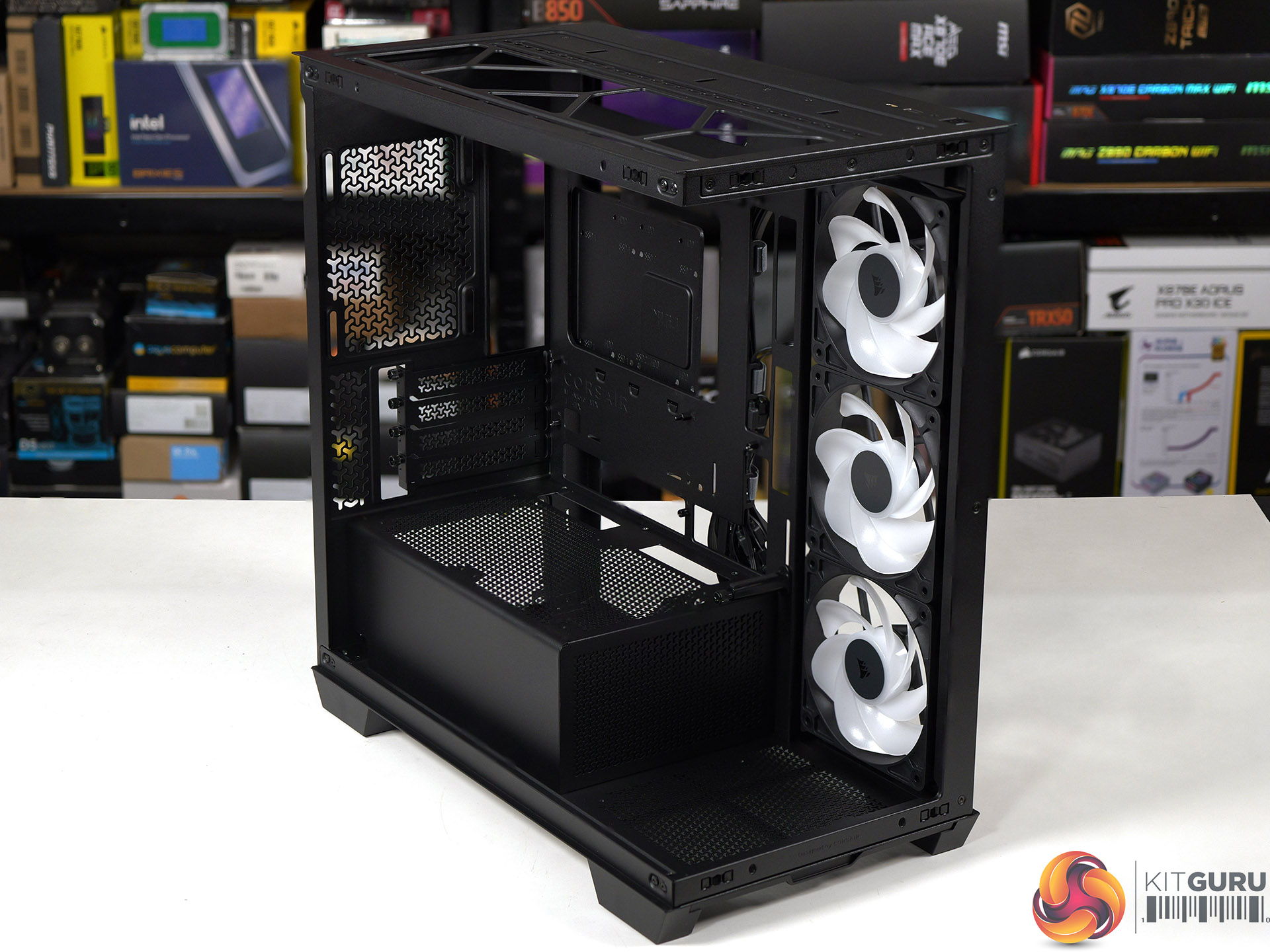
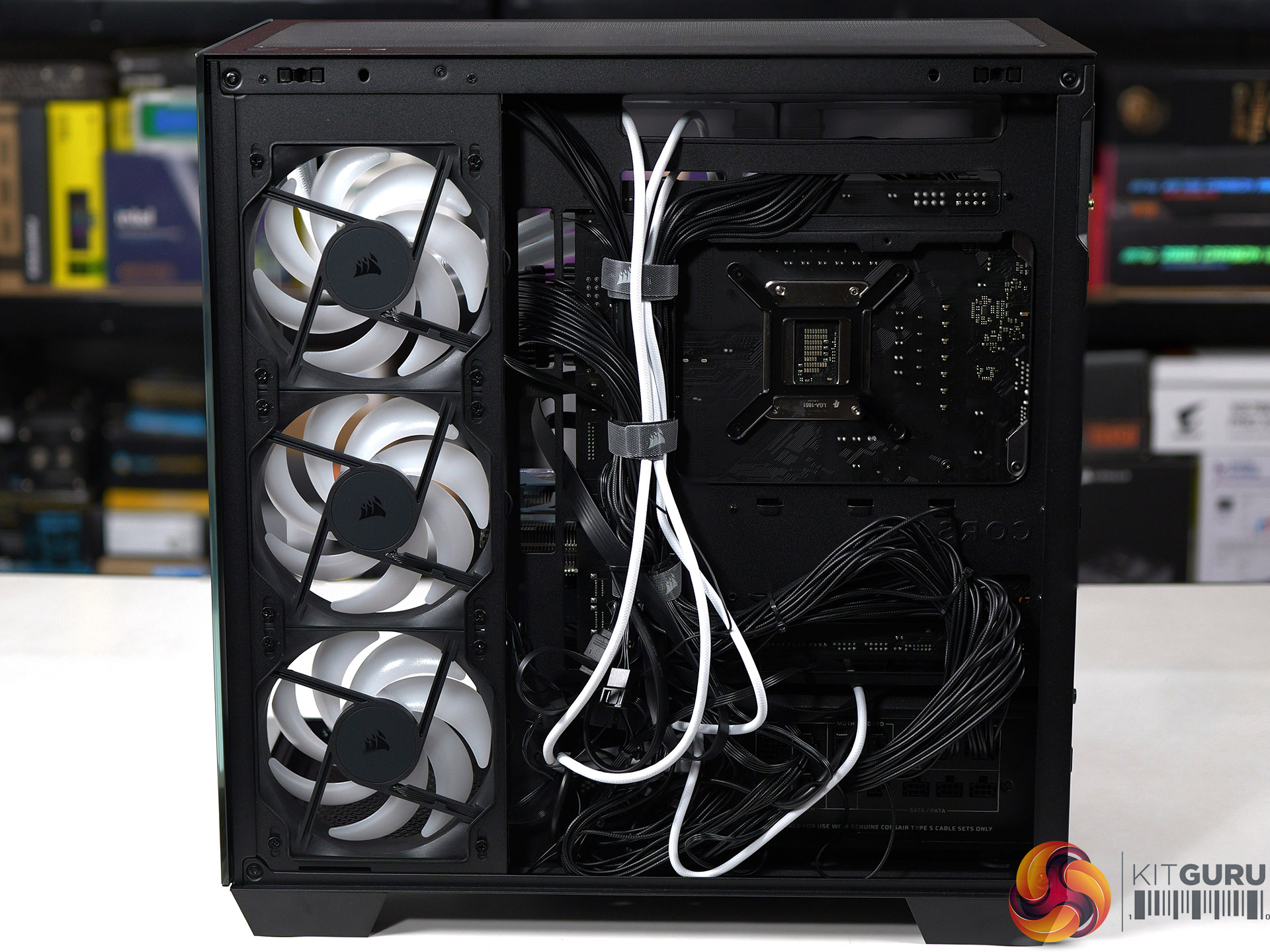
At Computex we were shown the Micro-ATX Corsair 2800X, however we were vague about the price and said ‘it will be priced towards the budget end of the scale'. The reason we were vague is that Corsair wasn't 100% sure they would be able to deliver the 2800X at the price they were discussing, and they wanted some wiggle room in case their plans changed. Today we can announce the news that Corsair has indeed delivered the 2800X exactly as they hoped and also, it's rather good.

Time stamps
00:00 Start
00:39 Overview / disassembly / cooler support
02:37 Building a system inside
04:30 Airflow smoke test
05:10 Thermal and noise testing
06:45 Leo discusses thermals
09:04 Micro ATX Thoughts
11:28 Space and routing
12:42 Closing Thoughts

Main features

  • Micro-ATX Chassis – Today’s Micro-ATX motherboards are packed with features and are all that’s needed for a powerful PC, and the smaller size makes the 2800X easier to fit on any size desk.
  • 360mm Radiator Support – Despite its compact footprint, the 2800X has enough room in the top for a 360mm radiator, so you can cool even the most powerful CPUs with an AIO or custom cooling setup.
  • 3x RS120-R ARGB PWM Fans Included – Three reverse-rotor RS120-R fans are pre-installed in the side for unobstructed ARGB lighting with simple motherboard connectivity for syncing fan speeds and lighting without the need for a separate fan controller.
  • Room for up to 10x 120mm Fans – Ample room for full-system cooling with 3x fan mounts in the side and top, 1x in the rear for exhaust, 2x on the PSU shroud for boosted GPU cooling and 1x in the bottom to ensure great internal airflow.
  • Wraparound Tempered Glass Panels – The front and side panels are tempered glass for a classic “fishbowl” look that prioritises viewing one’s hardware, tidy cabling, and RGB lighting in all their glory.
  • Reverse-Connector Motherboard Support – Hide all of your cables and simplify your build with a reverse-connector mATX build.
  • Room for Oversized GPUs – The spacious interior has 410mm of GPU clearance so even the biggest GPUs have plenty of room to breathe.
  • Built-In GPU Support – The 2800X RS-R includes a built-in GPU Anti-sag Stabilisation Arm in the side panel that is adjustable up or down to protect both the GPU and your PCIe slot.
  • Add More Storage – A combination drive plate lets you easily add more storage and supports 1x 3.5” HDD or 2x 2.5” SSDs.
  • Fast Top-Mounted I/O – The top-mounted I/O offers 1x USB 3.2 Gen 1 Type-A for wide compatibility and a USB 3.2 Gen 2×2 Type-C port cable of up to 20Gb/s of bandwidth, which is 4x the speed of USB 3.0.

Specification:
Motherboard support: Micro-ATX, Mini-ITX.
Power supply support: ATX.
Expansion slots: 4.
Included fans: 3x 120mm RS120-R side intake.
Fan mounts: 3x 120mm side, 2x 140mm/3x 120mm roof, 1x 120mm rear, 1x 120mm floor, 2x 120mm PSU shroud.
Radiator mounts: 360mm/280mm roof, 240mm side, 120mm rear.
5.25-inch optical drive bays: None.
Internal drive bays: 1x 3.5-inch or 2x 2.5-inch.
Front I/O ports: 1x USB 3.2 Gen 1 Type-A, 1x USB 3.2 Gen 2×2 Type-C, audio.
Dimensions: 436mm H x 447mm D x 232mm W.

Testing
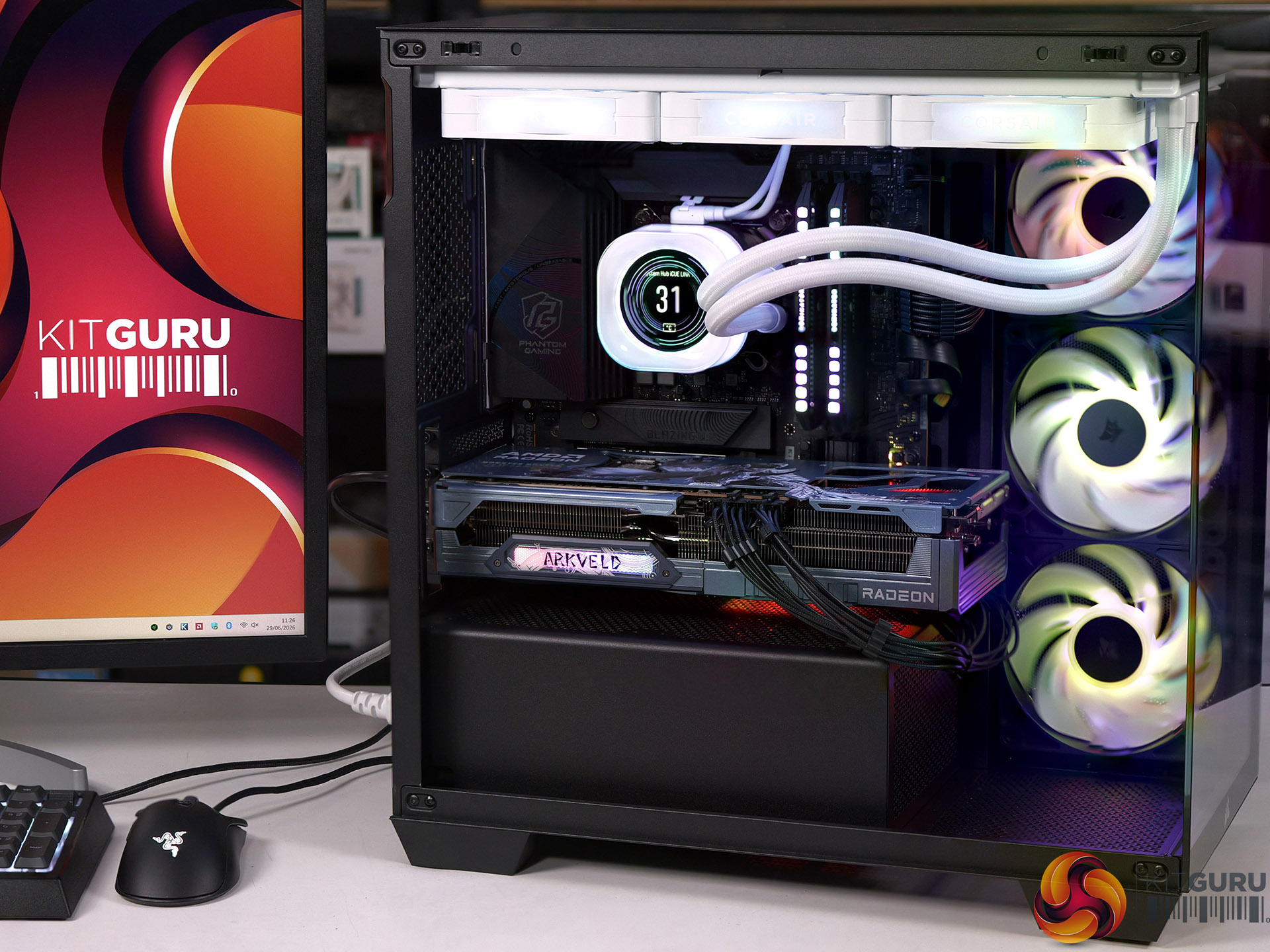
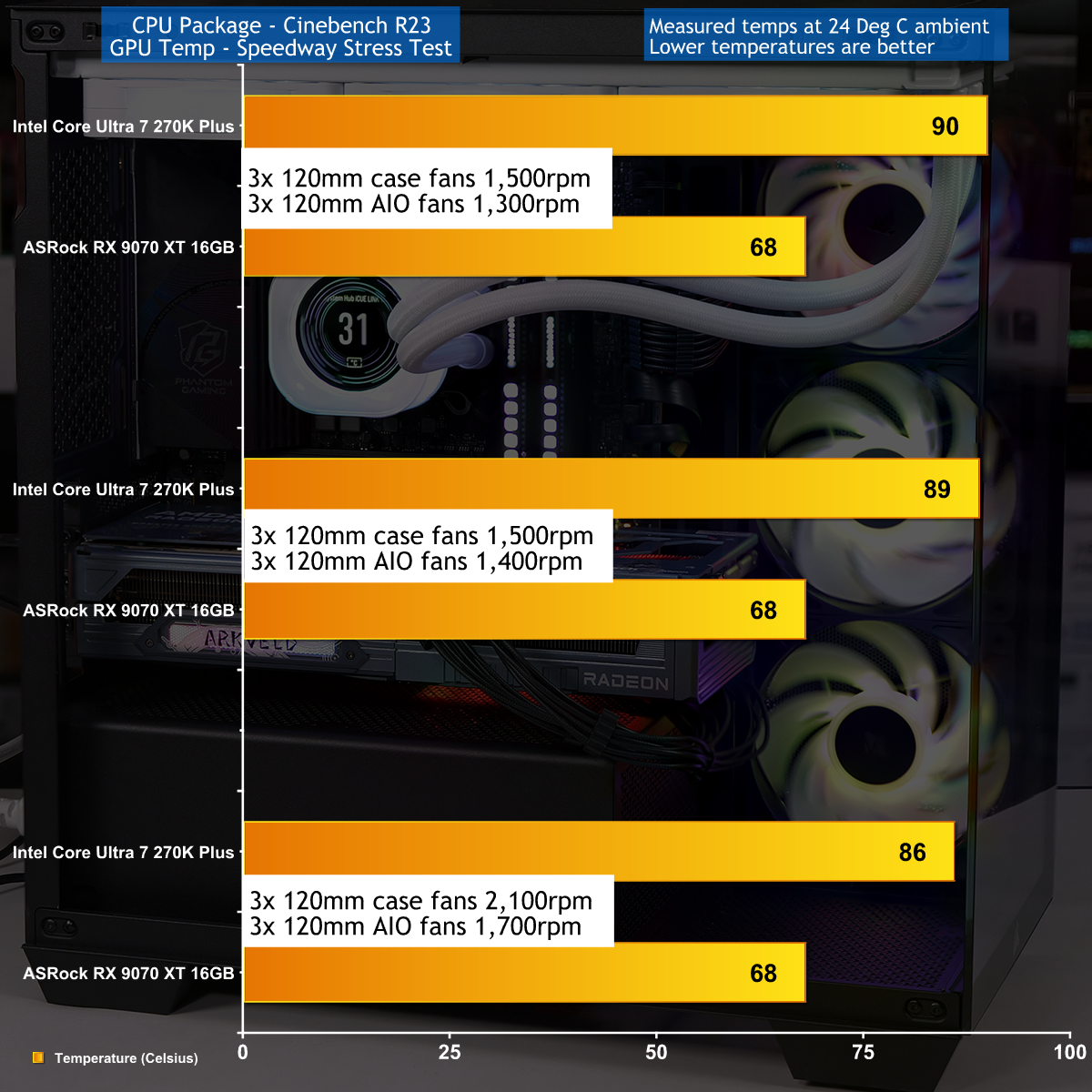
To put this case through its cooling paces we will be using a test system consisting of an Intel Core Ultra 7 270K Plus processor, ASRock RX 9070 XT graphics card and an SSD. This system allows us to produce a substantial amount of heat and effectively test the Corsair 2800X RS-R ARGB's cooling capabilities.

Test System:
Processor: Intel Core Ultra 7 270K Plus
CPU Cooler: Corsair iCUE Link Titan 360 RX LCD
Motherboard: ASRock Phantom Gaming Z890M Riptide WiFi
Memory: 32GB Corsair Dominator Platinum RGB DDR5-7000
Graphics card: ASRock AMD Radeon RX 9070 XT 16GB Monster Hunter Wilds
Power supply: Corsair HX1000i Shift
SSD: Corsair MP600 Elite M.2 NVMe
OS: Windows 11

Cooling Performance

Cooling Performance Overview

During our testing we stressed the Corsair 2800X RS-R ARGB with a gaming PC that drew 670W at the wall socket. This feels like the extreme end of the scale for a mid-range gaming PC, and we imagine many people using this 2800X case will stress the cooling far more lightly. As you will see in our video the cooling system performed perfectly well, and while it was nothing special it did the job that we required.

Closing Thoughts

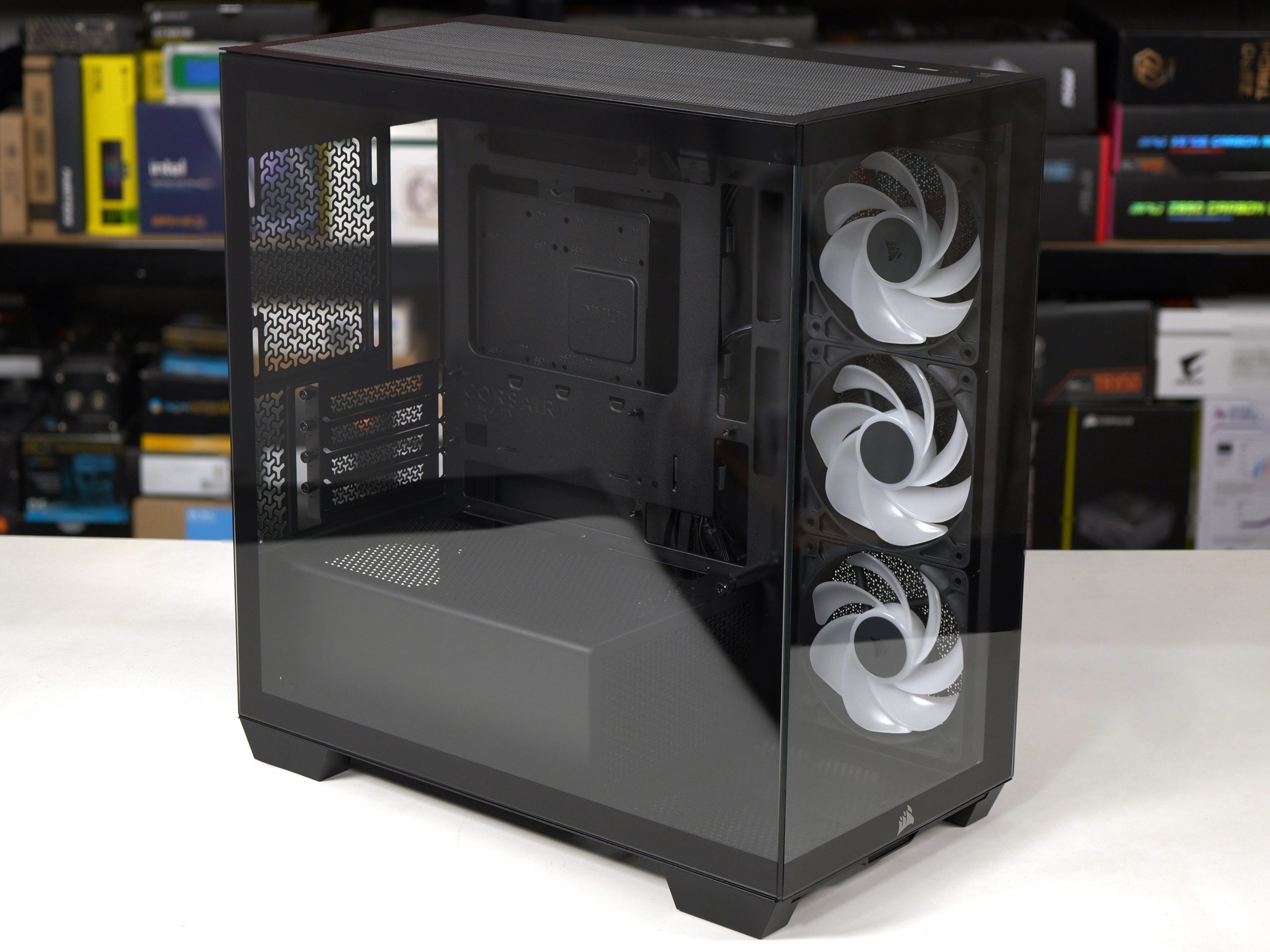
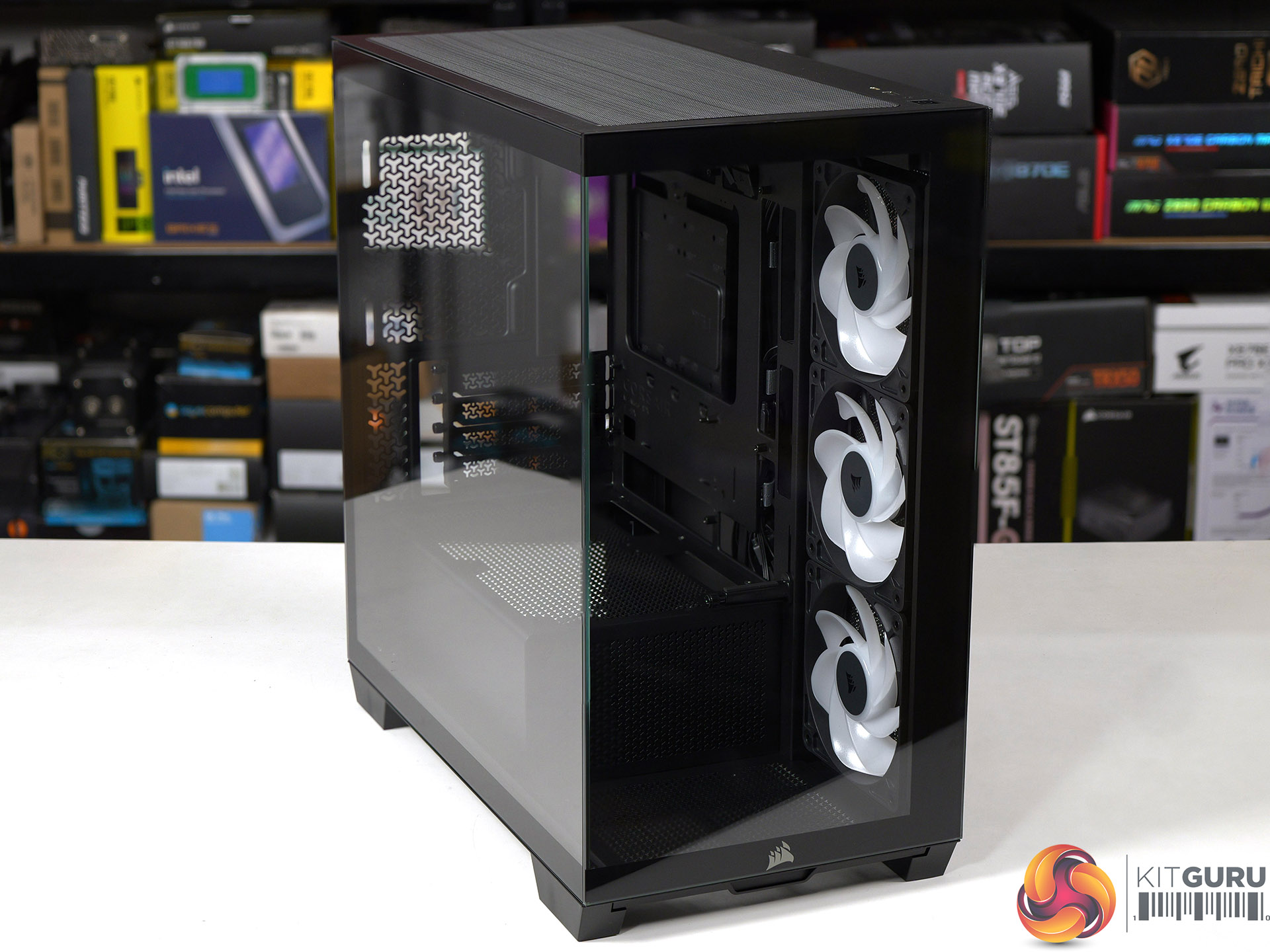
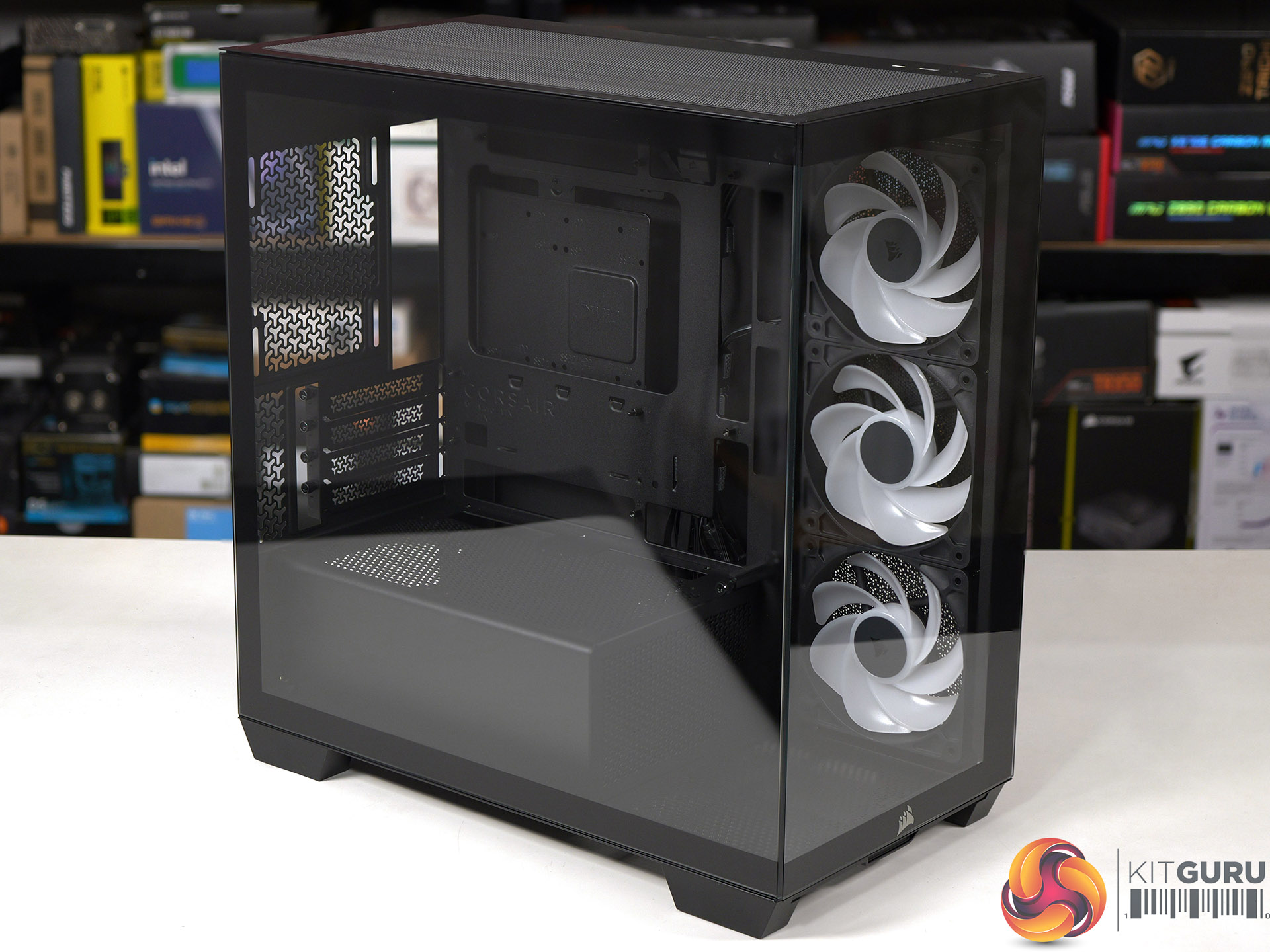
Corsair has done a decent job with the 2800X RS-R ARGB by delivering a single chamber case with two glass panels and three ARGB fans at a competitive budget price. The build quality is good and the case feels solid, even with the panels removed, and have good access while you are building your PC.

We found no specific problems while we were testing the Corsair 2800X RS-R ARGB and are confident your buying decision will come down to detail choices. For example, do you want a PWM fan hub or do you consider it essential to grommets in the cable management holes. Overall we were happy with this case and consider it a solid contender.

You can buy the Corsair 2800X RS-R ARGB for £69.99

Pros:

  • Low price and decent value for money
  • Solid build quality and the panels are easy to remove and replace.
  • Micro-ATX form factor leads to a more compact PC

Cons:

  • Micro-ATX restricts your choice of motherboards
  • Space for cables is tight, especially with a rear connection motherboard.
  • Cooling is rather average

KitGuru says: The Corsair 2800X RS-R ARGB is a good choice for a compact Micro-ATX PC build. 

The post Corsair 2800X RS-R ARGB Budget Micro-ATX Case first appeared on KitGuru.

MSI Prestige 14 AI+ Review (Intel Panther Lake Core Ultra X7)

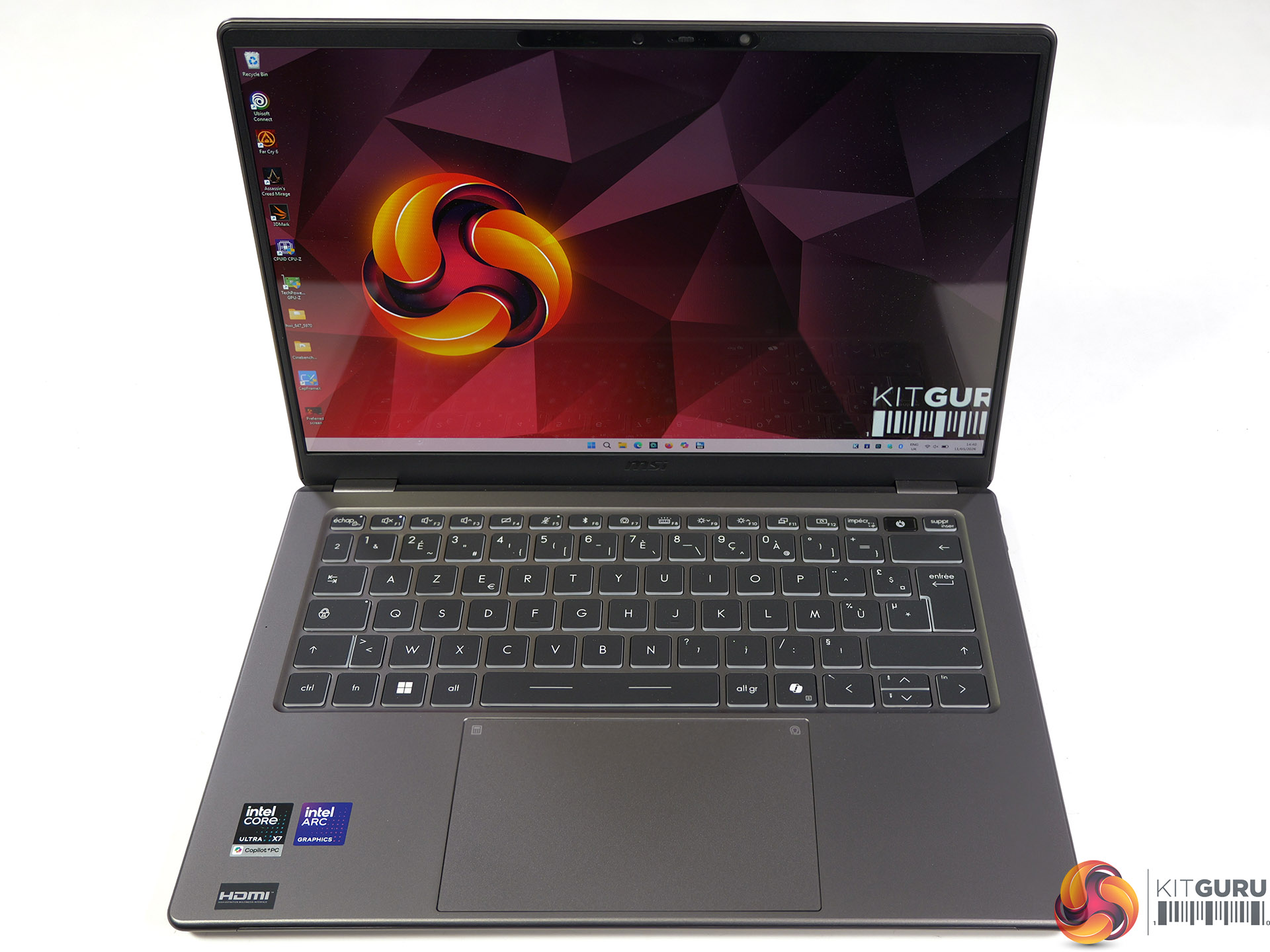
KitGuru started strongly with Intel Panther Lake when we reviewed the 2026 version of Asus Zenbook Duo, however the price was rather steep at £2,500. Today we are reviewing an MSI Prestige that should offer most of the performance we saw in the Zenbook Duo while simultaneously saving £1,000 on the cost. That sounds amazing!

Time stamps

00:00 Start
00:42 Panther Lake recap
03:40 Some specs / connectivity / ports
05:49 Battery / Charger / Weight
06:01 Comparisons – port speeds
07:28 OLED panel
08:01 Geekbench 6
08:28 Cinebench 2026
08:59 Points Per Watt
09:12 7ZIP Benchmark
09:28 Aida 64 Memory Bandwidth
09:58 Assassins Creed Mirage
10:47 Cyberpunk 2077
11:34 PC Mark 10 Battery Test
12:09 Keyboard
12:32 Pricing
14:00 Closing Thoughts

Specification:

CPU Intel Core Ultra X7 358H, 16 cores (4 P-cores + 8 E-cores + 4 Low Power E-cores), 16 threads, up to 4.8GHz, 18MB cache, up to 50 NPU TOPS
Display 14-inch, 16:10, 1920 x 1200, OLED, glossy, non-touch
Graphics Intel Arc B390 GPU
Memory 32GB LPDDR5x DDR5-8533
Storage 1TB M.2 NVMe PCIe Gen4
Webcam IR FHD (1080p) webcam with HDR, 3DNR+, 3-mic array
Wireless Killer Wi-Fi 7 + Bluetooth v6
Audio 2x 2W Speaker, 2x 2W Woofer

I/O Ports
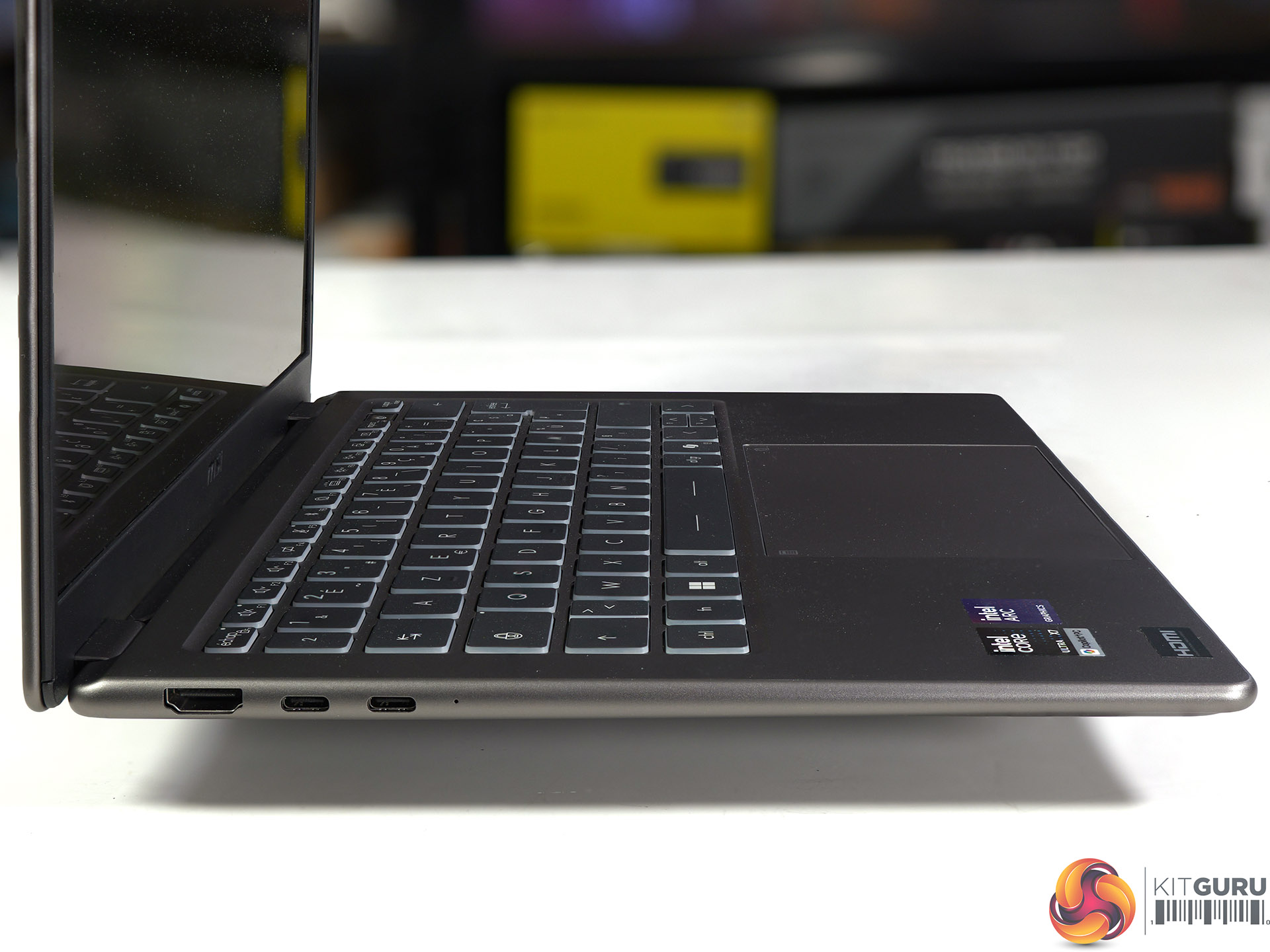
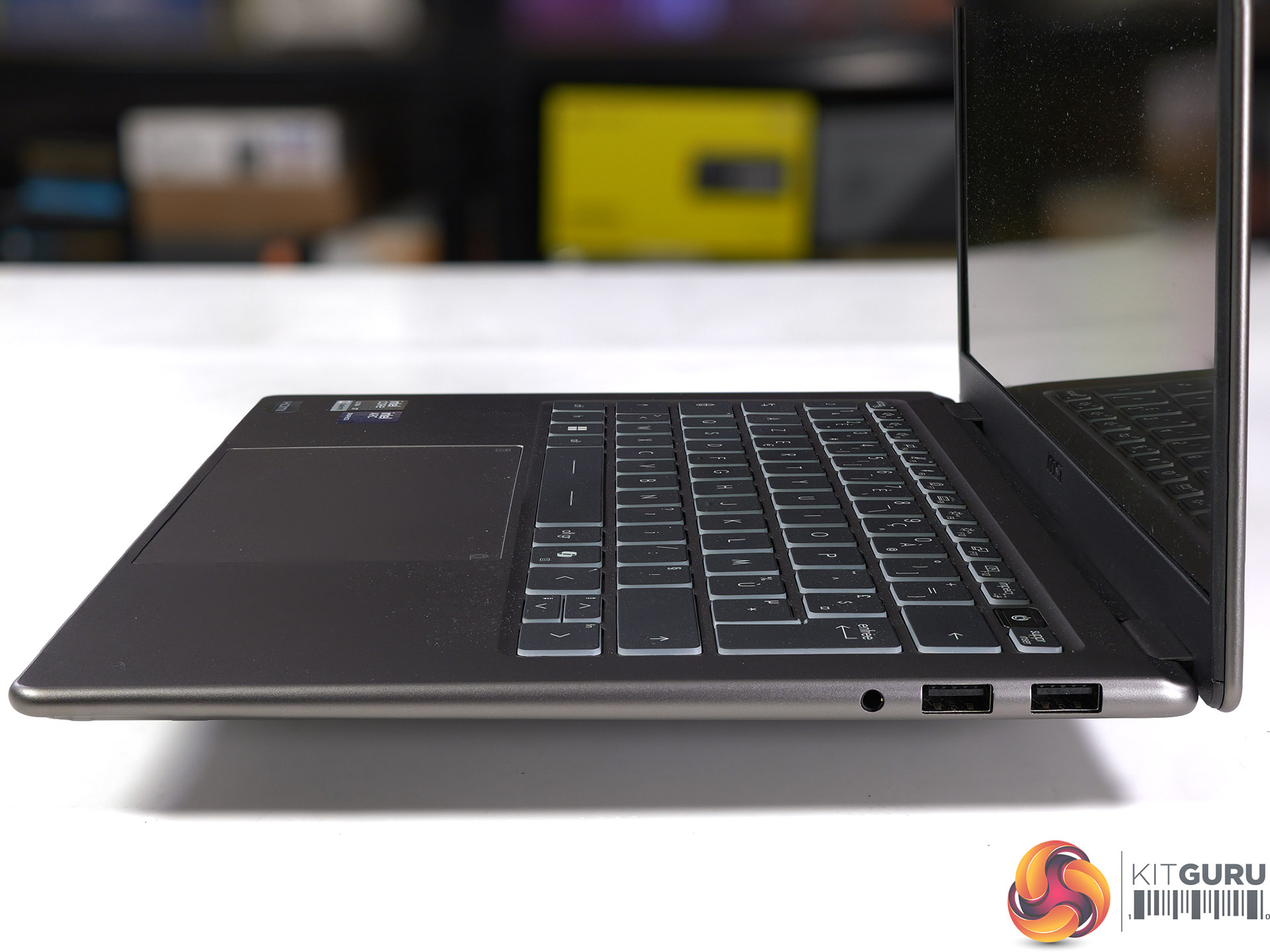
Left side: 2x Thunderbolt 4 USB-C with DisplayPort and 100W charging, HDMI 2.1
Right side: 2x USB-A 3.2 Gen2, 3.5mm headset jack

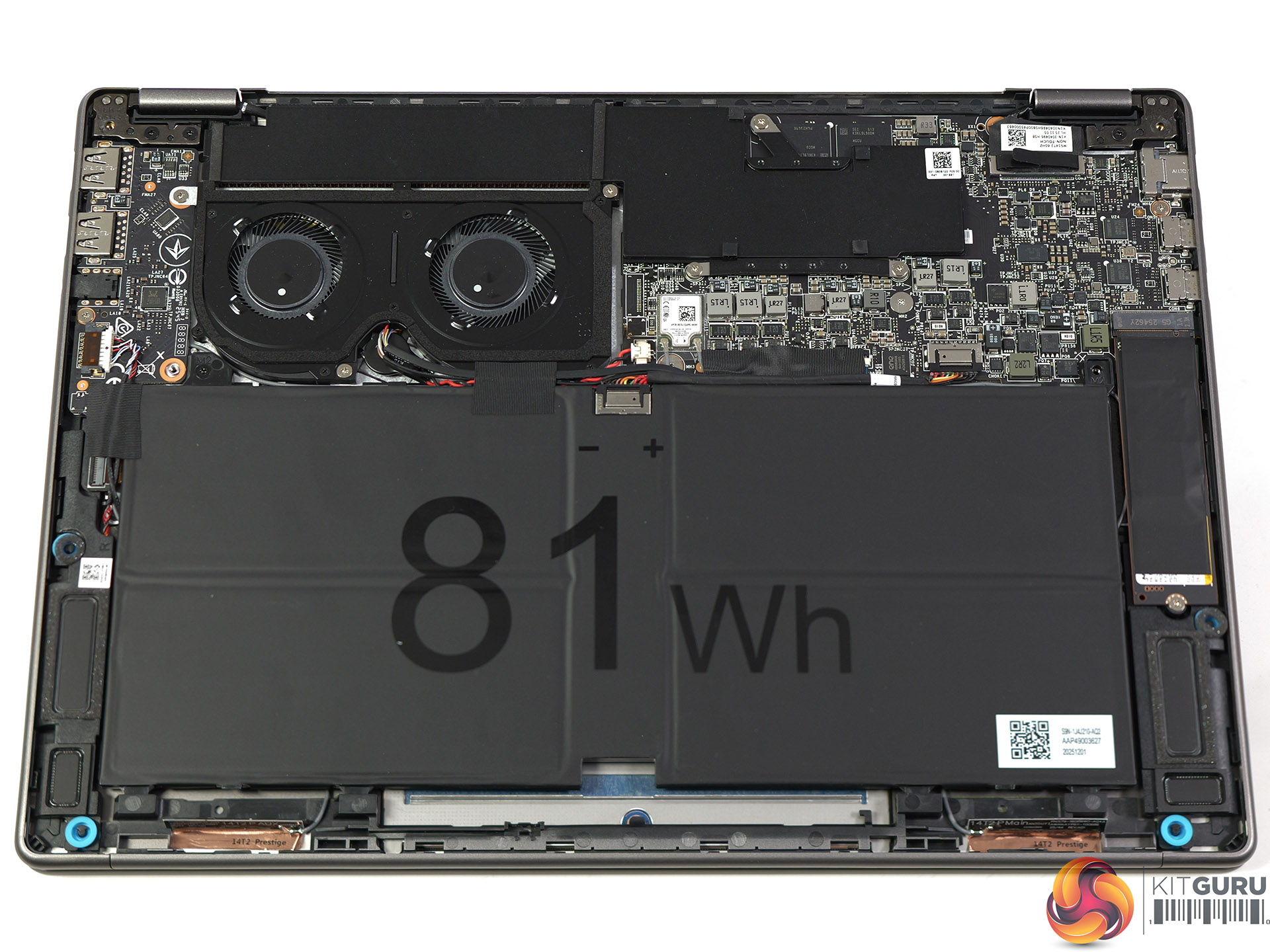
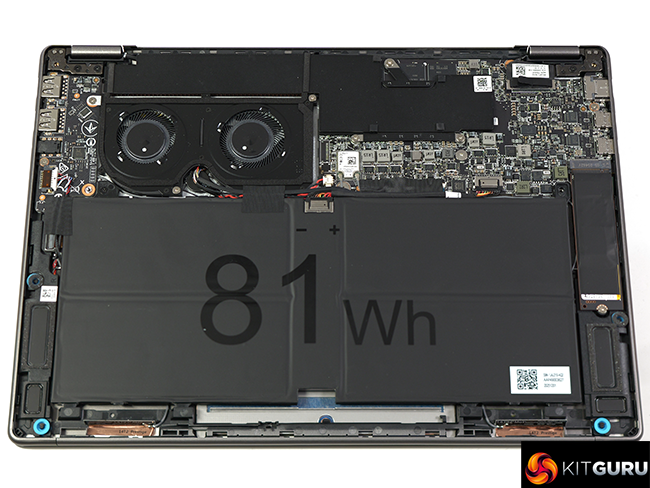
Battery 4-Cell 81Whr
Power adapter 65W PD adapter
Dimensions (WxDxH) 315.6mm x 221.9mm x 11.9-13.9 mm
Weight 1.3kg + 200g for power adapter
OS Windows 11 Pro

Performance and Testing

Geekbench 6 Multi Core

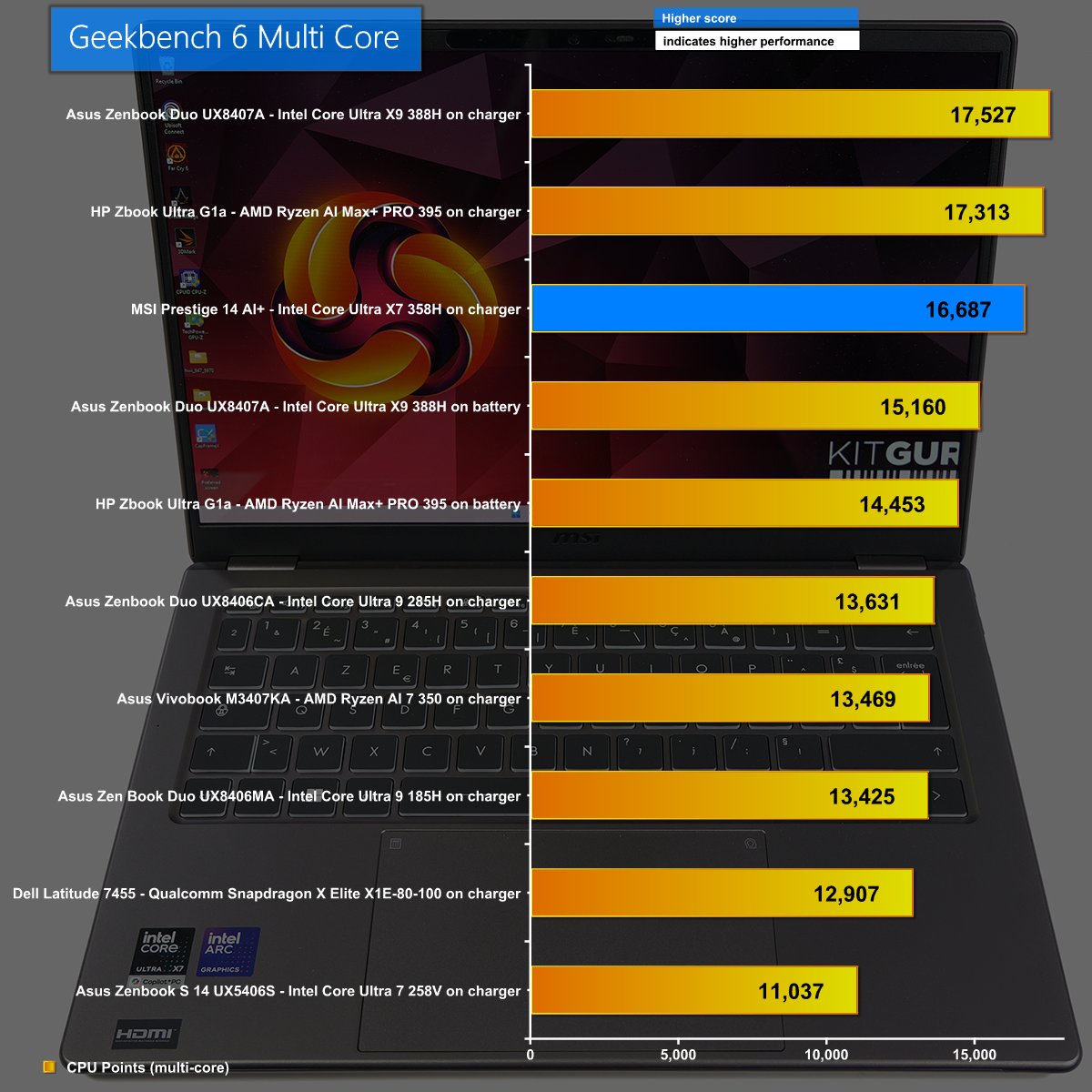
In Geekbench 6 Multi Core the MSI does a decent job and is only a few percent behind the new Zenbook Duo and hugely expensive HP Zbook Ultra G1a. This gives us confidence the Intel Core Ultra X7 358H has decent all-round performance.

Cinebench 2026 Multi Core

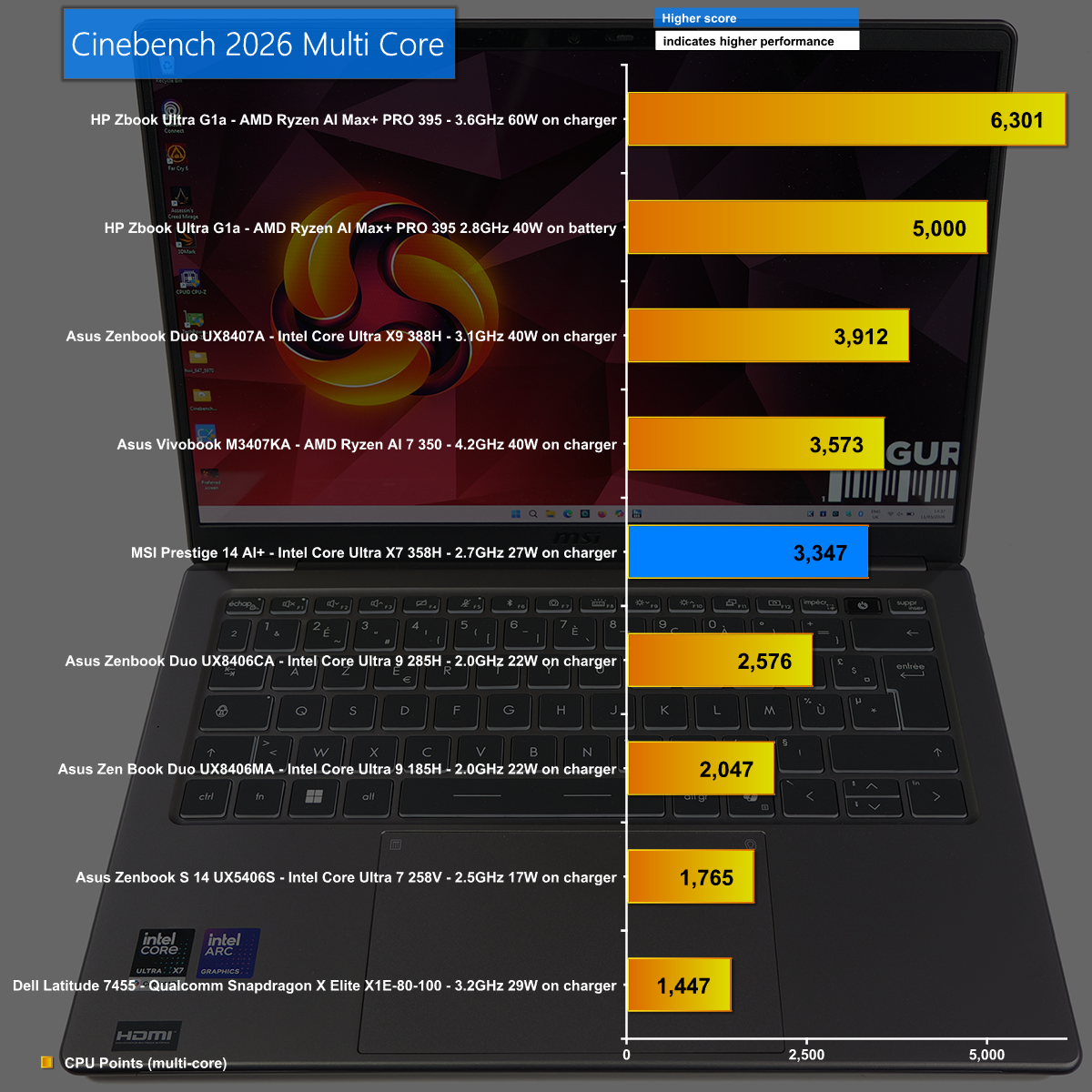
Cinebench 2026 Multi Core shows the difference between the Core Ultra X9 388H and Core Ultra X7 358H, which boils down to power draw and clock speed. The Core Ultra X7 in the MSI does a good job but the Core Ultra X9 is more impressive.

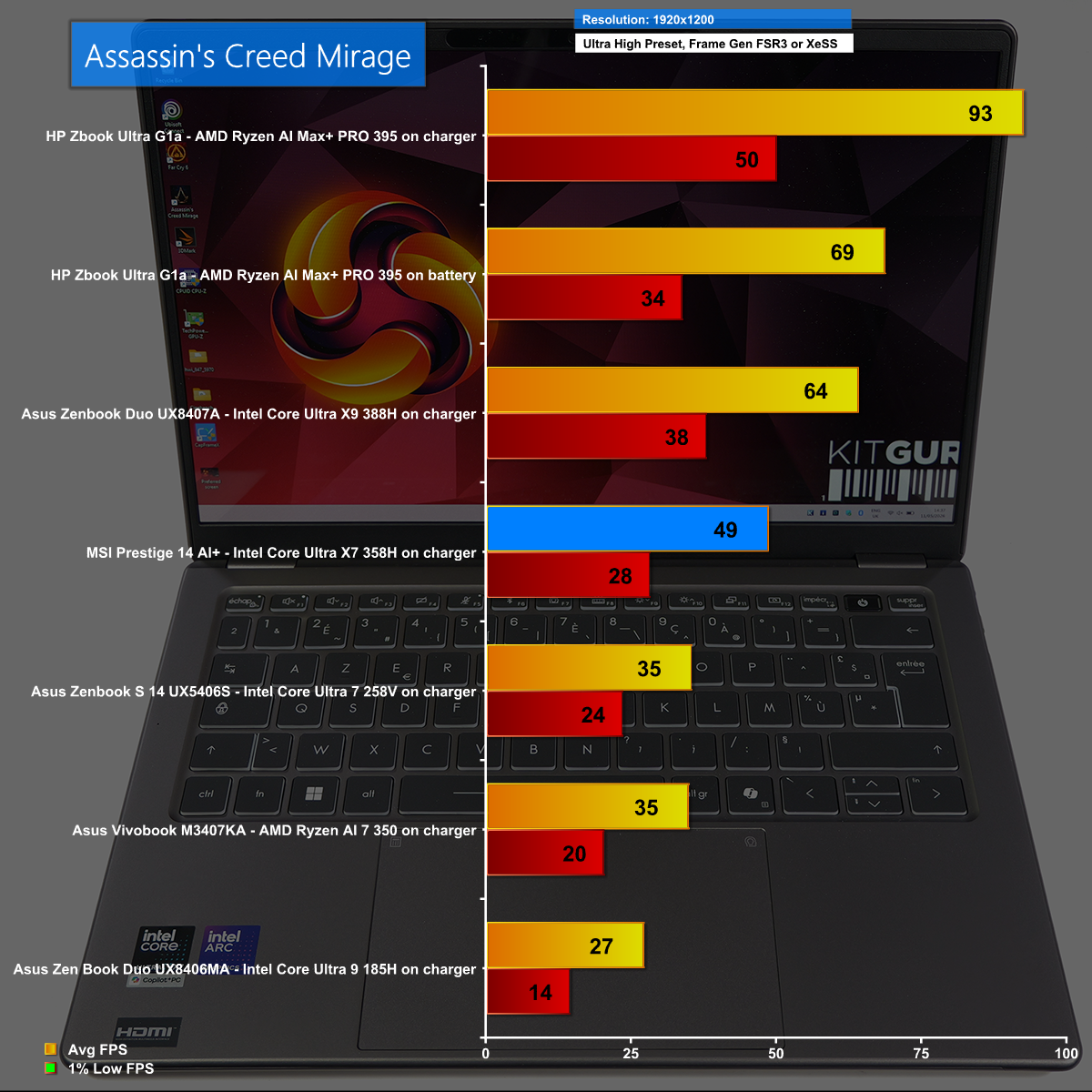
Assassin's Creed Mirage at 1,920×1,200 with XeSS Frame Generation

We show a few gaming graphs in our video but this one of Assassin's Creed Mirage at 1,920×1,200 with XeSS Frame Generation tells an important tale. The Asus Zenbook Duo with Core Ultra X9 sneaks past the 60fps mark to deliver a tolerable gaming experience while the MSI cannot quite make it to 50fps. When you consider these two laptops have the same number of CPU cores and the same graphics, we can see the importance of power and clock speed.

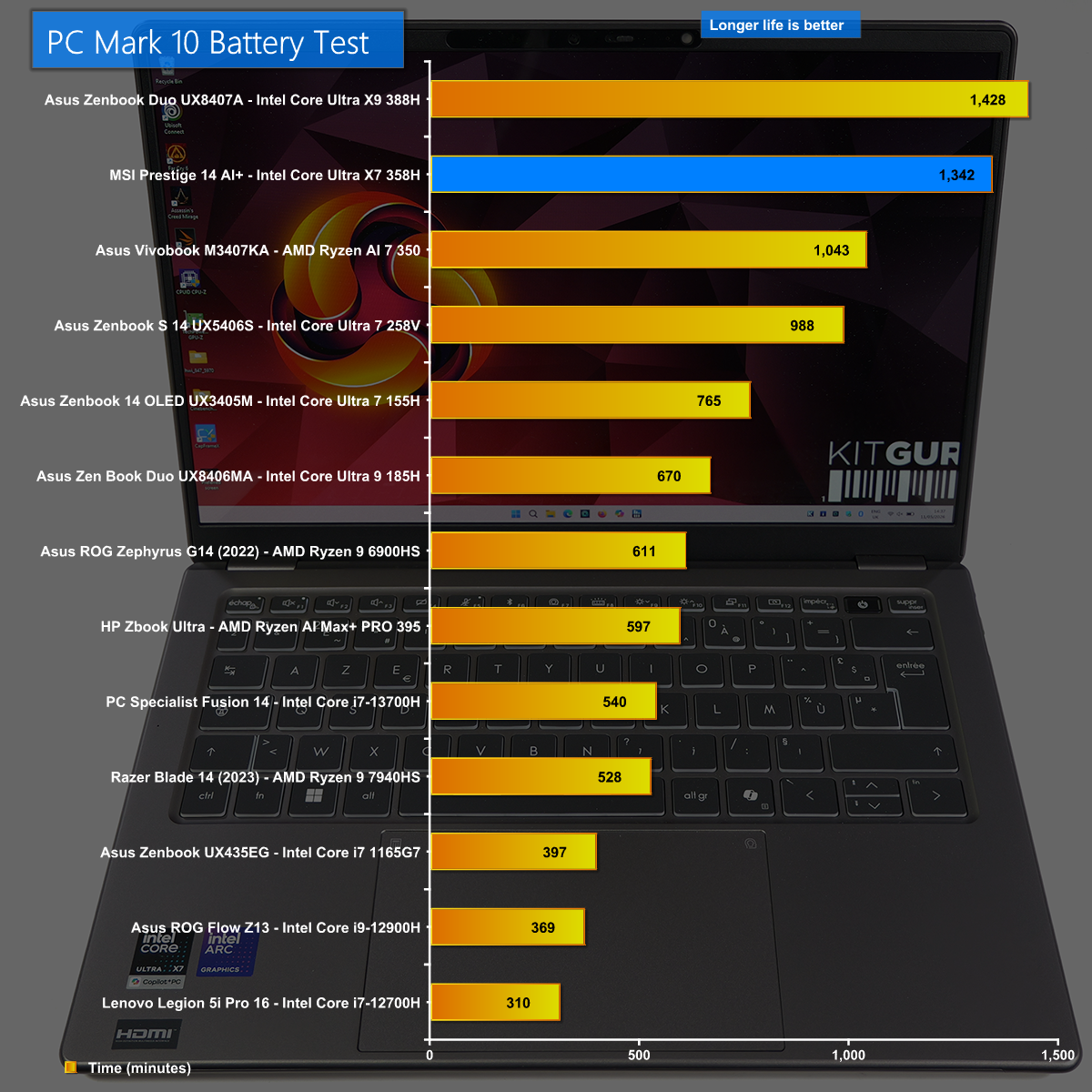
Battery Life

Intel has done a superb job with the battery life of their new Panther Lake laptop chips. The MSI impressed us hugely when the battery kept going and going, nearly matching the Zenbook Duo which comes equipped with two batteries.

Closing Thoughts

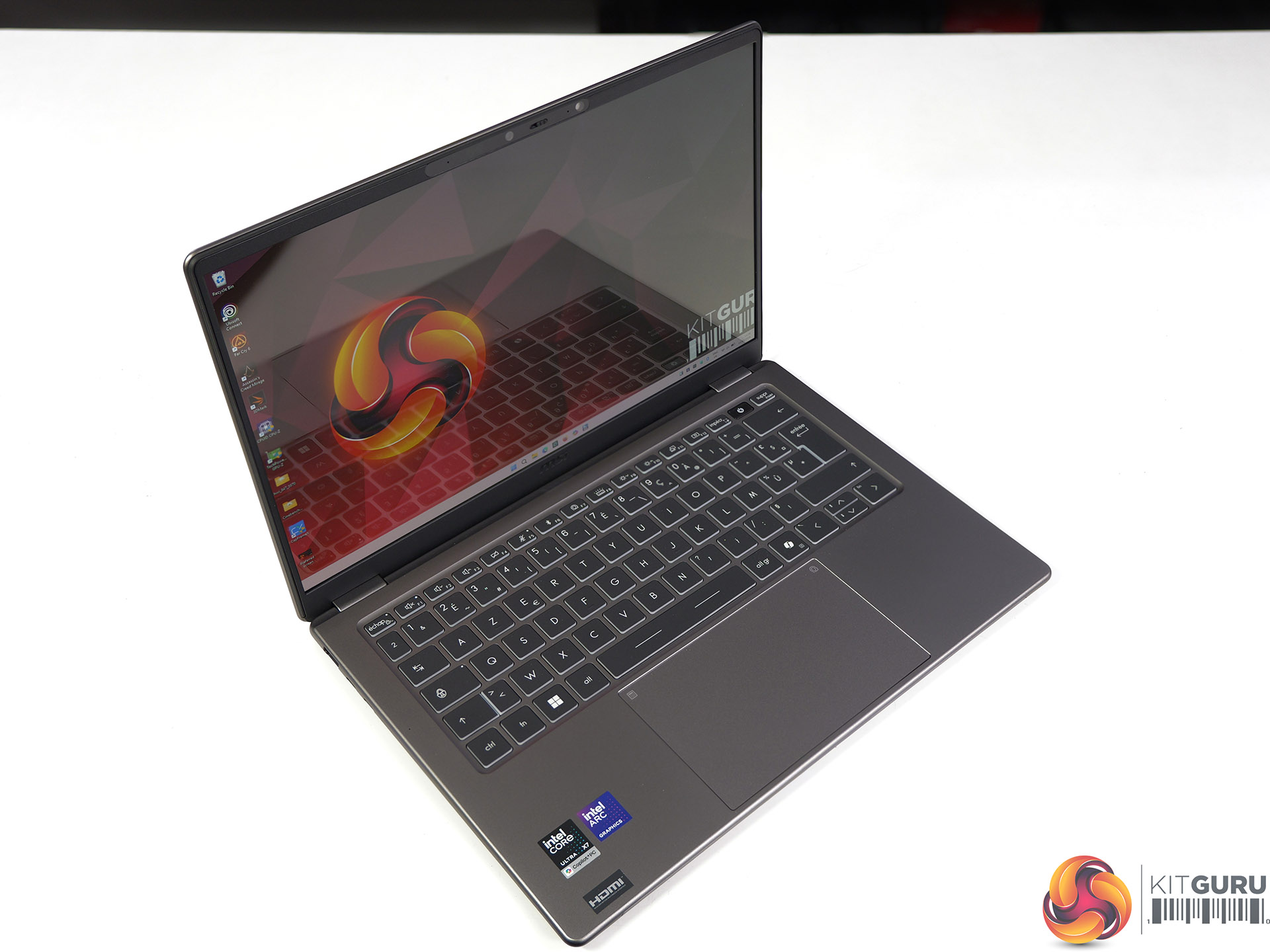
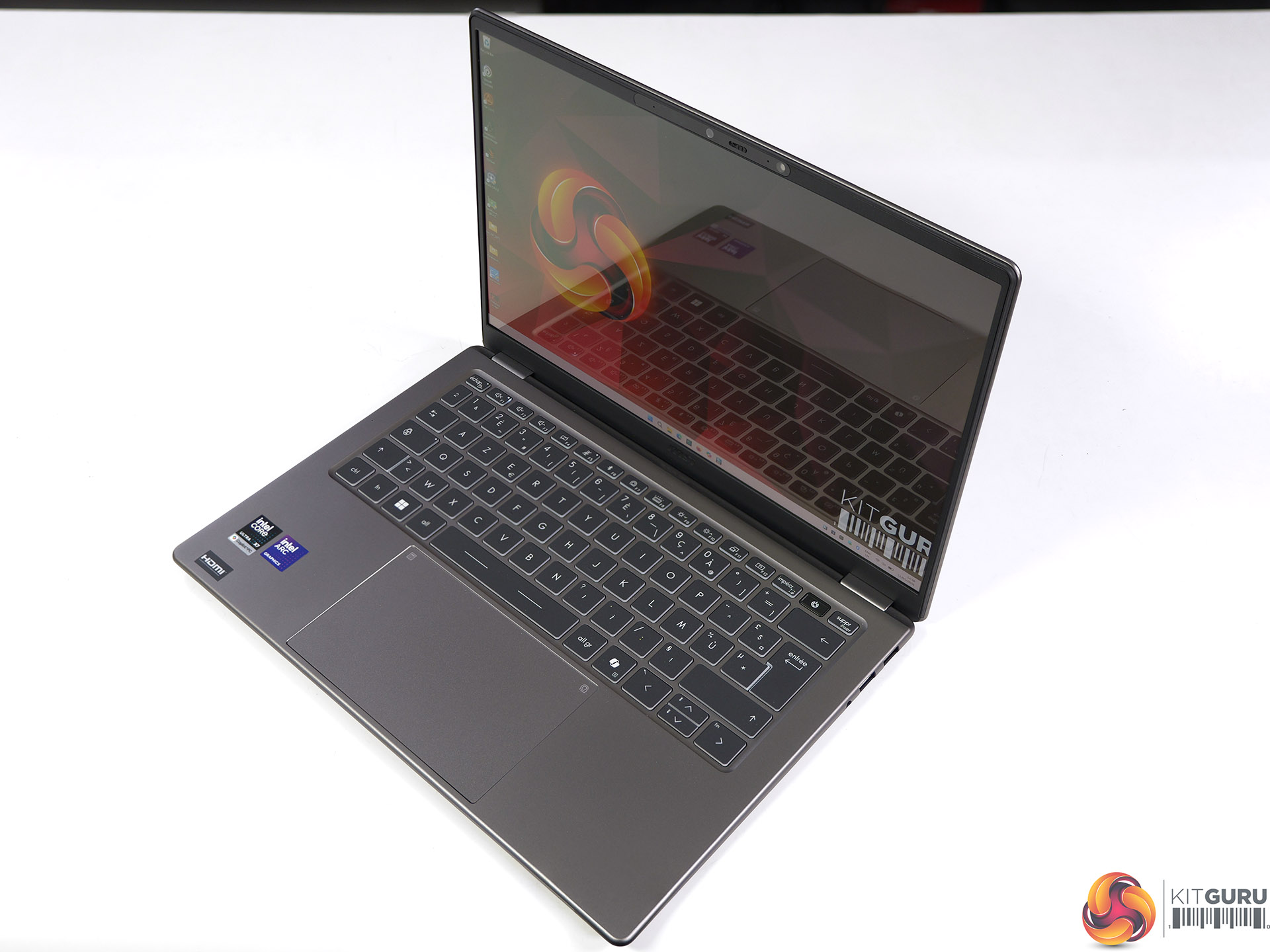
The MSI Prestige 14 AI+ is a conventional 14-inch laptop that is pleasingly thin and light. The main point of interest is the brand new Intel Core Ultra X7 358H processor with B390 graphics, and as we explain in our video this is very close to the top tier of Panther Lake silicon. It came as something of a surprise in our testing when we saw the impact of lower power draw and lower clock speeds that differentiate the Core Ultra X7 from Core Ultra X9.

One area of unalloyed good news is the battery life which runs for more than 22 hours of solid work. If you just want to watch videos we are confident it will last two days, this means you could take the laptop on a short holiday and leave the charger at home. The other features of the MSI Prestige 14 AI+ are all fine, which means our major gripe is that we expect this laptop will sell for more than £1,500.

We estimate the MSI Prestige 14 AI+ will sell for £1,550 inc VAT.

Pros

  • Excellent battery life.
  • Slender and lightweight chassis.
  • Decent performance and a healthy improvement over Core Ultra 200.

Cons

  • The OLED screen is adequate but unimpressive.
  • Ports and connectors are rather close together.
  • The price is fairly steep for a thin and light laptop.

KitGuru says: The MSI Prestige 14 AI+ is a decent everyday laptop that struggles when it comes to gaming.

The post MSI Prestige 14 AI+ Review (Intel Panther Lake Core Ultra X7) first appeared on KitGuru.

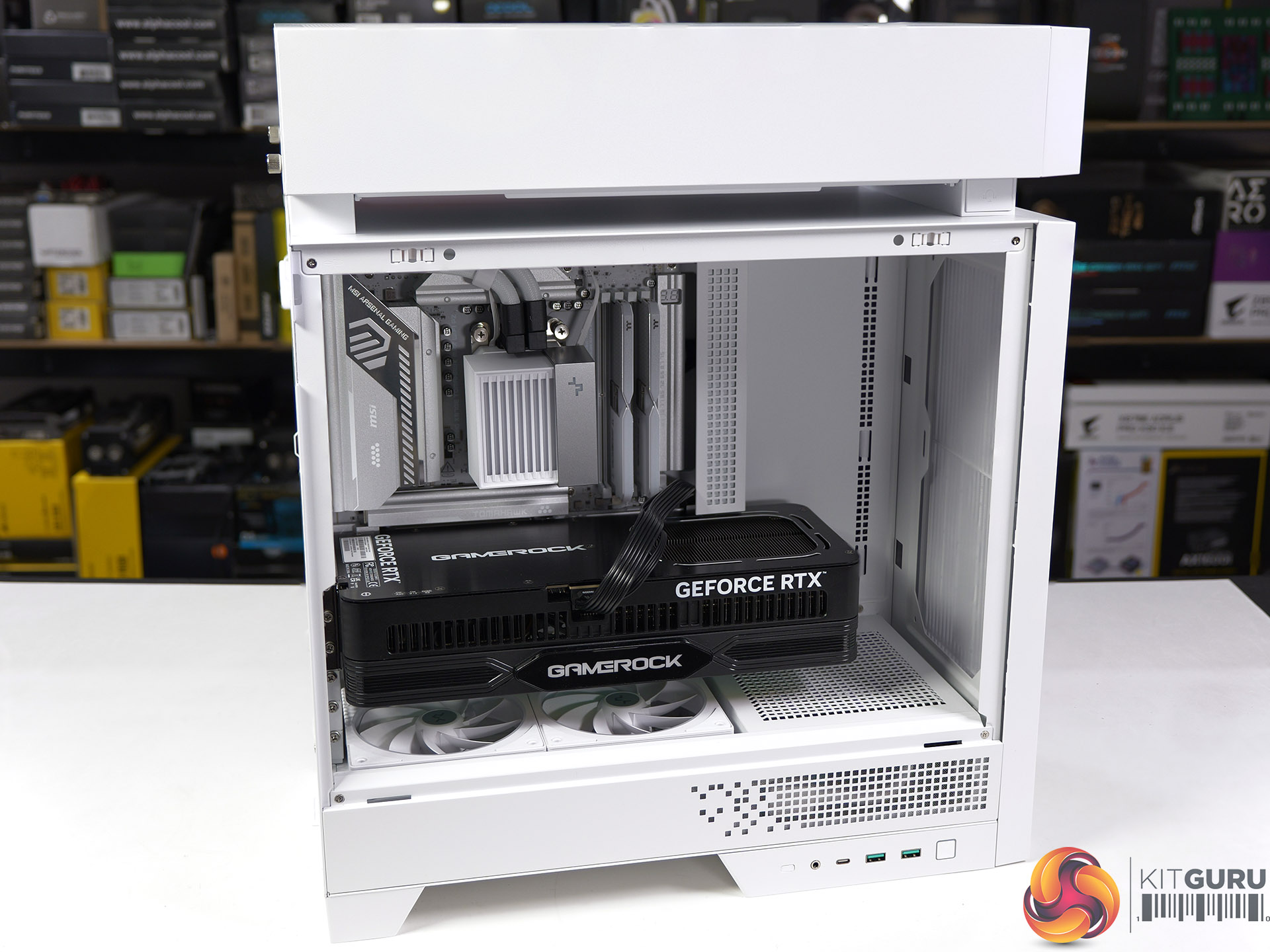
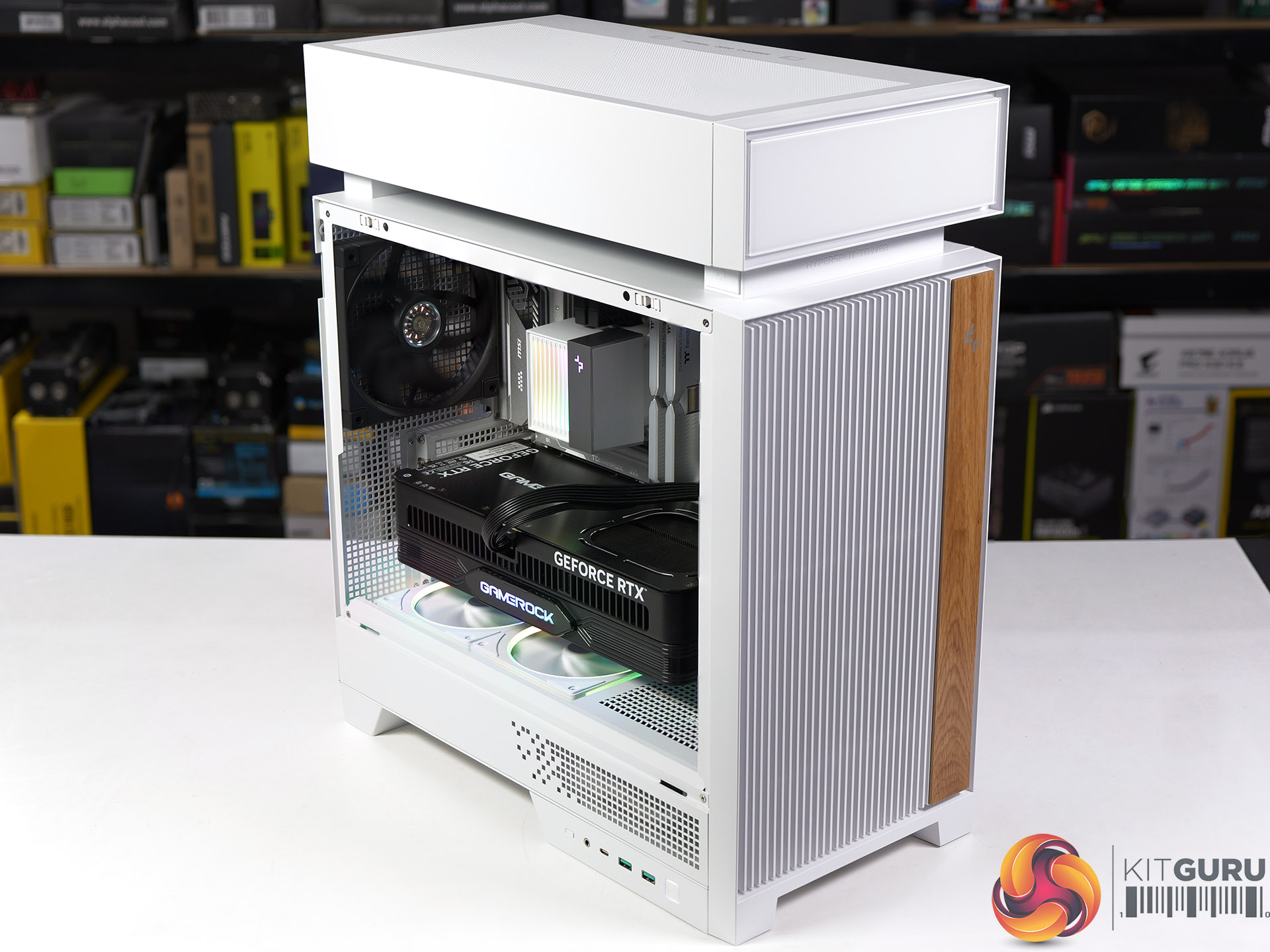
DeepCool CL6600 Case Review: Hypersplit technology?

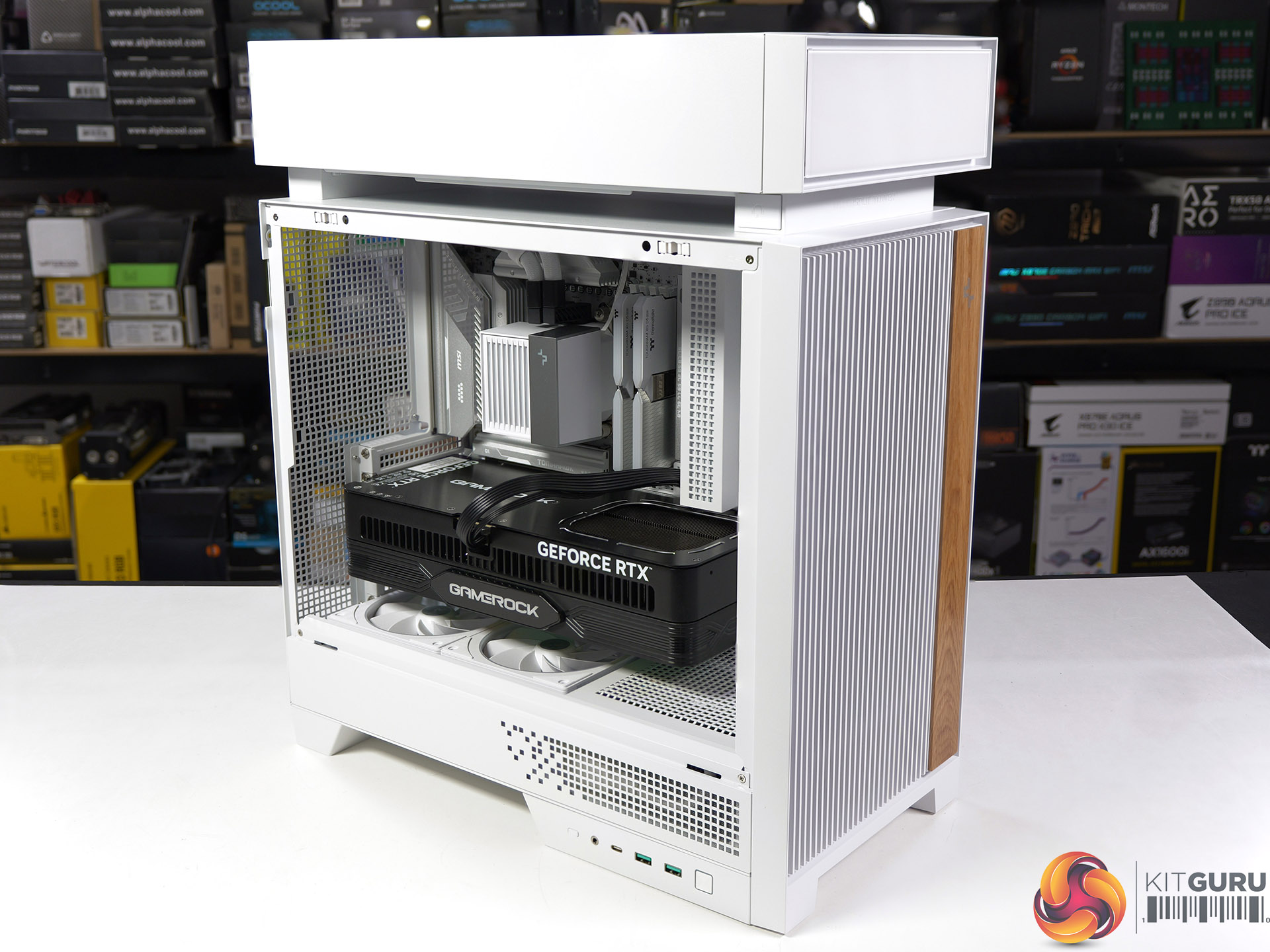
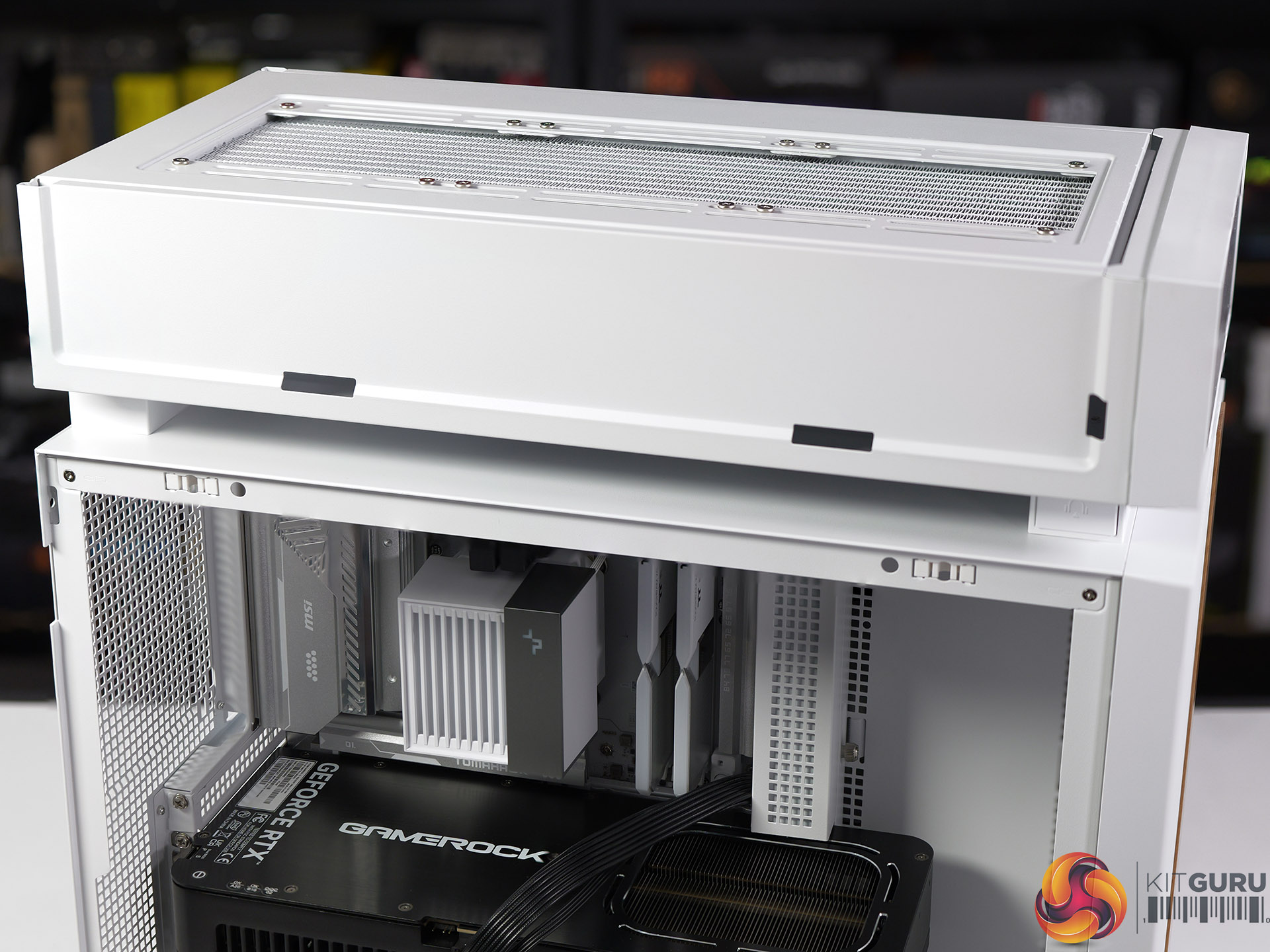
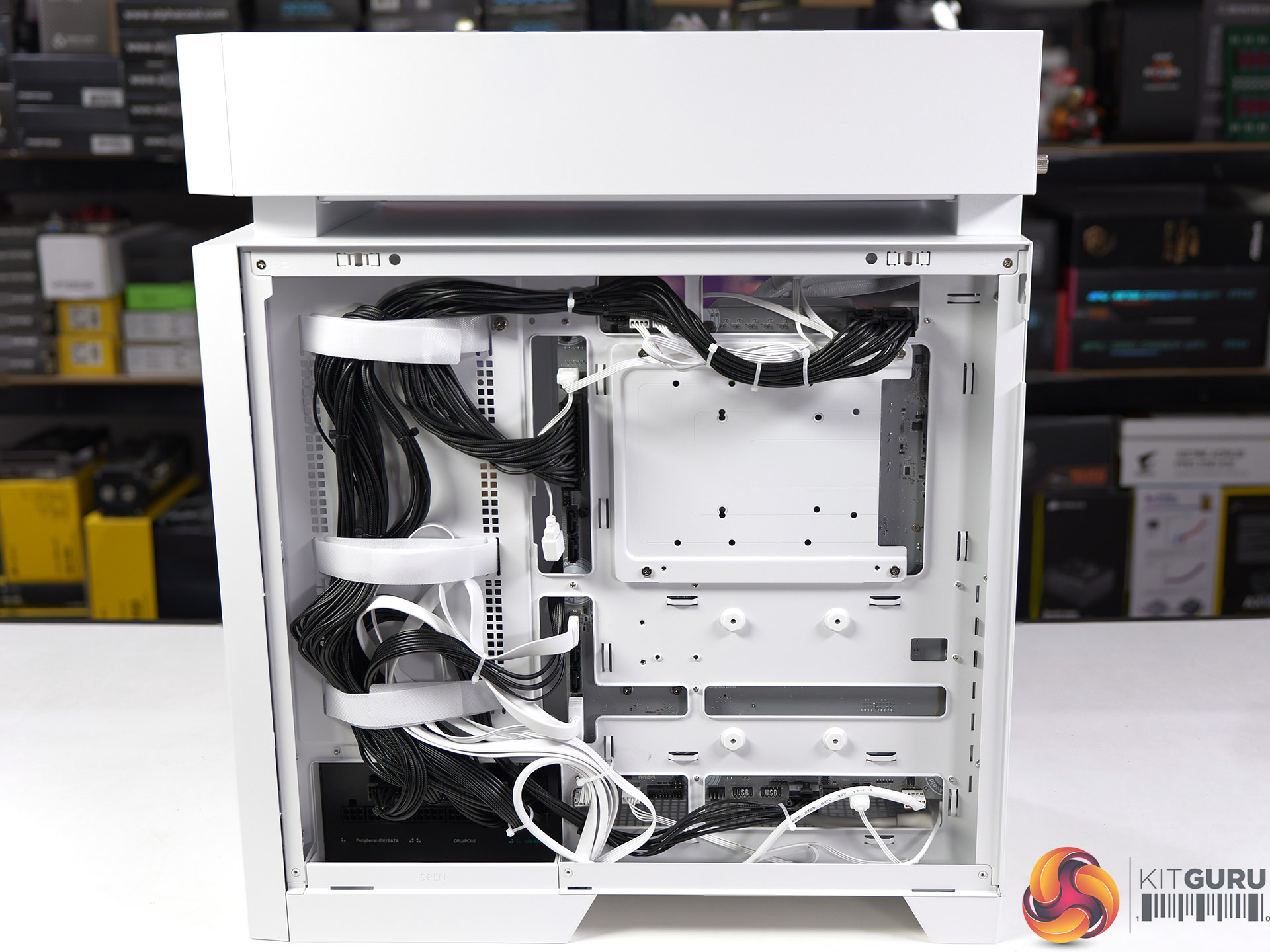
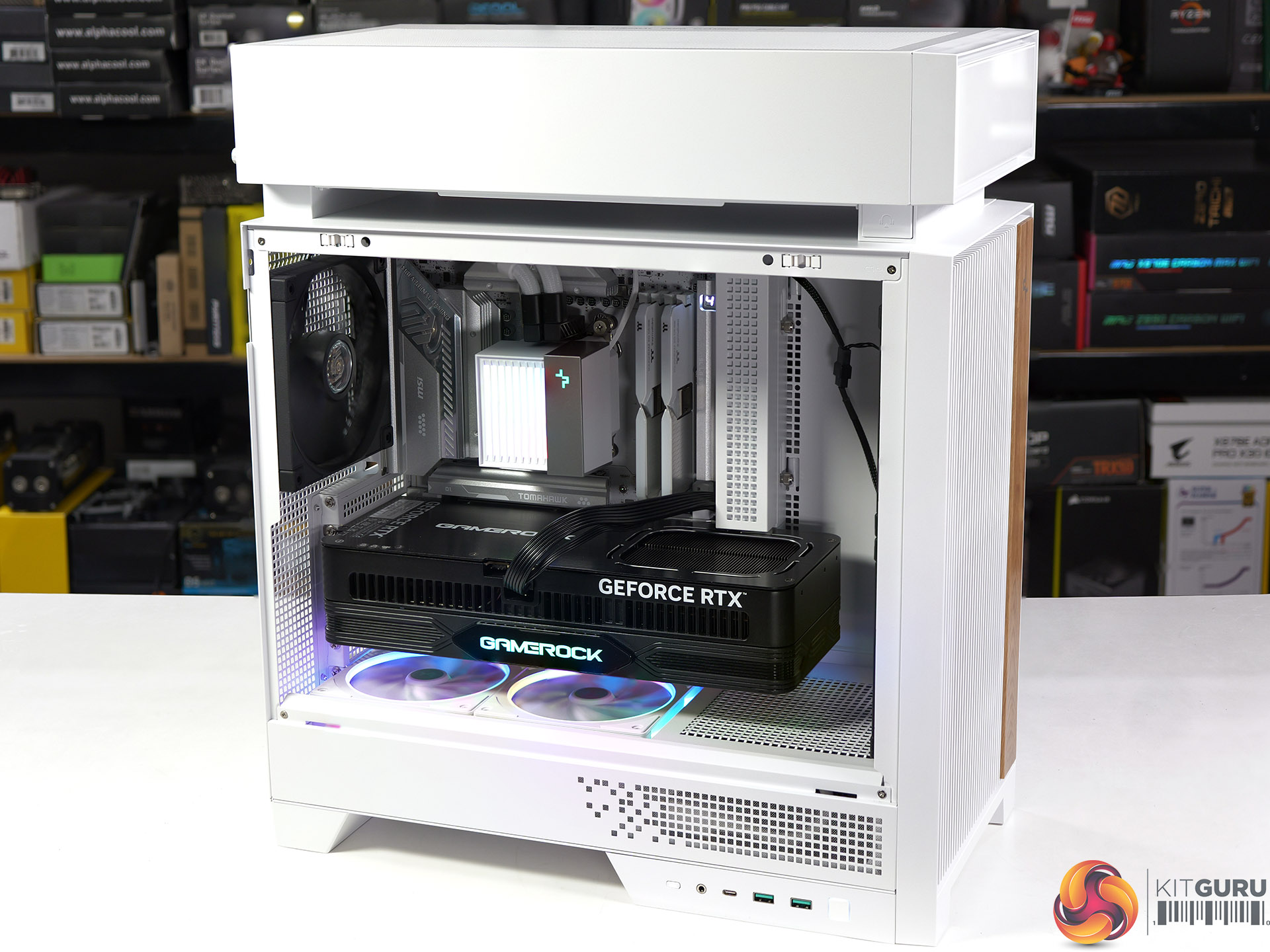
DeepCool has a solution to the problem where your CPU gets cooked by heat rising from your mighty 600W graphics card. That solution is named Hypersplit and it is the focus in our review of the DeepCool CL6600 PC case which comes complete with a 360mm AIO cooler.

Timestamps:

00:00 Start
00:55 Removing panels / AIO
05:11 Building a system inside the case
08:40 Noise, smoke and thermal testing
10:54 Leo’s Closing thoughts

Main features

  • SPLIT FOR PERFECT FLOW: CL6600 keeps things cooler with a modular split-chamber layout. It places the radiator in its own zone, creating separate airflow paths for heat-generating components and letting the whole system run at its best.
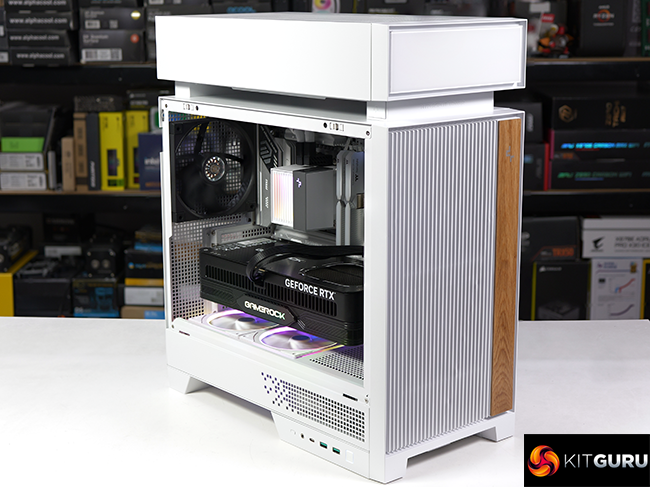
  • BALANCE IN LAYERS: A raised top chamber redefines the overall silhouette while keeping space organised. Vertical grille bars at the front provide natural ventilation and create visual rhythm, with real wood adding an organic finish to the clean, modern aesthetic
  • Pre-installed 360mm ARGB Liquid Cooler: Advanced pump with adjustable speeds from 2500–3400 RPM, balancing high efficiency with quiet operation. Triple high-performance FDB fans on the radiator ensure steady, reliable airflow. DeepCool’s short-tube design keeps the main chamber neat and visually open.
  • Includes 2x FL12R SE ARGB Fans: Dual reverse-blade fans at the bottom nest lower to pull in fresh air without crowding your build.

Specification:

  • Motherboard support: ATX, Micro-ATX, Mini-ITX.
  • Power supply support: ATX, SFX-L, SFX.
  • Expansion slots: 7.
  • Included fans: 2x FL12R SE ARGB 120mm intakes in floor.
  • Fan mounts: 3x 120mm/2x 140mm front, 2x 120/140mm roof, 1x 120mm rear, 1x 120mm floor.
  • Radiator mounts: 360mm/280mm front, 240mm/280mm roof, 120mm/140mm rear.
  • 5.25-inch optical drive bays: None.
  • Internal drive bays: 2x 3.5-inch/2.5-inch, 3x 2.5-inch.
  • Front I/O ports: 1x USB 3.0 type-A, 1x USB 3.1 type-C, audio.
  • Dimensions: 453mm H x 409mm D x 217mm W.

Testing

To put this case through its cooling paces we will be using a test system consisting of an AMD Ryzen 7 9850X3D, Palit RTX 5080 and an SSD. This system allows us to produce a substantial amount of heat and effectively test the DeepCool CL6600‘s cooling capabilities.

Test System:

  • Processor: AMD Ryzen 7 9850X3D
  • CPU Cooler: included DeepCool 360mm AIO
  • Case fans: 3x DeepCool FT14
  • Motherboard: MSI MAG X870E Tomahawk Max WiFi PZ
  • Memory: Thermaltake ToughRAM XG D5 32GB DDR5-6000
  • Graphics card: Palit GeForce RTX 5080 Gaming OC
  • Power supply: DeepCool PN1200M 1200W Gold
  • SSD: Crucial T700 M.2 NVMe
  • OS: Windows 11

Cooling Performance

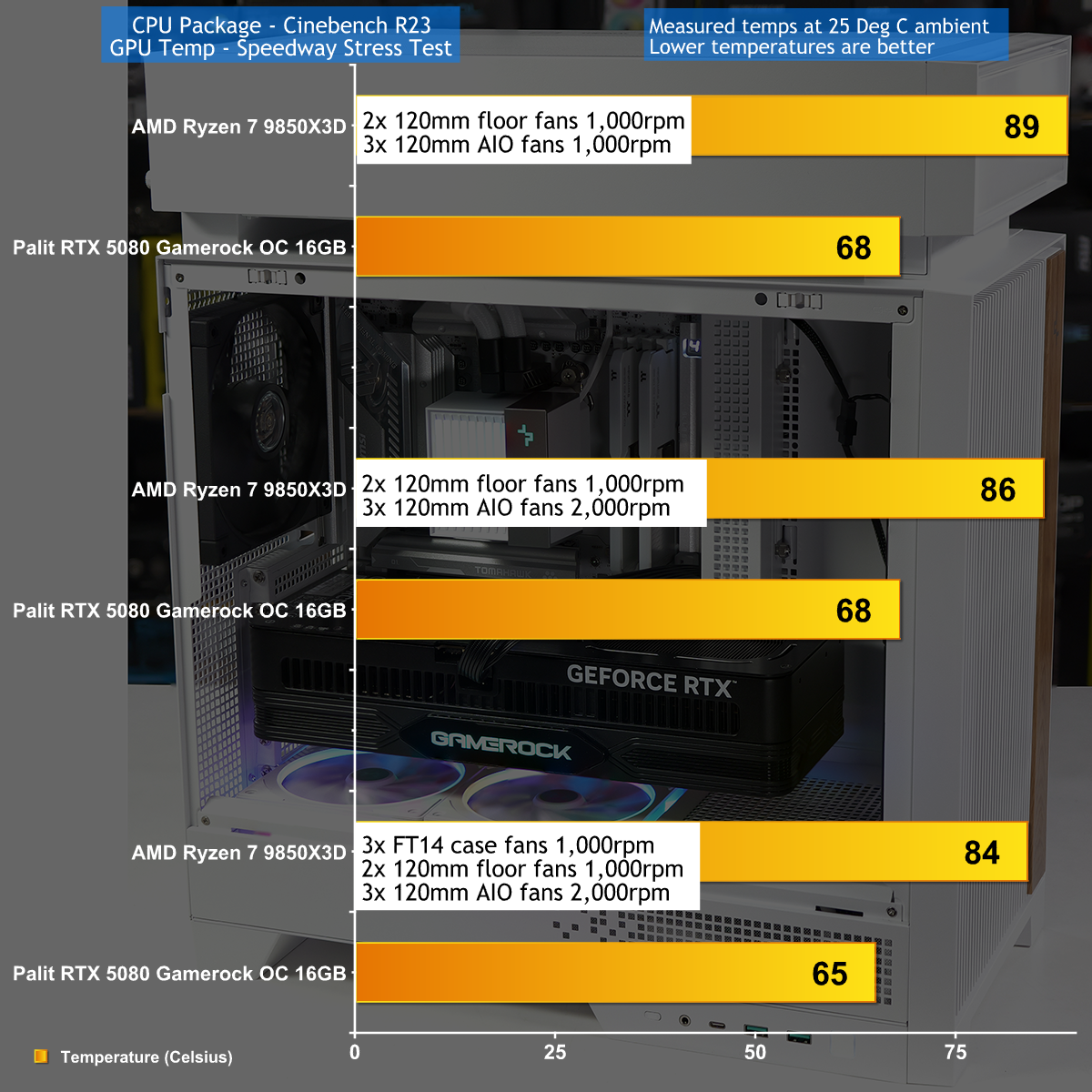
We can see the benefit of the separate Hypersplit chamber that houses the CPU cooler, but it is not all good news. The downside is that you get best results when you crank up the sped of the fans on the AIO cooler, which can get noisy. The benefit is that both the CPU and graphics card run at pleasingly low temperatures.

Closing Thoughts

We are familiar with the concept of a triple chamber case from our review of the Corsair Air 5400 which is an expensive case that works very well. By contrast the DeepCool CL6600 offers decent value for money and employs a simple design concept where the included AIO is housed in a separate chamber that sits on top of the case.

This approach works well and opens up the main chamber for your graphics card, but we have to talk about the looks of the CL6600 which are unusual and a bit quirky. Or rather, the main chamber is entirely conventional and looks good, but the Hypersplit chamber on top looks like a box has been dropped on top of your PC.

We don't see any way round this as it is fundamental to the design but the benefit is that this case and 360mm AIO cooler are delivered at a low price.

You can buy the DeepCool CL6600 for £156 HERE.

Pros:

  • Simple design separates the CPU cooler from the graphics card.
  • 360mm AIO cooler is included in the price.
  • Split bottom air filters are very convenient.
  • The headphone holder is neat.

Cons:

  • The Hypersplit chamber on top of the case look rather clunky.
  • Front IO panel is in awkward location if your PC is on the floor.
  • The printed user guide is tiny
  • CPU cooling is average.

KitGuru says:The DeepCool CL6600 is new, interesting and different. Balanced against that it is slightly odd.

The post DeepCool CL6600 Case Review: Hypersplit technology? first appeared on KitGuru.

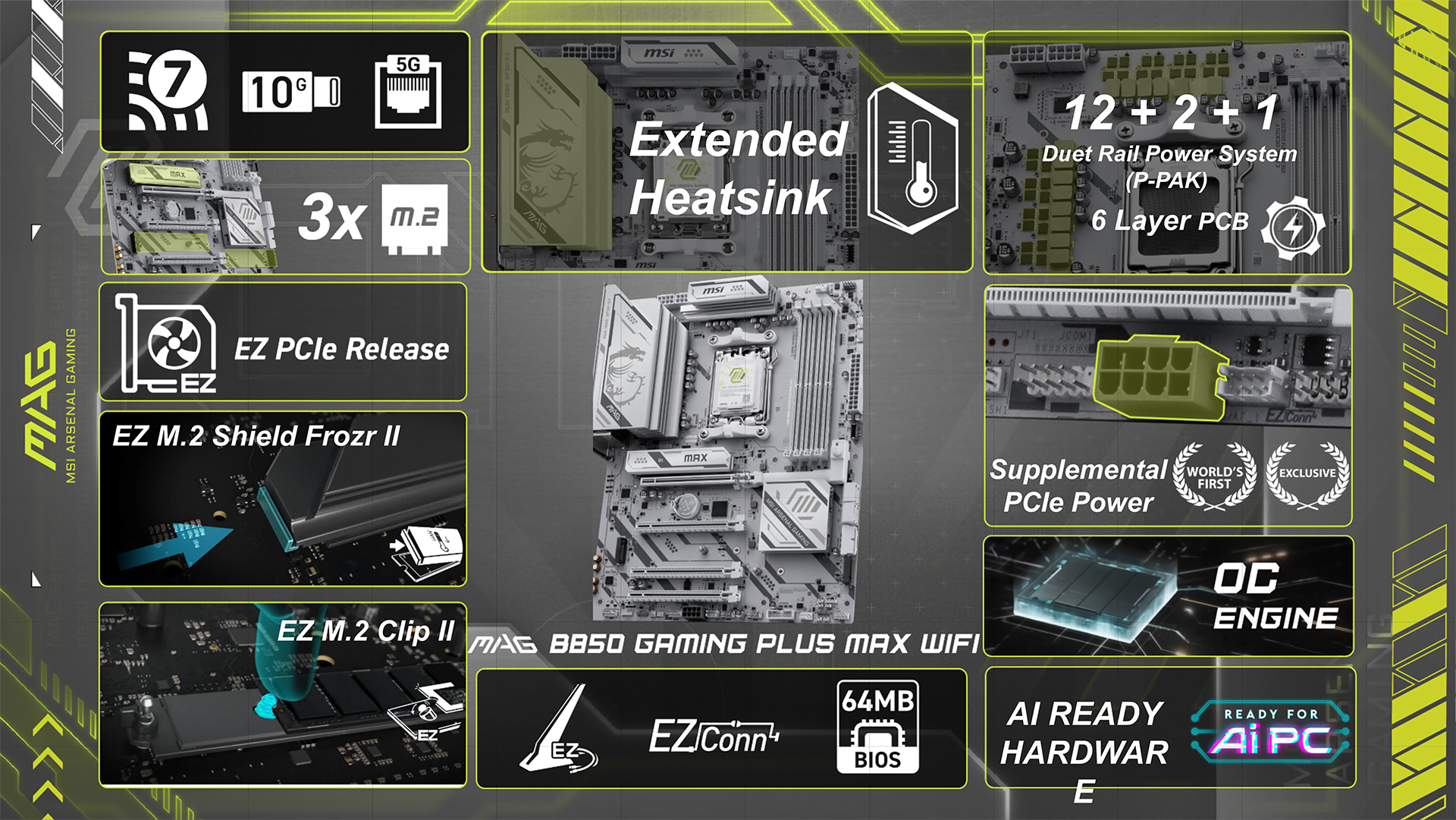
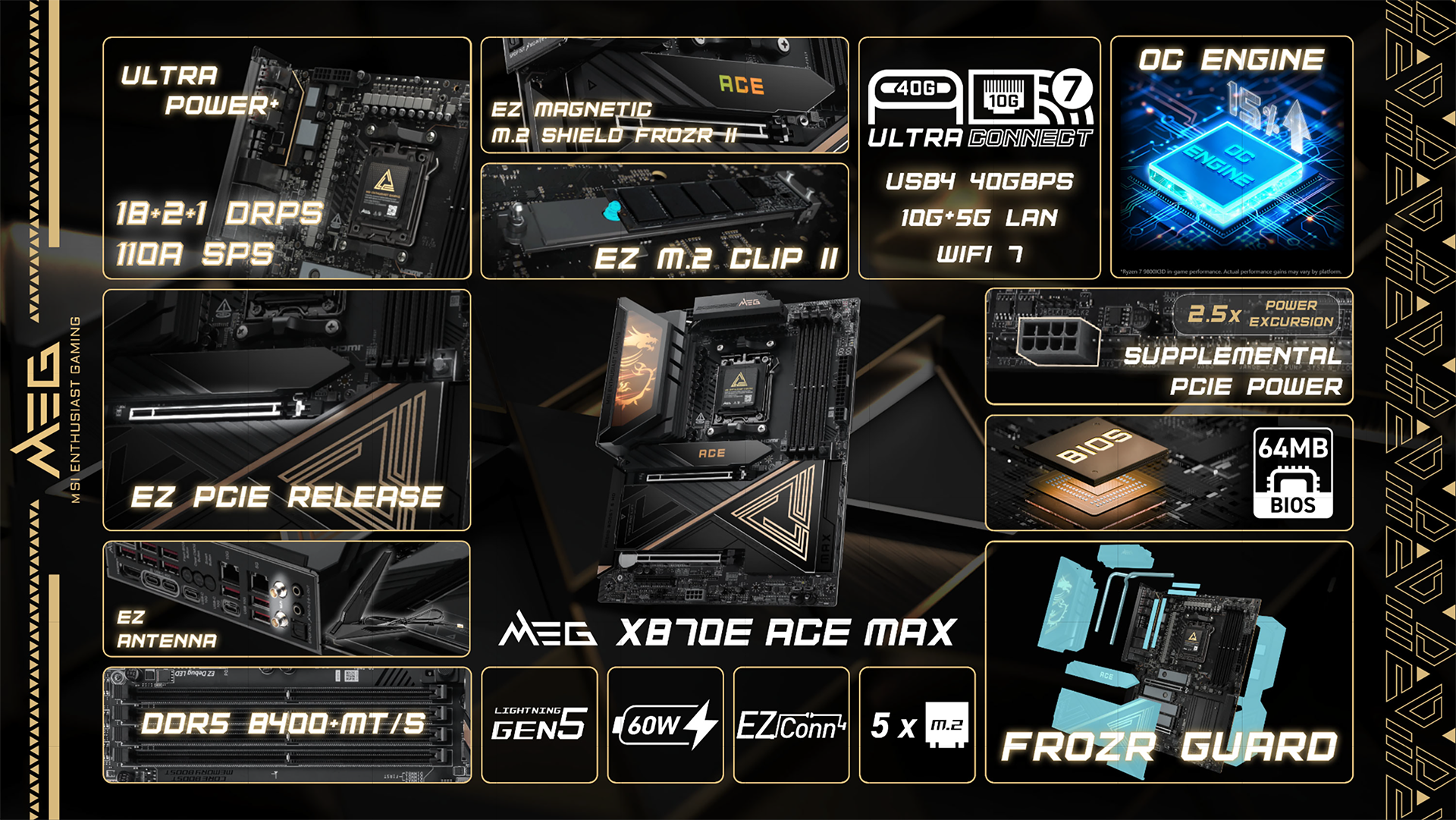
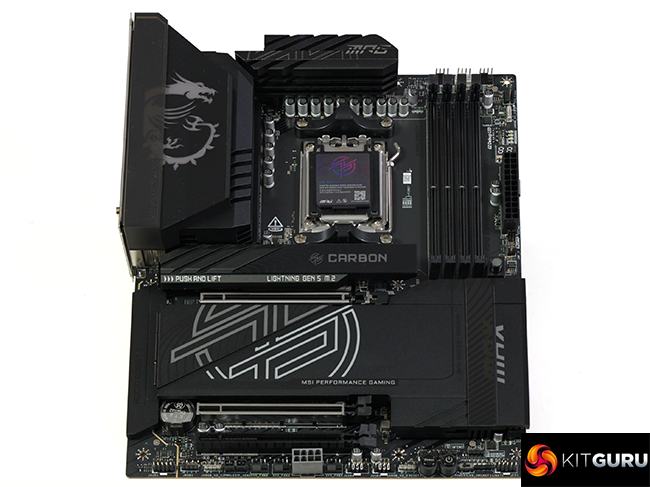
MSI AMD AM5 MAX Motherboard Showcase [2026]

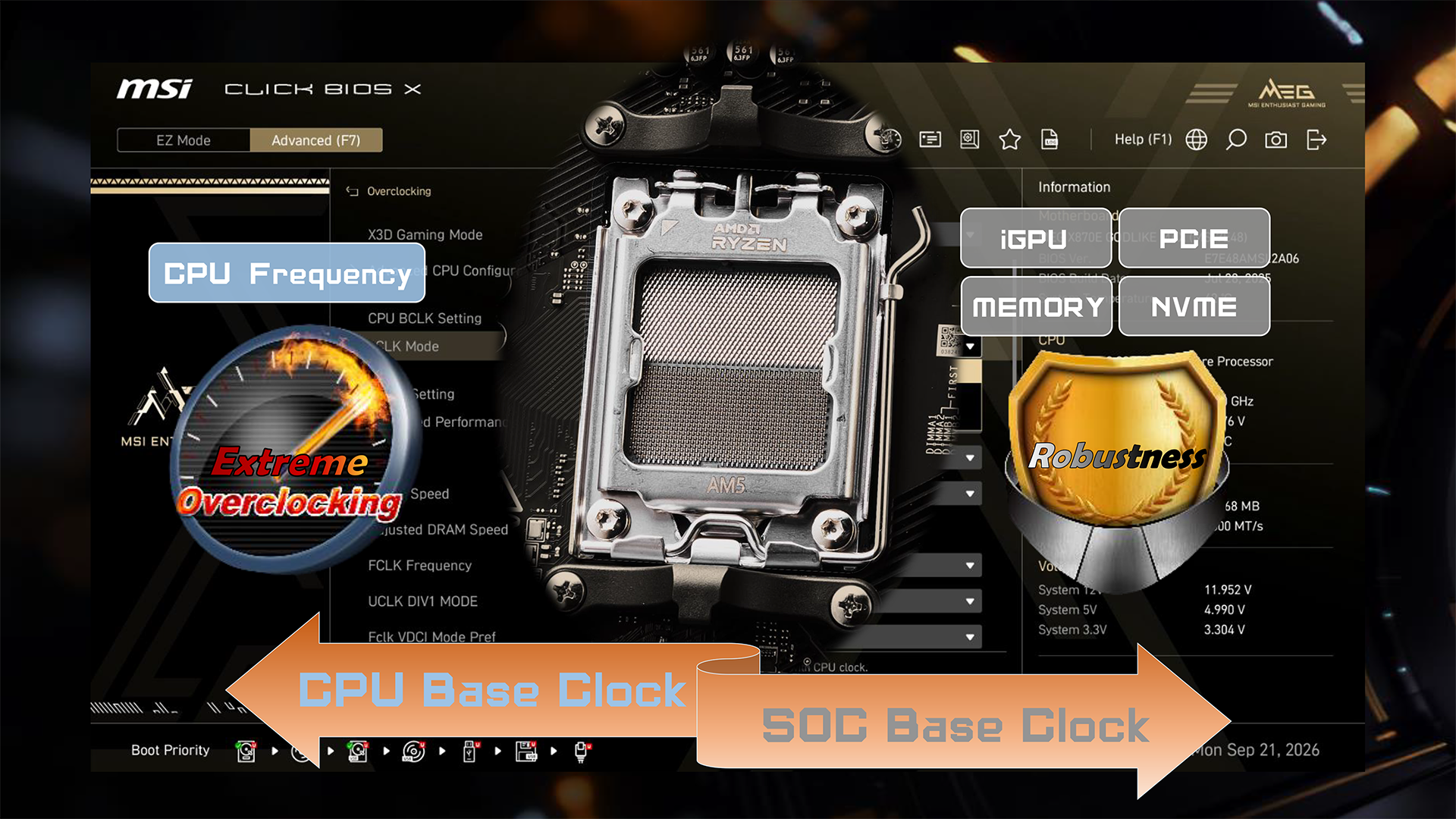
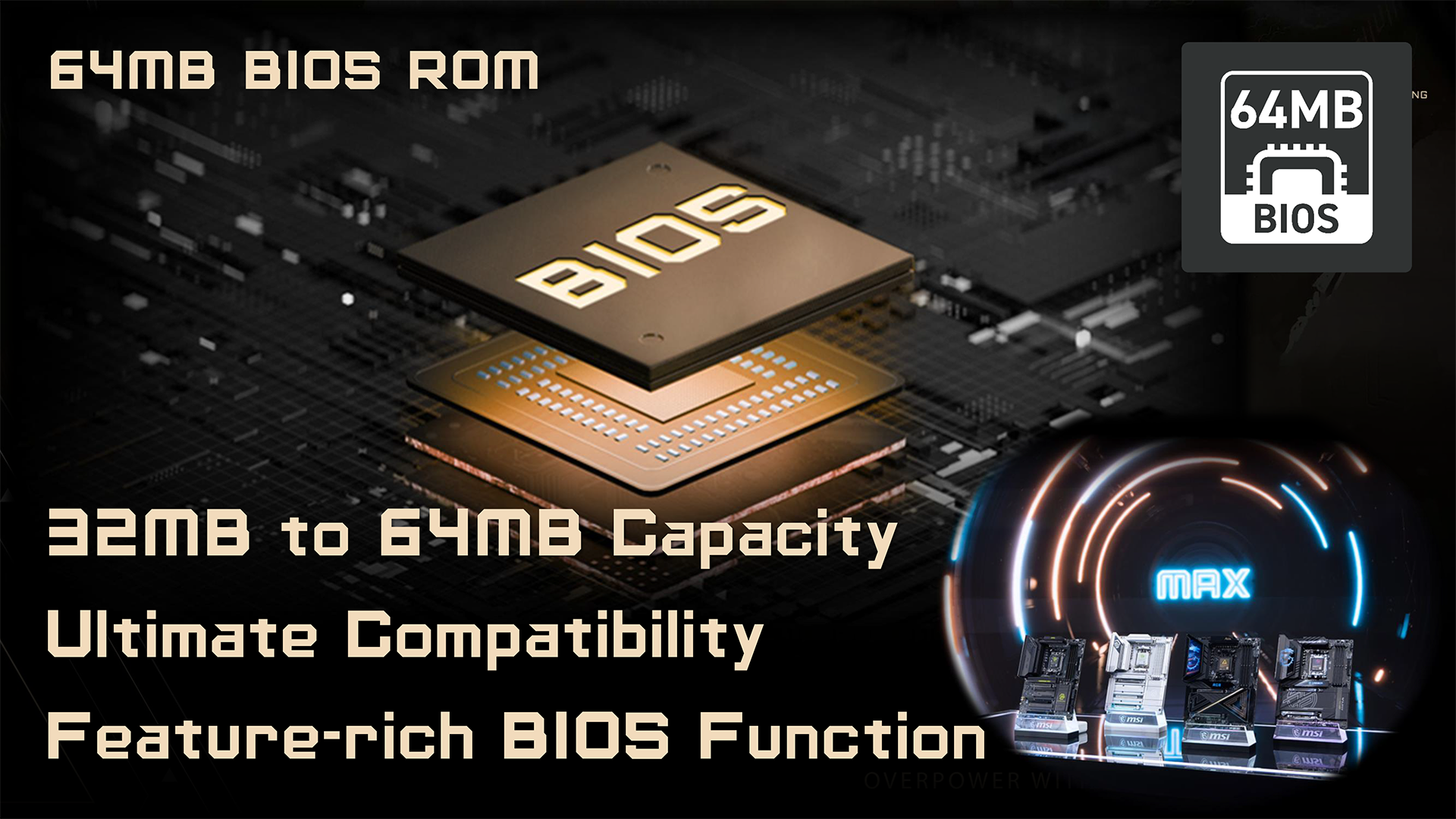
MSI has given its family of AMD 800-series motherboards an overhaul with a series of feature changes, named MAX. Some of these changes are cosmetic while others, such as the upgrade to the BIOS chip, offer support for future generations of AMD CPUs through Zen 6 and onwards to Zen 7.

Timestamps
00:00 Start
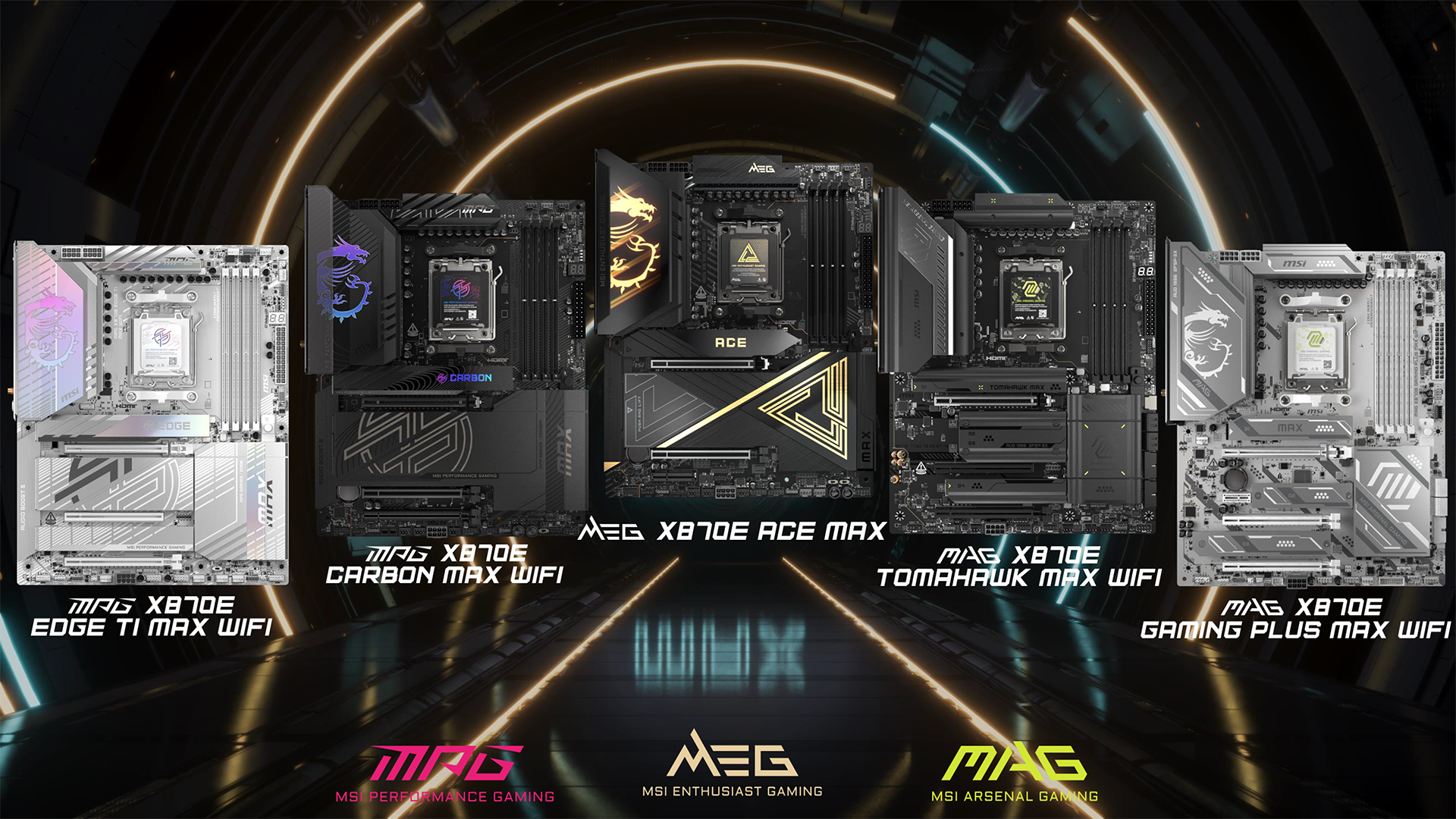
00:59 Max Series Overview
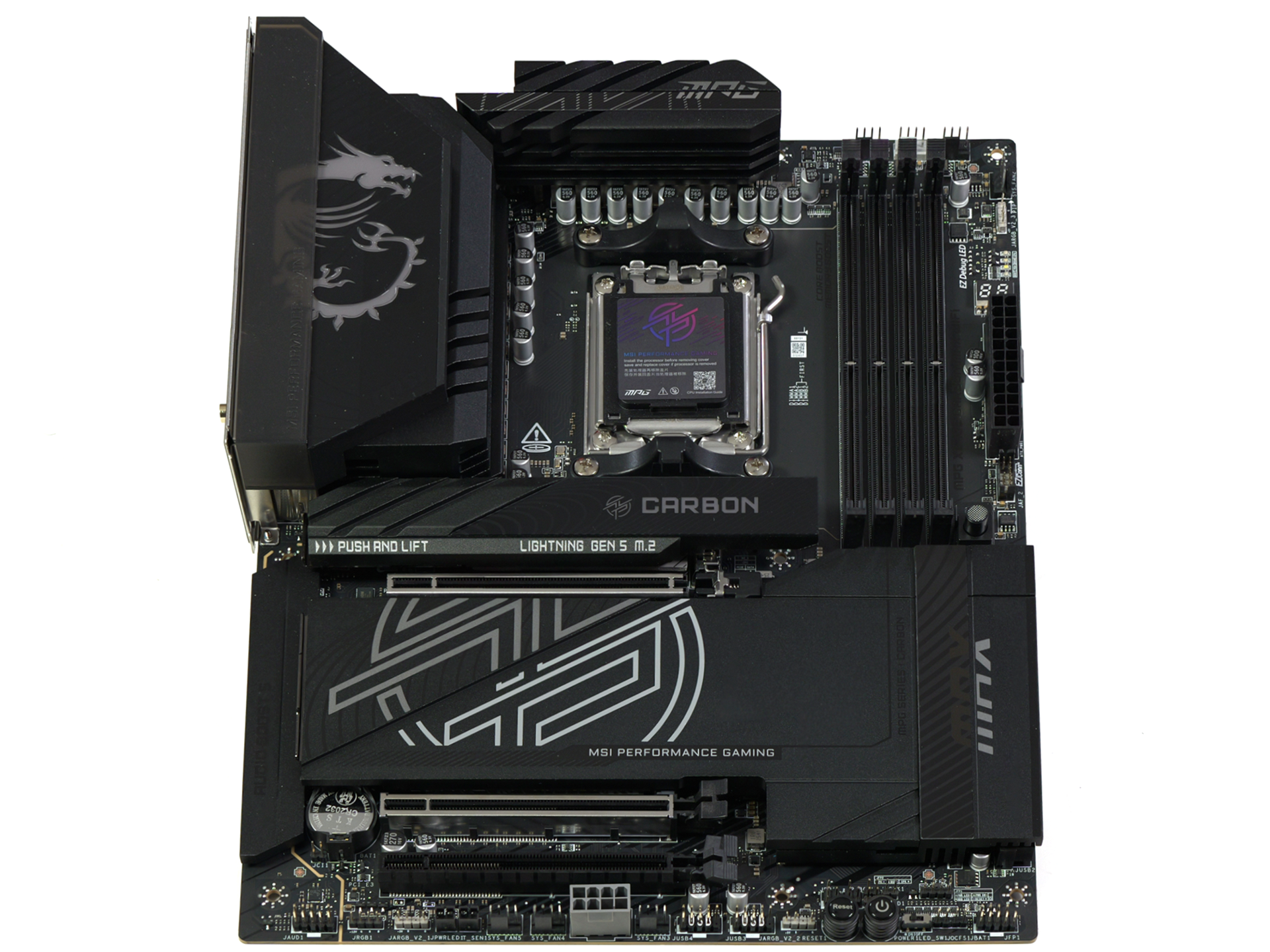
03:22 MPG X870E Carbon MAX WiFi
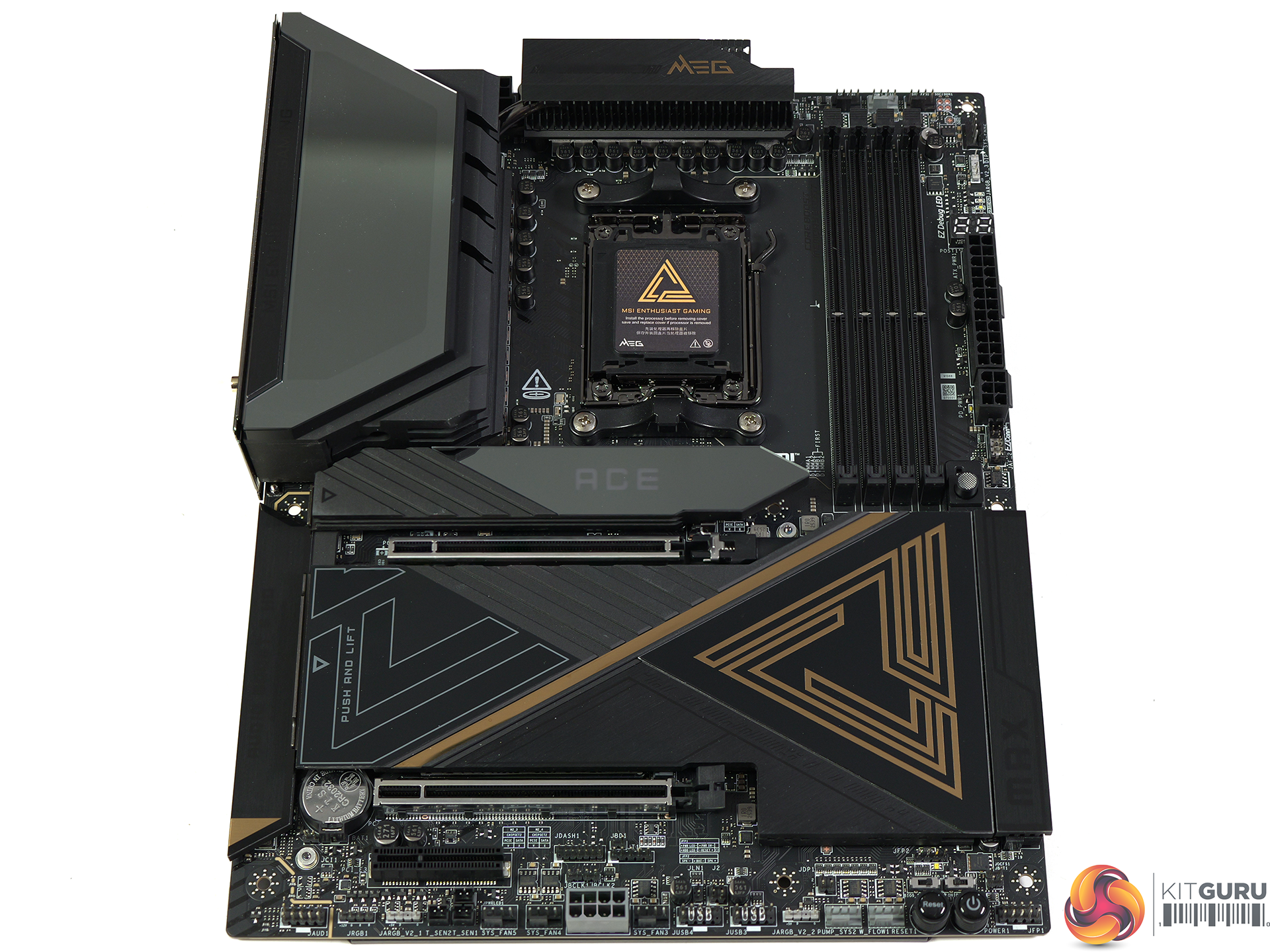
04:22 MEG X870E Ace MAX
06:00 MSI MAG X870E Tomahawk MAX WiFi PZ
07:06 MAG B850 Tomahawk MAX WiFi / II / MAG B850 Tomahawk WiFi
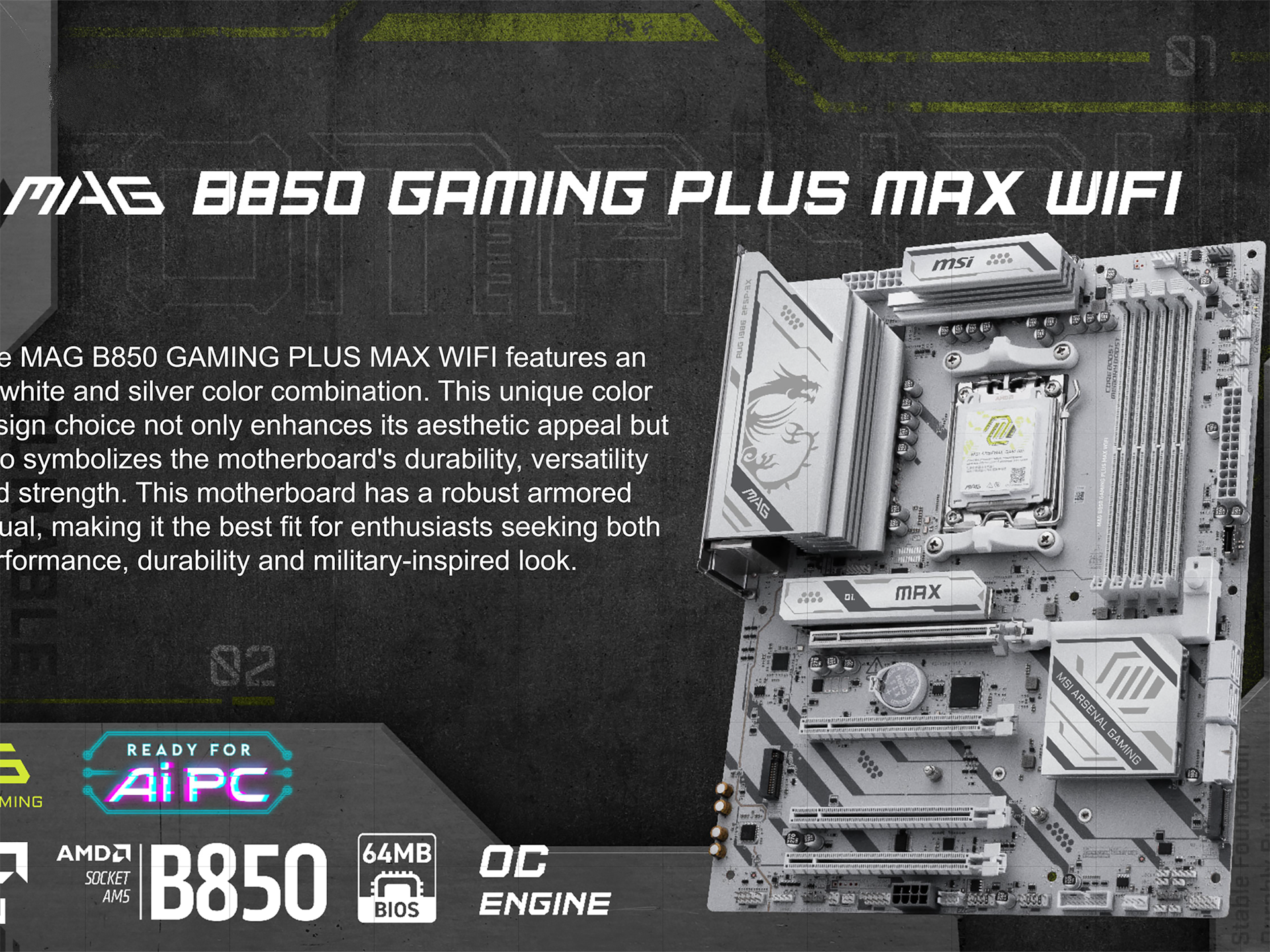
08:56 MAG B850 Gaming Plus MAX WiFi
10:40 Leo’s Thoughts

In our video we walk you through the changes that MSI has made with its MAX updates and in some instances, such as the MPG Carbon MAX WiFi, the updates are small but welcome. Other boards are entirely new models and this means the MEG X870E Ace MAX has arrived with the MAX features in place from day one.

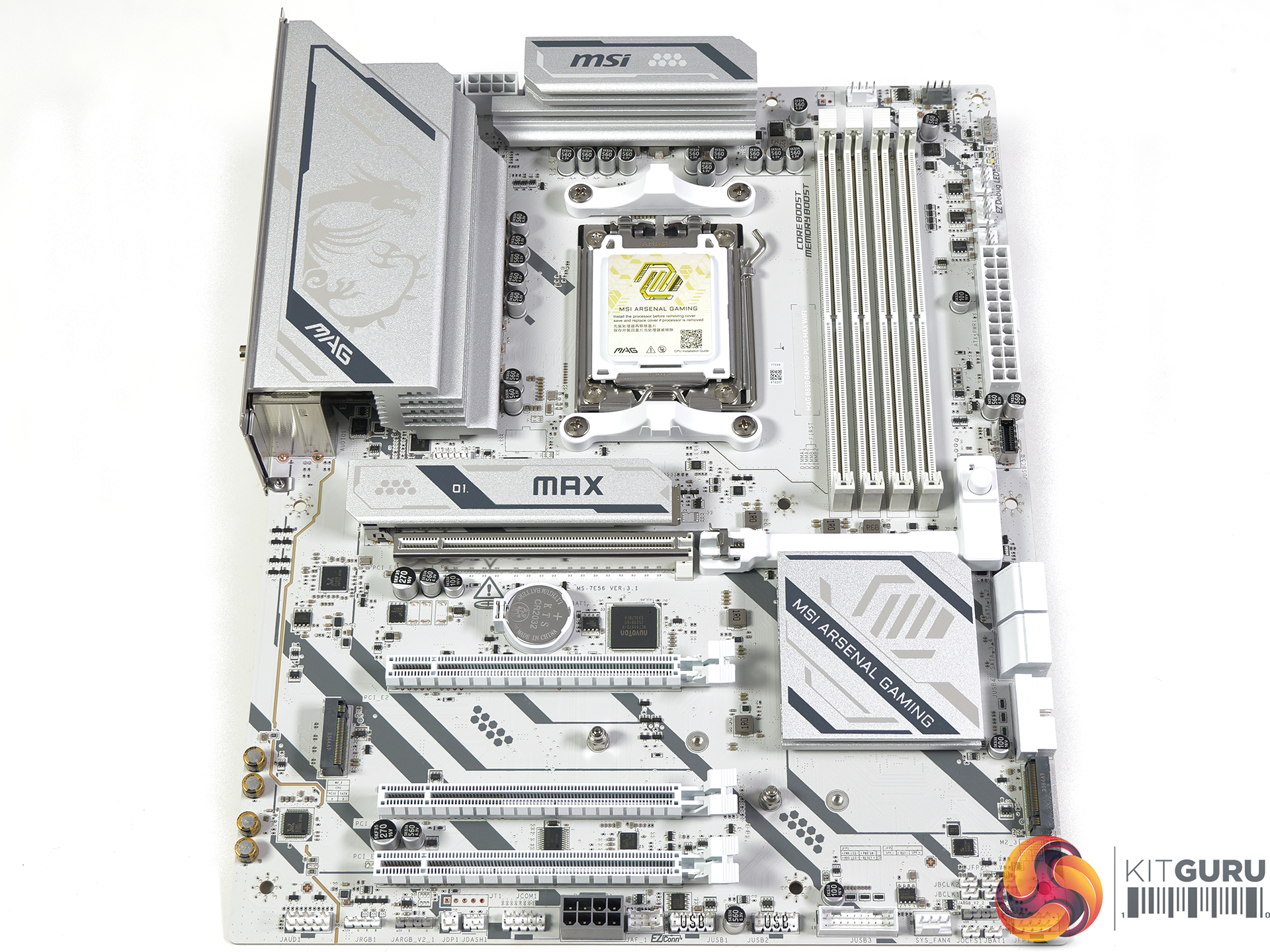
The most impressive showcase for MSI MAX is the budget MAG B850 Gaming Plus MAX WiFi which gains the hardware updates and also receives a visual overhaul. The original B850 Gaming Plus looked a bit messy while the new MAX is clean and smart.

Closing Thoughts

MSI could have chosen to quietly update existing 800-series motherboards with new features such as a larger BIOS chip and the addition of an Overclocking engine, without any need for a series named MAX. In practice we doubt that would have worked well as AMD continues to bring out new CPUs for Socket AM5 which inevitably brings updates to BIOS files.

We are confident that certain models such as the original MPG X870E Carbon WiFi and MAG B850 Tomahawk WiFi will quietly disappear when stocks are sold. Other models – we're looking at you MAG X870E Tomahawk MAX WiFi PZ and MEG X870E Ace MAX – will doubtless have a long future through 2027 and perhaps into 2028.

KitGuru says: AMD's long term support for Socket AM5 is very welcome but it clearly gives motherboard manufacturers a significant headache, and MAX is the solution to that particular problem.

The post MSI AMD AM5 MAX Motherboard Showcase [2026] first appeared on KitGuru.

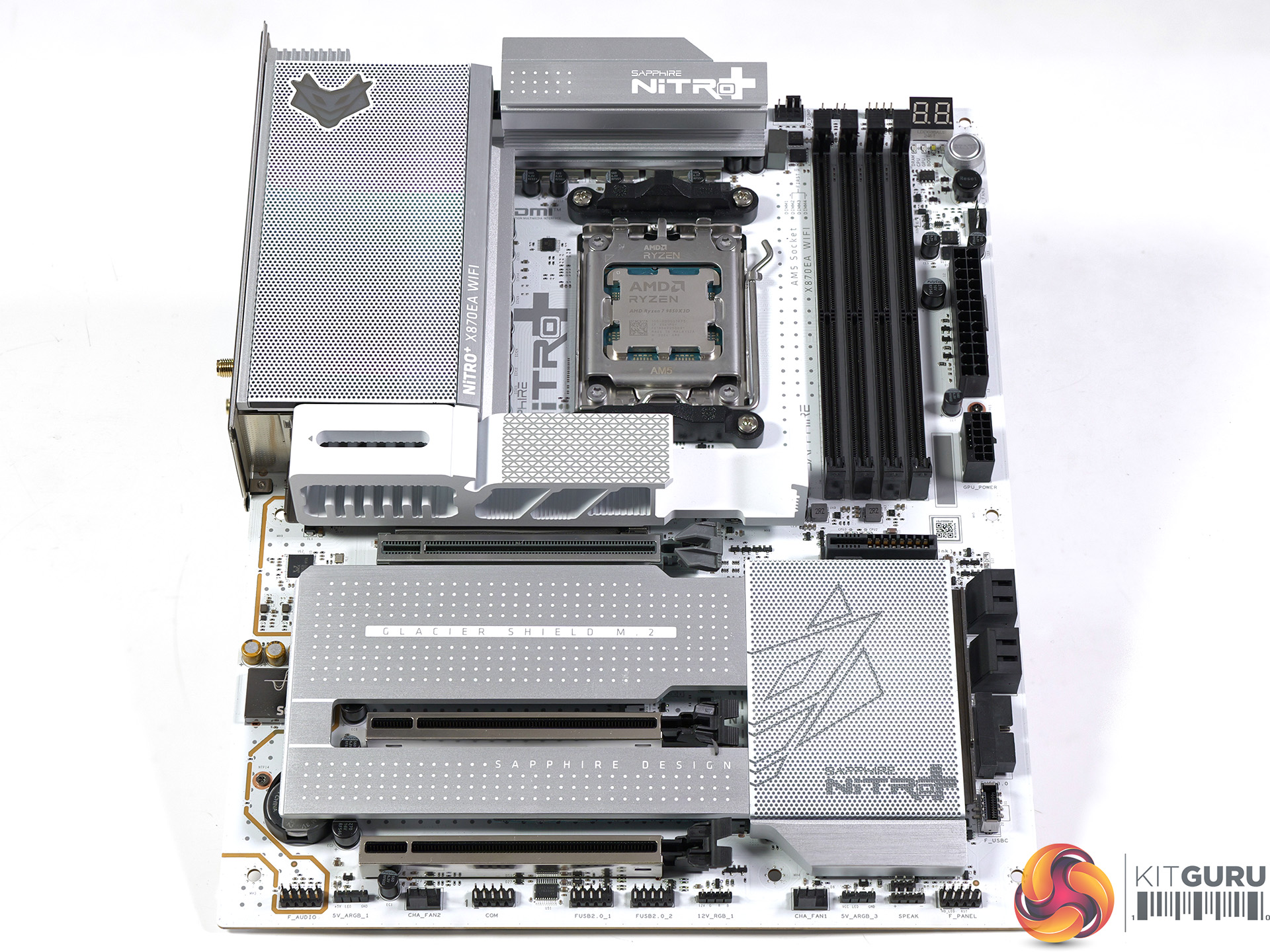
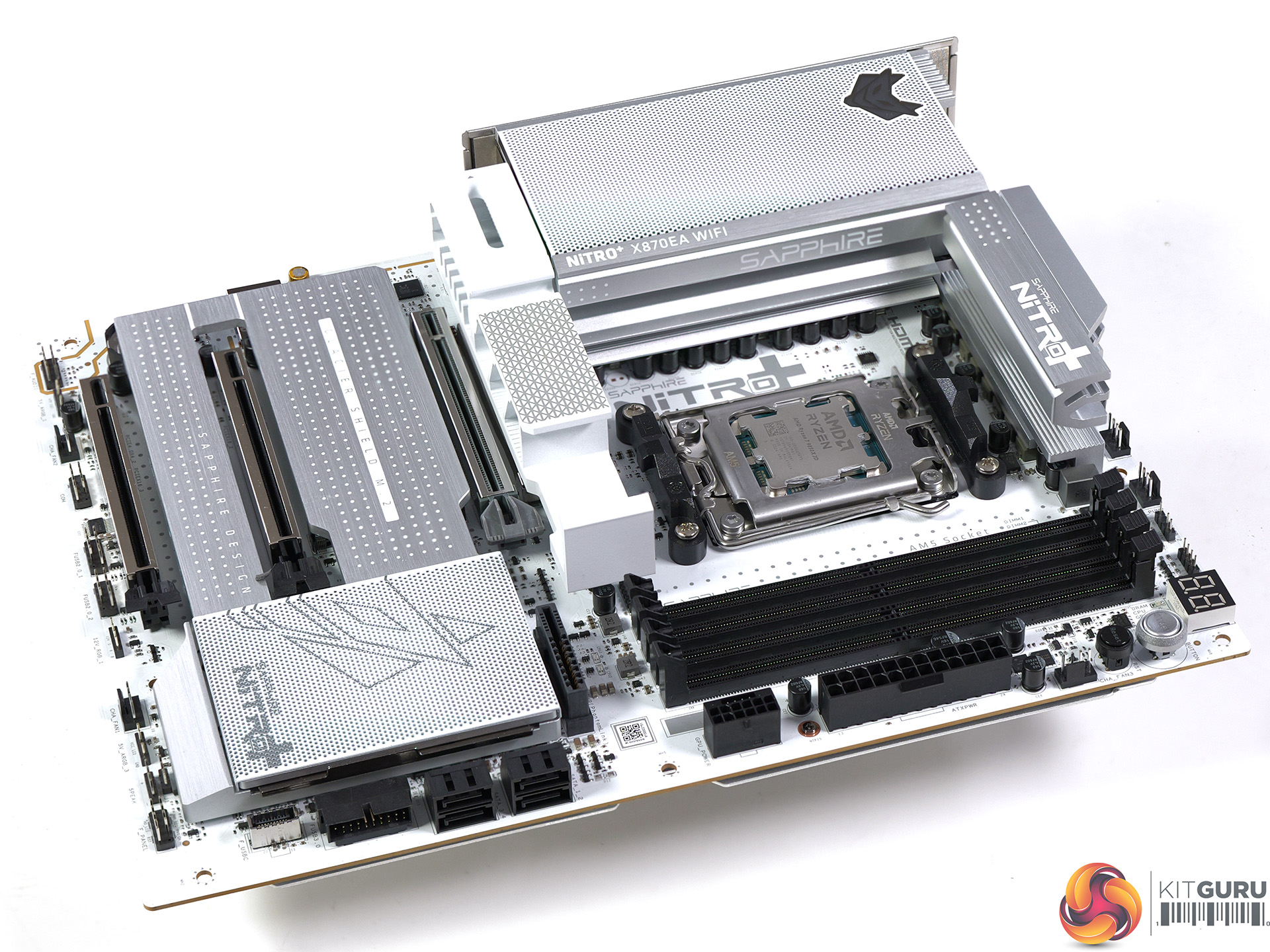
Sapphire Nitro+ X870EA PhantomLink Review

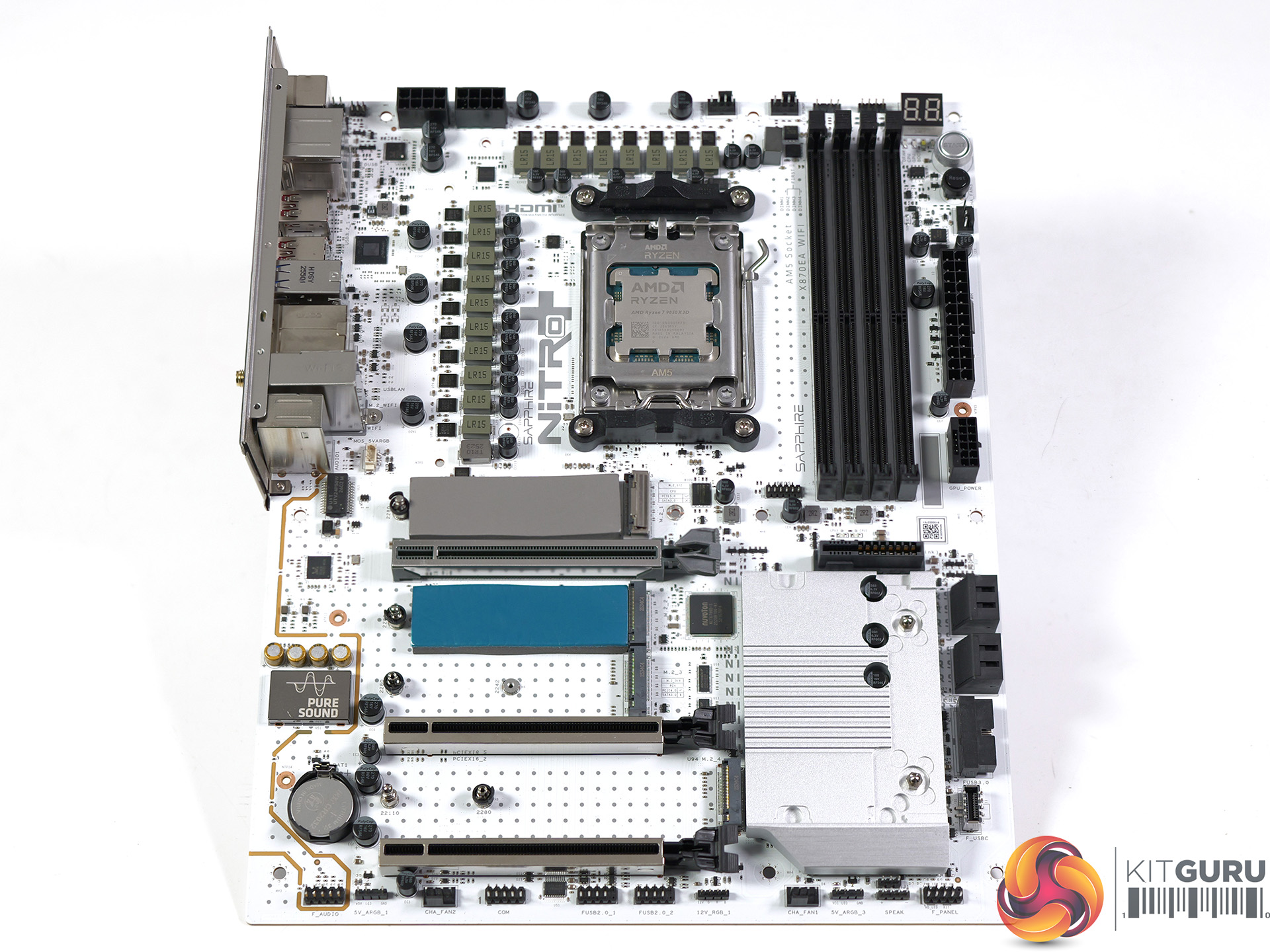
We saw the Sapphire Nitro+ X870EA PhantomLink motherboard along with its matching graphics card at Computex 2025, and it has taken almost a full year for review hardware to arrive. This is an implementation of the power system used in Asus BTF hidden connector graphics cards, except that here we have a Radeon 9070 XT rather than an RTX 5090. It might seem a bit odd but we have plenty to discuss…

Timestamps

00:00 Intro
00:44 Setting the scene – GPU power connectors
02:40 What is PhantomLink?
04:01 The motherboard package + specs
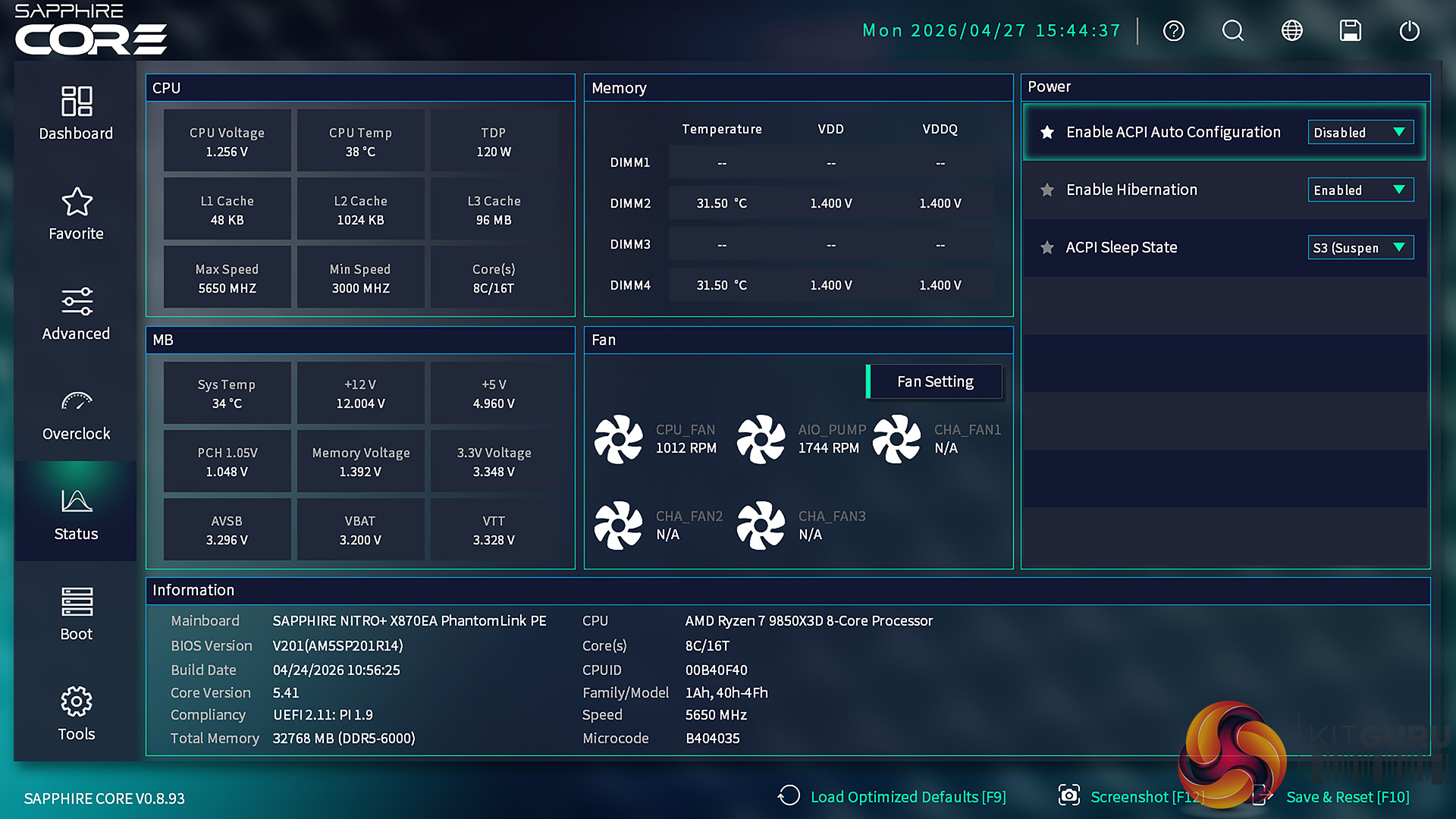
06:58 BIOS updates…
09:09 BIOS setup and options
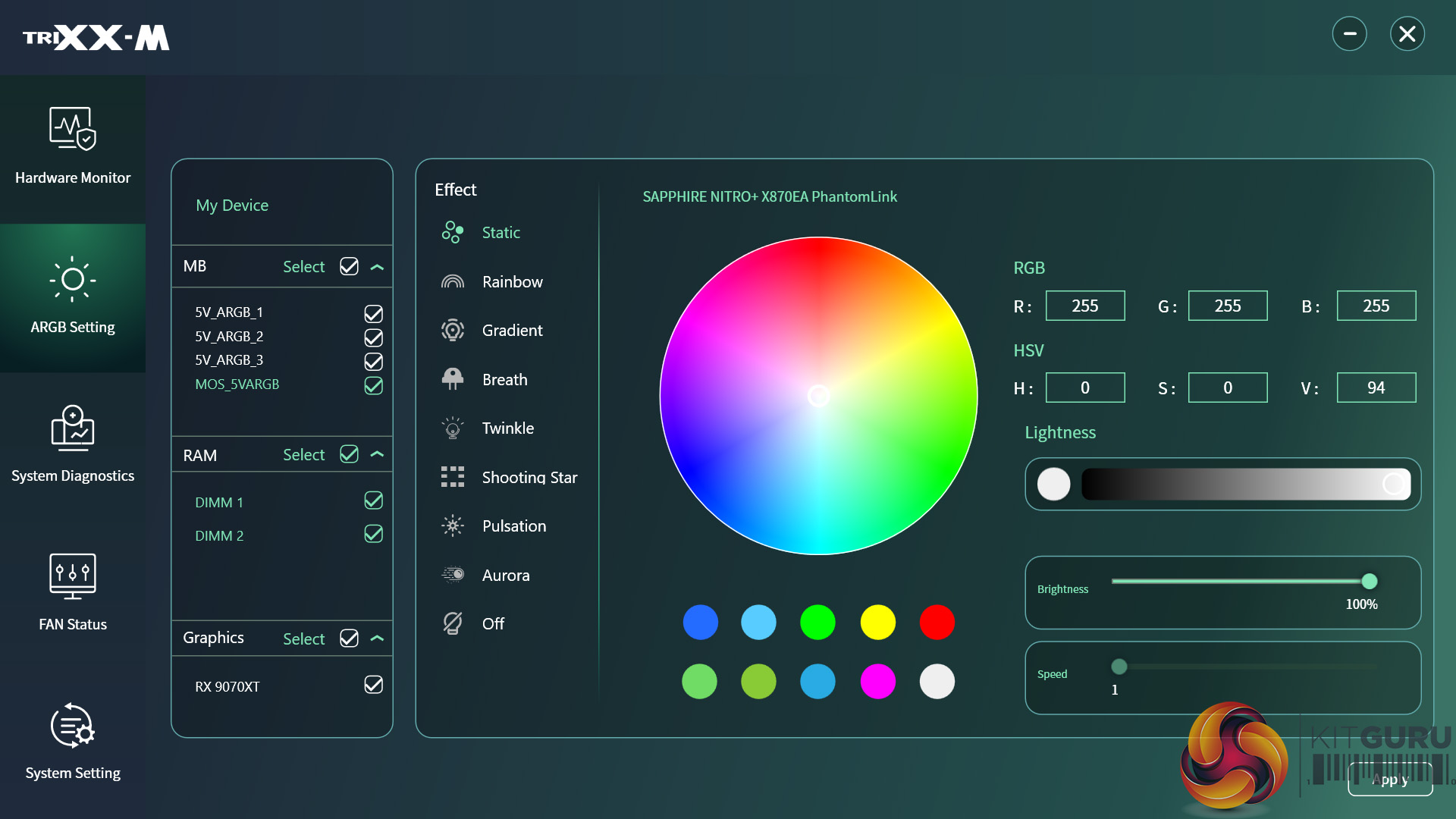
10:08 RGB control in TriXX-M
11:00 Performance testing
11:53 Leo’s closing thoughts
14:29 Pros and cons

Specification:

  • CPU support: AMD Socket AM5 for AMD Ryzen 9000 / 8000 / 7000 Series processors
  • Chipset: AMD X870E
  • VRMs: 16+2+1 phases, 90A Monolithic Power MPS2432; controller: Monolithic Power MPS2515
  • Memory: DDR5 up to 8400 (O.C.), 4x DIMM slots up to 256GB; dual-channel, non-ECC unbuffered DIMMs
  • Expansion slots: 1x PCIe 5.0 x16 (PhantomLink), 2x PCIe 4.0 x16 (x4 mode)
  • Storage: 2x M.2 PCIe 5.0 x4, 2x M.2 PCIe 4.0 x4, 4x SATA 6Gb/s
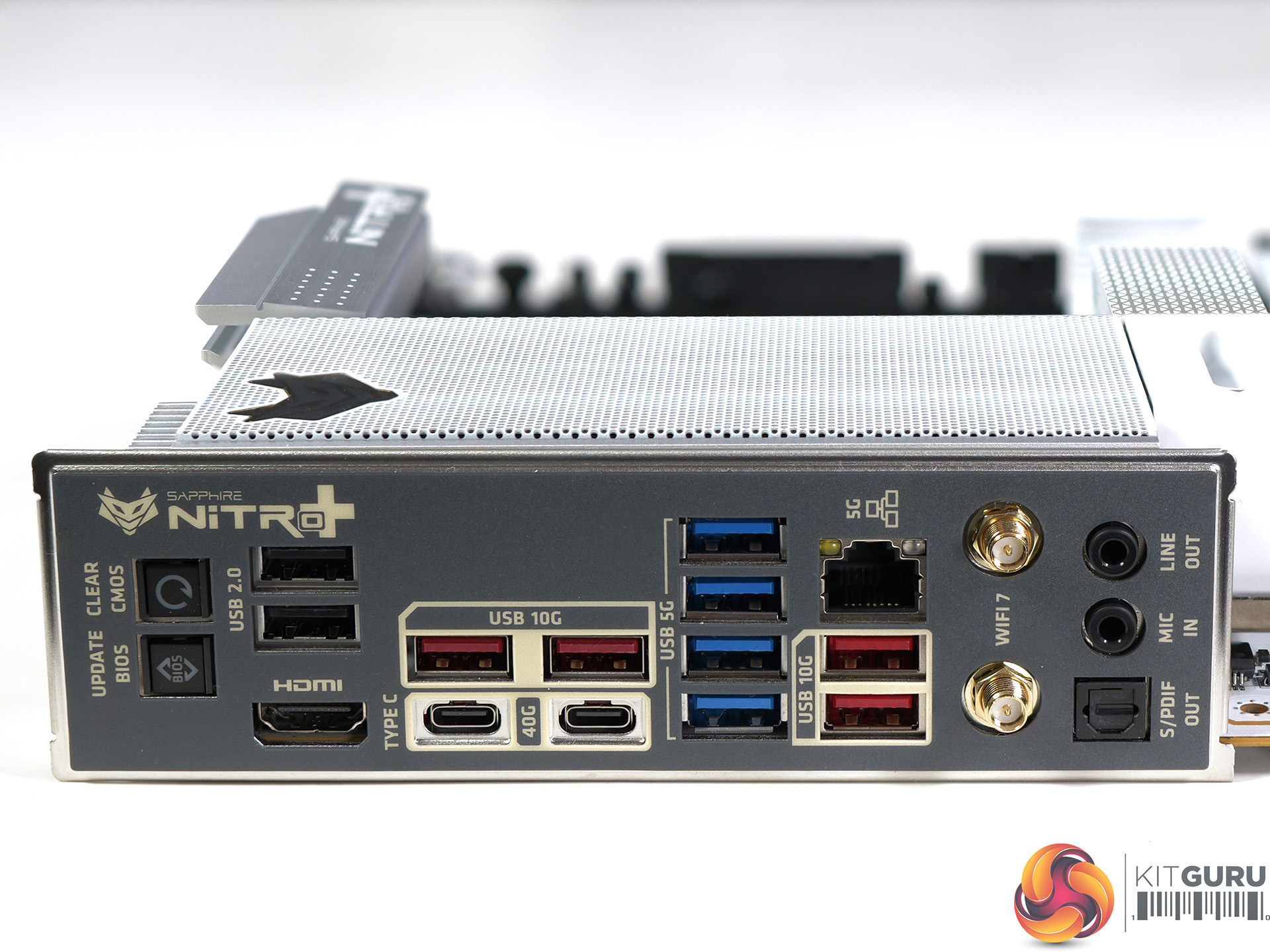
  • USB (rear): 2x USB4 Type-C (40Gbps), 4x USB 3.2 Gen2 Type-A (10Gbps), 4x USB 3.2 Gen1 Type-A (5Gbps), 2x USB 2.0 Type-A
  • USB (front): 1x USB 3.2 Gen2x2 Type-C (20Gbps, up to 30W PD), 2x USB 3.2 Gen1 Type-A (5Gbps), 4x USB 2.0 Type-A
  • Audio: Realtek ALC897 codec
  • Ethernet: Realtek RTL8126 5GbE
  • Wireless: Wi-Fi 7 and Bluetooth 5.4
  • Fan headers: 5x PWM fan headers
  • RGB headers: 3x ARGB headers, 2x RGB headers
  • BIOS: 64MB flash BIOS
  • PCB: 8-layer design
  • Form factor: ATX, 305 x 244 mm

Testing and Performance

Test system:

Processor: AMD Ryzen 7 9800X3D
Memory: 32GB G.Skill Trident Z5 Royal Neo DDR5-6000
CPU Cooler: Phanteks Glacier One 360MPH
Graphics card: MSI GeForce 4090 Ventus 3X 24GB
Power supply: Antec Signature 2200
SSD: 1TB Samsung 9100 Pro M.2 NVMe
OS: Windows 11

Geekbench 6 Multi Core

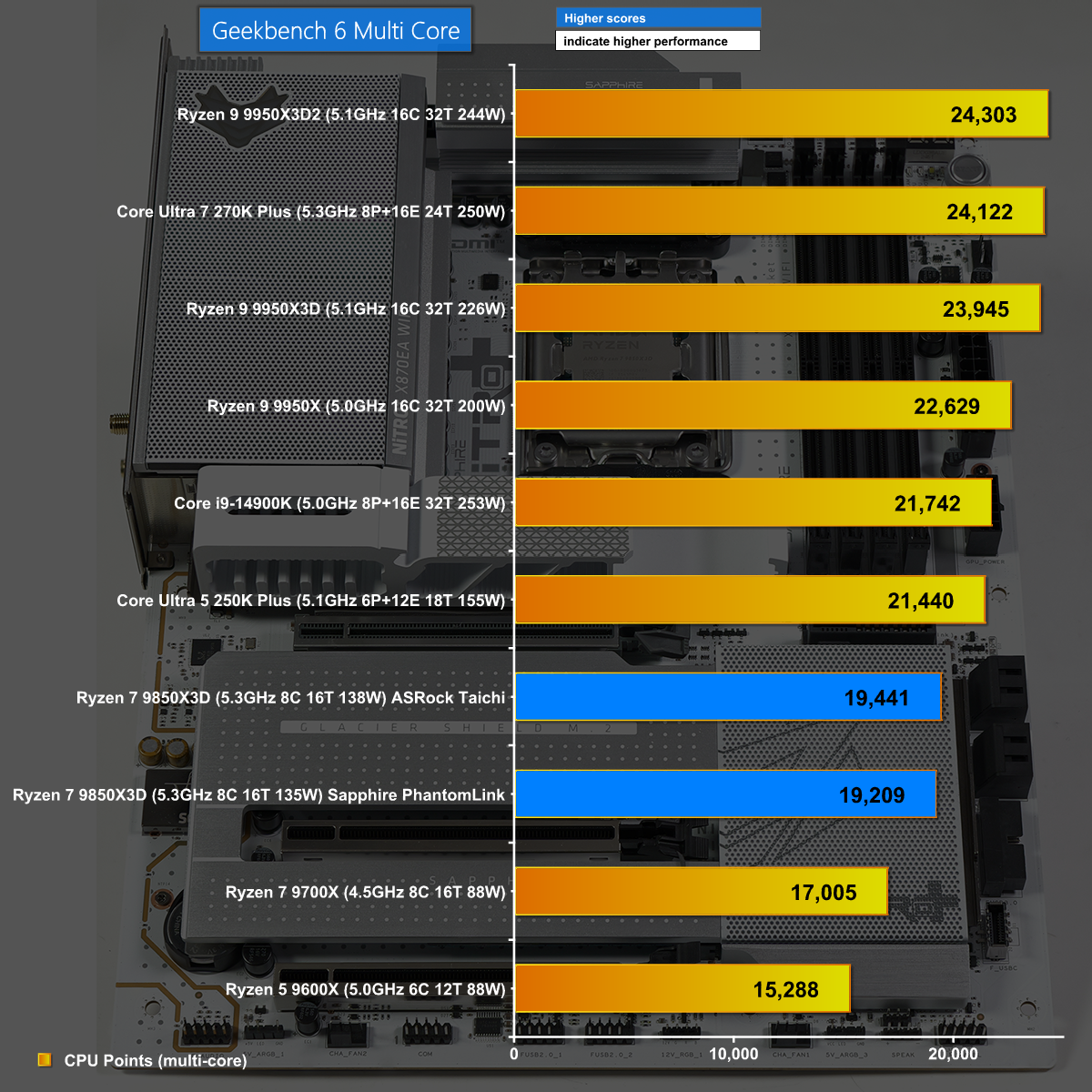
In Geekbench 6 Multi Core the Sapphire Nitro+ X870EA PhantomLink does a decent job and closely tracks the ASRock X870E Taichi.

Geekbench 6 Single Core

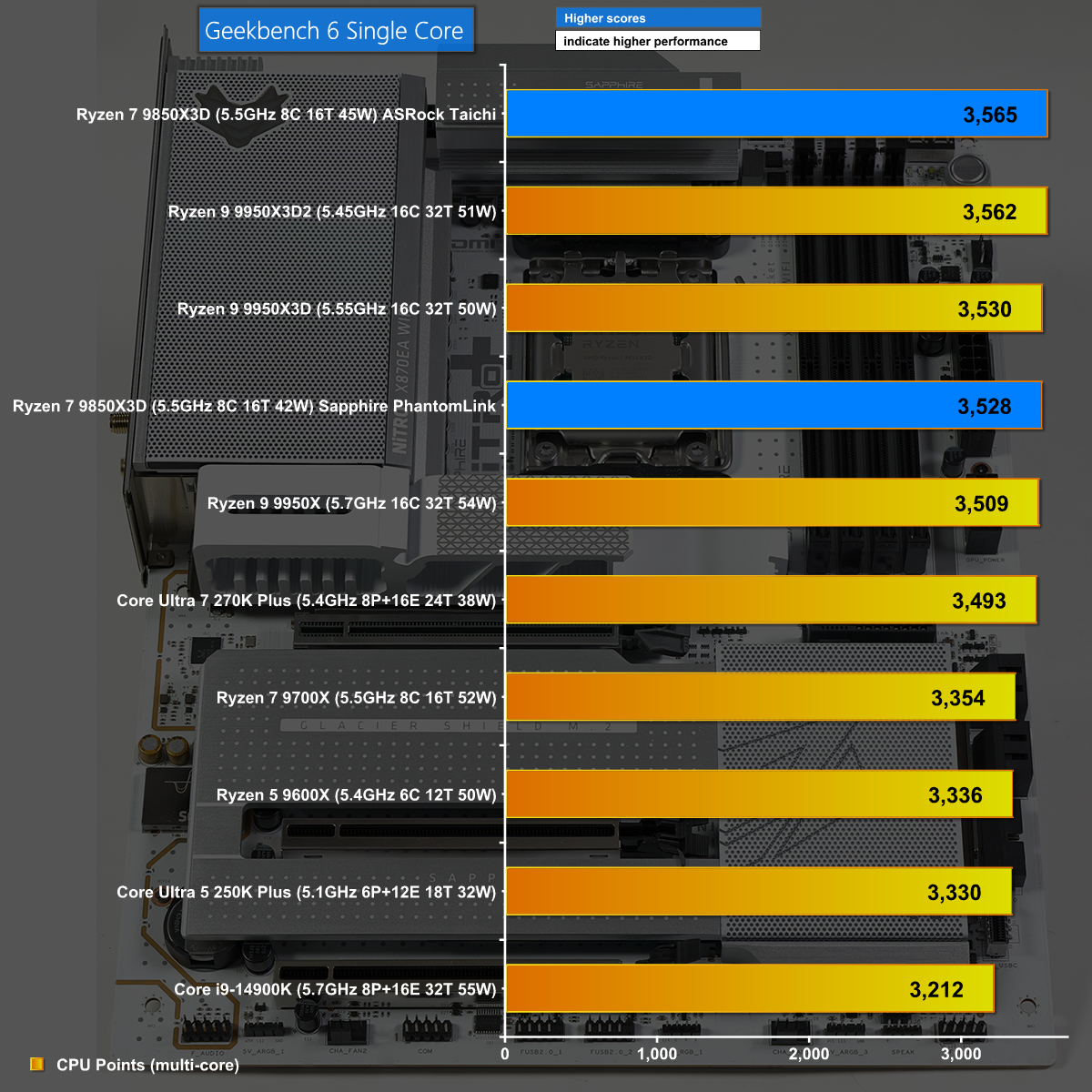
It is a similar story in Geekbench 6 Single Core where the Sapphire again does well and again lags behind by one percent.

Cinebench 2026 Multi Core

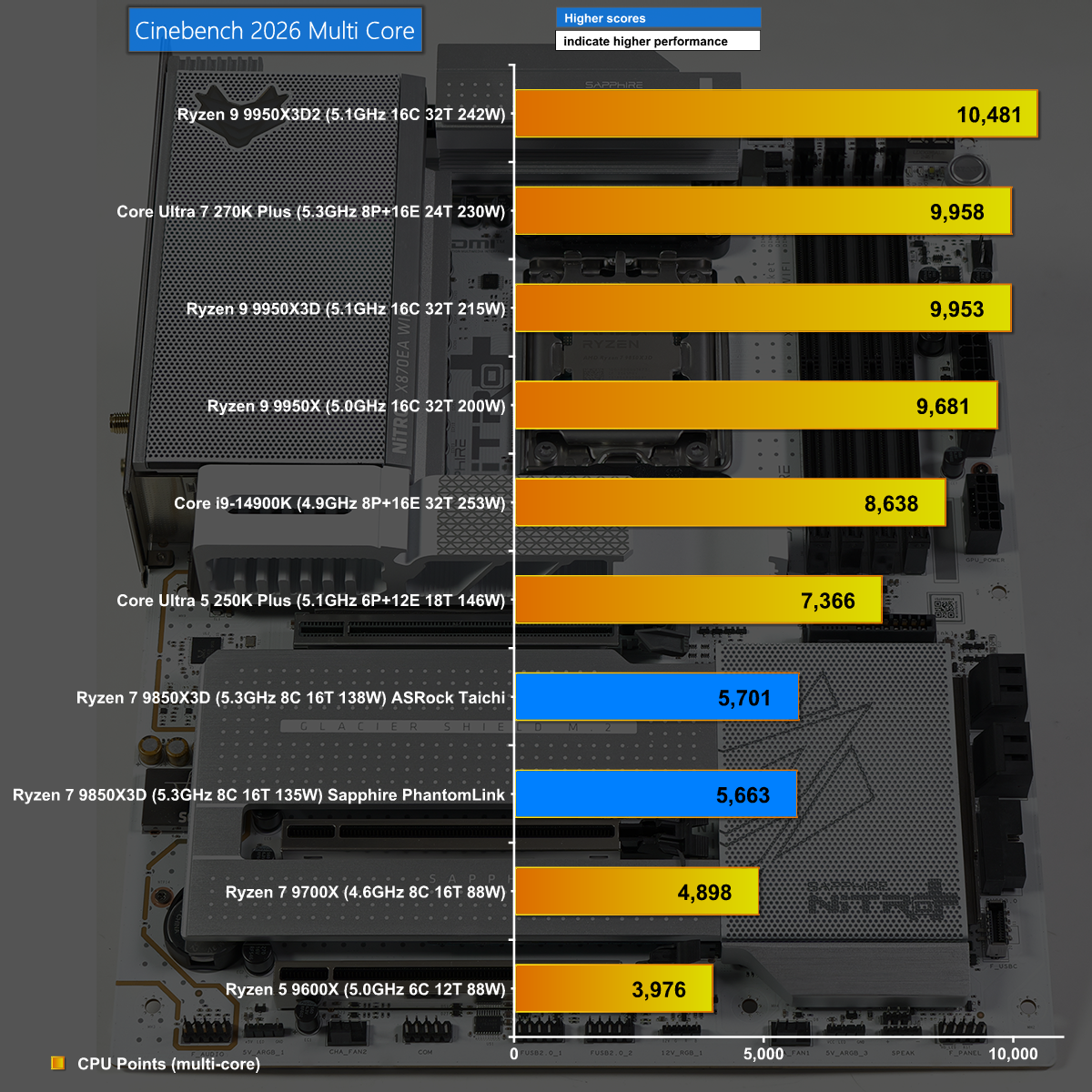
The results are very close in Cinebench 2026 Multi Core, confirming that Sapphire has done a good job with this motherboard.

Closing Thoughts

This is a review of the Sapphire Nitro+ X870EA PhantomLink Polar Edition motherboard, however it is impossible to separate the motherboard from its matching PhantomLink graphics card. One without the other makes no sense, and when you put the two together you have a very satisfying package.

Sapphire has used a combination of technologies to offer the cleanest power connection for an RX 9070 XT graphics card that we can possibly imagine. Asus used the same hidden power approach with its BTF 2.5 ROG Astral RTX 5090 BTF and ROG Crosshair X870E Hero BTF and they cost plenty. By contrast these Sapphire products are very much the budget option, however the extra technology still adds a premium to the price.

Sapphire sent us the following MSRPs:

Sapphire Nitro+ X870EA PhantomLink Polar Edition for £319.99 inc VAT.
Sapphire Nitro+ RX 9070 XT PhantomLink Polar Edition £879.99 inc VAT.

Pros:

  • The quality of the motherboard hardware is very sound.
  • PhantomLink is clever (but somewhat pointless)
  • Very user-friendly BIOS setup screen
  • 5Gbit Ethernet and WiFi 7 networking

Cons:

  • PhantomLink adds a hefty premium to both the motherboard and the graphics card
  • Logically the connectors should be on the back of the board
  • The accessory package is almost non-existent

KitGuru says: Sapphire PhantomLink is a clever idea that will likely appeal to a niche audience.

The post Sapphire Nitro+ X870EA PhantomLink Review first appeared on KitGuru.

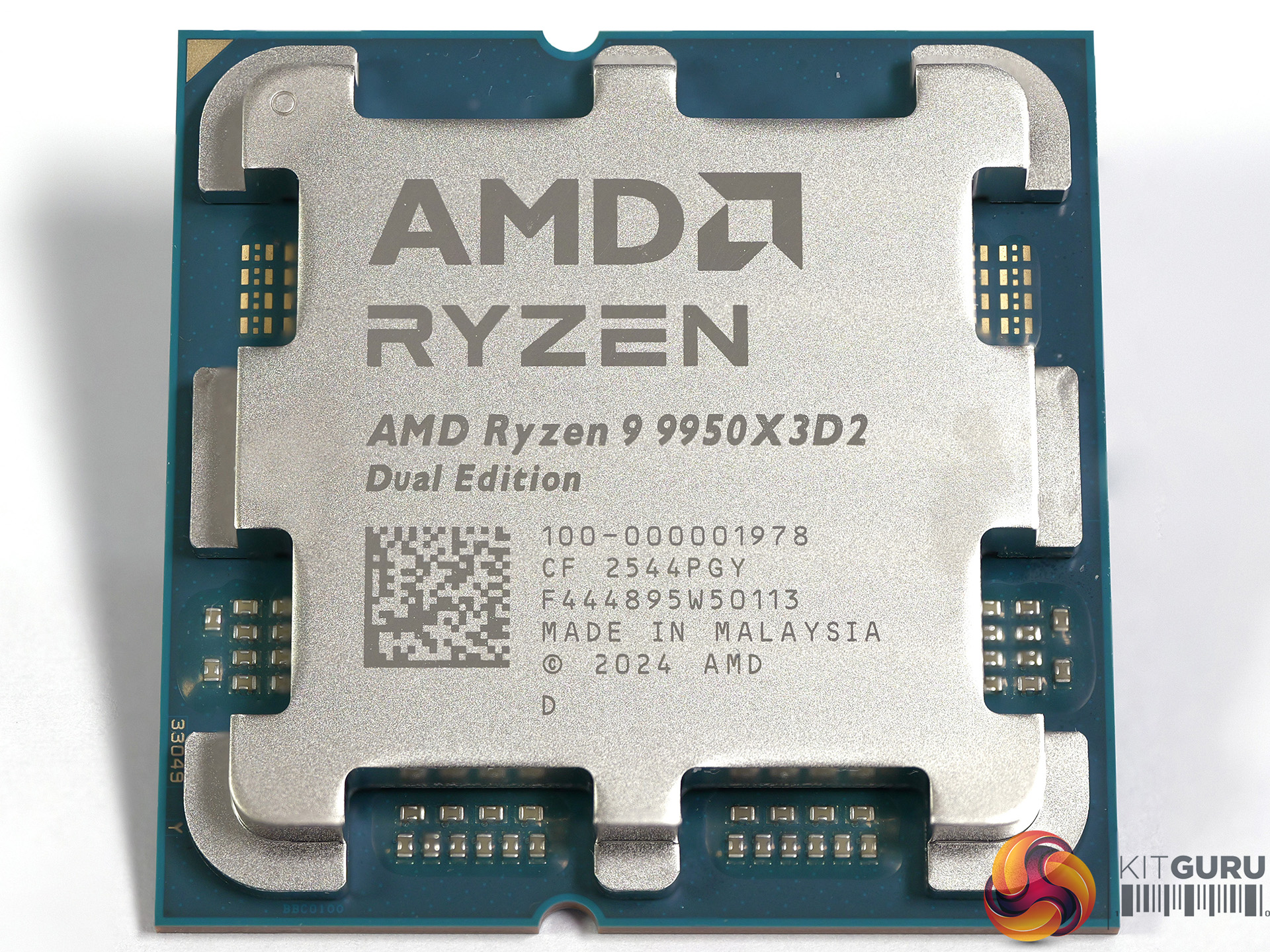
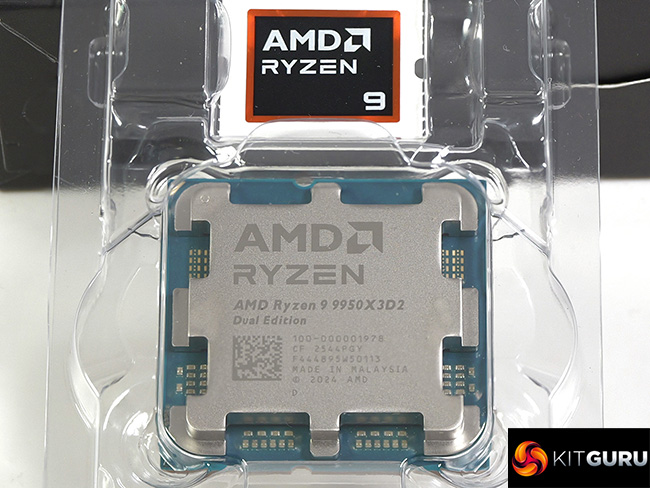
AMD Ryzen 9 9950X3D2 Dual Edition Review

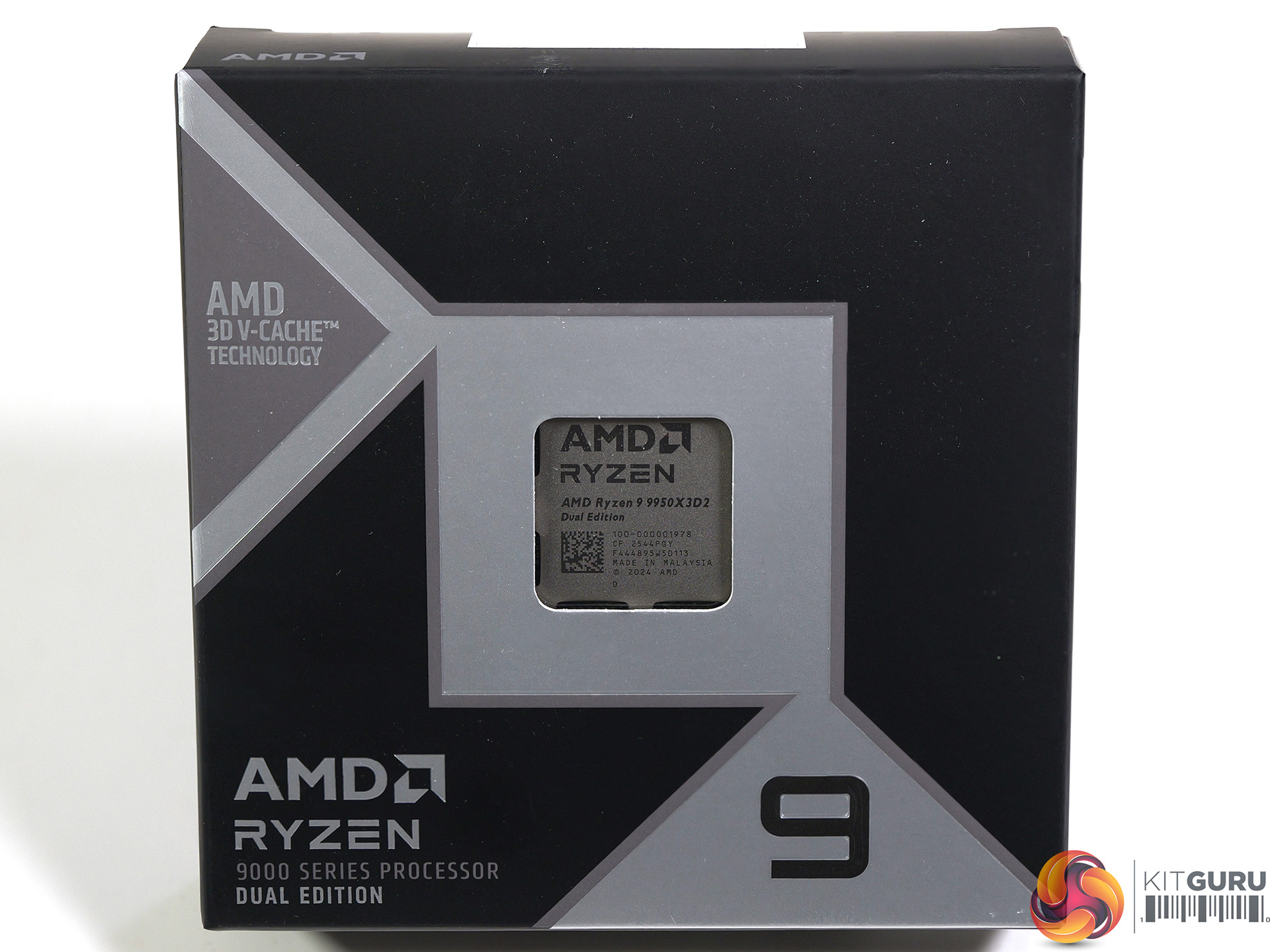
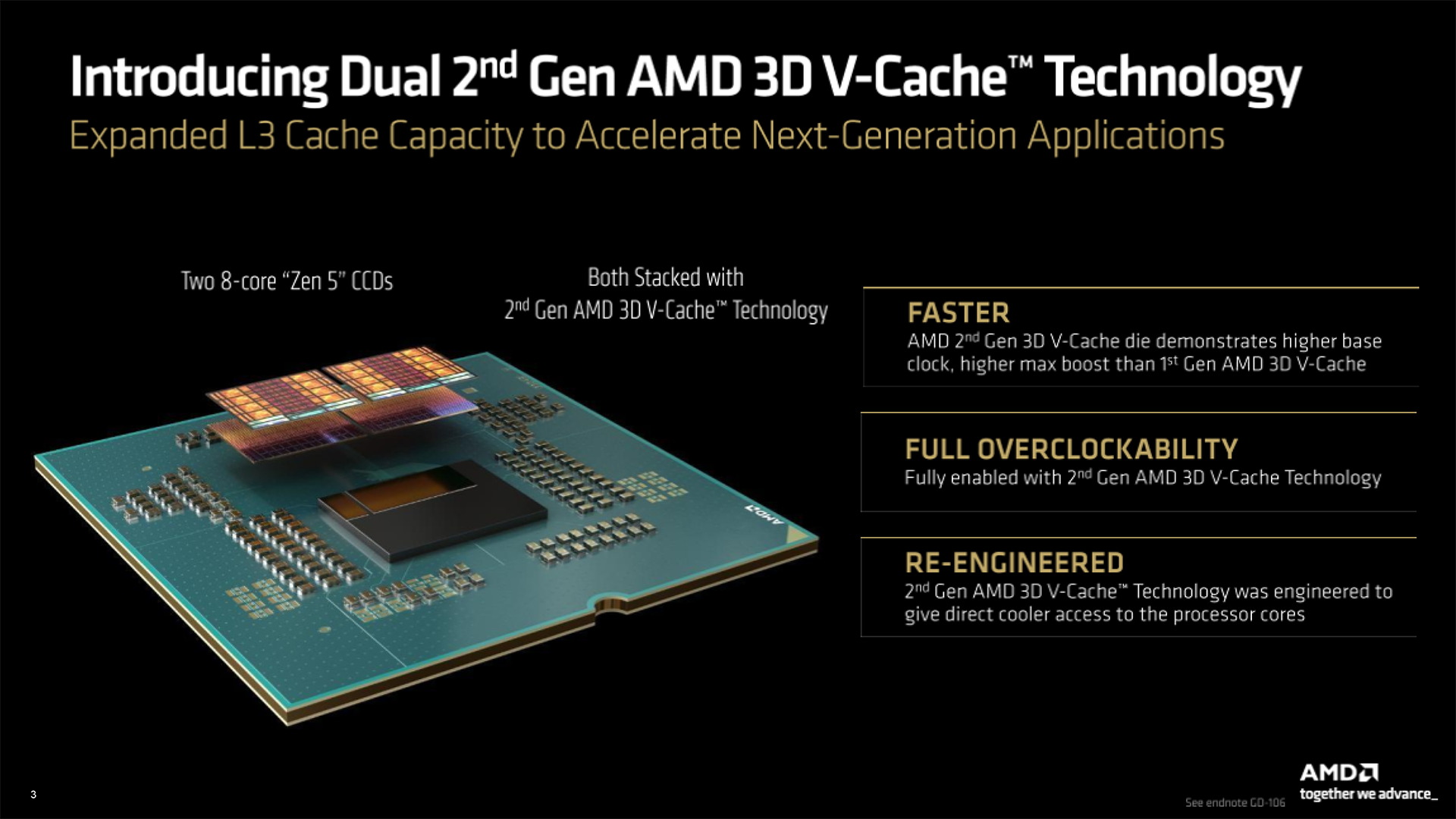
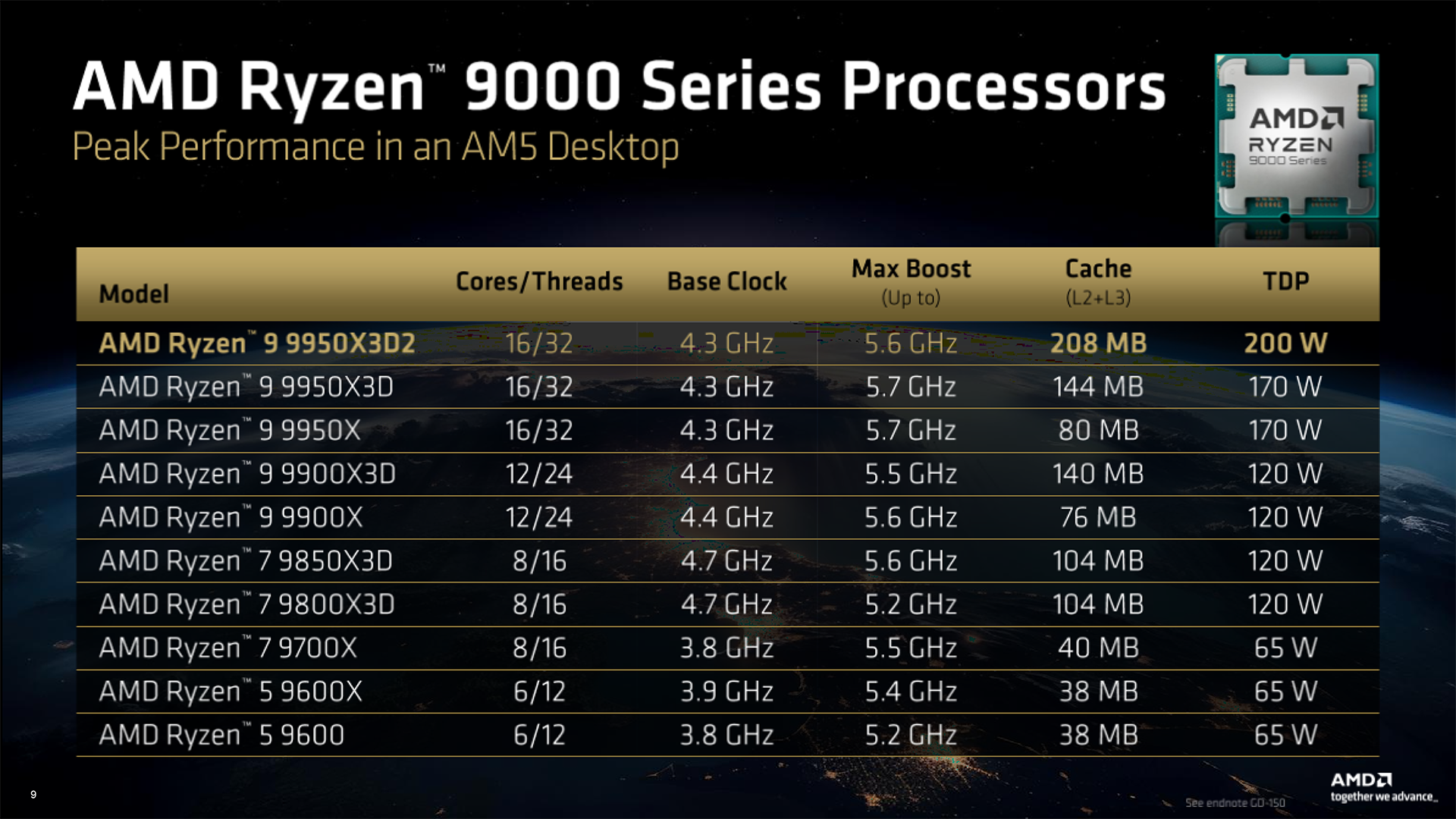
When AMD announced the Ryzen 9 9950X3D at CES 2025 we immediately demanded a version with 3D V-Cache on both chiplets, and we even suggested the name ‘Ryzen 9 Lisa Su Edition'. A full year later and we finally have the CPU that we wanted and it comes with a clanger of a name, ‘AMD Ryzen 9 9950X3D2 Dual Edition‘. Let's park that thought, dive into the silicon and see what AMD has created.

Timestamps

00:00 Intro
01:03 So what is the 9950X3D2?
02:44 Cinebench 2026 behaviour
04:03 Test bench
05:41 Cinebench benchmarks
07:05 Efficiency
08:09 Synthetic tests
09:38 Gaming performance
11:19 Pricing discussion
13:51 Leo’s pros and cons

Key features

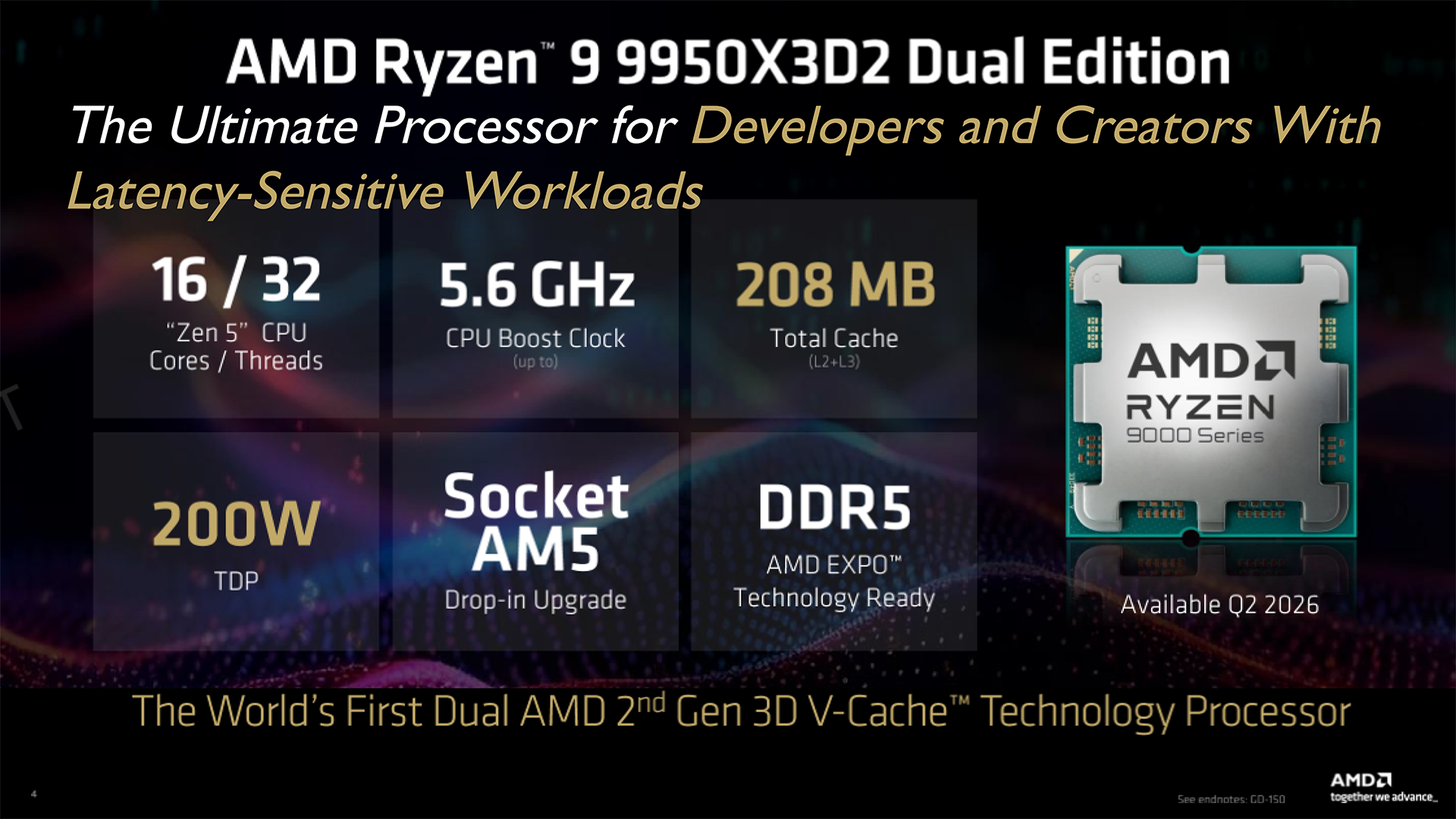
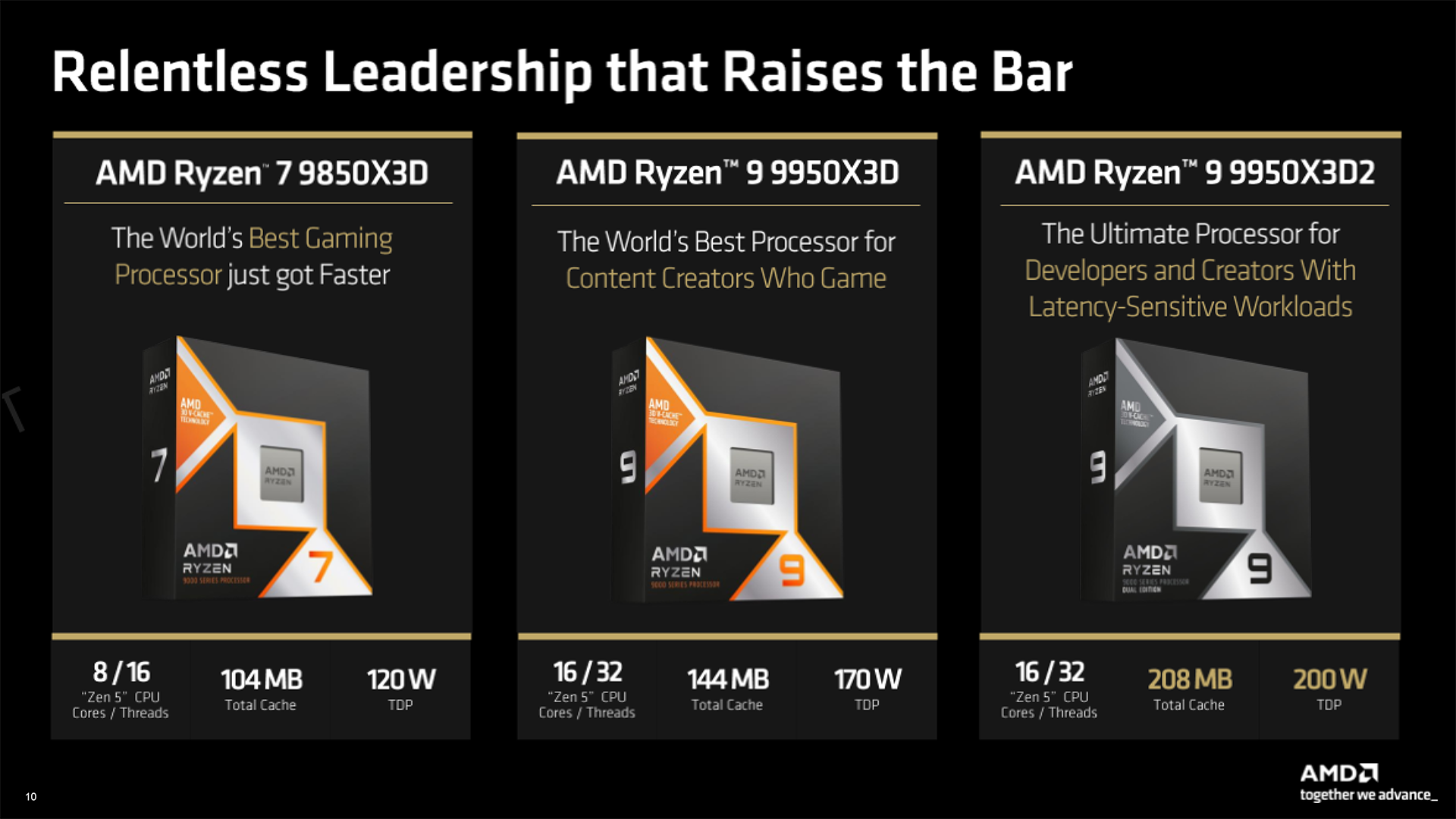
  • The AMD Ryzen 9 9950X3D2 is the Ultimate Processor for Developers and Creators With Latency-Sensitive Workloads
  • 7% Faster RENDER Average Performance in specific applications vs. Ryzen 9 9950X3D
  • Faster AI & Simulation Average Performance in specific applications vs. Ryzen 9 9950X3D
  • 3% Faster Productivity Average Performance in 10+ applications vs. Ryzen 9 9950X3D
  • Same Leading Gaming Performance Average FPS as the Ryzen 9 9950X3D

Testing and Performance

Test system

  • CPUs: AMD Ryzen 9 9950X3D2 Dual Edition, AMD Ryzen 9 9950X3D and AMD Ryzen 9 9950X
  • Motherboard: Gigabyte X870E Aorus Master X3D Ice
  • RAM: 32GB G.Skill Trident Z5 Neo RGB DDR5-6000 C28
  • Graphics Card: MSI RTX 4090 Ventus 3X 24GB
  • CPU cooler: Phanteks Glacier One 360D30
  • SSD: 1TB Samsung 9100 Pro
  • Power Supply: Antec Signature 2200

Geekbench 6 Multi Core

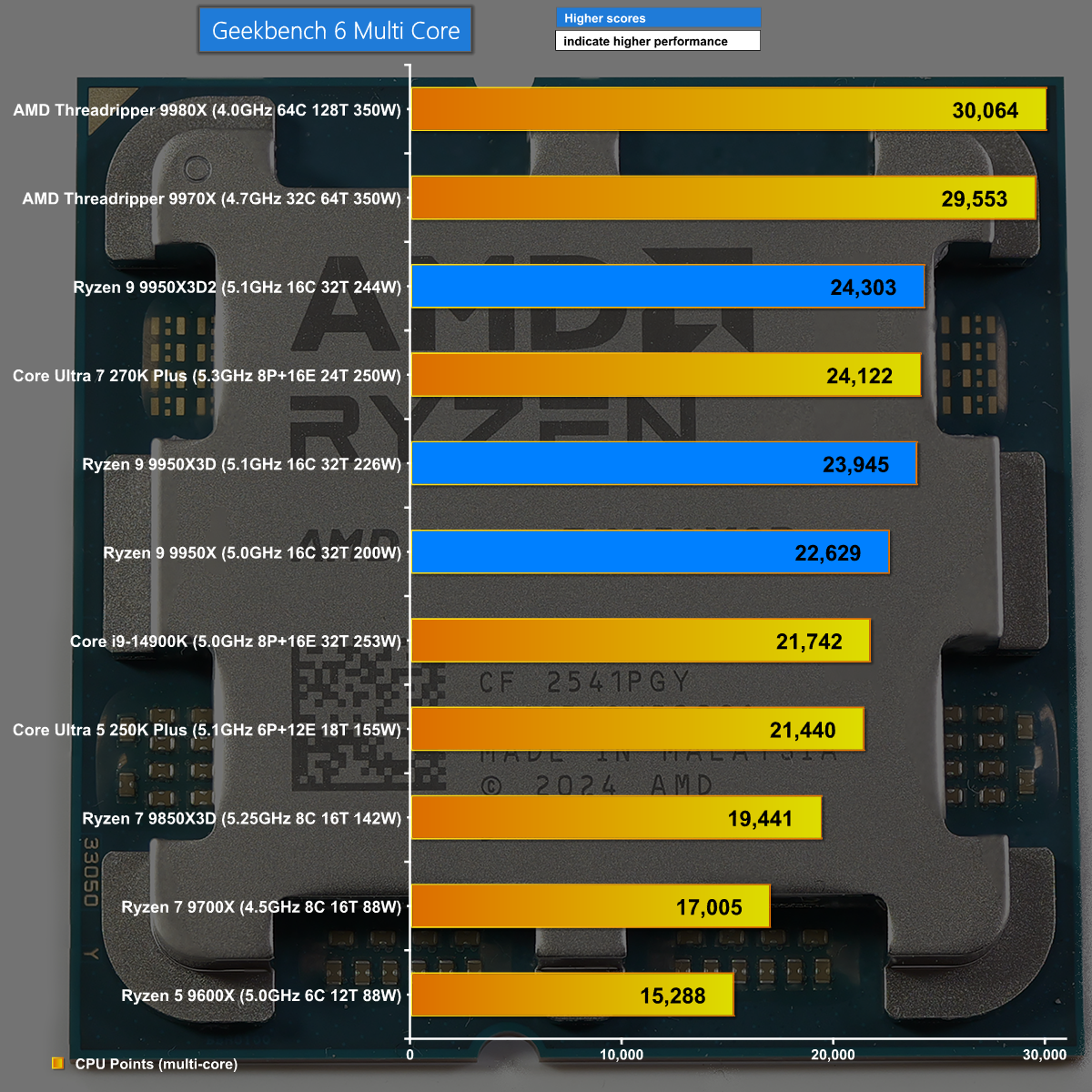
In Geekbench 6 Multi Core we see the mighty Threadrippers storm to the top of the chart. In third place – and the first of the regular desktop CPUs – it is the new Ryzen 9 9950X3D2 Dual Edition a small step ahead of the current Ryzen 9 9950X3D.

Blender 5.1 Splash Render

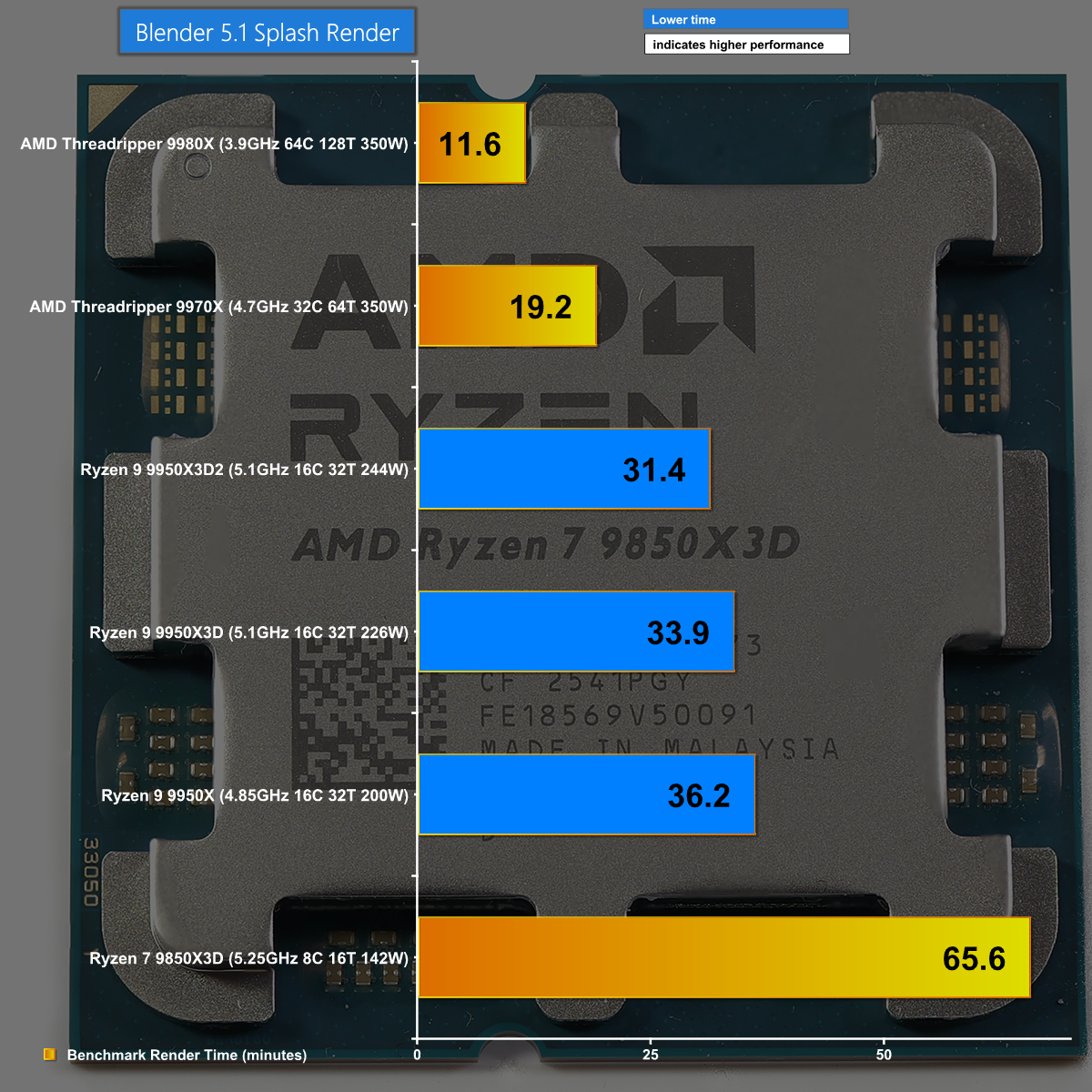
The Blender 5.1 Splash Render test is an intense workload that runs for over an hour on the Ryzen 7 9850X3D and still takes 11 minutes on the 64-core Threadripper 9980X. This test shows clear separation between the three Ryzen 9 9950 CPUs with the 9950X3D2 coming out on top.

SPECworkstation 4

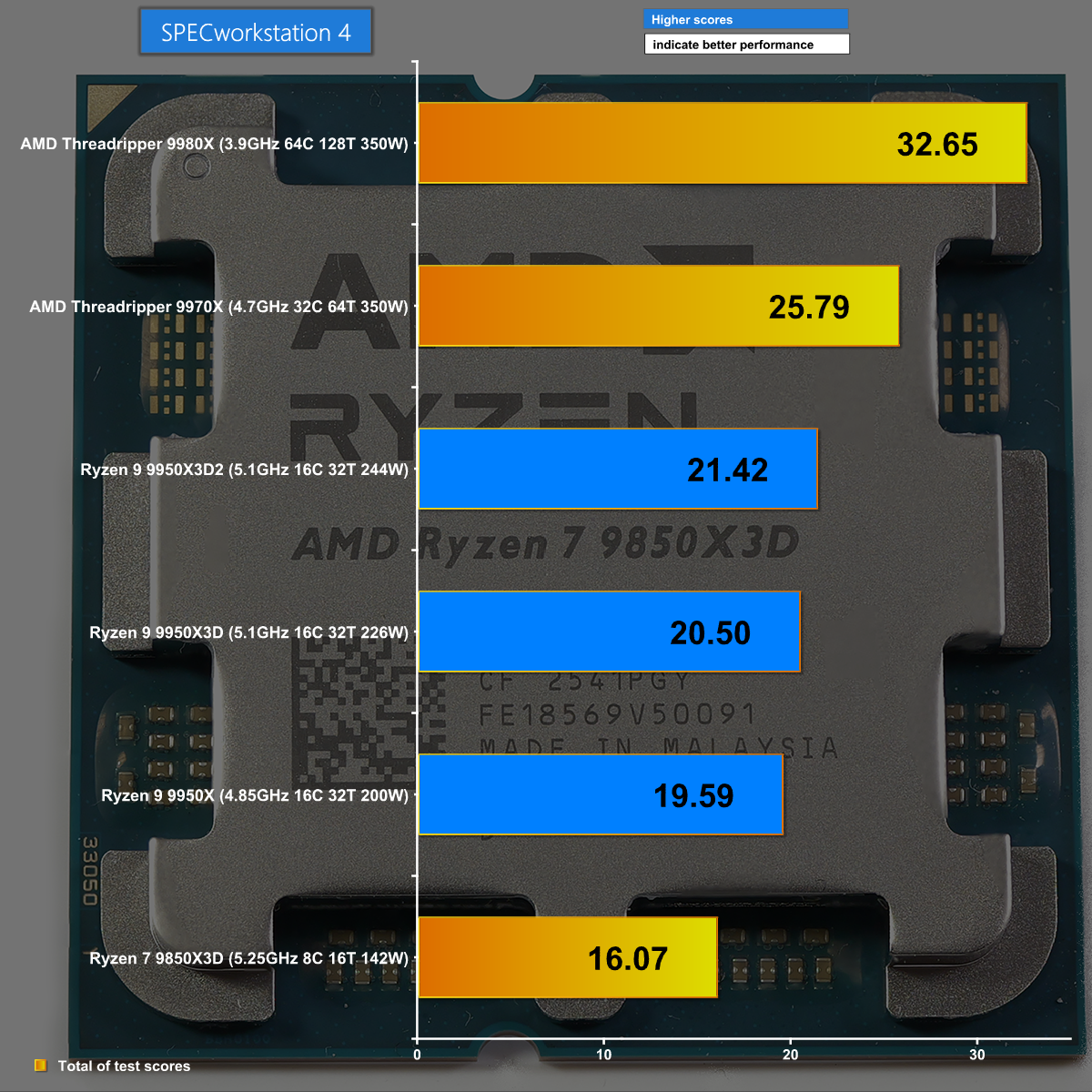
SPECworkstation 4 runs a package of 23 benchmark tests and once again we see a healthy improvement from the new Ryzen 9 9950X3D2 Dual Edition over the existing 9950X3D.

Closing Thoughts

Adding a second extra slab of 3D V-Cache to the Ryzen 9 9950X3D to create the Ryzen 9 9950X3D2 Dual Edition looks like an easy win, however things are not as straightforward as they first appear.

AMD rolled the pitch ahead of the launch of the Dual Edition and made it clear that gamers should expect very little from this processor as the second core chiplet plays a minor part in the proceedings. That is fair enough but we had high hopes that content creators would be well served by the extra 3D V-Cache, however this turned out to be rather unpredictable.

The end result is a new processor that reliably delivers higher performance thanks to its increased power draw. The Dual Edition might also deliver extra performance, depending on the specific software you are using, but that is very much a case of trial and error.

When the stars align and the processor runs suitable software it can deliver blazing performance while also delivering an impressive gaming experience, but this is certain to require extra power along with a good deal of cost.

You can buy the AMD Ryzen 9 9950X3D2 Dual Edition for £799.99 inc VAT from OCUK HERE.

Pros:

  • Impressive all-round performance.
  • Drop-in replacement for any modern AM5 motherboard.
  • DDR5-6000 memory works well with 3D CPUs.

Cons:

  • Very expensive.
  • Increased power draw is disappointing to see.
  • Finding latency-sensitive workloads that benefit from 3D V-cache is tricky.

KitGuru says: We have waited a year for the AMD Ryzen 9 9950X3D2 Dual Edition and have to confess we are disappointed by the end result.

The post AMD Ryzen 9 9950X3D2 Dual Edition Review first appeared on KitGuru.

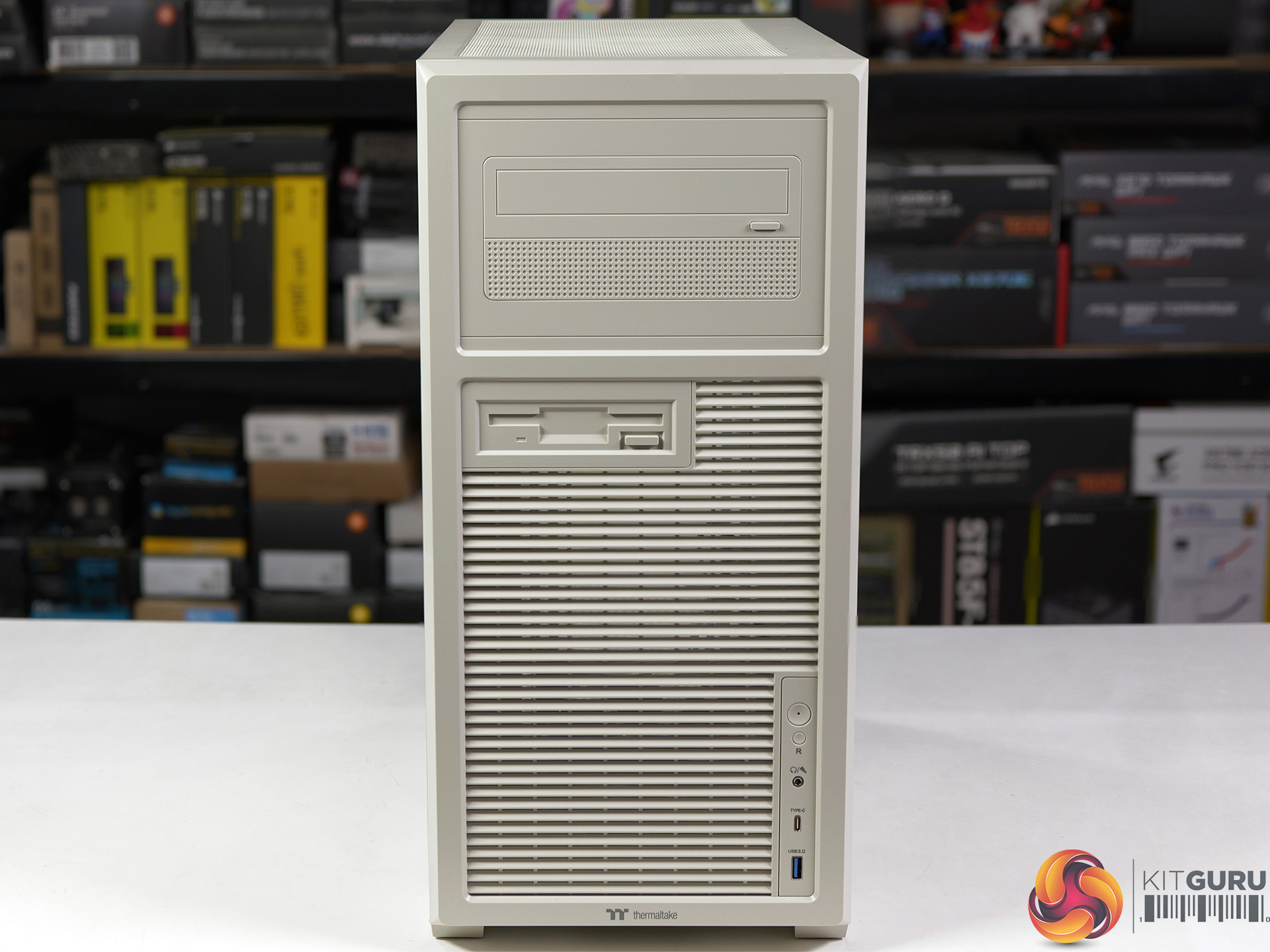
Thermaltake Retro 360 TG Case Review

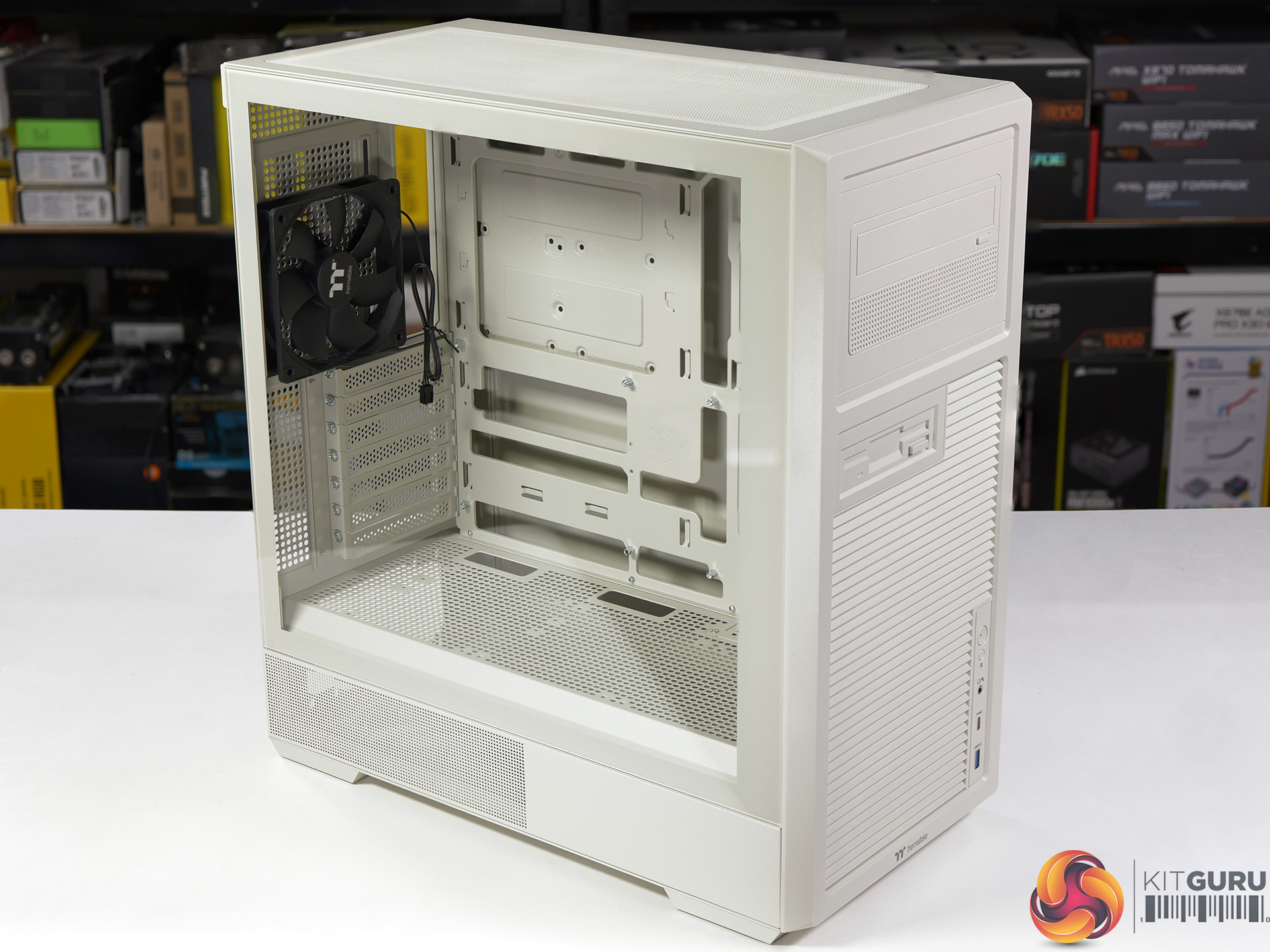
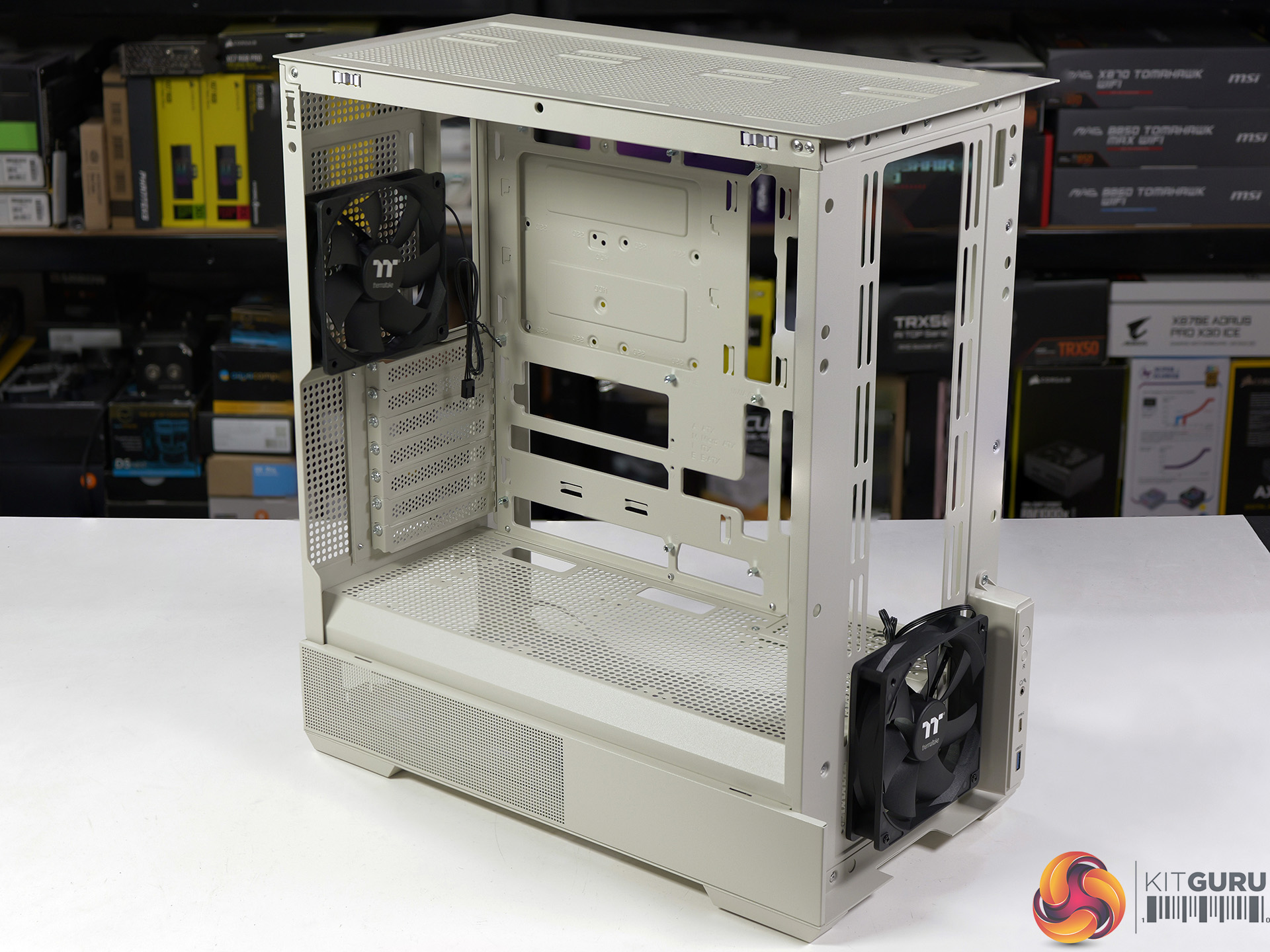
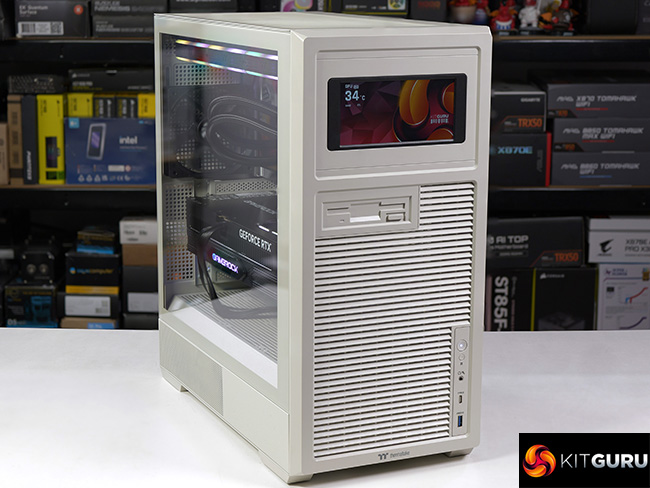
Here at KitGuru we appreciate cases that are slightly different – perhaps with wood panels, or the cooler mounted in an unusual location – and the Thermaltake Retro 360 TG looks like it might offer us a bit of fun. On the one hand the front panel gives the impression this case dates from 1990, but on the other hand you look through the huge glass panel and see a conventional budget case that accommodates a 360mm liquid cooler in the roof or the side.

Timestamps:

00:00 Start
00:48 Retro?
01:37 Removing panels / Fans
03:12 Installing hardware
06:14 Cabling and CPU Cooler
07:04 RGB and Lighting
07:21 Testing the case
09:29 Closing Thoughts

Main features

  • Retro 360 TG Mid Tower Chassis: The Retro 360 TG Mid Tower Chassis is an ATX case featuring a retro-style front panel and a tempered glass side panel, and supports up to a 360mm AIO for maximum cooling efficiency. An optional 6” LCD Screen Kit is available for enhanced visuals. Up to twelve 120mm fans, and it supports up to 360mm radiator at the top, providing flexible options for cooling solutions.
  • Visually Pleasing, Totally Interactive: Maximize your Retro 360 TG Mid Tower Chassis visual effects by upgrading it with our LCD Screen Kit.
    The 6” LCD Display allows you to monitor real-time information and upload any images or GIFs to add extra flair using the latest TT RGB Plus software.
  • Good Dust Protection: Removable dust filters help keep your system clean while maintaining optimal airflow.
  • Storage: The drive plate supports one 3.5” HDD plus one 2.5” SSD or two 2.5” SSDs.

Specification:

  • Motherboard support: ATX, Micro-ATX, Mini-ITX (supports hidden connection).
  • Power supply support: ATX.
  • Expansion slots: 7.
  • Included fans: 1x 120mm 1,400rpm front intake, 1x 120mm 1,400rpm rear exhaust (DC not PWM)
  • Fan mounts: 2x 120mm/140mm front, 3x 120mm/2x 140mm roof, 1x 120mm rear, 3x 120mm side, 3x 120mm PSU shroud.
  • Radiator mounts: 240mm/280mm roof, 120mm rear, 360mm side.
  • 5.25-inch optical drive bays: None.
  • Internal drive bays: 1x 3.5-inch/2.5-inch, 1x 2.5-inch.
  • Front I/O ports: 1x USB 3.0 Type-A, 1x USB 3.2 Gen 2 Type-C, audio.
  • Dimensions: 493mm H x 459mm D x 235mm W.

Testing

To put this case through its cooling paces we will be using a test system consisting of an AMD Ryzen 7 9850X3D, Palit RTX 5080 and an SSD. This system allows us to produce a substantial amount of heat and effectively test the Thermaltake Retro 360 TG‘s cooling capabilities.

Test System:

  • Processor: AMD Ryzen 7 9850X3D
  • CPU Cooler: Thermaltake MAGFloe 360 Ultra ARGB Sync
  • Motherboard: MSI MAG X870E Tomahawk Max WiFi PZ
  • Memory: 32GB Thermaltake ToughRAM XG RGB D5 DDR5-6000
  • Graphics card: Palit GeForce RTX 5080 Gamerock OC 16GB
  • Case fans: Thermaltake ToughFan EX 120 ARGB Sync
  • Power supply: Thermaltake ToughPower GT 1200W Gold
  • SSD: Crucial T700 Gen 5 M.2 NVMe
  • OS: Windows 11

Cooling Performance

Cooling Performance Overview

The Thermaltake Retro 360 TG does a reasonable job cooling our test PC, however it would be stretching a point to claim the airflow is impressive. We suggest you either build a mid-range PC inside the Retro 360 TG or, if you must go high end, budget for plenty of extra cooling hardware.

Closing Thoughts

We like the looks of the Thermaltake Retro 360 TG and consider the retro front panel as a bit of fun in a world of PC cases that emphasise mesh and glass.

On the other hand the front panel is quite restrictive when it comes to airflow and the case doesn't support any 5.25-inch external drive bays. In other words, the Thermaltake looks retro at the front but this appearance is only skin deep, and even that look vanishes when you install the accessory LCD screen.

When you turn to the main compartment the Retro 360 TG doesn't look the least bit retro, and it is plain this is a conventional ATX case with a clear glass panel that shows off any RGB lighting you might choose to install. As you will see in our video we used a total of eight 120mm RGB fans and thought it looked pretty darned good.

You can buy the Thermaltake Retro 360 TG for £79.99 HERE.

Pros:

  • Fun retro styling.
  • Low price.
  • Decent amount of room for your ATX gaming PC.

Cons:

  • No optical drive bays.
  • The included case fans are DC and not PWM.
  • Panels are all riveted and fixed in place.

KitGuru says: We applaud Thermaltake for delivering the Retro 360 TG at a low price.

The post Thermaltake Retro 360 TG Case Review first appeared on KitGuru.

ASUS Pro WS W890-SAGE Review (w/ Xeon 696X!)

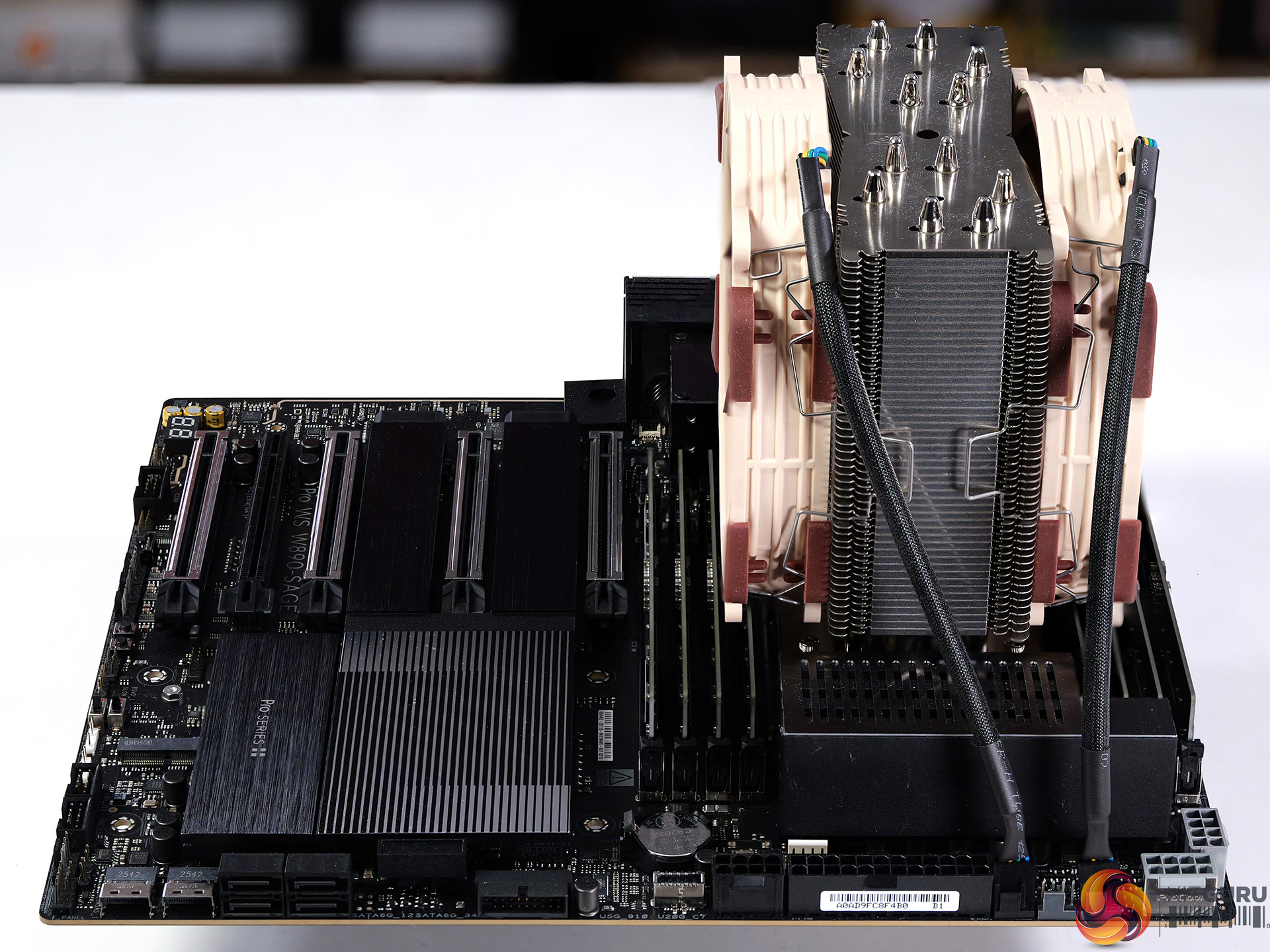
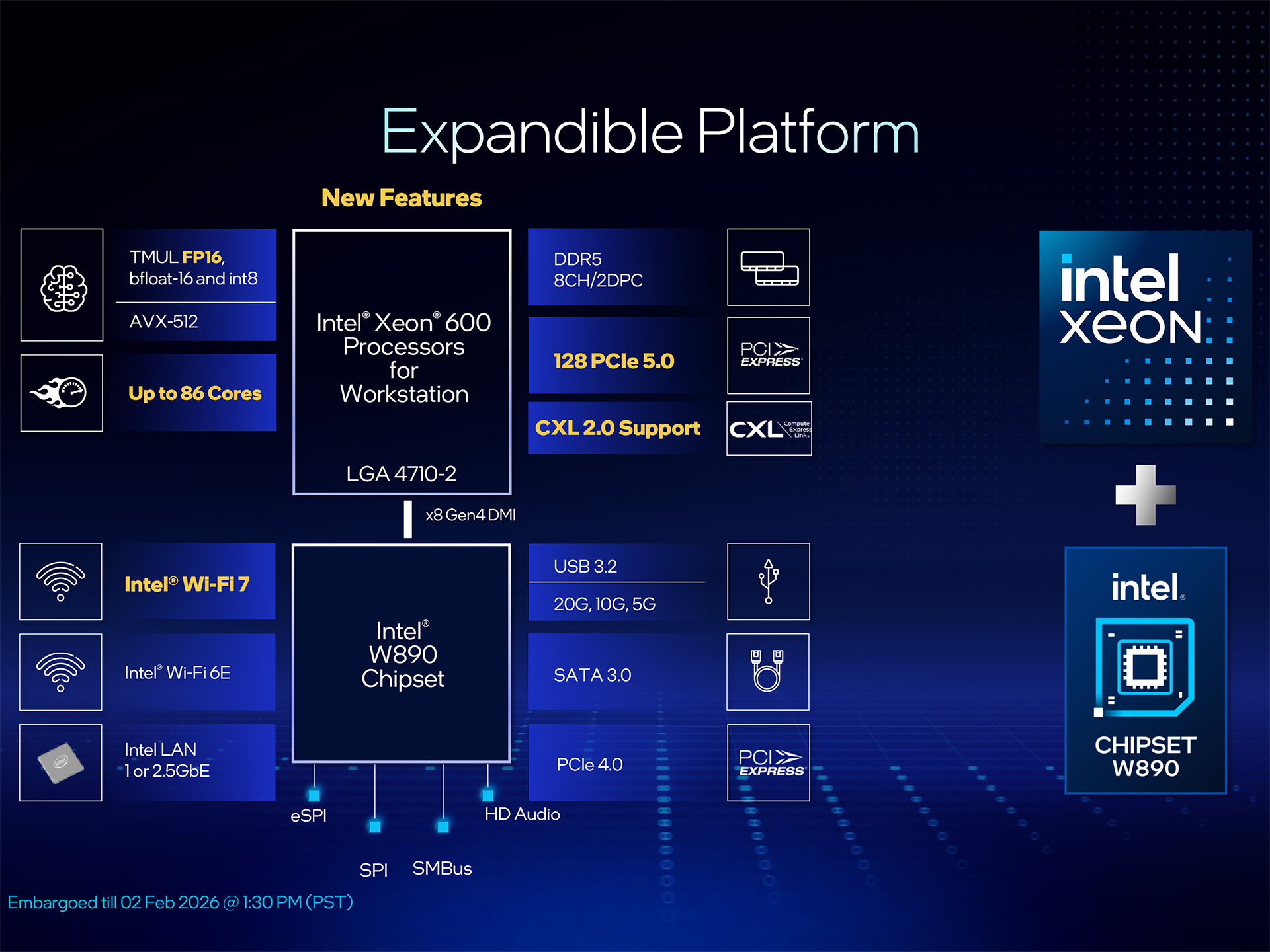
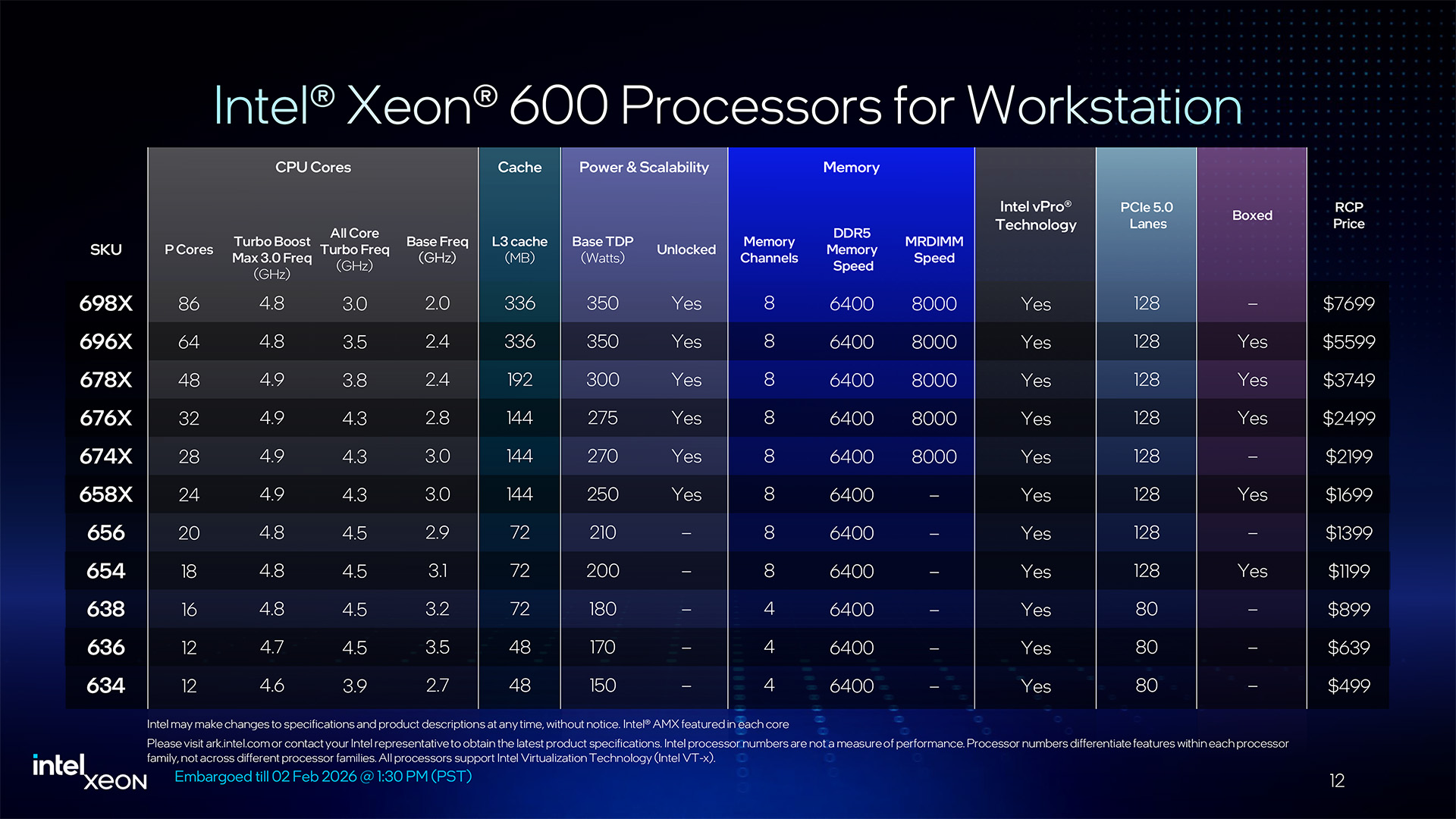
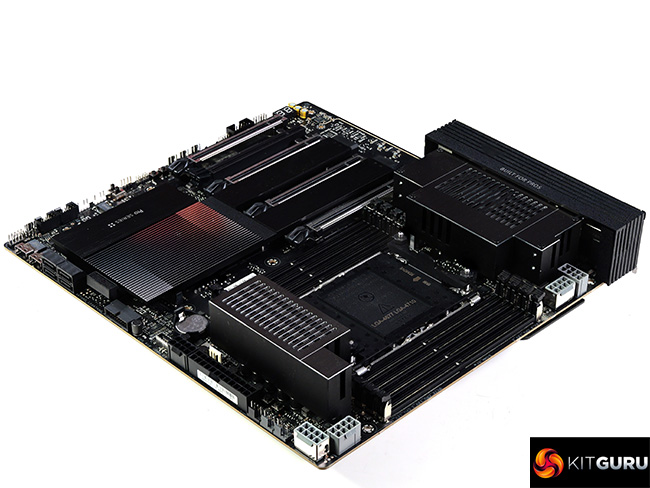
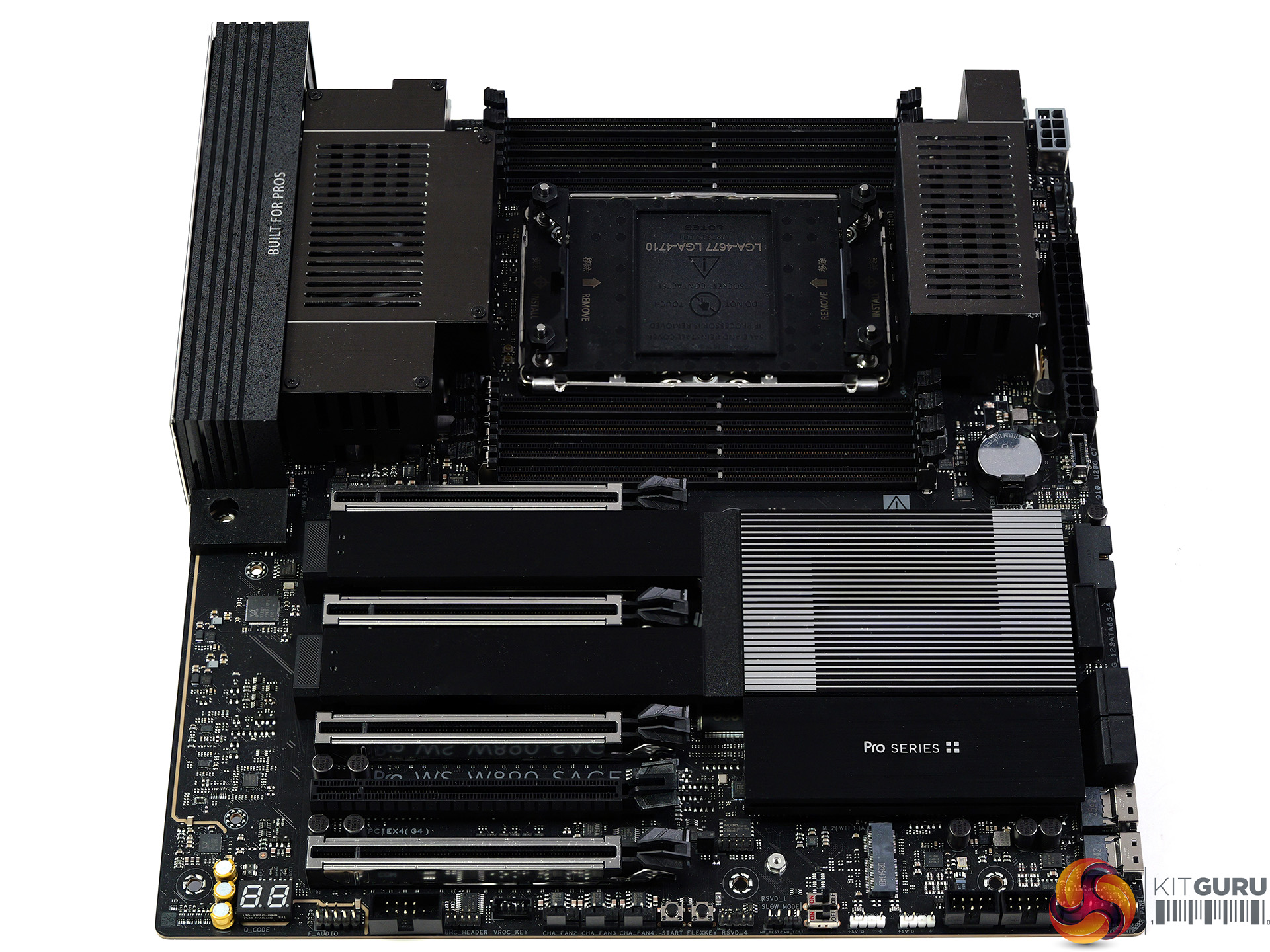
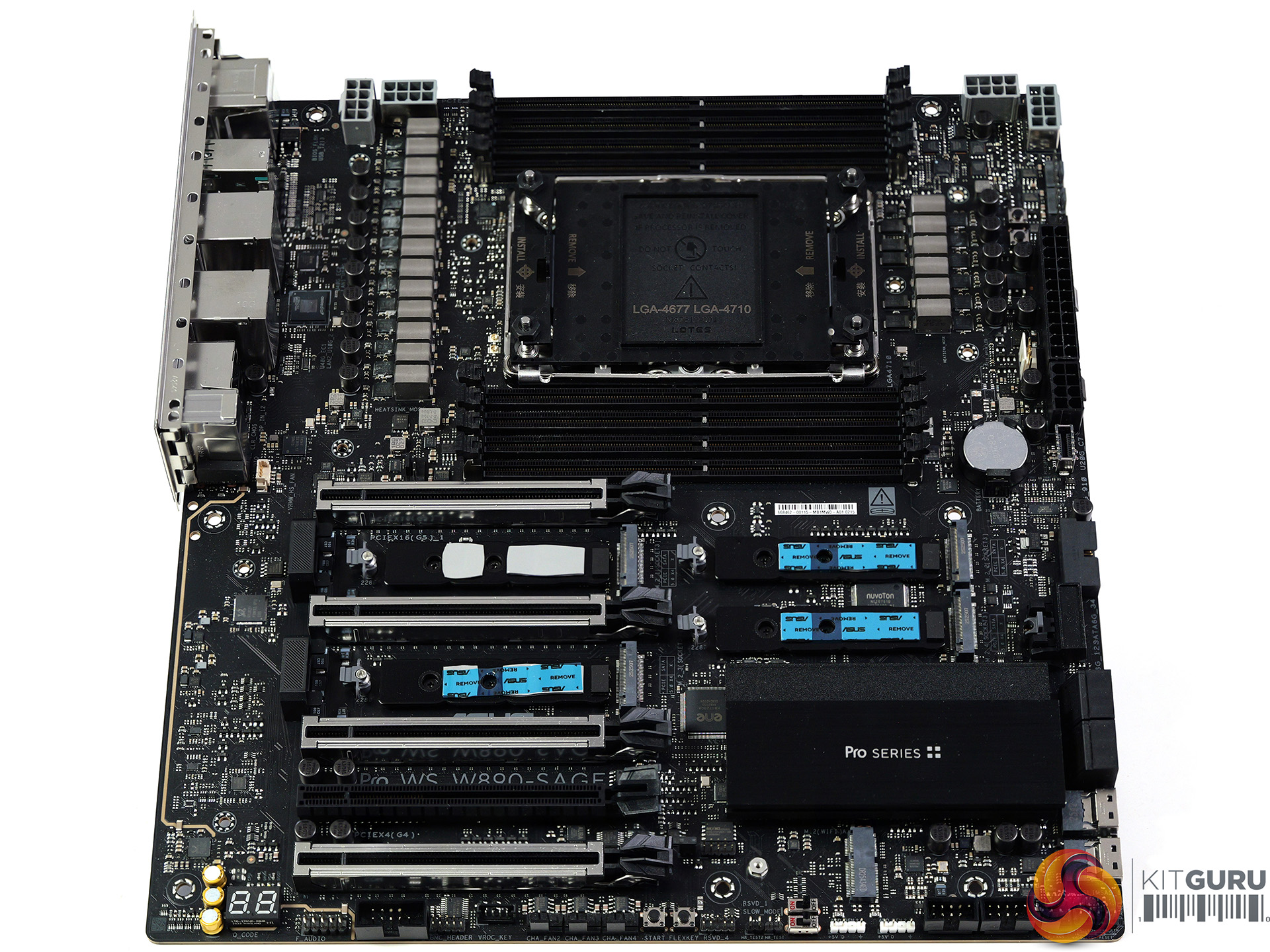
Intel has launched their range of Xeon 600 Workstation processors along with a new W890 chipset so it's time for a review to see how the new technology performs. We put the ASUS Pro WS W890-SAGE through its paces with an Engineering Sample of the 64-core Xeon 696X and discovered a few unexpected results.

Timestamps

00:00 Intro
00:46 Hardware
01:45 Xeon Platform details
04:50 ASUS Pro WS W890-SAGE
07:55 Heatsinks removed
08:34 VRMs
09:12 Accessories
10:30 Cooling the processor / Other hardware
11:57 BIOS Setup
12:12 Stress Test / Cinebench
13:26 AMD Test Platform
14:00 Cinebench 2026/2024 Multi Core
14:44 Blender ClassRoom Render
15:31 Geekbench 6.6 Multi Core
15:55 HandBrake Conversion
17:07 7-Zip V26
17:33 Conclusion


Main features:

  • Ready for Advanced AI PC: Designed for the future of AI computing, with the power and connectivity needed for demanding AI applications
  • Intel LGA4710-2 Socket Supports up to 86-Core CPUs: Ready for Intel® Xeon® 600 Processors for Workstation.
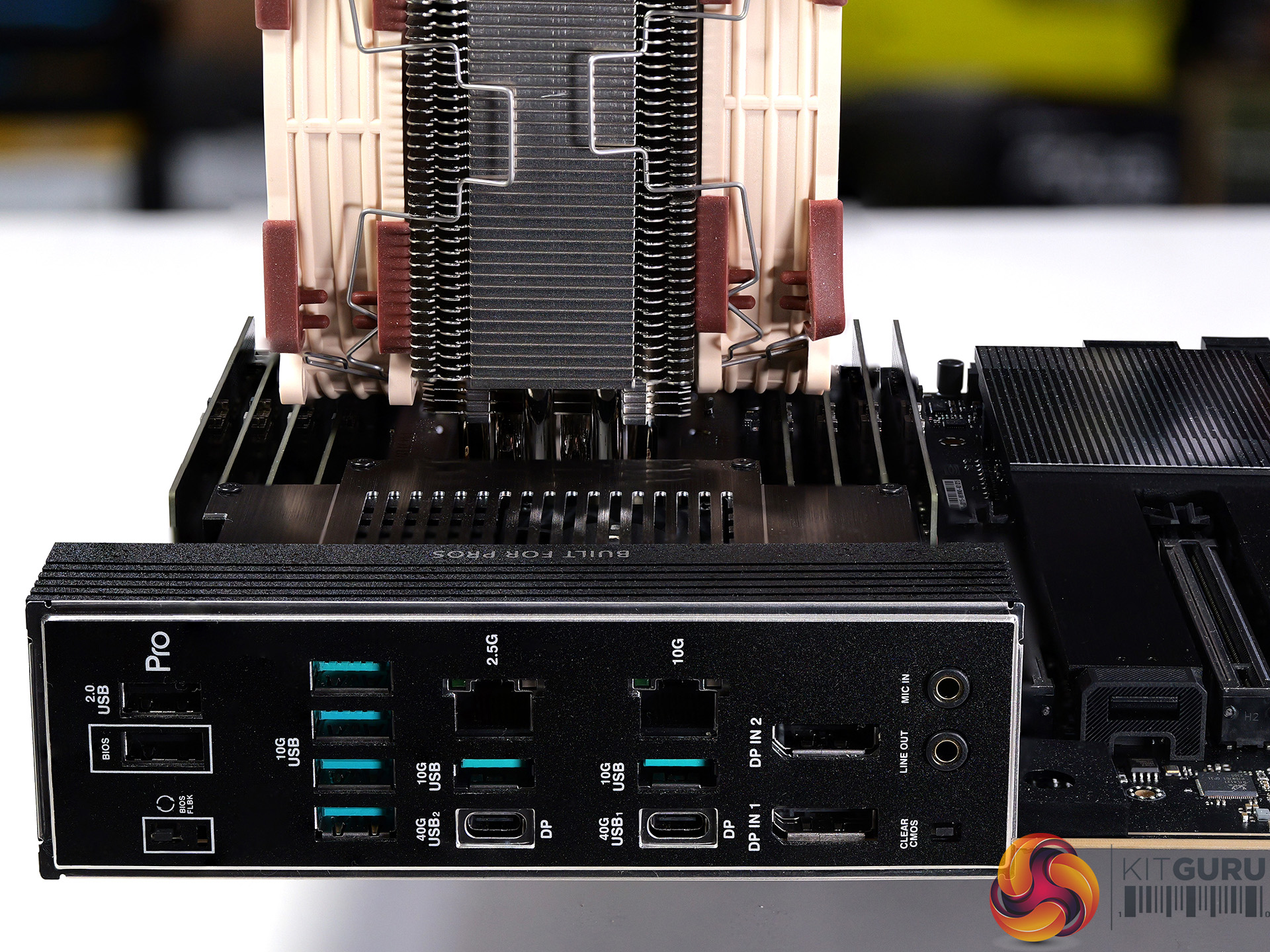
  • Ultrafast Connectivity: Four PCIe 5.0 x16 slots, 10Gb and 2.5Gb LAN ports, four M.2 slots, two rear USB4 40Gbps Type-C®, and SlimSAS NVMe support.
  • CPU and Memory Overclocking: Support for up to 4TB ECC R-DIMM DDR5 memory modules (2DPC).
  • Robust Power and Thermal Design: 12+2+2+1+2 power stages for the CPU and ready for dual-PSU operation, massive VRM, chipset and M.2 heatsinks with an active fan, M.2 backplate and thermal pad.
  • Ready for Server-Grade IPMI Remote Management: hardware and software support for ASUS IPMI expansion card, plus ASUS Control Center Express software for real-time monitoring and management
  • Trusted Stability: Validated for extensive compatibility with the latest technologies, an expansive QVL list, and tested for 24/7 operation.

Specification:

  • CPU support: Intel Socket LGA4710-2 for Xeon 600 Series workstation processors
  • Chipset: Intel W890
  • VRMs: 12+2+2+1+2 phases using Infineon DrMOS;
    • Controller: Infineon XDPE192C4C;
    • VRMs: Infineon PMC41420
  • Memory: 8x DDR5 DIMM slots, quad-channel architecture; supports ECC RDIMM, 3DS-RDIMM, MRDIMM with XMP
  • Expansion slots: 4x PCIe 5.0 x16 (CPU, x16 mode), 1x PCIe 4.0 x16 (chipset, x4 mode)
  • Storage: 4x M.2 PCIe 5.0 x4 (CPU), 2x SlimSAS PCIe 4.0 x4 (chipset, or up to 4 SATA via adapter), 4x SATA 6Gb/s (chipset)
  • USB (rear): 2x USB4 Type-C (40Gbps), 6x USB 10Gbps Type-A, 2x USB 2.0 Type-A
  • USB (front): 1x USB 20Gbps Type-C, 1x USB 5Gbps header (2x Type-A), 2x USB 2.0 headers (4x Type-A)
  • Audio: Realtek ALC1220P 7.1 HD audio codec
  • Networking: 1x Realtek 10GbE, 1x Intel 2.5GbE, ASUS LANGuard
  • Wireless: M.2 Key-E slot (CNVi/PCIe; Wi-Fi module sold separately)
  • Fan headers: 8x PWM fan headers
  • RGB headers: 2x ARGB headers
  • BIOS: 64MB flash BIOS
  • Form factor: CEB (12 x 11 inch / 30.5 x 28 cm)

Performance and Testing

Intel test system

  • Processor: Intel Xeon 696X
  • Memory: 128GB Kingston Fury Renegade Pro DDR5-5600 C36 RDIMM
  • CPU Cooler: Noctua NH-U14S DX-4677 with NF-A14x25r G2 PWM fans

AMD test system

  • Processors: AMD Ryzen Threadripper 9970X and 9980X
  • Memory: 128GB G.Skill T5 Neo DDR5-6400 C32 RDIMM
  • CPU Cooler: Noctua NH-U14S TR5-SP6 with NF-A14x25r G2 PWM fans

Common components

  • Graphics card: MSI GeForce 4090 Ventus 3X 24GB
  • Power supply: Antec Signature 2200W
  • SSD: 4TB Kingston Fury Renegade M.2 NVMe
  • OS: Windows 11

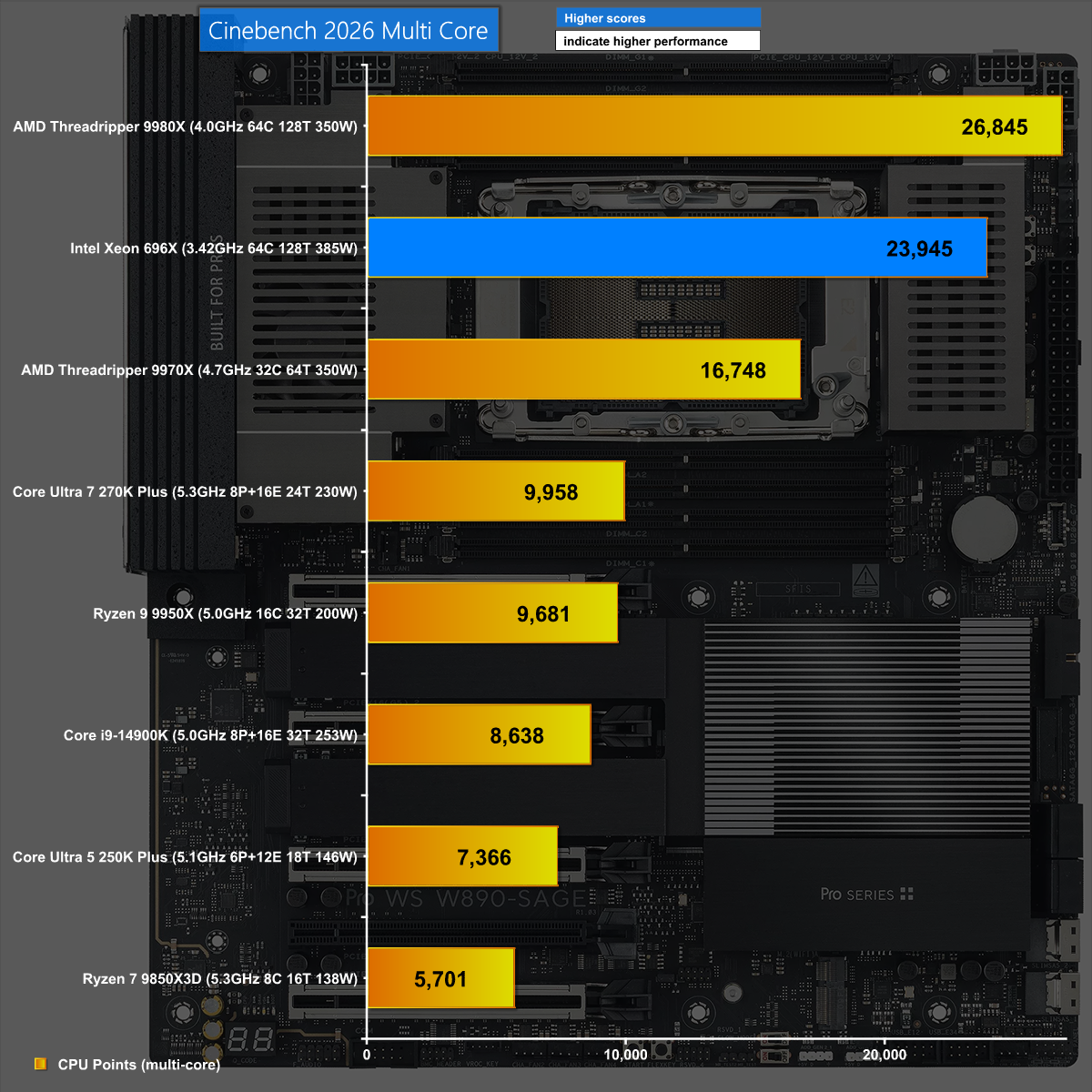
Cinebench 2026

In Cinebench 2026, the combination of Xeon 696X and ASUS Pro WS W890-SAGE does a good job but is beaten by the more effective AMD Threadripper.

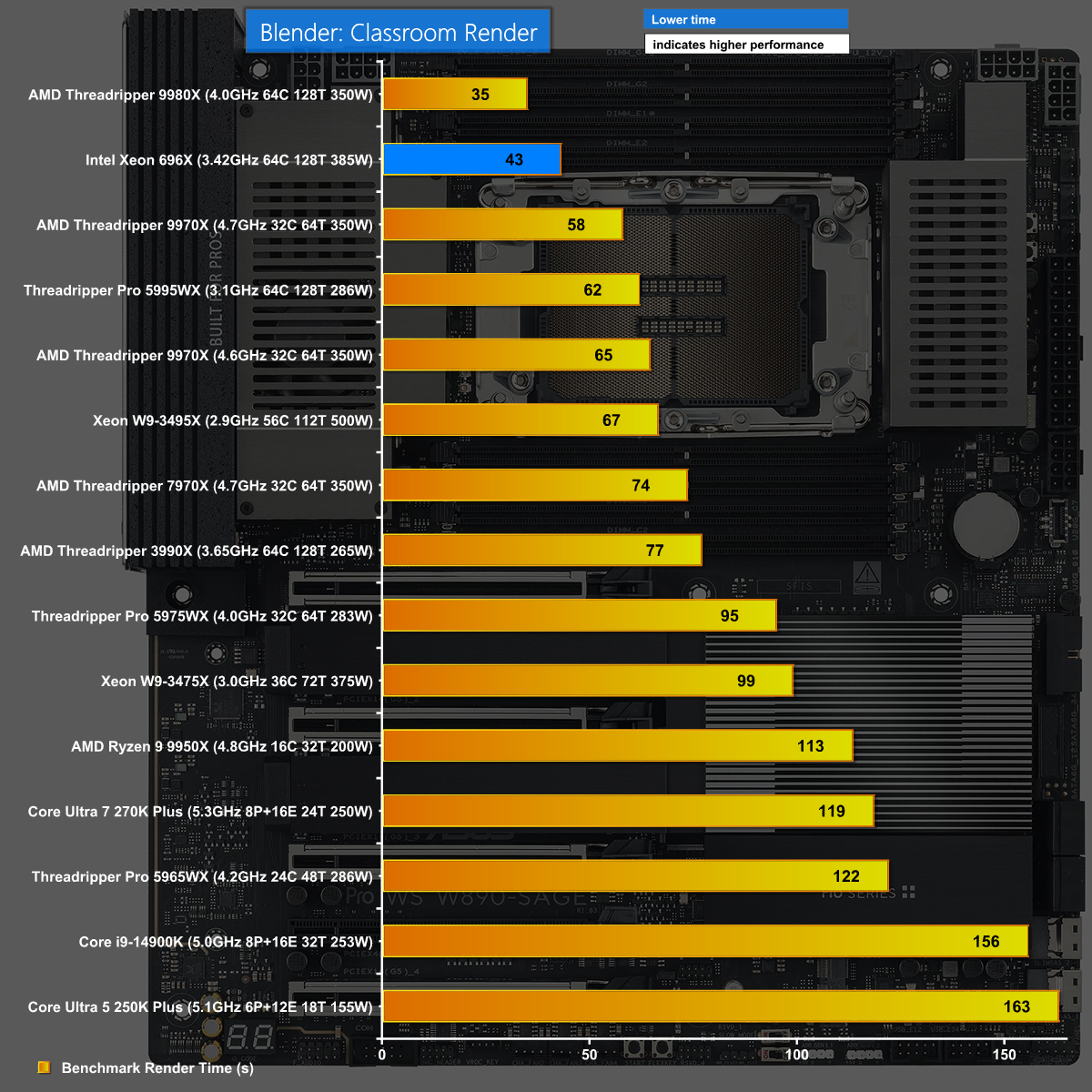
Blender 5.1 Classroom 

It is a similar story in Blender 5.1 when we run the Classroom render. The new Xeon and ASUS W890 SAGE do well but Threadripper 9980X does even better.

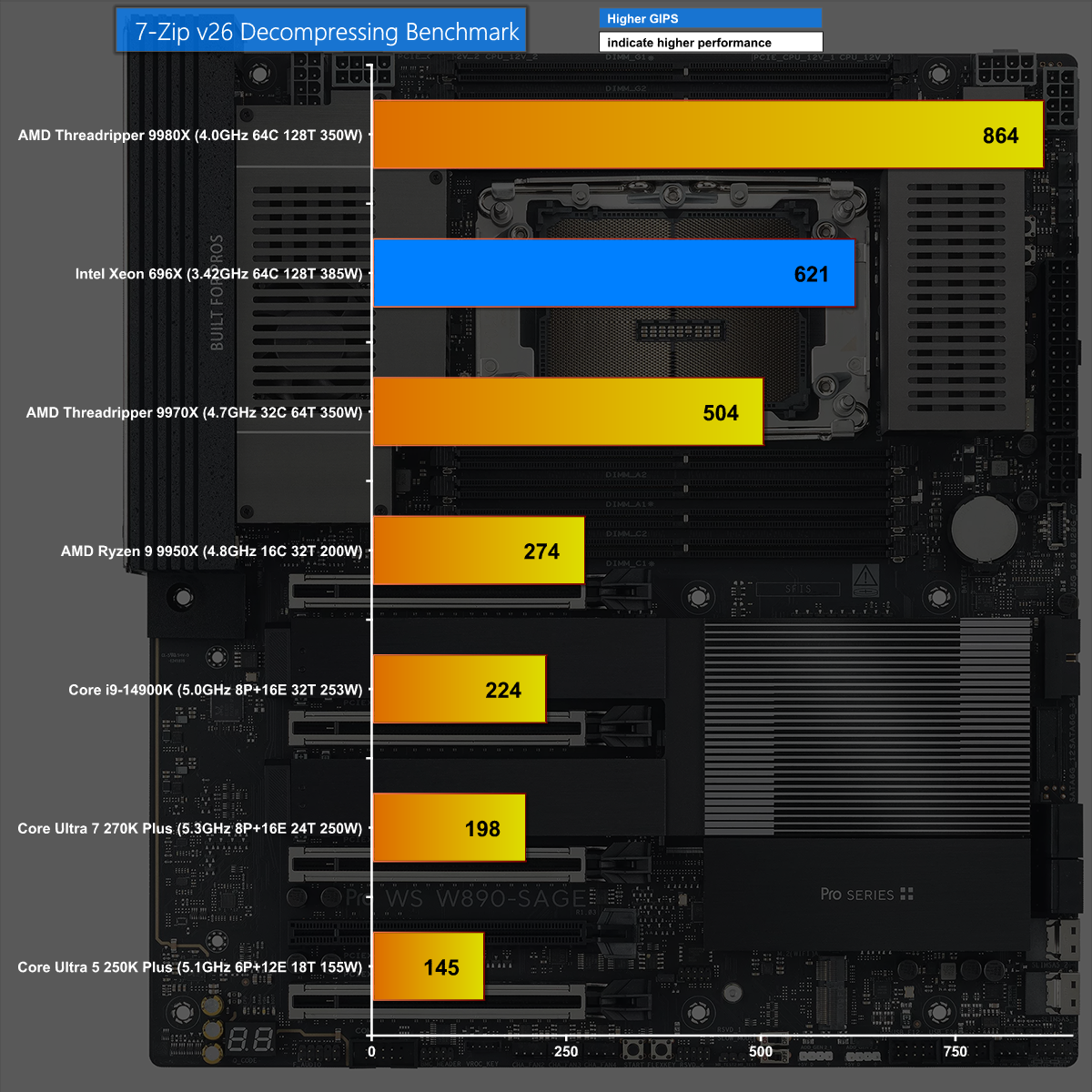
7-Zip v26 Decompressing

We see the same results in 7-Zip v26 Decompressing where the new Xeon performs well however it is comprehensively beaten by Threadripper 9980X.

Closing Thoughts

Intel has made a significant jump from Xeon Sapphire Rapids to the new Xeon 600. This brings a related move from the W790 chipset to W890 and a new family of supporting motherboards, including this ASUS Pro WS W890-SAGE, which clearly builds on the previous ASUS Pro WS W790-ACE.

The hardware in this motherboard comprehensively supports the new Xeons and provides a solid foundation for your new workstation. In these times of monumentally expensive memory, SSDs and graphics cards it makes a welcome change to describe an £800 motherboard as a component that is good value for money.

We expect the ASUS Pro WS W890-SAGE will sell for £800 inc VAT.

Pros:

  • The ASUS Pro WS W890-SAGE has a solid VRM and builds on the previous W790 ACE.
  • Good support for multiple graphics cards and PCIe 5.0 devices
  • Decent range of USB ports including USB4

Cons:

  • You have to pay extra for IPMI and WiFi.
  • Thunderbolt is not included.
  • We have to reserve judgement on Xeon 600 until we see a full retail CPU.

KitGuru says: The ASUS Pro WS W890-SAGE works well with the new Xeon 600 and is a significant improvement over the previous generation.

The post ASUS Pro WS W890-SAGE Review (w/ Xeon 696X!) first appeared on KitGuru.

Interview: Intel’s Robert Hallock divulges the future beyond Core Ultra 200S Plus

You may have already seen our review of the new Core Ultra 5 250K Plus and Core Ultra 7 270K Plus CPUs HERE, in which case you have already seen a moment from our interview with Robert Hallock, VP/GM Enthusiast Channel Business at Intel. The time has come to grab a long drink and settle back for the whole conversation and we guarantee you will learn plenty about Intel's plans in 2026 and beyond.

While we were working on our reviews of the Core Ultra 200S Plus CPUs we were invited to interview Robert Hallock and Erin Maiorino, Director of CPU Technical Marketing in Client Computing Group. At this stage we knew the new CPUs were good, however our reviews hadn't been published so we took the opportunity to dig into some of the more unusual technical aspects of the CPUs.

We also figured it was a good time to ask Intel what went wrong with the original launch of Core Ultra 200S and to gently quiz them about the next generation CPU which is code named Nova Lake.

KitGuru says: Intel Core Ultra 200S Plus has delivered excellent results and today we learn why it took so long to finally come good.

The post Interview: Intel’s Robert Hallock divulges the future beyond Core Ultra 200S Plus first appeared on KitGuru.

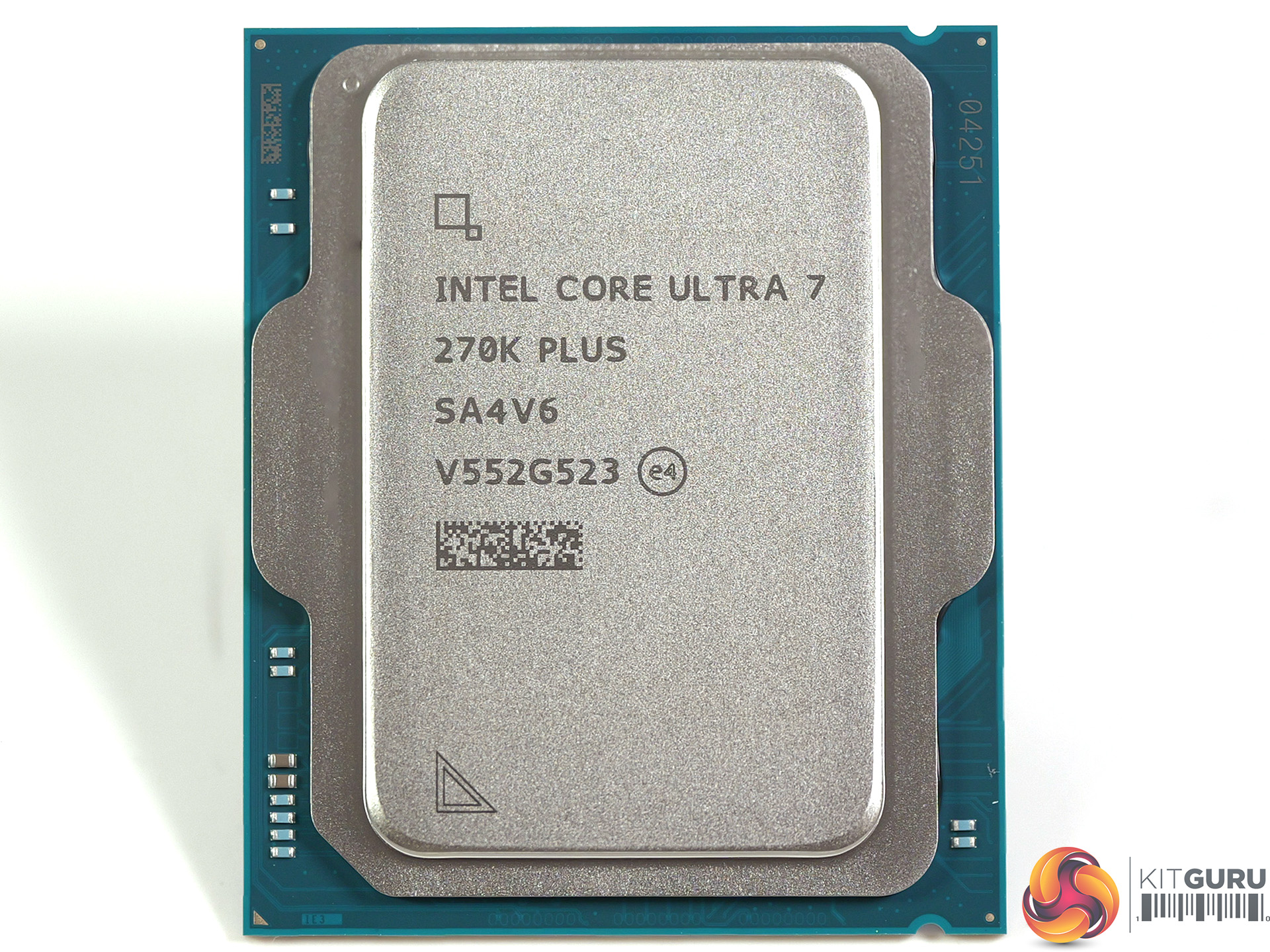
Intel Core Ultra 7 270K Plus Review: MUCH better than we hoped

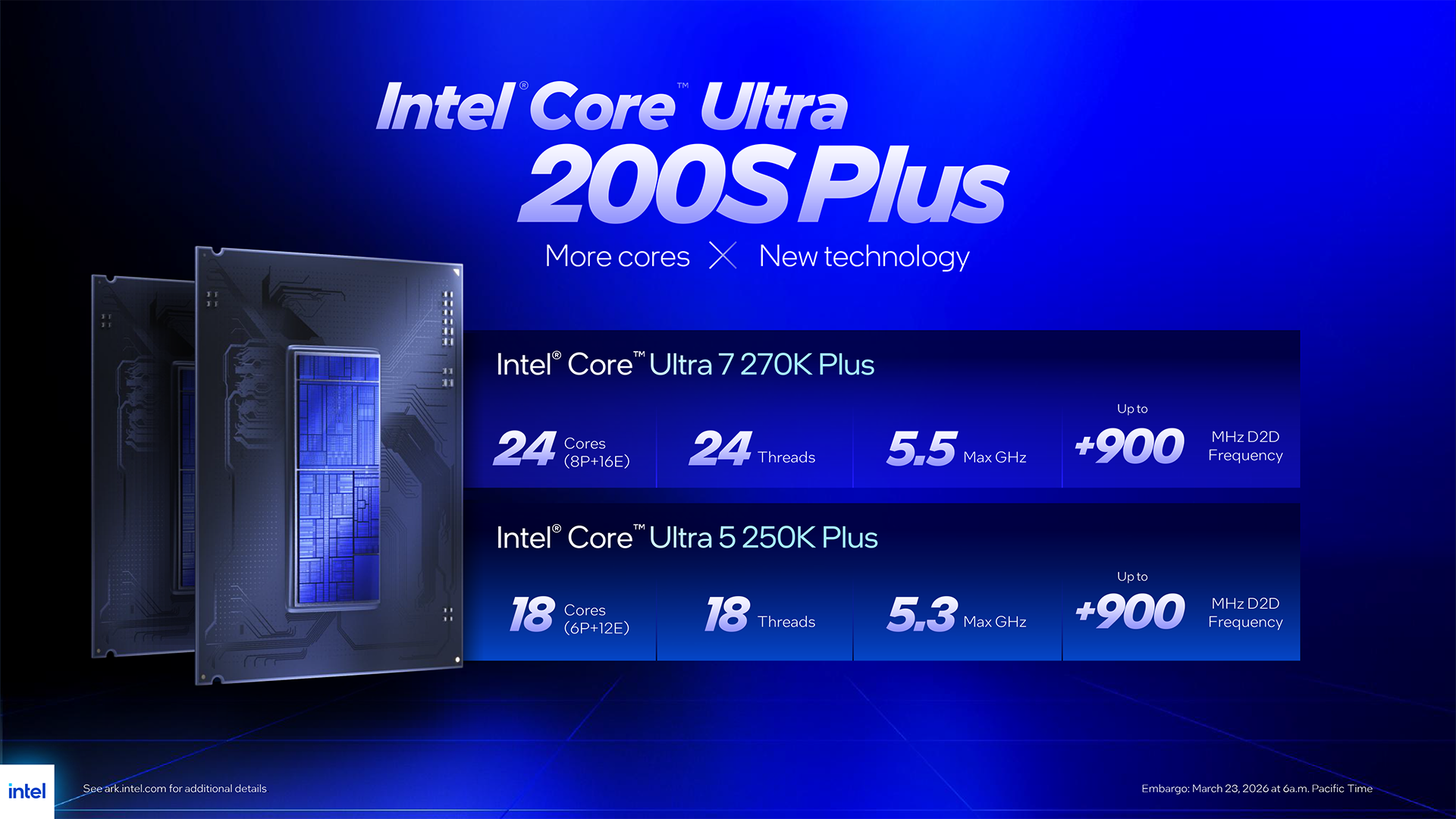
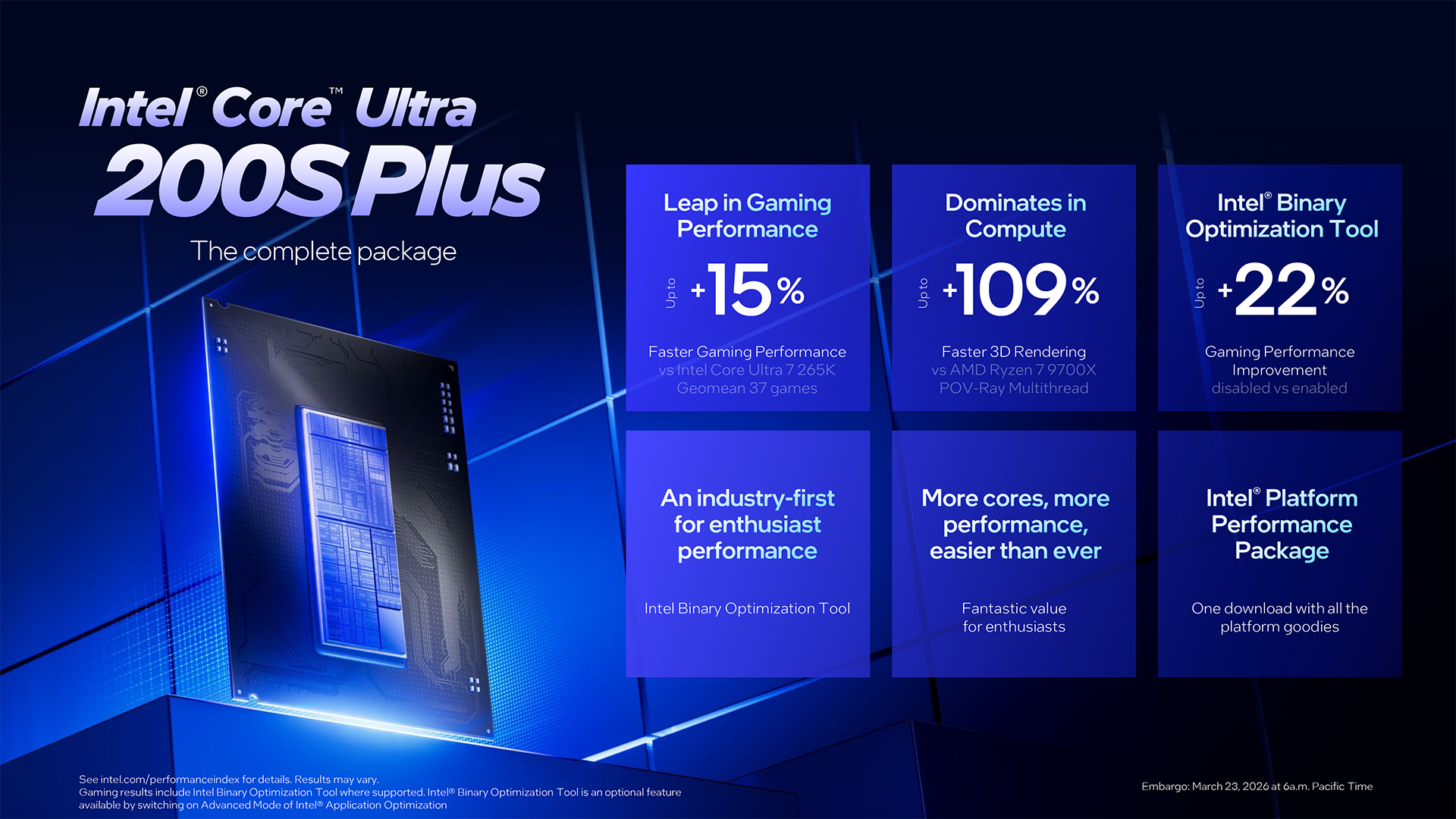
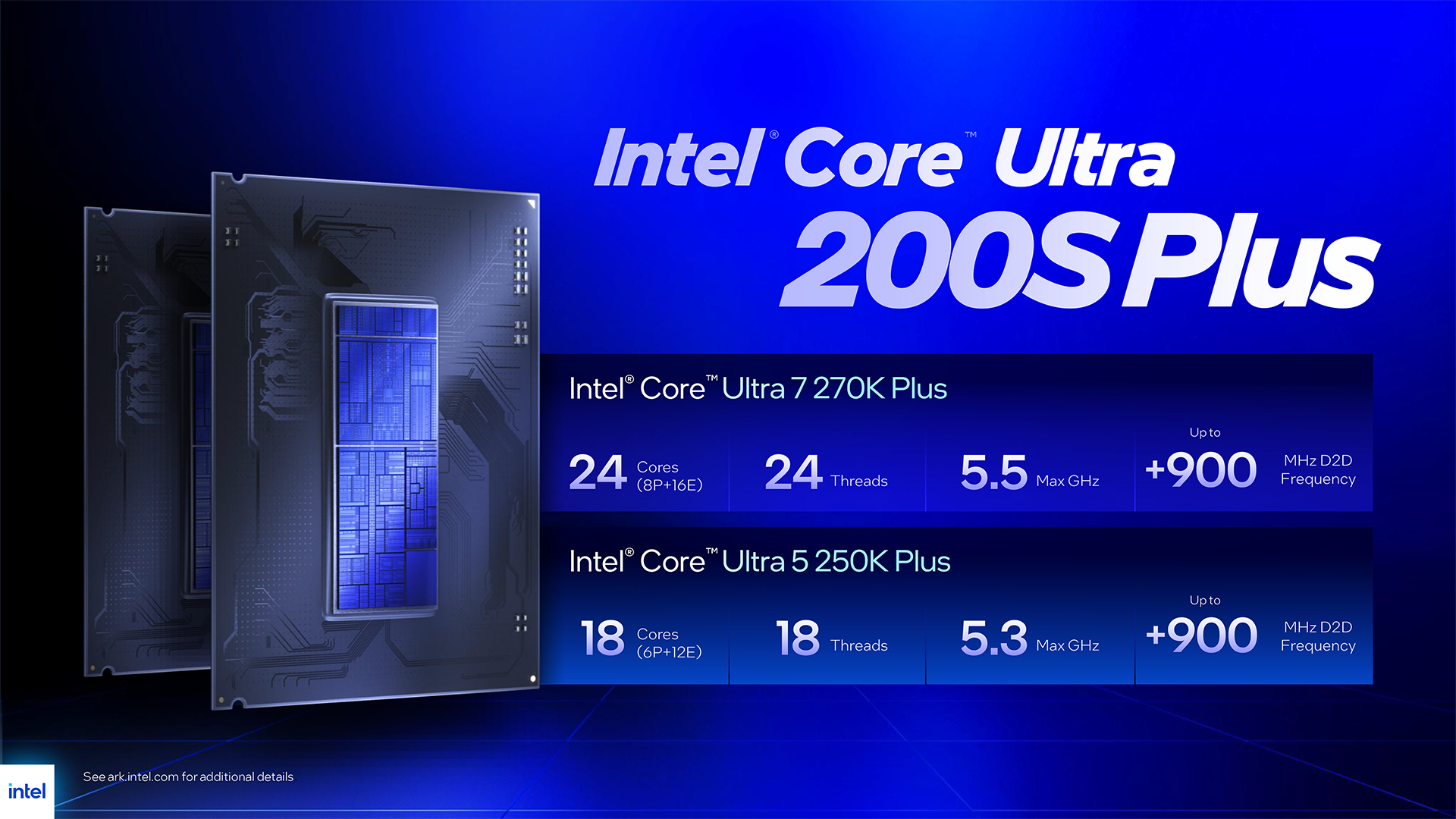
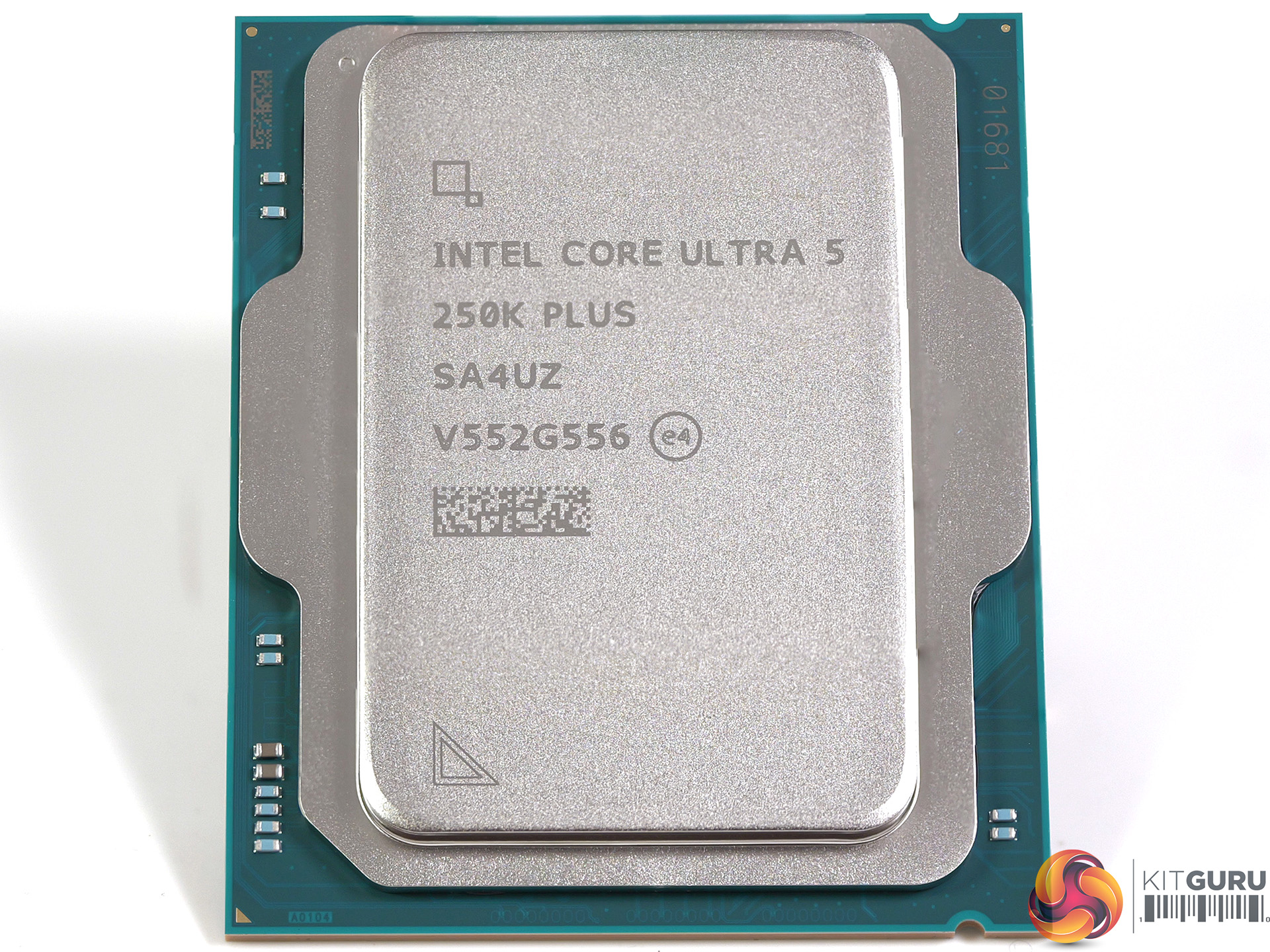
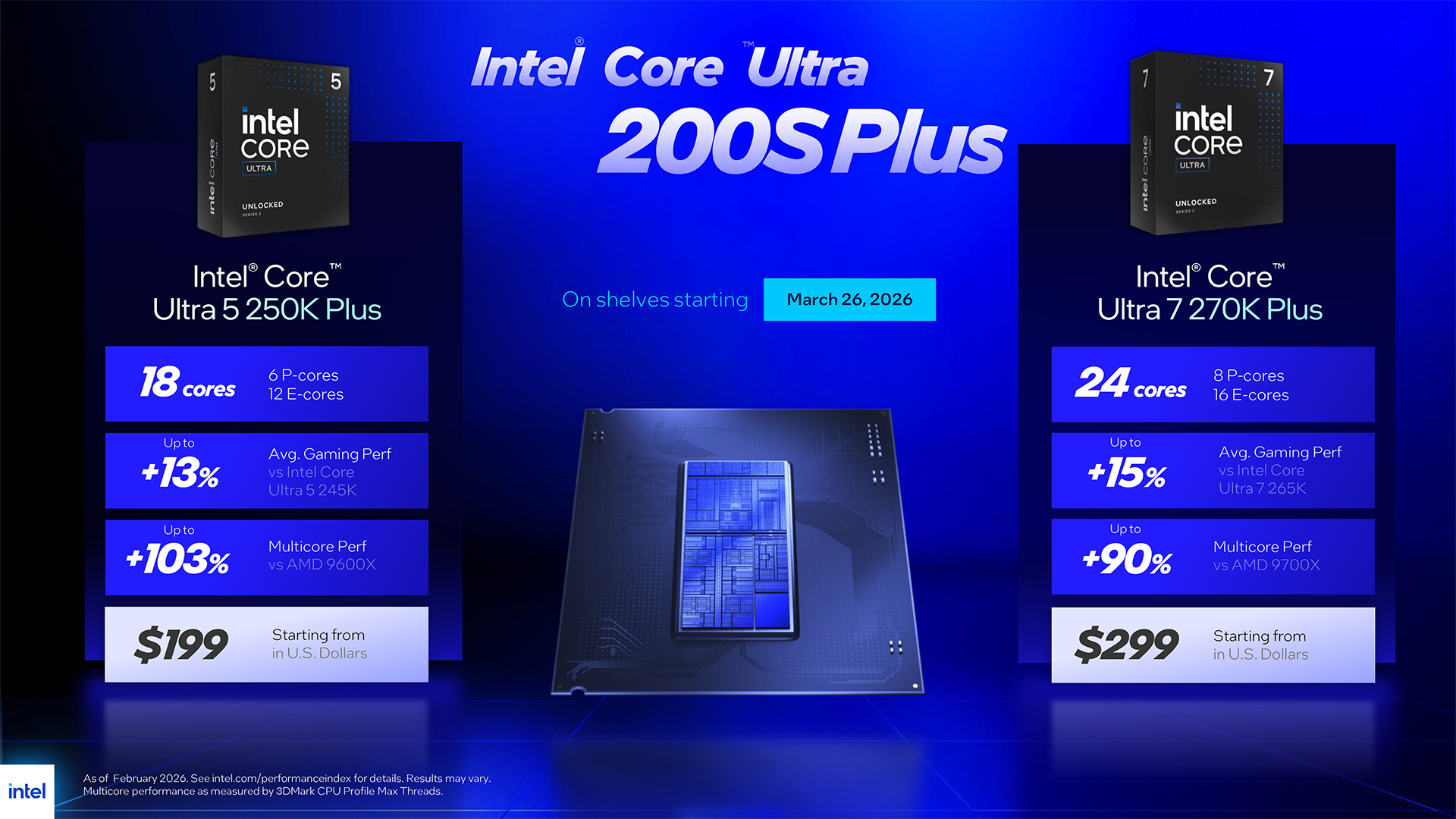
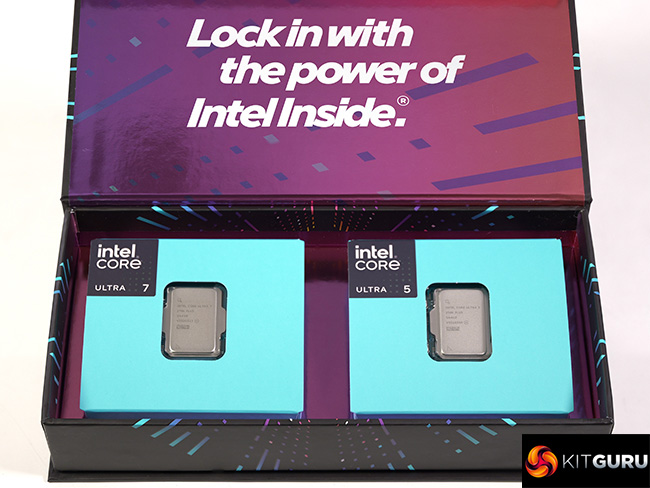
Intel Arrow Lake launched late in 2024 and landed with a dull thump of disappointment. After some serious rework by Intel, the processors moved from ‘awful' to ‘interesting' but today's launch of the Core Ultra 5 250K Plus and Core Ultra 7 270K Plus shows us just what we missed out on during 2025. These new processors offer both performance and good value for money and come as a breath of fresh air.

Timestamps
00:00 start
01:07 A brief recap
02:00 Leo talks to Intel
03:48 The Processors
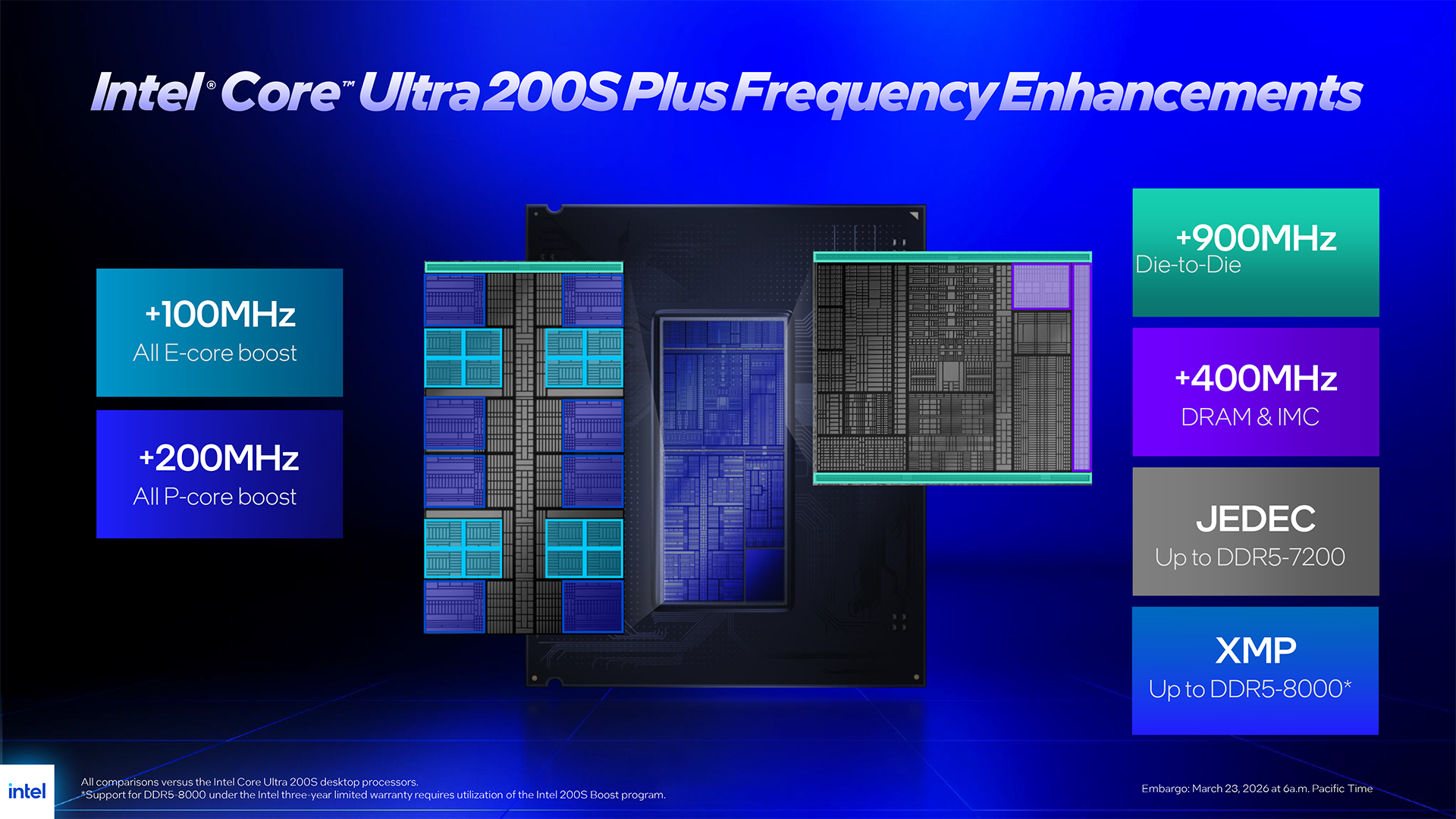
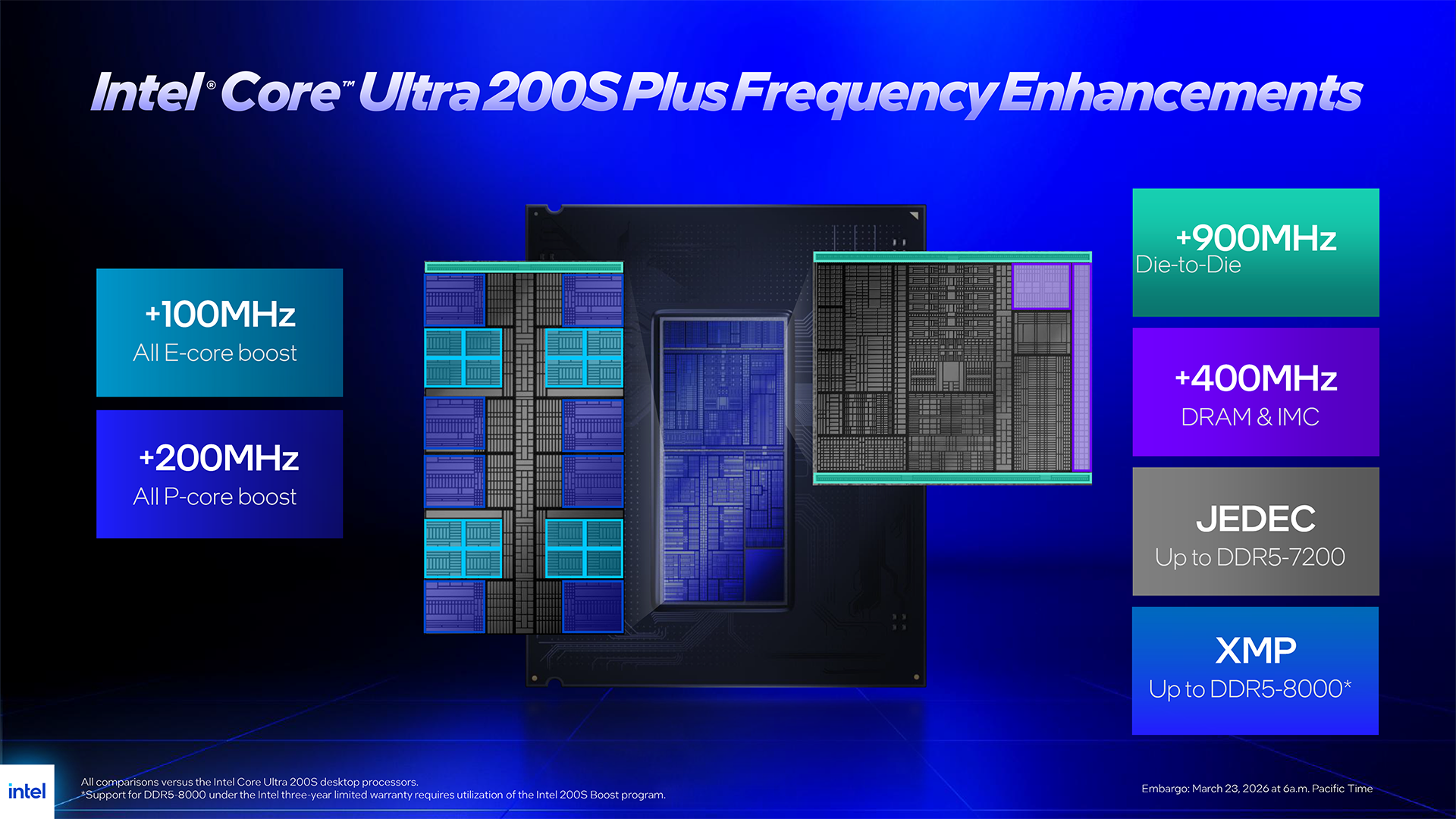
06:56 Changes
07:23 Intel Binary Optimisation Tool
08:25 Memory support
10:03 Hardware setup
11:02 Some quick runs
12:10 Geekbench 6.6 Multi Core
13:14 Geekbench 6.6 Single Core
13:42 Cinebench Multi Core
14:02 7-Zip V26 Benchmark
14:43 AIDA 64 Memory Bandwidth
15:02 Far Cry 6 (1080p)
15:39 Far Cry 6 (1440p)
16:01 Assassins Creed Mirage (1080p)
16:40 Assassins Creed Mirage (1440p)
16:55 Cyberpunk 2077 (1080p)
17:17 Cyberpunk 2077 (1440p)
17:47 Total War Pharaoh (1080p)
18:32 Total War Pharaoh (1440p)
19:02 Pricing

Testing and Performance

Test systems
CPUs: Intel Core Ultra 200S
RAM: 32GB G.Skill Trident Z5 RGB DDR5-7200 C34
Motherboard: MSI MAG Z890 Tomahawk WiFi II

CPU: Intel Core i9-14900K
RAM: 32GB Corsair Dominator Platinum RGB DDR5-7000 C34
Motherboard: Gigabyte Z790 Aorus Elite AX

CPUs: AMD Ryzen 9000
RAM: 32GB G.Skill Trident Z5 Royal Neo DDR5-8000 C38
Motherboard: ASRock X870E Taichi

Common components:
CPU cooler: Phanteks Glacier One 360
Graphics: MSI RTX 4090 Ventus 3X 24GB
SSD: Crucial T700 Gen 5 M.2 NVMe
Power Supply: Antec Signature 2200 Platinum

Geekbench 6.6 Multi Core

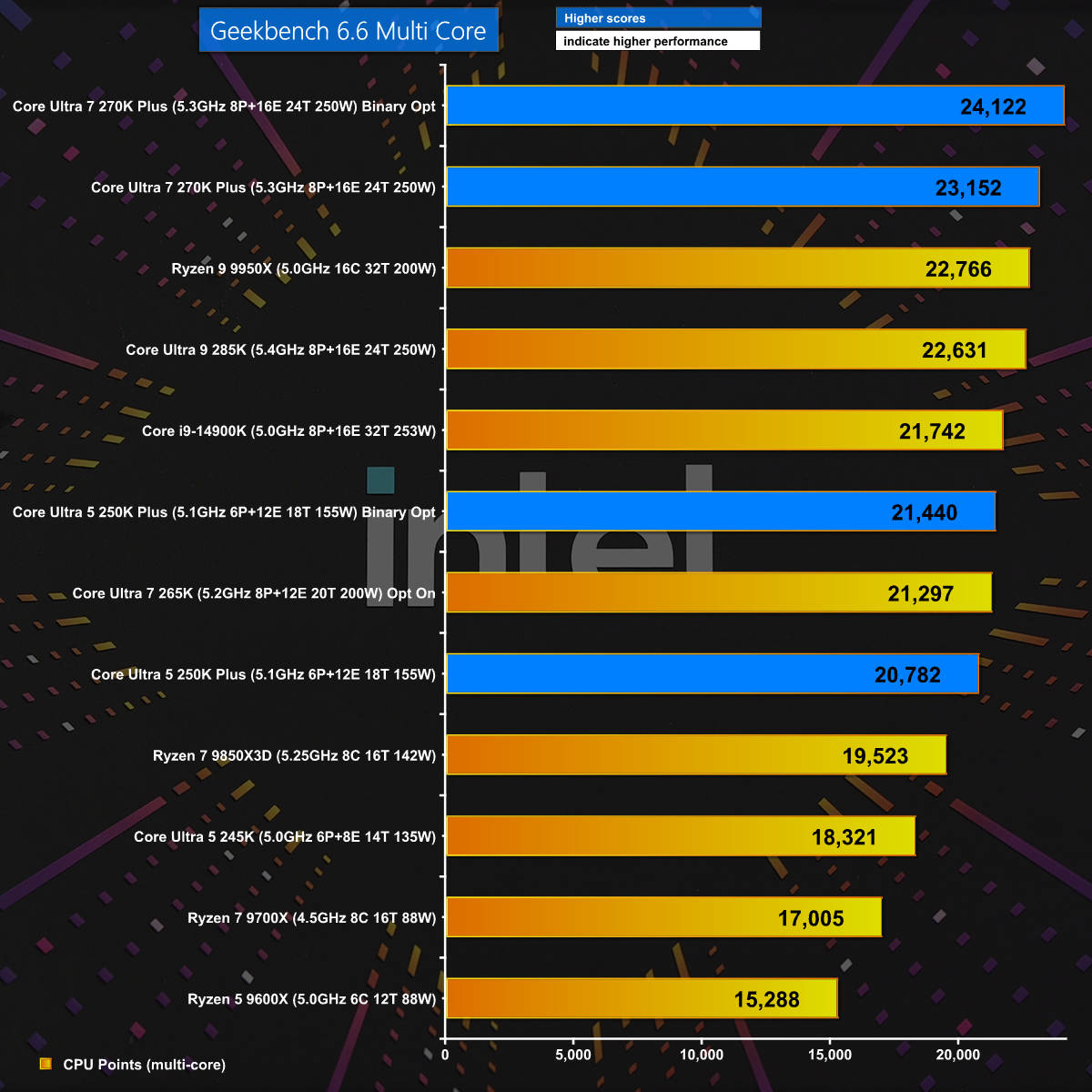
In Geekbench 6.6 Multi Core we get a welcome surprise with the Core Ultra 7 270K Plus beating every other CPU. In addition we see a healthy boost when we engage Binary Optimisation and this gives us hope the new Intel Plus CPUs will deliver the goods.

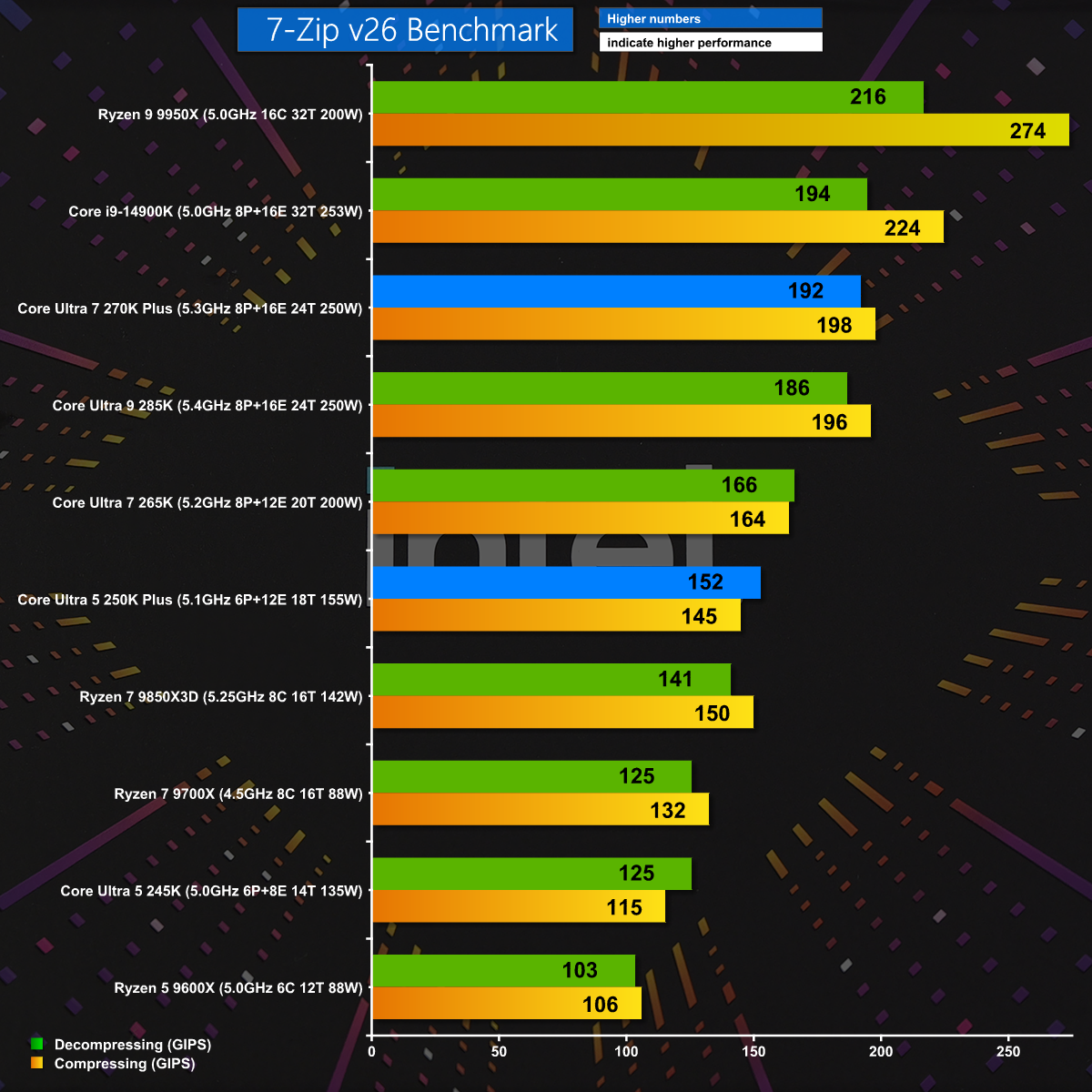
7-Zip v26

7-Zip v26 is a test of pure CPU grunt and naturally we see the Ryzen 9 9950X leap to the top of the chart. Even so, the new Core Ultra 7 270K Plus does very well and the Core Ultra 5 250K Plus also puts in a good showing.

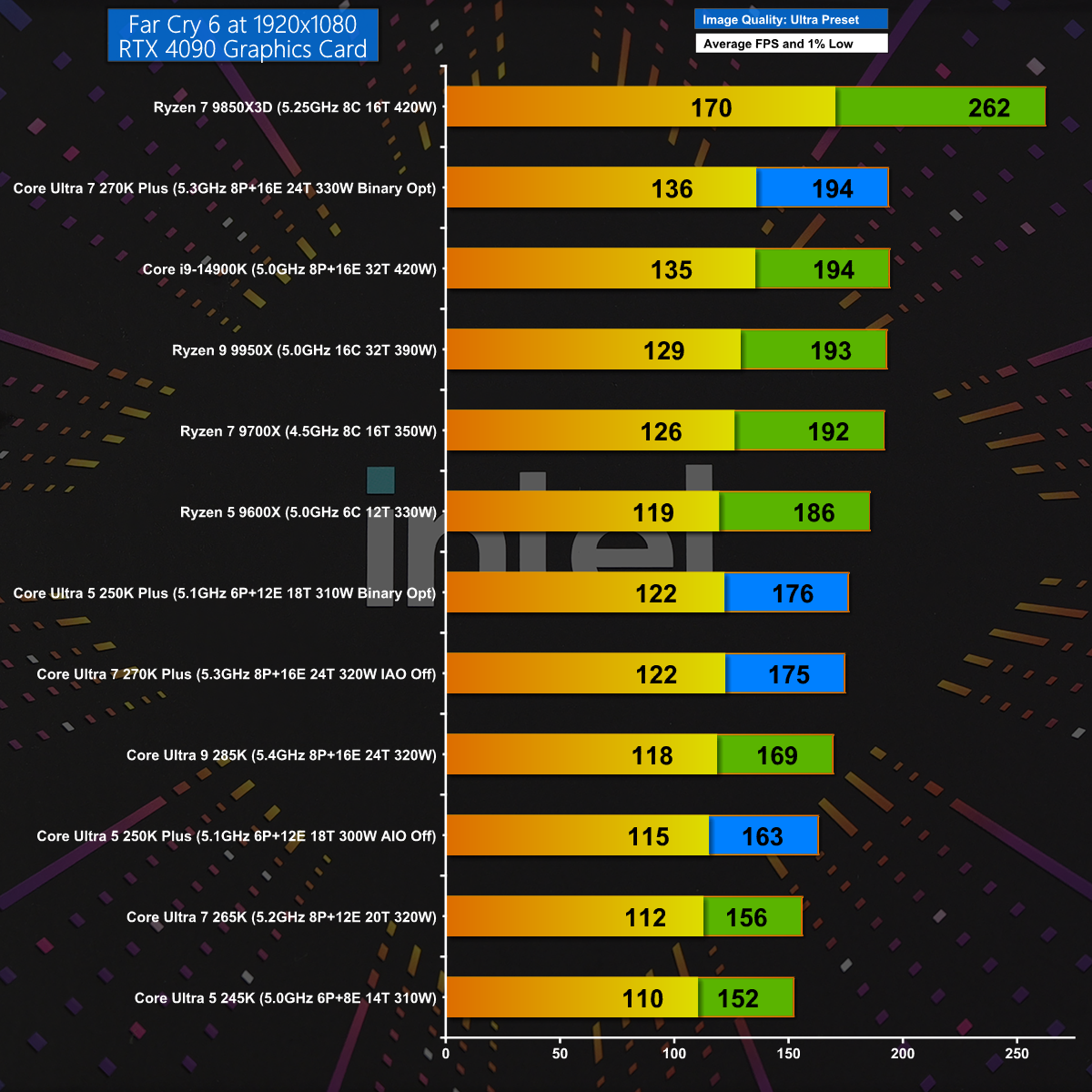
Far Cry 6 1080p

In Far Cry 6 at 1080p with the Ultra Preset we see Intel improving on their previous results by about 30fps. AMD wins this gaming test with their mighty Ryzen 7 9850X3D, but there is no doubt that Intel has made some serious improvements with Plus.

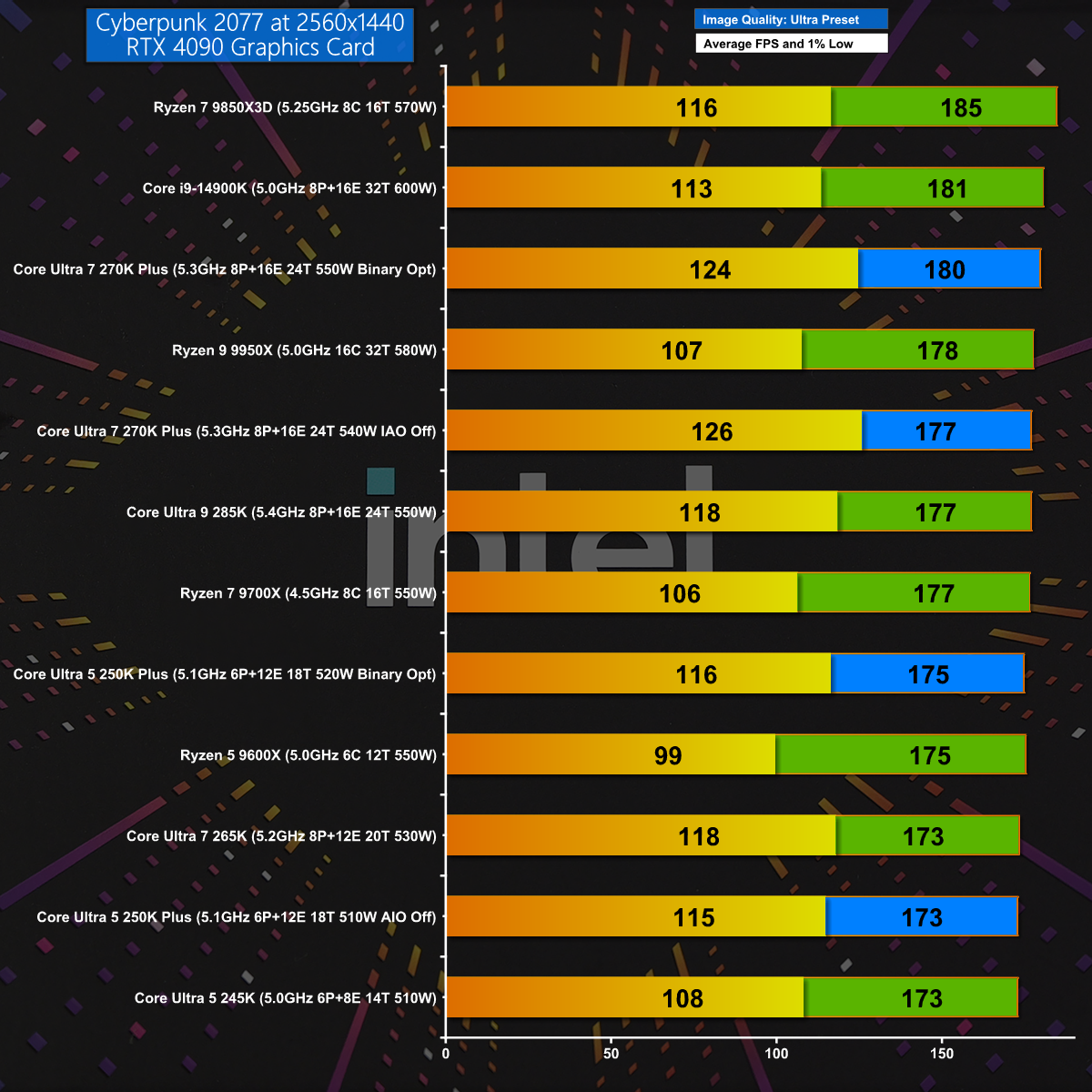
Cyberpunk 2077 1440p

Cyberpunk 2077 at 1440p is a sterner gaming test but once again the Core Ultra 7 270K Plus does well and matches the previous Intel champion, the Core i9-14900K. Having said that, AMD still takes the top honours with the Ryzen 7 9850X3D.

Closing Thoughts

When we first reviewed Intel's Core Ultra 200S processors we wrote off the Core Ultra 9 285K for being too expensive and the Core Ultra 5 245K for being unimpressive. We grudgingly gave the Core Ultra 7 265K the nod as the least bad CPU of the bunch. Over time we have seen the prices drift downwards but our views remained unchanged until today's launch of these Plus CPUs.

We are impressed with the budget Core Ultra 5 250K Plus which kicks the AMD Ryzen 5 9600X all over the shop. The star of the show is the Core Ultra 7 270K Plus which is clearly a new and improved Core Ultra 9 285K that has been delivered at a much lower price and is very, very good. The only obvious downside is that you have to select this one specific Intel CPU as an alternative to a choice from an entire family of AMD Zen 5 CPUs.

Core Ultra 7 270K Plus will be £299.99 inc VAT. Core Ultra 5 250K Plus will be £209.99 inc VAT.

Pros:

  • The two Plus CPUs deliver a welcome boost to performance.
  • Core Ultra 7 Plus replaces Core Ultra 9 and offers excellent value.
  • Software installation is incredibly straightforward.

Cons:

  • LGA1851 motherboards have no upgrade path after Core Ultra 200S.
  • Intel has nothing to offer that can compete with Ryzen 3D.
  • Intel Application and Binary Optimisation are unpredictable.

KitGuru says: Intel has done a superb job with their new CPUs and the Core Ultra 7 270K Plus comes as a welcome relief in these gloomy times.

Core Ultra 7 270K Plus:

Rating: 8.5.

Core Ultra 5 250K Plus:

Rating: 8.

The post Intel Core Ultra 7 270K Plus Review: MUCH better than we hoped first appeared on KitGuru.

Montech Sky 3 – Loads of RGB and some clever stuff, plus a problem

We saw the Montech Sky 3 Glass at Computex 2025 however it has taken nine months for the case to finally launch. There have been a few changes along the way and the ‘Glass' part of the name has been ditched so perhaps we will never see the promised Mesh version. Regardless, this is an interesting compact ATX case that is packed with features and comes at a budget price.

Main features

  • Adaptive Modular Bottom Chamber
  • Detachable Top Radiator Bracket
  • Seamless Horizon Lighting
  • Future-Proof Graphics Compatibility
  • Back-Connect Ready
  • Integrated AX & RX120 PRO Airflow System

Specification:
Motherboard support: ATX, Micro-ATX, Mini-ITX (with support for back connections)
Power supply support: ATX.
Expansion slots: 7.
Included fans: 2x 120mm bottom intake RX120 PRO, 1x 120mm rear exhaust AX120 PRO.
Fan mounts: 3x 120mm/2x 140mm roof, 2x 120mm/140mm side, 1x 120mm/140mm rear.
Radiator mounts: 360mm/280mm roof, 240mm/140mm side, 120mm rear.
5.25-inch optical drive bays: None.
Internal drive bays: 2x 3.5-inch/2.5-inch.
Front I/O ports: 2x USB 3.0 Type-A, 1x USB 3.2 Type-C, audio.
Dimensions: 491mm H x 468mm D x 240mm W.

Testing
To put this case through its cooling paces we will be using a test system consisting of an AMD Ryzen 7 9850X3D, Palit RTX 5080 and an SSD. This system allows us to produce a substantial amount of heat and effectively test the Montech Sky 3‘s cooling capabilities.

Test System:
Processor: AMD Ryzen 7 9850X3D
CPU Cooler: Montech HyperFlow ARGB 360
Motherboard: MSI MAG X870E Tomahawk WiFi PZ
Memory: 32GB G.Skill TridentZ5 Royal Neo DDR5-8000
Graphics card: Palit GeForce RTX 5080 Gamerock OC 16GB
Power supply: Montech Titan PLA 1000W
SSD: Crucial T700 M.2 NVMe Gen 5
OS: Windows 11

Cooling Performance

Cooling Performance Overview

We stressed the Montech Sky 3 fairly hard and it performed well, although it got notably noisy as the fan speeds increased. If you are thinking about building a PC with an RTX 5090 and a Core i9-14900K we feel the compact nature of the Sky 3 might cause cooling issues, however that is an extreme scenario.

Closing Thoughts

Montech has done a number of things very well with the Sky 3, and the only issues we encountered have fairly simple explanations. This is a compact ATX case with very clean looks that can accommodate a huge graphics card and a 360mm AIO cooler, and it comes at a reasonable price. The RGB light show in the two glass panels adds to the appeal and our first, second and third impressions were all very favourable.

The downside is that Montech has clearly made the Sky 3 as svelte as possible, presumably to save cost, and this leads to the issues we discuss in our video. We are confident the Sky 3 will be very popular as a budget case for PC gamers and it offers very good value for money.

You can buy the Montech Sky 3 for $89.99 in Black or White

Pros:

  • Loads of access for your PC build
  • Two choices for the location of your power supply
  • Easy to dismantle and remove the various components
  • Glass panels at the front and side look very neat and clean

Cons:

  • Not enough cable clearance inside the right hand panel for Project Zero
  • Two of the screws on the PSU and fan shrouds are awkward to reach when the motherboard is installed.
  • The Sky 3 is about 5mm too small in height and about 15mm too narrow.

KitGuru says: Montech's Sky 3 has been worth the wait and we will be intrigued to see whether they launch a Mesh version.

The post Montech Sky 3 – Loads of RGB and some clever stuff, plus a problem first appeared on KitGuru.

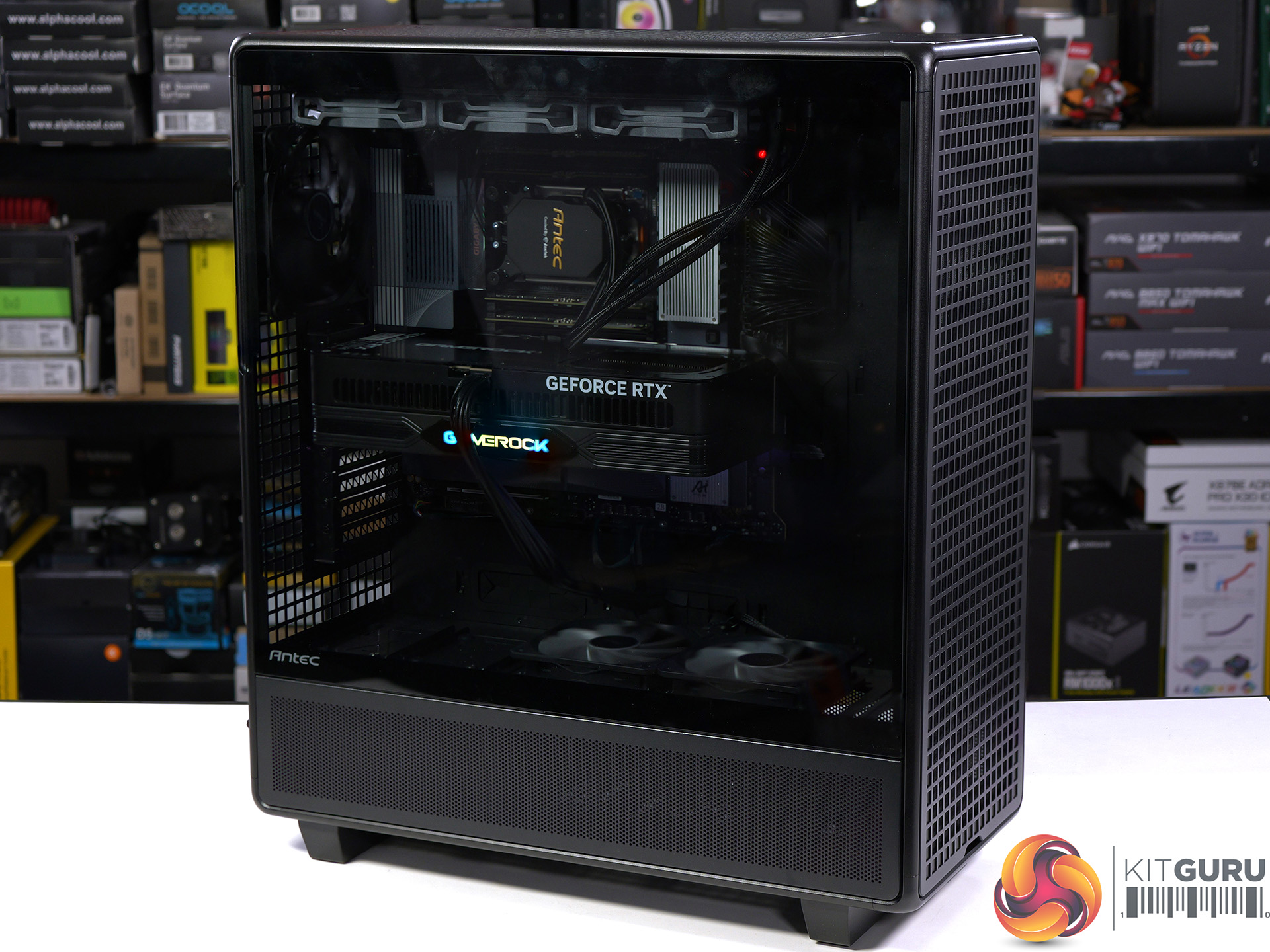
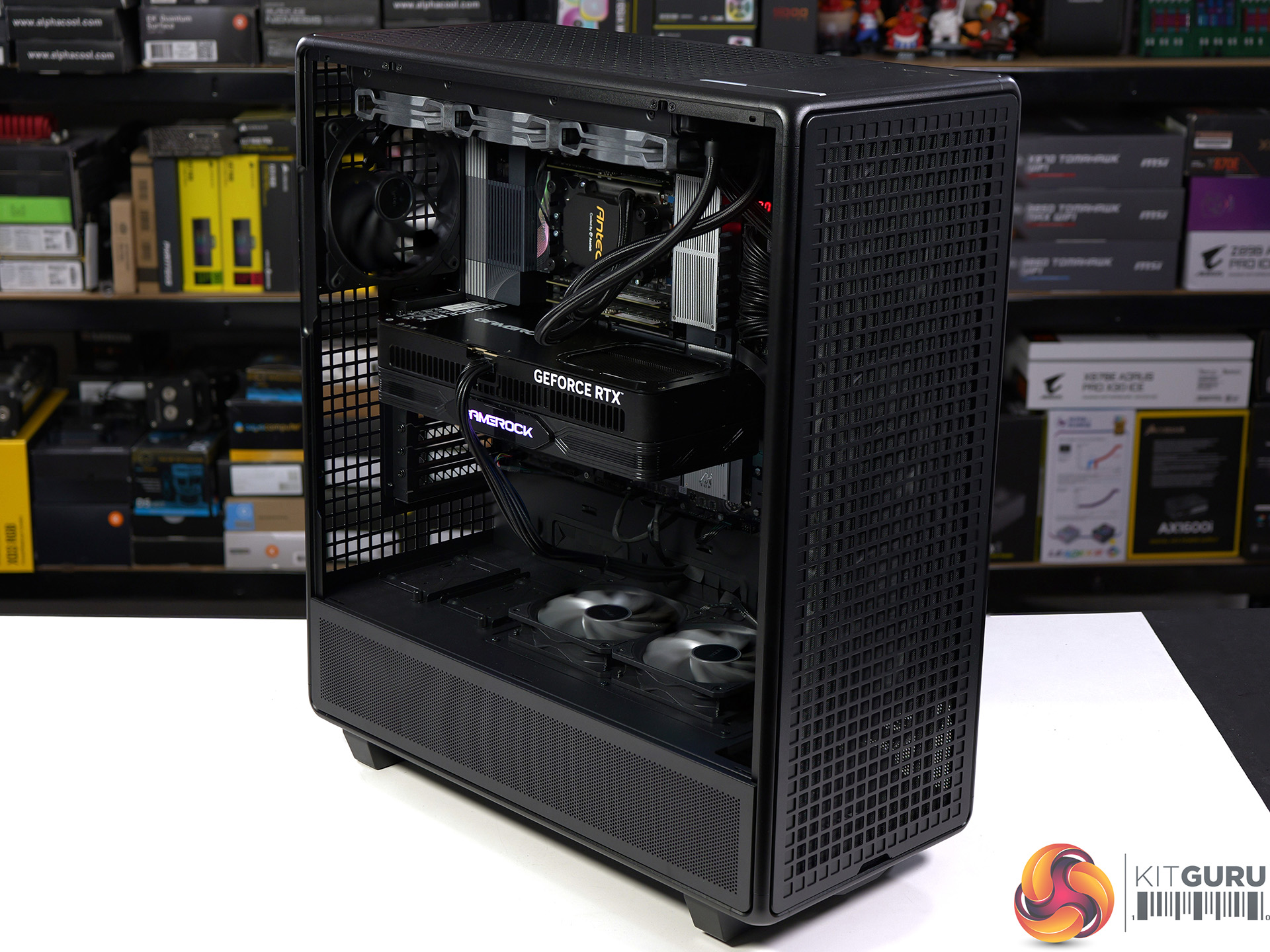
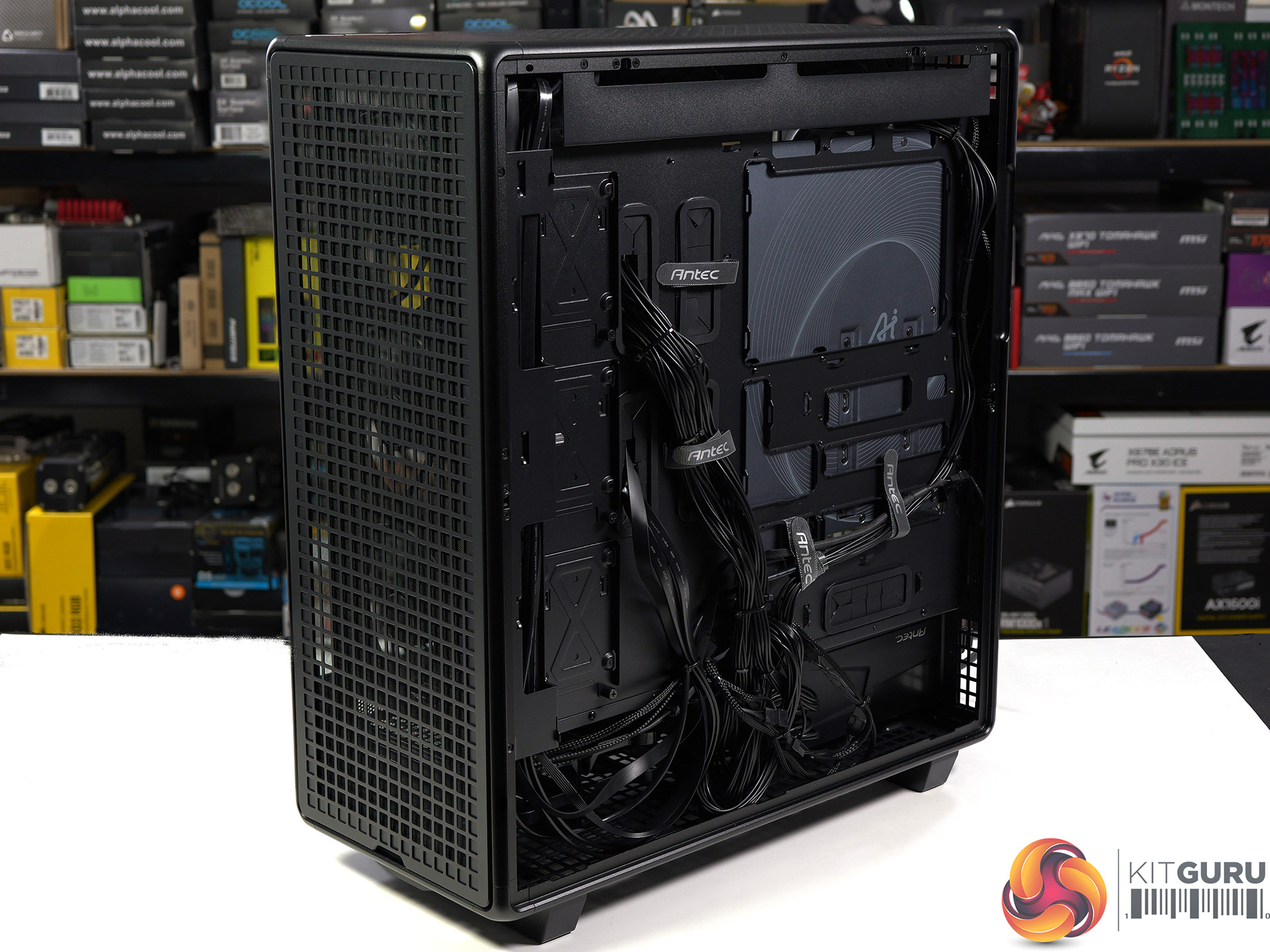
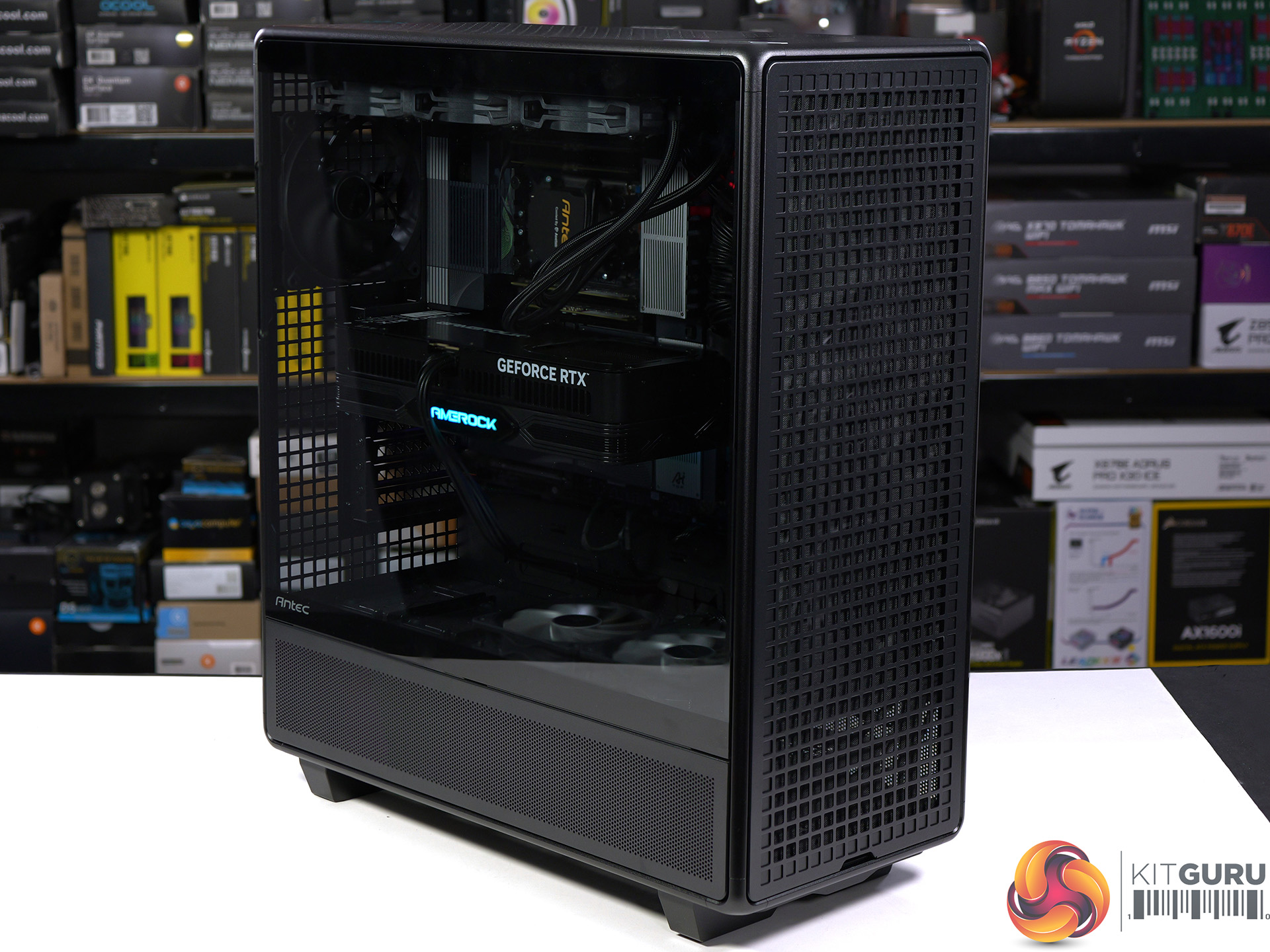
Antec 900 Case Review (2026)

Antec launched the original 900 case way back in 2006 which means this brand new 900 marks the 20th anniversary of this model. The name is the only thing they have retained while everything else has changed, and that is good as the original 900 was a bit weird. One major change is that the original 900 was aimed squarely at gamers while this new 900 is more of a workstation case, with acres of space and huge amounts of cooling.

Time stamps
00:00 Intro
00:39 Starting the tear down
01:55 Getting to the rear
02:23 Storage details
03:23 Fan connections / cooling support
05:39 System hardware
06:46 The PSU iShift kit
09:03 CPU cooler + GPU going in
10:10 Thermal tests
11:33 Closing thoughts

Specification:

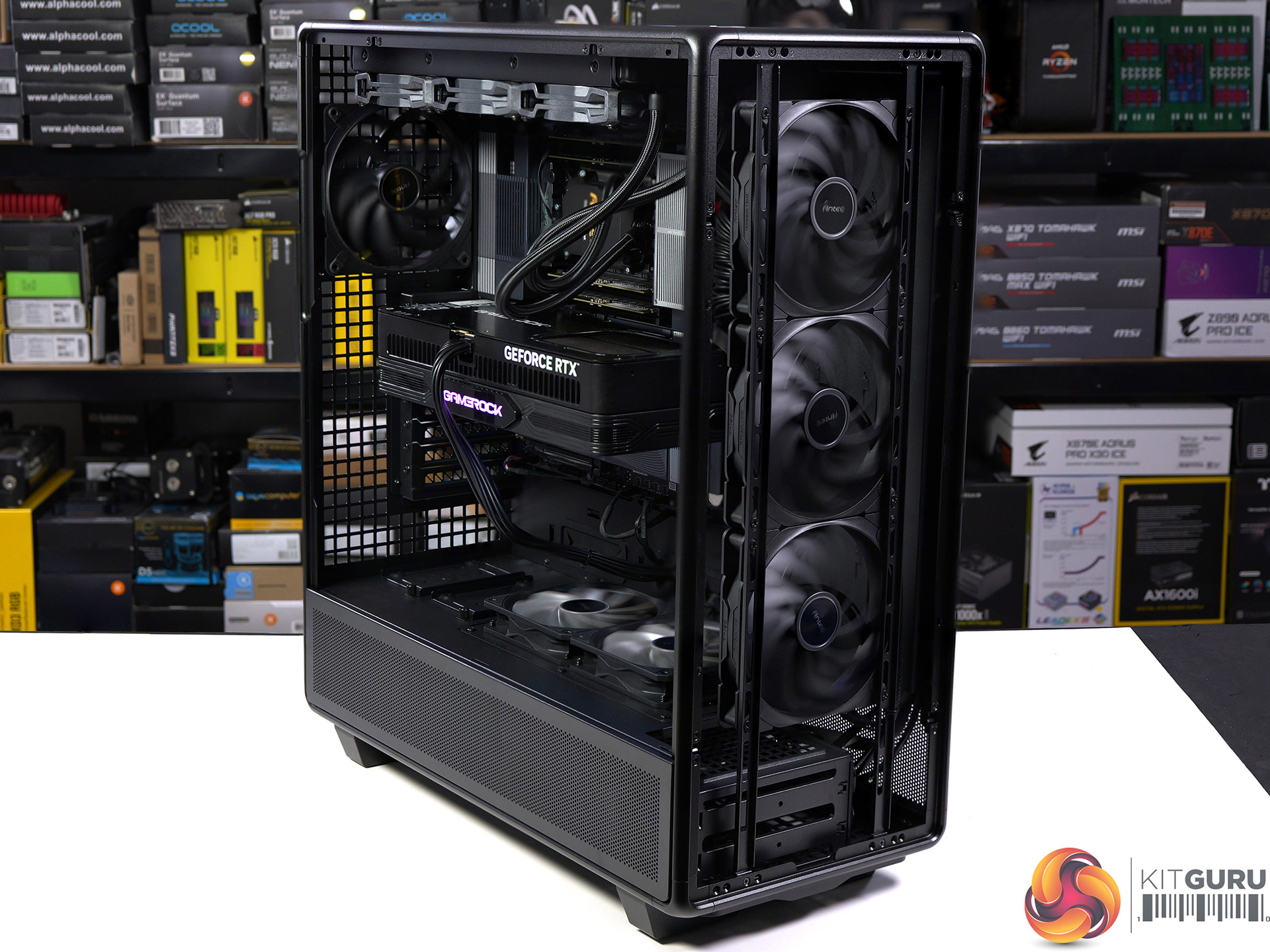
  • Motherboard support: ATX, E-ATX, SSI-CEB and SSI-EEB.
  • Power supply support: ATX.
  • Expansion slots: 8.
  • Included fans: 3x 140mm Tranquil front intake, 2x 120mm P12R on the PSU shroud, 1x 140mm Tranquil rear exhaust.
  • Fan mounts: 3x 120mm/140mm or 2x 200mm front, 3x 120 or 2x 140mm roof, 2x PSU shroud, 1x 120mm/140mm rear.
  • Radiator mounts: 360mm/420mm front, 280mm/360mm roof.
  • 5.25-inch optical drive bays: None.
  • Internal drive bays: 4x 3.5-inch/2.5-inch, 5x 2.5-inch.
  • Front I/O ports: 1x USB 3.0 type-A, 1x USB 3.1 type-C, audio.
  • Dimensions: 622mm H x 547mm D x 250mm W.

Testing

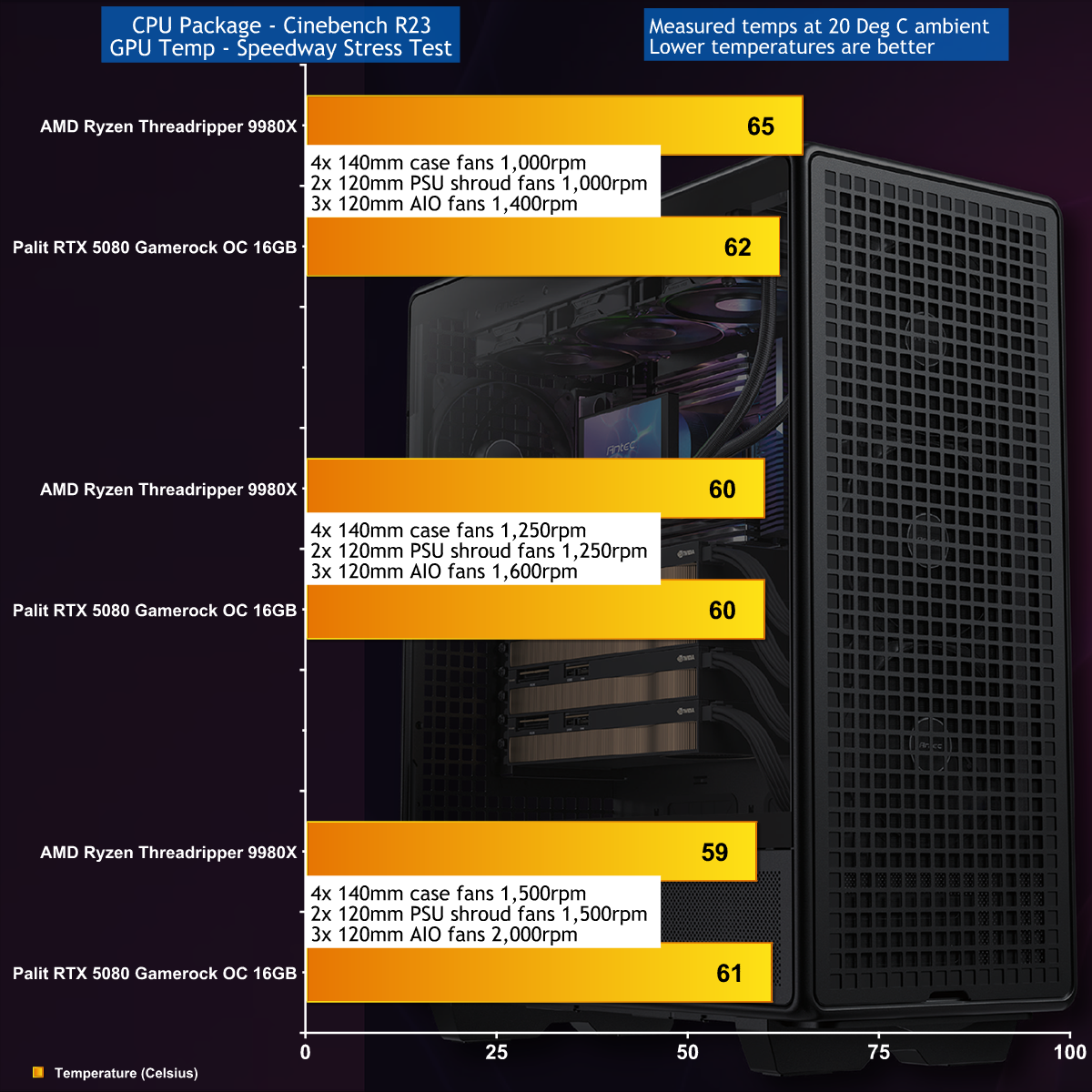
To put this case through its cooling paces we will be using a test system consisting of an AMD Ryzen Threadripper 9980X, Palit RTX 5080 graphics and an SSD. This system allows us to produce a substantial amount of heat and effectively test the Antec 900‘s cooling capabilities.

Test System:

  • Processor: AMD Ryzen Threadripper 9980X
  • CPU Cooler: AMD Threadripper AIO cooler
  • Motherboard: Gigabyte TRX50 AI TOP
  • Memory: 128GB G.Skill T5 Neo RDIMM DDR5-6400 in Quad Channel
  • Graphics card: Palit RTX 5080 Gamerock OC 16GB
  • Power supply: Antec Signature 2200 Platinum 2200W
  • SSD: Crucial T705 Gen5 M.2 NVMe
  • OS: Windows 11

The loads on our test system were very high with a total system power draw of 880W at the wall socket, split evenly between the 64-core Threadripper CPU and RTX 5080 graphics card. We found the Antec 900 was able to cool efficiently without too much noise, however when we ramped up the fans to around 2,000rpm the noise levels became offensive.

Closing Thoughts

In the 20 years since Antec launched the original 900, every single aspect of PCs, gaming and workstations has changed. While we like the nod to the original name we feel it is slightly confusing and best forgotten, as the Antec 900 (2026) is completely different to the Antec 900 (2006), and we mean that in a good way.

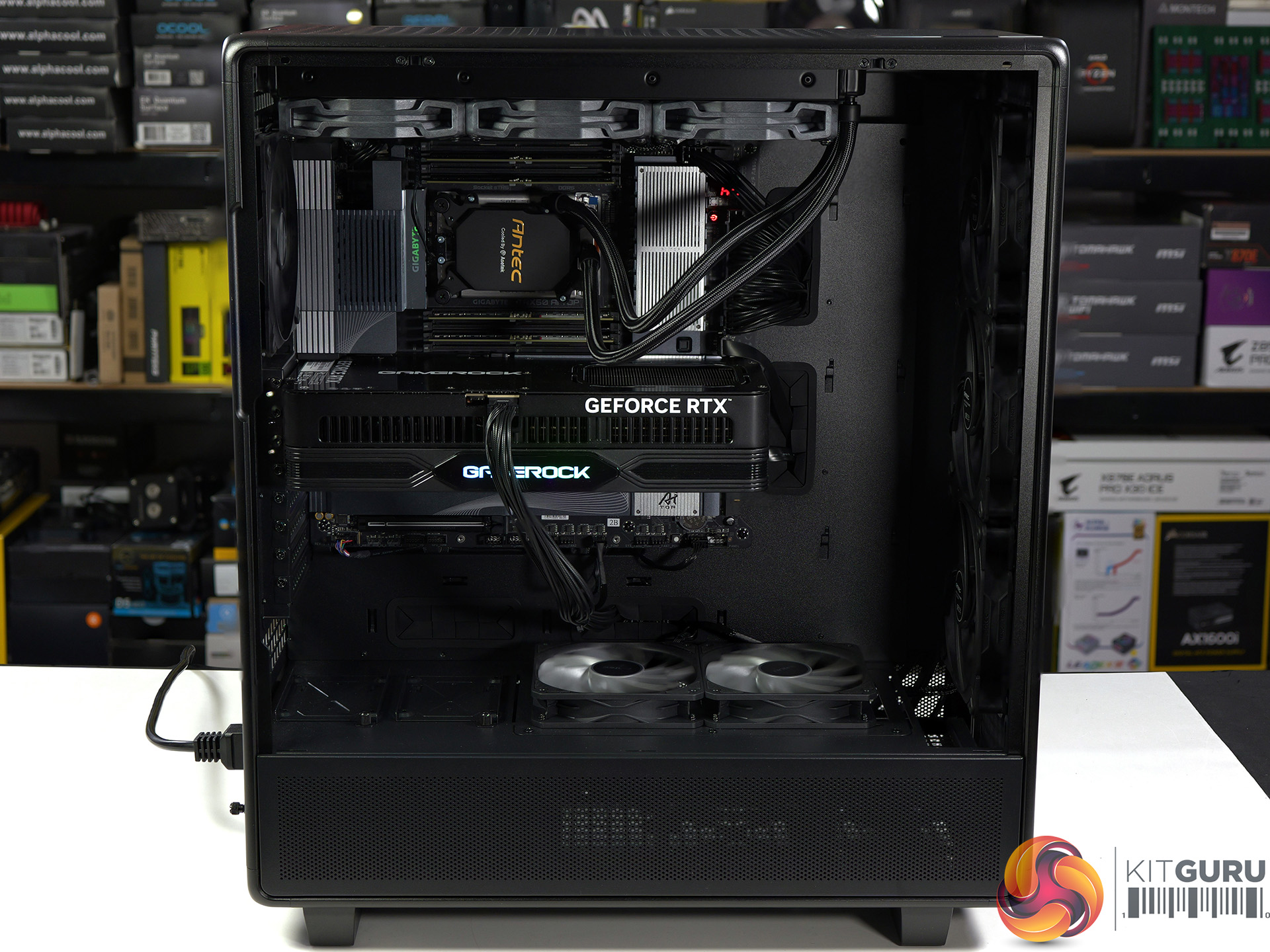
You can pack a huge amount of hardware in this cavernous case, and you can see that our huge Threadripper motherboard and mighty Palit RTX 5080 graphics card are somewhat lost in all that space. The upside is that you can run your cooling system low and slow and still get a good temperatures with low noise. On the other hand we recommend you don't move your finished PC around too much as it is likely to weigh a tonne.

MSRP pricing for the Antec 900 is £249/€289 EURO inc VAT.

Pros:

  • Massive main compartment.
  • Smart styling.
  • Easy access to the storage bays and power supply.

Cons:

  • A PWM hub is not included.
  • The position of the top fan/radiator mounts don't have much flexibility.
  • The accessory kit doesn’t include spare catches for the panel mounts.

KitGuru says: The new Antec 900 is big and beefy and well-suited to your next workstation build.

The post Antec 900 Case Review (2026) first appeared on KitGuru.

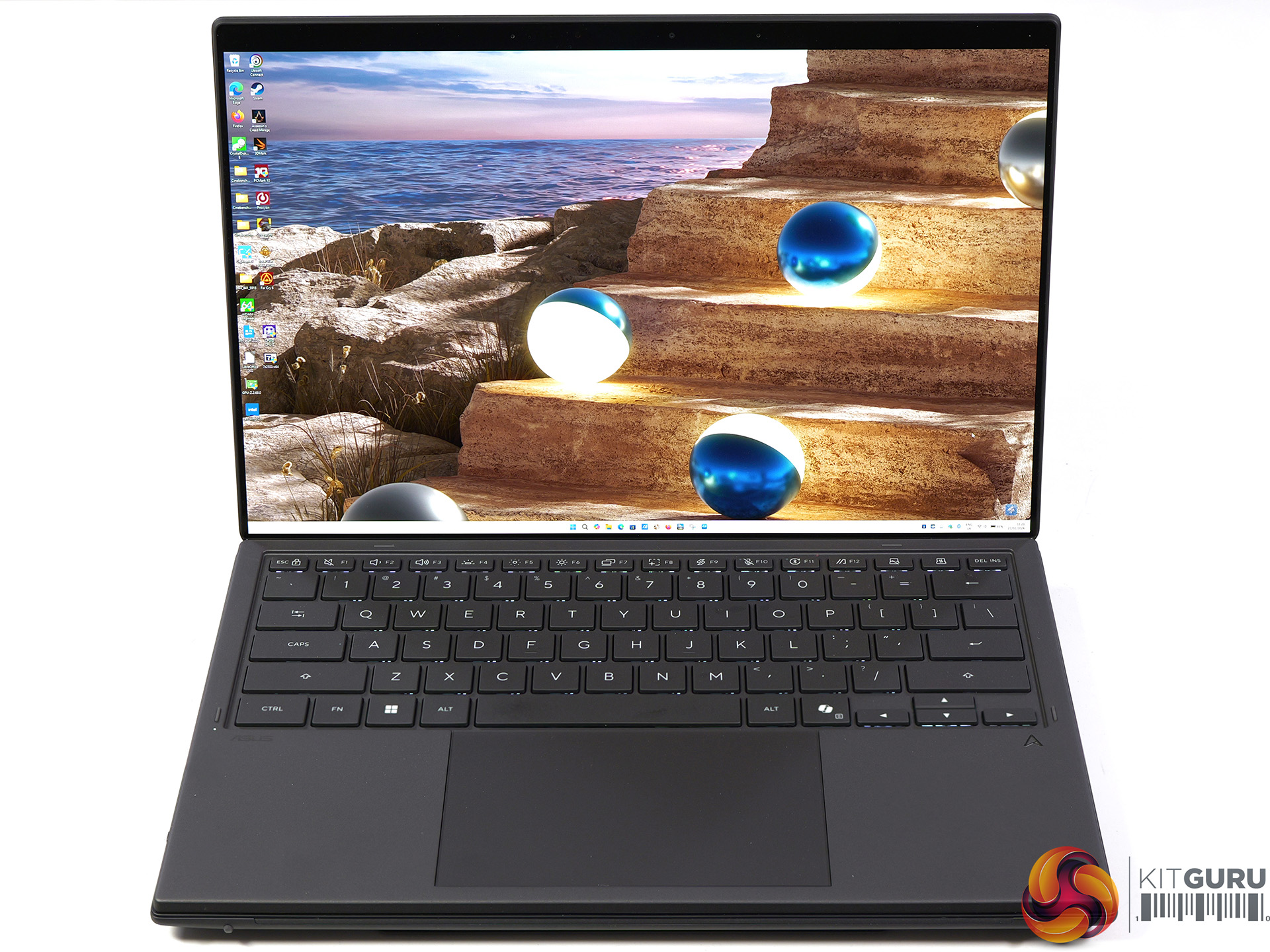
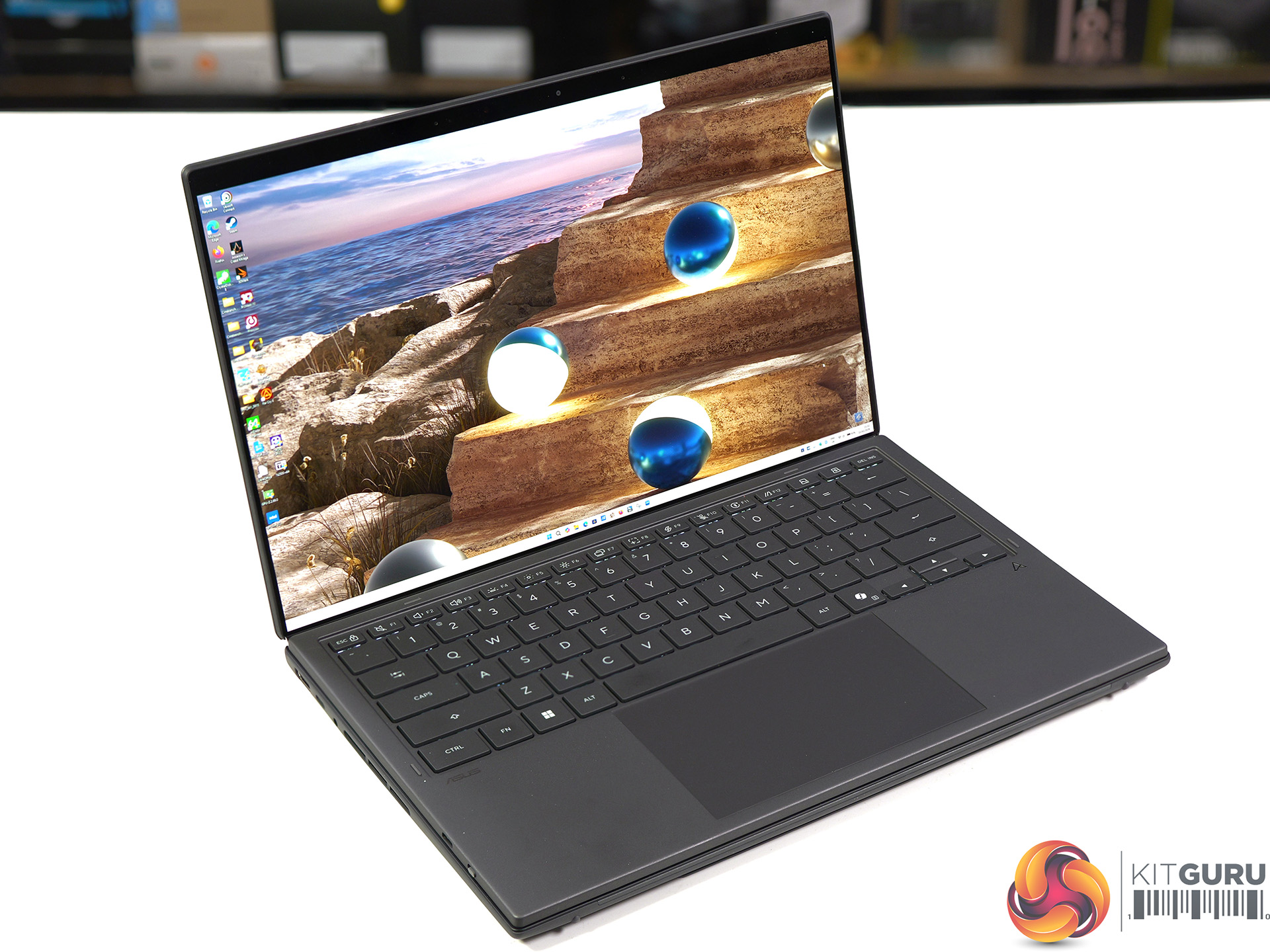
Asus Zenbook Duo UX8407 Review (Dual OLED!)

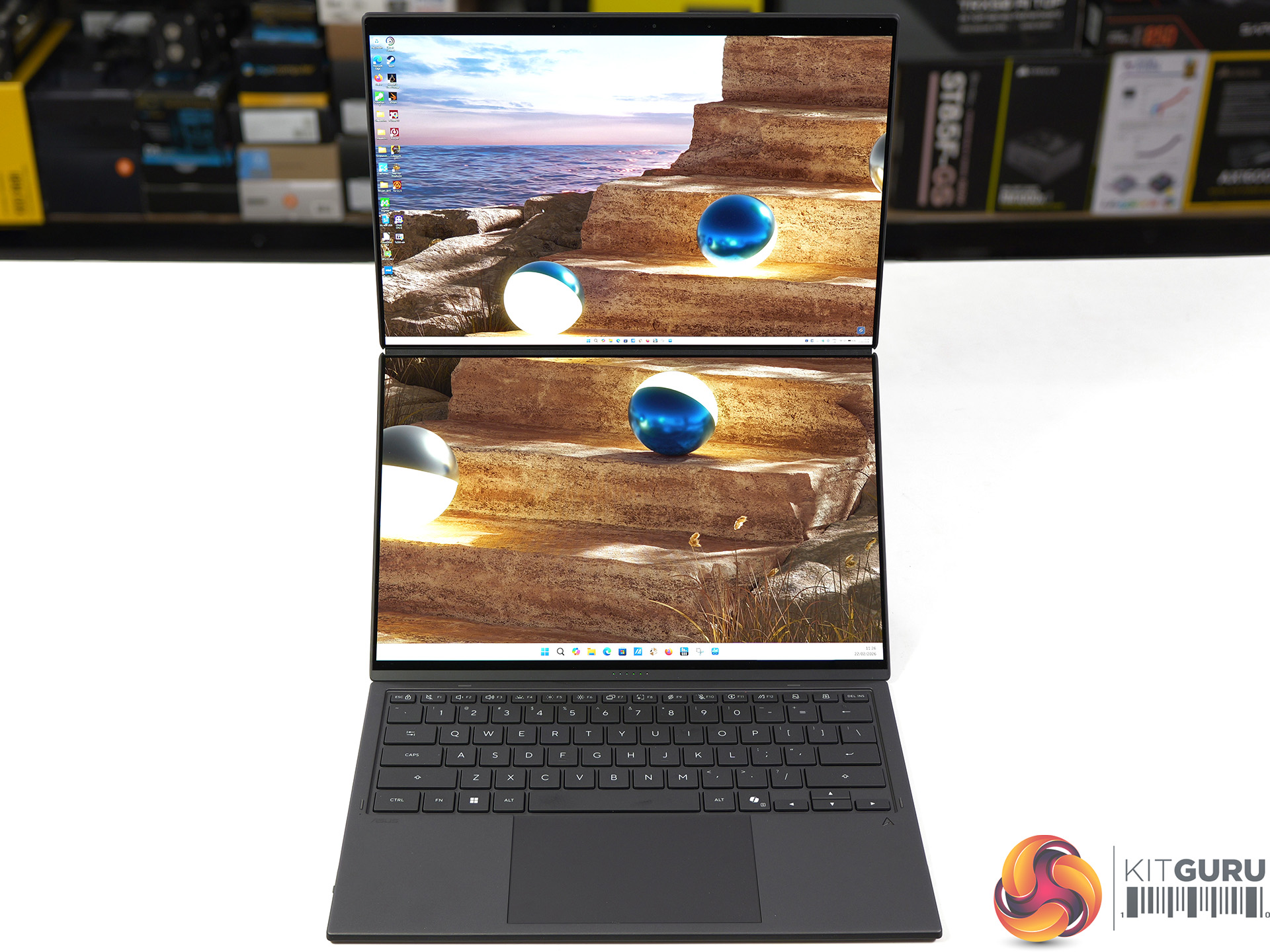
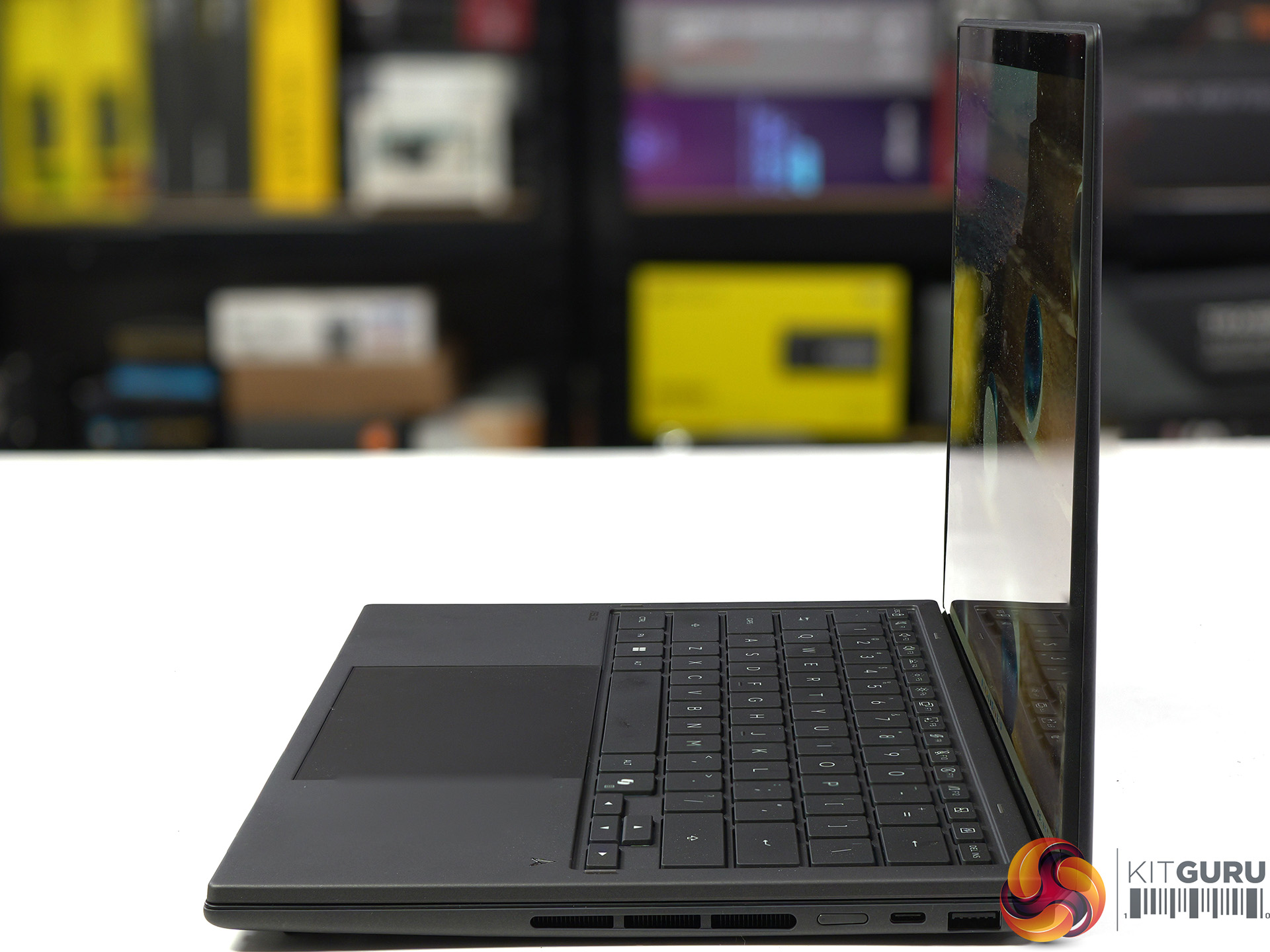
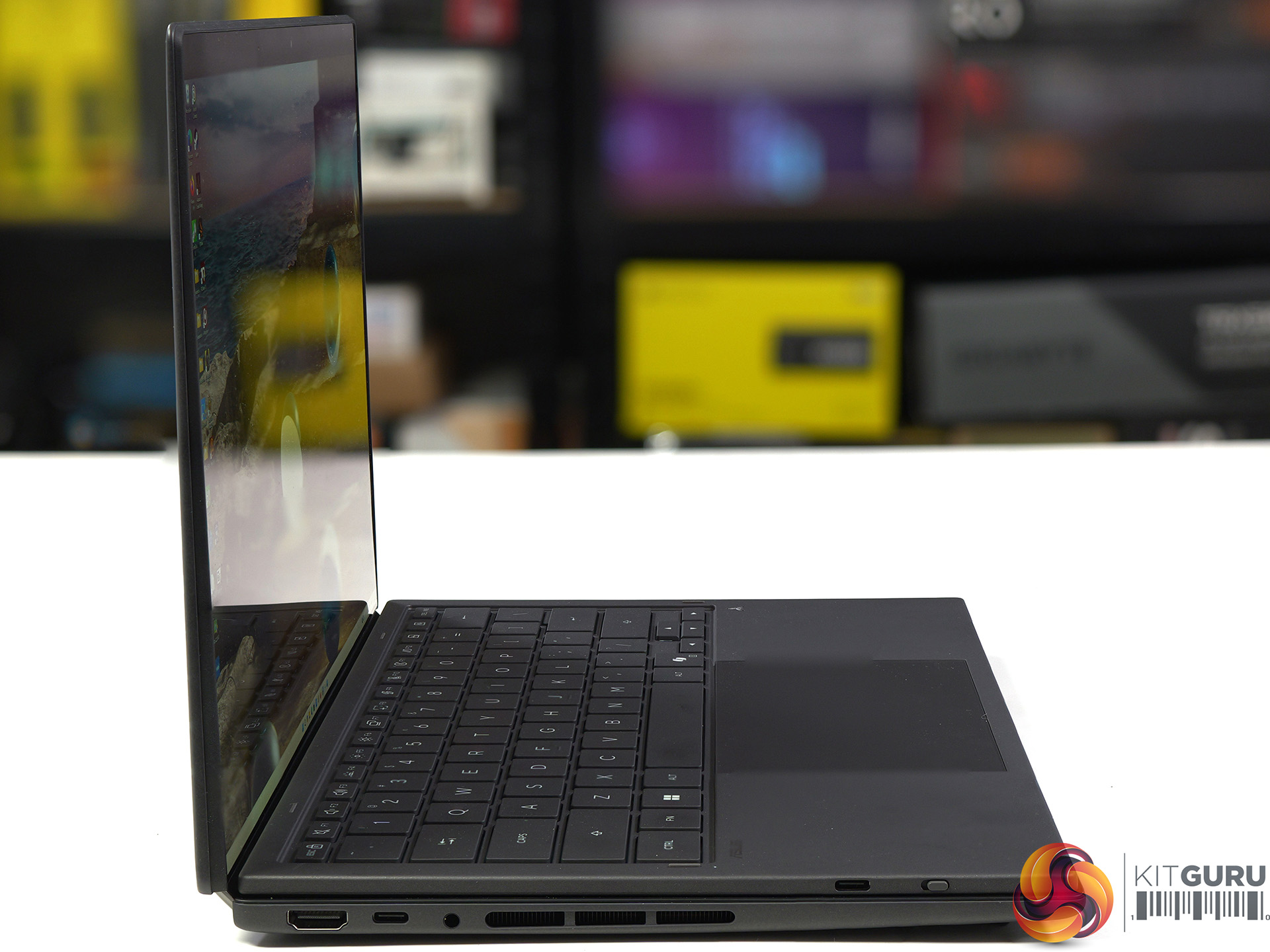
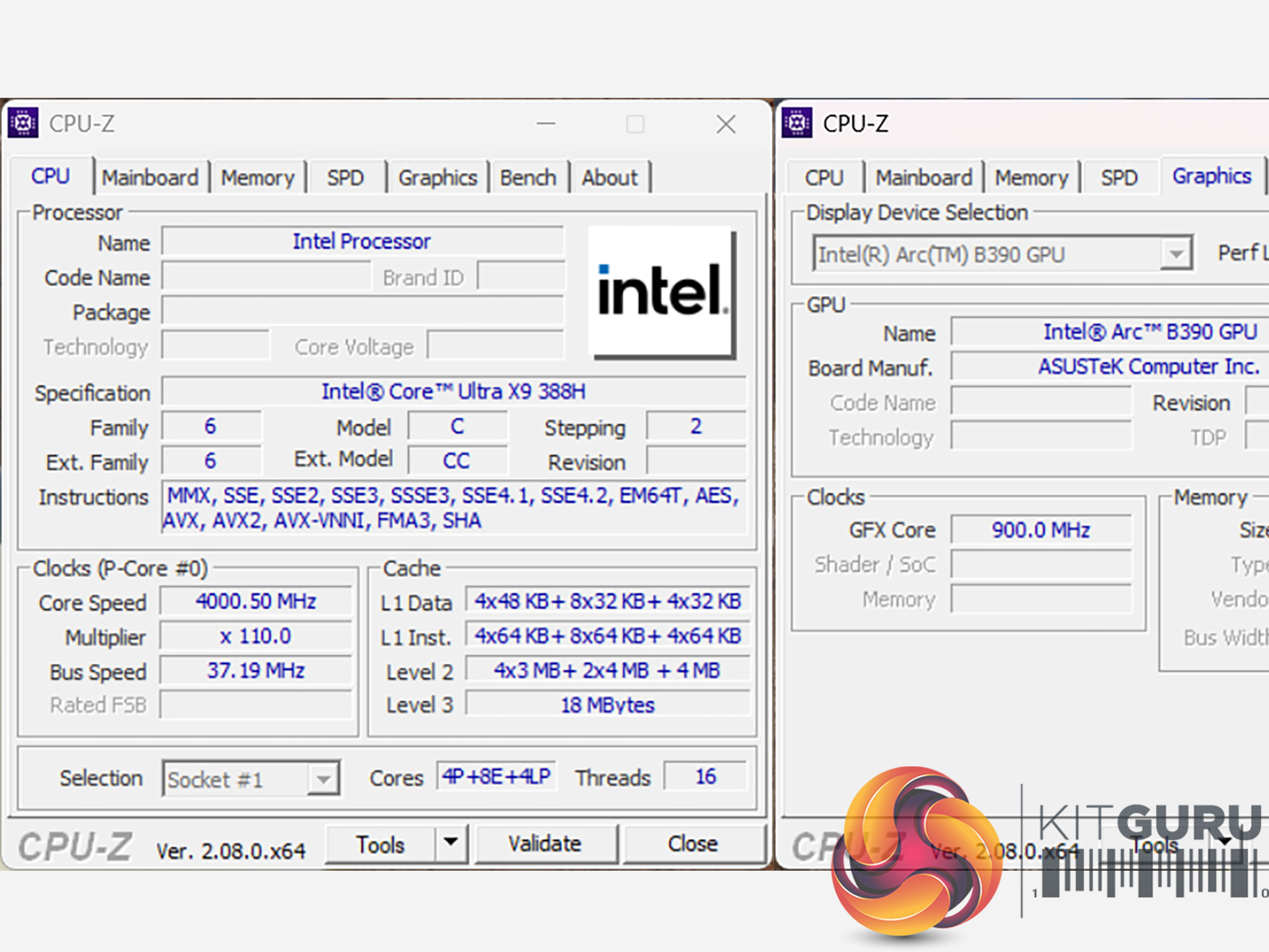
We first saw the new Intel Panther Lake laptop chip in action at their event in Arizona last October, and today we can review the finished result. This 2026 Asus Zenbook Duo packs the most grunty Panther Lake of them all, the Core Ultra X9 388H. The hardware includes 16 CPU cores and 12 Xe3 graphics cores but the headline feature is the Duo part of the name which refers to the dual 14-inch OLED screens. As you will see, it is pretty nifty.

Timestamps:

00:00 Intro
01:11 Meet the Duo!
02:02 Duo-screen basics and functionality
05:16 The quirks of the design
06:16 Core spec
07:25 CPU benchmark results
10:40 System test results
10:10 Game benchmarks
15:07 We’ve not taken it apart…
15:44 Dual batteries – does that explain benchmark curiosities?
17:04 Leo’s pros and cons

Features

  • The most compact Zenbook Duo ever with new hideaway hinge design and nearly 20-inches expansive view.
  • Perfect for mobile multitasker to enjoy professional-grade viewing: Dual 14-inch 3K 144Hz Asus Lumina Pro OLEDs, 1000 nits touchscreen display. Anti-reflection clarity outdoors.
  • Lightweight mobile studio provides peak performance of up to Intel Core™ Ultra X9 Series 3 with discrete-level GPU acceleration, unlocking exceptional power for AI, rendering, and gaming on the go.
  • Dual-screen laptop with 18+ hour battery life.
  • From Ceraluminum chassis, hinge, kickstand to the screens, setting the gold standard for durability in portable computing.
  • Versatile modes with intuitive smart gesture control. Asus Pen 3.0 support.

Specification

  • Processor: Intel Core Ultra X9 Processor 388H (4x P-cores, 8x E-cores, 4x LP-cores)
  • Graphics: Intel Arc B390
  • Neural processor: Intel NPU (up to 50 TOPS)
  • Display: 14.0-inch, 3K (2880 x 1800) OLED, 16:10, 0.2ms response time, 144Hz refresh rate, 500 nits typical, 1000 nits HDR peak
  • Memory: 32GB LPDDR5X 9600MT/s (onboard)
  • Storage: 1TB Samsung PM9C1b M.2 NVMe PCIe 4.0 SSD
  • Ports (left side):
    • 1x HDMI 2.1
    • 1x Thunderbolt 4 (40Gbps, display and power delivery)
    • 1x Headset jack
  • Ports (right side):
    • 1x USB 3.2 Gen 2 Type-A (10Gbps)
    • 1x Thunderbolt 4 (40Gbps, display and power delivery)
  • Keyboard & touchpad: Soft keyboard, 1.7mm key travel, Precision touchpad
  • Camera: FHD camera with IR (Windows Hello support)
  • Audio: Built-in array microphone with Cortana support
  • Network: Wi-Fi 7 and Bluetooth 5.4
  • Battery: 99Wh, 4S1P, 4-cell Li-ion
  • Power supply: 100W USB Type-C
  • Dimensions: 31 cm (W) x 21 cm (D) x 2.3 cm (H)
  • Weight: 1.68 kg (plus 0.48 kg charger and mains cable)
  • Operating system: Windows 11 Home

Testing and Performance

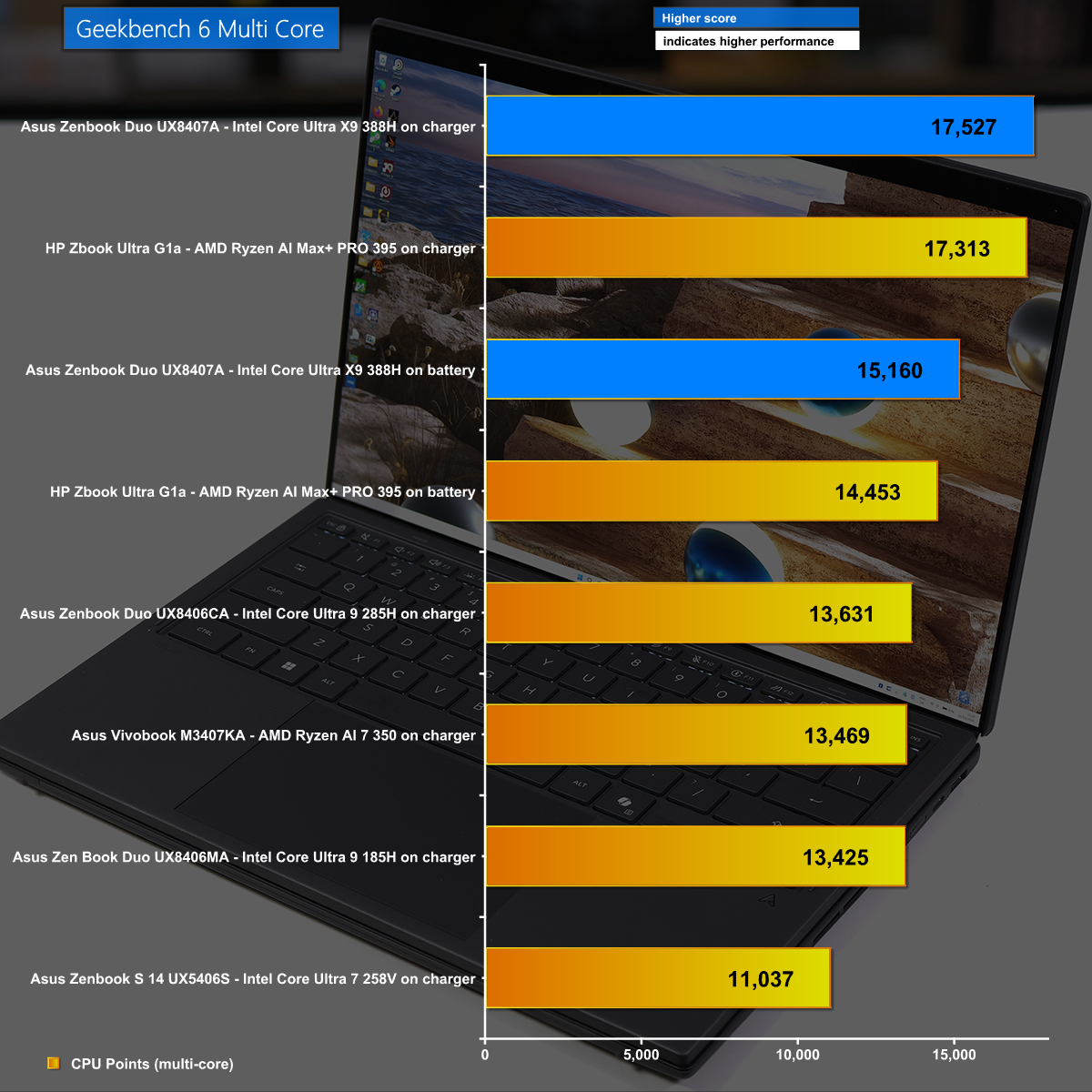
Geekbench 6 Multi Core

in Geekbench 6 Multi Core we see the Asus Zenbook Duo performing well, with the Intel Core Ultra X9 388H some 30% ahead of the previous Core Ultra 9 285H.

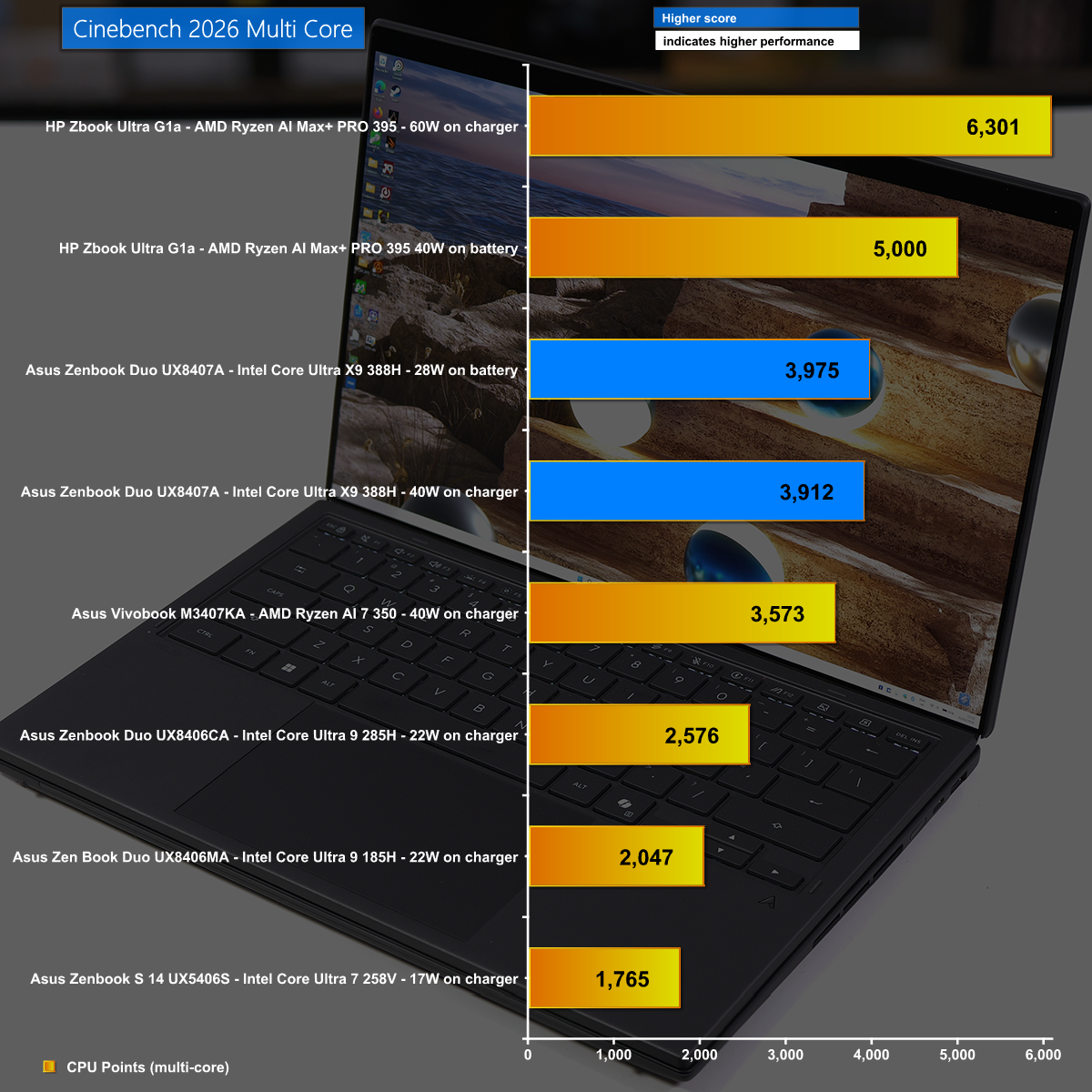
Cinebennch 2026 Multi Core

It is a slightly different story in Cinebench 2026 Multi Core where we again see the new Intel Panther Lake wreck the previous Lunar Lake, however the top honours go to AMD with the mighty Strix Halo in the HP Zbook Ultra G1a.

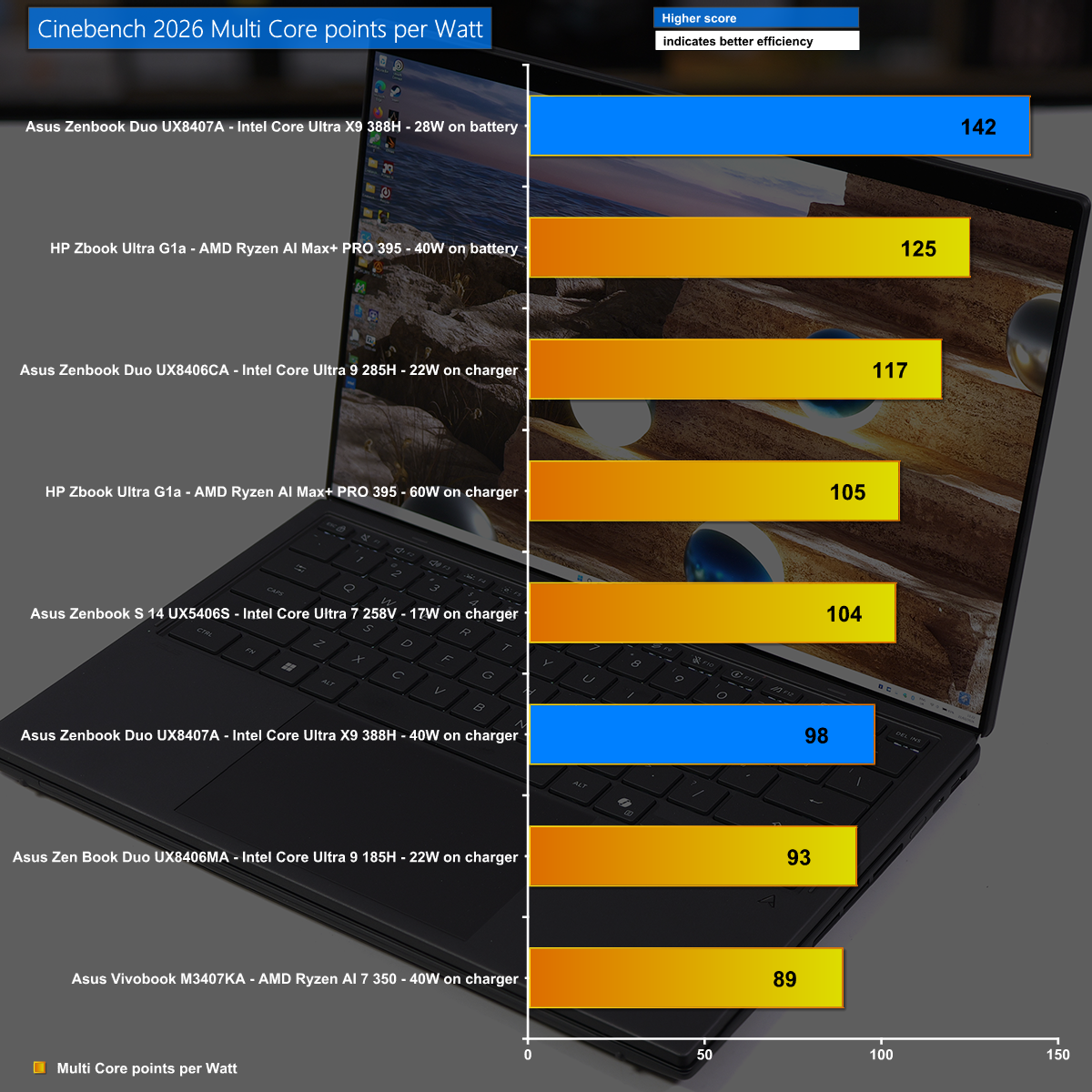
Cinebench 2026 Multi Core points per Watt

Our Cinebench 2026 power efficiency calculation shows the amazing efficiency of Intel's new Core Ultra X9 388H which has good performance and very low power draw.

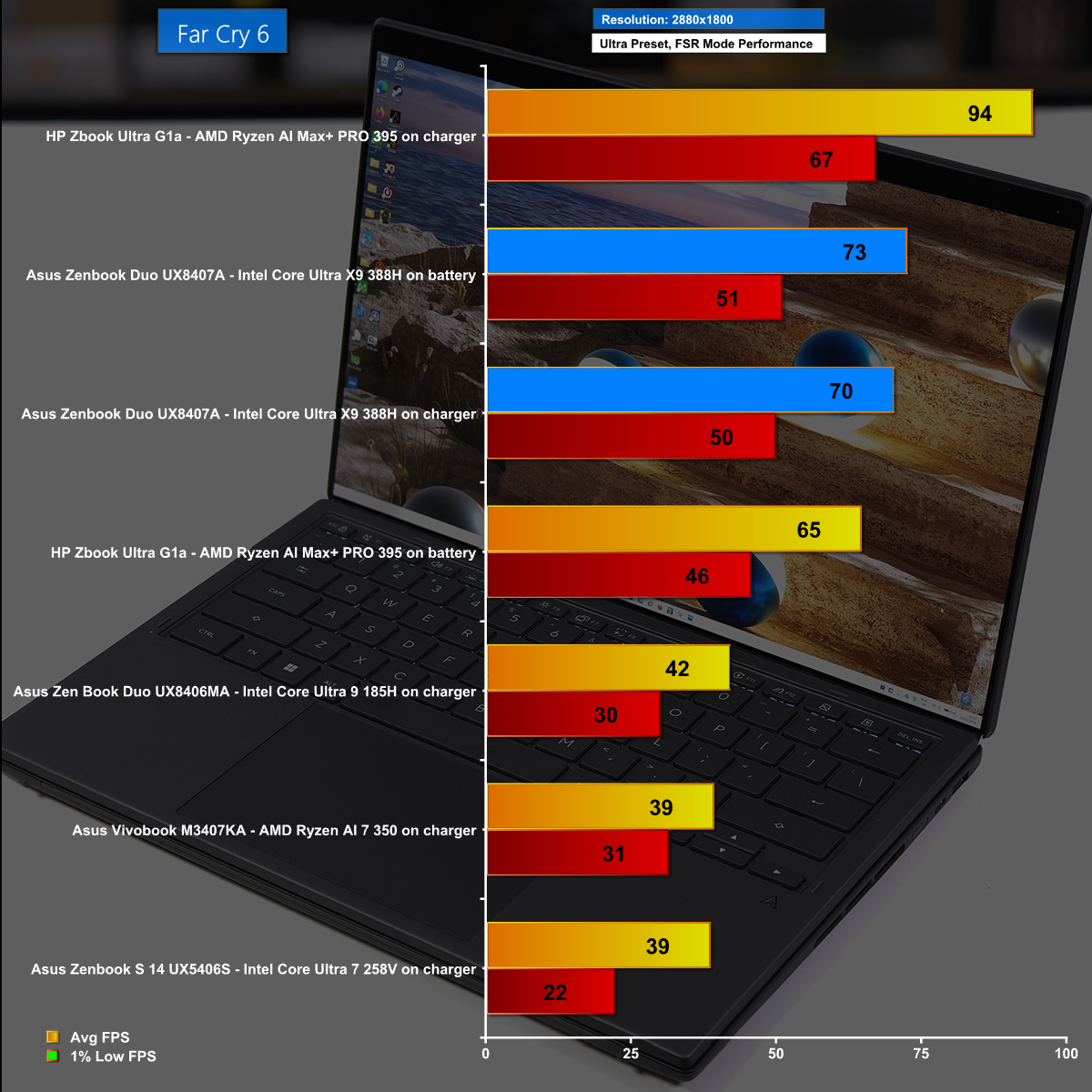
Far Cry 6 at 2,880×1,800 with FSR Performance Mode

In Far Cry 6 at the massive resolution of 2,880×1,800 running on the Ultra preset we used the FSR Performance Mode and saw average frame rates north of 70fps. This is remarkable performance from Intel's latest iGPU and it looks great on the Asus OLED screen.

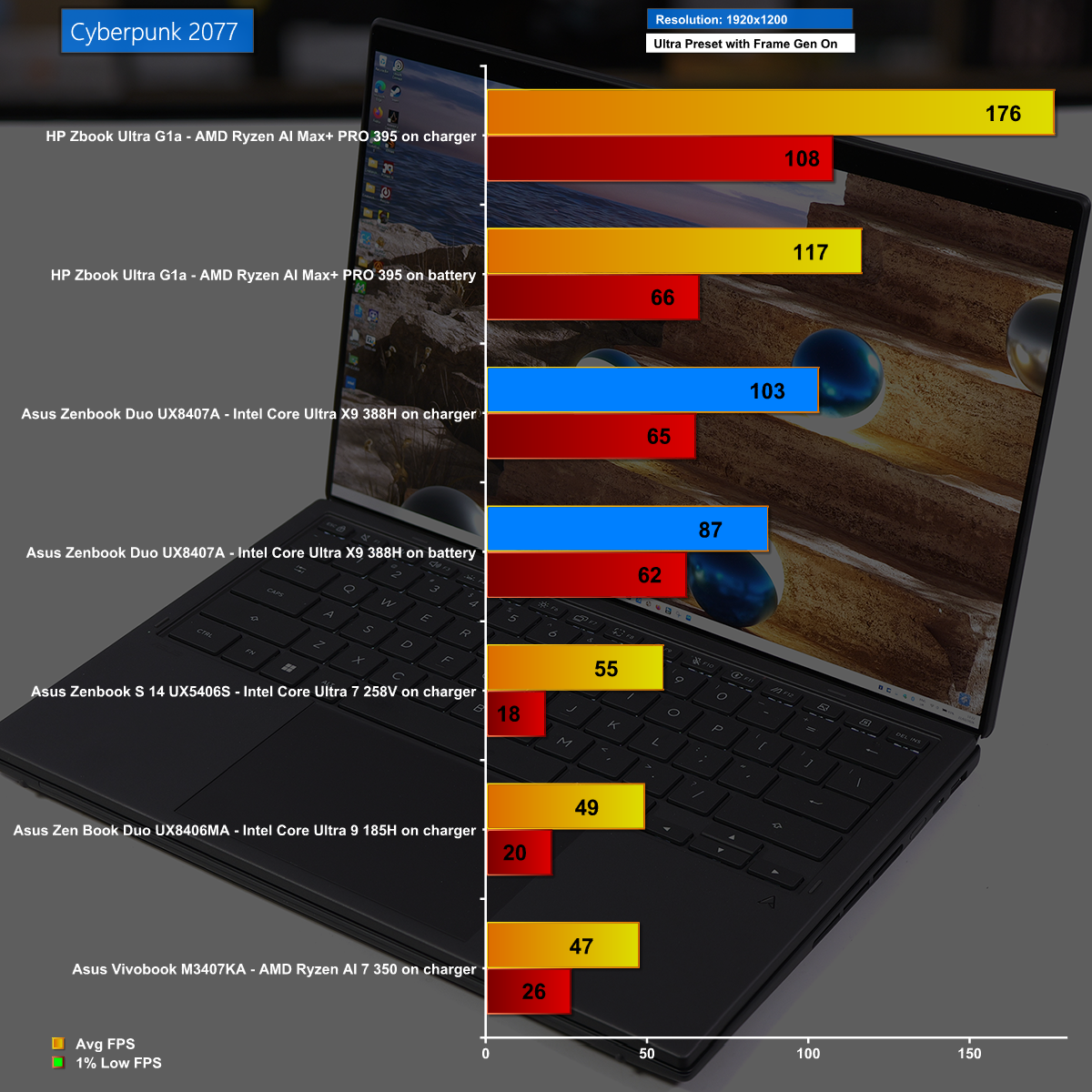
Cyberpunk 2077 at 1,920×1,200 with Frame Gen Enabled

Cyberpunk 2077 is a stiff test with the Ultra preset, but running at 1,920×1,200 with Frame Gen Enabled we saw excellent frame rates from the Asus Zenbook Duo. Having said that, the HP Zbook Ultra G1a smashed it out of the park.

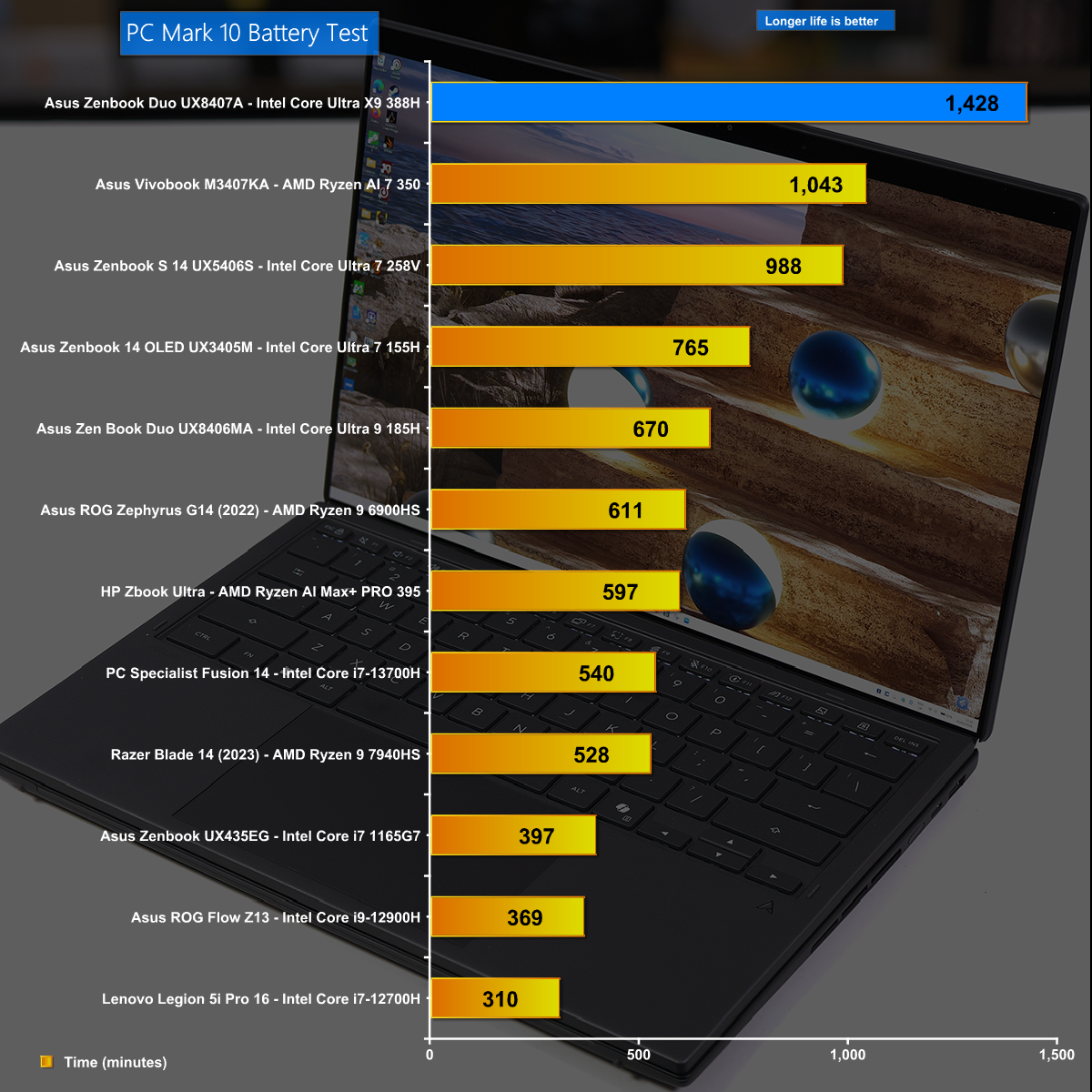
Battery Life

Battery life is a critical aspect of a laptop and the new Zenbook Duo does monumentally well, running for just under 24 hours. This is a superb testament to both Asus and Intel.

Closing Thoughts

The changes made by Asus to the 2026 version of Zenbook Duo are very good and we love the way the dual OLED screens almost merge into one display. As an added bonus the 2026 laptop is notably more compact than previous versions, and this approach to packing two full sized 14-inch displays into a fairly regular laptop demonstrates some impressive engineering by Asus.

The new Intel Core Ultra X9 388H is an impressive piece of silicon and our first impressions mark the Intel 18A process as a success. The CPU part of the chip has decent performance and requires very little power. In addition the 12x Xe3 graphics core delivers sufficient performance for daily use as well as serious gaming sessions.

You can buy the Asus Zenbook Duo UX8407A for £2,499.99 HERE

Pros:

  • The dual 14-inch OLED screens are superb.
  • Battery life is monumental.
  • Intel 12x Xe3 graphics are impressive.
  • Intel Panther Lake CPU is good.

Cons:

  • Zenbook Duo is somewhat chunky and slightly heavy.
  • Price is high.
  • Ports and connectors are rather close together.

KitGuru says: The latest version of Asus Zenbook Duo comes with Intel Core Ultra X9 and delivers a superb experience. 

The post Asus Zenbook Duo UX8407 Review (Dual OLED!) first appeared on KitGuru.

HP Zbook Ultra G1a Review (Strix Halo)

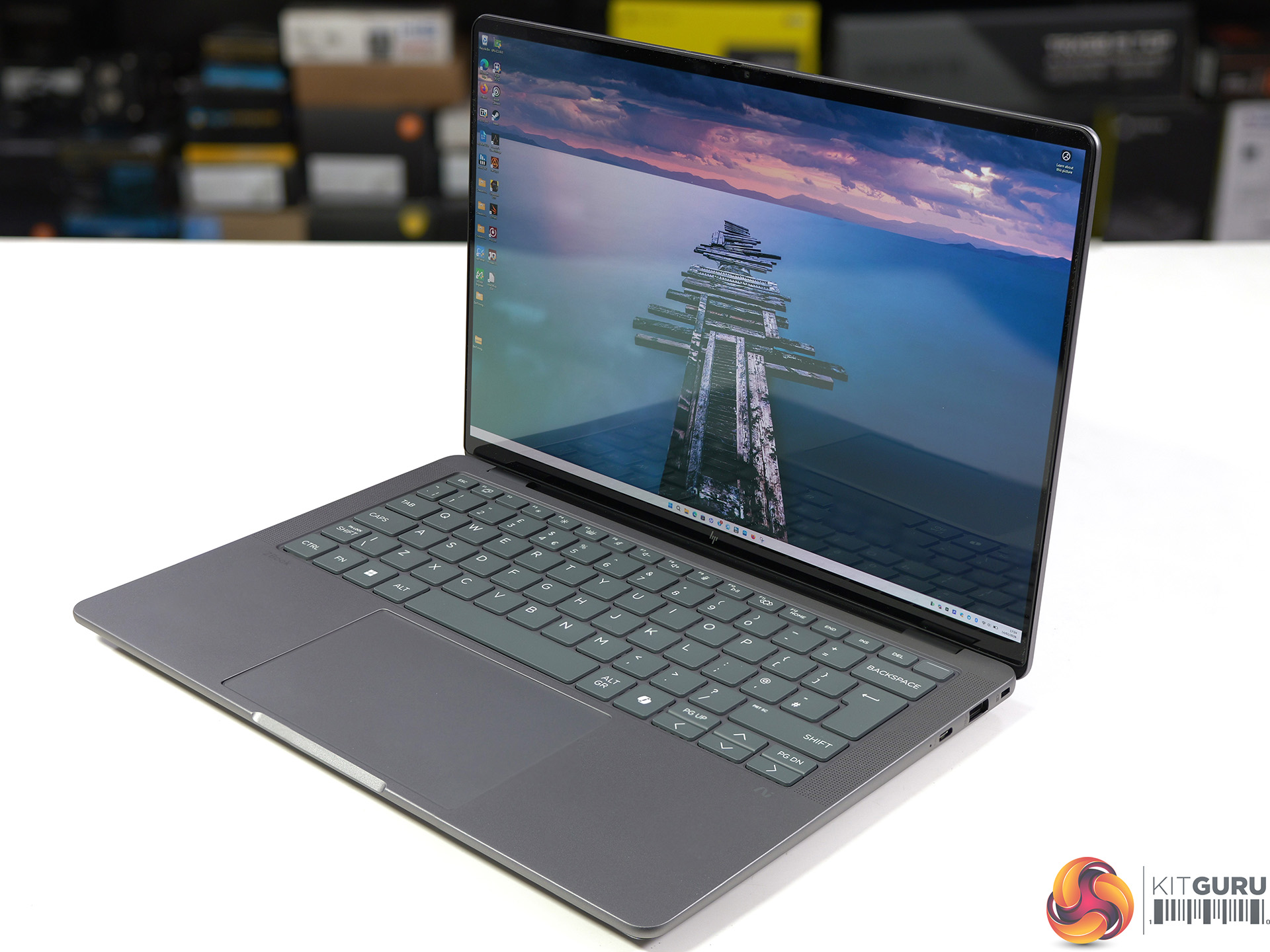
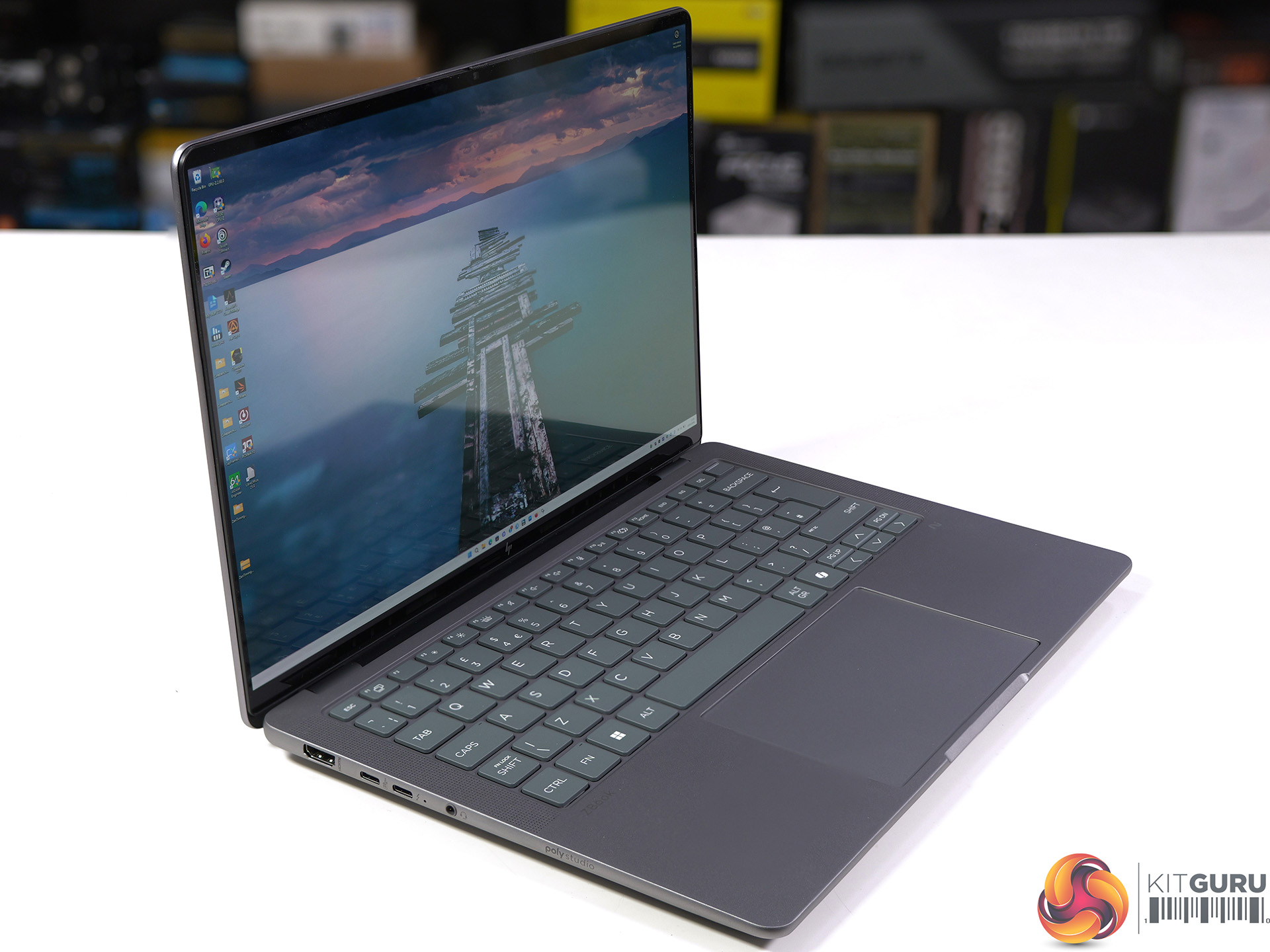
Our review of this HP Zbook Ultra G1a features the AMD Strix Halo APU which was announced at CES 2025. Despite its age this is the most powerful APU that money can buy, and both the CPU and graphics are truly impressive. To make things interesting we put the HP laptop head-to-head with Intel’s brand new Panther Lake Core Ultra X9 388H so we could see the best integrated graphics in action.

Timestamps

00:00 Start
00:52 AMD Ryzen AI Max+ Series
03:36 Intel Core Ultra Series 3 thoughts
04:19 A quick test or 2
06:32 Physical Size / Battery
07:37 Connectors / Keyboard / Looks
08:33 Hardware
09:17 Comparisons and Performance Hardware
11:13 GeekBench 6 Multi Core
13:20 Geekbench 6 Single Core
13:53 Cinebench 2026 Multi Core / Points Per watt
14:44 Cinebench 2026 Single Core
15:24 Cinebench 2024 Multi Core
15:54 Cinebench 2024 Single Core
16:15 Cinebench R23 Multi Core
16:34 Cinebench R23 Single Core
16:44 7-Zip V25 Benchmark
16:56 Aida64 Memory Bandwidth
17:09 3DMark Fire Strike
17:52 Assassins Creed Mirage
19:57 FarCry 6
21:48 Cyberpunk 2077
24:21 PCMark 10 Battery Test
25:05 Closing Thoughts

Main Features

  • PRO Processor: Take charge of your work with the latest AMD Ryzen AI MAX processors, delivering cutting-edge CPU capabilities.
  • Integrated graphics: Experience ultra-powered performance, power through AI demanding workflows with AMD Radeon graphics and dedicated AI accelerators.
  • LPDDR5X-8533 MT/s Memory: Up to 128GB of memory. The unified memory architecture allows you to allocate up to 96GB of memory exclusively to the GPU.
  • Impressive expandability: Blitz through multiple tasks and ditch external drives with slots for up to 4TB local storage.
  • Up to 50 TOPS: Ensure smooth and responsive operation, tackle more and more demanding tasks, with the power to run AI locally.
  • All day battery life: Maximise your productivity with a long-lasting battery life, with HP Fast Charge reaching up to 50% in only 30 mins.
  • HP Smart Sense: Optimise your comfort and performance with an AI tool that adapts to your use. Adjust fan noise, conserve energy, and regulate CPU temperature for an optimal PC experience.
  • HP AI Companion: Enhance your productivity with a range of AI tools and solutions designed to simplify your daily tasks and keep you efficient throughout the day.

Specification

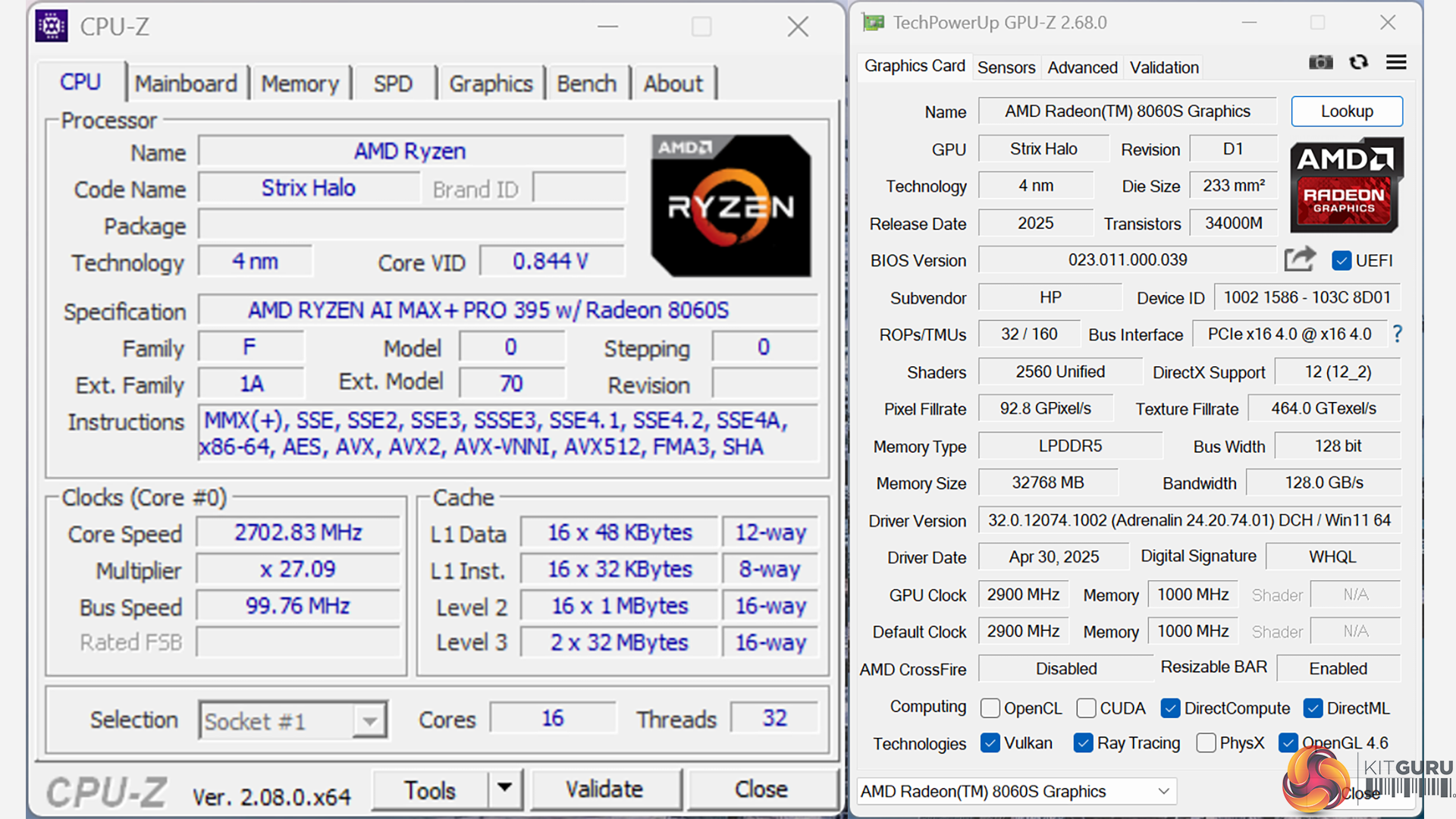
  • Processor: AMD Ryzen AI Max+ PRO 395 (up to 5.1 GHz max boost clock, 64 MB L3 cache, 16 cores, 32 threads)
  • Integrated graphics: AMD Radeon 8060S (40 cores, 32GB memory)
  • Neural processing unit: AMD Ryzen AI (50 NPU TOPS)
  • Memory: 128GB LPDDR5x-8533 MT/s (onboard)
  • Display: 14-inch touchscreen, 2.8K (2880 x 1800), OLED, 120Hz, 400 nits, 100% DCI-P3
  • Internal storage: 2TB PCIe Gen4 NVMe TLC SSD
  • Wireless: MediaTek Wi-Fi 7 MT7925 (2×2) and Bluetooth 5.4
  • Ports (left side):
    • 1x USB Type-C 10Gbps (USB Power Delivery, DisplayPort 2.1)
    • 1x HDMI 2.1
    • 1x Headphone/microphone combo
    • 1x Thunderbolt 4 (USB Type-C 40Gbps, DisplayPort 2.1)
  • Ports (right side):
    • 1x USB Type-A 10Gbps
    • 1x Thunderbolt 4 (USB Type-C 40Gbps, DisplayPort 2.1)
    • Kensington lock slot
  • Camera: 5MP IR
  • Audio: Poly Studio; 4 integrated stereo speakers (1W / 8 ohm per speaker) with discrete amplifiers; 2 integrated dual-array digital microphones
  • Dimensions: 31.2 cm (W) x 21.5 cm (D) x 1.8 cm (H)
  • Weight: 1.58 kg (plus 0.53 kg charger)
  • Power adapter: 140W USB Type-C
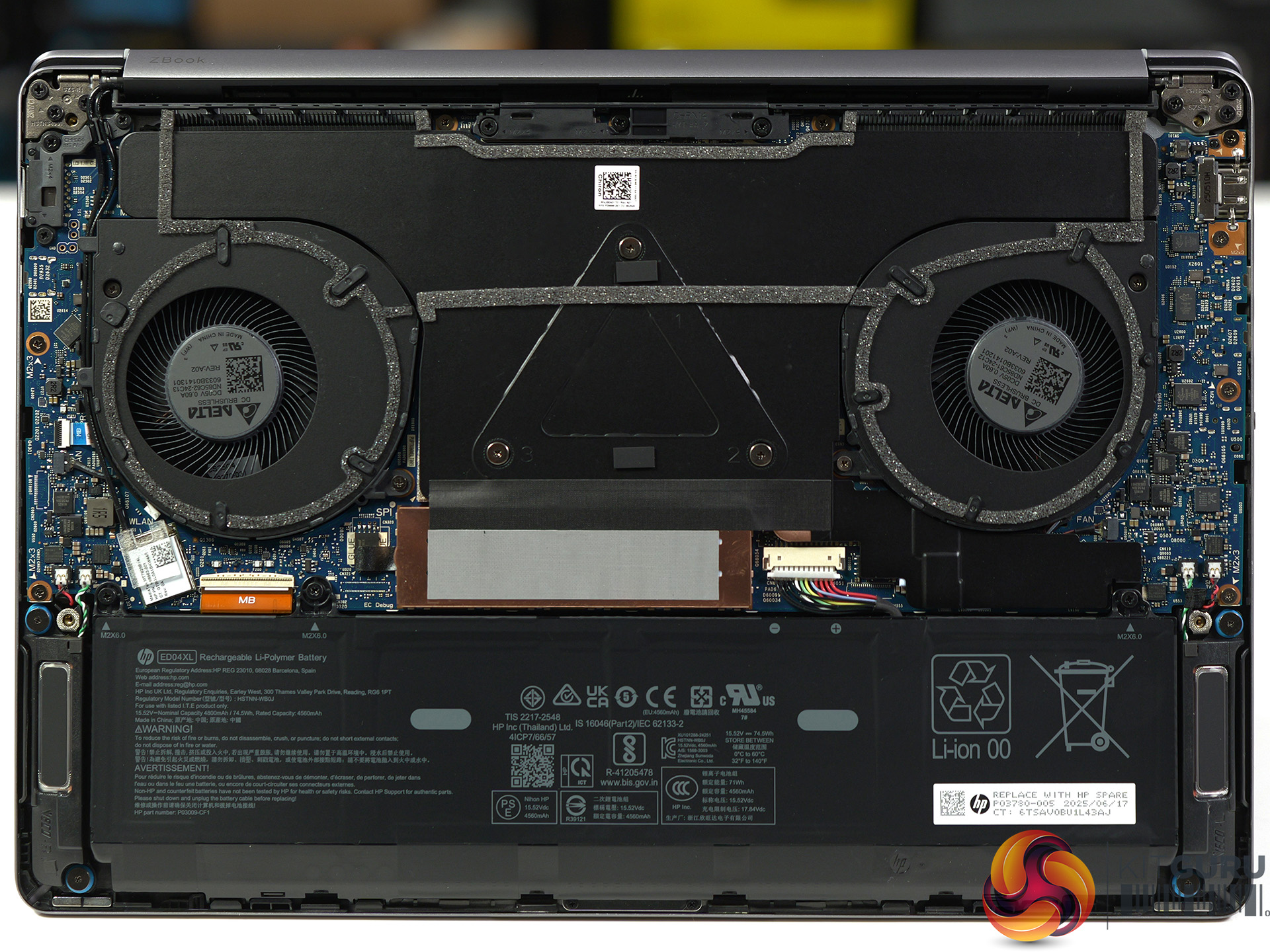
  • Battery: HP XL-Long Life 4-cell, 74.5Wh polymer
  • Operating system: Windows 11 Pro

Testing and Performance

Geekbench 6 Multi Core

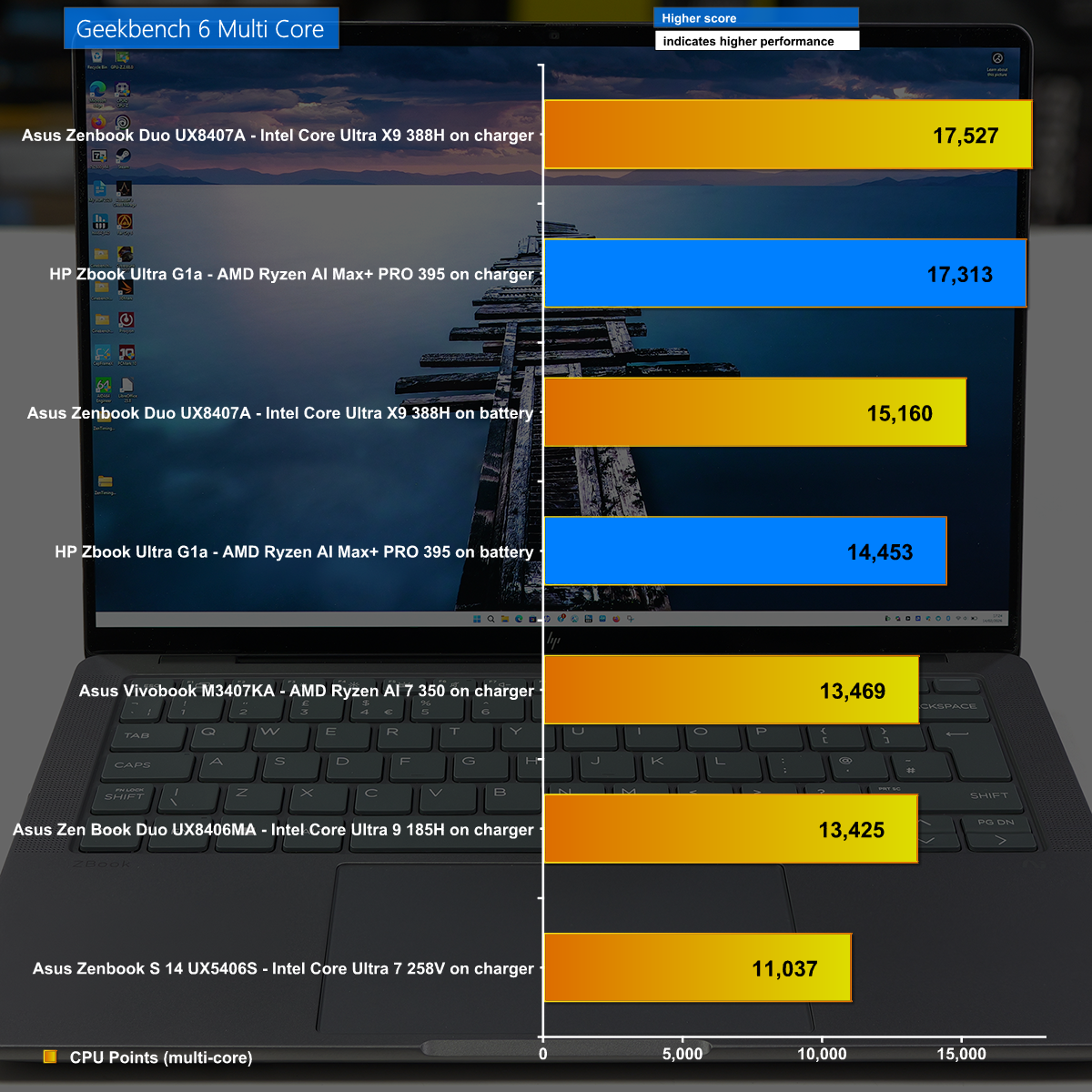
In Geekbench 6 Multi Core we see the HP Zbook in an effective tie with the Asus Zenbook Duo and Intel Panther Lake. This indicates that Core Ultra X9 388H has something extra that makes up for the lack of pure CPU grunt.

Cinebench 2026 Multi Core

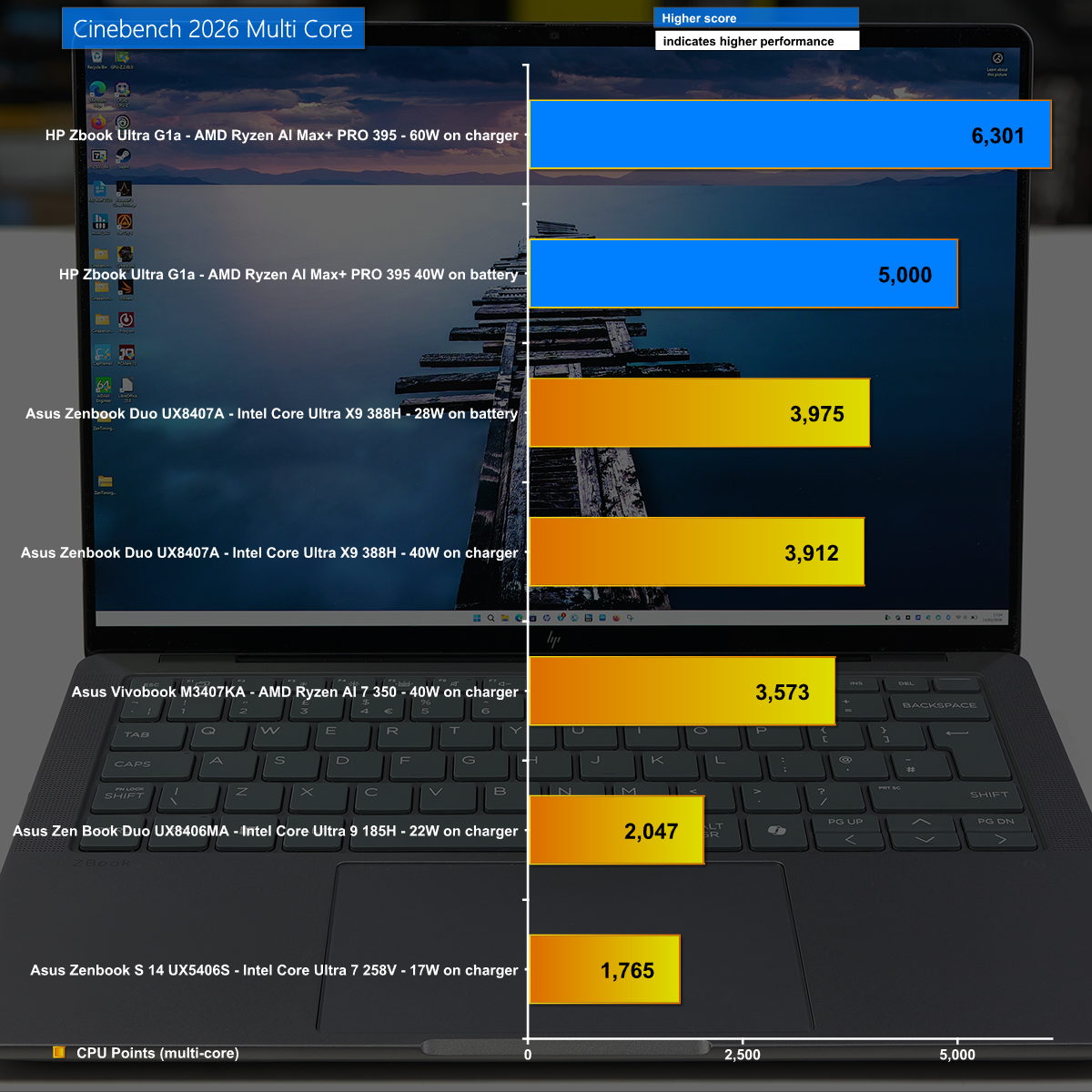
This is the result we expected in Cinebench 2026 Multi Core with the AMD Strix Halo powering the HP Zbook to a clear victory by a massive margin.

AIDA64 Memory Bandwidth

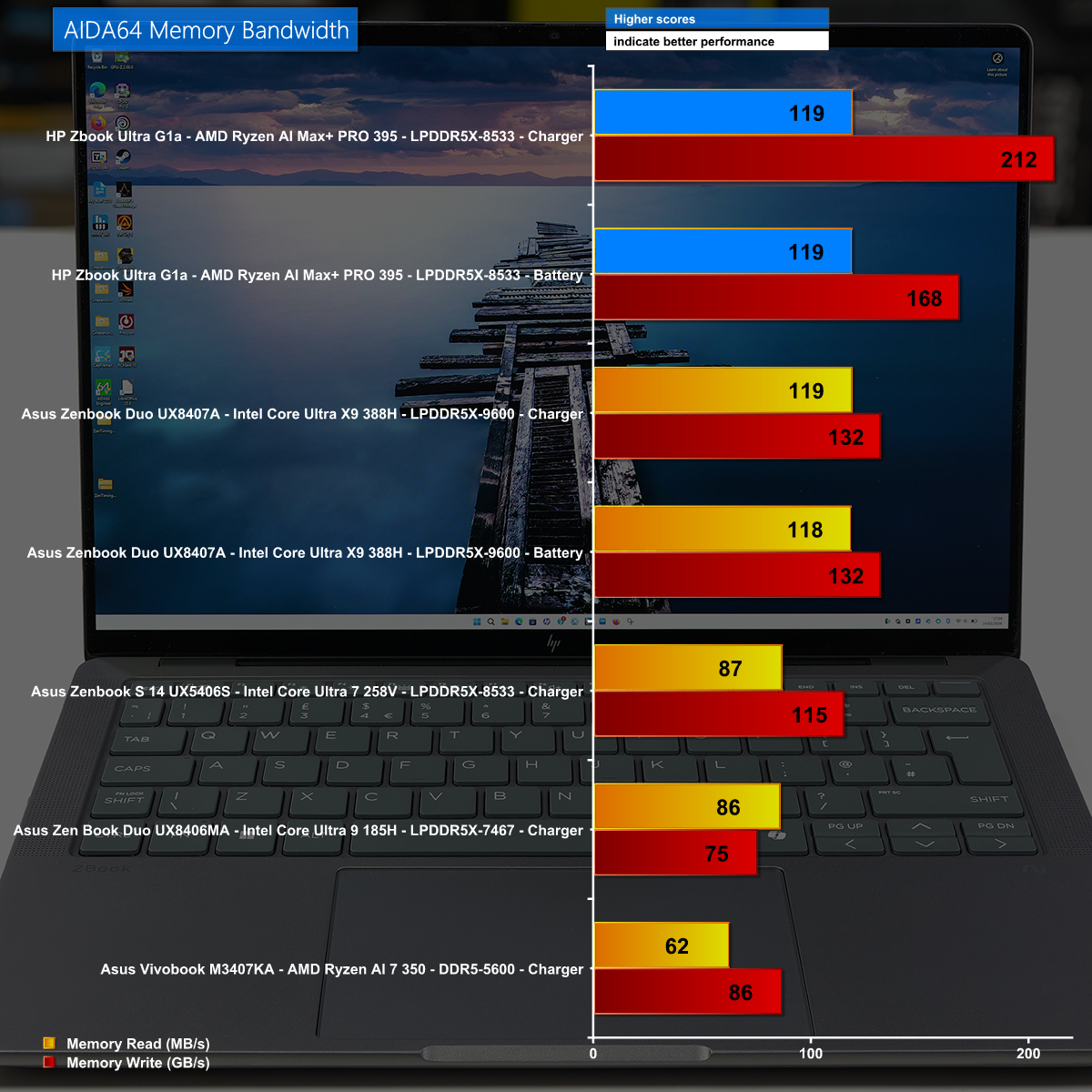
The HP Zbook  is loaded with a massive 128GB of LPDDR5x-8533 and the Strix Halo has a quad channnel memory controller which combine in AIDA64 Memory Bandwidth to deliver a decisive victory.

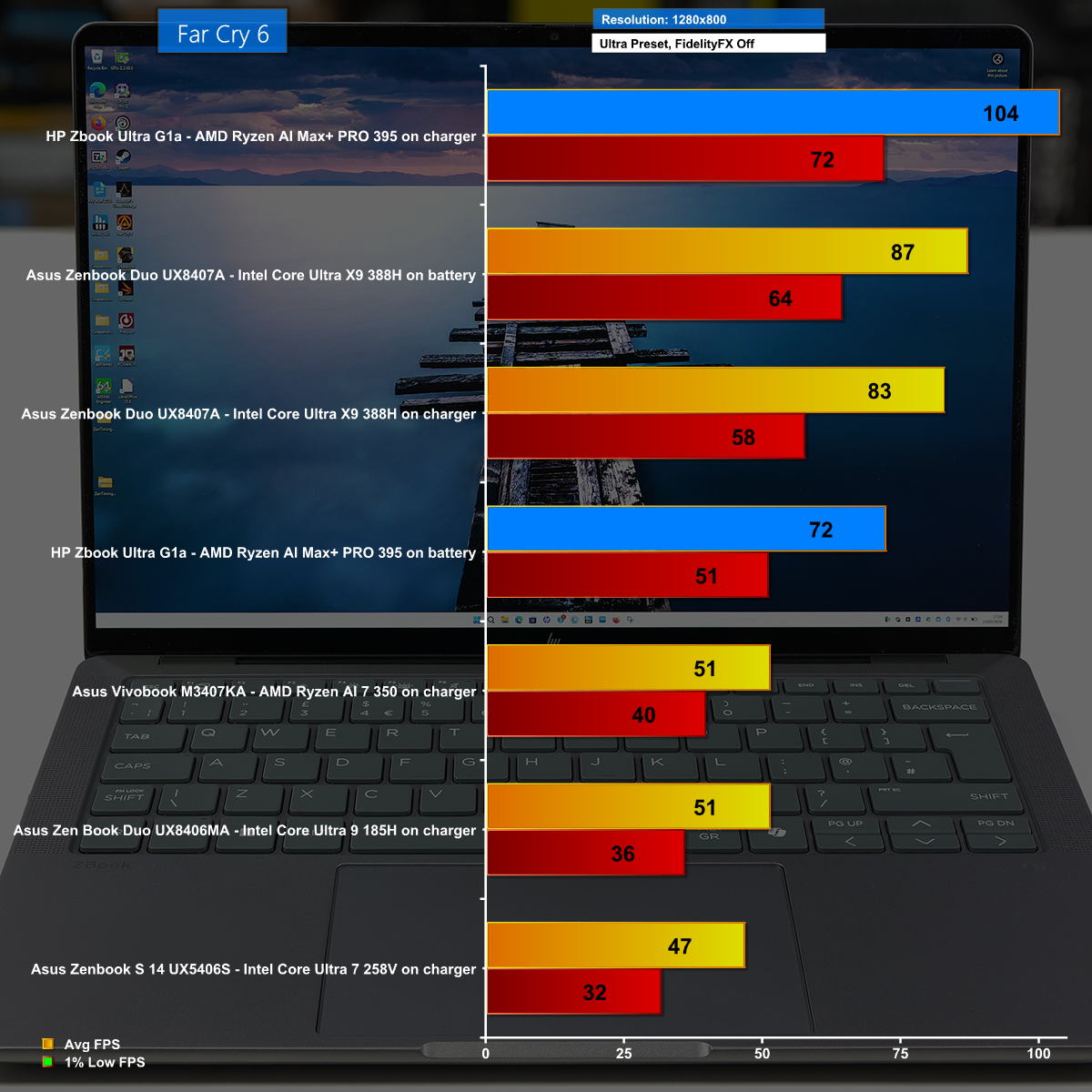
Far Cry 6 at 1,280×800 on Ultra Preset

We show a number of gaming tests in our video. This particular test shows a low resolution with the clever image enhancements disabled, and the result is the HP Zbook runs at over 100fps on average which is impressive.

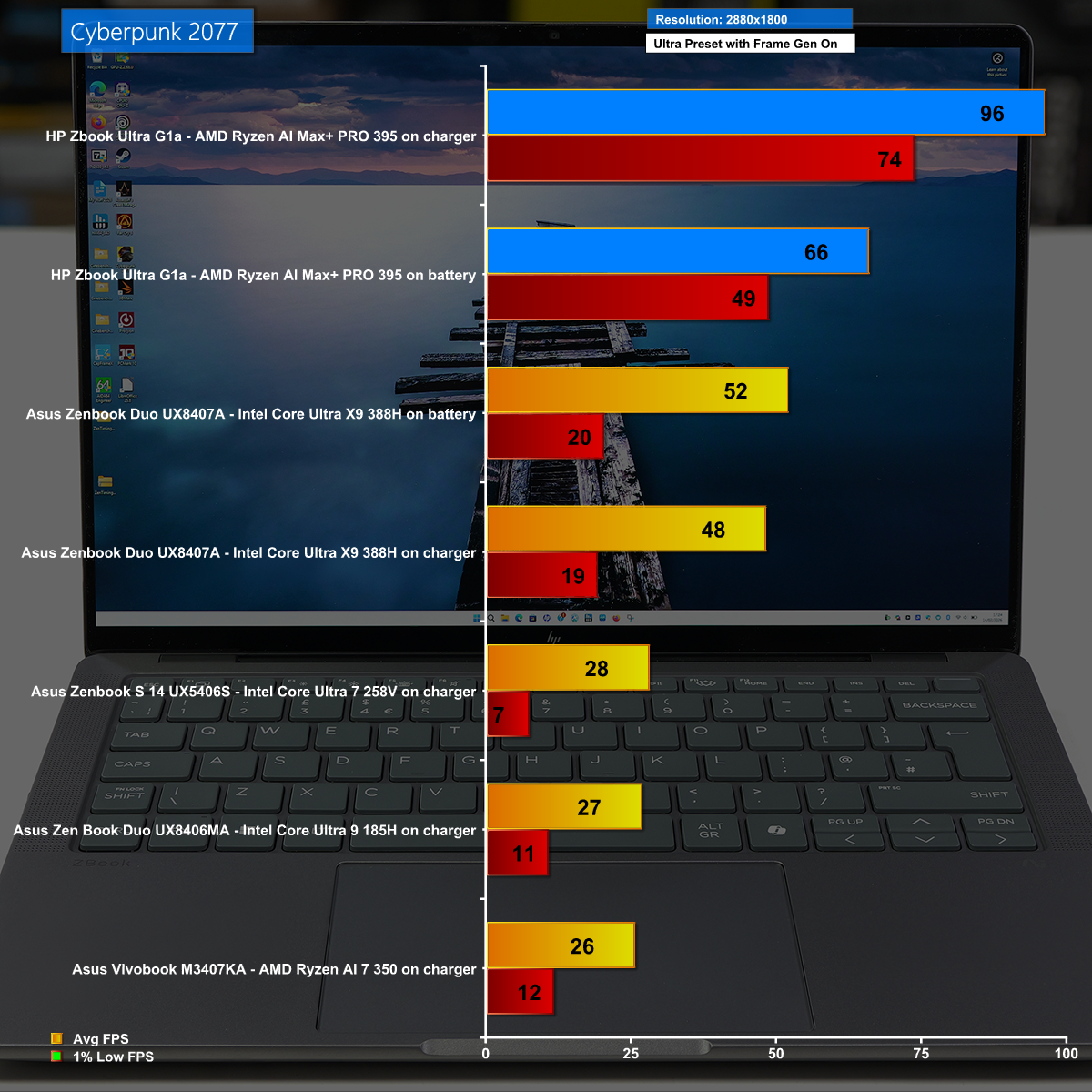
Cyberpunk 2077 at 2,880×1,800 with Frame Generation Enabled

Cyberpunk 2077 is a stiff test for any laptop and 2,880×1,800 is a huge resolution so it comes as quite a surprise to see the HP Zbook using Frame Generation to play at nearly 100fps.

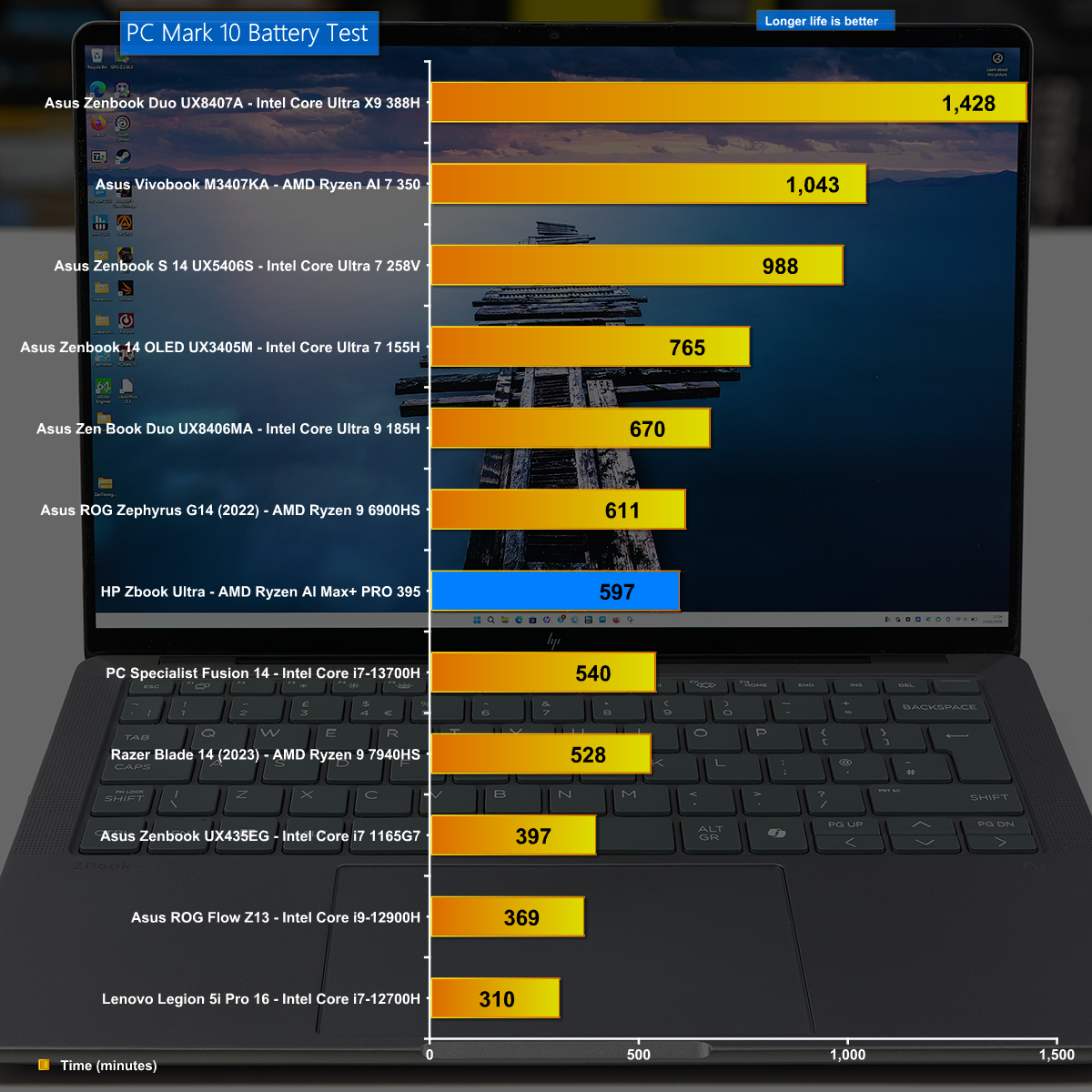
Battery Life

The HP Zbook does well in our battery test and shows that you can work all day on a single battery charge. Having said that, you will want to take the charger with you to guarantee you get maximum performance.

Closing Thoughts

If KitGuru were to invent an award for Most Stealthy and Under Stated Product Ever, the HP Zbook Ultra G1a would make the list and would likely win the award. It looks like a dull, grey 14-inch laptop that is thin and light yet it packs the most amazing punch and delivers epic performance from the AMD Strix Halo APU without any need for add-in graphics.

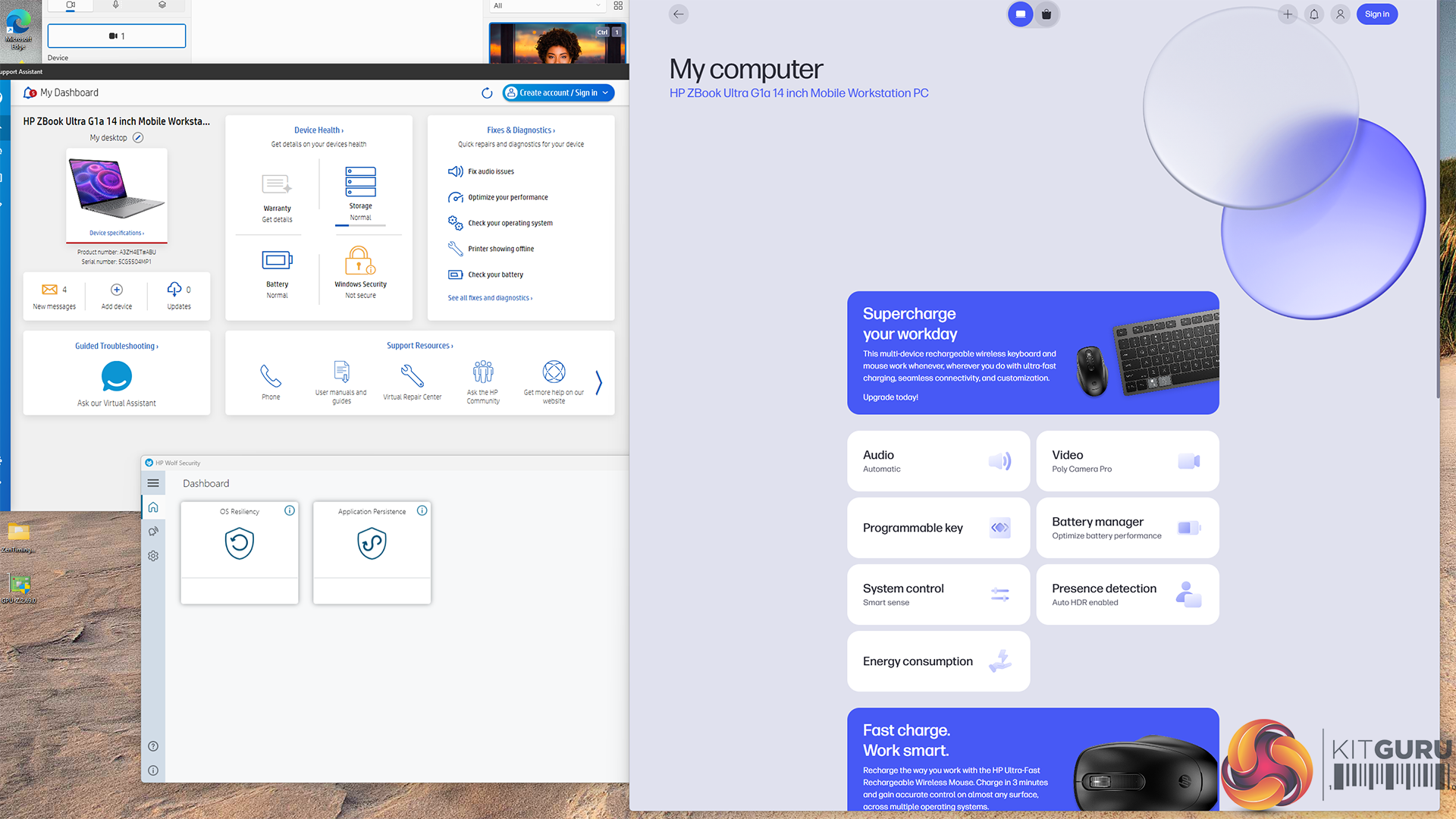
You may have noticed in our video that we barely discuss operating temperatures and don't mention noise levels at all, and that is for good reason. The innards typically run at 60 degrees C on battery and 70 degrees C on charger, and the cooling system wasn't the least bit intrusive. It is a remarkable laptop that is mainly held back by its hefty £3k+ price tag and slightly affected by the annoying amount of HP software.

You can buy the HP Zbook Ultra G1a for £3,204 HERE.

Pros:

  • Epic CPU and GPU performance from AMD AI Max+ PRO 395.
  • Impressive battery life for a mobile workstation.
  • Compact form factor that is highly portable.
  • Huge memory bandwidth from quad channel DDR5.

Cons:

  • Very expensive.
  • 3rd party monitoring utilities continue to be confused by AMD APUs.
  • HP includes a number of pieces of software instead of a single utility.

KitGuru says: The HP Zbook Ultra G1a is deeply impressive and shows we can live without Nvidia graphics.

The post HP Zbook Ultra G1a Review (Strix Halo) first appeared on KitGuru.
❌