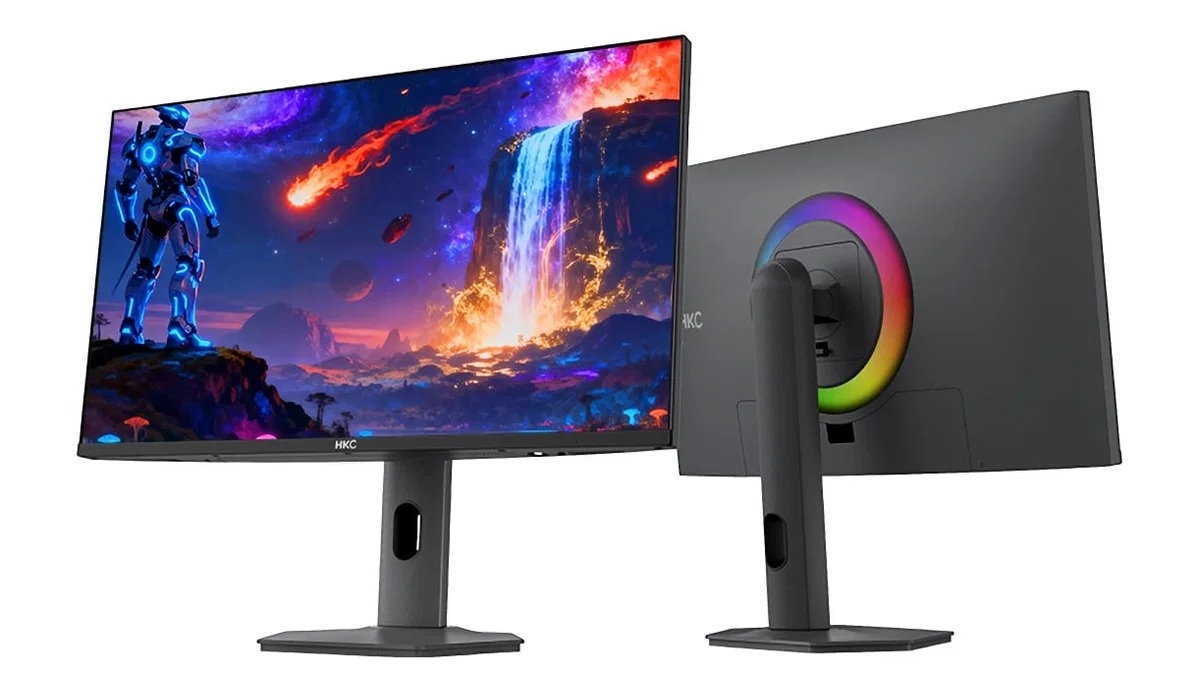
It's not the first 43.8-inch monitor, but it's definitely the first one to feature 24:9 aspect ratio. HKC Intros Tianqi 43H180C 4K Monitor, Boasting 43.8-inch Display Size With 24:9 Aspect Ratio and up to 180Hz Refresh Rate Chinese monitor vendor HKC, has launched a high-end monitor called Tianqi 43H180C, adding a new ultra-wide form-factor display to its catalog for enthusiasts. There are a lot of unusual things about this monitor, including its size and resolution. However, in 2026 we are seeing new form-factors being more common than ever before. The Tianqi 43H180C is world's first 43.8-inch monitor that boasts 24:9 […]
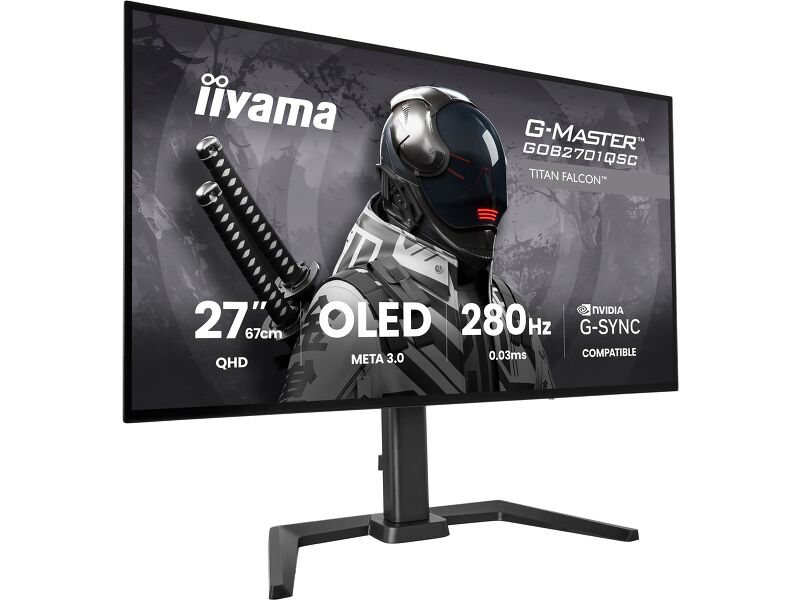
iiyama is marking the G‑Master brand’s ten‑year anniversary with a limited‑time promotion, giving UK gamers the chance to pick up the G‑Master GOB2701QSC‑B1 Titan Falcon OLED monitor for just £299.
The offer is live now through SCAN, Overclockers UK, CCL and Laptops Direct, running until 27th September or while stocks last. At £299, this is one of the most aggressive OLED prices we’ve seen for a 1440p 280Hz Tandem WOLED panel, making it a standout deal for anyone looking to upgrade to OLED.
The G‑Master Titan Falcon is built around a 2560×1440 META 3.0 Tandem OLED panel with a 280Hz refresh rate and a 0.03ms response time. As an OLED panel, you'll benefit from the deep blacks and high contrast ratios that everyone raves about, along with the excellent motion clarity and low latency needed for competitive gaming. As you would expect from a modern gaming monitor, Adaptive Sync is also supported, so you'll never have to worry about screen tearing.
If you want to know more about this monitor then stay tuned, as we have a review in the works right now.
KitGuru Says: OLED is well worth the upgrade, especially at £299. Are you considering making the jump to OLED this year?
Asus has introduced some of the best OLED gaming monitors in recent years, and with each generation, it makes incremental improvements in performance, features, and technology. Its latest panel type is Tandem RGB Stripe, bringing higher brightness, a wide color gamut, sharper imagery, and lower power consumption.
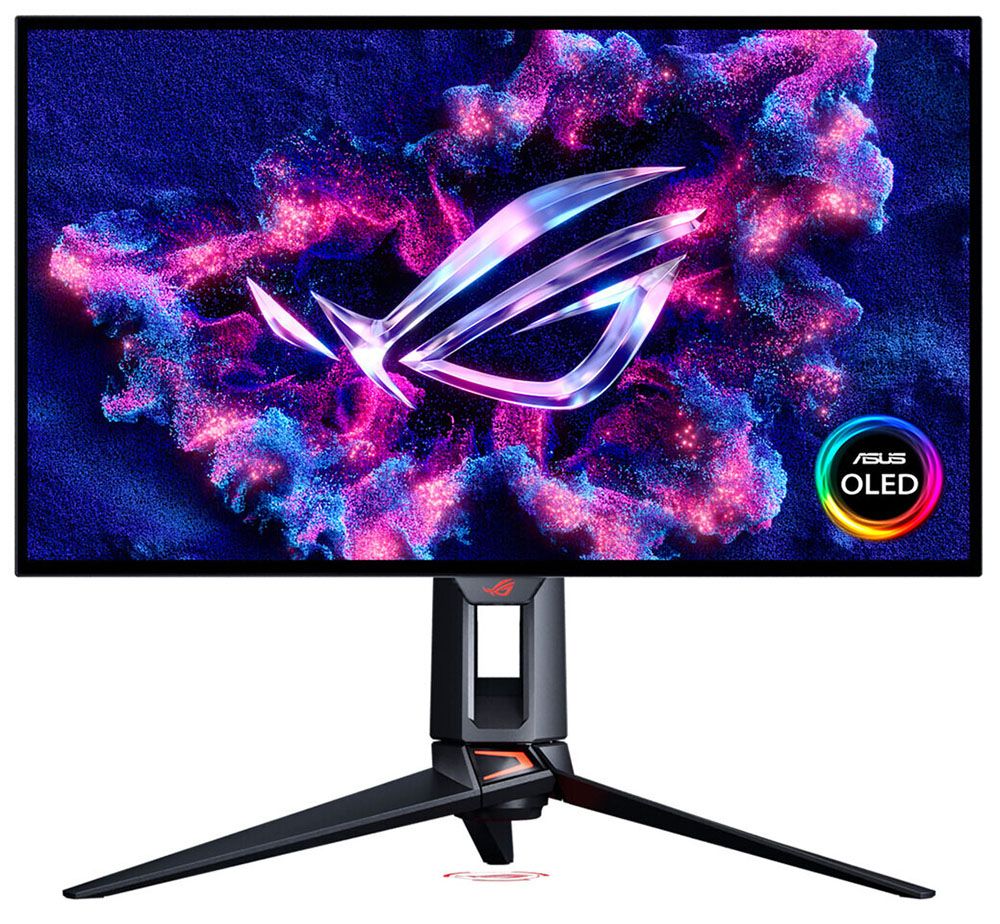
The latest ROG Swift display to hit my test bench is the PG27UCWM. It’s a 27-inch 4K panel with 240 Hz (480 Hz in FHD), HDR10, Dolby Vision, DisplayHDR 400, and Adaptive-Sync. Let’s take a look.
Asus ROG Swift PG27UCWM Specs
Panel Type / Backlight
Tandem RGB Stripe OLED
Screen Size / Aspect Ratio
27 inches / 16:9
Max Resolution and Refresh Rate
3840x2160 @ 240 Hz
1920x1080 @ 480 Hz
FreeSync and G-Sync Compatible
Native Color Depth and Gamut
10-bit / DCI-P3
DisplayHDR 400, HDR10
Dolby Vision
Response Time (GTG)
0.03ms
Brightness (mfr)
250 nits full screen
1,000 nits 3% window
Contrast
Unmeasurable
Speakers
None
Video Inputs
1x DisplayPort 2.1
2x HDMI 2.1, 1x USB-C
Audio
3.5mm headphone output
USB 3.2
1x up, 3x down
Power Consumption
48w, brightness @ 200 nits
Panel Dimensions
WxHxD w/base
23.9 x 17.1-21.5 x 10.1 inches
(607 x 434-546 x 257mm)
Panel Thickness
2.5 inches (64mm)
Bezel Width
Top/sides: 0.35 inch (9mm)
Bottom: 0.43 inch (11mm)
Weight
17.86 pounds (8.1kg)
Warranty
3 years
I’ve reviewed a few Tandem RGB Stripe OLEDs of late, most recently, Asus’ 32-inch version of this screen, the PG32UCWM. There’s no denying the extra sharpness that this tech brings. Though I never saw much color fringing around text as discussed online, these new panels are clearly sharper than single-layer OLEDs. By sandwiching two layers and making the pixels’ physical shape narrower, you get more clarity, more color, and more brightness at a given wattage. And by driving the panel less aggressively, its lifespan is extended.
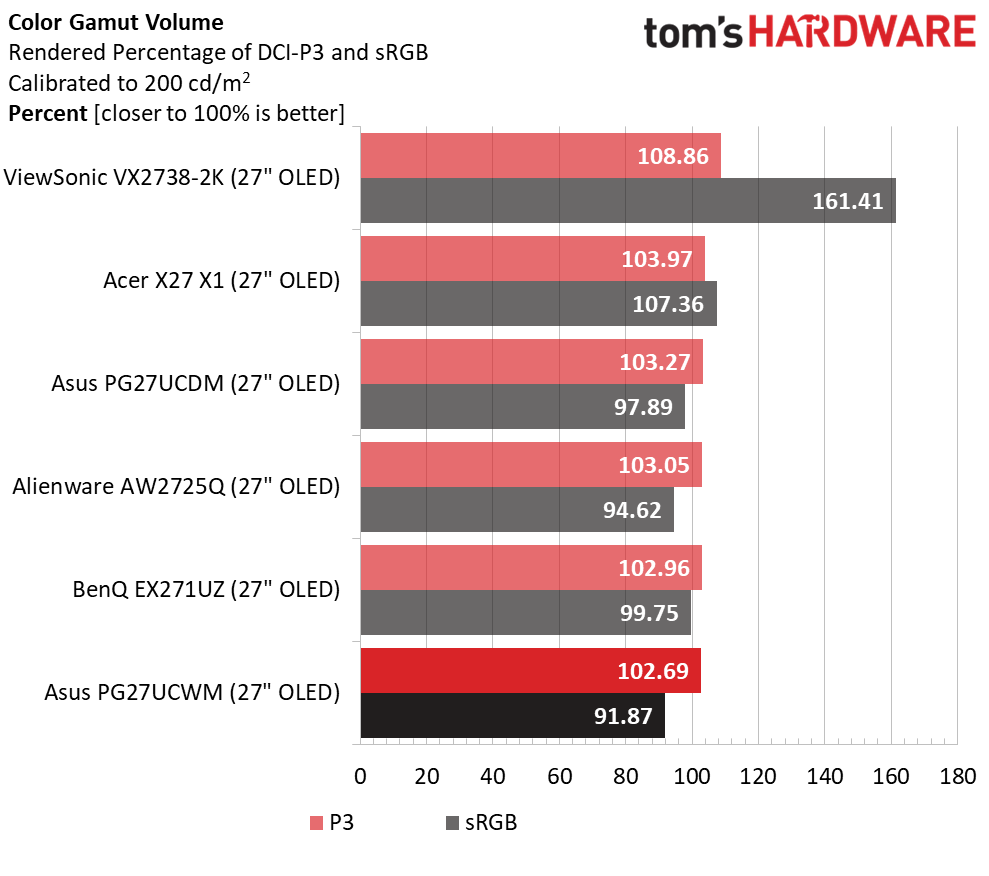
The PG27UCWM’s color volume is greater than that of single-layer OLEDs but not quite as large as that of Quantum Dot displays. I measured just over 102% coverage on my sample, whereas you’ll get closer to 110% with a QD monitor. Asus includes factory calibration with each monitor, and you can find that stored in firmware and accessed through the comprehensive OSD.
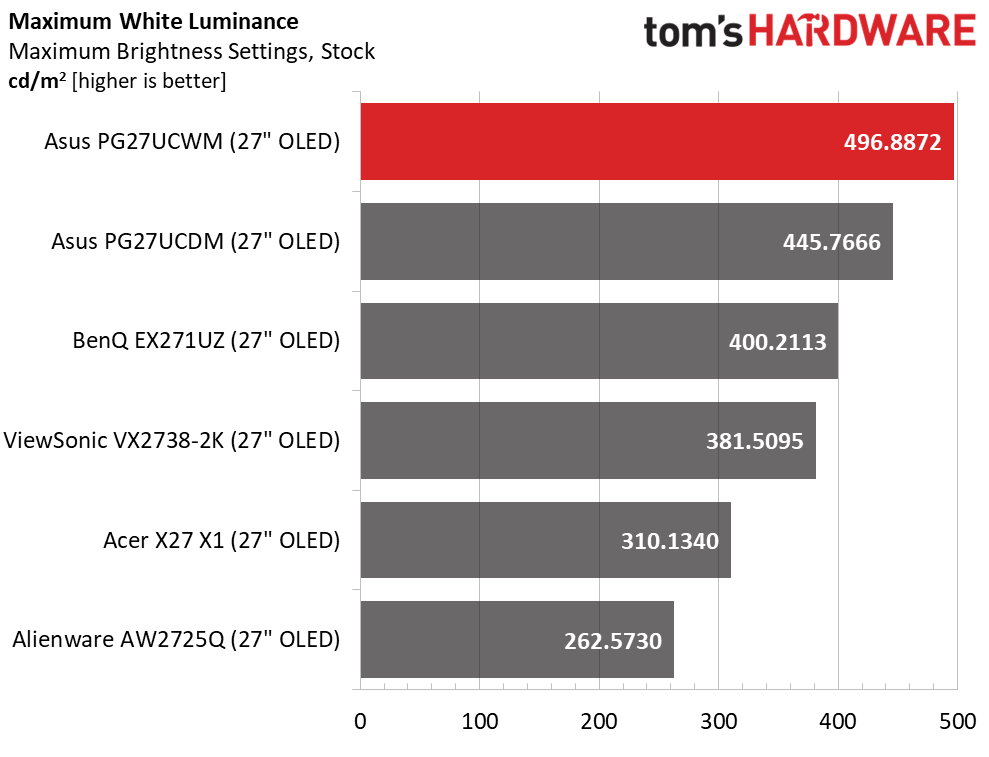
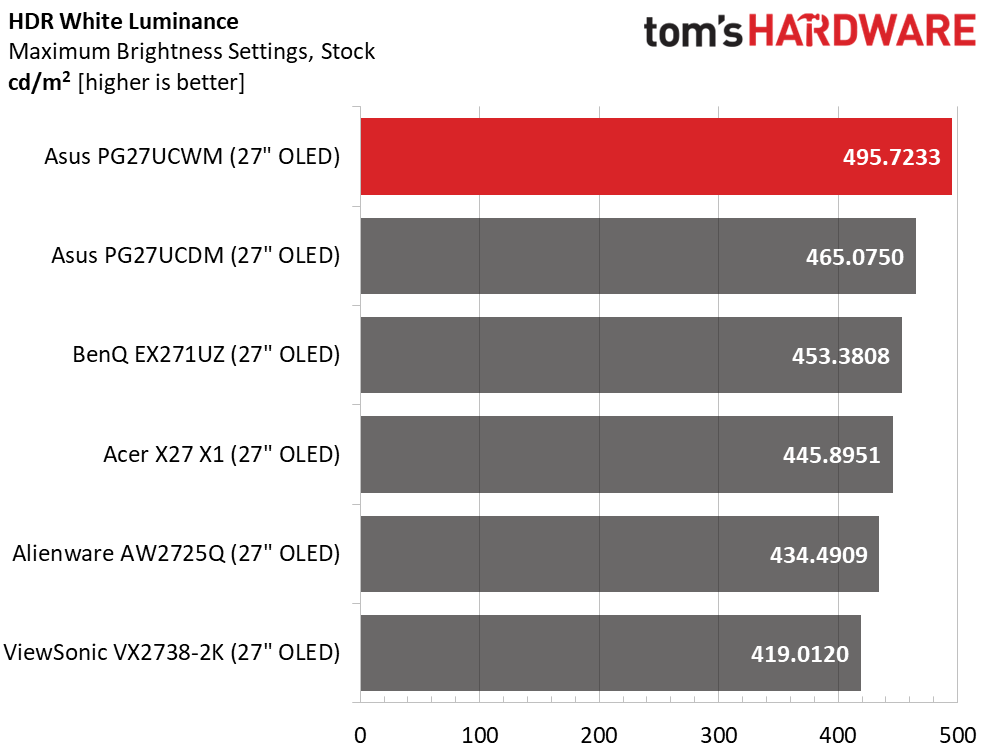
Peak brightness is just under 500 nits when measuring a 25% window pattern with uniform brightness turned off. That number holds for both SDR and HDR content. The PG27UCWM supports HDR10 and Dolby Vision, with VESA DisplayHDR 400 certification. Asus’ TrueBlack Glossy screen coating keeps reflected light from spoiling those deep black levels.
In the video processing department, Asus includes a dual-refresh feature called Frame Rate Boost that switches between 4K/240 Hz and Full HD/480 Hz. You can change modes with a single button press. Also in the mix is Adaptive-Sync, with certifications from both Nvidia (G-Sync) and AMD (FreeSync Premium Pro). And you can augment lower frame rate capable systems with ELMB (Extreme Low Motion Blur).
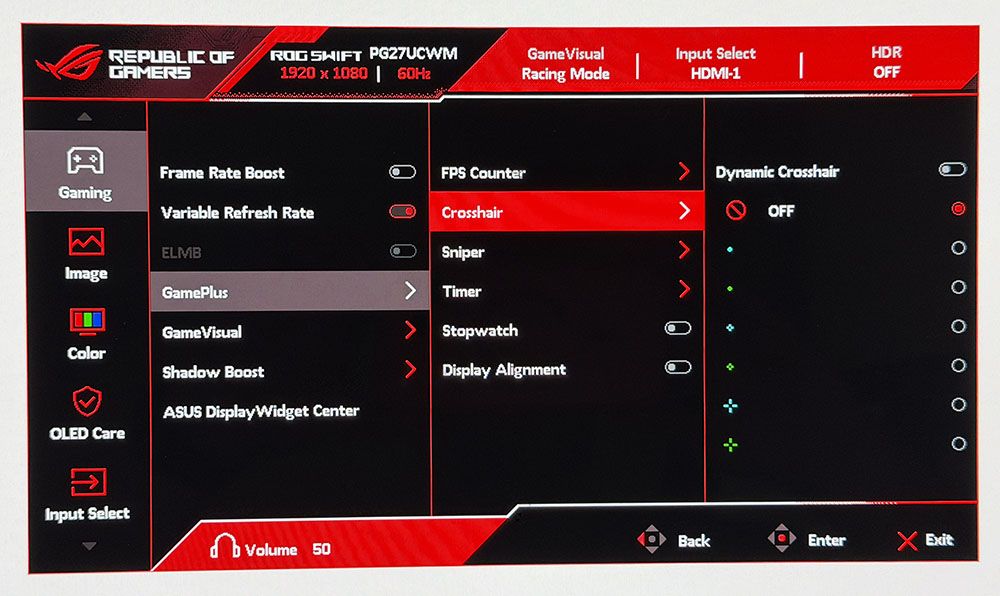
The PG27UCWM, like all ROG Swift products, is feature-rich. You get Asus’ GamePlus enhancements, including multiple aiming points, sniper modes, frame rate counters, timers, and alignment marks. The quick menu and joystick clicks are fully customizable for quick access to many functions. And you can download Asus’ DisplayWidget Center app for full control on Windows or Mac desktops. A full array of inputs includes DisplayPort 2.1 with 80 Gbps bandwidth, HDMI 2.1, USB-C, and a USB 3.2 hub with KVM options.
There are plenty of cables included, along with Asus’ signature LED lighting and graphics. The PG27UCWM is firmly in the premium segment at a starting price of $1,099. I would expect greatness for that sum, and if you read on, we’ll see if it delivers.
Assembly and Accessories
The PG27UCWM arrives in a well-adorned carton with colorful graphics and secure, recyclable packaging. The base, upright, and panel are separate, as is the lens for the ROG logo projector that shines symbols on your desk. It includes multiple lenses. The ROG pouch reveals cables for USB, HDMI, and DisplayPort, plus IEC for the internal power supply. There’s also a heavy stamped steel bracket that snaps onto the panel to create a 100mm VESA mount.
Product 360
AsusAsusAsusTom's Hardware
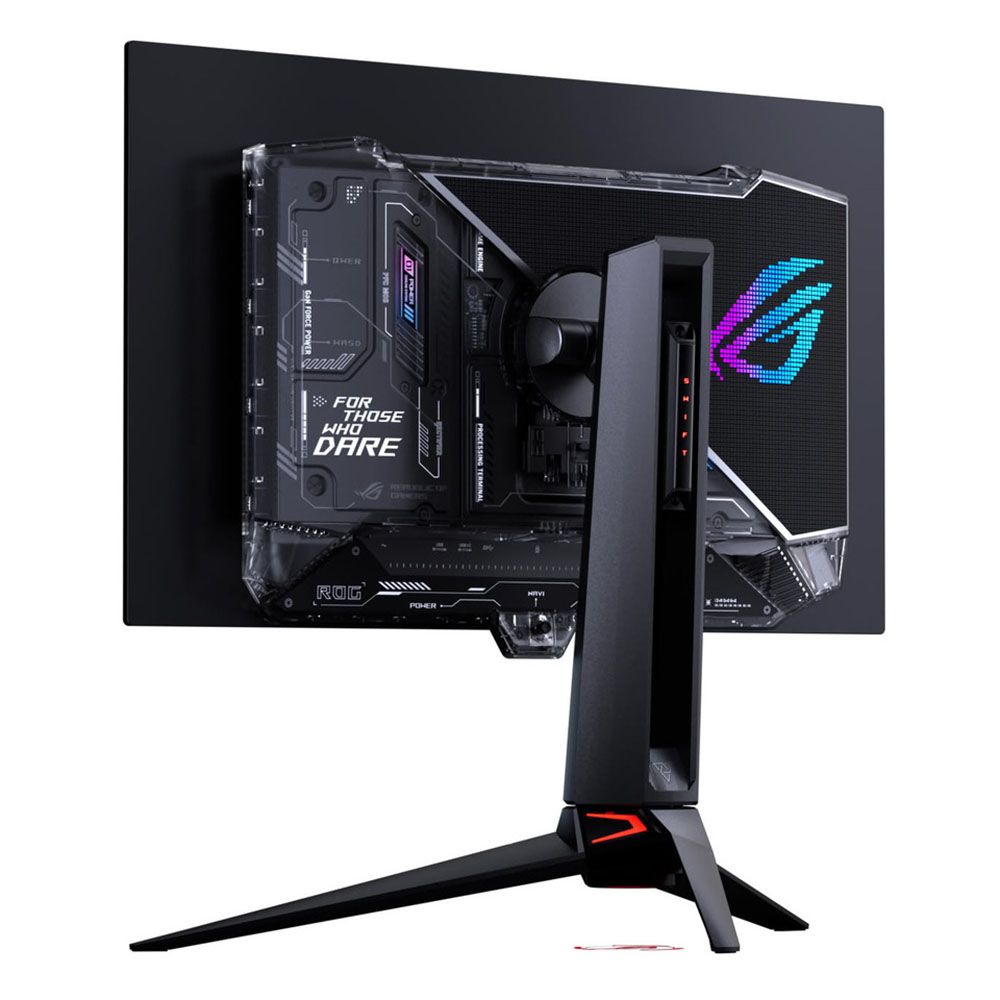
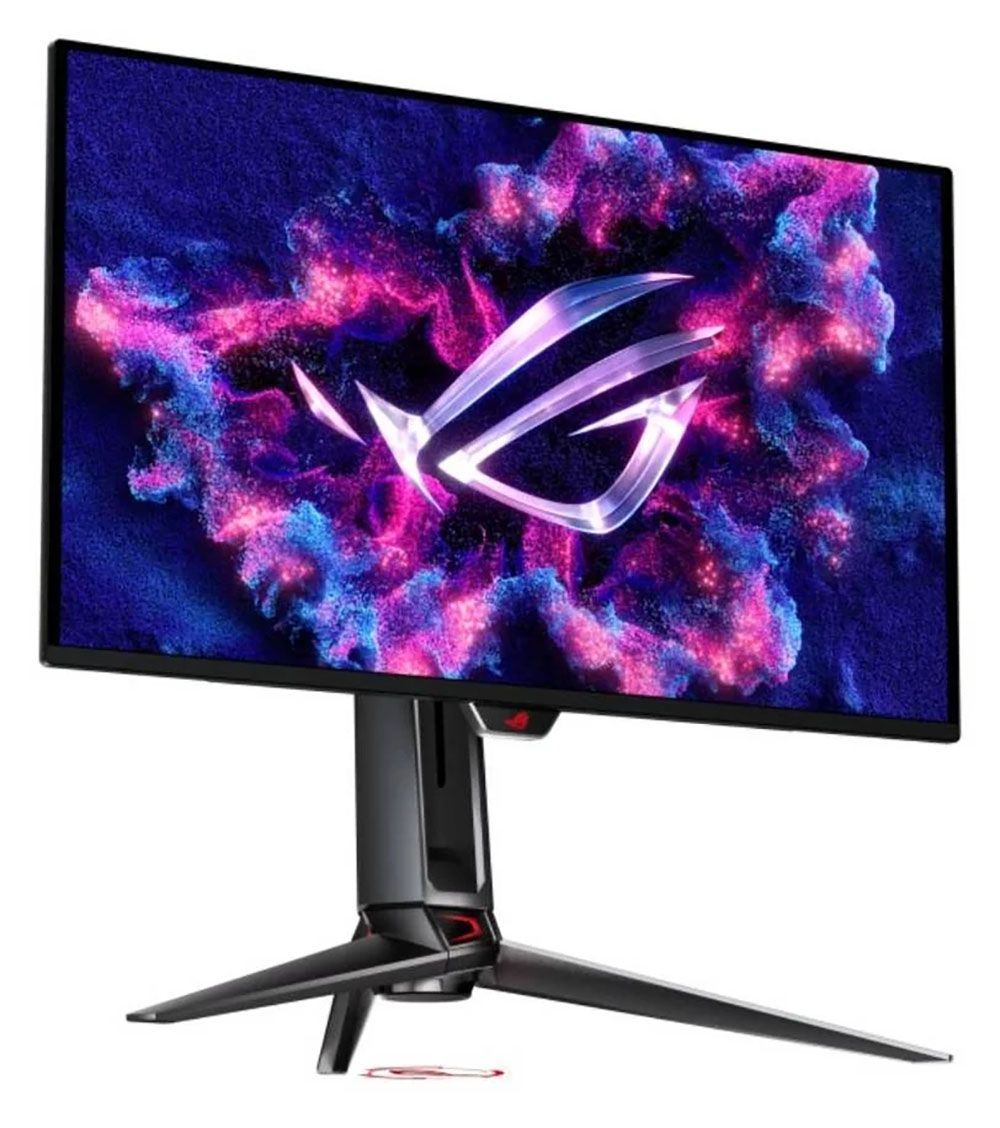
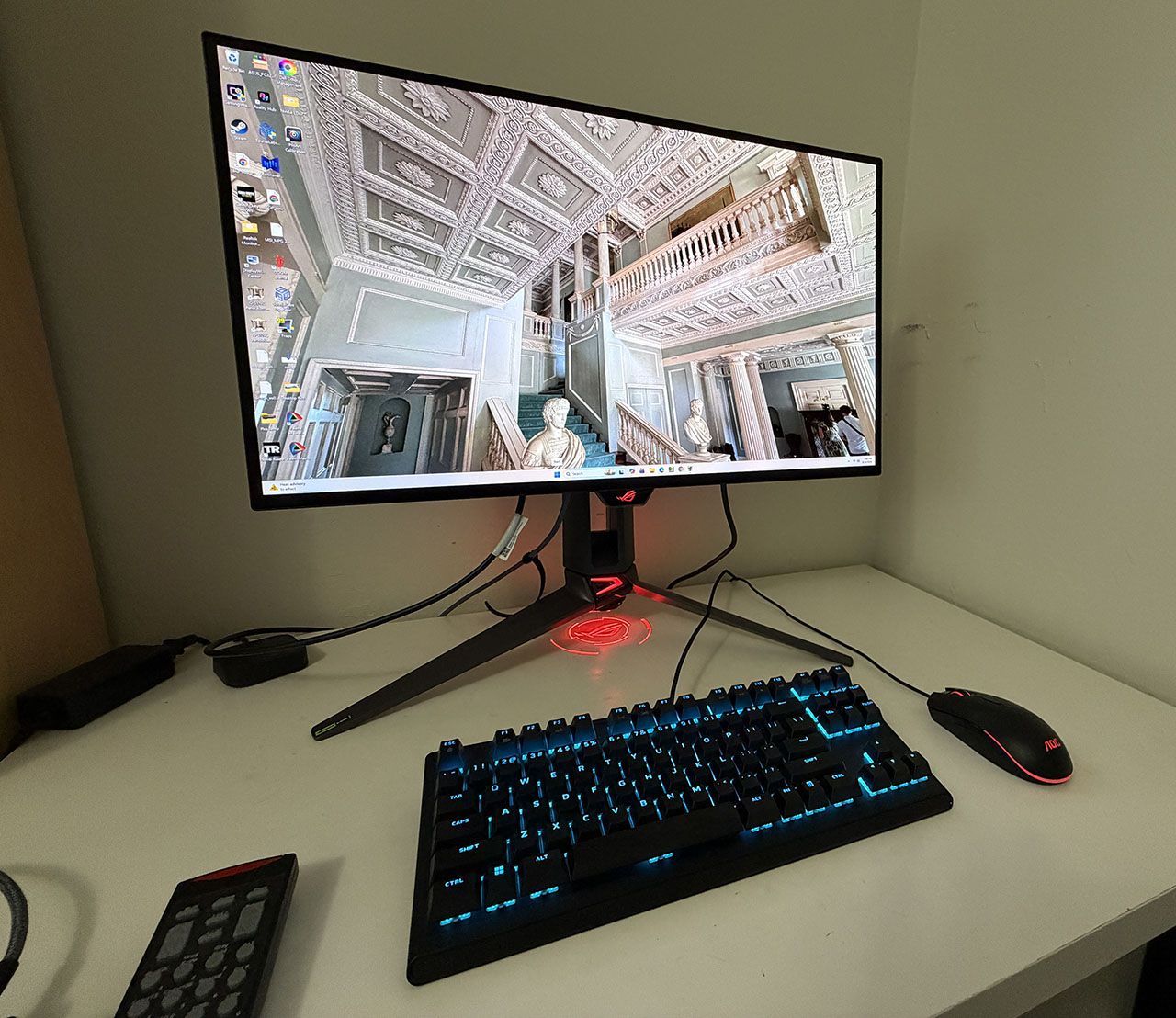
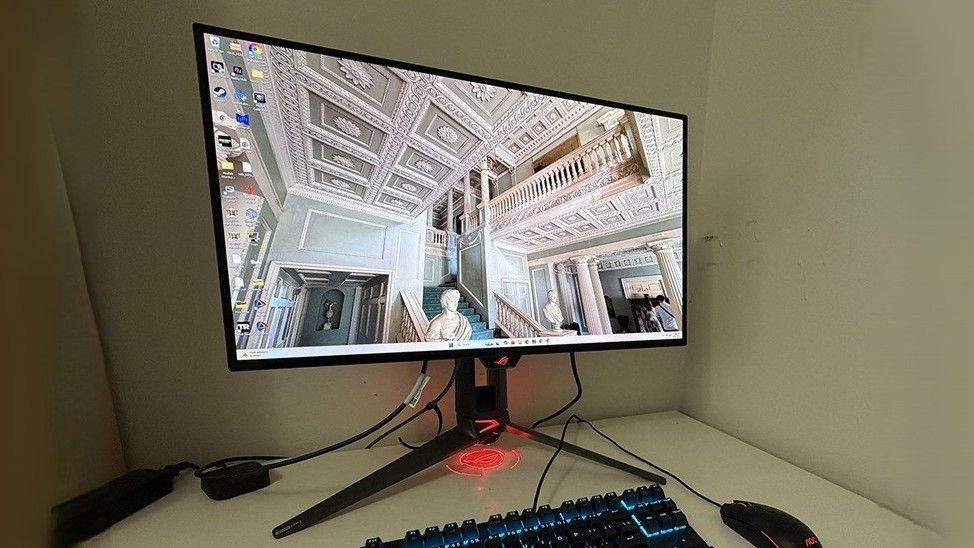
The PG27UCWM features Asus’ latest ROG Swift styling cues, with clear plastic on the back that reveals some of the monitor’s internal components. Opposite that is the Lite Brite ROG graphic that can light up in a multitude of colors and effects. More LEDs can be found on the front, on the small protrusion beneath the screen, as well as on the base and even the sliding bit on the stand’s upright. All this fun can be controlled in the OSD and by DisplayWidget Center.
In front, the bezel is very narrow on all sides, just 9-11 millimeters, with a small protrusion at the bottom center for the joystick and control buttons. It also contains a sensor that works with the OLED care features to shut off the panel when you leave your desk.
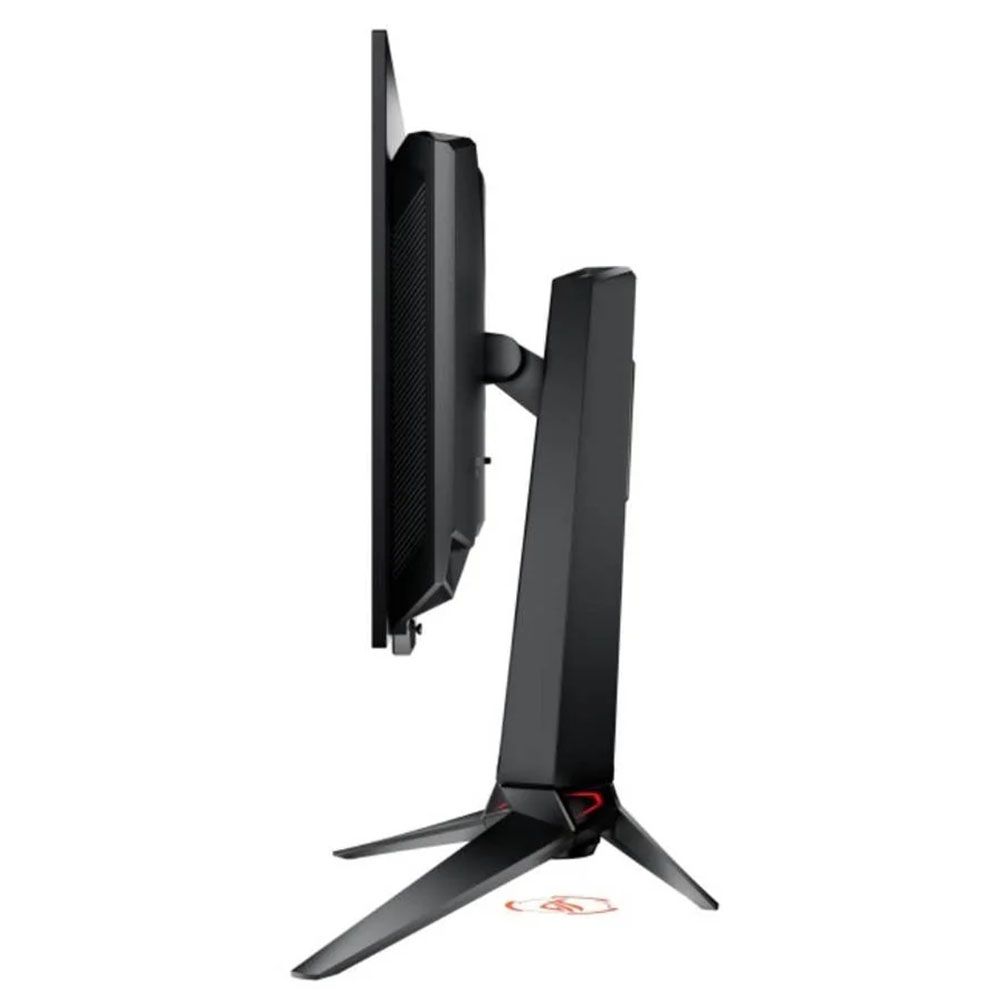
From the side, you can see the panel-on-box design that is common to many OLEDs. This not only looks nice but aids in cooling. The OLED is backed by a metal plate that helps dissipate heat, along with a graphene layer inside, heatsinks on the internal circuit boards, and a heat-efficient power module. The PG27UCWM is fanless and always ran cool during my time with it.
The stand is very solid with a cast aluminum base that is both wide and deep. The upright features full ergonomics with a 4.4-inch height range, 5/20-degree tilt, 30-degree swivel, and a 90-degree portrait mode. Movements are firm and smooth with no wobble or play. The stand also has a threaded tripod socket on top for things like webcams.
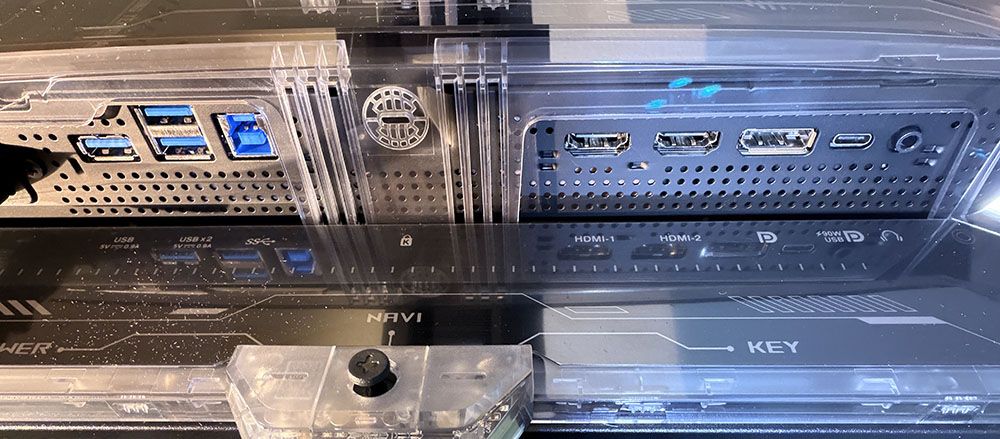
The I/O panel is well-appointed with a single DisplayPort 2.1 (UHBR20, 80 Gbps), two HDMI 2.1, a USB-C, and a USB hub with one upstream and three downstream. The hub has full KVM functionality, along with version control and power for the USB-C up to 90 watts. There are no internal speakers, but you do get a 3.5mm headphone jack.
OSD Features
The PG27UCWM has two buttons and a joystick to cover all monitor functions. Pressing the left button switches the refresh rate between 240 Hz and 480 Hz. The right button is a power toggle. Pressing the joystick brings up a quick menu which is fully programmable. A second press reveals the full OSD.
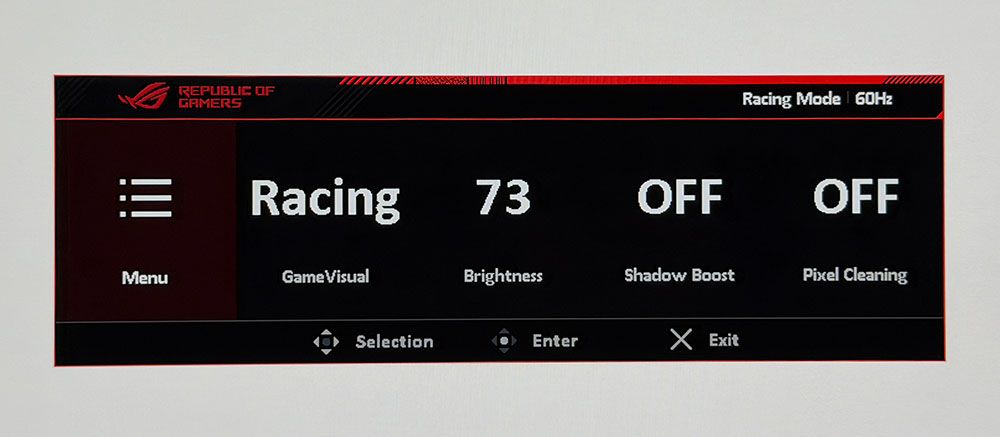
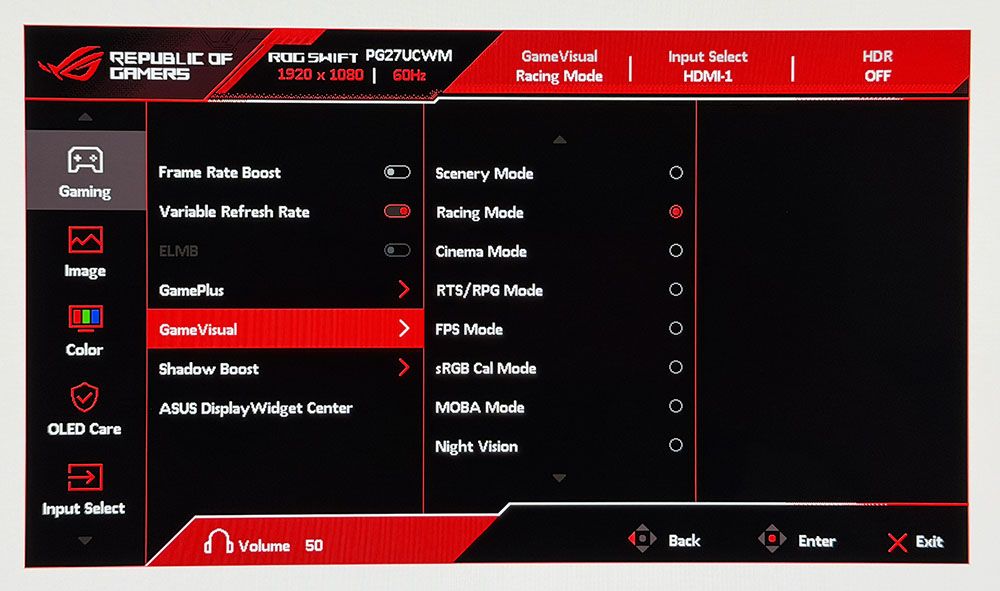
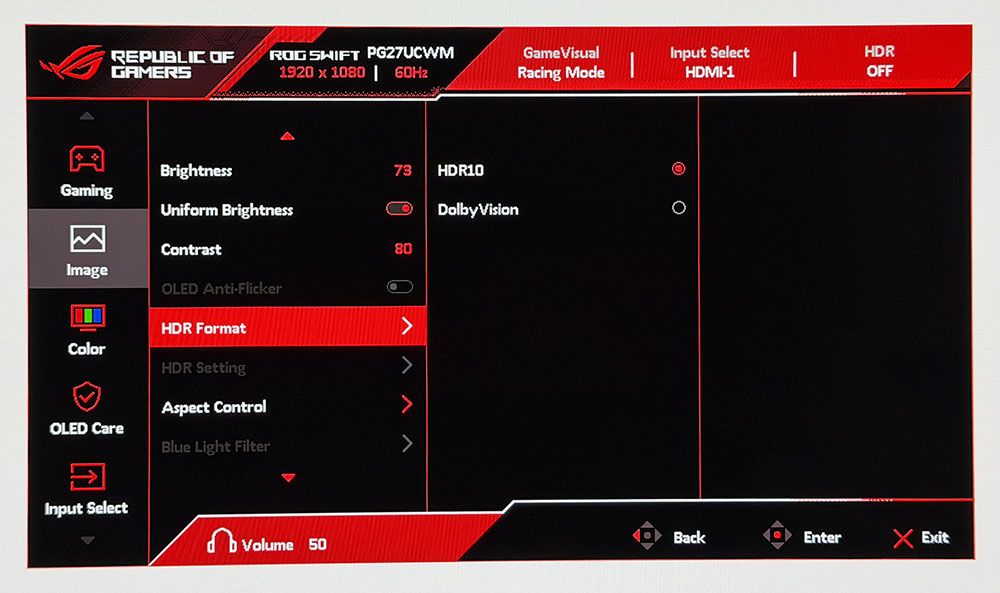
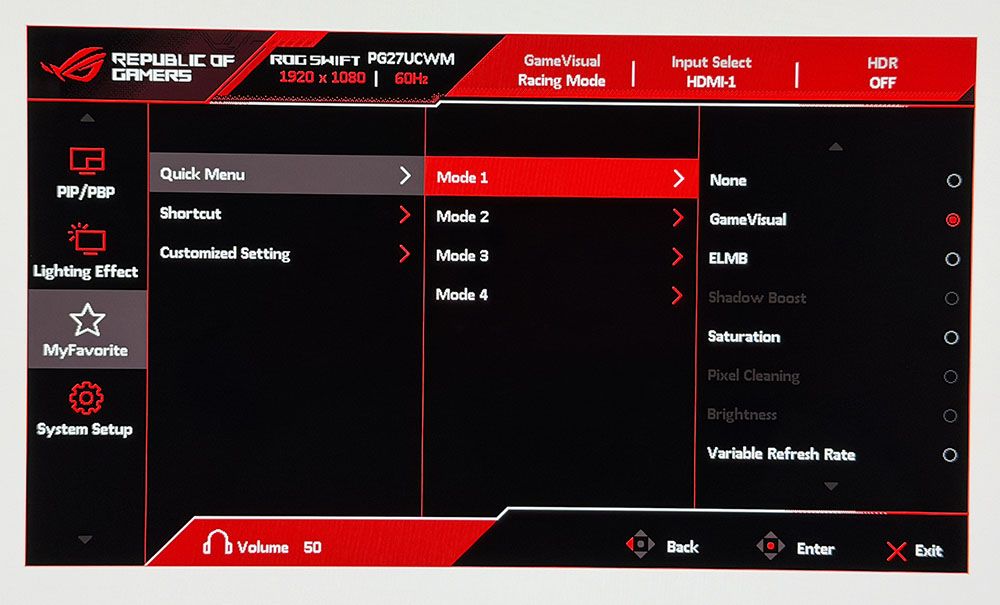
The quick menu has four slots for any function you might want quick access to, like picture mode, brightness, and the like. The full OSD starts with Gaming, and there, you’ll find the GamePlus suite with a large selection of aiming points, sniper modes, frame counters, timers, a stopwatch, and display alignment marks. GameVisual refers to the nine picture modes, each aimed at different game types or tasks. Racing is the default and best choice there.
The PG27UCWM is one of the few monitors to support Dolby Vision in addition to HDR10. Dolby Vision uses dynamic tone mapping from the content metadata to tailor its luminance curve for each individual display. This renders the content more faithfully and with more impact than the fixed tone curve from HDR10 material. For that format, you get four more modes with the option to adjust brightness and other parameters.
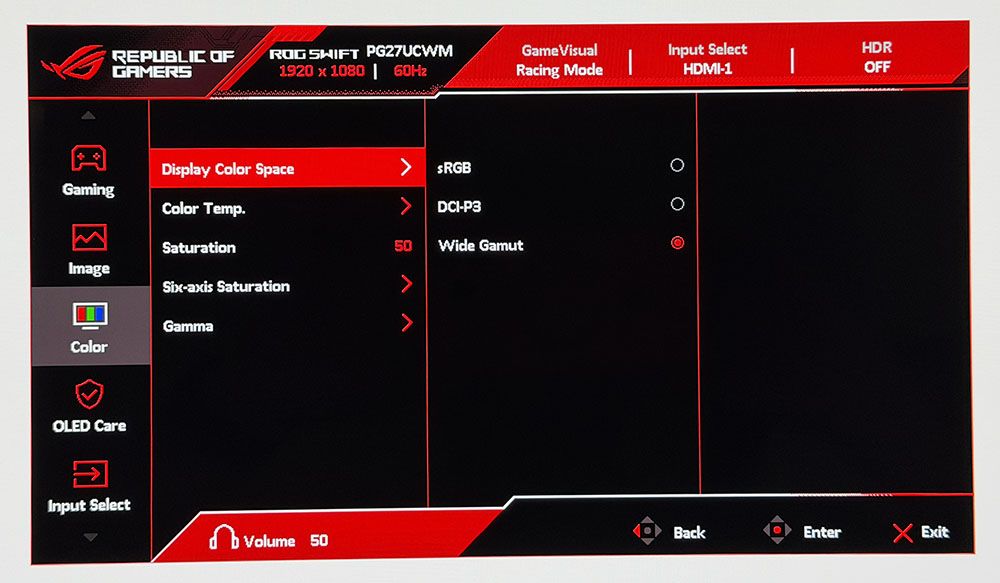
To adjust color, the PG27UCWM includes a gamut selector, gamma presets, and color temps arranged by Kelvin value. You can also adjust RGB sliders for finer control. My sample was nearly perfect out of the box, and I could only make a tiny difference with calibration.
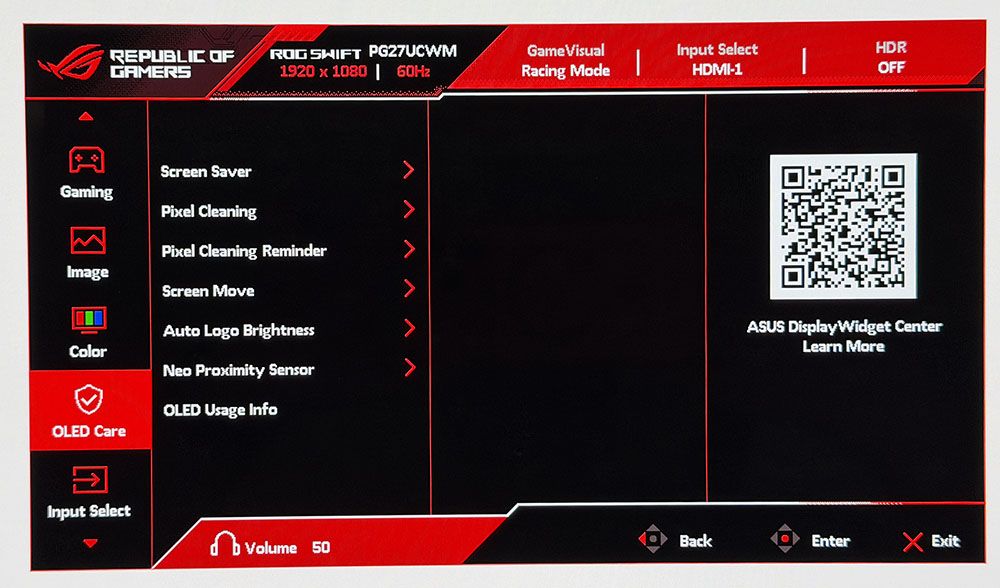
OLED Care includes many toggles for screen savers, logo detection, and more. Pixel Cleaning is a panel refresh feature that takes about six minutes to complete. When I first powered up the PG27UCWM, it prompted me to do this. I’ve found this to improve screen uniformity with brand-new panels, so I make it a habit for every review. A front-mounted sensor can be configured to shut off the monitor when you leave your desk.
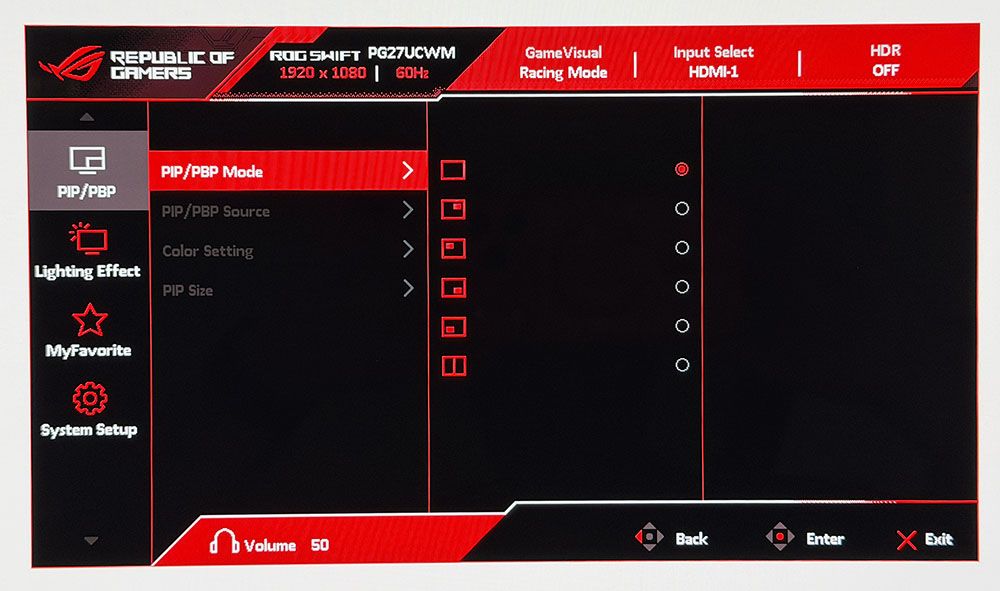
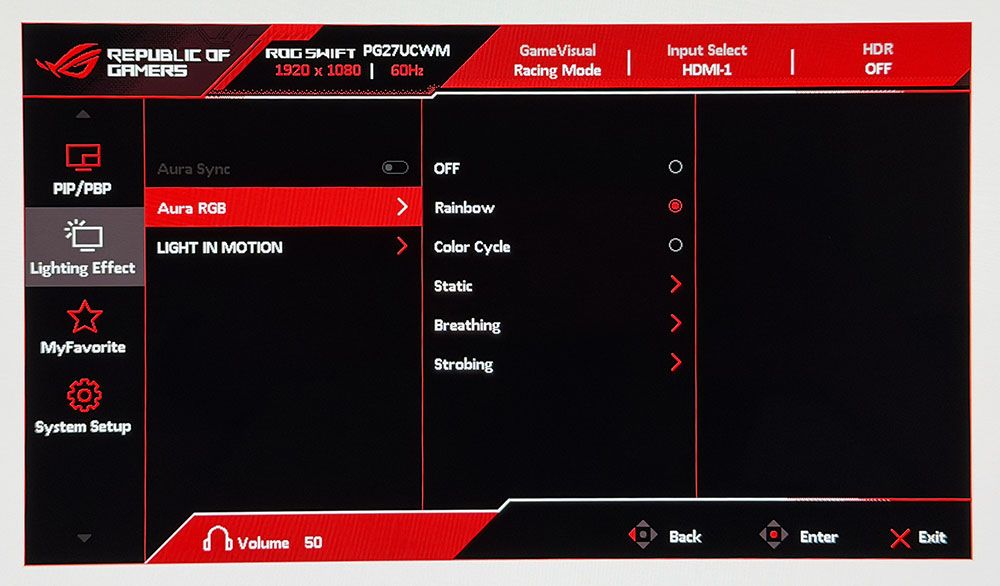
To view two video sources simultaneously, use the PIP and PBP options. Each can have its own color settings, and you can size the PIP window. Aura RGB is the lighting feature, and it offers a wide range of effects and colors. Light In Motion works with the DisplayWidget Center app to create light shows that mimic what’s happening on the screen.
The quick menu and joystick are fully programmable, so you can access up to 9 functions quickly. This is great for switching inputs, adjusting brightness, changing the refresh mode or what have you. Also included are two memory settings.
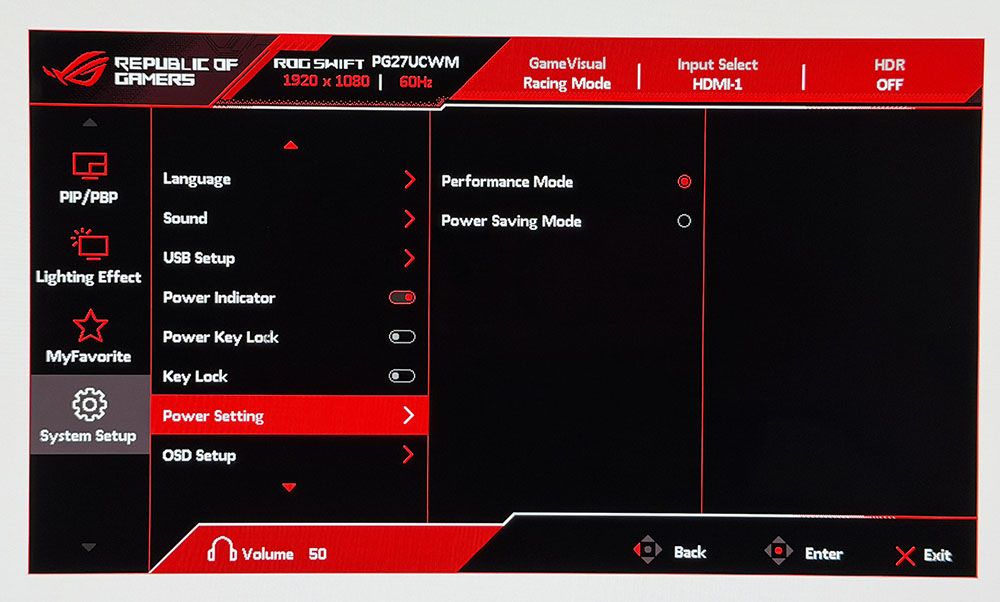
The System Setup menu can be left alone in most scenarios, but one option you must address is the Power Setting. It’s on Power Saving by default, and that limits brightness. Switch to Performance Mode to unlock the PG27UCWM’s full potential.
Asus ROG Swift PG27UCWM Calibration Settings
The PG27UCWM measured close to spec out of the box for grayscale and color, but I noted a slight gamma shift. To improve this metric, I selected the 2.4 preset, which made it a tad darker in a good way. I also adjusted the RGB sliders for a tiny gain in grayscale accuracy. For gaming, calibration is completely unnecessary. My suggested settings are below and include brightness values for Uniform Brightness on or off.
For HDR10 content, I recommend the Gaming HDR mode even though its EOTF tracking is lighter than spec. You can read more about this on page five. For spot-on HDR, True Black mode is the winner.
Picture Mode
Racing
Uniform Brightness
Off / On
Brightness 200 nits
73 / 56
Brightness 120 nits
39 / 38
Brightness 100 nits
31 / 30
Brightness 80 nits
23 / 22
Brightness 50 nits
11 / 10 (min. 25 / 25 nits)
Contrast
80
Gamma
2.4
Color Temp User
Red 100, Green 97, Blue 95
Gaming and Hands-on
I have yet to game on an Asus OLED that wasn’t addictive in its imagery and responsiveness. The PG27UCWM was no exception. It’s super quick with no perceptible input lag and perfectly smooth motion resolution. For frame rates, I tried both modes, 240 and 480, and had excellent results. With a GeForce RTX 4090 in my test PC, I kept the action at 220-230fps in 4K with HDR enabled. This was awesome, to say the least, with every detail rendered sharply whether static or moving. I knew my system was working hard because the fans ran fast and there was a good bit of warm air circulating about my legs as I dispatched enemies in Doom Eternal.
To switch refresh modes, I had to exit to the Windows desktop to prevent the game from crashing. This is typical of the dual-refresh monitors I’ve reviewed and has nothing to do with their operation. At 480 Hz in FHD resolution, the picture was softer but not tremendously so. Games were just as playable and addictive. I kept the frame rate locked at 480 fps across all scenarios. It didn’t make play better for me, but I can see the advantage for users with slower PCs. Or if you just want to brag about frame rates.
HDR color and contrast were exemplary, and I toggled between two HDR picture modes: Gaming and True Black. You’ll see the technical differences between them on page five, but visually, Gaming provided a bit more brightness while True Black had better midtone contrast. It came down to game type for me. Bright outdoor scenery looked better in Gaming while dark imagery looked better in True Black. As with the frame rate boost feature, switching HDR modes should be done on the Windows desktop rather than in a game.
I noted light gamma during testing, which in SDR mode manifested as a slight flattening of the image. I fixed this by upping the gamma setting to 2.4 and raising the brightness value a few points. This added more texture to the picture, which was easy to see in a side-by-side comparison. For a more scientific explanation of the PG27UCWM’s gamma performance, see my test results on page four.
Like all Asus ROG Swift displays, the PG27UCWM is premium in every respect. It looks great just sitting on a desk with its clear back and extensive but not garish lighting. I turned on all the Aura RGB elements and enjoyed the show without distraction from games or work. The accents are well-balanced, even down to the logo projector, a feature unique to Asus ROG Swift monitors.
The Tandem RGB Stripe panel was visibly sharper than last year’s Quantum Dot-based PG27UCDM. The difference is small, but it is there. Text was rendered with perfect edges, free of artifacts such as fringing or jaggies. I could also see a difference in photos, especially when zooming in to the pixel level. This is a great monitor for content creation and writing. I also appreciated the inclusion of Dolby Vision for watching movies and TV shows. There is a lot of DV content on disc and through streaming services like Netflix, Disney+, and HBO Max.
The PG27UCWM has plenty of convenience features, such as USB ports with KVM and a tripod thread on the stand. But I missed internal speakers. Game sound had to come through headphones plugged into the provided 3.5mm jack.
Takeaway: The PG27UCWM is a supremely versatile monitor with lots of features, premium styling, excellent build quality, and top-level game performance. Competitive gamers will appreciate its advanced video processing, low input lag, and smooth response. Image quality is also top-shelf with accurate and saturated color, high luminance, and a variable brightness option. The Tandem RGB Stripe tech delivers a sharper picture than Quantum Dot or single-layer OLEDs.
Click here to read up on our pixel response and input lag testing procedures.
Tom's HardwareTom's Hardware
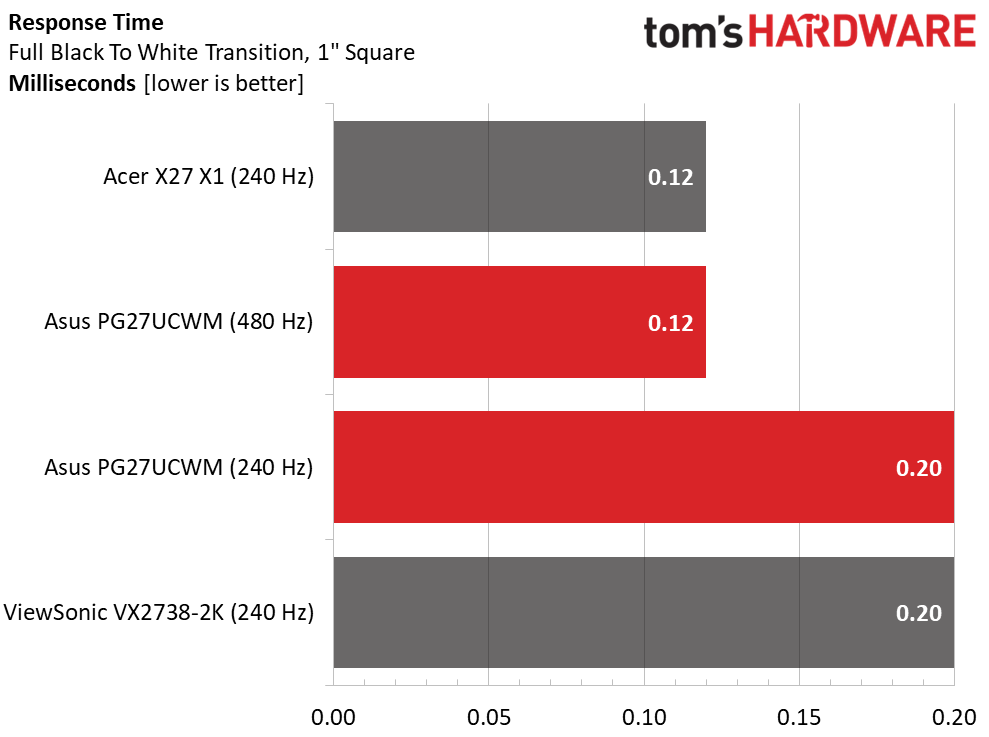
My data on the BenQ, Alienware, and Asus PG27UCDM predates my LDAT tests, so they are not included in the response results. Thus far, I haven’t seen much variation in OLED panel times. They range from 0.12 to 0.24ms, which is a tiny difference that can’t be seen with the naked eye. That’s why OLEDs all look smooth at 200fps or more. I noted that the PG27UCWM was quicker at 480 Hz than 240, but not by half: 0.12 versus 0.20ms.
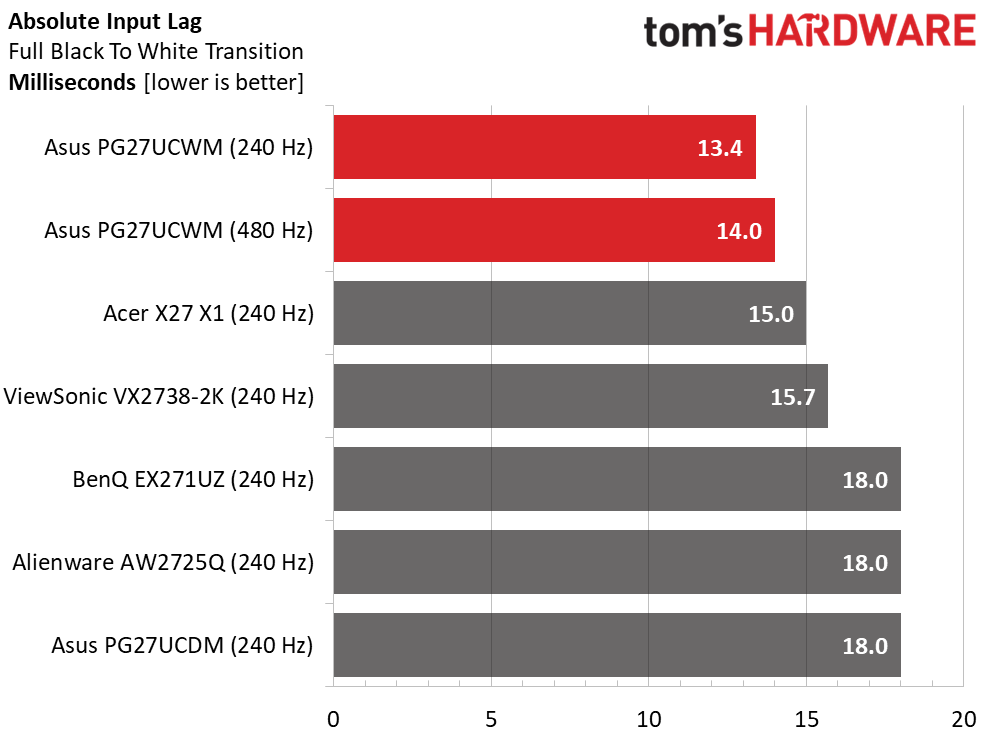
In the lag test, the frame rate boost doesn’t provide an advantage in input lag. Even a Jedi Knight won’t be able to tell a 0.6ms difference. Either way, the PG27UCWM has the lowest input lag of any 27-inch 4K OLED I’ve tested, by a small margin over the Acer and ViewSonic screens. Gamers will want to check one of these out for their competition kit.
Test Takeaway: The PG27UCWM is the quickest 27-inch 4K OLED panel I’ve tested to date. It has very low input lag, and panel response is smooth in either frame rate mode. 480 Hz provides a boost in frame rates and is useful for slower systems, but it does not provide lower input lag. If you have enough video card power, the 240 Hz mode is more than adequate for instant control response and smooth motion resolution.
Viewing Angles
(Image credit: Tom's Hardware)
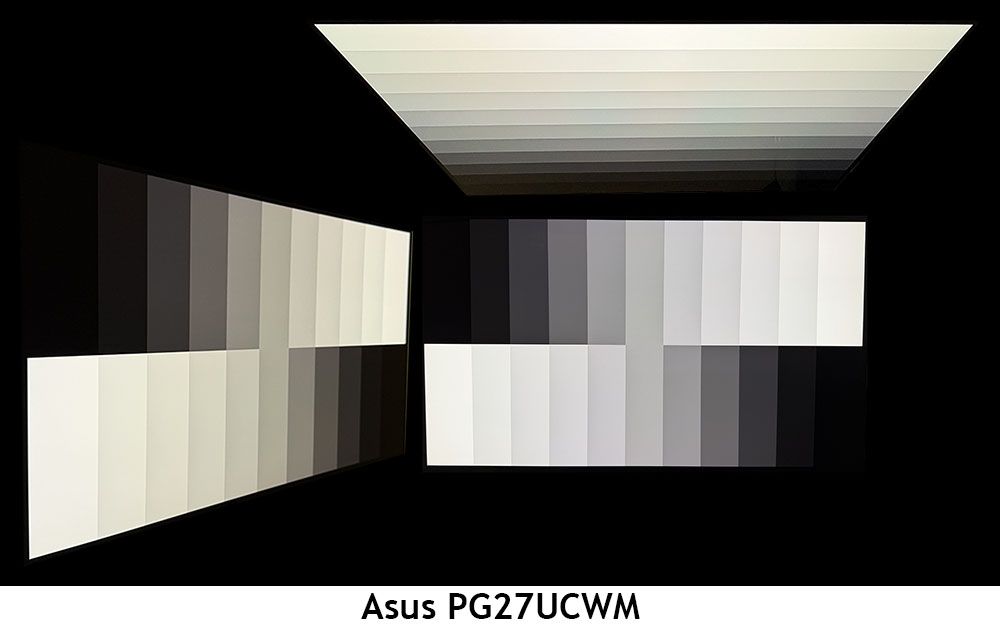
In my experience, the one weakness of Tandem RGB Stripe OLED panels is their slight color shift in the horizontal plane. There is no reduction in brightness or gamma, but there is a reddish-green (greenish-red?) tint, a bit like an IPS monitor. For a 27-inch panel like the PG27UCWM, this isn’t a big deal. Just don’t share it with another user who is picky. The vertical photo shows reduced gamma and the same color shift.
Screen Uniformity
To learn how we measure screen uniformity,click here.
(Image credit: Tom's Hardware)
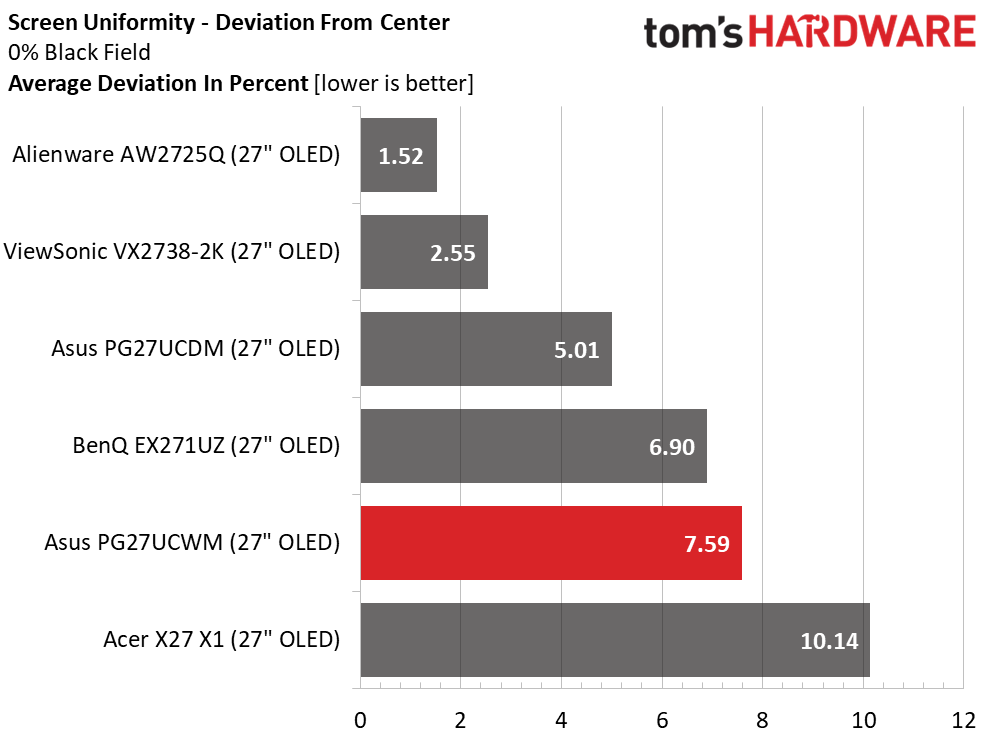
The PG27UCWM’s screen uniformity is in line with other OLEDs. I have yet to find a bad one. I recommend that anyone buying an OLED run the pixel refresh routine when you first unpack it. This often yields a 5-10% improvement in uniformity.
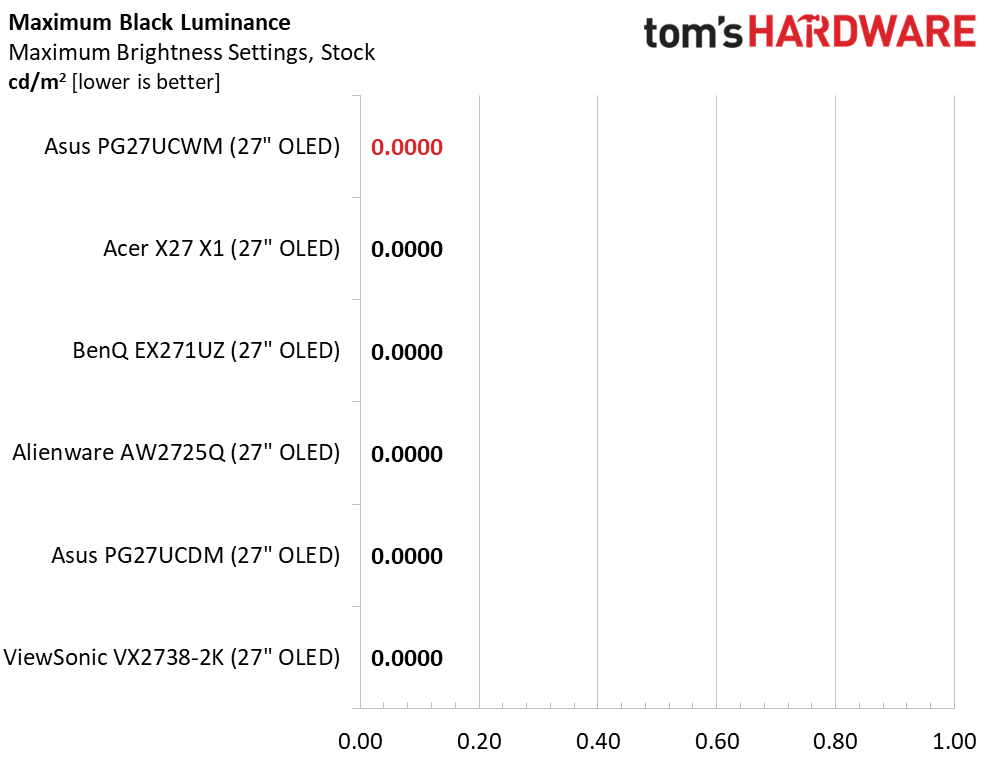
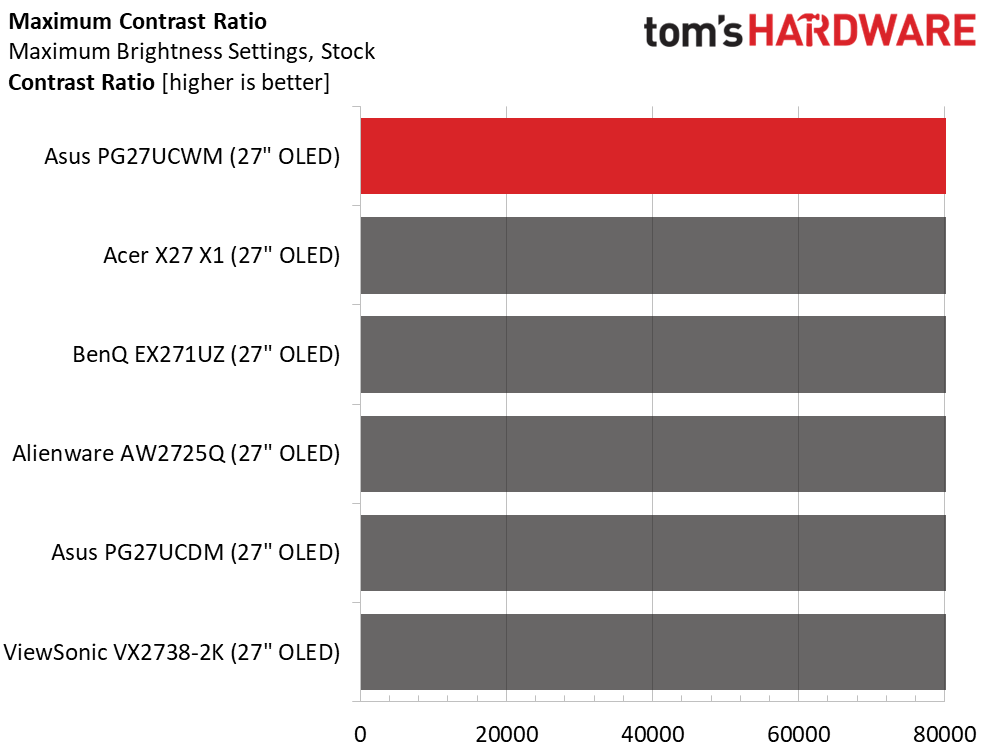
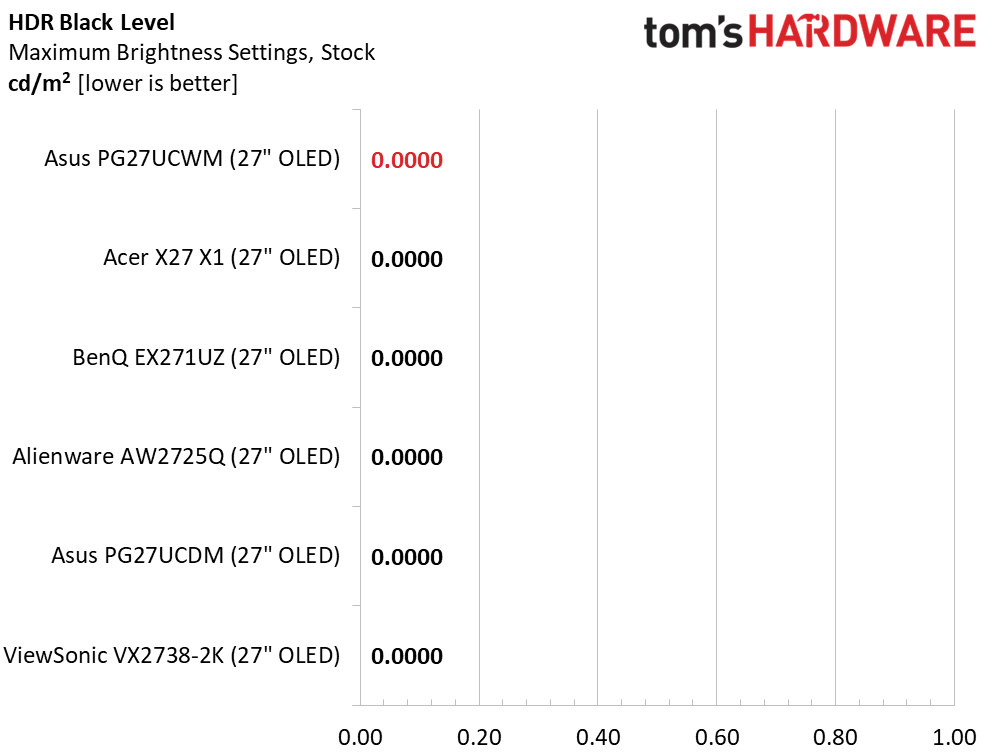
I measured the PG27UCWM in its Racing mode with the Power mode set to Performance and the brightness slider maxed. With Uniform Brightness (UB) off, a 25% window came up just short of 500 nits, and a full field was 278 nits. UB on kept that same 278 nit value for both window and field patterns. I noted that the PG27UCWM was a tad brighter than last year’s PG27UCDM, which had a Quantum Dot panel. Black levels and contrast could not be measured.
After Calibration to 200 nits
Tom's HardwareTom's HardwareTom's Hardware
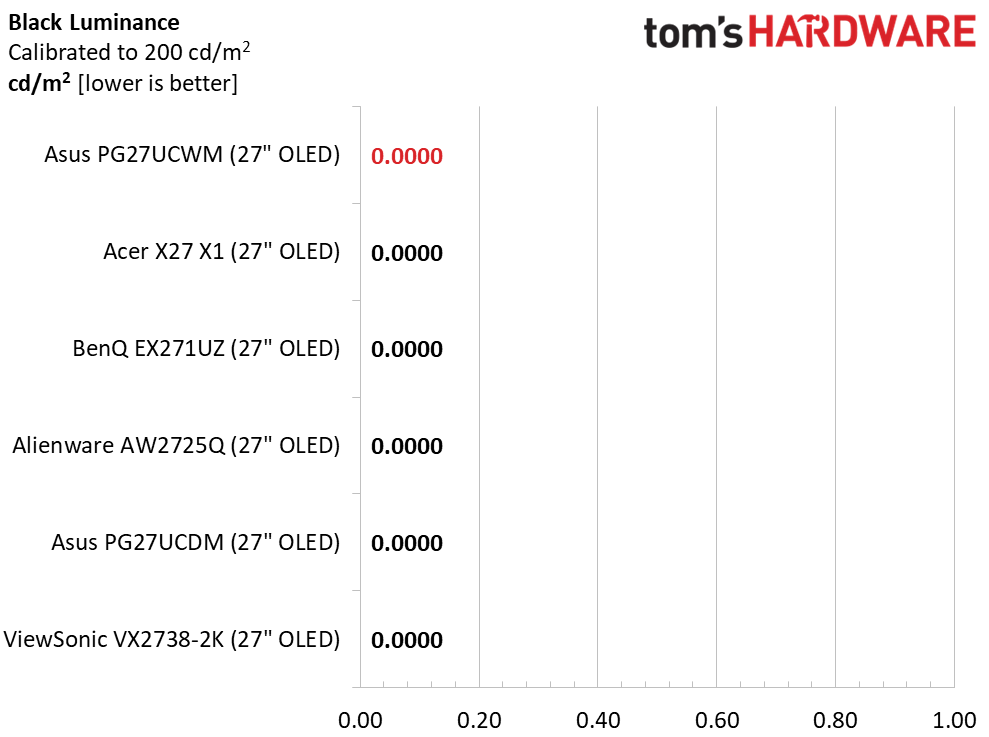
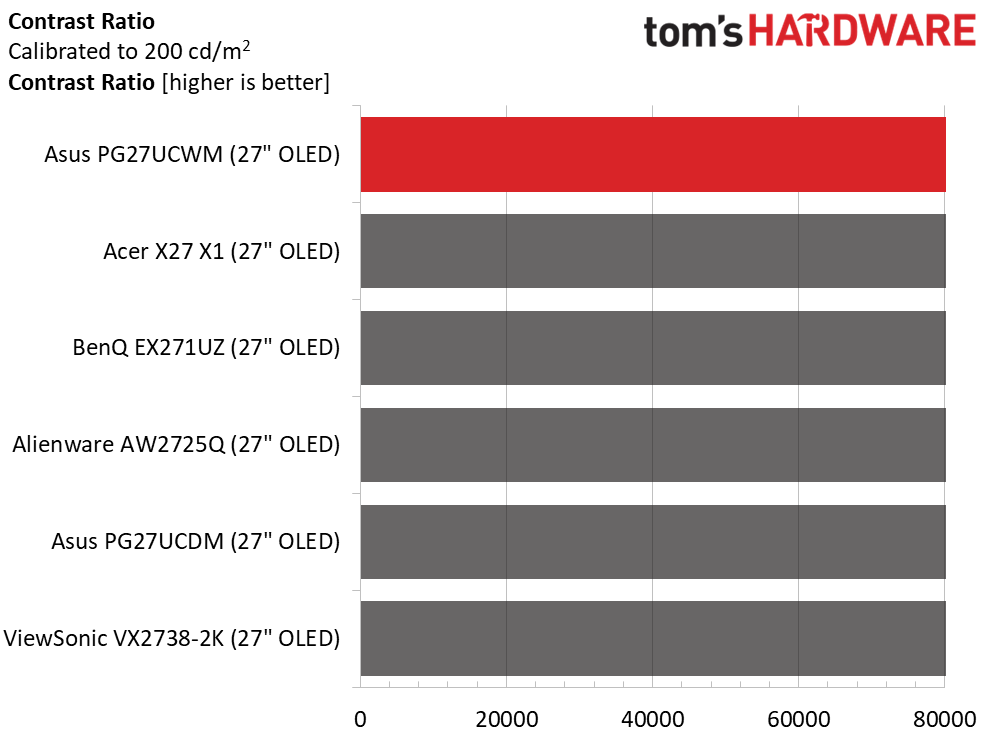
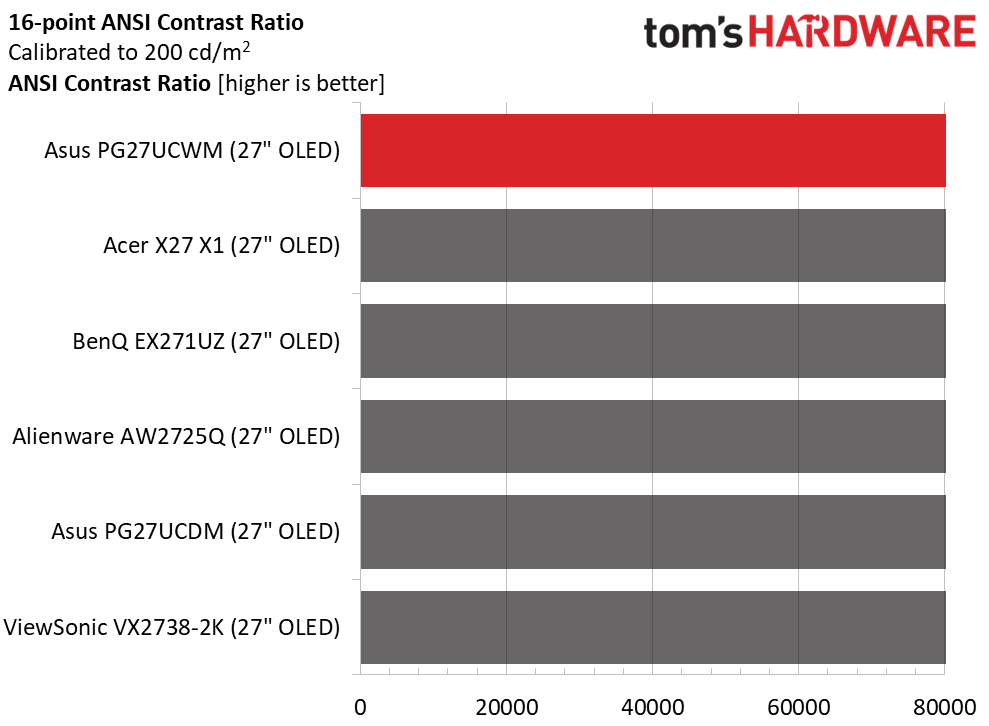
Calibration made no difference to contrast or black levels. When switching between UB modes, I noted that the PG27UCWM saved the brightness value for each mode. That means you can equalize brightness by using a full field for UB on and a 25% window for UB off. As is typical for OLEDs, I could not measure the intra-image (ANSI) contrast.
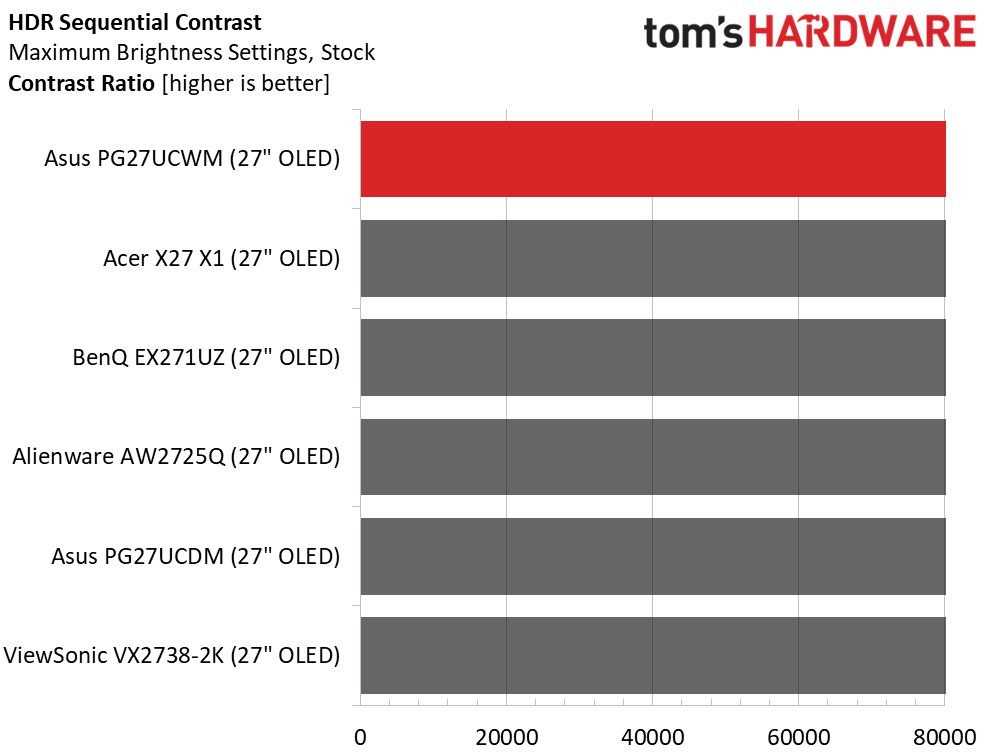
Test Takeaway: The PG27UCWM delivers contrast and black level performance identical to other OLED monitors. It nearly hits 500 nits for a 25% window pattern with Uniform Brightness switched off. Leaving it on delivers around 278 nits peak.
In the PG27UCWM’s Racing picture mode, there is no need for calibration, but you have the option to change color space, gamma, and white balance if you wish.
Grayscale and Gamma Tracking
Our grayscale and gamma tests use Calman calibration software fromPortrait Displays. We describe our grayscale and gamma tests in detail here.
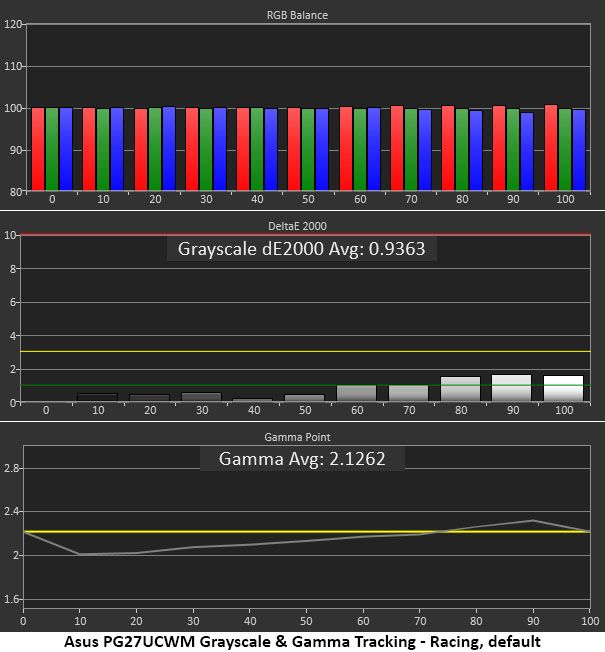
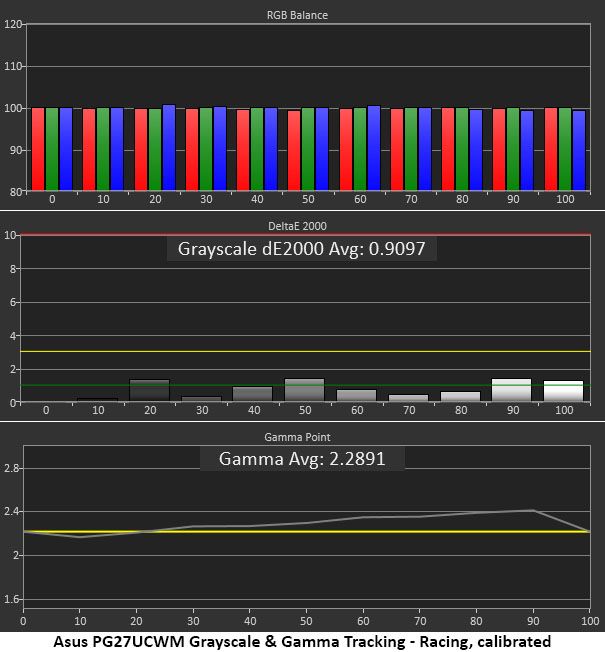
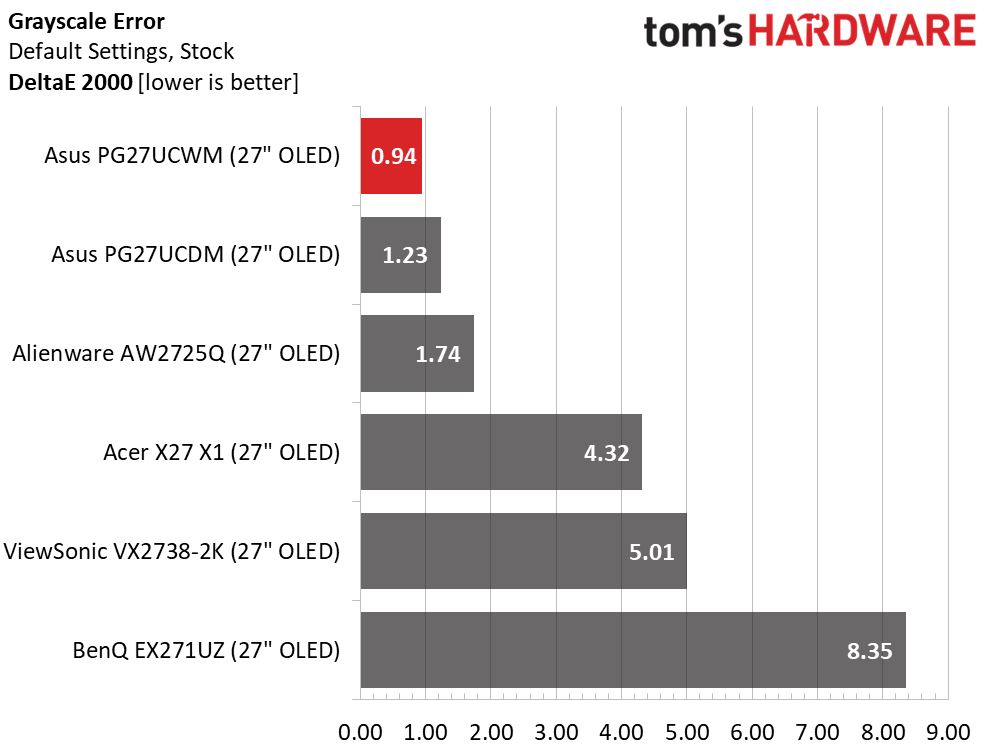
In the first chart, grayscale tracking is visually perfect with no error exceeding 2dE. The accepted visible threshold is 3dE. Gamma is a bit skewed, though. It’s too light in the darkest parts of the image, and midtones are also a little under. This flattens the image a little. At 90% brightness, it is slightly dark, which also lessens the picture’s impact.
I calibrated the RGB sliders for a tiny improvement in grayscale. For gamma, I could only pick a different preset, so I opted for 2.4, which was a good compromise. Since OLEDs have such high contrast, it’s easier to get away with dark gamma because you can just click up the brightness a bit to compensate. A perfect trace on the 2.2 reference would be better, but I don't expect anyone to complain about the PG27UCWM.
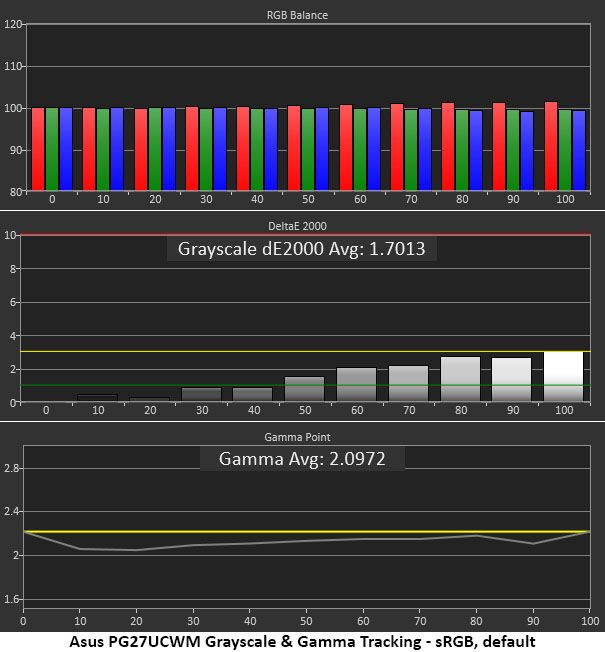
For sRGB, you can either pick the sRGB Cal mode or select sRGB from the color space options in the Color menu. I chose the latter because it leaves the RGB and gamma controls available. Gamma is still a bit light but also more consistent.
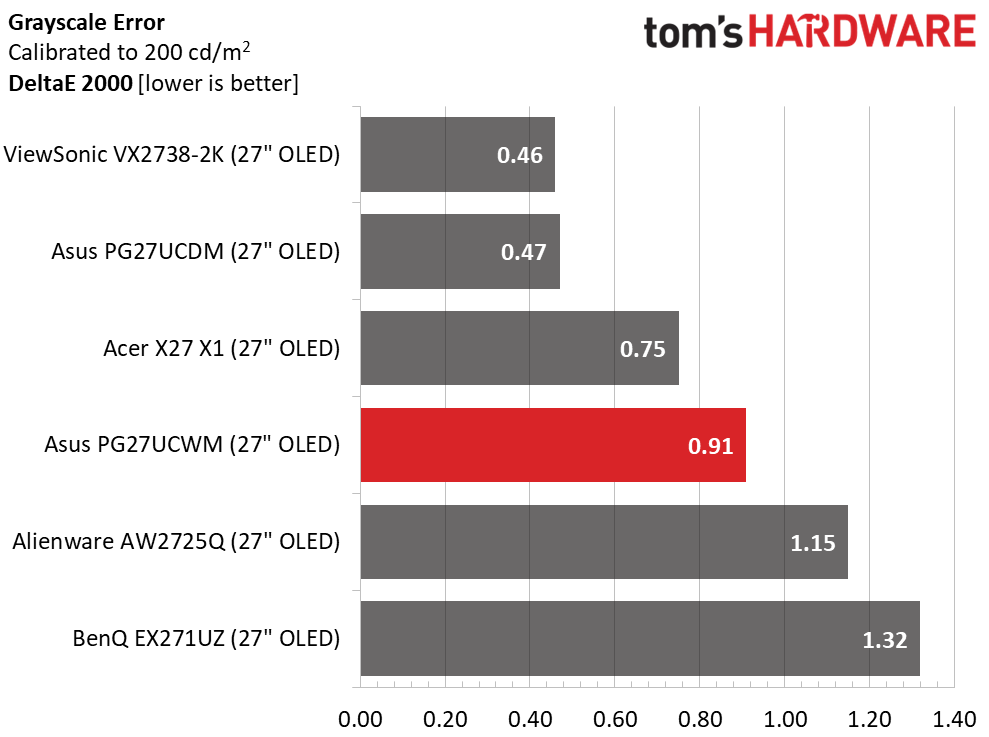
The PG27UCWM wins the out-of-box grayscale comparison with an excellent 0.94dE score. Calibration only improves that to 0.91dE. The two Asus and the Alienware screens can be used without calibration, but the Acer, ViewSonic, and BenQ should get some attention for top performance. Once adjusted, the six monitors are visually equal.
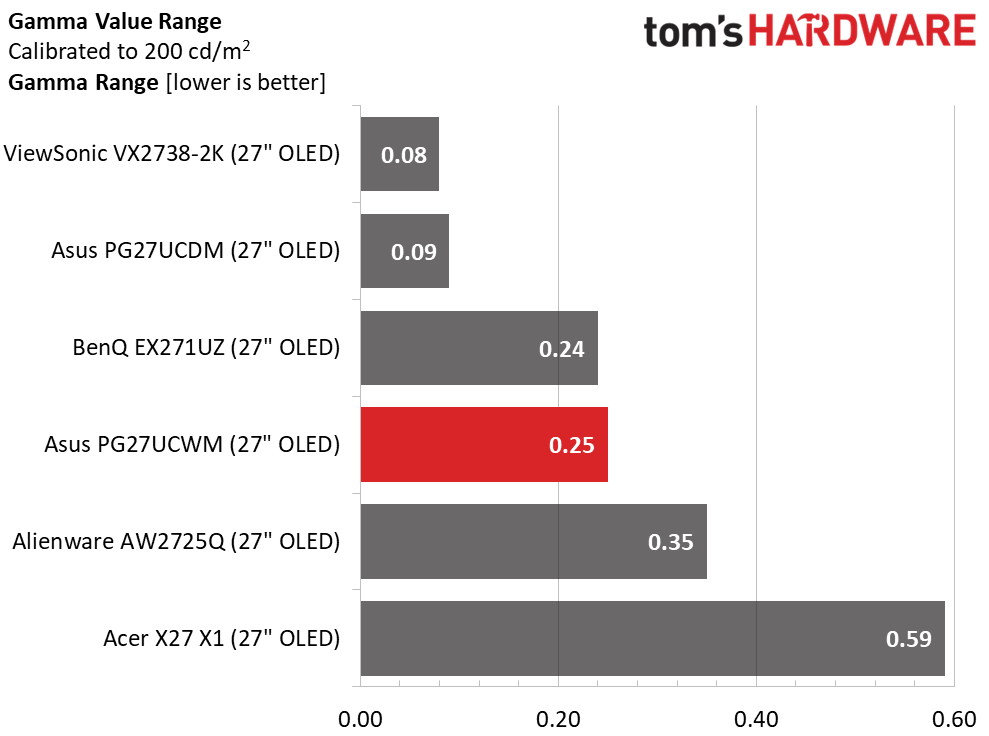
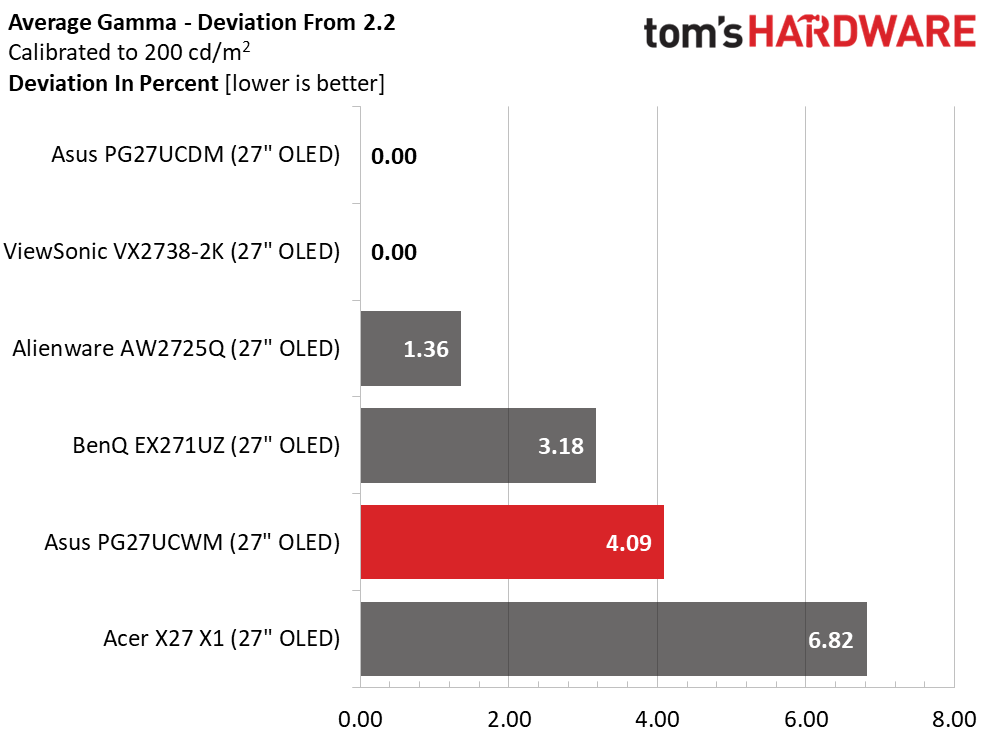
In the gamma test, the PG27UCWM runs mid-pack with a 0.25 range of values and a 4.09% deviation from 2.2. I made a compromise here, setting gamma to 2.4. If you leave it on 2.2, the value range is the same and the deviation is 3.18%. But I preferred the look of the darker gamma setting. Try both to see which works best for you.
Color Gamut Accuracy
Our color gamut and volume testing usePortrait Displays’ Calman software. For details on our color gamut testing and volume calculations,click here.
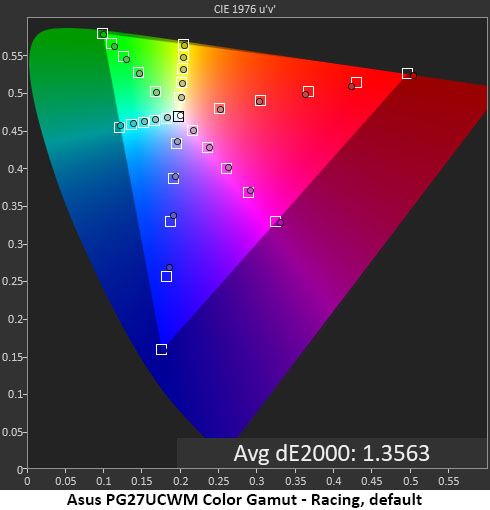
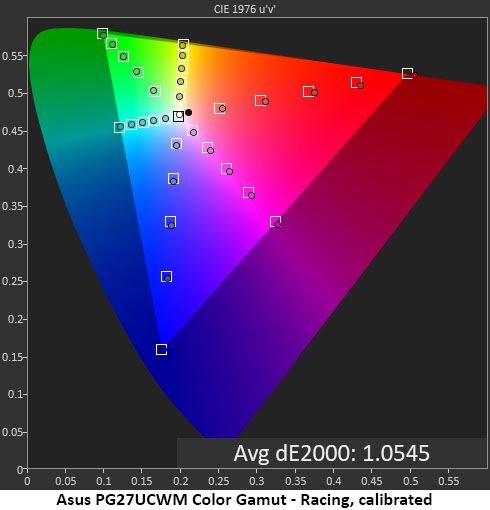
Asus’ latest crop of Tandem RGB Stripe OLEDs all come within a whisker of 100% coverage of DCI-P3 and display near-perfect accuracy. In the default chart, the PG27UCWM is a tad undersaturated in the primary colors, but not by a visible amount. My grayscale calibration adds just a little verve to the palette. You can barely see a difference, but it’s there when comparing screens side-by-side. This is excellent performance.
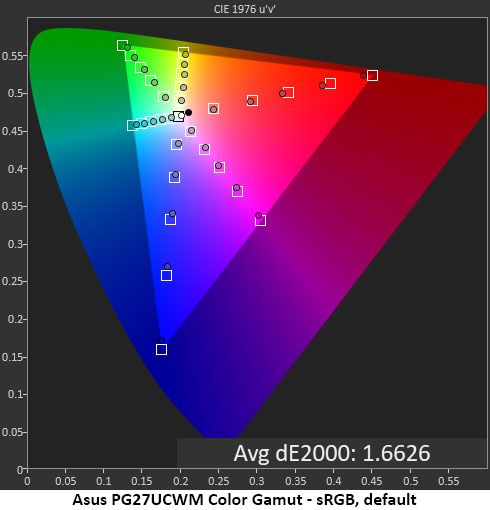
The sRGB gamut is also a bit undersaturated, coming up short in red, magenta and blue. This is a minor issue, but users needing the nth degree of accuracy might want to consider a color lookup table for their applications.
Comparisons
Tom's HardwareTom's Hardware
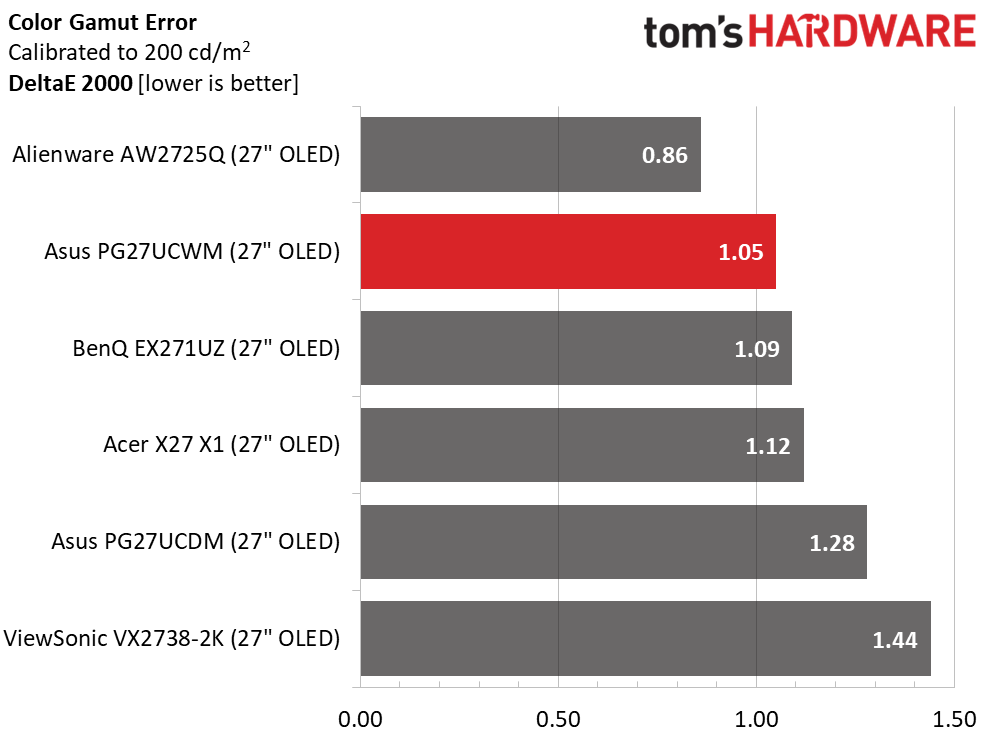
A 1.05dE color gamut error is impressive, but all the screens perform as well as the PG27UCWM in this test. OLED is an accurate monitor category, and you’ll be hard-pressed to find a bad one.
I’ve commented that Quantum Dot OLEDs have greater color volume than Tandem RGB Stripe panels, but in the 27-inch category, the differences are quite small. Asus’ own PG27UCDM has less than 1% more volume, an invisible amount. The ViewSonic will look a bit more colorful in a side-by-side comparison, but only slightly. The PG27UCWM delivers vivid and bold hues for both SDR and HDR. The sRGB mode is slightly undersaturated in red, magenta, and blue, hence the 91.87% score.
Test Takeaway: The PG27UCWM is very color-accurate out of the box but needs some attention in the gamma department. I had to compromise for the best picture because none of the presets are exactly on the 2.2 reference. The sRGB mode is slightly undersaturated and has light gamma. Color volume is high and nearly equals that of many Quantum Dot displays. The PG27UCWM is a very colorful monitor.
The PG27UCWM adds extra HDR brightness and Dolby Vision to its feature list over last year’s PG27UCDM. It switches automatically when an HDR10 signal is detected and offers four picture modes with an adjustable option.
HDR Brightness and Contrast
Tom's HardwareTom's HardwareTom's Hardware
To get the brightest HDR, I opted for the Gaming mode with the Adjustable toggle turned on. This delivered almost 500 nits from a 25% window pattern. Asus claims 1,000 nits for a 3% window, and there is no reason to doubt this. If you’re considering an upgrade from last year’s PG27UCDM, you can expect an extra 30 nits of peak brightness, about 6%. The Gaming HDR mode comes with a compromise, which I’ll tell you about below. If you choose the most accurate mode, True Black, it peaks at around 470 nits. Black levels and contrast could not be measured.
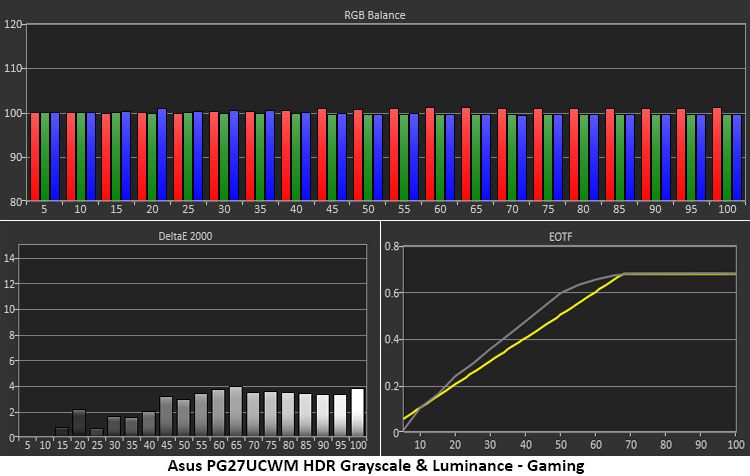
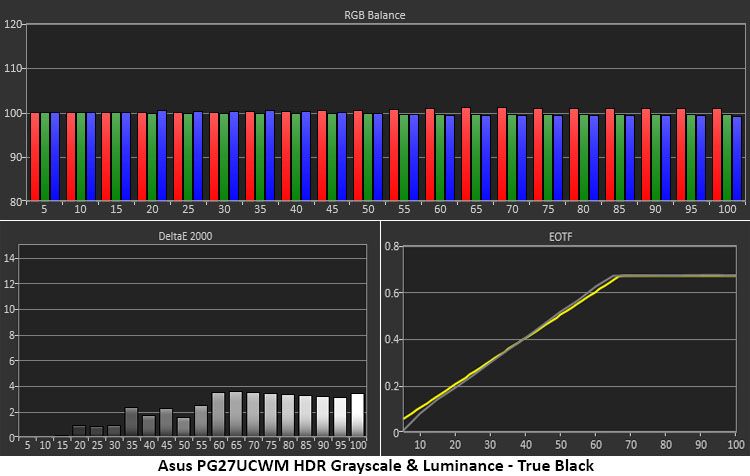
The first two charts illustrate the difference between Gaming and True Black modes. Gaming is a little brighter, not only because it peaks higher, but also because it rides above the EOTF reference. This gives the image a little more impact but also a little less texture. The difference is small and will come down to user preference. For games with bright scenery and color, I preferred Gaming HDR. But more subdued tones benefitted from True Black and its deeper shadows. Either way, you get excellent grayscale accuracy.
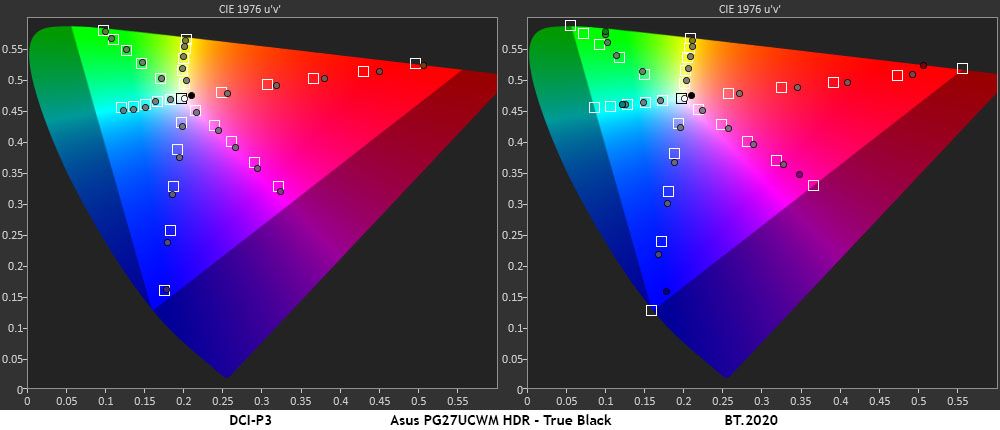
In the HDR color tests, the PG27UCWM makes full use of its large gamut in all content. The DCI-P3 is fully covered with a little extra verve in red, magenta, and blue. By emphasizing the warmer tones, it gives the picture more punch without becoming unnatural. This is an approach shared by many HDR monitors, LCD and OLED. In the BT.2020 test, the PG27UCWM runs out of color at 90% red, 75% green, and 95% blue, which is comparable to many Quantum Dot screens.
Test Takeaway: The PG27UCWM delivers a lot of HDR impact and is a little brighter than its predecessor and the other 27-inch 4K OLEDs I’ve tested. It has excellent grayscale and color accuracy in either Gaming or True Black modes. For the best luminance tracking choose True Black and for the brightest image, choose Gaming. Either way, it renders HDR content beautifully.
Though OLED prices in general have crept downwards, it is still a premium category. New panel variants keep the technology moving forward and create more choices for buyers. It’s also a product category that embodies the concept that you never regret buying the best. With stunning images, bold color, and lightning-fast reflexes, OLEDs are the go-to display for gamers of all skill levels.
(Image credit: Asus)
Asus has remained at the forefront of OLED technology by being early out of the gate with each new panel tech. It has fully embraced Tandem RGB Stripe with the ROG Swift PG27UCWM. Though relatively expensive for a 27-inch monitor, it is richly featured and capable of truly addictive gameplay. With 240 Hz in 4K and 480 Hz in Full HD, it can pair well with just about any gaming system from console to bleeding-edge PC. In my tests, it proved faster than all the other 27-inch 4K OLEDs I’ve reviewed.
(Image credit: Tom's Hardware)
Tandem RGB Stripe also delivers a visible improvement in sharpness. OLEDs were sharp already, but I could easily see the difference when comparing the PG27UCWM to a single-layer monitor. Color is also a highlight here. Though a Quantum Dot screen will get you a little more color volume, the PG27UCWM is still in the mix at over 102% DCI-P3 coverage. And its HDR prowess is substantial with the addition of Dolby Vision.
If you have the budget, currently $1,099, for a premium 27-inch OLED gaming monitor, the Asus ROG Swift PG27UCWM is sitting nicely atop the performance heap. Gamers looking for a premium experience should definitely check it out.
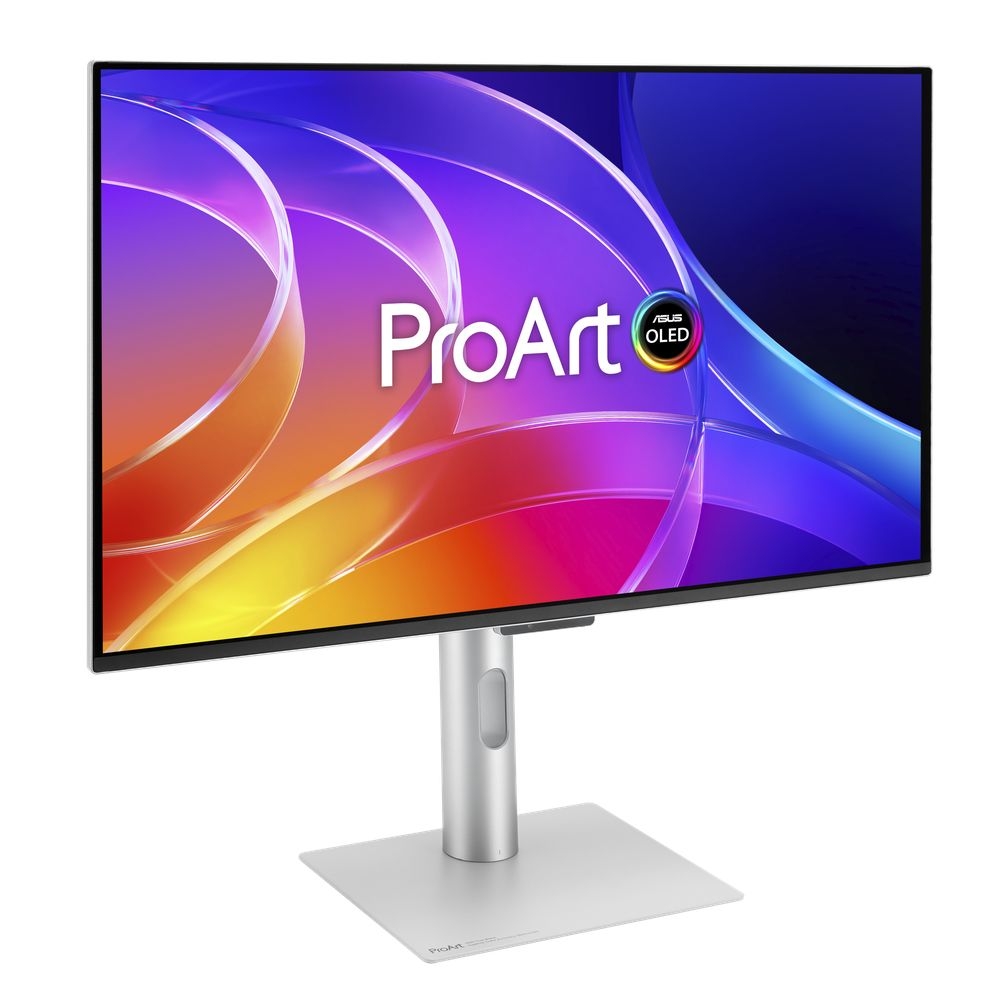
Asus is showcasing its new ProArt PA27UCDV creative monitor at IBC 2026 in Amsterdam. The 26.5‑inch display features a 4K QD‑OLED panel running at up to 120Hz, aimed at colour‑critical workloads.
According to Prad, the monitor offers a 3840×2160 resolution on a 16:9 panel. As for the panel itself, Asus uses its LuxPixel anti‑glare coating, which is the company’s branding for its reduced‑reflection surface. The PA27UCDV covers 99% of the DCI‑P3 colour space, reaches up to 1000nits peak brightness, and is rated for Delta‑E <1 colour accuracy. HDR support is included, and an Auto KVM switch is built in for multi‑device workflows.
Connectivity includes HDMI 2.1, DisplayPort 1.4 with DSC, a built‑in USB hub, and two Thunderbolt 4 ports. One Thunderbolt 4 port delivers up to 140W Power Delivery, while the second supports daisy‑chaining for multi‑monitor setups. Like most other ProArt displays, the PA27UCDV retains a slim, minimalist aesthetic.
Asus has not yet confirmed pricing or availability for the ProArt PA27UCDV.
KitGuru Says: With a 120Hz panel, this ProArt monitor could also double up as a nice gaming display too.
MSI has announced the Pro Max 341QPXW14G, a 34-inch ultrawide QD-OLED monitor designed specifically for Mac workflows. Built around a 21:9 UWQHD 3440×1440 panel, the display offers a 144Hz refresh rate, 0.03ms response time, and deep macOS integration through dedicated app support.
Equipped with a 5th-Gen QD-OLED panel, the Pro Max 341QPXW14G QD-OLED monitor uses an RGB Stripe sub-pixel layout to improve text clarity. MSI says the Penta Tandem technology increases luminous efficiency by 30%, while the DarkArmor layer delivers 40% deeper blacks, plus 3H surface hardness and 2.5× scratch resistance. macOS integration relies on the MSI M-Mate app, enabling M-Sync Mode so users can adjust brightness and volume directly via MacBook keyboard keys. Regarding colour performance, the display is Pantone and Pantone SkinTone Validated, covering 99% DCI-P3 and 97.4% Adobe RGB with Delta E ≤2 accuracy and VESA DisplayHDR True Black 500 certification.
The monitor also features MSI OLED Care 3.0, which uses AI sensors to detect static content and user presence to mitigate burn-in, extending the mandatory panel refresh cycle to 24 hours. Eye-care features include TÜV-certified hardware blue light reduction, VisiClarity anti-glare treatment, and a 14-point Customizable HDR curve.
To support multi-system setups, the display includes a 3-Device KVM with KVM 2.0 cross-device data transfers, and dual USB-C ports provide up to 98W and 15W Power Delivery. Included is a three-way ergonomic stand. The monitor is now available in the US for $749.90.
KitGuru says: Are you looking for a monitor that integrates into the Mac ecosystem? You might want to check out the new MSI Pro Max 341QPXW14G QD-OLED.
One more budget gaming monitor launched by Philips, specially designed for those who are looking for a fully immersive gaming experience on a budget. Philips Debuts Evnia 34M2C5601QA Gaming Monitor, Bringing 200 Hz to 3440x1440p Resolution Alongside AI-Enhanced Ambiglow Popular monitor vendor Philips is expanding its monitor catalog by launching a brand-new ultrawide monitor called Evnia 34M2C5601QA. The Evnia 34M2C5601QA is a 34-inch Ultrawide gaming monitor with a curved display, featuring 1500R curvature for a more immersive experience, allowing users to enjoy triple-A open-world games as well as racing titles. The monitor offers a 3440 x 1440p resolution in a […]
The new ultrawide monitor is designed around "Mac" workflows and brings the latest QD-OLED panel for superior visuals. MSI Launches PRO MAX 341QPXW14G Monitor for Increased Productivity and Multi-Tasking, Featuring Excellent Color Reproduction and Modern Connectivity Most of the time, monitor vendors release monitors for "gaming", and only some of them occasionally launch monitors for work. Today, MSI has proudly presented one of its best-ever high-end productivity monitors called PRO MAX 341QPXW14G. Long name aside, this monitor is specially designed for Mac workflows and offers leading specifications for multitasking. The PRO MAX 341QPXW14G is a 34-inch Ultrawide monitor that boasts […]
Being a long-term user of Uperfect monitors, I have tested several portable monitors from Uperfect's stack, all the way from a small 14-inch OLED to bigger 27-inch 4K dual-mode monitors. Most displays impressed me, but they come at a hefty cost. Portable monitors that usually cater to the demands of users on a budget are comparatively much cheaper, making them ideal for a wide range of needs. This is why I decided to check out Uperfect's latest 18.5-inch 120 Hz monitor called GR185BF, which is an NxtLED display equipped with Eye Care. Unlike the OLED and bigger IPS portable Uperfect […]
HKC has unveiled the Shield 27Q560 at IFA 2026, a 27‑inch Oxide IPS gaming monitor capable of extremely high refresh rates. The display runs natively at 2560×1440 and 560Hz, with a dual‑mode function allowing it to reach up to 1,060Hz when switched to a lower 1280×720 resolution.
According to TFTCentral, the Shield 27Q560 uses a glossy panel coating and offers a 1ms G2G response time, 10‑bit colour depth and 98% DCI‑P3 gamut coverage. Connectivity includes one DisplayPort 2.1 port and two HDMI 2.1 ports, along with USB‑C (15W power delivery) and an audio output.
HKC says the monitor will launch in China this November. Availability for other regions has not yet been confirmed, but HKC’s international releases typically follow two to three months later, suggesting a potential Q1 2027 rollout.
KitGuru Says: Hitting 1060Hz at 720p is an impressive technical milestone, but I imagine most will stick to the QHD / 560Hz mode.
If you were looking to upgrade your monitor, buying an MSI QD-OLED monitor might be the right choice now as it ships with a free copy of the newly released RPG title. MSI is Giving Away a Free Copy of The Blood of Dawnwalker With Every Purchase of Eligible QD-OLED Monitors OLED is unmatched when it comes to playing games, particularly when the game is an open-world title with detailed features. Modern OLEDs aren't just ideal for triple-A titles; they are also excellent for competitive gaming, providing ultra-low latency and high refresh-rate operation for a smoother gameplay experience. This is […]
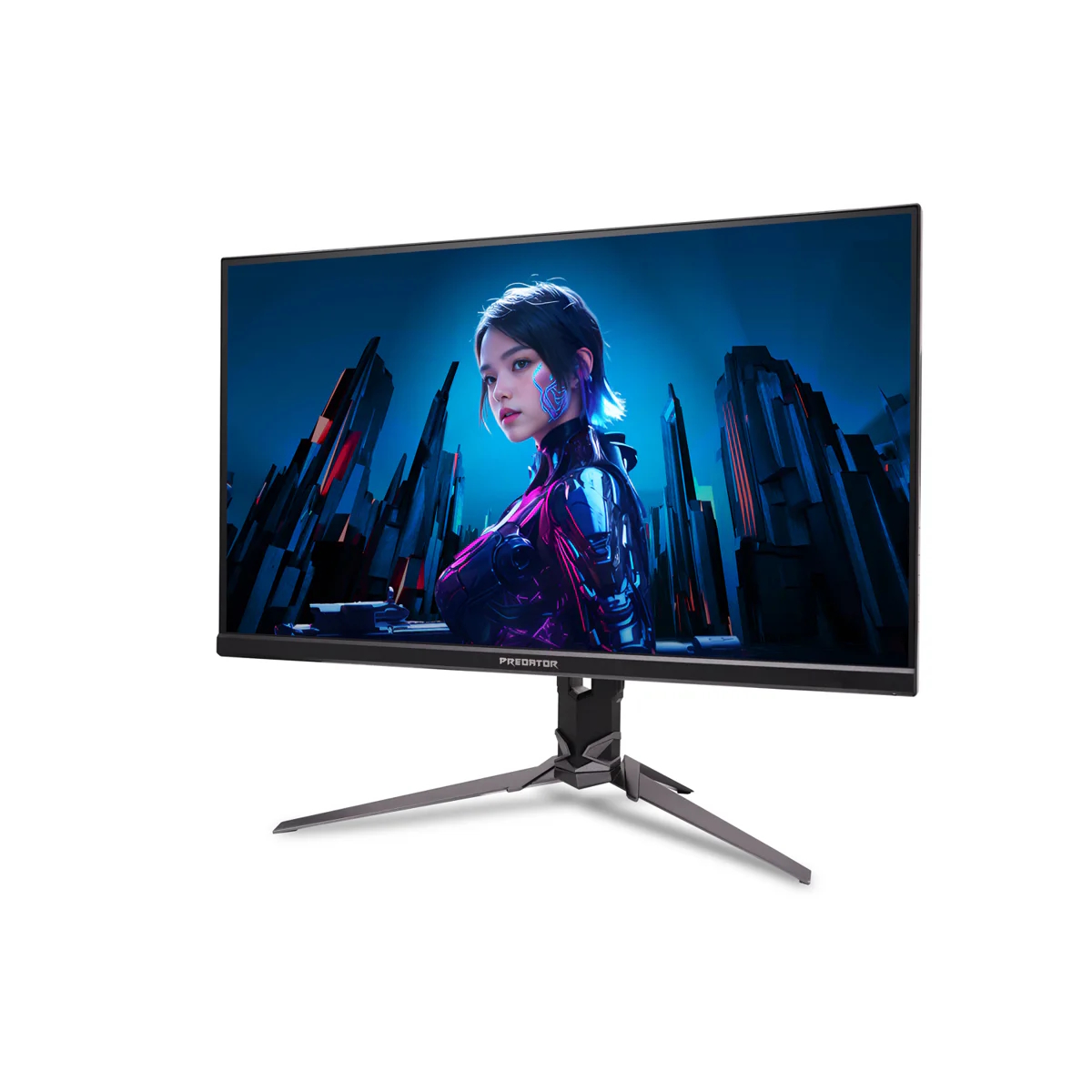
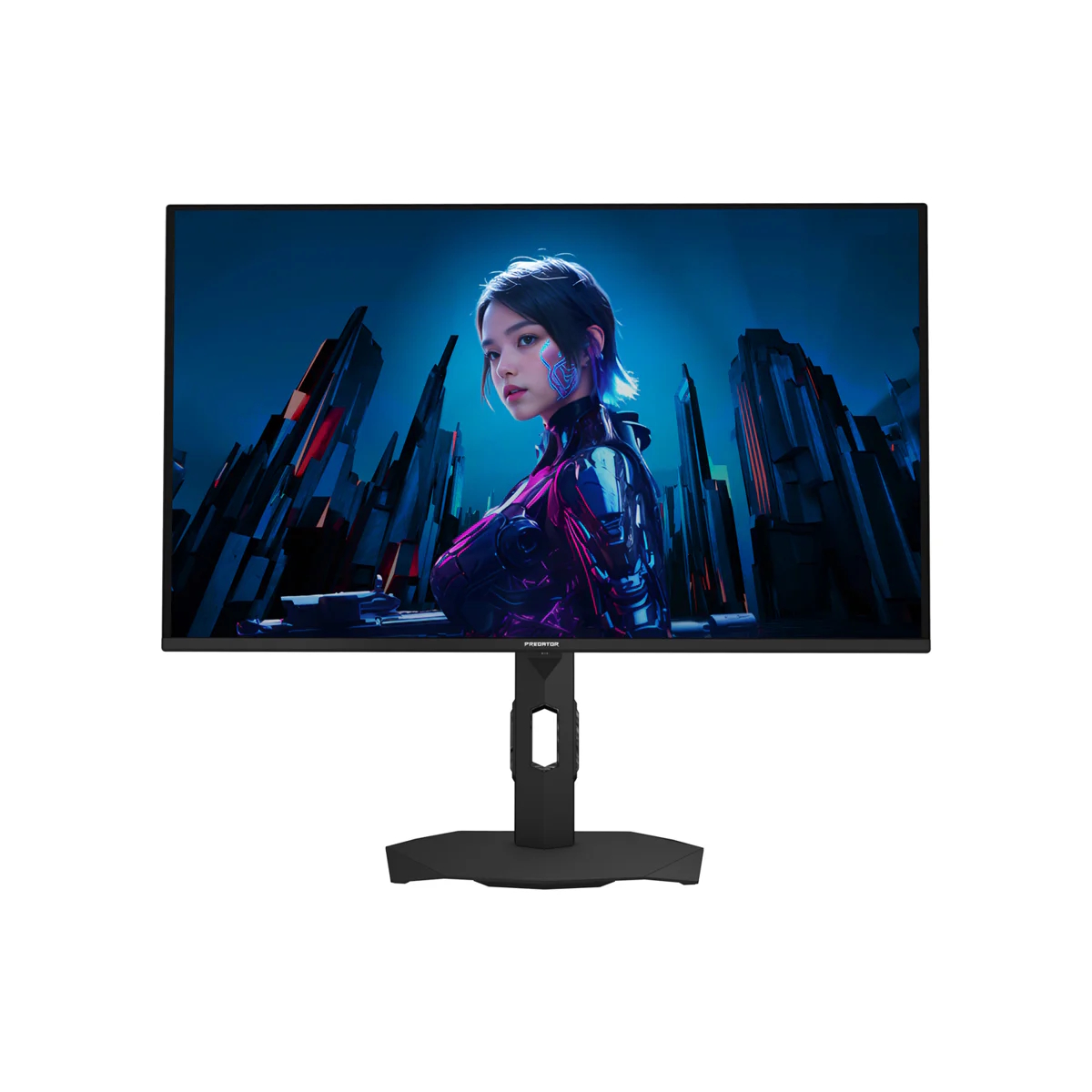
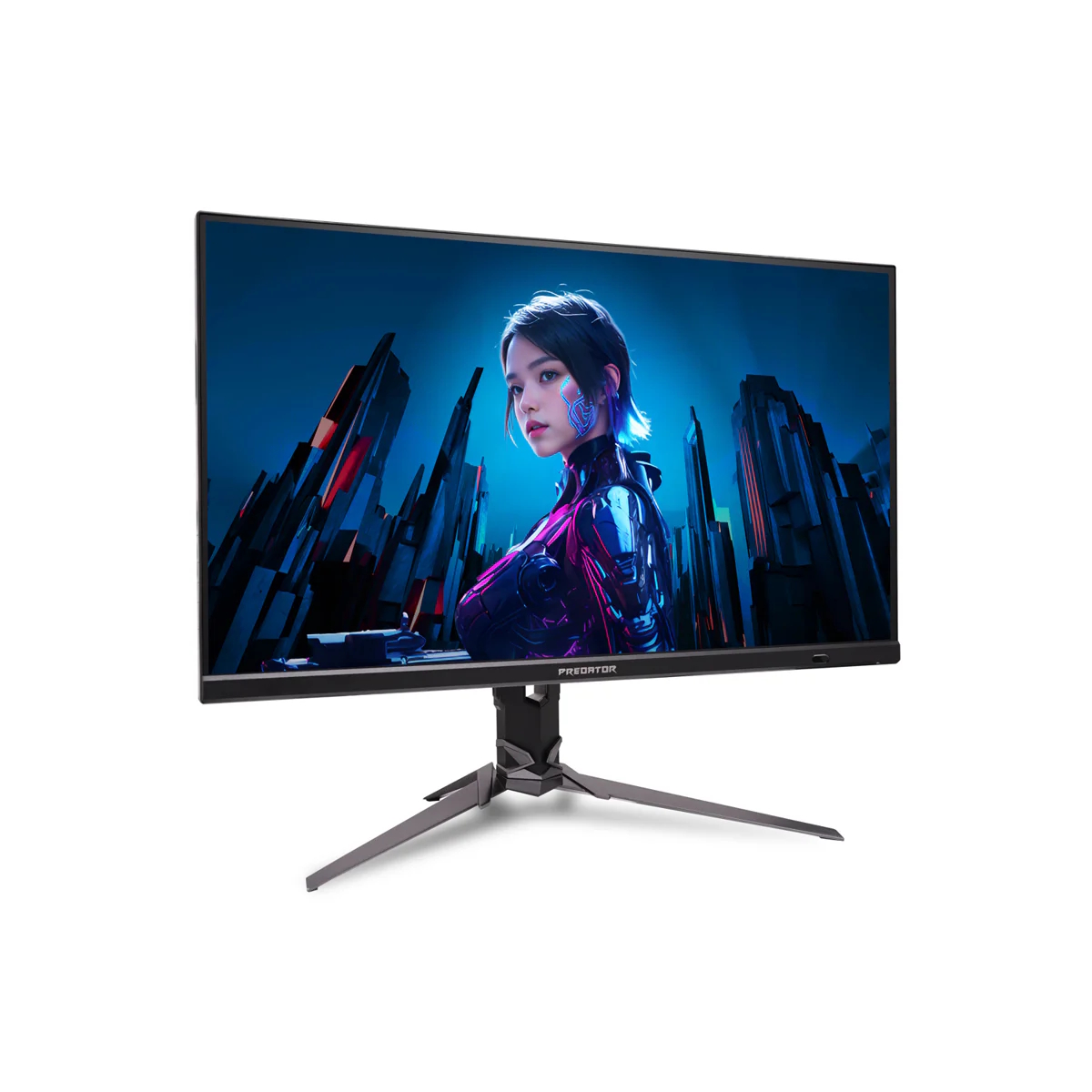
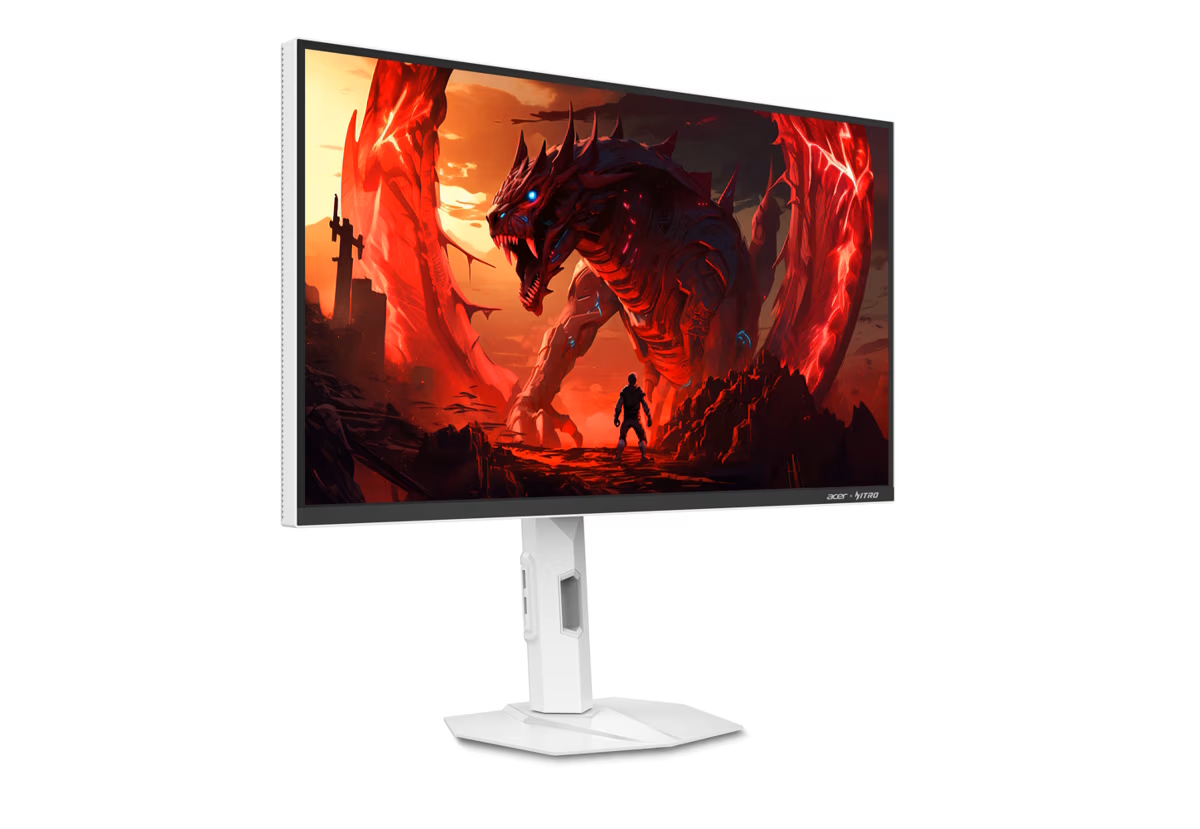
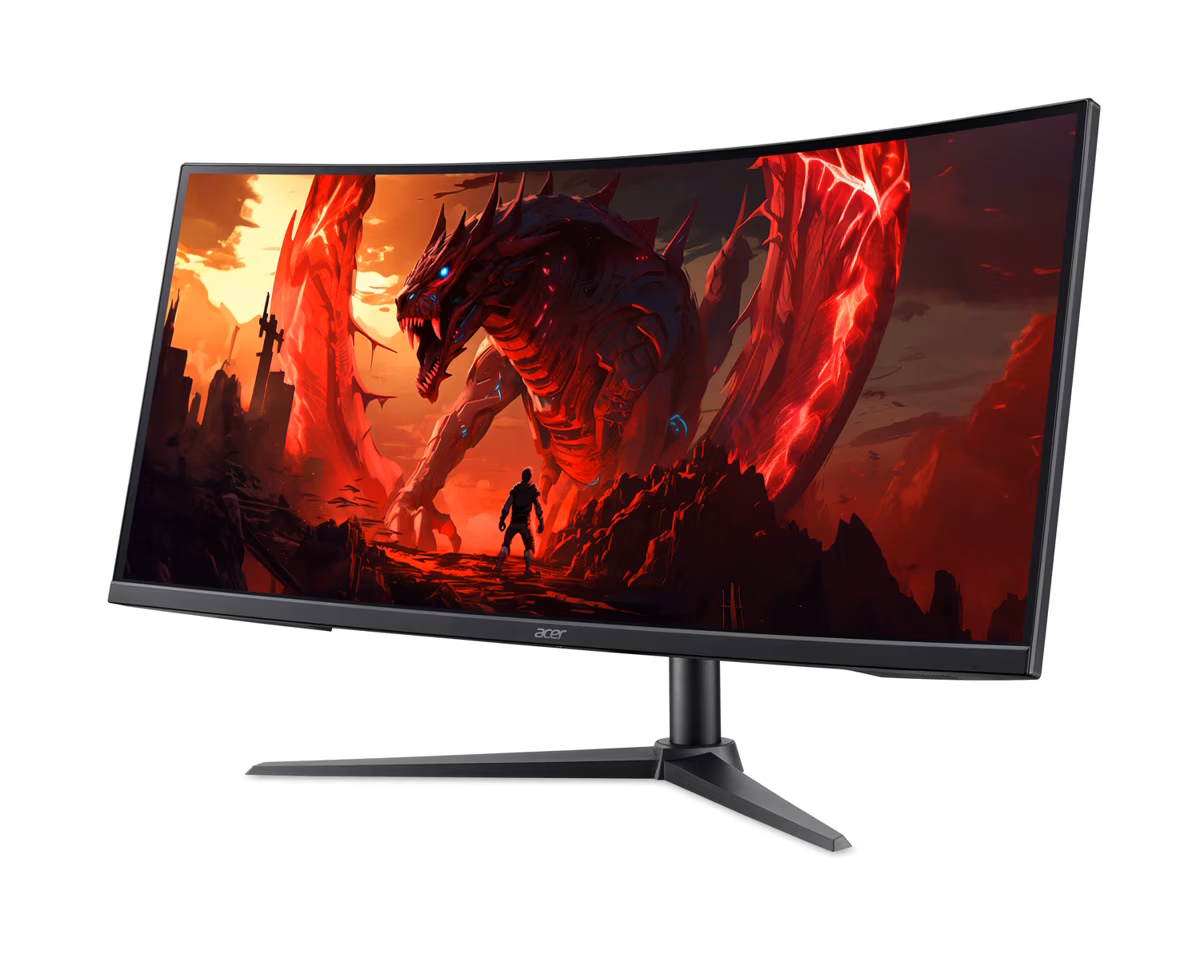
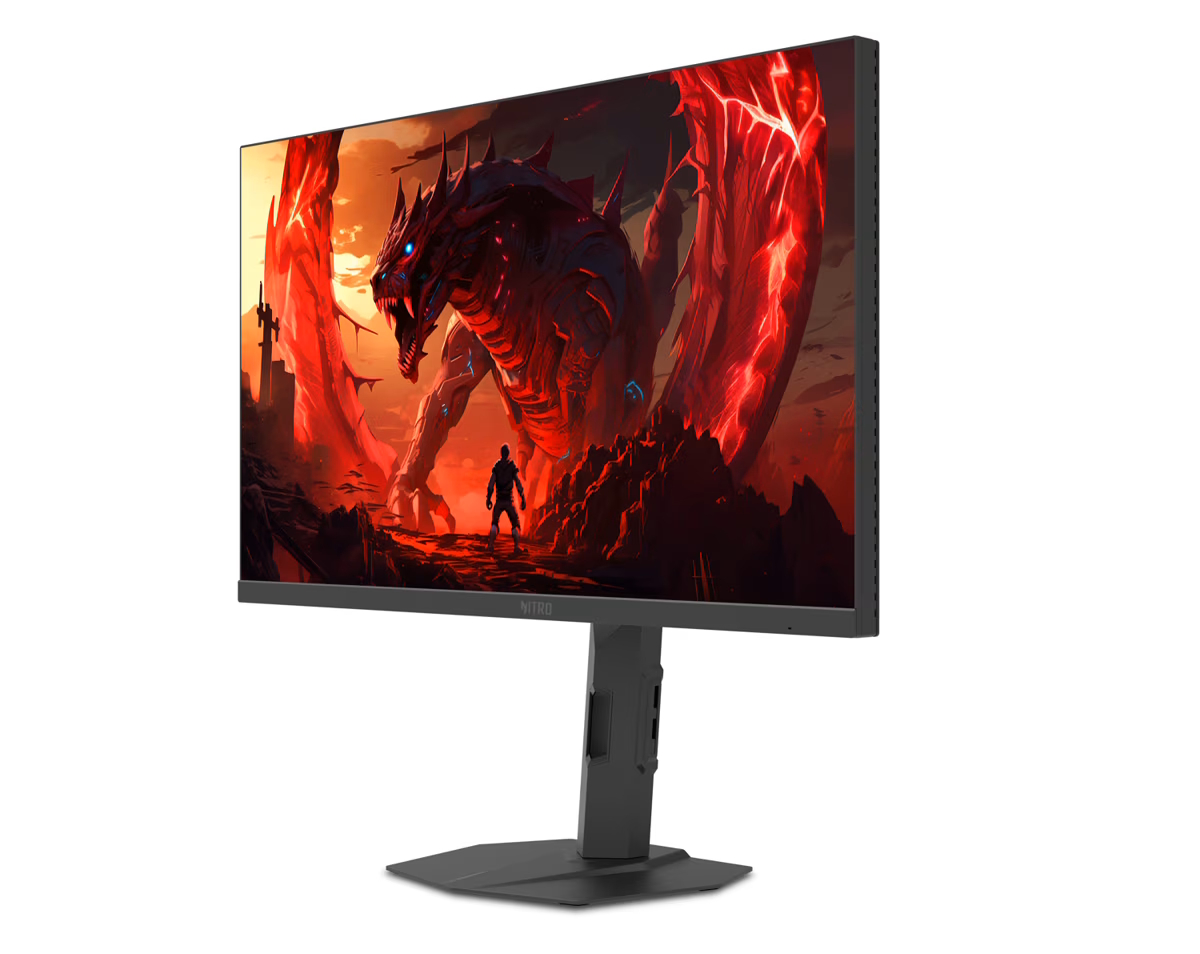
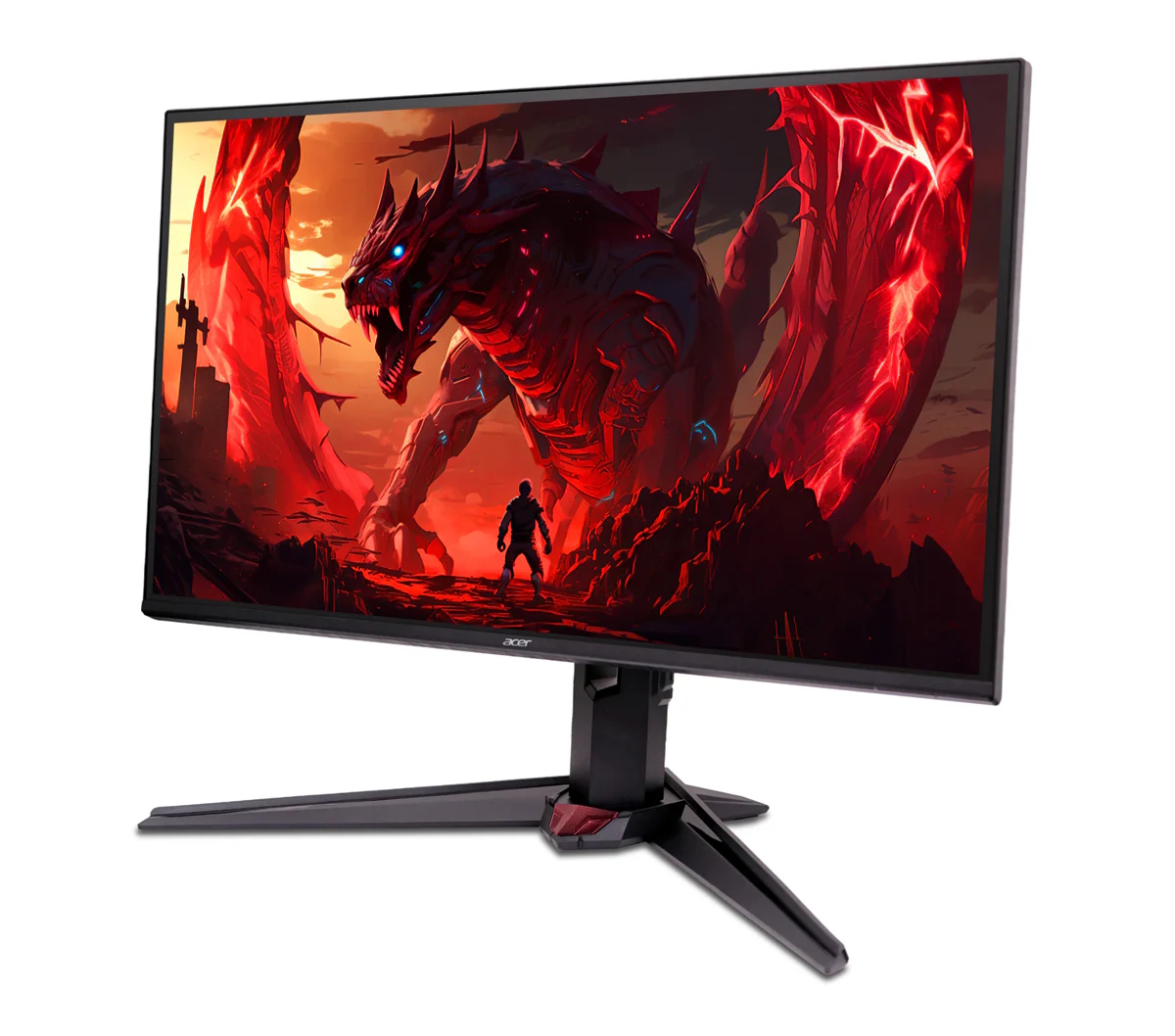
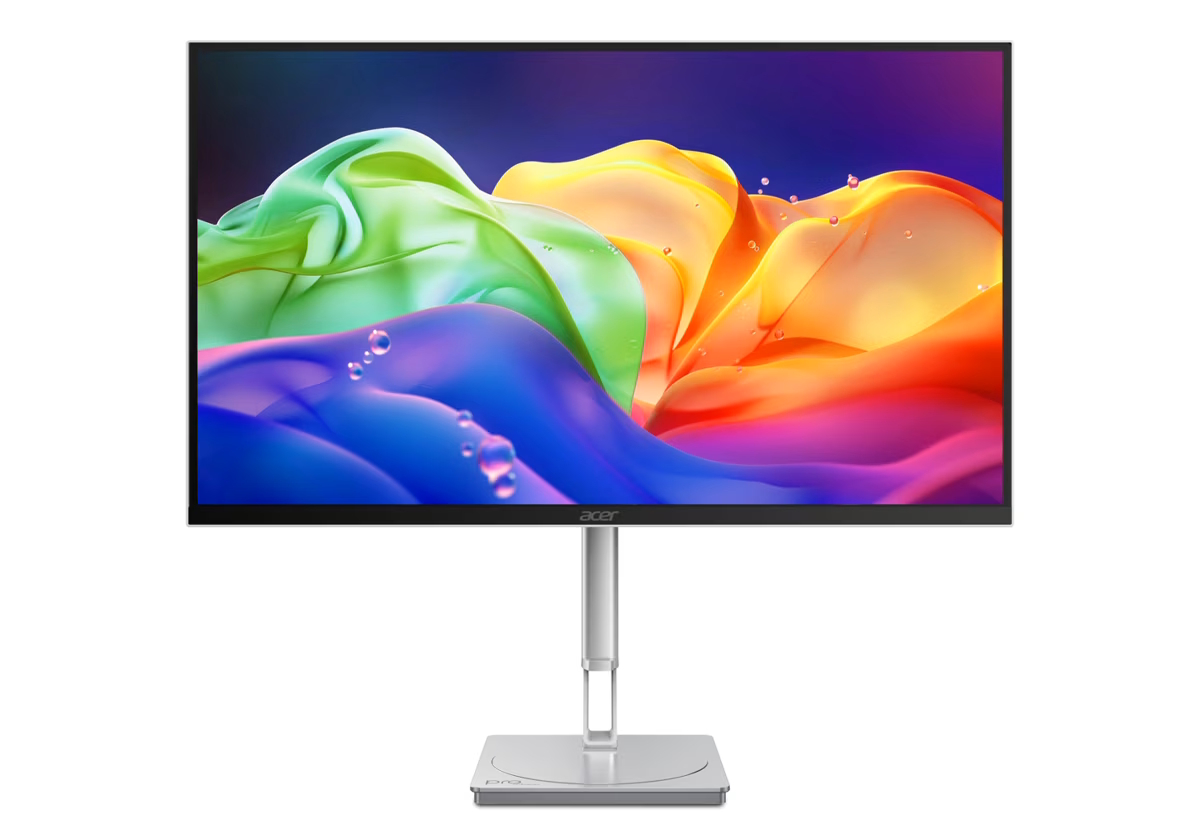
Acer has announced a new lineup of monitors across its Predator, Nitro, and ProDesigner ranges. The displays cover various panel technologies, featuring refresh rates up to 1000Hz and dual- or tri-mode resolution switching.
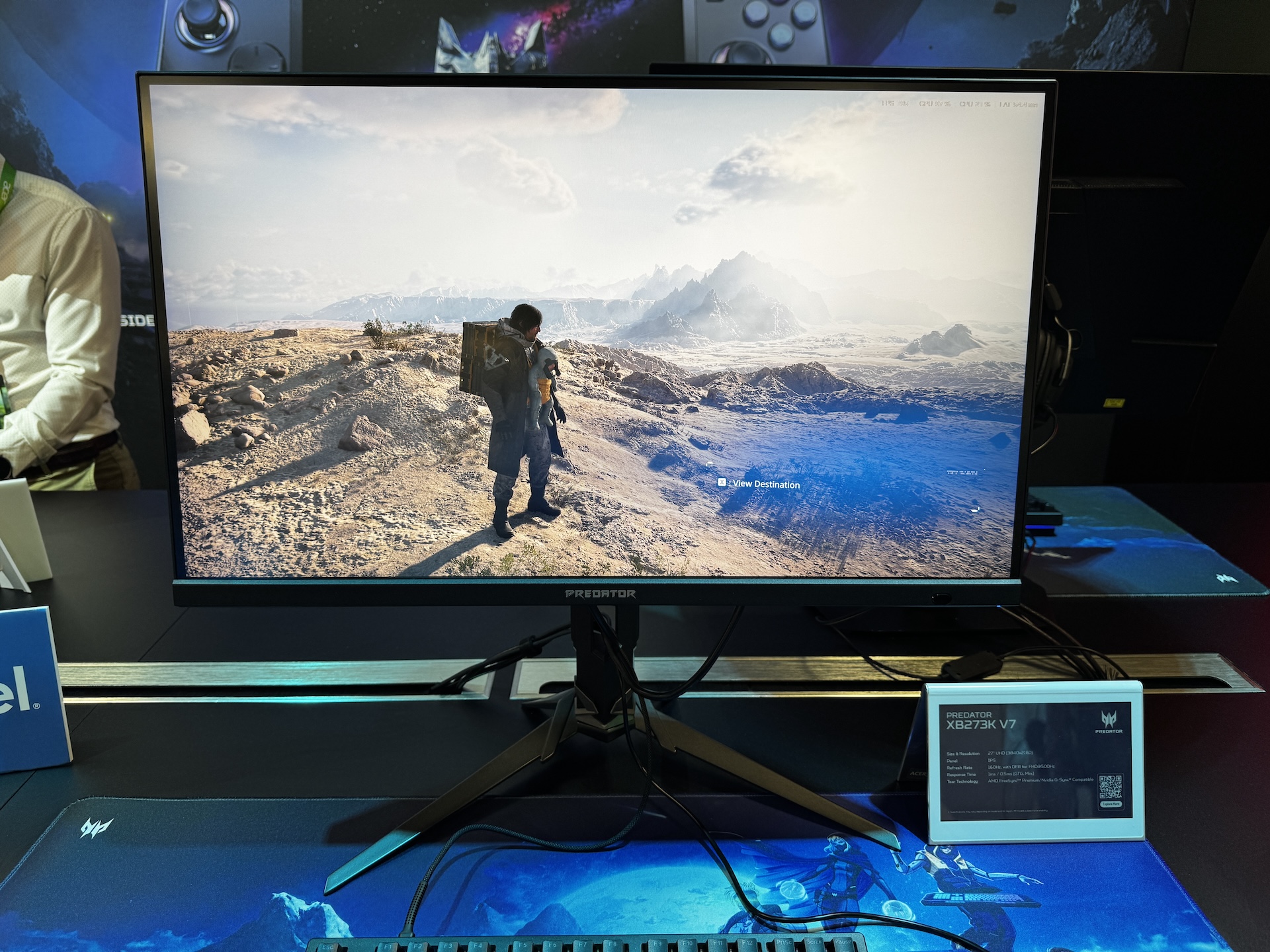
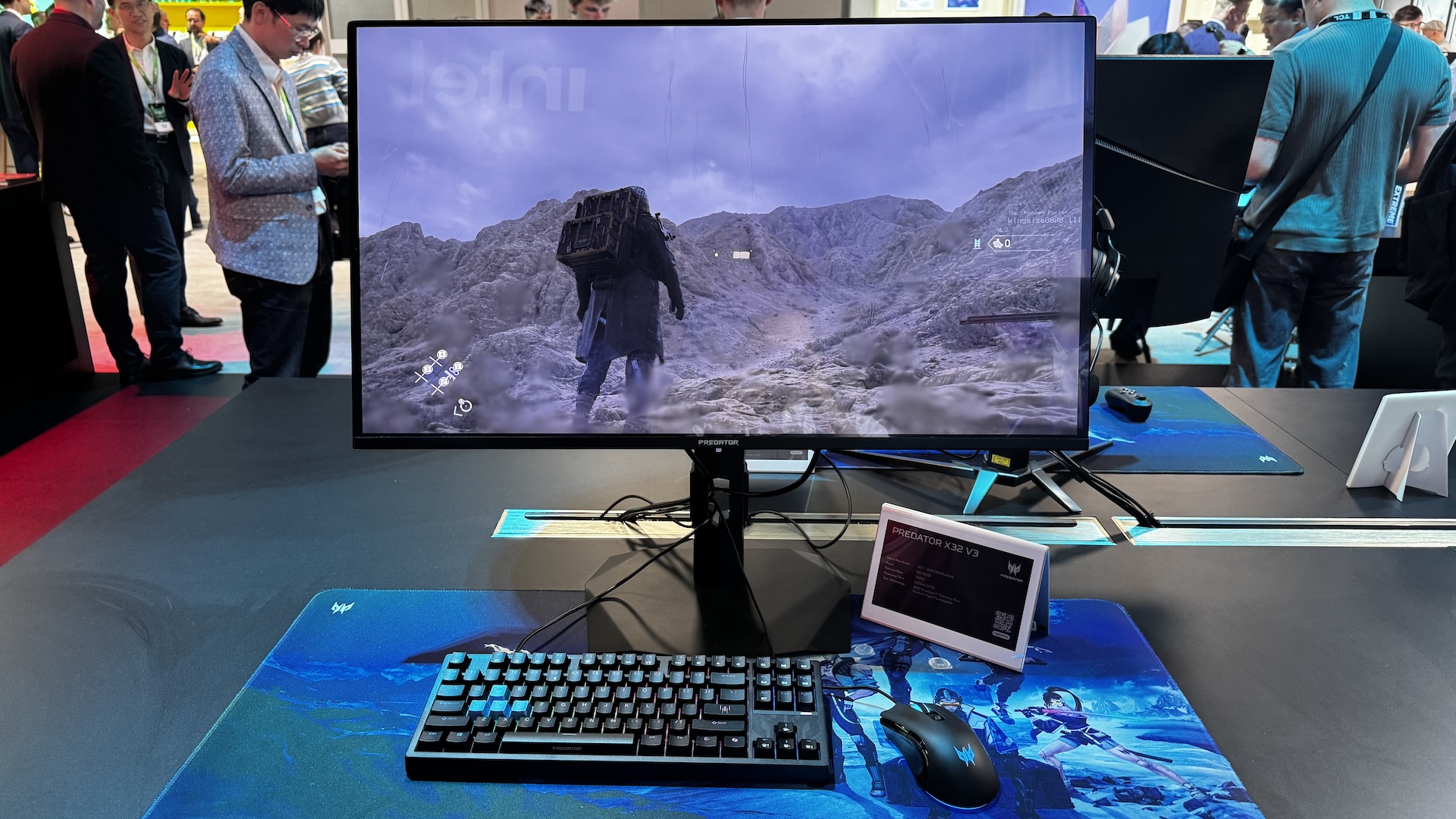
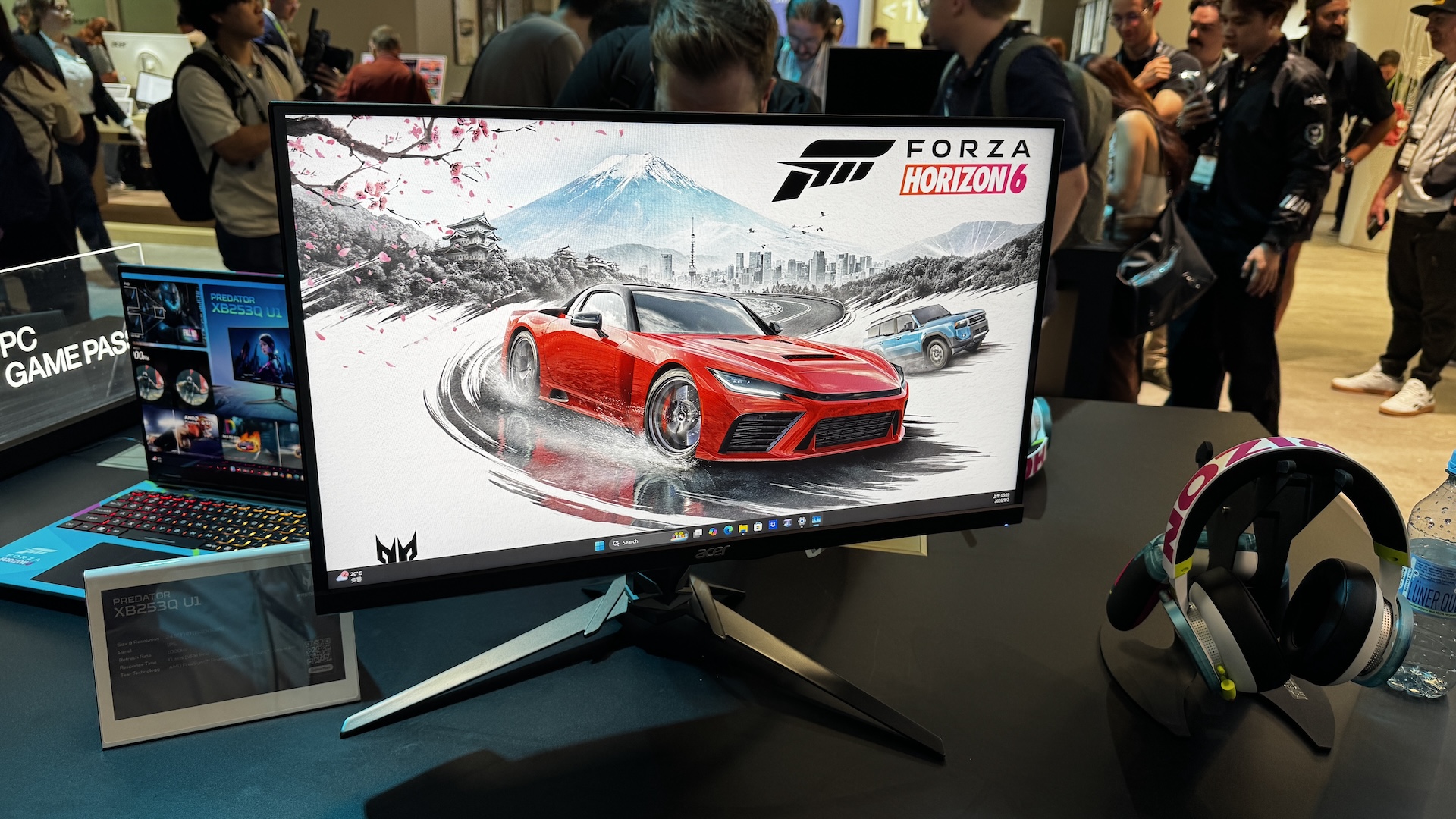
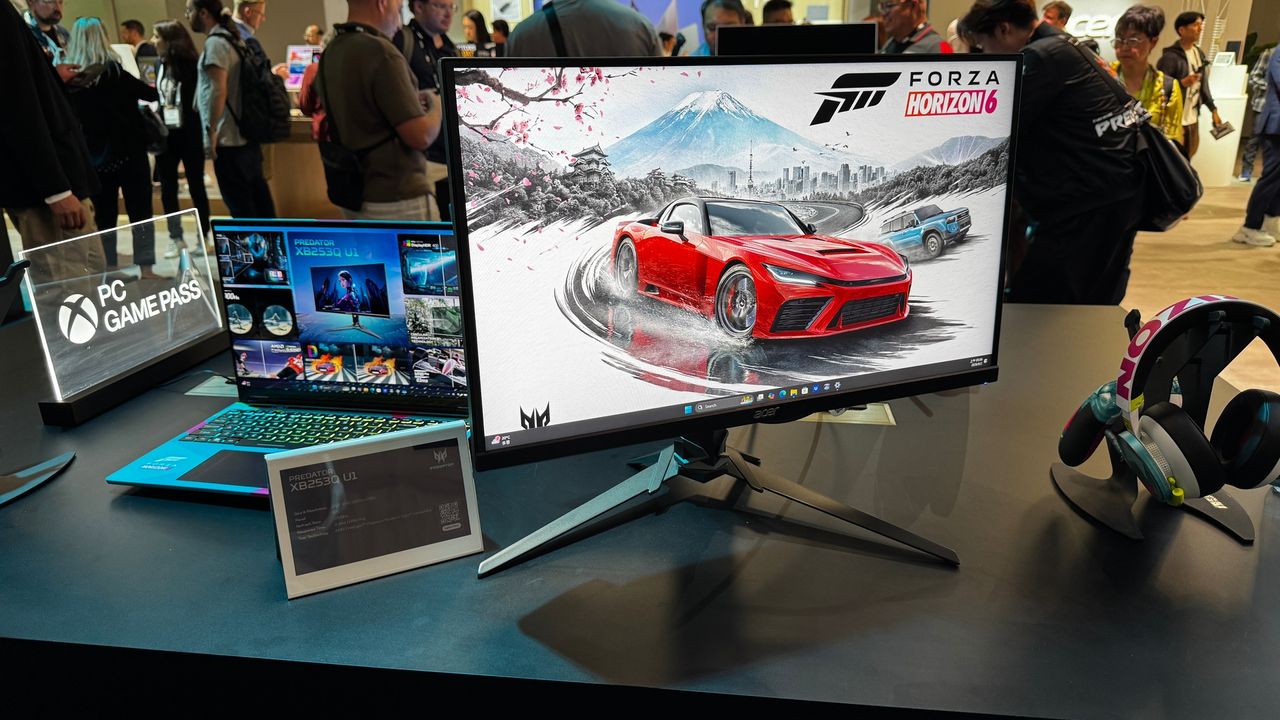
Three new Predator gaming monitors are on the way, starting with the 24.5-inch Predator XB253Q U1, offering 1080p at 1000Hz refresh rate alongside VESA DisplayHDR 400 certification. There is also the 31.5-inch Predator X32 V3, which uses a 4K 180Hz QD-OLED Penta Tandem panel with VESA DisplayHDR True Black 400. Meanwhile, the 27-inch Predator XB273K V7 provides UHD resolution in a more compact 27-inch display size, with Dynamic Frame Rate (DFR) technology that switches to Full HD at 500Hz.
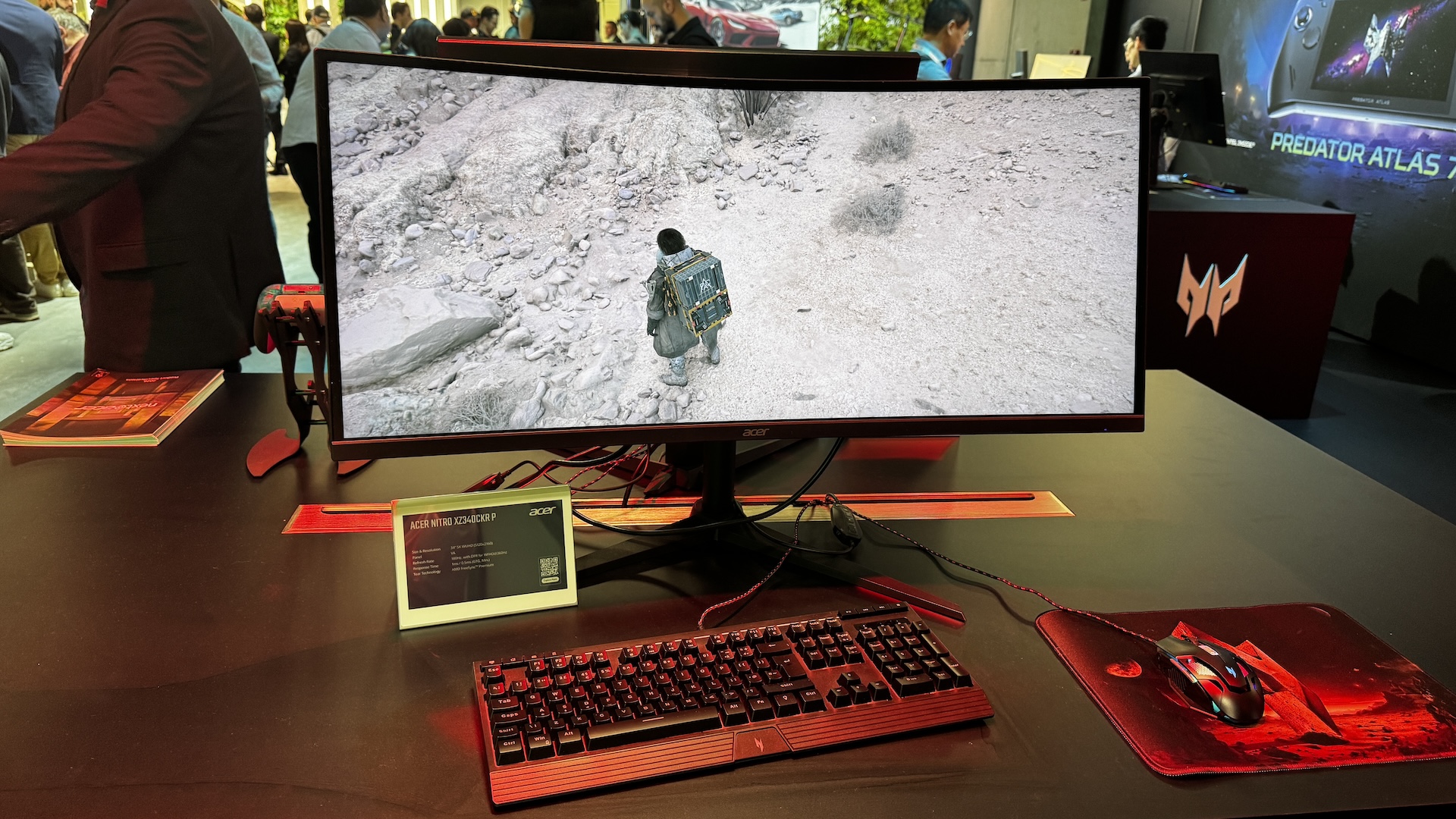
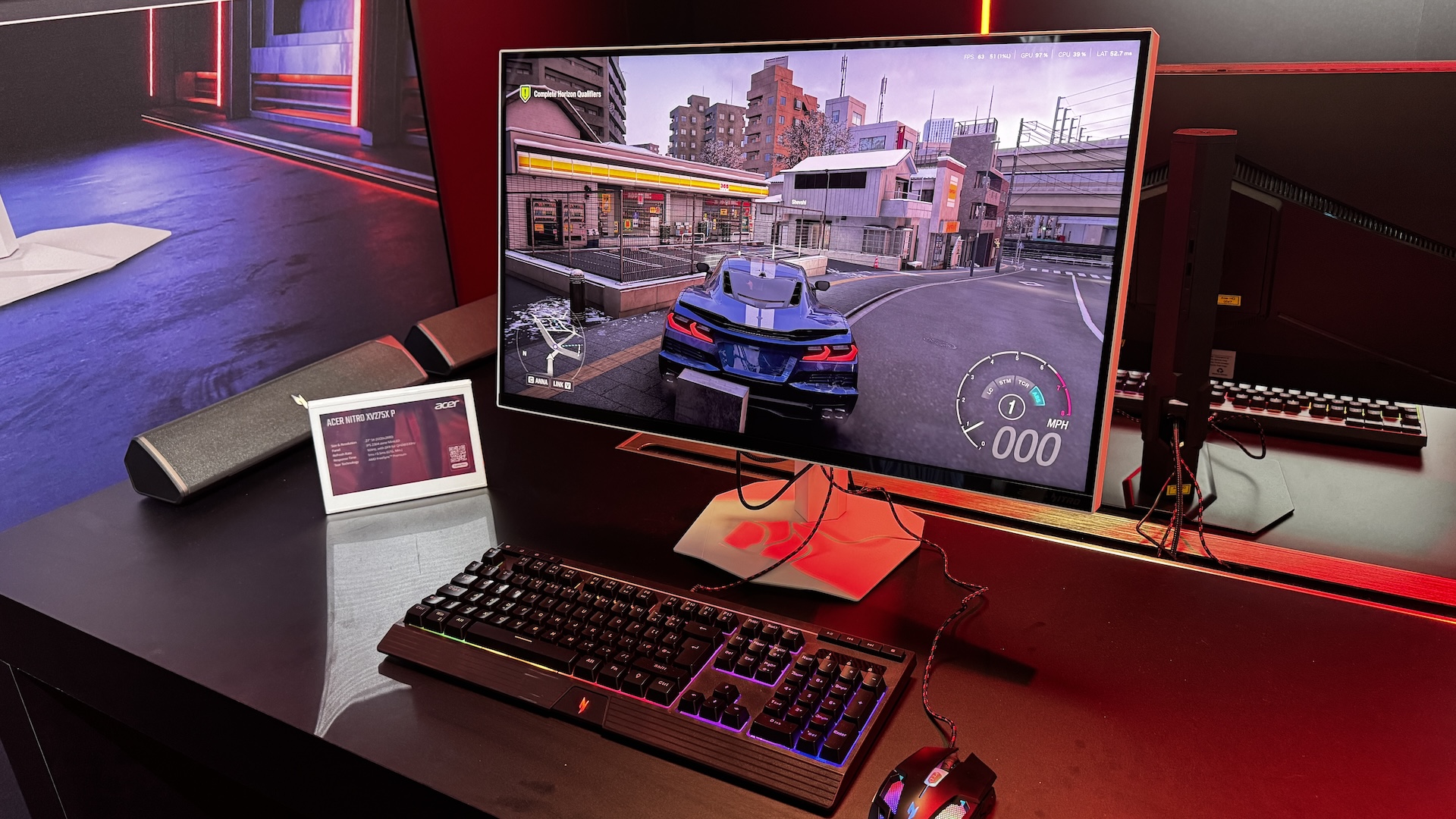
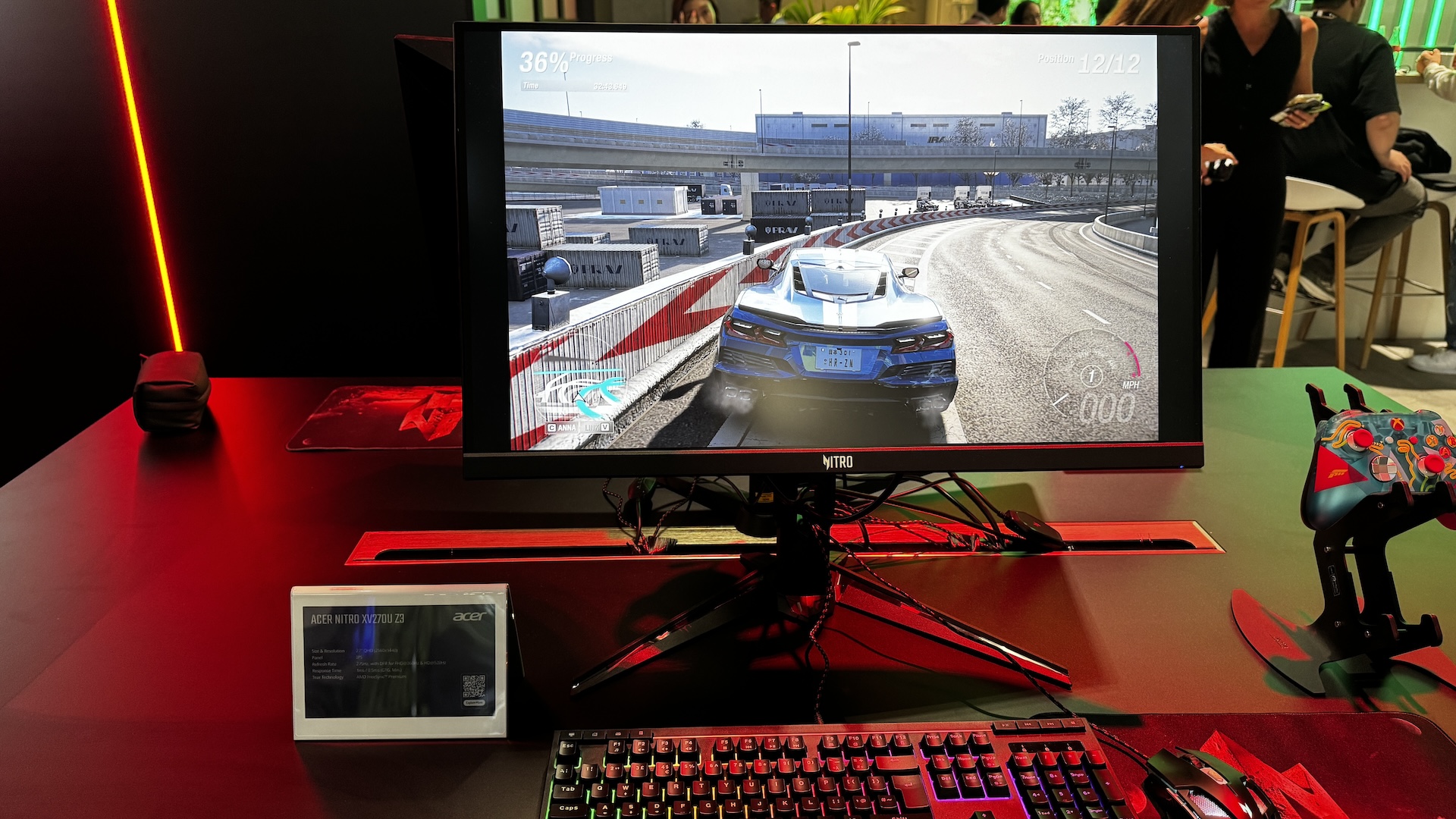
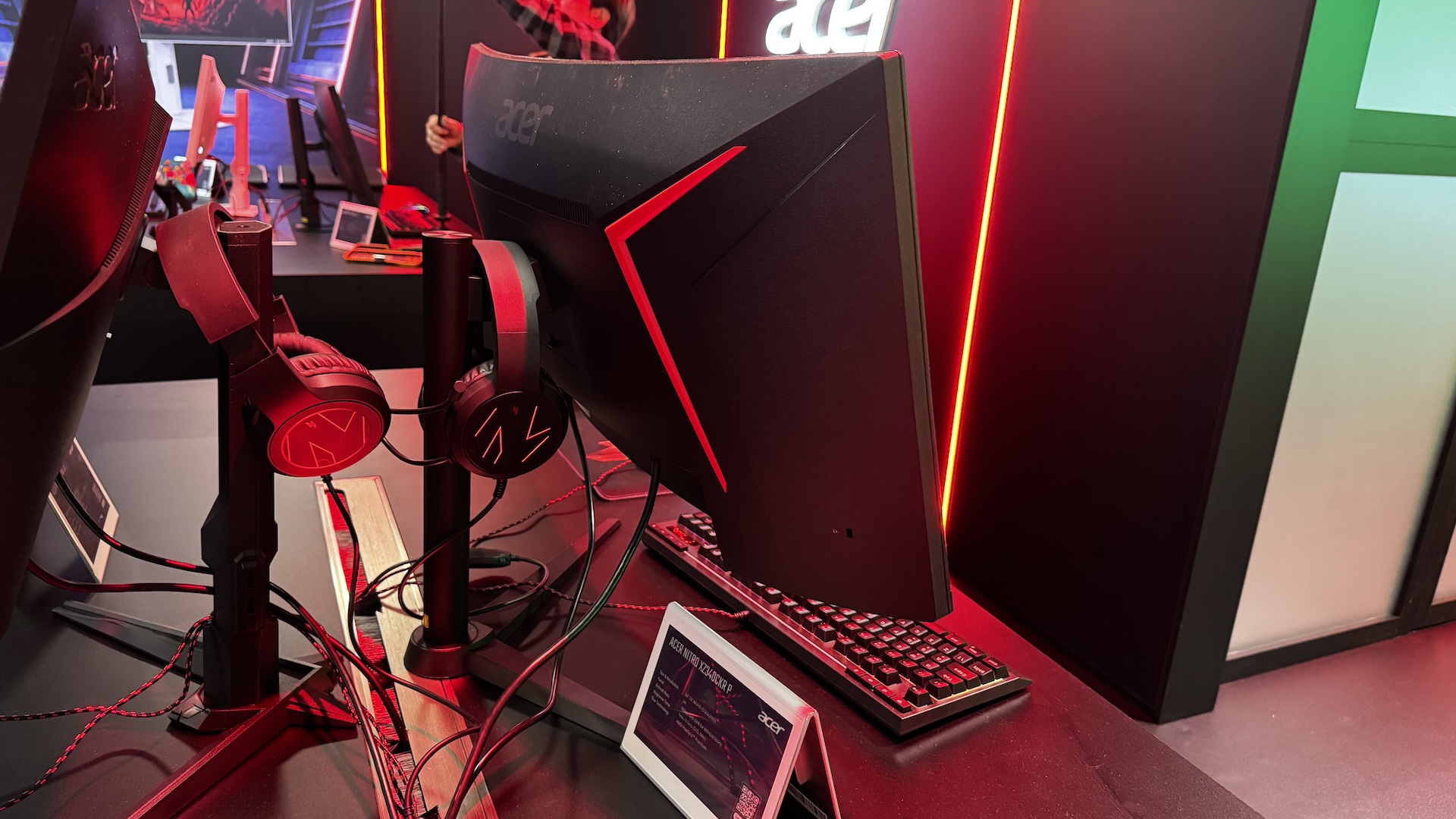
Moving to the Nitro brand, Acer is introducing four high-refresh models featuring DFR switching. The 27-inch Nitro XV275X P pairs a 2304-zone Mini LED backlight with a baseline 5K resolution at 165Hz, switching to QHD at 330Hz, and featuring 90W USB-C power delivery. Ultrawide users get the curved 34-inch Nitro XZ340CKR P, with a 5120×2160 resolution at 180Hz or WFHD (2560×1080) at 360Hz with a 0.5ms GTG response time. The last Nitro models are the Nitro XV275U Z2 and XV270U Z3, both featuring tri-mode DFR, allowing switching between QHD at 275Hz, FHD at 360Hz, and HD at 520Hz, with the XV275U Z2 using a 1152-zone Mini LED backlight.
Designed for creators, the 27-inch ProDesigner PE270X P features a native 5K (5120×2880) resolution at 165Hz with DFR support up to QHD at 330Hz. It combines a 2304-zone Mini LED backlight with VESA DisplayHDR 1400 certification, Delta E<1 accuracy, an Auto KVM switch, and 90W USB-C power delivery.
The Predator XB253Q U1 and Predator X32 V3 will be available in Q1 2027, starting at $1,099.99/€1,099 and $899.99/€899, respectively. The Predator XB273K V7 will be slightly sooner, in Q4 2026, at $449.99/€449. As for the Nitro models, the Acer Nitro XV275X P, Acer Nitro XZ340CKR P, and Acer Nitro XV270U Z3 will be available in Q1 2027 at $1,199.99/€1,199, $699.99/€699, and $299.99/€299, respectively. As for the Acer Nitro XV275U Z2, it will be available in Q4 2026, starting at $329.99/€329. Lastly, the Acer ProDesigner PE270X P will be available in Q1 2027 for $1,299.99/€1,299.
KitGuru says: It seems multi-mode is slowly becoming the standard, as even creative-oriented monitors are getting this feature. Interested in any of the new Acer monitors?
Alienware has introduced two new options within its QD-OLED Gaming lineup, the 32" AW3226K and the 25" AW2527HX monitors. Alienware Finally Brings RGB Stripe Tandem OLED Technology To Its 32"-Class Monitors The first monitor to talk about is the AW3226K, which is a 32" gaming monitor with a maximum resolution of 4K. This monitor is based on the latest RGB Stripe Tandem OLED panel technology, enabling deeper blacks, faster response times, improved brightness, enhanced color purity, and sharper text. We have tested the V-Stripe OLED panels and found them to be stunning, so these coming to 32" designs is going […]
Acer has joined other monitor makers by launching its first 1000 Hz gaming monitor called Predator XB253Q U1. Acer Hits 1000 Hz at 1080p on Predator XB253Q U1, Competing With LG and Samsung's Super-High Refresh Rate Offerings This isn't the first 1000 Hz gaming monitor from Acer, as the company previously launched a 1000 Hz monitor nearly seven months ago. It was the Acer Predator XB273U F6, which can hit 1000 Hz as well, but the latest gaming monitor is superior when it comes to resolution. Unlike the previous one, which could only reach 1000 Hz at 720p resolution, the […]
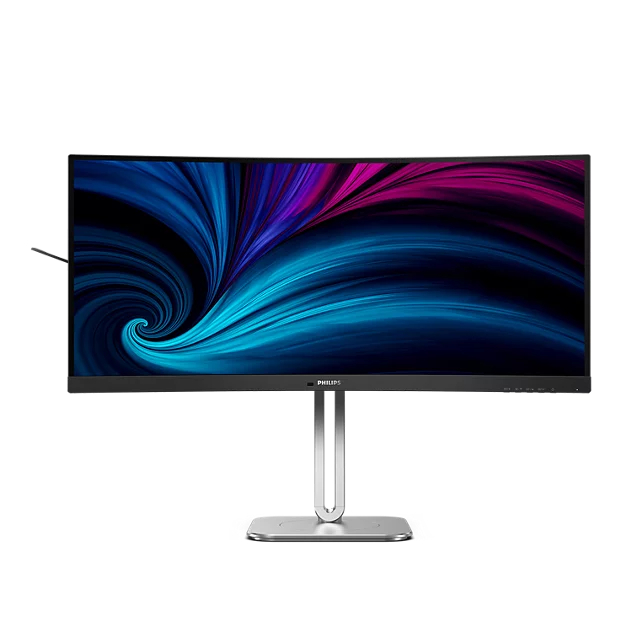
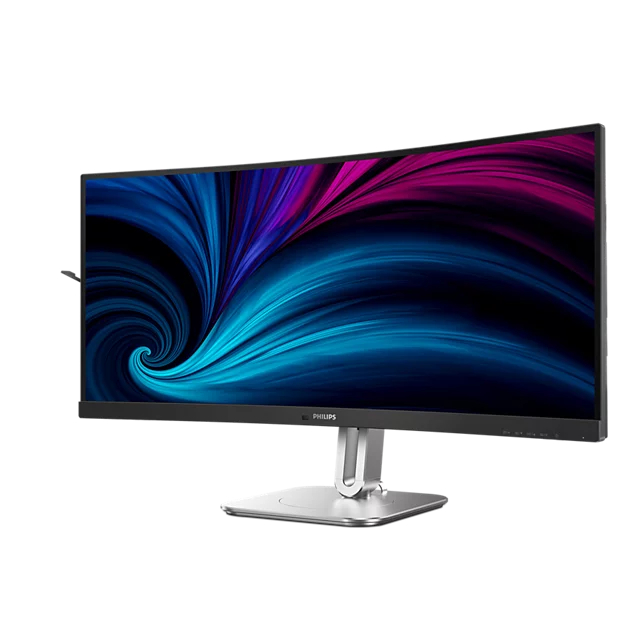
Philips has announced the 34B2U5900C, a 34-inch curved business ultrawide monitor featuring dual-mode resolution switching.
Releasing this month, the 34B2U5900C allows users to toggle between a WUHD 5120×2160 resolution at 120Hz and a WFHD 2560×1080 resolution at 240Hz via a dedicated OSD button. Built around a curved VA panel with 178-degree viewing angles, this display carries VESA DisplayHDR 400 certification, along with TÜV Rheinland Low Blue Light and Eyesafe 2.0 hardware protection. For colour-critical work, it comes Calman Ready to interface directly with Portrait Displays' calibration software.
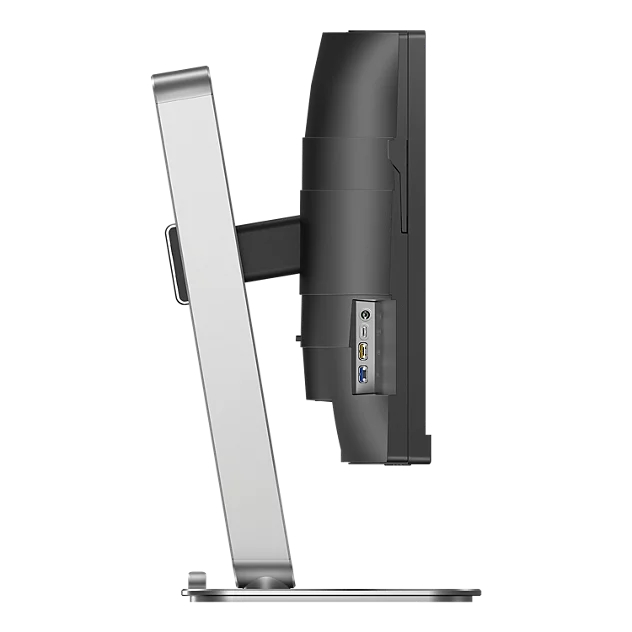
Docking capabilities include a USB-C upstream port that provides display, data, and up to 140W Power Delivery. A secondary USB-C downstream port supplies up to 15W and works alongside an integrated USB 3.2 hub and an RJ45 Ethernet jack that supports MAPT, PXE, and WOL. SmartKVM lets you switch between two connected input sources by pressing the “Ctrl” key three times.
Energy management relies on built-in PowerSensor and LightSensor tech that adjusts brightness based on ambient light and user presence. Physical features include an earphone hook and an adjustable stand that supports height, tilt, and swivel adjustments. This monitor will be released in September 2026 for £574.99.
KitGuru says: Although it's a business monitor, its spec sheet suggests it's well-suited to many other uses, making it more of a do-it-all monitor.
IFA 2026 is upon us, and Acer has unleashed a whole onslaught of new products across various categories. One specific category is monitors, where Acer announced no less than seven new Nitro- and Predator-branded products to satisfy nearly every price point and gaming niche. With prices ranging from $299 to $1,199, there’s something for everyone with today’s announcements.
We’ll start our coverage with the Nitro family, which has four new members, the cheapest of which is the Nitro XV270U Z3 at $299. The XV270U Z3 is a tri-mode monitor, offering three distinct resolution/refresh rate presets. This is a 27-inch monitor with an IPS panel, QHD resolution, and a 275 Hz refresh rate. However, you can switch to two additional modes: 1080p at 360 Hz or 720p at 520 Hz. I haven’t gamed at 720p since the turn of the century, but the resolution is here for folks who crave frame rates over everything else.
The Nitro XV275U Z2 is another 27-inch tri-mode monitor with an IPS panel, but it is upgraded with 1,152-zone Mini LED backlighting. The available resolutions and refresh rates mirror those of the XV270U Z3, but there are a few additional perks. The XV275U Z2 offers a typical brightness of 500 nits (twice that of the XV270U Z3) and reaches 1,000 nits in HDR mode. Despite the pretty substantial upgrades, the Nitro XV275U Z2 is only $30 more expensive at $329.
The next two Nitro monitors also offer 5K resolution, and we'll start with the $699 Nitro XZ340CKR P. It features a 34-inch IPS panel with 5120 x 2160 resolution (21:9 aspect ratio) and a maximum refresh rate of 180 Hz. However, Acer also infuses the Nitro XZ340CKR P with a dual-mode switch, allowing it to operate at WFHD (2560 x 1880) at 360 Hz.
Rounding out the new additions to the family is the Nitro XV275X P, which squeezes a 5120 x 2880 resolution (16:9 aspect ratio) in a 27-inch IPS panel. For those who crave the ultimate in pixel density, the Nitro XV275X P should tick all the right boxes. The panel tops out at 165 Hz at native resolution, but if you're willing to drop down to 2560 x 1440, you can bump the max refresh rate to 330 Hz. The monitor has a typical brightness of 450 nits, but can jump up to 1,400 nits in HDR mode. However, you'll pay for that density and performance with a price tag of $1,199.
Shifting gears to the Predator family, we start at the lower end of the price spectrum with the $449 XB273K V7. The XB273K V7 natively runs at 4K resolution with a 160 Hz refresh rate. However, thanks to Dynamic Frequency and Resolution, you can switch to 1080p resolution and more than triple the maximum refresh rate to 500 Hz.
Stepping up the price ladder, we come to the $899 Predator X32 V3, the first of Acer's monitors announced today that use Penta Tandem QD-OLED panel technology. The 31.5-inch panel has a native 4K (3840 x 2160) resolution and a 180 Hz maximum refresh rate. Unlike the other multi-mode monitors that are launching, you're stuck with 180 Hz no matter which resolution you choose.
Finally, we come to the Predator XB253Q U1, which is the smallest of the announced monitors, with a 24.5-inch diagonal. But don't let its small size fool you, the Predator XB253Q U1 is the most performant of the bunch, and is aimed squarely at the elite eSports gamers. The monitor has a native 1080p resolution with a maximum refresh rate of 1,000 Hz from its IPS panel.
You'll find the usual support for AMD FreeSync Premium and Nvidia G-Sync, along with a 0.3 ms response time. Acer quotes typical brightness of 400 nits, while HDR mode squeezes out just a bit more at 450 nits. The added performance of the Predator XB253Q U1 doesn't come cheap, as you're looking at a suggested retail price of $1,099 when it launches.
Most of the monitors announced today will launch in Q4 2026, with a few stragglers extending the launch window to Q1 2027.
While gamers are definitely feeling the pricing pinch when it comes to memory and storage, some segments of the consumer tech sector are seeing more favorable trends. Advances in screen technology for gaming monitors are accelerating, while OLED prices are steadily falling. Dell is part of this trend with a pair of new Alienware monitors, the AW3226Q and AW2527HX, that take differing approaches to appeasing gamers.
We start with the AW3226Q, which is aimed at gamers who crave higher-resolution 4K gaming over outright speed. At its heart is a 32-inch panel that uses an RGB Stripe Tandem OLED technology (previously seen on the AW3926QW that we recently reviewed). The use of a four-stack tandem layer within the panel addresses one of the few criticisms leveled against traditional QD-OLED panels: slightly blurry/soft text upon close inspection. Another added benefit is that brightness levels are higher than on previous-generation QD-OLED monitors (1,000-nit peak brightness).
Blazing-fast refresh rates aren't the goal here, since the AW3226Q tops out at 165 Hz. With that said, you do get a 0.03 ms response time, AMD FreeSync Premium Pro and Nvidia G-Sync support, VESA DisplayHDR True Black 400 and Dolby Vision compliance, and a built-in USB-C/USB-A hub.
Alienware AW2527HX (Image credit: Dell)
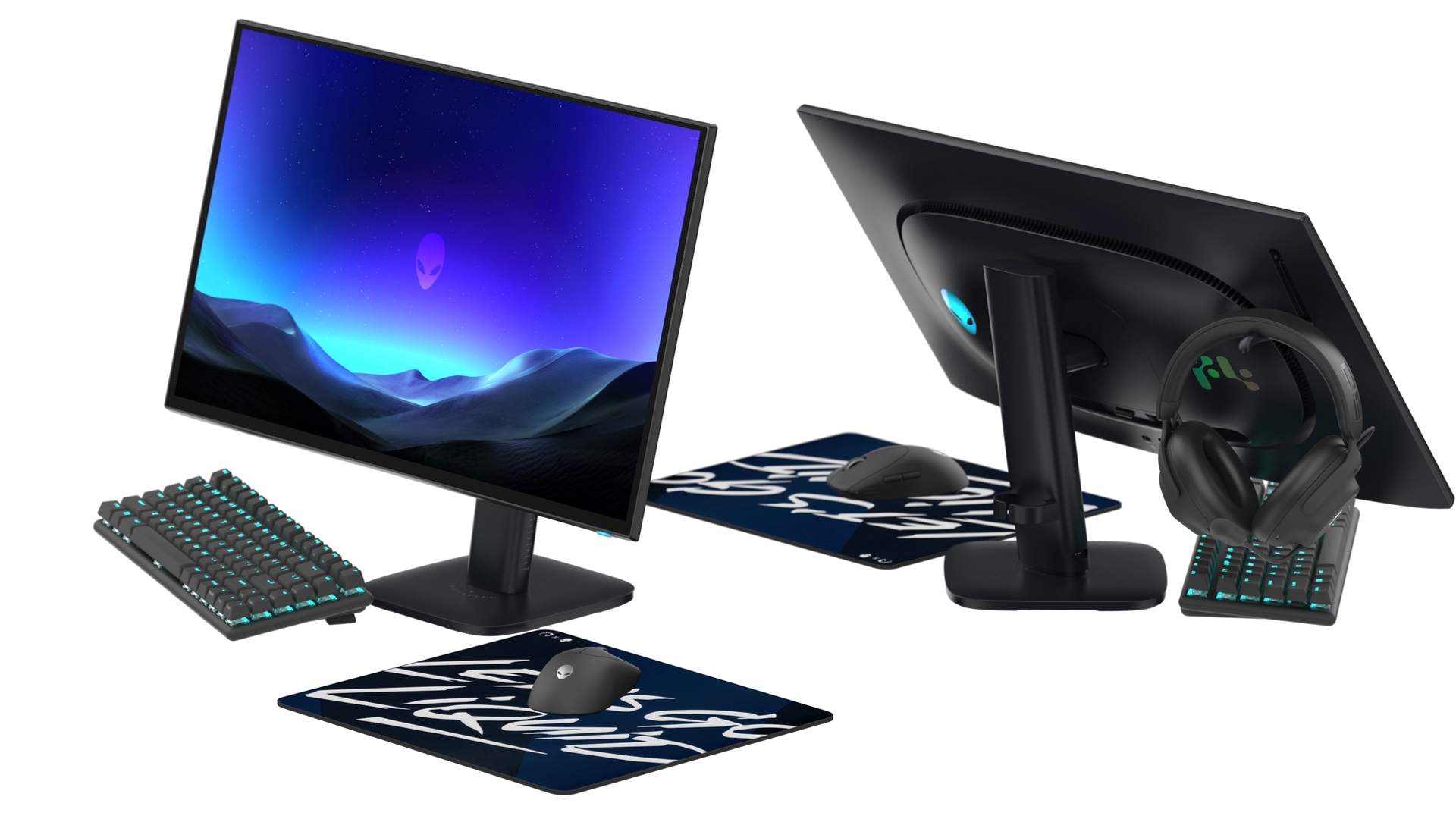
For the most discerning speed freaks, there's the AW2527HX. Instead of the larger 32-inch 4K panel's 165 Hz refresh rate, the AW2527HX uses a 24.5-inch panel with a 560 Hz refresh rate. While many of the higher-refresh-rate monitors we've seen can reach upwards of 1,000 Hz with IPS or TN panels, the AW2527HX offers the color performance and black-level improvements afforded by a QD-OLED panel. However, what you gain in speed, you lose in pixel density — the AW2527HX makes do with 1920 x 1080 resolution. With that said, you do get VESA DisplayHDR True Black 600 support, a matte panel finish, and DisplayPort 2.1 connectivity.
Alienware worked together with the folks at Team Liquid to develop the monitor, ensuring that it ticks all the major boxes for eSports gamers. There's a graphene sheet integrated into the display that helps distribute heat more evenly to mitigate pixel burn-in. An integrated stand is there to hang your headset, and there's a dedicated button that lets you switch between 4:3 and 3:2 aspect ratios depending on how you want to game. The base of the AW2527HX has even been minimized to ensure there's enough space under the monitor for your keyboard.
Both the AW3226Q and AW2527HX launch with a three-year OLED pixel burn-in warranty. Although pricing hasn't been announced yet, the former will launch this fall, while the latter is promised in Q1 2027.
The new 34-inch monitor is specifically designed for business workflows and delivers dual modes for more convenience. Philips Debuts 34B2U5900C 34-inch Curved Monitor, Featuring 5120x2160 Resolution Out of the Box; Delivers Multiple USB C and A Ports for Peripheral Connectivity Popular monitor manufacturer Philips is expanding its monitor lineup by introducing an all-new 34-inch monitor named 34B2U5900C. While we mostly see manufacturers launching monitors for "gaming", this one serves a different purpose. The 34B2U5900C is specially designed to cater to the demands of professionals and businesses, offering various convenient features that are usually absent on regular gaming monitors. One way […]
AOC has launched a new high-end gaming monitor for the Chinese market, featuring 5K and 2K resolutions. AOC Debuts 5K Mini LED Gaming Monitor, Featuring 5K@180Hz and 2K@360 Hz Modes And DisplayPort 2.1 UHBR20 Interface Popular monitor maker AOC has expanded its monitor lineup by introducing a brand-new high-end IPS monitor called AGON Ultra AGP277KXM. This is specifically for the Chinese market, featuring 5K resolution on a 27-inch display. The monitor boasts a dual-mode configuration, high PPI for sharp visuals, and the latest connectivity for uncompressed visuals. The AGON Ultra AGP277KXM uses Mini LED backlight technology featuring 2,304 dimming zones, […]
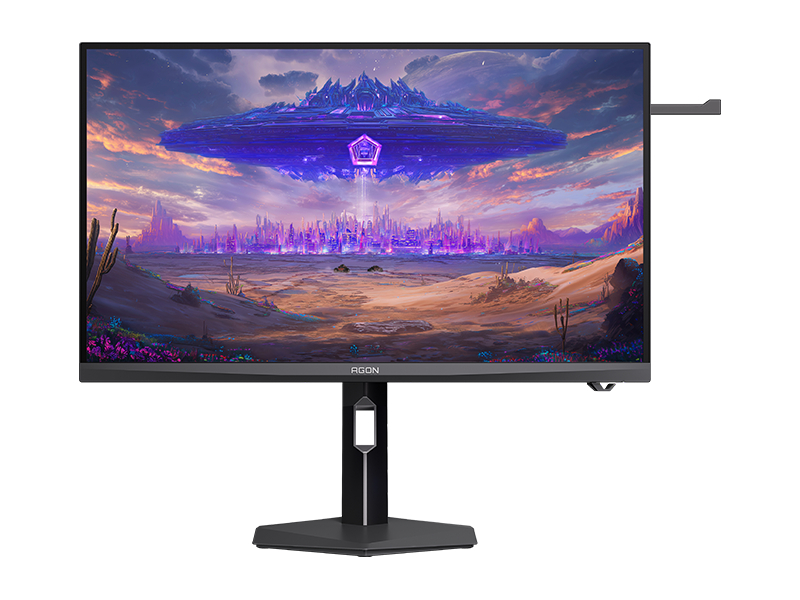
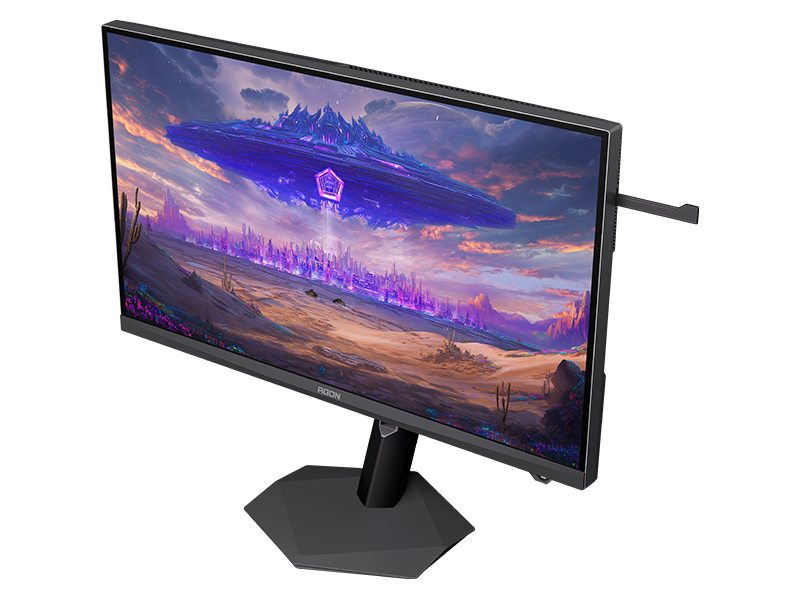
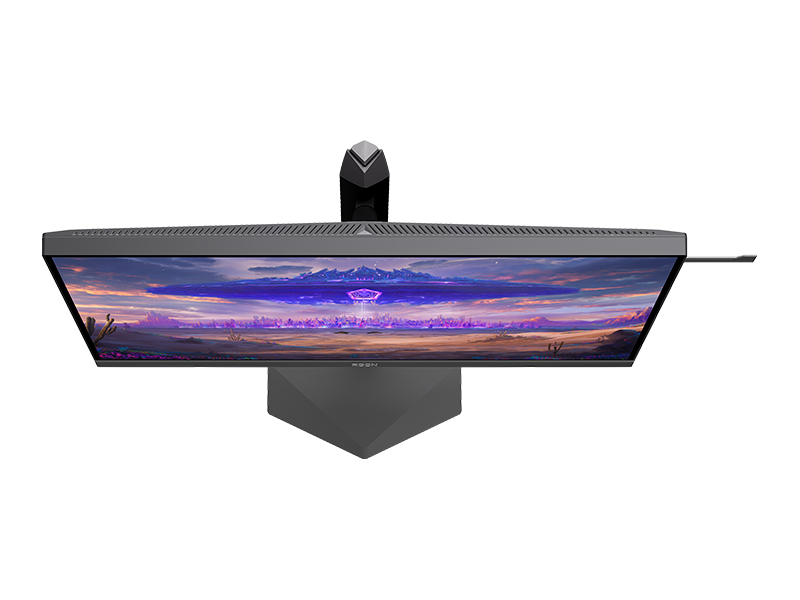
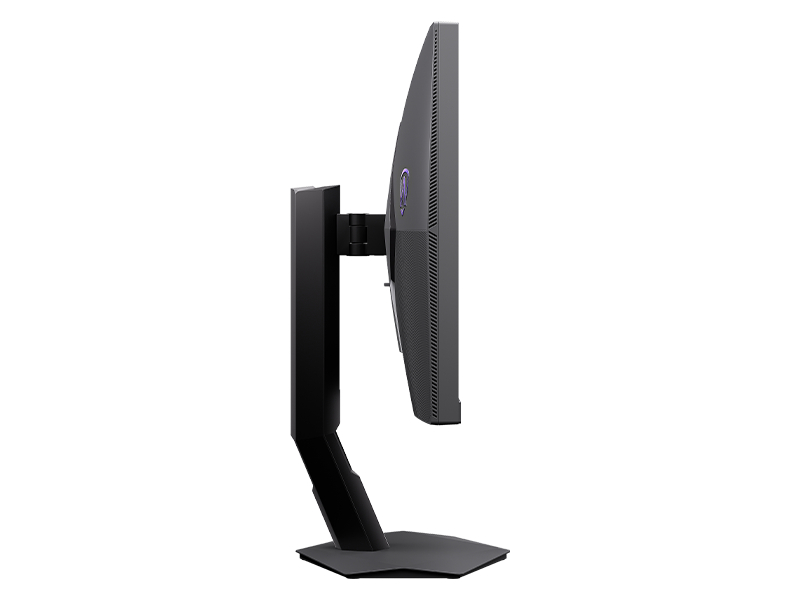
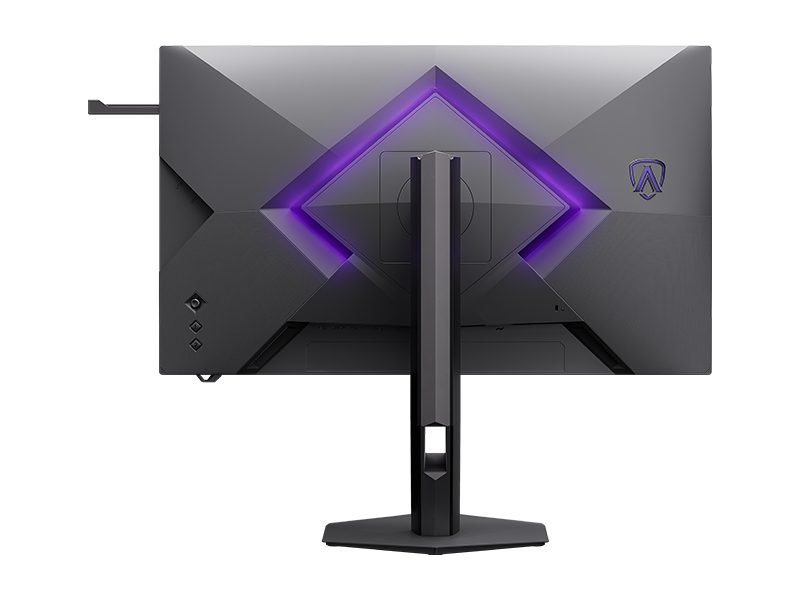
AOC has officially announced the Agon Pro AGP277KXM Ultra, a 27-inch Fast IPS gaming monitor featuring dual-mode resolution switching and a 2304-zone Mini LED backlight. With Dual Mode, users get access to native 5K resolution at 180Hz, or a QHD mode that boosts the refresh rate up to 360Hz.
The Agon Pro AGP277KXM Ultra (via DisplaySpecifications) carries VESA DisplayHDR 1400 certification, reaching a full-screen HDR brightness of 1200 nits and peaking at 1600 nits. A Quantum-dot layer provides 10-bit color depth, which, alongside the ΔE<1 factory calibration, allows the panel to cover 98% of the Adobe RGB, 98% of the DCI-P3, and 100% of the sRGB color gamuts. AOC rates the Fast IPS panel at a minimum GTG response time of 0.5ms, with Adaptive-Sync support for tear-free gaming.
Aside from options to overclock the refresh rate, the screen's OSD also includes a toggle to shrink the active viewing area from 27-inches down to 24-inches, a feature primarily used by those who play a lot of esports titles.
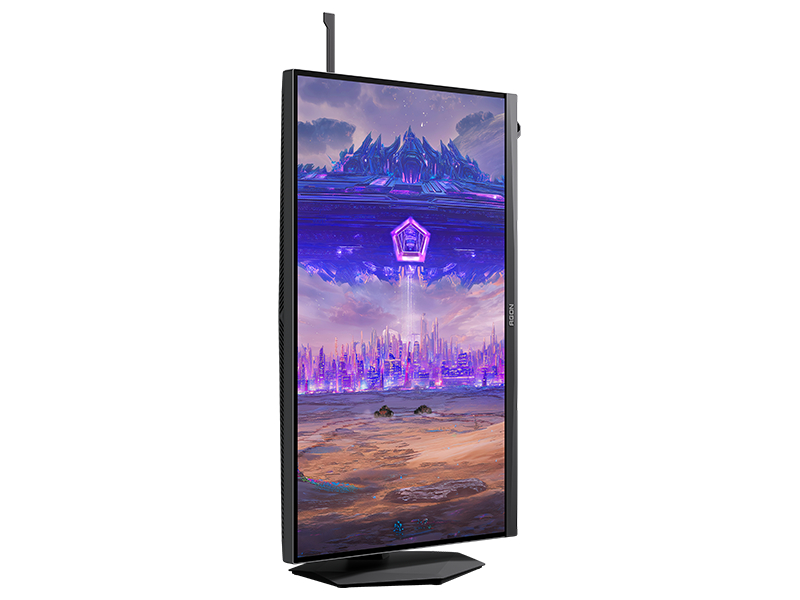
Display connectivity includes one DisplayPort 2.1 (UHBR20), two HDMI 2.1 ports with FRL6, and a USB‑C port that supports DP Alt Mode and 65W power delivery. You also get a built‑in KVM switch, three USB‑A 3.2 Gen1 ports for peripherals, and a USB‑B upstream connection. Other integrated features include AOC’s Light FX ambient RGB, a retractable headphone hook, and a stand with full ergonomic adjustment for height, tilt, swivel and pivot.
KitGuru says: Are you thinking about a Dual Mode monitor for your next upgrade?

 Login
Login