Framework has previewed its upcoming Desktop featuring the AMD Ryzen AI MAX+ 495 chip with 192 GB memory that effortlessly runs DeepSeek V4-Flash. Framework's AMD Ryzen AI MAX+ 495 Desktop Makes Several Improvements Besides Packing A Massive 192 GB "Unified" Memory At AMD's Advancing AI 2026 event, Framework is previewing its upcoming Desktop PC that comes packed with the AMD Ryzen AI MAX+ 495 chip. This chip is an updated version of AMD's Ryzen AI MAX+ PRO 395, offering the same 16 Zen 5 cores but clocked at a higher 5.2 GHz frequency. The GPU is upgraded to the Radeon […]
AI-generated slop code has been a plague for some open-source projects, namely but not only Gentoo Linux, Curl, and Ghostty, limiting or outright banning LLM-created contributions. And yet, just like both the models themselves get better and the people using them become more considerate, the landscape may be changing. Linus Torvalds, Linux's creator and kernel manager, has seemingly taken an accepting stance of AI-assisted tooling.
In a long comment on the Linux kernel mailing list, Torvalds spelled it out fairly clearly: "I realize that some people really dislike AI, but this is an area where I'm willing to absolutely put my foot down [...] Linux is not one of those anti-AI projects, and if somebody has issues with that, they can do the open-source thing and fork it. Or just walk away."
This discussion came regarding the usage of Sashiko, an opt-in (per-mailing-list) and apparently quite effective multi-stage code review tool that analyzes kernel patches. The project page says the tool can find 53.6% of bugs on proposed patches, and argues that that metric already puts it above human level, as the patches in question already supposedly went through human review. The false positive rate "is harder to measure," being pinned "within 20%." Crucially, Sashiko only comments on patches, and does not take action by itself.
Developer Laurent Pinchart suggested that Sashiko's output be triaged before comments were sent out to patch authors, basing the notion on the Software Freedom Conservancy's guidelines on AI-generated code. Google's Roman Gushchin, one of Sashiko's creators, pointed out that doing that would undermine the utility of the tool, and that Pinchart's position was quite anti-LLM — a sentiment echoed by Linus Torvalds in his reply.
Torvalds put it clearly: "AI is a tool, just like other tools we use. And it's clearly a useful one. It may not have been that 'clearly' even just a year ago, but it's no longer in question today," a statement that reflects his changing stance on the matter since he initially dismissed AI tools as overhyped back in 2024. He also noted that Linux is not a "social warrior" project, and that it's always been about improving technology.
To drive the point home, he remarked that the tool "keeps finding embarrassing bugs," adding that he "will very loudly ignore people who try to argue against other people from using it," while highlighting the software's rapid evolution.
Perhaps quite poignantly, Torvalds remarked that resistant developers could use some self-awareness, as "it's not like natural intelligence is always all that great either," underscoring the fact that while AI tools may not be perfect, they generally only need to be good enough for their respective use cases. The fact that Sashiko seemingly finds errors in code that underwent human review is quite illustrative.
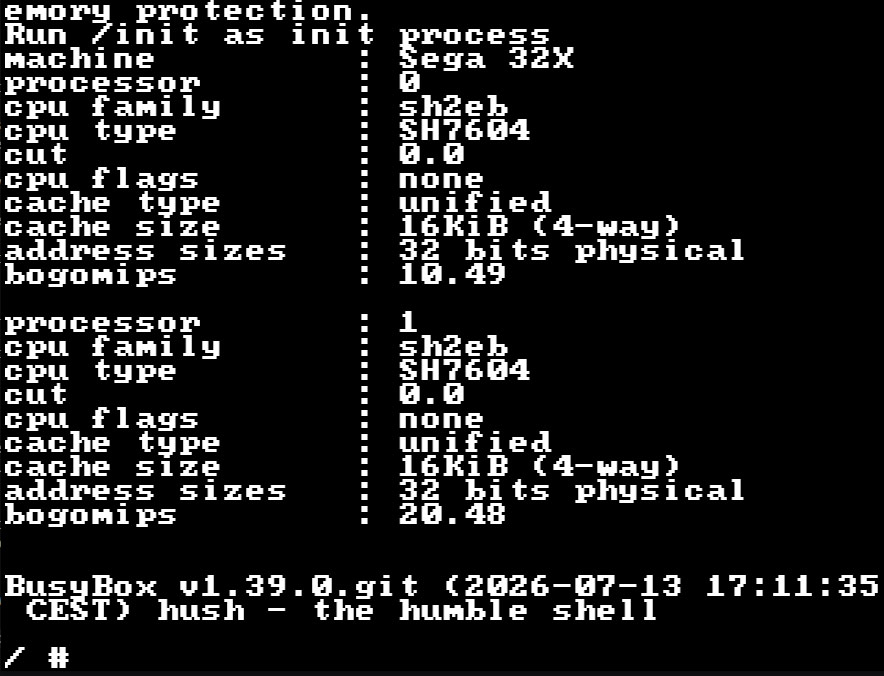
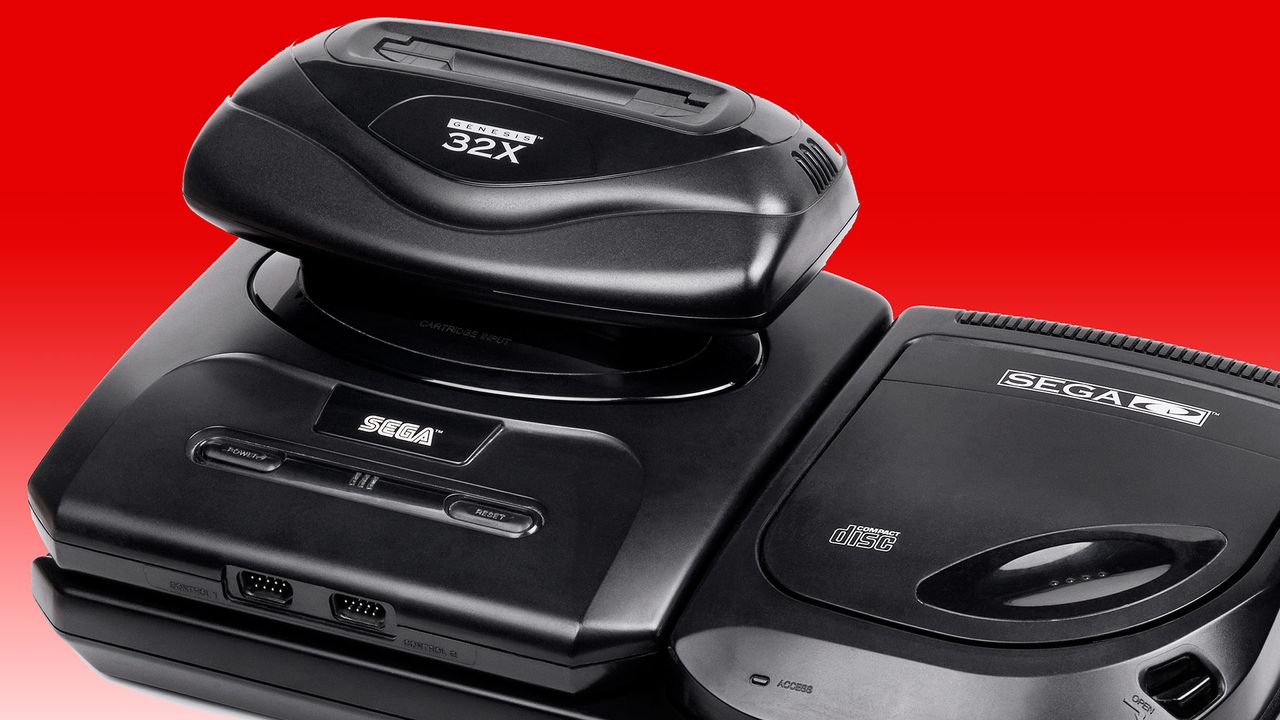
The adventurous developer who recently released Linux for the Atari Jaguar (1993) has brewed up a version of the open-source OS for the Sega 32X (1994). If you can’t remember the 32X, it was Sega’s mid-gen answer to early fifth-generation challengers like the Jaguar, 3DO, and Amiga CD32. Sega’s solution added some potent processing power to a mushroom-like slot in an expansion to its popular Mega Drive/Genesis. Now cakehonolulu has got it running Linux, despite facing several major hurdles.
Compared to its Genesis host, the Sega 32X was incredibly muscular. The Genesis had relied on the capable but long-in-the-tooth Motorola 68000 (7 MHz) for years, but the 32X add-on boosted that with a pair of Hitachi SuperH SH2s (SH7604) CPUs (23 MHz). It also ramped up system RAM from the base 64KB by adding 256KB of its own. Sega’s expansion offered more than just speed; the console’s color palette was ramped up from 64 to 32,000 simultaneous colors on screen, and it was powerful enough to introduce hitherto unachievable 3D graphics elements to mainstream console gaming.
As with cakehonolulu’s tale of Linux wrangling on the old Jag, the above-linked blog talks through a long list of hurdles that needed to be leapt to get the Linux kernel booted and running BusyBox. This time around, particularly steely roadblocks included: the even more constrained RAM situation, the lack of hardware synchronization primitives, the desire to get SMP working across the pair of SH2 CPUs, no direct UART access from the 32X, and scheduler bugs, among other things.
On the positive side, smoothing the development process along were access to Chilly Willy’s 32X devkit, the linuxmd project, the Krikzz FPGA-based flash cart with ROM – RAM mapping tools, and existing SH2 documentation and sample projects. Please check through the linked blog for far more technical details from cakehonolulu.
Linux booted with BusyBox prompt on the Sega 32X (Image credit: cakehonolulu)
As you can see, cakehonolulu was successful again. So, what’s the next stop for this adventurous dev – the Sega Saturn? Whatever the project may be, it was interesting to read that works like this are basically forming a portfolio for the Spanish dev, which they hope will help them with job hunting.
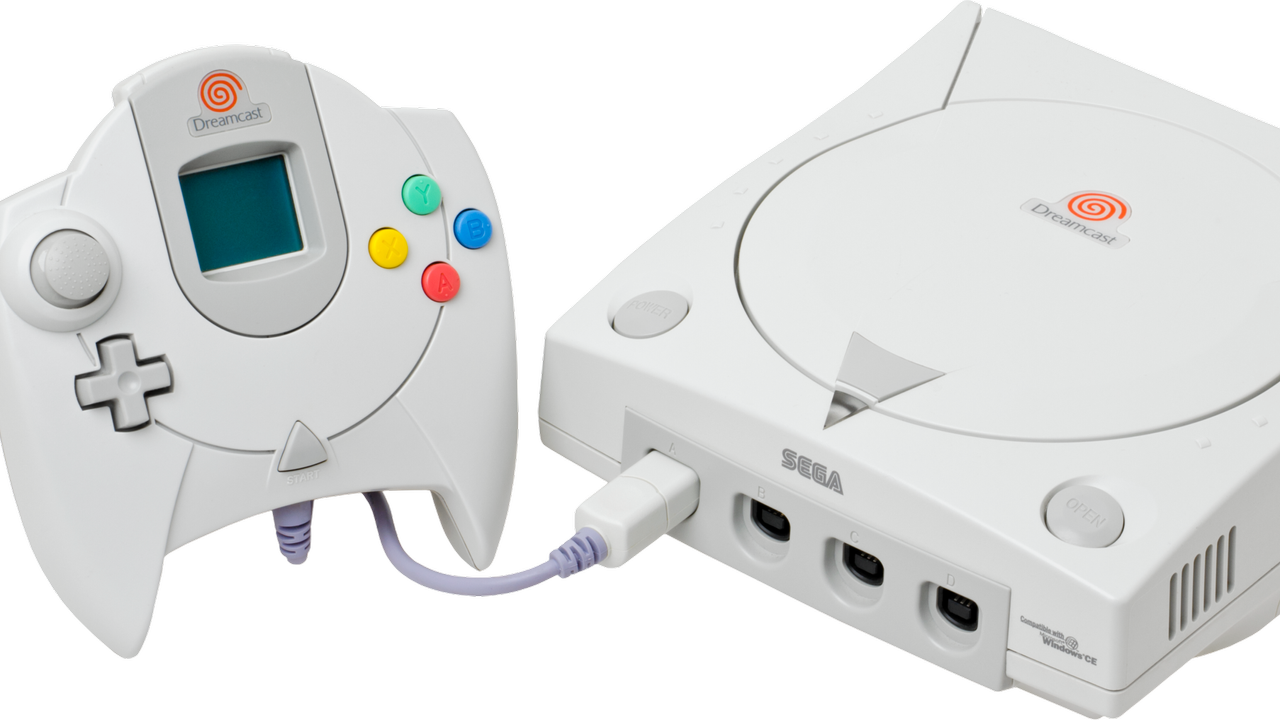
A set of updates for Sega Dreamcast hardware has been merged into the Linux 7.2-rc3 kernel this weekend. Dmitry Torokhov submitted updates addressing the legendary console’s input subsystem and Linus Torvalds merged them on Saturday. The updates even surprised Linux-focused site Phoronix, That’s probably due to context: the Dreamcast continues to enjoy support while admittedly older but real computing hardware like the i486, PowerPC 40x chips, DEC Alpha, and Itanium / IA‑64, have all been sidelined in recent times.
In brief, the updates should mean new versions of Linux will come with more stable mouse, keyboard, and joystick drivers for Dreamcast stalwarts. If you are one of the Dreamcast faithful, still satisfying your computing (and gaming) needs on the final original consumer gaming hardware from Sega, this is good news.
Reading the pull request we can see some details about the new drivers for the Dreamcast’s Maple‑bus peripherals (mouse, keyboard, controller). Specifically, there’s a “fix for a crash in Sega Dreamcast (Maple) mouse driver when opening the device, caused by missing driver data,” as well as “Fixes for Maple drivers (keyboard, mouse, joystick) to properly order setting driver data and device registration to avoid races.” In this context races refers to things happening in the wrong order to result in crashes: it’s a timing bug that’s now been quashed.
Dreamcast hangers-on will now be able to craft specialized Linux builds on CD-R for their machines. The maplemouse driver has had the now-fixed crash-inducing bug since 2017.
Phoronix also comments that Linux kernel fixes for the GD-ROM driver used by the Dreamcast and a proposal for the VMUFAT file-system driver were also seen this year.
The Sega Dreamcast launched at the end of 1998 (in Japan, and the following year in the U.S.). So, in some ways it isn’t that surprising that it is still getting Linux kernel updates when the Intel i486 (1989) has been retired from mainline support. But one might have expected stronger demand for supported Linux distributions among i486 desktop and laptop users.
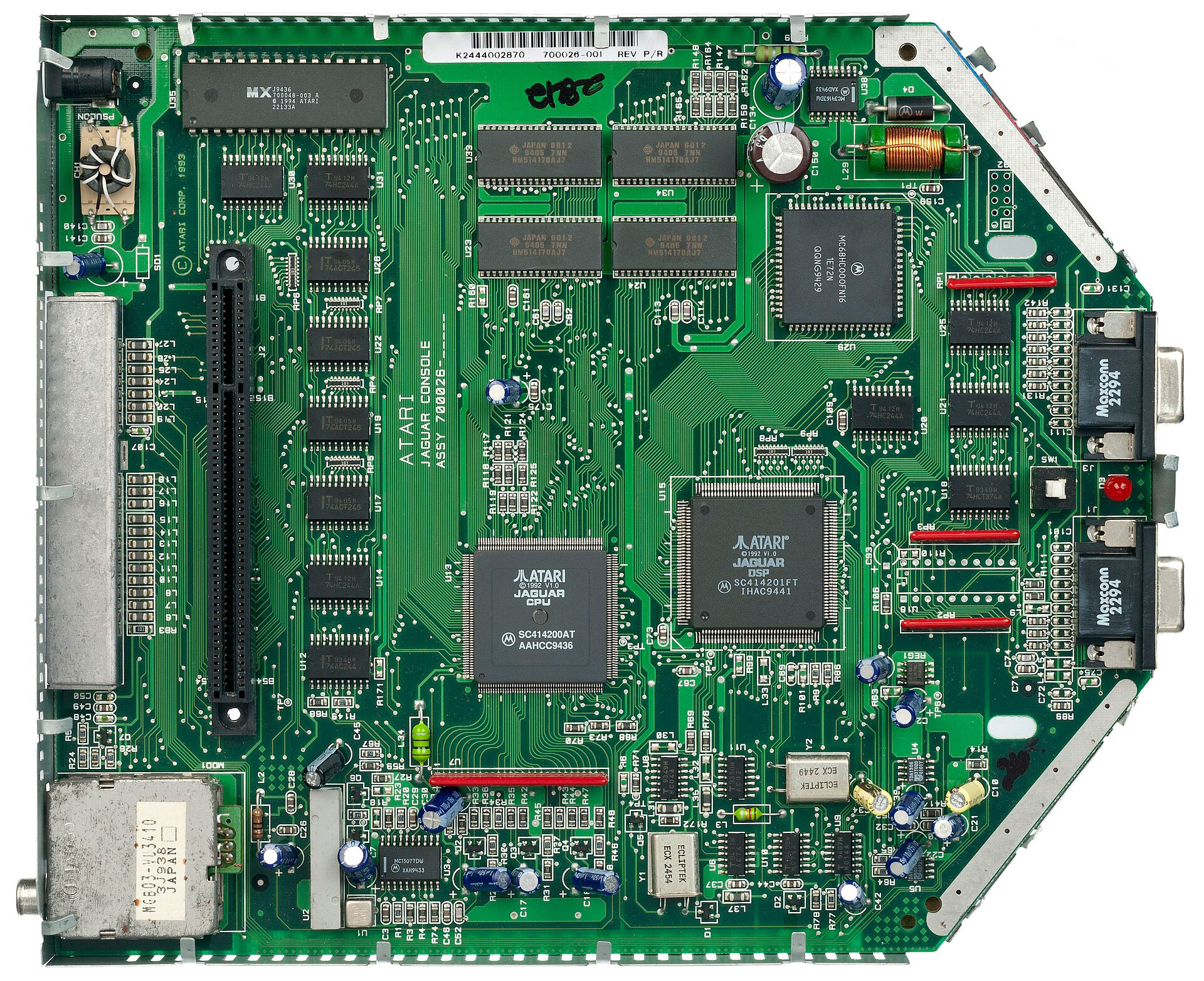
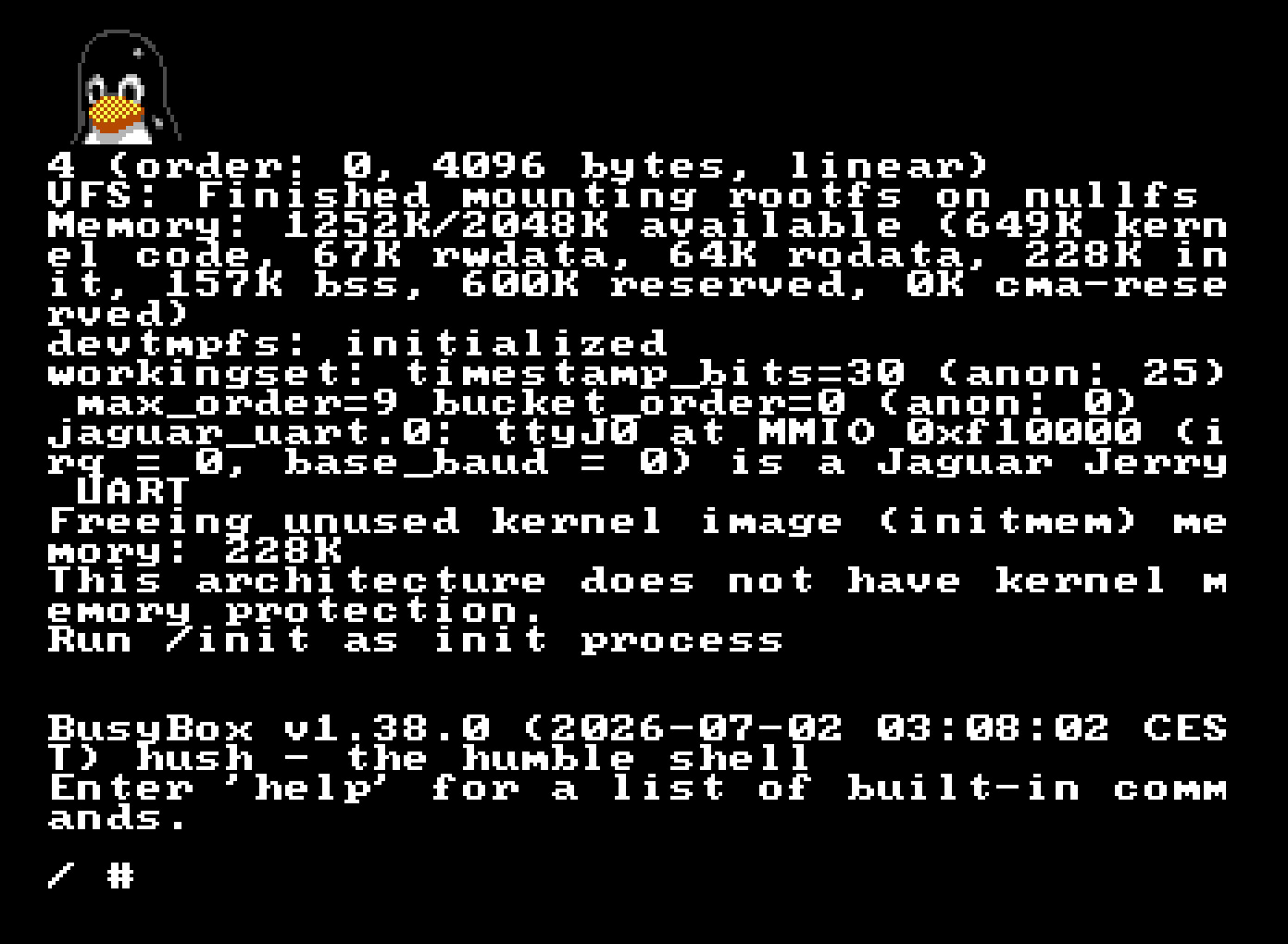
A Spanish systems software developer has ported Linux to the Atari Jaguar console. To succeed at the task, cakehonolulu had to overcome severe memory limits, the lack of a memory management unit (MMU), and face off against a handful of unusual hardware quirks. A blog post from the dev tells us about the work to port Linux to this ill-fated 1993-launched flop, and happily ends in evidence that a working Linux kernel and BusyBox command line shell can be booted on the old Jag. Now Linux runs on both your cherished real hardware via cartridge, or in a Jaguar emulator.
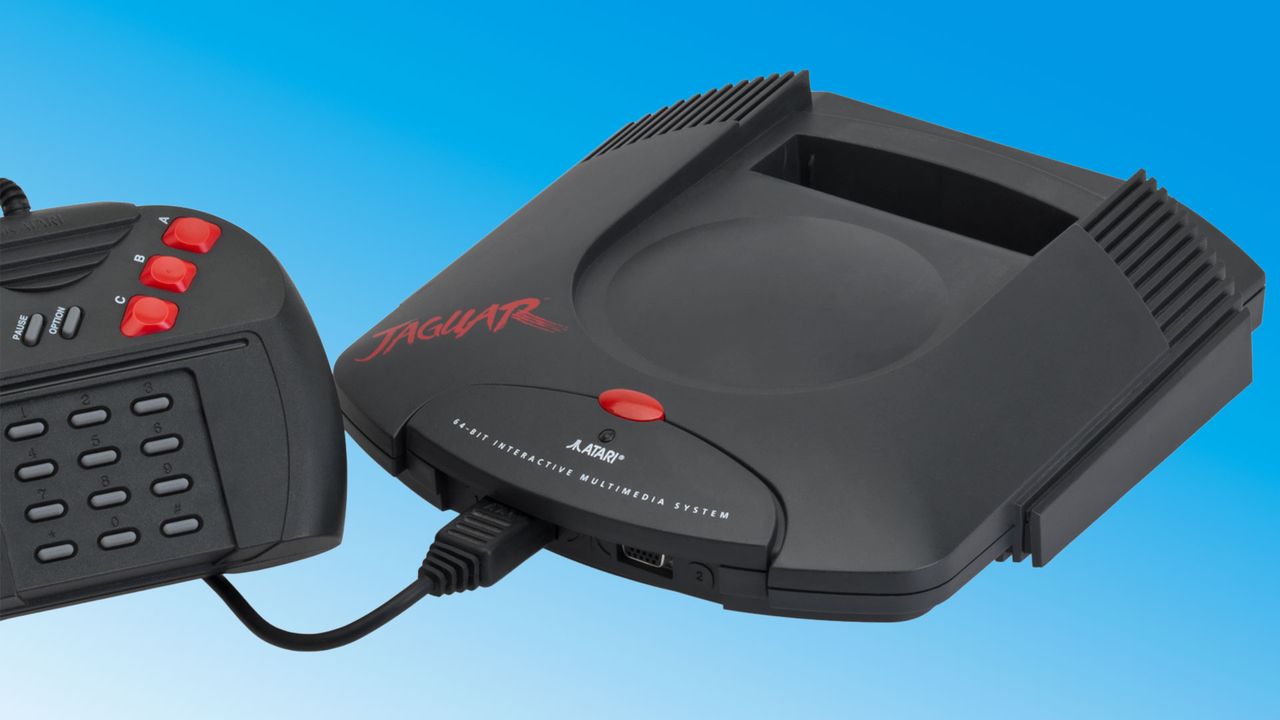
Anyone wishing to port Linux to the Atari Jaguar would face numerous constraints due to the hardware. One of the first hurdles successfully leaped by cakehonolulu was the CPU used. Atari’s system designers architected the Jag using a Motorola 68000 CPU, which was already pretty old at the time, but a moderately fast 13.3 MHz version was selected. Though the gaming prowess of the console was lifted by custom co-processors dubbed Tom & Jerry, some games didn’t make much use of this graphics and DSP acceleration, as it was notoriously difficult to tap into.
For this Linux port, the general CPU capabilities of the M68000 would also be targeted to run the OS. With that in mind, and knowing that the CPU lacked an MMU, cakehonolulu was lucky to find that classic Motorola 68k processors are still supported by Linux, and also the uClinux project, which allows Linux to run on MMU‑less systems like the Jaguar.
While these prior works were helpful, it wasn’t long until the linux_jag developer needed to battle with other Atari Jaguar constraints. The console comes with just 2MB of RAM and up to 6MB of ROM, which is incredibly miserly compared to even the cheapest microcontrollers and SBCs nowadays. Much RAM and storage optimization later, cakehonolulu tripped over a few issues getting Linux to boot on the Jaguar, and ended up implementing a console driver for Tom so the OS would work on real hardware.
Atari’s Jaguar was released with great pride by the iconic video game company in 1993. It was controversially claimed to be the world’s first 64-bit console, but it still never managed to push aside incumbent previous-gen machines from Sega (Genesis / Mega Drive) or Nintendo (Super NES).
The mass market had enough patience to largely ignore the first wave of ‘early fifth-generation consoles’ like this, the 3DO, and the Amiga CD32. They were rewarded handsomely with the launch of the true accelerated 3D gaming next-gen wave, led by the Sega Saturn (which also used an M68000 CPU, alongside co-processors), Sony’s first PlayStation, and the Nintendo 64.
History can be a little unfair to the Atari, though, as it did have some eye-popping for the time original games and ports. I owned the original console with Alien vs. Predator(1994), and it was quite a stunning, tense, and scary game. Others thought the Jag’s Tempest 2000 was a killer app. In addition, there were strong Doomand Wolfenstein 3D FPS ports from the PC.
No need to pinch yourself — it is, in fact, 2026, and there was a court hearing last June 22 about IBM allegedly using copyrighted source code in Unix-like products, yet again for the umpteenth time since 2003, a saga that's part of the Unix wars.
For historical context, Xinuos (formerly SCO) and IBM have been embroiled in legal battles for decades, as the companies cooperated between 1998 and 2001 on developing an Itanium variant of Unix. Since then, SCO has repeatedly and dramatically taken IBM to court, claiming the defendant misused SCO-owned source code from the collaborative effort in its AIX and z/OS products, as well as Linux. Many battles have been fought over who owns the "Unix" name, what code IBM put in Linux, and even FreeBSD.
The latest hearing pertains to a 2021 lawsuit by Xinuos, the company that acquired the remnants of Santa Cruz Operations, more commonly known as SCO. Xinuos' CEO reportedly once stated the group didn't purchase SCO just to acquire the right to sue IBM, but the company eventually changed its mind in 2021 and dragged IBM back to court on claims that its conduct and copyright infringement resulted in great damage to Xinuos' market position.
Xinuos picking a fight with a team of lawyers colloquially known as the Nazgûl is questionable on its own — yet, in the aforementioned 2021 lawsuit, Xinuos added bold claims, such as stating that IBM's purchase of Red Hat should be reversed under antitrust law, and that the company's strategy in said acquisition was to destroy FreeBSD — the variant underpinning Xinuos' wares.
How, exactly, an MIT-licensed operating system would be "destroyed" is an interesting matter. Xinuos stated at the time that "IBM and Red Hat have abused their control over the Unix/Linux operating system market for far too long." One wonders if Linux users with hundreds of distributions at their disposal would agree that IBM has been pulling their strings all along.
The lawsuit dragged on until 2025, when Xinuos voluntarily chose to drop the antitrust claim (presumably after finding little purchase from the court). It also found itself disabused of the merits behind the copyright complaint, as the New York judge in question framed the claim as time-barred: too long had passed for Xinuos to file a complaint, and original ownership of the code is murky at best. Darl McBride, the SCO executive who launched the original lawsuit, passed away from ALS in 2024.
Xinuos did, however, press on with the copyright issue and requested a hearing for an appeal. And on June 22, 2026, the firm argued in front of a three-judge Second Circuit panel that the previous judge miscast a copyright infringement claim as an ownership claim.
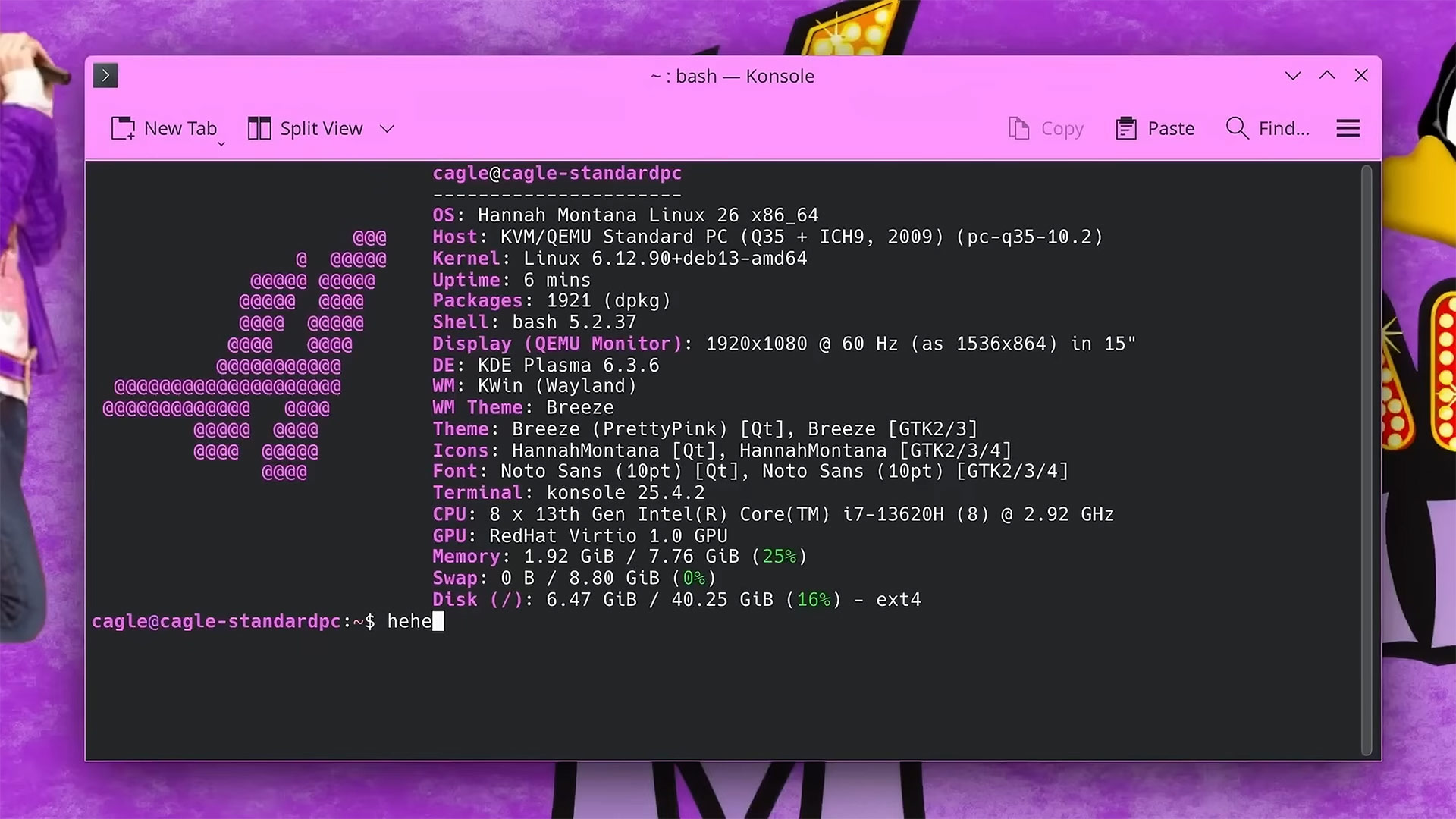
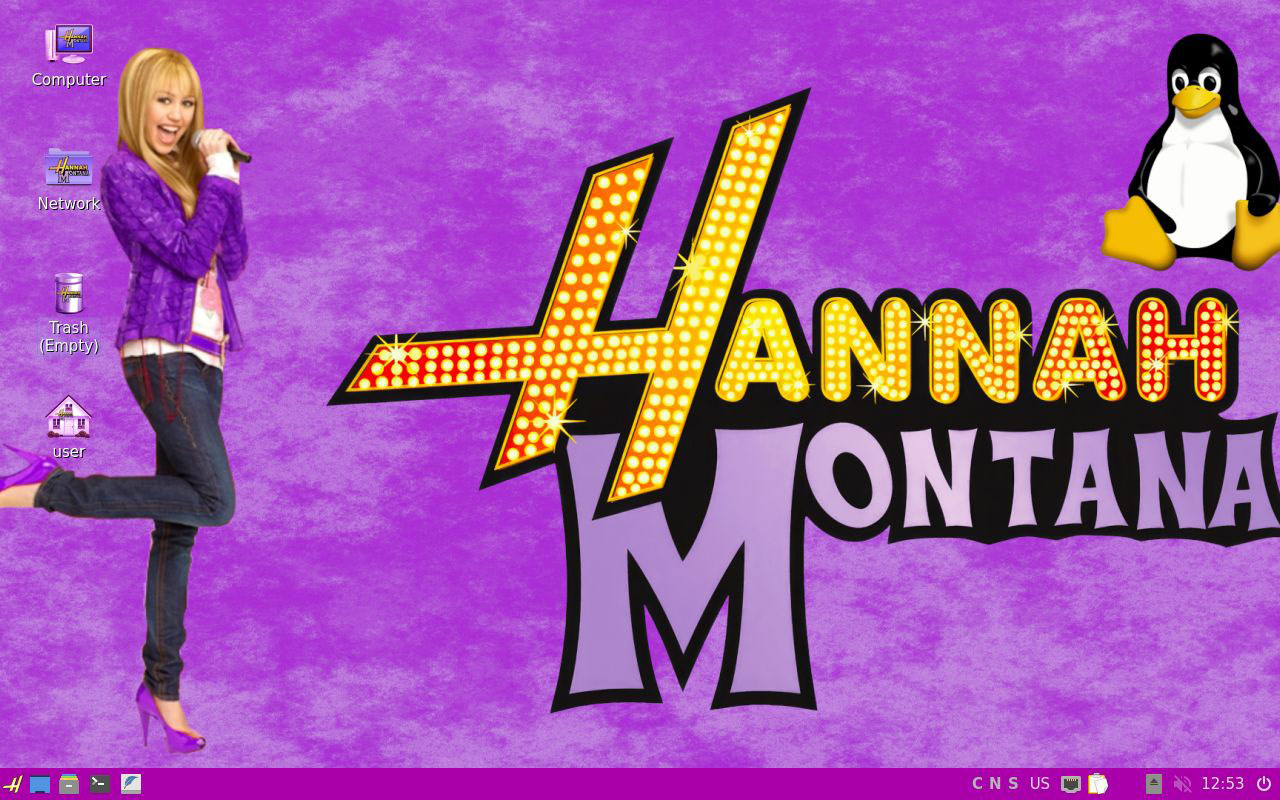
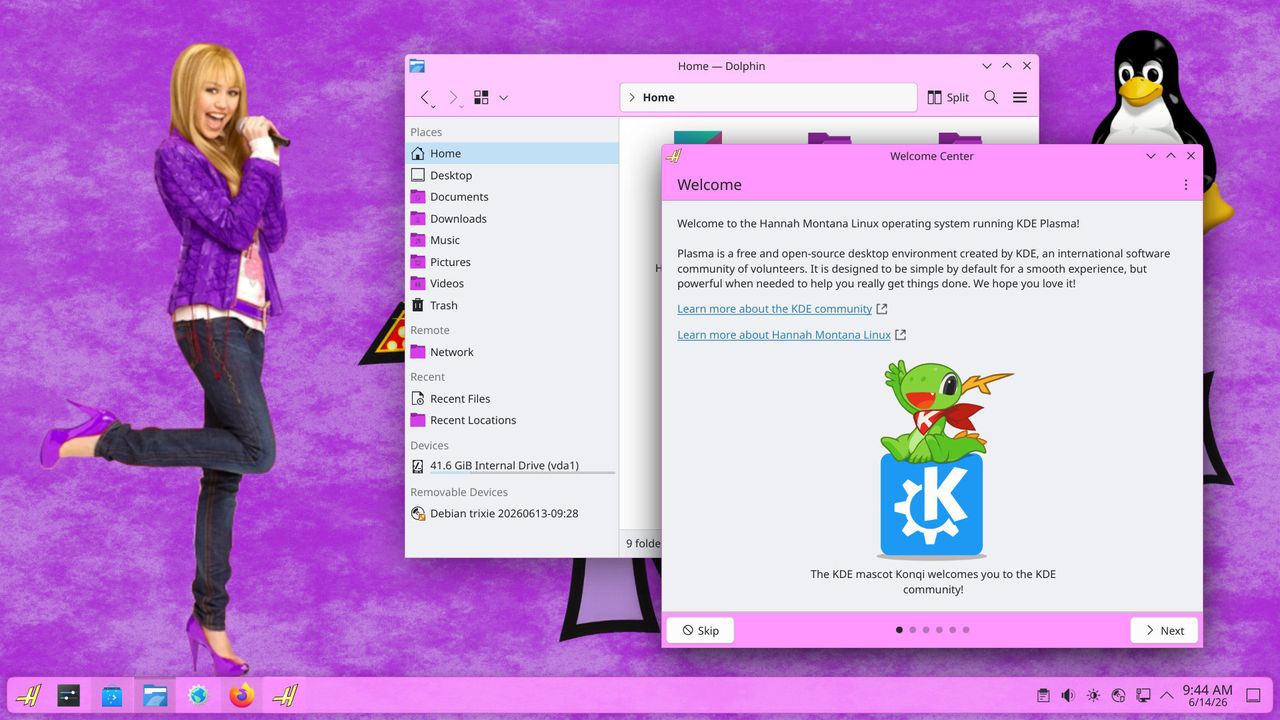
Say whaaaat? Hannah Montana Linux is back. The distro made as a tribute to the noughties Disney Channel sitcom for tweens and teens, featuring the eponymous secret pop star, was basically abandoned in 2009. Now it's back, with a modern kernel and about 18 years of patches, with the release of the Hannah Montana Linux v26.0 remaster by developer Noah Cagle.
Little is known about why the original Hannah Montana Linux was developed, released, and almost immediately abandoned. The version available via Archive.org is the only known release, identified as Hannah Montana Linux x86 basic edition 202201. It is still available if you’d like to test out a frozen-in-time HM-themed version of Kubuntu. You can grab it as a 691.7MB download via the link provided. Be warned that it is now “basically unusable,” though, according to Cagle, due to being insecure and for its poor software support.
Fast forward to the present day, and Cagle’s HML26 release solves all the issues with the old distro. Browsing the modern web is possible and safe, finding and installing software is easy, and the dev has even made the terminal look pretty.
In the video feature about the release of Hannah Montana Linux v26.0, Cagle provides some insight into how this version of the OS was customized, built, and released. After initially considering the Cubic GUI wizard for creating customized live ISO images of Ubuntu and Debian-based platforms, the developer decided to go with Live Build, an official tool for Debian-based distros.
We then get a walkthrough of using this tool to make a Pretty in Pink version of Debian Linux. Briefly, a lot of the work required to make a distro like HML26 is adding various files and references into a set folder structure, and then building the Linux ISO. Most of the custom imagery and iconography sit in an includes.chroot directory.
Key customized elements would include an icon pack, color scheme, and wallpapers, and they were largely built by cloning and then editing existing theme resources. The main wallpaper looks a lot like the original, and that’s because it uses the original PNG as a source, updated by Cagle to 16:9. The cherry on the cake, though, might be the stylized ‘H’ start button.
When Cagle was happy with his customizations, he sought out a way to transform the ISO from being a live-CD only so it could offer an install option. This final step in creating HML26 was done with a tool called Calamares. This app is strong in applying branding, so it was a great choice for a professional revival of Hannah Montana Linux.
You can download and try out Hannah Montana Linux v26.0 now, with the ISO available at the above-linked GitLab page under GPL 3.0. You’ll want a system with at least 8GB of RAM to enjoy this OS. Those with older machines might want to look at HML26 Lite, which switches KDE Plasma 6 for the lightweight LXQt.
2026 has not been a good year for computer security, with every OS seeing a variety of malicious hacks. They have mostly been patched, but that won't last as more and more…
A new Linux kernel patch for the NVGrace-GPU VFIO driver has revealed references to Nvidia's upcoming “Blackwell-Next” graphics architecture.
Spotted by Phoronix (via VideoCardz), this change adds a readiness check for the supposed new architecture via CXL (Compute Express Link) DVSEC-based (Designated Vendor Specific Extended Capability). Submitted as part of the VFIO subsystem work for the Linux 7.2 cycle, the update modifies how the driver determines if GPU memory is ready after a probe or reset.
The code links directly to the NVGrace-GPU driver, meaning these adjustments don't confirm a new consumer GPU generation. Rather, they seem to target enterprise hardware.
Nvidia officially announced Rubin as the successor of Blackwell back in 2025, which includes the Vera CPU and Rubin GPU. However, the company also announced Blackwell Ultra, leaving us uncertain about what Blackwell-Next actually refers to. In any case, it seems we won't have to wait much longer to clarify what's really coming after Blackwell.
KitGuru says: Do you think we will see Blackwell Next come to the consumer segment?
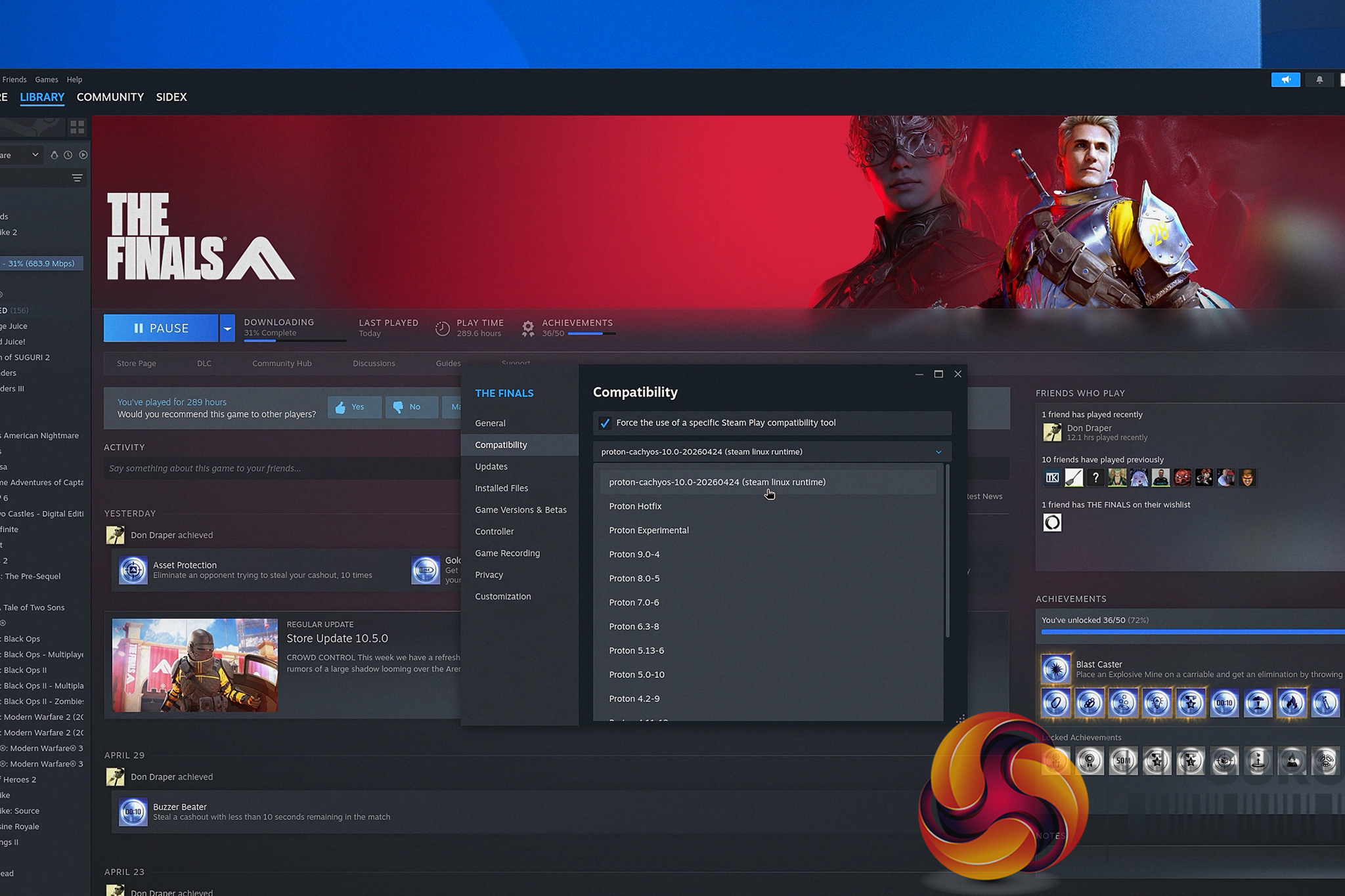
A new Proton-CachyOS update can automatically download NVIDIA DLSS DLL files when using Optiscaler, allowing AMD users to enable FSR 4 in more games. Linux Gamers Can Now Enable AMD FSR 4 in More DLSS-Only Games Thanks to Proton-CachyOS Update Linux gaming has taken another step forward, thanks to a new update that changes how one can enable FSR 4 in games. The new update just dropped for Proton-CachyOS, which allows the compatibility layer to automatically download and create the DLSS-related files required by the Optiscaler, which makes it easier for AMD users to access FSR 4. This will now […]
The back episodes finally make it online, this is number 1 is a series of episodes that did not get posted, but are now! Brett is out (which is why these didn't…
AMD continues to prepare its next-gen Zen 6 processors for launch as evident from the latest Linux kernel patches. Linux Kernel Patches Reveal Support for 32 Additional Zen 6 CPU SKUs Linux kernel patches often reveal future hardware even before the official announcement. Companies need to ensure that their hardware are recognized well in the operating systems and we have been seeing steady progress when it comes to AMD's next-generation of processors based on the Zen 6 architecture. AMD engineers appear to have been adding Zen 6 support throughout the Linux ecosystem, including CPU identification, power management features, compiler optimizations, […]
California lawmakers introduced a new amendment that could exempt most Linux distributions from the state’s upcoming Digital Age Assurance Act after privacy backlash and concerns that the law would force open-source operating systems to become age-verification platforms.
An open-source project called low_latency_layer has introduced hardware-agnostic support for Nvidia Reflex and AMD Anti-Lag 2 on Linux.Developed by Korthos Software, the C++23 implicit Vulkan layer implements the VK_NV_low_latency2 and VK_AMD_anti_lag device extensions, enabling Linux gamers to access these latency-optimisation technologies on all GPUs.
The software (via Noteboocheck) operates as a workaround for driver support, meaning it functions without requiring official graphics driver enablement from AMD, Nvidia, or Intel. This configuration allows users to run applications with Nvidia Reflex and AMD Anti-Lag on hardware platforms that lack native support. For example, an Intel GPU could use Reflex or Anti-Lag, or an AMD GPU could use Reflex.
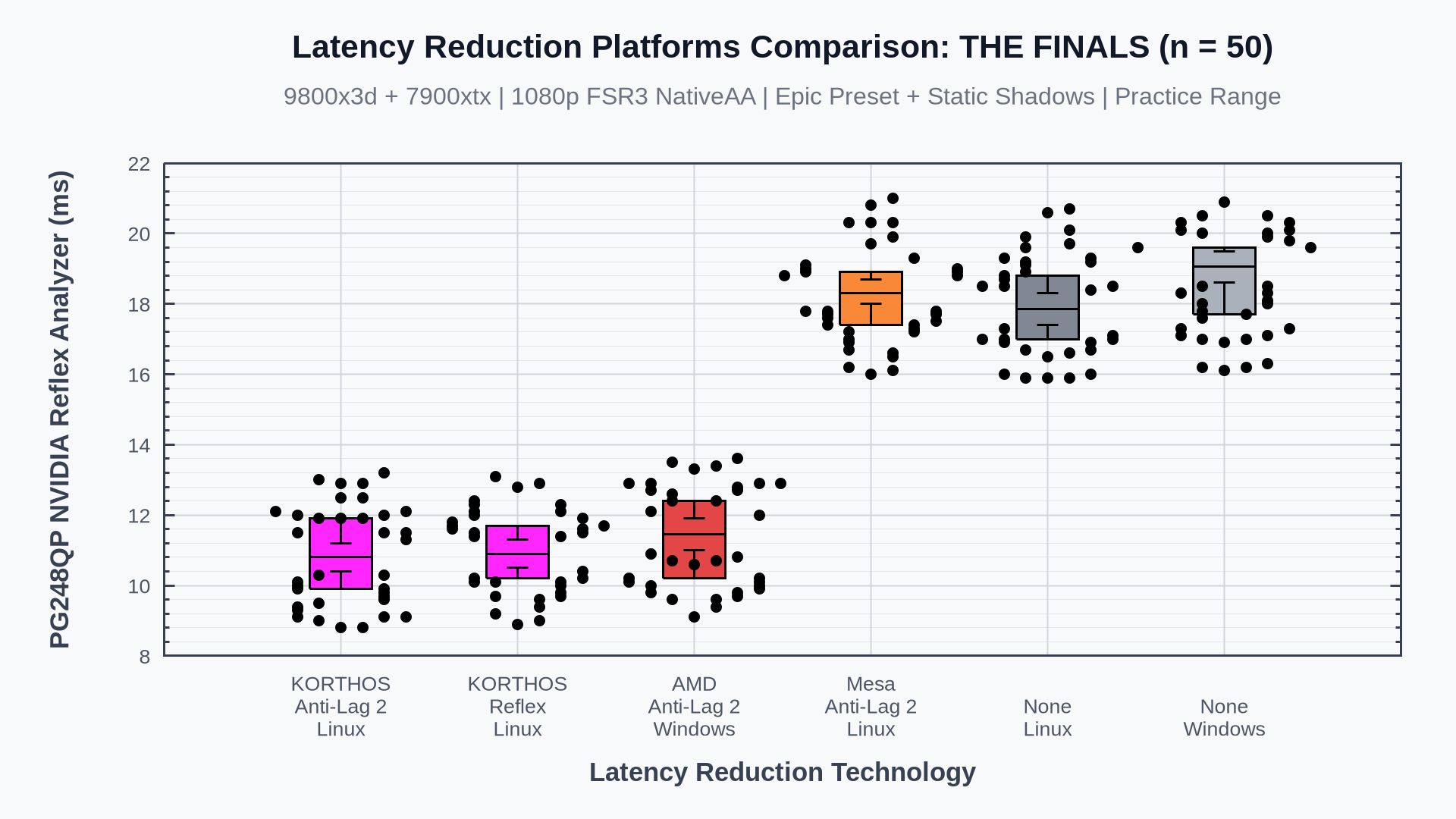
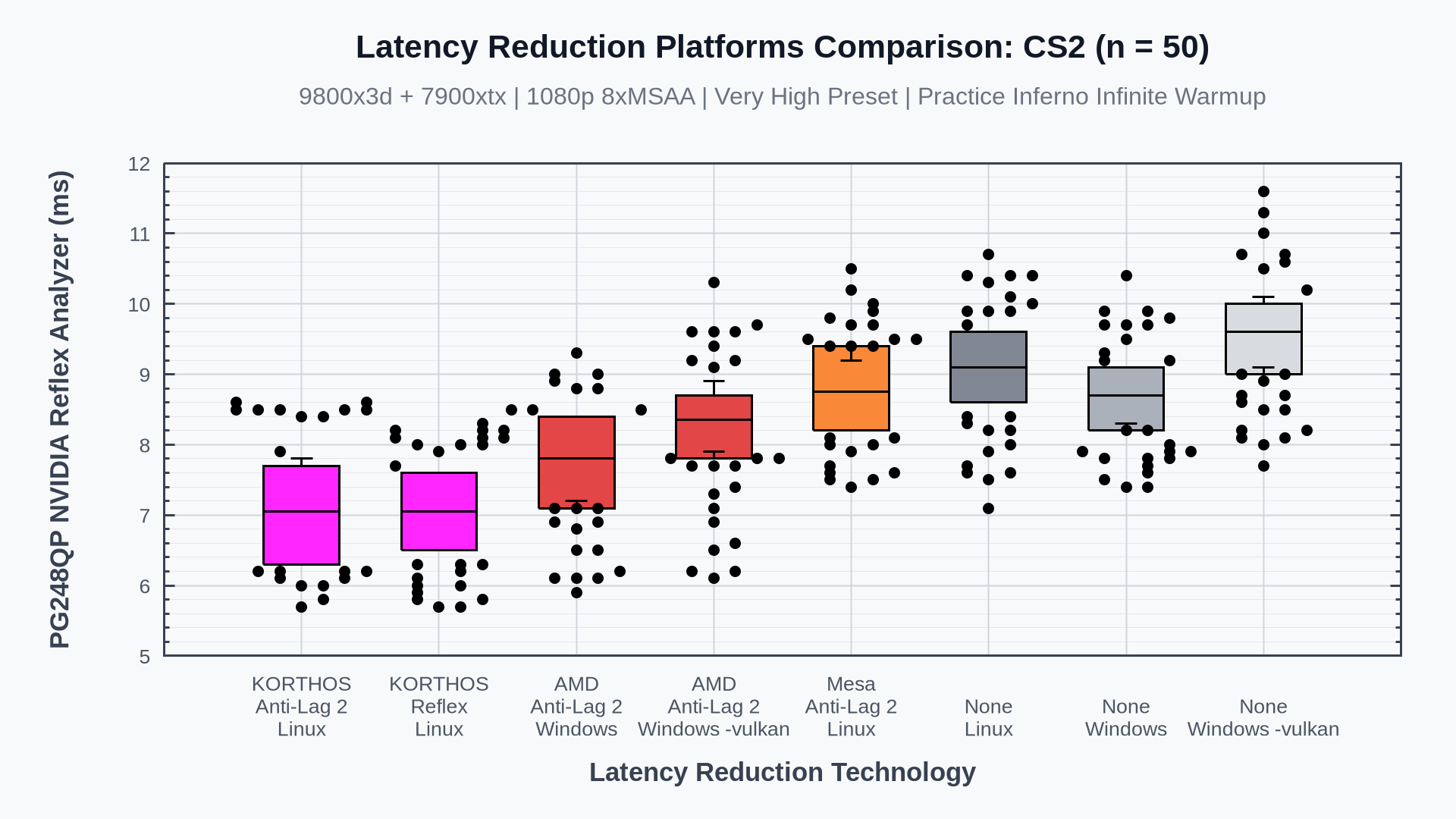
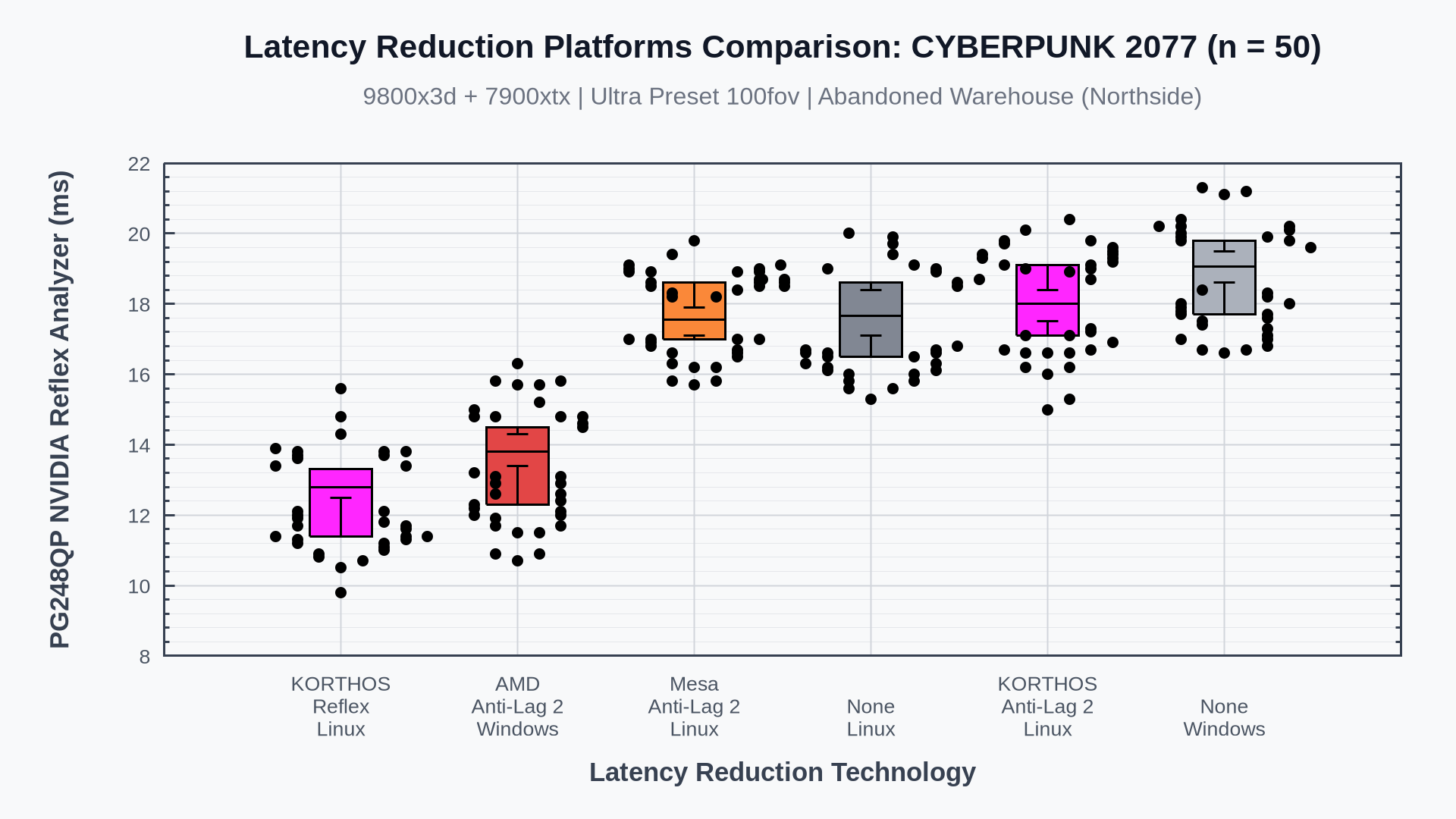
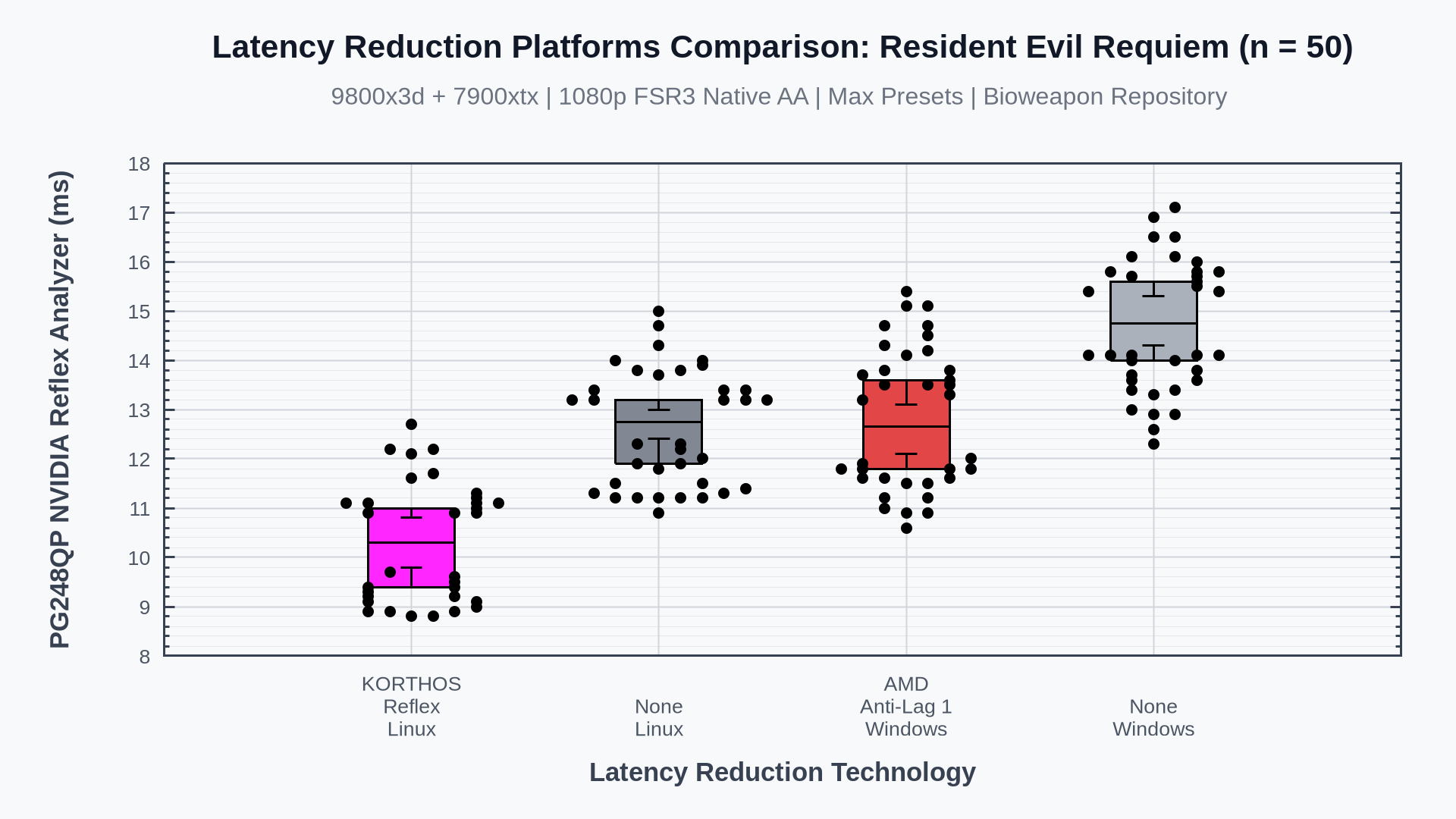
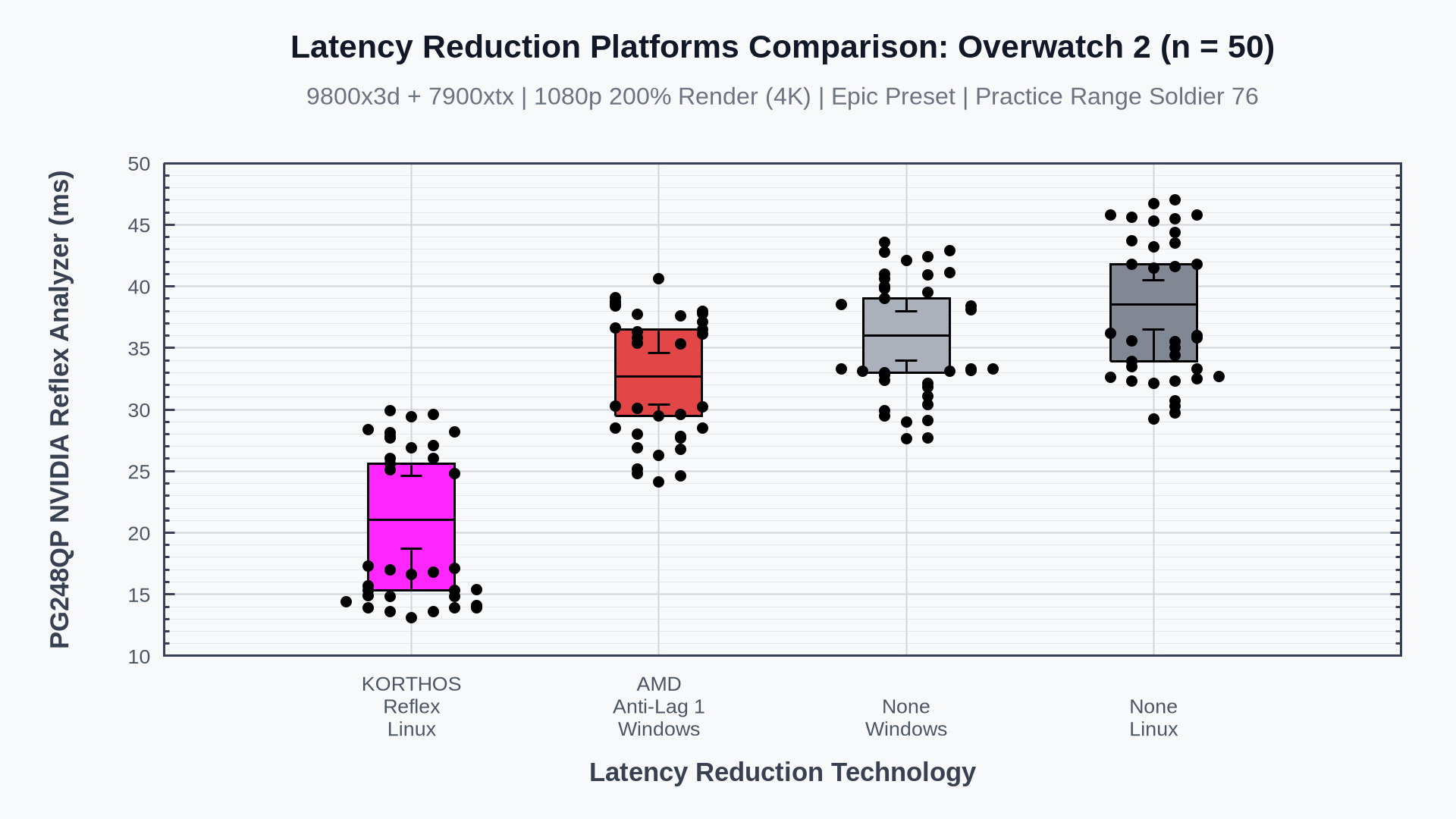
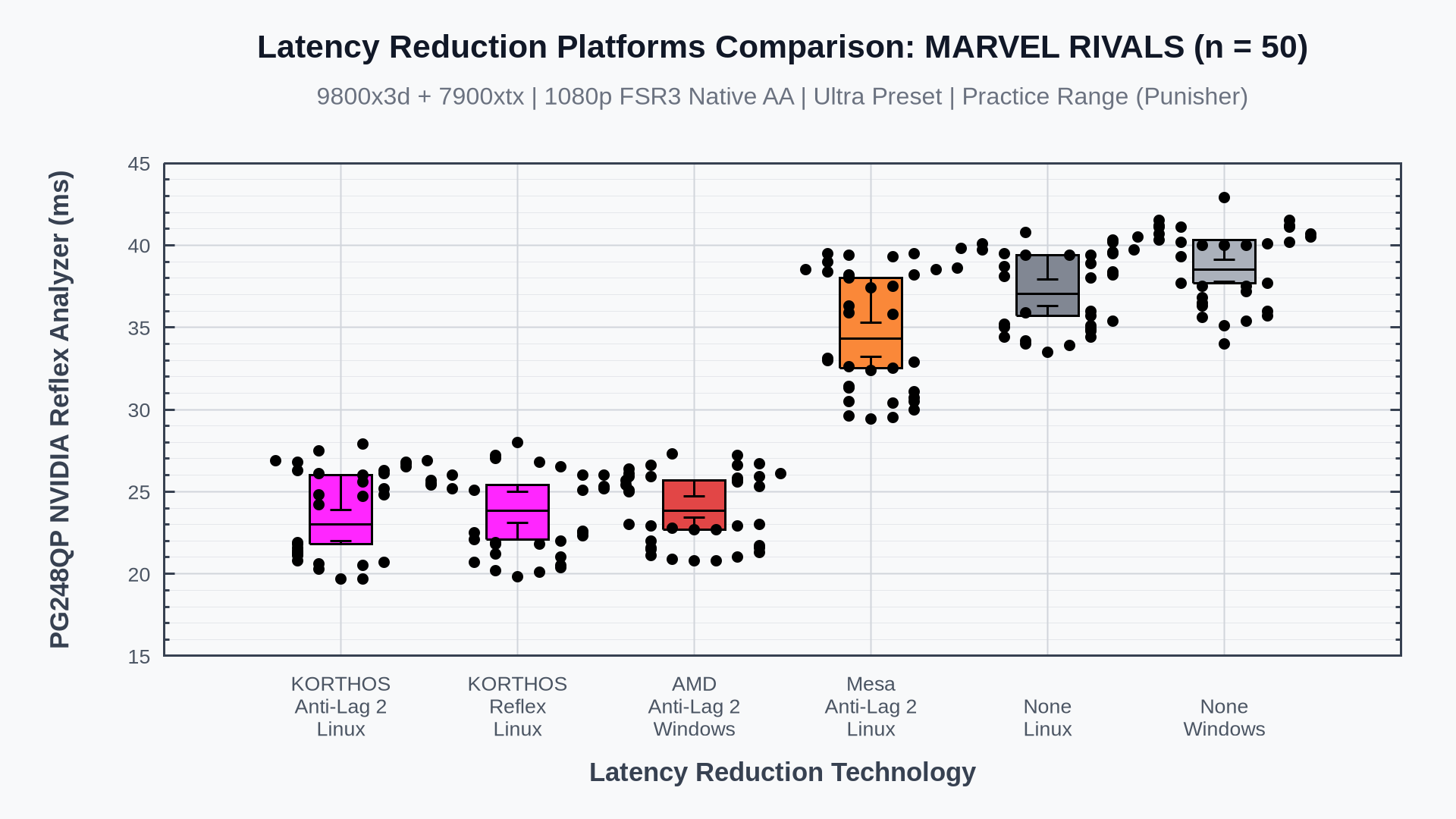
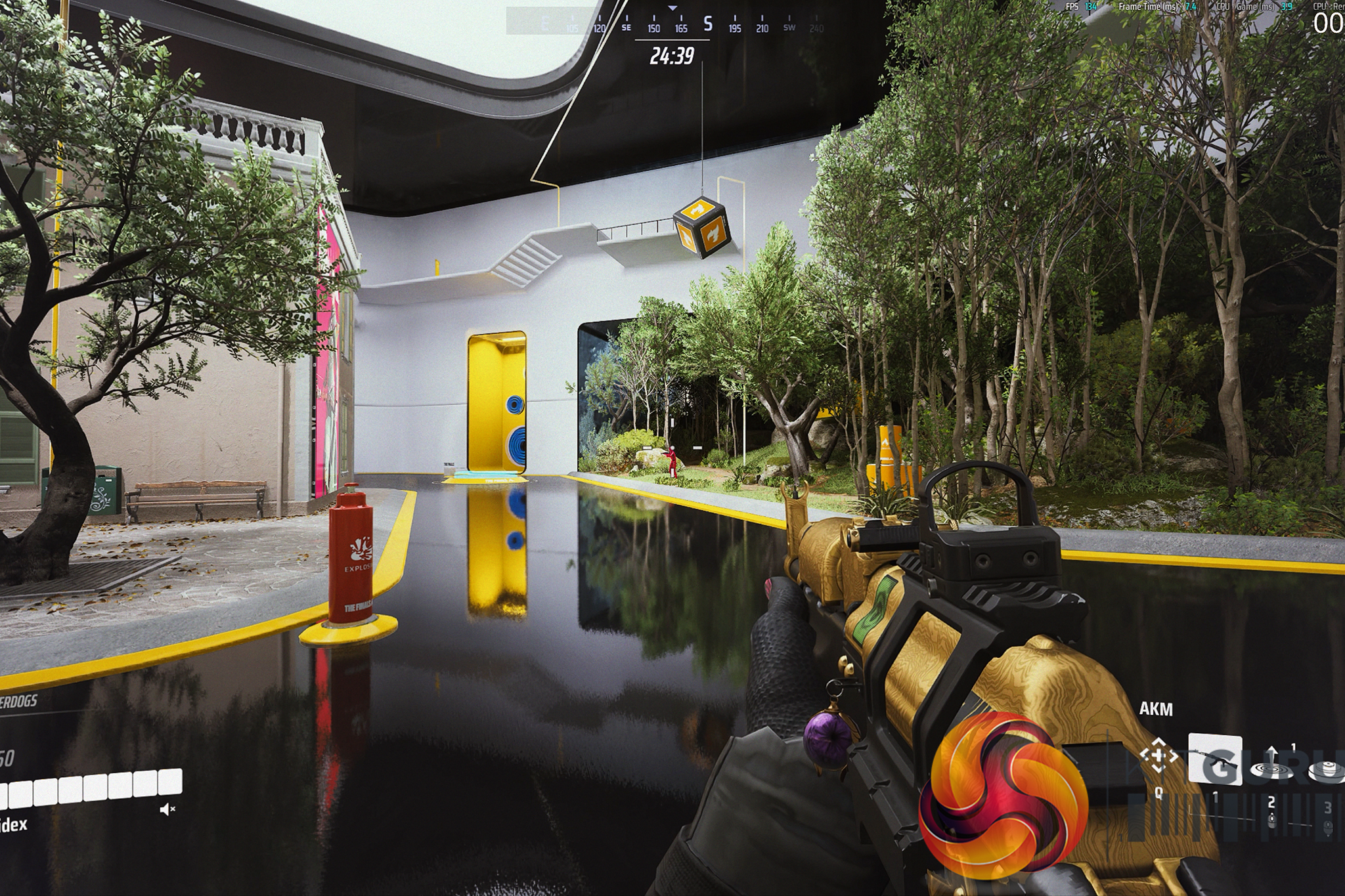
In official internal benchmarks, Korthos Software evaluated the layer using a test system equipped with an AMD Radeon RX 7900 XTX, an AMD Ryzen 7 9800X3D, and 64GB of system RAM. Testing was conducted across several titles, including The Finals, Counter-Strike 2, Cyberpunk 2077, Resident Evil Requiem, Marvel Rivals, and Overwatch 2. Data from these evaluations indicates that the layer delivers click-to-photon latency reductions of a few milliseconds, yielding performance comparable to native Windows implementations on identical hardware. In Counter-Strike 2, which runs as a Linux-native application, latency with Anti-Lag 2 was lower on Linux than under Windows.
Installation of low_latency_layer requires manual compilation from source, using dependencies such as CMake, Vulkan Headers, and the Vulkan Utility Libraries. For non-native games running via the Proton translation layer, users must enable NVAPI support. This requires configuring specific environment variables, such as PROTON_FORCE_NVAPI=1, LOW_LATENCY_LAYER_REFLEX=1, and LOW_LATENCY_LAYER_SPOOF_NVIDIA=1, as outlined in the project's GitHub documentation.
KitGuru says: Unfortunately, using this new layer on Linux isn't as simple as installing and being done with it. However, if you follow the guide on GitHub, you should be able to get it working pretty easily.
We have all been there. You boot up a fresh Windows 11 installation only to be greeted by forced online accounts, AI assistants you didn't ask for, and background bloatware eating into your precious framerates. For years, the alternative has been Linux, but the perceived hassle of terminals and compatibility issues has kept most gamers away. What if I told you that you could ditch Windows, install a heavily optimized gaming OS, and be ready to launch your first Steam game in under 10 minutes?
Timestamps:
00:00 Intro
00:56 Getting started…
03:04 Getting the system prepped
07:19 CachyOS installation
12:10 We’re in the OS!
15:53 Running games on Steam – the basics
20:02 How to troubleshoot
22:02 Running our game!
24:57 Closing thoughts
Let's not sugar coat it: the state of modern Windows is increasingly frustrating for PC enthusiasts. In our recent hardware reviews, we've seen first-hand how pre-installed software and OS-level bloat can literally rob you of your system's performance, leaving real framerates on the table for no good reason.
The classic counter-argument is always, “Just switch to Linux.” But for the average gamer, the idea of jumping into an entirely new operating system sounds like a daunting, weekend-long project filled with troubleshooting, mental gymnastics, and endless forum diving.
I wanted to prove that this simply isn't true anymore.
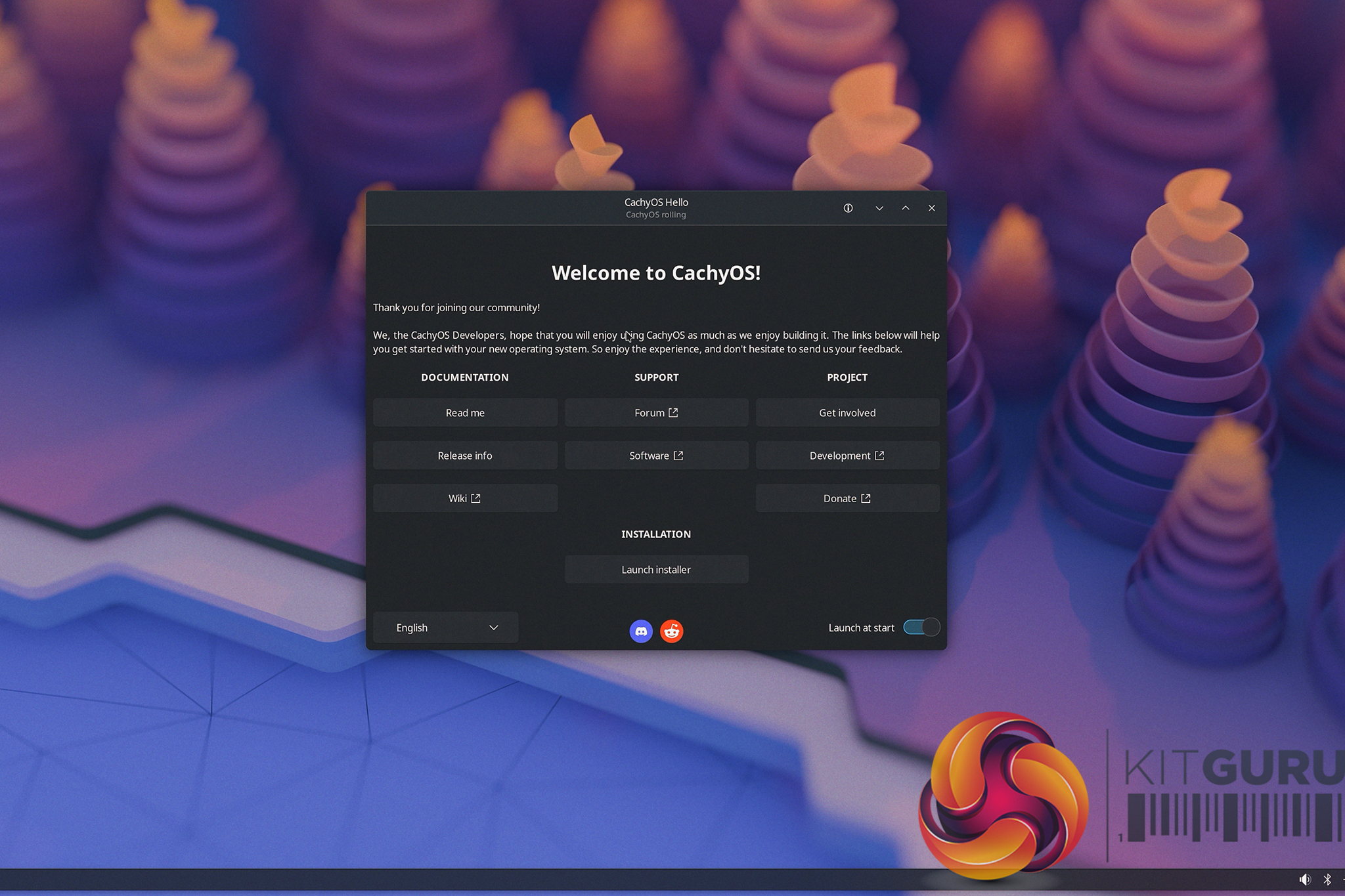
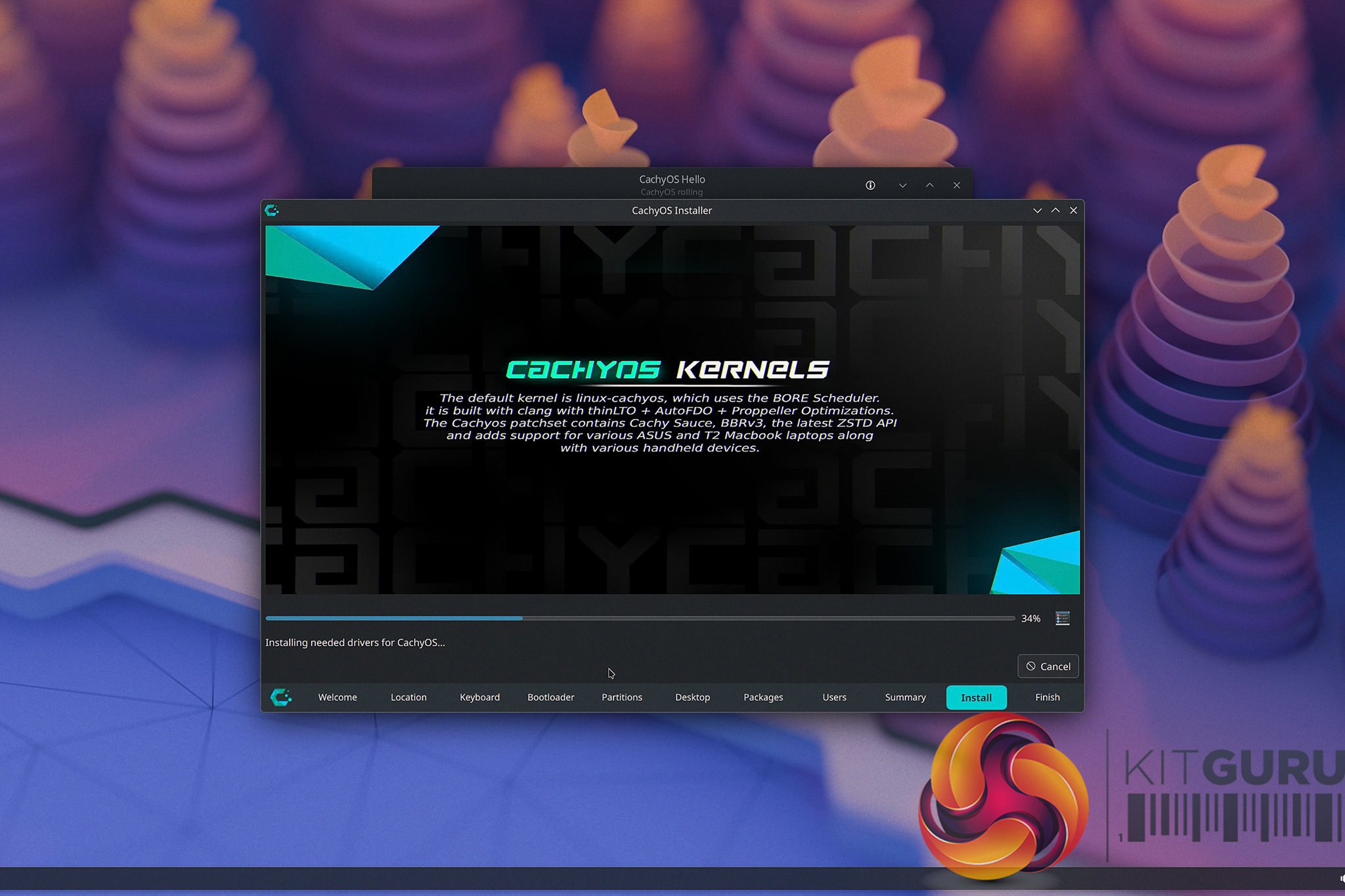
Enter CachyOS. It's a Linux distribution purpose-built for squeezing every last drop of performance out of your hardware right out of the box, with gaming at the forefront of its design. But rather than just throwing benchmarks at you, I decided to show you exactly how frictionless the transition can actually be.
In this video, we are doing a real-time, follow-along tutorial. No skipped steps and extra fluff. We start from absolute scratch by creating a bootable USB drive using Ventoy, walk through the surprisingly simple CachyOS graphical installer, and handle the post-install essentials together. We run through grabbing the necessary gaming packages (literally pressing a single button to install everything), ensuring the system is fully up to date, and logging straight into Steam.
The best part? From downloading the CachyOS .iso to getting on your new fresh CachyOS desktop in just a little over 10 minutes. If you have a spare NVMe drive sitting around, and you are simply fed up with the current direction of Microsoft's operating system and want a snappier, cleaner desktop experience, grab a coffee and hit play.
You might just find that the grass actually is greener on the other side.
KitGuru says: Let us know if you're a Linux user, or if this guide might just tempt you to try it out!

 Login
Login