Reading view

There are new articles available, click to refresh the page.

ASUS Pro WS W890-SAGE Review (w/ Xeon 696X!)

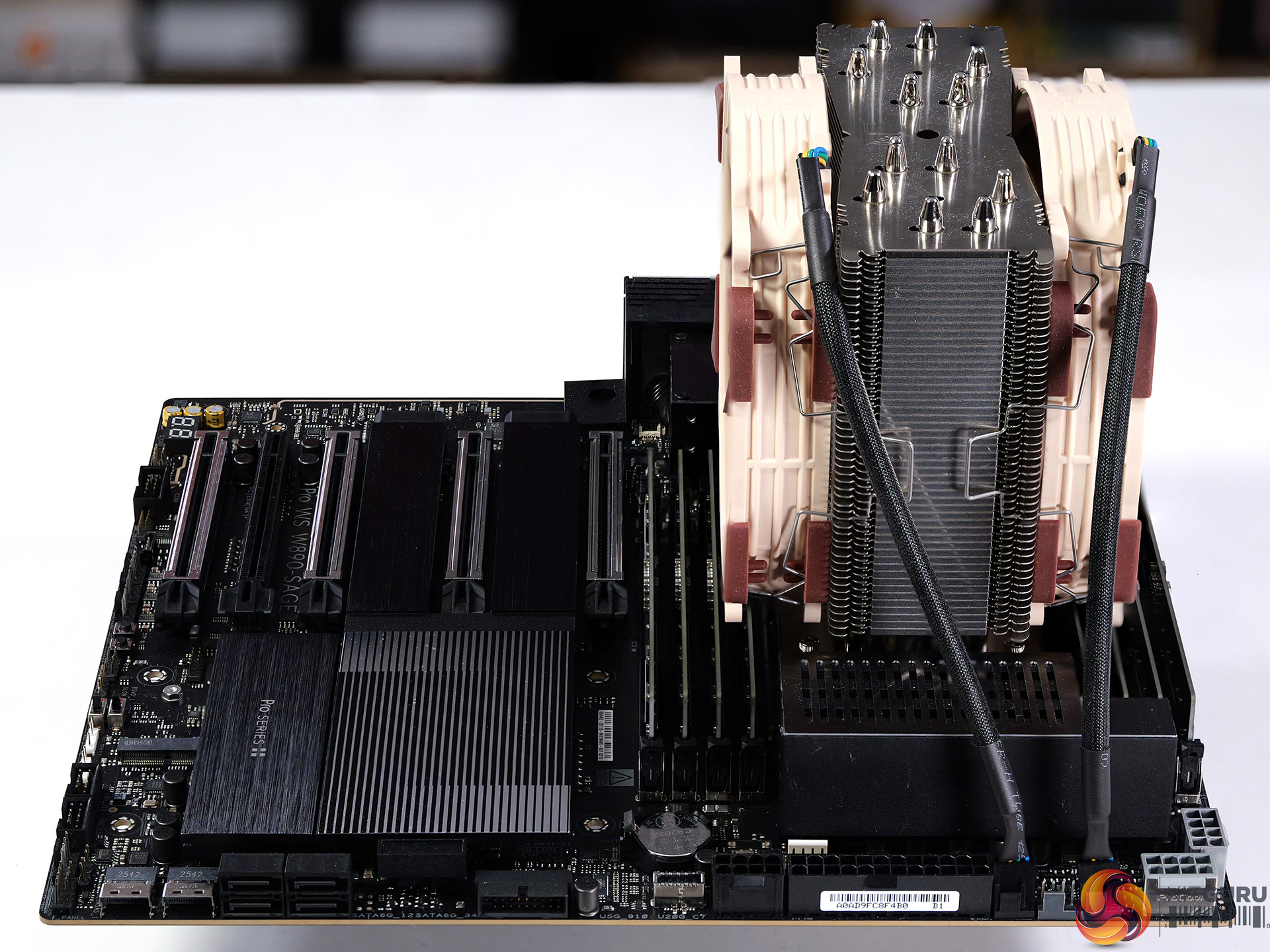
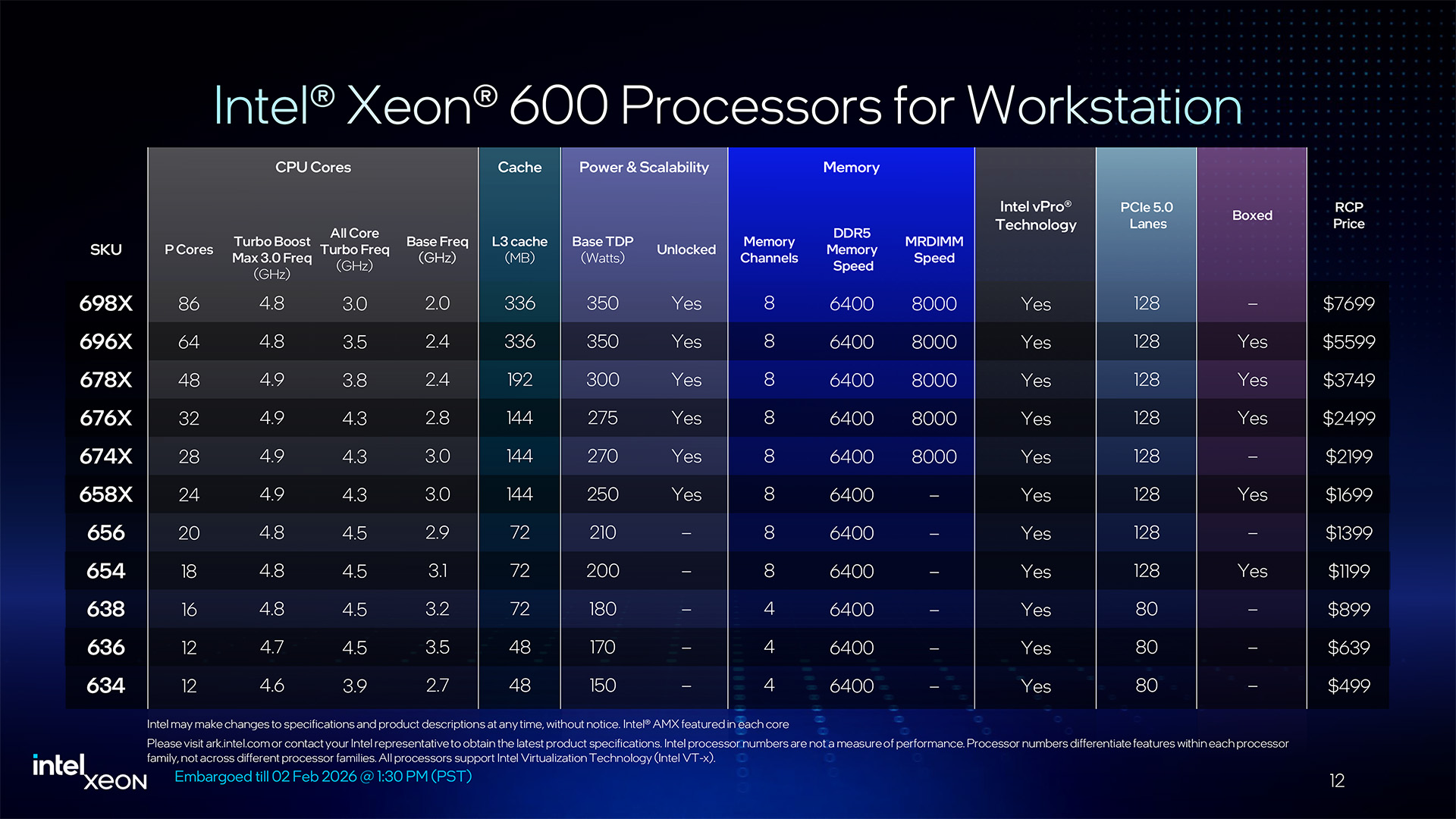
Intel has launched their range of Xeon 600 Workstation processors along with a new W890 chipset so it's time for a review to see how the new technology performs. We put the ASUS Pro WS W890-SAGE through its paces with an Engineering Sample of the 64-core Xeon 696X and discovered a few unexpected results.

Timestamps

00:00 Intro
00:46 Hardware
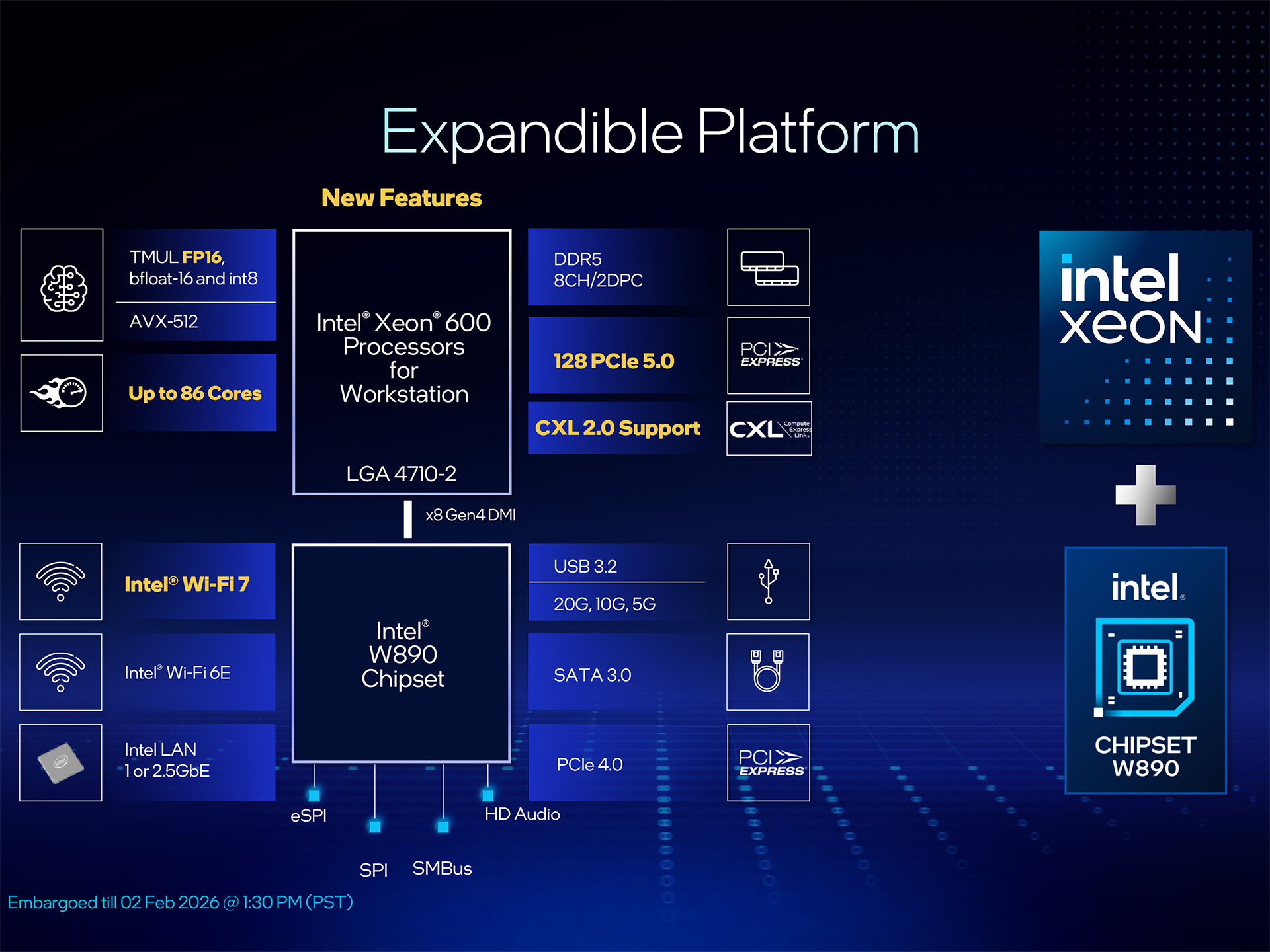
01:45 Xeon Platform details
04:50 ASUS Pro WS W890-SAGE
07:55 Heatsinks removed
08:34 VRMs
09:12 Accessories
10:30 Cooling the processor / Other hardware
11:57 BIOS Setup
12:12 Stress Test / Cinebench
13:26 AMD Test Platform
14:00 Cinebench 2026/2024 Multi Core
14:44 Blender ClassRoom Render
15:31 Geekbench 6.6 Multi Core
15:55 HandBrake Conversion
17:07 7-Zip V26
17:33 Conclusion
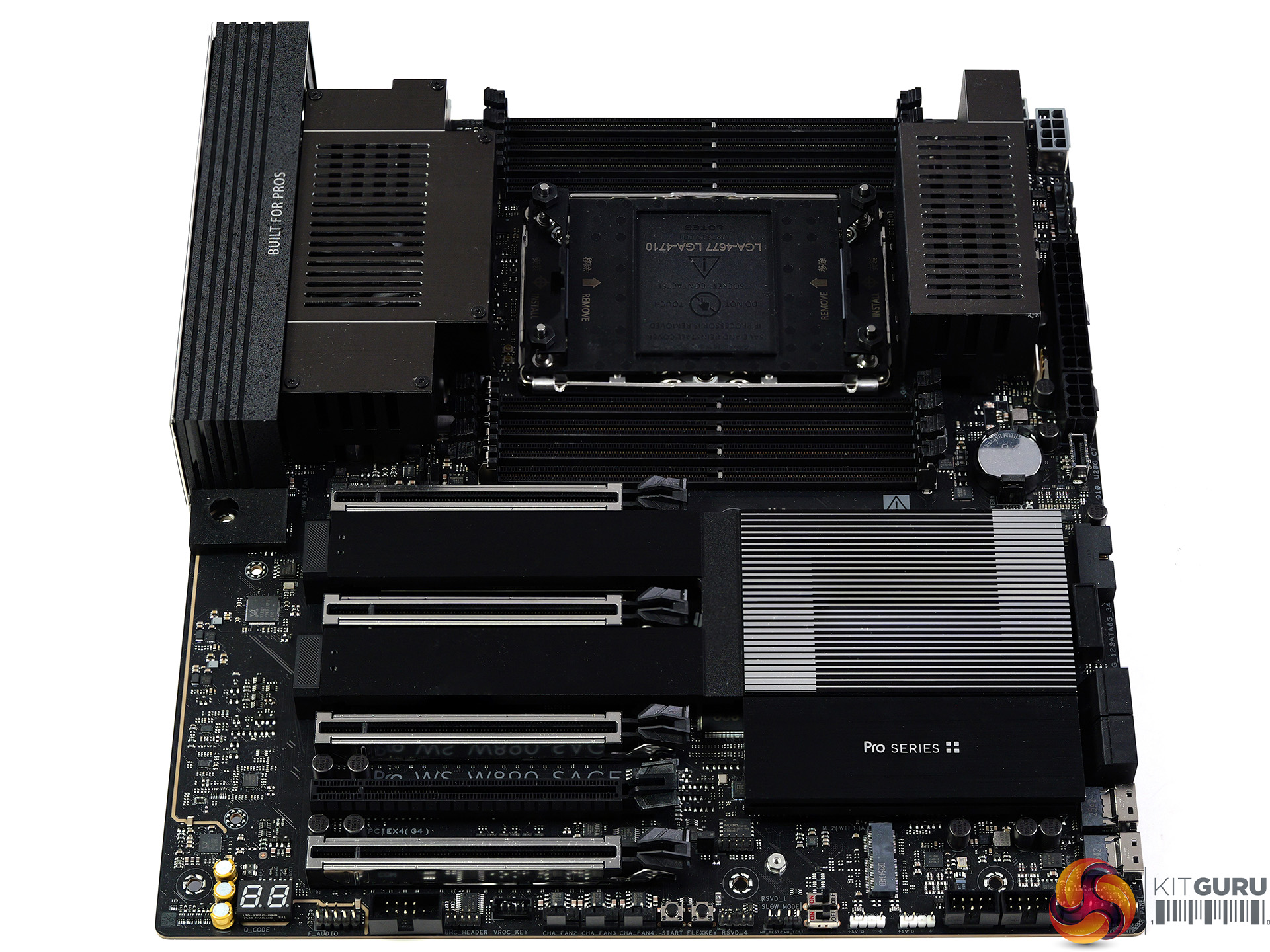
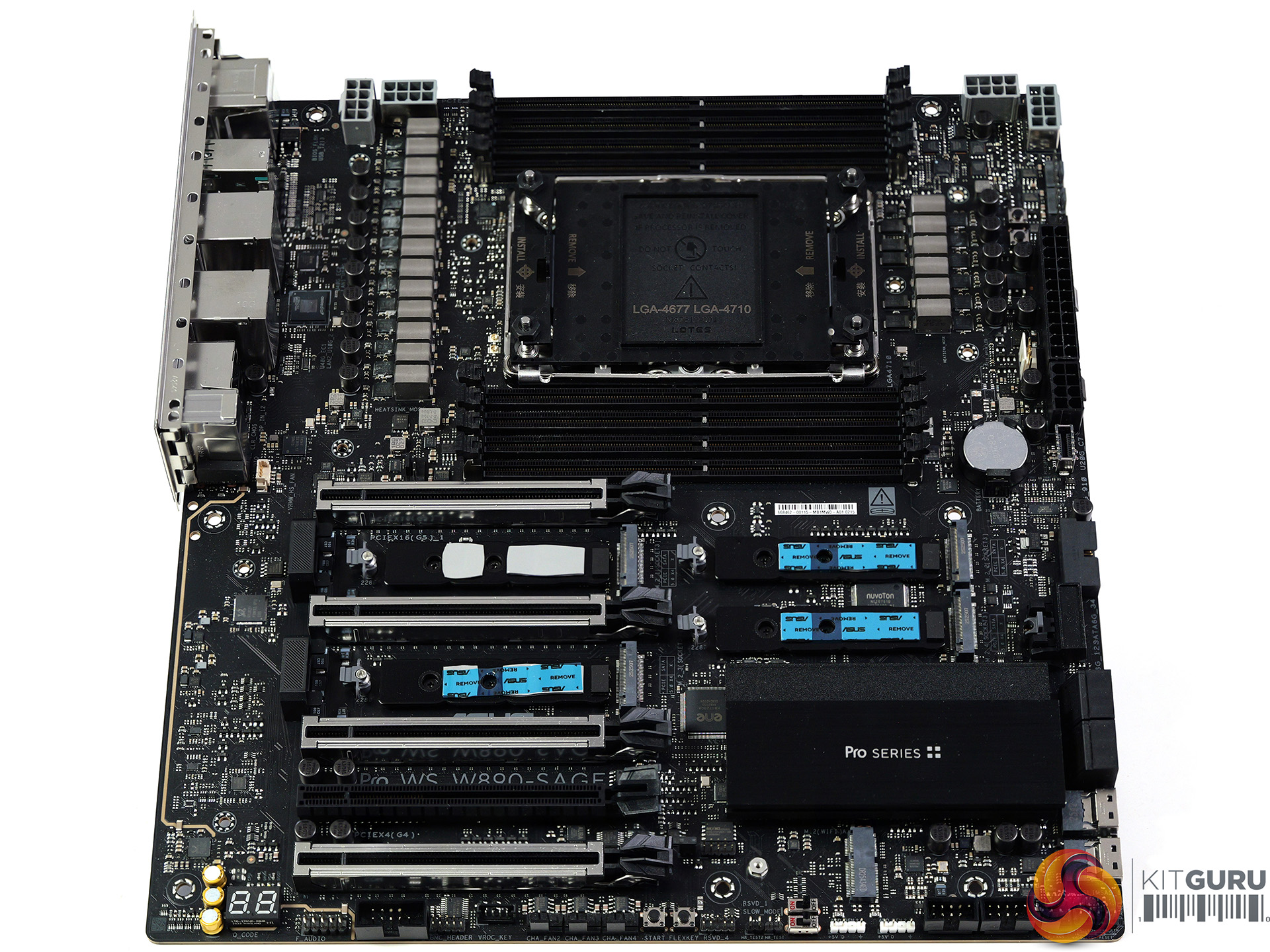
 

Main features:

  • Ready for Advanced AI PC: Designed for the future of AI computing, with the power and connectivity needed for demanding AI applications
  • Intel LGA4710-2 Socket Supports up to 86-Core CPUs: Ready for Intel® Xeon® 600 Processors for Workstation.
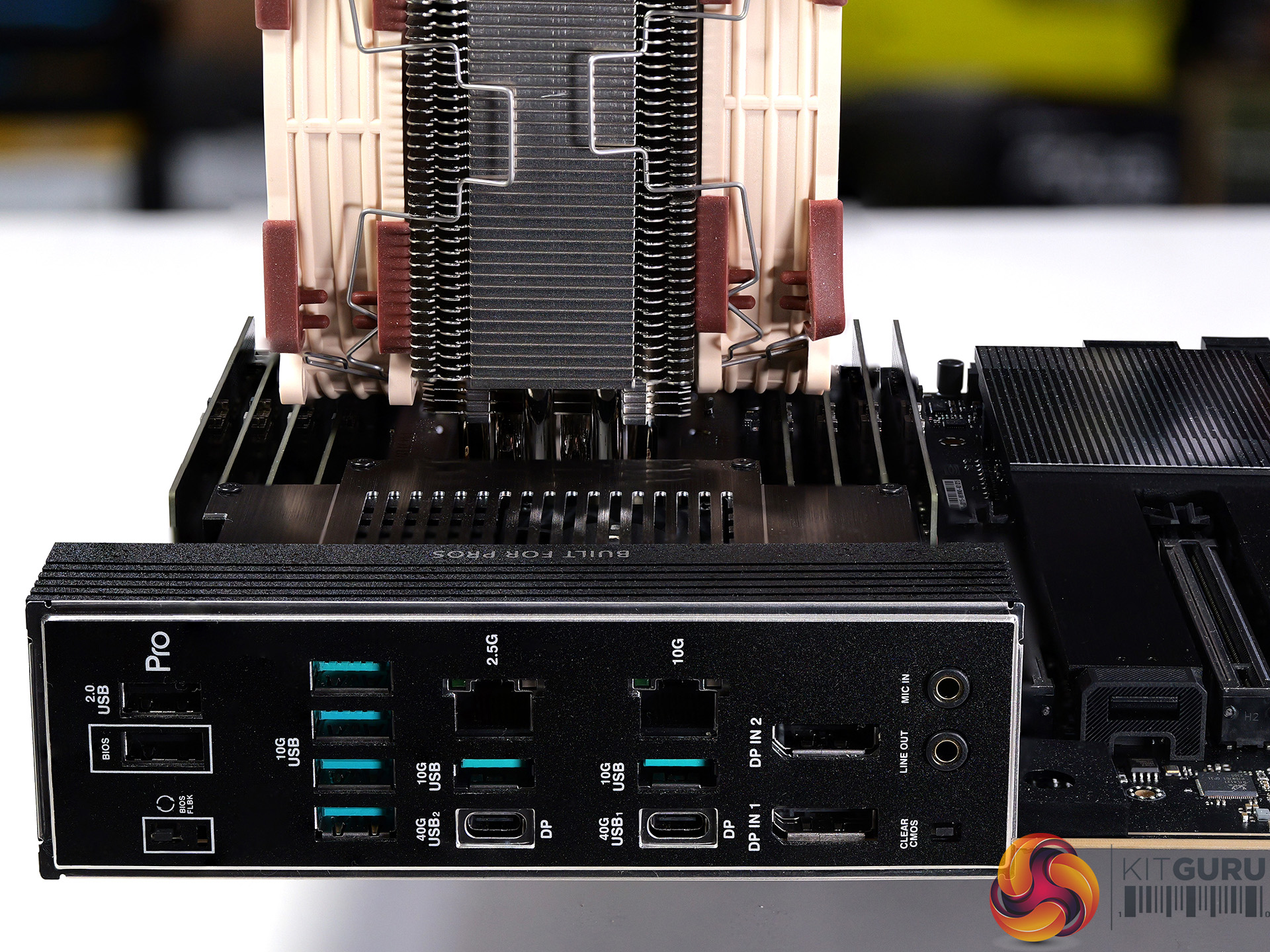
  • Ultrafast Connectivity: Four PCIe 5.0 x16 slots, 10Gb and 2.5Gb LAN ports, four M.2 slots, two rear USB4 40Gbps Type-C®, and SlimSAS NVMe support.
  • CPU and Memory Overclocking: Support for up to 4TB ECC R-DIMM DDR5 memory modules (2DPC).
  • Robust Power and Thermal Design: 12+2+2+1+2 power stages for the CPU and ready for dual-PSU operation, massive VRM, chipset and M.2 heatsinks with an active fan, M.2 backplate and thermal pad.
  • Ready for Server-Grade IPMI Remote Management: hardware and software support for ASUS IPMI expansion card, plus ASUS Control Center Express software for real-time monitoring and management
  • Trusted Stability: Validated for extensive compatibility with the latest technologies, an expansive QVL list, and tested for 24/7 operation.

Specification:

  • CPU support: Intel Socket LGA4710-2 for Xeon 600 Series workstation processors
  • Chipset: Intel W890
  • VRMs: 12+2+2+1+2 phases using Infineon DrMOS;
    • Controller: Infineon XDPE192C4C;
    • VRMs: Infineon PMC41420
  • Memory: 8x DDR5 DIMM slots, quad-channel architecture; supports ECC RDIMM, 3DS-RDIMM, MRDIMM with XMP
  • Expansion slots: 4x PCIe 5.0 x16 (CPU, x16 mode), 1x PCIe 4.0 x16 (chipset, x4 mode)
  • Storage: 4x M.2 PCIe 5.0 x4 (CPU), 2x SlimSAS PCIe 4.0 x4 (chipset, or up to 4 SATA via adapter), 4x SATA 6Gb/s (chipset)
  • USB (rear): 2x USB4 Type-C (40Gbps), 6x USB 10Gbps Type-A, 2x USB 2.0 Type-A
  • USB (front): 1x USB 20Gbps Type-C, 1x USB 5Gbps header (2x Type-A), 2x USB 2.0 headers (4x Type-A)
  • Audio: Realtek ALC1220P 7.1 HD audio codec
  • Networking: 1x Realtek 10GbE, 1x Intel 2.5GbE, ASUS LANGuard
  • Wireless: M.2 Key-E slot (CNVi/PCIe; Wi-Fi module sold separately)
  • Fan headers: 8x PWM fan headers
  • RGB headers: 2x ARGB headers
  • BIOS: 64MB flash BIOS
  • Form factor: CEB (12 x 11 inch / 30.5 x 28 cm)

Performance and Testing

Intel test system

  • Processor: Intel Xeon 696X
  • Memory: 128GB Kingston Fury Renegade Pro DDR5-5600 C36 RDIMM
  • CPU Cooler: Noctua NH-U14S DX-4677 with NF-A14x25r G2 PWM fans

AMD test system

  • Processors: AMD Ryzen Threadripper 9970X and 9980X
  • Memory: 128GB G.Skill T5 Neo DDR5-6400 C32 RDIMM
  • CPU Cooler: Noctua NH-U14S TR5-SP6 with NF-A14x25r G2 PWM fans

Common components

  • Graphics card: MSI GeForce 4090 Ventus 3X 24GB
  • Power supply: Antec Signature 2200W
  • SSD: 4TB Kingston Fury Renegade M.2 NVMe
  • OS: Windows 11

Cinebench 2026

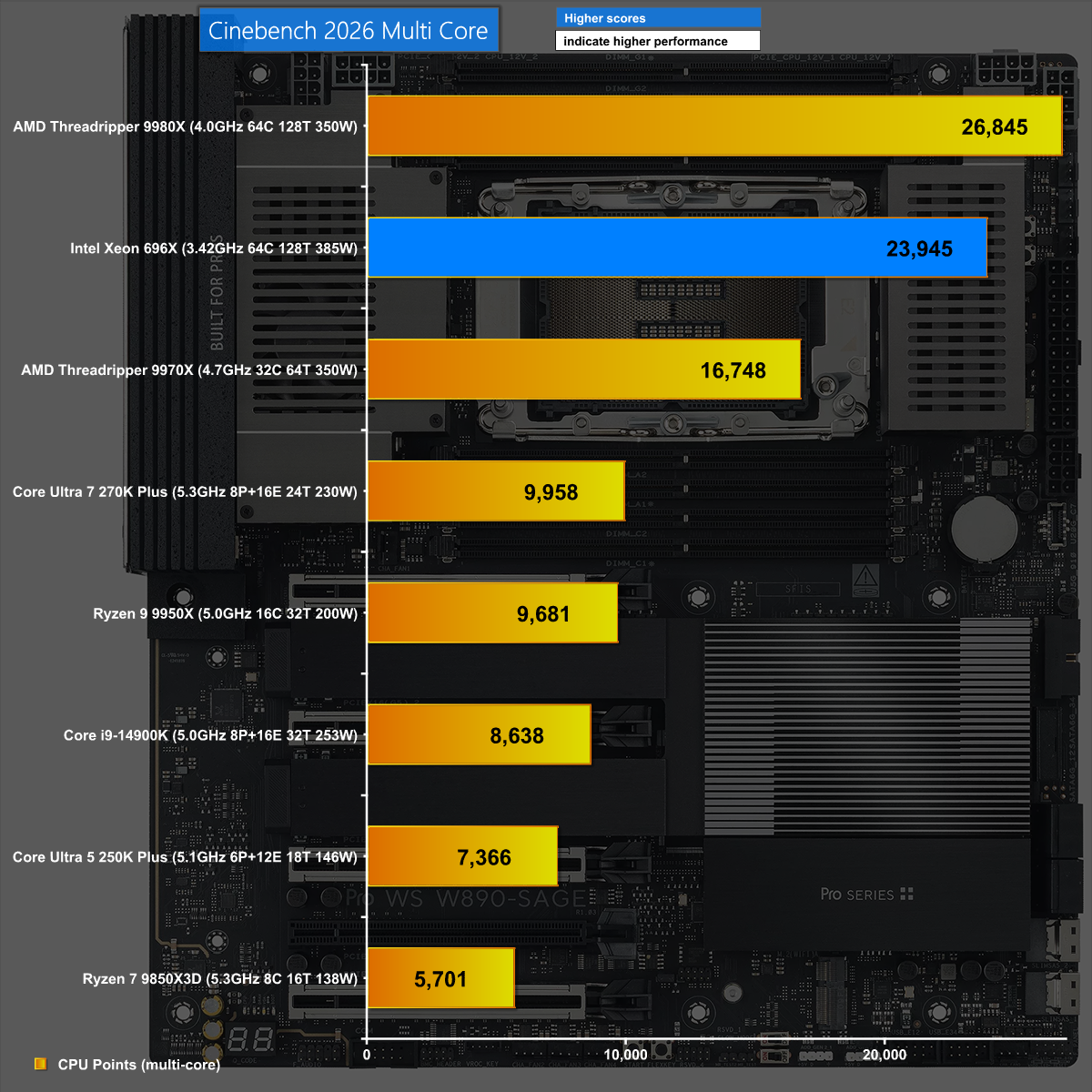
In Cinebench 2026, the combination of Xeon 696X and ASUS Pro WS W890-SAGE does a good job but is beaten by the more effective AMD Threadripper.

Blender 5.1 Classroom 
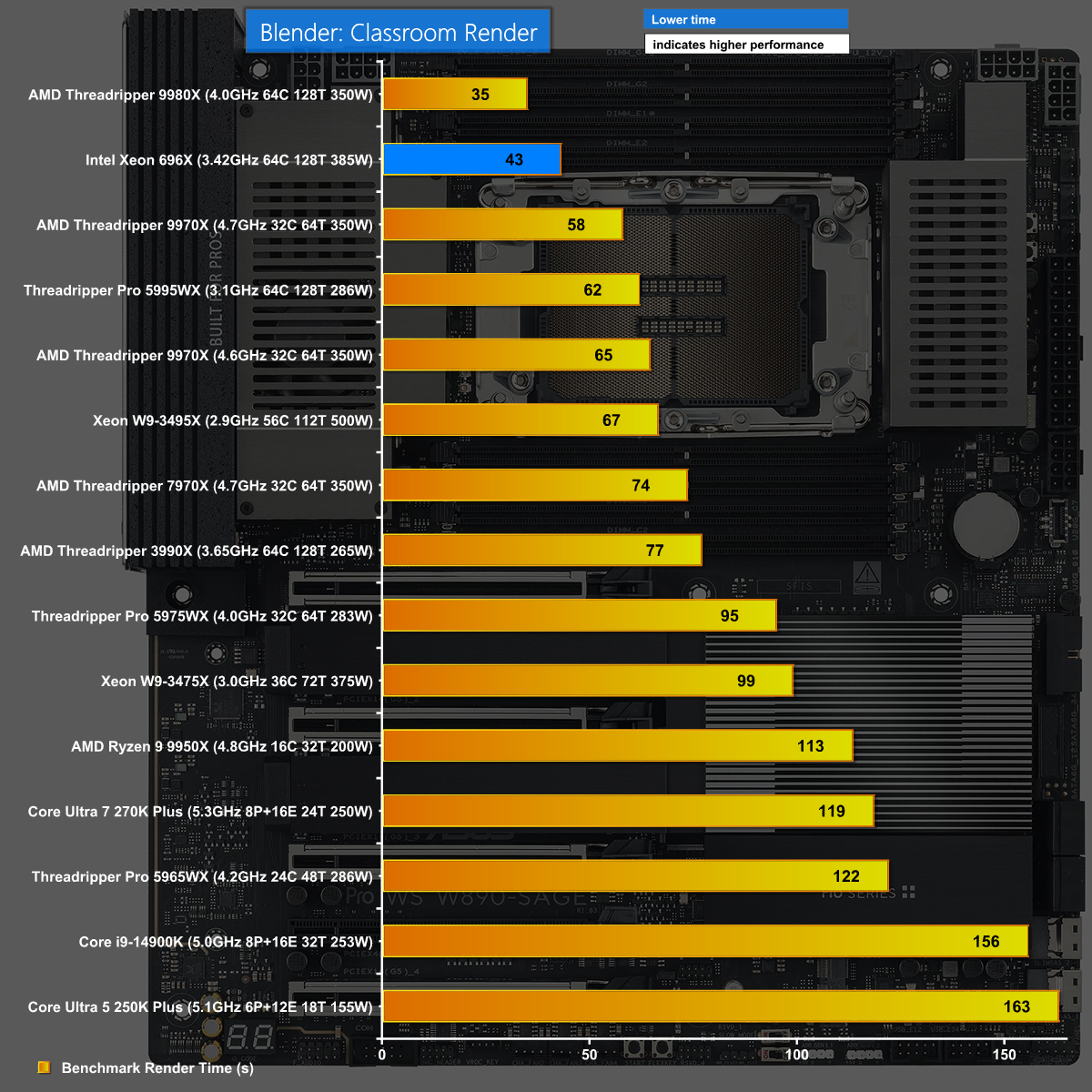
It is a similar story in Blender 5.1 when we run the Classroom render. The new Xeon and ASUS W890 SAGE do well but Threadripper 9980X does even better.

7-Zip v26 Decompressing
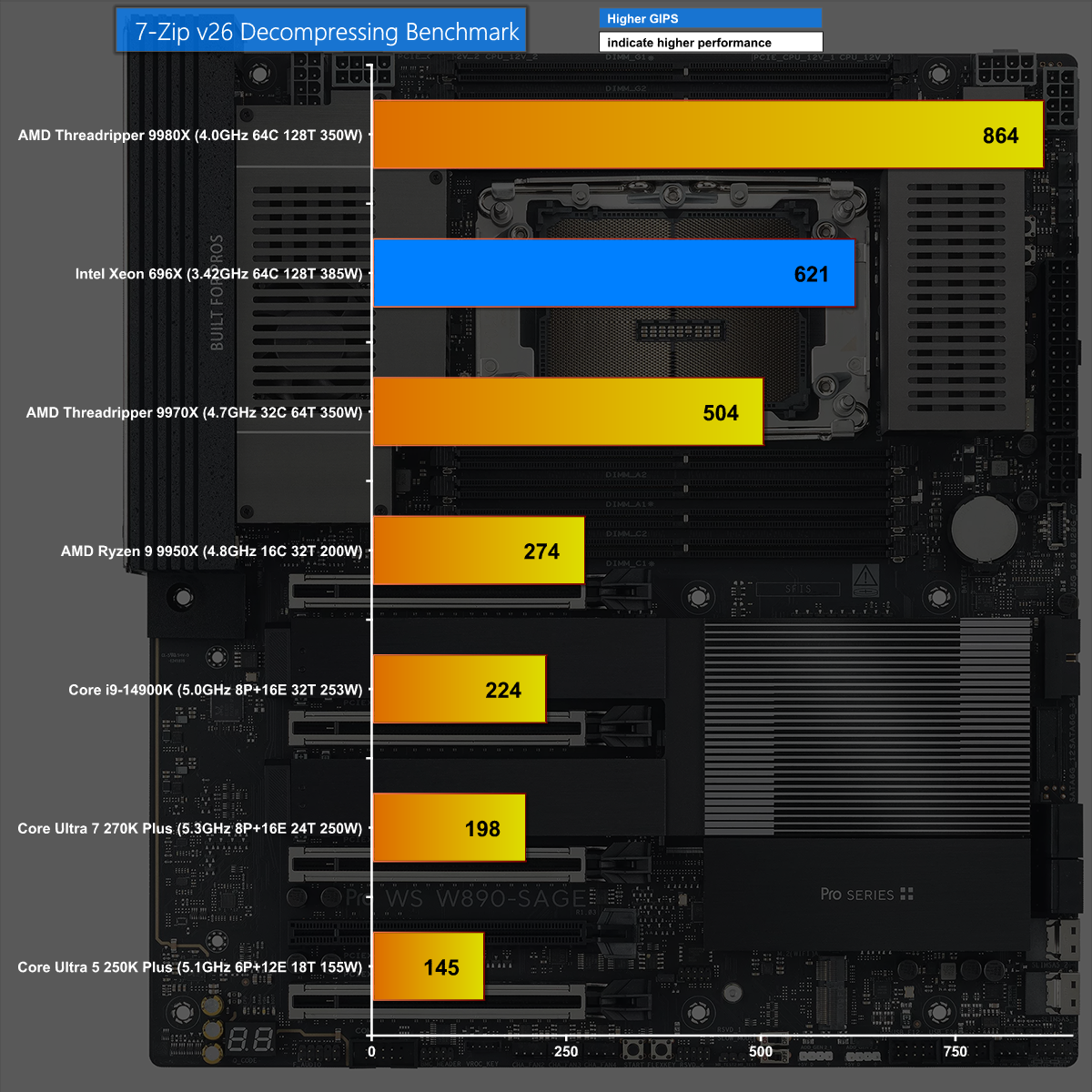
We see the same results in 7-Zip v26 Decompressing where the new Xeon performs well however it is comprehensively beaten by Threadripper 9980X.

Closing Thoughts

Intel has made a significant jump from Xeon Sapphire Rapids to the new Xeon 600. This brings a related move from the W790 chipset to W890 and a new family of supporting motherboards, including this ASUS Pro WS W890-SAGE, which clearly builds on the previous ASUS Pro WS W790-ACE.
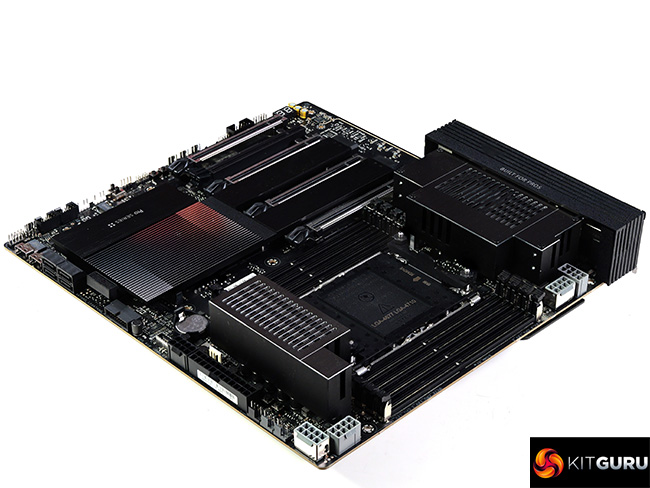
The hardware in this motherboard comprehensively supports the new Xeons and provides a solid foundation for your new workstation. In these times of monumentally expensive memory, SSDs and graphics cards it makes a welcome change to describe an £800 motherboard as a component that is good value for money.

We expect the ASUS Pro WS W890-SAGE will sell for £800 inc VAT.

Pros:

  • The ASUS Pro WS W890-SAGE has a solid VRM and builds on the previous W790 ACE.
  • Good support for multiple graphics cards and PCIe 5.0 devices
  • Decent range of USB ports including USB4

Cons:

  • You have to pay extra for IPMI and WiFi.
  • Thunderbolt is not included.
  • We have to reserve judgement on Xeon 600 until we see a full retail CPU.

KitGuru says: The ASUS Pro WS W890-SAGE works well with the new Xeon 600 and is a significant improvement over the previous generation.

The post ASUS Pro WS W890-SAGE Review (w/ Xeon 696X!) first appeared on KitGuru.

Interview: Intel’s Robert Hallock divulges the future beyond Core Ultra 200S Plus

You may have already seen our review of the new Core Ultra 5 250K Plus and Core Ultra 7 270K Plus CPUs HERE, in which case you have already seen a moment from our interview with Robert Hallock, VP/GM Enthusiast Channel Business at Intel. The time has come to grab a long drink and settle back for the whole conversation and we guarantee you will learn plenty about Intel's plans in 2026 and beyond.

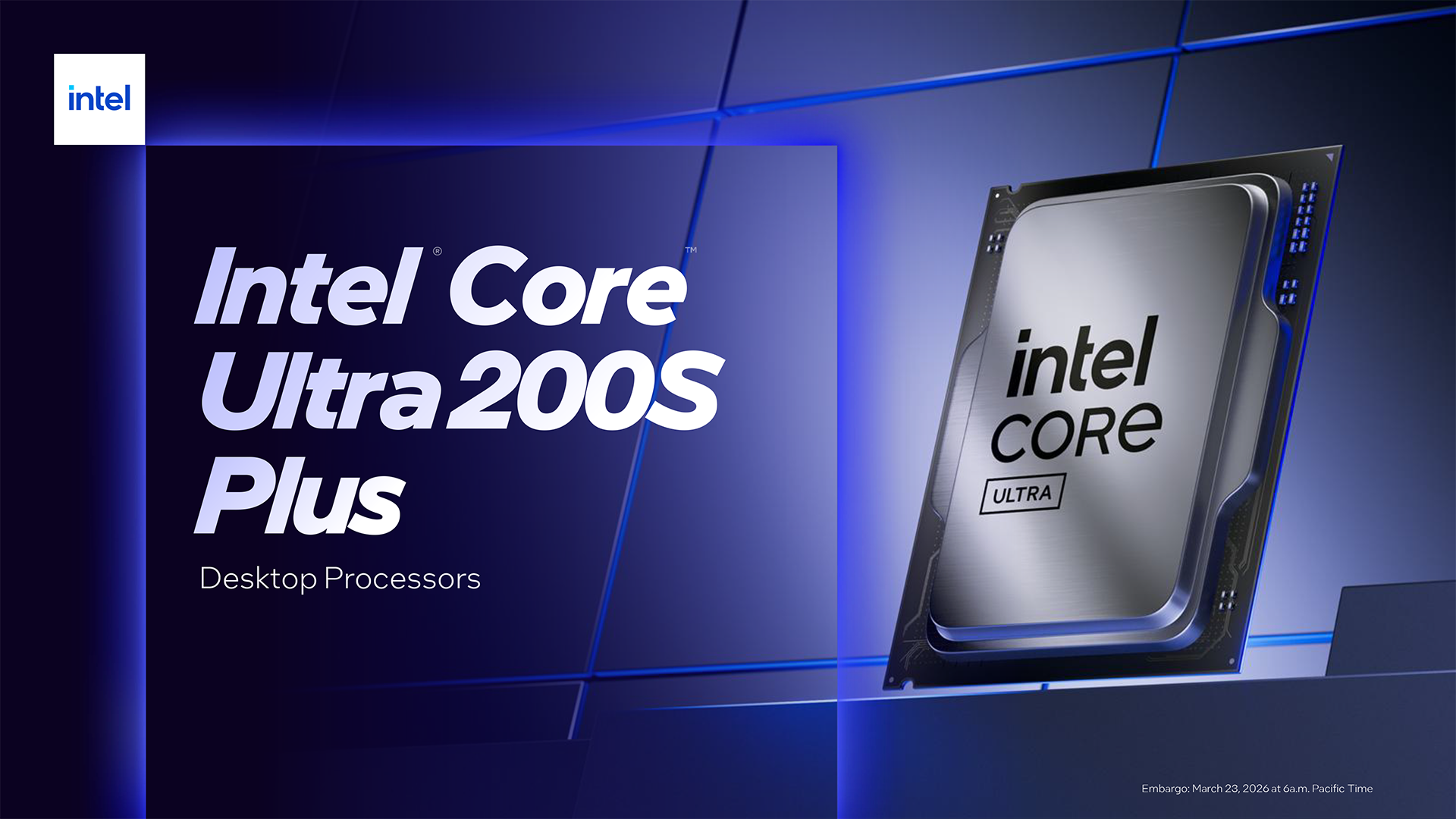
While we were working on our reviews of the Core Ultra 200S Plus CPUs we were invited to interview Robert Hallock and Erin Maiorino, Director of CPU Technical Marketing in Client Computing Group. At this stage we knew the new CPUs were good, however our reviews hadn't been published so we took the opportunity to dig into some of the more unusual technical aspects of the CPUs.

We also figured it was a good time to ask Intel what went wrong with the original launch of Core Ultra 200S and to gently quiz them about the next generation CPU which is code named Nova Lake.

KitGuru says: Intel Core Ultra 200S Plus has delivered excellent results and today we learn why it took so long to finally come good.

The post Interview: Intel’s Robert Hallock divulges the future beyond Core Ultra 200S Plus first appeared on KitGuru.

Intel Core Ultra 7 270K Plus Review: MUCH better than we hoped

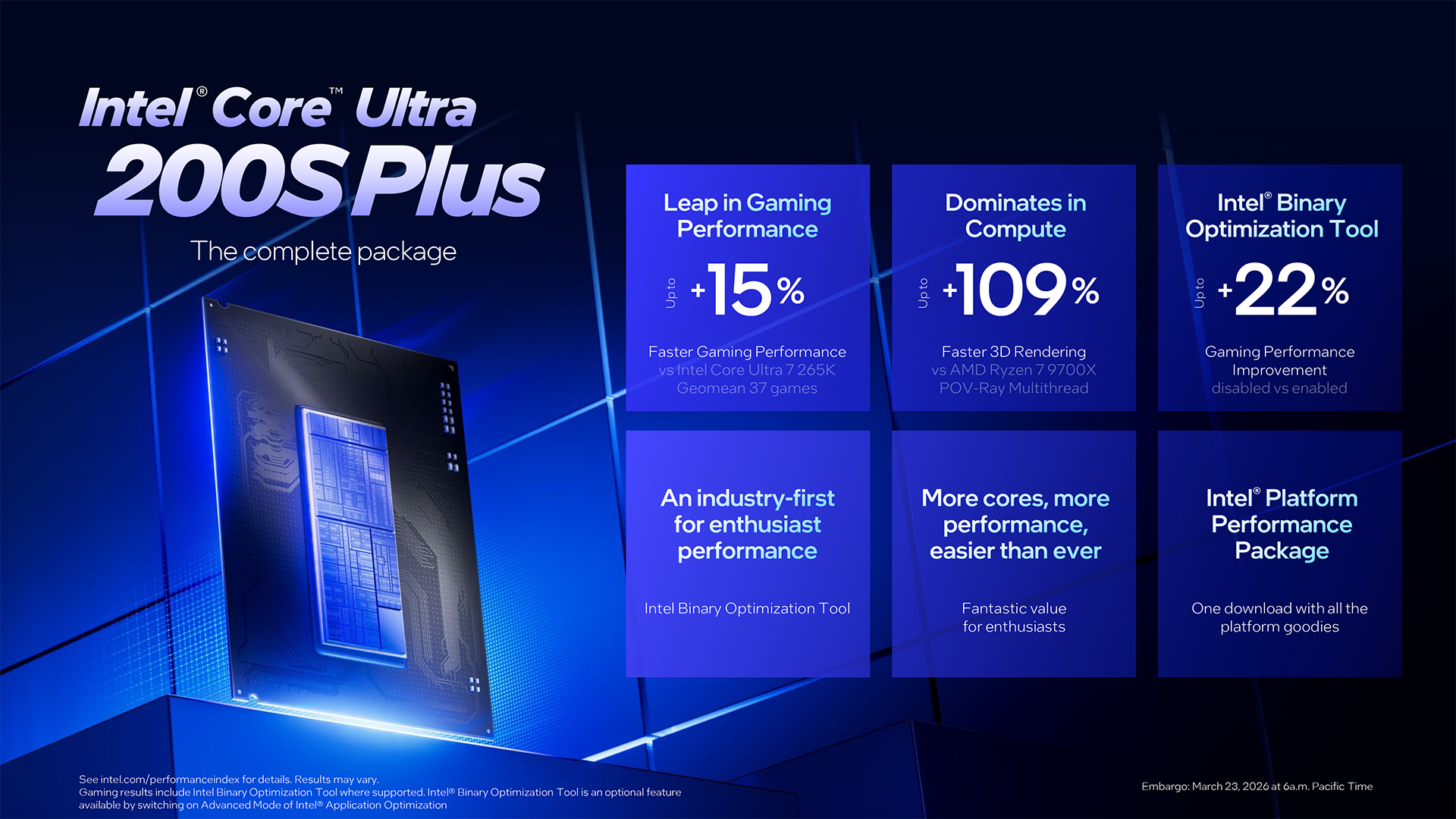
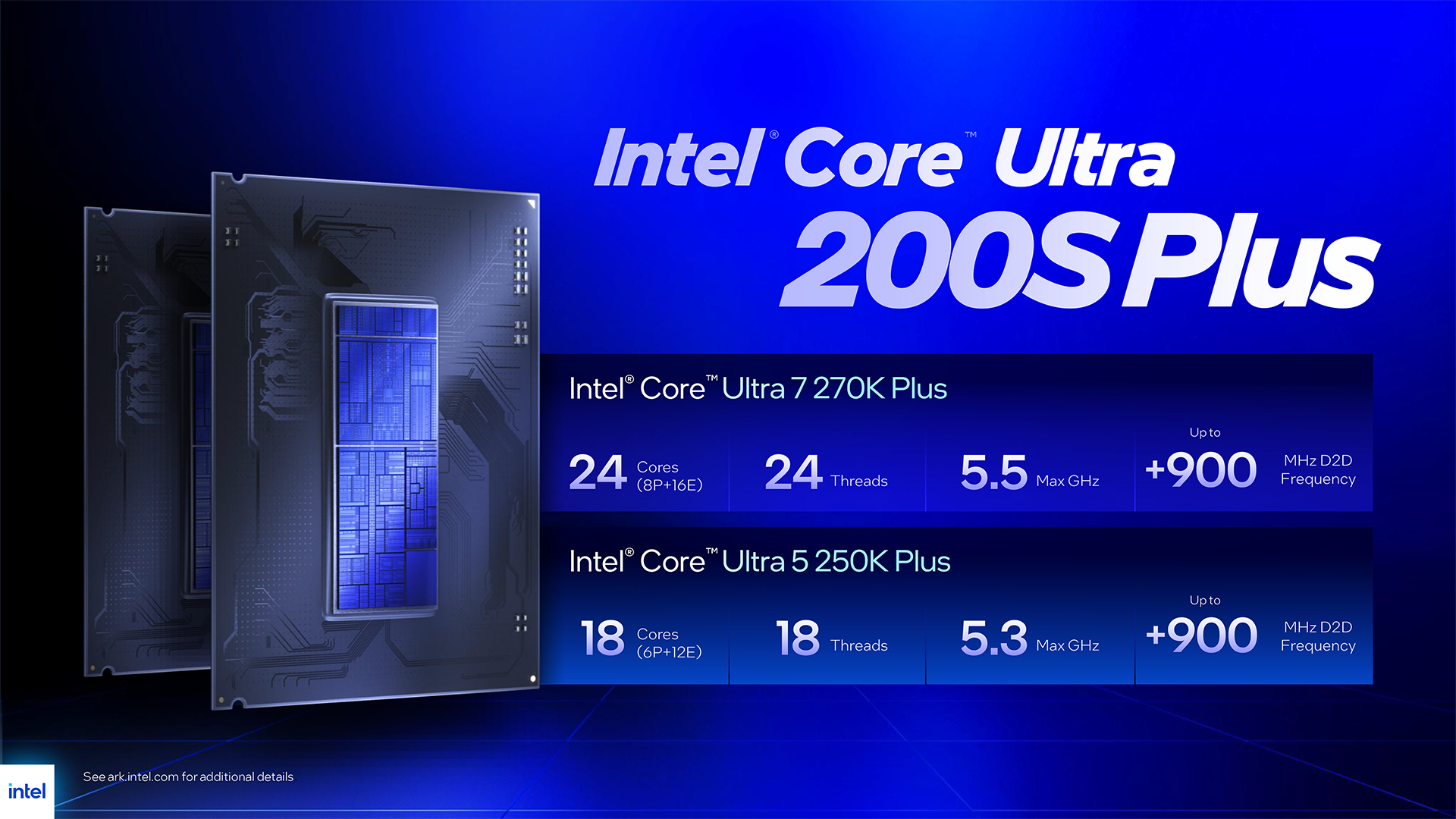
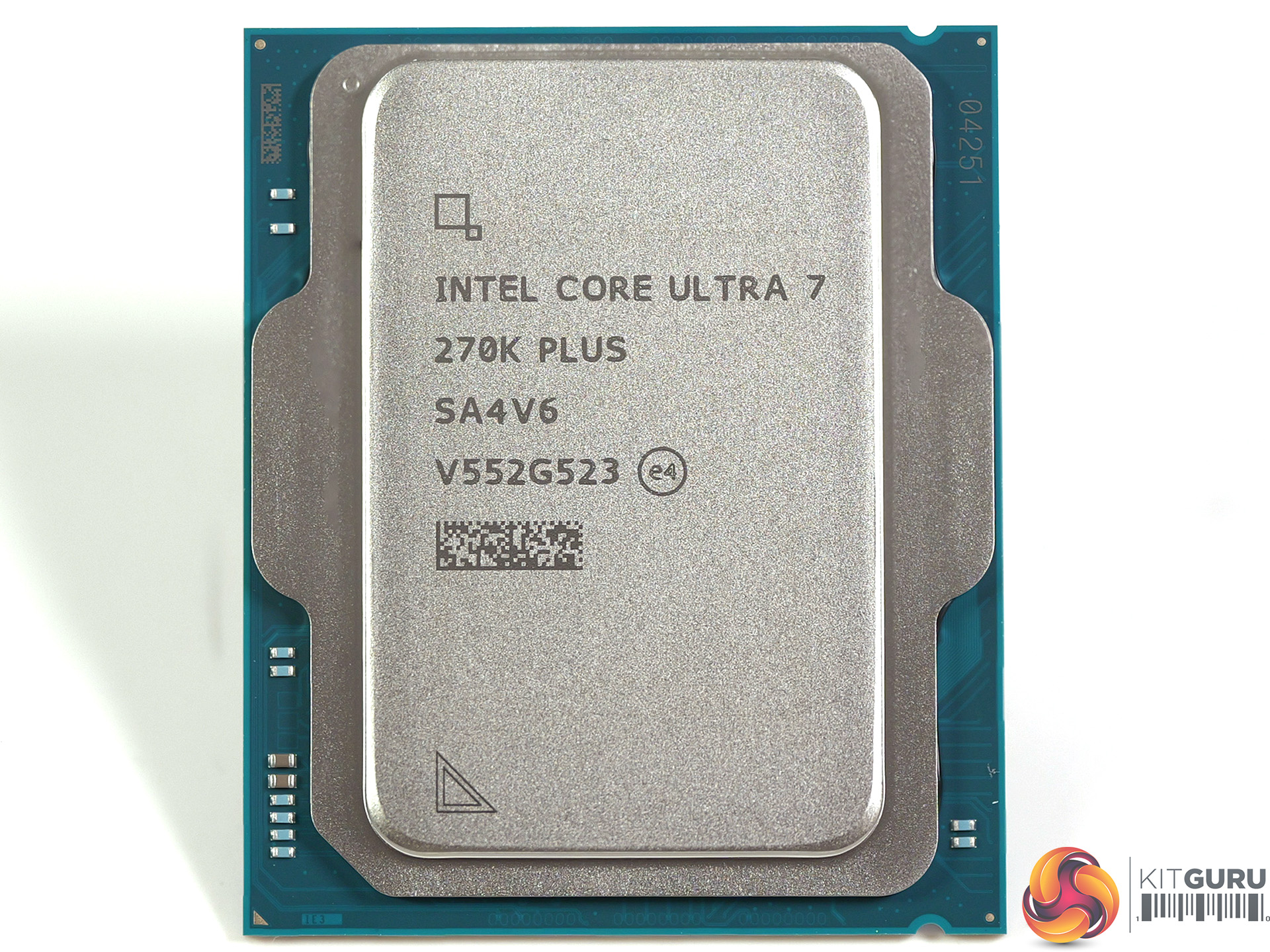
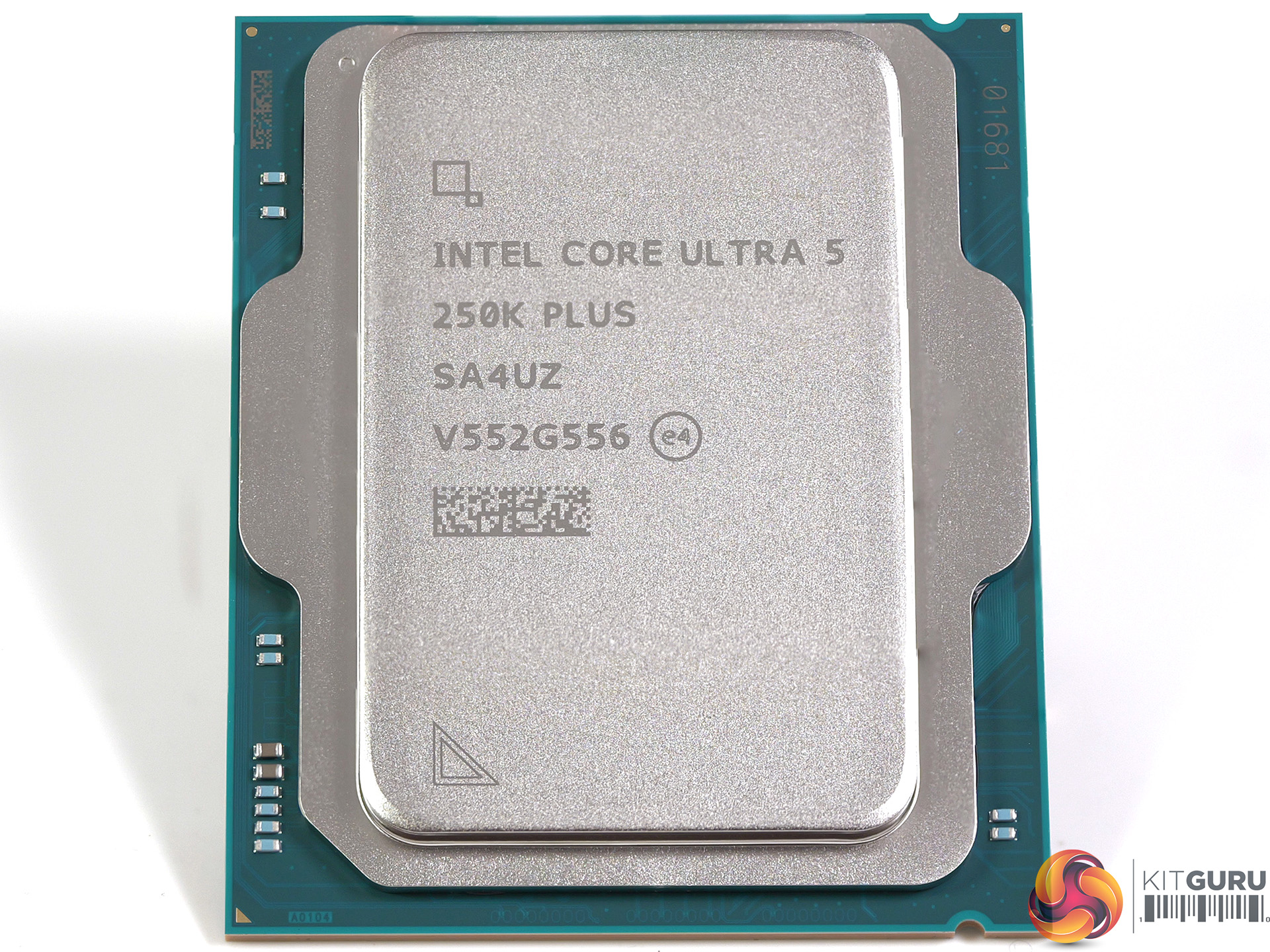
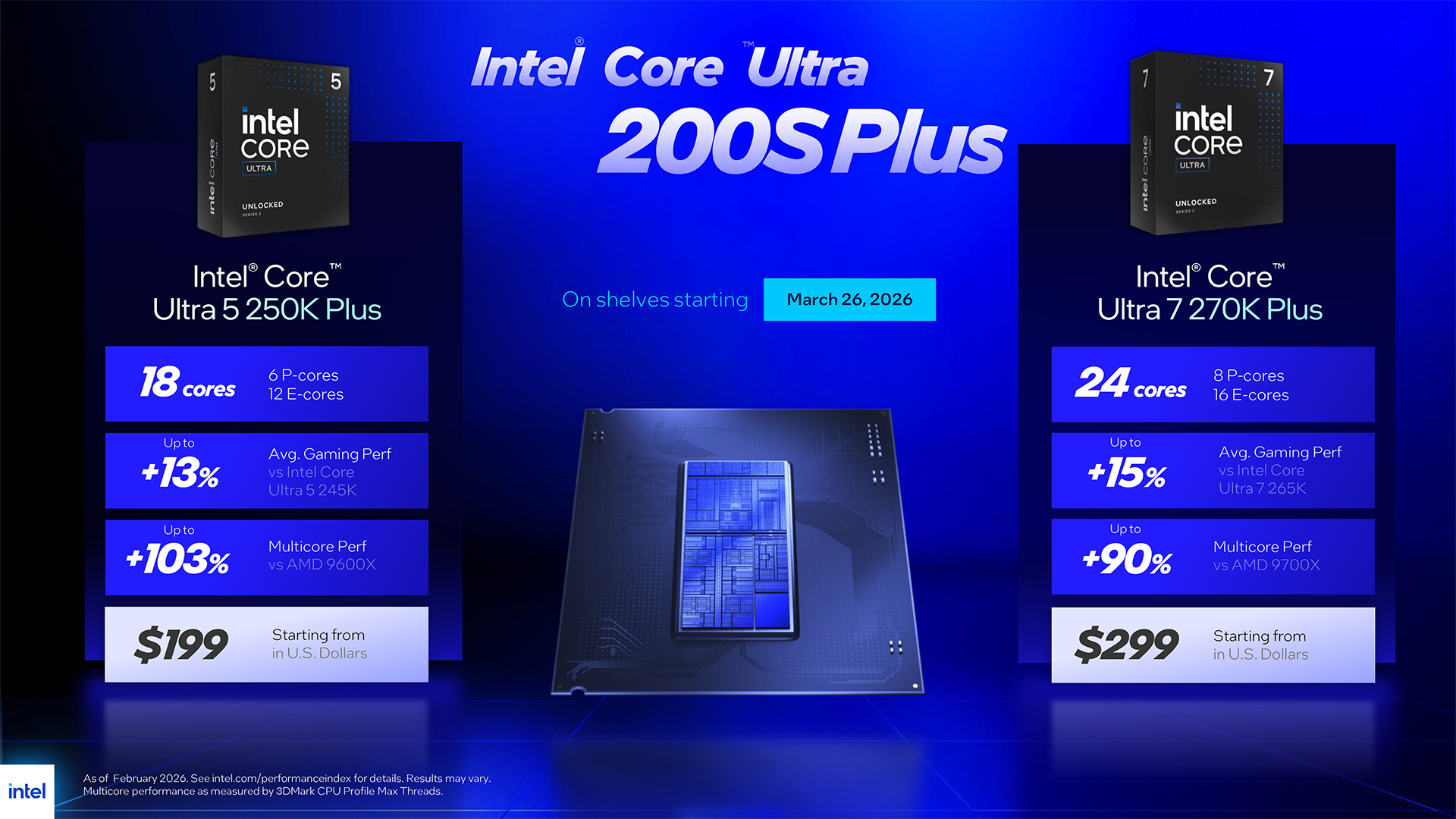
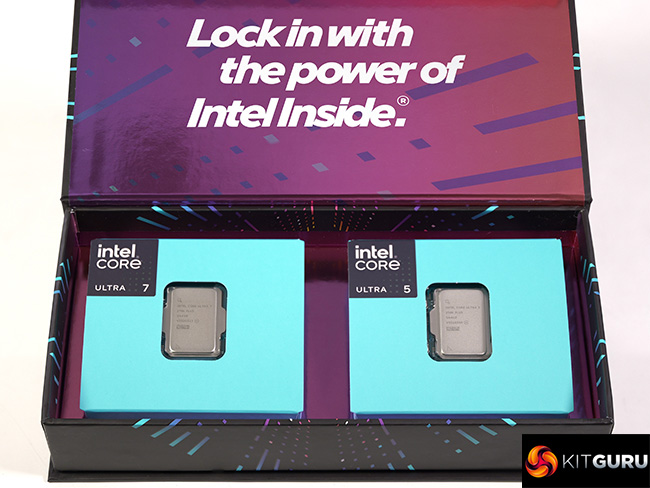
Intel Arrow Lake launched late in 2024 and landed with a dull thump of disappointment. After some serious rework by Intel, the processors moved from ‘awful' to ‘interesting' but today's launch of the Core Ultra 5 250K Plus and Core Ultra 7 270K Plus shows us just what we missed out on during 2025. These new processors offer both performance and good value for money and come as a breath of fresh air.

Timestamps
00:00 start
01:07 A brief recap
02:00 Leo talks to Intel
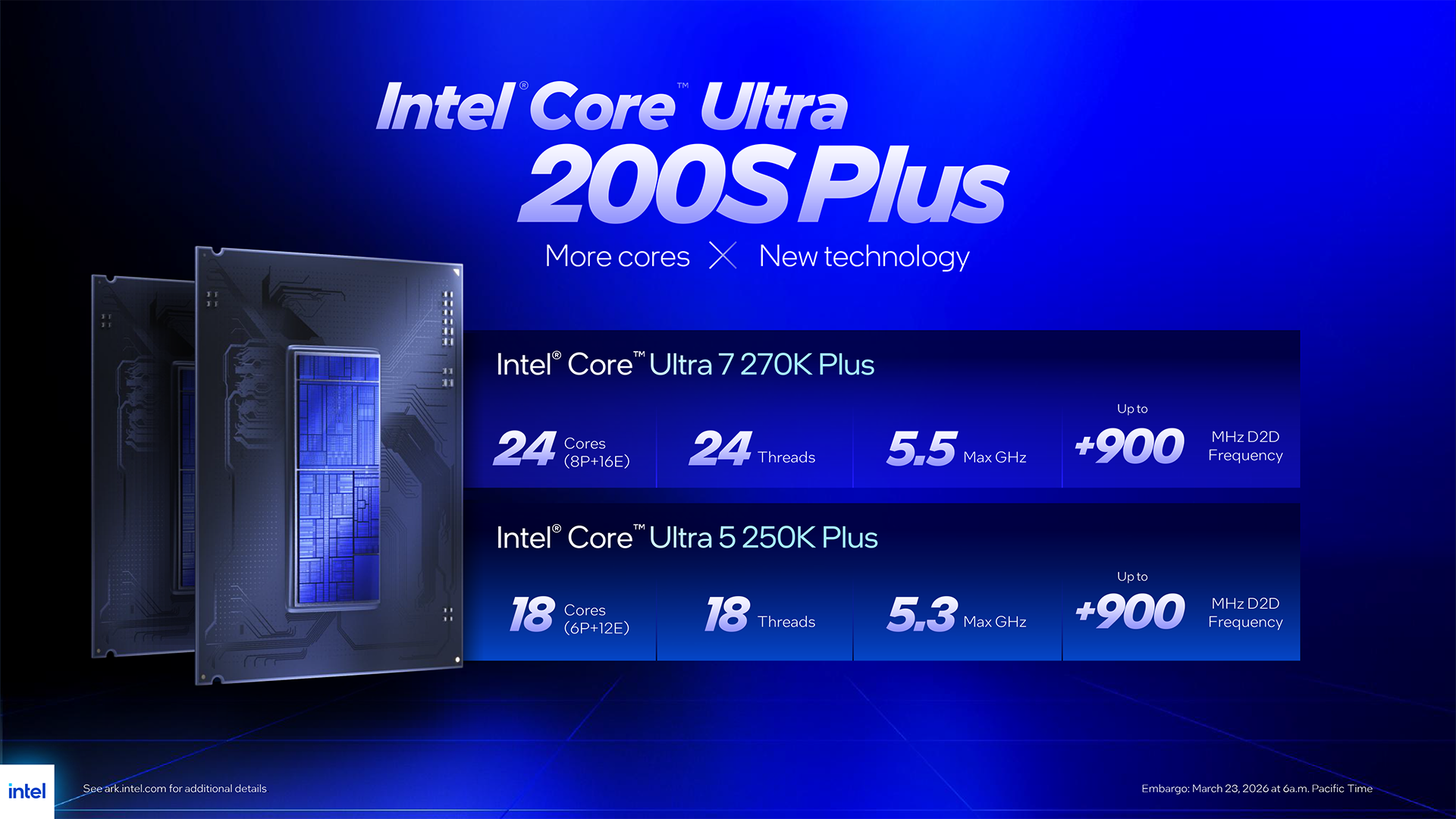
03:48 The Processors
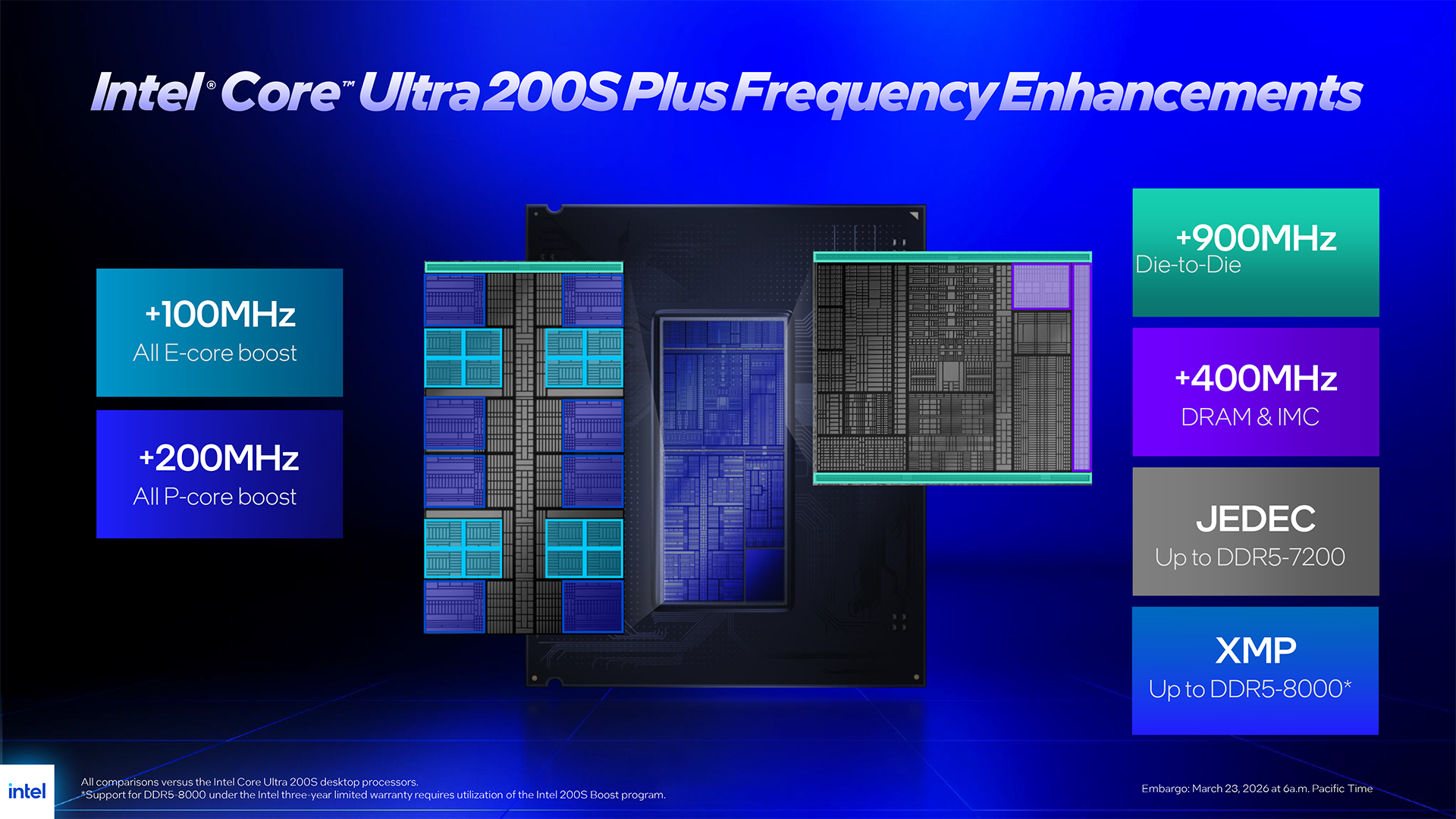
06:56 Changes
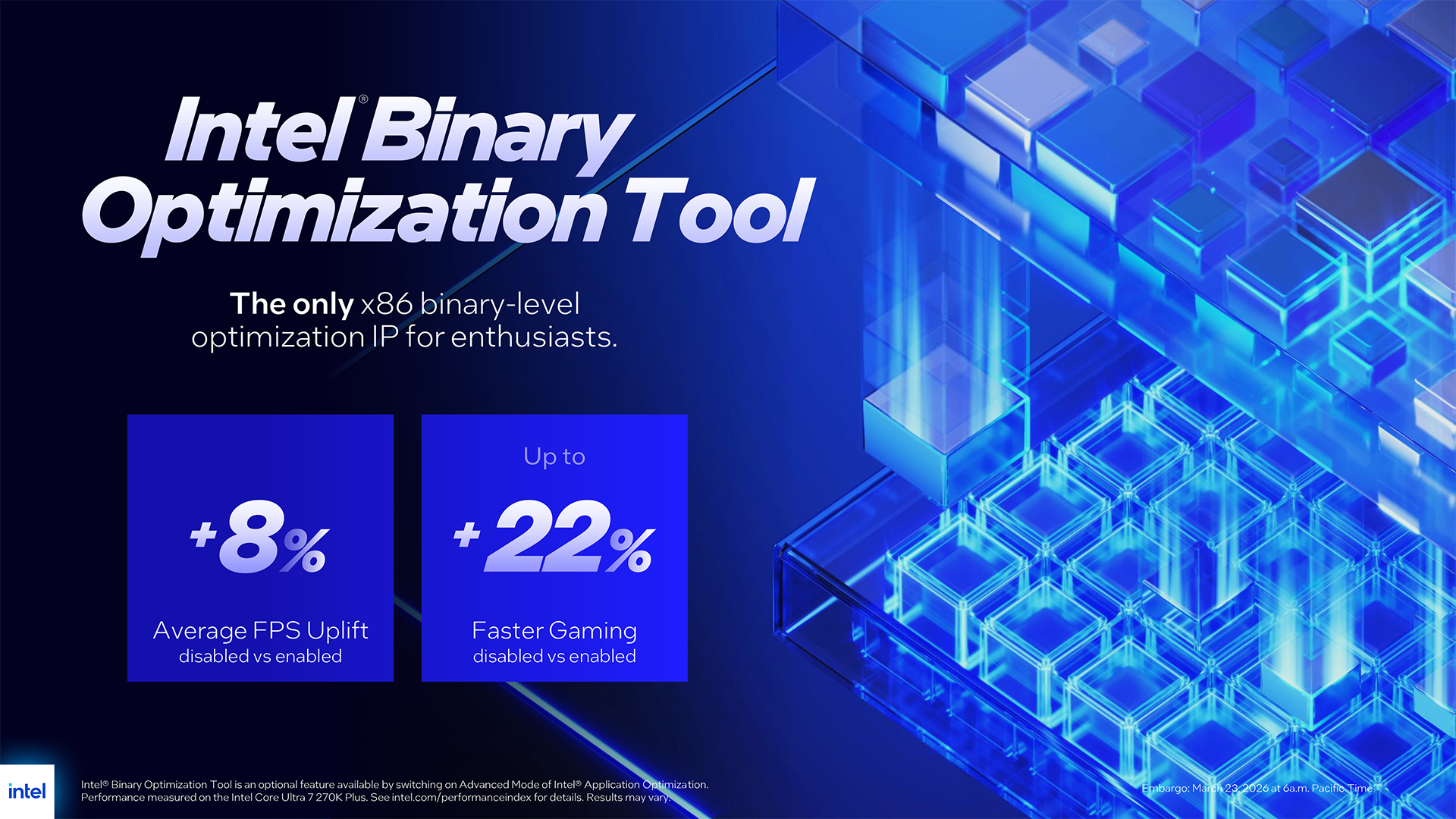
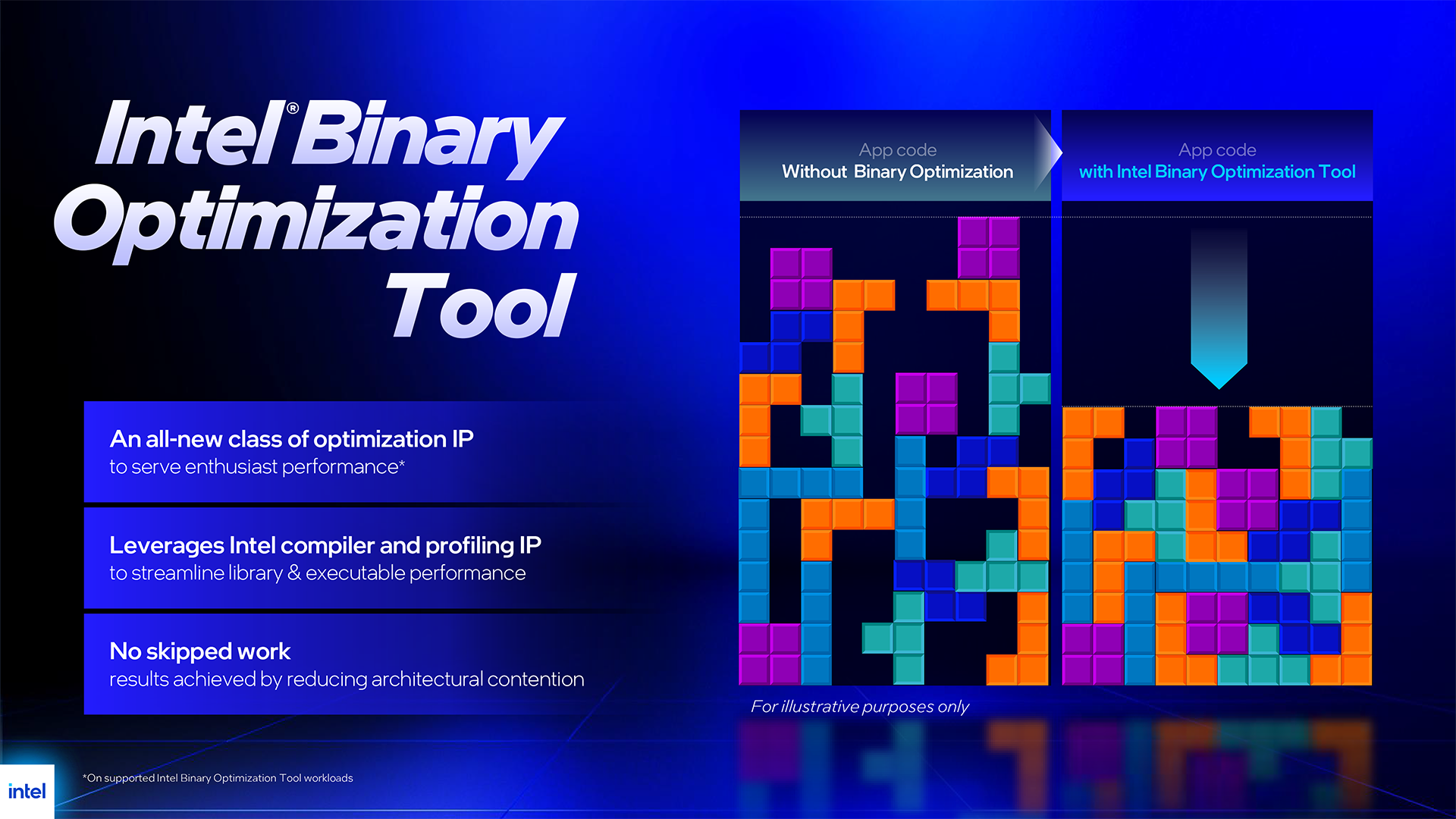
07:23 Intel Binary Optimisation Tool
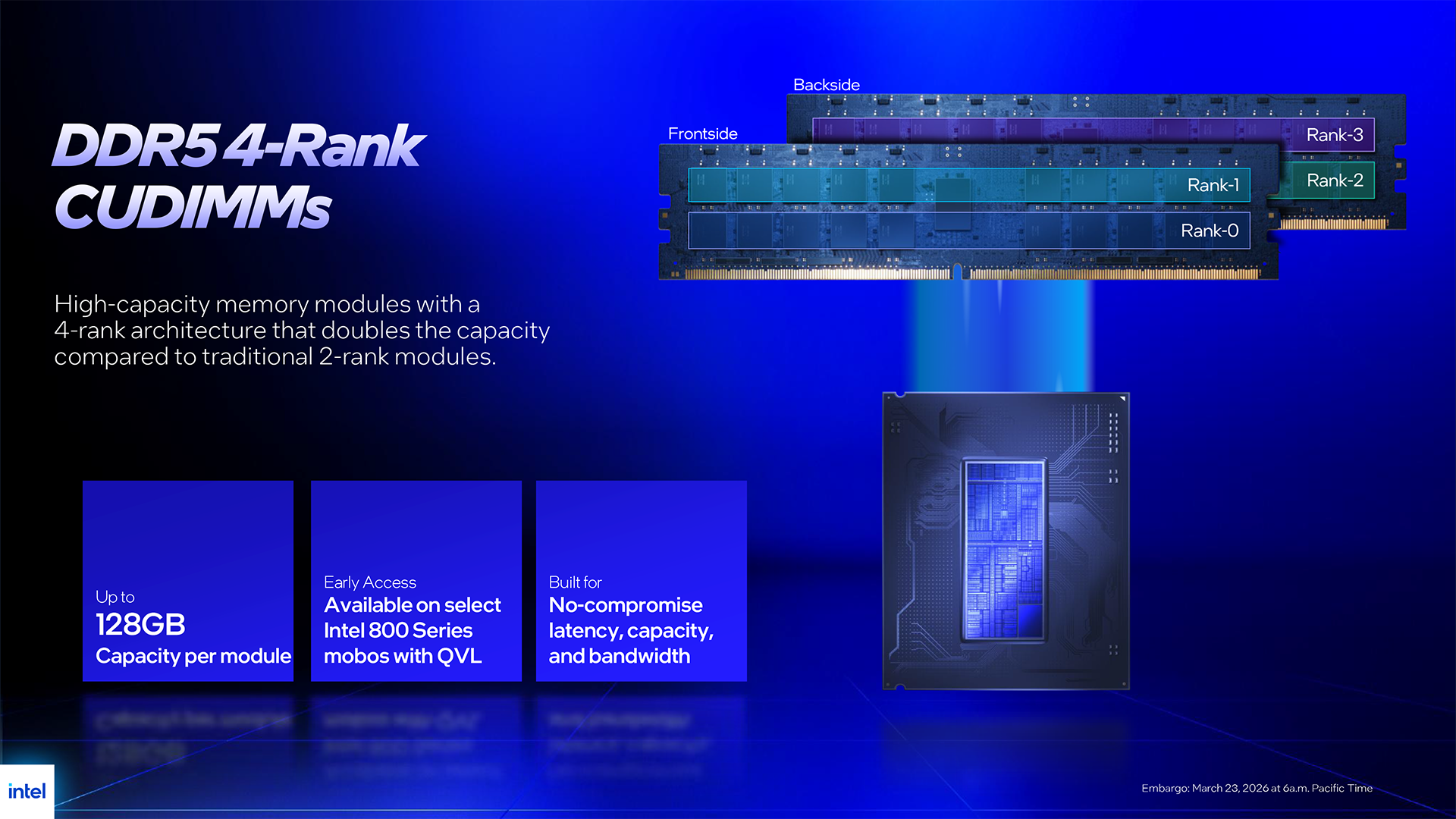
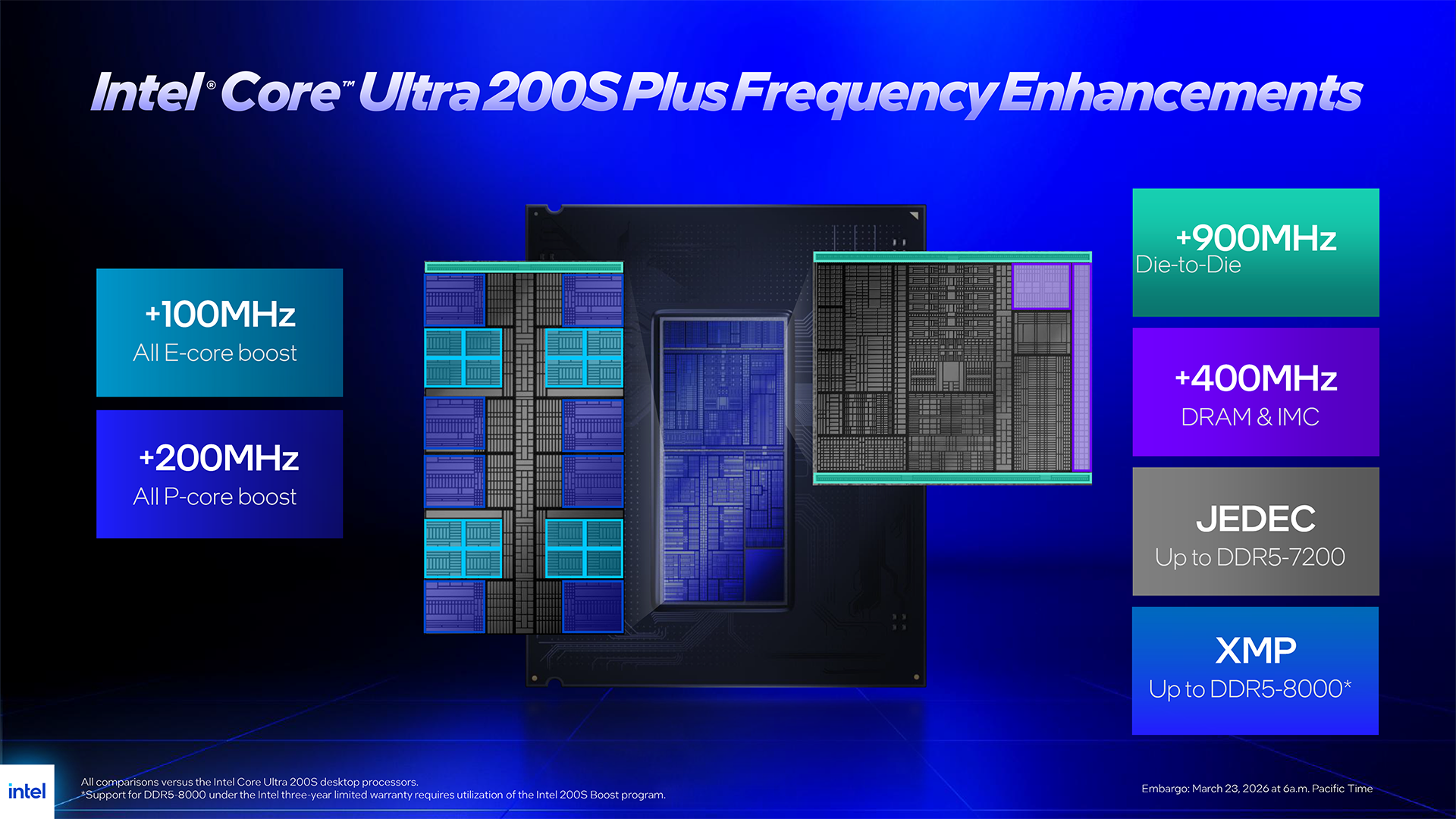
08:25 Memory support
10:03 Hardware setup
11:02 Some quick runs
12:10 Geekbench 6.6 Multi Core
13:14 Geekbench 6.6 Single Core
13:42 Cinebench Multi Core
14:02 7-Zip V26 Benchmark
14:43 AIDA 64 Memory Bandwidth
15:02 Far Cry 6 (1080p)
15:39 Far Cry 6 (1440p)
16:01 Assassins Creed Mirage (1080p)
16:40 Assassins Creed Mirage (1440p)
16:55 Cyberpunk 2077 (1080p)
17:17 Cyberpunk 2077 (1440p)
17:47 Total War Pharaoh (1080p)
18:32 Total War Pharaoh (1440p)
19:02 Pricing

Testing and Performance

Test systems
CPUs: Intel Core Ultra 200S
RAM: 32GB G.Skill Trident Z5 RGB DDR5-7200 C34
Motherboard: MSI MAG Z890 Tomahawk WiFi II

CPU: Intel Core i9-14900K
RAM: 32GB Corsair Dominator Platinum RGB DDR5-7000 C34
Motherboard: Gigabyte Z790 Aorus Elite AX

CPUs: AMD Ryzen 9000
RAM: 32GB G.Skill Trident Z5 Royal Neo DDR5-8000 C38
Motherboard: ASRock X870E Taichi

Common components:
CPU cooler: Phanteks Glacier One 360
Graphics: MSI RTX 4090 Ventus 3X 24GB
SSD: Crucial T700 Gen 5 M.2 NVMe
Power Supply: Antec Signature 2200 Platinum

Geekbench 6.6 Multi Core

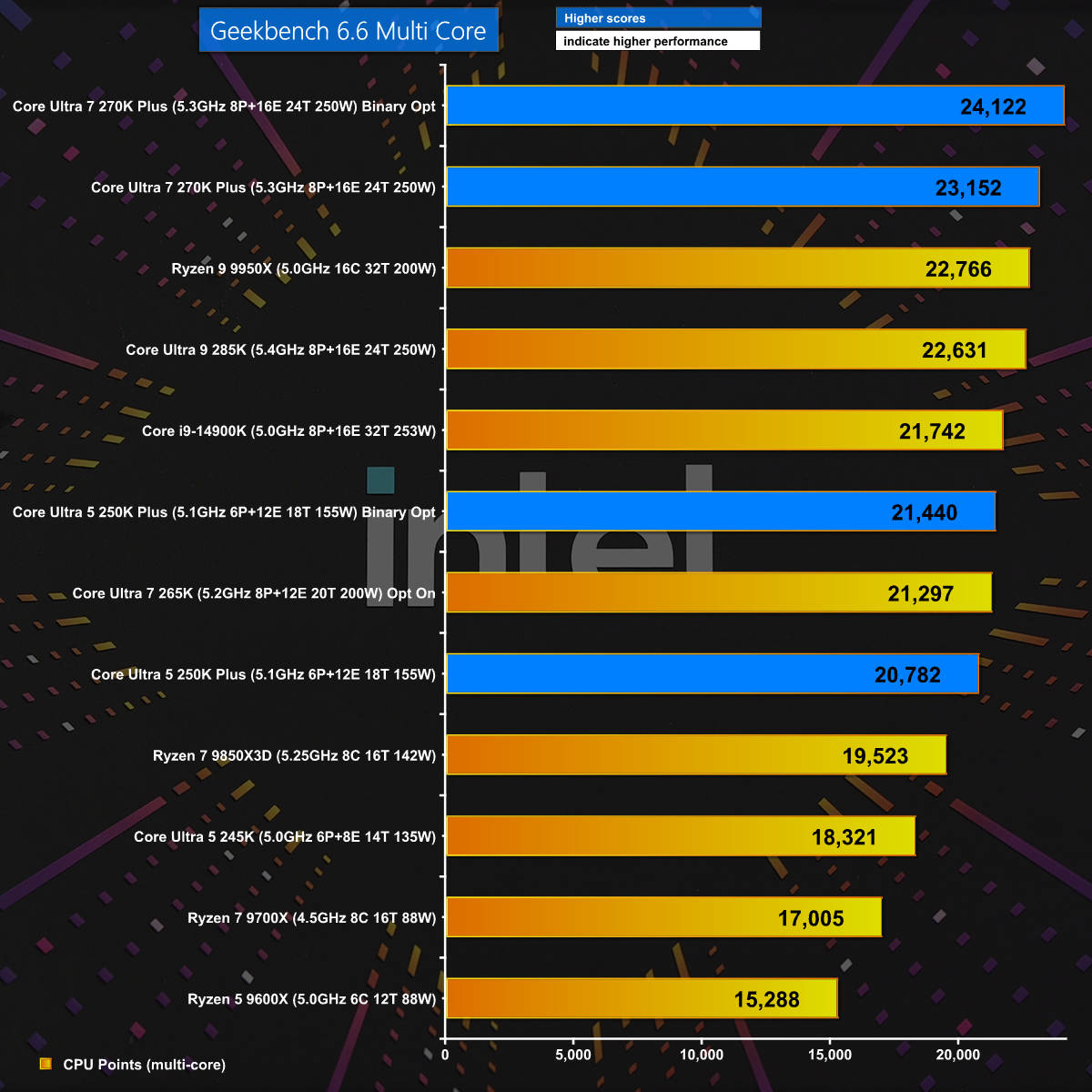
In Geekbench 6.6 Multi Core we get a welcome surprise with the Core Ultra 7 270K Plus beating every other CPU. In addition we see a healthy boost when we engage Binary Optimisation and this gives us hope the new Intel Plus CPUs will deliver the goods.

7-Zip v26

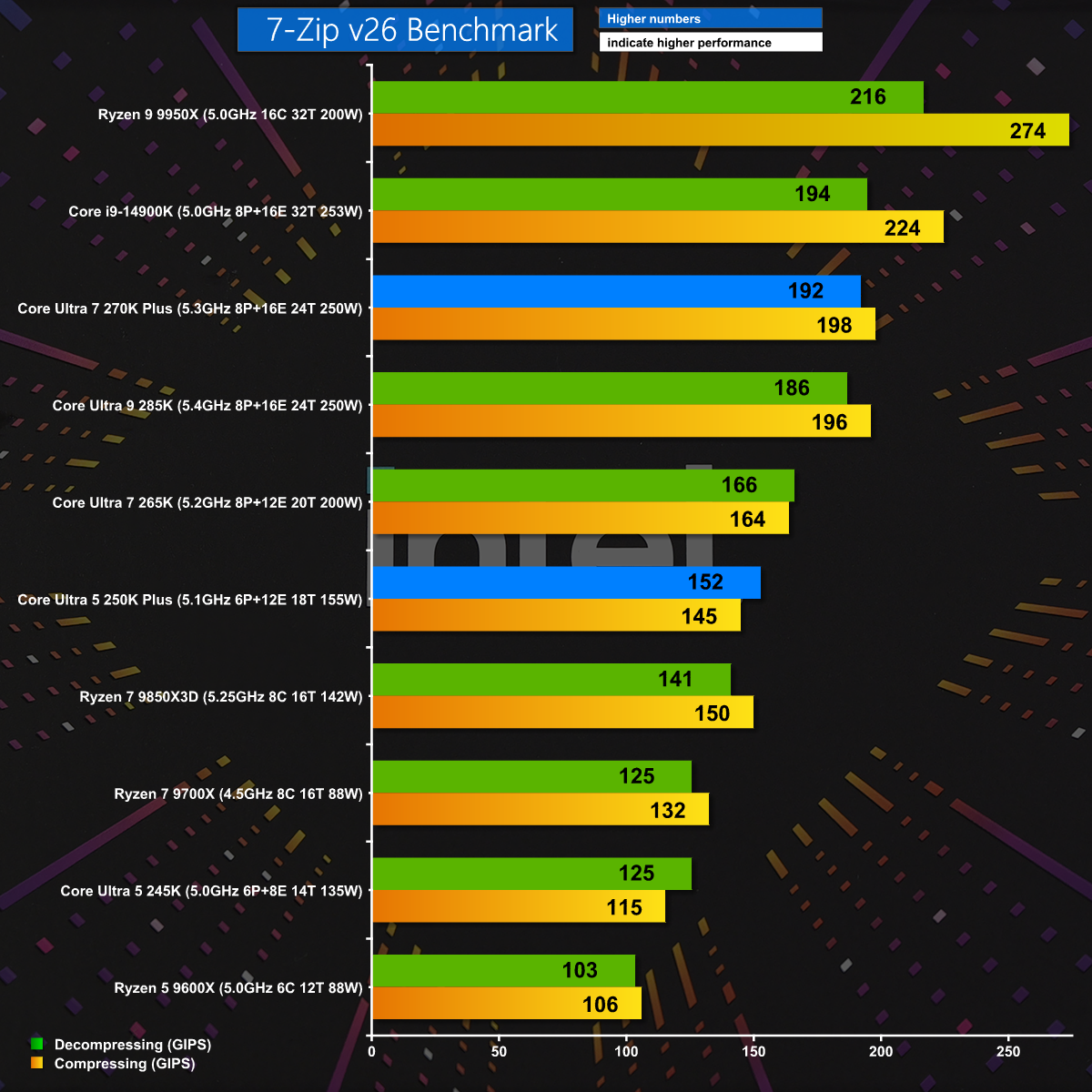
7-Zip v26 is a test of pure CPU grunt and naturally we see the Ryzen 9 9950X leap to the top of the chart. Even so, the new Core Ultra 7 270K Plus does very well and the Core Ultra 5 250K Plus also puts in a good showing.

Far Cry 6 1080p

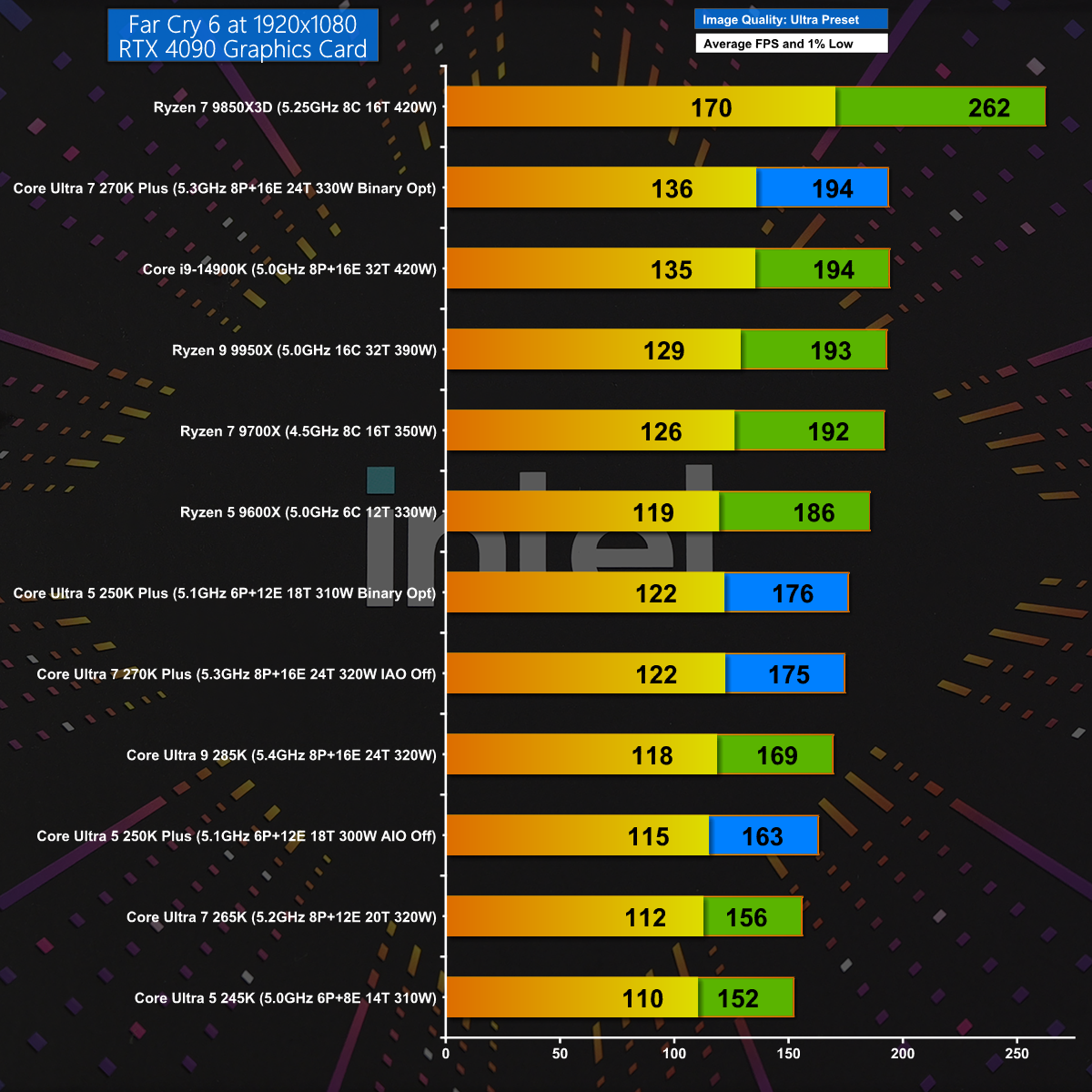
In Far Cry 6 at 1080p with the Ultra Preset we see Intel improving on their previous results by about 30fps. AMD wins this gaming test with their mighty Ryzen 7 9850X3D, but there is no doubt that Intel has made some serious improvements with Plus.

Cyberpunk 2077 1440p

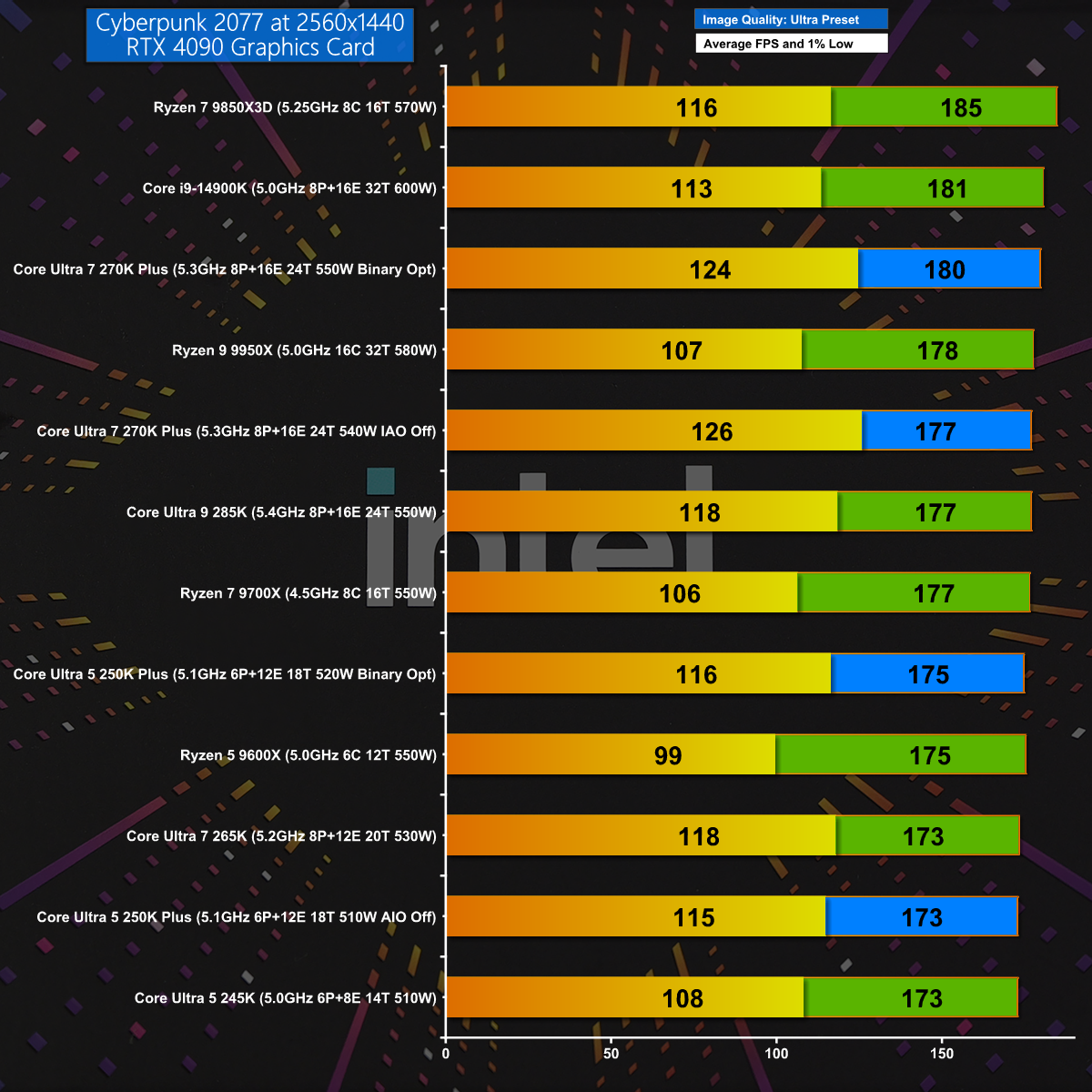
Cyberpunk 2077 at 1440p is a sterner gaming test but once again the Core Ultra 7 270K Plus does well and matches the previous Intel champion, the Core i9-14900K. Having said that, AMD still takes the top honours with the Ryzen 7 9850X3D.

Closing Thoughts

When we first reviewed Intel's Core Ultra 200S processors we wrote off the Core Ultra 9 285K for being too expensive and the Core Ultra 5 245K for being unimpressive. We grudgingly gave the Core Ultra 7 265K the nod as the least bad CPU of the bunch. Over time we have seen the prices drift downwards but our views remained unchanged until today's launch of these Plus CPUs.

We are impressed with the budget Core Ultra 5 250K Plus which kicks the AMD Ryzen 5 9600X all over the shop. The star of the show is the Core Ultra 7 270K Plus which is clearly a new and improved Core Ultra 9 285K that has been delivered at a much lower price and is very, very good. The only obvious downside is that you have to select this one specific Intel CPU as an alternative to a choice from an entire family of AMD Zen 5 CPUs.

Core Ultra 7 270K Plus will be £299.99 inc VAT. Core Ultra 5 250K Plus will be £209.99 inc VAT.

Pros:

  • The two Plus CPUs deliver a welcome boost to performance.
  • Core Ultra 7 Plus replaces Core Ultra 9 and offers excellent value.
  • Software installation is incredibly straightforward.

Cons:

  • LGA1851 motherboards have no upgrade path after Core Ultra 200S.
  • Intel has nothing to offer that can compete with Ryzen 3D.
  • Intel Application and Binary Optimisation are unpredictable.

KitGuru says: Intel has done a superb job with their new CPUs and the Core Ultra 7 270K Plus comes as a welcome relief in these gloomy times.

Core Ultra 7 270K Plus:

Rating: 8.5.

Core Ultra 5 250K Plus:

Rating: 8.

The post Intel Core Ultra 7 270K Plus Review: MUCH better than we hoped first appeared on KitGuru.

Montech Sky 3 – Loads of RGB and some clever stuff, plus a problem

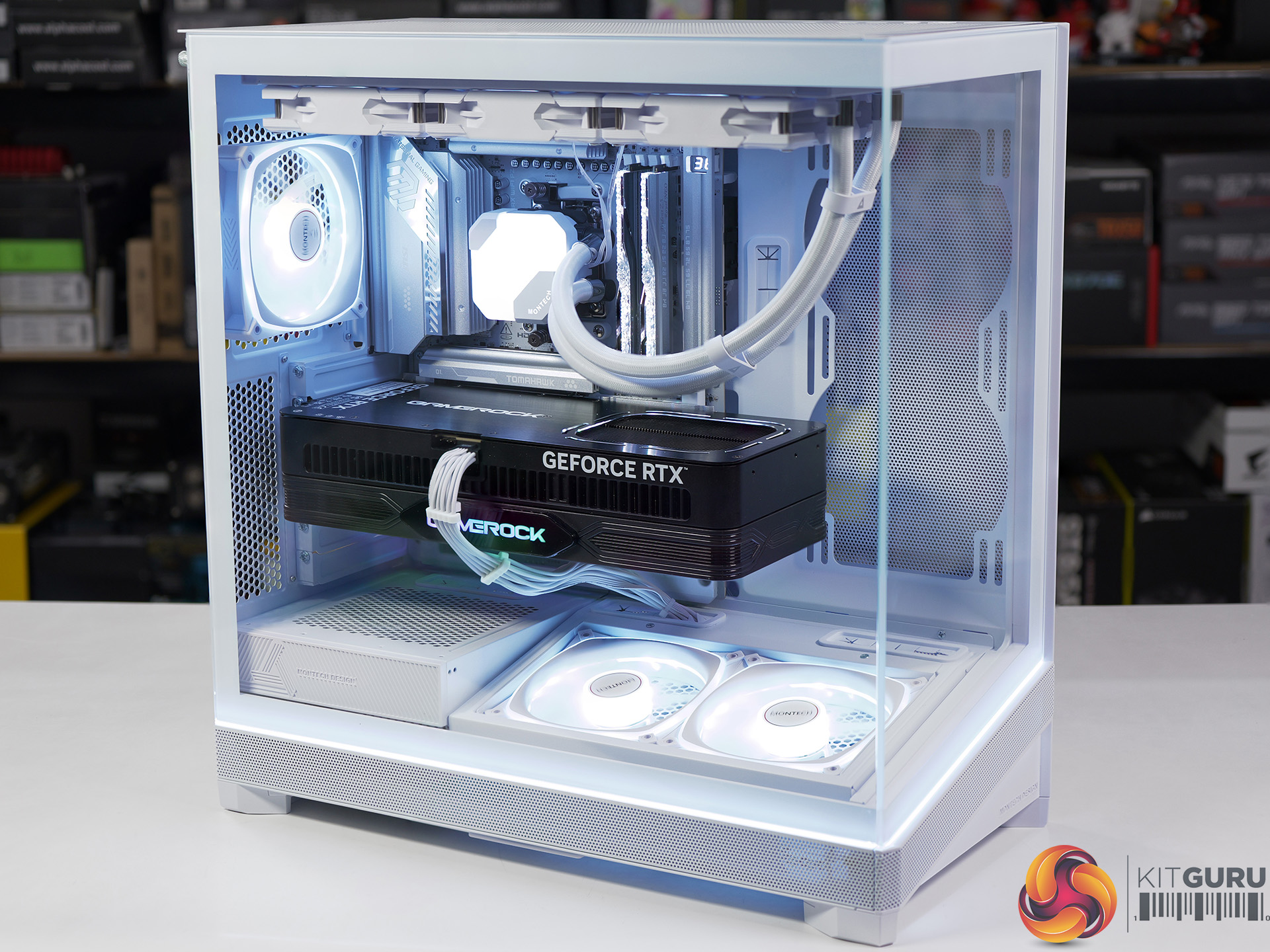
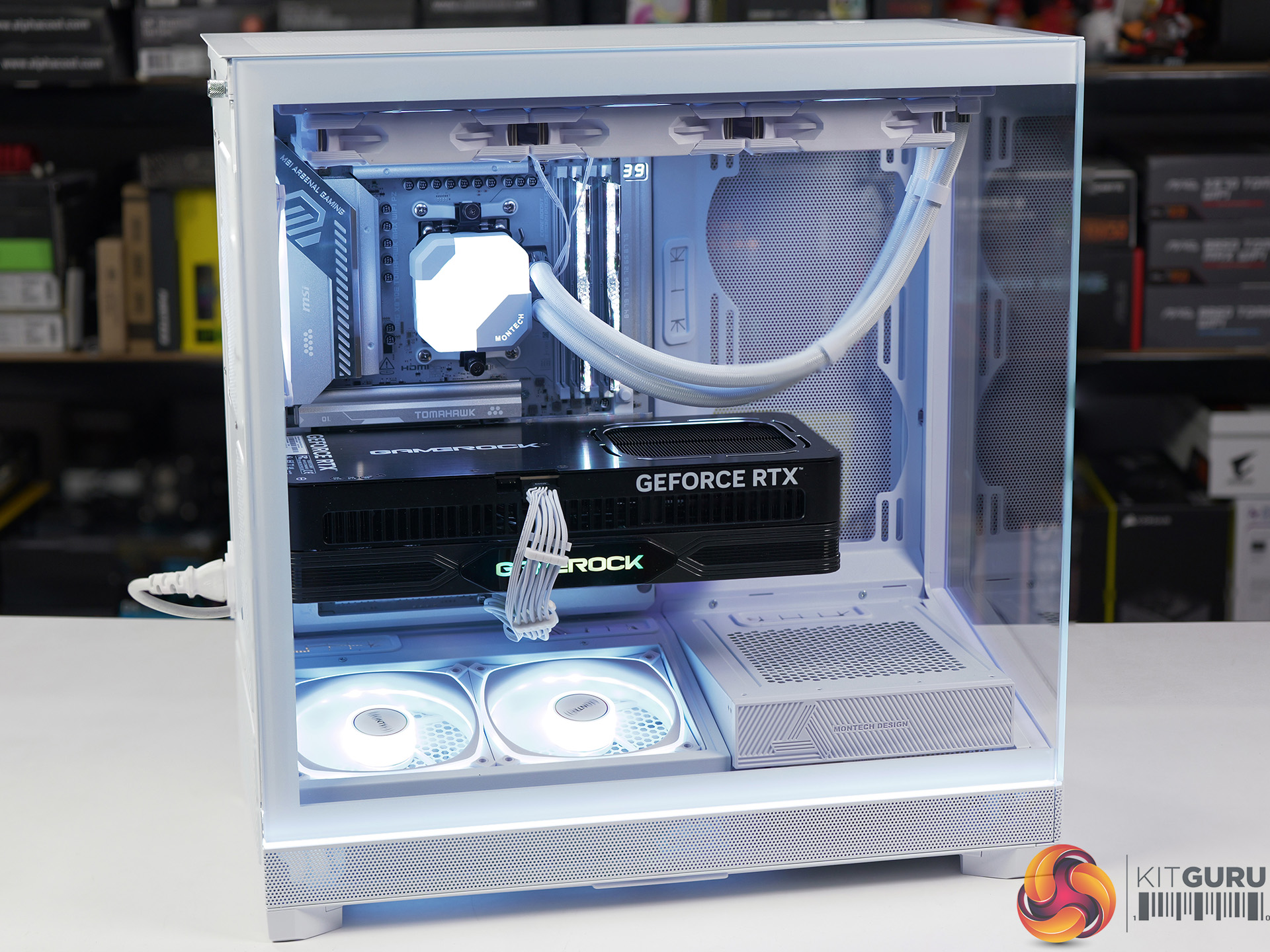
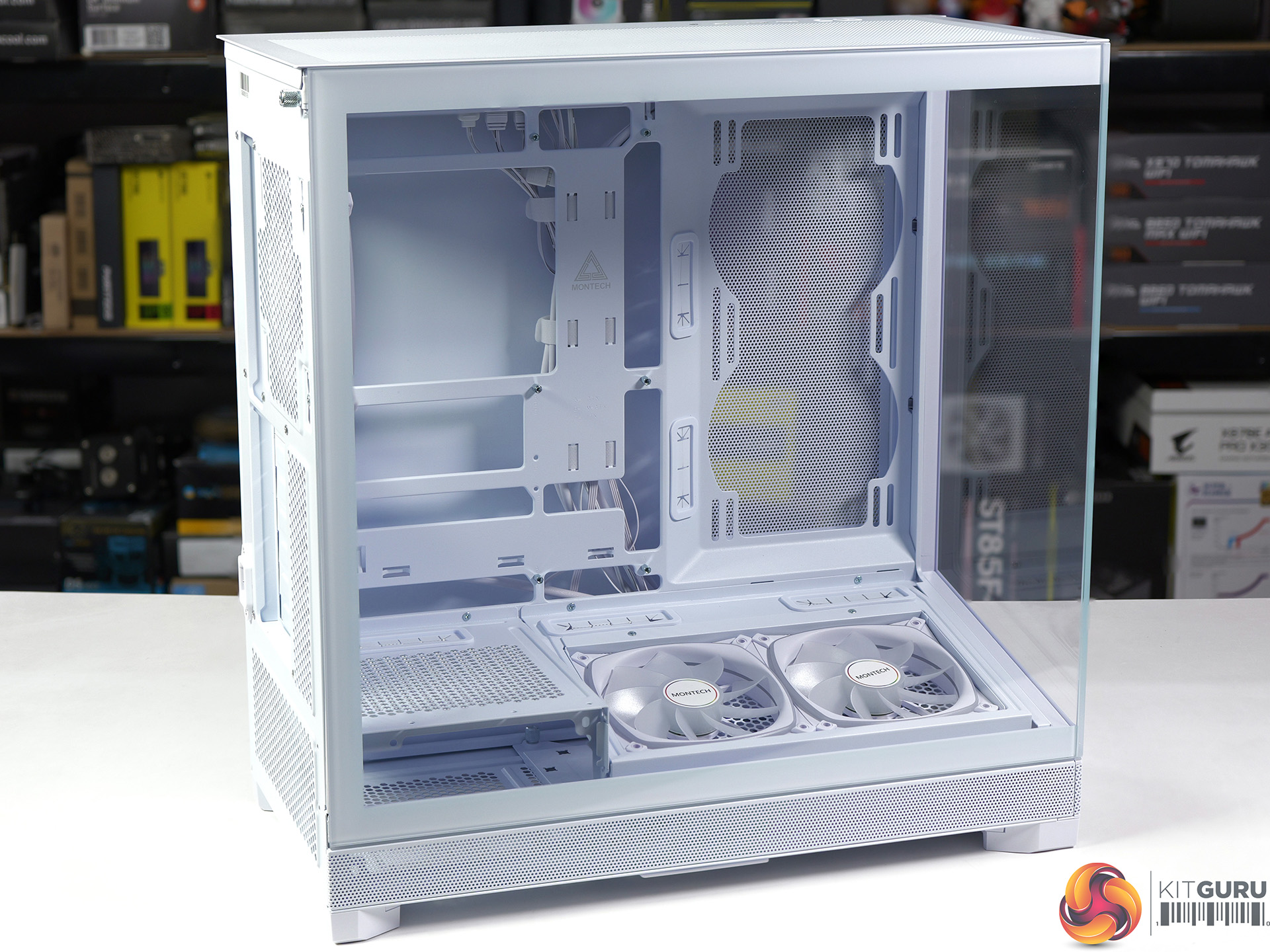
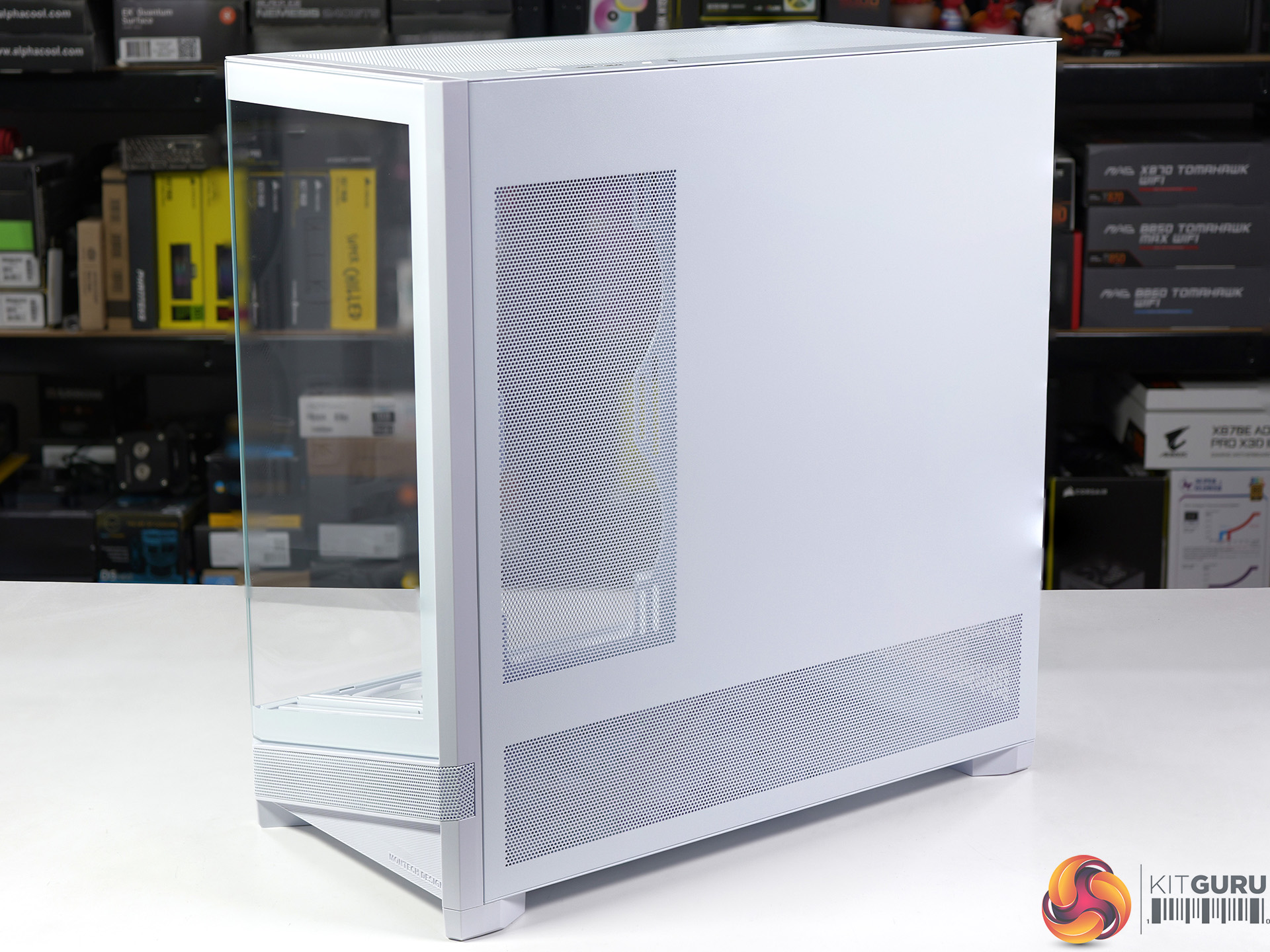
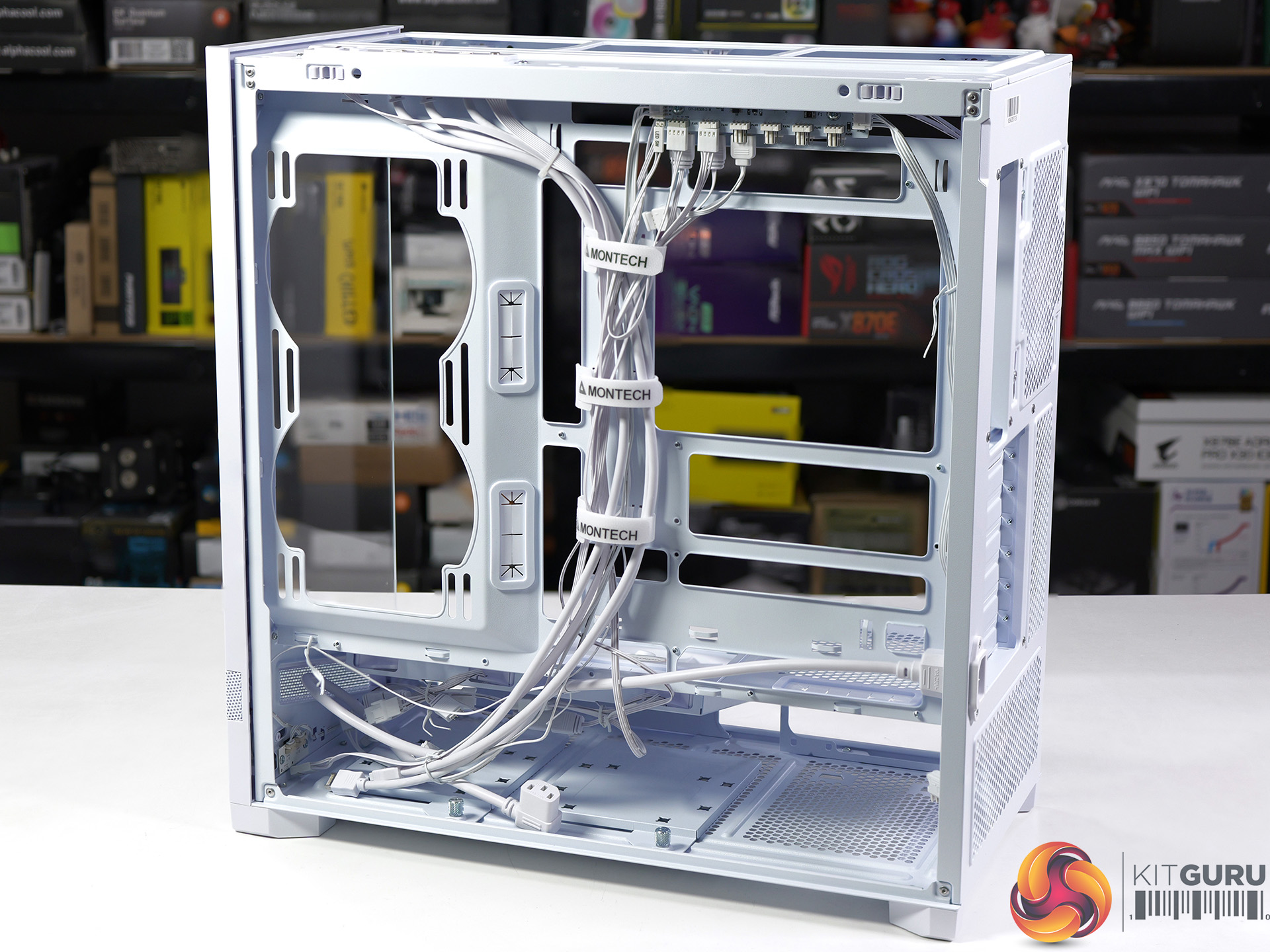
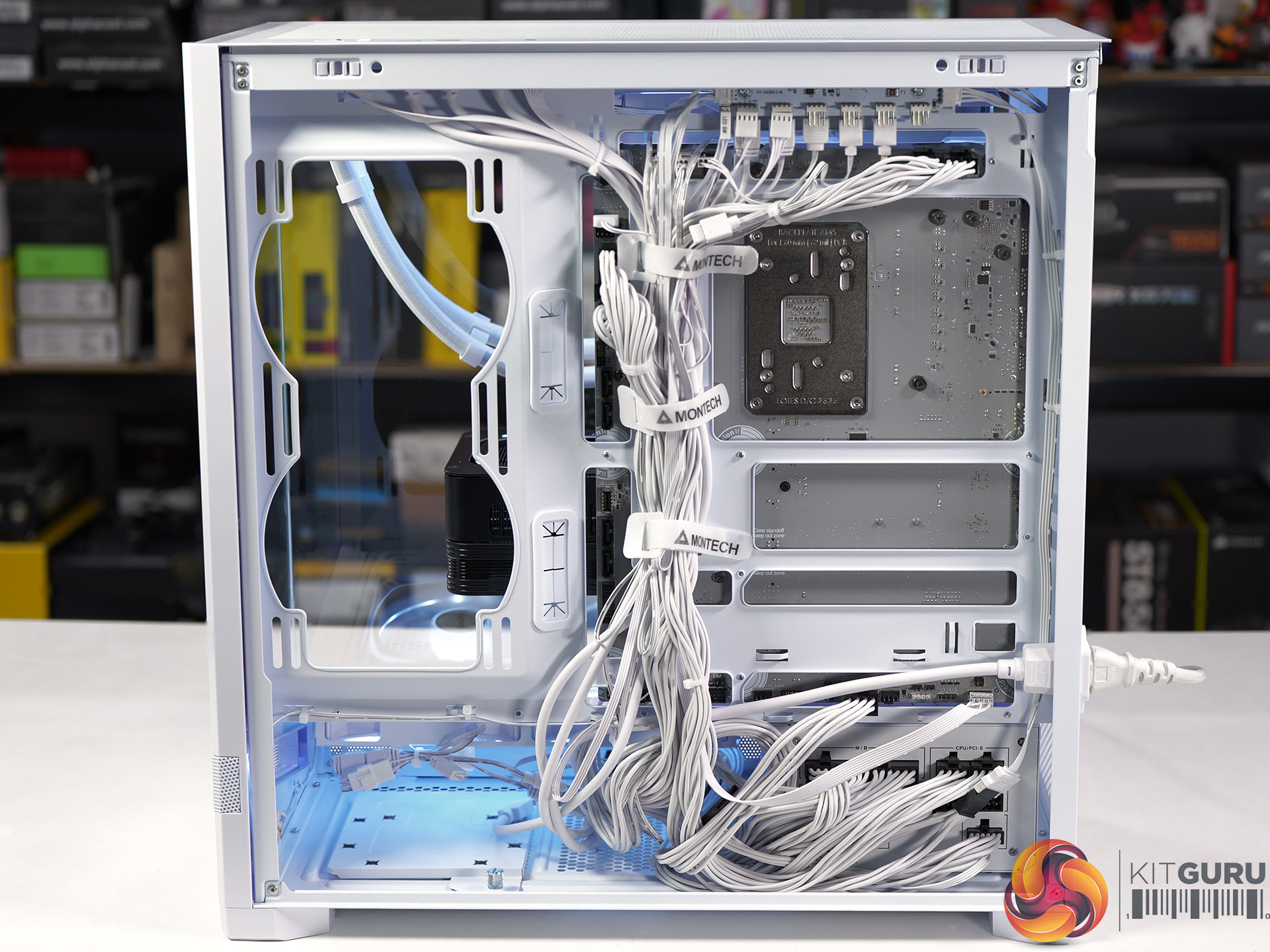
We saw the Montech Sky 3 Glass at Computex 2025 however it has taken nine months for the case to finally launch. There have been a few changes along the way and the ‘Glass' part of the name has been ditched so perhaps we will never see the promised Mesh version. Regardless, this is an interesting compact ATX case that is packed with features and comes at a budget price.

Main features

  • Adaptive Modular Bottom Chamber
  • Detachable Top Radiator Bracket
  • Seamless Horizon Lighting
  • Future-Proof Graphics Compatibility
  • Back-Connect Ready
  • Integrated AX & RX120 PRO Airflow System

Specification:
Motherboard support: ATX, Micro-ATX, Mini-ITX (with support for back connections)
Power supply support: ATX.
Expansion slots: 7.
Included fans: 2x 120mm bottom intake RX120 PRO, 1x 120mm rear exhaust AX120 PRO.
Fan mounts: 3x 120mm/2x 140mm roof, 2x 120mm/140mm side, 1x 120mm/140mm rear.
Radiator mounts: 360mm/280mm roof, 240mm/140mm side, 120mm rear.
5.25-inch optical drive bays: None.
Internal drive bays: 2x 3.5-inch/2.5-inch.
Front I/O ports: 2x USB 3.0 Type-A, 1x USB 3.2 Type-C, audio.
Dimensions: 491mm H x 468mm D x 240mm W.

Testing
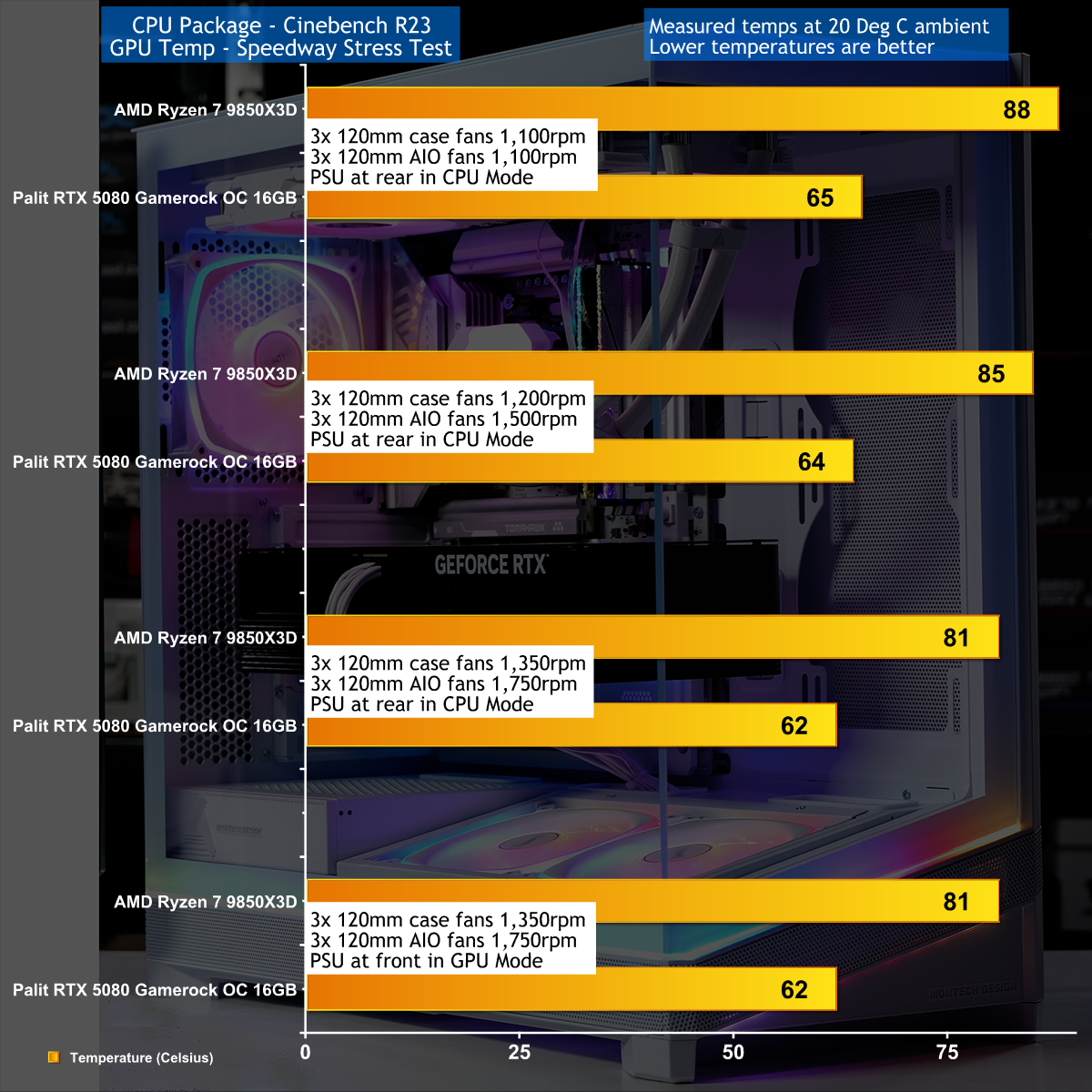
To put this case through its cooling paces we will be using a test system consisting of an AMD Ryzen 7 9850X3D, Palit RTX 5080 and an SSD. This system allows us to produce a substantial amount of heat and effectively test the Montech Sky 3‘s cooling capabilities.

Test System:
Processor: AMD Ryzen 7 9850X3D
CPU Cooler: Montech HyperFlow ARGB 360
Motherboard: MSI MAG X870E Tomahawk WiFi PZ
Memory: 32GB G.Skill TridentZ5 Royal Neo DDR5-8000
Graphics card: Palit GeForce RTX 5080 Gamerock OC 16GB
Power supply: Montech Titan PLA 1000W
SSD: Crucial T700 M.2 NVMe Gen 5
OS: Windows 11

Cooling Performance

Cooling Performance Overview

We stressed the Montech Sky 3 fairly hard and it performed well, although it got notably noisy as the fan speeds increased. If you are thinking about building a PC with an RTX 5090 and a Core i9-14900K we feel the compact nature of the Sky 3 might cause cooling issues, however that is an extreme scenario.

Closing Thoughts

Montech has done a number of things very well with the Sky 3, and the only issues we encountered have fairly simple explanations. This is a compact ATX case with very clean looks that can accommodate a huge graphics card and a 360mm AIO cooler, and it comes at a reasonable price. The RGB light show in the two glass panels adds to the appeal and our first, second and third impressions were all very favourable.

The downside is that Montech has clearly made the Sky 3 as svelte as possible, presumably to save cost, and this leads to the issues we discuss in our video. We are confident the Sky 3 will be very popular as a budget case for PC gamers and it offers very good value for money.

You can buy the Montech Sky 3 for $89.99 in Black or White

Pros:

  • Loads of access for your PC build
  • Two choices for the location of your power supply
  • Easy to dismantle and remove the various components
  • Glass panels at the front and side look very neat and clean

Cons:

  • Not enough cable clearance inside the right hand panel for Project Zero
  • Two of the screws on the PSU and fan shrouds are awkward to reach when the motherboard is installed.
  • The Sky 3 is about 5mm too small in height and about 15mm too narrow.

KitGuru says: Montech's Sky 3 has been worth the wait and we will be intrigued to see whether they launch a Mesh version.

The post Montech Sky 3 – Loads of RGB and some clever stuff, plus a problem first appeared on KitGuru.

Antec 900 Case Review (2026)

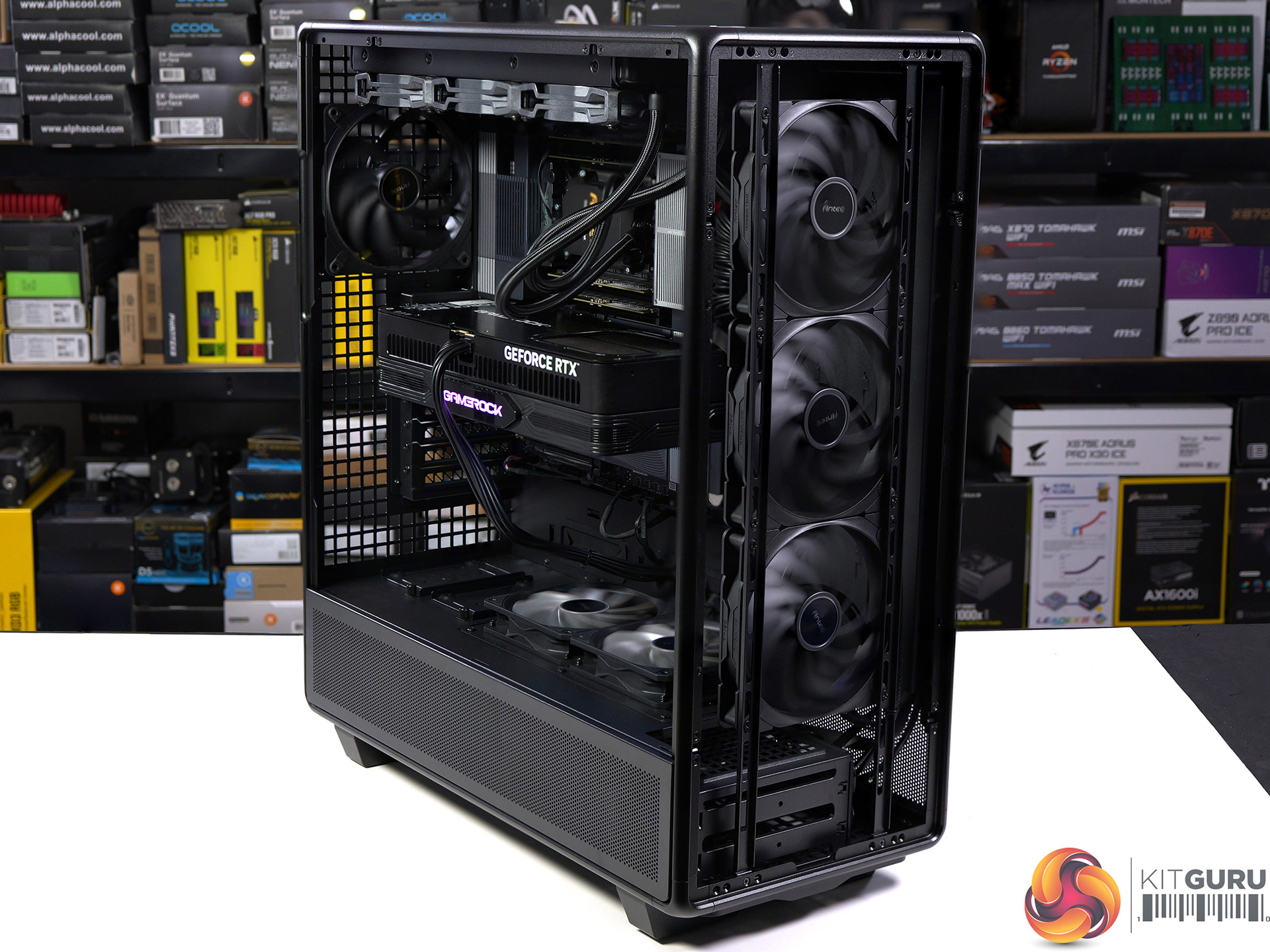
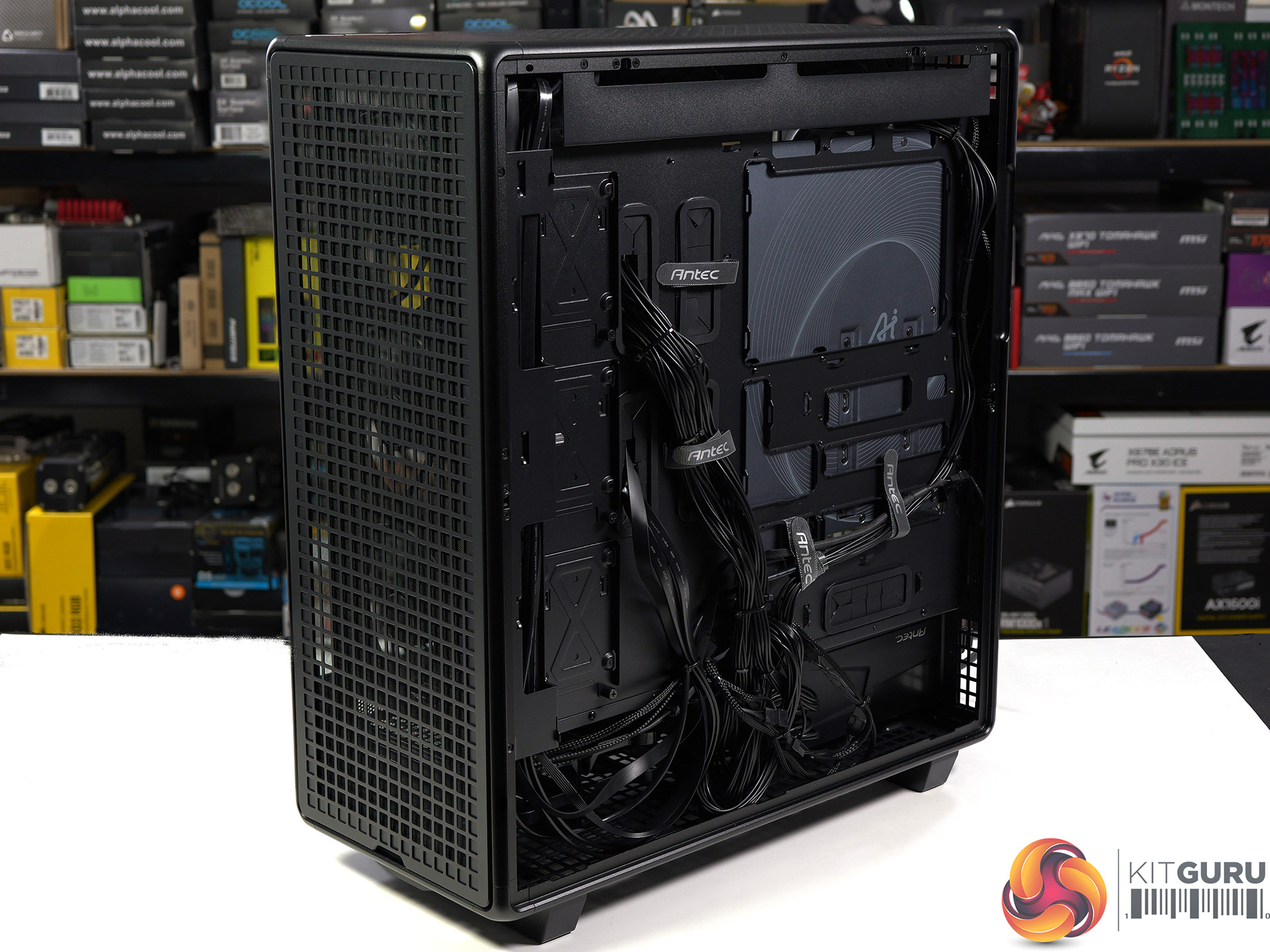
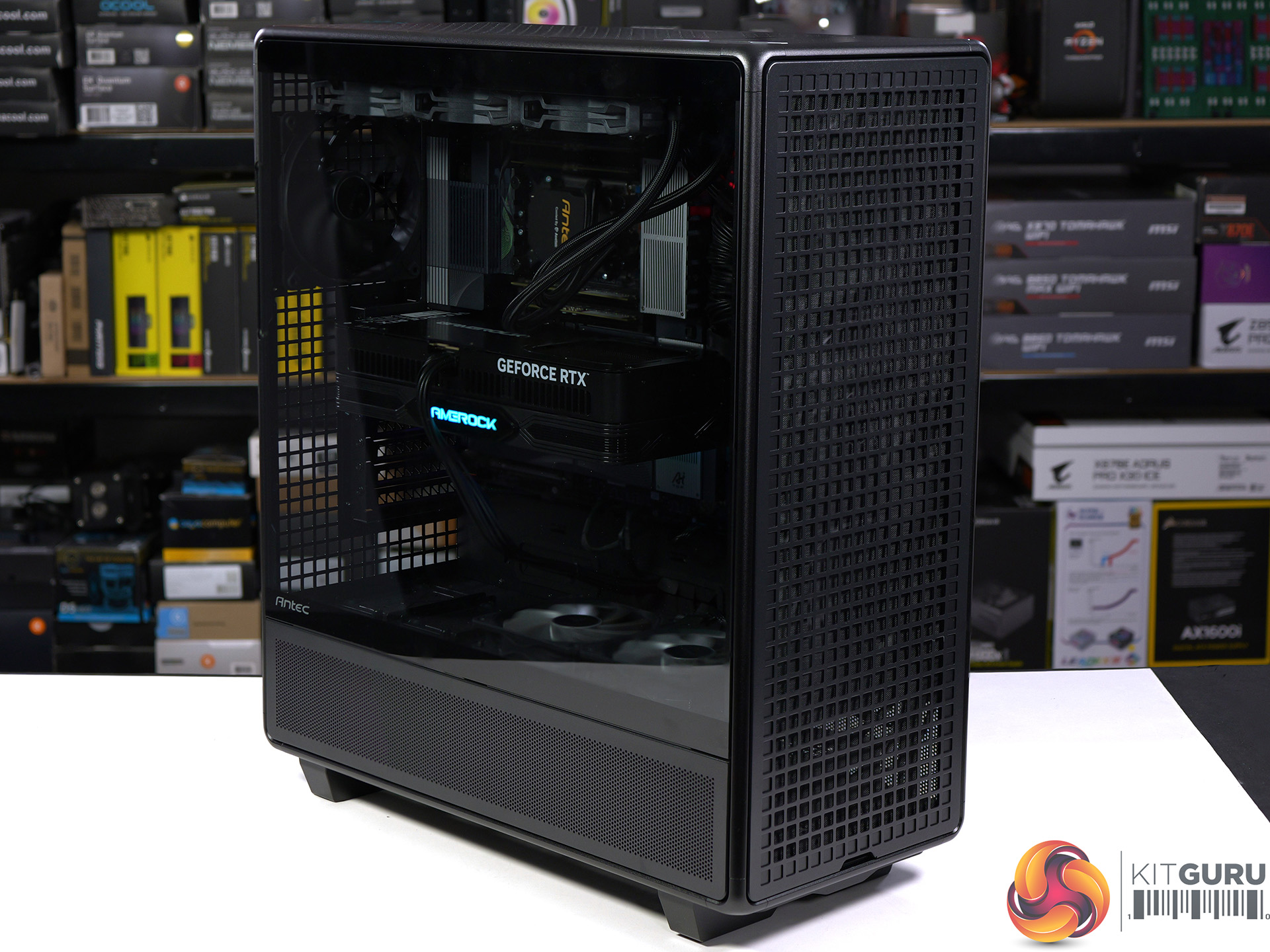
Antec launched the original 900 case way back in 2006 which means this brand new 900 marks the 20th anniversary of this model. The name is the only thing they have retained while everything else has changed, and that is good as the original 900 was a bit weird. One major change is that the original 900 was aimed squarely at gamers while this new 900 is more of a workstation case, with acres of space and huge amounts of cooling.

Time stamps
00:00 Intro
00:39 Starting the tear down
01:55 Getting to the rear
02:23 Storage details
03:23 Fan connections / cooling support
05:39 System hardware
06:46 The PSU iShift kit
09:03 CPU cooler + GPU going in
10:10 Thermal tests
11:33 Closing thoughts

Specification:

  • Motherboard support: ATX, E-ATX, SSI-CEB and SSI-EEB.
  • Power supply support: ATX.
  • Expansion slots: 8.
  • Included fans: 3x 140mm Tranquil front intake, 2x 120mm P12R on the PSU shroud, 1x 140mm Tranquil rear exhaust.
  • Fan mounts: 3x 120mm/140mm or 2x 200mm front, 3x 120 or 2x 140mm roof, 2x PSU shroud, 1x 120mm/140mm rear.
  • Radiator mounts: 360mm/420mm front, 280mm/360mm roof.
  • 5.25-inch optical drive bays: None.
  • Internal drive bays: 4x 3.5-inch/2.5-inch, 5x 2.5-inch.
  • Front I/O ports: 1x USB 3.0 type-A, 1x USB 3.1 type-C, audio.
  • Dimensions: 622mm H x 547mm D x 250mm W.

Testing

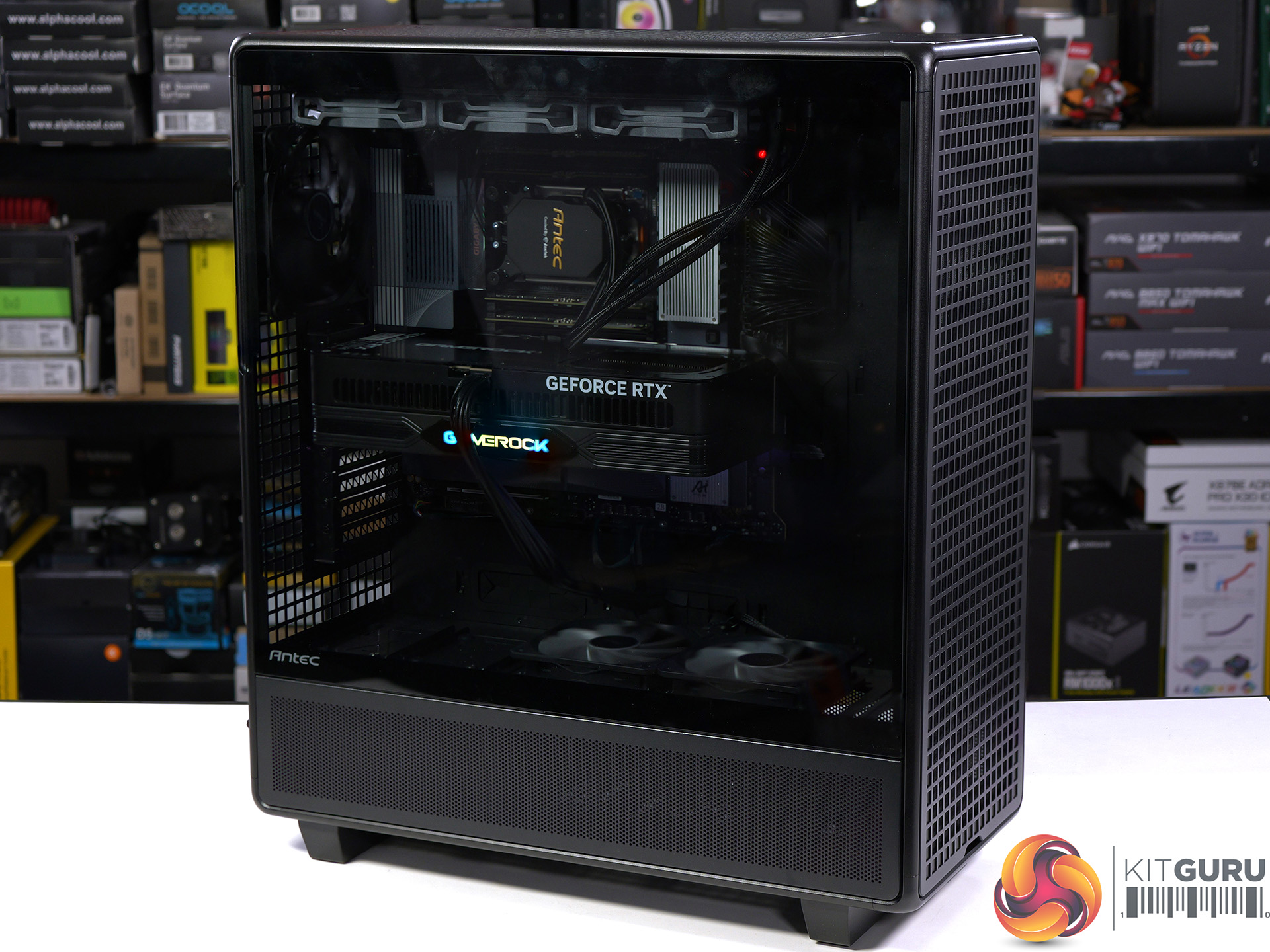
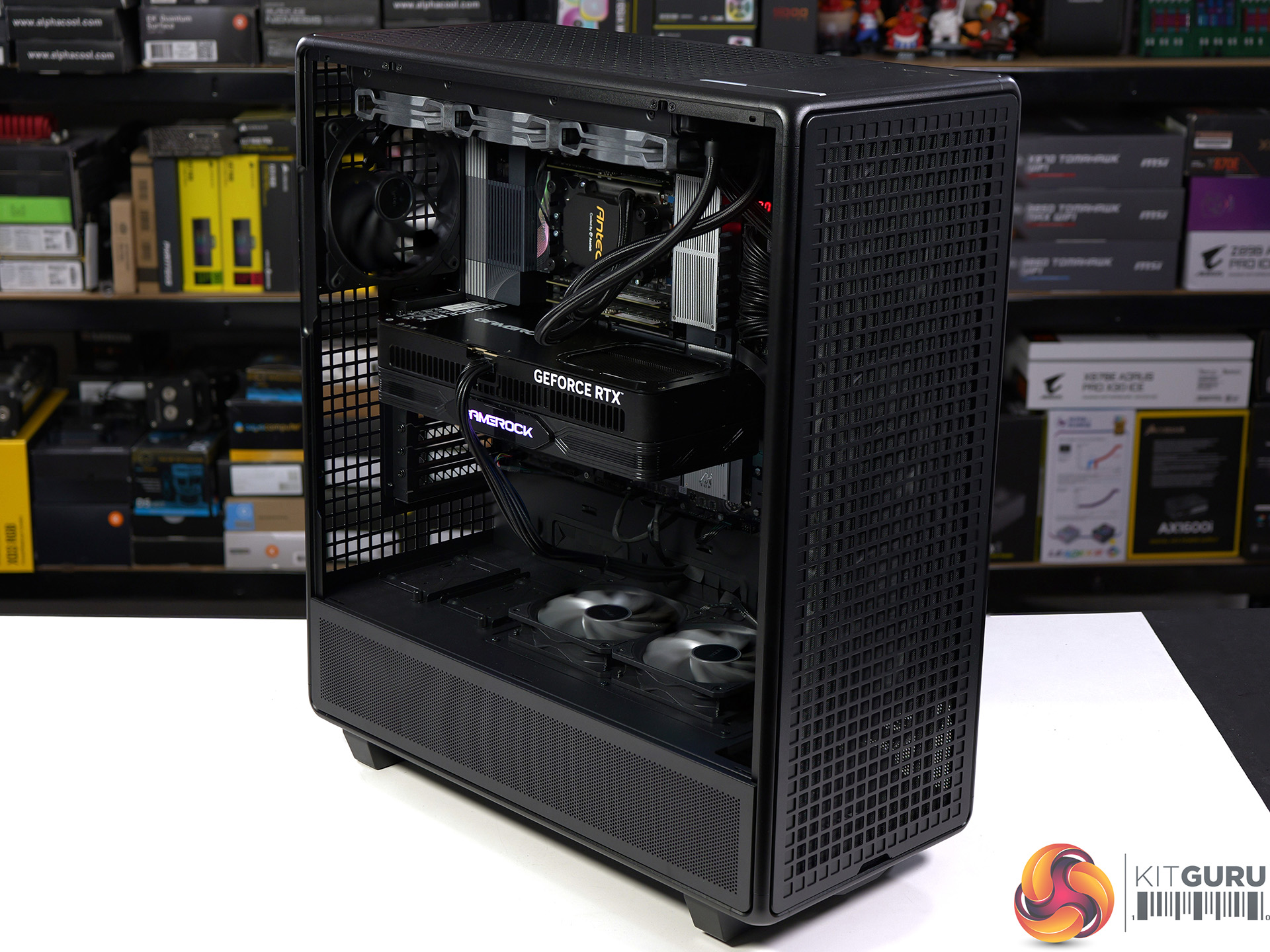
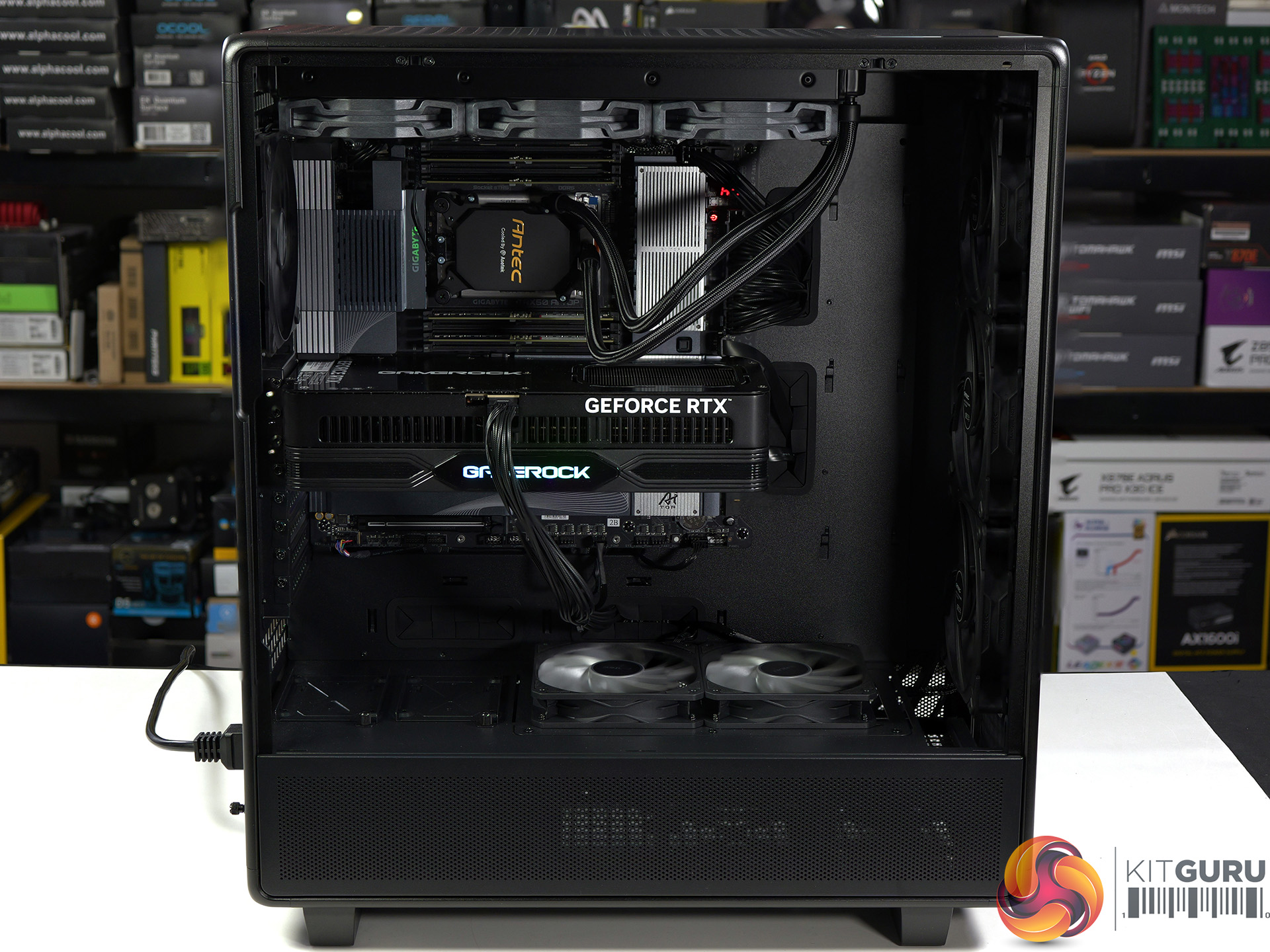
To put this case through its cooling paces we will be using a test system consisting of an AMD Ryzen Threadripper 9980X, Palit RTX 5080 graphics and an SSD. This system allows us to produce a substantial amount of heat and effectively test the Antec 900‘s cooling capabilities.

Test System:

  • Processor: AMD Ryzen Threadripper 9980X
  • CPU Cooler: AMD Threadripper AIO cooler
  • Motherboard: Gigabyte TRX50 AI TOP
  • Memory: 128GB G.Skill T5 Neo RDIMM DDR5-6400 in Quad Channel
  • Graphics card: Palit RTX 5080 Gamerock OC 16GB
  • Power supply: Antec Signature 2200 Platinum 2200W
  • SSD: Crucial T705 Gen5 M.2 NVMe
  • OS: Windows 11

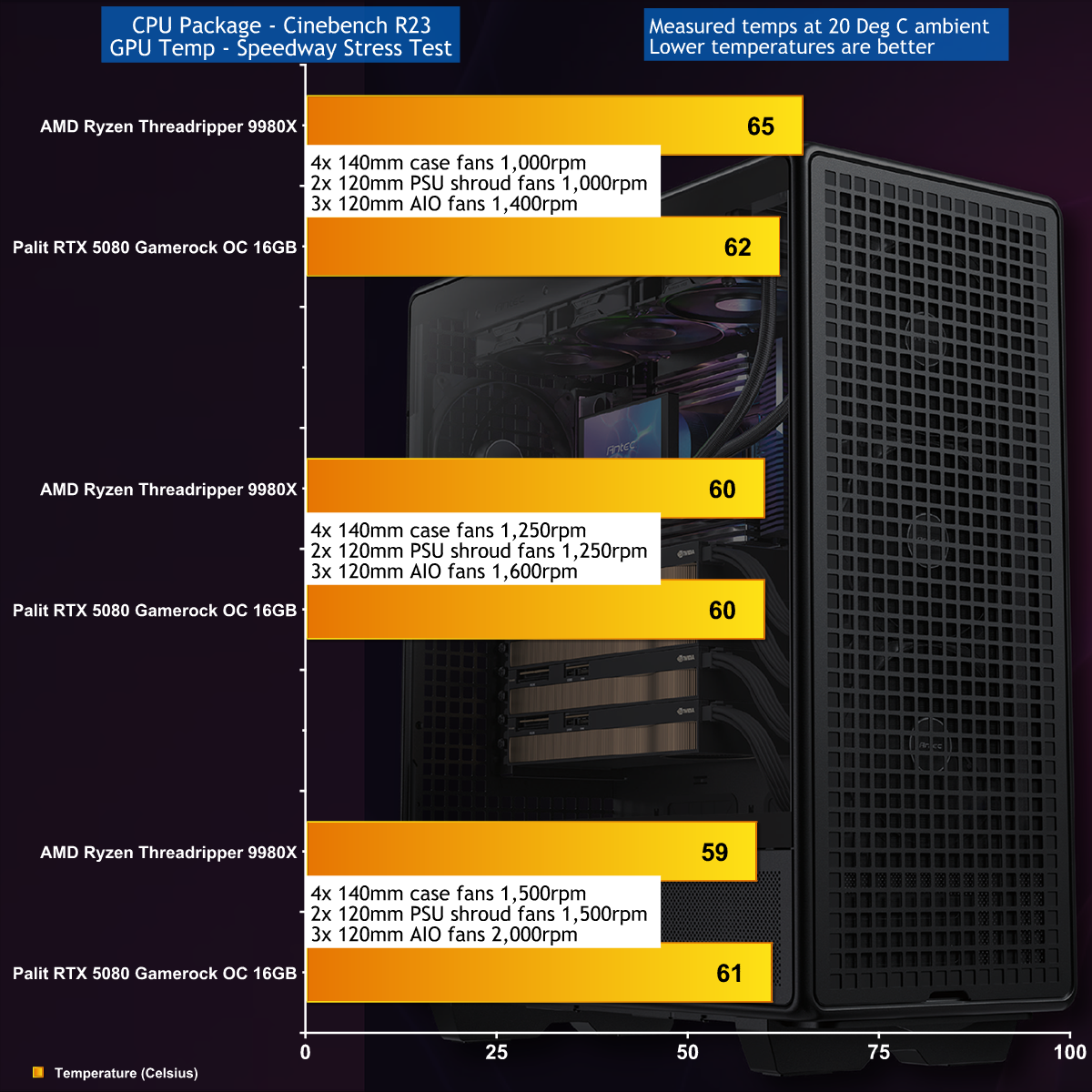
The loads on our test system were very high with a total system power draw of 880W at the wall socket, split evenly between the 64-core Threadripper CPU and RTX 5080 graphics card. We found the Antec 900 was able to cool efficiently without too much noise, however when we ramped up the fans to around 2,000rpm the noise levels became offensive.

Closing Thoughts

In the 20 years since Antec launched the original 900, every single aspect of PCs, gaming and workstations has changed. While we like the nod to the original name we feel it is slightly confusing and best forgotten, as the Antec 900 (2026) is completely different to the Antec 900 (2006), and we mean that in a good way.

You can pack a huge amount of hardware in this cavernous case, and you can see that our huge Threadripper motherboard and mighty Palit RTX 5080 graphics card are somewhat lost in all that space. The upside is that you can run your cooling system low and slow and still get a good temperatures with low noise. On the other hand we recommend you don't move your finished PC around too much as it is likely to weigh a tonne.

MSRP pricing for the Antec 900 is £249/€289 EURO inc VAT.

Pros:

  • Massive main compartment.
  • Smart styling.
  • Easy access to the storage bays and power supply.

Cons:

  • A PWM hub is not included.
  • The position of the top fan/radiator mounts don't have much flexibility.
  • The accessory kit doesn’t include spare catches for the panel mounts.

KitGuru says: The new Antec 900 is big and beefy and well-suited to your next workstation build.

The post Antec 900 Case Review (2026) first appeared on KitGuru.

Asus Zenbook Duo UX8407 Review (Dual OLED!)

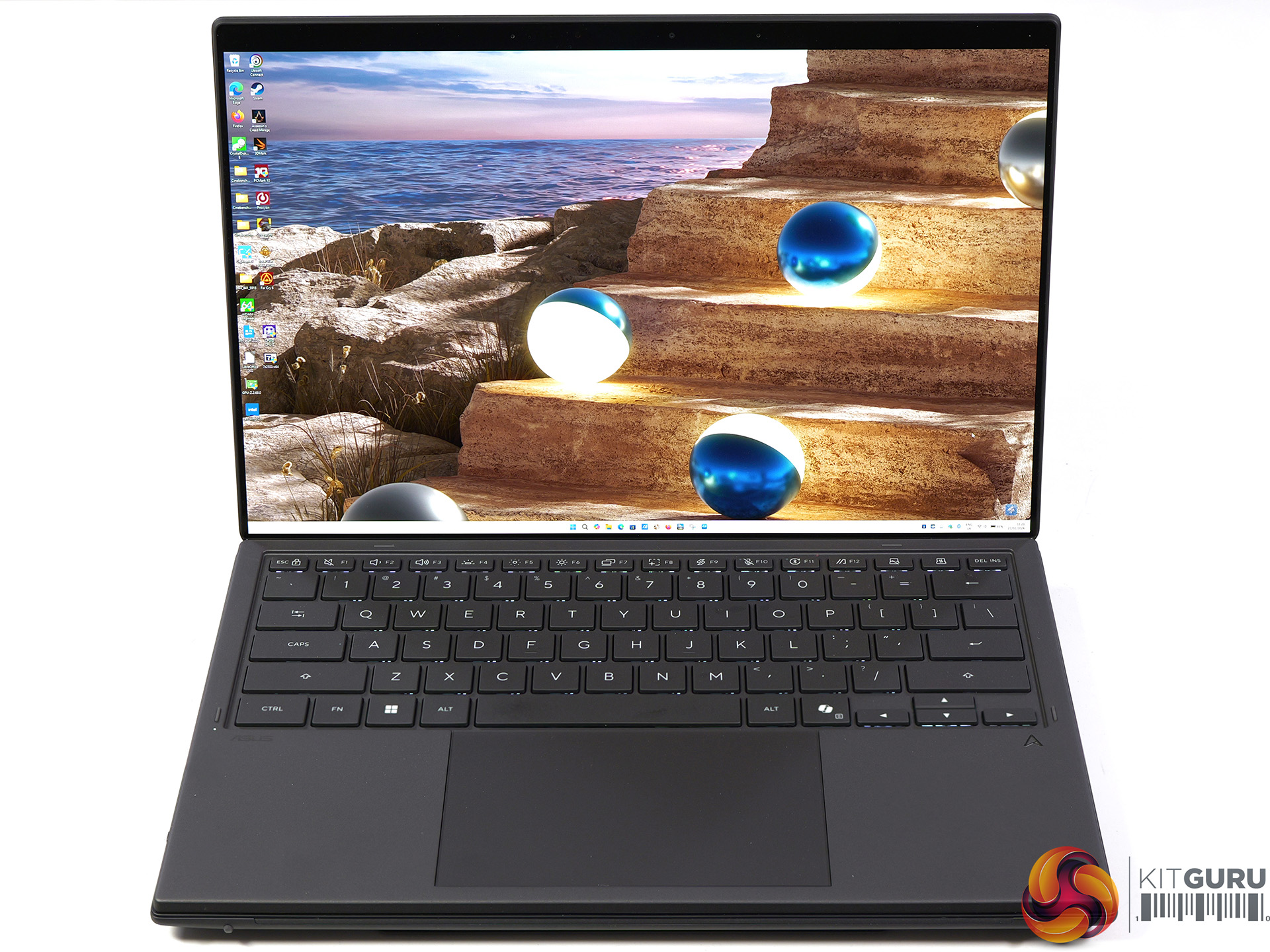
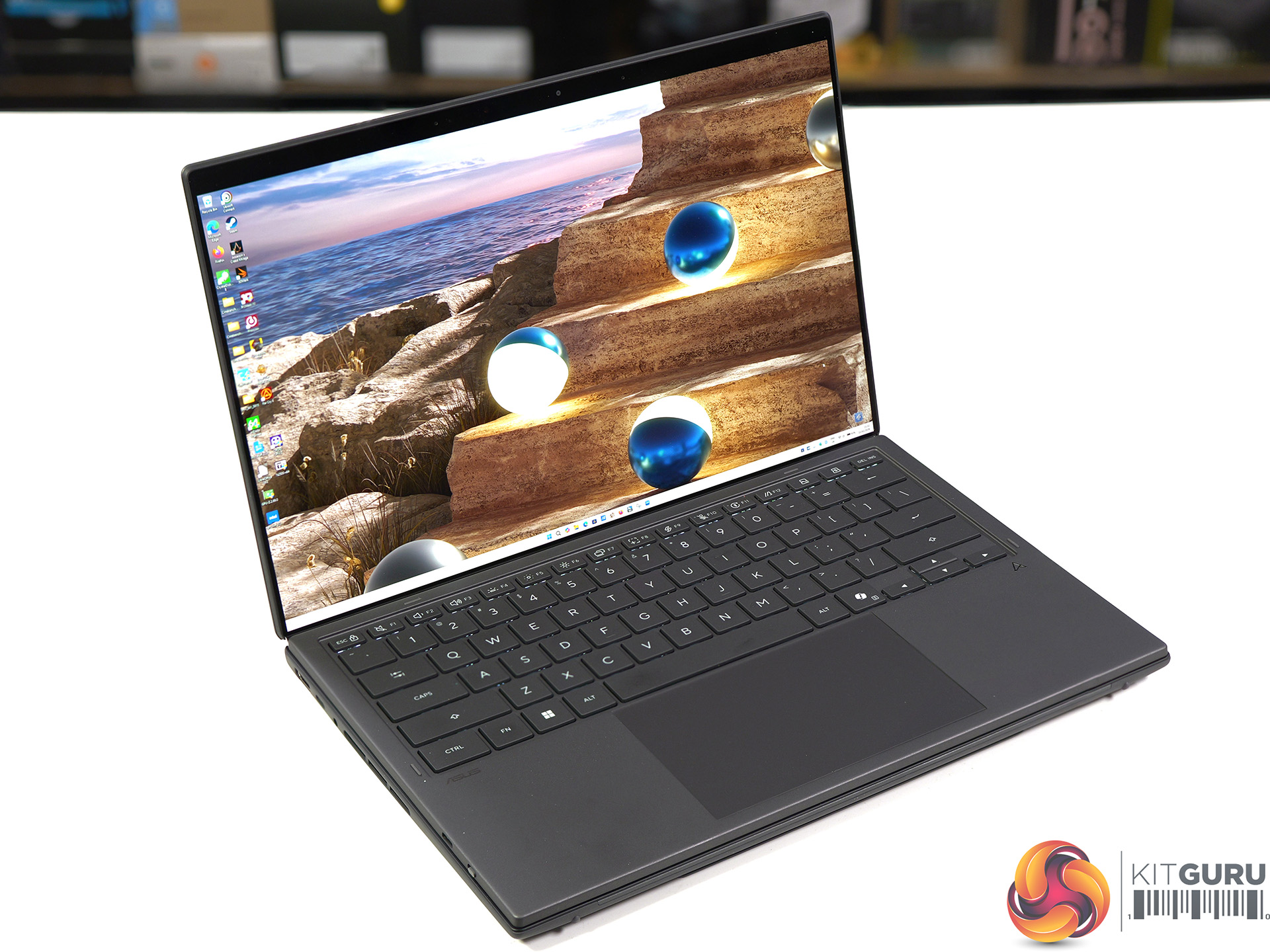
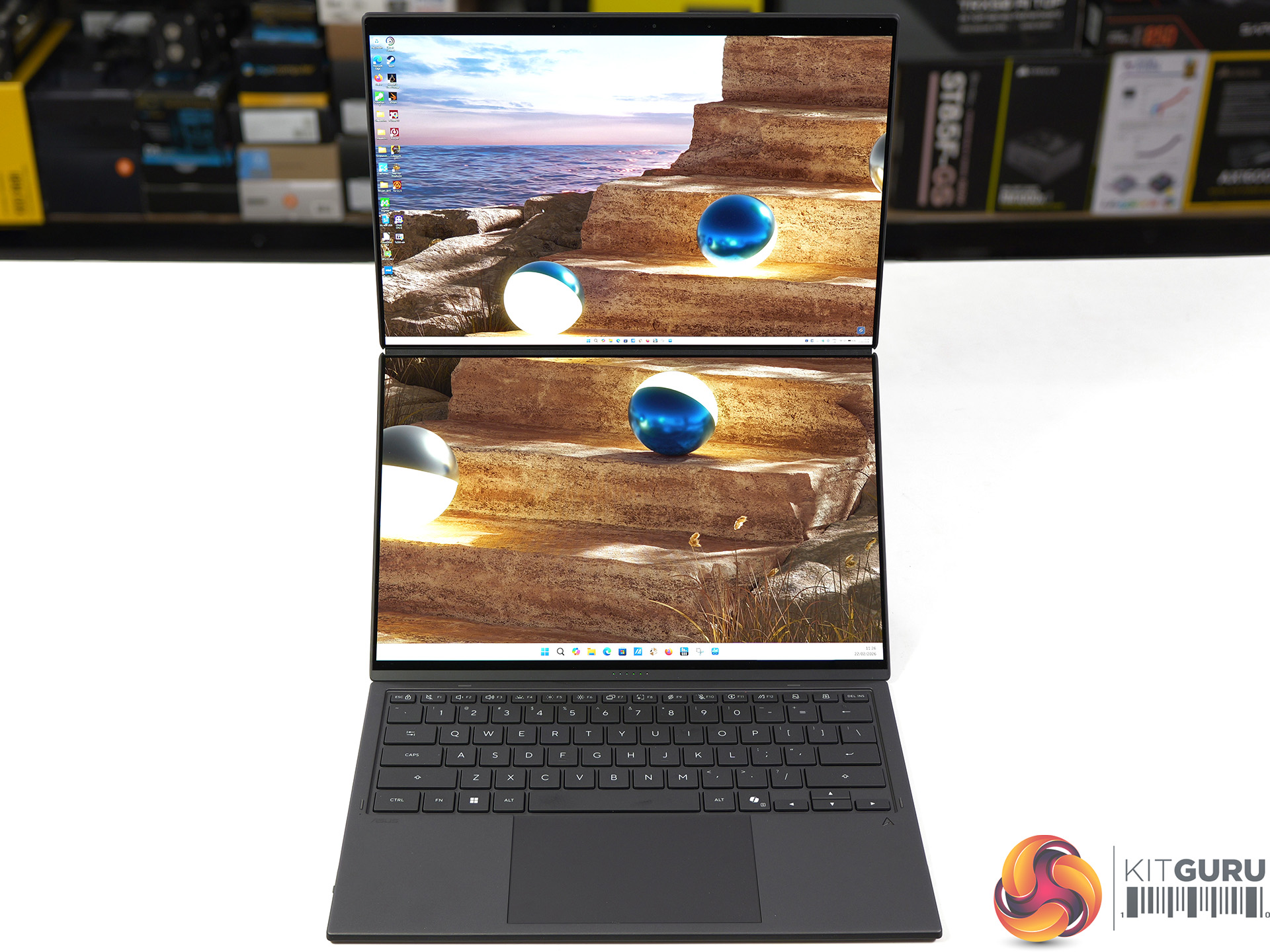
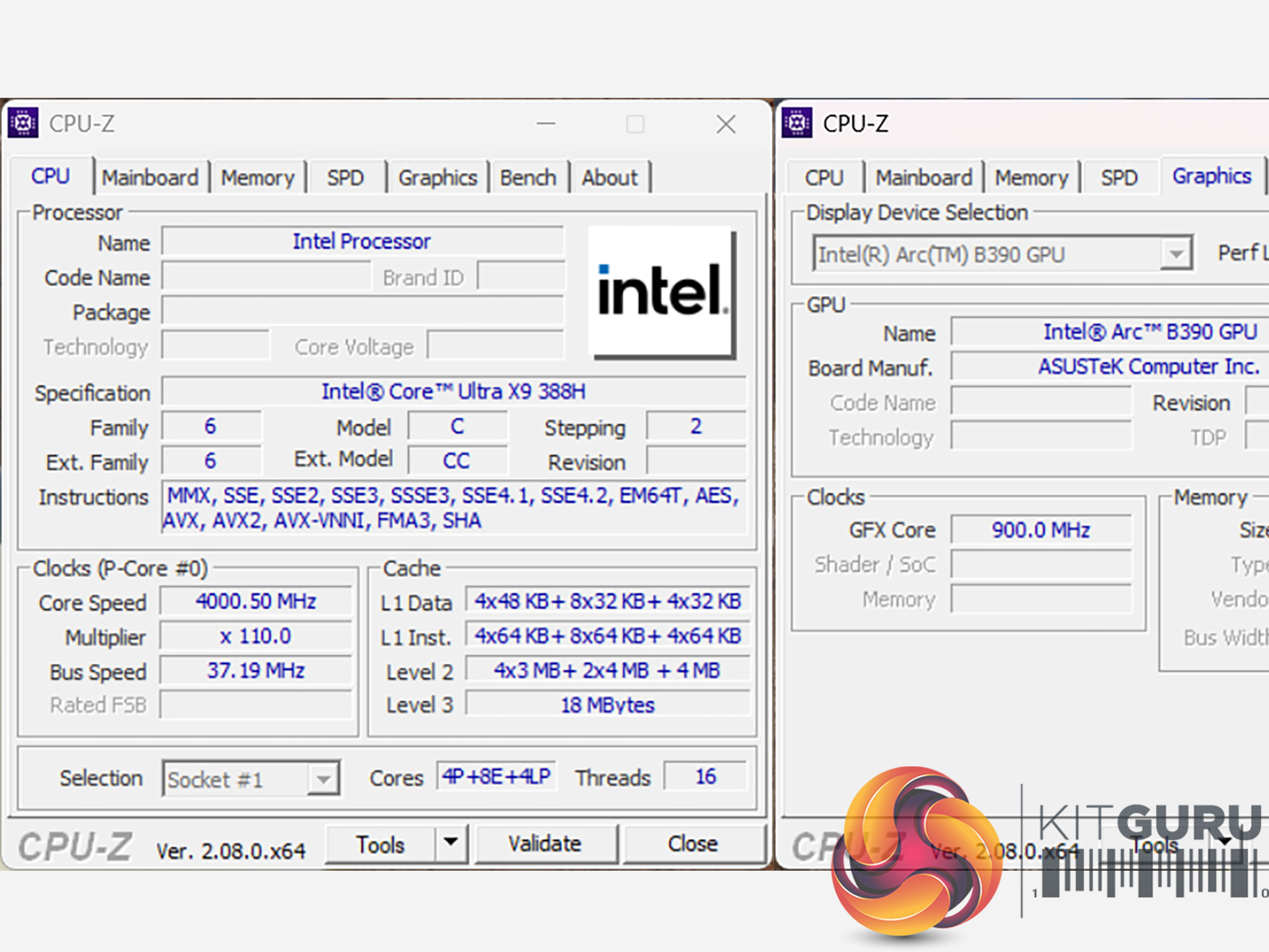
We first saw the new Intel Panther Lake laptop chip in action at their event in Arizona last October, and today we can review the finished result. This 2026 Asus Zenbook Duo packs the most grunty Panther Lake of them all, the Core Ultra X9 388H. The hardware includes 16 CPU cores and 12 Xe3 graphics cores but the headline feature is the Duo part of the name which refers to the dual 14-inch OLED screens. As you will see, it is pretty nifty.

Timestamps:

00:00 Intro
01:11 Meet the Duo!
02:02 Duo-screen basics and functionality
05:16 The quirks of the design
06:16 Core spec
07:25 CPU benchmark results
10:40 System test results
10:10 Game benchmarks
15:07 We’ve not taken it apart…
15:44 Dual batteries – does that explain benchmark curiosities?
17:04 Leo’s pros and cons

Features

  • The most compact Zenbook Duo ever with new hideaway hinge design and nearly 20-inches expansive view.
  • Perfect for mobile multitasker to enjoy professional-grade viewing: Dual 14-inch 3K 144Hz Asus Lumina Pro OLEDs, 1000 nits touchscreen display. Anti-reflection clarity outdoors.
  • Lightweight mobile studio provides peak performance of up to Intel Core™ Ultra X9 Series 3 with discrete-level GPU acceleration, unlocking exceptional power for AI, rendering, and gaming on the go.
  • Dual-screen laptop with 18+ hour battery life.
  • From Ceraluminum chassis, hinge, kickstand to the screens, setting the gold standard for durability in portable computing.
  • Versatile modes with intuitive smart gesture control. Asus Pen 3.0 support.

Specification

  • Processor: Intel Core Ultra X9 Processor 388H (4x P-cores, 8x E-cores, 4x LP-cores)
  • Graphics: Intel Arc B390
  • Neural processor: Intel NPU (up to 50 TOPS)
  • Display: 14.0-inch, 3K (2880 x 1800) OLED, 16:10, 0.2ms response time, 144Hz refresh rate, 500 nits typical, 1000 nits HDR peak
  • Memory: 32GB LPDDR5X 9600MT/s (onboard)
  • Storage: 1TB Samsung PM9C1b M.2 NVMe PCIe 4.0 SSD
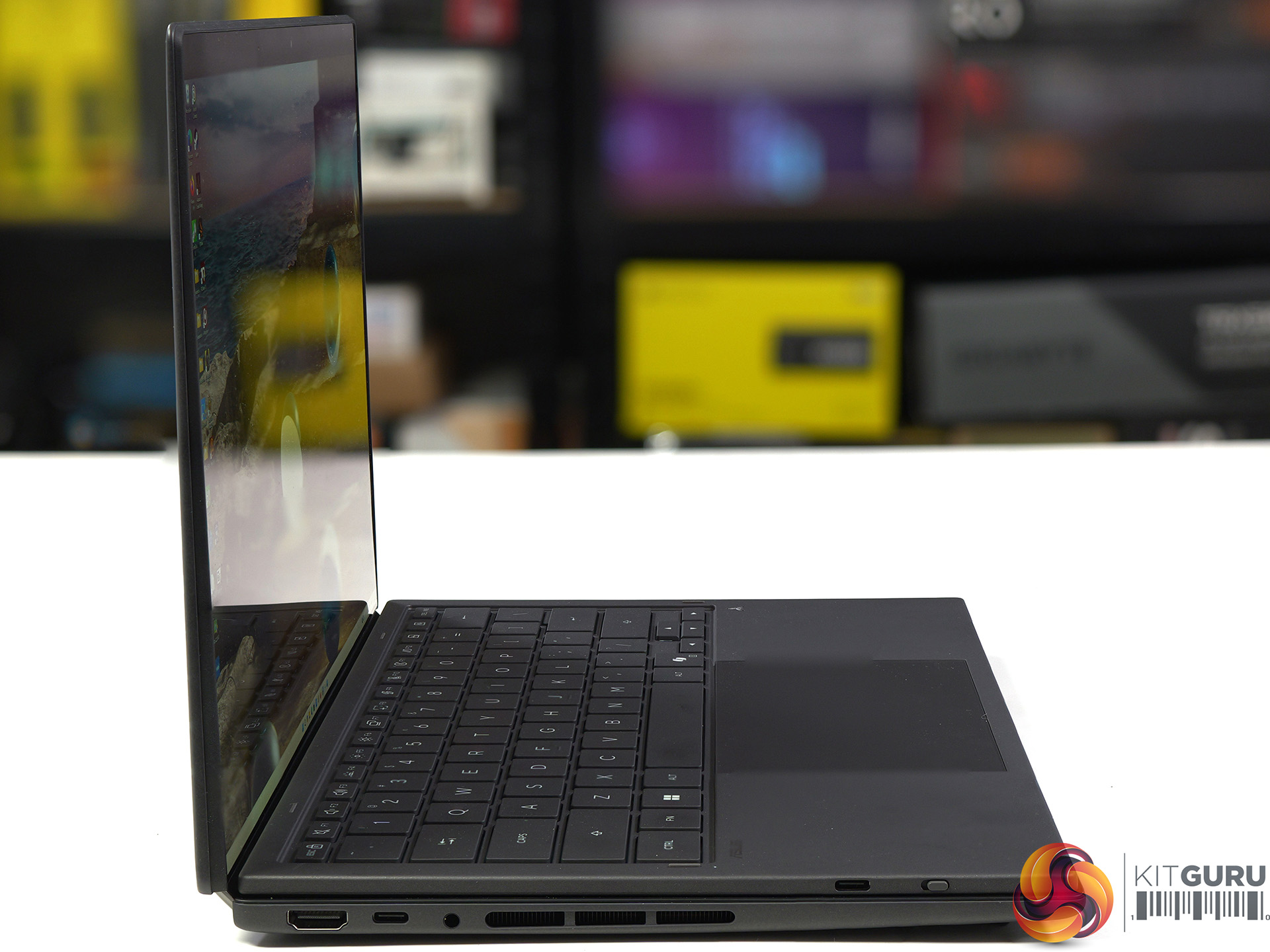
  • Ports (left side):
    • 1x HDMI 2.1
    • 1x Thunderbolt 4 (40Gbps, display and power delivery)
    • 1x Headset jack
  • Ports (right side):
    • 1x USB 3.2 Gen 2 Type-A (10Gbps)
    • 1x Thunderbolt 4 (40Gbps, display and power delivery)
  • Keyboard & touchpad: Soft keyboard, 1.7mm key travel, Precision touchpad
  • Camera: FHD camera with IR (Windows Hello support)
  • Audio: Built-in array microphone with Cortana support
  • Network: Wi-Fi 7 and Bluetooth 5.4
  • Battery: 99Wh, 4S1P, 4-cell Li-ion
  • Power supply: 100W USB Type-C
  • Dimensions: 31 cm (W) x 21 cm (D) x 2.3 cm (H)
  • Weight: 1.68 kg (plus 0.48 kg charger and mains cable)
  • Operating system: Windows 11 Home

Testing and Performance

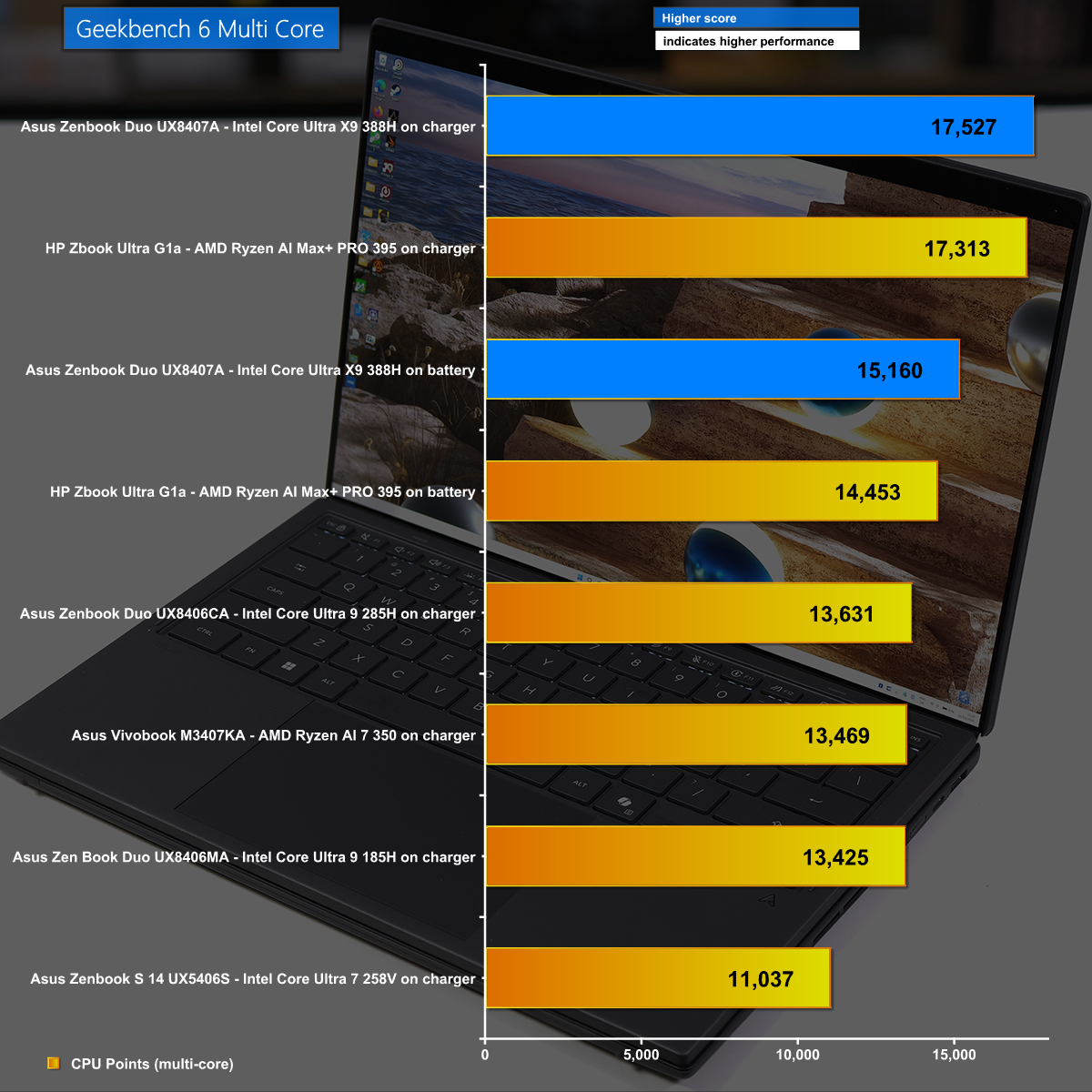
Geekbench 6 Multi Core

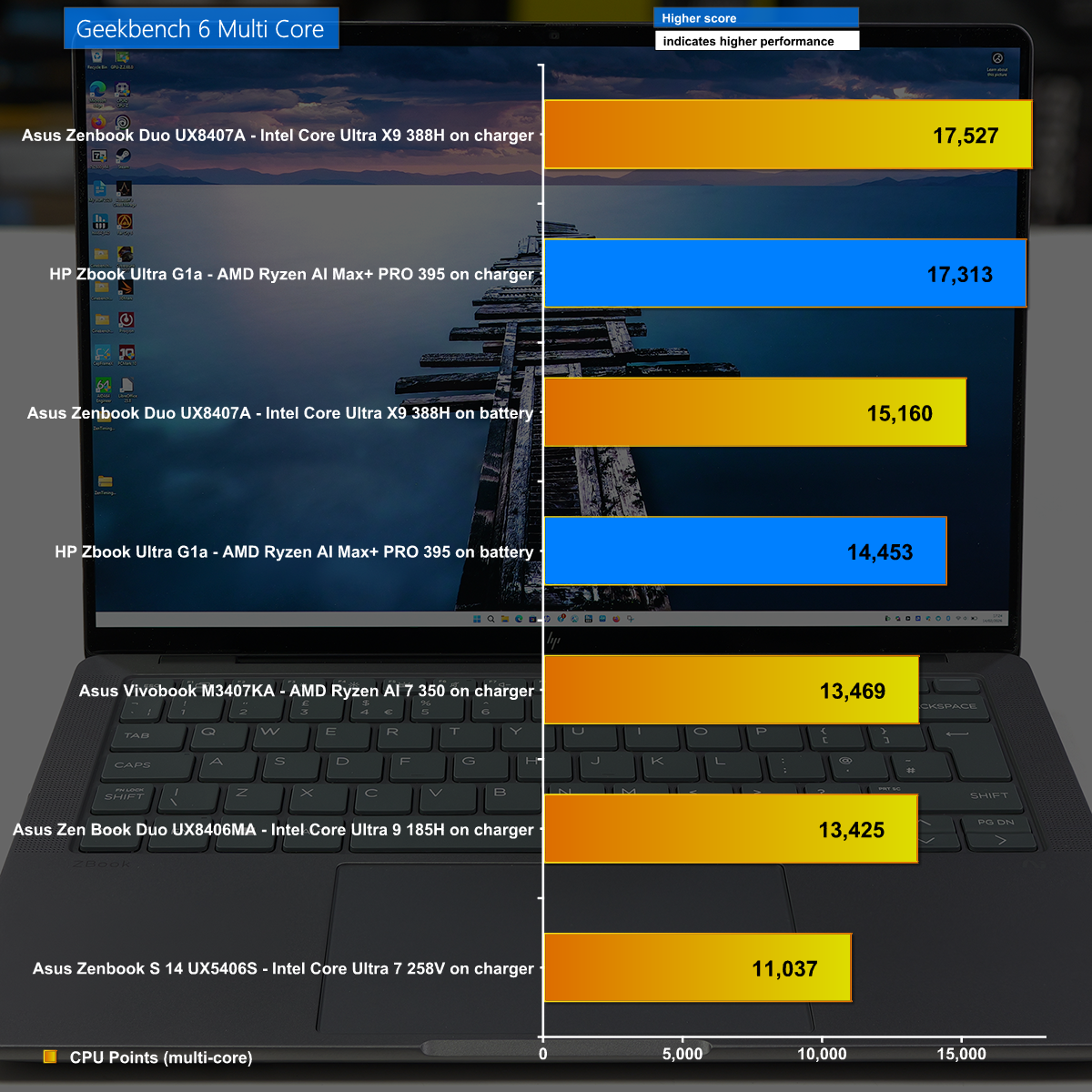
in Geekbench 6 Multi Core we see the Asus Zenbook Duo performing well, with the Intel Core Ultra X9 388H some 30% ahead of the previous Core Ultra 9 285H.

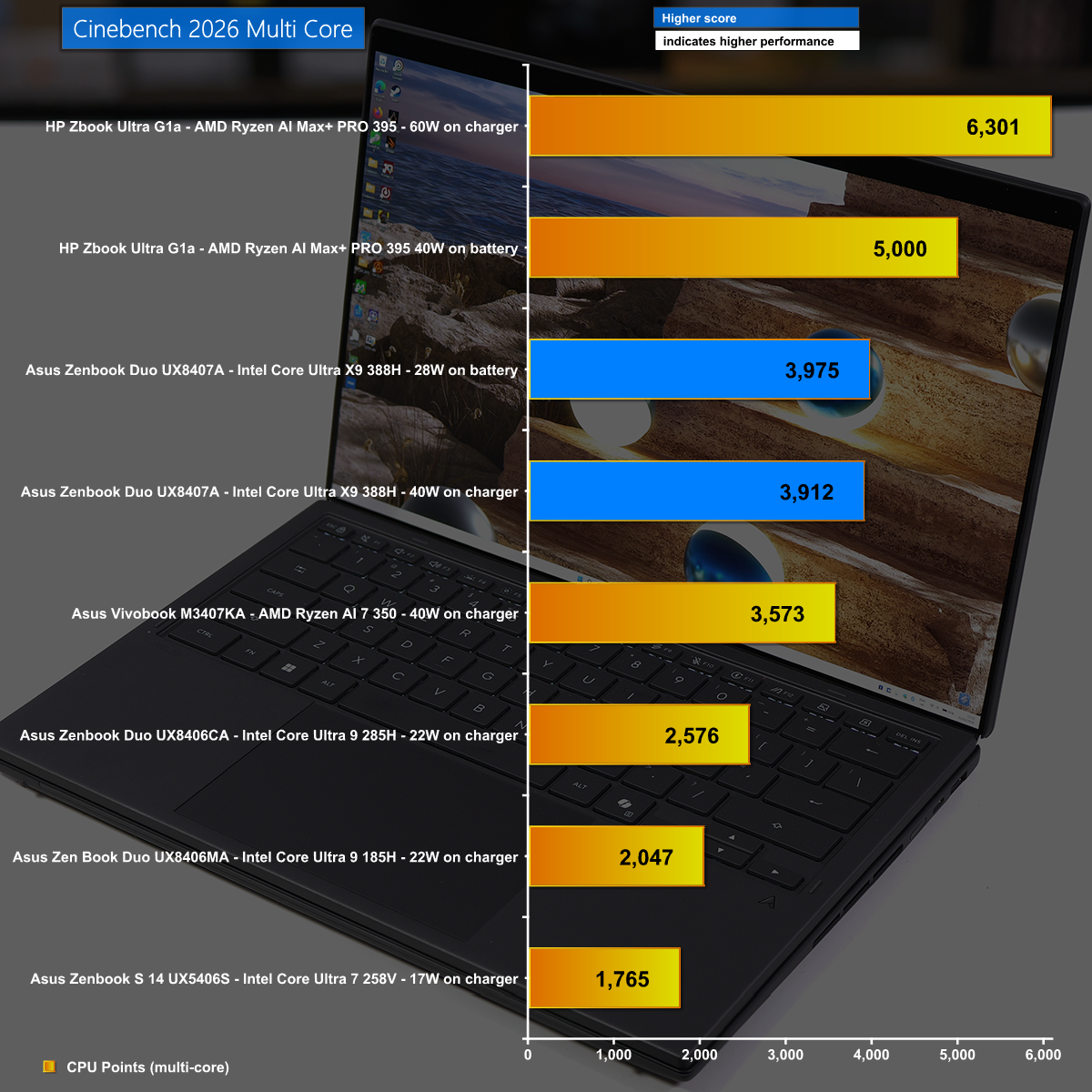
Cinebennch 2026 Multi Core

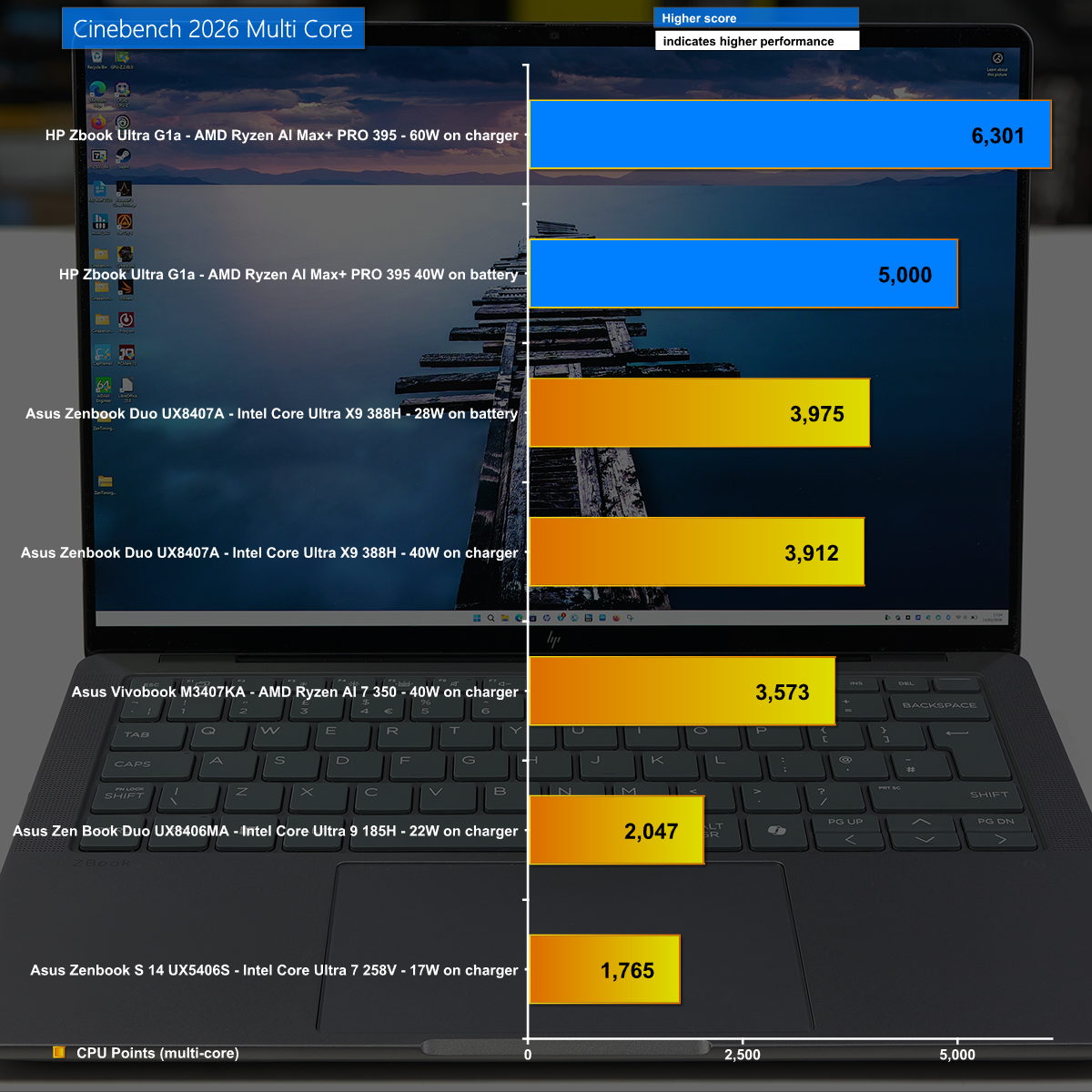
It is a slightly different story in Cinebench 2026 Multi Core where we again see the new Intel Panther Lake wreck the previous Lunar Lake, however the top honours go to AMD with the mighty Strix Halo in the HP Zbook Ultra G1a.

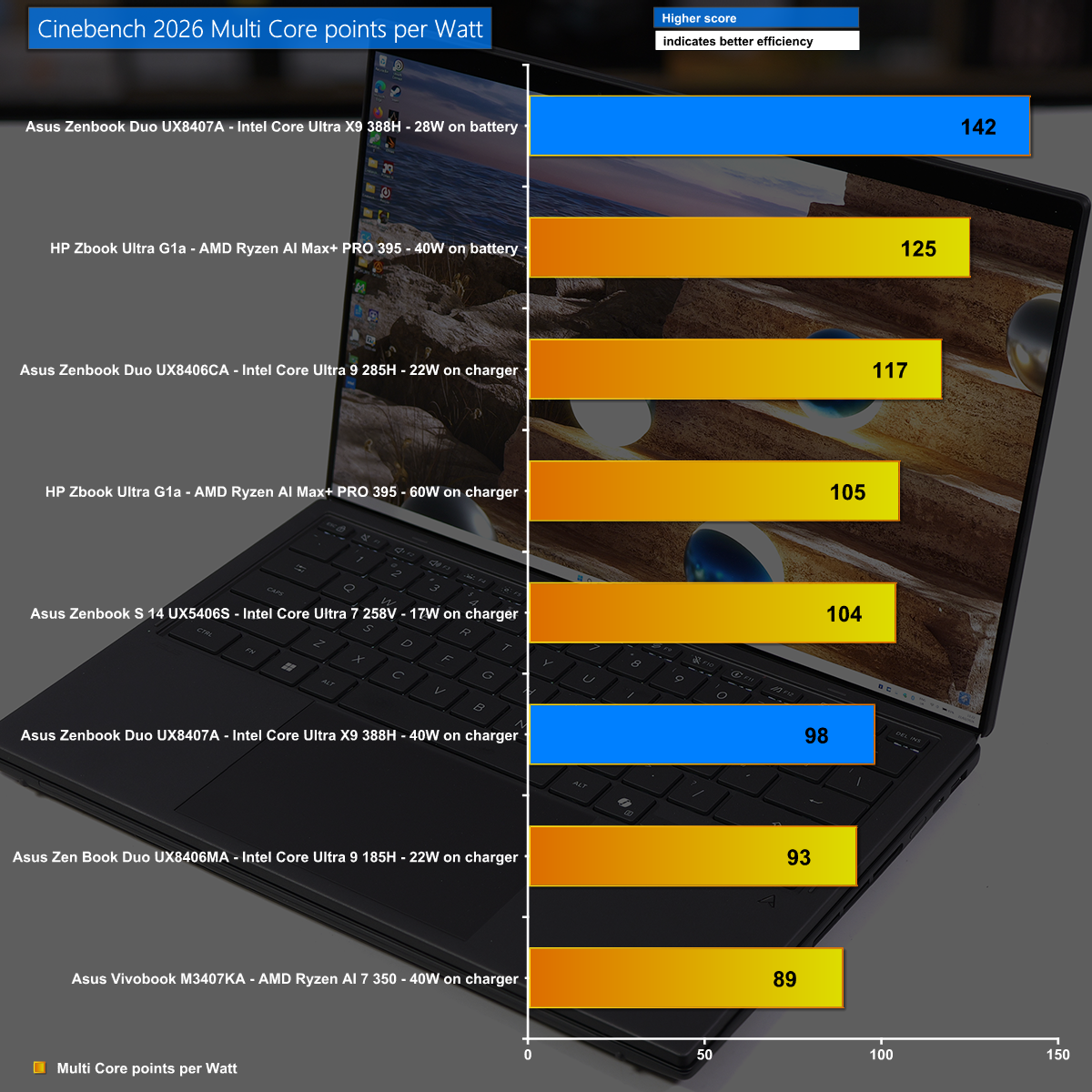
Cinebench 2026 Multi Core points per Watt

Our Cinebench 2026 power efficiency calculation shows the amazing efficiency of Intel's new Core Ultra X9 388H which has good performance and very low power draw.

Far Cry 6 at 2,880×1,800 with FSR Performance Mode

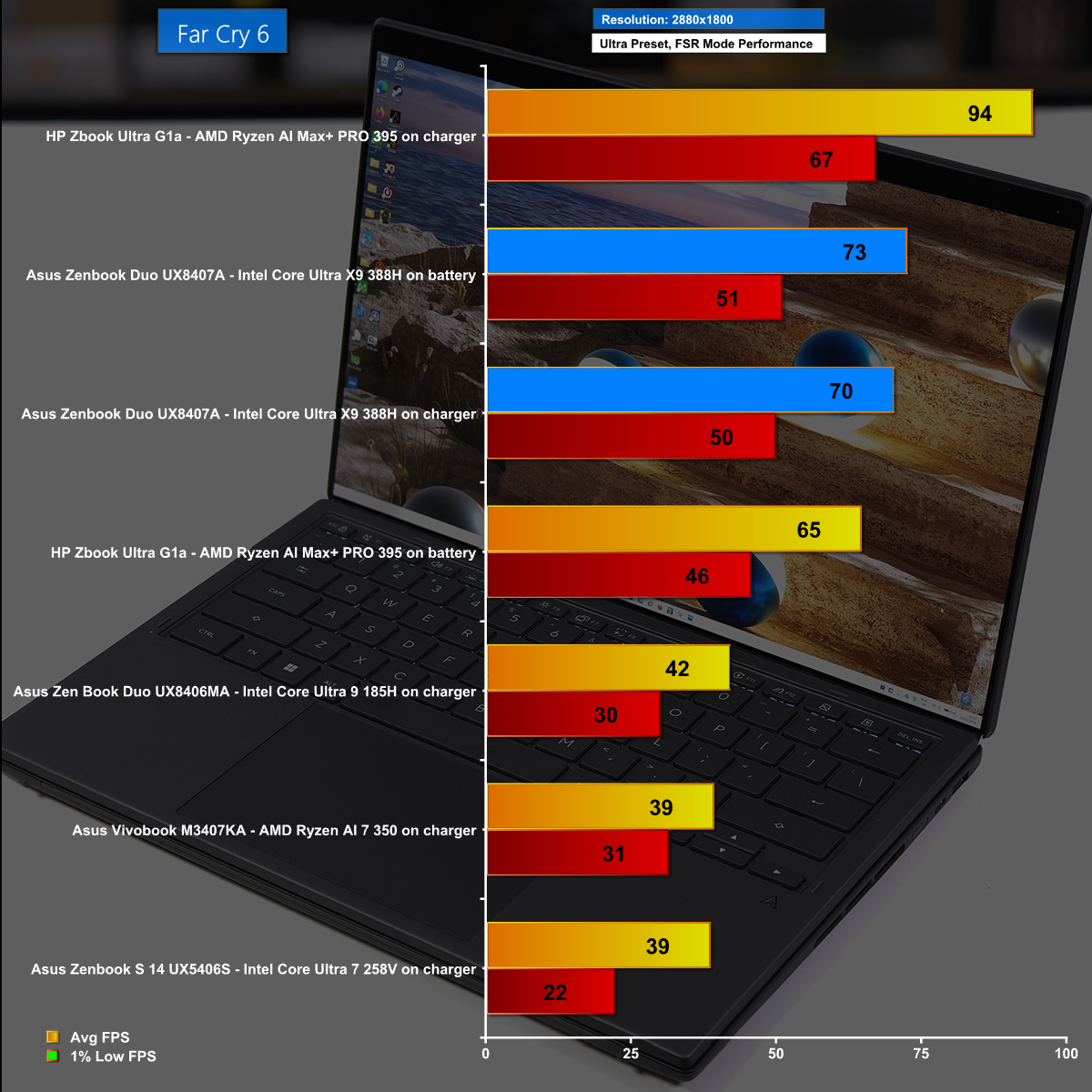
In Far Cry 6 at the massive resolution of 2,880×1,800 running on the Ultra preset we used the FSR Performance Mode and saw average frame rates north of 70fps. This is remarkable performance from Intel's latest iGPU and it looks great on the Asus OLED screen.

Cyberpunk 2077 at 1,920×1,200 with Frame Gen Enabled

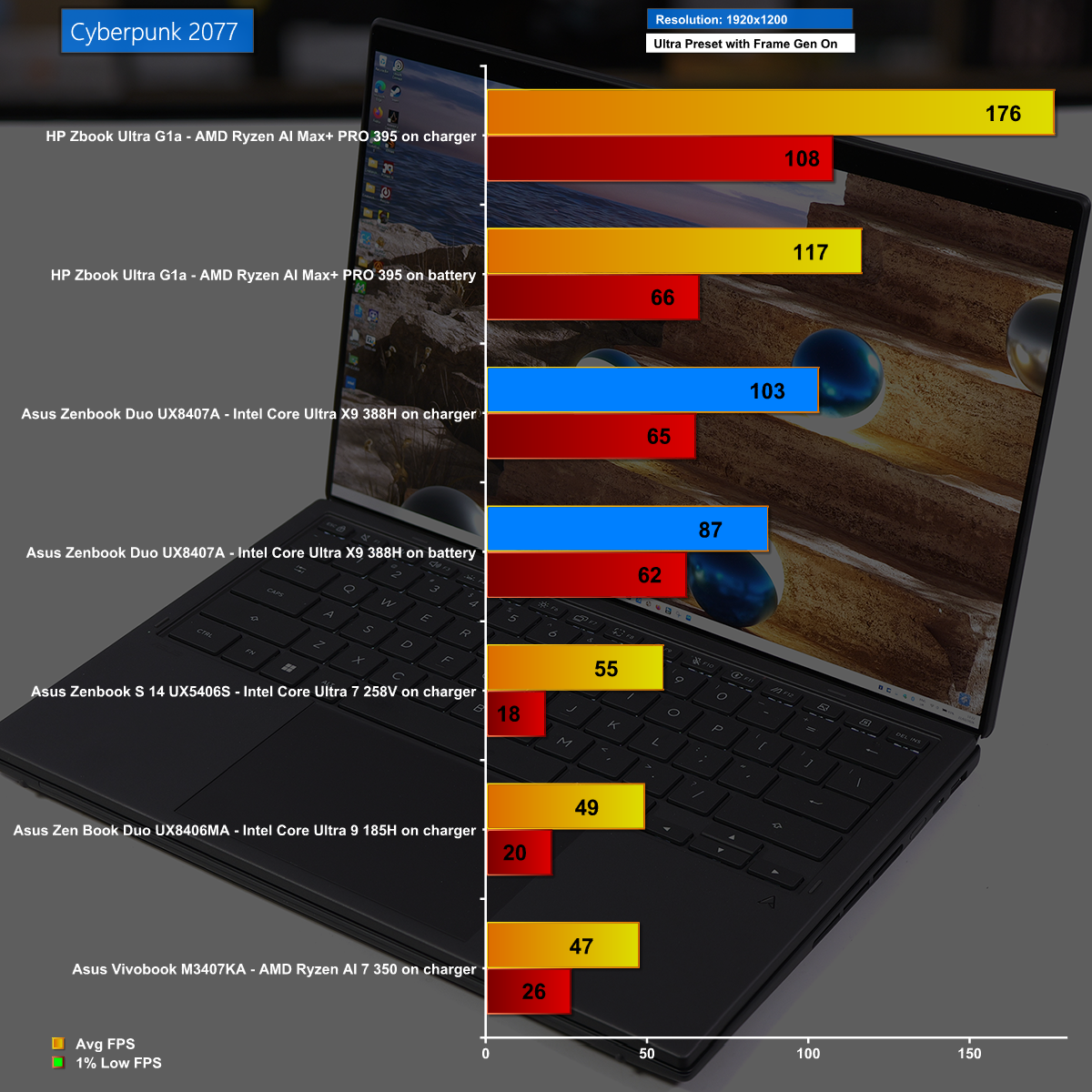
Cyberpunk 2077 is a stiff test with the Ultra preset, but running at 1,920×1,200 with Frame Gen Enabled we saw excellent frame rates from the Asus Zenbook Duo. Having said that, the HP Zbook Ultra G1a smashed it out of the park.

Battery Life

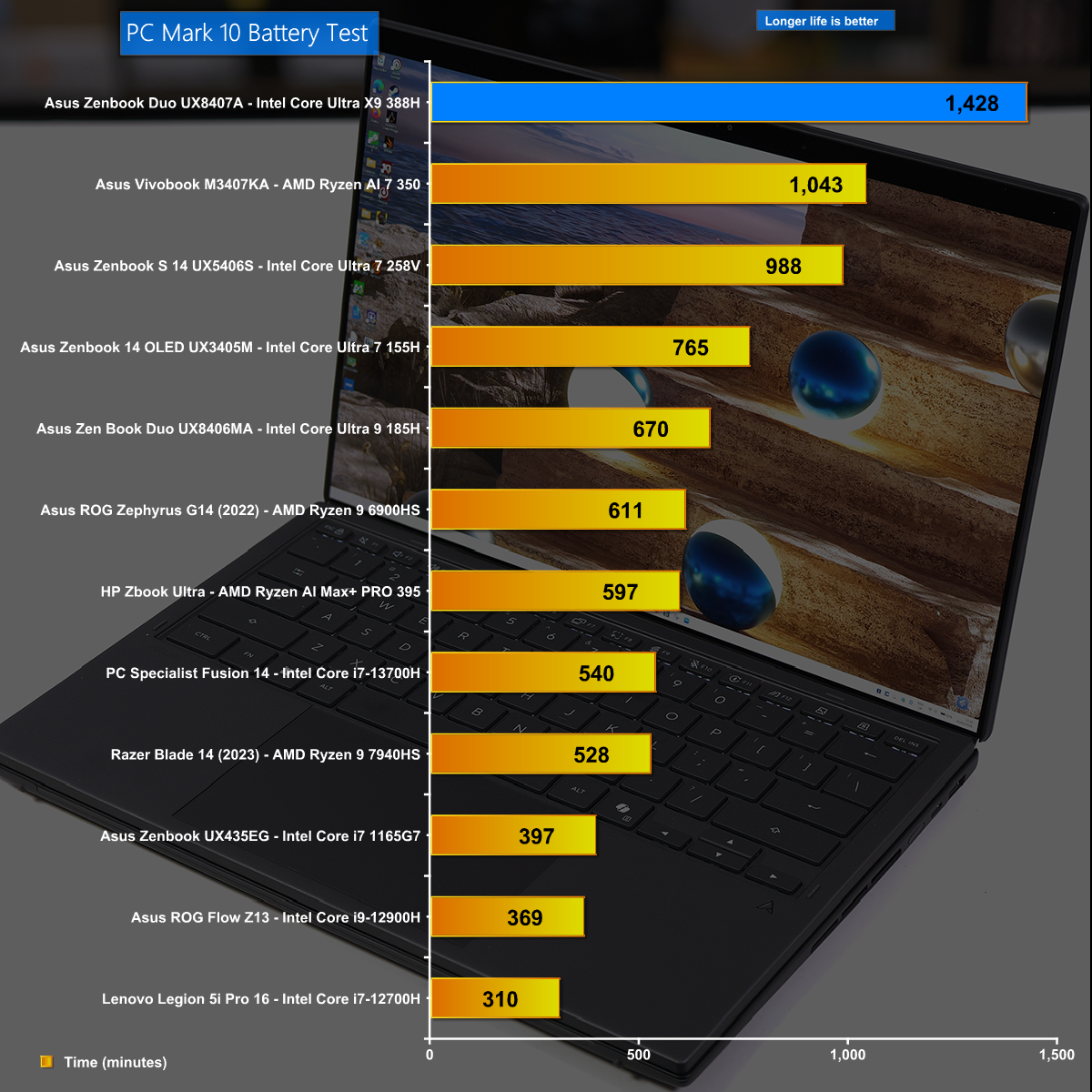
Battery life is a critical aspect of a laptop and the new Zenbook Duo does monumentally well, running for just under 24 hours. This is a superb testament to both Asus and Intel.

Closing Thoughts

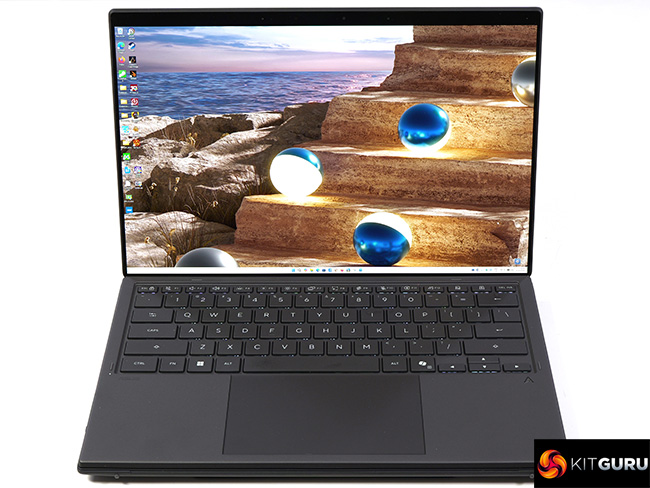
The changes made by Asus to the 2026 version of Zenbook Duo are very good and we love the way the dual OLED screens almost merge into one display. As an added bonus the 2026 laptop is notably more compact than previous versions, and this approach to packing two full sized 14-inch displays into a fairly regular laptop demonstrates some impressive engineering by Asus.

The new Intel Core Ultra X9 388H is an impressive piece of silicon and our first impressions mark the Intel 18A process as a success. The CPU part of the chip has decent performance and requires very little power. In addition the 12x Xe3 graphics core delivers sufficient performance for daily use as well as serious gaming sessions.

You can buy the Asus Zenbook Duo UX8407A for £2,499.99 HERE

Pros:

  • The dual 14-inch OLED screens are superb.
  • Battery life is monumental.
  • Intel 12x Xe3 graphics are impressive.
  • Intel Panther Lake CPU is good.

Cons:

  • Zenbook Duo is somewhat chunky and slightly heavy.
  • Price is high.
  • Ports and connectors are rather close together.

KitGuru says: The latest version of Asus Zenbook Duo comes with Intel Core Ultra X9 and delivers a superb experience. 

The post Asus Zenbook Duo UX8407 Review (Dual OLED!) first appeared on KitGuru.

HP Zbook Ultra G1a Review (Strix Halo)

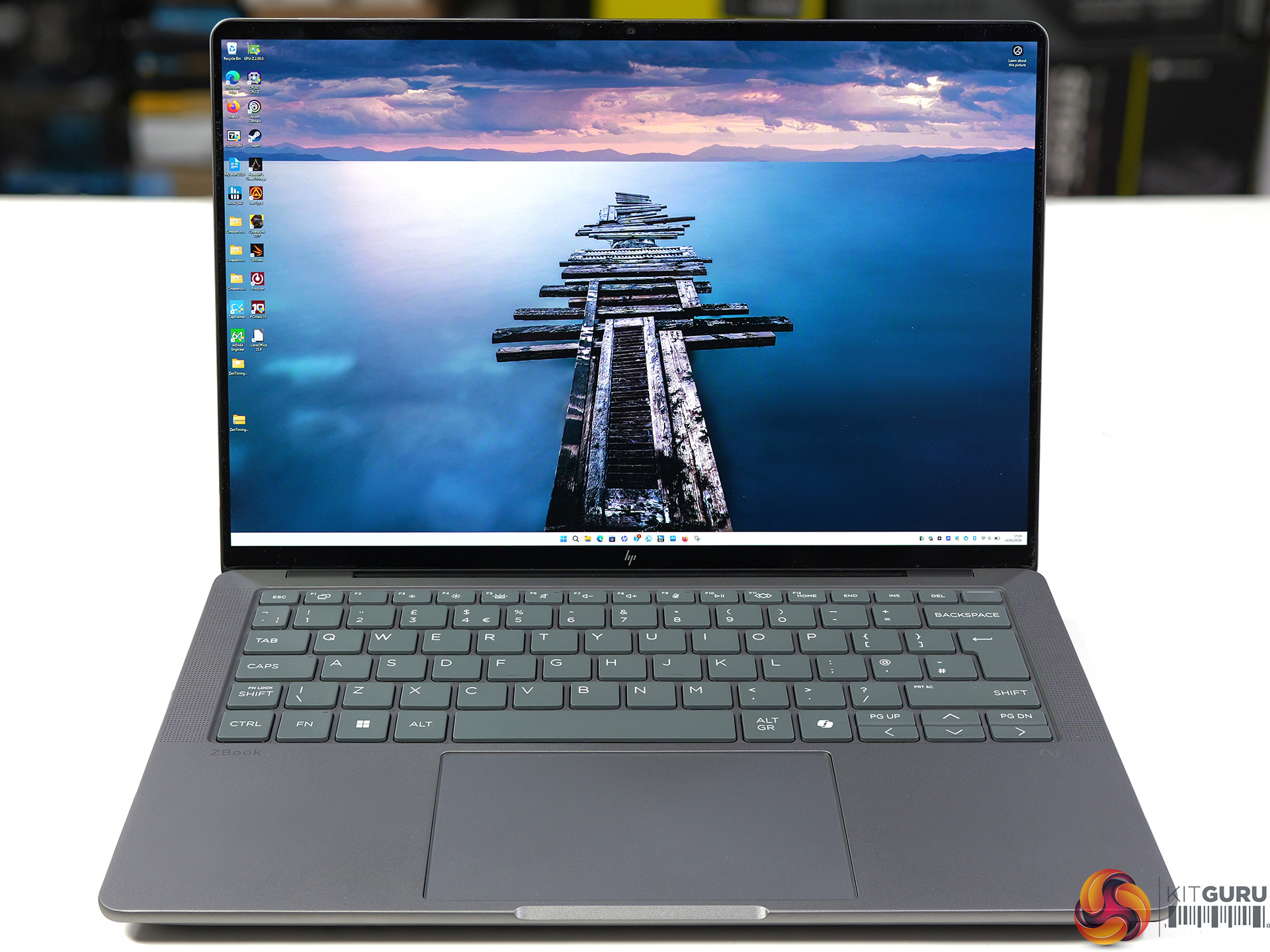
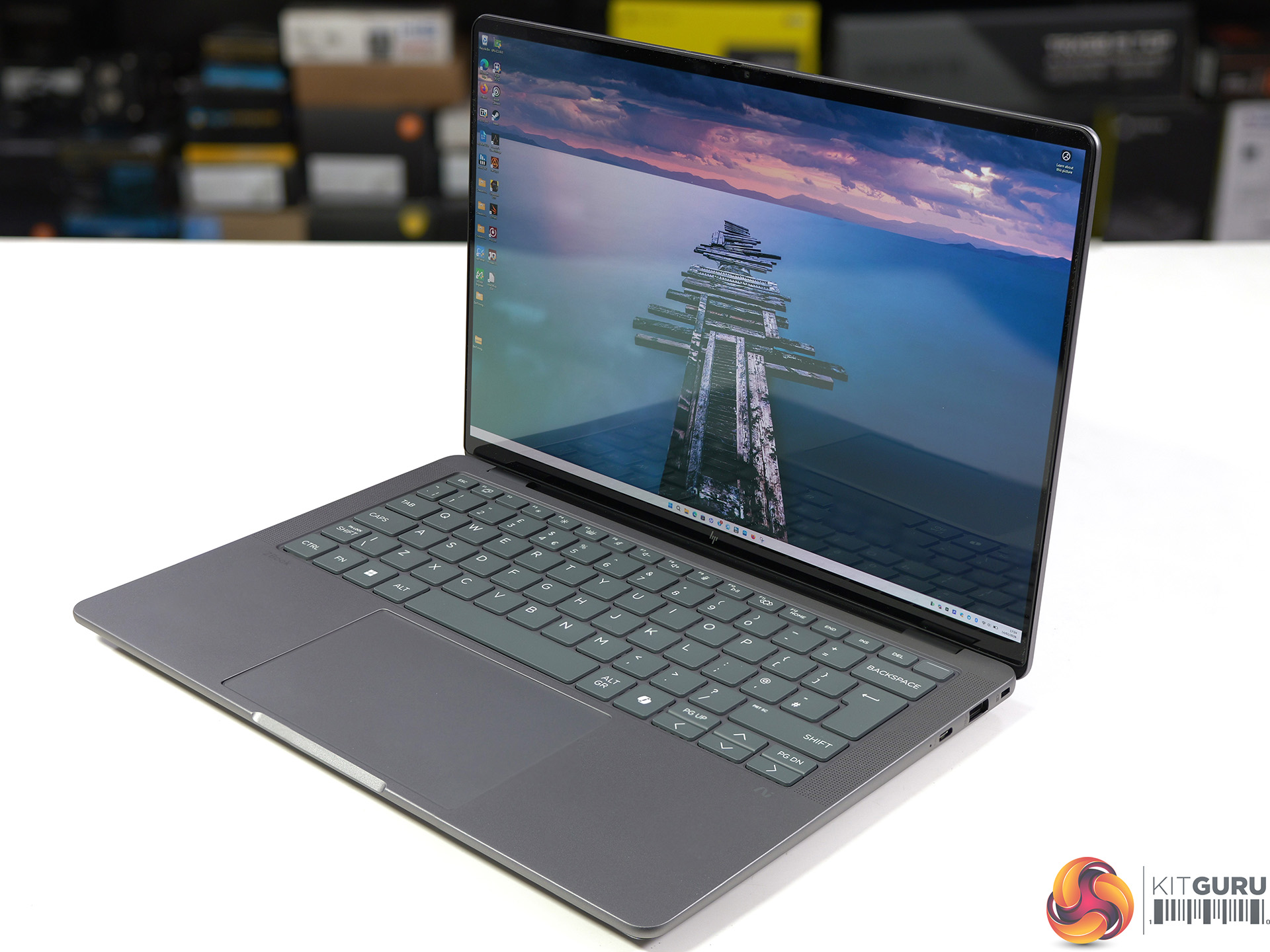
Our review of this HP Zbook Ultra G1a features the AMD Strix Halo APU which was announced at CES 2025. Despite its age this is the most powerful APU that money can buy, and both the CPU and graphics are truly impressive. To make things interesting we put the HP laptop head-to-head with Intel’s brand new Panther Lake Core Ultra X9 388H so we could see the best integrated graphics in action.

Timestamps

00:00 Start
00:52 AMD Ryzen AI Max+ Series
03:36 Intel Core Ultra Series 3 thoughts
04:19 A quick test or 2
06:32 Physical Size / Battery
07:37 Connectors / Keyboard / Looks
08:33 Hardware
09:17 Comparisons and Performance Hardware
11:13 GeekBench 6 Multi Core
13:20 Geekbench 6 Single Core
13:53 Cinebench 2026 Multi Core / Points Per watt
14:44 Cinebench 2026 Single Core
15:24 Cinebench 2024 Multi Core
15:54 Cinebench 2024 Single Core
16:15 Cinebench R23 Multi Core
16:34 Cinebench R23 Single Core
16:44 7-Zip V25 Benchmark
16:56 Aida64 Memory Bandwidth
17:09 3DMark Fire Strike
17:52 Assassins Creed Mirage
19:57 FarCry 6
21:48 Cyberpunk 2077
24:21 PCMark 10 Battery Test
25:05 Closing Thoughts

Main Features

  • PRO Processor: Take charge of your work with the latest AMD Ryzen AI MAX processors, delivering cutting-edge CPU capabilities.
  • Integrated graphics: Experience ultra-powered performance, power through AI demanding workflows with AMD Radeon graphics and dedicated AI accelerators.
  • LPDDR5X-8533 MT/s Memory: Up to 128GB of memory. The unified memory architecture allows you to allocate up to 96GB of memory exclusively to the GPU.
  • Impressive expandability: Blitz through multiple tasks and ditch external drives with slots for up to 4TB local storage.
  • Up to 50 TOPS: Ensure smooth and responsive operation, tackle more and more demanding tasks, with the power to run AI locally.
  • All day battery life: Maximise your productivity with a long-lasting battery life, with HP Fast Charge reaching up to 50% in only 30 mins.
  • HP Smart Sense: Optimise your comfort and performance with an AI tool that adapts to your use. Adjust fan noise, conserve energy, and regulate CPU temperature for an optimal PC experience.
  • HP AI Companion: Enhance your productivity with a range of AI tools and solutions designed to simplify your daily tasks and keep you efficient throughout the day.

Specification

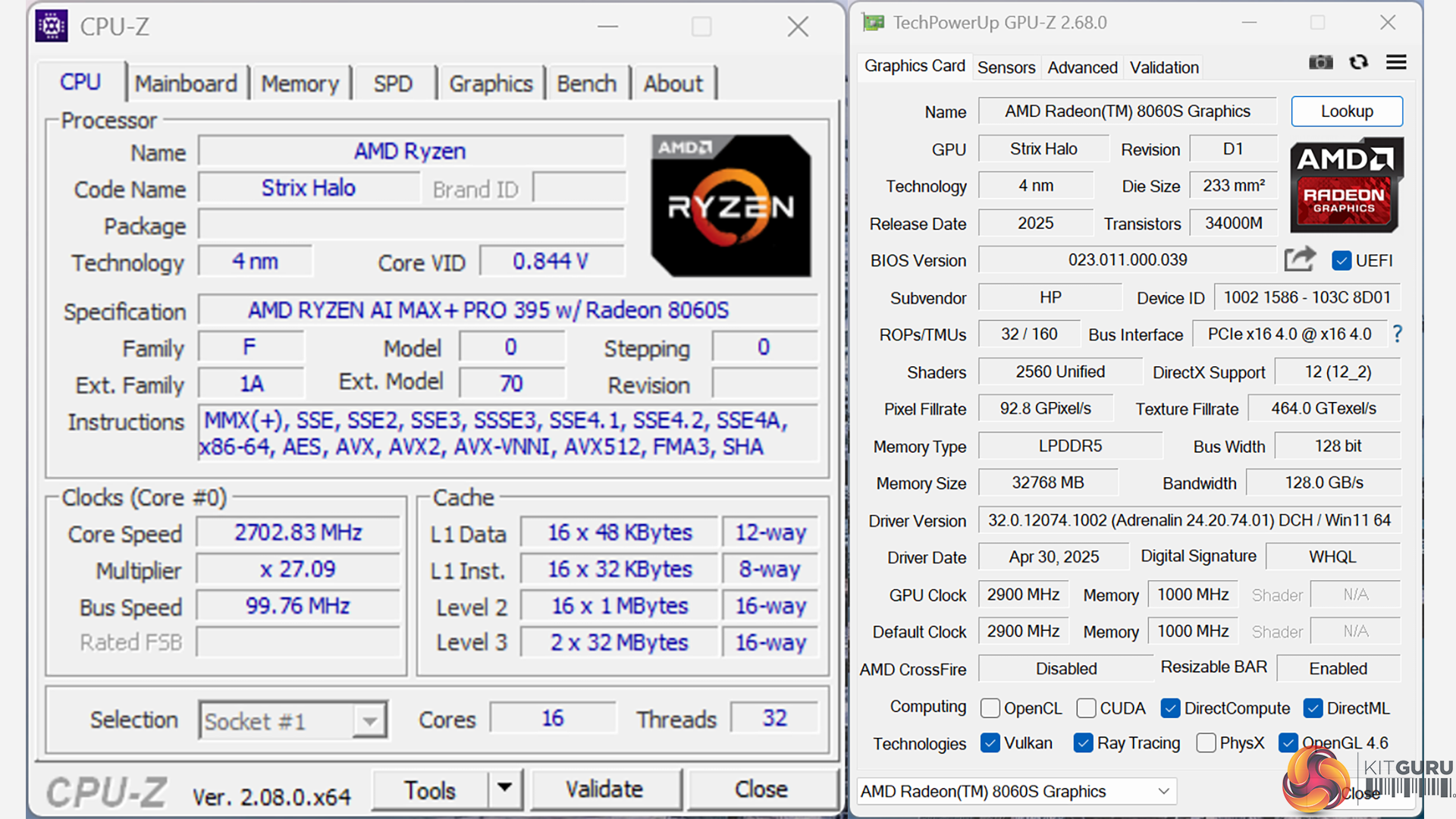
  • Processor: AMD Ryzen AI Max+ PRO 395 (up to 5.1 GHz max boost clock, 64 MB L3 cache, 16 cores, 32 threads)
  • Integrated graphics: AMD Radeon 8060S (40 cores, 32GB memory)
  • Neural processing unit: AMD Ryzen AI (50 NPU TOPS)
  • Memory: 128GB LPDDR5x-8533 MT/s (onboard)
  • Display: 14-inch touchscreen, 2.8K (2880 x 1800), OLED, 120Hz, 400 nits, 100% DCI-P3
  • Internal storage: 2TB PCIe Gen4 NVMe TLC SSD
  • Wireless: MediaTek Wi-Fi 7 MT7925 (2×2) and Bluetooth 5.4
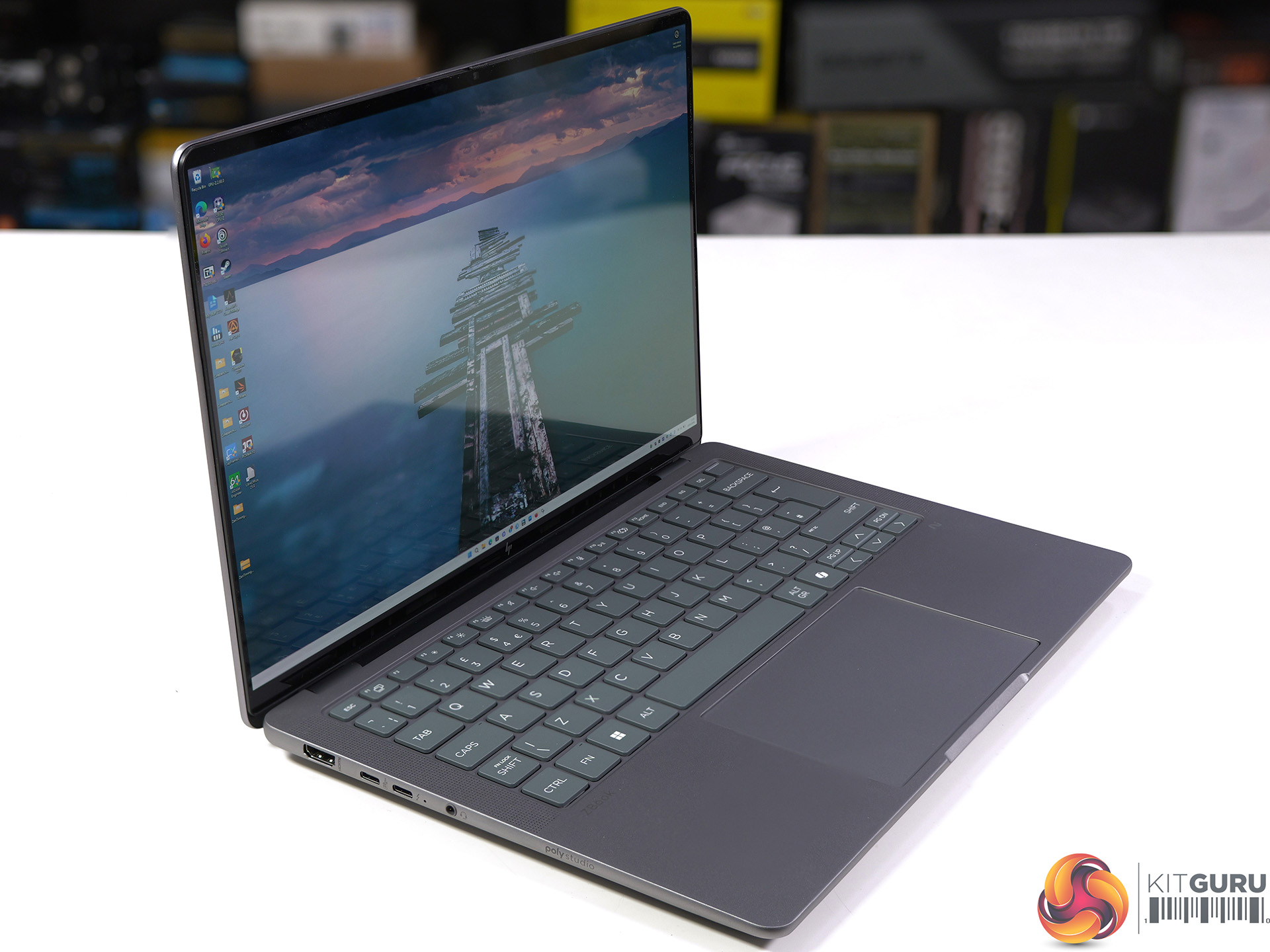
  • Ports (left side):
    • 1x USB Type-C 10Gbps (USB Power Delivery, DisplayPort 2.1)
    • 1x HDMI 2.1
    • 1x Headphone/microphone combo
    • 1x Thunderbolt 4 (USB Type-C 40Gbps, DisplayPort 2.1)
  • Ports (right side):
    • 1x USB Type-A 10Gbps
    • 1x Thunderbolt 4 (USB Type-C 40Gbps, DisplayPort 2.1)
    • Kensington lock slot
  • Camera: 5MP IR
  • Audio: Poly Studio; 4 integrated stereo speakers (1W / 8 ohm per speaker) with discrete amplifiers; 2 integrated dual-array digital microphones
  • Dimensions: 31.2 cm (W) x 21.5 cm (D) x 1.8 cm (H)
  • Weight: 1.58 kg (plus 0.53 kg charger)
  • Power adapter: 140W USB Type-C
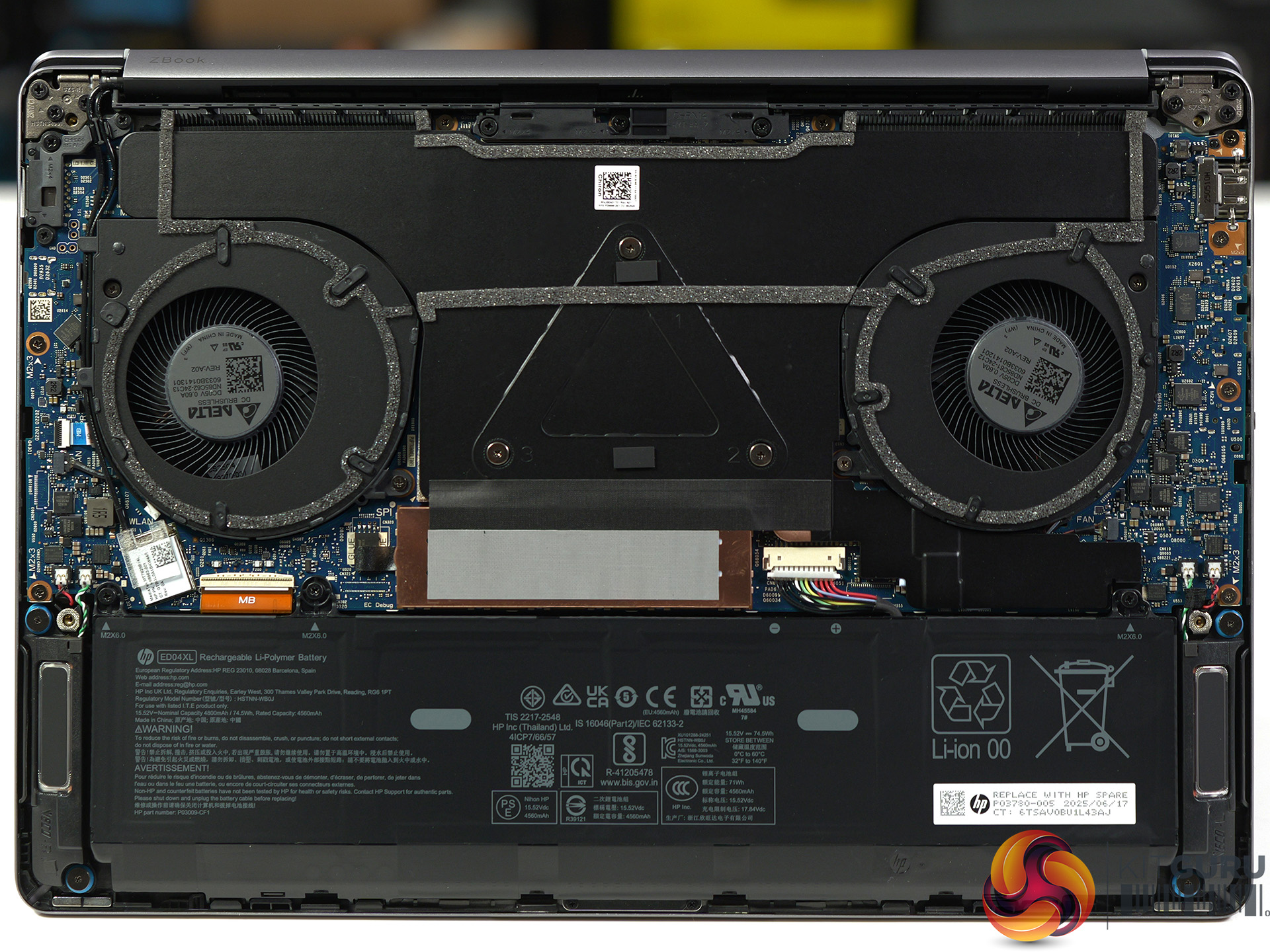
  • Battery: HP XL-Long Life 4-cell, 74.5Wh polymer
  • Operating system: Windows 11 Pro

Testing and Performance

Geekbench 6 Multi Core

In Geekbench 6 Multi Core we see the HP Zbook in an effective tie with the Asus Zenbook Duo and Intel Panther Lake. This indicates that Core Ultra X9 388H has something extra that makes up for the lack of pure CPU grunt.

Cinebench 2026 Multi Core

This is the result we expected in Cinebench 2026 Multi Core with the AMD Strix Halo powering the HP Zbook to a clear victory by a massive margin.

AIDA64 Memory Bandwidth

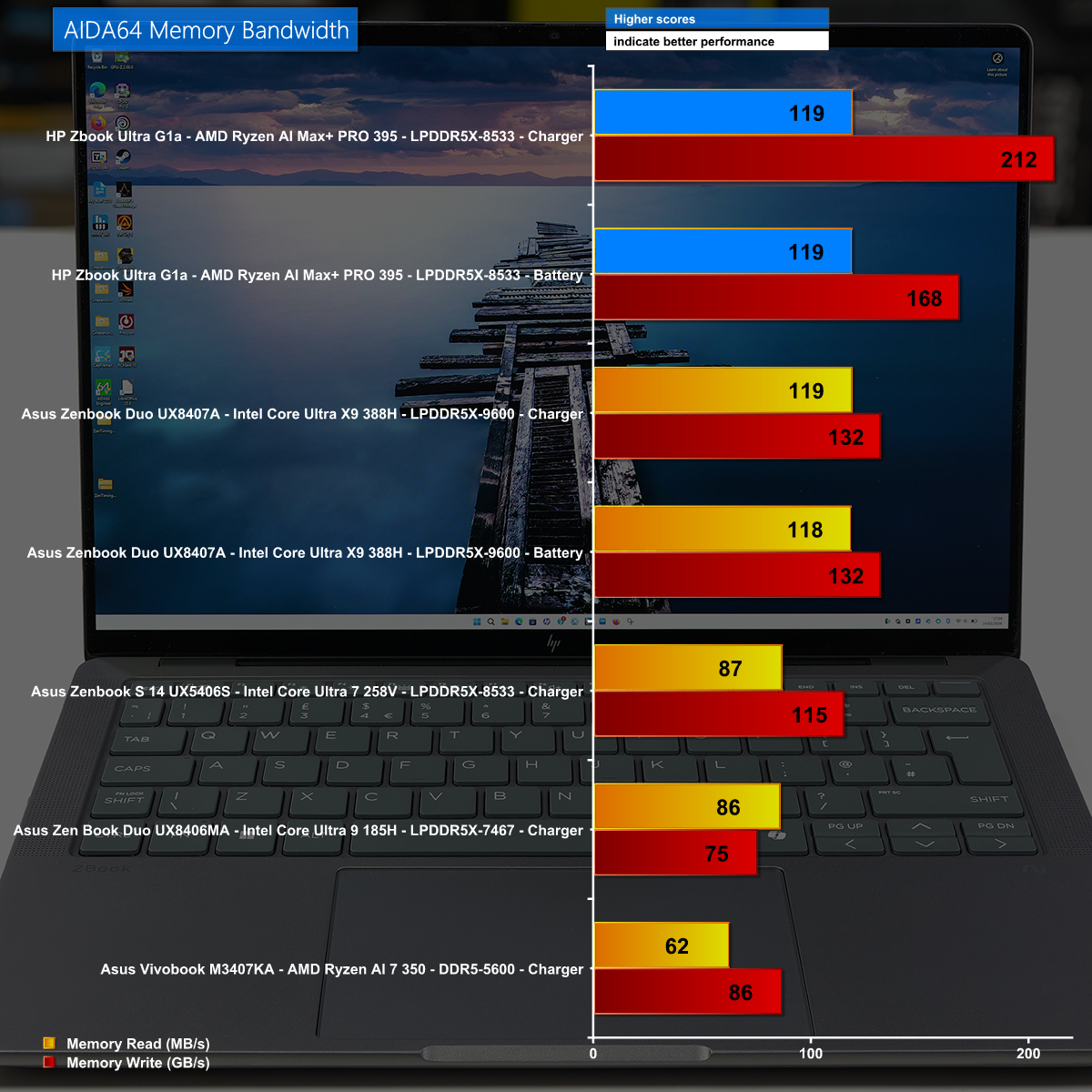
The HP Zbook  is loaded with a massive 128GB of LPDDR5x-8533 and the Strix Halo has a quad channnel memory controller which combine in AIDA64 Memory Bandwidth to deliver a decisive victory.

Far Cry 6 at 1,280×800 on Ultra Preset

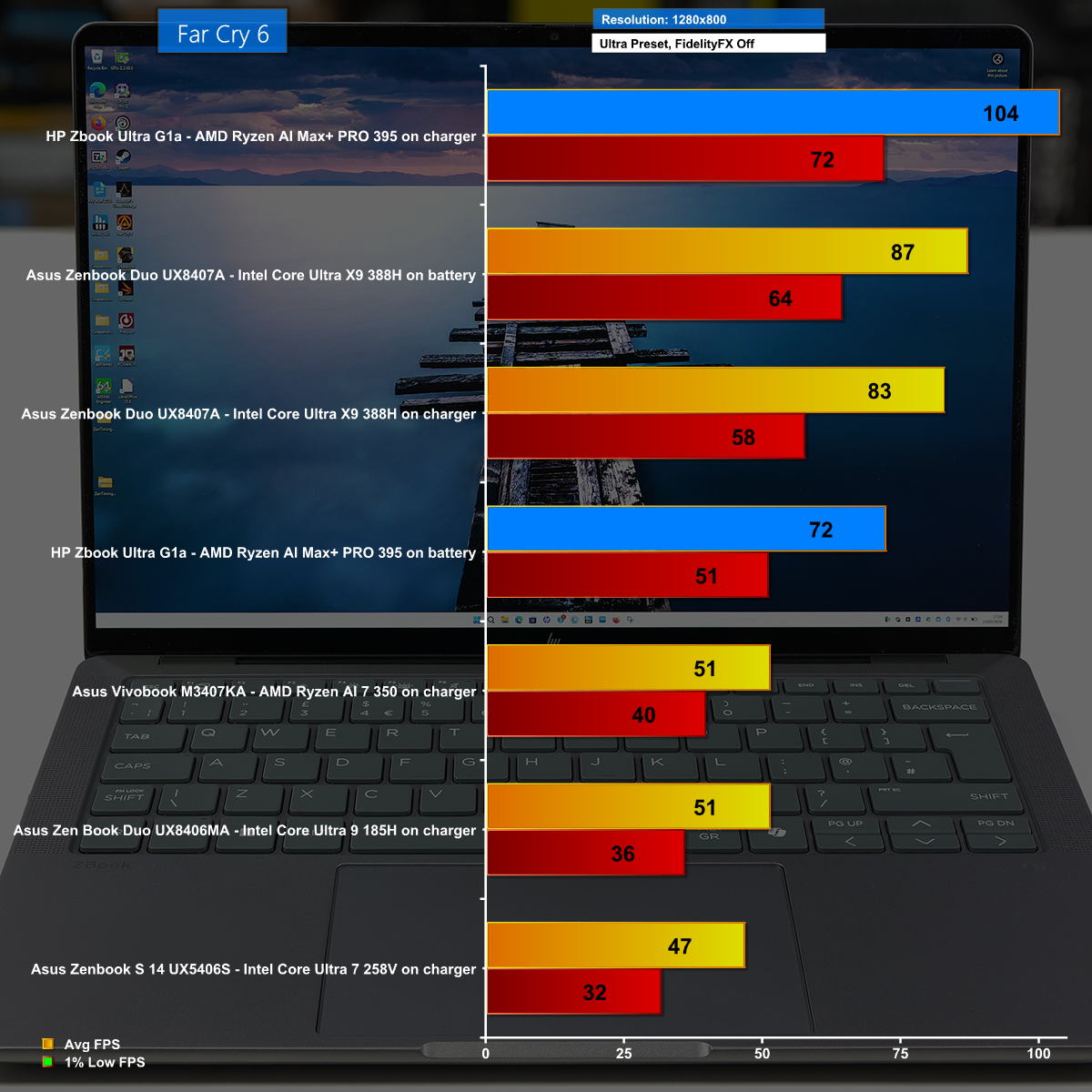
We show a number of gaming tests in our video. This particular test shows a low resolution with the clever image enhancements disabled, and the result is the HP Zbook runs at over 100fps on average which is impressive.

Cyberpunk 2077 at 2,880×1,800 with Frame Generation Enabled

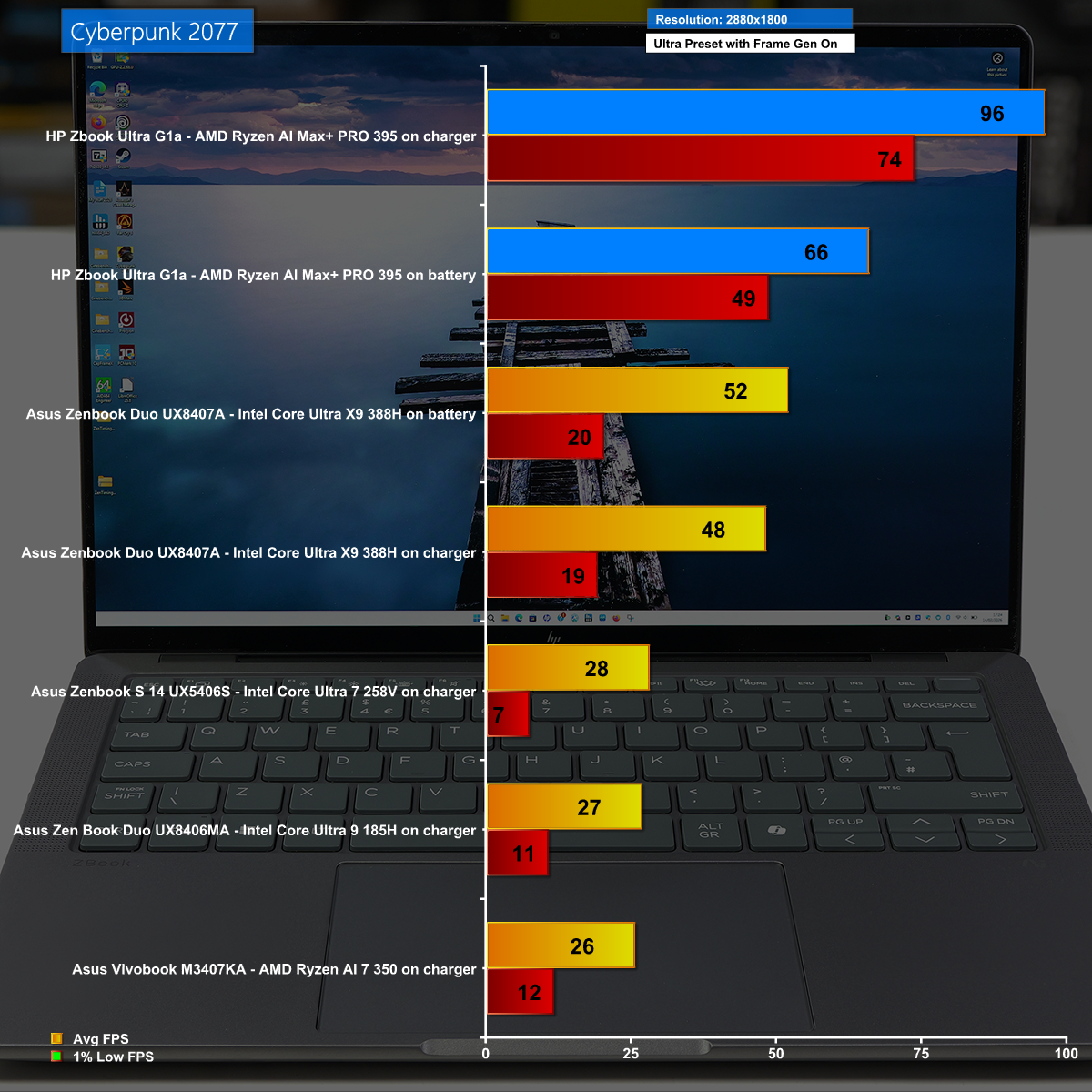
Cyberpunk 2077 is a stiff test for any laptop and 2,880×1,800 is a huge resolution so it comes as quite a surprise to see the HP Zbook using Frame Generation to play at nearly 100fps.

Battery Life

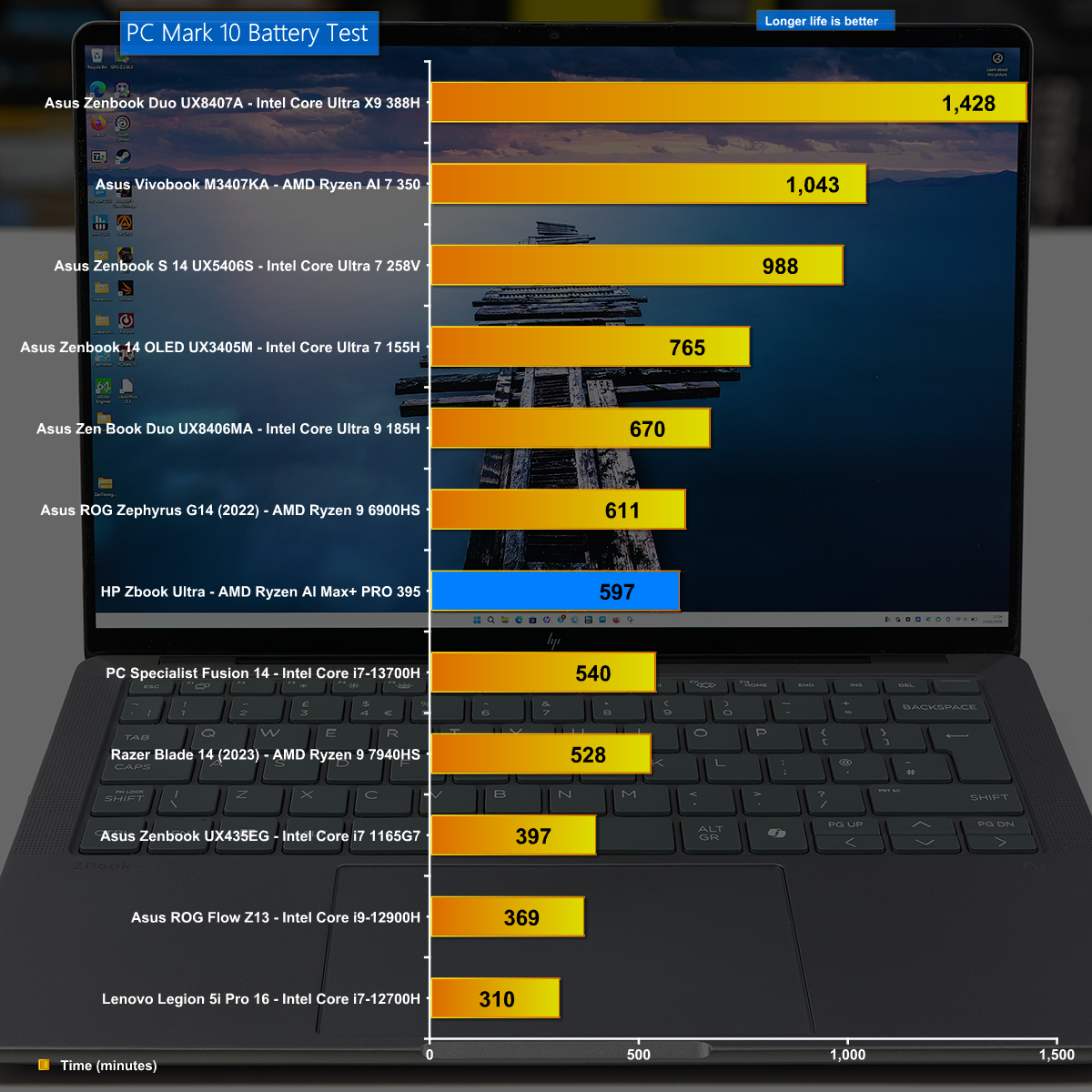
The HP Zbook does well in our battery test and shows that you can work all day on a single battery charge. Having said that, you will want to take the charger with you to guarantee you get maximum performance.

Closing Thoughts

If KitGuru were to invent an award for Most Stealthy and Under Stated Product Ever, the HP Zbook Ultra G1a would make the list and would likely win the award. It looks like a dull, grey 14-inch laptop that is thin and light yet it packs the most amazing punch and delivers epic performance from the AMD Strix Halo APU without any need for add-in graphics.

You may have noticed in our video that we barely discuss operating temperatures and don't mention noise levels at all, and that is for good reason. The innards typically run at 60 degrees C on battery and 70 degrees C on charger, and the cooling system wasn't the least bit intrusive. It is a remarkable laptop that is mainly held back by its hefty £3k+ price tag and slightly affected by the annoying amount of HP software.

You can buy the HP Zbook Ultra G1a for £3,204 HERE.

Pros:

  • Epic CPU and GPU performance from AMD AI Max+ PRO 395.
  • Impressive battery life for a mobile workstation.
  • Compact form factor that is highly portable.
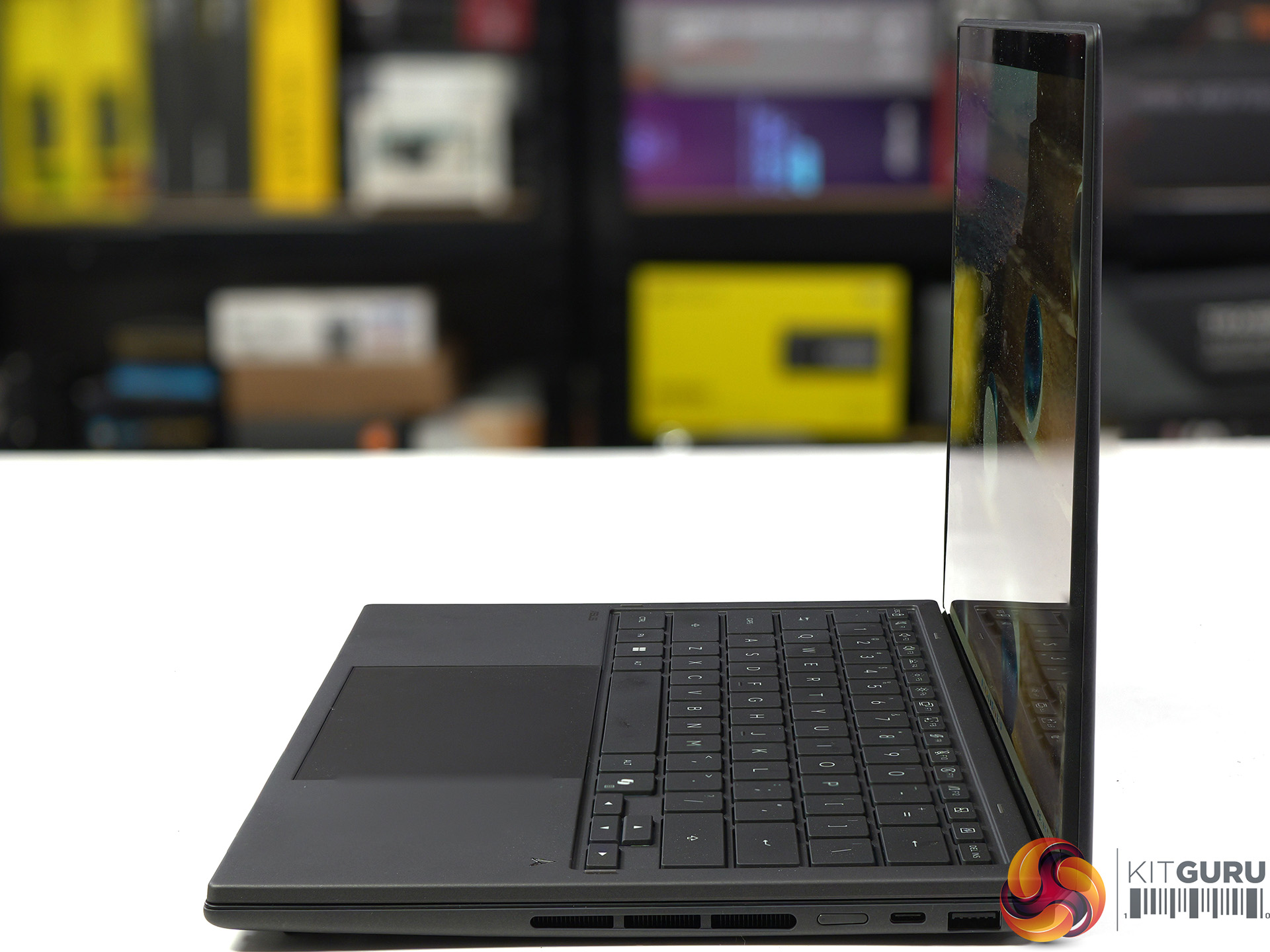
  • Huge memory bandwidth from quad channel DDR5.

Cons:

  • Very expensive.
  • 3rd party monitoring utilities continue to be confused by AMD APUs.
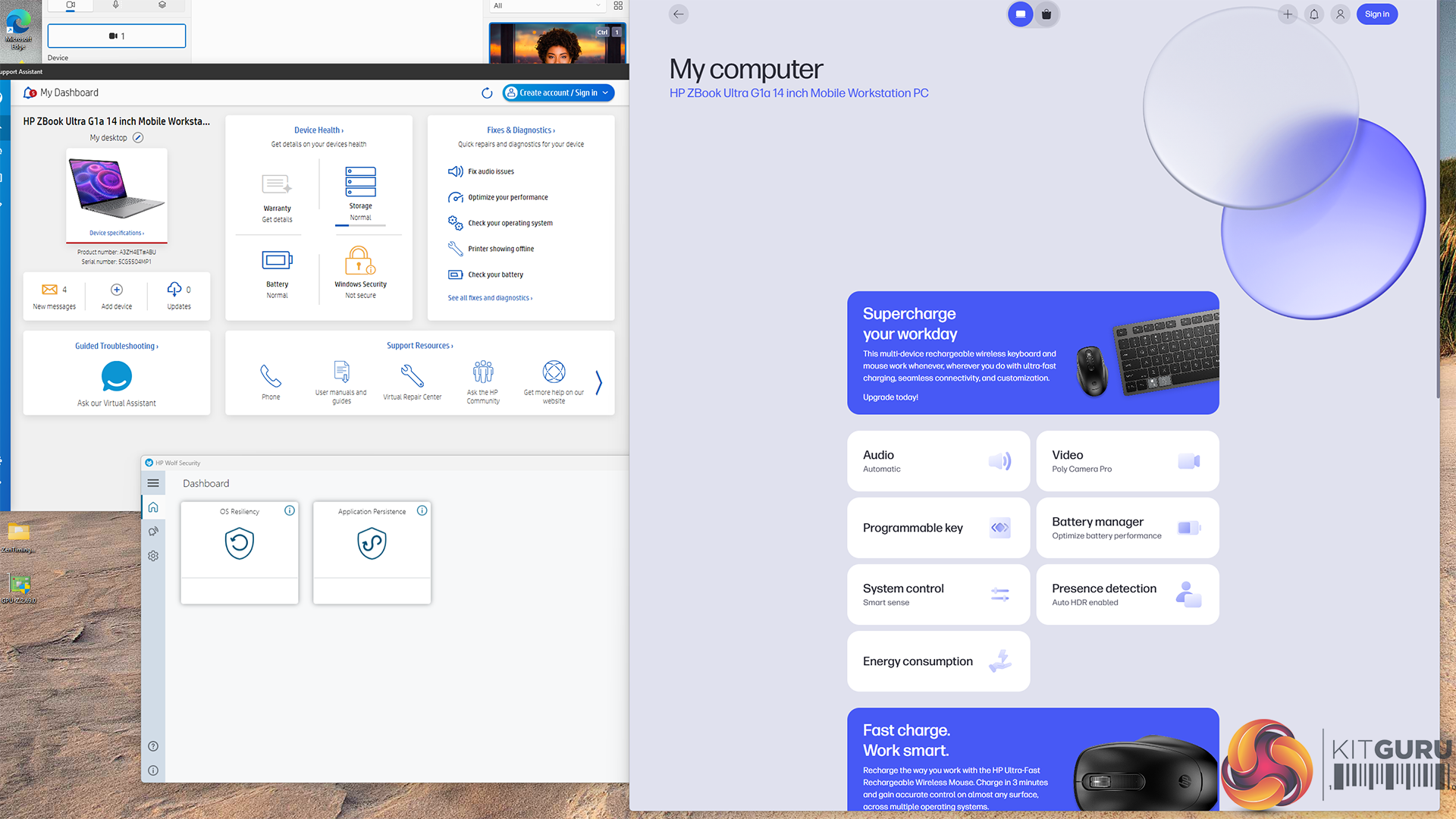
  • HP includes a number of pieces of software instead of a single utility.

KitGuru says: The HP Zbook Ultra G1a is deeply impressive and shows we can live without Nvidia graphics.

The post HP Zbook Ultra G1a Review (Strix Halo) first appeared on KitGuru.
❌