Executive Summary
Forza Horizon 6 represents a turning point in how storage hardware affects game performance. While SATA SSDs and NVMe drives often feel interchangeable in today's catalog, FH6 draws a hard line at its highest graphical presets — where NVMe is no longer optional.
The core driver is the Japan map: the densest, most vertically complex environment in Forza history. Combined with 4K textures, ray-traced global illumination, and real-time asset streaming at racing speeds, the game's storage demands exceed what SATA III can physically deliver.
Storage Tiers & Requirements
FH6 splits its graphical presets into four tiers, each with a defined minimum storage interface:
The Extreme tiers also use a large system RAM buffer — between 24 GB and 32 GB — that the NVMe drive feeds continuously. This RAM buffer tracks the complex lighting states needed for ray-traced global illumination across the open world.
The Japan Map Challenge
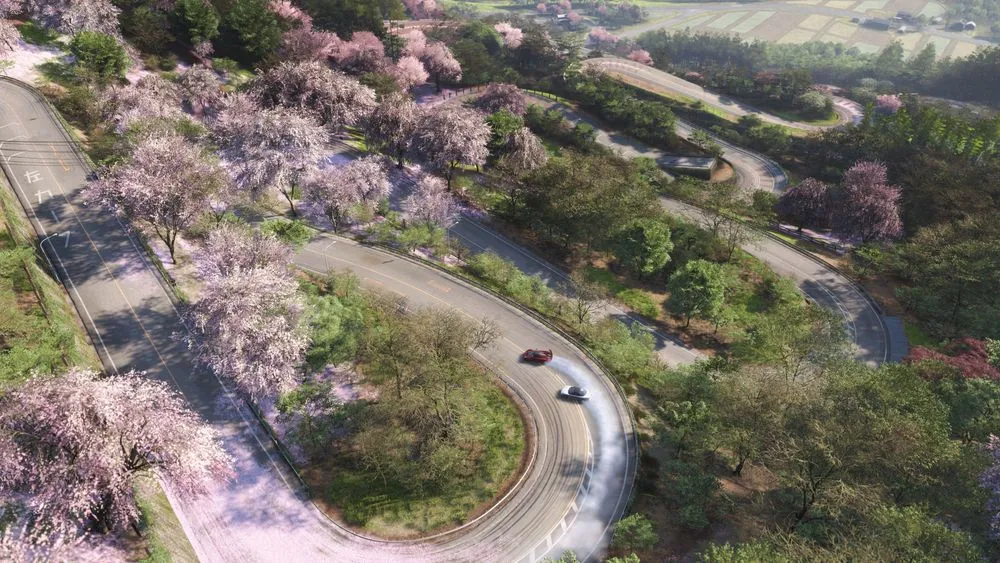
The architectural decision to mandate NVMe is inseparable from the game's setting. The stylized Japan map — centering on a version of Tokyo — is the most demanding open world the Forza franchise has ever attempted.
urban Forza map
through Tokyo
at top speed
available
Streaming in Three Dimensions
Previous Forza titles streamed assets primarily horizontally across open plains. The Japan map introduces serious vertical complexity: multi-level parking structures, elevated highways threading through Shinjuku and Shibuya, and skyscrapers whose upper floors need geometry loaded for ray-traced reflections to render correctly at street level.
- The engine must stream geometry and textures based on forward movement and camera tilt, creating simultaneous multi-axis asset requests.
- Occlusion culling cycles constantly in the urban jungle — rapidly revealing dense geometry that SATA cannot deliver fast enough.
- If vertical structures (skyscrapers) aren't loaded promptly, RTGI lighting calculations for streets below will appear incorrect or "pop."
- NVMe's support for up to 64,000 command queues lets ForzaTech request assets from different biomes and elevations simultaneously. SATA's AHCI protocol uses a single queue — it cannot handle this pattern efficiently.
DirectStorage & the EnqueueRequests API
FH6 is built on DirectStorage v1.2/1.3 — Microsoft's API that bypasses legacy OS I/O bottlenecks by routing asset data directly from the NVMe drive to GPU VRAM, cutting the CPU nearly out of the decompression loop.
The key upgrade in v1.3 is the EnqueueRequests API, which gives the ForzaTech engine fine-grained control over how and when data requests are issued and synchronized with active rendering work.
- Request batching: Multiple I/O requests are bundled into a single call, reducing communication overhead between the engine and storage subsystem.
-
D3D12 fence integration:
DirectStorage operations sync with the standard
rendering pipeline via fences, ensuring texture
loads and
UpdateTileMappingshappen in the correct order. - Predictable delivery: The engine can schedule I/O precisely so critical loading paths run without stalling the GPU — essential for on-the-fly streaming at high speeds.
- FPS drop mitigation: The API was specifically designed to prevent GPU decompression from interfering with the graphics workload — a problem observed in earlier DirectStorage implementations.
GPU Decompression & GDeflate
The Extreme and Extreme RT tiers offload asset decompression from the CPU to the GPU's compute shaders using the GDeflate format (introduced in DirectStorage 1.1). This is not a minor optimization — it's a structural requirement given how heavily taxed the CPU already is in Tokyo.
Why the CPU Can't Do It Alone
In the Extreme tiers, the CPU is simultaneously handling:
- Complex vehicle physics for every car on screen
- Dense AI traffic logic across a massive urban grid
- Asset decompression requests spiking above 1 GB/s
- DLSS 4 frame generation logic at 100+ FPS cadence
GPU decompression moves the third item entirely off the CPU — allowing stable frame rates that would otherwise degrade into stutters.
How GDeflate Works: 64 KiB Tiles
GDeflate achieves its performance by splitting compressed data into discrete 64 KiB tiles, each of which can be decompressed independently and in parallel.
Level 1: Different tiles are assigned
to different GPU thread groups simultaneously.
Level 2: Multiple lanes
within each thread group work on the same tile
in parallel.
A work-stealing scheme keeps GPU waves busy — if one wave finishes its tile early, it picks up the next available tile across all active streams, maximizing GPU utilization and preventing decompression from becoming the new bottleneck.
This architecture allows FH6 to stream and decompress the high-resolution textures and complex geometry needed for stable 60+ FPS at 4K — without visible pop-in or micro-stuttering — provided the underlying NVMe drive can keep the tile pipeline fed.
The decision map is straightforward. Your target resolution determines your storage requirement:
- 1080p / 1440p players: A SATA SSD remains fully supported. The engine's pre-fetching and buffering hides SATA latency effectively at these resolutions. No upgrade required.
- 4K Extreme players: NVMe is a hard requirement. The bandwidth delta between SATA (~550 MB/s) and what the Extreme preset demands (peaking above 1 GB/s) cannot be bridged by software alone.
- 4K Extreme RT players: Same as above, with the additional RAM requirement (24–32 GB system memory) that the NVMe drive feeds as a fast-transit pipe.
For budget-conscious buyers, any Gen3 or Gen4 NVMe drive will clear the Extreme threshold — you don't need a Gen5 flagship. The key is moving off the SATA interface, not chasing peak sequential speeds. Gen3 NVMe (3,500 MB/s) provides more than 6× the sustained bandwidth of SATA III, which is well beyond what even the most demanding FH6 scenarios require.